



Why Automating Your AKS Deployments Matters
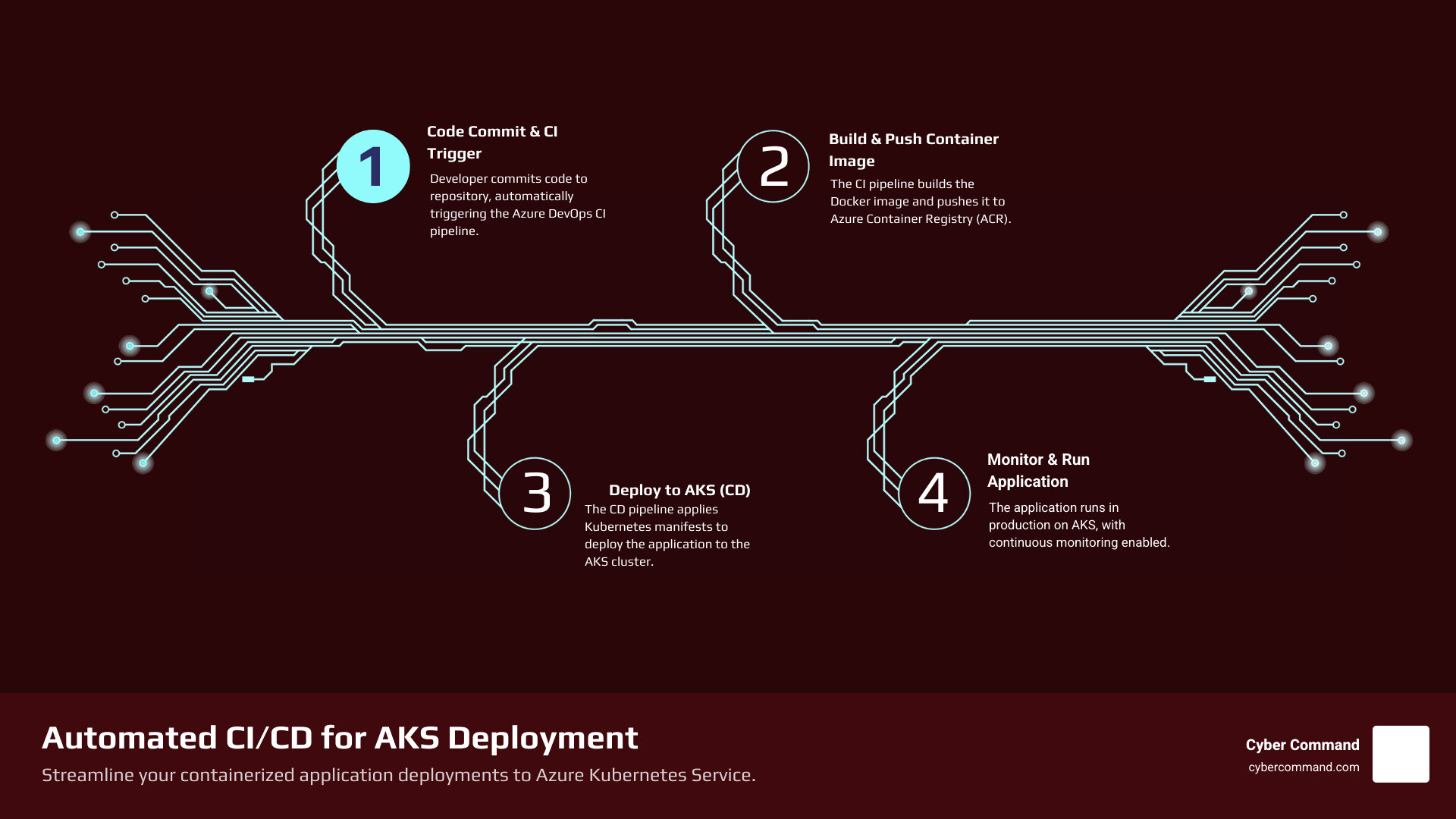
Azure DevOps deploy to AKS transforms how your business delivers containerized applications. Instead of manual deployments that risk errors and downtime, you get automated pipelines that build, test, and deploy your code to Azure Kubernetes Service every time your team commits changes.
Quick Answer: How to Deploy to AKS with Azure DevOps
- Containerize your application using a Dockerfile
- Push the container image to Azure Container Registry (ACR)
- Create service connections in Azure DevOps for ACR and AKS
- Build a CI pipeline that builds and pushes your Docker image
- Configure a CD pipeline that deploys Kubernetes manifests to your AKS cluster
- Verify your deployment using kubectl commands or the Azure Portal
This automated approach eliminates the stress of manual deployments and unpredictable failures. Azure Pipelines handles the entire process—from building your container image to deploying it across multiple environments—while you focus on growing your business.
Why this matters for your business:
- Faster releases mean you can respond to customer needs quickly
- Fewer errors because automation removes manual mistakes
- Predictable costs with transparent pipeline usage
- Better security through automated scanning and secret management
As businesses move to containers and Kubernetes, deployment complexity often becomes overwhelming. Azure Kubernetes Service simplifies cluster management, but you still need a reliable way to get your code from development to production. That’s where Azure DevOps shines—it provides the CI/CD tools specifically designed for Kubernetes deployments.
I’m Reade Taylor, founder of Cyber Command, and I’ve helped dozens of businesses move from manual, error-prone deployments to fully automated azure devops deploy to aks pipelines that deploy confidently and consistently. During my time as an engineer with IBM Internet Security Systems, I saw how automation transforms both security posture and operational reliability.

Laying the Foundation: Prerequisites for AKS Deployment
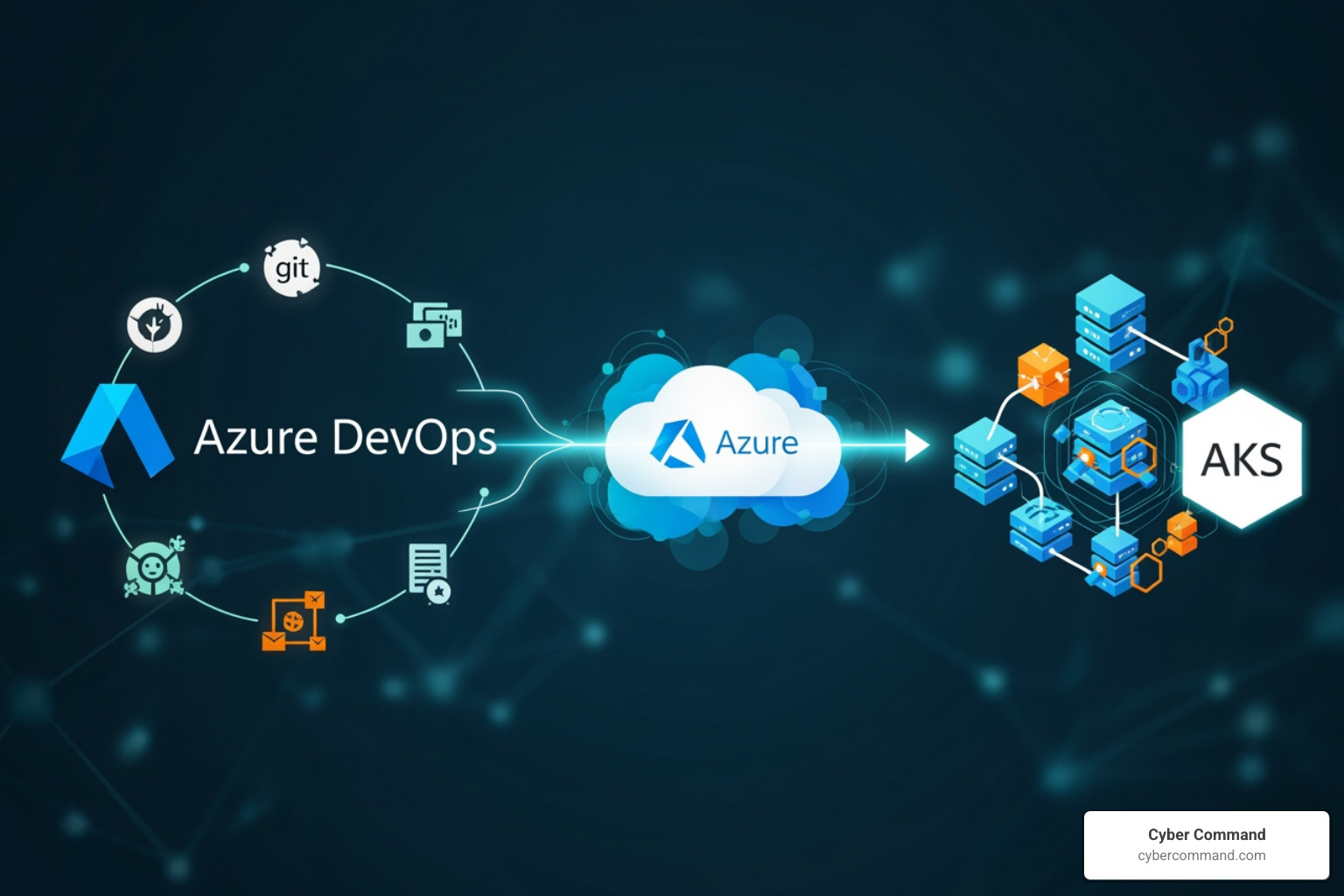
Before we can dive into the exciting world of automated azure devops deploy to aks, we need to ensure our workspace is properly set up. Think of these as the essential ingredients for our CI/CD recipe.

Here’s what you’ll need:
- An Azure Account with an Active Subscription: This is your gateway to all Azure services. If you don’t have one, you can easily Create an account for free. This account will host your AKS cluster, Container Registry, and Azure DevOps services.
- A GitHub Account (or Azure Repos): Your application code needs a home. We’ll assume GitHub for this guide, but Azure DevOps also integrates seamlessly with Azure Repos. If you don’t have a GitHub account, you can create a free one.
- Azure CLI Installed and Configured: The Azure Command-Line Interface (CLI) is a powerful tool we’ll use to create and manage Azure resources like your AKS cluster and Container Registry. Ensure it’s installed and you’re logged into your Azure account (
az login). - Azure Container Registry (ACR): This is where your Docker images will live. ACR is a managed, private Docker registry service that stores and manages your private container images. You’ll push your built application images here before deploying them to AKS.
- An Active AKS Cluster: Azure Kubernetes Service is a managed Kubernetes offering that simplifies deploying, managing, and scaling containerized applications. We’ll need a running AKS cluster to deploy our application to. You can create one using the Azure CLI or the Azure portal. For instance, you might use commands like
az group create --name myapp-rg --location eastusto create a resource group andaz aks create --resource-group myapp-rg --name myakscluster --node-count 1 --enable-managed-identity --generate-ssh-keysto spin up your cluster. - Sample Application Code: You’ll need an application to containerize and deploy. For a quick start, you can use a simple Node.js or Python application. The key is that it’s ready to be Dockerized.
- An Azure DevOps Organization and Project: This is where your CI/CD pipelines will reside. If you’re new to Azure DevOps, you can sign up for free and create a new organization and project to get started.
With these prerequisites in place, we’re ready to build a robust pipeline that automates your azure devops deploy to aks process.
Step-by-Step: Building Your CI/CD Pipeline to Azure DevOps Deploy to AKS
Now for the main event! This section details the core process of creating a complete pipeline to automate deployments, taking your code from commit to a running application in AKS.
Step 1: Containerize Your Application with Docker
The first crucial step in any Kubernetes deployment is to package your application into a Docker image. This process makes your application portable and ensures it runs consistently across different environments.
To containerize your application, you’ll need a Dockerfile in the root of your project. This file contains instructions for Docker to build your image. For example, a simple Node.js application’s Dockerfile might look like this:
FROM node:16

WORKDIR /app

COPY package*.json ./

RUN npm install

COPY . .

EXPOSE 80

CMD ["node", "app.js"]


This Dockerfile instructs Docker to:
- Start with a Node.js 16 base image.
- Set the working directory inside the container to
/app. - Copy dependency files and install them.
- Copy the rest of your application code.
- Expose the application on port 80.
- Run the application using
node app.js.
If you don’t have a Dockerfile for your application, don’t fret! Tools like draft.sh can generate Dockerfiles for many languages and frameworks, including Go, C#, Node.js, Python, Java, and more, simplifying the containerization process.
For more detailed guidance on containerizing applications, you can refer to Microsoft’s documentation on how to Build, test, and deploy containers to Azure.
Step 2: Configure Service Connections in Azure DevOps
Azure DevOps needs permission to interact with your Azure subscription and Azure Container Registry. We grant these permissions through “Service Connections.” These connections securely store credentials and configuration details, allowing your pipelines to authenticate with external services.
- Steer to Project Settings: In your Azure DevOps project, click on “Project settings” (usually found at the bottom left).
- Service Connections: Under “Pipelines,” select “Service connections.”
- Create New Service Connection: Click “New service connection” and choose the following types:
- Azure Resource Manager: This connection will allow Azure DevOps to manage resources within your Azure subscription, including your AKS cluster. We recommend using a Service Principal (automatic or manual) for robust authentication.
- Docker Registry: This connection will allow Azure DevOps to push and pull images from your Azure Container Registry (ACR). You’ll typically select “Azure Container Registry” and choose your subscription and the specific ACR instance.
During creation, you’ll be prompted to provide details like your Azure subscription, resource group, and the name of your ACR. Ensure you grant the necessary permissions for your pipelines to use these connections. For the Azure Resource Manager connection, it’s crucial that the associated service principal has contributor access to the resource group containing your AKS cluster. Similarly, the Docker Registry connection needs push/pull permissions to your ACR.
Step 3: Configuring the Build Pipeline (CI) for azure devops deploy to aks
The Continuous Integration (CI) pipeline is the workhorse that automatically builds your application, containerizes it, and pushes the resulting image to your Azure Container Registry every time code changes are committed. This ensures that a fresh, tested image is always available for deployment. This is a core part of our CI/CD Pipeline.
We’ll define this pipeline using YAML, which is the modern and recommended approach in Azure DevOps. Create a file named azure-pipelines.yml in the root of your repository.
Here’s a simplified example of what your build pipeline might look like:
trigger:
- main

variables:
  # Container registry service connection name
  dockerRegistryServiceConnection: 'MyACRConnection'
  dockerRepository: 'my-web-app'
  tag: '$(Build.BuildId)'
  imagePullSecret: 'MyAKSServiceConnection' # Used later for CD

stages:
- stage: Build
  displayName: Build and push Docker image
  jobs:
  - job: BuildAndPush
    displayName: Build and Push
    pool:
      vmImage: 'ubuntu-latest'
    steps:
    - task: Docker@2
      displayName: Build and push an image to ACR
      inputs:
        command: buildAndPush
        repository: $(dockerRepository)
        dockerfile: '$(Build.SourcesDirectory)/Dockerfile'
        containerRegistry: $(dockerRegistryServiceConnection)
        tags: |
          $(tag)
Explanation:
trigger: - main: This tells Azure DevOps to automatically run this pipeline whenever changes are pushed to themainbranch.variables: We define variables for our ACR service connection, the name of our Docker repository (which will be the image name in ACR), and a unique tag for our image, often using$(Build.BuildId).stage: Build: This defines the build stage.job: BuildAndPush: A job within the stage.pool: vmImage: 'ubuntu-latest': Specifies the agent (virtual machine) to run the job on.ubuntu-latestis a Microsoft-hosted agent.task: Docker@2: This is the Docker task, version 2.command: buildAndPush: Instructs the task to both build the Docker image and push it to the specified container registry.repository: $(dockerRepository): The name of the image in ACR (e.g.,my-web-app).dockerfile: '$(Build.SourcesDirectory)/Dockerfile': Path to yourDockerfile.containerRegistry: $(dockerRegistryServiceConnection): References the Docker Registry service connection we created earlier.tags: | $(tag): Tags the image with the unique build ID.
After this pipeline runs successfully, you’ll have a new Docker image tagged with the build ID in your Azure Container Registry, ready for deployment. The pipeline can also be configured to publish Kubernetes manifests as artifacts, which contain all the necessary information to create the base of a release pipeline configuration.
Step 4: Configuring the Release Pipeline (CD) for azure devops deploy to aks
The Continuous Delivery (CD) pipeline takes the Docker image built in the CI stage and deploys it to your AKS cluster. This pipeline defines the steps to apply your Kubernetes manifests and bring your application to life.
For our CD pipeline, we’ll continue using YAML. This can be part of the same azure-pipelines.yml file as the build stage (a multi-stage pipeline) or a separate file. For simplicity, let’s add it as a new stage in the same YAML:
- stage: Deploy
  displayName: Deploy to AKS
  dependsOn: Build # Ensure Build stage completes successfully first
  jobs:
  - deployment: DeployToAKS
    displayName: Deploy to AKS Cluster
    environment: 'WebApp-Production.my-aks-cluster' # Define an environment for traceability
    pool:
      vmImage: 'ubuntu-latest'
    strategy:
      runOnce:
        deploy:
          steps:
          - task: KubernetesManifest@1
            displayName: Create secret for ACR
            inputs:
              action: createSecret
              secretType: dockerRegistry
              secretName: 'acr-secret-$(Build.BuildId)' # Unique secret name
              dockerRegistryEndpoint: $(dockerRegistryServiceConnection)
              kubernetesServiceConnection: 'MyAKSServiceConnection'
              namespace: 'default' # Or your target namespace

          - task: KubernetesManifest@1
            displayName: Deploy to Kubernetes cluster
            inputs:
              action: deploy
              kubernetesServiceConnection: 'MyAKSServiceConnection'
              namespace: 'default' # Or your target namespace
              manifests: |
                $(Build.SourcesDirectory)/kubernetes/deployment.yml
                $(Build.SourcesDirectory)/kubernetes/service.yml
              imagePullSecrets: 'acr-secret-$(Build.BuildId)'
              containers: |
                $(dockerRepository):$(tag)
Explanation:
stage: Deploy: Defines the deployment stage.dependsOn: Build: Ensures this stage only runs after theBuildstage completes successfully.deployment: DeployToAKS: A special type of job for deployments, which offers features like environment targeting and deployment strategies.environment: 'WebApp-Production.my-aks-cluster': This links the deployment to an environment defined in Azure DevOps, improving deployment traceability and providing a clearer view of what’s deployed where.strategy: runOnce: deploy:: A simple deployment strategy to run the deployment steps once.task: KubernetesManifest@1: This powerful task handles various Kubernetes operations.- Create secret for ACR: The first
KubernetesManifesttask usesaction: createSecretto generate anImagePullSecretin your AKS cluster. This secret contains credentials for your ACR, allowing your Kubernetes pods to pull images from your private registry. We dynamically name it with the build ID for uniqueness. - Deploy to Kubernetes cluster: The second
KubernetesManifesttask usesaction: deploy.kubernetesServiceConnection: 'MyAKSServiceConnection': References the Azure Resource Manager service connection we created for AKS.namespace: 'default': Specifies the Kubernetes namespace where the application will be deployed (you can use other namespaces likedev,qa,staging,prodas needed).manifests: |: Specifies the path to your Kubernetes YAML files, such asdeployment.ymlandservice.yml. These files define your application’s deployment (e.g., number of replicas, container image) and how it’s exposed (e.g., LoadBalancer service).imagePullSecrets: 'acr-secret-$(Build.BuildId)': References the secret created earlier, allowing pods to authenticate with ACR.containers: | $(dockerRepository):$(tag): This is crucial for artifact substitution. It tells the task which container image (and its tag from the CI stage) to use in the deployment.
- Create secret for ACR: The first
Example Kubernetes Manifests (kubernetes/deployment.yml and kubernetes/service.yml):
deployment.yml:
apiVersion: apps/v1
kind: Deployment
metadata:
  name: my-app-deployment
spec:
  replicas: 2
  selector:
    matchLabels:
      app: my-app
  template:
    metadata:
      labels:
        app: my-app
    spec:
      containers:
      - name: my-app-container
        image: mycontainerregistry.azurecr.io/my-app:latest # Placeholder, replaced by pipeline
        ports:
        - containerPort: 80
      imagePullSecrets:
      - name: my-image-pull-secret # Placeholder, replaced by pipeline
service.yml:
apiVersion: v1
kind: Service
metadata:
  name: my-app-service
spec:
  type: LoadBalancer
  ports:
  - port: 80
    targetPort: 80
  selector:
    app: my-app
Once the pipeline completes, you can verify the deployment by checking your AKS cluster using kubectl. For instance, kubectl get pods -n default should show your application pods running, and kubectl get svc -n default will reveal the external IP address of your service (if you’re using a LoadBalancer).
Advanced Strategies and Best Practices
While a basic CI/CD pipeline gets your code to AKS, incorporating advanced strategies and best practices can significantly improve the reliability, security, and observability of your deployments. At Cyber Command, we help businesses in Florida and Texas implement these robust solutions.
Implementing Advanced Deployment Strategies
Beyond the standard “rolling update” (which is Kubernetes’ default), Azure DevOps and AKS support more sophisticated deployment strategies that minimize risk and downtime:
| Strategy | Description | Benefits |
|---|---|---|
| Rolling | Gradually replaces old pods with new ones, ensuring continuous availability. Default Kubernetes behavior. | Simple to implement, gradual rollout, automatic rollback on failure. |
| Blue-Green | Deploys a new version (green) alongside the old (blue). Traffic is switched instantly once green is validated. | Zero downtime, instant rollback to the old version, clear separation of environments. |
| Canary | Routes a small percentage of user traffic to the new version (canary) while the majority uses the old. | Reduced risk by testing with a small user subset, easy to monitor real-world performance, allows for gradual rollout and A/B testing. |
| Bake | Pre-processes manifest templates (Helm, Kustomize, Kompose) into final YAML before deployment. | Simplifies complex manifest management, allows for dynamic configuration based on environment variables, integrates with popular templating tools. |
The KubernetesManifest task supports various deployment strategies. For instance, you can implement a canary deployment by deploying a new version with a different label and then gradually shifting traffic using a service mesh or an ingress controller. This allows for partially deploying new changes, letting them coexist with current deployments before a full rollout.
The bake action within the KubernetesManifest task is particularly powerful. It lets you use tools like Helm, Kustomize, and Kompose to generate your final Kubernetes manifest files from templates. This is invaluable for managing complex applications with many configurations. For example, you might have a Helm chart that you bake into a raw manifest before deploying, allowing for custom values per environment.
Securing Your Deployment Pipeline
Cybersecurity is paramount, especially when automating deployments. A compromised pipeline can lead to serious breaches. We take security seriously, and here are key considerations:
- Azure Key Vault Integration: Hardcoding secrets (database connection strings, API keys) directly into your pipeline YAML or application code is a big no-no. Instead, integrate Azure Key Vault. Your pipeline can securely retrieve secrets from Key Vault at runtime, injecting them as environment variables into your application pods. This ensures sensitive information is never exposed in your source control or pipeline logs.
- Managing Service Connection Permissions: Ensure your Azure Resource Manager and Docker Registry service connections have the principle of least privilege applied. Grant only the necessary permissions required for the pipeline to function, and nothing more.
- Role-Based Access Control (RBAC) in AKS: Kubernetes uses RBAC to manage permissions within the cluster. Your Azure DevOps pipeline interacts with AKS using a Kubernetes Service Connection, which typically creates a
ServiceAccountandRoleBindingobjects. TheRoleBindingensures theServiceAccount‘s operations are limited to the chosen namespace and specific actions. Always verify that theRoleBindinggrants appropriate permissions (e.g.,editClusterRolefor deployment purposes) to the correctServiceAccount. You can learn more about ServiceAccount and RoleBinding in the Kubernetes documentation. - Pod Security Standards: When generating Kubernetes manifests, consider enforcing secure computing profiles (like
RuntimeDefaultseccomp) and dropping unnecessary Linux capabilities. This adds an extra layer of protection against system call vulnerabilities and reduces the attack surface of your containers.
Monitoring and Troubleshooting Deployments
A successful deployment isn’t just about the pipeline completing; it’s about the application running flawlessly in AKS. Robust monitoring and effective troubleshooting are critical for maintaining application health.
- Azure Monitor and Container Insights: Leverage Azure Monitor and its Container Insights feature to collect performance metrics and health information from your AKS cluster and applications. This telemetry is forwarded to Azure Log Analytics for storage and analysis, providing invaluable insights into CPU/memory usage, pod status, and network activity.
kubectlCommands for On-the-Fly Diagnosis: When something goes wrong,kubectlis your best friend.kubectl get pods: Quickly check the status of your application pods.kubectl logs: View the logs of a specific container to diagnose application-level issues.kubectl describe pod: Get detailed information about a pod, including events, resource limits, and container status, which is often crucial for identifying why a pod isn’t starting.kubectl get events: See cluster-wide events that might indicate issues with deployments, nodes, or other resources.
- Deployment Traceability: Azure Pipelines improves deployment traceability by allowing you to associate Kubernetes resources within environments. This means you can easily see which pipeline run deployed which version of your application to a specific AKS environment, making it much easier to diagnose issues and pinpoint changes.
- Pipeline Logs: Don’t underestimate the power of your Azure DevOps pipeline logs. They provide a step-by-step record of your build and deployment process. If a deployment fails, the logs are the first place to look for error messages from Docker,
kubectl, or the Kubernetes API.
By combining proactive monitoring with effective troubleshooting techniques, we ensure your azure devops deploy to aks pipelines deliver not just code, but reliable, high-performing applications.
Frequently Asked Questions about Deploying to AKS
We often get asked specific questions about how to best leverage Azure DevOps for Kubernetes deployments. Here are some of the most common ones:
What are the key Azure DevOps tasks for Kubernetes deployment?
Azure Pipelines offers a comprehensive set of tasks specifically designed for Kubernetes interactions, simplifying deployments to AKS. The two primary tasks you’ll encounter are:
KubernetesManifesttask: This task is ideal for a declarative approach. It supports various actions likebake(to process templates with Helm, Kustomize, or Kompose),deploy(to apply manifests), anddelete(to remove resources). It also handles artifact substitution, pipeline traceability annotations, andimagePullSecretscreation. It’s excellent for managing your Kubernetes configuration files (YAML) and implementing deployment strategies like canary or blue-green.Kubectltask: For those times when you need more direct control, theKubectltask allows you to run anykubectlcommand directly against your Kubernetes cluster. This is useful for specific administrative tasks, debugging, or scenarios not fully covered by theKubernetesManifesttask.
Additionally, the Docker task (Docker@2) is fundamental for building and pushing your container images to Azure Container Registry (ACR) as part of your CI pipeline.
How do I manage Kubernetes manifest files in a pipeline?
Managing Kubernetes manifests (your YAML configuration files) effectively is crucial for clean and repeatable deployments. Here’s our recommended approach:
- Version Control: Store all your Kubernetes manifest files (e.g.,
deployment.yml,service.yml,ingress.yml) in your source code repository alongside your application code. This ensures they are versioned, reviewed, and consistent with your application. - Templating and Substitution: Raw YAML files can become cumbersome. We use the
bakeaction of theKubernetesManifesttask to process templates. This allows us to use tools like Helm, Kustomize, or Kompose to dynamically generate manifests. For example, you can use variables (like the image tag from your CI pipeline,$(tag)) to automatically update the container image specified in yourdeployment.yml. Thebakeaction will perform the change between your input templates and the final manifest files. - Deployment: Once the manifests are “baked” and any necessary substitutions are made, the
deployaction of theKubernetesManifesttask (or akubectl applycommand via theKubectltask) applies these files to your AKS cluster, creating or updating the defined Kubernetes objects.
This approach ensures your manifests are dynamic, maintainable, and part of your automated CI/CD flow for azure devops deploy to aks.
Can I deploy to a private AKS cluster?
Absolutely! Deploying to a private AKS cluster adds an extra layer of security by ensuring your cluster’s API server is not exposed to the public internet. Azure DevOps can still facilitate deployments to these clusters:
- Azure Resource Manager Service Connection: You’ll configure your Kubernetes service connection in Azure DevOps using the “Azure Resource Manager” type. This is the recommended approach for private AKS clusters or clusters where local accounts are disabled, as it leverages Azure Active Directory for authentication.
- Self-Hosted Agent: The key to deploying to a private AKS cluster is to use a self-hosted agent (also known as a private agent) for your Azure DevOps pipeline. This agent must be deployed within the same Azure Virtual Network (VNet) or a peered VNet that has network connectivity to your private AKS cluster’s API server endpoint.
- Network Connectivity: Ensure the self-hosted agent has the necessary network routes and firewall rules to communicate with the private AKS API server.
By setting up a self-hosted agent within your private network, you create a secure channel for your Azure DevOps pipelines to interact with and deploy to your private AKS cluster, without exposing your cluster to the public internet. This is a critical aspect of enterprise-grade IT infrastructure management, something we specialize in across Florida and Texas.
Conclusion
Automating your azure devops deploy to aks process is more than just a technical convenience; it’s a strategic move that drives efficiency, reliability, and security for your business. By embracing DevOps culture and leveraging the power of Azure Pipelines, you can achieve:
- Faster Time-to-Market: Deliver new features and updates to your customers with unprecedented speed.
- Reduced Risk: Minimize human error and ensure consistent, repeatable deployments.
- Improved Scalability: Easily scale your applications on AKS while your pipelines handle the deployment complexity.
- Improved Reliability: Implement advanced deployment strategies and robust monitoring to keep your applications running smoothly.
- Stronger Security Posture: Integrate secret management and RBAC to protect your sensitive data and infrastructure.
At Cyber Command, we understand that navigating the complexities of cloud deployments and Platform Engineering can be daunting. That’s why we offer enterprise-grade IT services, including expert guidance and implementation of azure devops deploy to aks solutions. With our proactive, 24/7/365 U.S.-based support and transparent, all-inclusive pricing, we act as an extension of your team, ensuring your cloud journey is smooth and successful. Whether you’re in Winter Springs, Orlando, Jacksonville, Tampa Bay, Central Florida, or Plano, Texas, we’re here to help you master your AKS deployments and open up the full potential of your cloud infrastructure.