



Why Your Business Can’t Afford to Ignore Disaster Recovery
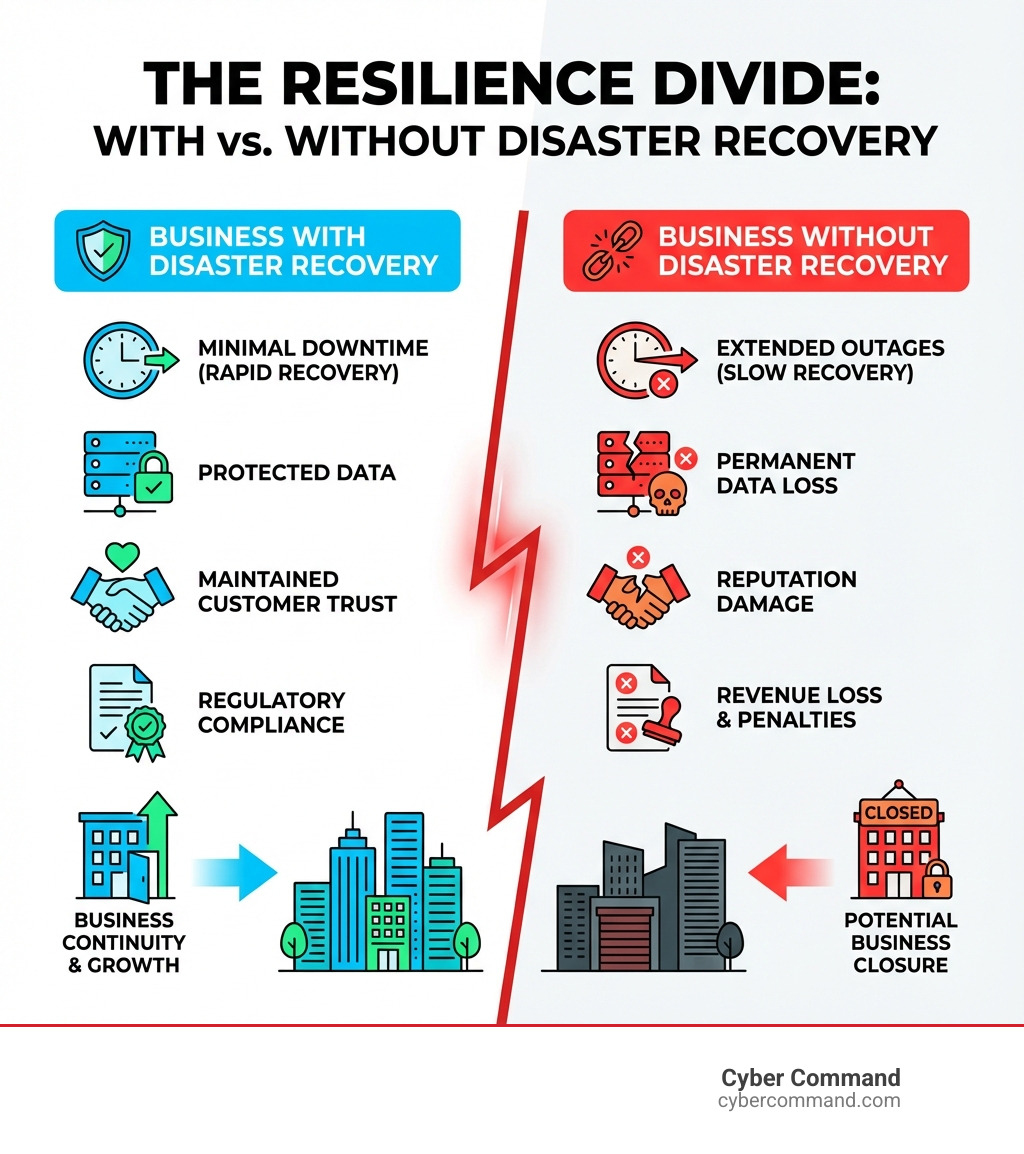
Disaster recovery solutions are the strategies and services that enable organizations to restore critical IT systems and data after events like cyberattacks, hardware failures, or natural disasters. Every minute of downtime risks data loss, operational chaos, lost revenue, and lasting reputation damage.
Here’s what you need to know about disaster recovery solutions:
- What they protect: Critical IT infrastructure, applications, databases, and business data
- Main types: On-premises data centers, virtualized recovery, cloud-based solutions, and Disaster Recovery as a Service (DRaaS)
- Key metrics: Recovery Time Objective (RTO) – how fast you recover, and Recovery Point Objective (RPO) – how much data you can afford to lose
- Core benefit: Business continuity—keeping your operations running even when disaster strikes
- Modern approach: Cloud-based and DRaaS solutions offer faster recovery at lower cost than traditional methods
The stakes are real: a single hour of downtime can cost enterprises hundreds of thousands of dollars, break customer trust, and lead to regulatory penalties. For some, like healthcare organizations, the impact can be life-or-death.
Think of disaster recovery as your organization’s emergency playbook. It’s a strategic framework of policies, procedures, and products that protects and restores vital operations after a catastrophic event—whether that’s a ransomware attack, a hurricane flooding your data center, or simple human error.
The good news is that DR has evolved. You no longer need a separate physical data center or massive capital investment to protect your business. Cloud platforms and managed services have made enterprise-grade protection accessible to organizations of all sizes. The challenge is finding the right solution for your needs, budget, and risk tolerance.
I’m Reade Taylor, Founder and CEO of Cyber Command, with years of hands-on experience building secure, highly available environments and helping businesses implement effective disaster recovery solutions. Throughout my career—from engineering at IBM Internet Security Systems to founding Cyber Command—I’ve seen how the right DR strategy transforms technology from a costly liability into a competitive advantage.

The Building Blocks: Key Concepts in Disaster Recovery
Before diving into different disaster recovery solutions, let’s cover some foundational concepts. Understanding these is crucial for crafting a resilient strategy.


At the heart of any solid DR plan are several key activities and metrics:
- Business Impact Analysis (BIA): Identifies your most critical business functions and assesses the financial, operational, and reputational impact if they were disrupted.
- Risk Assessment: Identifies potential threats to your IT environment—from cyberattacks to natural disasters common in our Florida and Texas communities—and evaluates their likelihood and potential impact.
- 3-2-1 Rule: A core data protection rule: maintain at least three copies of your data on two different media types, with one copy stored offsite.
- Data Replication: Creates and continuously updates copies of your data in a separate location, ensuring a fresh copy is ready if the primary data becomes unavailable.
Backup vs. Disaster Recovery: A Crucial Distinction
While often used interchangeably, backup and disaster recovery (DR) are distinct concepts.
- Backup is the process of creating a copy of your data and storing it separately so it can be recovered if the original is lost or corrupted. Its primary goal is data recovery.
- Disaster Recovery (DR) is the broader strategy of restoring your entire IT infrastructure and business operations after a disruptive event. DR includes all policies, tools, and processes needed to recover critical IT systems.
While backups are a vital component of any disaster recovery solution, they are not the solution itself. A backup without a clear recovery plan is just a pile of data. We need both: robust backups and a well-defined recovery process.
To dig deeper into how these two concepts work together, you can find More info about data backup and disaster recovery.
Understanding RTO and RPO: The Core of Your DR Plan
When planning disaster recovery solutions, two metrics are paramount: Recovery Time Objective (RTO) and Recovery Point Objective (RPO). They reflect your business’s tolerance for downtime and data loss.
- Recovery Time Objective (RTO): The maximum acceptable time your systems can be down after a disaster. Essentially, it’s how quickly you need to get back online.
- Recovery Point Objective (RPO): The maximum age of data you can afford to lose, which dictates how frequently we must back up or replicate your data. An RPO of one hour means you can lose up to an hour’s worth of data.
RTO and RPO guide the entire DR strategy. Tighter RTOs and RPOs (less downtime and data loss) require more sophisticated and expensive disaster recovery solutions. For example, a customer-facing website might need an RTO of minutes and an RPO of seconds, while an internal archive could tolerate an RTO/RPO of 24 hours. A common mistake is guessing these values instead of calculating them based on a business impact analysis.
Common IT Disasters Your Business Must Prepare For
Your DR plan must account for a wide array of potential disruptions:
- Natural Disasters: Hurricanes, floods, and severe storms common in Florida and Texas can damage physical infrastructure and disrupt power, making primary data centers inoperable.
- Hardware Failure: Servers, hard drives, and network equipment can fail. While redundancy handles individual component failures, a widespread failure can bring down entire systems.
- Power Outages: A prolonged power outage can shut down operations unless you have robust backup power and offsite recovery options.
- Human Error: Accidental deletions, incorrect configurations, or physical damage can all lead to significant downtime and data loss.
- Cyberattacks: Ransomware, malware, and data breaches are the most prevalent threats today. They can cripple systems, steal data, or hold operations hostage. Sadly, ransomware and cybercrime are on the rise, making cyber resilience a top priority.
A Comparative Look at Modern Disaster Recovery Solutions
Choosing the right disaster recovery solutions depends on your unique business needs, budget, RTO/RPO objectives, and IT infrastructure. Let’s explore the main types, along with key concepts like failover and failback.
- Failover: The process of switching from a primary system to a secondary, standby system during a disaster to minimize downtime.
- Failback: The process of switching operations back to the restored primary system after a disaster.
- Secondary Site: The alternate location where your backup systems and data reside, ready to take over.
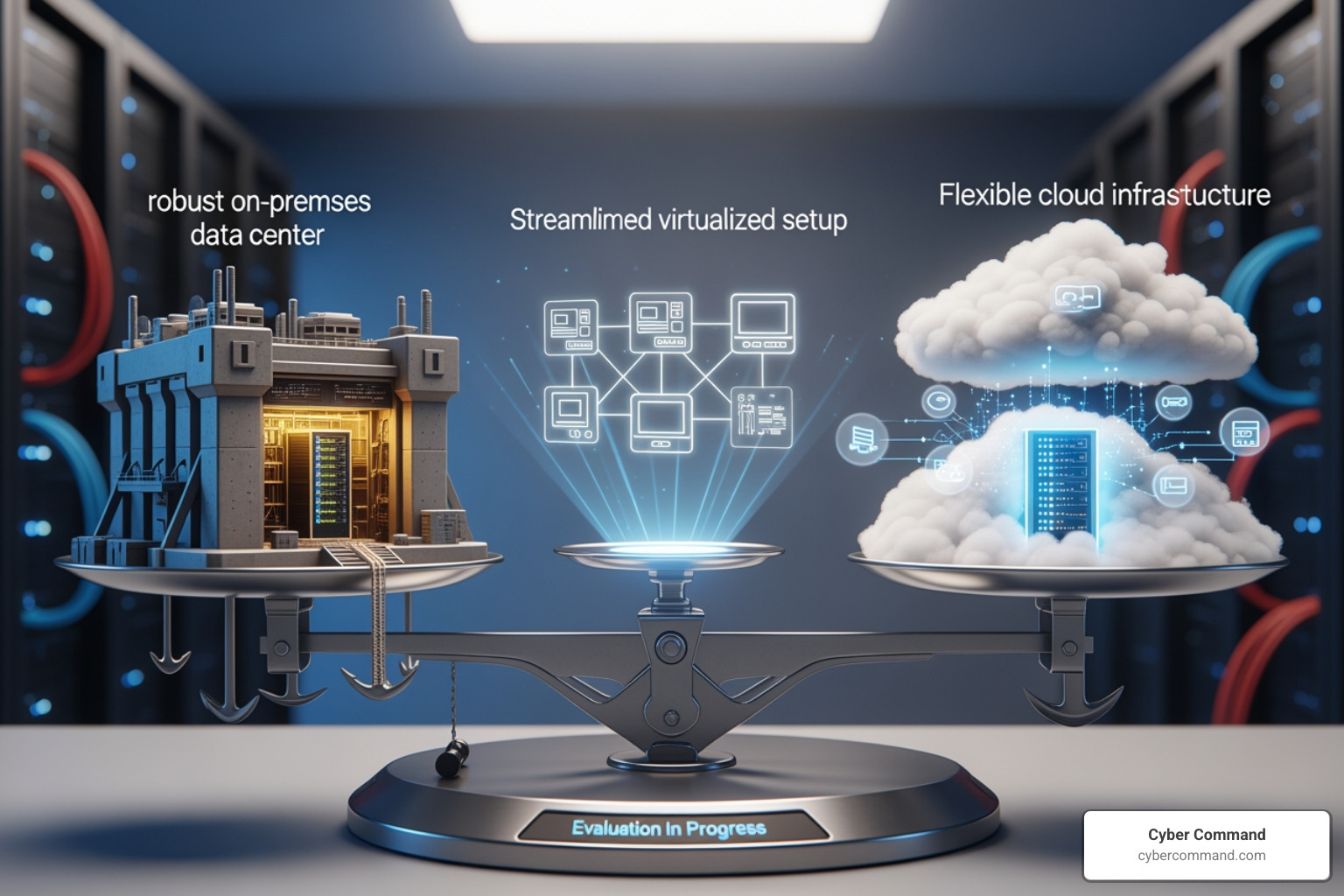
Here’s a conceptual comparison of the leading disaster recovery solutions:
| Solution Type | Cost (Initial/Ongoing) | RTO/RPO Potential | Management Complexity | Scalability | Best Suited For |
|---|---|---|---|---|---|
| On-Premises Data Center | High CapEx / High OpEx | Low to Very Low | Very High | Limited | Large enterprises with stringent control requirements |
| Virtualized Recovery | Medium CapEx / Medium OpEx | Low | Medium | Good | Businesses with virtualized environments seeking speed |
| Cloud-Based Recovery | Low CapEx / Variable OpEx | Low to Medium | Medium | Excellent | Organizations seeking flexibility, scalability, and cost efficiency |
| DRaaS | Low CapEx / Predictable OpEx | Very Low | Low (outsourced) | Excellent | SMBs, organizations with limited IT staff, specialized needs |
Traditional: On-Premises Data Center Recovery
This classic approach involves maintaining your own physical infrastructure at a secondary location. It requires high capital expenditure (CapEx) and significant maintenance overhead but offers full control.
- Types of Secondary Data Centers:
- Hot Sites: Fully equipped, mirrored data centers for near-instant recovery (RTO of minutes to hours). The most expensive option.
- Warm Sites: Partially equipped sites requiring some setup and data restoration (RTO of hours to days).
- Cold Sites: Basic facilities requiring full hardware installation and data restoration (RTO of days to weeks). The least expensive but slowest option.
This approach is often cost-prohibitive and complex for many businesses today.
Virtualized: Flexible and Efficient Recovery
Virtualized DR leverages virtual machine (VM) replication for a more flexible and efficient recovery process. Because VMs are hardware-independent, they can be quickly started on different physical servers at a secondary site.
- Benefits:
- Faster Recovery Times: VMs can be provisioned quickly, leading to better RTOs than traditional physical recovery.
- Hardware Independence: Eliminates the need for identical hardware at the recovery site.
- Reduced IT Footprint: Consolidates many virtual servers onto fewer physical machines, reducing costs.
Virtualized DR offers a good balance of cost and performance. More info about network disaster recovery strategies can help you understand how it fits into a network plan.
Cloud-Based: Scalable and Cost-Effective Options
The cloud has made enterprise-grade disaster recovery solutions accessible and affordable for businesses of all sizes, including those in Winter Springs, Orlando, and Jacksonville. It eliminates the need to maintain a physical DR data center.
- Cloud Models: You can use public, private, or hybrid clouds to meet specific security and scalability needs.
- Common Strategies:
- Backup and Restore: Backing up data to the cloud and restoring it to cloud infrastructure when needed. Cost-effective but with longer RTOs.
- Pilot Light: A minimal version of your core infrastructure runs in the cloud. In a disaster, the environment is scaled to full capacity. This balances cost with faster recovery.
- Warm Standby: A scaled-down, fully functional copy of your environment is always running, ready to handle traffic immediately and scale up.
The cloud offers geographic distribution, a pay-as-you-go pricing model, and built-in security. For a deeper dive, explore disaster recovery options in the cloud and learn More info about cloud business continuity and disaster recovery.
DRaaS: Outsourced and Managed Protection
Disaster Recovery as a Service (DRaaS) is a managed service that outsources your DR to a third-party provider, bundling cloud infrastructure with expert management.
- Key Features:
- Subscription Model (OpEx): Converts a large CapEx investment into predictable operational expenses.
- Service Level Agreements (SLAs): Contractually guarantees your RTO and RPO.
- Ideal for Limited IT Staff: Offloads the complexity of DR management, allowing your IT team to focus on core business initiatives.
DRaaS providers should offer cross-regional failover sites sufficiently distant from primary locations to remain unaffected by localized disasters. Find More info about disaster recovery as a service (draas) to see if this model fits your needs.
From Blueprint to Reality: Implementing Your DR Strategy
Having the right disaster recovery solutions in mind is the first step. Translating those ideas into a living strategy involves careful planning, documentation, and rigorous testing.
A comprehensive implementation requires clear policies, defined team roles, a communication plan, and automation to streamline recovery.
Step 1: Analysis and Planning
This foundational phase is about understanding your business and setting clear objectives. It involves conducting the Business Impact Analysis (BIA) and Risk Assessment discussed earlier. The goal is to prioritize critical systems and establish the clear Recovery Time Objectives (RTOs) and Recovery Point Objectives (RPOs) that will guide your entire DR plan. Skipping this step is like building a house without a foundation.
For a deeper dive into this crucial phase, explore More info about disaster recovery planning and consult Guidance for Disaster Recovery.
Step 2: Documenting Your Disaster Recovery Plan
A formal DR plan acts as your emergency playbook. It must be a clear, accessible document that outlines the step-by-step procedures for responding to and recovering from a disaster. Key components include:
- Step-by-Step Procedures: Detailed instructions on what to do, by whom, and in what order for various disaster scenarios.
- Contact Lists: Essential contact information for internal teams, key personnel, vendors, and emergency services.
- Vendor Information: Details on all third-party services, including support contacts and service agreements.
- Network Diagrams: Up-to-date diagrams of your network architecture and data flows.
A DR plan is a living document that must be regularly updated. For guidance on structuring it, refer to More info about how to write an it disaster recovery plan and use a More info about a disaster recovery plan template.
Step 3: Implementation and Continuous Testing
A plan is useless until it’s implemented and tested. This phase involves deploying your chosen disaster recovery solutions and verifying they work as expected.
- Deploying Tools: Implement backup and replication technologies, configure failover mechanisms, and set up your secondary recovery environment.
- The Importance of Testing: Testing confirms your plan is viable, identifies weaknesses, and familiarizes your team with their roles. An untested plan is just a hypothesis.
- Types of DR Tests:
- Tabletop Exercises: Discussion-based walkthroughs of the plan to identify issues without impacting live systems.
- Partial System Tests: Testing specific components of the DR plan in a controlled environment.
- Full Simulations: A comprehensive test that simulates a real disaster, involving actual failover to the secondary site.
- Continuous Improvement: Disaster recovery is not a one-and-done project. Test your plan at least annually, review the results, and refine the plan and processes accordingly. Update the plan whenever your IT infrastructure or business processes change.
For insights into effective testing, check out More info about how to test a disaster recovery plan and More info about disaster recovery testing.
Making the Right Choice: How to Select a DR Provider
Choosing the right partner for your disaster recovery solutions is a critical decision based on trust, expertise, and a commitment to your business’s resilience.
Key Criteria for Evaluating Disaster Recovery Solutions
When evaluating providers or designing a solution, we look at several critical factors:
- Total Cost of Ownership (TCO): Look beyond the subscription price to include all associated costs like data transfer, testing, recovery fees, and internal labor.
- Scalability and Flexibility: Ensure the solution can grow with your business and adapt to new technologies or changing RTO/RPO requirements. Cloud and DRaaS solutions typically excel here.
- Security Features: Assess the provider’s security measures, including encryption, access controls, and threat detection. Verify that features like immutable storage (which prevents data from being altered or deleted) are truly immutable and third-party audited.
- Compliance Requirements: Ensure the solution helps you meet industry-specific regulations like HIPAA requirements for protecting patient data, SOX, or PCI DSS in your Florida and Texas operations.
- Provider Reputation and Support: Look for providers with a proven track record, clear SLAs, and responsive 24/7 support. In a crisis, you need a reliable partner.
The Power of the Cloud for Business Resiliency
The cloud is a game-changer for resiliency, offering compelling advantages for disaster recovery solutions:
- Geographic Distribution: Cloud providers have data centers across regions, reducing the risk of a single localized event (like a hurricane in Tampa Bay) impacting both your primary and recovery sites.
- Pay-as-You-Go Pricing: Cloud DR operates on an operating expense model, making advanced DR accessible without significant upfront capital.
- Reduced Infrastructure Management: The cloud provider manages the physical hardware, power, and cooling, freeing up your IT team.
- Access to Advanced Tools: Cloud platforms often include integrated tools for backup, replication, and automation. You can learn more in resources like Introduction to Google Cloud Backup and DR.
Leveraging the cloud allows us to build resilient, scalable, and cost-effective DR strategies. Explore More info about cloud dr to understand its full potential.
Understanding the Value of Managed Disaster Recovery Solutions
For many SMBs in Central Florida and Texas, managing a DR strategy in-house is daunting. This is where managed disaster recovery solutions excel.
- Self-Service vs. Managed Service: With self-service DR, you manage the entire process yourself. With a managed service, you outsource the planning, implementation, monitoring, and testing to a specialized provider like us.
- Expertise and Support: Gain access to a dedicated team of DR experts who manage configuration, testing, and recovery, staying current on the latest technologies and threats.
- Proactive Monitoring: Managed services often include 24/7 monitoring to ensure your recovery systems are ready to activate at a moment’s notice.
- Reduced Burden on Internal IT: Offloading DR responsibilities allows your IT team to focus on strategic projects instead of complex DR maintenance.
Managed DRaaS, in particular, offers predictability in costs and peace of mind. To learn more, visit More info about managed disaster recovery as a service.
Frequently Asked Questions about Disaster Recovery
We often hear similar questions from our clients when discussing disaster recovery solutions. Here are some of the most common ones, answered directly:
What is the difference between Disaster Recovery and Business Continuity?
This is a great question we get all the time! Think of it this way: Business Continuity (BC) is the grand strategy, the overarching plan to keep all aspects of your business running during and after any disruption. It covers everything from supply chain to HR to physical facilities. Disaster Recovery (DR) is a crucial subset of BC that focuses specifically on restoring your IT infrastructure and operations. So, while BC ensures your business keeps breathing, DR makes sure your digital heart keeps beating. More info about business continuity can provide a more holistic view.
How often should a disaster recovery plan be tested?
The short answer is: at least annually, and more frequently for your most critical systems. Think of it like a fire drill—you wouldn’t just read the evacuation plan once and assume it works, would you? Testing frequency depends on business criticality and the rate of change in your IT environment. Many organizations benefit from quarterly tabletop exercises and semi-annual technical tests. Regular testing helps us identify gaps, ensure our team knows their roles, and confirms that our disaster recovery solutions are actually effective when it counts. It’s also a great way to justify those investments! To understand why this regular validation is so important, check out More info about what are good reasons to do yearly disaster recovery testing.
Can a single DR solution protect against all disasters?
Unfortunately, no single solution is a silver bullet that can protect against every conceivable disaster. A comprehensive strategy often involves a layered approach, combining different types of backups, replication methods, and recovery sites to protect against a wide range of threats—from a simple data corruption event to a regional outage affecting our Florida or Texas operations. We design robust, layered disaster recovery solutions that consider diverse threats and ensure maximum resilience for your business.
Conclusion
We’ve covered a lot of ground, from the fundamental concepts of RTO and RPO to the diverse landscape of modern disaster recovery solutions. The takeaway is clear: in today’s unpredictable world, a robust disaster recovery strategy isn’t just a luxury; it’s a necessity for business survival and continuity.
There’s no one-size-fits-all solution. The best approach for your business will be a custom strategy that aligns with your specific RTO/RPO objectives, budget, industry compliance requirements, and risk tolerance. Whether that involves a sophisticated cloud-based pilot light, a fully managed DRaaS, or a hybrid approach, the goal remains the same: to minimize downtime, prevent data loss, and safeguard your reputation.
Disaster recovery is not a one-time project; it’s a continuous process of planning, implementation, testing, and refinement. As your business evolves and the threat landscape shifts, your DR strategy must adapt.
At Cyber Command, we understand these complexities. We offer enterprise-grade IT, cybersecurity, and platform engineering services, acting as an extension of your business. Our proactive, 24/7/365 U.S.-based support, combined with transparent, all-inclusive pricing, ensures that your disaster recovery solutions are always ready, giving you peace of mind.
Don’t wait for a disaster to strike. Let us help you build a resilient future for your business. Explore our expert Disaster Recovery Solutions today.