



Why Modern Businesses Need Managed IT Services
IT managed services examples include cybersecurity monitoring, cloud infrastructure management, network support, backup and disaster recovery, help desk support, and managed communications. These services are typically delivered by Managed Service Providers (MSPs) who proactively monitor, maintain, and secure your technology infrastructure on a subscription basis.
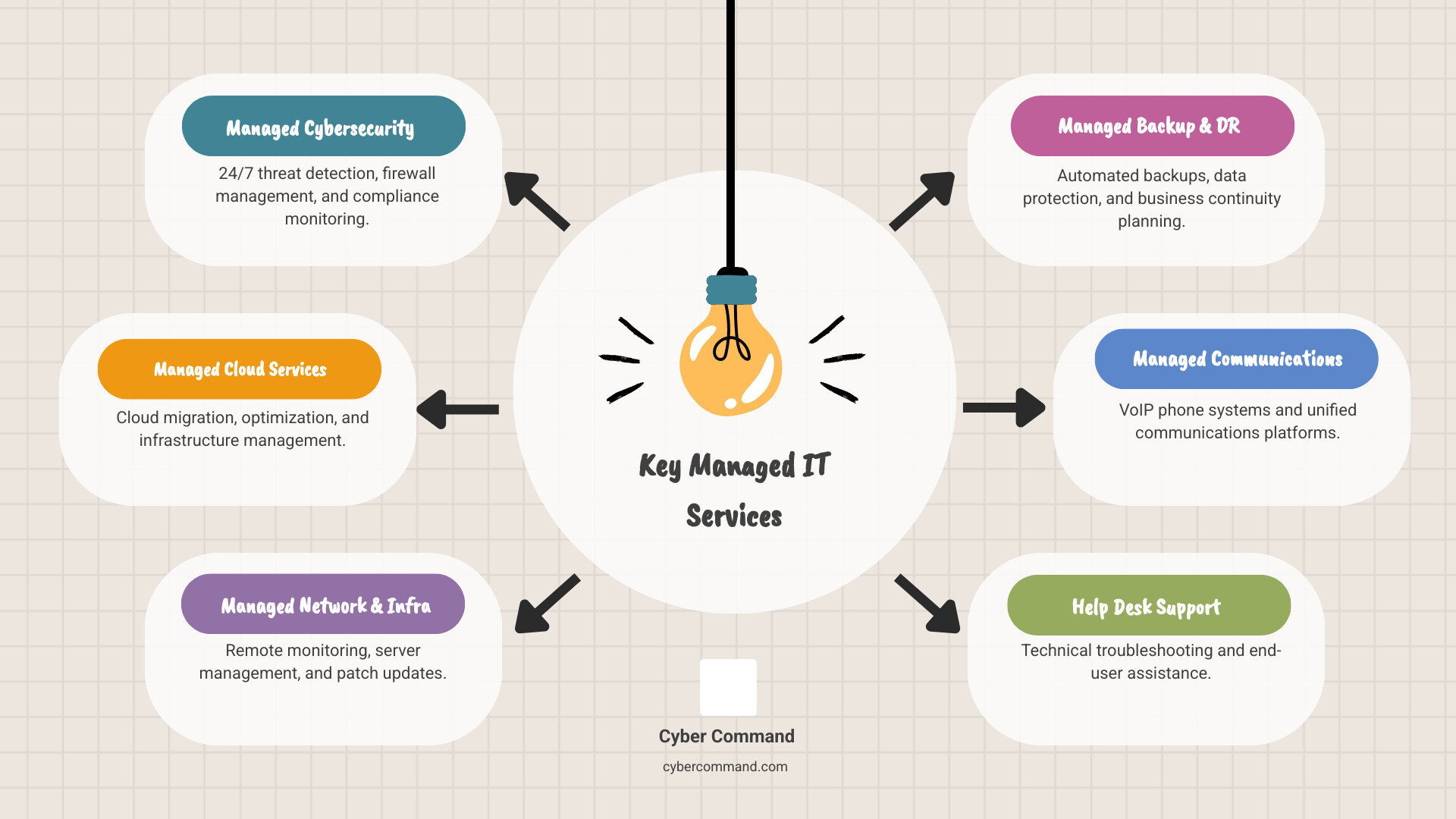
Quick Overview of Common Managed IT Services:
- Managed Cybersecurity – 24/7 threat detection, firewall management, and compliance monitoring
- Managed Cloud Services – Migration support, optimization, and infrastructure management
- Managed Network & Infrastructure – Remote monitoring, server management, and patch updates
- Managed Backup & Disaster Recovery – Automated backups, data protection, and business continuity planning
- Managed Communications – VoIP phone systems and unified communications platforms
- Help Desk Support – Technical troubleshooting and end-user assistance
- Co-Managed IT – Hybrid approach combining in-house teams with MSP expertise
- Project-Based Services – One-time implementations like migrations or upgrades
Growing your business is your top priority. Taking care of your IT infrastructure is what managed service providers do.
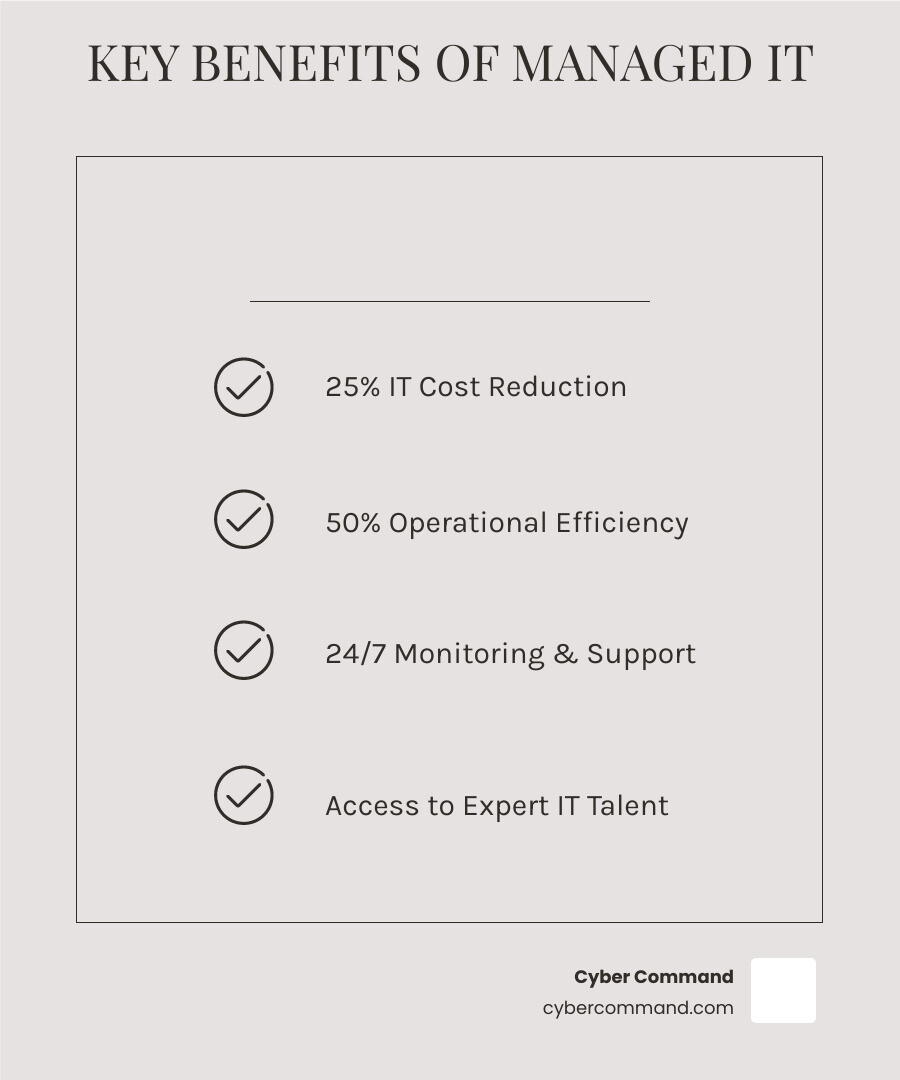
Most businesses today face a challenging reality: technology demands keep growing, but dedicated IT teams are expensive. According to research, using an MSP can cut your IT costs by 25% while improving your operational efficiency by 50%. That’s not just about saving money—it’s about changing how your business operates.
Instead of reacting to problems like server crashes, managed IT services are proactive. Systems are monitored 24/7 to identify issues early, providing predictable monthly costs instead of expensive emergency invoices.
Whether you’re a small business without any IT staff or a growing company whose internal team is stretched too thin, managed services offer a solution. They give you access to enterprise-grade expertise, advanced security tools, and 24/7 support—without the overhead of hiring full-time specialists.
I’m Reade Taylor, founder and CEO of Cyber Command. With a background as an engineer at IBM Internet Security Systems, I’ve built my career on helping businesses steer complex IT challenges. I created Cyber Command to provide security-focused managed services that empower growth instead of causing stress.

Managed Services vs. In-House IT: A Head-to-Head Comparison
The question isn’t always if you need IT support, but how you get it. For many businesses across Florida and Texas, the choice often comes down to traditional in-house IT support versus partnering with a Managed Service Provider (MSP). Let’s lay out the differences.


Traditional In-House IT Support:
This model involves hiring your own IT staff who work directly for your company.
- Pros:
- Direct Availability: An in-house team is physically present, which can lead to rapid, hands-on responses for on-site issues.
- Deep System Knowledge: They develop an intimate understanding of your specific systems, infrastructure, and business processes.
- Established Trust: Employees build rapport and trust with internal IT staff over time.
- Cons:
- High Costs: Hiring, training, and retaining a skilled IT team is expensive, including salaries, benefits, and ongoing professional development.
- Skill Gaps and Resource Limits: A small in-house team can’t be experts in everything, leading to skill gaps in areas like cybersecurity. Employee turnover, vacations, or sick leave can also create significant support disruptions.
Managed IT Services (MSP Model):
With this model, you outsource your IT needs to a third-party provider like us, Cyber Command. We proactively manage and assume responsibility for providing a defined set of IT services.
- Pros:
- Specialized Expertise: MSPs offer a deep pool of talent across various technologies, often too costly for a business to hire directly.
- Predictable Costs: A subscription model with fixed monthly fees allows for better budget management and eliminates surprise repair costs.
- Proactive Management: We monitor systems 24/7 to address issues before they impact your operations, reducing downtime.
- Scalability and Flexibility: Services easily scale up or down with your business needs, without the hassle of hiring or firing.
- Access to Enterprise-Grade Tools: We leverage advanced tools for monitoring and security that are often cost-prohibitive for individual businesses.
- Guaranteed Performance (SLAs): Our contracts include Service Level Agreements (SLAs) that define performance expectations and ensure accountability.
- Cons:
- Less Immediate On-Site Presence: While we offer swift remote and on-site support, an MSP isn’t physically in your office every day. However, for businesses in our service areas like Orlando or Plano, our U.S.-based support ensures local understanding and rapid response when needed.
- Requires Trust and Communication: An effective partnership with an MSP relies on clear communication and trust, as they become an extension of your team.
Cost Structure: MSPs offer predictable pricing, which makes IT services effective for small to medium-sized businesses to scale without exceeding budgets. This is often more cost-effective than maintaining an in-house team, especially when considering the full scope of salaries, benefits, training, and tools.
Scalability: MSPs are built to scale. Whether you’re expanding your team in Tampa Bay or opening a new branch in Central Florida, our services can adapt quickly. In-house teams often struggle to keep up with rapid growth without significant new hires.
Expertise Access: We provide access to a pool of talent with knowledge of the latest technology. This specialized training and experience can match large in-house teams but at a lower cost because you only pay for what you need.
| Feature | In-House IT | Managed Service Provider (MSP) |
|---|---|---|
| Cost | High, unpredictable (salaries, benefits, emergencies) | Predictable, subscription-based (fixed monthly fees) |
| Expertise | Limited to team’s skills; can have gaps | Broad, specialized, access to diverse technologies |
| Availability | Dependent on staff presence; holidays/sick leave | 24/7/365 monitoring and support |
| Scalability | Slow, costly (requires hiring/training) | Fast, flexible (adjusts to business growth or reduction) |
| Proactivity | Varies by team; often reactive due to workload | Inherently proactive; focuses on prevention |
| Tools/Tech | Limited by budget and knowledge | Access to enterprise-grade tools and latest technologies |
| Focus | Often consumed by day-to-day issues | Frees internal teams to focus on core business activities |
The Core Benefits: Why Businesses are Turning to MSPs
Businesses across the United States, from startups in Winter Springs to established enterprises in Texas, are increasingly turning to managed IT services because the benefits are simply too compelling to ignore. We’ve seen how these partnerships transform IT from a necessary evil into a competitive advantage.
Our research indicates that simply using an MSP can cut your IT costs by 25% while improving your operational efficiency by 50%. These aren’t just numbers; they represent tangible improvements that drive business growth.
Here’s why businesses are making the switch:
- Cost Reduction & Predictable Pricing: Replace unpredictable IT expenses with a fixed monthly subscription. This improves budget management, eliminates large capital outlays, and makes financial planning straightforward.
- Operational Efficiency: By offloading routine IT tasks to us, your internal teams can focus on core business activities. Our proactive maintenance minimizes downtime, ensuring your employees can work without interruption.
- Access to Expertise and Advanced Technology: Gain immediate access to a deep bench of certified IT professionals specializing in cybersecurity, cloud management, and more. You benefit from enterprise-grade tools that might be too expensive to manage in-house.
- Improved Security and Compliance: With cyber threats constantly evolving, robust security is non-negotiable. MSPs provide 24/7 monitoring, threat detection, and incident response, ensuring your systems comply with industry regulations and protecting your data.
- 24/7 Monitoring and Support: We provide continuous oversight of your IT environment, often resolving issues before they become noticeable. Whether it’s the middle of the night or a weekend, our U.S.-based support is on guard.
- Business Resilience: Managed services are key to business continuity and disaster recovery. By implementing automated backups and robust recovery strategies, we ensure your data is protected and your operations can resume quickly after any disruption.
- Scalability and Flexibility: As your business evolves, your IT needs will too. Managed services offer the flexibility to scale resources up or down rapidly, adapting to growth without the overhead of hiring or downsizing internal staff.

10 Common IT Managed Services Examples and Use Cases
Understanding the “what” is one thing, but seeing the “how” through specific IT managed services examples truly brings the value to light. These services provide ongoing, proactive support for day-to-day needs like troubleshooting, updates, and user assistance, all governed by a Service Level Agreement (SLA). Let’s explore some common types and their real-world applications.
1. Managed Cybersecurity Services
Cybersecurity is foundational. Managed cybersecurity services protect your business from changing cyber threats. We implement advanced security measures, conduct regular threat assessments, and provide employee training on security best practices.
- Functions: Includes 24/7 threat monitoring (SIEM), firewall management, incident response, vulnerability management, compliance support (e.g., HIPAA, PCI DSS), and endpoint protection.
- Use case: A Jacksonville financial firm outsources security to meet compliance regulations. The MSP provides continuous monitoring and ensures systems meet regulatory standards, protecting client data and freeing the firm to focus on its core business.
2. Managed Cloud Services
The cloud offers incredible scalability, but managing it is complex. Managed cloud services handle everything from deployment and scaling to security and performance monitoring of your cloud-based systems.
- Functions: Cloud infrastructure design (AWS, Azure, Google Cloud), migration support, cost optimization, performance tuning, security configuration, and ongoing management.
- Use case: A growing Orlando e-commerce company uses a managed cloud service to automatically scale server resources during holiday spikes, ensuring their site stays fast without overpaying for idle capacity.
3. Managed Network & Infrastructure
Your network is the backbone of your operations. Managed network and infrastructure services ensure its stability, security, and optimal performance.
- Functions: Remote monitoring of network devices, server management, patch management, hardware lifecycle management, and proactive maintenance to prevent outages.
- Use case: A multi-location business with offices across Florida and Texas uses a managed network provider to monitor its entire infrastructure 24/7, ensuring consistent performance and security across all sites.
4. Managed Backup and Disaster Recovery (BCDR)
Data loss can be catastrophic. Managed BCDR services ensure your critical data is securely backed up and can be rapidly restored in the event of a system failure, cyberattack, or natural disaster, which is crucial for business continuity.
- Functions: Automated data backups (on-site and off-site), data protection, rapid data restoration, ransomware recovery strategies, and comprehensive disaster recovery planning.
- Use case: A Central Florida healthcare provider uses managed BCDR to ensure patient data is securely backed up and quickly recoverable, allowing them to restore operations within hours of a failure.
5. Managed Communications (VoIP)
Effective communication is paramount. Managed communication services streamline your tools, often leading to significant cost savings. Research shows most businesses save 30-50% on phone costs by switching to VoIP.
- Functions: Management of Voice over Internet Protocol (VoIP) phone systems, video conferencing, and Unified Communications as a Service (UCaaS) solutions, including setup, maintenance, and troubleshooting.
- Use case: A company with a hybrid workforce implements a managed VoIP system that integrates phone, video, and messaging, allowing employees to connect seamlessly from anywhere.
6. Help Desk & End-User Support
When technology hiccups, productivity plummets. Managed help desk services provide your employees with immediate technical assistance to keep them productive.
- Functions: Technical troubleshooting for hardware and software, device management, remote assistance, and on-site support when necessary in locations like Winter Springs or Plano.
- Use case: An Orlando law firm relies on a managed help desk to provide staff with immediate IT assistance, minimizing downtime and allowing lawyers to focus on billable work.
7. Co-Managed IT Services: An example of a hybrid approach
Co-managed IT offers a hybrid solution, combining your in-house IT team with our specialized expertise. It’s a strategic partnership where responsibilities are shared to optimize IT operations.
- Functions: Augmenting your IT team, filling skill gaps (e.g., advanced cybersecurity), managing peak workloads, and providing 24/7 monitoring that your internal team may not be able to cover.
- Use case: A Texas manufacturing company with a small IT team partners with an MSP for co-managed services. The MSP handles 24/7 threat detection and compliance, allowing the in-house team to focus on core operational systems.
8. Project-Based Services
Sometimes you need expert help for a one-time IT initiative. Project-based services provide specialized support for critical IT projects without a long-term commitment.
- Functions: IT upgrades (e.g., Windows 11 migration), office moves, software deployments, and infrastructure migrations (e.g., moving servers to the cloud).
- Use case: A Tampa Bay business hires an MSP for a one-time project to migrate its on-premise servers to a hybrid cloud environment, ensuring a smooth transition with minimal disruption.
9. Managed Data Analytics
Understanding your data is key to gaining a competitive edge. Managed data analytics services help you harness your data for informed decision-making.
- Functions: Data collection, business intelligence (BI) reporting, trend analysis, and providing actionable insights to drive business growth.
- Use case: A retail business uses managed analytics to analyze sales data and customer patterns. The insights help them optimize inventory and launch targeted marketing campaigns, increasing sales.
Real-world IT managed services examples in action
Let’s combine some of these IT managed services examples to illustrate how businesses truly benefit from a comprehensive approach:
Example 1: The Growing Small Business
A 15-employee architectural firm in Winter Springs with no IT staff uses a comprehensive managed service package that includes:
- Managed Cybersecurity: To protect sensitive client blueprints and financial data.
- Managed Backup and Disaster Recovery: Ensuring all project files are securely backed up and quickly restorable.
- Help Desk & End-User Support: Providing immediate assistance for any software or hardware issues.
This gives the firm enterprise-level IT support without the prohibitive cost of an in-house team, letting them focus on their designs.
Example 2: The Mid-Sized Enterprise
A mid-sized logistics company in Plano, Texas, has a small internal IT team. They leverage a hybrid approach with an MSP:
- Co-Managed IT Services: The MSP augments their team by providing 24/7 network monitoring and specialized cybersecurity expertise, filling critical skill gaps.
- Project-Based Services: When rolling out new fleet management software, they engage the MSP for a one-time project to ensure seamless deployment.
This combination allows the company to maintain control over core IT functions while gaining specialized skills and round-the-clock surveillance, ensuring operations run smoothly and securely.
How to Choose the Right MSP for Your Business
Choosing the right Managed Service Provider is a critical decision that can significantly impact your business’s efficiency, security, and bottom line. With numerous providers across Florida and Texas, consider your IT goals. Different MSPs offer different services, and not all will have what you need to achieve your objectives.
Here are the key considerations when choosing a managed IT service provider:
- Assess Your Needs and Goals: Before looking at providers, clearly define your current IT pain points and future objectives. Do you need full outsourcing or help in specific areas like cybersecurity?
- Service Offerings and Expertise: Do their services align with your needs? Look for a provider offering a comprehensive suite of services, including the IT managed services examples we’ve discussed. Ensure they have expertise in your specific technologies.
- Technical Prowess and Certifications: Verify their team’s qualifications. Are they certified in relevant technologies (Microsoft, AWS, Cisco, etc.)? Do they stay current with industry trends?
- Proactive vs. Reactive Approach: A good MSP is proactive. Inquire about their monitoring tools and maintenance schedules to understand how they prevent problems before they escalate.
- Pricing Models and Transparency: How are managed IT services typically priced? Common models include per-device, per-user, tiered, and all-inclusive pricing. Ensure their pricing is transparent with no hidden fees and aligns with your budget.
- Service Level Agreement (SLA): A robust SLA is crucial. It defines the scope of services, response times, and uptime guarantees. Review it carefully to understand what to expect and how accountability is ensured.
- Industry Experience and Reputation: Has the MSP worked with businesses in your industry? Request client testimonials and references to verify their track record.
- Security and Compliance: Inquire about their internal security practices and how they protect your data. Do they adhere to industry standards like ISO 27001?
- Scalability and Flexibility: Can the MSP grow with your business? They should be able to adjust service levels as your needs evolve.
- Communication and Partnership: Choose an MSP that acts as a true partner. Look for clear communication, regular reporting, and a willingness to align their IT strategy with your business goals.
Frequently Asked Questions about Managed IT Services
What is the main difference between managed IT and break-fix support?
Managed IT is a proactive, subscription-based service focused on preventing issues. We continuously monitor and maintain your systems for a fixed monthly fee. In contrast, break-fix support is reactive; you call for help (and pay) only when something breaks, leading to unpredictable costs and downtime.
Are managed IT services suitable for small businesses?
Absolutely. Managed IT services are ideal for small businesses in areas like Orlando or Plano that lack the budget for a full-time IT team. An MSP provides access to enterprise-grade tools, cybersecurity expertise, and 24/7 support at a predictable cost, often for less than the salary of a single IT employee. This allows small businesses to compete effectively while maintaining a strong security posture.
How do MSPs ensure the security of my data?
Reputable MSPs like us employ a multi-layered security approach to protect your data. This includes:
- 24/7 Monitoring: Constant surveillance of your network for suspicious activity.
- Advanced Threat Detection: Using sophisticated tools to identify and neutralize malware and other threats.
- Firewall and Endpoint Protection: Implementing and managing state-of-the-art security software.
- Access Controls & Encryption: Managing user permissions and encrypting data to protect it.
- Regular Security Audits: Proactively identifying and patching potential weaknesses.
- Compliance Adherence: Ensuring your systems meet industry-specific regulations (e.g., HIPAA, PCI DSS).
- Employee Training: Educating your staff on cybersecurity best practices.
Many MSPs, including Cyber Command, also adhere to information security standards like ISO 27001 for an additional layer of assurance.
Conclusion: Changing Your IT from a Cost Center to a Competitive Advantage
We’ve explored the diverse landscape of IT managed services examples, from fortifying your cybersecurity defenses to optimizing your cloud infrastructure and ensuring your business stays connected. The primary purpose of managed IT services is clear: to provide proactive, expert support that covers critical gaps, improves efficiency, and keeps your business resilient in a rapidly evolving tech landscape.
The true value of managed IT services lies in changing IT from a mere cost center into a strategic competitive advantage. By partnering with us, you gain more than just technical support; you gain a strategic ally dedicated to your success. We offer the expertise, tools, and 24/7/365 U.S.-based support to ensure your technology empowers your growth, allowing you to focus on what you do best. Our transparent, all-inclusive pricing means no surprises, just consistent, high-quality service that acts as a seamless extension of your business.
We believe that technology shouldn’t hold your business back. Instead, it should be a powerful engine driving innovation and efficiency. By embracing managed IT services, you’re not just fixing problems; you’re future-proofing your operations, ensuring business continuity, and gaining peace of mind.