


A server stalls during a busy morning. Staff can't pull files, email starts bouncing, and the owner hears three different explanations from three different people. By noon, the actual problem still isn't fixed. What looked like “just an IT issue” has now turned into lost time, delayed work, and a growing concern that the business is more fragile than it seemed.
That's where many companies in Sanford are right now. They know technology matters, but they don't always know how to judge whether an IT company near Sanford FL can protect uptime, support growth, and reduce risk instead of reacting when something breaks. Operational discipline matters just as much as technical skill. If you're trying to make the business run with fewer bottlenecks, this perspective on business optimization from AmbitionCFO is worth reading because IT problems rarely stay confined to the IT department.
A good technology partner doesn't just reset passwords and replace failed hardware. They help you avoid avoidable outages, tighten security, and give leadership a clearer handle on cost. In a market like Sanford, where buyers have options, the key question isn't who claims to be local. It's who can prove how they work.
Table of Contents
- Is Your IT Keeping Up with Your Sanford Business
- Managed IT Services vs Break-Fix Support Models
- Why a Local Sanford Partner Outperforms a National Helpdesk
- The Pillars of Modern Cybersecurity for Florida Businesses
- Key Questions to Vet Your Next IT Partner
- Red Flags to Avoid When Choosing an IT Company
- Partner for Growth Your Next Steps with Cyber Command
Is Your IT Keeping Up with Your Sanford Business
A Sanford business rarely feels “behind” all at once. It usually starts with smaller friction points. A shared drive slows down. Someone works around a login problem instead of reporting it. A vendor renewal sneaks past without review. Then one day a bigger incident exposes how much the business has been relying on luck.
That's why choosing an IT company near Sanford FL should be treated as a business decision, not a repair decision. If your systems support scheduling, accounting, medical records, project files, customer communication, or field operations, then IT performance affects revenue, client trust, and how hard your team has to work to get normal tasks done.
What owners usually notice first
Most business owners don't start by asking for architecture diagrams or security workflows. They ask simpler questions.
- Why does every issue feel urgent: If small problems pile up, your team loses confidence in the environment.
- Why are costs inconsistent: Hourly support, emergency visits, and surprise project charges make planning difficult.
- Why can't anyone explain risk clearly: If your provider talks in jargon, leadership can't make sound decisions.
Practical rule: If your team only hears from IT when something is broken or a bill is due, you probably have a reactive relationship, not a strategic one.
The right partner should help the business run more smoothly, reduce avoidable interruptions, and give leadership confidence that someone is watching the details. That's the standard to use as you evaluate options.
Managed IT Services vs Break-Fix Support Models
The easiest way to understand the difference is this. Break-fix support is like calling a plumber after the pipe bursts. Managed IT services are closer to a building maintenance agreement that checks systems routinely, catches issues early, and plans around risk before operations are disrupted.
That difference changes cost, downtime, accountability, and security posture.


How the two models behave under pressure
Break-fix can feel cheaper at first because you're only paying when there's an obvious issue. The problem is that the business absorbs the hidden cost. Staff wait. Work stops. Small security gaps stay unnoticed because no one is monitoring them day to day.
Managed services work differently. The provider is responsible for routine maintenance, monitoring, patching, documentation, user support, and issue prevention as part of an ongoing relationship. That shifts the conversation from “What broke?” to “What can we stabilize before it affects the business?”
When support is reactive, downtime becomes the trigger for action. When support is managed, unusual behavior becomes the trigger.
What the business actually buys
What you're buying isn't just labor. You're buying a service model.
| Feature | Break-Fix Model (Reactive) | Managed IT Services (Proactive) |
|---|---|---|
| Cost structure | Hourly or per incident | Recurring, predictable service model |
| Response pattern | Work begins after failure is reported | Monitoring and maintenance reduce issues before users notice them |
| Budget planning | Hard to forecast | Easier to plan month to month |
| Security posture | Often limited to point-in-time fixes | Ongoing oversight, patching, and policy enforcement |
| Business impact | More disruption during urgent incidents | Better support for uptime and continuity |
| Strategic value | Little long-range planning | Roadmapping, standards, and lifecycle management |
A break-fix firm can solve an immediate problem. That's useful in a narrow sense. But it usually doesn't create a healthier environment over time because no one is consistently accountable for prevention.
Managed services also create better habits inside the business. Devices get reviewed before they become liabilities. User onboarding and offboarding become more controlled. Vendors are managed more deliberately. Documentation improves. Those aren't flashy wins, but they're the things that keep companies from losing a day to a preventable problem.
For companies that depend on stable systems, that difference isn't theoretical. It affects payroll, scheduling, client delivery, and leadership focus every single week.
Why a Local Sanford Partner Outperforms a National Helpdesk
At 8:10 a.m., your front desk cannot print, two users lost access to a line-of-business app, and your internet circuit is up but performance is erratic. In that moment, the difference between a local IT partner and a national helpdesk is simple. One can coordinate the issue from the screen and from the office. The other usually starts with a ticket number and a queue.
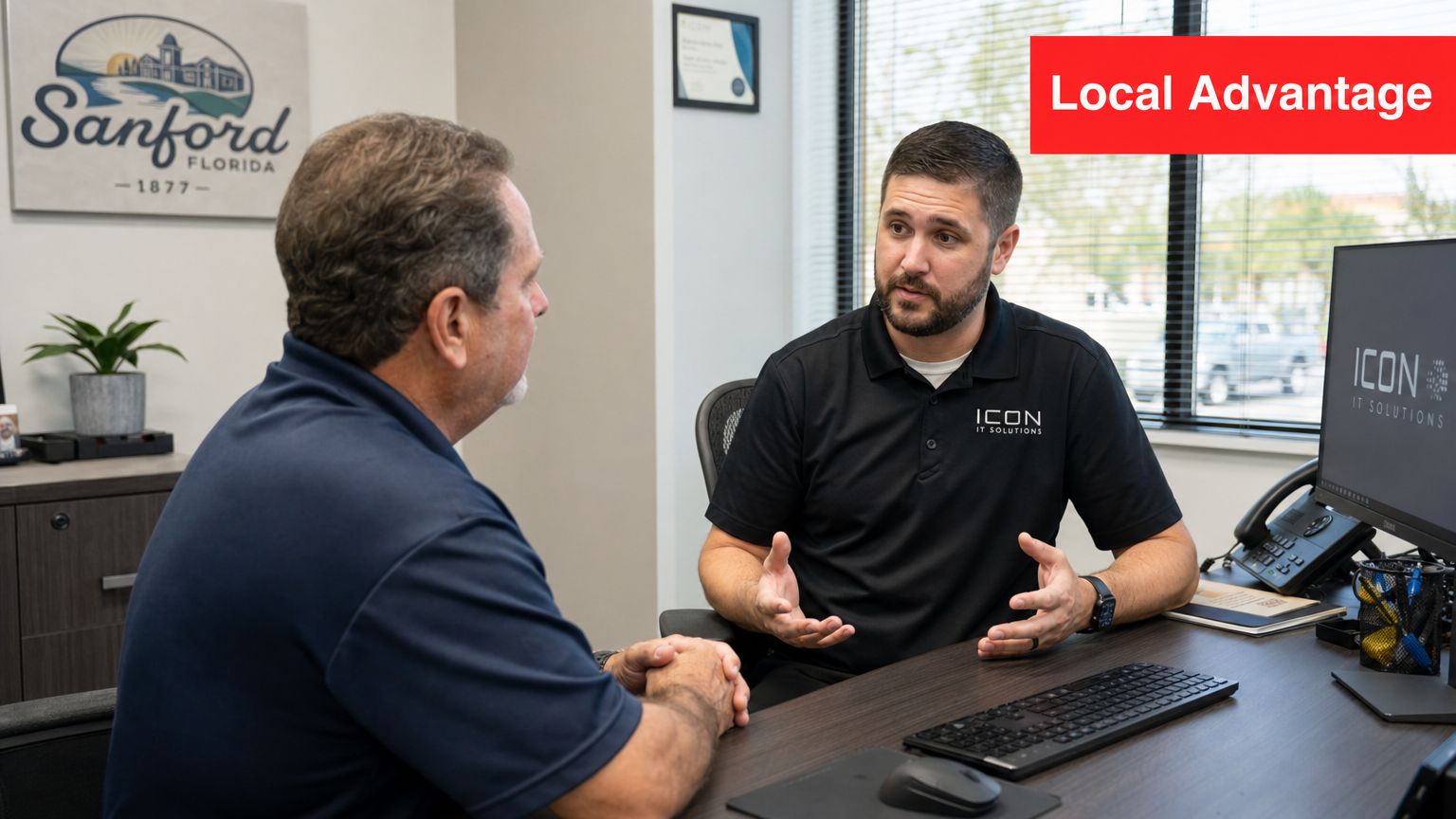
Sanford's business footprint is dense enough that proximity changes service quality in practical ways. Census Reporter's Sanford profile shows a concentrated local service area, which makes on-site dispatch, project visits, and face-to-face planning easier to schedule and easier to execute. For a business owner, that often means less downtime, fewer scheduling delays, and faster resolution when a problem involves both people and equipment.
Proximity matters when the issue is physical, operational, or time-sensitive
Many support tasks can be handled remotely. Password resets, software errors, patching, and routine monitoring usually should be. But some problems need hands on site. Failed switches, bad cabling, new workstation setups, office expansions, internet handoffs, and conference room issues do not get solved faster by explaining your layout to a call center three states away.
A local partner can combine remote efficiency with on-site execution. That hybrid model is what businesses should evaluate. It is also why response-time commitments matter more than generic claims about “local support.” If a provider is nearby, ask how quickly they respond remotely, how quickly they can be on site for a business-stopping issue, and who owns escalation after hours. A practical benchmark starts with clear SLAs, real dispatch coverage, and a documented path from alert to resolution.
For companies evaluating local IT support for small business, the better question is not whether the provider has an office nearby. The better question is whether proximity improves outcomes you can measure.
Local context reduces delays and bad assumptions
National helpdesks are built for scale. That model can work for simple requests. It often struggles when support depends on building access, vendor coordination, site history, or knowledge of how your team works.
In Sanford and the broader Central Florida area, that shows up in a few predictable ways:
- Building and cabling realities: Older office spaces, shared suites, and mixed telecom handoffs can turn a simple outage into a coordination problem.
- Weather and site disruption planning: Storms, power events, and connectivity issues require more than remote troubleshooting. They require a provider who can assess the office, work with carriers, and help restore operations quickly.
- Business workflow familiarity: A medical office, professional services firm, warehouse operation, and field-service company all depend on different systems at different times of day. Support is better when the provider knows which outage hurts revenue first.
That local context also helps with prevention. An experienced Sanford-area IT partner notices recurring weak points during visits, documents them, and fixes them before they become a Monday-morning outage.
Local is useful only if the provider can prove performance
“Local” by itself is not a service standard. A nearby provider with weak processes can still miss alerts, drag out escalations, or leave you guessing about ownership.
Ask for evidence. Review ticket response targets, after-hours coverage, documentation standards, and how the firm handles endpoint security, user changes, backups, and vendor communication. If data security is a concern, the FaxZen data protection checklist is a useful reference for judging whether a provider's security habits are disciplined or improvised.
The best local partner is not only easier to reach. The best local partner reduces handoffs, shortens recovery time, and gives leadership a clearer picture of risk, cost, and accountability. That is what outperforms a national helpdesk.
The Pillars of Modern Cybersecurity for Florida Businesses
Cybersecurity for a small or mid-sized business can't stop at antivirus, password reminders, and a firewall someone configured years ago. Those basics still matter, but they don't create resilience by themselves. A business needs monitoring, response discipline, and clear ownership when something looks wrong.
That matters in Sanford because the local market points to more technical complexity than a simple helpdesk environment. Indeed currently shows 316 information-technology jobs in Sanford that include skills tied to data analysis, software development, database administration, data systems design, and enterprise systems, according to Indeed's Sanford IT job listings. Businesses in that environment often depend on more integrated systems, more sensitive data, and more structured support.
Security has to stay active after business hours
Attackers don't care whether your office is open. If suspicious behavior starts late at night, waiting until the next morning is too slow. That's why the concept of a security operations center, or SOC, matters. In practical terms, it means people, process, and tooling are aligned to monitor activity continuously, investigate alerts, and respond before a problem spreads.
A capable cybersecurity model usually includes:
- Continuous monitoring: Someone reviews meaningful alerts instead of letting them pile up unread.
- Threat investigation: Not every alert is a crisis. Someone still has to determine what's noise and what needs action.
- Containment steps: If a device or account behaves suspiciously, the response has to be fast and documented.
- Recovery discipline: Businesses need a plan to restore operations, not just detect trouble.
For leaders reviewing their own data handling practices, this data protection checklist from FaxZen is a useful companion to internal security reviews.
Compliance support has to be operational
Compliance isn't a binder on a shelf. It's how access gets controlled, how devices are managed, how evidence is documented, and how exceptions are handled. That's especially important for firms in legal, financial, medical, and other regulated environments.
Security maturity shows up in routine operations. It shows up in account reviews, documented changes, endpoint control, backup testing, and who gets alerted when something fails.
A practical provider should be able to explain what's covered in plain language. If they say they offer security, ask what they monitor, who responds, what gets escalated, and how reporting works. A useful starting point for business owners is this overview of cybersecurity best practices for small businesses.
Modern cybersecurity is less about buying isolated products and more about building a repeatable operating model. That's what keeps a bad click, a stolen password, or an exposed device from becoming a business-wide incident.
Key Questions to Vet Your Next IT Partner
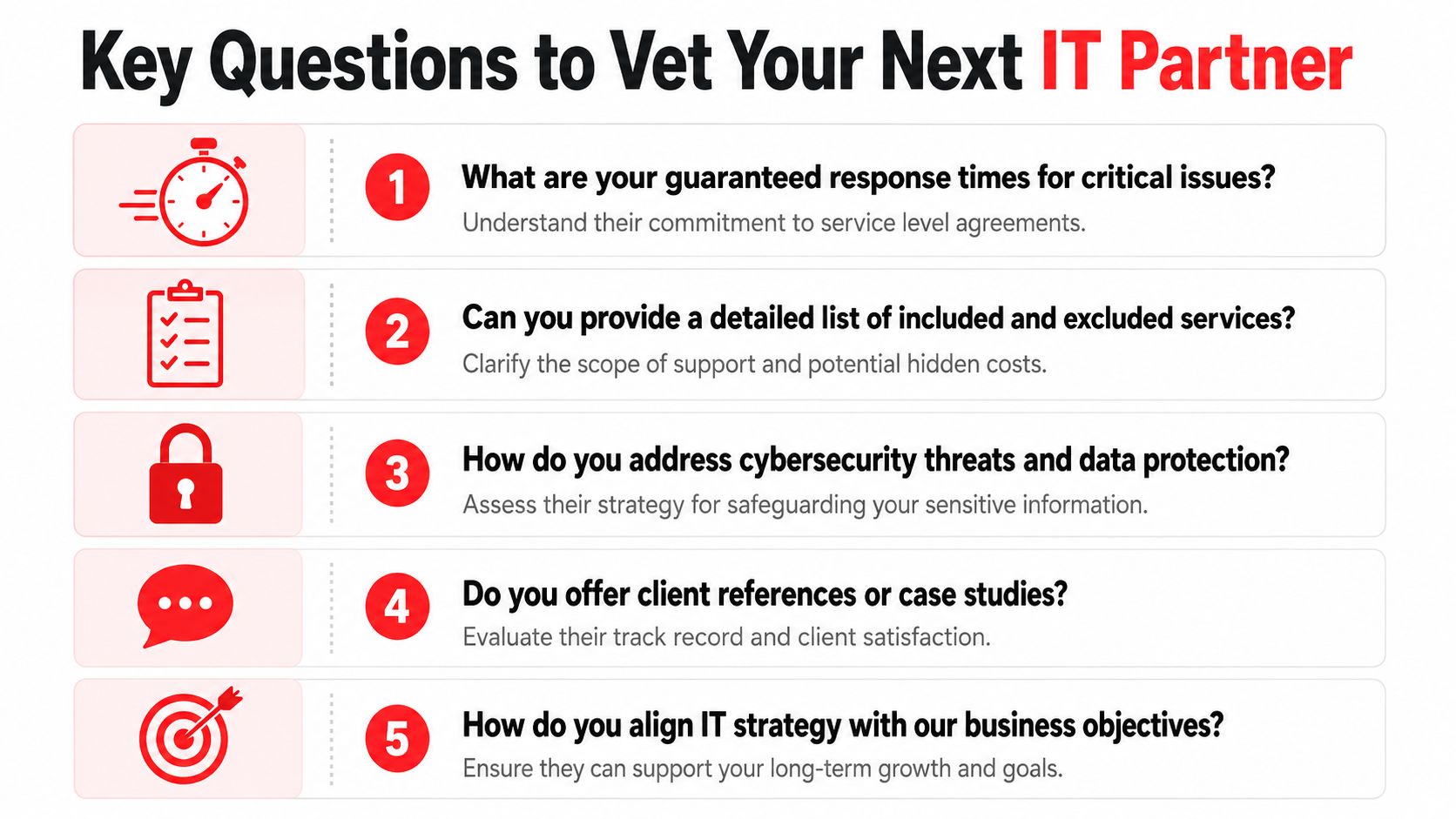
Many local service pages promise fast support, expert help, or around-the-clock care. The problem is that those claims are often too vague to evaluate. As noted in this Sanford IT support discussion, local pages often fail to quantify response times, coverage hours, and the difference between helpdesk availability and true continuous security operations. If you want a reliable IT company near Sanford FL, your questions need to force precise answers.

Questions that expose vague promises
Ask these in the sales process, and ask for direct answers in writing when possible.
- What are your guaranteed response times for critical issues: Don't accept “we respond quickly.” Ask what counts as critical, when the clock starts, and what happens after intake.
- What does 24/7 support include: Is there a live engineer, an on-call escalation path, or just an answering service that creates a ticket?
- What is included in the monthly agreement and what is excluded: You need to know whether routine projects, on-site visits, after-hours work, vendor coordination, and user onboarding are covered.
- Where are your helpdesk and security teams based: This affects communication, handoffs, and accountability.
- How do you handle compliance support and reporting: Ask whether they provide structured reviews, documentation, and regular business-level reporting.
A useful way to think about this is the same way companies vet other service partners. This checklist of questions to ask a web designer from Netco Design LLC shows the broader principle well. Good buyers don't reward polished claims. They reward clear scope, process, and accountability.
Answers that usually indicate a stronger partner
Strong providers don't get defensive when you ask for detail. They're usually ready for it. They can explain support coverage, escalation paths, documentation standards, and pricing boundaries without hiding behind jargon.
Look for signs that the provider operates with discipline:
- Defined service levels: They can explain urgency tiers and how they handle each one.
- Operational transparency: They describe what their team does daily, not just what their brochure says.
- Business alignment: They ask about workflows, compliance concerns, vendor sprawl, and leadership goals.
- Review cadence: They don't disappear after onboarding. They schedule recurring reviews and use reporting to guide decisions.
Buyer test: If the provider can't explain their service model clearly during sales, they probably won't communicate clearly during an outage.
For a more detailed buyer framework, this guide on how to choose a managed service provider is a practical next step.
A good vetting process should leave you with fewer assumptions and more evidence. That's the difference between buying support and buying confidence.
Red Flags to Avoid When Choosing an IT Company
Most bad IT relationships show warning signs early. The mistake many businesses make is assuming those small concerns will improve after the contract is signed. Usually, they don't.
Warning signs in the sales process
Watch how the provider behaves before you become a client. That's often the cleanest preview of future support.
- Slow replies during sales: If they're hard to reach when they're trying to win your business, response discipline probably isn't a strength.
- Unclear pricing language: If the proposal uses broad phrases without defining what's covered, expect billing friction later.
- Too much jargon: A provider should be able to explain risk and support in business terms, not hide behind technical vocabulary.
- No real discovery: If they don't ask how your business runs, they're probably preparing a generic service package.
Operational gaps that become your problem later
Some problems don't show up until the relationship is underway. By then, switching providers feels disruptive, so businesses tolerate more than they should.
Pay close attention to these issues:
- No documented SLAs: Without service commitments, “urgent” becomes subjective.
- No clarity on after-hours coverage: Many firms say they support emergencies at all times, but can't explain who responds.
- Hardware-first selling: If every conversation circles back to replacing equipment instead of improving operations, strategy is missing.
- Opaque staffing: If they won't explain who handles your tickets and security events, you won't know where responsibility sits.
- Weak reporting: If you never see trends, recurring issues, or recommendations, the provider is likely working ticket to ticket.
A vague contract is often the first sign of a vague operating model.
Businesses don't need a flashy provider. They need one that is clear, responsive, and structured. If those basics are missing in the first conversations, it's safer to keep looking.
Partner for Growth Your Next Steps with Cyber Command
A Sanford business usually reaches this decision point after something has already gone wrong. A server outage drags into the workday. An after-hours security alert sits too long. Staff waste time chasing vendors instead of serving customers. At that stage, the question is no longer whether outside IT support is needed. The question is whether the provider can run a disciplined operation that protects uptime, reduces risk, and keeps costs predictable.
The right next step is to test for proof, not promises.
A provider should be able to explain how tickets are prioritized, who responds after hours, what the security team watches, how reporting is delivered, and where responsibility starts and stops. Those details matter more than sales language because they show how the relationship will work under pressure, not just during onboarding.
Cyber Command, LLC matches the framework outlined in this guide. The company provides managed IT, cybersecurity, cloud services, and a U.S.-based 24/7/365 helpdesk and SOC. For a Sanford business owner, that means the evaluation can stay focused on operating standards that affect daily performance: response expectations, security coverage, user support, and visibility into recurring issues.

A useful next move is simple. Bring a short list of business problems to the conversation. Include the outages that disrupted work, the systems no one fully owns, the compliance requirements that create pressure, and the support gaps that keep landing on your internal team. Then ask for direct answers on how those issues would be handled, measured, and reviewed.
That approach gives you a practical way to judge fit. You can see whether the provider works from documented processes, whether leadership reporting is part of the service, and whether security operations continue outside normal business hours. Those are the signs of a partner that can support growth without creating new management overhead.
If you want a grounded conversation about managed IT, cybersecurity, response expectations, and support fit for your Sanford business, contact Cyber Command, LLC. A no-obligation discussion can help you compare your current setup against a more accountable service model and identify the gaps that matter most first.