Your Guide to Surviving a HIPAA Compliance Audit in Central Florida


Think of a HIPAA compliance audit as a deep-dive investigation into your records to see if you're really protecting patient data according to the Security, Privacy, and Breach Notification Rules. It's not just something that happens after a data breach. The Office for Civil Rights (OCR) is now actively and proactively auditing organizations to make sure the right safeguards are in place for protected health information (PHI).
For any small or mid-sized business in Central Florida—from a healthcare clinic in Kissimmee to a law firm handling personal injury cases in Lakeland—understanding this process has gone from a "nice-to-have" to a critical business requirement.
Why Every Orlando Business Needs a HIPAA Audit Game Plan
If you handle PHI, the days of thinking HIPAA compliance is just for big hospital systems are long gone. The game has changed. Regulators have shifted from simply penalizing breaches to conducting proactive, targeted audits that can hit any business, no matter its size. For businesses in and around Orlando, Tampa, and the I-4 corridor, this means you are squarely on the radar.
The OCR is now using technology to scrutinize everyone, from private medical spas in Winter Park to the accounting firms and IT companies that support them. A single missing document, like an up-to-date Security Risk Analysis, isn't just an oversight anymore—it's a fast track to hefty fines. This new reality demands you get proactive about your cybersecurity and compliance.
The Escalating Reality of HIPAA Enforcement
What's really changed is the sheer volume of enforcement actions and the growing cybersecurity threats that trigger them. The OCR has settled or issued civil money penalties in over 50 cases tied directly to failures in risk analysis and Right of Access violations. As regulators integrate risk management into every phase of their process, organizations that lag behind face the highest Tier 4 penalties, which can hit $1.5 million annually per violation category.
Simply reacting to problems as they pop up is a losing strategy. Your business has to build what's known as a 'defensible position.'
A defensible position is your ability to prove to auditors that you have implemented reasonable and appropriate safeguards to protect PHI. It’s built on documented policies, continuous monitoring, and a thorough, up-to-date Security Risk Analysis.
This is where we see so many businesses in the Orlando and Tampa areas fall short. They might have good intentions, but they lack the documented proof to back them up when an auditor comes knocking.
Cybersecurity Is Your Compliance Foundation
In this environment, strong cybersecurity isn't just an IT problem; it's the bedrock of your entire HIPAA compliance strategy. Auditors will want to see hard evidence of specific technical safeguards, including:
- Access Controls: Proof that only authorized people can get their hands on PHI, often using Multi-Factor Authentication (MFA).
- Audit Logs: Records showing who accessed PHI and what they did, which are critical for detecting insider threats or compromised accounts.
- Data Encryption: Evidence that data is unreadable, both when it's sitting on your servers ("at rest") and when it's moving across the network ("in transit").
- Incident Response: A documented, step-by-step plan for how you would handle a data breach, including ransomware.
A full grasp of Mastering HIPAA Compliance IT Requirements is non-negotiable for any business in this space. Without these technical controls properly implemented and documented, your policies are just words on paper.
This is exactly why having a proactive cybersecurity partner is no longer a luxury but a fundamental necessity. A dedicated partner brings the expertise and tools needed to build and maintain your defensible position against modern cyber threats. To see what options are available, check out our guide on top-tier cyber security companies in Orlando. It ensures you can focus on your patients and clients, confident that your security and compliance are being actively managed.
That dreaded letter from the Department of Health and Human Services (HHS) isn't the time to start scrambling for documents. For any private medical practice or professional services firm in Central Florida—whether you're in Orlando, Tampa, or Lake Mary—a successful HIPAA compliance audit comes down to one thing: having your proof ready. It’s all about showing, not just telling.
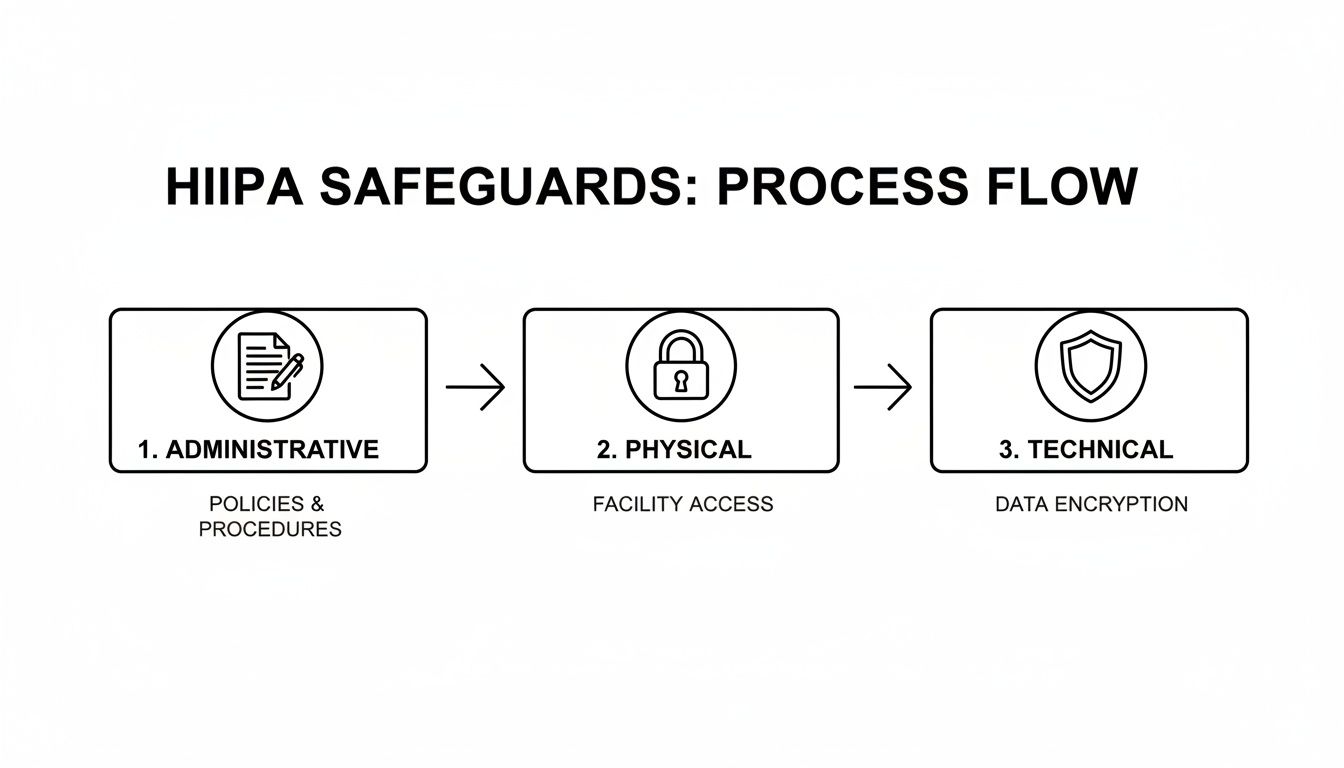
Think of this readiness checklist as your game plan. It’s designed to help you spot the critical gaps in your compliance before an auditor does. We’ll organize it around the three core pillars of the HIPAA Security Rule: Administrative, Physical, and Technical Safeguards.
The game has changed when it comes to HIPAA audits. It's no longer just about getting slapped with a fine after a breach. Auditors are now on the hunt for risks before they become incidents, demanding a constant state of preventative compliance.
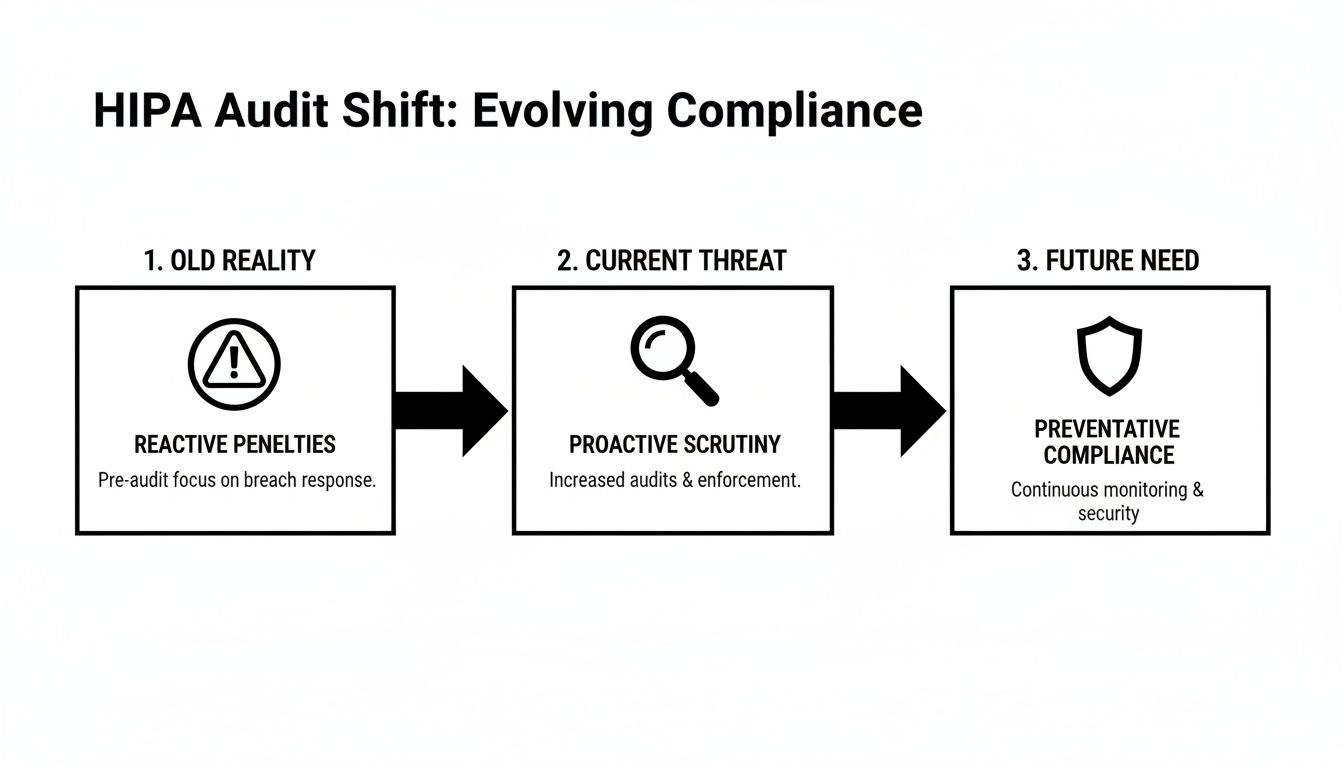
As you can see, the focus has shifted from reacting to penalties to proactively building a defensive shield. This is where your documentation becomes your best defense.
Administrative Safeguards: The Paper Trail of Proof
Administrative Safeguards are the policies, procedures, and documented decisions that form the backbone of your HIPAA program. This is where so many small businesses get into hot water. They might be doing the right things, but without a paper trail, it’s like it never happened.
Here’s what you absolutely must have ready to go:
- A Designated Security Officer: You need to have officially appointed a specific person as your Security Officer. Their role and responsibilities must be clearly written down, showing they have the authority to enforce your security policies.
- A Current Security Risk Analysis (SRA): This is the #1 document auditors will ask for. It has to be recent, and it needs to be a thorough review of potential risks to every piece of PHI you touch.
- Documented Policies and Procedures: You need written policies for everything, from what happens when an employee violates HIPAA to your data backup and recovery plan. These aren't "set it and forget it" documents; they must be reviewed and updated at least annually.
- Workforce Training Records: It's not enough to say you trained your team. You need signed and dated records proving every single employee—from the front desk staff to the lead physician—completed their HIPAA and security awareness training, including phishing simulations.
Physical Safeguards: Securing Your Physical Space
Physical safeguards are all about controlling access to your facility and equipment to protect PHI from being seen or stolen. This covers everything from the lock on your server closet to the angle of the computer screen at your reception desk.
Auditors will want to see hard evidence of:
- Facility Access Controls: Who can get into your office or specific secure areas? You need logs or other records showing you monitor who comes and goes, especially in places where PHI is stored or accessed.
- Workstation Security: Are computers that can access PHI kept in secure areas? Are screens positioned so the public can't see them? Your policies have to define these rules, and you need to prove you're enforcing them.
- Device and Media Controls: What happens to old hard drives, retired laptops, or USB sticks? You need a documented process for tracking the movement of all electronic media and ensuring it's securely wiped or destroyed.
An auditor will never just take your word for it. A locked server room door is only a compliant control if you can hand them a policy that says who has the key and a log showing you monitor access. Without the documentation, the lock might as well not be there.
The difference between what auditors require and where businesses typically fall short is stark, especially for smaller organizations without dedicated IT teams.
HIPAA Audit Evidence Required vs Common Gaps
This table shows the specific evidence auditors demand versus the common, costly mistakes we see businesses make all the time.
| Safeguard Category | Required Evidence Example | Common Failure Point for SMBs |
|---|---|---|
| Administrative | A signed, dated Security Risk Analysis (SRA) performed within the last 12 months, with a corresponding risk management plan. | The SRA is over a year old, was a simple "checkbox" exercise, or there's no plan to fix the identified risks. |
| Administrative | Dated training logs for all new hires and annual refresher training, signed by each employee. | Training is informal ("we told them about HIPAA") with no attendance records, or records are missing for some staff. |
| Physical | Visitor and vendor access logs for sensitive areas like server rooms or file storage rooms. | The server is in an unlocked closet that anyone can access, and there's no log of who enters. |
| Physical | A formal, documented procedure for the final disposal of old computers and hard drives, including certificates of destruction. | Old equipment containing PHI is just thrown out, sold, or donated without being professionally wiped. |
| Technical | Audit logs from the EMR/EHR system, along with a documented procedure for reviewing those logs regularly. | Audit logging is turned on, but no one ever actually reviews the logs for inappropriate access. |
| Technical | Reports from endpoint security software confirming that all laptops and mobile devices are encrypted. | A "bring your own device" (BYOD) policy exists, but there's no way to prove employee-owned devices are actually encrypted. |
As you can see, simply having a policy isn't enough. The real challenge—and where most audits fail—is the lack of proof that those policies are being followed every day. As auditors dig deeper into the entire lifecycle of PHI, these "small" documentation gaps are now seen as major failures. You can find more insights into how HIPAA compliance audits in 2026 are evolving and what it means for your paperwork.
Technical Safeguards: Your Digital Defenses
Finally, Technical Safeguards involve the technology and associated policies you use to protect electronic PHI (ePHI). This is where having a managed security partner like Cyber Command is a game-changer, as we can typically generate this evidence for you on demand.
An auditor will demand to see:
- Unique User Identification: Proof that every single person has their own unique username and password to access systems containing ePHI. Shared or generic logins are a massive red flag.
- Access Control Evidence: System logs and reports that demonstrate you're using role-based access controls. This means you can prove employees can only see the minimum necessary information to do their jobs.
- Encryption Confirmation: You must be able to prove that ePHI is encrypted "at rest" (on hard drives) and "in transit" (over the network). An auditor will ask for reports from your endpoint management tools to verify that all company laptops and servers are encrypted.
- Audit Logs: You need systems that automatically log who accesses ePHI and when they do it. Critically, you also need a documented procedure showing that someone is reviewing these logs for suspicious activity on a regular basis.
Getting this documentation in order isn't just about surviving a HIPAA compliance audit. It's about building a fundamentally more resilient and secure business that your patients and clients can trust.
Conducting a Meaningful Security Risk Analysis
Let’s be blunt: more than any other single document, your Security Risk Analysis (SRA) is the linchpin of a successful HIPAA compliance audit. Failing to have a thorough, properly documented SRA isn't just a misstep—it's a guaranteed way to get the attention of the Office for Civil Rights (OCR), and not in a good way.
Too many businesses treat the SRA as a check-the-box chore. That's a huge mistake. A well-done SRA is a powerful strategic tool, not just a compliance hoop to jump through. It's your roadmap for identifying where your most sensitive data—protected health information (PHI)—lives and how it could be compromised. It’s the difference between having a vague sense of security and a documented, defensible plan.

Beyond the Template: Identifying Your Unique Risks
A generic template won't cut it. An auditor can spot a canned SRA from a mile away. Your analysis has to be specific to your organization’s unique operations, technology, and even your physical environment. For businesses here in Central Florida, that means thinking about local factors, from hurricane risks to the specific software vendors popular in our region.
The first move is to methodically map out every single place PHI is created, received, stored, or sent. This goes way beyond just your main Electronic Health Record (EHR) system.
Let's imagine a multi-location accounting firm with offices in Tampa and Orlando that serves healthcare clients. Their PHI data map would need to include:
- The primary accounting software holding client financial data that may contain PHI.
- The document management server where client records are stored.
- Third-party cloud apps used for file sharing or client portals (e.g., QuickBooks Online, shared drives).
- Employee laptops and tablets that connect to the network from home or while visiting clients.
- The email server, which likely transmits PHI to clients, their business associates, or for billing purposes.
Only when you have this complete inventory can you start to really assess the specific threats and vulnerabilities that could impact the confidentiality, integrity, and availability of that data.
Assessing Threats and Vulnerabilities
Okay, so you know where all your PHI lives. Now you have to analyze what could go wrong. This means documenting potential threats—both natural and human, intentional and accidental—and pinpointing the weak spots in your current setup that could let those threats cause harm.
For that Tampa accounting firm, this assessment is about more than just "hackers."
- Threat: A ransomware attack encrypts their entire client file server.
- Vulnerability: The firewall firmware is a year out of date, and they don't have true offline, air-gapped backups.
- Threat: An accountant accidentally emails a client's sensitive data to the wrong recipient.
- Vulnerability: No email data loss prevention (DLP) policy in place to flag and block emails containing PHI.
- Threat: A disgruntled former employee logs in and downloads client financial records a week after being terminated.
- Vulnerability: A slow, manual process for deactivating user accounts.
The real point of the SRA isn't to get a perfect score. It's to honestly identify your weaknesses so you can create a prioritized plan to fix them. An SRA that finds zero risks is a massive red flag to an auditor—it signals you didn't look hard enough.
This process can feel overwhelming, which is why many practices bring in experts. If you want to go deeper on this, our detailed guide on how to conduct a cyber security risk assessment is a great resource.
From Analysis to Action: Your Risk Management Plan
Identifying risks is only half the battle. The second, equally critical part of the process is your Risk Management Plan. This is your documented, actionable strategy for dealing with every vulnerability you just uncovered.
For each risk you found, you have to document your decision:
- Remediate: You're going to fix it. Implement a new control to eliminate the vulnerability (e.g., buy and install a new firewall).
- Mitigate: You're going to reduce it. Make the risk less likely or less impactful (e.g., enable multi-factor authentication to make stolen passwords less of a threat).
- Transfer: You're going to shift it. Move the risk to another party (e.g., migrate data to a HIPAA-compliant cloud provider who contractually assumes certain security duties).
- Accept: You're going to live with it. Formally acknowledge the risk and accept it, along with a written reason why it’s not being fixed (this is usually reserved for low-impact, low-probability risks).
This plan becomes your roadmap for security improvements and budget requests for the next 12 months. When an auditor asks to see your SRA, what they really want is both the analysis and this management plan.
As you prepare, it's also a good time to review your IT asset disposition processes. What happens to old hardware? You need a solid answer for how you achieve HIPAA/NIST compliant data destruction to ensure PHI doesn't walk out the door on an old hard drive.
Ultimately, a meaningful SRA proves to auditors that you’re engaged in an ongoing process of security discipline. It shows you're not just waiting for a breach, but you’re actively working to prevent one—making it the single most important step in preparing for a HIPAA compliance audit.
How to Navigate the Audit and Respond to Findings
The notification letter from the Office for Civil Rights (OCR) is in your hands. This is the moment all that preparation—the risk analyses, the policy reviews, the training logs—was for. Actually navigating the audit and responding to the results is a very structured process. It's a direct test of your documentation, your technical controls, and your ability to prove you've built a culture of compliance.
For a business in Orlando or Tampa, the key is to stay organized and responsive from the very first communication. An auditor’s initial request is usually for documentation, and it can feel overwhelming. Having a designated point person, typically your Security Officer, to manage all communications and document submissions is absolutely critical.

Desk Audits vs. Onsite Audits
The OCR generally conducts two types of audits, and knowing the difference helps set the right expectations. Figuring out which one you’re facing is the first step in building your response strategy.
Desk Audits: This is the more common approach. Auditors will remotely request specific documents related to your Administrative, Physical, and Technical Safeguards. You'll typically have a very short window, often just 10-15 business days, to upload all the required evidence to a secure portal.
Onsite Audits: These are far more intensive and comprehensive. Auditors will physically visit your location to conduct staff interviews, observe your daily operations, and test security controls firsthand. They’ll want to see everything from the lock on your server room door to how your reception desk handles patient sign-in sheets.
In either scenario, your interactions with auditors should be professional, transparent, and direct. Only answer the questions asked and provide only the evidence requested. Volunteering extra information can, and often does, open up new lines of inquiry you weren't prepared for.
Understanding the Audit Report and Findings
Once the audit wraps up, you will receive a draft report detailing the findings. This report is your first real look at how the OCR views your compliance posture. It will pinpoint specific areas where your organization isn't meeting the HIPAA Rules.
It's tempting to see these findings as a simple pass/fail grade, but that's the wrong way to look at it. Instead, view the report for what it really is: a strategic roadmap for fortifying your cybersecurity and operational resilience. The findings are a gift—an expert-validated punch list showing you exactly where to focus your resources.
Common findings we see again and again include:
- An inadequate or outdated Security Risk Analysis.
- Insufficient workforce training and security awareness programs, especially against phishing.
- The lack of a documented, tested incident response plan for events like ransomware.
- Poor access controls, like shared user accounts or failure to terminate access for former employees.
Your response to the draft report is your chance to provide important context or correct any misunderstandings. If an auditor missed a key piece of evidence you submitted, this is your opportunity to respectfully point it out before the report gets finalized.
Crafting a Corrective Action Plan
If the final audit report confirms areas of non-compliance, the OCR will most likely require you to develop and submit a Corrective Action Plan (CAP). This isn't a punishment; it’s a formal, binding agreement between your organization and the government. It spells out the specific steps you will take to fix the identified issues, who is responsible for each step, and the deadlines for completion.
For example, a finding of "insufficient activity logging" could lead to a CAP that looks something like this:
- Action: Implement a Security Information and Event Management (SIEM) tool to centralize and analyze logs from all critical systems.
- Responsibility: IT Department / Managed Security Partner.
- Timeline: 90 days for implementation and configuration.
- Evidence of Completion: Provide a report from the SIEM tool showing active log collection and a documented procedure for weekly log review.
Let's be clear: the financial stakes for non-compliance are huge. Data breaches continue to underscore the need for a robust HIPAA compliance audit, with incidents exposing records growing 25% year-over-year on average. Penalties can range from $100 for an unknowing violation all the way up to $50,000 per violation for willful neglect that goes uncorrected, with annual caps hitting $1.5 million. You can learn more about these HIPAA statistics and their impact to get a better sense of the risks.
Ultimately, a HIPAA compliance audit forces a level of security maturity that protects your patients, your reputation, and your bottom line. It’s an opportunity to transform your compliance program from a source of anxiety into a genuine business advantage.
Here’s the rewritten section, crafted to match the specified human-expert style and tone.
Going It Alone Is No Longer an Option: Partnering for Continuous Compliance
Let's be blunt: HIPAA compliance isn't a project you finish. It’s an ongoing, active commitment. For most small and mid-sized businesses we see across Central Florida, from healthcare providers to law and accounting firms, the DIY approach to cybersecurity and compliance has shifted from impractical to outright dangerous.
What worked yesterday is already inadequate today. The sheer complexity and constant evolution of cyber threats like ransomware and phishing mean that relying on an in-house team, or worse, no team at all, is a gamble you can't afford to take.
This is where a true cybersecurity partner comes in. A real partner doesn’t just show up to fix what’s broken. They build a proactive security program from the ground up that tackles the very challenges we’ve discussed, providing the resources, expertise, and round-the-clock vigilance that auditors demand—and that you need to actually stay secure.
The Power of a 24/7 Security Operations Center
When a HIPAA compliance audit begins, one of the first things they’ll scrutinize is your ability to monitor your systems and respond to incidents. This is flat-out impossible without continuous oversight. A dedicated 24/7 Security Operations Center (SOC) is the engine that drives this capability, giving you eyes on your network even when you’re busy running your practice.
Think about a potential breach at 2 AM on a Saturday. Without a SOC, that threat sits undetected for hours, or even days. With a SOC, you get:
- Active Threat Hunting: Trained analysts are constantly on the lookout, searching for the subtle signs of a compromise that automated tools almost always miss.
- Real-Time Incident Response: The moment a threat is confirmed, the team jumps into action, beginning containment and mitigation to minimize the damage from an attack.
- Comprehensive Logging and Reporting: The SOC generates the detailed audit logs and incident reports that auditors will demand as proof of your security posture.
For a dental practice in Orlando or a law firm in Tampa, having a SOC means you can demonstrate a mature, always-on security program that not only satisfies auditors but genuinely protects your data.
A partner with a 24/7 SOC fundamentally changes the compliance conversation. Instead of scrambling to find logs after an incident, you have a documented history of proactive monitoring and rapid response ready to hand over to an auditor.
Turning Policies into Reality with Managed IT
A written policy isn't worth the paper it's printed on if it isn't actually being enforced. This is one of the most common—and avoidable—failure points in a HIPAA compliance audit. A managed IT services partner is the bridge between your policies and your technology, ensuring those rules are consistently enforced across your entire network.
Just look at these common audit findings and how a partner flips the script:
- Audit Finding: Inadequate Endpoint Protection. We deploy, manage, and monitor advanced endpoint security on every single device—laptops, desktops, and servers—to ensure they are protected and encrypted.
- Audit Finding: Missing or Inconsistent Patching. Our team runs a rigorous patch management schedule, making sure all your systems and software are updated to shield against known vulnerabilities before attackers can exploit them.
- Audit Finding: Poor Access Controls. We help you implement and enforce role-based access controls and Multi-Factor Authentication, ensuring employees only have access to the minimum necessary PHI and providing the clear documentation auditors need to see.
This approach transforms compliance from a theoretical exercise into a living, breathing operational reality.
Shifting from Reactive Firefighting to Proactive Prevention
For many Orlando and Tampa businesses, IT and compliance costs are completely unpredictable. You pay when something breaks, or you pay when you’re staring down an audit. A partnership model throws that entire mindset out the window.
By moving to a predictable, flat-rate model, you can finally budget for security and compliance as a core, strategic business function. This allows you to get out of a state of constant firefighting and into one of proactive prevention.
It lets you focus your time, energy, and resources on growing your practice, secure in the knowledge that a dedicated team is managing the cybersecurity and compliance headaches for you. Understanding how different compliance frameworks overlap is also key; you can explore our guide on compliance mapping for GDPR and HIPAA to see how a unified strategy can save time and resources. This proactive approach builds resilience, ensures uptime, and gives you the defensible position you need to pass a HIPAA compliance audit with confidence.
Common Questions We Hear About HIPAA Audits
When it comes to HIPAA, a few questions pop up time and time again, especially from our clients running small and mid-sized practices. Whether you're a medical spa in Orlando, a law firm in Tampa, or an accounting firm in Kissimmee, navigating the world of compliance can feel overwhelming. Let’s cut through the noise and get straight to the answers you really need.
Our Practice Is Small. Are We Really at Risk for an Audit?
Yes, absolutely. Thinking you’re too small to get audited is one of the most dangerous myths in healthcare today. The Office for Civil Rights (OCR) has made it crystal clear they are targeting businesses of all sizes, not just major hospital systems.
In fact, being small can actually make you a more attractive target. Many recent enforcement actions—and the steep fines that come with them—have been aimed at smaller practices. Why? They often have fewer resources, limited IT expertise, and are more likely to have glaring gaps in their security. The most common one we see is the lack of a current Security Risk Analysis. Cybercriminals know this too, making small practices a prime target for the very attacks that can trigger an OCR audit in the first place.
What’s the Biggest Mistake That Leads to a Failed Audit?
By a huge margin, the single most costly mistake we see is the failure to conduct and document a thorough, organization-specific Security Risk Analysis (SRA). This isn't a minor slip-up. The OCR views the absence of a proper SRA as “willful neglect,” a classification that carries the highest possible financial penalties.
We see practices make one of three critical errors:
- They simply don't do an SRA at all.
- They download a generic, "check-the-box" template that doesn't actually reflect how their business operates.
- They perform an SRA, identify risks, and then do nothing to fix them.
Your SRA is the foundation of your entire security program. It's the very first thing auditors will ask for, and not having a legitimate, up-to-date one is an immediate and indefensible failure.
We Use a Certified EHR. Doesn't That Make Us Compliant?
No, and this is a widespread and hazardous misconception. Using a certified Electronic Health Record (EHR) system is an important piece of the puzzle, but it’s just one piece. Your EHR vendor cannot make your organization HIPAA compliant.
HIPAA compliance is your responsibility, not your software vendor's. It covers your administrative processes, physical security, and all other technical aspects of your network—far beyond a single application.
Think of it this way: owning a car with the latest safety features doesn't automatically make you a safe driver. You are still responsible for your own policies (like not texting and driving), physical security (locking the doors), and overall maintenance. The exact same logic applies to your practice's security and your duty to protect PHI across your entire operation.
How Can a Managed Security Partner Help During an Audit?
During an actual hipaa compliance audit, a partner like Cyber Command acts as your technical expert and first line of defense. Instead of you scrambling to find evidence and answer complex questions, your partner steps in to handle the technical lift. This immediately shows auditors a mature, proactive approach to security.
A good partner can instantly pull critical evidence, such as:
- Access Control Logs from a 24/7 Security Operations Center (SOC) to prove you're monitoring who accesses PHI.
- Patch Management Reports showing that all your systems are up-to-date against known vulnerabilities.
- Proof of Endpoint Encryption across all company laptops and devices.
- Detailed Network Diagrams and a complete inventory of your assets.
Your partner becomes your technical liaison, confidently answering auditors' questions about your network security. This saves you an immense amount of time and stress, letting you focus on running your business while we handle the technical burden of the audit.
A successful HIPAA compliance audit hinges on having proactive, documented proof of your security measures. Cyber Command provides the 24/7 monitoring, managed IT, and compliance expertise that Central Florida businesses need to build a defensible security posture with confidence. Learn how our partnership approach can protect your practice and prepare you for any audit at https://cybercommand.com.