


Monday starts with a full schedule. Your team logs in, the practice management system stalls, email access breaks for two users, and one employee reports a strange sign-in prompt they've never seen before. At that point, you don't have an IT inconvenience. You have billing delays, client frustration, staff downtime, and a real security question that can't wait until the next available ticket window.
That's the context most Orlando business owners are operating in now. Technology supports intake, scheduling, accounting, document handling, communication, and compliance. When it goes down, the business slows down with it. When a security event slips through, the issue stops being technical and becomes financial and legal.
The pressure is rising locally. Central Florida, particularly the Orlando metropolitan area, experienced a 34% increase in cybersecurity incidents targeting small and mid-sized businesses between 2023 and 2024, with financial services and professional firms like law and accounting offices reporting the highest volume of breaches according to Cyber Command's local market update. That matters if you're evaluating IT helpdesk Orlando options, because the old model of “call when something breaks” no longer matches the risk.
Table of Contents
- Is Your IT a Business Asset or a Liability
- What an IT Helpdesk Really Means for Your Orlando Business
- Core Helpdesk Services That Drive Business Uptime
- Why a Standard Helpdesk Is Not Enough The SOC Integration Imperative
- Choosing Your Orlando IT Partner Key Decision Criteria
- Navigating Compliance in Central Florida Industries
- Frequently Asked Questions About Orlando IT Helpdesk Services
Is Your IT a Business Asset or a Liability
A business owner usually notices the problem in operations first, not in infrastructure. Phones still ring, staff are still present, and appointments or deadlines are still on the calendar. But the work can't move because one system failure causes three more. Users create workarounds, data gets handled outside the normal process, and stress pushes people into risky decisions.


That's when the difference between a liability and an asset becomes obvious. If your IT setup only reacts after users complain, your business absorbs the delay. If your support partner monitors systems, controls access, and catches warning signs early, technology starts behaving like an operational advantage.
A lot of owners still think of helpdesk support as a cost line item. In practice, it affects revenue protection, staff productivity, and client trust. A legal office can't afford file access issues before a filing deadline. A dental office can't have scheduling and imaging interruptions during a packed day. An accounting firm can't lose momentum in a reporting cycle because user permissions weren't maintained correctly.
A reliable helpdesk doesn't just solve tickets. It protects the day's work.
The local risk profile makes this more urgent. The increase in attacks against Orlando-area small and mid-sized businesses isn't an abstract cyber headline. It means firms that hold client records, financial data, or patient information are seeing more attempts to exploit weak passwords, delayed patching, unmanaged devices, and after-hours gaps in coverage.
Here's the practical test. If your current support model waits for failure, chases recurring issues, and treats security as a separate project, IT is acting like a liability. If it reduces interruptions, supports your staff quickly, and closes risk before it turns into downtime, it's functioning like a business asset.
What an IT Helpdesk Really Means for Your Orlando Business
Many owners hear “helpdesk” and think of a phone number for broken laptops, password resets, and printer complaints. That's part of it, but that definition is too small for how businesses operate now.
A modern IT helpdesk Orlando company should work more like preventive maintenance than roadside assistance. Waiting until a user can't work is the expensive path. Monitoring devices, handling patching, managing access, and spotting patterns before they turn into outages is the better path.
Orlando-area businesses often need that broader model because internal staffing is limited. In Orlando and Winter Springs, 68% of small businesses operate with fewer than three dedicated IT staff members, creating a dependency on external managed IT partners for endpoint protection, patch management, and network diagram maintenance to meet industry compliance standards according to this local market overview. That means your outsourced helpdesk often isn't a side function. It's part of your core operating structure.
The helpdesk role has changed
The older break-fix model focused on closing tickets. The stronger model focuses on keeping users productive and reducing the number of preventable tickets in the first place.
A real business helpdesk should cover more than immediate support:
- User support: Staff need fast help with logins, application access, hardware issues, and day-to-day technical problems.
- Device and endpoint oversight: Workstations and laptops need updates, policy enforcement, and security controls maintained consistently.
- Access management: New hires, role changes, and departures require controlled account setup and removal.
- Escalation discipline: Issues that touch security, compliance, or server performance shouldn't sit in a generic queue.
What good support looks like day to day
You can usually tell within a month whether a provider is helping your business or just processing tickets.
A strong helpdesk tends to show these behaviors:
| Area | Reactive support | Proactive support |
|---|---|---|
| Issue handling | Waits for the complaint | Watches for early indicators |
| User onboarding | Set up after requests pile up | Standardized process with access control |
| Patching | Done inconsistently | Managed on a schedule with oversight |
| Security events | Treated as separate from support | Routed with urgency and context |
| Reporting | Ticket counts only | Operational visibility and accountability |
Practical rule: If your provider only talks about response time, ask how they reduce the need for emergency responses in the first place.
For many firms in Central Florida, especially law offices, accounting practices, architects, dentists, veterinary clinics, and medical spas, the helpdesk has to do more than answer the phone. It has to support the business model. That means reliable user support, clean systems, documented processes, and enough operational discipline that routine IT doesn't keep interrupting actual work.
Core Helpdesk Services That Drive Business Uptime
The most useful way to judge helpdesk value is to look at what it does for uptime. Not activity. Not ticket volume. Uptime.
In practical terms, the service stack should move from immediate support to continuous prevention. That's where an average support arrangement and a real managed service model start to separate.
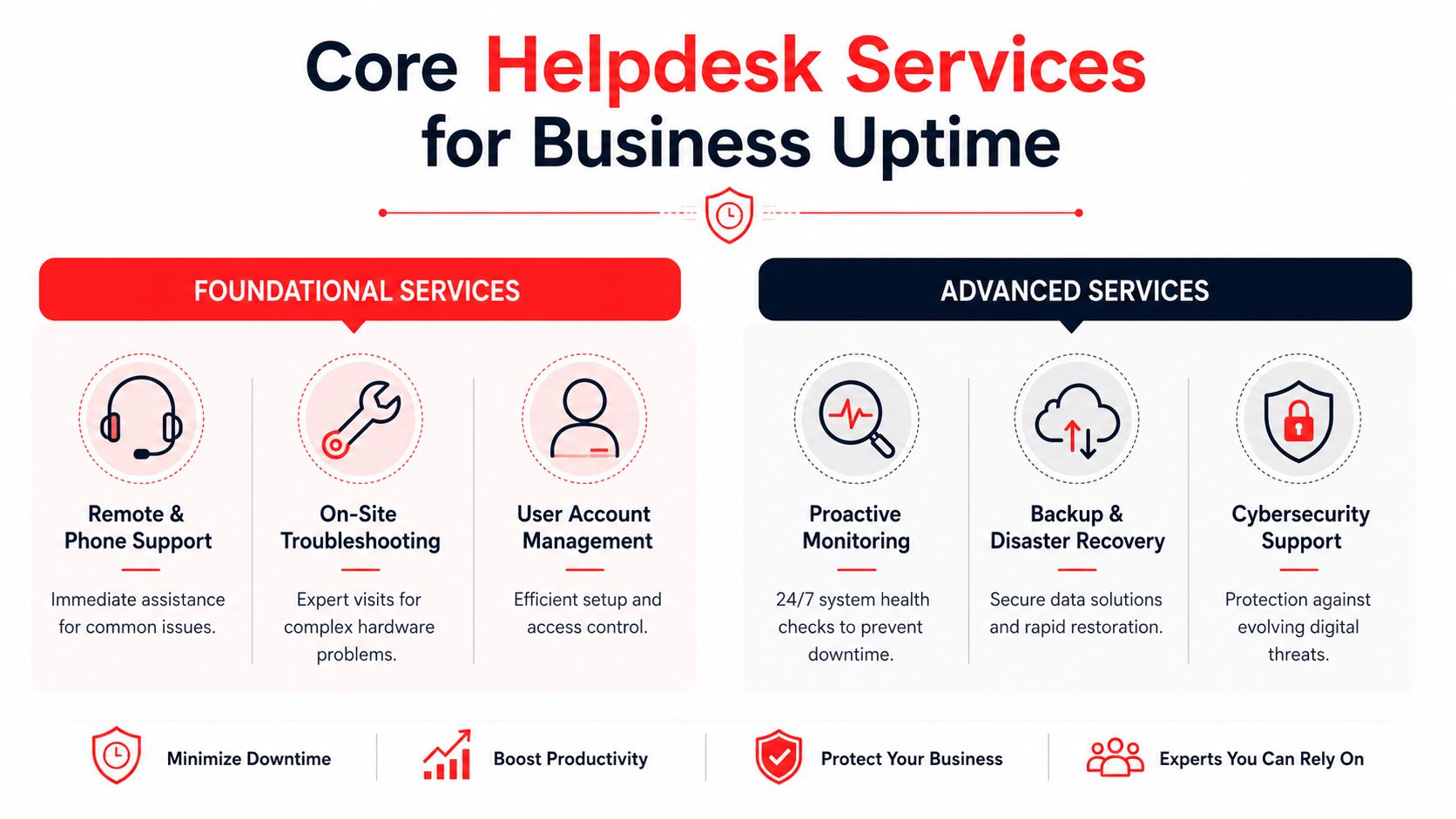

In the Orlando managed IT market, combining 24/7/365 live helpdesk support with real-time system monitoring preempts 85% of potential downtime events, directly resulting in a 30% increase in operational uptime for mid-sized businesses based on managed IT performance data published here. That's the business case for treating helpdesk support as an operational function instead of a repair service.
The baseline every business should expect
Foundational services are still important. They're just not enough by themselves.
You should expect:
- Remote and phone support: Staff need quick answers for common issues without waiting for an on-site visit.
- On-site troubleshooting: Some hardware failures, connectivity issues, and office changes need hands-on work.
- Account administration: New user setup, permission changes, and offboarding need to happen cleanly and quickly.
Those services keep people moving. But they don't prevent much on their own.
The advanced layer is where uptime is protected:
- Continuous monitoring: Systems are watched for health warnings, failed services, storage issues, and suspicious behavior.
- Backup and recovery readiness: Data protection isn't useful unless restoration is planned and tested as part of operations.
- Cybersecurity support: Endpoint protection, patching, access controls, and escalation procedures need to sit inside support workflows.
For accounting firms and professional offices, backup discipline deserves special attention. If you want a practical business-side explanation of why backup planning matters to financial operations, these valuable insights for business data strategy are worth reading.
Fully managed vs co-managed support
Many companies choose the wrong fit.
Fully managed IT makes sense when you don't want to run day-to-day IT internally. The provider handles helpdesk operations, system monitoring, endpoint care, vendor coordination, and ongoing maintenance. This usually fits smaller firms or growing companies that need predictable coverage without building a larger internal team.
Co-managed IT fits organizations that already have in-house IT capability but need reinforcement. That support may cover after-hours helpdesk work, escalation backup, cybersecurity operations, project assistance, documentation, or specialist oversight the internal team doesn't have capacity for.
Here's a simple comparison:
| Model | Best fit | Main benefit |
|---|---|---|
| Fully managed | Small and mid-sized firms with limited internal IT | One accountable partner for daily operations |
| Co-managed | Businesses with existing IT staff | Extra capacity, depth, and after-hours coverage |
A practical example helps. A three-location medical practice may want fully managed support because it needs one team to handle staff issues, device standards, access changes, and security operations consistently. A larger engineering firm with an internal administrator may prefer co-managed support to cover escalation, monitoring, and specialized security response.
The important point is this: the right service model reduces interruption. The wrong one creates confusion about who owns what when something goes wrong.
Why a Standard Helpdesk Is Not Enough The SOC Integration Imperative
A standard helpdesk fixes user problems. A Security Operations Center, or SOC, looks for threats, investigates suspicious activity, and responds before a problem spreads. Those are different functions. Businesses that handle sensitive data need both working together.
That's why the old separation between “IT support” and “cybersecurity” no longer works well for compliance-sensitive firms. If a user reports a locked account, unusual login, missing email, or suspicious file activity, that may not be a normal ticket. It may be the first visible sign of a breach attempt. A standard helpdesk can restore access. A SOC-backed helpdesk asks why the event happened, what else was touched, and whether the issue is still active.
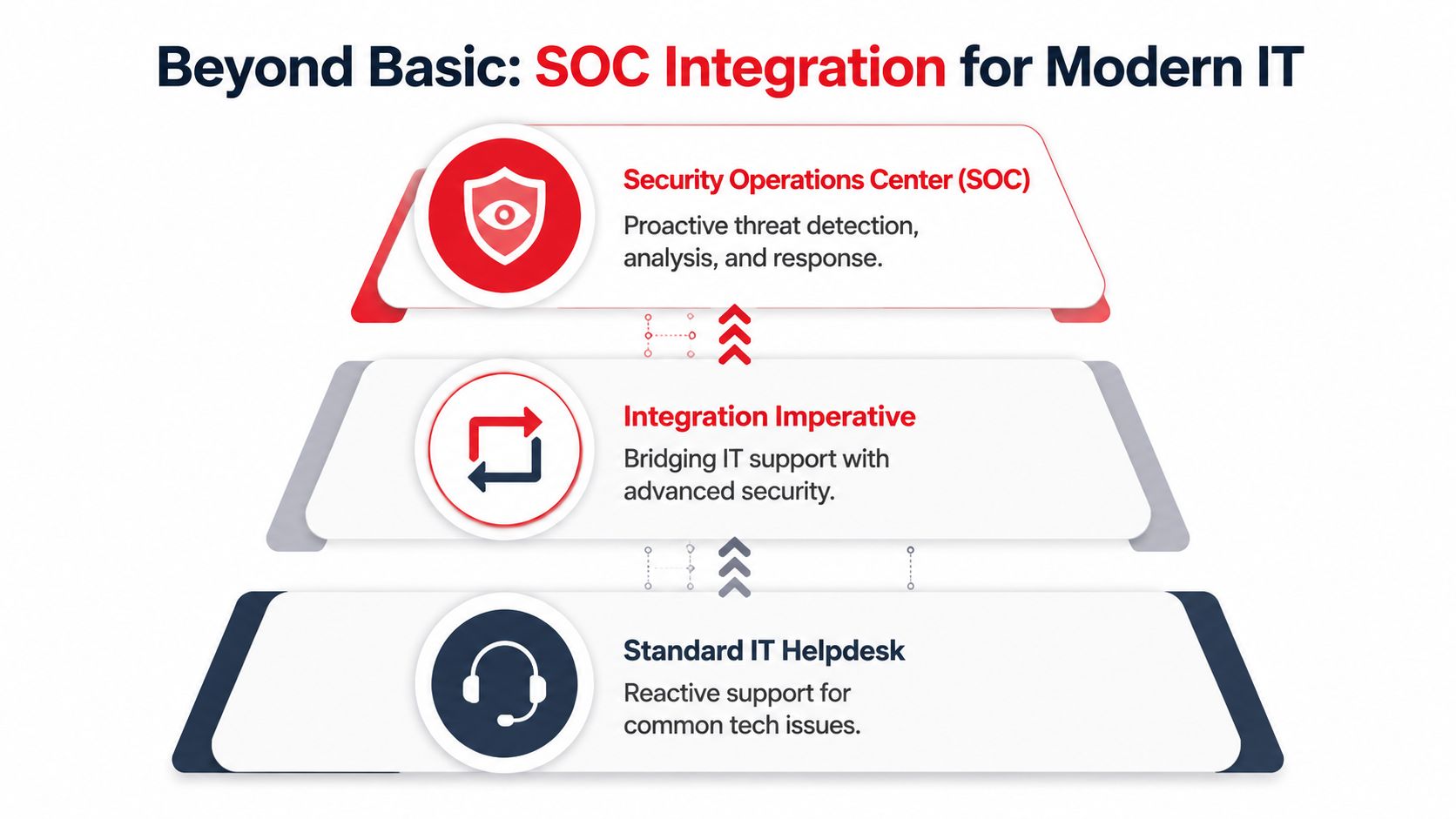
Orlando small businesses that integrate a 24/7 Security Operations Center into their IT strategy experience a 60–75% reduction in successful cyber incidents, driven by proactive threat hunting and automated patching mechanisms according to this Orlando IT support analysis. That's why a SOC-backed helpdesk isn't an add-on for many firms now. It's the safer operating model.
How a breach ticket should be handled differently
When a normal support desk gets a security-related ticket, the process often stops at symptom resolution. Password reset. Device reboot. Mailbox access restored. Case closed.
That isn't enough when the ticket may involve compromised credentials, lateral movement, malicious forwarding rules, unauthorized access, or persistence on an endpoint.
A better process looks more like this:
- Triage the user issue immediately. The employee still needs support.
- Assess whether the event is security-related. Login anomalies, unexpected MFA prompts, or data access changes should trigger deeper review.
- Contain if needed. Disable access, isolate a device, or suspend risky sessions.
- Investigate behind the ticket. Review logs, identity events, endpoint signals, and related activity.
- Recover and document. Restore business operations while preserving a record of what happened and what changed.
That integrated workflow is the core distinction. If you're curious what that security layer looks like visually, this SOC support model illustration captures the difference between ordinary support and active security operations.
Security incidents often enter through the helpdesk. They should not end there.
Why this matters for legal medical and financial firms
These industries don't just need working systems. They need defensible handling of sensitive information. A law office may see an account takeover attempt disguised as a simple login complaint. A medical practice may have a staff member report missing access when the underlying issue is a permissions change tied to suspicious activity. A financial office may notice inbox rules changing before anyone sees direct evidence of fraud.
In those environments, a standard helpdesk is incomplete because it treats the user symptom without addressing the threat. A SOC-backed helpdesk changes the ticket lifecycle. The support desk doesn't hand security off into a separate silo and hope for a callback later. It routes the incident with urgency, context, and response discipline.
One factual example of this model in the market is Cyber Command, LLC, which provides a 24/7/365 live helpdesk alongside a dedicated SOC for organizations in Orlando and Winter Springs. That kind of combined structure is what compliance-focused businesses should be looking for when evaluating providers.
Choosing Your Orlando IT Partner Key Decision Criteria
A lot of provider evaluations go wrong because the buyer asks broad questions and gets polished broad answers. “Do you offer support?” always gets a yes. “Do you handle cybersecurity?” also gets a yes. Those answers don't tell you how the relationship will work when your office is under pressure.
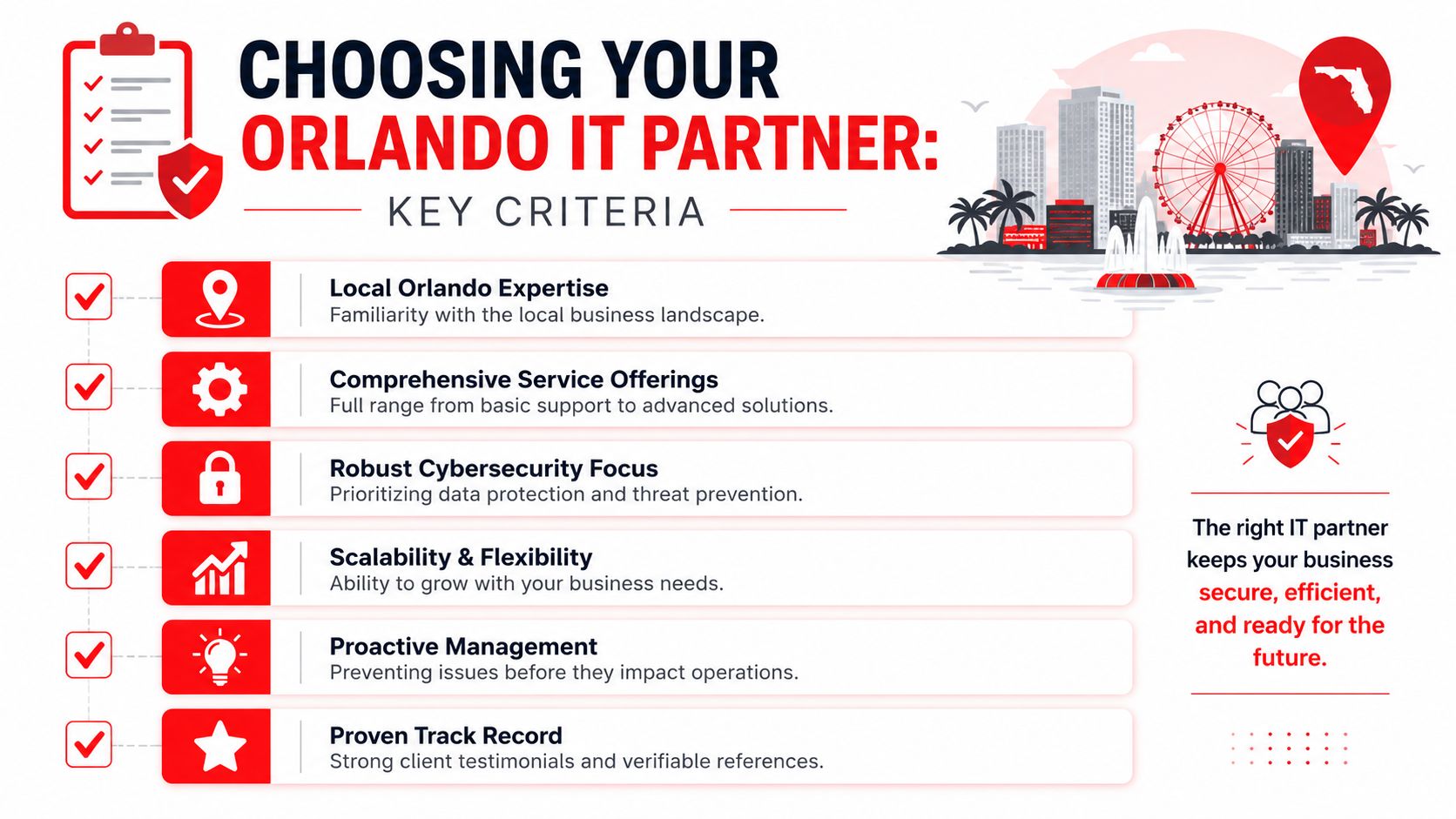
The better approach is to test for operating discipline, pricing clarity, local fit, and escalation maturity.
One issue deserves immediate attention. Data indicates that Orlando businesses in professional services and medical practices often suffer from ticket-driven vendor support where costs spike unexpectedly, contrasting with the budget stability of predictable, all-inclusive pricing models that prevent such volatility, as described in this Orlando small business IT support analysis. If your firm operates across multiple offices or has periodic onboarding surges, that pricing structure matters.
Questions worth asking before you sign
Ask direct questions that expose how the provider works.
- How do you handle after-hours issues: You want a clear answer on live coverage, escalation paths, and what happens when a security concern appears outside normal business hours.
- What happens when a ticket involves a possible breach: If they separate support and security too sharply, incidents can stall between teams.
- How do you support our industry workflows: Law, medical, accounting, engineering, and field-service operations all have different dependencies and urgency patterns.
- What documentation do you maintain: Good providers keep environment records current so issues don't depend on one technician's memory.
A provider should also be willing to show you what accountability looks like. This might include reporting, recurring reviews, asset visibility, and a documented service scope. Recognition can matter too, but only if it reflects real operating quality. For example, this managed service provider recognition graphic can be a conversation starter, not a substitute for due diligence.
Where pricing models change the relationship
Ticketed billing often changes behavior in the wrong direction. Staff hesitate to report recurring issues. Managers delay improvements because every request looks like another charge. The provider gets paid to react, not necessarily to reduce the reasons you need to call.
Flat-rate models shift the conversation. Instead of debating whether a request will trigger another invoice, you can focus on standards, maintenance, cleanup, and user experience. That's especially valuable for firms with multiple locations in Central Florida, where moves, onboarding, and uneven office infrastructure can create surprise work.
If pricing punishes you for asking for help, your provider has the wrong incentive structure.
Look for a partner that can explain scope clearly, identify what's covered, define escalation routes, and say no to ambiguity. Clear boundaries are a sign of maturity, not inflexibility.
Navigating Compliance in Central Florida Industries
For a lot of businesses in Orlando, compliance pressure shows up long before an audit. It appears in client questionnaires, insurance applications, vendor requirements, and internal concern about who has access to sensitive information.
Law firms, accounting offices, dental practices, medical spas, and veterinary clinics all handle data that carries consequences when mishandled. That makes IT support a compliance function as much as an operational one.
What FIPA means in practice
Florida businesses handling consumer data need to understand the baseline legal risk. The Florida Department of State mandates that all businesses handling consumer data must comply with the Florida Information Protection Act, which requires notification of data breaches within 30 days and imposes penalties up to $50,000 per violation, as outlined in this Florida compliance summary.
That changes how you should think about support. A delayed investigation isn't just inconvenient. Poor visibility into account misuse, device compromise, or unauthorized access can affect your response timeline and increase legal exposure.
The IT controls that support compliance
Compliance doesn't start with forms. It starts with operational control.
The most useful controls are usually straightforward:
- Access control: Users should have the access they need, and no more.
- Endpoint protection and patching: Unmanaged devices and delayed updates create avoidable risk.
- Logging and review: You need enough visibility to understand what happened when something looks wrong.
- Incident response coordination: Helpdesk and security actions should support documentation and containment, not compete with each other.
Medical and healthcare-adjacent practices also need to think beyond basic privacy habits. For a practical outside perspective on emerging concerns, this guide on protecting patient records from AI risks is a useful companion read. Identity and access management is another major pillar, and this identity and access management overview graphic helps frame why account control is central to compliance.
The takeaway is simple. Compliance becomes far more manageable when your IT support model already enforces disciplined access, monitored systems, and documented response procedures.
Frequently Asked Questions About Orlando IT Helpdesk Services
Will onboarding disrupt our day-to-day operations
A competent provider should stage onboarding in a way that limits interruption. That usually means gathering documentation first, reviewing users and devices, validating access, and scheduling changes in a controlled order. If onboarding feels chaotic, that's often a warning sign about how daily support will feel later too.
Can an IT helpdesk support the specialized software our firm uses
Usually yes, if the provider is comfortable documenting workflows, vendor contacts, login dependencies, and escalation paths. The important question isn't whether they built the software. It's whether they can support the environment around it, including devices, permissions, updates, integrations, and user access issues.
What happens during a major IT emergency
You want a provider with a defined emergency process. That should include immediate triage, communication to the right decision-makers, technical containment if security is involved, and a path to restore operations in a documented order of priority. Firms that work in legal, medical, and financial settings should expect both operational response and security judgment.
Is local presence still important if most support is remote
Yes. Remote support handles many issues faster, but local presence still matters for hardware failures, office changes, network work, and situations where someone needs to be on-site to coordinate recovery. For multi-location firms in Central Florida, local familiarity also helps with consistency.
How do we know if our current provider is no longer the right fit
Look for patterns. Repeated issues, unclear billing, poor communication, weak documentation, and vague answers about security handling are all signs that the relationship may be reactive instead of protective. If your staff has learned to “just work around IT,” the support model is already costing you more than the invoice shows.
If your business needs an IT helpdesk in Orlando that supports uptime, security, and predictable operations, Cyber Command, LLC is one local option to evaluate. Ask for a conversation focused on your actual environment, including after-hours support, SOC integration, compliance needs, and whether fully managed or co-managed coverage fits your team.