How to Create a Business Continuity Plan

Monday starts normally. A law firm near downtown Orlando opens its case management system and finds every file encrypted. A dental practice in Winter Springs loses access to schedules, imaging, and billing after a storm knocks out power and corrupts a local server restart. Phones still ring. Patients still show up. Clients still expect answers. The problem isn’t just “IT is down.” The business itself has stopped moving.

That’s why a business continuity plan matters. Not as a binder on a shelf, and not as a generic template someone downloaded three years ago. It’s a leadership document that tells your team what happens next when a hurricane, ransomware event, vendor outage, or patient data incident interrupts normal operations.

In Central Florida, the risk picture is unusually practical. You have weather exposure, seasonal power instability, remote and hybrid work, cloud dependence, and growing pressure around data privacy. Professional firms, medical practices, and multi-location businesses all face the same hard question: if a critical system goes down today, who makes decisions, how do you keep serving customers, and how fast can you recover?

If you’re learning how to create a business continuity plan, start with one assumption. A backup drive alone won’t save you. You need a plan for operations, communications, vendors, cyber response, and recovery priorities.

Why Your Florida Business Needs More Than a Backup Drive

A backup can help you recover data. It does not tell your office what to do at 8:15 on a Monday when staff cannot log in, patients are waiting, and your front desk is fielding calls it cannot answer.

I see this mistake often with Central Florida small businesses. The owner has an external drive, a cloud backup subscription, or both, and assumes recovery is covered. Then a hurricane disrupts power across the area, a vendor outage locks up a scheduling platform, or ransomware hits a shared file system. The files may exist somewhere, but the business still stalls because nobody has clear priorities, assigned decision-makers, or a tested process for working through the interruption.

That gap is expensive.

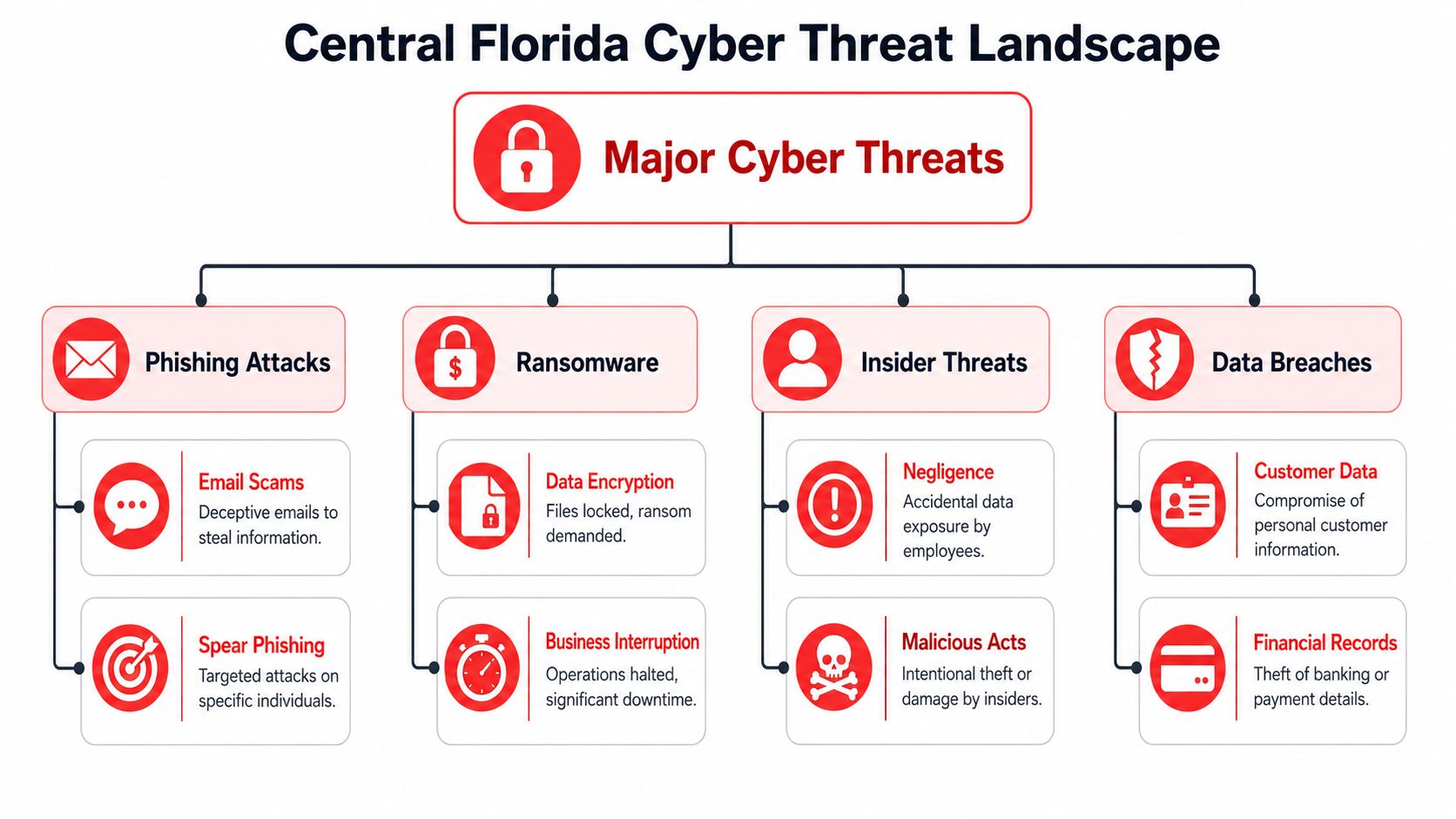
In this region, continuity planning has to cover more than weather. Hurricanes, flooding, and utility instability are part of the equation, but so are phishing attacks, business email compromise, ransomware, and breaches involving client or patient records. For a medical practice, the problem is not limited to restoring charts. The practice also has to decide how to protect patient data, notify the right parties, keep appointments moving, and document decisions in case regulators or insurers ask questions later. For a law firm or accounting office, client trust can erode fast if communication goes quiet for even a few hours.

A usable continuity plan gives your team direction under pressure. It should answer questions like:

  • Who is authorized to make response decisions if the owner or practice manager is unavailable
  • Which business functions must be restored first to keep revenue and service moving
  • How staff will operate in the short term if primary software, phones, or internet access are down
  • What messages go to clients, patients, vendors, and carriers and who sends them
  • When an outage becomes a security incident that requires containment, forensics, legal review, or breach response

Many SMBs assume their IT provider, software vendor, or cloud platform will fill these gaps during a crisis. In practice, each party covers only part of the problem. Your vendor may restore its application. Your IT team may recover servers. Neither one owns your customer communication, manual workarounds, leadership approvals, or incident coordination unless you planned for it in advance.

Backups also fail in predictable ways. The backup repository is tied to the same compromised credentials. Restore testing never happened. The last clean copy is older than anyone expected. The restored data comes back corrupted, incomplete, or still encrypted. Those are operational failures, not just technical ones.

That is why a disaster recovery plan template is useful, but incomplete on its own. Recovery documents help your team rebuild systems. Business continuity planning decides how the company keeps operating while that recovery is happening.

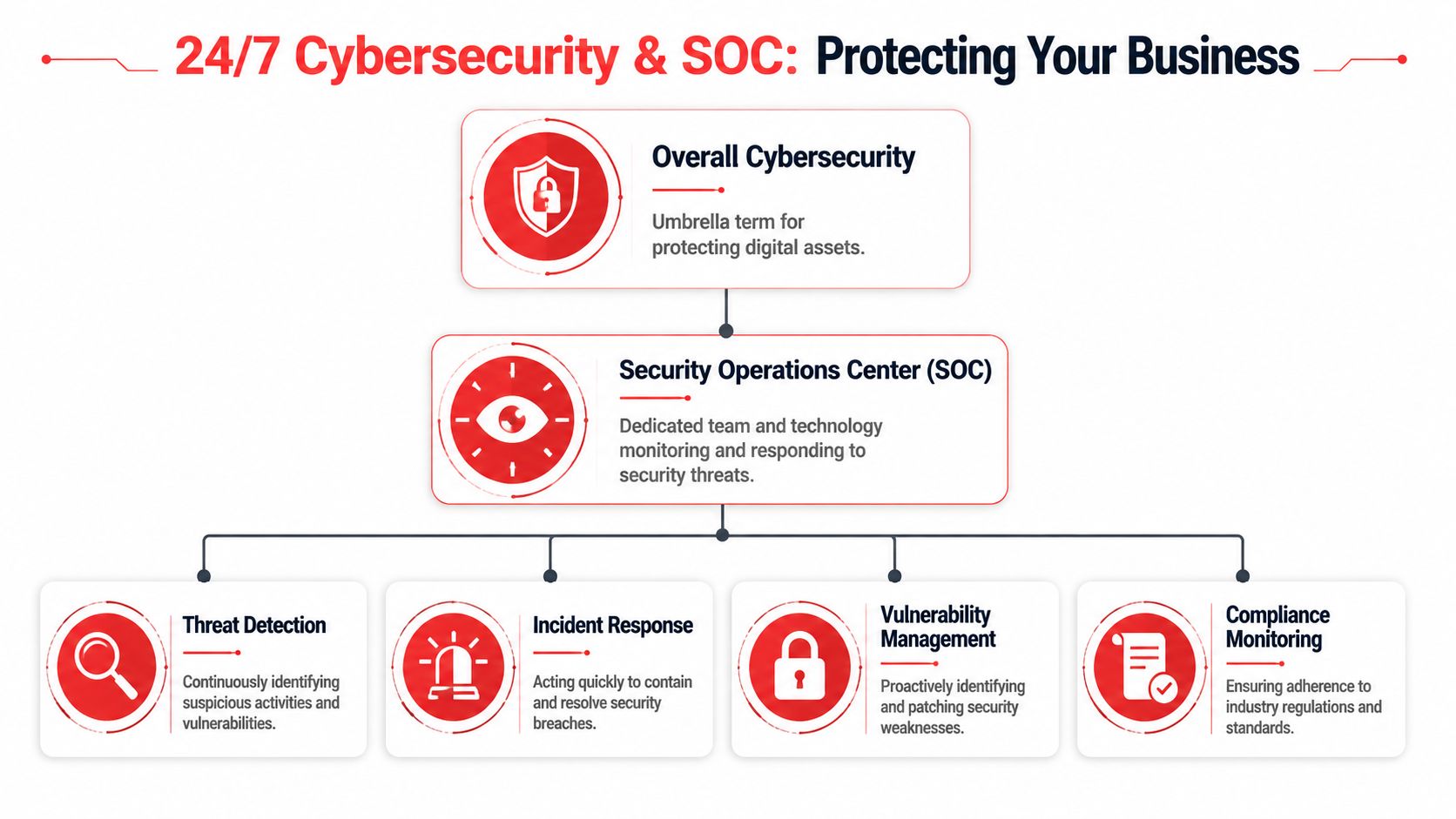
The Florida businesses that come through disruptions with less damage usually make one leadership shift early. They treat downtime as a business risk with legal, financial, and reputational consequences, and they build their plan around both cyber threats and real-world interruptions. For non-technical owners, that usually means working with a managed SOC and IT partner that can monitor threats, guide incident response, and help execute the plan when the pressure is real.

Laying the Foundation with a Business Impact Analysis

A hurricane warning goes up on Tuesday. By Wednesday, your office closes early. By Thursday morning, staff are scattered, your phones are forwarding inconsistently, a few people cannot get past multi-factor authentication, and the practice management system is technically online but nobody can use it. That is the point of a business impact analysis, or BIA. It identifies what has to keep working, who depends on it, and what breaks first when conditions are not normal.

For Central Florida SMBs, that exercise matters just as much for cyber incidents as it does for weather. Ransomware rarely takes down every system at once. It usually cripples a few high-dependency functions first, then exposes how much of the business depends on identity, email, internet access, and a handful of software platforms.

A professional team collaborating on a digital transparent business impact analysis board in a modern office.

Start with business functions, not hardware

Owners often begin with a list of devices. Servers, laptops, Wi-Fi, firewalls, licenses. That list has value, but it does not tell you how the company earns revenue or serves patients, clients, or customers during an outage.

Start with the work itself.

A Central Florida accounting firm may say it needs “the network,” but that answer is too vague to guide recovery. The specific requirement is usually tax software, document management, secure file exchange, payroll access, email, and remote authentication. A medical spa may point to “the server,” when the higher priority is scheduling, charting, payment processing, imaging, and patient communication. A contractor may focus on office internet, while the bigger exposure is access to estimates, job documentation, field communications, and accounting approvals.

Use a whiteboard or worksheet and answer these four questions:

  1. What work has to continue every day?
  2. What has to come back fast to serve customers or patients?
  3. What can pause for a short period without lasting harm?
  4. What can wait until the situation is stable?
Business type Critical function Likely dependency
Law firm Access to active matter files Document management, email, case software
Architecture firm Access to current project files CAD platform, file storage, version control
Dental practice Patient scheduling and imaging Practice software, internet, workstations
Accounting firm Tax and payroll processing Line-of-business apps, MFA, secure portals

This step usually exposes the hidden pressure points. Software access, identity systems, and a small number of employees with tribal knowledge are often bigger continuity risks than the hardware itself. A good BIA helps reduce hidden risks before a storm, outage, or breach forces you to find them the hard way.

Map people, processes, and vendors

A useful BIA covers more than technology. It should show the chain behind each critical function so leadership can see what has to be available at the same time.

Use this inventory format:

  • People who perform the task, plus backups who can step in
  • Processes that have to happen in order for work to move
  • Programs such as QuickBooks, Dentrix, Clio, AutoCAD, Microsoft 365, or your EHR
  • Providers including internet carriers, cloud hosts, payment processors, and specialized software vendors
  • Places where work happens, including office, home, field sites, or a secondary location

Under pressure, many plans often fail. A billing platform may be online, but staff still cannot work if identity access is down. Identity access may depend on email or mobile authentication. Both may depend on internet service. In a ransomware event, a managed SOC partner should already know that chain and be able to validate which dependencies are safe to use, which accounts need to be isolated, and which workarounds are realistic.

Your BIA should tell a stressed manager what the business needs first, second, and third. If it reads like an asset inventory, it is not finished.

Rank impact in plain language

Keep the scoring simple enough that department leaders will use it.

Classify each function into three groups:

  • Must restore first because downtime immediately affects revenue, patient care, legal deadlines, compliance, or customer trust
  • Restore next because the business can operate in a limited way without it for a short time
  • Restore later because the impact is inconvenient but manageable

Then document the actual business effect of downtime in plain language. Examples include:

  • Missed court deadlines
  • Patients rescheduled or diverted
  • Staff unable to bill
  • Payroll delays
  • Customer contracts stalled
  • Inability to verify transactions or records

That level of detail changes the conversation. Instead of arguing over which server matters most, leadership can decide which business outcomes matter most. For non-technical owners, that shift is often the difference between a generic continuity binder and a plan that can guide decisions during a real incident.

Preparedness gaps are common among smaller firms, as noted earlier. That is one reason I push SMB leaders to finish the BIA before they spend money on more tools. If you do not know which functions drive revenue, compliance, and trust, it is easy to buy protection for the wrong systems and leave the actual failure points exposed.

What good BIAs include

A useful BIA usually includes:

  • A ranked list of critical functions
  • Named owners for each function
  • Application and vendor dependencies
  • Manual workaround notes
  • Recovery priority based on business impact

Perfection is not the goal. Clarity is.

A BIA gives your leadership team a usable order of operations when systems are down, staff are stressed, and every vendor says their piece is working. For Florida SMBs dealing with hurricane disruption, ransomware risk, or a patient data breach, that clarity is one of the few advantages you can create before the crisis starts.

Defining Your Recovery Guardrails RTO and RPO

After the BIA, you need two guardrails that make recovery decisions real: RTO and RPO.

Most business owners don’t need a technical lecture here. They need plain language.

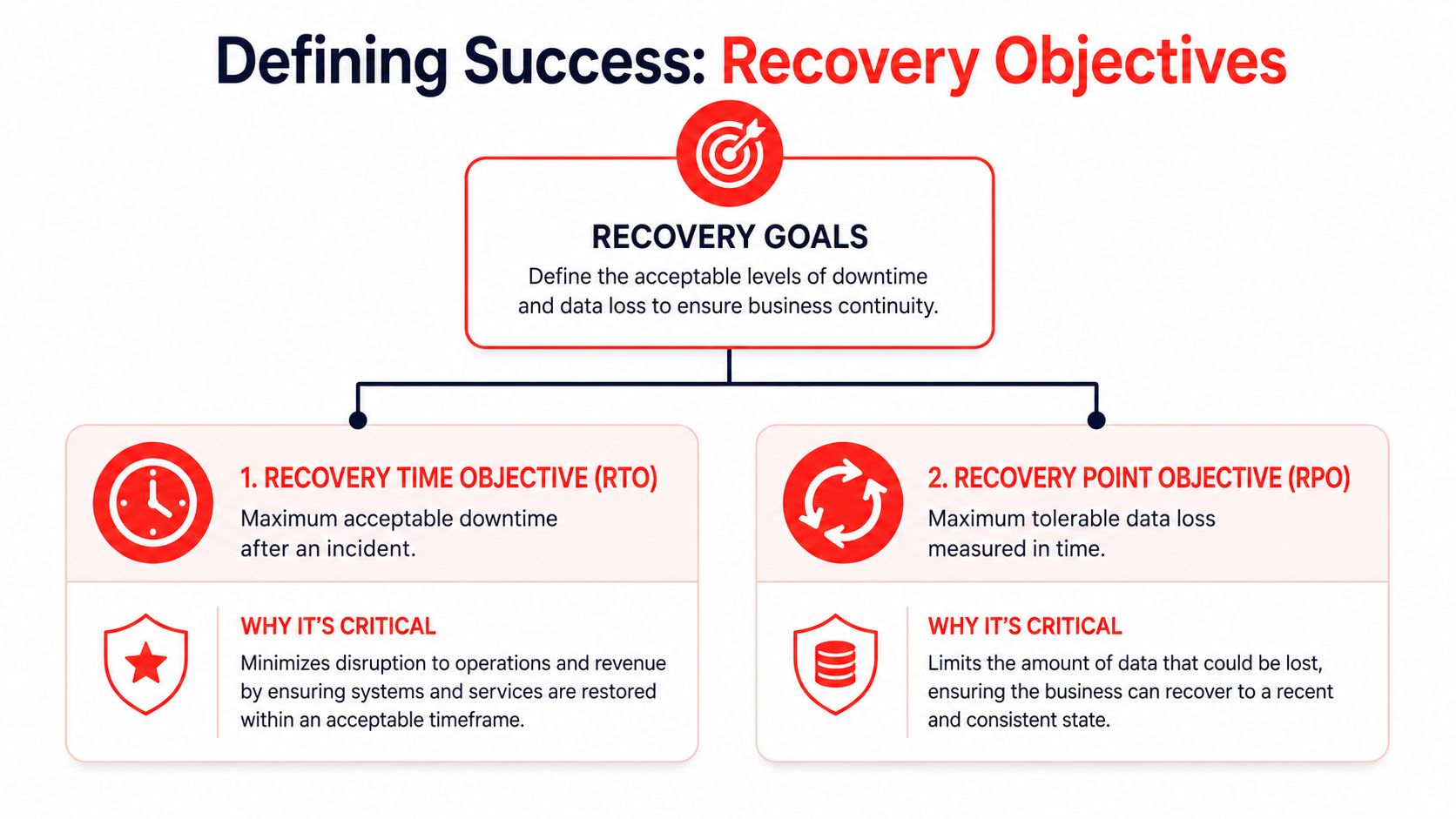
Recovery Time Objective (RTO) is the maximum downtime you can tolerate for a critical function.
Recovery Point Objective (RPO) is the maximum data loss you can tolerate.

If your scheduling system can be down for two hours before patients start leaving, that’s your RTO conversation. If your bookkeeping team can only afford to lose a few minutes of transactions before records become unreliable, that’s your RPO conversation.

A diagram illustrating recovery guardrails including Recovery Time Objective, Recovery Point Objective, and Business Resilience Goals.

A simple way to think about each one

Use these analogies with your leadership team:

  • RTO means, “How long can this be unavailable before the business takes unacceptable damage?”
  • RPO means, “How much work are we willing to re-create if the latest data can’t be recovered?”

A law office may tolerate a longer outage for archived records than for active case files. A veterinary clinic may need near-current appointment and treatment data, even if a marketing platform can wait until tomorrow. A construction or engineering firm may survive temporary email disruption but not the loss of project drawings under active revision.

That’s why one company doesn’t have one RTO or one RPO. Each critical function gets its own.

Use ranges that match reality

If you’re deciding values for the first time, don’t guess based on optimism. Base them on actual customer expectations, contractual obligations, and workflow pain.

This simple model helps:

Priority level Example business function RTO mindset RPO mindset
Mission-critical Scheduling, payments, patient data, active client files Restore very quickly Lose very little data
Important Internal collaboration, reporting, standard admin tasks Restore same day if possible Some data re-entry may be acceptable
Lower priority Archive systems, old reference files Can wait longer Older restore points may be workable

A lot of teams discover their expectations and budget don’t match. They want near-instant recovery on every system while storing backups in ways that won’t support it. That’s normal. The point of setting RTO and RPO is to force that trade-off into the open.

If the business says a system must return quickly, the technology, staffing, and vendor choices must support that promise.

Where owners usually misjudge risk

The common mistake isn’t setting targets. It’s setting targets without tracing dependencies.

A firm may say, “We need Microsoft 365 back in one hour.” Fine. But can staff sign in if multi-factor authentication is affected? Can they use phones if internet service is unstable? Can remote staff reach files if VPN access relies on a single appliance in one office?

That kind of mapping helps reduce hidden risks before a real incident exposes them.

Another issue is setting the same recovery target for everything. That usually wastes money on low-priority systems and underprotects the few systems that matter most.

Why sub-four-hour recovery matters

For service-based businesses, faster recovery often means preserved trust. Organizations that successfully meet an RTO/RPO of less than 4 hours achieve 30% faster recovery post-cyber incident, according to Travelers’ business continuity planning guidance. That doesn’t mean every tool in your environment needs that target. It means your critical functions deserve serious attention.

A practical way to finish this step is to ask each department head:

  • What’s the longest this process can be unavailable?
  • What’s the oldest usable version of the data?
  • What manual workaround exists while systems are down?
  • Who signs off if recovery takes longer than planned?

Those answers become the guardrails for everything that follows. Backup design, cloud architecture, incident response, vendor contracts, and communications all depend on them.

Building a Cybersecurity-Focused Recovery Strategy

A modern continuity plan has to assume one uncomfortable truth. The disruption may start as a security event, not a weather event.

That changes the recovery strategy. If ransomware, credential theft, or a data breach is involved, you can’t just power everything back on and hope for the best. You have to contain the incident, verify system integrity, communicate carefully, and restore in a sequence that doesn’t reintroduce the same threat.

A professional IT specialist working on a computer displaying cyber recovery strategy and security data metrics.

Build around the most likely disruptions

For Central Florida businesses, useful planning usually centers on a short list:

  • Ransomware or account compromise
  • Hurricane-related office closure
  • Extended internet or power disruption
  • Critical vendor outage
  • Accidental deletion or system misconfiguration
  • Exposure of patient, client, or financial data

These aren’t equal in impact, and they don’t trigger the same response. A weather closure may require relocation and remote work activation. A ransomware event may require isolation, forensic review, legal guidance, and staged restoration from known-good backups.

That’s why a recovery strategy should split incidents into categories instead of pretending one checklist covers everything.

Incident response comes first

If the disruption appears security-related, your first phase isn’t restoration. It’s control.

That usually means:

  1. Confirming the scope of affected systems and accounts
  2. Containing access by disabling compromised credentials, isolating devices, or segmenting network access
  3. Preserving evidence so you don’t erase the trail before understanding what happened
  4. Making a leadership decision on shutdown, communication, and recovery order

A surprising number of businesses restore too early. They bring a server back online before confirming whether admin credentials were stolen, whether remote access tools were abused, or whether backups are clean. That often turns one bad day into a week of repeated outages.

If your team hasn’t documented escalation paths, use a practical incident response planning guide to define who gets called, who approves business decisions, and when outside counsel or cyber insurance should be notified.

A recovery plan that skips containment can put infected systems back into production faster. It doesn’t put the business back into a safe state.

Communication has to be prewritten

During an outage, leaders waste time drafting messages they should have prepared months earlier.

Your continuity plan should include message templates for:

  • Employees, so they know whether to work remotely, pause work, or switch to manual procedures
  • Customers or patients, so they know whether appointments, deadlines, or services are affected
  • Vendors, so they can assist with restoration and validate dependencies
  • Regulated stakeholders, where legal or compliance notification may be required

For medical, legal, and financial firms, wording matters. Don’t speculate. Don’t promise timelines that haven’t been verified. Don’t let ten people give ten different explanations.

A good communication matrix includes the audience, sender, delivery method, approval path, and a backup channel if email is unavailable.

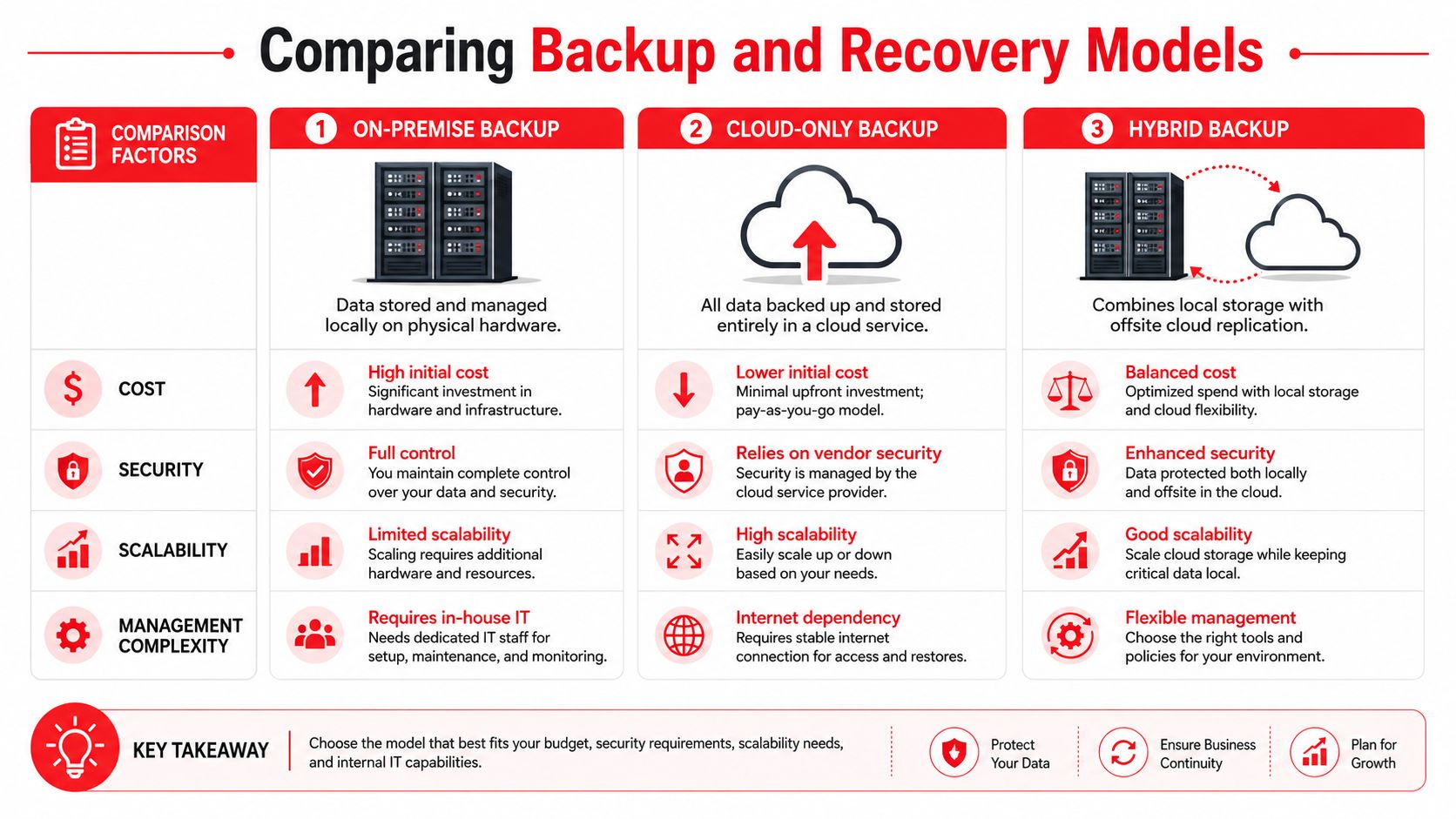
Choose backup and recovery architecture based on risk

There isn’t one “best” backup setup for every business. The right design depends on your RTO, RPO, budget, application stack, and local operating realities.

Here’s a useful comparison:

Approach Works well when Main concern
Cloud-heavy recovery Staff can work remotely and apps are mostly SaaS-based Internet dependence becomes critical
On-premise recovery Specialized local systems or equipment must stay in office Power, flooding, and physical site disruption
Hybrid recovery You need both local speed and offsite resilience More moving parts to document and test

For a dental office with imaging and practice software tied to local devices, a hybrid approach may make sense. For a law firm living in Microsoft 365, Clio, and cloud document storage, cloud-first continuity may be cleaner. For an architecture or engineering firm with large design files and specialized workstations, recovery often needs both local performance and offsite protection.

The key is sequencing. Decide which systems restore first, which user groups regain access first, and what “safe to use” means before reconnecting restored assets.

Map dependencies before an outage maps them for you

A lot of businesses know their critical applications. Fewer know the supporting pieces those applications need.

Document dependencies like these:

  • Identity and MFA needed to sign in
  • Internet and DNS availability needed to reach cloud services
  • Line-of-business databases that support front-end apps
  • Endpoint protection and patching needed before restored devices go back to users
  • Third-party APIs or payment systems that keep transactions moving

At this stage, continuity and security stop being separate topics. If you restore a payment platform but ignore endpoint health, access controls, or stale credentials, you’ve restored exposure, not operations.

For leaders who want a broader framework, these strategies for robust cyber security are helpful because they connect prevention, detection, and recovery instead of treating them as separate projects.

Make cyber resilience the centerpiece

The old model assumed business continuity meant weather, fire, or hardware failure. That model is outdated. A 2025 IBM report indicates cyber incidents caused 43% of global downtime, with SMBs averaging $25,000 per minute in losses, as summarized by Swimlane’s business continuity overview. Even if your own loss profile differs, the direction is clear. Cyber events now sit at the center of continuity planning.

That has practical implications:

  • Backups need separation and verification
  • Identity systems need stronger controls
  • Endpoint visibility matters during recovery
  • Threat hunting and monitoring shorten the time between compromise and action
  • Compliance review should happen before, not after, the incident

For non-technical business owners, this is usually the turning point. They realize the continuity plan can’t be owned by office administration alone. It needs operational leadership, IT expertise, and security discipline working from the same playbook.

Activating and Maintaining Your Continuity Plan

A continuity plan that hasn’t been tested is mostly theory.

That sounds blunt, but it’s the truth. The first live incident is the worst possible time to discover that key phone numbers are outdated, backup credentials are inaccessible, one software vendor never documented after-hours support, or nobody knows who has authority to switch operations to manual mode.

A professional business team discussing their project progress during a review meeting in an office setting.

Test in layers, not all at once

The best testing programs start small and get progressively more realistic.

A simple sequence works well:

  • Document review to confirm contacts, systems, vendors, and escalation paths are current
  • Tabletop exercise where leaders walk through a scenario such as ransomware during business hours or a hurricane closure before payroll
  • Technical recovery drill where backups, account recovery steps, and alternate access methods are tested
  • Operational exercise where a team performs a short manual process or remote work shift under simulated outage conditions

These exercises reveal different weaknesses. A tabletop may uncover decision confusion. A restore drill may uncover bad assumptions about backup timing or application compatibility. An operational drill may expose process bottlenecks that IT can’t solve on its own.

Assign roles with names, not departments

One of the fastest ways a plan fails is vague ownership.

Don’t write “IT handles systems” and “management handles communication.” Write actual names and alternates. If a hurricane affects one office and a ransomware event hits while your practice administrator is on vacation, the plan still has to function.

A useful role list includes:

Role Primary responsibility
Executive decision-maker Authorizes major business actions and outside notifications
Technical lead Coordinates containment, recovery, and vendor escalation
Operations lead Directs manual workarounds and staff workflow
Communications lead Approves and sends staff and customer updates
Compliance or legal contact Reviews notification obligations and recordkeeping

Field note: Teams respond better when each person knows the first action they own in the first hour.

That first-hour clarity matters more than long procedural prose.

Review after every change that matters

A continuity plan should change when the business changes.

That includes:

  • New software platforms
  • Office relocation or expansion
  • Staff turnover in key roles
  • Vendor changes
  • New compliance obligations
  • Changes to remote work or multi-location operations

Medical practices often add systems over time without updating continuity documents. A dental group adds imaging software. A med spa adds a payment platform. A legal office changes document storage providers. The plan gradually becomes stale, then breaks loudly.

This is one reason testing matters so much. Inadequate plans are common, with 33% failing during actual outages and 35% of disaster recovery tests failing, according to the State of Business Continuity Preparedness 2023. Those failures usually aren’t caused by lack of effort. They’re caused by drift between the written plan and the actual environment.

Tie maintenance to business rhythm

Don’t rely on memory. Tie plan maintenance to existing business checkpoints.

Good triggers include:

  • Quarterly leadership reviews
  • Annual insurance renewal
  • Compliance audits
  • Post-incident reviews
  • Major technology projects

For healthcare and other regulated industries, this is especially important. A tested continuity process supports stronger documentation around operations, access, recovery, and response. It also gives insurers and auditors more confidence that your business can manage an interruption without improvising every critical decision.

The goal isn’t paperwork. The goal is repeatable response under pressure.

Partnering for Resilience Why Florida SMBs Choose Managed IT

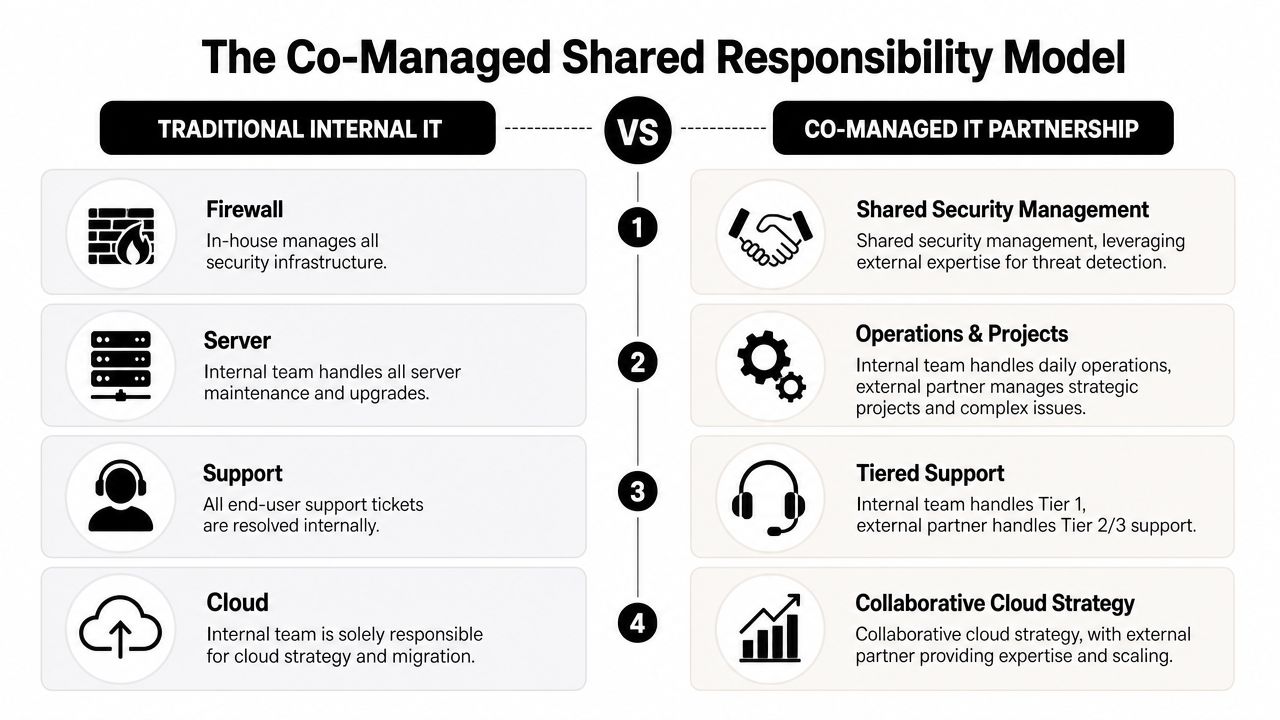
Most small and mid-sized businesses don’t struggle because they don’t care about continuity. They struggle because continuity crosses too many lanes. Operations owns the workflows. Leadership owns business decisions. Vendors own pieces of the stack. Internal IT, if it exists, is already busy. Security needs specialized attention. Nobody fully owns the whole thing.

That ownership gap is where many plans break down.

Industry data summarized by BCM Metrics says 70% of BCP failures are due to weak ownership, but shifting this responsibility to a co-managed IT partner can improve test compliance by 80% and guarantee uptime, as discussed in this guide on creating a business continuity plan. Even if a business handles some technology internally, shared accountability often works better than leaving continuity as a side project.

Build versus buy is the real decision

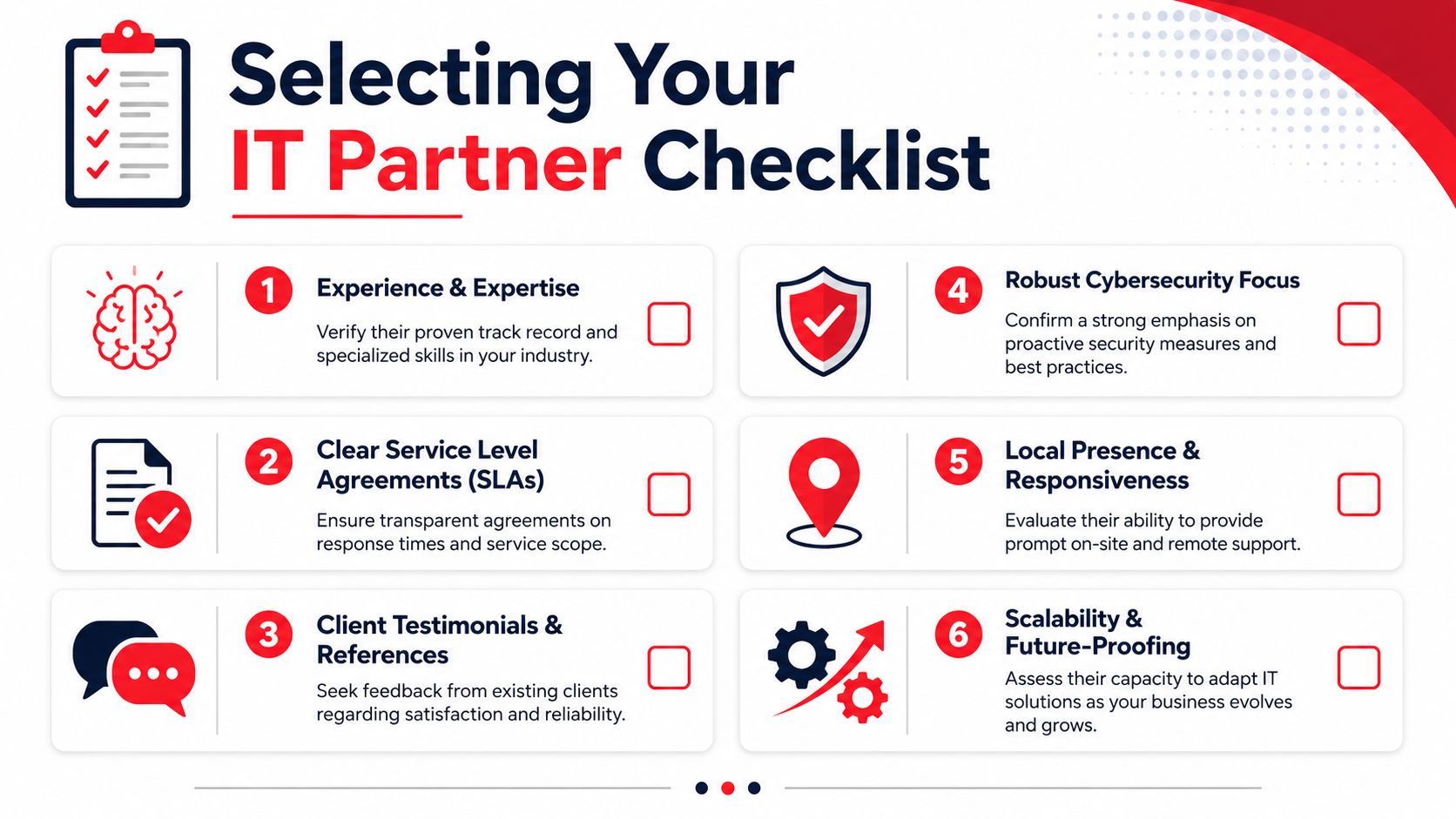
For a Florida SMB, the practical question isn’t whether continuity matters. It’s who is going to keep the plan current, test it, coordinate vendors, document systems, and respond after hours when something breaks.

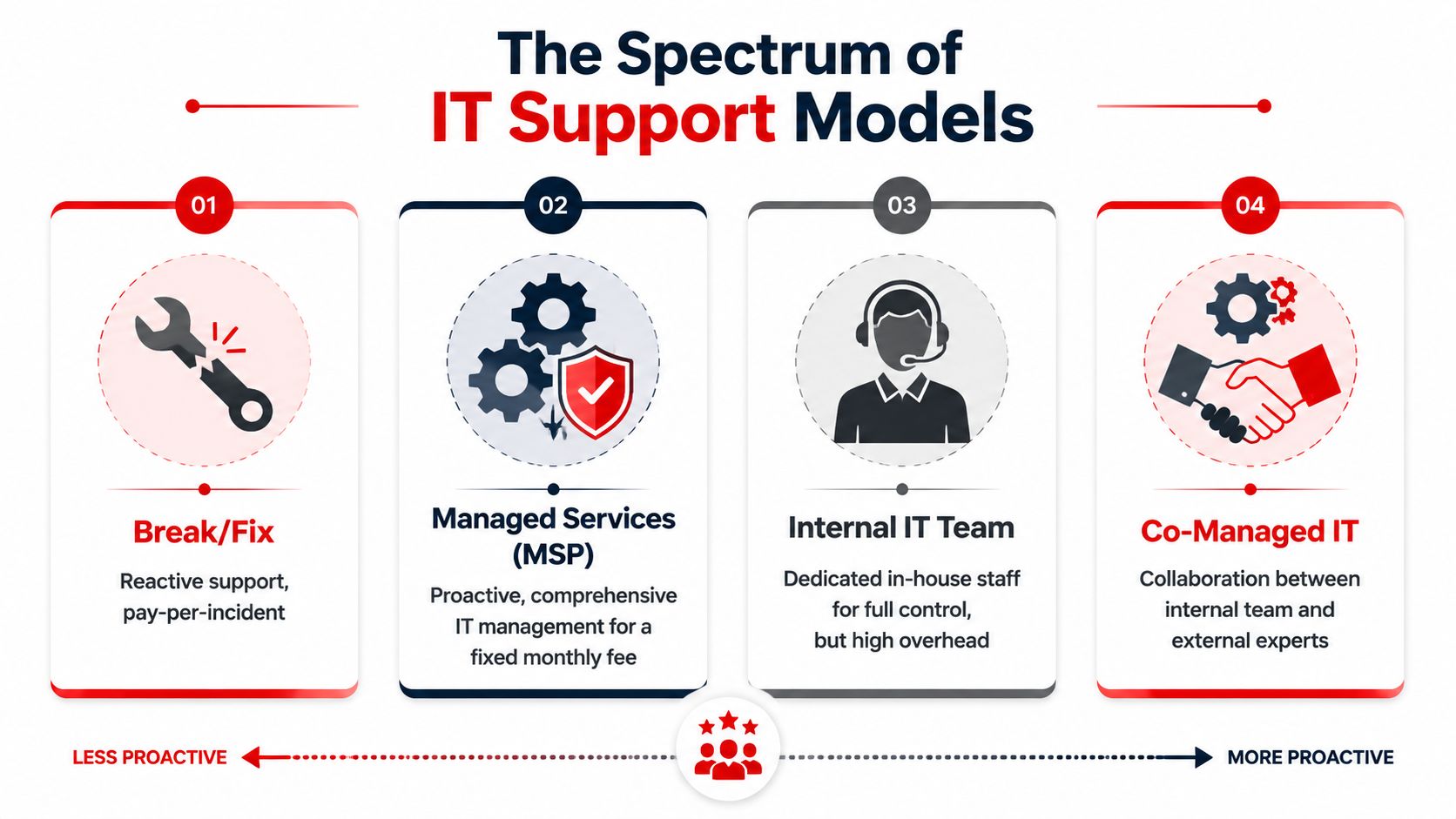
Building all of that in-house can work if you have mature internal IT, security operations capability, documented infrastructure, and enough management time to run exercises. Many firms don’t.

That’s why managed IT and co-managed models appeal to law firms, medical groups, engineering firms, and community organizations. They need someone to help maintain the operating discipline behind the plan, not just write the document.

What a good partner changes

A strong managed partner usually improves continuity in four ways:

  • Ownership becomes clear because testing, documentation, and follow-up stop floating between departments
  • Technical execution improves because backup validation, endpoint controls, vendor coordination, and recovery procedures are managed consistently
  • Leadership gets usable reporting instead of fragmented updates from multiple providers
  • Costs become more predictable because the business plans around prevention and support instead of repeated emergency projects

The best result isn’t “outsourcing responsibility.” It’s creating a structure where the business owner can focus on clients, staff, and growth while a technical partner helps keep resilience operational.

For Florida companies weighing that decision, this overview of why to choose managed IT services is a useful starting point.

Frequently Asked Questions About Business Continuity Planning

Is a business continuity plan the same as a disaster recovery plan

No. A disaster recovery plan focuses mainly on restoring IT systems, data, and infrastructure. A business continuity plan is broader. It covers how the business keeps operating during disruption, including staff responsibilities, customer communication, vendor coordination, manual workarounds, and recovery priorities.

Can I use a template and fill in the blanks

A template can help you start, especially if you’ve never documented continuity before. It won’t be enough on its own. Generic plans usually miss your actual software stack, approval paths, vendor dependencies, and compliance needs. The useful part is the customization, not the download.

How long does it take to create a plan

That depends on the size of the business, how many systems are involved, and how clearly your workflows are already documented. A small practice with a straightforward environment can move faster than a multi-location firm with specialized software and multiple vendors. The time usually goes into interviews, dependency mapping, and testing, not writing.

What if my business is too small for a formal plan

Small businesses usually have less slack, not more. Fewer staff, fewer backups in roles, and tighter cash flow make interruptions harder to absorb. Even a lean continuity plan is better than relying on memory during a crisis.

What should I do first if I’m starting from scratch

Start with the business impact analysis. Identify your most important functions, the software and vendors behind them, who owns each process, and how long each can be down before the business is in trouble. That creates the foundation for every recovery decision that follows.


If your business in Orlando, Winter Springs, or North Texas needs help turning continuity planning into something operational, Cyber Command, LLC can help. Their team supports managed IT, co-managed IT, 24/7 SOC coverage, incident response, compliance support, and recovery planning so leaders can stop reacting to outages and start building resilience deliberately.

How to Recover From a Ransomware Attack: An SMB Guide

The screen locks. A ransom note appears. Staff start shouting from down the hall that files won’t open. Your practice management system, accounting platform, or shared drive may already be affected.

If you’re a business owner in Orlando, Winter Springs, or anywhere in Central Florida, this is the moment when bad decisions get made fast. People reboot machines, reconnect laptops, forward screenshots over company email, or start talking about paying before anyone knows what was hit.

The way you recover from a ransomware attack starts with discipline, not speed. You need to stop the spread, preserve evidence, bring in the right people, and make business decisions in the right order. For law firms, medical practices, accounting firms, and other professional services companies, every hour of confusion turns into missed appointments, lost billable time, client exposure, and avoidable cost.

The First 60 Minutes Triage and Containment

The first hour is about one thing. Stop the attacker from reaching more systems.

Ransomware rarely stays on the first machine it touches. Attackers move across file shares, servers, remote sessions, and saved credentials. That movement is called lateral movement, and it’s why shutting a laptop lid or rebooting a PC isn’t enough. Rubrik notes that malware can remain in systems for up to six months, which creates a serious backup contamination risk and makes immediate isolation critical before recovery starts (Rubrik on ransomware recovery).

An infographic detailing five crucial steps to take within the first 60 minutes of a ransomware attack.

Do these things immediately

  1. Physically disconnect affected devices
    Unplug the network cable. Disable Wi-Fi. Remove docking connections. If a user is in the office, have them step away from the machine after disconnecting it.

  2. Isolate critical systems
    If a file server, application server, or virtual host shows signs of encryption or strange login activity, isolate it from the network before it can infect more assets.

  3. Capture the ransom note
    Take photos with a phone or screenshots if that can be done safely. Record filenames, extensions, message text, and the time you discovered the issue.

  4. Freeze internal chatter on company systems
    If your email or chat may be compromised, stop using it for response coordination. Move to personal phones or another clean channel.

  5. Start a written timeline
    Write down who discovered it, what they saw first, what devices are involved, and every action taken afterward.

What not to do

When people panic, they usually reach for the wrong fix.

  • Don’t reboot infected systems: A restart can destroy useful volatile evidence and make forensics harder.
  • Don’t begin random file restores: You can overwrite clues about what happened and restore into an unsafe environment.
  • Don’t assume one machine means one machine: In many cases, the visible note is just the first symptom.
  • Don’t let employees keep “checking” shared folders: That can spread damage and create more confusion.
  • Don’t pay immediately: That decision comes later, with legal, insurance, and forensic input.

Practical rule: Unplugging an infected machine from the network is usually more useful than turning it off in the first few minutes.

Give staff a short script

Your employees need direction fast. Keep it simple and controlled.

Use language like this:

We’re investigating a security incident. Stop using shared drives and do not reboot your computer. If you see unusual file names, ransom messages, or login prompts, disconnect from Wi-Fi or unplug the network cable and call the designated point person immediately. Do not email screenshots or message coworkers about it on company systems.

That message matters in a busy Orlando office where people share printers, file servers, cloud apps, and line-of-business software all day. A small accounting firm in Winter Springs can spread damage quickly if one compromised user account still has access to tax files, payroll data, and document storage.

Lock down visibility, not just devices

Containment also means finding out whether the ransom note is the whole incident or just the visible part. Security teams typically use EDR tools to trace process activity, suspicious logins, and spread patterns across endpoints. If you want a plain-English primer on how those tools help SMBs during active incidents, this overview of EDR and XDR for SMB cyber defense is worth reading.

In the first hour, calm beats clever. The companies that recover best don’t improvise. They isolate, document, and keep people from making the blast radius larger.

Mobilize Your Response Team Who to Call and When

Once containment starts, build your response cell. Don’t make every decision yourself, and don’t let ten people make ten separate calls. Pick one internal incident lead and start working through the outside contacts in a disciplined sequence.

For a Central Florida medical office or law firm, the pressure is different from a large enterprise. You may not have an in-house security team, but you still need a war-room mindset. Technical containment, insurance requirements, legal exposure, and reporting obligations all begin quickly.

The four calls that matter most

The first call is your incident response partner. They help determine what is affected, whether the attacker still has access, and how to contain the spread without destroying evidence.

The second is your cyber insurer. Many policies require prompt notice. They may also require approved vendors, approved counsel, or specific steps before certain recovery costs are covered.

Your third call is legal counsel. That’s especially important if you handle patient information, financial records, client files, or regulated personal data. Counsel helps guide privilege, notification questions, and communications.

The fourth is law enforcement. That doesn’t mean they take over your recovery. It means you create an official record and may receive intelligence relevant to the threat group or extortion activity.

Ransomware response team roles and triggers

Who to Call When to Call Primary Role Information to Provide
Incident response partner Immediately after initial isolation begins Technical containment, scoping, forensics, recovery guidance Time of discovery, affected systems, screenshots of ransom note, current containment actions
Cyber insurance provider As soon as you confirm likely ransomware activity Open claim, explain policy requirements, coordinate approved vendors Policy number, incident summary, systems impacted, whether data access or operations are disrupted
Legal counsel As soon as business data, regulated data, or client information may be involved Preserve privilege, advise on compliance, guide communications and risk decisions What data may be involved, business units affected, copies of extortion messages, current facts only
Law enforcement After initial containment and core advisors are engaged Official reporting, intelligence sharing, support on extortion and criminal activity Timeline, ransom note details, indicators observed, affected business functions

What each party needs from you

Don’t give long narratives. Give facts.

Prepare this short packet before each call:

  • Discovery details: Who found it, when they found it, and what they saw first.
  • Business impact: What’s unavailable right now, such as scheduling, document access, phones, billing, or EHR access.
  • Scope you know, not scope you fear: Name confirmed systems only.
  • Evidence collected so far: Photos, screenshots, filenames, user reports.
  • Actions already taken: Devices unplugged, servers isolated, accounts disabled, backups paused.

Keep internal leadership aligned

Many SMBs stumble when the owner tells staff one thing, the office manager tells them another, and a vendor starts restoring machines before legal or insurance approves the path.

A cleaner approach is to appoint:

  • One decision-maker: Usually the owner, managing partner, administrator, or COO.
  • One technical liaison: Whoever is speaking with the response team.
  • One communications coordinator: The person who sends employee instructions and external updates.

If you want a useful non-technical reference on how people and communication roles function during disruption, Paradigmie’s crisis management article is a good reminder that incidents fail just as often from confusion as from malware.

A ransomware event is both a security incident and an organizational crisis. Treat it as both.

A mature response doesn’t start during the attack. It starts with decisions you made before it. If your team needs a stronger framework afterward, a documented incident response plan for efficiency helps remove guesswork the next time something goes wrong.

Preserve Evidence for Forensics and Insurance

The strongest urge after a ransomware event is to wipe everything and get back to work. That instinct is understandable, but it often creates a second problem. You lose the evidence needed to prove what happened, support an insurance claim, and identify how the attacker got in.

Treat affected systems like a digital crime scene. If someone breaks into a physical office in Orlando, you don’t let employees clean the room before investigators arrive. The same principle applies here.

A person wearing a white lab coat and gloves touches a laptop screen showing complex data visualization graphics.

Why preservation matters to the business

Forensics is not academic busywork. It answers business questions that determine what happens next.

First, it helps support insurance claims. Carriers often want a defensible timeline, evidence of impact, and documentation of response actions.

Second, it helps legal counsel assess exposure. If an attacker accessed sensitive files before encryption, your obligations may look very different than if the attack was limited to a few endpoints.

Third, it tells you whether your recovery path is safe. If you don’t know the original entry point, you may rebuild servers and reconnect the same compromised account or remote access method a few days later.

Preserve first, clean later

Here’s the practical approach most businesses should follow:

  • Leave critical systems in their current state if advised by forensics: Don’t casually power them off.
  • Disconnect them from the network instead: Isolation protects the rest of the environment while preserving evidence.
  • Export and retain logs: Firewall, endpoint, identity, VPN, cloud admin, and backup logs can all matter.
  • Save copies of extortion messages: Include chat portals, email threats, and ransom note filenames.
  • Record user observations: Sometimes the receptionist or billing clerk noticed strange login prompts days earlier. That timeline can matter.

Evidence that often gets lost

A surprising amount of useful evidence disappears because well-meaning staff try to help.

Evidence Type Why It Matters How It Gets Lost
Ransom note and file extensions Helps identify the strain and extortion workflow Users delete files or close pop-ups without capture
Authentication logs Shows suspicious access and account misuse Logs roll over or systems get rebuilt too quickly
Endpoint state Preserves clues about malware execution and tools used Machines are rebooted, wiped, or reimaged
Staff observations Helps establish dwell time and first symptoms No one writes down what happened while it’s fresh

Don’t let convenience destroy clarity. A rushed wipe can make the next month harder than the attack itself.

For a medical practice, legal office, or financial services firm, evidence preservation protects more than IT. It protects claim recovery, regulatory posture, and the ability to explain to clients what happened. Recovery is important, but informed recovery is what keeps the same attacker from walking back in.

The Ransom Negotiation Decision Framework

The hardest question usually arrives early. Should we pay?

There isn’t a responsible one-word answer. Anyone who tells an Orlando business owner to always pay or never pay is skipping the reality of payroll, patient care, court deadlines, client commitments, and cash flow. You need a decision framework that weighs cost, time, legal risk, and the chance that paying still won’t solve the problem.

A diverse team of professionals collaborating around an interactive digital table during a business strategy meeting.

IBM’s discussion of ransomware response highlights the financial reality for professional services firms. For small-to-mid-sized businesses such as law firms and medical offices, downtime directly translates to lost billable hours and client harm. Their example frames the kind of analysis leaders have to make: “Recovery cost $150k, downtime 3 weeks” versus “Ransom demand $50k, potential recovery 3 days” (IBM on ransomware response decisions).

Start with business math, not emotion

Build the decision around four questions.

How much does downtime cost your operation

A dental office without scheduling and imaging access loses appointments. A law firm without document management loses billable work and case momentum. An accounting firm locked out during a filing deadline may face client fallout immediately.

List the business functions that are down:

  • client service
  • scheduling
  • billing
  • records access
  • communications
  • compliance work

Then estimate what each lost day means operationally. If you don’t know your cost structure exactly, still map the impact qualitatively. The point is to move from panic to informed trade-offs.

What does insurance allow or require

Before any negotiation discussion, read your policy with counsel and the carrier. Some policies require approved breach coaches, negotiators, or forensic firms. Some cover parts of recovery but not all extortion-related costs. Some impose conditions that become painful if you act first and notify later.

How confident are you in recovery without paying

Technical facts are crucial. If backups are intact, your position is much stronger. If backups are questionable, your options narrow fast.

What are the non-financial risks of paying

Payment carries real downsides:

  • you may not receive a working decryptor
  • the decryptor may work badly or slowly
  • the attacker may still retain stolen data
  • your company may be marked as willing to pay in the future
  • legal and sanctions issues may need careful review

A practical decision matrix

Decision Factor Favors Recovery Without Paying Favors Considering Negotiation
Backup condition Clean, validated, recent, accessible Uncertain, compromised, or unavailable
Operational tolerance Business can sustain downtime with workarounds Business harm escalates quickly and severely
Insurance posture Carrier supports forensic-led recovery path Carrier permits and structures extortion response
Legal and regulatory concerns Payment adds more risk than benefit Counsel advises negotiation can be explored lawfully
Trust in attacker promises Low confidence in criminal claims No good alternative, despite low trust

Paying for a key is not the same as buying certainty.

In practice, the best decision is often the least damaging one, not the morally satisfying one. But that decision should be made by leadership with legal, insurance, and incident response input together. Not by the loudest person in the room and not in the first wave of panic.

Restoring and Rebuilding Your Business Operations

Once the containment work is stable and the decision path is clear, recovery becomes a reconstruction project. This part needs patience. Businesses get into trouble when they treat restore as a race instead of a controlled rebuild.

The central rule is simple. Don’t restore blindly into production. Validate what’s clean first, test it in isolation, then rebuild core systems from a known good state.

A professional IT specialist examines a digital network topology map on a large wall display in a server room.

Validate backups before trusting them

Backup strategy either saves you or disappoints you. The data is clear that effective backup protocols materially improve recovery speed. In 2025 Sophos data summarized by N2WS, 53% of organizations recovered within one week, and 16% achieved full recovery in a single day. At the same time, only 54% of victims with encrypted data restored it using backups in 2025, which was the lowest rate in six years, showing how often attackers now target backup systems too (N2WS ransomware recovery statistics).

That means your backup process should include more than checking whether files exist. It should include:

  • anti-malware scanning
  • validation of backup integrity
  • review of restore points over time
  • isolated test restores before production use

Rebuild in phases

A clean recovery usually follows a sequence, not a single button click.

Phase one is the sandbox restore

Restore critical systems into an isolated environment first. Confirm the data opens correctly, applications function, and no malicious behavior appears during testing.

Phase two is infrastructure rebuild

Rebuild affected servers and workstations from trusted images or clean installation media. Don’t rely on old snapshots or images unless they’ve been validated. Apply security patches and review identity controls before reconnecting those systems.

Phase three is controlled reintroduction

Bring systems back online by business priority. For many Central Florida firms, that means core line-of-business systems first:

  • practice management
  • document management
  • accounting systems
  • scheduling
  • secure communications

Expect extra time for malware validation

Rubrik’s guidance notes that pre-restoration security scanning can add 24 to 48 hours to recovery because teams need to validate systems and backups before rollback. That time can feel painful when your office is down, but skipping it is how businesses restore infected data back into a fresh environment.

Recovery gets faster when the steps are slower and cleaner.

For firms that want a stronger foundation after the incident, investing in backup and disaster recovery solutions matters because restore speed is tied to backup design, isolation, and testing discipline long before an attack starts.

After the Attack Turning Lessons Learned into a Hardened Defense

A ransomware incident shouldn’t end with systems coming back online. It should end with your environment being harder to break into next time.

The businesses that improve most after an attack don’t hold a blame session. They hold a disciplined post-incident review. They look at what the attacker used, which decisions were delayed, what tools missed the activity, and which business processes failed under pressure.

Run a no-blame post-mortem

Bring in leadership, operations, IT, security, and any outside responders who played a major role. Focus on facts:

  • How did the attacker likely get access?
  • Which controls failed or were missing?
  • Which systems were hardest to restore?
  • Where did communication break down?
  • What approvals slowed containment or recovery?

Write the answers down as operational lessons, not personal criticism.

Harden the environment in the right order

Don’t try to fix everything at once. Prioritize the controls most likely to reduce repeat exposure.

Start with:

  • MFA everywhere: especially admin accounts, remote access, cloud management, and backup consoles
  • EDR deployment and tuning: so suspicious process activity and lateral movement are easier to detect
  • Credential hygiene: rotate passwords, review privileged access, remove stale accounts
  • Patch discipline: operating systems, firewalls, line-of-business apps, and remote access tools
  • Employee awareness: train staff on phishing, unusual prompts, and fast escalation

Then address architecture issues. Segment sensitive systems. Review where backups live and who can administer them. Make sure critical communications and identity systems don’t all fail together.

Fix business continuity gaps too

Ransomware exposes operational weaknesses that aren’t strictly security issues. A law office may discover it has no clean offline client contact list. A clinic may learn that appointment workflows collapse without one cloud application. A financial firm may realize too much approval authority sits with one person.

This is also a good time to review adjacent systems that affect resilience. For example, if your staff depends on voice and collaboration tools across locations, simplifying access with something like unified global login for UCaaS can reduce account confusion and access friction during a disruption.

The goal after recovery isn’t to return to normal. It’s to return stronger than normal.

A hardened defense is a mix of technology, process, and accountability. If your team only buys new software but never updates response roles, vendor access, backup testing, and employee reporting habits, you’ve improved tools but not resilience. Real recovery means the next attacker has a much harder path than the last one did.


If your business in Orlando, Winter Springs, or the surrounding Central Florida area needs a calmer, more capable response to ransomware risk, Cyber Command, LLC provides managed IT, 24/7 SOC support, incident response, recovery guidance, and resilience planning built for SMBs that can’t afford prolonged downtime. For law firms, medical practices, accountants, and other professional services teams, that means practical help before, during, and after an attack.

Datto SaaS Protection: A Guide for Florida SMBs

A lot of business owners in Orlando assume Microsoft 365 means their data is backed up. It usually doesn’t mean what they think it means. Your email may be hosted in the cloud, your files may sync across devices, and Microsoft’s platform may stay online, but none of that guarantees fast recovery when someone deletes the wrong folder, an employee account gets compromised, or ransomware hits SharePoint and Teams.

That misunderstanding causes expensive downtime. It also creates compliance trouble for firms that handle client records, financial files, patient communications, contracts, and internal HR documents. If your company relies on Microsoft 365 or Google Workspace every day, cloud convenience alone isn’t a backup strategy.

The Hidden Risk in Your Cloud Data

A downtown Orlando law office finishes a long day. A paralegal cleans up a Teams workspace, removes what looks like an old case folder, and realizes too late that it held current discovery documents. The firm assumes IT can just pull it back because everything is “in Microsoft 365.”

Then recovery turns messy. People start checking recycle bins, version history, user accounts, and retention settings. Partners are waiting. A filing deadline is close. Nobody cares that the data was in the cloud. They care whether it can be restored quickly and cleanly.

A distressed man sits at a computer desk looking at a screen displaying a folder deleted notification.

The same thing happens in healthcare practices across Winter Springs and greater Central Florida. A staff member deletes the wrong mailbox. A former employee wipes files before departing. A phishing attack leads to account misuse and content removal. In each case, the business owner assumed cloud storage and cloud backup were the same thing.

They’re not.

According to Datto’s Microsoft 365 SaaS protection overview, 87% of businesses suffered SaaS data loss in 2024. That number matters because it cuts through the common belief that cloud apps are self-protecting. They aren’t. They’re operational platforms, not full business continuity plans.

Where the misunderstanding starts

Most owners hear “redundant cloud infrastructure” and think “my data is safe.” What that usually means is the service provider protects platform availability. It doesn’t mean your business automatically has an independent, restorable copy of user data ready after deletion, corruption, or attack.

Practical rule: If your recovery plan depends on the same platform where the loss happened, you don’t have enough separation.

That gap matters even more for firms handling bookkeeping, tax records, and financial documents. If you want a grounded look at why accounting teams need dedicated backup discipline, this piece on protecting accounting data is worth reading.

What this looks like in a real business

  • A law firm loses matter files: Teams and SharePoint content disappears, and staff burns billable time trying to reconstruct records.
  • A medical office loses communications: Email, calendar, or file loss can disrupt patient coordination and create audit headaches.
  • An accounting practice gets hit during busy season: One mistaken deletion can ripple into missed deadlines, client frustration, and manual rework.

The hidden risk isn’t that Microsoft 365 is unreliable. The hidden risk is assuming its standard protections match what your business needs when something goes wrong.

What Is Datto SaaS Protection

datto saas protection is a third-party backup platform built to create an independent copy of cloud application data. For a small business owner, the simplest way to think about it is this. Microsoft 365 or Google Workspace runs your day-to-day work. Datto SaaS Protection keeps a separate backup copy so you can recover that work when users, attackers, or policy mistakes cause loss.

That separation is the whole point.

Think of it as an off-site digital safe

If your office kept all client records in one room, you wouldn’t call that a disaster recovery plan. You’d want copies stored somewhere else. The same principle applies to cloud apps. Just because your data sits in a major cloud platform doesn’t mean you have an off-platform backup that’s easy to restore.

Datto SaaS Protection fills that gap by keeping backup data outside Microsoft’s and Google’s native environments. That matters when the problem starts inside the tenant itself, such as accidental deletion, account compromise, or a malicious insider.

What it protects in Microsoft 365

For Microsoft 365, Datto SaaS Protection covers the systems most small businesses depend on every day:

  • Exchange Online: Mailboxes, email content, and related user data.
  • OneDrive: Individual user files that often hold drafts, contracts, spreadsheets, and working documents.
  • SharePoint: Shared document libraries, team sites, and the collaboration layer many firms now use as their file server.
  • Teams: Team-related content that often includes files, conversations, and shared project information.
  • Calendar, Contacts, and Tasks: Business coordination data that can be operationally critical.

This is why the product fits firms like attorneys, accountants, engineers, architects, dental groups, and private medical practices. Their important data isn’t sitting in one obvious folder anymore. It’s spread across mail, collaboration tools, shared libraries, and user storage.

What it means for Google Workspace users

Datto SaaS Protection also supports Google Workspace environments. If your firm runs Gmail, Google Drive, and shared calendars, the same business issue applies. Productivity in the cloud doesn’t remove the need for backup. It just changes where the backup risk lives.

What it protects you from

A backup product matters most when the loss event is mundane. That’s where many businesses get caught off guard.

  • User mistakes: Someone deletes the wrong mailbox item, shared folder, or document set.
  • Bad offboarding: A departing employee removes content from OneDrive or shared collaboration spaces.
  • Ransomware impact: Encrypted or corrupted files spread through synced cloud storage and team repositories.
  • Policy or admin error: Retention settings, account changes, or sync behavior create unexpected loss.

The businesses that recover fastest are usually the ones that prepared for boring mistakes, not just dramatic cyberattacks.

Why self-managed cloud tools often fall short

Many native platform tools are designed for operational retention, not straightforward backup and recovery. They can help in some scenarios, but they often require more interpretation, more manual work, and more familiarity with the platform’s moving parts than a business owner expects.

Datto SaaS Protection is different in a practical sense. It’s built around restore readiness. The value isn’t just that a copy exists. The value is that the copy is organized around recovering the item, user, or service you need without turning a bad morning into a week-long incident.

How Datto Architecture Safeguards Your Data

Datto SaaS Protection works because its architecture is built around three things businesses care about during an incident. Frequent backups. Flexible restore options. Storage separated from the production SaaS platform.

A diagram outlining the three core pillars of Datto SaaS Protection architecture for securing cloud data.

Automated backup cadence that limits the blast radius

According to the Datto SaaS Protection datasheet, Datto SaaS Protection implements 3x daily automated point-in-time backups at 8-hour intervals for a full suite of Microsoft 365 services, enabling recovery point objectives under 8 hours and reducing data loss exposure by 67% compared to once-daily solutions.

For a business owner, the takeaway is simple. If something bad happens at midday, you’re not looking back to yesterday’s backup and accepting a full day of lost work. The potential loss window is much tighter.

That matters in firms where data changes constantly. Law offices update matter files. Medical practices move files, messages, and schedules all day. Accounting and financial firms process documents under deadlines. In those environments, one backup at night leaves too much room for damage.

Point-in-time restores instead of broad, messy recovery

Point-in-time recovery means you’re not stuck with an all-or-nothing approach. You can restore data from a specific moment before the problem occurred. That sounds technical, but the business value is straightforward. You can target the damage.

If one user’s mailbox was compromised, you focus there. If one SharePoint library was encrypted, you restore that library. If a single Teams-related file set disappeared, you don’t have to touch the rest of the tenant.

Recovery should be precise. Broad restores create new problems, especially when teams are still working in the same environment.

This precision is where many native recovery workflows become frustrating. The data may still exist somewhere in the platform, but finding the right version, preserving the right structure, and restoring it without collateral confusion is another matter.

Security architecture that keeps backups independent

Datto’s architecture also matters because the backup copy is separate from the primary SaaS environment. If the production tenant is compromised, the backup doesn’t depend on that same environment staying trustworthy.

The datasheet also describes encryption protections including AES-256 at rest and TLS 1.2 in transit, along with SOC 2 Type II audited security. For regulated firms, that matters because backup isn’t only about recovery speed. It’s also about how backup data is protected while it’s stored and moved.

What this changes in daily operations

A sound SaaS backup architecture does more than help after a disaster. It changes how confidently a business can operate.

  • During admin changes: You’re less exposed when accounts are modified, removed, or reassigned.
  • During staff turnover: Offboarding becomes safer because accidental or intentional deletions are recoverable.
  • During ransomware response: You have a cleaner path to restoration instead of relying only on whatever remains inside the affected tenant.
  • During audits: You can show that business data has independent protection, not just platform availability.

For businesses reviewing broader resilience planning, this fits into a larger backup and disaster recovery strategy rather than acting as a standalone tool.

What does not work well

What tends to fail is assuming backup is handled because licenses are paid, files sync, or deleted items can sometimes be found. Sync is not backup. Retention is not the same as a clean restore path. Platform uptime is not the same as business recoverability.

Datto’s architecture is useful because it’s designed around the moment when those assumptions break.

Real-World Recovery Scenarios for Local Businesses

The value of backup becomes obvious only when something goes wrong. Until then, it can sound like another line item. These examples show where datto saas protection earns its keep.

Scenario one: Tax season ransomware at an accounting firm

A regional accounting firm is deep into deadline work. Staff members open SharePoint libraries all day, trade documents through Teams, and use Exchange for client requests. Then users start reporting that files won’t open and folder names look wrong.

The problem isn’t theoretical anymore. Work has stopped, clients are waiting, and the firm has to decide whether it can trust the live environment.

A clean restore path changes the response:

  1. IT identifies the affected SharePoint content and narrows the impact.
  2. The team selects a restore point from before the corruption event.
  3. Specific items or collections are restored instead of rebuilding everything from scratch.
  4. Staff returns to current work while security remediation continues.

Without a separate backup, firms often waste precious time trying to determine whether native retention, sync history, or recycle bin remnants are enough. During busy season, that uncertainty hurts.

Scenario two: Teams folder deletion at an Orlando law office

A paralegal in Orlando removes what appears to be an outdated channel folder tied to a closed matter. It isn’t closed. The folder contains current exhibits, correspondence exports, and draft filings linked to an active case team.

The problem with legal data loss isn’t just the missing content. It’s the context around that content. Folder structure, naming, and timing matter.

With Datto SaaS Protection, IT can locate the affected data set and restore the needed items to the correct state without forcing the entire matter workspace backward. That keeps the litigation team moving and reduces the chance of someone working from the wrong version.

In legal and professional services firms, a sloppy restore can be almost as disruptive as the original deletion.

Scenario three: OneDrive purge after a bad employee exit

A growing engineering firm in Central Florida offboards a project manager. Shortly afterward, leadership realizes critical working files are missing from that user’s OneDrive. The files include field notes, drafts, and project support records that never made it into the shared repository.

This is common in small and midsized businesses. Process discipline is uneven. Users save things locally, in OneDrive, in Teams, and in email attachments. When an employee leaves on bad terms, those habits become a risk.

A granular recovery process lets IT pull back the specific user data without improvising account workarounds or rushing to preserve licenses solely to keep access to old content.

Data protection compared

Feature Microsoft 365 Native Retention Datto SaaS Protection
Primary purpose Built-in retention and recovery features inside the platform Independent SaaS backup built for restoration
Backup separation Recovery depends on Microsoft-native controls Backup copy stored outside the production environment
Restore experience Can require more manual interpretation and admin effort Designed for targeted, point-in-time recovery
Best fit Limited incidents and simpler environments Businesses that need dependable recovery for operational and compliance reasons
Risk during major incidents Higher reliance on the affected tenant’s native tools Stronger separation when the tenant itself is part of the problem

Where business owners usually underestimate the problem

Most owners don’t think about restore granularity until they need it. They assume “we can recover it” means “we can recover exactly what we need, quickly, without disrupting everyone else.” Those are different things.

That’s why a written response process matters as much as the tool itself. If you don’t already have one, a solid disaster recovery plan template helps define who approves restores, what gets prioritized first, and how to document decisions during an incident.

What works and what doesn’t

What works is tight restore targeting, clear ownership, and a backup copy that isn’t tied to the same failure domain. What doesn’t work is improvising under pressure, especially when lawyers, doctors, accountants, and office managers are all waiting for different data sets at once.

In every scenario above, the technical issue starts small. The business issue grows fast.

Meeting Security and Compliance Demands

For many Central Florida businesses, backup is not only an operations issue. It’s a compliance issue. Medical practices, financial firms, law offices, and accounting teams all hold information that carries confidentiality, retention, and audit expectations.

When those businesses lose data, the fallout can go beyond downtime. You may need to prove what was protected, what remained recoverable, and what controls existed around the backup environment.

A professional man reviewing data security reports on a holographic screen in a modern office environment.

Why independent backup supports compliance

Native productivity platforms are built to help people work. Compliance requires something more disciplined. You need retention confidence, security controls around stored backup data, and a recovery process that can be explained to auditors, clients, or legal counsel.

Datto SaaS Protection supports that posture in a few practical ways:

  • Independent backup copies: If the production tenant is altered, deleted, or compromised, your recoverable copy is still separate.
  • Point-in-time recovery: You can restore data based on when the incident occurred instead of relying on a rough guess.
  • Retention options: Backup retention helps with legal hold, historical lookup, and regulated recordkeeping needs.
  • Audited security posture: SOC 2 Type II matters because regulated firms need vendors with documented control environments.

What regulated firms should pay attention to

A plastic surgery practice in Orlando, a dental office in Winter Springs, and a financial services firm all face different regulations. But they share one operational reality. They need to know sensitive data can be recovered without introducing new security issues.

That’s why the underlying security controls matter. The product’s documented use of encryption at rest and in transit, along with SOC 2 Type II audited controls, gives firms a more defensible answer than “our files were in the cloud.”

Backup that can’t be explained during an audit is weaker than it looks during a sales demo.

Compliance pressure shows up in ordinary workflows

You don’t need a breach headline to trigger compliance stress. Ordinary events can do it.

  • Employee turnover: You may need access to prior communications and files after a staff departure.
  • Disputes or record requests: Legal, HR, or client service teams may need older versions of documents or email.
  • Incident review: Security teams need to know what was lost, when it changed, and what can be restored.
  • Vendor review: Firms increasingly ask whether service providers use auditable controls around business data.

For healthcare, client confidentiality and continuity are inseparable. If a scheduling mailbox, patient document, or internal SharePoint library disappears, the issue isn’t only productivity. It’s whether your practice can still serve patients while preserving a defensible security posture.

Where businesses get exposed

The weak point is often not the attack itself. It’s the lack of an auditable recovery process. Many SMBs can say they use Microsoft 365. Fewer can say they maintain an independent backup with clear retention and controlled recovery. That difference matters when regulators, clients, or attorneys ask detailed questions after an incident.

MSP-Managed Protection vs A DIY Approach

Some businesses can buy a backup product and manage it internally. A few do it well. Most underestimate the operational work until the first restore request lands on a hectic morning.

The decision isn’t just “Can we turn this on?” A core question is whether your team can configure it, monitor it, document it, test it, and perform restores correctly under pressure.

What DIY looks like in practice

A self-managed setup sounds straightforward at first. Connect the tenant, assign licenses, and trust automation. But then real-world complications show up.

Someone has to handle:

  • Role assignment and permissions: Especially when different people control Microsoft 365, security, and line-of-business systems.
  • Restore testing: Not just whether a backup exists, but whether the right person can restore the right data cleanly.
  • Offboarding and new users: User churn changes what needs protection and how licenses are tracked.
  • Incident ownership: During a ransomware event, someone must decide what gets restored and when.

For smaller firms, this usually falls on the office manager, an internal IT generalist, or a business owner already wearing too many hats.

Co-managed environments are where friction shows up

According to Datto’s partner guidance, for businesses with co-managed IT environments, a common setup for multi-location SMBs, challenges can arise from permission conflicts during restores or lack of clear delegation, risks amplified by the fact that 68% of businesses have suffered SaaS data loss.

That’s a real issue for firms with a local admin, an outside consultant, and a business owner who assumes everybody is aligned. They often aren’t. One team controls Entra ID roles. Another handles cybersecurity. A third approves user changes. Then a restore is needed fast, and nobody is sure who has the right authority to act.

What an MSP-managed model does better

A managed approach works best when the business wants backup to be reliable without becoming a side job. The provider handles the operational burden that businesses tend to overlook.

That usually includes:

  • Initial deployment and tenant connection
  • Ongoing license and user coverage management
  • Restore process ownership
  • Coordination during cyber incidents
  • Reporting and accountability

The worst time to define backup responsibilities is during a live restore request from a doctor, attorney, or managing partner.

A fair trade-off discussion

DIY can make sense if you already have mature internal IT leadership, clear restore procedures, and enough staff depth to test regularly. If you don’t, a self-managed model often creates silent risk. The product is present, but the process around it is weak.

For businesses weighing service models more broadly, this kind of evaluation fits the same decision framework used when choosing an IT partner. A practical reference is this managed service provider buyer’s guide.

What doesn’t work is half-owning the solution. If no one is clearly accountable for permissions, restores, and ongoing coverage, backup confidence tends to be more assumed than earned.

Deploying Datto with Cyber Command

Getting started with datto saas protection shouldn’t disrupt your staff or force a major migration project. The cleanest deployments usually begin with a simple review of your Microsoft 365 or Google Workspace environment, your retention expectations, and the types of data your business can’t afford to lose.

From there, the work is mostly operational discipline. Connect the tenant, confirm the right users and services are protected, validate retention settings, and document who approves restores. For regulated firms, that conversation should also include how backup fits into your broader security process, including incident response and recordkeeping.

Why the pricing model matters

One reason Datto SaaS Protection is easier to budget than some alternatives is its user-based pricing model. According to Cortavo’s comparison of Microsoft 365 native backup and Datto SaaS Protection, Datto SaaS Protection utilizes a predictable per-user pricing model, typically between $2-$3 per user/month. For a 50-user firm, this contrasts favorably with native backup options that charge for storage, where costs can be volatile and grow unexpectedly.

That matters for growing businesses in Orlando and Winter Springs because storage-based pricing can become difficult to forecast. Professional services firms often retain documents for long periods. Medical and dental practices accumulate records steadily. Predictable licensing is easier to plan around than variable backup storage bills.

What a smooth rollout looks like

A strong deployment usually follows this sequence:

  1. Environment review: Identify which SaaS data sets need protection and where risk is highest.
  2. Policy alignment: Match backup retention and recovery expectations to business and compliance needs.
  3. Tenant onboarding: Connect services, assign coverage, and verify backup scope.
  4. Restore planning: Define who can request, approve, and validate restores.
  5. Ongoing management: Keep user changes, reporting, and recovery readiness current.

What business owners should expect

You shouldn’t need to become a backup specialist to protect cloud data. You should expect clear scope, predictable billing, and a documented restore process that doesn’t depend on guesswork.

That’s the practical value of a managed deployment. You’re not just buying software. You’re putting a recovery system in place that can hold up when the pressure is real.

Frequently Asked Questions

How long does it take to deploy datto saas protection

Deployment time depends on your tenant size, user count, and how organized your Microsoft 365 or Google Workspace environment is. Smaller firms usually move faster because there are fewer admin layers and fewer exceptions to sort out. The main work is less about installation and more about confirming scope, permissions, and recovery expectations.

We already have an in-house IT person. Can this still work

Yes. This is common in co-managed environments. The key is defining who owns backup monitoring, who can authorize restores, and who handles communication during an incident. Problems usually come from unclear delegation, not from having too many capable people involved.

What happens if an employee leaves and we still need their data

That’s one of the most common reasons businesses adopt a dedicated SaaS backup platform. Former employee mailboxes, files, and collaboration data often need to remain recoverable for legal, operational, or compliance reasons. A separate backup strategy makes that easier than trying to preserve access through ad hoc account workarounds.

Is Microsoft 365 retention enough for a small business

For some low-risk situations, native retention may help. It is not the same as having an independent backup designed for targeted recovery. If your business depends on client records, shared matter files, patient communications, or regulated documents, relying only on built-in retention creates more risk than most owners realize.

Do we need this if we already have endpoint backup

Yes, because endpoint backup and SaaS backup solve different problems. Endpoint tools protect devices and local data. Datto SaaS Protection is built for cloud application data such as Exchange Online, OneDrive, SharePoint, Teams, and Google Workspace content. If your team works in the cloud every day, you need protection there too.


If your business in Orlando, Winter Springs, or North Texas relies on Microsoft 365 or Google Workspace, don’t wait for a deletion, ransomware event, or compliance review to find out where your backup gaps are. Cyber Command, LLC helps small and midsized organizations put managed SaaS backup, recovery planning, and security oversight in place with clear accountability and predictable support.

HIPAA Compliance Experts: Your 2026 Hiring Guide

You own a small practice. You already wear too many hats. In a single week, you might review payroll, approve a software invoice, answer a patient complaint, and decide whether an old laptop should stay in service one more year.

Then someone asks a simple question: “Are we HIPAA compliant?”

For many owners in Orlando, Winter Springs, Plano, and the rest of North Texas, that question lands hard because the actual issue isn’t paperwork. It’s whether your practice can keep operating after a security incident, an audit request, or a vendor mistake. That’s why hiring hipaa compliance experts matters. Not as a box to check, but as a way to reduce chaos, assign responsibility, and turn compliance into a managed process instead of a recurring fire drill.

Why Hiring HIPAA Compliance Experts is a Survival Skill

A dentist in Orlando doesn’t usually wake up thinking about OCR investigations. They think about schedule gaps, insurance reimbursements, and whether the practice management system will stay up all day. Then an employee clicks the wrong email, a shared login gets abused, or a patient asks for records and the office realizes nobody is sure what the response process is.

That’s when HIPAA stops feeling theoretical.

A concerned dentist wearing a lab coat sits at his desk looking at a computer screen.

The risk is real, and it isn’t limited to large hospital systems. HIPAA violation trends show escalating enforcement. In 2020, the OCR imposed a record $13.5 million in fines amid thousands of investigations. By August 2025, nearly 400 breaches had already impacted 30 million individuals, and cumulative penalties since 2003 exceeded $161 million. For small practices, fines can range from $141 to $2.1 million annually depending on severity, according to HIPAA enforcement and breach statistics compiled by Compliancy Group.

Small practices feel this differently than enterprise organizations do. A large system may absorb disruption with internal counsel, an IT department, and a compliance office. A private dental office, med spa, veterinary clinic, or specialty physician group usually can’t. If the owner is also the final decision-maker for software, vendors, staffing, and finance, a breach becomes a business continuity problem immediately.

Compliance and cybersecurity are now the same operational conversation

Most owners still separate “HIPAA” from “cybersecurity.” In practice, that split causes trouble. If your team uses weak access controls, shares accounts, stores files in the wrong place, or can’t tell whether a vendor touches protected data, you don’t have a compliance issue on one side and a security issue on the other. You have one operational risk with two consequences: exposure and enforcement.

Practical rule: If a control protects patient data, it belongs in both your security plan and your compliance program.

That’s why a good expert doesn’t hand you a binder and disappear. They help you identify where patient data lives, who can access it, which vendors touch it, how your team is trained, and what happens after hours if something looks wrong.

If you want a simple way to sanity-check your starting point, a comprehensive HIPAA compliance checklist can help you spot obvious gaps before you start interviewing vendors.

What survival actually looks like

For a small practice or professional office, survival means four things:

  • You know your risks: Not in broad terms, but system by system and workflow by workflow.
  • Your staff knows what to do: Especially front desk, billing, and support roles that handle sensitive data every day.
  • Your vendors are controlled: Cloud software, billing firms, answering services, and IT tools all create exposure if nobody owns the relationship.
  • You can respond fast: Nights, weekends, and holidays count too.

That’s the value of hipaa compliance experts. They reduce uncertainty. And for small organizations, uncertainty is usually the most expensive part.

What a HIPAA Compliance Expert Actually Does

The phrase “HIPAA expert” gets thrown around so often that it stops meaning much. For a small practice, the better question is this: what work should this person or firm perform that lowers your risk and makes your operation easier to manage?

The job is broader than policy writing and narrower than magic. Good experts build a repeatable compliance system around your real workflow, your software stack, and your staff behavior.

A diagram illustrating the six key responsibilities of a HIPAA compliance expert in healthcare settings.

They start with risk analysis

If a vendor can’t explain how they conduct and update a formal risk analysis, you’re not talking to a serious compliance partner. The Office for Civil Rights has consistently identified failure to conduct a proper risk analysis as a top HIPAA violation, most entities in the 2016-2017 audits failed this requirement, and in 2024 OCR launched a dedicated enforcement initiative targeting this provision, as noted in HIPAA violation case analysis from HIPAA Journal.

That matters because many firms still sell “assessments” that are really short questionnaires. A real risk analysis looks at where protected health information is created, stored, transmitted, and accessed. It examines workstations, cloud systems, remote access, email workflows, user permissions, vendor dependencies, and physical handling of records or devices.

A real expert should also show you how the output turns into action. If the report says laptops need stronger safeguards or user access is too broad, there should be an owner, a priority, and a timeline.

They help assign real internal accountability

A lot of practices assume an outside expert can “be HIPAA” for them. That isn’t how this works. An external partner can guide, document, monitor, and support. But someone inside the organization still needs authority to make decisions, approve changes, and hold people accountable.

If you’re unclear on what that internal ownership should look like, the HIPAA Privacy Officer role is a useful reference point because it clarifies responsibilities that many small practices leave vague.

The best outside partner strengthens internal ownership. They don’t replace it.

That also applies beyond healthcare. Law firms, accounting firms, and architecture practices may not all be covered entities in the same way, but they still handle sensitive data, rely on vendors, and need a named decision-maker for privacy and security issues.

They connect policy to operations

Most failed compliance programs have documents. What they don’t have is follow-through.

An expert should help with:

  • Policy and procedure development: Documents should match how your office operates, not how a template assumes it operates.
  • Business associate oversight: If a vendor handles protected data, someone needs to review that relationship, confirm obligations, and track agreements.
  • Technical safeguard alignment: Access controls, endpoint protection, patching, encryption choices, and monitoring must support the policy set.
  • Audit readiness: Your evidence has to be organized before anyone asks for it.

For organizations that need to tie HIPAA work into a broader governance effort, compliance mapping across business frameworks helps clarify how overlapping obligations affect operations.

They stay involved after the assessment

Many one-time consultants often fall short. They identify problems, deliver a report, and leave the practice owner holding a list of unresolved issues. That model can create awareness, but awareness alone doesn’t harden systems or train employees.

A stronger partner usually provides ongoing monitoring, recurring reviews, incident support, and evidence management. They revisit the environment after changes such as a new EHR module, a new location, a vendor switch, or a major staffing shift.

In short, hipaa compliance experts should do more than explain the rules. They should turn those rules into routines your office can sustain.

How to Identify and Vet True HIPAA Experts

Not every IT company that says “we do HIPAA” knows how to support a small practice. Some are good at infrastructure but weak on policy. Some are strong on paperwork but can’t guide a real incident. Some know hospital environments but don’t understand a five-provider dental group, a veterinary clinic, or a law office without internal IT staff.

You need a vetting process that exposes those gaps before you sign.

Start with fit, not branding

Begin with firms that understand your size and operating model. A practice with one office manager, rotating support staff, outsourced billing, and a handful of cloud apps needs a different partner than a regional health system.

Local relevance matters too. In Central Florida and North Texas, owners often need someone who can talk plainly, coordinate with existing vendors, and support a mix of older systems and newer cloud platforms without turning every project into a consulting engagement.

A practical shortlist usually comes from three places:

  1. Peer referrals: Ask owners of similar practices who they trust and why.
  2. Industry adjacency: Your EHR reseller, legal counsel, or insurance advisor may know who’s credible and who creates cleanup work.
  3. Technical depth checks: Review whether the firm discusses risk analysis, incident response, vendor oversight, and training with any specificity.

Training is a non-negotiable test

One of the easiest ways to spot weak vendors is to ask how they train staff. If the answer is “we do annual HIPAA training” and nothing else, keep looking.

Human error accounts for over 80% of HIPAA breaches, and 54% of healthcare organizations identify staff education as the most effective mitigation strategy, according to research on HIPAA breaches and training effectiveness available through PubMed Central. Support staff are often the highest-risk group, which means front-desk workflows, scheduling, billing, intake, and records handling deserve more attention than generic slide decks usually provide.

A serious expert should describe role-specific training, documented completion, follow-up for missed sessions, and some way to check whether people understood the material.

If a vendor treats training like a yearly formality, they’re telling you exactly how they’ll handle the rest of your compliance program.

Use a simple scorecard

Don’t rely on chemistry alone. Use a written scorecard and force each vendor into clear pass or fail decisions.

Vetting Criteria What to Look For Pass/Fail
Industry fit Experience with practices similar to yours, such as dental, veterinary, specialty medical, or professional services
Risk analysis method A documented process that goes beyond a checklist and leads to remediation actions
Training approach Role-specific staff education, documentation, and follow-up for support staff and new hires
Incident response readiness Clear after-hours process, named roles, and evidence preservation steps
Vendor management Ability to identify vendors touching sensitive data and organize agreement tracking
Policy practicality Policies tailored to your workflow instead of generic templates
Technical competence Ability to explain access controls, endpoint safeguards, patching, and monitoring in plain language
Ongoing support model Recurring reviews, support after onboarding, and a defined cadence for updates
Reporting quality Clear action plans, ownership, due dates, and executive-level summaries
Communication style Direct answers, no jargon fog, and willingness to explain trade-offs

Watch for the common failure patterns

Weak vendors often reveal themselves in the sales process. Look for these signals:

  • Template dependence: They talk about documents more than workflows.
  • No operating detail: They can define HIPAA terms but can’t explain what happens during a Saturday night incident.
  • Overpromising: They imply they can “make you compliant” without discussing your staff responsibilities.
  • No remediation discipline: They find issues but have no process for closing them.
  • Hospital bias: Their examples and service model assume a much larger organization than yours.

Ask for proof without demanding fairy tales

You may not get named case studies, and that’s fine. You can still ask for evidence. Request redacted samples of risk registers, policy review workflows, incident runbooks, or training records. Ask how they coordinate with office managers, practice administrators, and outside software vendors.

The right partner won’t hide behind buzzwords. They’ll show you how work gets done, who does it, and what happens when something goes wrong.

Questions That Reveal a Vendor's True Capabilities

By the time you’re interviewing finalists, most of them will sound competent. They’ll all say they understand HIPAA. They’ll all mention cybersecurity. They’ll all tell you they’re responsive.

That’s why the interview has to move from claims to operating detail.

A professional man and woman having a business meeting in a modern, bright office setting.

A 2025 HIPAA Journal survey on compliance maturity found that many organizations still lack a dedicated HIPAA Privacy Officer with real authority, and many provide training less than annually. That tells you where to press. Ask vendors how they address those maturity gaps in small organizations where the owner, office manager, and outside IT provider all share pieces of responsibility.

Ask questions that force process answers

These questions work because weak vendors answer them vaguely.

  • Walk me through your exact process if we suspect a breach at 10 PM on a Saturday.
    A strong answer includes alerting, triage, containment, evidence preservation, decision authority, and communication steps. A weak answer leans on “we’ll assess the situation” and never gets specific.

  • How do you help us assign internal authority for privacy and security decisions?
    Strong vendors explain roles, escalation paths, and who owns approvals. Weak ones act as if outsourcing removes the need for internal accountability.

  • How do you tailor training for front desk, billing, providers, and managers?
    Good answers mention job function, practical examples, retraining, and documentation. Bad answers reduce everything to annual compliance content.

  • How do you review our vendors that touch sensitive information?
    Strong answers include inventorying vendors, reviewing contracts or agreements, documenting risk, and escalating issues. Weak answers say vendor compliance is “mostly on the vendor.”

A capable partner can describe actions in order. A sales-led vendor stays abstract.

Ask how they mature a small practice over time

One of the best questions is simple: What will our program look like in six to twelve months if this engagement goes well?

A real expert should talk about maturity, not just deliverables. They should describe what gets standardized, what gets documented, what gets reviewed regularly, and what your staff will be doing differently. They should also acknowledge the trade-offs. Small practices can’t do everything at once. Good partners know how to prioritize.

If you want a broader framework for evaluating service providers before you sign, these questions to ask before hiring managed IT services are useful because they expose response discipline, ownership, and accountability.

Listen for honesty about limitations

Trust is built through such transparency. Strong vendors will tell you where they need cooperation from your office, where another specialist may be needed, and what they won’t promise. That’s a good sign.

Weak vendors usually do one of two things. They either overstate what they can solve alone, or they dodge specifics by saying every situation is unique. Of course every environment is unique. That’s not an answer.

The right interview questions don’t just test knowledge. They test whether the vendor has a real operating model.

Budgeting for Compliance in Orlando and North Texas

Most owners don’t need a lecture on why security matters. They need to know what this will cost, what model makes sense, and whether the spend will stay predictable.

That’s where the market gets messy. Small practices often talk to two very different kinds of vendors. One offers one-time consulting, usually centered on an assessment and a packet of documents. The other offers an ongoing service model that combines compliance work with operational security support.

For small private practices, that distinction matters a lot. According to analysis of HIPAA consulting options for smaller organizations, 60% cite limited expertise as their top barrier, many consultants are geared toward large hospitals, and outsourced compliance-as-a-service on a flat-rate model can cut breach risk by 40% more than one-off consulting projects.

What you’re really paying for

You’re not just paying for forms, meetings, or a risk assessment. You’re paying for continuity and follow-through.

A one-time consultant may be the right fit if you already have internal IT, someone accountable for compliance, and the discipline to manage remediation yourself. Many small offices don’t. In those environments, a flat-rate or recurring support model usually makes more sense because the work doesn’t stop after the report is delivered.

The practical cost drivers are usually:

  • Environment complexity: Number of users, devices, offices, and software platforms
  • Vendor sprawl: Billing firms, cloud systems, phone vendors, scanning tools, and remote support providers
  • Support expectations: Whether you need periodic guidance or active ongoing security involvement
  • Documentation maturity: Clean environments cost less to govern than messy ones

Why predictable pricing matters more in smaller markets

In Orlando and North Texas, many practices operate with tight administrative teams. They don’t want surprise project bills every time a vendor changes, an employee leaves, or a risk review uncovers work that should have been done months ago.

That’s why many owners prefer providers that bundle recurring support into a steady monthly structure. It’s easier to budget, easier to manage, and less likely to leave known issues unresolved because nobody approved another statement of work.

If you’re comparing managed support options in Central Florida, this overview of why businesses need managed IT support in Orlando is a useful way to think about predictable service models beyond break-fix support.

Cheap compliance usually becomes expensive remediation.

The right budget decision isn’t the lowest line item. It’s the model that your office can sustain.

Your First 90 Days with a HIPAA Compliance Partner

A good engagement should feel calmer by the end of the first few weeks, not more confusing. You should see structure show up quickly. Not perfection, but structure.

Days 1 through 30

The first month should focus on discovery and clarity. Your new partner should inventory systems, map where sensitive information lives, review user access, identify key vendors, and collect the policies and agreements you already have.

Expect a lot of questions. That’s a good sign. The fastest way to fail an engagement is for the vendor to assume they already understand your workflow.

You should also expect a clear list of immediate risks. Not ten pages of theory. A practical set of issues with priorities, owners, and next actions.

Days 31 through 60

This period should move from findings to remediation. Access issues get tightened. outdated processes get rewritten. Staff training gets scheduled. Vendor relationships that touch sensitive information get reviewed and organized.

This is also when a strong partner starts separating “important” from “urgent.” Small practices can’t fix everything at once, so sequencing matters. The point is to reduce meaningful risk fast while building habits your team can maintain.

Progress in the first 90 days should be visible in calendars, task lists, approvals, and staff behavior. Not just in documents.

Days 61 through 90

By the end of the third month, you should be operating from a new baseline. Staff should know who to contact with questions. Leadership should know what remains open. Evidence should be easier to find. Your partner should have a recurring review rhythm in place so compliance doesn’t drift.

For a law firm or small medical practice, this is usually the moment where the mental load drops. You’re no longer wondering whether anything is being managed. You can see the process, the owners, the cadence, and the gaps that still need work.

That’s what a useful compliance partnership changes. It replaces uncertainty with accountability.


If your practice in Central Florida or North Texas needs a partner that can combine managed IT, cybersecurity operations, and ongoing compliance support without forcing you into reactive project work, Cyber Command, LLC is built for that role. The team supports organizations that need predictable pricing, live U.S.-based helpdesk coverage, 24/7 SOC support, and practical guidance that fits real business operations, not enterprise theory.

What Is a Vulnerability Assessment?

If you run a law office in downtown Orlando, a dental practice in Winter Springs, or an architecture firm supporting projects across Central Florida, you’ve probably had this thought: “We already have IT support, antivirus, and backups. We’re probably fine.”

That’s a common assumption. It’s also where a lot of small and mid-sized businesses get blindsided.

Most cyber risk doesn’t announce itself. It sits in an unpatched laptop, an exposed remote access setting, an outdated plugin on a client portal, a weak password policy, or a cloud configuration nobody reviewed after a software rollout. A vulnerability assessment is how you find those problems before someone else does. If you’ve been asking what is a vulnerability assessment, the short answer is simple: it’s a structured way to check your systems for security weaknesses and decide what needs attention first.

Why Orlando Businesses Can't Ignore Hidden Cyber Risks

A lot of Orlando business owners don’t feel “targeted” enough to worry about cybersecurity until something breaks. That mindset makes sense on the surface. A regional law firm or private dental office doesn’t look like a global enterprise.

Attackers don’t care.

They look for reachable systems, weak configurations, known software flaws, and businesses that are busy enough to miss them. Small firms often have exactly the combination that creates risk: lean internal staff, many software vendors, remote access, cloud apps, and no time to sort through security alerts all day.

A professional woman in a bright office sitting at a desk with a glowing digital security padlock graphic.

The problem isn't only hackers

For most SMBs, the bigger issue is visibility. Owners assume their environment is secure because nothing obvious is wrong. Email works. The practice management system is online. Staff can log in from home. Client files open.

That doesn’t mean the environment is healthy. It only means the business is still operating.

A vulnerability assessment works like a digital health checkup. It reviews systems, applications, devices, and configurations to surface weaknesses that ordinary day-to-day IT support may not catch. That matters more now because the volume of newly disclosed weaknesses has become overwhelming. The volume of vulnerability disclosures reached 48,174 new CVEs in 2025, with the daily rate rising from about 113 per day in 2024 to between 127 and 131 per day in 2025, according to Indusface's vulnerability statistics.

Why this hits SMBs harder

An enterprise might have dedicated security analysts watching those disclosures and mapping them to internal systems. A local medical spa, accounting office, or engineering firm usually doesn’t.

That gap creates a practical problem:

  • Too many new issues: Your team can't manually review a constant stream of software vulnerabilities.
  • Too many moving parts: Cloud apps, laptops, Wi-Fi, firewalls, phones, and vendors all change over time.
  • Too little context: Even when an alert appears, many firms don't know whether it affects a critical system or something low risk.

Practical rule: If your business depends on technology to serve clients, bill patients, store records, or collaborate remotely, hidden weaknesses are already a business issue, not just an IT issue.

For Central Florida companies, this is one reason many leaders start evaluating cyber security companies in Orlando before they have a major incident. They want a repeatable way to identify risk, not another pile of alerts with no ownership.

What a Vulnerability Assessment Really Is (And Isn't)

A vulnerability assessment is a systematic process to identify and classify security weaknesses across systems, applications, devices, and networks. Its job is straightforward: find problems, sort them by seriousness, and help the business fix the right issues first.

That sounds technical, but the easiest analogy is a building inspection.

A building inspector checks for faulty wiring, blocked exits, weak locks, and fire hazards. The inspector is not trying to break in. The goal is to document what’s unsafe and explain what needs repair. A vulnerability assessment works the same way for your technology environment.

A professional building inspector wearing a safety vest and hard hat examines a crack in a wall.

What it is designed to do

A professional assessment usually aims to do three things well:

  1. Identify weaknesses
    This includes missing patches, exposed services, outdated software, weak passwords, misconfigurations, and web application flaws such as SQL injection, cross-site scripting, and server-side request forgery.

  2. Classify what was found
    Findings have to be grouped in a way that separates minor housekeeping from serious exposure. Otherwise, a report becomes noise.

  3. Prioritize remediation
    Teams need to know what should be fixed immediately, what can be scheduled, and what should be monitored.

That prioritization often relies on the Common Vulnerability Scoring System, or CVSS. In simple terms, CVSS gives a vulnerability a severity score from 0 to 10. According to Cyberproof's explanation of vulnerability assessments, a score of 7.0 or higher signals a need for immediate remediation. The same source notes that unpatched CVSS 9.8 vulnerabilities such as Log4Shell contributed to widespread ransomware in 2022 and affected 20% of Fortune 500 firms.

What it isn't

A vulnerability assessment is not the same as a penetration test.

That distinction matters because business owners often hear both terms and assume they’re interchangeable. They aren’t.

  • A vulnerability assessment asks, “What weaknesses exist?”
  • A penetration test asks, “Can those weaknesses be exploited in practice?”

The first is broader and more systematic. The second is narrower and more adversarial. One finds and ranks weaknesses. The other actively tests attack paths.

A clean scan report doesn't prove your environment is secure. It only proves the scanner didn't flag anything obvious at that moment.

Why businesses get confused

Part of the confusion comes from tools. Many security products let someone click “scan” and produce a report in minutes. That report may look authoritative, but scanning alone isn’t the full assessment.

Automated tools are good at spotting known issues at scale. They’re not good at business context. They don’t know which server runs your case management platform, which laptop belongs to a partner, or which cloud workload supports patient scheduling. They also miss logic flaws and can generate false positives that waste time.

If you want a deeper background explanation from another practitioner-oriented source, What Is a Vulnerability Assessment from MSP Pentesting gives a useful outside perspective. For the business side of deciding what those findings mean, a broader cyber security risk assessment process helps connect technical findings to operational impact.

Common examples a business owner will recognize

In real environments, the issues often look less dramatic than people expect:

  • An old firewall rule that still allows unnecessary access
  • A staff laptop missing a security update
  • A web portal using an outdated component
  • A cloud storage setting that exposes more data than intended
  • Default or weak credentials on a device or admin account
  • Overly broad permissions that let users access more than they need

None of those sounds cinematic. Any of them can become expensive.

Choosing the Right Assessment for Your Company's Needs

Not every business needs the same kind of assessment. A litigation firm with a document portal has different exposure than a dental group with imaging systems, guest Wi-Fi, and multiple offices. A design firm using cloud collaboration tools has different concerns than a manufacturer with on-site networks and remote equipment access.

That’s why the right question isn’t just what is a vulnerability assessment. It’s also, “Which assessment fits how our business works?”

The five main types most SMBs should know

Some assessments focus on the network itself. Others focus on endpoints, applications, wireless access, or data stores. A mature program often combines several.

Network-based assessments

These examine network infrastructure and externally reachable systems. They help uncover exposed services, insecure protocols, poor segmentation, and weak perimeter controls.

For a multi-location business, this matters because one badly configured office can create risk for the rest of the organization.

Host-based assessments

These look at individual systems such as servers, desktops, laptops, and other endpoints. They often reveal missing patches, insecure local settings, unnecessary software, and privilege issues.

If your team uses a mix of office workstations, remote laptops, and line-of-business servers, host-based visibility matters more than most owners realize.

Application assessments

These focus on web and mobile applications, especially anything customer-facing or staff-facing through a browser. Client portals, intake forms, payment pages, scheduling apps, and custom internal tools fit here.

For law firms, architects, accountants, and healthcare practices, this category is often under-prioritized. If clients or staff interact with an application that stores sensitive information, the application deserves direct testing.

Wireless assessments

These review Wi-Fi security, access point configuration, rogue devices, and wireless exposure. They’re valuable for offices with staff mobility, guest access, conference rooms, and multiple physical suites.

In a busy office, wireless drift happens. Someone adds a convenience device, changes a setting, or extends coverage without fully considering security.

Database assessments

These focus on the systems that store business-critical information. That can include client records, patient data, project files, billing details, or internal reporting data.

For regulated businesses, security and compliance often overlap most clearly.

Comparison of Vulnerability Assessment Types

Assessment Type What It Scans Common Vulnerabilities Found Crucial For
Network-based Firewalls, routers, switches, exposed services, internal and external network paths Open ports, insecure services, segmentation gaps, exposed remote access Multi-office firms, industrial environments, businesses with remote connectivity
Host-based Servers, desktops, laptops, operating systems, installed software Missing patches, weak local settings, unnecessary services, privilege issues Professional services firms, medical offices, companies with many endpoints
Application Web apps, mobile apps, portals, APIs, login flows SQL injection, XSS, SSRF, auth weaknesses, insecure components Law firms, healthcare practices, firms with client or patient portals
Wireless Wi-Fi networks, access points, wireless encryption, guest access Weak encryption, rogue access points, insecure guest network settings Dental practices, clinics, offices with visitors and staff mobility
Database Databases, data stores, access controls, encryption settings Weak permissions, insecure configuration, exposed interfaces, poor logging Businesses storing sensitive records, regulated organizations

How to decide what comes first

For SMBs, selection should follow business risk, not vendor buzzwords.

  • If you handle protected or confidential records, start with host, application, and database coverage.
  • If you operate across multiple locations, prioritize network and wireless visibility.
  • If staff work remotely or in hybrid roles, host-based assessment becomes harder to skip.
  • If clients log into anything you provide online, application testing deserves direct attention.

The best assessment scope usually follows the flow of sensitive data. Start where your business stores it, processes it, and exposes it.

A useful way to think about scope is to ask three plain-English questions:

  1. Where does sensitive data live?
  2. How do employees access it?
  3. What systems touch it from outside the office?

Those answers usually point to the right assessment mix faster than a long technical questionnaire.

Business owners who want to understand the underlying security domains sometimes use broader learning resources like this CISSP study guide. You don’t need certification-level depth to make good decisions, but it helps to see how network, application, identity, and data security connect.

What doesn't work

Two approaches routinely fail.

The first is buying a scanner and running the same generic scan against everything. That creates lists, not clarity. The second is only assessing what’s internet-facing and ignoring the internal environment. Many serious problems sit behind the firewall, especially on older servers, line-of-business systems, and admin accounts.

Good assessment planning is selective. It aligns testing with the way the company operates.

The Anatomy of a Professional Vulnerability Assessment

A real assessment is a workflow, not a one-click report. The best ones are disciplined enough to cover the environment broadly and flexible enough to account for business context.

The process usually unfolds in several connected stages.

A six-step infographic illustrating the professional vulnerability assessment process from scope definition to final remediation.

Scope comes first

Before anyone scans anything, the scope has to be clear. That means deciding what systems, locations, applications, and data stores are in play. It also means identifying business constraints, such as maintenance windows, critical applications that can't tolerate disruption, and third-party systems that require coordination.

This stage is where many low-quality engagements go wrong. If the provider doesn’t understand the environment, the report will either miss important systems or flood you with findings that don’t matter.

Discovery and scanning

Once the scope is locked, the technical work begins. Automated tools scan assets for known weaknesses. Depending on the environment, this may include network scanners, web application scanners, and authenticated or credentialed scans on internal systems.

The goal here is broad coverage. Professional teams use automation because it can review large environments quickly and consistently. But automation is just the collection layer.

Analysis and validation

Here, the human work matters.

Raw scan data has to be reviewed, validated, grouped, and interpreted. Some findings will be duplicates. Some will be false positives. Some will be technically valid but low risk in your environment. Others will be more serious than they first appear because they affect a critical business system.

Field note: If a provider hands over hundreds of unfiltered alerts with no validation, they haven't finished the assessment. They've only finished the scan.

This stage often includes manual verification. Analysts review configurations, confirm exposure, and map findings to actual business assets. That’s how a report becomes useful to decision-makers instead of just overwhelming IT staff.

Reporting that a business can use

The final deliverable should do more than list vulnerabilities. It should explain:

  • What was found
  • Which systems are affected
  • How serious each issue is
  • Why it matters to the business
  • What to fix first
  • What can wait and under what conditions

The strongest reports are readable by both technical and non-technical stakeholders. Owners need to understand operational impact. Internal IT or outside support teams need enough technical detail to act.

Re-testing closes the loop

An assessment isn’t complete when the PDF lands in your inbox. It’s complete when fixes are made and key issues are re-checked. Otherwise, teams can end up assuming remediation happened when it only got discussed.

That re-test matters for practical reasons and for compliance. If a healthcare or financial services business says an issue was resolved, it should be able to verify that claim.

What good process looks like in practice

A sound engagement usually includes these traits:

  • Clear boundaries: Everyone knows what’s in scope and what isn’t.
  • Appropriate scanning methods: External, internal, and credentialed techniques are chosen on purpose.
  • Human validation: Findings are reviewed before they become recommendations.
  • Actionable reporting: Business leaders can see priorities, not just technical jargon.
  • Follow-through: Remediation and verification are part of the plan.

That’s the difference between security theater and a professional assessment.

Turning Your Assessment Report into Actionable Security

The report is where many businesses stall. They commission an assessment, receive a long document, skim the executive summary, and then set it aside because the list feels too technical or too large.

That wastes the value of the work.

A good vulnerability assessment report is a decision tool. It helps you decide what to fix now, what to schedule, what to monitor, and what to accept temporarily with safeguards.

A professional team discussing a vulnerability assessment report on a computer screen in an office setting.

Start with priority, not volume

A report may contain a handful of findings or many pages of them. The right response is not to attack everything at once. It’s to work in priority order.

One benchmark from Sprocket Security's vulnerability assessment process overview is worth noting here: organizations conducting bi-annual assessments using CVSS achieve 55% faster patching than reactive models. The same source says credentialed scanning can reduce unauthorized access by 75%, and hybrid automated-manual approaches reach 95% detection accuracy versus 70% for automated-only scans.

Those numbers point to a practical truth. Better visibility and better validation lead to better remediation.

How professionals decide what gets fixed first

Severity matters, but it isn't the only factor.

A high CVSS score on a non-critical lab system may deserve less urgency than a lower-scoring issue on a server that stores client records or supports patient scheduling. Mature teams weigh the technical score against asset criticality and business impact.

A simple triage model often looks like this:

  • Fix immediately
    Internet-facing issues, critical CVSS findings, exposed admin access, and vulnerabilities affecting systems tied to sensitive data or core operations.

  • Schedule next
    Important weaknesses that are not currently easy to exploit but still create unnecessary exposure.

  • Track and mitigate
    Findings that can’t be patched right away because of vendor limitations, operational constraints, or application dependencies.

A vulnerability report should answer one business question clearly: “If we only fix a few things this week, which ones reduce the most risk?”

Examples of remediation that actually move the needle

The remediation itself is often less glamorous than the discovery. Typical high-value actions include:

  • Applying critical patches to operating systems, software, appliances, and applications
  • Removing or restricting exposed services that don’t need to be reachable
  • Fixing weak configurations such as default settings or broad permissions
  • Tightening identity controls around admin access, MFA, and account use
  • Segmenting networks so one compromised device can’t easily reach everything else

This is also where architecture matters. A business that applies sound segmentation and access controls is in a stronger position when a flaw does appear. If you want a practical overview of that principle, the importance of zero trust architecture for modern security is directly related to how assessment findings turn into lasting risk reduction.

What doesn't work after the report arrives

Several habits undermine good assessments:

  • Treating all findings as equal
  • Delegating everything to one overloaded IT generalist
  • Fixing only what is easiest
  • Skipping validation after remediation
  • Running a one-time assessment and calling the job done

The strongest security posture comes from cadence. Assessment, remediation, verification, then repeat.

A business owner's role in the process

Owners and practice leaders don’t need to know how to run scanners or read exploit details. They do need to do three things:

  1. Assign ownership.
  2. Approve timelines based on business risk.
  3. Require follow-up until critical items are verified as resolved.

That discipline is what turns a technical exercise into actual protection.

How Cyber Command Makes Proactive Security Accessible

For many SMBs, the obstacle isn’t understanding the value of vulnerability assessments. The obstacle is making them practical.

A local law office may not have a security analyst on staff. A dental group may rely on a small internal IT team that already handles support tickets, vendors, onboarding, and equipment issues. An architecture firm may have strong design talent and almost no internal cybersecurity depth.

That’s normal.

According to Imperva's overview of vulnerability assessment challenges, 43% of SMBs cite lack of skilled staff and high costs as primary barriers to cybersecurity adoption. That helps explain why many Orlando-area firms understand the need for better security but still struggle to implement continuous assessment in a realistic way.

Why one-off projects often fall short

A single assessment can be useful, especially after a major infrastructure change, acquisition, office move, or compliance push. But one-off projects have a built-in limitation. The environment keeps changing after the report is delivered.

New laptops get deployed. Software updates introduce new dependencies. Vendors change settings. A cloud service gets connected to another platform. A staff member opens remote access for convenience. Risk shifts with normal business activity.

That’s why managed assessment support is often a better fit for SMBs than sporadic engagements.

What a managed model fixes

A managed approach makes vulnerability assessment achievable by wrapping it into ongoing operations rather than treating it like a special event. For a business owner, that usually means a few concrete advantages:

  • Predictable budgeting: Flat-rate or bundled service models are easier to plan around than surprise project costs.
  • Continuous visibility: Findings don’t sit untouched until the next annual review.
  • Better follow-through: The same partner can help identify issues, prioritize them, and track remediation.
  • Stronger alignment with compliance: Regulated firms need repeatable evidence and documented processes, not informal spot checks.
  • Less burden on internal staff: Your team can focus on business systems and users instead of trying to become full-time vulnerability specialists.

For SMBs, accessibility matters as much as technical quality. A strong security process that nobody can sustain won't stay strong for long.

Why local context matters in Central Florida

Businesses in Orlando, Winter Springs, and nearby markets often need a partner who understands the pace and structure of mid-sized operations. These aren’t giant security programs with full internal departments. They’re firms balancing patient care, client deadlines, billable work, multi-site coordination, and vendor sprawl.

In that environment, the most useful vulnerability assessment service is the one that translates security into operational decisions. What needs immediate action. What can wait until a maintenance window. What should be documented for HIPAA or financial oversight. What should trigger a bigger architecture change.

That’s how proactive security becomes manageable instead of theoretical.

Your Vulnerability Assessment Questions Answered

How often should a business get a vulnerability assessment

More than once a year is usually the practical answer, especially if your environment changes often, supports remote work, or handles sensitive records. Many businesses benefit from a recurring cadence rather than a one-time snapshot. If you add offices, launch new applications, migrate systems, or face compliance pressure, assess again.

Can free vulnerability scanners replace a professional assessment

Free tools can help spot obvious issues. They usually don’t provide enough validation, prioritization, or business context on their own. They also won’t explain which findings affect your most important systems first. Useful tool output is not the same as a finished assessment.

Is a vulnerability assessment the same as an IT audit

No. An IT audit looks more broadly at controls, processes, policies, and governance. A vulnerability assessment focuses on identifying technical weaknesses in systems, applications, devices, and configurations. The two can support each other, but they solve different problems.

Will a vulnerability assessment disrupt daily work

A properly scoped assessment is designed to minimize disruption. Professional teams plan around production systems, critical hours, and business constraints. The point is to improve security without creating unnecessary operational pain.

What's the simplest way to think about it

Think of it as a prioritized repair list for your technology risk. Not every issue is urgent. Some are. The assessment tells you which is which.


If your business in Orlando, Winter Springs, or the surrounding Central Florida area needs a practical way to identify cyber risk before it becomes downtime, compliance trouble, or client impact, Cyber Command, LLC can help. Their team supports SMBs with managed IT and cybersecurity built around proactive prevention, continuous monitoring, and predictable service, so you can spend less time reacting to problems and more time running the business.

What Is a Security Operations Center? A Guide for FL SMBs

TL;DR: A Security Operations Center (SOC) is the centralized hub that watches your business for threats, responds to incidents, and helps prevent repeats. Two of the most important ways to judge whether it’s working are Mean Time to Detect (MTTD) and Mean Time to Respond (MTTR), and a 2019 SANS Institute SOC survey found that 58% of SOCs saw a lack of skilled staff as the top barrier to excellence while 50% cited insufficient automation (SANS Institute SOC survey).

A SOC is your business’s digital fire department, alarm center, and night watch rolled into one.

  • Detect: Watch systems continuously for suspicious activity before small issues become outages or breaches.
  • Respond: Investigate alerts, contain threats, and guide recovery fast enough to protect uptime.
  • Improve: Tune tools, close gaps, and use what happened this month to strengthen next month.

Your Business Is a Target What Happens Next

Monday starts badly. Staff at an Orlando professional services firm log in and can’t open shared files. A few systems are slow. One employee mentions a strange sign-in prompt from the weekend. Another says clients are already calling because documents didn’t go out on time.

At that moment, the business owner usually asks a simple question. Who’s watching this when we’re not? Not just during office hours. Not just when someone remembers to check alerts. All the time.

That’s the practical reason businesses start looking into what a Security Operations Center (SOC) is. A SOC exists because modern attacks rarely announce themselves clearly. They show up first as odd logins, unusual device behavior, failed backups, suspicious email activity, or access from places and times that don’t fit your normal business pattern.

What failure looks like for an SMB

For a Central Florida firm, the damage usually isn’t abstract. It looks like:

  • Lost billable time: Attorneys, accountants, architects, and consultants can’t access the files they need.
  • Interrupted patient or client service: Medical offices and specialty practices may lose scheduling, chart access, or communications.
  • Operational delays: Industrial and field teams may lose visibility into systems, tickets, or inventory workflows.
  • Reputational stress: Clients remember the day you went dark.

A cyber incident doesn’t have to become a headline to hurt the business. It only has to stop work.

Small and mid-sized businesses are attractive targets because they often have valuable data, lean internal IT, and little room for downtime. That’s why a SOC matters. It answers the question behind every security concern: if something starts going wrong at 2 a.m., who detects it, who decides what it means, and who acts before your Monday is ruined?

The Core Functions of a Security Operations Center

A Security Operations Center does three jobs that matter to a business owner. It spots trouble early, responds before the issue spreads, and helps prevent the same failure from happening again.

A security officer monitoring city surveillance data and building security systems on multiple computer screens in an office.

For a law firm in downtown Orlando, that might mean catching unusual Microsoft 365 login activity before client files are exposed. For a medical practice, it can mean containing a compromised workstation before scheduling, billing, or patient records are disrupted. For a manufacturer or field service company, it may mean stopping an account takeover before production systems, inventory tools, or dispatch workflows are affected.

A SOC works like a digital fire department. The goal is not to admire alarms. The goal is to confirm what is happening, send the right response, and keep the incident from turning into downtime, data loss, or a compliance problem.

Detect threats before they spread

The first function is continuous monitoring. Analysts review activity from endpoints, firewalls, identity platforms, cloud apps, servers, and email systems, then decide whether the behavior fits your normal business pattern.

That sounds simple. It is not.

A small business can generate a constant stream of events, and plenty of them look suspicious at first glance. A SOC filters out noise so your team is not chasing harmless login prompts, routine software behavior, or expected admin activity while a real attack slips past.

A typical workflow includes:

  • Tier 1 analysis: Review alerts, remove false positives, and identify what needs immediate attention.
  • Tier 2 investigation: Add business context, such as who the user is, what device is involved, what data may be at risk, and whether similar activity appears elsewhere.
  • Tier 3 hunting: Look for attacker behavior that may not have triggered a clean alert, such as persistence, lateral movement, or unusual command activity.

For SMBs in Central Florida, good detection is partly a tooling question and partly a context question. An after-hours login to a legal case system may be normal for one firm during trial prep and a major concern for another. A SOC that understands your operating hours, remote access habits, vendors, and compliance requirements makes better decisions faster. If you are comparing endpoint telemetry tools, this guide on understanding EDR and XDR for enhanced SMB cyber defense explains how that visibility supports SOC detection.

Respond fast enough to protect uptime

Detection has no business value unless it leads to action.

A SOC response can include isolating a laptop, disabling a user account, blocking malicious traffic, forcing a password reset, preserving evidence, or contacting leadership with a clear recommendation. The right move depends on the threat and the cost of disruption. Shutting down a device at 10 a.m. in a busy medical office has real operational impact, so response decisions need both security judgment and business awareness.

That trade-off matters. A weak response lets an attacker keep moving. An overly aggressive response can interrupt staff, delay appointments, or stop billing work that should have continued.

The best SOCs use playbooks so common incidents are handled consistently. Phishing, suspicious sign-ins, ransomware behavior, impossible travel, and unauthorized admin changes should not trigger a debate from scratch every time. They should trigger a practiced process.

Practical rule: A useful SOC reduces business interruption. Alert volume is secondary.

Improve the environment after the incident

A mature SOC does not close a ticket and move on. It uses what happened to tighten the environment.

That often includes tuning noisy detections, removing stale accounts, improving patching, expanding log coverage, updating response playbooks, and showing leadership where recurring risk keeps appearing. For regulated businesses in Orlando, this also supports audit readiness. Medical groups need clearer visibility into access and incident handling. Law firms need stronger protection around confidential client data. Industrial companies often need better oversight of remote access, third-party connections, and mixed IT and operational systems.

Fewer false alarms means less wasted labor, faster containment means less downtime, and better visibility means fewer expensive surprises. These factors demonstrate how the ROI of a SOC becomes evident. Over time, the SOC should lower the cost of chaos, not just produce security reports.

The Technology Powering a Modern SOC

The people in a SOC need the right tools or they’ll drown in data. Modern environments generate activity from laptops, servers, Microsoft 365, cloud platforms, firewalls, identity systems, and line-of-business apps. Without a way to collect and interpret that activity, important signals get buried.

A futuristic data hub in a server room displaying a glowing holographic network and digital analytics charts.

SIEM is the central nervous system

A SIEM (Security Information and Event Management) platform pulls in security data from across the business and makes it searchable, correlated, and actionable. It’s the place where separate clues become a story.

A SIEM is foundational in a SOC because it can process millions of events to detect threats, and Tier 1 analysts typically triage 80 to 90% of thousands of daily alerts before escalating what needs deeper work (Rapid7 overview of SOC operations and automation).

For a business owner, the plain-English version is simple. Your firewall may know one thing. A laptop may know another. Microsoft 365 may show a strange sign-in. The SIEM helps analysts connect those dots.

If you want a deeper look at that layer, this guide on understanding security information and event management is a solid companion read.

EDR and XDR are the eyes and hands on endpoints

If SIEM is the nerve center, EDR and XDR are the sensors and response tools closest to the action. They watch what’s happening on devices and across security layers.

An endpoint tool can catch behavior that looks wrong even when a user hasn’t noticed anything yet. That matters because business interruptions often begin subtly. A machine starts running an unusual process. A script launches where it shouldn’t. Credentials get used in a pattern that doesn’t fit normal work.

Here’s what these tools usually contribute:

  • Endpoint visibility: They show what happened on laptops, servers, and workstations.
  • Behavior-based detection: They flag suspicious activity, not just known malware signatures.
  • Containment options: They can help isolate a device or stop harmful activity while investigation continues.
  • Cross-source context: In broader XDR workflows, they connect endpoint signals with identity, network, and cloud activity.

For an architecture firm, law office, or specialty practice, that means a suspicious event on one employee device doesn’t stay invisible until shared folders, email, or cloud apps are already affected.

SOAR turns repeatable response into machine-speed action

SOAR (Security Orchestration, Automation, and Response) handles the repeatable parts of incident response through playbooks. When a known type of event appears, SOAR can kick off the right sequence of actions without waiting for someone to do each step manually.

That matters because SOAR can reduce manual tasks by 60 to 80% and cut MTTR by up to 90% for common incidents, based on the Rapid7 reference already cited earlier in this section. In practice, that can mean an alert automatically triggers enrichment, ticketing, containment steps, and notification.

The best SOC technology stack doesn’t replace human judgment. It protects human judgment from getting wasted on repetitive work.

What works and what doesn’t

A lot of SMBs assume buying one security product means they “have a SOC now.” That’s not how it works. Tools are necessary, but tools without process create blind spots and confusion.

What tends to work:

  • Integrated telemetry: Logs and alerts from identity, endpoints, cloud, and network controls feeding a common workflow
  • Well-tuned detections: Rules refined over time so analysts see fewer meaningless alerts
  • Clear response playbooks: Specific actions for common incidents like phishing, account compromise, and suspicious access
  • Human review around the clock: Technology catches patterns. Analysts decide business impact.

What usually fails:

  • Tool sprawl: Separate products that don’t share context
  • Untuned alerting: Too much noise, too little confidence
  • No ownership after hours: Alerts fire, but no one is accountable for triage and escalation
  • Reporting that’s too technical: Owners hear about indicators and events, but not whether the business is safer

The point of modern SOC technology isn’t to impress you with dashboards. It’s to help security teams detect faster, respond with discipline, and keep your business operating.

Choosing Your SOC Model In-House Outsourced or Hybrid

Picking a SOC model is a business decision before it’s a technical one. The right answer depends on the size of your internal team, how much control you want to keep, how quickly you need mature coverage, and whether leadership wants to own staffing and tooling directly.

A comparison chart outlining the differences between In-House, Outsourced, and Hybrid Security Operations Center (SOC) deployment models.

What each model really means

An in-house SOC means your company hires the analysts, owns the processes, operates the tools, and carries the burden of coverage. That can work for organizations with strong internal security leadership and enough scale to support it.

An outsourced SOC means a specialized provider handles monitoring, detection, investigation, and often response as a managed service. For many SMBs, this is the fastest path to mature coverage because the provider already has the people, workflows, and technology stack in place.

A hybrid or co-managed SOC splits responsibility. Your internal IT or security team keeps visibility and strategic control, while an outside partner provides continuous monitoring, specialized investigation, or after-hours coverage.

Most SMB owners don’t need to own every security function directly. They need confidence that someone competent is accountable when something happens.

SOC model comparison for SMBs

Factor In-House SOC Outsourced SOC (MSSP) Co-Managed/Hybrid SOC
Control Highest direct control over people, tools, and process Less day-to-day control, more dependence on provider workflows Shared control with internal oversight
Staffing burden High. Recruiting, retention, scheduling, and training stay on you Lower. Provider supplies the operational team Moderate. Internal team still needs ownership in key areas
Speed to maturity Slower for most SMBs Faster because the provider starts with an existing operation Faster than fully in-house, slower than fully outsourced in some cases
After-hours coverage Hard to maintain without a larger team Usually built into the service Often covered by the provider
Customization Deep customization possible Varies by provider Strong if roles are clearly defined
Best fit Larger organizations with internal security depth SMBs that need mature security operations without building from scratch Firms with capable IT leadership that want support, not full handoff

The real trade-offs

For most Central Florida SMBs, the biggest challenge with in-house isn’t desire. It’s practicality. Security operations depend on people who can triage alerts, investigate suspicious activity, and make response decisions under pressure. That’s hard to build and hard to sustain.

Outsourcing solves many of those problems, but it creates a different risk. A provider may be technically strong yet operationally weak for your business if they don’t understand your workflows, compliance demands, and escalation expectations.

Hybrid models often work well for law firms, medical groups, and industrial organizations with internal IT staff who know the business but don’t want to run a full SOC alone. Internal teams keep context. External specialists provide scale and round-the-clock discipline.

A simple way to decide

Use these questions:

  • Do you have internal security leadership? If not, fully in-house usually creates more exposure than confidence.
  • Do you need coverage outside business hours? If yes, outsourcing or hybrid tends to make more sense.
  • Do your systems support revenue every hour of the day? If uptime matters constantly, your monitoring model should too.
  • Do you want strategic partnership or just alert handling? The answer helps separate commodity monitoring from true co-management.

The wrong model creates one of two problems. You either pay for complexity you can’t maintain, or you buy a service that never really fits your business. The right model gives you clear accountability, reliable coverage, and a realistic path to resilience.

The Business Case for Central Florida SMBs

A SOC isn’t just a security purchase. For many SMBs, it’s a business continuity decision. Orlando-area firms in legal, medical, financial, and industrial sectors rely on systems that have to be available, trusted, and compliant enough to support client and patient relationships.

When owners ask whether a SOC is worth it, the better question is usually this: what does it cost the business when no one is actively monitoring, investigating, and containing threats?

Why the ROI conversation matters

One of the biggest gaps in the market is that plenty of SOC content explains the technology, but not the business case. IBM notes that evaluating a SOC provider is difficult and that online content often misses the question SMBs care about most: how to justify the investment and measure ROI for firms with limited IT budgets (IBM on the ROI gap in SOC evaluation).

That’s exactly where many Central Florida businesses get stuck. They understand risk in theory. They don’t always have a clean way to connect a security service to uptime, compliance, and financial stability.

What ROI looks like in practice

The clearest operational metric is Security Incident Volume, which helps a SOC understand what’s reaching the level of a confirmed threat and whether the environment is becoming more or less stable over time. Mature teams also focus on strong containment, with incident containment rates commonly targeted at over 90%, and the same source notes that unpatched systems can drive 20 to 30% of incidents (CyberDefenders on SOC performance metrics and incident drivers).

For a business owner, that translates into several concrete outcomes:

  • Less downtime: Faster containment means fewer hours of disrupted work.
  • Lower cleanup burden: Smaller incidents are cheaper and easier to remediate than broad compromises.
  • Better compliance posture: Security operations support the evidence, follow-through, and consistency many regulated firms need.
  • Clearer budget decisions: Trends in incident volume tell leadership where controls are working and where spending should shift.

Security ROI often shows up as the problems that never reached your staff, your clients, or your patients.

Why this hits different in Orlando

Central Florida SMBs often have a mix of cloud services, legacy systems, mobile staff, third-party vendors, and lean internal IT. That combination increases the chance that small warning signs get missed until they become operational problems.

For a few common local business profiles, the value is easy to map:

  • Law firms and accountants: Sensitive client records, email-heavy workflows, and high trust expectations make account compromise and data exposure especially painful.
  • Medical and dental practices: Scheduling, patient communications, and regulated information create both uptime pressure and compliance pressure.
  • Architects, engineers, and consultants: Shared documents, project deadlines, and outside collaboration mean any interruption quickly affects revenue and reputation.
  • Industrial and field-service firms: Distributed devices and remote operations create more places where a threat can start unnoticed.

What doesn’t justify itself

A SOC doesn’t make financial sense if it’s treated like a dashboard subscription with vague monthly noise. Owners should be wary of any service that reports lots of alerts but can’t explain business impact, recurring causes, or whether the environment is improving.

The business case becomes stronger when the service ties operational data back to decisions. Which systems create the most risk? Which recurring alerts point to weak controls? Which business units need tighter identity protections or faster patching? That’s where cybersecurity becomes management information, not just technical reporting.

For Central Florida SMBs, the smartest reason to invest in a SOC is simple. You’re buying the ability to keep working when something goes wrong, and to reduce how often it goes wrong in the first place.

How to Choose the Right SOC Provider

A lot of providers can say they monitor alerts. Far fewer can explain how they reduce business risk, communicate during incidents, and prove value over time. If you’re evaluating options, you’re not buying software. You’re hiring an operational partner that will have a role in some of your worst business days.

If your team is also sorting through audit requirements and vendor questionnaires, it helps to understand adjacent compliance language too. This primer on What Is SOC Compliance is useful because many owners confuse security operations with attestation and reporting frameworks.

Questions that separate real providers from noisy ones

Start with these:

  • How do you measure value beyond alert volume? A strong provider should talk about containment, recurring risk reduction, reporting quality, and business outcomes.
  • What happens during a real incident? Ask who contacts whom, how escalations work, and whether they give clear decision support to leadership.
  • How do you tailor playbooks to my environment? A legal office, specialty medical practice, and industrial firm don’t all need the same response priorities.
  • What visibility will my internal team keep? You should know what data, dashboards, tickets, and reports remain accessible to you.
  • How do you handle after-hours events? This reveals whether “24/7” is actual operations or just after-hours alert forwarding.

What good answers sound like

A provider doesn’t need to sound flashy. They need to sound operationally mature.

Look for signs like:

  • Clear ownership: They can explain who triages, who investigates, and who approves disruptive actions.
  • Business-aware communication: They can translate technical events into plain consequences for uptime, compliance, and decision-making.
  • Structured reporting: They show patterns over time instead of sending disconnected alert summaries.
  • Specific escalation logic: They know when to wake your team, when to isolate a device, and when to continue investigating discreetly.

If a provider can’t explain their reporting in business language, they probably can’t defend their value in budget season either.

Red flags worth noticing

Some warning signs appear early in the sales process:

  • Generic promises: They claim broad protection but avoid explaining response steps.
  • No discussion of ROI: They talk tools, not outcomes.
  • Weak alignment with your industry: They haven’t thought through HIPAA-sensitive workflows, legal confidentiality, or operational technology realities.
  • Alert-centric mindset: Everything is framed around notifications instead of resolution and prevention.

Use this shortlist before you sign

What to ask Why it matters
How do you report on value delivered? You need more than raw activity counts.
What’s your incident communication process? Good security fails if leadership gets confused during an event.
How much tuning and customization is included? Untuned monitoring creates noise and frustration.
How do you support compliance needs? Regulated firms need consistency, documentation, and follow-through.
How do you work with internal IT? The relationship matters if you’re co-managed.

The right provider should leave you with more clarity, not more jargon. If the conversation feels vague before the contract, it usually gets worse after signing.

Cyber Command's 24/7 SOC for Local Business Needs

For Central Florida SMBs, the ideal SOC partner isn’t just technically capable. The partner has to understand local business realities, limited internal headcount, and the fact that owners don’t want a pile of alerts. They want uptime, accountability, and a clear plan when something breaks.

Dual computer monitors showing cybersecurity operations and digital protection of a small local business storefront.

Cyber Command, LLC has provided 24/7 SOC services since 2015, with a focus on proactive threat hunting and incident response for SMBs in Orlando and North Texas. The company also integrates threat intelligence and continuous compliance support through quarterly business reviews, with an operating model centered on uptime and measurable accountability instead of reactive, ticket-driven support (Cyber Command company background and SOC approach).

Why that model fits SMB reality

Many SMBs don’t need a giant enterprise security program. They need an operating rhythm that protects the business without forcing leadership to build and manage a full security department.

That means a practical SOC partner should bring:

  • Continuous coverage: Threats don’t care whether your office is open.
  • Threat hunting: Not just reacting to alerts, but looking for signs that something is wrong before it becomes disruptive.
  • Incident response discipline: Knowing what to contain, when to escalate, and how to communicate clearly.
  • Compliance support: Helping regulated organizations stay organized and prepared, not scrambling after the fact.

What local alignment changes

A provider serving Orlando and nearby markets sees the patterns SMBs deal with every day. Professional services firms often have high trust requirements and low tolerance for downtime. Medical organizations have patient flow and privacy concerns. Industrial firms care about reliability across locations and systems.

That business context matters because response priorities aren’t identical across industries. In one company, the critical issue is preserving client communications. In another, it’s restoring access to scheduling and records. In another, it’s making sure field or plant operations stay moving.

Security operations work better when the provider understands what your business cannot afford to lose for even one day.

What owners should take from this

The biggest difference between a generic monitoring service and a strong SOC partner is accountability. A mature partner should help leadership understand risk trends, not just incident tickets. It should also fit into broader IT planning, since security decisions affect vendor management, patching discipline, cloud use, and operational uptime.

For local businesses, that combination matters. It means security operations aren’t isolated from the rest of the business. They support it.

From Reactive Firefighting to Proactive Resilience

Once an Orlando business owner decides a SOC makes sense, the next question is usually operational, not technical. Who inside the company owns the relationship, what systems need to be visible on day one, and what gets escalated at 2 a.m. versus held for the morning?

That preparation work determines whether a SOC becomes a real operating function or just another vendor sending alerts.

For a Central Florida SMB, a good start is simple. Name one internal decision-maker. Confirm which assets matter most, such as Microsoft 365, line-of-business applications, cloud backups, remote access tools, and any system that keeps scheduling, billing, client files, patient records, or production moving. Then agree on response rules before the first incident, including who can approve containment, who must be notified, and what downtime the business can tolerate.

This matters a lot in local industries. A law firm may care most about preserving confidential client communications and document access. A medical practice may need fast action around account misuse without disrupting patient flow. A manufacturer or field service company may put plant systems, dispatch, or inventory platforms at the top of the list because even a short interruption can turn into missed jobs and lost revenue.

Co-managed security usually works best for SMBs here. The SOC handles monitoring, investigation, and after-hours response. Your internal team keeps control of business context, vendor relationships, and change management. That split is practical. It lowers staffing pressure, avoids building a night shift internally, and gives leadership a clear line between security work and business operations.

Teams also need a rhythm, not just tools. Monthly reviews should cover what was detected, which recurring issues point to weak processes, and where to spend next. Businesses that want to mature beyond alert review should also understand how ongoing hunting closes the gap between known detections and hidden attacker activity. This article on the business case for continuous threat hunting explained is a useful next read for that reason.

The companies that get the most value from a SOC treat it like part of daily operations, similar to alarm monitoring, insurance planning, or an on-call facilities process. Clear ownership, clear escalation paths, and clear priorities turn security from an occasional scramble into a managed business function.

If your organization needs a practical plan for 24/7 monitoring, threat hunting, incident response, and compliance support, talk with Cyber Command, LLC. Their team works with Central Florida SMBs to reduce downtime, improve accountability, and build a security operation that fits real business needs.

Incident Response Playbooks for Orlando, Tampa, and Central Florida Businesses

An incident response playbook is a detailed, step-by-step guide that dictates the specific actions to take during a security incident. Unlike a general plan, a playbook provides a precise, repeatable workflow for a particular threat, such as ransomware, ensuring your team can act quickly and decisively to minimize damage.

Beyond the Plan: Why Actionable Playbooks Are Your Real Defense

When a cyber incident strikes, having a generic response plan is like carrying a map of Florida to navigate a specific backstreet in downtown Orlando. It’s a good starting point, but it's utterly useless when you’re under pressure and need to make a fast, correct turn.

Central Florida businesses, from manufacturing companies in Tampa to legal and financial firms in Orlando, need more than a dusty, high-level document. You need dynamic, actionable incident response playbooks.

Imagine a ransomware attack hits your network on a busy Tuesday morning. Alarms are blaring, and chaos erupts. Without a clear playbook, your team scrambles. Decisions are delayed, critical mistakes are made, and every second costs you. For businesses in key Florida industries like hospitality, healthcare, or construction, this is where catastrophic financial and reputational damage happens.

From Vague Ideas to Concrete Actions

A well-crafted playbook transforms that chaos into a controlled, manageable process. It’s the bridge from theoretical ideas to a concrete sequence of operations. A generic plan might say, "Isolate affected systems." That’s not helpful in a crisis.

A ransomware playbook, on the other hand, tells you exactly who isolates them (by name and role), how they do it (with specific commands or tools), and what communication needs to happen immediately after.

This shift from a high-level plan to a detailed playbook is fundamental to business continuity. It’s not just an IT concern—it’s about protecting your revenue, client trust, and operational stability against pressing cybersecurity concerns.

To put it plainly, a generic plan and a playbook are two completely different tools. One is for the boardroom, the other is for the trenches.

A Generic Plan vs an Actionable Playbook

Attribute Generic Incident Plan Actionable Incident Response Playbook
Scope Broad, high-level strategy for all incidents Narrow, step-by-step checklist for one specific threat
Audience Leadership, auditors, and management IT/security team, SOC analysts, on-call engineers
Example Action "Contain the threat and notify stakeholders." "1. Disconnect network cable from workstation WS-07. 2. Disable user account j.doe in Active Directory. 3. Use the 'Data Breach – Tier 2' email template to notify the Legal team."
Goal To meet compliance and outline general goals To stop an active attack, minimize damage, and recover quickly

The difference is stark. One sets a direction, while the other gives you turn-by-turn instructions to get there safely and quickly.

The real value of an incident response playbook is its power to eliminate guesswork during a high-stress event. It provides absolute clarity and direction when time is your most critical asset, ensuring every action taken is deliberate, correct, and effective.

The New Reality of Cyber Threats in Florida

Modern cyberattacks are meticulously designed for maximum disruption. Attackers don't just steal data anymore; they aim to cripple your entire operation and hold your business hostage. For Florida's diverse industries—from tourism in Orlando to shipping and logistics in Tampa—this trend makes having a pre-defined response strategy non-negotiable for any small or mid-sized business in the region.

The latest data paints a grim picture. In incidents analyzed by Palo Alto Networks' Unit 42, a staggering 86% involved significant business disruption, such as operational downtime and lasting reputational harm.

The report also found that attackers often hit businesses on multiple fronts, with 84% of cases involving multi-faceted attacks. This is why having specific playbooks—one for ransomware, one for a business email compromise, another for a data breach—is essential for industries like professional services or healthcare in Central Florida.

You can explore the complete incident response report to understand the evolving threat landscape. By preparing for these complex scenarios, you can turn a potential business-ending event into a survivable, manageable incident.

Crafting Your Core Incident Response Playbooks

When an attack hits, a three-ring binder full of high-level theory is the last thing you need. For small and mid-sized businesses, especially those in co-managed environments, the line between surviving a cyberattack and becoming a statistic is drawn by having specific, actionable incident response playbooks.

This isn't about generic advice. It’s about building practical, step-by-step guides for the threats your business is most likely to face. The whole point is to have a script that answers the only question that matters in a crisis: who does what, and when?

Identifying Your Most Likely Threats

You can’t boil the ocean, and you can’t defend against every threat at once. The first step is to get real about the 3-4 most probable and impactful threats to your specific business. For the professional services firms, medical practices, and industrial companies we work with across Central Florida, the list usually narrows down to a few key cybersecurity concerns.

  • Phishing & Business Email Compromise (BEC): This is the gateway for many attacks. A single deceptive email can lead to stolen credentials, fraudulent wire transfers, or a full-blown network breach. For any business that relies on email for operations—from construction firms in Tampa to law firms in Orlando—this is a persistent, high-risk threat.
  • Ransomware Attack: This is the nightmare scenario for many businesses. Malicious software encrypts your critical files, grinding operations to a halt and putting sensitive data at risk. For industries like healthcare, finance, or legal services, a ransomware attack is not just an IT problem; it's a business-ending event that can trigger regulatory fines and destroy client trust.
  • Lost or Stolen Device: A single company laptop or phone goes missing from a job site in Lakeland or an office in Orlando. If it contains sensitive client data, intellectual property, or financial records, you're not just dealing with a lost asset—you're facing a potential data breach and a compliance nightmare.

Once you’ve identified your core threats, you build a dedicated playbook for each one. This focused approach means your team has clear, relevant instructions when they need them most, instead of fumbling through a 100-page "one-size-fits-all" document.

The Anatomy of an Effective Playbook

Each playbook needs to be a concise, no-fluff checklist. Think of it as a recipe that anyone on your team—or your co-managed IT partner—can follow under extreme pressure. It must contain four critical sections that guide the response from detection to recovery.

1. Triggers: What specific event kicks off this playbook?
* Example (Ransomware): An alert from endpoint protection software detects ransomware activity, or an employee reports seeing a ransom note on their screen.

2. Containment: How do we stop the bleeding and prevent this from spreading?
* Example (Ransomware): Immediately disconnect the infected device from the network. With a co-managed partner, a Security Operations Center (SOC) can execute this remotely within seconds of the trigger.

3. Eradication: How do we get the bad stuff out of our environment completely?
* Example (Ransomware): Wipe and re-image the affected machine from a known-good, clean backup. The next step is to find and patch the vulnerability that let the attacker in.

4. Recovery: How do we safely get back to business as usual?
* Example (Ransomware): Restore encrypted data from clean, verified backups. You have to monitor the network for any signs of lingering attacker activity before bringing all systems back online.

Getting the recovery stage right is critical. You can find more on that in our guide on ransomware recovery.

This process is what turns the utter chaos of an attack into a controlled, manageable process.

A diagram illustrating how an incident response playbook transforms cyberattack chaos into business control and stability.

As you can see, the playbook is the tool that lets you move from a state of damaging chaos to one of control, protecting your revenue and reputation along the way.

A great incident response playbook is all about execution. It provides the “who, what, and when” with absolute clarity, ensuring that even in a high-stress situation, your team—and your IT partner—are working from the same script to protect the business.

Bridging the Gap Between Plan and Reality

Here’s a sobering statistic: even though 99% of organizations report having formal incident response plans, a shocking 73% of cybersecurity leaders admit they aren't truly prepared for the next big attack. Why the massive gap? It often comes down to coordination failures, executive disengagement, and other delays that cripple the response.

For SMBs with lean internal teams, this is where things can fall apart. Having a plan on paper is one thing; having the people, processes, and communication lines ready to execute it is something else entirely.

This is exactly where detailed playbooks combined with a strong communications strategy make all the difference. When you build your playbooks, you must integrate your communication steps. It's worth reviewing a modern guide to crisis communications management to ensure your reputation defense is as robust as your technical one. By pre-defining every step, both technical and communicative, you close that dangerous gap between good intentions and effective action.

Defining Roles and Escalation Paths for Your Team

A professional man presenting an incident response flowchart to his team during a business meeting in office.

Having a great incident response playbook is one thing. Knowing exactly who does what during an attack is another. The best-written plan will fail if your team descends into chaos because roles aren't crystal clear.

This is where the human element becomes your greatest asset—or your biggest liability.

For small and mid-sized businesses in Orlando, Tampa, and across Central Florida, this gets even trickier. Your people already wear multiple hats. In a crisis, that flexibility can turn into paralysis if they don't have pre-assigned duties. The goal is to make sure nobody ever has to ask, "What now?"

Building Your Response Team Matrix

Your first move should be to build a roles and responsibilities matrix. This isn’t some complicated spreadsheet; it's a simple, at-a-glance chart that maps people to specific actions for every type of incident. For any Central Florida business we work with, this matrix always includes internal staff, key executives, and us—your co-managed security partner.

Here are the core roles we see in every successful response team:

  • Incident Commander: This is your field general, the single person directing the response. In a law firm or a construction company, this is often the managing partner or office administrator—someone who can make decisive operational calls, not necessarily your most technical person.
  • Technical Lead: This role is almost always handled by your managed IT partner and their 24/7 Security Operations Center (SOC). They are the boots on the ground, handling the hands-on work of isolating systems and kicking the bad guys out.
  • Communications Lead: This person manages all messaging, both internally to staff and externally if needed. In a medical practice, this might be the practice manager, who uses pre-approved templates to update the team or communicate with patients about an outage.
  • Executive Sponsor: This is the business owner or CEO. They aren't in the technical weeds but are kept in the loop on major developments and are the ones who approve critical business decisions, like authorizing emergency funds for recovery.

This structure lets your technical experts focus on the tech, while business leaders focus on the business. No one steps on anyone else’s toes.

Designing Smart Escalation Paths

Not every blip on the radar needs a 2 AM phone call to the CEO. A smart, logical escalation path protects your leadership’s time and focus, while ensuring genuine emergencies get the executive attention they demand. Your playbooks must define these triggers with absolute precision.

An effective flow matches the incident's severity to the right level of response. It stops people from overreacting to minor issues and, more importantly, guarantees that a major threat doesn't get lost in the noise.

A well-designed escalation path ensures that the right people are notified at the right time, with the right information. It turns a chaotic "fire alarm" situation into a structured, tiered response, preserving leadership focus for when it truly matters.

Let’s look at a CPA firm in Tampa that has a co-managed IT environment. Here’s how a simple escalation flow for a malware alert should work:

  • Severity 1 (Minor): A single workstation blocks a low-risk PUP (Potentially Unwanted Program). The SOC logs it, and a report goes to the office manager at the end of the day. No immediate action is needed.
  • Severity 2 (Moderate): An employee clicks a phishing link, but our endpoint protection blocks the malicious site before any damage is done. The SOC gets an alert, the user is notified, and we automatically assign them a quick security awareness training module. The office manager gets an email notification.
  • Severity 3 (Critical): Ransomware is detected on a file server. This is an all-hands-on-deck event. The SOC immediately isolates the server from the network, the Incident Commander (the office manager) gets an urgent phone call, and the Executive Sponsor (the managing partner) is notified via a priority alert. The full ransomware playbook is activated.

This tiered system ensures the response always matches the risk. It prevents alert fatigue and keeps your team laser-focused on what actually counts.

How a 24/7 SOC Amplifies Your Playbooks

A professional working at a desk with two computer screens displaying incident response playbook automation workflows.

Your incident response playbooks are a fantastic starting point, but they’re only half the battle. A playbook sitting in a shared drive is just a document; it’s a great plan, but it can’t act on its own. The real magic happens when you connect that plan to a 24/7/365 Security Operations Center (SOC).

This is where your strategy gets a pulse. When a SOC integrates your playbooks, they aren’t just reading a set of instructions—they’re codifying them into their security platforms. This turns your carefully planned response steps into a living, automated defense system that works for you around the clock.

From Hours to Minutes with Machine-Speed Containment

When an attack hits, every second counts. A human-only response, even one guided by a well-written playbook, has built-in delays. An employee has to see the alert, find the right playbook, get the necessary approvals, and then manually execute the containment steps. That can easily take hours.

A SOC-driven response crushes that timeline from hours down to minutes, or even seconds.

Let’s walk through a real-world scenario. Imagine an employee at your Orlando office clicks on a malicious link at 10 PM on a Friday. Here’s how a SOC uses your playbook to shut down the threat before you even get a notification:

  • Automated Trigger: The endpoint detection and response (EDR) tool on the employee’s laptop spots the suspicious activity and flags a high-priority alert.
  • Playbook Execution: The SOC’s security platform instantly recognizes the alert type and triggers your pre-approved "Malware Infection" playbook.
  • Machine-Speed Action: Without any human intervention, the platform executes the first containment step in your playbook—isolating the infected laptop from the network to stop the malware from spreading.
  • Simultaneous Alerting: At the exact same time, the system sends an automated notification to your designated Incident Commander and logs every action for later review.

All of this happens before an analyst even has to touch a keyboard. Your playbook provided the "what," and the SOC provided the "how," executing it instantly to stop an attacker’s lateral movement in its tracks. Our guide on setting up a security operations center for your small business takes a deeper dive into how this integrated defense works.

A U.S.-Based SOC Guided by Your Business Priorities

For business owners in Central Florida, from Tampa to Orlando, the value of a 24/7/365 U.S.-based SOC is immense. Cyber threats don't stick to a 9-to-5 schedule. An attack is just as likely to unfold on a holiday weekend as it is in the middle of your busiest workday.

While a dedicated SOC provides that constant vigilance, it’s the guidance from your playbooks that makes it truly effective. Your playbooks are what tell the SOC what actually matters to your business.

By integrating your playbooks, the SOC isn’t just reacting to generic alerts; it’s executing a response strategy tailored to your specific operational needs and risk tolerance. It becomes an extension of your team, enforcing your rules even when you’re not there.

This partnership is what ensures security actions align with business goals. For example, if a non-critical server shows odd behavior, your playbook might instruct the SOC to simply monitor and report back. But if that same behavior appears on the server holding your client financial data, the playbook will demand immediate isolation and escalation.

That's a critical distinction the SOC can only make with your predefined instructions. This intelligent, customized response is the key to protecting what matters most without bringing your entire operation to a halt over a minor issue. It's the ultimate peace of mind.

Testing Your Playbooks for Real-World Resilience

Let’s be honest: an incident response playbook that hasn't been tested is just a theory. It’s a well-intentioned document sitting in a folder, but it’s guaranteed to have hidden flaws that will only show up under the pressure of a real attack. For a busy SMB, regular testing is what turns that paper plan into battle-tested muscle memory.

This isn't about running massive, time-consuming drills every week. It's about weaving practical, manageable tests into your routine to make sure your strategy actually works. These exercises are where you find the small but critical gaps—an outdated contact number, a technical process that fails, or a communication breakdown—before a real crisis does it for you.

Starting with Tabletop Exercises

The best place to start is with a tabletop exercise. Think of it as a structured "what if" conversation. You get your incident response team in a room—your Incident Commander, tech leads, and other key players—and talk through a specific scenario.

For example, your scenario for a construction company in Lakeland could be: "A phishing email was reported, and it looks like our project manager's credentials have been compromised."

From there, the exercise leader walks the team through the playbook, asking pointed questions:

  • "According to the playbook, what's our very first move?"
  • "Who owns the task of disabling the user account?"
  • "How do we verify the account is locked and check for any unauthorized activity?"
  • "What's the next communication that needs to go out, and who is responsible for sending it?"

This simple discussion quickly uncovers confusion, incorrect assumptions, and gaps in your process without touching a single live system. It's a low-stress, high-impact way to build team confidence and polish your playbooks.

Advancing to Breach and Attack Simulations

Once your team has a few tabletop exercises under their belt, it's time to level up. A breach and attack simulation (BAS) is where you use safe, controlled tools to mimic parts of a real attack and see what happens.

This could mean running a simulated ransomware agent on an isolated, non-critical machine. Did your endpoint protection software catch it and fire an alert? Did the SOC receive that alert and kick off the right playbook?

These simulations test both your technology stack and your team's response. They prove that your automated containment rules are working and that your people can interpret the alerts correctly and take the right next steps. To build truly robust playbooks, you have to include and regularly perform scheduled disaster recovery testing to ensure your recovery steps are just as solid as your initial response.

The goal of testing isn't to pass or fail. It's to find your weak points in a safe environment. Every gap you uncover during a drill is one less vulnerability an attacker can exploit during a real incident.

The financial incentive for this diligence is staggering. Organizations that lack documented and tested incident response plans face an average breach lifecycle of 258 days. For those who have them, it’s just 189 days. That 69-day difference can easily be a death sentence for a small business, like a veterinarian or an accounting firm in Central Florida. Despite proof that regular drills save an average of $1.49 million per breach, a shocking 30% of companies actually test their plans.

Turning Lessons Learned into Action

After every test—whether it’s a quick tabletop chat or a full-blown simulation—the most critical step is the post-mortem. This is where you sit down and document what worked, what didn't, and what needs to be fixed.

Was the playbook clear and easy to follow? Were there steps that were confusing or impossible to execute? Did a piece of technology fail?

The answers to these questions must be used to immediately update your incident response playbooks. This creates a powerful cycle of continuous improvement, making your plans stronger and more resilient with every test. Our article on disaster recovery testing offers more ideas on building this resilient mindset. This consistent refinement is what separates a static document from a living, breathing defense strategy that truly protects your business.

Your Questions About Incident Response Playbooks

Even with a clear plan, I find that many business owners in Central Florida have the same practical questions when it comes to incident response playbooks. It's smart to ask them. This is an investment in your company’s resilience, so let's get you some straightforward, no-nonsense answers.

How Many Playbooks Does My Small Business Really Need?

You don't need a library of playbooks to be protected. The trick is to start small and zero in on the 3-4 most probable and impactful scenarios that could hit your business. It's always quality over quantity.

For a professional services firm here in Orlando, for instance, we almost always start with playbooks for:

  • Ransomware attacks
  • Business Email Compromise (BEC)
  • A lost or stolen company laptop with client data

A medical practice over in Tampa, on the other hand, has a different set of priorities. Their biggest cybersecurity concern is a data breach involving protected health information (PHI), so that playbook comes first due to strict HIPAA compliance rules. The goal is to cover your most significant risks first. A good security partner can run a quick risk assessment to pinpoint these, making sure your effort goes where it counts.

We Are a Small Team—How Can We Possibly Manage This?

This is probably the most common concern I hear, and it’s a valid one. It’s also exactly where a co-managed IT partnership proves its worth. Nobody expects you to become a team of cybersecurity experts overnight. In fact, a good incident response playbook makes it easier for a small team by laying out clear, manageable roles.

During an incident, your playbook will map out simple, non-technical tasks for your internal staff. Your Office Manager might be responsible for sending out pre-approved internal updates using a template. Meanwhile, your partner's 24/7 Security Operations Center (SOC) is handling the heavy lifting—the technical containment, threat removal, and system restoration.

The playbook is the bridge that makes this teamwork seamless, not chaotic. It lets your people focus on keeping the business running while expert engineers neutralize the threat. Everyone knows their role, and confusion is kept to a minimum.

Is Creating and Testing Playbooks Expensive?

The investment in creating and testing incident response playbooks is pocket change compared to the catastrophic cost of a real data breach. The price of an attack isn't just a ransom payment; it’s the regulatory fines, the crushing reputational damage, and the extended downtime that can easily put a small business under.

When you work with a managed service provider, playbook development and testing are typically woven directly into your security program. These become regular activities, like a Quarterly Business Review (QBR), not some massive, one-time project with a scary price tag. This approach makes proactive defense accessible and affordable, reframing it from an expense into a smart investment in your company's future.

How Often Should We Update Our Playbooks?

Your playbooks have to be living documents. A playbook that’s six months out of date can be just as dangerous as having no playbook at all. If it’s just collecting digital dust on a server, it’s useless.

We recommend a full review and update on a clear schedule:

  • At least annually: This keeps the plans aligned with your current business goals and team structure.
  • Whenever a major business change occurs: Think adopting new critical software, moving offices, or changes in key personnel.

And this is the most critical part: after any security incident or testing drill, your playbooks must be updated immediately with the lessons you learned. This cycle of continuous improvement is what keeps your response strategy sharp and effective against threats that are changing all the time.


Ready to move from theory to action? Cyber Command, LLC specializes in building practical, actionable incident response playbooks for businesses across Central Florida. We integrate them with our 24/7 SOC to provide a defense that works around the clock. Let's build your resilience together.

Download Backout Plan Template & Protect Your Business

A routine update can turn into a business problem fast. At 4 PM on a Friday, a law office loses access to its document system. A dental practice can't reach patient files. A finance team suddenly can't trust the numbers on screen because a line-of-business application started throwing errors right after a patch.

That moment tells you whether your business has a plan or just optimism.

A backout plan template is the document that decides what happens next. Not in theory. In the hour when your staff is waiting, clients are calling, and someone on the IT side is trying to answer the most expensive question in the room: do we fix forward, or do we roll back now?

Most Central Florida businesses already know they need backups. Fewer have a rollback process that is clear enough to use under pressure, approved by leadership, and tied to security response. That gap matters most in regulated environments like law, finance, healthcare, and multi-site operations where one bad change can ripple across users, vendors, and compliance obligations.

When Good IT Changes Go Bad

A failed change rarely starts with drama. It starts with a normal ticket.

A vendor approves a patch. Someone schedules an after-hours deployment. The change looks small enough to be safe. Then the phones start.

A concerned office worker stares at multiple computer monitors displaying a critical application down error message.

In Orlando and Winter Springs, I’ve seen the same pattern across professional firms and medical practices. The first few minutes get wasted debating whether the issue is temporary. Then people start trying side fixes. Someone restarts a service. Someone else blames the internet. Meanwhile, damage comes from delay.

What business owners feel

You don't experience a failed deployment as a technical event. You experience it as:

  • Interrupted revenue when staff can't work
  • Client-facing confusion when systems go offline
  • Compliance exposure when access, logging, or protected data handling becomes uncertain
  • Weekend burnout when a simple rollback turns into an improvised recovery effort

A proper backout plan turns that mess into a sequence.

A backout plan isn't an IT formality. It's a decision tool for protecting operating hours, client trust, and recoverability.

That distinction matters. If your team treats rollback as “restore from backup if needed,” the business is still exposed. Restore from what backup? Approved by whom? In what order? What if the failed change touched a vendor-managed tool, Microsoft 365 policy, endpoint stack, or cloud platform dependency?

Why generic templates fail under pressure

Most downloadable templates are too shallow. They list placeholders for “backout steps” but don't force the hard decisions in advance.

What works better is a template built around the business context:

  • Your critical applications
  • Your vendor dependencies
  • Your escalation chain
  • Your compliance requirements
  • Your acceptable downtime

If you're already reviewing changes to cloud systems or regulated data workflows, it's worth reading this practical guide on how to avoid failure. The lesson applies beyond migrations. Problems usually begin before the change window, not during it.

The difference between a scare and an outage

Two firms can suffer the same failed update and get very different outcomes.

One spends the evening guessing. The other opens a written plan, checks the trigger criteria, gets authorization, rolls back in sequence, validates the restore, and watches the environment for instability.

That's why a backout plan template belongs in business continuity, not just change management. It gives your team a repeatable response before the next patch, server migration, network change, or cloud rollout goes sideways.

Anatomy of a Bulletproof Backout Plan Template

A strong backout plan template isn't long because it looks impressive. It's detailed because ambiguity causes downtime.

The template should answer one question cleanly: if this change fails, who decides, who acts, what gets restored, and how do we prove the business is stable again?

A diagram outlining the essential components of a robust and effective IT system backout plan strategy.

Start with scope

Scope means the exact systems, users, data sets, integrations, and locations covered by the plan.

This sounds basic, but weak plans fail here first. If your accounting application depends on identity services, a database server, and a vendor-hosted connector, the scope has to name all three. If your Winter Springs office can tolerate longer downtime than your Orlando front desk, the plan should say so.

A simple scope table helps:

Item What to document
Primary system Application, server, cloud service, or network component being changed
Dependent systems Authentication, storage, integrations, print, VoIP, vendor tools
Business units affected Legal, billing, patient scheduling, field operations, finance
Locations affected Office-by-office impact if you operate across sites
Out of scope Systems explicitly not covered by this rollback plan

Build the plan on recoverability, not hope

For regulated businesses, backup discipline is part of the foundation. Under the HIPAA backup planning requirements and 3-2-1 backup rule, backout planning should sit on 3 copies of data, 2 media types, and 1 offsite copy. That same reference notes that HIPAA requires data backup plans with defined RPOs and RTOs.

For a practice, firm, or financial office, that means your template should state:

  • Recovery Time Objective as the maximum acceptable outage
  • Recovery Point Objective as the acceptable amount of data loss
  • Backup source that supports rollback
  • Retention logic that aligns with your operating and compliance needs

If you want a useful companion to this thinking, a broader technology risk management framework can help leadership connect operational change risk to governance, vendors, and resilience.

Define triggers before the outage

Triggers are the predefined conditions that start the backout process.

Good triggers are measurable. Bad triggers are emotional.

Examples of usable trigger language include:

  • RTO breach risk if the service won't be restored within the allowed downtime
  • Critical function failure such as login, charting, billing, or matter access
  • Performance degradation that materially affects operations
  • Security concern if the change causes suspicious behavior, unauthorized configuration drift, or logging failure

The trigger should remove debate. If the condition is met, the team acts.

Name the decision makers and the doers

A professional template separates authority from execution.

Use named roles, not job titles alone, if possible. If a key person is unavailable, list a backup approver. Most businesses need these roles covered:

  • Change owner who understands the intended deployment
  • Business approver who can judge operational impact
  • Rollback authority who can authorize the backout
  • Technical executor who runs the rollback steps
  • Security contact who determines whether the event is operational, malicious, or both
  • Communications owner who updates internal stakeholders and external parties if needed

A useful template also records vendor contacts, support contracts, and escalation numbers in the same document. Don't make your team hunt for them while systems are down.

Include communications, dependencies, and validation

Many failures get technically fixed before they get operationally closed. Users still don't know what happened, vendors are still out of sync, and nobody has confirmed the restored system is trustworthy.

Your template should include:

Communication plan

List who gets notified, by what method, and at what stage. Separate internal staff, leadership, vendors, and client-facing communications.

Dependency map

Document external providers, identity systems, firewalls, endpoint tooling, cloud workloads, and line-of-business connectors.

Verification checklist

Use a short test list that proves business usability after rollback:

  • Authentication works
  • Core transactions complete
  • Recent data is present
  • Audit logs are intact
  • Security controls are functioning

For teams that need a working foundation, this disaster recovery plan template is a practical starting point. The key is to adapt it to rollback-specific decisions, not just backup recovery.

Creating Your Step-by-Step Rollback Procedure

The rollback procedure is the part people think they have until they need it. Then they discover they've documented the intention to roll back, not the actual path.

A reliable backout plan template needs a procedure that an experienced engineer can execute quickly and another engineer can follow under stress without improvising.

A person uses a stylus on a tablet screen to fill out a business process flowchart template.

Before the change window opens

The best rollback starts before the deployment.

The VA rollback guidance describes a rigorous process that includes defining triggers such as an RTO breach greater than 4 hours, getting CIO authorization, restoring from a pre-patch snapshot, and verifying integrity. That same guidance notes 92% success rates when pre-backups are verified, compared with 65% for ad-hoc restores.

That gap is the difference between procedure and guesswork.

The pre-change checklist that matters

Use a written checklist before any material change:

  1. Capture a baseline
    Record the current system state. That includes version numbers, configuration snapshots, service status, active integrations, and known-good test results.

  2. Verify the backup, not just its existence
    Confirm the restore point is recent, complete, and accessible. A backup you haven't verified is only a file with good intentions.

  3. Inventory dependencies
    List what will break if the rollback happens. Include cloud apps, identity providers, endpoint agents, shared drives, print services, vendor connectors, and remote sites.

  4. Stage the rollback commands
    If your team uses tools like Ansible, PowerShell, hypervisor snapshots, or vendor rollback packages, prepare them in advance. The change window isn't the time to write commands from memory.

  5. Assign real people to each action
    One person approves. One executes. One validates business functions. One owns communications.

Practical rule: If a rollback step requires memory, it isn't documented well enough.

Decide when to fix forward and when to back out

Not every issue requires reversal. Some can be corrected in place. The problem is that teams often spend too long trying.

A compact decision matrix helps:

Condition Better choice
Core application unavailable Back out
Minor defect with stable service Fix forward if risk is low
Security control disabled by change Back out and escalate to security
Unknown root cause during deployment Back out
Vendor dependency failing with no confirmed workaround Back out

Business owners don't need every technical detail here. They do need confidence that the threshold for rollback is already agreed.

Execute the rollback in a controlled order

Rollback should follow a sequence, not a scramble.

Freeze additional changes

Stop all non-essential work on the affected system. Don't let a second technician introduce a second variable.

Get the formal go-ahead

If your plan requires executive, CIO, or delegated approval, get it and log the time. During incidents, missing approvals create audit and accountability problems later.

Restore the known-good state

That might mean reverting a snapshot, uninstalling a patch, reapplying a prior configuration, or restoring a previous cloud deployment package. Use scripted steps where possible.

Reconnect dependencies carefully

Bring back authentication, database links, integrations, and line-of-business services in the right order. A successful server rollback still fails the business if SSO, printing, or data exchange stays broken.

Validate more than uptime

A server that responds to ping isn't the same as a business service that's safe to use.

Use layered validation after the rollback:

  • Technical checks such as service status, error logs, scheduled tasks, agent health
  • Data integrity checks such as checksums, record consistency, or application-level validation
  • Business checks such as opening a matter, posting a payment, viewing a chart, or processing a claim
  • Security checks such as logging, MFA, endpoint telemetry, and alert flow

The federal guidance referenced above requires integrity verification and automated testing, not just restoration. That's a useful standard for any SMB. If your law firm can log in but document permissions are wrong, the rollback isn't complete. If your dental practice can access schedules but audit logs stopped writing, the rollback isn't complete.

Watch the system after the rollback

Immediate success can be misleading. A system may appear stable and fail again after users reconnect, synchronization resumes, or overnight jobs run.

Build a post-backout observation period into your template. During that window, the team should:

  • Monitor application behavior
  • Review security events
  • Check integrations and vendor syncs
  • Confirm user-reported issues are declining
  • Document every action taken

Use plain language in the plan. “Observe for stability” is too vague. “Monitor authentication, transaction processing, and security logging during the observation window” is better.

A good rollback procedure isn't elegant. It's usable. That's what counts when the phones are ringing.

Backout Plans in Action Real-World Scenarios

A backout plan template becomes valuable when it matches the kind of failures your business is likely to face. That's where many firms miss. They use one generic template for every change, every office, and every vendor.

That approach breaks down fast in multi-site and regulated environments.

Scenario one: a law firm loses access after a security update

A Plano law firm pushes a Microsoft 365-related security change late in the day. Within minutes, staff can't reliably access email and shared documents. Attorneys are still working active matters, and support staff can't tell whether the issue is identity-related, endpoint-related, or vendor-side.

A weak plan would say “contact Microsoft and troubleshoot.”

A useful plan would do something tighter:

  • Freeze additional policy changes
  • Check whether the issue meets the rollback trigger based on business impact
  • Review the dependency list for identity, document access, and endpoint controls
  • Use the vendor-inclusive checklist to involve the external provider immediately
  • Revert the specific change package or policy set
  • Validate matter access, email flow, and security logging before returning users to normal operations

The vendor angle matters more than most firms realize. According to the VA-based rollback reference for multi-location operations/viab_1_9_installation_back-out_rollback_plan.pdf), 35% of incidents stem from unmanaged third-party vendor updates, and generic templates often fail multi-site businesses because they lack location-specific RTO variances. That same reference notes this can lead to 15-20% higher downtime costs.

For a law office, that means one office may need faster restoration than another because court deadlines, intake, and billing aren't equally sensitive.

Scenario two: a dental practice struggles after a cloud migration

An Orlando dental practice moves a clinical application or imaging workload to a new cloud environment. The migration technically completes, but users report slow retrieval, intermittent file errors, and uncertainty about whether recent patient data is fully consistent.

This isn't the moment for vague confidence.

A practical backout plan would ask:

If patient care operations are impaired and data validation isn't clean, why stay in the broken target environment?

For a practice, rollback decisions should include both operations and compliance logic. If the restored environment can be proven stable and the migrated environment can't be trusted yet, revert fast and investigate later.

The plan should identify:

  • the last verified restore point
  • the sequence for reconnecting workstations and imaging systems
  • who confirms application usability on the clinical side
  • how to document the event for compliance review

Scenario three: a multi-location industrial company loses network stability

A Central Florida industrial business changes network switch configurations across more than one site. The result isn't a full outage. It's worse in some ways. Intermittent connectivity, broken device communication, and site-by-site inconsistency.

Generic backout plans usually collapse here. They assume one system, one site, one rollback. Real operations aren't that neat.

A stronger template handles the situation by breaking rollback into location-aware stages:

Site condition Backout response
Primary site unstable Roll back immediately to last known-good config
Secondary site degraded but usable Hold, assess impact, then roll back if threshold is met
Vendor-managed segment involved Escalate using vendor contact and rollback ownership list
Shared dependency affected across sites Coordinate rollback centrally, validate locally

For industrial and field-service organizations, that site-by-site detail keeps one bad network change from becoming a company-wide event.

What all three examples have in common

The best backout plan template isn't generic and isn't purely technical.

It accounts for:

  • Business function first
  • Vendor participation
  • Location-specific recovery expectations
  • Clear authority to reverse course
  • Validation that proves the business is usable again

That's what makes the document operational instead of decorative.

Integrating Your Backout Plan with Cyber Incident Response

A backout plan that only covers failed IT changes is incomplete.

Sometimes the “bad update” isn't bad code. It's malicious activity, unauthorized access, a compromised admin account, or a ransomware event that used normal change paths to create abnormal damage. In those cases, rolling back without security oversight can make the problem worse.

A large conference room display showing a digital backout plan flowchart and cyber incident response data analytics.

Why the old model is too narrow

The old model says: change failed, restore previous state, move on.

That works only if the event is purely operational. It fails if:

  • the rollback source is already compromised
  • the failed change reopened a known vulnerability
  • attacker persistence survives the backout
  • logs and telemetry are incomplete
  • the “deployment issue” was unauthorized change activity

The IT Toolkit 2025 disaster recovery guidance identifies a major gap here. It notes that only 36% of SMBs have backout plans designed for cyber incidents, even though SMBs faced 43% of cyberattacks, and templates rarely define decision authority during an active threat or integrate with SOC-monitored reversions.

That's the blind spot.

Add cyber decision points to the template

Your backout plan template should include a branch for security review before rollback proceeds.

That branch should answer questions like:

  • Was this change approved through normal process?
  • Do logs show expected admin behavior?
  • Could the failure indicate tampering rather than ordinary error?
  • Will rollback restore a vulnerable state that still needs containment?
  • Who has authority to approve backout during an active threat?

If those questions are missing, the team may restore service quickly while preserving the attacker’s foothold.

During a suspected cyber event, speed matters, but sequence matters more. Contain, assess, then revert with evidence.

What SOC-linked rollback looks like in practice

In a mature process, rollback is coordinated with security operations.

That doesn't mean every failed patch becomes a crisis. It means the plan creates an explicit handoff when indicators point to malicious activity or uncertainty.

A workable integration usually includes:

Security escalation path

List who gets engaged if the event may be cyber-related. That can be an internal security lead, an external incident responder, or a 24/7 SOC.

Evidence preservation

Before rollback wipes away traces, capture logs, snapshots, alerts, and administrative activity records needed for investigation.

Safe-state validation

After rollback, confirm the environment isn't just operational. Confirm endpoint telemetry, MFA, logging, alerting, and access controls are functioning as expected.

Compliance follow-up

For firms handling regulated data, document what changed, who approved the action, what data was affected, and how system integrity was confirmed.

Businesses that need to formalize that connection should also review a practical incident response plan for max efficiency. A rollback plan and an incident response plan shouldn't live in separate universes.

A rollback can create security risk too

Some leaders assume rollback is always the safer option. It isn't.

Rolling back may re-enable a flawed configuration, restore a vulnerable application version, or undo a security control that was functioning correctly. That's why the template needs a short risk review before execution.

Use a simple compare-and-decide method:

Question If yes
Does rollback restore a previously exposed weakness? Add compensating controls first
Is the current state potentially malicious? Preserve evidence and involve security
Will rollback remove forensic data? Capture what you need before action
Can the system be isolated before reversion? Isolate to reduce spread risk

The practical goal is resilience, not just restoration. A business owner in Orlando doesn't need a more technical rollback. They need one that won't trade downtime for security debt.

Keeping Your Plan Alive Testing and Maintenance

A backout plan template that isn't tested will fail at the worst time.

People change roles. Vendors change support paths. systems get renamed. Cloud workloads move. A rollback sequence that worked six months ago may now miss a dependency, an integration, or an approval step that your business relies on every day.

Test the plan the way your business operates

The Axcient disaster recovery planning guide for MSPs reports that organizations with tested plans achieve 75% faster recovery than those using ad-hoc responses. It also notes that setting clear RTOs, such as under 4 hours for most SMBs, and testing against them can cut recovery costs by up to 30%.

Those gains don't come from owning a template. They come from rehearsal.

What to test on a regular basis

Don't limit testing to “can we restore a server.”

Run practical drills that reflect business reality:

  • Change rollback drill for a failed patch or software deployment
  • Vendor failure drill where a third-party update has to be reversed
  • Location-specific drill for one office or branch losing a critical service
  • Security-linked drill where rollback and incident review happen together

A short test cadence table keeps this manageable:

Test type What success looks like
Technical rollback System reverts cleanly and services restart correctly
Business validation Staff can complete key workflows after rollback
Vendor escalation Contacts respond and responsibilities are clear
Security validation Logging, alerting, and access controls remain intact

Track the right results

You don't need a pile of test paperwork. You need evidence that the plan works and keeps improving.

Focus on a few useful outputs:

RTO performance

Did the test complete within the target downtime window?

Recovery quality

Were users able to work, or did the rollback only restore partial function?

Documentation accuracy

Did the contact list, dependency map, and procedure match reality?

Improvement actions

What needs to be updated before the next test?

The best maintenance habit is simple. Every real incident and every test should change the document.

Tie testing to accountability

Many SMBs miss an easy win here.

Backout plan maintenance belongs in leadership review, not only in the IT queue. Quarterly business reviews are a good place to examine failed changes, test outcomes, vendor issues, and whether recovery objectives still match the business.

If you're building a formal practice around this, review how to test a disaster recovery plan. The same discipline applies to rollback readiness.

A living plan should be updated when:

  • A critical system changes
  • A new vendor is introduced
  • An office is added or consolidated
  • A compliance requirement shifts
  • A test exposes confusion or delay

That cycle is what turns a backout plan template into an operating safeguard instead of a forgotten file.


If your business in Orlando, Winter Springs, or the surrounding Central Florida market needs a rollback plan that covers operations, vendors, compliance, and cyber response, Cyber Command, LLC can help you build and maintain one that works under pressure. The goal isn't just to recover. It's to keep your team productive, reduce avoidable downtime, and make every change safer before it goes live.

Data Center Disaster Recovery Guide for Florida SMBs

June in Central Florida changes how business owners think. One day you are focused on payroll, patient flow, client deadlines, or a vendor issue. The next day, a storm track shifts, schools start sending alerts, and someone in the office asks whether the servers are protected if power goes out for longer than expected.

For many small and mid-sized companies, that question still gets answered with a backup drive, a few cloud apps, and a lot of hope. That is not data center disaster recovery. That is partial preparation.

A real recovery plan assumes two things at once. First, Florida brings physical risk. Hurricanes, flooding, utility instability, and building access problems can take systems offline even when your office itself survives. Second, cyber risk does not pause for weather. Medical practices, law firms, accounting firms, engineering teams, and multi-location service businesses are all targets because they depend on data, deadlines, and client trust.

If your operations rely on a server closet, a small on-prem stack, a colocation rack, or a mix of local infrastructure and cloud software, you need a plan that tells your team what happens next when something fails. Not a binder on a shelf. A usable, tested process.

Why Your Florida Business Needs a Real DR Plan Now

A typical Central Florida scenario is not dramatic at first. A business owner in Orlando watches the forecast, moves a few appointments, tells staff to take laptops home, and assumes that if the office is closed for a day or two, work can resume shortly after the storm passes.

Then problems show up.

Power does not return on schedule. Internet service is unstable across part of the region. A file server shuts down hard. A virtual machine comes back corrupted. Someone cannot access the practice management platform. Another employee realizes the backup job has been failing. If the business also gets hit with a phishing-driven ransomware event during the same period, the disruption stops being an inconvenience and becomes a survival issue.

A professional man watches a severe storm from his office while monitoring hurricane data on computer screens.

Downtime gets expensive fast

For small and mid-sized firms, the damage usually starts before anyone uses the word disaster. Staff cannot work. Clients cannot get answers. Revenue pauses while costs keep running.

The financial side is not abstract. The average cost of IT downtime reaches $5,600 per minute, which can escalate to over $300,000 per hour for mid-sized firms. For data-intensive businesses, daily losses can run into the millions (Systnet disaster recovery statistics).

That is why data center disaster recovery cannot be treated as a “big company” problem. A dental practice with digital imaging, a law office with document management, or an architecture firm with project files can all be knocked flat by the same issue. They just feel it in different ways.

Practical view: If your team cannot access the systems that produce revenue, schedule work, or satisfy compliance, you already have a disaster scenario. The building does not need to be underwater.

Florida risk is physical and cyber at the same time

Hurricanes get the attention because they are visible. The less visible problem is that most businesses have stacked dependencies. Battery backups, local storage, ISP handoffs, firewall appliances, hypervisors, Microsoft 365, line-of-business apps, vendor portals, and remote access all have to work together.

If one weak point fails, the whole business can stall.

That is why companies reviewing their continuity posture often start with broader IT support maturity first, not just backup software. A useful place to frame that conversation is this guide to business IT support in Florida, because recovery only works when the rest of the environment is documented, maintained, and monitored.

A real DR plan answers basic but urgent questions clearly. Which systems come back first? Who approves failover? Where do clean backups live? How do employees keep working if the office is closed? How do you know the outage is a storm problem and not an active breach?

If those answers are vague, the plan is not ready.

Assessing Your Risks and Defining Recovery Goals

Most businesses start in the wrong place. They shop for backup tools before they decide what matters.

The better approach is simpler. Identify the processes that must keep running, then map the systems behind them. That is the beginning of a Business Impact Analysis, or BIA.

Infographic

Start with business functions, not hardware

A Winter Springs law firm usually does not care about “the hypervisor” in the abstract. It cares about document access, time entry, billing, email, and client communications. An Orlando dental group cares about imaging, scheduling, claims, and patient records. An engineering office cares about CAD files, project folders, version control, and secure remote access.

Write those business functions down first.

Then ask these questions:

  1. What stops revenue immediately if it goes offline?
  2. What creates legal or compliance exposure if data is unavailable?
  3. What can wait until later in the day or the next business day?
  4. What depends on something else behind the scenes?

That last question is where many SMB plans break down. A cloud app may still depend on local identity services, internet routing, or a workstation image your staff can use.

Put RTO and RPO into plain English

Two recovery terms matter more than the rest.

RTO, or Recovery Time Objective, means how long you can tolerate a system being down.

RPO, or Recovery Point Objective, means how much data loss you can tolerate.

Here is the plain-English version:

Business example What matters most
Dental scheduling platform Low RTO. You need it back quickly so the day does not collapse.
Client file repository for a law firm Low RTO and low RPO. You need fast access and very little data loss.
Marketing website Higher RTO. It matters, but it is not usually the first system to restore.
Archived historical files Higher RTO and often a more flexible RPO.

A lot of owners initially say everything is critical. It almost never is. If everything is Tier 1, nothing is prioritized.

Tip: If losing a system for four hours means canceled appointments, missed deadlines, or staff standing idle, it belongs near the top of the recovery list.

Use a tiered model to control cost

A practical tiering model keeps spending aligned with business impact. A tiered approach to recovery can reduce unnecessary infrastructure spending by 30-40%. By classifying applications into mission-critical (Tier 1, RTO 0-4 hours), business-essential (Tier 2, RTO 12-24 hours), and non-urgent (Tier 3), organizations can align recovery costs with business impact (LightEdge on successful disaster recovery planning).

That matters for SMBs because overspending on low-priority recovery is common. So is underspending on the systems that keep the business alive.

A sensible breakdown often looks like this:

  • Tier 1 systems: Core line-of-business apps, identity services, key file systems, critical databases, secure remote access.
  • Tier 2 systems: Reporting tools, internal collaboration platforms, departmental apps, secondary integrations.
  • Tier 3 systems: Archive workloads, test environments, old reference repositories, non-urgent internal tools.

A simple risk review catches blind spots

The BIA should also identify threats, not just priorities. In Central Florida, that means looking at both local weather and routine operational failures.

Consider whether your business is exposed to:

  • Hurricane-related disruption: Power loss, building closure, flooding, ISP outage, delayed vendor access.
  • Cyber events: Ransomware, account compromise, malicious encryption, backup tampering.
  • Technical failures: Failed storage, bad patches, expired certificates, hardware faults, replication issues.
  • Human error: Accidental deletion, misconfiguration, improper shutdowns, missed alerts.

Many teams handle this work as part of a broader cyber security risk assessment, because the same systems that affect security also affect recovery.

Once you know what the business cannot live without, your data center disaster recovery plan becomes much easier to design. You stop buying vague protection and start defining what must be restored, in what order, and how fast.

Choosing the Right Recovery Architecture for Your Budget

At this stage, many Florida SMBs overspend, underspend, or buy the wrong kind of protection entirely.

The right data center disaster recovery architecture is not the one with the most features. It is the one that restores the right systems, in the right order, at a cost your business will sustain year after year.

A professional man and woman discussing disaster recovery architecture strategies in a modern office environment.

Three common models SMBs consider

Most small and mid-sized businesses evaluate some version of these options.

Model What it looks like Where it works Where it fails
On-prem backups only Local NAS, backup appliance, USB rotation, server images in the office Fast restores for small mistakes and isolated file loss Weak against building loss, flood, fire, major theft, or ransomware that reaches local storage
Hybrid-cloud recovery Local backup plus replicated offsite or cloud-based recovery copies Strong balance of speed, resilience, and cost Requires good design, testing, and retention planning
Fully managed DRaaS Replication and failover managed through a service provider Helpful for firms that need outside expertise and clear runbooks Can become expensive if every workload is treated like a top-priority workload

On-prem only still has a place. It is useful for fast file restores, quick VM rollbacks, and local operational recovery. But by itself, it is often not enough in Florida. If your office or local facility is unreachable, your local backups may be unreachable too.

A fully managed DRaaS model can solve a lot of operational headaches. It can also create unnecessary spend if you apply it broadly to low-priority systems that do not need near-immediate recovery.

That is why the hybrid approach tends to make the most sense for many SMBs.

Why hybrid fits Central Florida better than enterprise playbooks

Enterprise guidance often assumes you can fund distant secondary sites, duplicate infrastructure, and complex multi-cloud orchestration. Most local SMBs do not need that. They need a plan that restores critical services quickly without forcing enterprise-grade complexity into a mid-market budget.

For SMBs in hurricane-prone regions like Florida, a hybrid-cloud DR strategy can be significantly more cost-effective than enterprise-level options. This approach helps reduce reactive recovery costs by up to 40% while achieving aggressive RTOs under 4 hours without the high price tag of traditional geographically distant sites (Encor Advisors on data center disaster recovery).

That statement matches what works in practice.

A good hybrid design usually includes:

  • Fast local recovery for deleted files, failed patches, and day-to-day restore events.
  • Offsite or cloud-based copies that stay isolated enough to survive a building issue or widespread compromise.
  • Air-gapped or logically separated backups so ransomware cannot encrypt the same systems meant to save you.
  • Priority-based replication so Tier 1 systems recover first.

Key takeaway: Fastest is not always best. The best architecture is the one that restores your most important systems first without forcing you to pay premium recovery costs for everything else.

What works for different Florida SMB profiles

A few examples make the trade-offs clearer.

Professional services firms

Law offices, accounting firms, and architecture studios usually need document systems, line-of-business apps, and secure remote work to recover quickly. They often do well with a hybrid setup that keeps recent local copies for speed and hardened cloud recovery for larger events.

These firms should be cautious about overcommitting to all-cloud recovery if their file workflows are heavy, latency-sensitive, or tightly tied to local identity and printing.

Medical and dental practices

Practices need scheduling, imaging, chart access, secure communication, and compliance-aware recovery procedures. In these environments, “we have backups” is not enough. The backup chain has to support a clean restore path for the applications staff use all day.

Hybrid often wins here too. It supports rapid local restoration for common incidents and offsite recovery if the office cannot operate.

Industrial and multi-location businesses

These organizations often have a different pain point. Power instability, site connectivity, and location-specific operational dependencies matter as much as cyber risk. They may need partial local survivability at one site even if failover happens elsewhere.

Architecture choices depend on physical environment too

Recovery planning is not only about software. Rack layout, power protection, cooling, and physical handling still matter. For businesses evaluating facility constraints or expansion planning, resources that explain how modern data centers are physically structured can help leadership understand why site conditions affect resilience, not just capacity.

A weak environment can undermine a strong backup strategy. Poor cabinet power planning, no documented dependencies, and no clean shutdown procedure can turn a recoverable outage into a messy rebuild.

Tools, staffing, and management overhead matter

The architecture decision is also a staffing decision.

If your internal team is small, every extra moving part increases operational risk. Replication jobs, storage retention, immutable backup settings, runbook maintenance, hypervisor configuration, Microsoft 365 backup, database consistency checks, and restore testing all need owners.

That is why some firms use managed options selectively. They keep direct control over certain systems and outsource the recovery stack for others. Cyber Command, LLC is one example of a provider that offers virtualized disaster recovery, cloud-based failover, and DRaaS as part of managed or co-managed IT operations. That model fits businesses that want predictable support around both infrastructure and security without building a full internal recovery function.

If you are sorting through those choices, this guide to cloud disaster recovery options is a useful next step because it frames recovery architecture as a business decision, not a product checklist.

The important point is simple. Do not buy recovery around the loudest threat. Buy it around your operations. In Central Florida, that usually means planning for a storm-driven outage, a localized power problem, and a security event all within the same design.

Building Your Incident Response and Failover Playbook

A recovery platform can be solid and still fail under pressure if nobody knows who does what in the first hour.

That is why your data center disaster recovery plan needs a playbook, not just technology. When ransomware hits, a host fails, or your office loses power, people need a sequence. They need contacts, decisions, escalation rules, and communication templates that already exist before the incident starts.

A professional team collaborating in a modern office space while reviewing a data center failover playbook presentation.

The first hour determines the rest of the outage

Most SMB incidents go sideways for one reason. People start improvising.

Someone restarts the wrong server. Someone else reconnects a suspected infected device. A manager sends a vague all-staff message. Meanwhile, nobody has confirmed whether the problem is hardware failure, internet loss, or active encryption.

That confusion is expensive. Recent data shows that 34% of organizations hit by ransomware take over a month to recover their data, up from 24% just two years prior. With security breaches being a leading cause of outages, a rapid, playbook-driven response is critical (Secureframe disaster recovery statistics).

What your playbook should contain

A workable playbook does not need to be long. It needs to be usable.

Include these elements:

  • Decision authority: Name the person who can declare a DR event, approve failover, and authorize outside communications.
  • Technical ownership: List who checks backups, who validates the scope, who handles network isolation, and who coordinates restore order.
  • Contact paths: Keep current numbers for leadership, IT, security, critical vendors, internet providers, line-of-business app support, and facility contacts.
  • System priority list: Put Tier 1, Tier 2, and Tier 3 systems in recovery order.
  • Communication templates: Pre-write staff updates, client notices, and vendor escalation messages.
  • Evidence handling: If the event may involve a breach, preserve logs and timeline notes before systems get changed.

A practical first-60-minute checklist

Here is the format I recommend for SMBs.

Minutes 0 to 15

Confirm what happened before anyone starts “fixing” it.

  • Identify the symptom: Is it outage, encryption, corrupted data, inaccessible internet, or failed authentication?
  • Check blast radius: One user, one site, one application, or the whole environment?
  • Freeze unnecessary changes: Stop ad hoc restarts and random reconnects until someone leads the response.

Minutes 15 to 30

Contain the problem and preserve recovery options.

  • Isolate affected systems if compromise is suspected.
  • Verify backup status and the last known good restore point.
  • Escalate to security responders if there are indicators of ransomware or account compromise.

Minutes 30 to 60

Choose the path and communicate it.

  • Declare the incident level: Operational issue or true disaster event.
  • Start failover or restore actions for the systems already marked as highest priority.
  • Send a controlled internal update so staff know what they can and cannot do.

Tip: Your first communication to staff should reduce risk, not just share information. Tell them whether to stay off VPN, avoid opening email, switch to alternate systems, or report specific symptoms.

Database and application specifics matter

Generic backup language is not enough for application-heavy environments. If your business depends on SQL-based software, medical systems, billing platforms, or custom line-of-business apps, your playbook should spell out what “restored” means.

That includes service order, dependency checks, and data validation.

For teams that want a technical refresher on one part of that process, this guide on backing up your MySQL database is a useful example of why database-aware backup procedures matter more than copying files.

The SOC role during a cyber-driven outage

In a ransomware or suspicious outage scenario, the recovery team and the security team must work together. If you restore too early without containment, you can reintroduce the same threat into clean systems.

Many plans fail in the field at this point. They focus on restoring systems but not on proving those systems are safe to restore.

A 24/7 SOC helps by handling tasks that SMBs often cannot do alone:

  • Threat hunting across endpoints and identity systems
  • Containment guidance so infected assets are isolated correctly
  • Alert correlation to separate a hardware outage from a breach
  • Recovery coordination so restore actions do not destroy evidence or reopen the incident

A useful playbook balances both. It tells your staff how to keep the business moving while your technical team verifies that the recovery path is clean.

Testing Your Plan and Staying Compliant

An untested recovery plan is worse than an incomplete one. At least an incomplete plan makes people cautious. An untested plan makes them confident for no reason.

That false confidence shows up in meetings all the time. A company says it has backups, documented procedures, and recovery targets. Then the first live test reveals expired credentials, missing dependencies, bad replication assumptions, or a restore sequence nobody has ever performed.

Testing turns documentation into something usable

Recovery plans fail in small ways before they fail in big ways.

A tabletop exercise can reveal role confusion. A restore drill can expose application dependencies. A full failover simulation can uncover networking gaps, timing issues, and communication breakdowns that were invisible on paper.

Best practice dictates full-scale DR testing must occur at least annually. However, managed IT providers that implement quarterly recovery drills can reduce actual recovery time by 40-60% compared to firms relying on manual procedures and less frequent testing (Serverion on cloud disaster recovery planning).

That is the practical case for testing more often than the minimum. The goal is not to impress an auditor. The goal is to remove surprises before a real event does it for you.

A realistic SMB testing rhythm

Most SMBs do not need dramatic, all-day simulations every month. They do need a schedule.

A workable approach looks like this:

  • Quarterly tabletop exercises: Leadership, IT, and key department heads walk through a ransomware event, a storm outage, or a server failure.
  • Quarterly restore drills: Recover a file set, a VM, a database, or a critical SaaS dataset and validate the result.
  • Annual full-scale test: Simulate a real failover for the highest-priority systems and measure recovery against target recovery times.

Use each test to answer a few direct questions:

Test question Why it matters
Did the team meet the intended restore order Priorities often drift after system changes
Was the recovered data usable A successful restore that breaks the app still fails the business
Did staff know who approved each action Delays often come from decision bottlenecks, not technology
Were communications clear Confused employees create secondary problems during outages

Compliance reality: Auditors and insurers care less about promises than proof. Meeting notes, test records, screenshots, exception logs, and remediation follow-ups carry more weight than a policy document alone.

Compliance is tied to recoverability

If you operate in healthcare, legal, financial, or public-facing environments, recovery is not just an uptime issue. It affects privacy, record access, and operational integrity.

A documented testing program supports several things at once:

  • Evidence for auditors that controls are real and maintained
  • Stronger insurer conversations because your firm can show tested procedures
  • Cleaner vendor oversight when third-party systems are part of the recovery chain
  • Lower operational chaos because staff practice decisions before a live event

Good testing also forces one healthy discipline. It keeps the environment documented. Every time a team runs a drill, it finds outdated contacts, changed applications, forgotten dependencies, or undocumented exceptions. That is not failure. That is the value of the exercise.

If a plan has not been tested since the last server upgrade, office move, line-of-business app change, or security stack change, assume the plan is partially wrong. Then fix it before hurricane season, before the next phishing campaign, and before the next compliance review.

Making Resilience Your Competitive Advantage in Florida

The strongest Florida businesses do not treat data center disaster recovery as an insurance expense they hope never to use. They treat it as operational discipline.

Clients notice when your firm stays available during regional disruption. Patients notice when scheduling and records remain accessible. Staff notice when they get clear instructions instead of confusion. Referral partners notice when your systems keep working while other firms scramble.

Resilience is built from decisions, not products

The pattern is consistent.

First, identify the business functions that matter. Then define realistic recovery targets. After that, choose an architecture that fits both your risk and your budget. Finally, test it often enough that your team trusts the process because they have already used it.

That is what turns a backup strategy into resilience.

In Florida, the plan has to match local reality

A Central Florida business does not need a copy-and-paste enterprise template. It needs a plan built for storms, power loss, remote work interruptions, and cyber threats that can arrive on the same week.
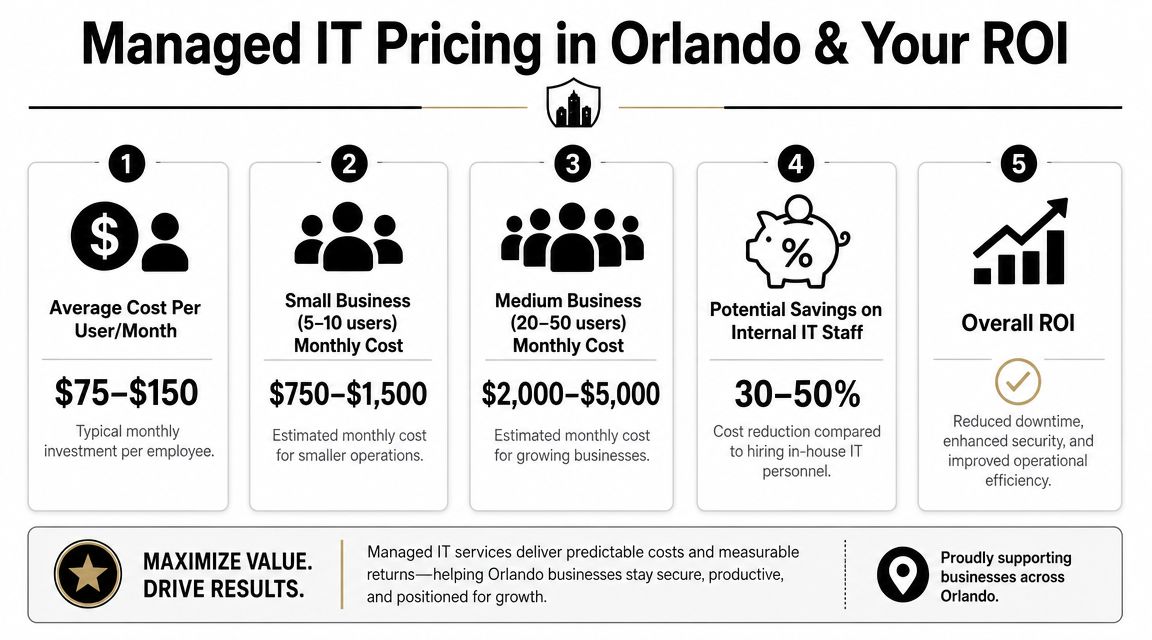
The cost of getting this wrong can be existential. According to research, a significant majority of companies that suffered a data center outage for an extended period filed for bankruptcy within one year. This highlights the existential threat of inadequate DR planning. As noted earlier, that is why recovery planning belongs in core business strategy, not a back-burner IT project.
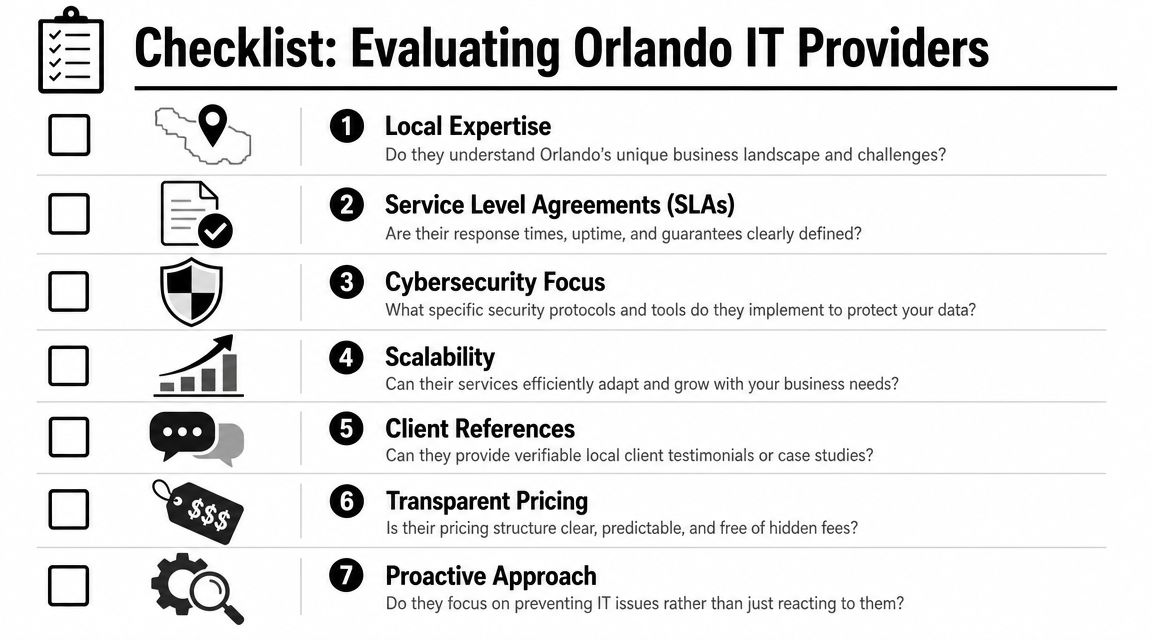
The companies that come through disruption well usually have the same habits. They know what must come back first. They know who makes the call. They know where the clean backups are. They know the plan has been tested. And they have support in place before the emergency starts.

If you can say those things with confidence, resilience becomes a business advantage. If you cannot, the time to fix it is now, while the skies are still clear.


If your business in Orlando, Winter Springs, or the surrounding Central Florida market needs a practical disaster recovery plan, Cyber Command, LLC can help you assess risks, define recovery priorities, and build a recovery process that fits your environment, compliance needs, and budget.

A Guide to Managed IT Services Orlando FL for 2026

For businesses here in Central Florida, the term “managed IT services” gets thrown around a lot. But what does it actually mean? Think of it as putting a dedicated team of tech and security experts on your staff, handling everything from cybersecurity to helpdesk support, all for one predictable monthly fee. The goal is to keep your systems running smoothly and securely, always.

Why Orlando Businesses Need Managed IT Services

In Orlando’s fast-paced, competitive market, your technology is the engine that drives your business forward. But keeping that engine tuned up can be a massive drain on your time and money, especially if you’re a small or mid-sized company.

Let's be honest, the old way of doing things—waiting for a server to crash or a laptop to die and then frantically calling for help—just doesn't cut it anymore. That "break-fix" model is a recipe for disaster. A single server outage or security breach can bring your entire operation to a standstill, costing you money and damaging the trust you’ve built with your clients.

This is why the sharpest businesses across Central Florida are making the switch to a proactive model. It’s like hiring a property manager for your digital assets. Instead of just calling a plumber after a pipe bursts and floods the office, your manager is constantly checking the pipes, looking for weak spots, and fixing them before they can cause a catastrophe. That’s the kind of forward-thinking approach every business needs in 2026.

Supporting Central Florida's Core Industries

Every industry has its own unique pressures and tech headaches. A law firm in Downtown Orlando has entirely different compliance worries than a medical practice in Lake Nona or an engineering group in Winter Springs. A real IT partner understands these local nuances and has the specialized knowledge to address them.

  • Healthcare and Medical Practices: If you run a dental office, med spa, or clinic anywhere from Winter Park to Kissimmee, you know that HIPAA compliance isn't a suggestion—it's the law. A data breach can lead to severe fines and loss of patient trust. Managed IT services provide the hardened security, encrypted communications, and 24/7 monitoring you absolutely must have to protect sensitive patient information (ePHI).

  • Professional Services: Law firms, accounting groups, and engineering companies in cities like Maitland and Altamonte Springs live and die by the confidentiality of their client data. A managed services provider rolls out advanced cybersecurity—including endpoint detection and response (EDR) and email encryption—to guard against data breaches and keep that client trust intact.

  • Technology and Service Companies: As your tech-focused business grows, your IT needs get exponentially more complex. A managed partner brings the expertise needed to support that growth, ensuring your infrastructure—whether in the cloud or on-premise—can handle the new demand without stuttering on performance or security.

When you partner with a provider that truly understands the local Central Florida landscape, you get more than just tech support; you get a strategic ally. It’s about giving you the peace of mind to stop worrying about your technology and get back to what you do best—running your business.

What's Actually Included in a Managed IT Plan?

When you sign on for managed IT services in Orlando, what are you really getting? It’s more than just an IT guy on speed dial. You're bringing a full team of experts into your business to keep everything running smoothly, securely, and efficiently.

A good managed IT plan isn't about just fixing what breaks; it's about making sure things don't break in the first place. It’s a fundamental shift in strategy.

This image really drives home the difference. Instead of waiting for a fire and then scrambling to put it out (reactive), you have a team building a fireproof shield around your business (proactive).

Concept map illustrating the difference between Reactive IT responding to failures and Proactive IT preventing business issues.

That proactive shield is the core value we deliver, and it’s built on a few key services that all work together to keep you online and focused on your business.

Let’s take a look at the two main approaches to IT support and how they stack up.

Traditional IT Support vs Managed IT Services

Feature Traditional IT Support Managed IT Services
Approach Reactive (Break-Fix) Proactive and Strategic
Goal Fix problems as they occur Prevent problems from happening
Cost Unpredictable hourly rates Predictable monthly fee
Incentive More problems mean more billing Aligned with your uptime and success
Security Basic, often an afterthought Advanced, continuous monitoring
Downtime Frequent and costly Minimized through prevention
Expertise Limited to available technician Access to a full team of specialists
Budgeting Difficult and inconsistent Simple and predictable

The table makes it clear: the old break-fix model just doesn't cut it anymore. A proactive, managed approach is the only way to truly protect your business and turn technology into an asset.

On-Demand Expert Support and Monitoring

Think of these as the foundation of your IT strategy. This is the first line of defense for your team and the constant oversight that keeps your digital operations humming along.

  • 24/7/365 U.S.-Based Helpdesk: It’s 7 PM on a Friday and a key employee can’t access a critical file. Instead of waiting until Monday morning, they can pick up the phone and talk to a live, U.S.-based technician who knows your system and can fix the issue on the spot. Productivity doesn't stop, no matter the day or time.
  • Proactive Network Monitoring: We act as a digital watchtower for your network. Our systems are constantly looking for early signs of trouble—a server getting too hot, a strange spike in traffic, a failing hard drive—and we step in to fix it before it can cause a crash or a breach.

This constant vigilance is what separates managed services from traditional IT support. It’s having a team that’s always looking out for you, making sure small hiccups don’t turn into expensive disasters.

Advanced Security and Strategic IT

Beyond day-to-day support, a true managed services partner delivers advanced security and strategic advice to protect your business and fuel its growth. This is where you see the biggest long-term return, especially if you’re in a regulated industry like a law firm in Downtown Orlando or a dental practice in Lake Nona.

A dedicated Security Operations Center (SOC) is your organization's team of digital guards. This specialized unit actively hunts for cyber threats around the clock, using advanced tools to detect and neutralize attacks before they can inflict damage.

For most small and mid-sized businesses, building an in-house SOC is simply out of reach financially. This is where a partnership shines. In the world of managed IT services in Orlando FL, local providers are known for their rapid response and deep security expertise.

Top local firms often maintain perfect client satisfaction scores by resolving critical issues in under 15 minutes—a level of agility that larger, national providers can't match. You can see how local focus impacts service by checking out Orlando-area IT provider rankings on Clutch.co.

This security blanket is often paired with strategic services designed for growth.

  • Cloud Services and Platform Engineering: Need to move your old servers to a secure cloud environment? Or maybe you need custom software integrations to make your workflow more efficient. Your IT partner handles the entire process, giving you the power to scale your business up or down without huge capital investments in hardware.
  • Co-Managed IT: Already have an in-house IT person or a small team? Co-managed IT offers the best of both worlds. Your internal staff can focus on high-value, business-specific projects while we handle the time-consuming 24/7 monitoring, security, and helpdesk tickets. It’s the perfect way to prevent burnout and fill in any knowledge gaps.

Understanding Managed Services Pricing and Value

For many Orlando business owners, IT expenses feel like a constant, unpleasant surprise. One minute things are fine, and the next you're staring at a massive, unexpected invoice for an emergency server repair. It’s a reactive, chaotic cycle.

Managed services completely changes that dynamic by introducing one simple, powerful concept to your IT budget: predictability. The whole financial model is built around a flat-rate, all-inclusive monthly fee.

This approach finally lets you budget for technology with confidence. Instead of lurching from one expensive crisis to the next, you pay a single, consistent fee. That fee covers everything from daily helpdesk calls to sophisticated cybersecurity monitoring, turning IT from a volatile cost center into a stable, strategic investment in your company's uptime and growth.

Think about it: with the old break-fix model, an IT company makes more money when your technology breaks. A managed IT partner, on the other hand, is financially motivated to keep those problems from ever happening. Our success is directly tied to your stability.

The All-Inclusive Value Proposition

A quality managed services plan isn't just about fixing things—it's about bundling all the critical IT functions that would be incredibly expensive to piece together on your own. This is especially true for small and mid-sized businesses trying to compete in busy Central Florida markets like Winter Park, Kissimmee, and the greater Orlando area.

A truly all-inclusive plan rolls all the essentials into one fee:

  • Unlimited Remote Support: Your team gets the help they need, right when they need it, without you ever having to worry about an hourly bill.
  • Proactive Maintenance and Patching: We keep every server, computer, and network device updated and secured, which dramatically cuts down your risk of a breach or frustrating downtime.
  • Vendor Management: Tired of spending hours on the phone with your internet or software provider? We take that off your plate and handle it for you.
  • Endpoint Security and Licensing: All the essential security software and the licenses that go with it are included, which simplifies your overhead and reduces hidden costs.

This consolidated model gives you a much clearer picture of your technology's real cost. For a deeper dive into how these plans are structured, check out our guide on managed IT services pricing. It gives you a framework for comparing proposals and making sure you're getting real value.

Comparing Costs: In-House vs. Outsourced

When you're looking at managed it services orlando fl, it’s not enough to compare the monthly fee to your old break-fix bills. You have to compare it to the true cost of hiring an in-house IT team.

Hiring just one qualified IT professional in Orlando can easily cost over $80,000 a year once you factor in salary, benefits, training, and tools. And that one person simply can't be an expert in everything from cybersecurity to cloud infrastructure.

A partnership with a managed services provider gives you access to an entire team of specialists—helpdesk technicians, cybersecurity analysts, cloud engineers, and strategic advisors—often for a fraction of what you'd pay a single full-time hire.

The return on investment becomes even clearer when you look at proactive prevention. Shifting from reactive firefighting to a model driven by a 24/7 Security Operations Center (SOC) and diligent patching prevents disasters before they happen. In 2023, the average cost of a single data breach for a U.S. business was a staggering $4.45 million.

A flat-fee structure gives SMBs access to enterprise-grade security and support without the massive overhead, often leading to 25-40% in cost savings compared to building an internal team. The results are measurable; we often see clients reduce their IT support tickets by as much as 60% because issues are prevented, freeing up everyone to focus on growing the business.

Fortifying Your Business with Advanced Cybersecurity

For any business in Central Florida, strong cybersecurity isn’t just an IT line item—it’s a basic requirement for staying in business. As cyber threats get more aggressive, having a multi-layered defense system is no longer a nice-to-have. This is especially true for companies in Orlando and the surrounding cities like Winter Park, Kissimmee, and Lake Mary, which are becoming prime targets for cybercriminals.

A man at a desk works on three computer monitors displaying cybersecurity locks and network graphs.

A real cybersecurity partner does more than just install antivirus software. It’s about building a robust, proactive shield around your entire digital operation. This means deploying advanced tools and strategies designed to hunt for, find, and shut down threats before they can damage your finances or reputation. This is where partnering for managed it services orlando fl becomes a game-changing business decision.

Cybersecurity for Regulated Industries

Certain industries live under a microscope when it comes to protecting sensitive data. For these businesses, a data breach isn't just an inconvenience; it can lead to crippling fines, lawsuits, and a complete collapse of client trust. A specialized managed services provider gets these unique pressures.

For healthcare providers in Orlando, from dental offices to specialized clinics, HIPAA compliance is a constant concern. Protecting patient data (ePHI) takes more than just secure servers. It requires non-stop monitoring and a ready-to-go response plan, which is exactly what a 24/7 Security Operations Center (SOC) provides. This team is your dedicated digital guard, always watching for any hint of unauthorized access or suspicious activity that could compromise patient privacy.

Likewise, law and accounting firms in places like Kissimmee and Winter Park handle incredibly sensitive client files. A breach could expose legal strategies, financial records, or personal data, causing irreparable harm. Advanced security isn't optional; it's essential to:

  • Secure Client Communications: Encrypting emails and file transfers to stop them from being intercepted.
  • Prevent Data Breaches: Putting strong firewalls and access controls in place to keep the wrong people out.
  • Ensure Business Continuity: Creating solid backup and disaster recovery plans to get you back up and running fast after an incident.

Unpacking Advanced Security Concepts

Understanding the tools that keep you safe is the first step to appreciating a real cybersecurity partnership. While the technology is complex, the ideas behind it are pretty straightforward.

A modern defense strategy is built on active threat hunting, not passive waiting. This means proactively searching for indicators of compromise within your network rather than just waiting for an alarm to go off.

This proactive approach is powered by several critical technologies working together:

  • Endpoint Detection and Response (EDR): Think of this as a high-tech security guard for every single computer and server you own. It doesn't just block known viruses; it watches for suspicious behavior. If an employee's computer suddenly starts trying to encrypt files it shouldn't touch, EDR spots this strange activity and can automatically isolate that device to stop an attack dead in its tracks.
  • Security Information and Event Management (SIEM): Your network generates millions of activity logs every day—a needle-in-a-haystack problem. A SIEM system acts like a master detective, collecting and analyzing all this data from your firewalls, servers, and computers in one place. It spots patterns and connects dots a human might miss, helping the SOC see a coordinated attack as it happens.
  • Incident Response: When an attack does get through, you need a clear, practiced plan. Incident response is the playbook that guides your cybersecurity team to contain the threat, kick the attacker out of your system, and get your operations back to normal with minimal disruption.

These services form a complete security shield that is vital for operating safely in 2026 and beyond. To further protect your business from digital threats, check out these valuable Cybersecurity Tips For Small Businesses. You can also learn more about the specific technologies that power a strong defense in our article on the top cybersecurity tools for managed services.

How To Choose Your Orlando IT Partner

Picking the right managed IT partner is one of the most important decisions you'll make for your business. It directly impacts your security, your team's efficiency, and your bottom line. So, with every provider in town claiming to be the best, how do you cut through the marketing hype and find a genuine partner for your Orlando-area company?

The secret is to look past the slick sales pitch. Focus on transparency, proven expertise, and a real commitment to helping your business succeed.

Two smiling professionals in an office reviewing a digital checklist on a tablet, with a map behind them.

The stakes have never been higher. Orlando's economy is booming—it grew by a remarkable 5.9% in 2022 alone. This growth is driven by industries like healthcare, tourism, tech, and manufacturing that all depend on a solid IT backbone.

For the small and mid-sized businesses that make up our community—law offices, accounting practices, engineering firms, and other professional services—the pressure is even greater. You need enterprise-grade IT, but often without the luxury of a large in-house IT department. You can learn more about the importance of managed IT for Orlando's top industries to see just how critical this is.

Your Vendor Selection Checklist

A methodical approach is your best defense against locking into a bad partnership. As you evaluate providers offering managed IT services in Orlando FL, you need to ask tough, specific questions.

We've put together this checklist to help you vet any potential IT partner. Use it to ensure you cover all the critical areas before signing a contract.

Vendor Selection Checklist

Category Key Question Why It Matters
Response & Availability What are your guaranteed response times for critical, high, and normal priority issues, and do you have a local Orlando presence for on-site support? When your business is down, every second counts. You need a partner who responds instantly and has a local Central Florida team that can get to your office fast for emergencies or hardware failures.
Industry Expertise Can you provide case studies or references from businesses in my specific industry (e.g., law, healthcare, engineering)? A provider who gets the unique compliance and workflow needs of your industry—like HIPAA for a Kissimmee medical practice or data security for a Winter Park law firm—will deliver far better and more relevant solutions.
Security & Compliance How do you protect our business from ransomware and other cyber threats? Describe your Security Operations Center (SOC) and incident response process. Their answer should be detailed and confident. Vague responses about "firewalls and antivirus" are a huge red flag. They must be able to prove how they'll protect your data—your most valuable asset.
Proactive Strategy What is your process for creating a technology roadmap, and how often will we meet to review strategy and performance? A true partner is always looking ahead. They should be meeting with you regularly (think Quarterly Business Reviews) to align technology with your business goals, not just fixing things as they break.
Pricing & Contracts Is your pricing all-inclusive, or are there extra charges for projects, on-site visits, or specific support requests? What are the terms for ending the contract? Hidden fees can absolutely wreck your budget. Demand a clear, transparent, flat-rate pricing model. You need to know exactly what you’re paying for and have a clear exit path if the partnership isn't working out.

This checklist is your starting point for a serious conversation and will help you quickly filter out the providers who don't measure up.

Digging Deeper for a True Partnership

Going through a checklist is essential, but the process doesn't stop there. The best IT partners will welcome your toughest questions and give you straightforward, transparent answers. As you evaluate your options, it helps to have some background knowledge on how the industry works. For a solid overview, this guide on understanding Managed Service Providers (MSPs) and their business models is a great resource.

Look for a provider who listens more than they talk during your initial meetings. Are they asking smart questions about your business goals, your pain points, and your growth plans? Or are they just pushing a pre-packaged solution?

A partner invests the time to understand your unique situation before proposing a solution. They should feel like an extension of your own leadership team—a strategic advisor whose goal is to use technology to help you win in the competitive Central Florida market.

That right there is the defining difference between a simple vendor and a valued partner.

Common Questions About Managed IT Services

If you're an Orlando business owner exploring managed IT, you've probably got a few key questions on your mind. Getting straight answers is the first step toward finding the right technology partner, so let's tackle some of the most common questions we hear from local businesses.

Are Managed IT Services Affordable for My Small Business?

This is probably the number one question we get, and the answer surprises a lot of people: yes, it's not only affordable, but it's often more cost-effective than you'd think. There’s a persistent myth that outsourced IT is a luxury reserved for big corporations, but the reality is quite the opposite.

Think of it this way: instead of paying the high, fixed salary of an in-house IT person (plus benefits, training, and vacation time), you get an entire team of specialists for a single, predictable monthly fee. This model typically saves small businesses 25-40% compared to hiring internally. An all-inclusive plan gives Orlando SMBs access to enterprise-level tools and expertise without the enterprise price tag.

We Already Have an IT Person. How Does Co-Managed IT Work?

Co-managed IT isn't about replacing your internal expert; it's about empowering them. It’s a strategic partnership that’s become incredibly popular with Central Florida businesses that have a great IT person on staff but need to scale up their capabilities.

Your internal expert gets to focus on the high-impact projects that drive your business forward, while we handle the time-consuming (but critical) day-to-day tasks that can lead to burnout. This includes things like:

  • 24/7/365 helpdesk support for your entire team.
  • Constant network and security monitoring.
  • Systematic patching and software updates.
  • Advanced cybersecurity defense.

This team-based approach lets your key employee shine, fills any expertise gaps (especially around complex cybersecurity), and guarantees your business has deep support around the clock.

What Local Industries Do You Specialize In?

Our team has deep roots in the industries that form the backbone of Orlando's economy. We've built our managed IT services in Orlando FL to specifically address the unique operational and regulatory challenges that businesses here face every day.

We have extensive experience partnering with professional services like law, accounting, and engineering firms; financial services companies with strict compliance requirements; and privately owned medical and dental practices that need robust HIPAA security. We understand the unique pressures of your sector.

How Quickly Can I Expect Help if I Have an IT Problem?

When something breaks, you need it fixed—fast. We get that. Downtime costs money and damages your reputation, which is why a rapid response isn't just a goal; it's a core part of our promise. Our 24/7/365, U.S.-based live helpdesk is always on standby to minimize any disruption.

And because we’re local to Orlando, we can provide fast on-site support when a problem needs a hands-on solution. The best providers in this market are known for resolving critical issues in under 15 minutes—a standard we are committed to meeting and exceeding for our partners.


Ready to stop worrying about IT issues and focus on growing your business? The team at Cyber Command, LLC provides the proactive support and strategic guidance your Orlando business needs to thrive. Learn more about our partnership approach.