


You’re trying to run programs, raise money, report to the board, protect donor trust, and keep staff productive. Then a laptop stops syncing before a campaign launch, the printer dies before an event, or someone clicks the wrong email and suddenly your week belongs to IT.
That’s the problem. In many nonprofits, technology still gets handled as an interruption instead of a strategy. A volunteer helps when they can. A staff member becomes the unofficial “computer person.” An outside technician gets called only when something breaks. It feels cheaper until it isn’t.
For nonprofits in Orlando, Winter Springs, and across Central Florida, the consequences of IT issues go beyond mere inconvenience. You’re often storing donor records, volunteer data, financial information, case notes, and grant documentation across multiple systems. If those systems are unstable or exposed, the damage hits your operations, your credibility, and your mission at the same time.
Your Mission is Too Important for IT Headaches
The most common nonprofit IT scene is painfully familiar. Your development director is preparing for a fundraising event. Finance needs reports. Program staff are in the field. Then your file access slows to a crawl, Microsoft 365 starts acting strange, or a staff member reports a suspicious login alert.
Now everyone stops doing the work they were hired to do.
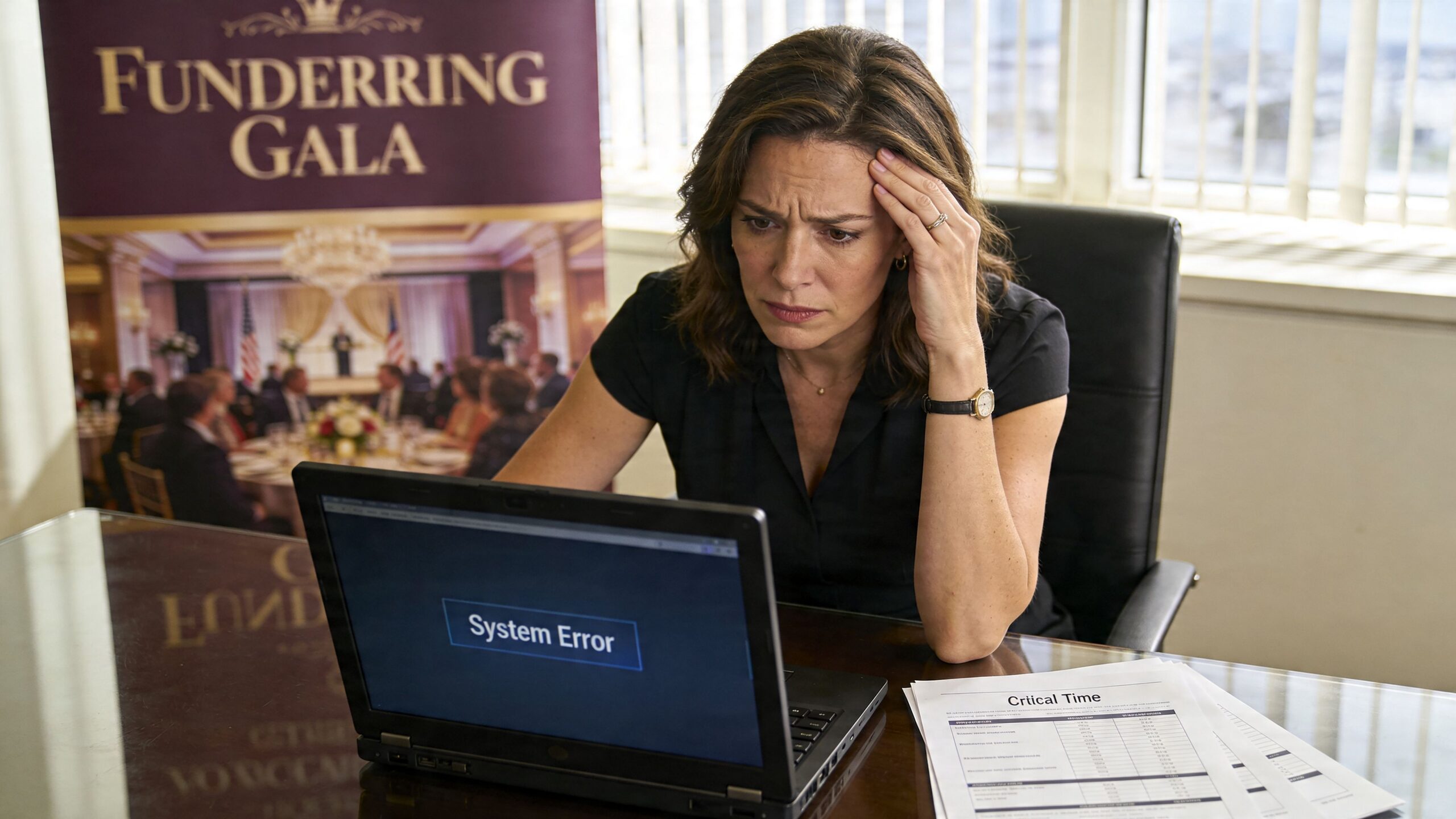

This is what I see over and over with nonprofit leadership. IT problems rarely arrive one at a time. They pile up. A slow server turns into missed deadlines. Weak password practices turn into security risk. One aging device turns into a pattern of staff downtime. The executive director ends up making technology decisions between meetings, often without enough visibility to know what’s urgent and what’s noise.
That approach doesn’t scale. It burns out staff and creates avoidable risk.
The real cost isn't the broken device
The greatest cost is the mission work that doesn’t happen while your team chases technology problems. When your program manager is troubleshooting Wi-Fi, they’re not serving clients. When your finance lead is manually patching reporting gaps between systems, they’re not improving stewardship. When your donor database and accounting tools don’t align, your reporting gets slower and your confidence drops.
Nonprofit leaders shouldn’t spend their best hours deciding which firewall alert matters or whether backups actually worked last night.
Managed it services for nonprofits fix that by moving technology out of crisis mode. Instead of waiting for things to fail, you put a team in place to watch, support, secure, and plan your systems continuously. That shift matters more than any single tool.
What good looks like
A strong IT partnership gives you three things nonprofit leaders usually don’t get from ad hoc support:
- Consistency: Staff know where to go for help, and problems get tracked instead of forgotten.
- Protection: Security monitoring, patching, backups, and access controls happen routinely.
- Direction: Technology decisions support fundraising, compliance, and service delivery instead of reacting to the latest emergency.
If your team is still treating IT as a side job, it’s time to change the model.
What Are Managed IT Services A Plain-English Guide
Think of managed IT the same way you think about outsourced payroll or building maintenance. You don’t hire a full internal team to service the HVAC, monitor the alarm system, clean the building, and inspect every safety issue yourself. You hire specialists to handle it on an ongoing basis so the building stays usable.
IT should work the same way.
A managed service provider, or MSP, doesn’t just show up after something breaks. They take responsibility for keeping your systems healthy day to day. That usually includes helpdesk support, device management, security tools, software updates, network oversight, vendor coordination, and planning.
Break-fix is reactive. Managed IT is operational.
A lot of nonprofits still buy IT support the old way. Something fails, then they call someone. That’s called break-fix support. It sounds simple, but it creates three predictable problems:
- Costs are erratic: You can’t budget well when support only appears during emergencies.
- Issues linger: Small warning signs get ignored until they become outages.
- No one owns the full picture: One person fixes email, another handles backups, someone else set up the donor platform years ago, and nobody has a complete map.
Managed IT replaces that with a standing relationship. You pay for ongoing support and oversight, not random rescue work.
If you want a practical overview of the service categories involved, this breakdown of what’s included in managed IT services is a useful reference.
What nonprofits usually get in a managed IT relationship
The value isn’t the label. It’s the actual operating support behind it.
Here’s what a nonprofit should expect:
- Helpdesk support: Staff can call or submit tickets when laptops, email, printers, Microsoft 365, or line-of-business apps stop cooperating.
- Monitoring: Servers, firewalls, workstations, and cloud systems get watched for performance issues and security alerts.
- Patching and maintenance: Software updates and security fixes happen routinely instead of getting postponed until there’s a problem.
- User access control: New hires, departing staff, and role changes get handled in a controlled way.
- Vendor management: Someone deals with Microsoft, internet providers, phone vendors, and application support so your team doesn’t have to.
- Strategic planning: Leadership gets guidance on refresh cycles, cloud decisions, compliance priorities, and budgeting.
The point is operational focus
Managed IT isn’t about buying more technology. It’s about giving your nonprofit a dependable operating model.
If your current setup depends on one helpful employee, one volunteer, or one outside technician who “knows the system,” you don’t have an IT strategy. You have a single point of failure.
For nonprofit executives, that distinction matters. You’re not shopping for gadgets. You’re deciding whether technology will support your mission predictably or keep disrupting it unpredictably.
How Managed IT Protects Your Mission Data and Budget
A ransomware hit does not care that your team serves families in Orlando or seniors in Winter Springs. If donor records are locked, payroll is delayed, or staff lose access to Microsoft 365 before a grant deadline, the mission stalls fast. That is the critical budget conversation.
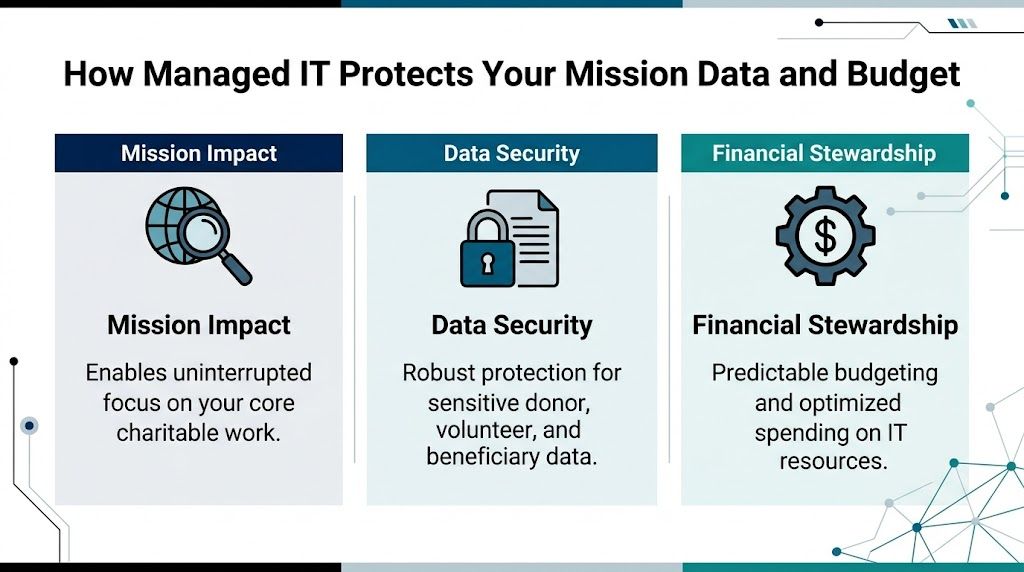

The budget case is stronger than many boards assume
Too many nonprofits treat IT as a cost to minimize instead of an operating function to control. That mindset gets expensive. The Andar report found that building and maintaining internal IT capacity can consume a meaningful share of overhead, while managed support often lowers cost and reduces disruption at the same time (Andar report on managed IT services for nonprofits).
The bigger advantage is predictability.
A fixed monthly service model is easier to budget, easier to explain to a finance committee, and easier to align with grant-funded capacity work than surprise invoices after an outage, phishing incident, or failed backup. For executive directors, that matters because technology spending should support planning, not force constant triage.
Good support protects staff time, not just systems
When support is consistent, employees stop building workarounds. They stop keeping files in personal drives, postponing updates, and wasting half a day trying to solve the same printer, email, or login problem again. Hours come back into the organization. Development teams can focus on fundraising. Program staff can focus on service delivery. Finance can close the month without fighting broken systems.
That is the operational return. It is measurable even when the board never sees it line by line.
Practical rule: If your nonprofit keeps paying for emergency fixes, you already have an IT budget. You are just spending it in the most wasteful way possible.
Cybersecurity protects trust first
Nonprofits hold donor data, employee records, payment information, and often sensitive client or beneficiary details. In Central Florida, that risk is amplified by storm disruptions, remote work, seasonal staffing changes, and a high volume of email-based fraud aimed at lean organizations. Attackers look for easy targets. Nonprofits often have too many of them.
Managed IT reduces that exposure by keeping basic controls in place every day. Devices get patched. User access gets reviewed. Suspicious activity gets investigated before it becomes a public incident. Staff get support when something looks wrong instead of guessing and clicking anyway.
If you want a nonprofit-specific benchmark, review this guide to cybersecurity for nonprofits and compare it against your current setup.
A 24/7 U.S.-based SOC is not a luxury
Threats show up at night, on weekends, and during holidays. Your provider needs people watching during those hours, not just software sending alerts into a queue. A 24/7 U.S.-based Security Operations Center gives your nonprofit active monitoring, faster investigation, and a real response path when something suspicious hits your systems at 2 a.m.
That local and always-on support matters even more for organizations in Orlando and Winter Springs that rely on hybrid staff, cloud apps, and small internal teams. If one person handles operations, finance, and vendor coordination, you do not have room for a slow response.
Compliance gets harder as systems pile up
Most nonprofits add tools one at a time. Microsoft 365, donor platforms, accounting software, volunteer management apps, payroll systems, file sharing, payment processing. Each purchase solves one problem. Over time, the organization ends up with fragmented access, inconsistent records, and weak oversight.
Managed IT should fix that.
A capable partner documents systems, standardizes user access, closes security gaps, and helps your team handle compliance requirements tied to donor data, payment processing, employee information, and grant reporting. For a broader small-organization view, this overview of effective cybersecurity solutions is worth reading alongside nonprofit-specific guidance.
What to fix first if money is tight
Do not try to modernize everything in one quarter. Start with the controls that reduce risk and protect daily operations fastest:
- Lock down user accounts: Require strong authentication, remove old accounts, and limit access by role.
- Protect every device: Laptops and desktops need monitoring, updates, and security tools that stay current.
- Test backups: Recovery only counts if it works under pressure.
- Document critical systems: Leadership should know what systems matter most, who owns them, and what happens if they fail.
- Train staff regularly: Many incidents still start with a rushed click, a fake invoice, or a weak password.
The right managed IT partner protects more than hardware. It protects donor confidence, staff productivity, and your ability to keep serving the community without preventable interruptions.
Structuring Your Partnership Co-Managed vs Fully-Managed IT
Not every nonprofit needs the same IT model. Some have an internal IT manager who needs outside depth. Others have no dedicated IT staff at all and need a full operating partner. The mistake is assuming one model fits every organization.
The right choice depends on who owns day-to-day support, who makes technical decisions, and how much responsibility your internal team can realistically carry.
The two models in plain terms
Co-managed IT works when you already have an internal IT person or small team. The MSP fills gaps. That may include after-hours support, cybersecurity operations, vendor escalation, project help, documentation, and strategic planning.
Fully-managed IT means the outside provider handles the function as your primary IT team. Staff contact the MSP for support, and leadership relies on that partner for planning, maintenance, security, and oversight.
If your organization already has one capable internal IT lead, this guide to the advantages of co-managed IT services helps clarify where outside support can strengthen, not replace, that person.
Co-Managed vs. Fully-Managed IT for Nonprofits
| Aspect | Co-Managed IT | Fully-Managed IT |
|---|---|---|
| Internal staff | You already have someone in-house | You have little or no internal IT capacity |
| Primary use case | Augment internal strengths and cover gaps | Outsource the full IT function |
| Helpdesk ownership | Shared between internal staff and MSP | MSP is the main helpdesk |
| Cybersecurity support | MSP often handles advanced monitoring and response | MSP typically owns both support and security operations |
| Best fit | Larger nonprofits or multi-site organizations with existing IT staff | Small and midsize nonprofits that need consistency and accountability |
| Main advantage | Keeps internal knowledge while adding depth | Reduces management burden on nonprofit leadership |
| Main challenge | Requires clear roles and communication | Requires strong trust in the provider’s process |
Co-managed works well when your internal person is strong but overloaded. Fully-managed works well when leadership is tired of running IT by committee.
How pricing usually works
You don’t need to become an IT procurement expert, but you do need to understand the pricing logic before signing anything.
Common models include:
- Per user pricing: A flat fee tied to each employee or supported user. This is often the cleanest model for nonprofits because it maps to staffing.
- Per device pricing: Charges based on laptops, desktops, servers, and network gear. This can work, but it gets messy when users have multiple devices.
- Tiered packages: Different service levels with different inclusions. Read these carefully. Cheap tiers often exclude the exact services nonprofits need most.
One verified case-study source notes extensive coverage can be priced in a flat-rate range of $100 to $150 per user per month in some engagements, while aligning support to needs assessment and service expectations (nonprofit IT support case study). Another verified source references flat-fee bundles in the $75 to $125 per user per month range for managed support with cybersecurity elements in certain scenarios (managed IT support for nonprofits growth article). Treat those as market examples, not automatic quotes.
What nonprofit leaders should insist on
Don’t just compare monthly numbers. Compare what’s included, who answers the phone, and whether security work is part of the service.
Ask these questions:
- What is covered: Helpdesk only, or also patching, endpoint security, vendor management, reporting, and planning?
- What is excluded: Projects, after-hours work, onboarding, cloud support, compliance help?
- Who owns response: Is there a live helpdesk, or just a ticket queue?
- How often will we review: Regular reporting and business reviews matter if you want accountability.
Technology shouldn’t crowd out growth work. If your nonprofit is also trying to expand donor engagement, this piece on effective digital marketing for nonprofits is a reminder that your systems need to support outreach, not slow it down.
My recommendation
Choose fully-managed IT if your executive team is still absorbing IT decisions by default. Choose co-managed IT if you have internal leadership that can own priorities and collaborate well with an outside team.
Either way, avoid vague contracts. If the provider can’t explain scope, escalation, reporting, and ownership in plain language, move on.
Choosing a Local Partner and Planning Your Transition
A nonprofit in Orlando should not wait for a server failure, a phishing incident, or a chaotic fundraising event to find out its IT provider cannot respond fast enough. By the time that happens, your staff is stalled, donor trust is at risk, and leadership is pulled into operational cleanup instead of mission work.
For Central Florida nonprofits, local fit matters because your operating reality is specific. You have hybrid staff, field work, events, shared offices, seasonal volunteers, and growing pressure to protect donor and client data. You also face real regional risks, from storm-related outages to targeted email attacks against organizations with lean internal controls. A provider that knows Orlando and Winter Springs will usually understand those pressures faster and plan for them better.

The checklist I’d use in Orlando and Winter Springs
Start with service delivery and risk ownership.
Is the helpdesk live, U.S.-based, and available 24/7/365?
Nonprofits do not operate on a neat 9 to 5 schedule. Evening events, weekend campaigns, and early staff hours require real coverage, not a ticket form and a promise.Is there a real security operations center watching your environment at all hours?
Ask who reviews alerts, who investigates suspicious activity, and who contacts your team if something goes wrong overnight.Do they understand nonprofit operations?
Grant requirements, board oversight, volunteer turnover, donor confidentiality, and tight budgets change how support should be delivered.Can they support the systems your organization depends on?
Experience with platforms such as Blackbaud or Salesforce Nonprofit Cloud matters. If your donor system, finance tools, and Microsoft 365 environment do not line up, reporting gets messy and audit prep gets harder.Can they explain compliance support in plain English?
If your organization handles health information, student records, payment data, or restricted donor information, the provider should be able to explain how they help you control access, retain records, and document changes.
Poor system alignment is a common nonprofit problem. Donor platforms, accounting tools, and staff access rules often grow separately. That creates avoidable audit issues, duplicate work, and blind spots leadership does not see until a review starts.
Ask about operating discipline, not just ticket resolution
A weak provider talks about closed tickets. A strong provider explains how they keep your organization stable, secure, and ready for an audit or board question.
Ask direct questions like these:
- How do you document our systems, vendors, and admin access during onboarding?
- Who owns vendor coordination when Microsoft, your internet provider, and your donor platform point fingers at each other?
- How do you handle user access when staff, contractors, or volunteers leave?
- What reports will leadership receive each month?
- How do you prepare clients for compliance reviews, cyber insurance questionnaires, and board-level security questions?
If the answers are vague, keep looking.
For Central Florida organizations, I would also ask how the provider handles business continuity during hurricanes and extended outages. A local partner should already have a clear answer for backup access, remote work continuity, and communication during disruptions.
What a strong provider should offer
Choose a partner that can run the basics well and communicate clearly with nontechnical leaders.
A credible MSP should provide:
- A defined onboarding plan: system review, account access audit, device inventory, vendor list, and a written transition schedule
- Leadership reporting: recurring issues, user trends, security concerns, and clear recommendations
- Active cybersecurity coverage: endpoint protection, patching, monitoring, incident response support, and user security guidance
- Vendor management: one accountable team coordinating with your software, internet, phone, and cloud providers
- On-site support when needed: remote service handles a lot, but local presence still matters for office moves, failed hardware, and hands-on troubleshooting
Cyber Command, LLC is one local example of the model to look for. The relevant benchmark is straightforward. A provider serving Orlando and Winter Springs should be able to offer a 24/7 U.S.-based helpdesk, around-the-clock security monitoring, and support options for either fully managed or co-managed IT.
How the transition should work
A good transition is structured and quiet.
Your new provider should begin with discovery, not disruption. They need to review users, devices, software, security settings, backup status, vendors, and any compliance obligations that affect your organization. After that, they should document the environment, confirm who has access to what, and identify immediate risks such as former staff accounts, missing backups, or unsupported devices.
Then they stabilize the environment before proposing bigger changes. That order matters. A nonprofit does not need a flashy redesign in week one. It needs fewer interruptions, clearer accountability, and lower risk.
Your staff also need a simple rollout. One support number. One support email. Clear instructions. No guessing.
What to avoid
Avoid providers that:
- Write vague proposals with unclear limits and surprise charges
- Treat cybersecurity as a separate add-on instead of part of day-to-day service
- Struggle to explain escalation, response times, or after-hours support
- Lack experience with nonprofit software and compliance expectations
- Push major platform changes before they document your current environment
- Rely fully on remote support with no practical local presence in Central Florida
The best transition is controlled, documented, and uneventful. That is what you want.
Real-World Impact A Central Florida Nonprofit Story
At 8:15 on a Monday morning, an Orlando nonprofit was already behind. A program manager could not get into a shared file. The operations lead was chasing a password reset. The executive director had a board update that pulled numbers from two systems that did not match. No single failure caused the problem. The issue was accumulated fragility.
That pattern is common across Central Florida nonprofits. Organizations in Orlando and Winter Springs often run on a mix of aging devices, nonprofit software that was never set up cleanly, and informal support from whoever has been helpful in the past. It keeps the lights on until it starts pulling staff attention away from the mission.
In this case, the nonprofit did not wait for a ransomware event or a major outage. Leadership made the right call earlier. They were tired of losing time to small disruptions, worried about donor and client data, and uneasy about what could happen after hours if no one was watching.
Before the switch
The problems were practical, not dramatic.
Staff had no consistent path for support, so basic issues sat too long. Leaders could not get a clear view of device health, account access, or recurring trouble spots. Security tools existed, but no one was actively reviewing alerts around the clock. Administrative staff kept acting as traffic control for vendors, logins, and software confusion instead of doing the work they were hired to do.
That kind of setup drains a nonprofit twice. It wastes payroll on avoidable interruptions, and it increases the chance that a preventable security issue turns into a mission problem.
What changed
The organization shifted to a managed IT model with a defined helpdesk, active monitoring, and ongoing security oversight. The immediate improvement was operational clarity. Staff knew where to go for help. Issues stopped bouncing between vendors. Leadership started getting direct answers instead of partial updates.
For a nonprofit handling donor records, financial systems, and sensitive community data, that matters. In Central Florida, threat activity is not theoretical, and compliance expectations do not disappear because an organization has a limited budget. A local partner with a 24/7 U.S.-based SOC and helpdesk gives nonprofit leaders something they rarely get from ad hoc support. Real accountability at all hours.
The biggest result was simple. Staff could focus on programs, fundraising, and service delivery instead of acting like part-time IT coordinators.
After the transition
Within the first phase, daily operations became steadier. Support requests moved through a clear process. Access and system ownership were better documented. Leadership had a clearer picture of risks, priorities, and next steps.
The executive director gained confidence grounded in facts. They knew who was responsible, what was being monitored, and how the organization would respond if something went wrong.
That is the significant value of managed it services for nonprofits. Fewer preventable disruptions. Better protection for donor and client information. More staff time returned to the mission.
If your nonprofit in Orlando or Winter Springs is still relying on scattered vendors, informal support, or guesswork on cybersecurity, fix that now. Your cause is too important for unstable systems.
If your nonprofit needs a clearer IT plan, a live U.S.-based helpdesk, or stronger cybersecurity support in Central Florida, talk with Cyber Command, LLC. They work with organizations in Orlando and Winter Springs on fully managed and co-managed IT, with 24/7 support and a dedicated SOC designed to reduce disruption and improve accountability.