
Disaster Recovery in the Cloud: Strategies, Solutions, and AWS Best Practices


Why Cloud Disaster Recovery Options Matter for Your Business
Cloud disaster recovery options enable businesses to back up and restore their critical systems and data through cloud-based infrastructure instead of maintaining expensive physical disaster recovery sites. Here are the primary options available:
- Backup and Restore – Store data backups in the cloud for recovery when needed (lowest cost, longest recovery time)
- Pilot Light – Keep minimal cloud infrastructure running that can be quickly scaled up during a disaster
- Warm Standby – Maintain a scaled-down but functional copy of your environment that’s always running
- Hot Site (Active/Active) – Run full production environments in multiple locations simultaneously (fastest recovery, highest cost)
- DRaaS (Disaster Recovery as a Service) – Outsource your entire DR operation to a specialized provider who manages backups, replication, and failover
Downtime is expensive. Research by the Uptime Institute shows that over two-thirds of unplanned outages cost over $100,000, and a quarter exceed $1 million. Many businesses still rely on outdated DR, like costly secondary data centers or slow tape backups, which can take days to restore.
The shift to cloud-based disaster recovery changes everything. Instead of investing heavily in redundant hardware and facilities, you can leverage cloud providers’ global infrastructure to protect your business. You pay only for what you use, scale resources instantly during an actual disaster, and test your recovery procedures regularly without disrupting operations.
The challenge is choosing the right cloud DR strategy for your specific needs, budget, and recovery requirements. Cold sites are affordable but have longer recovery times, while hot sites offer near-instant failover at a higher cost. You must also decide between single-cloud, multi-cloud, or hybrid approaches.
I’m Reade Taylor, founder and CEO of Cyber Command. I’ve spent my career helping businesses build reliable, cost-effective cloud disaster recovery options. The goal isn’t just a plan on paper; it’s a tested, proven system that works when disaster strikes.
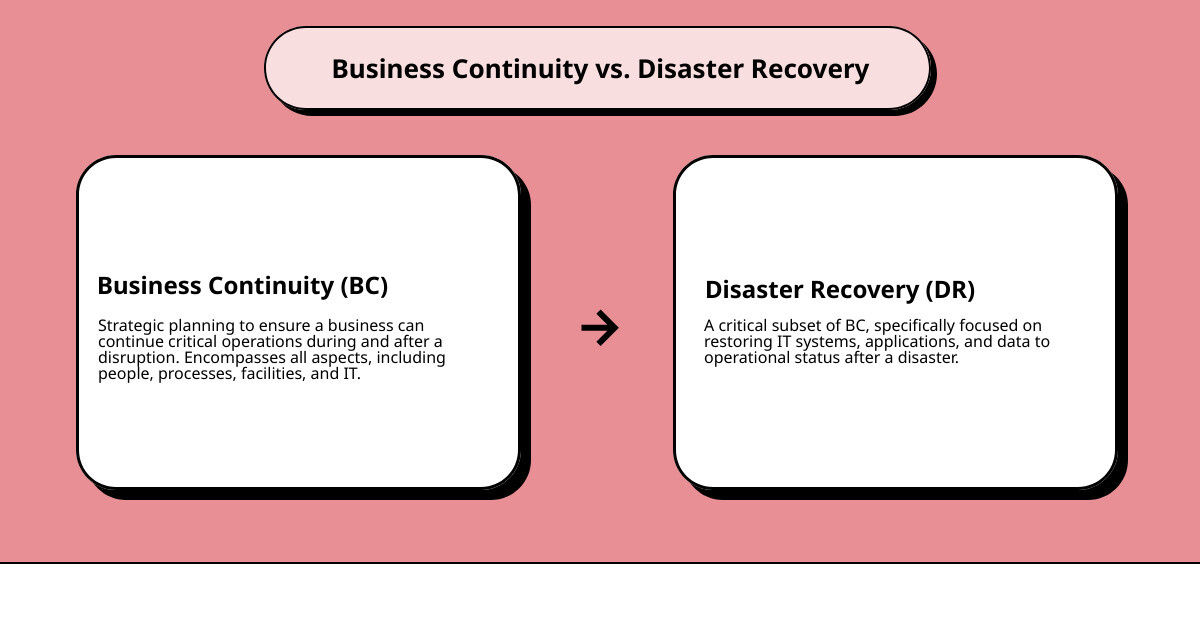
In the sections that follow, we’ll explore how cloud DR compares to traditional approaches, break down the different strategies available, and provide AWS-specific best practices you can implement today.
Traditional On-Premises DR vs. Cloud DR
For decades, traditional disaster recovery meant maintaining a secondary data center with mirrored hardware. This on-premises approach was complex, costly, and represented a significant capital expense, locking organizations into long-term agreements.
However, the advent of cloud computing has revolutionized this landscape. Cloud disaster recovery options eliminate the need for dedicated physical facilities by leveraging cloud service providers’ infrastructure. This shift from fixed capital expense to variable operating expense is a game-changer for businesses, especially in locations like Orlando and Tampa Bay, where weather events can pose significant risks to local infrastructure.
Here’s a comparison of how traditional DR stacks up against cloud DR:
| Feature | Traditional On-Premises DR | Cloud DR |
|---|---|---|
| Cost | High capital expenditure (CAPEX) for hardware, facilities, maintenance; often fixed. | Variable operating expense (OPEX) with pay-as-you-go models; often lower overall. |
| Scalability | Limited; requires purchasing and installing new hardware to scale. | Highly flexible; scales resources up or down on demand. |
| Reliability | Dependent on in-house redundancy and maintenance; single point of failure risk. | Leverages cloud provider’s global infrastructure, geo-redundancy, and built-in resilience. |
| Management | High overhead; requires dedicated IT staff for setup, maintenance, and testing. | Significantly reduced; cloud provider manages underlying infrastructure. |
| Recovery Speed | Can be slow due to manual processes, hardware procurement, and restoration. | Often faster due to automated processes, on-demand resources, and replication capabilities. |
This table illustrates why many businesses are opting for cloud-based solutions. The cloud’s advantages—remote access, high availability, and redundancy—make it a natural fit for disaster recovery, reducing complexity, simplifying testing, and lowering overhead for quicker recovery. For more on the broader advantages, explore the Benefits of Moving to the Cloud.
Key Benefits of Cloud Disaster Recovery Options
The shift to cloud DR is about building a more resilient, agile, and secure business. Here are the standout benefits:
- Faster Recovery: Cloud DR can achieve Recovery Time Objectives (RTOs) in minutes and minimize Recovery Point Objectives (RPOs) to near-zero. Automated failover significantly reduces downtime and manual intervention, ensuring businesses get back online quickly.
- Cost-Effectiveness: By eliminating the need for a secondary data center, cloud DR offers substantial savings. Organizations use flexible pay-as-you-go models, making enterprise-grade DR accessible to businesses of all sizes.
- Flexibility and Scalability: The cloud’s elasticity lets you scale resources up or down as needed. During a disaster, you can provision the exact capacity required and scale back down afterward, an adaptability impossible with fixed on-premises infrastructure.
- Improved Reliability: Cloud providers have a global footprint with built-in geo-redundancy. This protects your data against localized disasters and ensures no single point of failure.
- Simplified Testing: Unlike complex traditional DR planning, cloud DR allows for easy, frequent testing without impacting production. This regular validation builds confidence that your plan will work when needed.
These benefits contribute to stronger business continuity and compliance. For a deeper dive, check out our Disaster Recovery Solutions.
Challenges and Considerations for Cloud DR
While cloud disaster recovery options offer numerous advantages, they also come with challenges that organizations must address:
- Internet Dependency: Cloud DR relies on a stable, high-bandwidth internet connection. If your primary site loses connectivity, initiating failover and accessing your recovery environment can be challenging, especially in areas with limited service.
- Security and Privacy Concerns: Moving data to the cloud raises security and privacy questions. The shared responsibility model means you are accountable for securing your data in the cloud via proper configuration, access controls, and encryption.
- Vendor Lock-in: Relying on a single cloud provider can lead to vendor lock-in, making it difficult or costly to switch providers later. This can impact future flexibility and negate cost advantages.
- Data Egress Costs: Storing data in the cloud is often affordable, but transferring it out (data egress) can be costly, especially during a large-scale recovery or frequent testing. These expenses must be factored into your DR budget.
- Migration Complexity: Migrating on-premises applications and data to a cloud DR environment can be complex, requiring careful planning and expertise to ensure compatibility and minimal disruption.
- SLA Constraints: Cloud DR is constrained by the provider’s Service Level Agreement (SLA). You must review these agreements to ensure they align with your RTO and RPO objectives and understand the service guarantees.
Understanding who is responsible for what in a cloud environment is paramount. For a clear breakdown of roles and responsibilities, consult our guide on Who is Responsible for Cloud DR Services?.
Exploring Cloud Disaster Recovery Options and Strategies
Choosing the right cloud DR strategy isn’t a one-size-fits-all decision. It requires a careful evaluation of your business’s specific needs, the criticality of your applications, your acceptable downtime (RTO), and acceptable data loss (RPO). The various cloud disaster recovery options offer a spectrum of recovery times and costs, allowing you to tailor a solution that fits your unique risk profile.
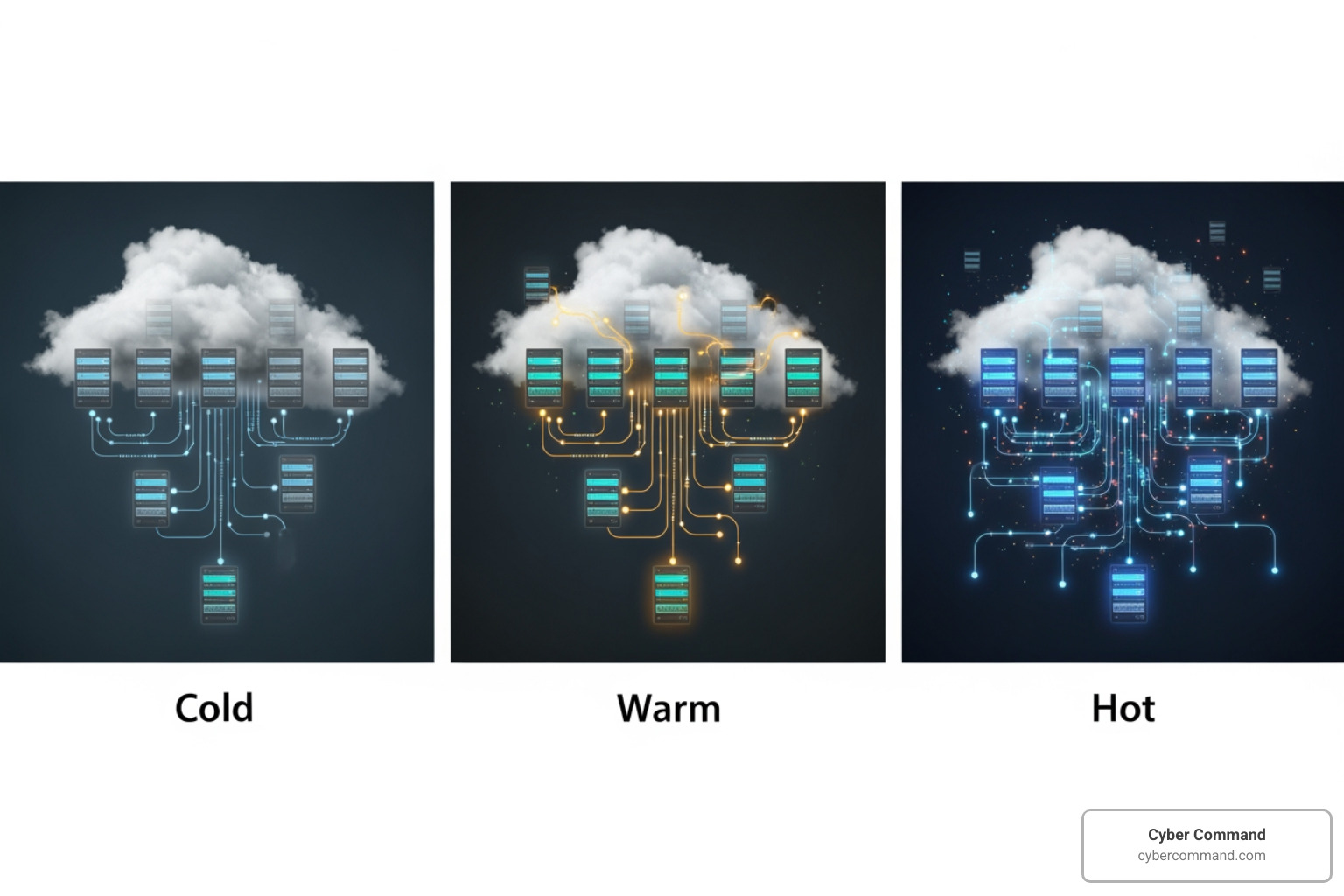
Cold, Warm, and Hot Site Models
These models represent different levels of readiness and investment for your disaster recovery environment:
- Cold Site (Backup and Restore): This is the most basic and least expensive approach. We back up your data and VM images to the cloud, but no compute resources are provisioned in advance. In a disaster, you would first provision the necessary infrastructure, then restore your data and applications. This results in the longest recovery time but the lowest ongoing cost. It’s suitable for non-critical systems where extended downtime is acceptable.
- Warm Site (Pilot Light): With a warm site, we maintain a scaled-down version of your environment always running in the cloud. Core services and data are continuously replicated, but the full compute capacity is not active. In a disaster, we “turn on” the servers and scale up the resources to handle production traffic. This approach offers a balance between cost and recovery time, providing faster recovery than a cold site without the full expense of a hot site. AWS refers to this as “Pilot Light,” where a minimal set of resources are kept running, ready to be fully provisioned.
- Hot Site (Active/Active or Active/Passive): This is the most robust and expensive option, designed for mission-critical applications that require minimal to zero downtime.
- Active/Passive (Warm Standby): A scaled-down but fully functional copy of your production environment is always running in the cloud. Data is continuously replicated. In a disaster, traffic is immediately redirected to the standby environment, which then scales up to full capacity. This provides rapid recovery with minimal disruption.
- Active/Active (Multi-Site Active/Active): Your full production environment runs simultaneously in both your primary and cloud DR locations. Traffic is distributed between them. In a disaster, traffic is simply routed away from the affected site, resulting in near-zero downtime and data loss. This offers the fastest recovery but comes with the highest cost and complexity.
Types of Cloud-Based DR Solutions
Beyond the cold, warm, and hot site models, modern cloud environments offer flexible architectures for DR:
- Hybrid DR: This approach combines on-premises infrastructure with cloud resources. For instance, you might use your existing data center for primary operations and leverage the cloud for backup and recovery. We often see businesses in Central Florida adopt hybrid solutions to protect their local infrastructure while gaining the scalability and geo-redundancy of the cloud. This can involve backing up on-premises data to a local appliance and then replicating it to the cloud.
- Multi-Cloud DR: To avoid vendor lock-in and improve resilience, some organizations distribute their DR workloads across multiple cloud providers. For example, your primary production might be on AWS, with DR capabilities maintained on Google Cloud or Azure. This strategy provides an additional layer of protection against a single cloud provider outage.
- Cross-Regional DR: Even within a single cloud provider, you can implement robust cross-regional DR. This involves replicating data and applications to a geographically distant region within the same cloud provider’s network. This protects against region-wide disasters (e.g., a major hurricane affecting an entire AWS region in the Eastern US).
For organizations considering these advanced configurations, understanding the nuances of cloud migration is key. Our insights on Cloud Migration Strategies can provide valuable guidance.
The Role of Disaster Recovery as a Service (DRaaS)
DRaaS is a game-changer for businesses seeking to simplify and automate their disaster recovery processes. Instead of building and managing your own cloud DR infrastructure, you outsource the entire operation to a specialized provider like us.
What is DRaaS? DRaaS leverages cloud computing to replicate and host your physical or virtual servers in a third-party cloud environment. When a disaster strikes, your applications and data can be quickly failed over to the provider’s cloud infrastructure, ensuring business continuity.
The benefits of DRaaS are compelling:
- Automation Benefits: DRaaS solutions automate many complex DR tasks, from continuous data replication to failover orchestration. This reduces the need for manual intervention and significantly speeds up recovery times.
- Simplified Management: The DRaaS provider manages the underlying infrastructure, replication, and failover processes, freeing up your internal IT team to focus on core business initiatives. This is particularly beneficial for small to medium-sized businesses with limited IT resources.
- Reduced RTO/RPO: DRaaS is designed to meet aggressive RTO and RPO targets. Continuous, byte-level replication minimizes data loss, and automated failover ensures rapid system restoration. Some solutions promise sub-minute RPOs and near-zero RTOs.
For a deeper understanding of how a managed service can transform your DR posture, explore our Managed Disaster Recovery as a Service offerings.
Building Your Cloud DR Plan: Key Metrics and Components
A robust cloud DR plan is more than just backing up data; it’s a strategic framework that ensures your business can withstand significant disruptions. Crafting an effective plan involves careful analysis, meticulous implementation, and rigorous testing.

The journey begins with a thorough risk assessment and a Business Impact Analysis (BIA) to identify potential threats, critical systems, and the impact of their disruption. This foundational work helps us determine acceptable downtime and data loss, which are encapsulated in your Recovery Time Objective (RTO) and Recovery Point Objective (RPO). For comprehensive guidance, refer to our resources on IT Disaster Recovery Planning.
Critical Metrics: RTO and RPO
Understanding and defining your Recovery Time Objective (RTO) and Recovery Point Objective (RPO) are paramount to any effective disaster recovery strategy. These metrics dictate the type of cloud disaster recovery options you should implement.
- Recovery Time Objective (RTO): This is the maximum acceptable delay between a service interruption and its restoration. In simpler terms, it’s how quickly your business needs to get back up and running after a disaster. For instance, an e-commerce platform might have an RTO of minutes, while an internal HR system might tolerate an RTO of several hours.
- Recovery Point Objective (RPO): This defines the maximum tolerable period for data loss. It’s the point in time to which data must be recovered. If your RPO is 5 minutes, it means you can afford to lose no more than 5 minutes of data. For banks, transaction data often requires an RPO of seconds, while hospitals might target a 5-minute RPO for patient records to minimize disruption to medical care.
These metrics directly influence your DR strategy. A low RTO (e.g., minutes) often necessitates a “hot site” or “warm standby” approach with continuous replication. A low RPO (e.g., seconds) requires continuous data replication or very frequent backups. Aligning these metrics with the actual business impact of downtime and data loss ensures you’re investing in the right level of protection without overspending.
Security and Compliance in Cloud DR
Security and compliance are non-negotiable in any DR strategy, especially when leveraging cloud disaster recovery options. Organizations in Florida and Texas, for example, must adhere to various state and federal regulations, making these considerations critical.
- Data Encryption: Ensure all data, both in transit (during replication) and at rest (in cloud storage), is encrypted using strong cryptographic standards. Cloud providers typically offer robust encryption capabilities.
- Access Controls: Implement strict Identity and Access Management (IAM) policies, including role-based access controls (RBAC) and multi-factor authentication (MFA), to limit who can access DR environments and data.
- Audit Logs: Maintain comprehensive audit logs of all activities within your cloud DR environment. These logs are crucial for security monitoring, forensic analysis, and demonstrating compliance.
- Industry Regulations: Your DR plan must address specific compliance requirements. For healthcare organizations, HIPAA requirements for protecting patient data are paramount. Financial institutions must comply with regulations like PCI DSS for credit card data and potentially Sarbanes-Oxley (SOX) for data retention. The European Union’s General Data Protection Regulation (GDPR) also mandates the availability of citizens’ personal data during a disaster, a principle that applies to any global business.
Cloud-based DR solutions often offer built-in security features, such as advanced encryption and identity management, which can help satisfy these stringent requirements. For more on how cloud solutions support business continuity and compliance, visit our page on Cloud Business Continuity and Disaster Recovery.
How to Choose a Cloud DR Provider
Selecting the right cloud DR provider is a critical decision. It’s not just about technology; it’s about partnership and trust. When evaluating cloud disaster recovery options and providers, we advise our clients to consider the following factors:
- Workload Compatibility: Confirm that the provider supports the full range of workloads critical to your operations, including your specific operating systems, databases, and applications (e.g., VMware, Hyper-V, SQL Server).
- SLA Guarantees: Thoroughly review the provider’s Service Level Agreements (SLAs) for RTO and RPO. Ensure these guarantees align with your business’s recovery objectives.
- Pricing Models: Understand the full pricing structure, including costs for data storage, replication, compute resources during recovery, data egress fees, and any long-term commitment discounts. Watch out for hidden costs that can arise during actual recovery or testing.
- Ease of Use: Look for intuitive interfaces, real-time dashboards, clear reporting, and straightforward navigation. The solution should simplify, not complicate, DR management.
- Technical Support: Assess the quality and availability of technical support. Can you get 24/7/365 U.S.-based support when a disaster strikes? This can make all the difference during a crisis.
- Regulatory Compliance: Verify that the provider is certified to meet relevant industry standards and data residency requirements (e.g., SOC 2, GDPR, HIPAA, PCI-DSS).
AWS Best Practices for Cloud Disaster Recovery
Amazon Web Services (AWS) is a leading cloud provider, offering a comprehensive suite of services that enable robust cloud disaster recovery options. Leveraging the AWS Global Cloud Infrastructure, with its multiple Regions and Availability Zones, allows businesses to design highly resilient DR strategies.
AWS emphasizes a “Well-Architected Framework” that includes reliability as a core pillar. This framework guides us in designing systems that can recover from infrastructure, service, or application disruptions. For our clients across Florida and Texas, this often means utilizing AWS’s US-East-1 (N. Virginia) or US-East-2 (Ohio) regions, which provide geographically diverse locations for DR. As AWS states, Disaster recovery is different in the cloud, offering advantages like reduced complexity, easier testing, and lower management overhead compared to traditional on-premises methods.
Comparing AWS DR Strategies
AWS categorizes its DR strategies into four main approaches, ranging in cost, complexity, and recovery speed:
- Backup and Restore: This is the most cost-effective option. We back up your data to AWS services like Amazon S3 or AWS Backup. In a disaster, we restore the data to a new environment. This is suitable for less critical workloads or for protecting against data loss/corruption within a single AWS Region.
- Pilot Light: With Pilot Light, a small, scaled-down version of your production environment is running in a separate AWS Region. Your data is continuously replicated to this DR Region. In an outage, we quickly provision the full compute capacity and redirect traffic. This offers faster recovery than Backup and Restore with controlled costs.
- Warm Standby: This strategy involves a fully functional, but scaled-down, replica of your production environment always running in a separate AWS Region. Data is continuously replicated. In a disaster, the standby environment scales up to full production capacity and takes over immediately. This offers even faster RTOs than Pilot Light.
- Multi-Site Active/Active: For the most critical applications demanding near-zero downtime and data loss, we implement an Active/Active strategy. Your full production workload runs simultaneously in multiple AWS Regions, serving traffic from both. In a disaster, traffic is simply routed away from the affected Region. This is the most complex and costly but provides the highest level of resilience. AWS Elastic Disaster Recovery (DRS) can be a key component in implementing these strategies, especially for replicating on-premises or other cloud workloads to AWS. Learn more about AWS DRS.
Key AWS Services for DR
AWS offers a rich ecosystem of services to implement these DR strategies:
- AWS Backup: A centralized, managed backup service that allows us to configure, schedule, and monitor backups for various AWS services (e.g., EBS volumes, EC2 instances, RDS databases, S3). It supports cross-region and cross-account backup copying.
- Amazon S3 Cross-Region Replication (CRR): For data stored in Amazon S3, CRR asynchronously copies objects to an S3 bucket in a different AWS Region. This provides continuous data replication for low RPO.
- AWS Elastic Disaster Recovery (DRS): A highly efficient, block-level replication service that continuously replicates servers from any source (on-premises, other clouds, or AWS) into AWS. It enables rapid recovery of applications in the cloud.
- Amazon Route 53: AWS’s highly available and scalable Domain Name System (DNS) web service. We use Route 53 to manage DNS records and implement health checks for automated failover, directing traffic to healthy DR environments.
- Infrastructure as Code (IaC): Tools like AWS CloudFormation and AWS CDK are crucial for defining your infrastructure (servers, networks, databases) as code. This allows for reliable, consistent, and rapid redeployment of your entire environment in a DR scenario, meeting your RTO.
- AWS CloudFormation: Enables us to model and provision all your AWS resources using a simple text file. This ensures your DR environment can be spun up quickly and accurately, eliminating manual errors.
Frequently Asked Questions about Cloud DR
We often get asked common questions about cloud DR. Here are some of the most frequent ones:
What is the difference between backup and disaster recovery?
This is a fundamental distinction. Backup is simply creating copies of your data and storing them in a separate, secure location. Its primary purpose is data restoration in case of loss or corruption. Disaster recovery, on the other hand, is a much broader and more comprehensive strategy. It encompasses the entire process of restoring access and functionality to your IT infrastructure, applications, and data after a disruptive event. Backup is a critical component of DR, but DR includes planning, processes, infrastructure, and personnel to bring your entire business operations back online. For more information, check out our Backup and Disaster Recovery Solutions.
How often should a disaster recovery plan be tested?
Regular testing is absolutely critical. A DR plan is only as good as its last test. We recommend testing your disaster recovery plan at least annually, with more frequent testing (e.g., quarterly or semi-annually) for critical systems or after any significant changes to your IT environment. Testing can range from tabletop exercises (where we walk through the plan mentally) to partial simulations (testing specific components) or even full failover simulations. The goal is to identify weaknesses, train staff, and build confidence that your plan will work when it truly matters.
Can cloud DR completely replace on-premises DR?
For many organizations, especially those embracing cloud-native architectures, the answer is a resounding “yes.” Cloud DR can offer superior scalability, cost-effectiveness, and reliability compared to maintaining a physical secondary data center. However, for some businesses, particularly those with very strict compliance requirements, limited internet connectivity, or specific legacy systems that don’t easily migrate, a hybrid approach might be more suitable. Cloud DR is constrained by the provider’s SLA, and in some niche cases, traditional DR might still be beneficial. The best strategy depends on your unique business needs and risk appetite. Many of our clients in Florida and Texas are successfully navigating their Data Center Migration to Cloud by blending these approaches.
Secure Your Business Future with a Robust Cloud DR Strategy
In today’s unpredictable digital landscape, a robust disaster recovery strategy isn’t a luxury—it’s a necessity. The statistics don’t lie: unplanned outages are costly, and the threats to business continuity are ever-present, from cyberattacks to natural disasters. Cloud disaster recovery options offer a modern, efficient, and cost-effective path to resilience, changing DR from a burdensome capital expense into a flexible, scalable operational advantage.
By leveraging the cloud, you gain faster recovery times, improved security, simplified testing, and the peace of mind that comes from knowing your critical systems and data are protected across geographically diverse locations. This enables a proactive rather than reactive approach to business continuity, safeguarding your reputation, customer trust, and bottom line.
At Cyber Command, we understand the unique challenges faced by businesses in Winter Springs, Orlando, Jacksonville, Tampa Bay, Central Florida, and Plano, Texas. Our enterprise-grade IT, cybersecurity, and platform engineering services, backed by proactive, 24/7/365 U.S.-based support, are designed to act as an extension of your business. We’re here to help you steer the complexities of cloud DR, ensuring you have a tested, proven system that works when disaster strikes.
Partner with us to build your comprehensive disaster recovery solution
