


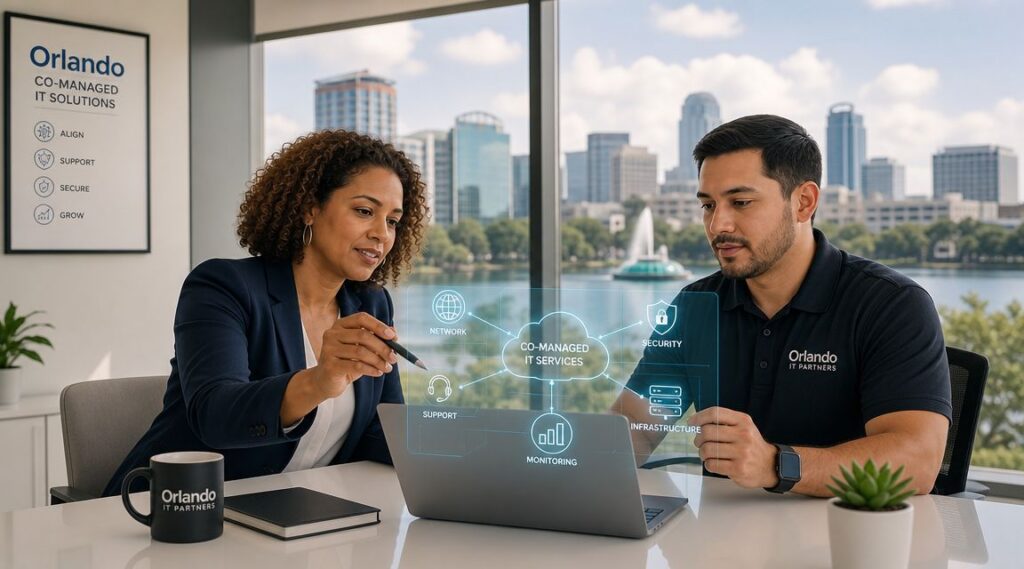
Your office manager is fielding password reset requests. Your internal IT lead is chasing a server alert. A vendor needs access approval. Someone in accounting is worried about a suspicious email. Meanwhile, your business still has to run.
That's the situation many Orlando companies are in. They already have an internal IT person or a small team, but the workload has outgrown what that team can realistically cover during business hours, after hours, and during projects. The gap usually shows up in cybersecurity first. Monitoring slips. Documentation gets stale. Patch cycles drift. Strategic work gets delayed because daily support keeps winning.
That's where co-managed IT services in Orlando, FL fit. It's not about replacing your people. It's about giving them reinforcement, specialized coverage, and a structure that keeps support and security from depending on one or two overloaded staff members.
Table of Contents
- What Exactly Are Co-Managed IT Services
- The Co-Managed Shared Responsibility Model
- Is Co-Management Right for Your Orlando Business
- Strategic Benefits for Cybersecurity and Growth
- How to Select and Implement a Co-Managed Partnership in Orlando
- Frequently Asked Questions About Co-Managed IT Services
What Exactly Are Co-Managed IT Services
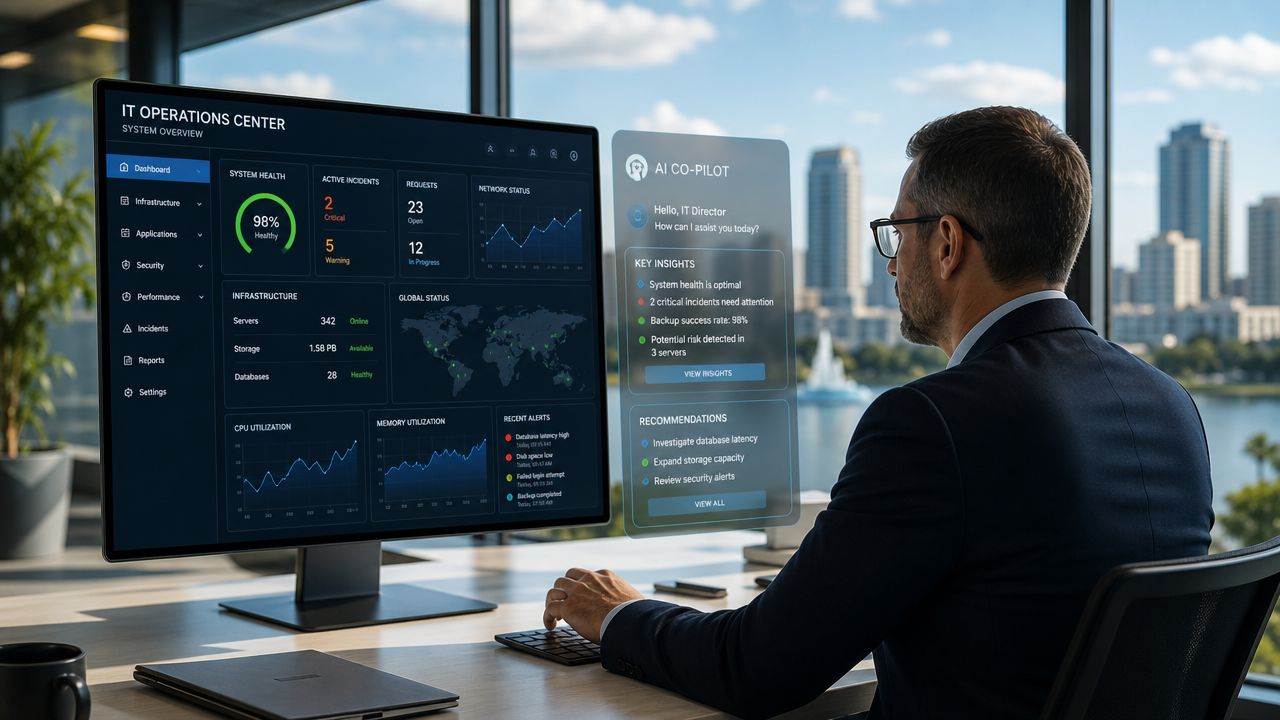
Think of co-managed IT as a co-pilot for your internal IT function. Your business still has someone in the pilot seat. They know your users, your line-of-business systems, your workflow quirks, and the political reality of how decisions get made inside your company. The outside partner adds lift where small teams usually get stretched thin.
That matters because co-managed IT is a hybrid operating model, not a full replacement for internal staff. In Orlando-focused guidance, the model is described as working “alongside your internal team, not replace it,” while the in-house team keeps control of core systems and strategy and the external provider takes on defined work such as overflow support, monitoring, license tracking, and related responsibilities. The same guidance also frames 24/7 monitoring, shared cybersecurity responsibility, and rapid response as standard parts of co-managed arrangements for businesses that need after-hours protection and continuity coverage, as explained in Orlando co-managed IT guidance.

How it differs from other IT models
A fully outsourced arrangement usually shifts nearly everything to the provider. That can work for companies with no internal IT presence, but it's often a poor fit when you already have capable staff and want to keep institutional knowledge in-house.
A purely internal model gives you maximum direct control, but it also creates obvious risk if your environment depends on a very small team. Vacation coverage, after-hours incidents, specialized cybersecurity tasks, and project overload can all bottleneck quickly.
Co-managed IT sits in the middle:
- Internal team keeps ownership: They remain the primary stewards of business priorities, user relationships, and core technology decisions.
- Provider adds capacity: Overflow tickets, maintenance routines, monitoring, and specialist escalation don't have to stack up on one person's desk.
- Security becomes shared: Instead of asking one internal generalist to do everything, you spread responsibility across roles and processes.
Practical rule: If your internal IT person spends most of the week reacting, you don't have a staffing problem alone. You have an operating model problem.
What this looks like in day-to-day practice
In a healthy co-managed setup, your internal lead might own business applications, local process decisions, and executive communication. The outside partner may cover patching, endpoint oversight, documentation support, backup checks, help desk overflow, and security monitoring. That split is often what allows the internal team to stop living in triage mode.
For Orlando businesses evaluating options, co-managed IT solutions are usually most useful when the goal is predictable support coverage without adding full internal headcount. It works especially well when leadership wants more resilience but doesn't want to hand over strategy or lose internal control.
The Co-Managed Shared Responsibility Model
The most important design choice in co-management is shared operational ownership. Your internal team still controls core systems. The outside partner supplies specialized coverage such as cybersecurity monitoring, endpoint protection, vulnerability management, incident response, and project overflow. Orlando and broader Florida service descriptions consistently frame co-managed IT this way, with provider-side support commonly focused on help desk augmentation, security management, and proactive maintenance, as noted in managed IT coverage for Orlando.
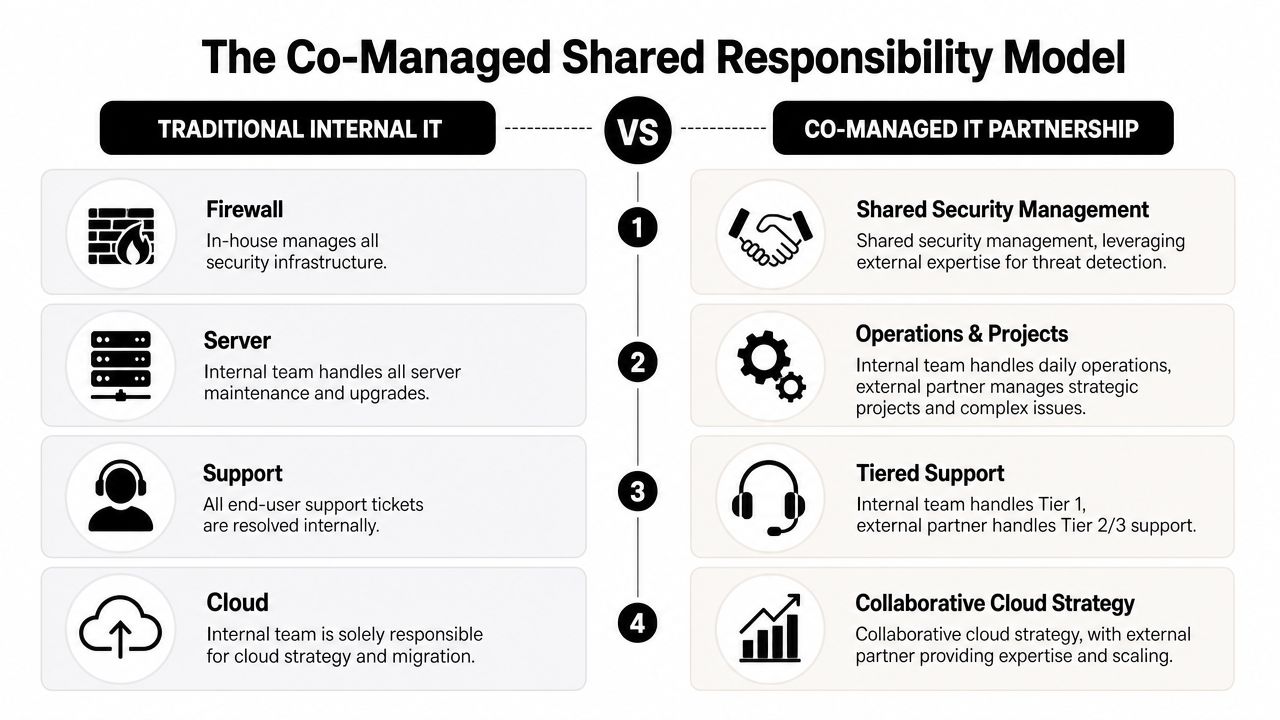
That structure works because it removes a common failure point. When everything depends on a small internal team alone, one sick day, one resignation, or one urgent project can slow both support and security at the same time.
A practical division of responsibility
The cleanest co-managed relationships are explicit. They don't rely on assumptions.
| IT Function | Internal Team Usually Owns | Co-Managed Partner Usually Owns |
|---|---|---|
| Business IT strategy | Priorities, budgeting input, executive alignment | Technical recommendations, roadmap support |
| End-user support | VIP users, business-context issues, local workflow support | Overflow tickets, after-hours coverage, Tier 2 and Tier 3 escalation |
| Core systems | Final approval over critical systems and standards | Maintenance execution, monitoring, remediation assistance |
| Cybersecurity operations | Internal policy decisions, risk acceptance, business communication | Monitoring, endpoint protection, vulnerability management, incident response support |
| Projects | Internal sponsorship, change approval, business coordination | Specialized engineering, deployment support, project overflow |
| Vendor coordination | Business relationship ownership | Technical coordination, troubleshooting, licensing and service administration |
Where companies get this wrong
Some businesses say they want co-management, but what they want is emergency labor. That usually fails. If the provider is only called when something is already broken, the internal team still carries the full burden of prevention, process, and accountability.
The better approach is to assign recurring responsibility in advance.
- Security tasks need named owners: If nobody clearly owns alert review, patch cadence, vulnerability follow-up, and backup verification, those jobs drift.
- Escalation paths need to be written down: Your staff should know when an issue stays in-house and when it moves to the partner.
- Strategy and operations should be separated: Internal leadership can keep strategic control while the outside team handles repeatable technical execution.
Shared ownership doesn't mean blurred ownership. It means both sides know exactly where they step in.
What strong co-management feels like
A good partnership doesn't create turf battles. Your internal team shouldn't feel replaced, and your provider shouldn't be guessing.
The healthiest version looks like this: your internal staff handles what requires business context, trust, and day-to-day familiarity. The external team handles what requires scale, after-hours coverage, specialist depth, or tool-heavy operational work. That's usually where Orlando businesses see the biggest relief.
Is Co-Management Right for Your Orlando Business
At 8:15 on a Monday, your internal IT lead is resetting passwords for new hires, chasing a backup alert from the weekend, and fielding a call from leadership about cyber insurance requirements. By noon, critical project work is already off track.
That is usually the clearest sign that co-management deserves a serious look.
Co-managed IT fits Orlando businesses that already have capable internal staff but need more coverage, stronger security follow-through, or operational support across multiple offices, teams, or schedules. The decision should come from workload, risk, and accountability gaps, not just ticket count. If your team knows the business well but keeps getting pulled away from higher-value work, a shared model often makes more sense than replacing them or expecting them to do everything.
A practical way to judge fit is to look at where the strain shows up first.
Professional services firms
Law offices, accounting firms, architecture teams, and engineering practices usually run on a mix of confidential data, deadline pressure, and small internal IT teams. In these environments, one experienced IT manager often becomes the default owner for everything. User issues, vendor coordination, onboarding, laptop failures, application access, and security questions all land on the same desk.
That setup creates a predictable problem. The person who should be improving standards, reviewing risks, and planning ahead spends the day clearing interruptions.
Co-management works well here when the internal lead keeps control of business priorities, key applications, and stakeholder communication, while the outside team handles recurring support and security operations. That division is especially useful for firms trying to tighten small business cybersecurity best practices without adding another full-time hire.
Common signs of fit include:
- Sensitive client or case data: Security work needs consistent follow-up, not merely as an afterthought.
- One-person dependency: Vacation coverage, after-hours issues, and security review should not depend on a single employee.
- Compliance pressure: Internal teams often need outside help documenting controls, reviewing backups, and keeping routine tasks on schedule.
Multi-location businesses
Orlando companies with offices in places like Downtown Orlando, Winter Park, Lake Mary, or elsewhere in Central Florida often run into a scale problem before they run into a staffing problem. Each site starts making local exceptions. Workstation builds vary. Access requests get handled differently by office. Support quality depends on who answers first.
Internal IT can usually see the drift. The issue is having enough time and process discipline to correct it across every location.
A co-managed model gives the internal team a way to keep policy control while using outside support to enforce standards, document procedures, and keep monitoring consistent. That matters for cybersecurity because inconsistent account management, patch timing, and endpoint handling create gaps attackers tend to exploit first.
Multi-location growth usually adds operational risk before it adds headcount.
This is a strong fit when leadership wants consistency across sites but does not want to build a larger internal support bench just to maintain it.
Field-service and industrial organizations
Field-service companies, contractors, distributors, and industrial firms usually judge IT by uptime, remote access, and speed of recovery. Office productivity still matters, but daily operations often depend on devices in trucks, temporary worksites, warehouses, and shared field environments.
Internal IT teams in these businesses get stretched in a different way. They are pulled toward urgent support issues while longer-cycle work, such as device lifecycle planning, secure remote access, backup validation, and deployment standards, keeps slipping.
Co-management helps when the outside team owns repeatable operational work and after-hours coverage, while internal staff stay focused on the systems and workflows that require business context. That can reduce risk without taking authority away from the people who know the environment best.
A practical fit often includes:
- Remote and mobile users: Access requests, device setup, and support do not need to bottleneck with one internal technician.
- Higher uptime expectations: Shared coverage improves response continuity when issues happen outside normal business hours.
- Projects that keep getting delayed: Site rollouts, hardware refreshes, and infrastructure cleanup move faster when internal staff are not carrying every task themselves.
Co-management is usually the right move when your internal IT team is trusted, overextended, and too valuable to spend all week reacting.
Strategic Benefits for Cybersecurity and Growth
The biggest mistake business owners make is evaluating co-managed IT as if it's just a support contract. It's not. At its best, it's a way to tighten control over cybersecurity while giving your internal team room to work on the business instead of constantly reacting to it.
For Orlando organizations with internal IT staff, the stronger benchmark is always-on security and fixed-budget support, not break/fix service. Orlando market descriptions highlight 24/7 monitoring, preventative maintenance, and layered defenses across email, web applications, remote access, mobile internet, and network perimeters, with those controls intended to detect, prevent, and recover from ransomware, advanced malware, zero-day exploitation, and other automated threats. The same guidance points buyers toward measurable control coverage such as monitoring breadth, response time, backup and recovery readiness, and patch or vulnerability cadence, as outlined in managed IT services for Orlando businesses.
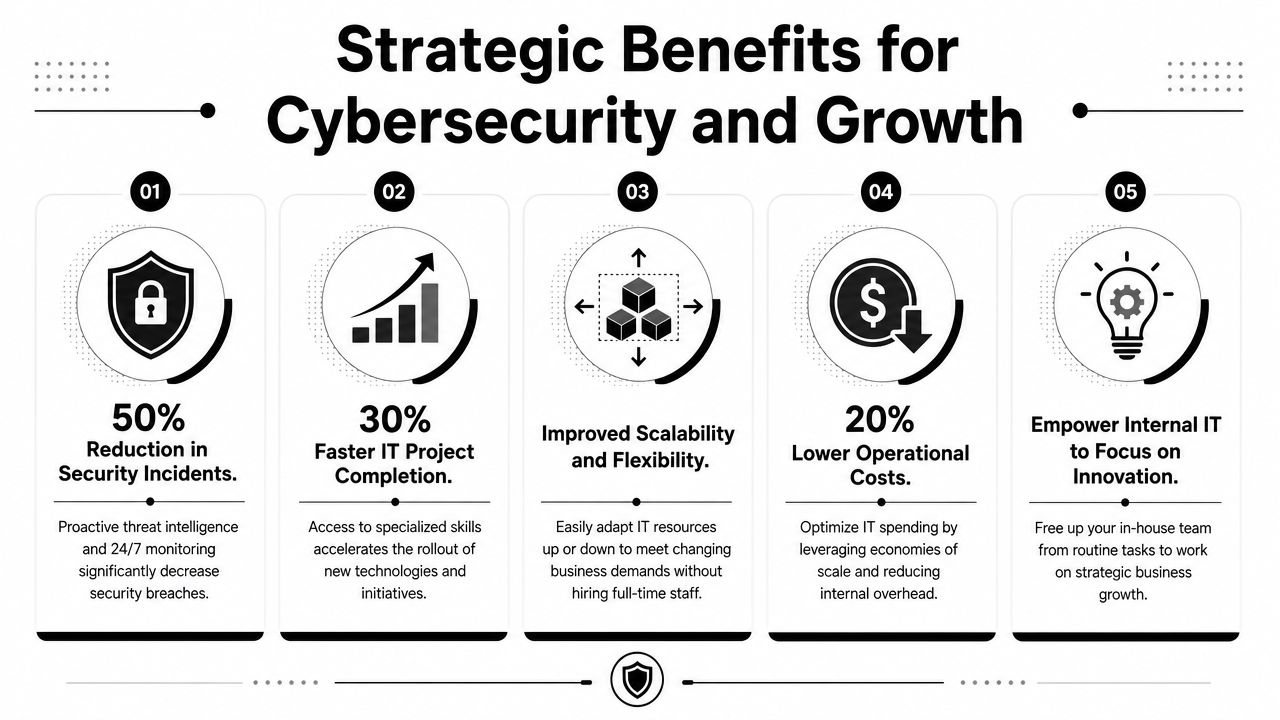
Security maturity improves
Most internal teams in small and midsized companies are broad generalists. They know a little about everything because they have to. That's useful for daily support, but cybersecurity is a discipline that punishes inconsistency.
A co-managed relationship can improve your operating posture because it gives security work a defined process instead of letting it compete with every other task on the help desk list.
- Monitoring becomes continuous: Someone is responsible for watching, escalating, and following through.
- Patch and vulnerability work gets rhythm: It stops being “when we get time” and starts becoming part of the service model.
- Incident handling gets clearer: Roles are established before a security event happens, not during it.
Internal IT gets time back
The less visible benefit is focus. Your internal IT leader usually knows what the business should fix next. They often just can't get to it because support noise and security admin consume the week.
That's why many Orlando businesses pair co-management with internal process work. The provider handles recurring operational duties. The internal team regains time to improve line-of-business applications, department workflows, onboarding processes, device standards, and policy enforcement.
For companies looking to strengthen this side of the equation, cybersecurity best practices for small businesses can help frame what to measure beyond simple ticket closure.
A mature IT environment isn't the one with the fewest alerts. It's the one where alerts, changes, backups, and patching all have clear ownership and follow-through.
How to Select and Implement a Co-Managed Partnership in Orlando
Buying co-management the wrong way creates friction fast. Businesses often start by comparing providers before they've defined what they want to keep in-house. That usually leads to vague proposals, duplicated effort, and a rocky first few months.
The better path is operationally simple. Decide the division of labor first. Then choose the partner that can work inside it.
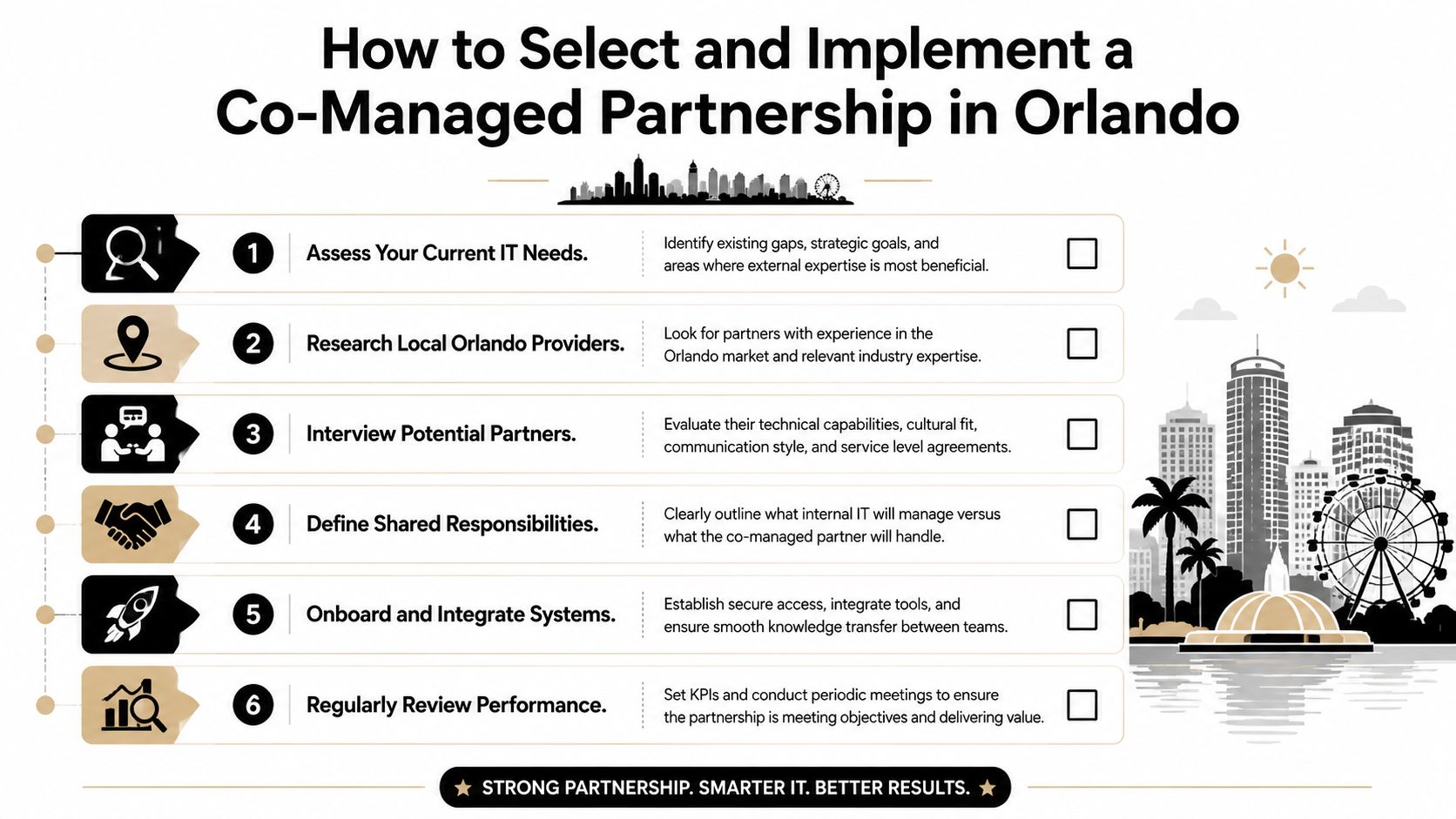

A useful lens here is implementation economics. Much of the market explains the model but skips the practical question of how to phase co-management without disrupting an existing internal team. That gap is especially important for companies with one or two internal IT staff who need predictable coverage, and the most useful buyer question is often what co-managed IT replaces, what stays in-house, and what the first 90 days should include, as discussed in co-managed IT implementation planning.
Choose the operating model before the provider
Start with a short internal inventory. Not a technical audit. An ownership audit.
Write down which responsibilities must stay internal because they depend on business judgment, executive trust, or deep application familiarity. Then list the work your team struggles to cover consistently.
That list usually includes a mix of:
- After-hours support: Alerts and urgent issues that don't wait for business hours.
- Security operations: Monitoring, vulnerability follow-up, endpoint oversight, and response coordination.
- Project overflow: Migrations, rollouts, refreshes, and cleanup work that keep getting delayed.
- Administrative load: Vendor coordination, documentation upkeep, user lifecycle tasks, and license management.
If a provider tries to skip this conversation, that's a red flag. Co-management only works when the boundaries are deliberate.
What to ask during evaluation
The right questions are operational, not flashy. You're trying to learn how the provider works with internal IT, not how polished the sales process sounds.
Ask questions like these:
- How do you divide work with an existing internal IT manager?
- Which security functions do you own directly, and which remain client-owned?
- How do you handle escalation after hours?
- What does onboarding look like when tools and documentation already exist?
- How do you report on coverage, outstanding risks, and unresolved dependencies?
A few practical warning signs show up quickly.
- Vague role definitions: If everything sounds flexible, nothing is assigned.
- No transition discipline: If the provider can't explain access control, documentation review, and communication cadence, onboarding will be messy.
- Ticket-only mindset: If the conversation stays centered on reactive support, the security and governance side is probably underdeveloped.
For buyers comparing options, how to choose a managed service provider is a useful framework for structuring interviews and avoiding soft promises.
What the first 90 days should look like
The first phase shouldn't feel dramatic. If it does, the partnership probably started without enough planning.
A solid implementation usually follows this pattern:
| Phase | What should happen |
|---|---|
| Initial handoff | Access is reviewed, communication channels are set, emergency contacts are confirmed |
| Environment review | Existing tools, documentation, coverage gaps, and support workflows are assessed |
| Responsibility alignment | Both sides confirm who owns support tiers, patching, vendor communication, projects, and security tasks |
| Tool rationalization | Overlapping platforms and redundant processes are reduced where appropriate |
| Operational rollout | Overflow support, monitoring, escalation, and recurring tasks move into the new model |
| Review cycle | Leadership and IT meet to evaluate service fit, unresolved risks, and process changes |
The first 90 days should reduce ambiguity first. Efficiency comes after that.
Florida market guidance also notes that managed and co-managed services commonly bundle 24/7 help desk, cybersecurity, cloud services, and flat-fee support into one service line, with flat-fee per-user pricing described as a common approach. That's why cost discussions should focus less on hourly rates and more on what operational coverage is included.
In practice, one option businesses may consider is Cyber Command, LLC, which provides co-managed IT, 24/7 helpdesk, cloud services, and cybersecurity support for organizations that want shared coverage rather than full replacement. The key question isn't who sounds biggest. It's who can work cleanly with your internal team.
Frequently Asked Questions About Co-Managed IT Services
Will we lose control of our IT strategy
A well-run co-managed arrangement keeps decision-making with your business and your internal IT lead. Your team should still set priorities, approve changes, and decide what matters most to operations. The outside partner handles the work you assign, whether that is after-hours support, security monitoring, project delivery, or specialized technical tasks.
If a provider cannot define that boundary clearly, expect confusion later.
Is co-managed IT more expensive than hiring another technician
It depends on the gap you need to close.
One technician can help with day-to-day tickets. That usually does not solve after-hours coverage, security operations, cloud administration, vacation coverage, or project backlog. Co-management often costs more than a single salary on paper, but it can cost less than building a full internal bench with multiple specialties.
For Orlando businesses, that trade-off matters. A healthcare office, manufacturer, or multi-location professional services firm may need broader coverage than one hire can reasonably provide.
How do we avoid conflict with our existing IT person
Start with written ownership. Define who handles Tier 1 support, vendor escalations, patching, identity management, endpoint security, backups, and emergency response. Then make sure both sides use the same ticketing and escalation rules.
This is usually where partnerships succeed or fail.
Internal IT should not feel replaced. They should get relief from repetitive support work, better access to security expertise, and time to focus on business systems, user needs, and planning. That shared responsibility model works best when the provider respects your internal team's context and authority.
What does co-managed IT actually replace
It usually replaces coverage gaps and reactive firefighting. It can also reduce dependence on one person who carries too much undocumented knowledge, too many admin rights, or too many after-hours calls.
In cybersecurity, that matters. Shared coverage can improve patch discipline, alert response, log review, access control, phishing response, and recovery planning. Your internal team still owns the business decisions. The partner adds capacity and specialized execution.
Is this only for larger companies
No. Co-management often fits small and midsized businesses that already have an internal IT generalist or a lean IT manager. Those teams usually do not need a full replacement. They need depth in a few areas and consistent backup when workload spikes.
That is common in Central Florida. A growing construction firm may need support across job sites and the office. A medical practice may need tighter security oversight and less downtime. A hospitality group may need broader hours of support than an internal team can cover alone.
What should we expect from pricing conversations
Expect pricing to center on users, devices, locations, service hours, and included responsibilities. Ask what is covered in the monthly fee, what counts as project work, what happens after hours, and which security services are included versus optional.
Ask one more question. Who is accountable when something is missed?
A usable proposal should spell out response expectations, escalation paths, security duties, and tool ownership. Clear pricing without clear responsibility still creates risk.
If your team is stretched thin and you want a practical co-managed model that strengthens cybersecurity without replacing internal IT, Cyber Command, LLC is one option to evaluate. The firm works with organizations in Central Florida that need shared support, 24/7 coverage, and a clearer division of operational responsibility so internal staff can focus on the business.