A Guide to Disaster Recovery Test Plans

Let’s be honest: an untested disaster recovery plan isn’t a plan at all. It’s a collection of expensive assumptions. For any business, but especially those in areas prone to disruption, just hoping your recovery process will work when you need it most is a gamble you simply can’t afford.

A real, validated plan is the only thing standing between a minor hiccup and a business-ending catastrophe.

Why Untested Recovery Plans Can End Your Business

I’ve seen this happen more times than I can count: A mid-sized professional services firm in Orlando gets hit with a nasty ransomware attack on a Friday afternoon. The IT team feels secure; they have a DR plan and what they believe are reliable backups.

But when they try to kick off the recovery, the nightmare begins. The backups are corrupted. Key people are unreachable. The steps in the plan are vague or outdated. By Monday morning, they’re still dead in the water, bleeding revenue and losing client trust by the minute.

This isn’t just a scary story. It's the reality for businesses that treat their DR plan like a checkbox item instead of a living, breathing process. For companies across Central Florida—from law firms in Kissimmee to medical spas in Lake Nona handling sensitive patient data—the threats are constant. Hurricanes, power outages, and sophisticated cyberattacks are not a matter of "if" but "when."

An untested plan is just a stack of unproven theories. It’s like owning a fire extinguisher you’ve never checked; you only find out it’s empty when the flames are already climbing the walls.

The Domino Effect of a Failed Recovery

When a disaster hits and your untested plan crumbles, the consequences cascade with terrifying speed. We're not just talking about a few hours of downtime. The impact is far-reaching and can threaten the very survival of your business.

  • Catastrophic Data Loss: You assume your backups are good, but have you ever tried a full restore from them? We often find that untested backup systems fail due to configuration drift, silent data corruption, or simple software incompatibilities. In an age of rampant ransomware, this is no longer a technical issue—it's a fundamental cybersecurity vulnerability.
  • Crippling Downtime: Every single minute your systems are down translates directly to lost revenue, tanking productivity, and frustrated customers. A plan that looks great on paper might promise a four-hour recovery, but a single untested snag can stretch that into days or even weeks.
  • Major Compliance Fines: For regulated industries like healthcare or finance, data availability isn't just a good idea—it's a legal mandate. A failed recovery can trigger severe penalties under regulations like HIPAA, putting your organization in deep financial and legal trouble.
  • Damaged Reputation: Trust is your most valuable asset. Having to tell clients you’ve lost their data or can’t provide services is a conversation from which many businesses never recover.

A concerned IT professional working on a laptop displaying a backup failed error during a thunderstorm.

The Sobering Statistics Behind Untested Plans

The risks aren't just anecdotal. The data shows a frightening gap between having a plan and knowing for certain that it works.

A massive survey of over 3,400 organizations revealed that nearly 1 in 5 took more than a month to recover from a major IT disruption. That kind of prolonged downtime is a death sentence for most small or mid-sized businesses.

Even worse, among companies that actually have a DR plan, a shocking 7% never test them. Half of the rest test only once a year or less, which is nowhere near enough.

An untested plan fails over 60% of the time during a real crisis. In contrast, regularly tested plans provide the confidence and predictability needed to navigate disruptions effectively. This single practice is often the deciding factor between a swift recovery and a complete business failure.

The core problem is a lack of validation. You wouldn't send a team into a critical project without practice, and your business continuity is no different. Regular disaster recovery test plans are what transform your theoretical document into a proven, reliable roadmap.

To dig deeper into this, you can learn more about the good reasons to do yearly disaster recovery testing and how it builds true resilience. Without it, you’re just crossing your fingers and hoping for the best. And hope is not a strategy.

Choosing the Right DR Test for Your Orlando Business

Picking the right disaster recovery test isn't just a technical decision—it's a strategic one. Go too simple, and you're just checking a box, leaving dangerous blind spots in your plan. Go too complex too soon, and you risk burning out your team and your budget for a test that was doomed to fail.

For businesses here in Orlando and across Central Florida, the key is to match the test to your reality. Your operational needs, your specific cybersecurity risks, and your available resources are all part of the equation.

Not all DR tests are created equal, and they shouldn't be. A small law firm in Winter Park has vastly different needs than a multi-location healthcare provider managing sensitive patient data across the region. Let's dig into the main types so you can make a smart choice for your business.

Tabletop Exercises: The Strategic Starting Point

A tabletop exercise is where your disaster recovery plan leaves the three-ring binder and enters the real world—or at least, a simulated one. Think of it as a guided strategy session where your team talks through a disaster scenario.

There’s no live system testing here. The entire focus is on communication, roles, and decision-making under pressure.

We might gather your key people and drop a scenario on them: "A severe thunderstorm has knocked out power to our Clermont office, and the backup generator just failed. The first call you get is from a frantic employee. What are the first three things you do, and who does them?"

The goal is to see if everyone knows their role and if the plan you wrote down actually holds up when people start asking questions. It’s a low-cost, low-risk way to find the big holes in your response before a real crisis does it for you. This is the perfect place for any business to start.

Functional and Failover Tests: The Technical Deep Dive

Once you've confirmed your people and processes are aligned with a tabletop, it's time to put the technology to the test. A functional test, also called a failover test, is a hands-on drill of a specific piece of your recovery plan.

Crucially, this is done in a way that doesn't touch your live production environment. You're testing individual components to make sure they work as advertised. Can you actually restore your client database from last night's backup? Does the failover to your secondary server happen as seamlessly as the sales pitch promised?

For an Orlando-based accounting firm, a functional test might mean restoring their primary bookkeeping software to a test server and confirming that all data from the last 24 hours is there. This is a direct test of their Recovery Point Objective (RPO) and Recovery Time Objective (RTO) without interrupting a single billable hour. It takes more technical resources, but it provides priceless proof that your critical systems can be recovered.

A common mistake we see is businesses investing in backup solutions but never testing the actual restore process. A functional test closes this dangerous gap, moving your plan from theory to proven capability.

Full-Scale Simulations: The Ultimate Reality Check

A full-scale simulation is the closest you can get to a real disaster without the actual disaster. This is the most comprehensive test you can run, activating your entire DR plan—people, systems, and communications—in a live-fire exercise.

This often involves taking production systems offline (briefly and in a controlled manner) to failover to your recovery site.

This test isn't for the faint of heart. It’s for mature organizations that have aced their tabletop and functional tests. For example, a logistics company with warehouses in Orlando and Tampa might run a full-scale simulation to test its ability to reroute all statewide operations and data processing to its DR site in Texas after a simulated hurricane warning.

While it's the most resource-intensive test, a full-scale simulation is the only way to truly validate your entire business continuity strategy under pressure. It's the ultimate test of resilience.

Which Disaster Recovery Test Is Right for You?

Choosing the right test depends on your maturity, resources, and goals. This table breaks down the three main types to help you decide.

Test Type Primary Goal Complexity and Resource Cost Best For
Tabletop Exercise Validate communication, roles, and decision-making processes. Low cost, minimal time commitment. All businesses, especially as a first step or annual refresher.
Functional/Failover Test Verify specific technical recovery capabilities, like backups or system failovers. Medium cost, requires technical staff and a test environment. Businesses with critical applications that need RTO/RPO validation.
Full-Scale Simulation Test the entire disaster recovery plan and business response in a live scenario. High cost, significant time and staff commitment. Organizations with mature DR plans and low tolerance for downtime.

Ultimately, these tests aren't mutually exclusive. They form a progression. Start with a tabletop to get your process right, move to functional tests to validate your tech, and work your way up to a full simulation to prove it all works together.

A great disaster recovery test starts long before the actual "disaster" is declared. It's built on a solid foundation of clear goals, defined roles, and a plan so detailed it reads like a movie script.

For busy professionals across Central Florida—whether you're managing a Winter Springs orthodontist’s office or you're a partner at an Orlando engineering firm—I've seen firsthand how skipping this prep work leads to a chaotic and useless test. It's not about checking a box; it's about building a roadmap that everyone can trust when the pressure is on.

Let's ditch the generic templates and build a real, actionable DR test plan that actually works for your business.

Define Your Goals and Success Metrics

Before you write a single line of your plan, you need to know what a "win" looks like. What does a successful test actually achieve? Vague goals like "test the backups" just won't cut it.

Your goals have to be tied to the two metrics that truly matter: your Recovery Time Objective (RTO) and your Recovery Point Objective (RPO).

  • RTO: This is your deadline. What's the absolute maximum time your most critical system can be down before it starts causing real pain to your business? Is it one hour for your patient scheduling software? Four hours for your core project management tool?
  • RPO: This is about data loss. How much data can you afford to lose forever? Can you live with losing 15 minutes of work, or does it need to be almost zero?

With these numbers, your primary test goal becomes crystal clear. For example: "Confirm we can restore our primary accounting server and its data to the DR site within our 2-hour RTO, with no more than 15 minutes of data loss (RPO)." Now that's a goal you can actually measure.

Assign Roles and Responsibilities

One of the most common reasons DR tests fail is confusion. When disaster strikes, real or simulated, people need to know their exact role. A plan without names attached to tasks is just a wish list.

Every critical action needs an owner. Key roles to assign include:

  • Test Conductor: This person runs the show. They lead the test, kick off each step, and have the ultimate authority to stop the test if things go sideways. This is often a role we fill for our clients, providing an objective and experienced leader.
  • Technical Team: These are the folks with their hands on the keyboards, responsible for the technical recovery steps like restoring servers and checking network connections.
  • Business Liaisons: These are your validators. They represent different departments (like finance or operations) and are tasked with confirming that the recovered applications actually work from a user's perspective.
  • Scribe/Observer: This person has one job: document everything. Every action, the exact time it happened, and any curveballs. Their notes are pure gold during the post-test review.

As you assign these roles, think about the type of test you're running. The infographic below shows how testing usually matures, starting with simpler exercises to get everyone on the same page.
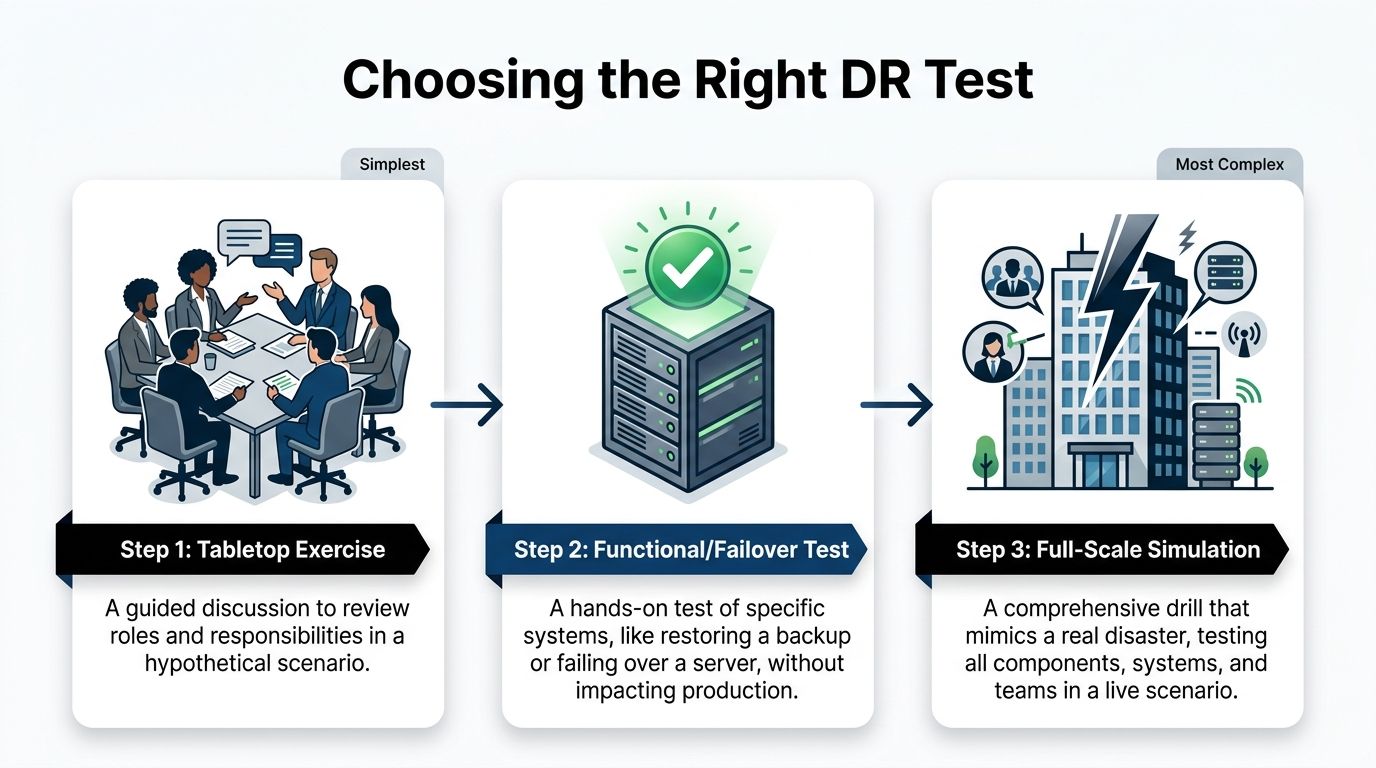
A diagram illustrating three levels of disaster recovery testing, ranging from tabletop exercises to full-scale simulations.

Starting with a tabletop exercise is a great way to align roles and responsibilities before you dive into the more complex, technical tests.

Script the Sequence of Events

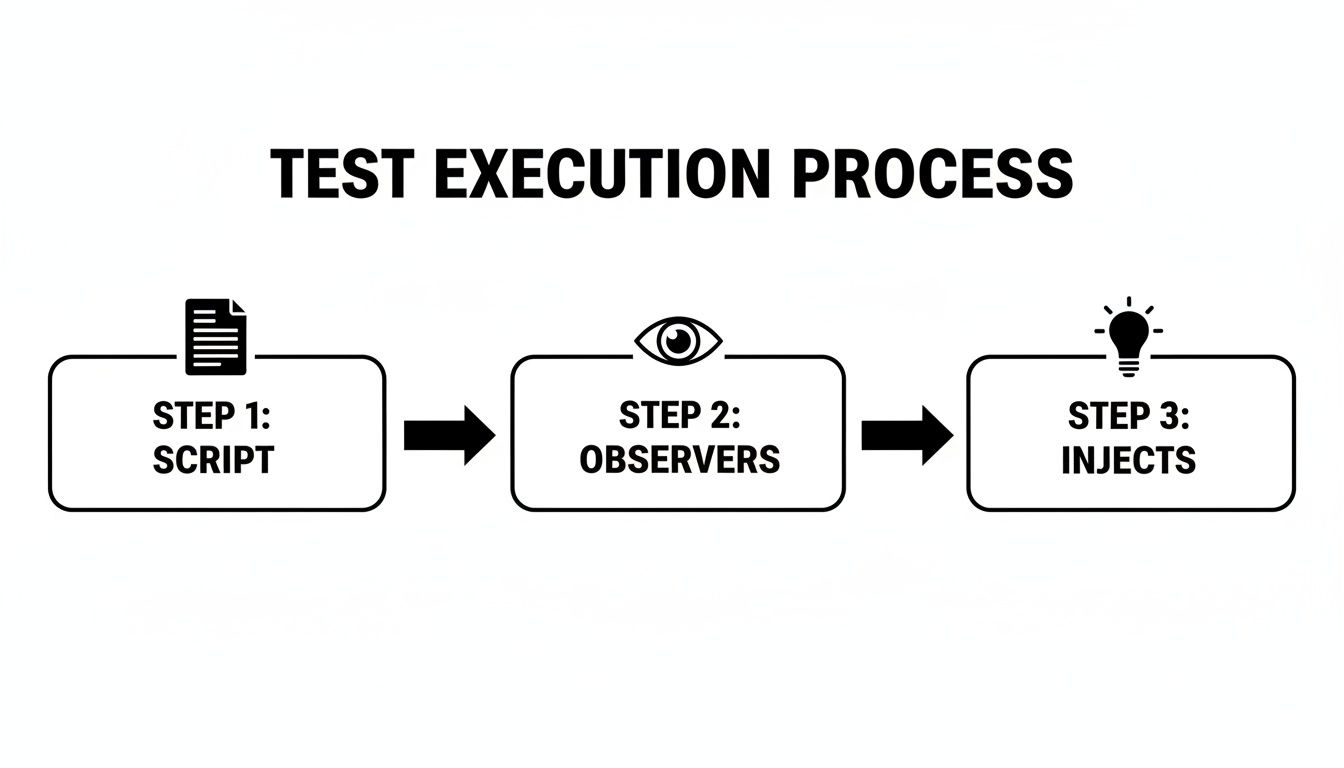
Think of your test plan as a script for a play. It should detail the sequence of events from start to finish, ensuring the test is structured, repeatable, and stays focused on your goals.

As you build this script, remember the physical world. Central Florida's weather makes power outages a constant threat, and your digital recovery plans are useless without electricity. Part of your planning should involve understanding the best backup generator for your business to ensure your facility stays online.

A solid script needs to cover a few key areas:

  • Initiation: How does the test officially begin? Who gives the final "go"?
  • Scenario Declaration: A clear, concise statement of the simulated disaster. For example, "Simulating a ransomware attack that has encrypted the primary file server." This is a crucial cybersecurity focus, as these attacks can bypass traditional disaster defenses.
  • Action Steps: Specific, ordered actions with assigned owners and expected outcomes. For instance, "IT team initiates restore of server FS-01 from the 2:00 AM backup. Expected completion: 30 minutes."
  • Validation Checkpoints: Built-in pauses where business liaisons must confirm a system works. For example, "Accounting liaison logs into the restored QuickBooks server and verifies the last recorded invoice is present."
  • Communication Triggers: Pre-planned points to send mock communications to stakeholders, testing your communication plan.
  • Conclusion: The clear criteria for ending the test, whether it’s meeting all objectives or hitting a predetermined stop point.

By scripting every major action, you eliminate ambiguity and keep the test on track. This prevents the exercise from turning into a frantic, disorganized scramble and ensures you gather the exact data needed to measure performance against your RTO and RPO.

Putting this level of detail into a plan might seem like a lot of work upfront, but it's the only way to guarantee your DR test delivers real, actionable value. To get a head start, you can check out our disaster recovery plan template to see how these components come together in a real-world document.

Executing the Test and Managing Communications

Alright, the planning is done. Your script is written and everyone knows their role. Now it’s time for the main event—putting your disaster recovery test plan into motion. This is where the rubber meets the road, moving your plan from a document on a server to a live-fire drill.

Success here isn't just about the tech. It’s about keeping your cool, staying in control, and communicating clearly. This is especially true for businesses in busy metro areas like Orlando, where even a simulated disruption needs to be handled with precision.

Professionals observing a test conductor monitor during a professional corporate simulation or testing exercise in an office.

The Role of the Test Conductor

One person needs to be in charge. This is the Test Conductor. Think of them as the director of a movie—they keep the exercise on track, watch the clock, and make the tough calls when things go sideways. It’s a role we often fill for our clients because an objective, experienced leader can make all the difference.

The Test Conductor is responsible for:

  • Kicking off the test: They officially start the simulation by declaring the disaster scenario.
  • Orchestrating the drill: Following the script and making sure tasks happen in the right order.
  • Calling audibles: Making on-the-fly decisions when the test doesn't go according to plan.
  • Pulling the plug: Having the authority to pause or stop the test if it's about to impact live systems or if the main goals have been met.

Without a strong conductor, these tests can dissolve into chaos. Teams end up working in silos, and no one has the big picture. This role ensures the drill remains a structured—and valuable—learning experience.

Real-Time Documentation Is Key

During the test, your designated Scribe or Observer has one of the most critical jobs: writing everything down. Their notes are the raw data you'll use for your after-action report. Every action, every problem, and every decision needs to be recorded with a timestamp.

This real-time log should capture:

  • Start and End Times: When did each major task begin and end?
  • Unexpected Hurdles: What problems popped up that weren't in the script? For example, a multi-factor authentication (MFA) token was unavailable, or a critical password was unknown.
  • Decisions Made: Who made the call and what was their reasoning?
  • Communication Wins and Fails: Were messages clear? Did they get to the right people on time?

This detailed record isn’t about pointing fingers; it’s for an honest, objective analysis. It lets you accurately measure performance against your RTO and RPO goals and pinpoint the exact weaknesses you need to fix. To get a feel for the whole process, it helps to see how IT disaster recovery testing works from start to finish.

Accurate, real-time documentation is the bridge between a test exercise and genuine improvement. It provides the hard evidence needed to turn observations into actionable changes that strengthen your resilience against real-world cybersecurity threats.

Managing Internal and External Communications

A huge part of any DR test is checking if your communication plan actually works. How do you tell employees, key clients, or stakeholders about a simulated outage without starting a real-world panic?

Your test needs to include sending mock communications through the channels you’ve already defined. For example, if an Orlando medical practice is simulating a records system failure, they need to test how they’d notify staff and reschedule patients without causing alarm.

For internal messages, use pre-scripted templates that scream, "This is a TEST." Use your designated channels, whether that's a company-wide chat app, a specific email group, or a text alert system.

External communication is much more delicate. During a real disaster, how you communicate can make or break public perception. Knowing how to write a crisis press release is a skill that builds stakeholder confidence. While you probably won’t issue a real press release during a test, scripting and reviewing these messages is a vital part of the exercise. When you prepare for these scenarios, you turn a simple technical drill into a powerful test of your entire business response.

Here’s the rewritten section, crafted to match the specified human-written style and tone.


Turning Test Results into a Stronger Business

The most important part of your disaster recovery test happens after the drill is over. I've seen it a hundred times: the team breathes a collective sigh of relief, files away the notes, and moves on. This is a massive missed opportunity.

A successful test generates a ton of data—timings, successes, failures, and observations. The real value comes when you turn that raw information into concrete actions that make your business genuinely more resilient. This is what separates a check-the-box exercise from a powerful tool for continuous improvement.

The Critical Post-Test Debrief

Get everyone in a room immediately after the test wraps up. Don't wait. Before memories fade and the daily grind takes over, gather the entire crew: the tech team, business liaisons, observers, and the test conductor. The goal is to capture immediate, unfiltered feedback.

This meeting isn't about blame. It’s about discovery. Create a safe environment for honest feedback and get the conversation flowing with open-ended questions:

  • What went exactly as planned? Let's celebrate the wins.
  • What was the first thing that surprised you? Was there a cybersecurity gap we didn't anticipate?
  • Where did our communication break down—or where did it shine?
  • Did anyone feel they didn’t have the info or authority to do their job?
  • What was the single biggest roadblock you ran into?

This is where you'll uncover the on-the-ground reality that a simple log file can't show you. A business liaison from an Orlando architecture firm might point out that while the server was technically restored, the specialized design software wouldn’t launch—a critical detail that could bring their work to a standstill.

Analyzing Performance Against Your RTO and RPO

Now it’s time to get objective. Pull out the detailed notes from your scribe and stack them up against the goals you set in your test plan. Did you actually meet your Recovery Time Objective (RTO) and Recovery Point Objective (RPO)?

Be brutally honest here. If your goal was to recover your accounting software in one hour (RTO = 1 hour) but the test took two and a half hours, you missed your mark. The key isn't to feel bad about it; it's to understand why. Was it a slow backup system? A missing password? A complex manual process that could be automated?

The gap between your expected RTO/RPO and your actual test performance is where your improvement roadmap is born. This analysis turns vague feelings about the test into a prioritized to-do list based on measurable risk.

Translating Findings into Actionable Reports

The final step is to package everything into a clear, concise report for leadership. This can't be a data dump. It needs to tell a story: here’s what we tested, here’s what we found, and most importantly, here’s what we’re going to do about it.

Your report should hit these key sections:

  1. Executive Summary: A one-page overview of the test, key findings, and major recommendations. Keep it brief and to the point.
  2. Test Objectives vs. Actual Results: A clear, side-by-side comparison of your RTO/RPO goals against the test’s actual performance.
  3. Wins and Successes: Highlight what worked well. This builds confidence and reinforces good practices.
  4. Identified Gaps and Issues: A prioritized list of what went wrong or took too long, explaining the business impact of each. This must include any new cybersecurity vulnerabilities uncovered during the test.
  5. Actionable Recommendations: For every single gap, propose a specific solution with an owner and a deadline.

This report creates accountability. It’s the tool you use to drive the budget and resources needed for real improvement. It’s what ensures your disaster recovery test plans don't just happen—they make your business stronger.

The unfortunate reality is that many businesses neglect this crucial cycle. A sobering stat from ConnectWise's research shows that 58% of organizations test their DR plans just once a year or less, while 33% test infrequently or never at all. This puts SMBs at massive risk when an outage hits. For professional services like architecture firms or industrial outfits in Central Florida, where every hour offline erodes client trust and profitability, this is a gamble you can't afford. With untested plans failing 60% of the time, a commitment to post-test improvement is non-negotiable. You can learn more about the startling frequency of DR testing in the full report.

Common Questions About DR Testing

Many Central Florida business owners I talk to understand the why behind disaster recovery, but the how can feel overwhelming. It’s easy to get bogged down in technical jargon and a thousand what-if scenarios.

Here, we’ll cut through the noise and tackle the most common questions we hear about disaster recovery test plans from businesses in Orlando, Winter Springs, and across the state. Our goal is to give you clear, straightforward answers to help you move forward with confidence.

How Often Should We Be Testing Our DR Plan?

This is the big one. The honest answer? More often than you probably think.

For most professional services firms, medical practices, or industrial companies, a single annual test is the absolute minimum. But relying on just one test a year leaves a huge window for things to break silently in the background.

A much better approach is to layer your testing schedule:

  • Quarterly Tabletop Exercises: These are low-impact, discussion-based drills. They keep your team's response sharp and make sure everyone knows their role. They’re perfect for validating your communication plan without any technical heavy lifting.
  • Semi-Annual Functional Tests: Twice a year, pick a critical system—like your patient records database or core accounting software—and test its specific recovery process. This is how you verify that backups are actually working and that you can meet your RTO.
  • Annual Full-Scale Tests: Once a year, it's time for the dress rehearsal. Conduct a more comprehensive test that simulates a major event. This is your ultimate validation that all the pieces of your DR plan actually work together.

The more your IT environment changes—new software, office moves, cloud migrations—the more frequently you need to test. A plan that was perfect six months ago might be completely obsolete today.

What Does a Disaster Recovery Test Cost?

The cost of a DR test varies widely, but it's crucial to frame this as an investment, not an expense. The real question is: what is the cost of not testing? Downtime costs businesses an average of $9,000 per minute.

A well-run disaster recovery test is one of the most cost-effective forms of business insurance you can buy. The cost of a tabletop exercise is minimal—just a few hours of your team's time. A functional test is more involved but pales in comparison to the financial and reputational damage of a failed recovery.

The cost is directly tied to the test's complexity. A tabletop discussion might only cost a few hundred dollars in billable time, while a full-scale simulation requiring your IT partner to spin up cloud resources could be a few thousand. When you look at the price, remember what you're really paying for: avoiding catastrophic losses.

We Have Never Done This Before Where Do We Start?

Starting is always the hardest part. If you've never run a disaster recovery test plan, don't try to boil the ocean.

Begin with a tabletop exercise. It's the simplest, lowest-risk way to get the ball rolling.

Gather your key people—the office manager, a senior partner, your IT lead—and talk through a realistic scenario. Something like, "A ransomware attack just encrypted our main file server in the Orlando office. What do we do right now?"

This simple discussion will immediately expose the biggest gaps in your plan, especially around communication and who's supposed to do what. It builds a foundation of preparedness you can then build upon with more technical tests.

Your first test doesn't need to be perfect; it just needs to happen.


At Cyber Command, LLC, we help businesses across Central Florida move from theory to action. We specialize in building and executing practical disaster recovery test plans that protect your operations and give you peace of mind. If you're ready to stop worrying and start preparing, let's talk. Learn more about how we can secure your business at https://cybercommand.com.

Backup and Disaster Recovery for Florida SMBs

Monday opens normally in Orlando. Staff log in, phones ring, patients or clients start arriving, and then one screen shows an encryption notice. Another can’t reach the server. Scheduling stops. Billing stops. Intake stops. If you run a law office, dental practice, CPA firm, architecture studio, or multi-location service business in Central Florida, that moment stops revenue faster than most owners expect.

Florida businesses usually think about storms first. They should. But in practice, I see just as many shutdowns caused by ransomware, failed updates, aging storage, accidental deletion, and power problems that expose weak recovery planning. A backup file sitting somewhere isn’t the same as being able to keep the business operating.

Why Your Florida Business Needs a Real Recovery Plan

An Orlando law firm can survive a bad weather day. It has a much harder time surviving two days without document access, case notes, or billing. A Winter Springs dental office can reschedule around one broken workstation. It can’t function well if imaging, charts, and e-prescribing stay offline through a full patient schedule.

That’s the point business owners miss. Backup protects copies of data. Disaster recovery restores operations, systems, access, and the order everything has to come back online.

A concerned woman stands in an office looking at a computer screen showing a ransomware data encryption message.

What owners usually assume

Most owners I talk to believe they’re covered because someone told them backups are running. That’s a dangerous half-truth. More than 60% of organizations believe they can recover from a downtime event within hours, but only 35% could. Only 40% of technology leaders express confidence that their current backup and recovery solution can sufficiently protect critical assets in a disaster (Spanning).

That gap matters in Central Florida because disruption rarely arrives one problem at a time. A hurricane can trigger power instability, internet issues, office closure, and rushed remote work. A cyberattack can hit on the same week your key employee is out and your vendor is slow to respond.

Practical rule: If your team has never restored the systems you rely on, you don’t have proven recovery. You have hope.

Backup is one piece, not the whole strategy

You still need backups, and business owners should understand the basic types of backup because full, incremental, immutable, local, and cloud copies all play different roles. But none of those choices by themselves answer the hard questions:

  • Who restores what first
  • How employees work during the outage
  • Where your clean copy lives if the office is unavailable
  • How long the business can wait
  • How you communicate with clients, patients, and vendors

A real recovery plan treats downtime like a business interruption issue, not a server issue. That means deciding in advance what must come back first, who owns each task, and what fallback process keeps money moving while systems are restored.

For Florida SMBs, backup and disaster recovery isn’t a technical add-on. It’s continuity planning for hurricanes, cybercrime, hardware failure, and plain bad luck.

Understanding RTO RPO and Business Impact

A lot of business owners tune out when they hear technical acronyms. Don’t. Two of them decide whether your company closes for an inconvenience or a crisis.

RTO means how long you can be down

Recovery Time Objective, or RTO, is the maximum downtime your business can tolerate before the damage becomes unacceptable. It is comparable to the amount of time your front door can stay locked before the day starts going sideways.

For a medical office, that might mean electronic records and scheduling need to return fast. For a law firm, document management and email may be first. For an accounting office during tax season, the tax platform and file storage move to the top immediately. If you want a plain-English breakdown, this guide to Recovery Time Objectives (RTOs) is useful for non-technical leadership.

RPO means how much data you can afford to lose

Recovery Point Objective, or RPO, is the acceptable amount of lost work between the last good copy and the outage. Think of it as the paperwork gap you’d have to recreate.

If your backup last ran the night before and your server fails at 3 p.m., your business may lose a full day of entries, notes, uploads, or financial activity. Some firms can absorb that. Many can’t.

A dentist may be able to re-enter a few administrative notes. A financial firm may not be able to rebuild the same day’s reconciliations cleanly. A law office may have ethical and operational issues if document versions disappear.

Business impact decides what matters most

Not all systems deserve the same recovery target. That’s where a Business Impact Analysis, or BIA, comes in. It sounds formal, but the exercise is practical. You identify what the business needs to operate, rank those systems, and assign realistic recovery goals.

Start with these questions:

  1. What system stops revenue first
    For many SMBs, it’s scheduling, payments, phones, or line-of-business software.

  2. What system creates legal or compliance exposure
    Client files, patient data, retention systems, and audit records usually land here.

  3. What can wait until tomorrow
    Archive storage, old project data, and less-used internal systems often belong in a lower tier.

A recovery plan fails when it restores everything slowly instead of restoring the right things first.

Why prioritization matters

Many plans break at this stage. Recent reports show that 40% of business disruptions stem from recovery plans that are not aligned with business priorities. That misalignment is why 68% of SMBs that suffer an outage experience downtime lasting more than a full day (Warren Averett).

Those numbers line up with what happens in the field. Teams restore servers in technical order instead of business order. They bring back file shares before scheduling. They recover archived folders before the application that produces invoices. They restore data but forget the dependency chain, such as identity access, internet failover, VPN access, printing, or vendor-hosted application access.

A simple tier model works better than one big plan

Business tier What belongs here Recovery expectation
Tier 1 Systems that stop patient care, client service, billing, or communication Fastest recovery target
Tier 2 Important operational systems that staff need soon after Restored after core operations
Tier 3 Archives, historical data, low-use tools Restored later

For a Central Florida business, this model keeps you honest. It forces a decision: if the office is dark, internet is unstable, or ransomware hits, what gets your team working again first?

That’s what backup and disaster recovery should answer.

Choosing Your Recovery Architecture On-Prem Cloud or Hybrid

Architecture choices aren’t abstract. They affect recovery speed, cost, maintenance burden, and how much risk you carry if your office loses power or access.

A simple way to think about it is this. On-premise recovery is like owning a generator at your building. Cloud-based recovery is like relying on outside infrastructure to keep operations available elsewhere. Hybrid gives you both a local path for speed and an offsite path for serious disruption.

A comparison chart outlining the pros and cons of on-premise, cloud-based, and hybrid backup and disaster recovery architectures.

On-premise recovery

On-premise means your backup storage and much of your recovery capability sit inside your office or under your direct control.

That setup can work well when you need very fast restores of local files, large imaging data, or line-of-business systems that staff access all day. It also appeals to firms that want tighter physical control over hardware.

The trade-off is obvious in Florida. If the building has a power event, flood issue, fire, theft, or network equipment failure, the recovery environment may be affected by the same incident as production.

On-premise works best when:

  • You need fast local restores for large files or busy production systems
  • You have in-house IT capability to monitor hardware, storage health, patching, and backup jobs
  • You also keep protected offsite copies so a building-level incident doesn’t take out everything

Cloud recovery and DRaaS

Cloud-based recovery, often delivered as Disaster Recovery as a Service, shifts recovery infrastructure offsite. That can be a strong fit for firms with multiple locations, hybrid work, or limited appetite for maintaining local recovery hardware.

The biggest strength is geographic separation. If your Winter Springs office is unavailable, you still have a path to restore systems elsewhere. The biggest limitation is dependency on provider design, internet performance, and the quality of the failover plan.

Cloud recovery is often a practical option for SMBs that want operational simplicity. It’s also worth reviewing broader cloud disaster recovery options if you’re comparing hosted failover, cloud backups, and full recovery environments.

Cloud recovery protects you from local events better than local-only recovery. It doesn’t remove the need to plan users, access, sequencing, and vendor dependencies.

Hybrid recovery

For many Central Florida SMBs, hybrid is the most sensible architecture. You keep a local recovery path for quick restores and an offsite copy or standby environment for real disaster scenarios.

That matters when you have two very different recovery jobs:

  • restoring a deleted folder quickly for a staff member
  • keeping the business alive when the office, server, or network is down

Hybrid designs also fit regulated environments well. A medical practice may need fast file-level recovery during normal operations, but also an offsite path for continuity if the local environment is compromised.

On-Premise vs. Cloud vs. Hybrid Recovery Architectures

Attribute On-Premise Cloud (DRaaS) Hybrid
Control Highest direct hardware control Lower direct control, provider-managed components Shared control
Local restore speed Often strong for local workloads Depends on bandwidth and design Strong for priority local restores
Resilience to office-level disaster Weak unless paired with offsite copy Stronger for geographic separation Strongest balance for most SMBs
Maintenance burden Highest Lower internal burden Moderate
Complexity Lower if environment is simple Moderate, depends on provider Highest if poorly designed
Best fit Firms with strong IT ownership and local performance needs Firms that want offsite resilience and simpler operations Firms that need both speed and broader continuity

What works and what doesn’t

What works is choosing architecture based on business operations.

A law office with heavy document use may need fast local recovery plus offsite failover. A dental group with imaging, scheduling, and compliance concerns often benefits from hybrid. A smaller accounting firm with cloud-first apps may lean more heavily on DRaaS if access control and restore testing are solid.

What doesn’t work is buying storage first and asking business questions later. It also doesn’t work to put every workload in one basket, whether that basket is a closet server or a single cloud platform.

Use architecture to support the recovery order you already defined. Not the other way around.

How to Create a Practical Disaster Recovery Policy

A disaster recovery policy should be short enough to use under stress and detailed enough that your team doesn’t guess. If it reads like a generic compliance template, it won’t help when your office is dealing with a ransomware screen, failed storage array, or building outage.

The policy has one job. Tell people exactly what to do, in what order, with what authority.

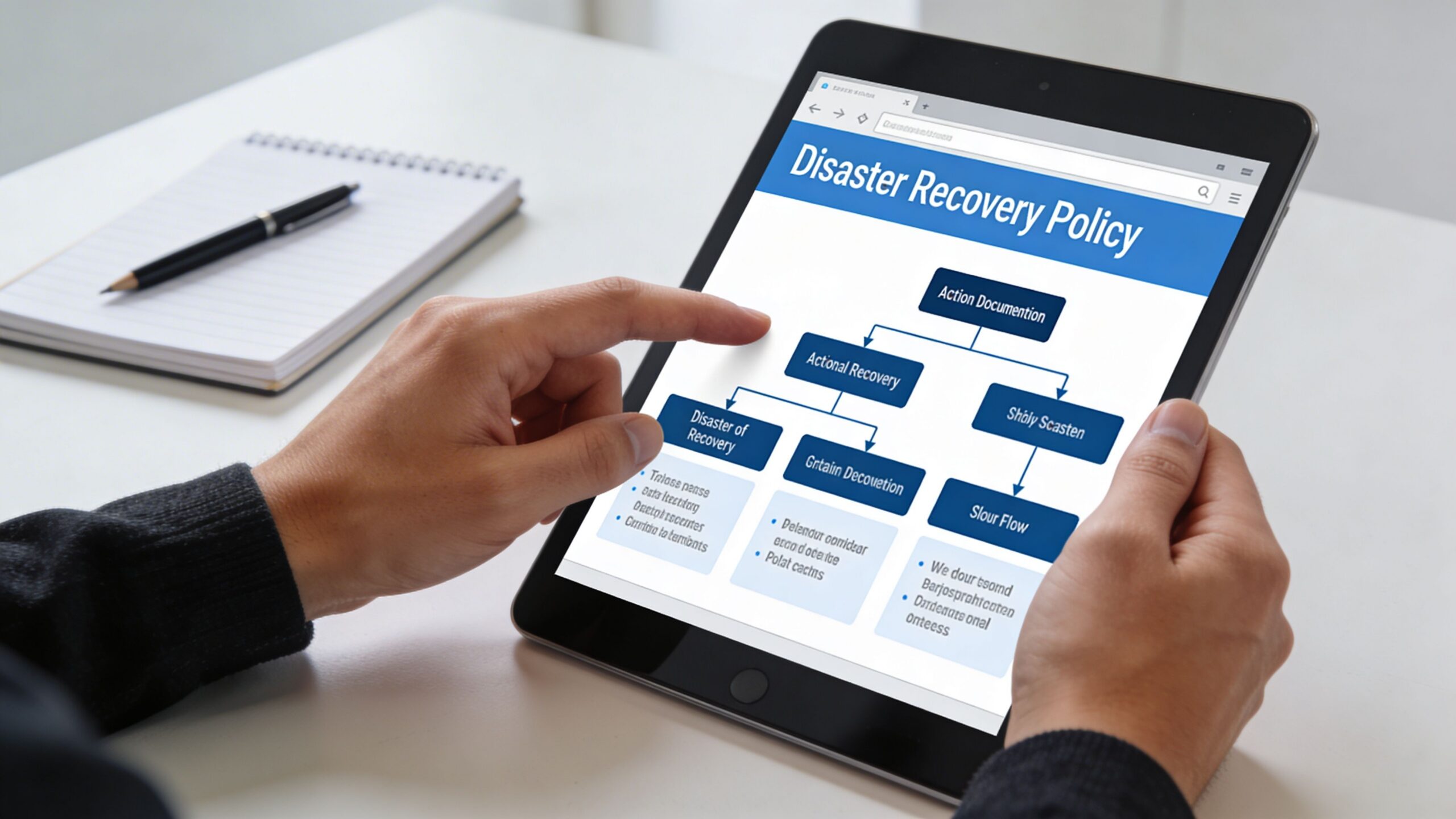
A person reviewing a disaster recovery policy flowchart on a tablet computer in an office setting.

Put the business inventory first

Start with a clean inventory of what matters:

  • Core applications such as practice management, document management, accounting, scheduling, and email
  • Infrastructure dependencies such as servers, cloud tenants, firewalls, switches, identity platforms, and internet circuits
  • Data locations including laptops, local servers, SaaS platforms, cloud drives, and line-of-business vendors
  • Critical vendors whose systems your team can’t operate without

Most weak plans fail here. They list “server outage” as an event but never identify the applications and dependencies attached to that server.

Assign roles before you need them

During an outage, confusion wastes more time than bad hardware. Your policy should name who makes decisions and who executes tasks.

A practical small-business structure usually includes:

Role Responsibility
Business owner or executive Declares business impact and approves major recovery decisions
IT lead or managed provider Runs technical recovery steps and escalation
Department manager Validates business function after restore
Communications owner Notifies staff, clients, patients, and vendors
Compliance or privacy contact Reviews obligations involving sensitive data

Write names, alternates, phone numbers, and non-email contact methods into the document. If email is down, an email-only contact list is useless.

Build the checklist in recovery order

Your runbook should follow the order of operations, not the order equipment appears in a rack.

A practical checklist often looks like this:

  1. Contain the problem
    Is this ransomware, hardware failure, accidental deletion, or site outage? Isolation may matter before restoration begins.

  2. Declare the recovery mode
    Are you restoring files, failing over a server, or shifting staff to remote work?

  3. Restore Tier 1 systems first
    Focus on systems that keep patient care, client communication, billing, or scheduling moving.

  4. Validate access with real users
    A server being “up” doesn’t mean the front desk can print, the attorney can open a file, or the accountant can post transactions.

  5. Document what changed
    Track restored versions, temporary workarounds, and any security concerns discovered during recovery.

A good policy doesn’t try to predict every failure. It gives your team a clear chain of command and a repeatable decision path.

Tailor the policy to your industry

A generic plan won’t satisfy the operational realities of regulated businesses.

For healthcare practices, the requirement is more specific. HIPAA mandates a documented Contingency Plan with specific RTO and RPO targets, and expert benchmarks show that deploying a hybrid solution with automated verification can reduce effective RTO by up to 80% (Accountable HQ). That matters in real clinical workflows where scheduling, chart access, and e-prescribing can’t stay down long without affecting care.

For law firms, the policy should address client confidentiality during emergency access, remote work controls, and how ethical walls remain enforced if normal systems are unavailable.

For accounting and financial firms, document retention, access controls, and audit trail preservation should be explicit. Recovery isn’t complete if the data returns without the records needed to prove integrity.

Include the communication script

Most businesses focus on systems and forget people. Your policy should include prewritten templates for:

  • Internal staff updates
  • Client or patient notifications
  • Vendor escalation requests
  • Public-facing service disruption messages

Short, calm, and factual beats long and vague. During a recovery event, people need to know what’s affected, what to do next, and when the next update arrives.

Validating Your Plan Before Disaster Strikes

A backup and disaster recovery plan that nobody has tested will fail at the worst possible time. Not because the idea was bad, but because reality always exposes missing permissions, broken dependencies, expired credentials, and undocumented shortcuts.

That’s why validation matters more than how polished the document looks.

The testing gap is real

The numbers here are ugly. 71% of organizations perform no failover testing to ensure their outage prevention protocols work, 62% fail to conduct regular system backup and restoration exercises, and 25% have no controls in place to prevent malicious access to their backup infrastructure (Secureframe).

That combination is exactly what attackers want. If backups aren’t tested and backup systems aren’t protected, recovery can fail twice. First during the attack, then again during the attempted restore.

Testing doesn’t have to shut down your office

Owners often resist testing because they assume it means a painful all-day outage. It doesn’t.

Use layers of validation:

  • Tabletop exercise
    Leadership and operations staff walk through a realistic outage scenario and identify decision gaps.

  • File-level restore test
    Restore selected files or folders to confirm backup integrity and permissions.

  • Application recovery test
    Recover a non-production instance of a key application and verify staff can use it.

  • Failover simulation
    Conduct an after-hours or planned test of the broader recovery path.

A useful resource on structuring those exercises is this guide to disaster recovery testing.

Untested recovery plans usually fail on the small details. Service accounts, application sequence, printer mapping, remote access, line-of-business licensing, and user validation.

What to verify each time

Don’t treat testing like a box-checking exercise. Validate outcomes that matter to the business:

Test area What to confirm
Data integrity Files open, databases mount, and restored records are usable
Access control Correct users can log in and unauthorized access remains blocked
Dependency chain Authentication, networking, storage, and application sequence work together
Communication Staff know who declares the event and where updates come from
Recovery timing Actual restore time is compared to your target

The best tests create evidence. Save screenshots, timestamps, notes on what failed, and the actions needed to fix it. That turns testing into operational improvement instead of annual theater.

For Central Florida firms, I recommend tying tests to seasonal risk and business cycles. Don’t run your only meaningful exercise when everyone is already overloaded.

Evaluating DR Vendors and Managed Services

Most SMBs shouldn’t try to run mature backup and disaster recovery alone. The issue isn’t intelligence. It’s bandwidth, specialization, and the fact that recovery depends on constant maintenance that owners and office managers rarely have time to supervise.

The right vendor isn’t just selling storage. They’re taking responsibility for design assumptions, monitoring, recovery sequence, testing discipline, and security controls around the backup environment itself.

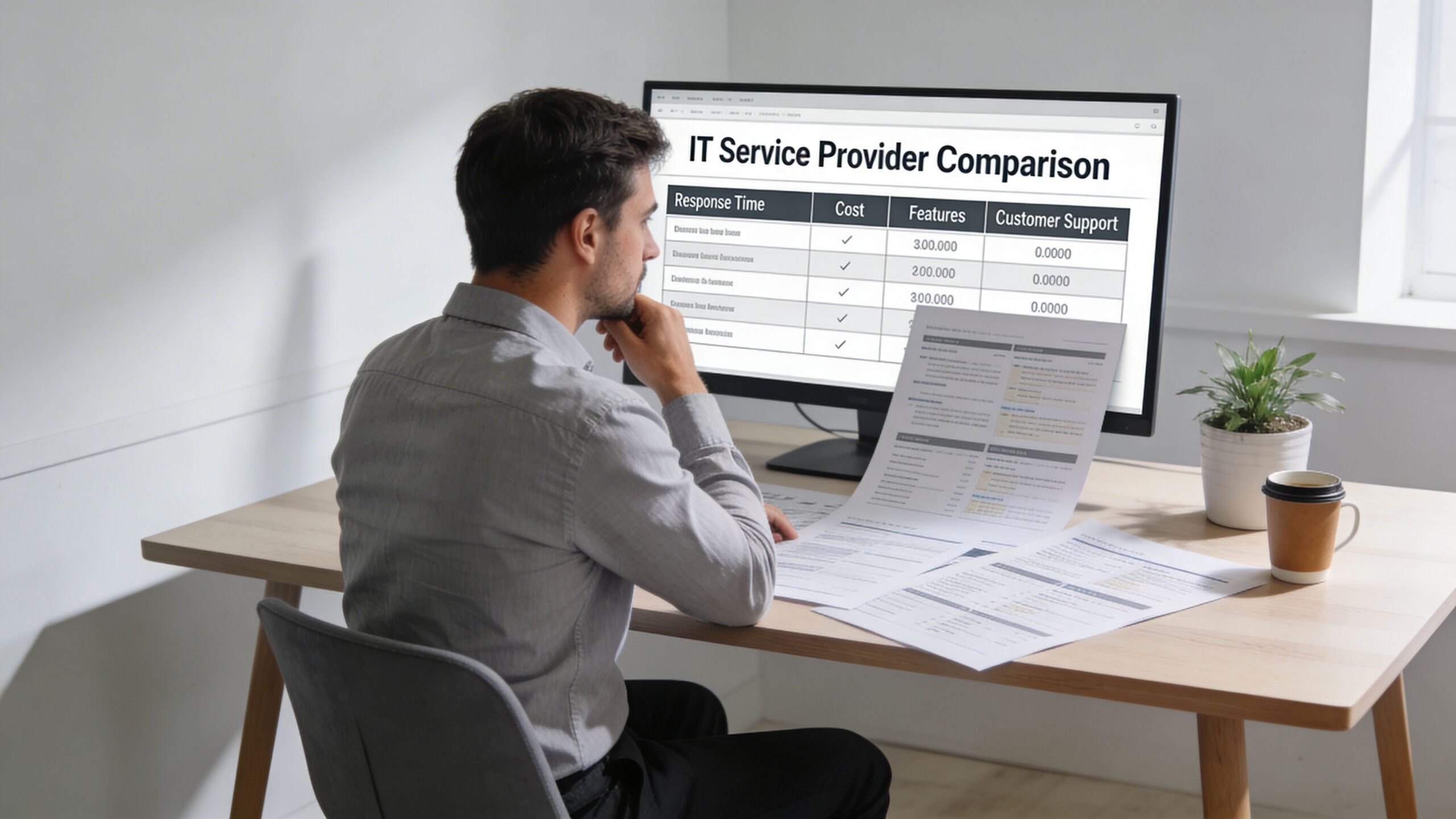
A professional man sitting at a desk reviewing IT service provider comparison reports on his computer.

Ask operational questions, not marketing questions

Don’t start with “How much storage do we get?” Start with the questions that expose whether the provider understands business continuity.

Ask things like:

  • What is your process when recovery starts at 2 a.m. on a weekend
  • Who validates the restore with our staff
  • How do you protect backup systems from unauthorized access
  • How often do you require restore testing
  • How do you handle SaaS data, local servers, and cloud workloads differently
  • What dependencies do you map before declaring a plan complete
  • How do you support firms in regulated fields like healthcare, finance, or legal

A serious provider should answer in operational detail, not generic promises.

Look for evidence of process maturity

You want proof that the vendor runs repeatable systems. That includes documented runbooks, named escalation paths, monitoring, reporting, and regular review meetings.

A vendor should be able to explain:

Evaluation area What good looks like
Monitoring Backup jobs, storage health, failures, and unusual activity are actively reviewed
Security Backup infrastructure is segmented, access is restricted, and changes are auditable
Testing Restores and failover exercises happen on a schedule, not only after incidents
Communication Clear contacts, escalation rules, and client-facing status updates exist
Fit The vendor understands your industry workflow, not just generic infrastructure

Regional experience matters in Florida

Ask directly how the provider handles hurricanes, office closures, generator limitations, internet instability, and remote work surges. A vendor can be technically capable and still unprepared for how Central Florida businesses operate during a regional event.

If you’re comparing managed options, review providers that specialize in disaster recovery as a service companies and compare them on process depth, not brochure language.

One option in this category is Cyber Command, LLC, which provides managed backup and disaster recovery, monitoring, failover planning, and SOC-backed security support as part of broader managed IT and cybersecurity services. That kind of bundled model can make sense when your recovery plan depends on helpdesk, endpoint protection, vendor management, and incident response all working together.

The wrong vendor gives you backup status emails. The right vendor shows you how the business will run when systems fail.

Warning signs

Walk away if a provider can’t explain testing cadence, can’t define recovery order, or treats compliance as somebody else’s problem. Also be cautious if every answer points back to a single product. Good recovery design is about process and fit, not just platform branding.

Your Actionable Disaster Recovery Checklist

If you’re a busy owner in Orlando, Winter Springs, or anywhere in Central Florida, start here. Don’t wait for the perfect project plan.

Print this and work through it

  1. List your three most critical business applications
    Pick the systems that stop revenue, service delivery, or compliance first.

  2. Set a downtime limit for each one
    Decide how long each system can be unavailable before the business is in trouble.

  3. Decide how much recent work you can afford to lose
    Be honest. For some systems, even a small data gap creates operational pain.

  4. Inventory where your data lives
    Include local servers, cloud apps, Microsoft 365 or Google Workspace data, laptops, shared drives, and vendor platforms.

  5. Map dependencies
    Note what each critical system needs to function, such as internet, identity access, printers, phones, or third-party software.

  6. Confirm you have both backup and a recovery process
    A copy of data is not the same thing as a working restoration sequence.

  7. Review who does what during an outage
    Name decision-makers, technical responders, department validators, and communications contacts.

  8. Protect the backup environment
    Limit access, review permissions, and make sure the recovery platform isn’t exposed to the same risk as production.

  9. Schedule your first test
    Start with a tabletop exercise, then move to a controlled restore test.

  10. Review the plan on a calendar
    Update it when systems change, staff leave, offices move, or vendors change.

A workable backup and disaster recovery program starts with clarity, not complexity.

Frequently Asked Questions About Disaster Recovery

What’s a realistic monthly budget for managed DR for a 20-person company in Florida

There isn’t one honest flat number that fits every business. Cost depends on how many systems you need to protect, how fast you need them back, whether you need local and cloud recovery, compliance requirements, and how much testing and vendor coordination is included. A small office with mostly SaaS apps will look different from a medical or legal practice with local systems and larger files.

How does a good DR plan help with HIPAA or financial compliance

It creates documented recovery procedures, access control expectations, testing evidence, and defined responsibilities. Auditors and assessors usually care less about buzzwords and more about whether you can show that sensitive systems and data can be restored in a controlled, documented way.

Why can’t I just use Dropbox or Google Drive as my backup

File sync isn’t the same as backup and disaster recovery. Sync tools are useful for collaboration, but they don’t replace versioned backup strategy, application-aware recovery, recovery sequencing, security controls, or tested failover planning. If bad data syncs, deletion syncs, or ransomware-encrypted files sync, you may just spread the problem faster.


If your business in Orlando, Winter Springs, or the broader Central Florida area needs a practical backup and disaster recovery plan, Cyber Command, LLC can help you evaluate your current gaps, define realistic recovery priorities, and build a managed approach that supports uptime, security, and compliance without turning recovery into a guess during an actual outage.

Download Backout Plan Template & Protect Your Business

A routine update can turn into a business problem fast. At 4 PM on a Friday, a law office loses access to its document system. A dental practice can't reach patient files. A finance team suddenly can't trust the numbers on screen because a line-of-business application started throwing errors right after a patch.

That moment tells you whether your business has a plan or just optimism.

A backout plan template is the document that decides what happens next. Not in theory. In the hour when your staff is waiting, clients are calling, and someone on the IT side is trying to answer the most expensive question in the room: do we fix forward, or do we roll back now?

Most Central Florida businesses already know they need backups. Fewer have a rollback process that is clear enough to use under pressure, approved by leadership, and tied to security response. That gap matters most in regulated environments like law, finance, healthcare, and multi-site operations where one bad change can ripple across users, vendors, and compliance obligations.

When Good IT Changes Go Bad

A failed change rarely starts with drama. It starts with a normal ticket.

A vendor approves a patch. Someone schedules an after-hours deployment. The change looks small enough to be safe. Then the phones start.

A concerned office worker stares at multiple computer monitors displaying a critical application down error message.

In Orlando and Winter Springs, I’ve seen the same pattern across professional firms and medical practices. The first few minutes get wasted debating whether the issue is temporary. Then people start trying side fixes. Someone restarts a service. Someone else blames the internet. Meanwhile, damage comes from delay.

What business owners feel

You don't experience a failed deployment as a technical event. You experience it as:

  • Interrupted revenue when staff can't work
  • Client-facing confusion when systems go offline
  • Compliance exposure when access, logging, or protected data handling becomes uncertain
  • Weekend burnout when a simple rollback turns into an improvised recovery effort

A proper backout plan turns that mess into a sequence.

A backout plan isn't an IT formality. It's a decision tool for protecting operating hours, client trust, and recoverability.

That distinction matters. If your team treats rollback as “restore from backup if needed,” the business is still exposed. Restore from what backup? Approved by whom? In what order? What if the failed change touched a vendor-managed tool, Microsoft 365 policy, endpoint stack, or cloud platform dependency?

Why generic templates fail under pressure

Most downloadable templates are too shallow. They list placeholders for “backout steps” but don't force the hard decisions in advance.

What works better is a template built around the business context:

  • Your critical applications
  • Your vendor dependencies
  • Your escalation chain
  • Your compliance requirements
  • Your acceptable downtime

If you're already reviewing changes to cloud systems or regulated data workflows, it's worth reading this practical guide on how to avoid failure. The lesson applies beyond migrations. Problems usually begin before the change window, not during it.

The difference between a scare and an outage

Two firms can suffer the same failed update and get very different outcomes.

One spends the evening guessing. The other opens a written plan, checks the trigger criteria, gets authorization, rolls back in sequence, validates the restore, and watches the environment for instability.

That's why a backout plan template belongs in business continuity, not just change management. It gives your team a repeatable response before the next patch, server migration, network change, or cloud rollout goes sideways.

Anatomy of a Bulletproof Backout Plan Template

A strong backout plan template isn't long because it looks impressive. It's detailed because ambiguity causes downtime.

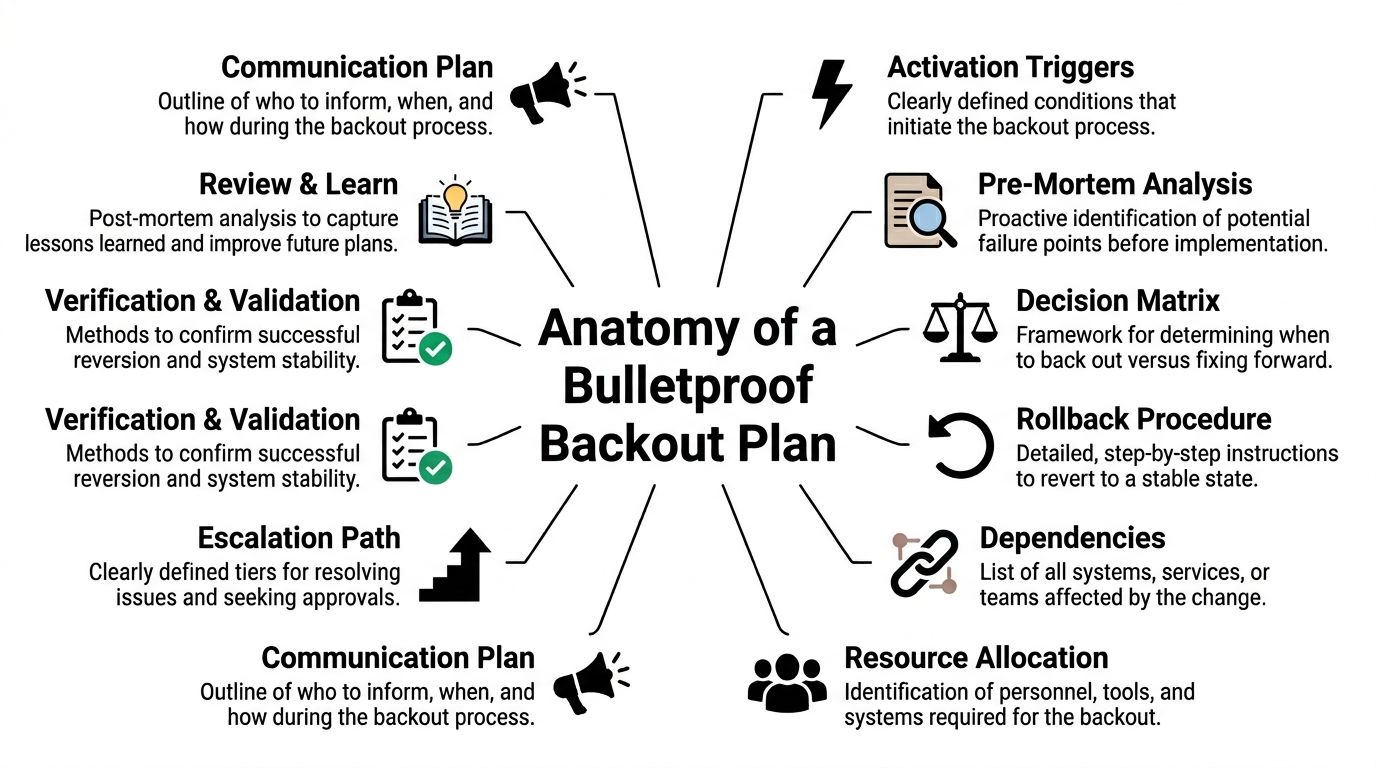
The template should answer one question cleanly: if this change fails, who decides, who acts, what gets restored, and how do we prove the business is stable again?

A diagram outlining the essential components of a robust and effective IT system backout plan strategy.

Start with scope

Scope means the exact systems, users, data sets, integrations, and locations covered by the plan.

This sounds basic, but weak plans fail here first. If your accounting application depends on identity services, a database server, and a vendor-hosted connector, the scope has to name all three. If your Winter Springs office can tolerate longer downtime than your Orlando front desk, the plan should say so.

A simple scope table helps:

Item What to document
Primary system Application, server, cloud service, or network component being changed
Dependent systems Authentication, storage, integrations, print, VoIP, vendor tools
Business units affected Legal, billing, patient scheduling, field operations, finance
Locations affected Office-by-office impact if you operate across sites
Out of scope Systems explicitly not covered by this rollback plan

Build the plan on recoverability, not hope

For regulated businesses, backup discipline is part of the foundation. Under the HIPAA backup planning requirements and 3-2-1 backup rule, backout planning should sit on 3 copies of data, 2 media types, and 1 offsite copy. That same reference notes that HIPAA requires data backup plans with defined RPOs and RTOs.

For a practice, firm, or financial office, that means your template should state:

  • Recovery Time Objective as the maximum acceptable outage
  • Recovery Point Objective as the acceptable amount of data loss
  • Backup source that supports rollback
  • Retention logic that aligns with your operating and compliance needs

If you want a useful companion to this thinking, a broader technology risk management framework can help leadership connect operational change risk to governance, vendors, and resilience.

Define triggers before the outage

Triggers are the predefined conditions that start the backout process.

Good triggers are measurable. Bad triggers are emotional.

Examples of usable trigger language include:

  • RTO breach risk if the service won't be restored within the allowed downtime
  • Critical function failure such as login, charting, billing, or matter access
  • Performance degradation that materially affects operations
  • Security concern if the change causes suspicious behavior, unauthorized configuration drift, or logging failure

The trigger should remove debate. If the condition is met, the team acts.

Name the decision makers and the doers

A professional template separates authority from execution.

Use named roles, not job titles alone, if possible. If a key person is unavailable, list a backup approver. Most businesses need these roles covered:

  • Change owner who understands the intended deployment
  • Business approver who can judge operational impact
  • Rollback authority who can authorize the backout
  • Technical executor who runs the rollback steps
  • Security contact who determines whether the event is operational, malicious, or both
  • Communications owner who updates internal stakeholders and external parties if needed

A useful template also records vendor contacts, support contracts, and escalation numbers in the same document. Don't make your team hunt for them while systems are down.

Include communications, dependencies, and validation

Many failures get technically fixed before they get operationally closed. Users still don't know what happened, vendors are still out of sync, and nobody has confirmed the restored system is trustworthy.

Your template should include:

Communication plan

List who gets notified, by what method, and at what stage. Separate internal staff, leadership, vendors, and client-facing communications.

Dependency map

Document external providers, identity systems, firewalls, endpoint tooling, cloud workloads, and line-of-business connectors.

Verification checklist

Use a short test list that proves business usability after rollback:

  • Authentication works
  • Core transactions complete
  • Recent data is present
  • Audit logs are intact
  • Security controls are functioning

For teams that need a working foundation, this disaster recovery plan template is a practical starting point. The key is to adapt it to rollback-specific decisions, not just backup recovery.

Creating Your Step-by-Step Rollback Procedure

The rollback procedure is the part people think they have until they need it. Then they discover they've documented the intention to roll back, not the actual path.

A reliable backout plan template needs a procedure that an experienced engineer can execute quickly and another engineer can follow under stress without improvising.

A person uses a stylus on a tablet screen to fill out a business process flowchart template.

Before the change window opens

The best rollback starts before the deployment.

The VA rollback guidance describes a rigorous process that includes defining triggers such as an RTO breach greater than 4 hours, getting CIO authorization, restoring from a pre-patch snapshot, and verifying integrity. That same guidance notes 92% success rates when pre-backups are verified, compared with 65% for ad-hoc restores.

That gap is the difference between procedure and guesswork.

The pre-change checklist that matters

Use a written checklist before any material change:

  1. Capture a baseline
    Record the current system state. That includes version numbers, configuration snapshots, service status, active integrations, and known-good test results.

  2. Verify the backup, not just its existence
    Confirm the restore point is recent, complete, and accessible. A backup you haven't verified is only a file with good intentions.

  3. Inventory dependencies
    List what will break if the rollback happens. Include cloud apps, identity providers, endpoint agents, shared drives, print services, vendor connectors, and remote sites.

  4. Stage the rollback commands
    If your team uses tools like Ansible, PowerShell, hypervisor snapshots, or vendor rollback packages, prepare them in advance. The change window isn't the time to write commands from memory.

  5. Assign real people to each action
    One person approves. One executes. One validates business functions. One owns communications.

Practical rule: If a rollback step requires memory, it isn't documented well enough.

Decide when to fix forward and when to back out

Not every issue requires reversal. Some can be corrected in place. The problem is that teams often spend too long trying.

A compact decision matrix helps:

Condition Better choice
Core application unavailable Back out
Minor defect with stable service Fix forward if risk is low
Security control disabled by change Back out and escalate to security
Unknown root cause during deployment Back out
Vendor dependency failing with no confirmed workaround Back out

Business owners don't need every technical detail here. They do need confidence that the threshold for rollback is already agreed.

Execute the rollback in a controlled order

Rollback should follow a sequence, not a scramble.

Freeze additional changes

Stop all non-essential work on the affected system. Don't let a second technician introduce a second variable.

Get the formal go-ahead

If your plan requires executive, CIO, or delegated approval, get it and log the time. During incidents, missing approvals create audit and accountability problems later.

Restore the known-good state

That might mean reverting a snapshot, uninstalling a patch, reapplying a prior configuration, or restoring a previous cloud deployment package. Use scripted steps where possible.

Reconnect dependencies carefully

Bring back authentication, database links, integrations, and line-of-business services in the right order. A successful server rollback still fails the business if SSO, printing, or data exchange stays broken.

Validate more than uptime

A server that responds to ping isn't the same as a business service that's safe to use.

Use layered validation after the rollback:

  • Technical checks such as service status, error logs, scheduled tasks, agent health
  • Data integrity checks such as checksums, record consistency, or application-level validation
  • Business checks such as opening a matter, posting a payment, viewing a chart, or processing a claim
  • Security checks such as logging, MFA, endpoint telemetry, and alert flow

The federal guidance referenced above requires integrity verification and automated testing, not just restoration. That's a useful standard for any SMB. If your law firm can log in but document permissions are wrong, the rollback isn't complete. If your dental practice can access schedules but audit logs stopped writing, the rollback isn't complete.

Watch the system after the rollback

Immediate success can be misleading. A system may appear stable and fail again after users reconnect, synchronization resumes, or overnight jobs run.

Build a post-backout observation period into your template. During that window, the team should:

  • Monitor application behavior
  • Review security events
  • Check integrations and vendor syncs
  • Confirm user-reported issues are declining
  • Document every action taken

Use plain language in the plan. “Observe for stability” is too vague. “Monitor authentication, transaction processing, and security logging during the observation window” is better.

A good rollback procedure isn't elegant. It's usable. That's what counts when the phones are ringing.

Backout Plans in Action Real-World Scenarios

A backout plan template becomes valuable when it matches the kind of failures your business is likely to face. That's where many firms miss. They use one generic template for every change, every office, and every vendor.

That approach breaks down fast in multi-site and regulated environments.

Scenario one: a law firm loses access after a security update

A Plano law firm pushes a Microsoft 365-related security change late in the day. Within minutes, staff can't reliably access email and shared documents. Attorneys are still working active matters, and support staff can't tell whether the issue is identity-related, endpoint-related, or vendor-side.

A weak plan would say “contact Microsoft and troubleshoot.”

A useful plan would do something tighter:

  • Freeze additional policy changes
  • Check whether the issue meets the rollback trigger based on business impact
  • Review the dependency list for identity, document access, and endpoint controls
  • Use the vendor-inclusive checklist to involve the external provider immediately
  • Revert the specific change package or policy set
  • Validate matter access, email flow, and security logging before returning users to normal operations

The vendor angle matters more than most firms realize. According to the VA-based rollback reference for multi-location operations/viab_1_9_installation_back-out_rollback_plan.pdf), 35% of incidents stem from unmanaged third-party vendor updates, and generic templates often fail multi-site businesses because they lack location-specific RTO variances. That same reference notes this can lead to 15-20% higher downtime costs.

For a law office, that means one office may need faster restoration than another because court deadlines, intake, and billing aren't equally sensitive.

Scenario two: a dental practice struggles after a cloud migration

An Orlando dental practice moves a clinical application or imaging workload to a new cloud environment. The migration technically completes, but users report slow retrieval, intermittent file errors, and uncertainty about whether recent patient data is fully consistent.

This isn't the moment for vague confidence.

A practical backout plan would ask:

If patient care operations are impaired and data validation isn't clean, why stay in the broken target environment?

For a practice, rollback decisions should include both operations and compliance logic. If the restored environment can be proven stable and the migrated environment can't be trusted yet, revert fast and investigate later.

The plan should identify:

  • the last verified restore point
  • the sequence for reconnecting workstations and imaging systems
  • who confirms application usability on the clinical side
  • how to document the event for compliance review

Scenario three: a multi-location industrial company loses network stability

A Central Florida industrial business changes network switch configurations across more than one site. The result isn't a full outage. It's worse in some ways. Intermittent connectivity, broken device communication, and site-by-site inconsistency.

Generic backout plans usually collapse here. They assume one system, one site, one rollback. Real operations aren't that neat.

A stronger template handles the situation by breaking rollback into location-aware stages:

Site condition Backout response
Primary site unstable Roll back immediately to last known-good config
Secondary site degraded but usable Hold, assess impact, then roll back if threshold is met
Vendor-managed segment involved Escalate using vendor contact and rollback ownership list
Shared dependency affected across sites Coordinate rollback centrally, validate locally

For industrial and field-service organizations, that site-by-site detail keeps one bad network change from becoming a company-wide event.

What all three examples have in common

The best backout plan template isn't generic and isn't purely technical.

It accounts for:

  • Business function first
  • Vendor participation
  • Location-specific recovery expectations
  • Clear authority to reverse course
  • Validation that proves the business is usable again

That's what makes the document operational instead of decorative.

Integrating Your Backout Plan with Cyber Incident Response

A backout plan that only covers failed IT changes is incomplete.

Sometimes the “bad update” isn't bad code. It's malicious activity, unauthorized access, a compromised admin account, or a ransomware event that used normal change paths to create abnormal damage. In those cases, rolling back without security oversight can make the problem worse.

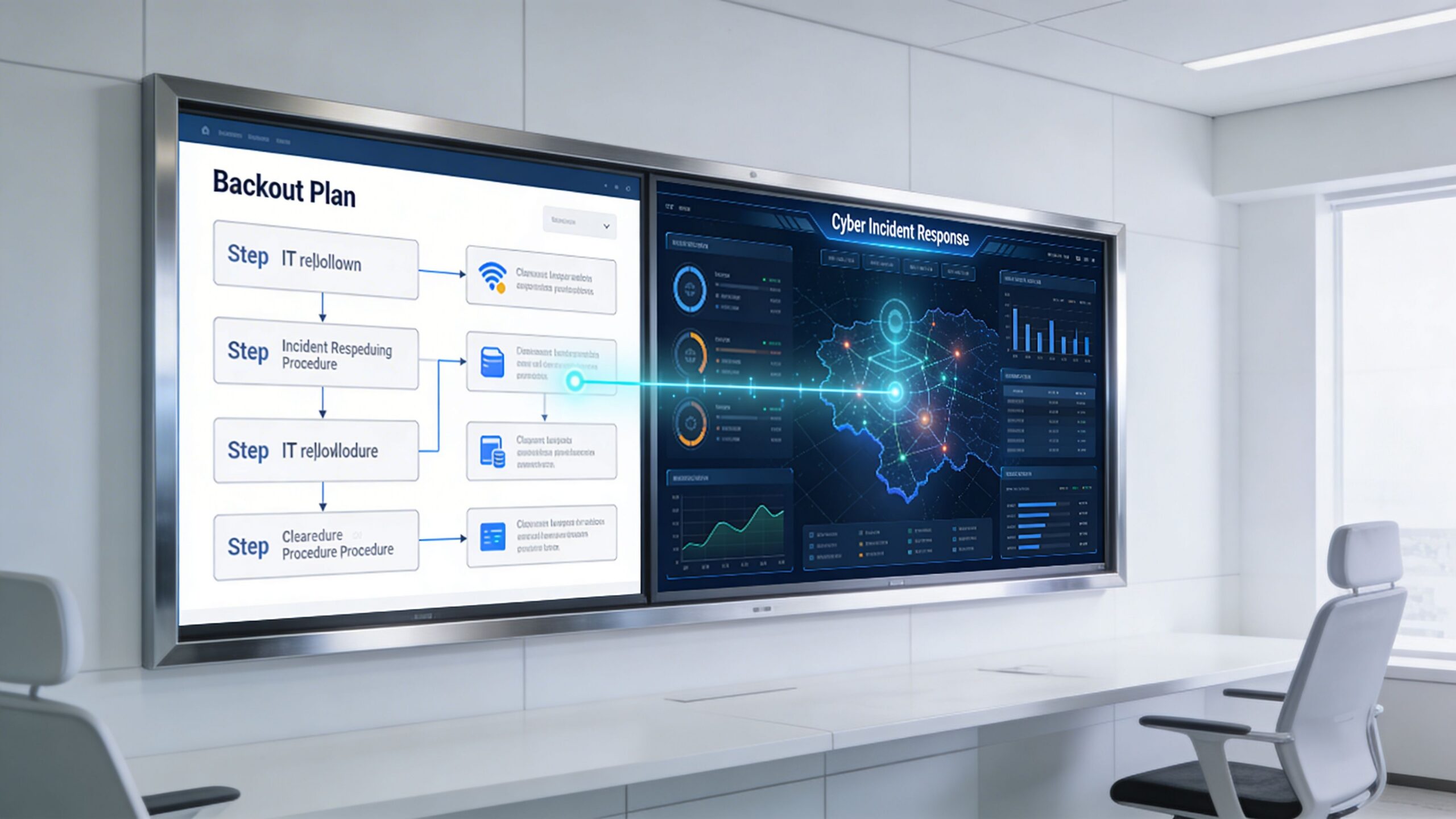
A large conference room display showing a digital backout plan flowchart and cyber incident response data analytics.

Why the old model is too narrow

The old model says: change failed, restore previous state, move on.

That works only if the event is purely operational. It fails if:

  • the rollback source is already compromised
  • the failed change reopened a known vulnerability
  • attacker persistence survives the backout
  • logs and telemetry are incomplete
  • the “deployment issue” was unauthorized change activity

The IT Toolkit 2025 disaster recovery guidance identifies a major gap here. It notes that only 36% of SMBs have backout plans designed for cyber incidents, even though SMBs faced 43% of cyberattacks, and templates rarely define decision authority during an active threat or integrate with SOC-monitored reversions.

That's the blind spot.

Add cyber decision points to the template

Your backout plan template should include a branch for security review before rollback proceeds.

That branch should answer questions like:

  • Was this change approved through normal process?
  • Do logs show expected admin behavior?
  • Could the failure indicate tampering rather than ordinary error?
  • Will rollback restore a vulnerable state that still needs containment?
  • Who has authority to approve backout during an active threat?

If those questions are missing, the team may restore service quickly while preserving the attacker’s foothold.

During a suspected cyber event, speed matters, but sequence matters more. Contain, assess, then revert with evidence.

What SOC-linked rollback looks like in practice

In a mature process, rollback is coordinated with security operations.

That doesn't mean every failed patch becomes a crisis. It means the plan creates an explicit handoff when indicators point to malicious activity or uncertainty.

A workable integration usually includes:

Security escalation path

List who gets engaged if the event may be cyber-related. That can be an internal security lead, an external incident responder, or a 24/7 SOC.

Evidence preservation

Before rollback wipes away traces, capture logs, snapshots, alerts, and administrative activity records needed for investigation.

Safe-state validation

After rollback, confirm the environment isn't just operational. Confirm endpoint telemetry, MFA, logging, alerting, and access controls are functioning as expected.

Compliance follow-up

For firms handling regulated data, document what changed, who approved the action, what data was affected, and how system integrity was confirmed.

Businesses that need to formalize that connection should also review a practical incident response plan for max efficiency. A rollback plan and an incident response plan shouldn't live in separate universes.

A rollback can create security risk too

Some leaders assume rollback is always the safer option. It isn't.

Rolling back may re-enable a flawed configuration, restore a vulnerable application version, or undo a security control that was functioning correctly. That's why the template needs a short risk review before execution.

Use a simple compare-and-decide method:

Question If yes
Does rollback restore a previously exposed weakness? Add compensating controls first
Is the current state potentially malicious? Preserve evidence and involve security
Will rollback remove forensic data? Capture what you need before action
Can the system be isolated before reversion? Isolate to reduce spread risk

The practical goal is resilience, not just restoration. A business owner in Orlando doesn't need a more technical rollback. They need one that won't trade downtime for security debt.

Keeping Your Plan Alive Testing and Maintenance

A backout plan template that isn't tested will fail at the worst time.

People change roles. Vendors change support paths. systems get renamed. Cloud workloads move. A rollback sequence that worked six months ago may now miss a dependency, an integration, or an approval step that your business relies on every day.

Test the plan the way your business operates

The Axcient disaster recovery planning guide for MSPs reports that organizations with tested plans achieve 75% faster recovery than those using ad-hoc responses. It also notes that setting clear RTOs, such as under 4 hours for most SMBs, and testing against them can cut recovery costs by up to 30%.

Those gains don't come from owning a template. They come from rehearsal.

What to test on a regular basis

Don't limit testing to “can we restore a server.”

Run practical drills that reflect business reality:

  • Change rollback drill for a failed patch or software deployment
  • Vendor failure drill where a third-party update has to be reversed
  • Location-specific drill for one office or branch losing a critical service
  • Security-linked drill where rollback and incident review happen together

A short test cadence table keeps this manageable:

Test type What success looks like
Technical rollback System reverts cleanly and services restart correctly
Business validation Staff can complete key workflows after rollback
Vendor escalation Contacts respond and responsibilities are clear
Security validation Logging, alerting, and access controls remain intact

Track the right results

You don't need a pile of test paperwork. You need evidence that the plan works and keeps improving.

Focus on a few useful outputs:

RTO performance

Did the test complete within the target downtime window?

Recovery quality

Were users able to work, or did the rollback only restore partial function?

Documentation accuracy

Did the contact list, dependency map, and procedure match reality?

Improvement actions

What needs to be updated before the next test?

The best maintenance habit is simple. Every real incident and every test should change the document.

Tie testing to accountability

Many SMBs miss an easy win here.

Backout plan maintenance belongs in leadership review, not only in the IT queue. Quarterly business reviews are a good place to examine failed changes, test outcomes, vendor issues, and whether recovery objectives still match the business.

If you're building a formal practice around this, review how to test a disaster recovery plan. The same discipline applies to rollback readiness.

A living plan should be updated when:

  • A critical system changes
  • A new vendor is introduced
  • An office is added or consolidated
  • A compliance requirement shifts
  • A test exposes confusion or delay

That cycle is what turns a backout plan template into an operating safeguard instead of a forgotten file.


If your business in Orlando, Winter Springs, or the surrounding Central Florida market needs a rollback plan that covers operations, vendors, compliance, and cyber response, Cyber Command, LLC can help you build and maintain one that works under pressure. The goal isn't just to recover. It's to keep your team productive, reduce avoidable downtime, and make every change safer before it goes live.

Your Guide to a Business Continuity Plan Test in Florida

That printed business continuity plan (BCP) sitting on a shelf feels reassuring, doesn't it? For most businesses I talk to, it’s a source of confidence. But in reality, it often provides a false sense of security.

A business continuity plan test is the only way to know if that document will actually work when disaster strikes. It’s the critical process of simulating a crisis to see if your plan can withstand real-world pressure. Without it, your BCP is just a collection of unproven guesses that will almost certainly crumble when you need them most.

Why Your Business Continuity Plan Will Likely Fail

A 'Business Continuity Plan' binder on a glass desk with a smartphone and coffee.

It’s easy to feel prepared when you’re staring at a well-organized BCP binder. But I've seen firsthand that an untested plan is one of the biggest gambles an organization can take. For businesses across Central Florida, from Orlando law firms to Lakeland logistics companies and Winter Park medical practices, the gap between what's written down and what actually happens during a crisis can be massive.

This gap exists because a static document just can't keep up with your dynamic business. Technology changes, people move into new roles, and new software dependencies pop up constantly. An untested plan is simply a minefield of hidden flaws waiting for the worst possible moment to detonate.

The Dangers of an Untested Strategy

A plan that hasn't been put through its paces is loaded with dangerous assumptions. These unverified details can quickly escalate a manageable incident into a full-blown operational catastrophe. The most common failure points we uncover during tests include:

  • Undocumented Dependencies: Your plan might perfectly outline how to restore your main server, but does it account for the third-party software license server that has to be online first? We see small, overlooked dependencies like this halt recovery processes all the time.
  • Outdated Contact Information: It’s such a simple thing, but it can be a catastrophic flaw. When key personnel can't be reached because their contact info is six months old, your response is dead in the water before it even starts.
  • Wildly Optimistic RTOs: Setting a recovery time objective (RTO) of four hours sounds impressive on paper. But a business continuity plan test often reveals the actual time to restore from backups and reconfigure systems is closer to 24 hours—or even longer.

The hard truth is that a shocking number of companies are rolling the dice. Recent studies reveal a troubling trend: 56% of organizations have never performed a full simulation of their business continuity plan. This is a huge risk, especially when you realize a poorly constructed plan is just as dangerous as having no plan at all.

Without testing your plan, you’re not just putting the business at risk—you’re risking your people’s jobs and your company’s reputation. Over the past few years, a significant number of small businesses have lost hundreds of thousands of dollars from entirely preventable downtime.

Cybersecurity Threats Magnify the Risk

For businesses in Orlando, Tampa, and across Florida, the threat landscape is dominated by cybersecurity concerns. A ransomware attack doesn't care about your nicely printed plan. It will exploit the very gaps that a business continuity plan test is designed to find, like slow data recovery speeds, fuzzy communication protocols, or compromised credentials.

Imagine a sophisticated phishing attack bypasses your email filters and compromises your network on a Monday morning. Your plan says to isolate affected systems and restore from backups. But the test you never ran would have shown that your backup system itself was vulnerable or that your team wasn't actually trained on the specific incident response steps for a modern cyberattack. A key concern for construction or manufacturing businesses in Kissimmee, for instance, is how to handle a disruption to their Operational Technology (OT) systems, which a standard BCP might overlook.

This is why a proactive business continuity plan test is the single most important action you can take to build real resilience. It’s not about fear-mongering; it's about replacing dangerous assumptions with battlefield-tested certainty. Understanding the complete business continuity lifecycle is the first step toward building a plan that actually works when everything is on the line.

Choosing the Right Test for Your Business

A conference table displaying cards outlining business continuity plan test stages: walk-through, tabletop, functional, and full simulation, with a pen and an alarm clock.

There’s no single right way to test your business continuity plan. The perfect approach depends entirely on your company’s size, complexity, and how much risk you can stomach. Picking the right test is all about getting the most bang for your buck—finding those critical gaps in your plan without overwhelming your team.

For businesses here in Central Florida, this means matching the test to your reality. A bustling Tampa dental practice has entirely different cyber risks and recovery priorities than a multi-location engineering firm in Winter Springs. Let's walk through the main types of tests, from simple reviews to full-blown drills, so you can find the perfect fit for your organization.

Plan Walk-Throughs: A Simple Starting Point

A plan walk-through is exactly what it sounds like. It’s the most basic test where you get your key people in a room to read through the BCP, page by page. This isn't about simulating a crisis; it’s a sanity check on the document itself.

The goal is to answer simple questions. Does everyone actually understand their role? Is the emergency contact list up to date? Do the recovery steps make logical sense?

  • Pros: It's low-cost, requires very little time, and is dead simple to organize. We always recommend this as the first step for any business just getting started.
  • Cons: This test won't reveal how your team makes decisions under pressure or if your tech will actually work. It only confirms the plan is logical on paper.
  • Best For: Small teams, brand-new businesses, or as an annual "sanity check" for companies in any industry, from Kissimmee professional services to Apopka industrial shops.

Tabletop Exercises: Talking Through a Disaster

A tabletop exercise is a guided, discussion-based session where your team works through a simulated disaster scenario. A facilitator walks you through an incident as if it's happening right now, forcing you to explain what you'd do based on the BCP.

For example, a facilitator might say, "It's 9:00 AM on a Tuesday. We've just gotten a report that your main server is offline due to a suspected ransomware attack. What's the very first thing your team does?" This sparks crucial conversations about communication, decision-making, and who’s responsible for what. For more depth, a detailed guide on how to test a disaster recovery plan can provide excellent structure for these discussions.

A tabletop exercise is where you discover the human element of your plan. It’s a low-stress way to pressure-test your team’s response and find the communication gaps and moments of hesitation that a simple document review will never uncover.

Functional Tests: Making Sure Your Tech Actually Works

While a tabletop exercise tests your people and processes, a functional test validates your technology. This is where the rubber meets the road. You’re actually testing specific components of your BCP to see if they perform as expected.

This could mean restoring a critical server from backups, switching over to your secondary internet connection, or firing up your emergency communication system. This type of test is absolutely vital for any organization that leans heavily on its IT. An accounting firm in Lake Mary, for instance, might run a functional test to ensure all staff can securely connect to remote desktops and cloud software during a power outage.

Full Simulations: The Real-World Drill

A full simulation is the most comprehensive—and resource-intensive—test you can run. This is a live drill that mimics a real disaster as closely as possible. It often involves physically moving staff to a recovery site, activating all backup systems, and processing real business transactions in a sandboxed recovery environment.

Because these tests are complex and can disrupt operations, they’re usually reserved for organizations with mature BCPs and high-risk profiles. Think of a large financial institution or a critical infrastructure provider in the Orlando area that needs to meet strict regulatory requirements.

To help you decide where to begin, here's a quick look at how these tests stack up.

Comparison of Business Continuity Plan Test Types

This table compares the four main types of BCP tests, helping you match the right one to your organization's complexity, resources, and goals.

Test Type Complexity Resource Impact Best For
Plan Walk-through Low Low New businesses, annual plan reviews, or teams just starting with BCP testing.
Tabletop Exercise Low-Medium Low-Medium Professional services, medical practices, and any business wanting to test team response and communication.
Functional Test Medium Medium IT-dependent firms needing to validate specific recovery systems, like backup restores or network failover.
Full Simulation High High Mature organizations with high-risk profiles or strict compliance needs.

The best strategy is almost always a progressive one. Start with a walk-through or tabletop exercise. These are fantastic for building confidence and catching the obvious problems. Once you’ve ironed out those initial kinks, you can move toward functional tests for your most critical systems, building a truly resilient plan over time.

Assembling Your BCP Test Team and Timeline

A business continuity test shouldn’t be a fire drill you throw together at the last minute. It’s a managed project, and like any project, it needs the right people and a realistic schedule to succeed. Without that structure, your test will create more chaos than clarity.

Think of it this way: a disorganized test is worse than no test at all. For a professional services firm in Orlando or a medical spa in Winter Park, a messy run-through just wastes billable hours and kills your team's confidence in the actual plan.

The goal is to assemble a focused team and set a clear timeline. This turns the exercise from a scramble into a productive, insightful project.

Defining Your Core Test Roles

Every test, no matter how simple, needs a cast of characters with clearly defined roles. When the simulation starts, you don't want people wondering who’s supposed to be doing what. Assigning these roles beforehand prevents confusion.

Here are the essential players for your test team:

  • Test Coordinator: This is your project manager. They own the entire BCP test—planning it, scheduling it, and making sure everyone shows up. In a mid-sized accounting firm, this might be the office manager or a senior partner who’s good at herding cats.
  • Department Leads: These are your key players from critical business units like operations, finance, or client services. They aren't just watching; they're actively participating and making the same tough calls they would in a real crisis.
  • Observers/Evaluators: These folks are the silent witnesses. They don’t participate. Their only job is to watch, take detailed notes, and spot what’s working and what’s breaking down. They're looking for communication gaps, decision delays, and any time the team goes off-script from the BCP.
  • Technical Lead: This role is non-negotiable for any test involving IT. This person—ideally from your managed IT partner—manages the technical side of the scenario. They can simulate a server crash or validate that your team is following the correct recovery steps.

Getting your managed IT and cybersecurity partner, like Cyber Command, involved from day one is a game-changer. We often step in as an objective technical lead, designing realistic scenarios based on the threats we see every single day. That outside perspective is priceless, especially for testing your response to something complex like ransomware or a business email compromise (BEC) attack.

Building a Practical Test Timeline

A good timeline gives everyone room to breathe and prepare. Trying to rush it is a recipe for disaster. We've found that a 90-day runway is the sweet spot for most small and mid-sized businesses. It treats the test like the priority it is, not an afterthought.

Rushing a business continuity test is a classic mistake that almost always leads to poor results. A methodical 90-day plan gives you the time for proper scoping, briefing, and coordination—all essential for a test that produces meaningful data.

Here’s a sample project plan you can steal and adapt for your own BCP test:

Phase 1: Initial Planning (90 Days Out)

  • Pick your Test Coordinator.
  • Lock down the scope and objectives. Get specific. For example: "Test our ability to recover client data within 4 hours of a ransomware attack."
  • Choose your test type (walk-through, tabletop, or functional).
  • Finalize the date and send out calendar invites to all key players. Block the time now.

Phase 2: Development and Briefing (60 Days Out)

  • Formally assemble the full test team, including your Observers and Department Leads.
  • Develop the specific scenario and write the facilitator's script. This is where the story of your "disaster" comes to life.
  • Hold a pre-test briefing to cover the ground rules, roles, and logistics. Crucially, do not reveal the scenario itself. This meeting is just to get everyone on the same page about how the day will run.

Phase 3: Final Preparations (30 Days Out)

  • Confirm all your logistics—conference room bookings, virtual meeting links, and any physical materials needed.
  • Send participants the relevant sections of the BCP to review. A little homework goes a long way.
  • The Test Coordinator and Technical Lead should do a final run-through of the script and any technical setups.

Phase 4: Execution and Debrief (Test Day + 1 Week)

  • Run the test.
  • Immediately after, hold a "hot wash" meeting. This is an informal debrief to capture gut reactions and immediate feedback while it's fresh.
  • Schedule a formal post-test review for about a week later. This is where you'll dig into the detailed findings and start outlining your action plan for improvements.

Executing a Test with Realistic Cybersecurity Scenarios

Okay, you’ve got your team and a timeline. Now for the fun part: moving from planning to action. This is where your business continuity plan gets put to the test—where theory meets the very real pressure of a disaster.

Forget generic drills about hurricanes or power outages. While important, they don’t reflect the most persistent and evolving threat facing businesses in Orlando, Tampa, and Winter Springs right now. We need to talk about cybersecurity.

A well-designed test built around a cyberattack will give you more actionable intelligence than any other scenario. This is how you build genuine cyber resilience and prepare for the sophisticated threats that are already knocking on your door.

Crafting a Realistic Ransomware Scenario

A tabletop exercise is the perfect way to run this kind of test. It's essentially a guided, discussion-based walkthrough that forces your team to react to a crisis as it unfolds, minute by minute. The secret is making it feel real and immediate.

Let’s imagine we’re running a test for a healthcare clinic in Lakeland. The facilitator—usually your Test Coordinator or someone from your IT partner—is the storyteller, driving the narrative forward.

Facilitator's Script Example

  • 9:00 AM: "Good morning. We're starting our exercise. It's a normal Tuesday. Just a few minutes ago, at 8:55 AM, Sarah from billing called the helpdesk. She’s seeing a strange message on her screen demanding Bitcoin and can't access any patient records. Around the same time, two nurses reported that all their files have been encrypted. What’s the very first thing we do?"

  • 9:15 AM: "Update: IT has confirmed it looks like a ransomware attack. They suspect at least three servers are compromised, including the main EHR server with all active patient data. According to our BCP, who is the incident commander, and what's their first call?"

  • 9:45 AM: "The attackers left a message with a 24-hour countdown. After that, they say they'll publish all the patient data they stole. Does this change our immediate priorities? How does the marketing lead start drafting an internal communication right now?"

This kind of scripted, time-based approach keeps the exercise moving and forces people to actually open the BCP document. You’ll see right away if the documented steps make sense or cause confusion.

The Role of Observers and Checklists

While your core response team is in the hot seat, the observers have an equally vital job. They are your fact-finders, silently documenting every win and every misstep. Their role isn’t to help solve the problem, but to evaluate the team's response against the plan's objectives.

To make this work, give your observers a checklist. This simple tool turns vague feedback into hard, measurable data.

Observer Checklist Items

  • Communication: Was the incident commander clearly identified within the first 15 minutes? Did department heads actually cascade information to their teams, or did communication stop with them?
  • Decision-Making: Did the team follow the escalation path in the BCP? Was there any hesitation about who had the authority to make big calls, like taking a critical system offline?
  • Technical Response: Did IT immediately move to isolate the affected systems, just like the plan says? Did anyone know the actual process for starting a data restore from backups, or were they just guessing?
  • Resource Gaps: Did you hear phrases like, "I don't know who to call for that," or "I don't have access to that system?" Each one is a glaring hole in your plan.

These notes are pure gold. They will be the centerpiece of your post-test debriefing, pointing directly to the weaknesses a real attacker would happily exploit.

Introducing 'Injects' to Test Adaptability

Real disasters are messy and unpredictable. To see how your team handles true chaos, the facilitator needs to introduce "injects"—unexpected twists designed to derail your plan. Injects prevent the team from just sleepwalking through the checklist and force them to think on their feet.

An effective inject is designed to break a specific part of your plan. It’s a controlled failure that tests your team's ability to think on their feet when the documented solution is suddenly unavailable.

Pro Tips for Effective Injects

  • Key Person Unreachable: "The incident commander is on a flight with no Wi-Fi. Who is their designated backup? Does that person have the authority to make decisions without approval?"
  • Vendor Non-Response: "You've called the emergency number for your critical software provider. It goes straight to a voicemail saying their office is closed for a company-wide retreat."
  • Communication Breakdown: "As a precaution, the email system has been taken offline. How do you communicate with all employees now? What's the backup plan?"

Running a business continuity plan test with this level of realism is about more than just a pass/fail grade. You're actively stress-testing your people, processes, and technology against the threats you’re most likely to face. To add another layer of realism, a pen test black box assessment can simulate an attacker's perspective from the outside, uncovering vulnerabilities you never knew you had.

This process builds the confidence and muscle memory your team needs to respond effectively when it really counts. And as you uncover gaps, our guide on ransomware incident response paths can provide deeper tactical guidance for shoring up your defenses.

Turning Test Results into Actionable Improvements

The goal of a business continuity plan test isn't to get a perfect score. Let's be honest, if your test runs too smoothly, it probably wasn't realistic enough. The true victory comes from what you do after the simulation ends—transforming those messy, uncomfortable moments into a rock-solid plan for getting better.

A "pass or fail" mentality completely misses the point. A successful test is one that finds your weak spots before a real ransomware attack or server meltdown does. This is the continuous improvement loop that separates resilient organizations from those just crossing their fingers and hoping for the best.

This process starts the second your test concludes. It’s all about turning observations into a concrete action plan, complete with clear owners and firm deadlines.

Flowchart illustrating a three-step test execution process including script, observers, and injects.

Think of the test itself as a structured data collection exercise. The script guides the scenario, observers capture what happens, and injects add realism. The quality of your improvement plan depends entirely on the quality of those observations.

Conduct an Immediate Post-Test Debrief

Before anyone even thinks about grabbing a coffee or signing off the video call, you need to run a "hot wash." This is an informal, immediate debriefing session while the experience is still fresh and raw in everyone's minds. It’s your single best chance to capture unfiltered, honest feedback.

The goal here isn't to solve problems on the spot. It's about gathering those crucial initial impressions. Keep it simple and direct.

Key Questions for Your Hot Wash:

  • What was your gut reaction to how that unfolded?
  • What was the single biggest thing that went well?
  • Where did we first get stuck or feel totally confused?
  • Was there anything in the BCP that felt completely wrong or out of date?

This immediate feedback is gold. It captures the emotional friction points and practical hurdles that often get sanitized or forgotten by the time a formal report is written days later. The insights you gain here are invaluable for refining all your emergency protocols, including developing a clear data breach response playbook to ensure you can act decisively during a real incident.

Create a Formal Post-Test Report

Once you've gathered that initial feedback, the Test Coordinator needs to assemble a formal Post-Test Report. This document translates the chaos of the test—the observers' notes, the team's feedback, the unexpected roadblocks—into a structured summary for leadership. It’s not just a recap; it’s the business case for making specific improvements.

Your report should be clear, concise, and focused on outcomes. I recommend structuring it around four key sections:

  1. Executive Summary: A one-paragraph blitz. Give an overview of the test, the main findings, and the highest-priority recommendations. Assume this is the only part a busy executive will read.
  2. Test Objectives vs. Outcomes: Did you meet your goals? If an objective was to "restore client data within 4 hours," state clearly whether you succeeded and by how much. Be blunt.
  3. What Went Well: Don't forget to acknowledge the successes. Did the team communicate clearly? Was the new backup system faster than expected? Celebrating wins builds momentum and morale for the next test.
  4. Areas for Improvement: This is the core of the report. List every identified gap, flaw, and moment of confusion, no matter how small.

The most critical part of your report isn't just listing problems—it's assigning ownership. Every single identified weakness must be converted into an action item with a specific person's name next to it and a realistic deadline.

Build Your Remediation and Action Plan

An "Areas for Improvement" list without names and dates is just a wish list. The final, and most important, step is to create a formal Remediation and Action Plan. This is often just a simple tracking document—a spreadsheet works perfectly—that turns findings into accountable tasks.

For each action item, you need to document a few key things:

  • The Finding: A clear, one-sentence description of the problem (e.g., "Emergency contact list was 6 months out of date.").
  • The Action: The specific task required to fix it (e.g., "HR will verify and update all contact information in the BCP.").
  • Owner: The single individual responsible for getting it done. Not a department, a person.
  • Deadline: The date the task must be completed by.

This simple document transforms your business continuity plan test from a one-off event into a living, breathing process. You run the test, find the gaps, assign the fixes, and then verify those fixes in your next test. This continuous loop is what builds true, lasting resilience.

Common Questions About BCP Testing

After guiding dozens of businesses in Orlando, Tampa, and Winter Springs through BCP tests, we've found the same questions pop up time and again. Let's tackle some of the most common ones we hear from business owners. My answers come from years of hands-on experience helping firms find and fix the weak spots in their plans.

How Often Should We Really Test Our Business Continuity Plan?

This is the number one question, and the answer isn't "as much as possible." It’s about being smart and consistent. For most small and mid-sized businesses, you don't need a disruptive, full-scale simulation every few months.

We recommend a simple tabletop exercise or a plan walk-through at least annually. This is your basic tune-up. It keeps the plan fresh in everyone's minds and is perfect for catching simple but critical errors, like an outdated contact list or a process that changed six months ago.

For your high-risk areas, especially cybersecurity, you need to be more aggressive. A functional test of your data backup and recovery systems should happen at least quarterly. A resource-heavy full-scale simulation? That’s typically only needed every 2-3 years, or after a major business change like moving offices or switching to a new core software platform.

The key is consistency. A drumbeat of smaller, focused tests will build more resilience over time than one massive, “all-hands” test that you only run every few years.

What’s the Biggest Mistake People Make During a Test?

Hands down, the single biggest mistake we see is "testing to succeed." It’s a natural impulse. You design a scenario that’s just a little too easy or predictable, ensuring the team can follow the plan without a single hiccup. Everyone high-fives, and you walk away with a dangerous false sense of security.

The whole point of a business continuity plan test is to find the cracks in the armor. Think of it as a controlled failure exercise. You have to be willing to make things a little messy to get real value.

  • Throw in some curveballs (injects). Introduce unexpected problems that aren't in the script. This forces the team to ditch the checklist and actually think on their feet.
  • Test the systems you’re nervous about, not just the ones you know are rock-solid. If you're not 100% sure your backup system will restore correctly, that's exactly what you need to test.
  • Foster a culture where finding a failure is a win. Uncovering a gap during a drill is infinitely better than discovering it at 2 AM during a real crisis.

A good test should feel a bit challenging, even a little chaotic. That’s how you find the hidden weaknesses a real disaster would exploit without mercy.

Can Our Managed IT Partner Run the Test for Us?

Not only can you, but you'll get far more out of the exercise if you bring in an outside expert. An experienced IT and cybersecurity partner acts as an objective referee, bringing a playbook of scenarios and insights learned from dozens of other businesses in your industry.

When we facilitate a BCP test for a client, we bring a level of realism that’s tough to replicate on your own. We design highly specific technical failure and cyberattack scenarios, like simulating a complete server crash, a sophisticated phishing attack that gets past your filters, or a business email compromise (BEC) incident that targets your finance department.

After the dust settles, our job is to translate the technical chaos into an actionable IT roadmap. We make sure the lessons from the test lead to tangible improvements—the right security controls, necessary hardware upgrades, and better processes—to genuinely strengthen your company's resilience.


Ready to move beyond theory and build a BCP you can actually count on? The team at Cyber Command specializes in creating and running realistic business continuity plan tests for organizations throughout Central Florida. We help you find and fix your weak spots before a real crisis does it for you. Let's build a more resilient future for your business, together. Contact us today for a consultation.