HIPAA Training Requirement: A Guide to Full Compliance & Cybersecurity for Florida Businesses

The short answer? If your organization handles patient data, you must train every single workforce member who might come near it. And this isn't a one-and-done deal; HIPAA training is an ongoing process designed to keep up with ever-changing cybersecurity threats and your own internal policies.

Decoding the Core HIPAA Training Requirement

For many professional practices in Central Florida—from dental offices in Orlando to medical spas in Winter Springs—the term "HIPAA training" often brings to mind a once-a-year, check-the-box video. This is a common and dangerous misconception that leaves a massive compliance gap, especially as cyber attacks against businesses in cities like Kissimmee and Lake Mary are on the rise.

The law itself is intentionally flexible. It mandates training without setting a rigid schedule, which sounds helpful but actually leaves many businesses exposed and vulnerable during an audit.

Thinking of HIPAA training as an annual task is like only checking the locks on your business doors once a year. A truly secure facility requires constant vigilance. In the same way, a compliant business needs a continuous education strategy to defend against modern cyber threats like ransomware and protect sensitive patient data.

The Foundation: Privacy and Security Rules

Your HIPAA training requirement is built on two foundational pillars that every business owner must understand. To really nail your training program, you first have to grasp the broader HIPAA compliance standards. These rules dictate what you need to protect and how you must protect it.

Your training absolutely has to be designed around these core principles:

  • The Privacy Rule: This rule sets the national standard for protecting an individual's medical records and other identifiable health information. It governs how Protected Health Information (PHI) can be used and disclosed. Your training must teach staff what PHI is, why it's sensitive, and the strict protocols for handling it to ensure patient privacy is always the top priority.

  • The Security Rule: This rule zeroes in on electronic Protected Health Information (ePHI). It demands specific administrative, physical, and technical safeguards to ensure the confidentiality, integrity, and security of all digital data. Training here covers the practical cybersecurity skills your team needs to stop an attack—everything from creating strong passwords and using multi-factor authentication to spotting a sophisticated phishing email designed to deploy ransomware.

For law firms, medical practices, and accounting firms across Central Florida—from downtown Orlando to the suburbs of Oviedo—viewing employee training through the lens of these two rules is essential. It transforms the requirement from an administrative burden into a powerful risk management and cybersecurity strategy.

At the end of the day, the goal isn't just to meet a vague "ongoing" mandate. It's to build a resilient human firewall where every employee, from the front desk to the back office, is equipped to identify and shut down threats. This proactive approach is the only defensible strategy against costly data breaches and the ever-increasing scrutiny of federal auditors.

To make these mandates clearer, let's break down the core training requirements from both the Privacy and Security Rules.

HIPAA Training at a Glance: Key Mandates

The table below summarizes the fundamental training mandates you need to build your program around.

Training Aspect Requirement Detail Governing Rule
Who Must Be Trained Every member of the workforce, including full-time, part-time, and temporary staff, plus volunteers and management. Privacy & Security Rules
Initial Training Must be provided to new workforce members within a reasonable period after they join. Privacy & Security Rules
Ongoing Training Required when there are material changes to policies or procedures. Security reminders should be periodic. Privacy & Security Rules
Privacy Rule Topics Must cover policies and procedures related to PHI, tailored to employees' specific roles and responsibilities. Privacy Rule
Security Rule Topics Must include awareness and training on security policies, procedures, and emerging cyber threats like malware, ransomware, and phishing. Security Rule
Documentation All training sessions, materials, and employee attestations must be documented and retained for at least six years. Privacy & Security Rules

This table shows that the rules aren't just suggestions; they are clear directives. Documenting everything is just as important as conducting the training itself, as this documentation is your proof of compliance during an audit.

Who Needs HIPAA Training and How Often

When people think of HIPAA training, they usually picture doctors and nurses. But the reality is far broader. The training requirement covers every single person in your organization who could possibly come into contact with Protected Health Information (PHI). This wide net, what we call the "workforce umbrella," is where many practices first stumble on their compliance journey.

This umbrella doesn’t just cover clinical staff. It extends to administrative roles, executives, and even third-party partners. If someone has a key—physical or digital—to a file cabinet or a server containing PHI, they need training. Period.

Defining Your Workforce and Their Training Needs

Think of your security like the layers of an onion. The outer layers protect the core, but each layer needs to be solid. In the same way, different roles in your practice require different depths of training based on how close they are to sensitive patient data.

A dentist in Orlando who handles patient charts, treatment plans, and billing information needs intensive, role-specific training. On the other hand, their part-time social media coordinator, who only handles anonymized patient testimonials for their Winter Park practice, needs a more general awareness training focused on avoiding accidental PHI exposure online.

Every member of your workforce must be trained, including:

  • Clinical Staff: Physicians, nurses, dental hygienists, and medical assistants.
  • Administrative Staff: Receptionists, schedulers, billing specialists, and office managers.
  • IT Providers & Business Associates: Your managed IT partner, accounting firm, or legal counsel who handles or has access to your data.
  • Leadership & Executives: Owners and practice managers who hold the ultimate responsibility for compliance.

This flow chart breaks down how the core HIPAA rules drive the need for training.
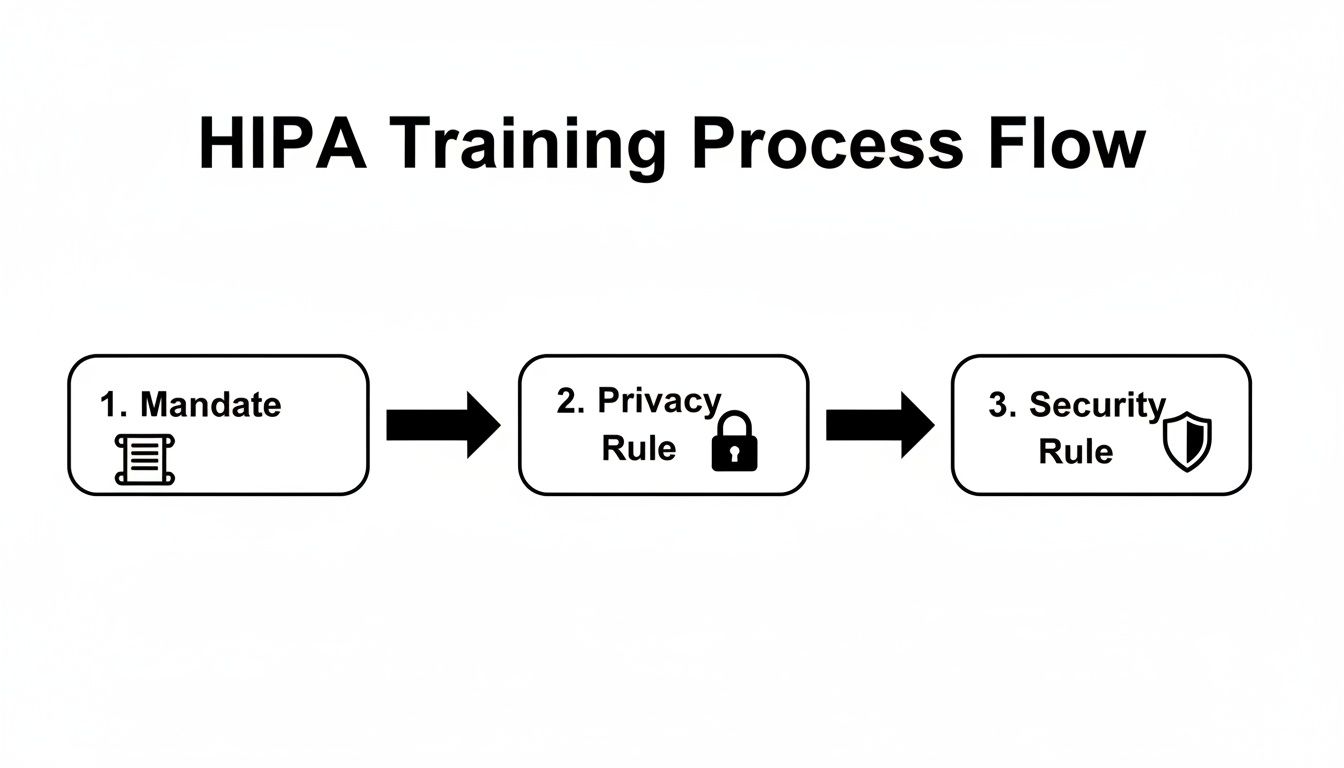
A flow chart illustrating the HIPA training process, detailing mandate, privacy rule, and security rule.

The path from the initial federal mandate to the specific Privacy and Security Rules shows why training must cover both organizational policies and practical cybersecurity defenses.

Establishing a Defensible Training Cadence

HIPAA’s official text vaguely requires "periodic" or "ongoing" training. But let’s be clear: auditors and regulators have a much more specific expectation. Simply checking a box for "training done" isn't enough; you must train at specific intervals and document everything meticulously.

A documented, annual training program is the absolute minimum for a defensible compliance posture. In the event of a breach investigation, one of the first things the Office for Civil Rights (OCR) will demand is your training log.

The industry-standard schedule that auditors expect to see includes three critical touchpoints:

  1. Initial Training: All new hires must complete HIPAA training before they are granted any access to PHI. No exceptions.
  2. Annual Refresher Training: At least once a year, every single member of the workforce must go through refresher training. This keeps everyone up-to-date on your policies and the latest cyber threats.
  3. As-Needed Training: Immediate training is necessary after a security incident, a major change to your company's policies, or when an employee’s role and access to PHI changes.

This rhythm is becoming even more formalized. New benchmarks now expect healthcare organizations to prove their training is not just happening but is actually effective. By June 30, 2026, organizations must aim for 90-100% completion of annual refresher training, which should be supplemented with practical exercises like phishing simulations. You can discover more insights about these evolving 2026 HIPAA training frequency requirements and see how they connect to your overall risk analysis.

Building Your Core HIPAA Training Curriculum

Let’s be honest—a generic, off-the-shelf training program is a recipe for a compliance disaster. Just checking a box isn’t enough. The real goal is to build a training plan that’s both compliant and genuinely practical, turning your staff into your first and best line of defense against costly mistakes and cyberattacks.

Your curriculum must be built around the three pillars of HIPAA: the Privacy Rule, the Security Rule, and the Breach Notification Rule. This isn't about having your team memorize legal definitions. It's about giving them a clear playbook for how these rules apply to their everyday jobs, from the front desk to the back office.

The government is crystal clear on this. The training requirement comes directly from federal regulations, specifically the Privacy Rule under 45 CFR § 164.530(b)(1), which mandates training for all staff on your specific policies and procedures. The Security Rule at 45 CFR § 164.308(a)(5) adds another layer, requiring an ongoing security awareness program for everyone, including management.

The Table Stakes: Foundational HIPAA Knowledge

Every training program has to start with the fundamentals. This ensures everyone on your team, from a new hire at a dental practice in Clermont to a veteran practitioner at a medical spa in Winter Park, is speaking the same language when it comes to patient data.

Think of these topics as the absolute minimum for your curriculum:

  • What is PHI and ePHI? You need to clearly define Protected Health Information (both physical and electronic) using real-world examples that make sense for their specific roles.
  • Patient Rights Under HIPAA: Your staff must understand your patients' rights, like their right to access, amend, and request restrictions on their own PHI.
  • The Minimum Necessary Standard: This is a big one. Train staff to only use, access, or disclose the absolute minimum amount of PHI needed to do their job. Nothing more.
  • Breach Notification Protocols: Everyone needs to know what a breach is and the exact steps to take—and who to tell—the moment they suspect one has occurred.

Cybersecurity and Real-World Threats in Central Florida

Here’s where the rubber meets the road. HIPAA compliance and cybersecurity are two sides of the same coin. Your curriculum has to tackle the specific digital threats that businesses right here in Central Florida face every single day. The training needs to feel real, using scenarios your team can actually imagine happening in your Orlando, Kissimmee, or Sanford office.

A strong curriculum treats your employees as your most valuable security asset. It empowers them with the knowledge to spot and neutralize threats before they can cause a breach, protecting both your patients and your practice's reputation.

This part of the training is all about building actionable skills. It's crucial to boost human security with cybersecurity awareness training that gives your team the tools to defend against modern attacks.

To help you structure this, here is a checklist of the core topics that should be in any comprehensive HIPAA and security training program.

Core HIPAA and Cybersecurity Training Topics

Topic Category Key Training Points
HIPAA Fundamentals Defining PHI/ePHI, Patient Rights, Notice of Privacy Practices, Minimum Necessary Rule, Business Associate Agreements (BAAs)
Phishing & Social Engineering Identifying malicious emails, recognizing urgent/unusual requests, spotting fake login pages, understanding phone and in-person scams
Password Security & Access Creating strong, unique passwords, using multi-factor authentication (MFA), understanding role-based access controls, policies for shared workstations
Ransomware & Malware How ransomware attacks happen, the importance of not clicking suspicious links/attachments, procedures for reporting a suspected infection
Physical Security Securing workstations and paper records, proper disposal of PHI (shredding), preventing "shoulder surfing," policies for visitors
Mobile Device Security Policies for using personal devices (BYOD), securing company-owned phones/tablets, what to do if a device is lost or stolen
Incident & Breach Reporting What constitutes a breach vs. an incident, step-by-step internal reporting process, who to contact and when
Social Media & Online Safety Rules for posting online, avoiding accidental PHI disclosure in photos or posts (e.g., patient info in the background)

This table isn't just a list; it's a roadmap. Covering these points ensures you’re not just meeting a legal requirement but are actively building a security-conscious culture.

For practices that use social media, like a medical spa in Winter Park marketing its services, training must include clear guidelines. You have to teach staff how to post engaging content without accidentally exposing PHI, whether it's a patient photo without consent or identifying details visible in the background of a "team photo."

The True Cost of a Single Employee Mistake

Let’s be frank about risk. When we picture a data breach, we often imagine a shadowy hacker in a dark room. The uncomfortable truth? The biggest threat to your practice is far more mundane—and it’s likely sitting in your office right now. A simple, unintentional employee mistake is the most common trigger for a security disaster that can unravel your practice's reputation and financial stability.

A man looks at a laptop displaying a red warning sign, surrounded by crumpled papers.

This isn’t about abstract rules. For a busy dental office in Orlando or a boutique medical spa in Winter Springs, this threat is very real. It’s one careless click away from becoming a business-ending event.

The numbers paint a sobering picture. Even with training in place, a staggering 30% of healthcare data breaches are tied back to employee error. What’s worse, despite most offices conducting annual training, more than 50% of healthcare workers still fail basic HIPAA awareness tests. This reveals a dangerous gap between checking a box and genuine understanding. You can learn more about these critical training gaps and the security holes they create.

From One Click to Catastrophe

It’s crucial to connect the dots between a small slip-up and its massive fallout. Think of your employees as gatekeepers. Without the right training, they might unknowingly hold the gate wide open for attackers.

These aren't far-fetched stories; they are everyday cybersecurity risks for businesses right here in Central Florida:

  • The Phishing Lure: An overwhelmed front-desk employee at a law firm in Lake Mary gets an email that looks like a legitimate vendor invoice. They click the link, and ransomware silently begins encrypting every client file on the network. The firm is now facing a seven-figure ransom demand, regulatory fines, and total operational shutdown.
  • The Sticky Note Password: A nurse at a busy clinic in Kissimmee, trying to be helpful, writes a workstation password on a sticky note for a temp worker. A patient’s family member glances at it, logs in, and snoops on the medical records of a local celebrity. The resulting media firestorm destroys the clinic’s reputation overnight.
  • The Casual Toss: An administrative assistant at an accounting firm in downtown Orlando tosses a stack of old client intake forms—full of names, addresses, and Social Security numbers—into the regular recycling bin instead of the shredder. This single act is a data breach, triggering costly notification requirements and government investigations.

The Financial and Reputational Damage

When it comes to enforcement, the Office for Civil Rights (OCR) doesn't care about intent. A breach caused by simple negligence is treated just as seriously as one caused by a malicious insider. The consequences are severe.

Fines can easily spiral into the millions, and that’s before you even account for legal fees, credit monitoring services for every affected patient, and the irreversible loss of trust in your community.

HIPAA training isn't just an administrative chore or an expense to be minimized. It is one of the most critical cybersecurity investments you can make in your business’s survival.

Ultimately, your HIPAA training requirement is your shield. It protects your patients, your reputation, and your bottom line. By shifting your perspective and investing in effective, ongoing security education, you empower your team to become your strongest line of defense against the very real and costly consequences of a single mistake.

How to Document Training for a HIPAA Audit

In the eyes of a HIPAA auditor, if your training isn't documented, it simply never happened. This isn't just a folksy saying; it's a harsh reality that can make your entire training program legally indefensible. When a breach investigation kicks off, one of the very first things the Office for Civil Rights (OCR) will demand is proof of training. Without it, you have no shield.

This section is your practical playbook for creating bulletproof documentation. For businesses in Orlando, Winter Springs, and across Central Florida, this kind of meticulous record-keeping is what turns your training from an internal chore into a powerful legal defense. Proper documentation is a cornerstone of your compliance strategy, and you can see how it fits into the bigger picture in our guide on compliance mapping for businesses.

Creating an Audit-Ready Training File

Whether you use a simple spreadsheet or a dedicated Learning Management System (LMS), your goal is the same: maintain an "audit-ready" file you can produce on demand. This file needs to be organized, complete, and kept for a minimum of six years from the date of the training. When you're staring down a HIPAA audit, thorough documentation of training is what proves you did your due diligence.

Think of it as building a case file that proves your commitment to protecting patient data. Your records need to paint a clear and undeniable picture of your training efforts.

Your training log must include these core elements for every session and every single employee:

  • Employee Name and Title: Clearly identify exactly who was trained.
  • Training Date: Record the specific date the training was completed.
  • Training Materials: Keep copies of everything—presentations, handouts, video links. This shows what you taught them.
  • Attendance Logs: For in-person sessions, have employees sign an attendance sheet. For online courses, your LMS should log this automatically.
  • Signed Acknowledgements: Get a signature from each employee on a form stating they received and understood the training.
  • Quiz Scores or Assessments: If your training includes a test, documenting the scores provides concrete proof of comprehension.

Meticulous documentation is your first line of defense in an audit. It proves not only that training occurred, but that it was comprehensive, role-specific, and that your employees understood their obligations. Without this paper trail, auditors will assume the worst.

The Documentation Checklist for Business Owners

For a busy medical spa in Winter Park or a law firm in downtown Orlando, keeping track of all these records can feel like a full-time job. Use this simple checklist as your guide. For each person on your team, your records should be able to answer "yes" to every single question below.

  1. Is the employee's full name and job title recorded?
  2. Is the exact date of their initial and all subsequent training sessions documented?
  3. Are the specific topics covered in each training session listed?
  4. Do you have a signed acknowledgement form on file for each completed session?
  5. Can you produce a copy of the training materials used for that session?
  6. Are test scores or completion certificates stored with their record?

By systematically collecting and organizing this information, you build a powerful archive that validates your HIPAA training requirement efforts. This isn't just about checking a compliance box; it's about proving your practice is a trustworthy steward of its clients' most sensitive data.

Streamlining Your HIPAA Compliance and Security

Trying to manage the HIPAA training requirement can feel like you're stuck on an administrative hamster wheel. For professional services firms across Central Florida—from law offices in Orlando to medical spas in Winter Springs—just tracking who needs training, when they need it, and if they actually did it is a massive, time-consuming headache.

This is where a managed cybersecurity partner turns a compliance burden into a smooth, automated process.

A computer monitor in an office displays a 'Training Dashboard' with graphs, charts, and an enrollment list, while a person works in the background.

We're not talking about just handing you a link to some training videos and wishing you luck. This is about managing the entire training lifecycle for you, making sure nothing ever slips through the cracks. It’s how you shift your team’s security education from a chore you have to react to into a proactive, documented defense.

From Manual Tracking to Automated Defense

Imagine a system where your HIPAA training program practically runs itself. When a new paralegal joins your law firm in Kissimmee, they're automatically enrolled in the required initial training before they ever touch sensitive client data. That's the first step to building a genuinely secure workforce.

A managed partner operationalizes your entire program by:

  • Automating New Hire Enrollment: We integrate training directly into your onboarding workflow, ensuring no new hire gets access to PHI without first completing their courses.
  • Tracking Annual Refreshers: Our system keeps an eye on completion dates, automatically sending reminders and re-enrollments for annual refresher training. This creates a consistent, defensible cadence.
  • Running Simulated Phishing Campaigns: We test your team’s real-world awareness with controlled phishing emails. This identifies knowledge gaps and lets us provide immediate, targeted remedial training to those who need it.

This automated system generates a clean, documented audit trail that proves your commitment to ongoing education. The ability to manage these processes effectively is critical; you can learn more about how to master cybersecurity compliance for IT managed services and the value it delivers.

Layered Security for Total Peace of Mind

Solid training is the foundation, but it’s only one piece of a modern defense strategy. The real power comes from connecting your newly empowered employees to expert, real-time oversight. This layered approach is what truly protects businesses across Central Florida from today’s sophisticated cyber threats.

An educated workforce backed by a 24/7 Security Operations Center (SOC) is the modern standard for HIPAA security. One layer teaches your team to spot threats, while the other actively hunts for any that might get through.

This combination gives you a powerful one-two punch for your security posture. Your trained staff becomes the first line of defense, recognizing and reporting suspicious activity. Behind them, our dedicated SOC team works around the clock, using advanced tools to hunt for threats on your network, respond to incidents, and ensure your defenses are always up.

This comprehensive strategy moves your business away from the anxiety of unpredictable emergency IT costs and into a model with predictable, flat-rate pricing. It frees you and your team from the constant worry of compliance and security, letting you focus on what actually matters: growing your practice and serving your clients.

Frequently Asked Questions About HIPAA Training

Even with the best training plan, real-world questions always pop up. For busy practice owners in Central Florida, from Orlando to Winter Springs, getting a straight answer without the jargon is what matters. Here are the most common questions we get from practices just like yours.

Is Online HIPAA Training Enough To Be Compliant?

Yes, absolutely. Online HIPAA training is a perfectly acceptable—and often more efficient—way to meet your compliance obligations. The government isn't concerned with how you deliver the training; they care about what was taught and how well you can prove it.

For online training to pass muster with an auditor, it has to:

  • Cover all the mandatory topics from the Privacy, Security, and Breach Notification Rules.
  • Be directly relevant to your employees’ day-to-day jobs and the specific PHI they handle.
  • Test for understanding with quizzes or some form of assessment.
  • Generate a clean, easy-to-access record that proves who completed the training and when.

Think of it this way: an auditor’s checklist is the same whether your team learned in a conference room or through their web browser. What matters is the quality of the content and the strength of your documentation.

What If a New Hire Needs Access To PHI Before Training Is Done?

This is one scenario you have to avoid at all costs. A foundational HIPAA training requirement—and something auditors look for immediately—is that new team members complete their training before you grant them any access to Protected Health Information (PHI).

The only defensible position during an audit is to have a strict policy where system access is contingent upon training completion. There is no grace period for PHI access.

This isn't just a suggestion; it’s a critical part of your compliance posture. Integrating training into your onboarding process isn't negotiable. A good managed IT partner can automate this by tying system permissions to the completion of training modules, taking human error completely out of the equation.

Do We Have To Train Temporary Staff or Volunteers?

Yes, you do. The HIPAA training rule doesn’t just apply to your full-time employees. It covers your entire "workforce," a broad term that includes part-time staff, interns, volunteers, temporary workers, and anyone else working under your practice’s direct control.

The rule of thumb is simple: if someone has the potential to see or handle PHI, they need to be trained. It doesn't matter if they are paid or not, or if they are with you for two days or two years. If they have access, they need role-specific training, and you need to document it.

How Long Do We Need To Keep HIPAA Training Records?

You must hold on to all HIPAA-related documentation, including every training record, for a minimum of six years from the date it was created. This is a detail that trips up a lot of practices. For policies, that six-year clock starts from the last date the policy was in effect.

Keeping these records organized and accessible for that entire six-year window is non-negotiable for passing an audit.


Managing HIPAA compliance, from training and documentation to ongoing security, is a heavy lift. Cyber Command, LLC can take that weight off your shoulders. We provide a managed security program that automates your training lifecycle, documents every step for audit-readiness, and backs it all with a 24/7 Security Operations Center. Let us handle the compliance headaches so you can focus on growing your Central Florida practice. Visit us at https://cybercommand.com to learn more.

A Guide to HIPAA Security Risk Assessment for Florida Businesses

If your healthcare practice, law firm, or accounting business in Orlando, Kissimmee, or anywhere in Central Florida handles patient data, a HIPAA Security Risk Assessment is more than just a compliance checkbox—it’s your first line of defense against crippling cyberattacks. It’s a methodical process for finding the weak spots in how you handle electronic Protected Health Information (ePHI) before a hacker does.

A proper SRA is the difference between preventing a breach and trying to recover from one that could easily put you out of business.

Why Your Practice Needs a HIPAA Security Risk Assessment

A female doctor uses a tablet displaying a security lock icon in a clinic setting.

For healthcare providers and the professional services that support them—from law firms in Lake Mary to accounting firms handling medical billing—a single data breach can trigger staggering fines, instantly destroy client trust, and grind your operations to a halt.

In today's cyber threat-heavy environment, the HIPAA Security Risk Assessment (SRA) isn't optional. It’s a core business strategy for survival. This is especially true for businesses in bustling Central Florida, which cybercriminals see as prime targets for ransomware and data theft. The SRA forces you to take an honest look at your cybersecurity posture and answer the tough questions about who can access your data and how it’s being protected.

To get started, it helps to understand what an SRA actually involves. At its core, the process breaks down into a few key areas, each with a specific goal.

Here’s a quick overview of what a comprehensive SRA looks at:

Core Components of a HIPAA Security Risk Assessment

Component What It Means for Your Business Example Action
Asset & Data Identification Finding every single place ePHI is stored, received, maintained, or transmitted. Inventorying all servers, workstations, laptops, mobile devices, and cloud services that touch client or patient data.
Threat & Vulnerability Analysis Identifying potential cyber threats (like ransomware) and vulnerabilities (like unpatched software) that could compromise your ePHI. Running a vulnerability scan on your network to find outdated software or weak configurations that hackers exploit.
Risk Likelihood & Impact Scoring Determining the probability of a cyber threat exploiting a vulnerability and the potential damage it could cause. Scoring the risk of a phishing attack as “High Likelihood” with a “High Impact” due to lack of staff training.
Control Implementation Review Assessing the effectiveness of your current security controls (firewalls, antivirus, access policies) and identifying gaps. Reviewing user access logs to ensure former employees no longer have access to sensitive records.
Remediation & Action Plan Creating a prioritized, actionable plan to address the identified risks and strengthen your cyber defenses. Creating a project to implement multi-factor authentication on all remote access points within the next 90 days.

This table gives you a snapshot, but the real work is in the details. A thorough SRA dives deep into each of these components, creating a clear picture of your business’s unique risk profile.

The Real-World Cyber Threats Facing Florida Businesses

These threats aren’t just abstract concepts from an IT textbook; they are daily realities for businesses here. For a dental clinic in Orlando, a law firm in Winter Springs, or an accounting practice in Lake Nona, the risks are tangible and diverse. These aren't just tech headaches; they are serious business risks that threaten your bottom line and reputation.

Common cybersecurity threats we see every day include:

  • Ransomware Attacks: A single malicious email can encrypt all your client and patient files, locking you out of your own business until a hefty ransom is paid. We’ve seen this paralyze Central Florida businesses, and it’s devastating.
  • Insider Threats: It could be a disgruntled employee, but more often it’s a well-meaning but careless staff member who accidentally exposes thousands of sensitive records with one wrong click on a fraudulent link.
  • Phishing Campaigns: Those tricky emails designed to fool your team into revealing passwords or installing malware are becoming increasingly sophisticated and are the number one entry point for most cyberattacks.

Effectively protecting your data means having the right cybersecurity controls in place, and a proper SRA is designed to identify exactly which ones you need. This includes fundamentals like secure messaging for healthcare to prevent data leakage through everyday communications.

The point of a risk assessment isn't to find someone to blame. It’s to find your vulnerabilities before an attacker does. It’s about proactive defense, not reactive cleanup.

The Financial and Reputational Costs of Non-Compliance

The financial penalties for HIPAA violations are severe, and they are only getting worse. The U.S. Department of Health and Human Services (HHS) is actively pursuing organizations that fail to perform an adequate risk assessment.

In 2025, for example, the OCR ramped up HIPAA enforcement, issuing fines totaling over $6.6 million against healthcare organizations. Some of those penalties reached as high as $3 million per violation. A close look at these cases reveals a clear pattern: the fines were overwhelmingly linked to inadequate risk assessments, weak technical safeguards, and the fallout from ransomware incidents.

Beyond the direct financial hit from fines, the reputational damage from a breach can be irreversible. Clients and patients trust you with their most sensitive information. Breaking that trust can lead to a mass exodus and do permanent harm to your brand. A thorough HIPAA SRA is your primary tool for proving due diligence and protecting the very foundation of your business.

Mapping Your Data and Defining Your Scope

A clean desk with a laptop, ePHI Inventory clipboard, smartphone, medical device, and mini PC.

Before you can even think about identifying threats, the first real, hands-on part of any HIPAA security risk assessment is figuring out exactly what you need to protect. This means creating a complete and accurate inventory of every single system, device, and piece of software that creates, receives, maintains, or transmits electronic Protected Health Information (ePHI).

This isn't just about your main server. It’s a full accounting of your entire data ecosystem.

For a busy law firm in Orlando representing healthcare clients or a dental practice in Winter Springs, ePHI pops up in more places than you'd ever guess. One of the most common and dangerous assumptions we see is when a business thinks they know where all their sensitive data lives. The goal here is to move from assumption to certainty, leaving no digital stone unturned.

This whole process is called "scoping," and it creates the foundation for your entire risk assessment. Without a clearly defined scope, you're guaranteed to have blind spots, leaving you exposed to risks you didn’t even know you had.

Creating Your ePHI Inventory

Think of your business as a network of data points. Your job is to map every single point where ePHI could possibly reside or pass through. I won't lie—this isn't a quick task, but it's absolutely vital. A detailed inventory becomes your single source of truth for the rest of the assessment.

This inventory should be a living document, tracking not just the asset itself but also who's responsible for it, its physical location, and the kind of ePHI it handles.

Be sure to include these common—and often overlooked—assets:

  • Primary Systems: This is the low-hanging fruit—your Electronic Health Record (EHR), Practice Management System, case management software, billing platforms, and client communication portals.
  • Workstations and Servers: Every desktop, laptop, and server, whether it's a physical box in a closet or a virtual machine in the cloud, needs to be on your list.
  • Mobile Devices: This is a big one. You have to account for company-owned tablets and phones, plus any personal devices staff use under a BYOD (Bring Your Own Device) policy.
  • Cloud Services: Document all of them. From Office 365 and Google Workspace to specialized cloud-based imaging software, legal discovery platforms, and backup services like iDrive or Backblaze.
  • Medical and Diagnostic Equipment: Modern dental chairs, X-ray machines, and other diagnostic tools are often connected to your network and store ePHI. Don't forget them.
  • Removable Media: It's easy to forget about the humble external hard drive, USB flash drive, and even old backup tapes. They all count.

Your inventory is more than just a list; it’s a map that shows how data flows through your organization. This map is crucial for understanding your risk exposure and is one of the first documents an auditor will ask to see.

A Practical Checklist for Florida Businesses

Let's make this tangible. Imagine a multi-location specialist practice with offices in Orlando and Winter Park, or an accounting firm with clients across Central Florida. Their inventory process would need to be meticulous.

Here is a sample checklist to get you started on the right foot:

  1. Identify All Physical Locations: List every office, clinic, and administrative site.
  2. Document All Hardware:
    • List all servers by name, model, and function (e.g., "ORL-DC01 – Domain Controller").
    • Inventory every workstation and laptop, noting the primary user.
    • Catalog all network gear like firewalls, switches, and wireless access points.
  3. Map Your Software and Applications:
    • List all applications that handle ePHI (e.g., "Dentrix," "QuickBooks," "Clio," "Solutionreach").
    • Include cloud services and note the vendor (e.g., "Microsoft 365 for email," "iDrive for backups").
  4. Track All Data Storage:
    • Where are your primary data and backups stored? On-site server? In the cloud? A hybrid model?
    • Are you using any file-sharing services like Dropbox or OneDrive? Get them on the list.

This systematic approach ensures you build a complete picture from the start. For a deeper dive into the regulatory side of things, our guide on compliance mapping for GDPR and HIPAA offers more context on how these frameworks intersect.

Once you’ve completed this critical first step, you'll have a definitive scope for your HIPAA security risk assessment. From there, you can move forward to identifying threats and vulnerabilities with confidence.

Identifying Threats and Current Security Gaps

Now that you know where all your sensitive patient data lives, it's time for the hard question: "What could possibly go wrong?" This is the real meat of your HIPAA security risk assessment. It’s about methodically listing out every potential threat that could jeopardize the confidentiality, integrity, or availability of your ePHI.

This isn't about conjuring up a doomsday list. It’s a grounded, pragmatic exercise to understand the specific cybersecurity dangers your business faces. For businesses in Orlando, Winter Springs, and across Central Florida, these threats are a unique blend of digital, human, and even environmental risks.

You need to think far beyond just hackers. Let's get real about the scenarios that are relevant right here in our region.

Cataloging Threats Relevant to Central Florida

Threats tend to fall into three main buckets. Let’s break them down with some examples that will feel all too familiar to any Florida business owner.

  • Natural Threats: These are the big, environmental factors completely out of your control. For us, the most obvious one is a hurricane. A Category 3 storm can knock out power for days, making servers inaccessible, or worse, flooding could physically destroy your on-premise hardware.
  • Human Threats: These can be malicious, but more often, they’re accidental. Sure, a disgruntled former employee might try to walk out with a client list. But it's far more common for a well-meaning accountant or paralegal, who hasn't been properly trained, to click on a sophisticated phishing email and hand a cybercriminal the keys to your entire network.
  • Environmental Threats: This category covers failures in the infrastructure that supports your business. Think about a long-term power outage from a nearby construction accident, an HVAC system failing and cooking your server room, or a simple burst pipe flooding your office over a holiday weekend.

The reality of the situation is grim. The healthcare sector and its business associates have become the number one target for cybercriminals because medical information is incredibly valuable on the black market.

Healthcare data breaches have skyrocketed, with the industry now accounting for 79% of all reported breaches. Shockingly, 67% of these breaches involve medical information, and 34% are the result of unauthorized access or disclosure of PHI.

This is exactly why a thorough threat analysis isn't just a box to check—it’s fundamental to protecting your business. You can also explore our detailed guide on how to conduct a cyber security risk assessment for a broader look at this process.

Documenting Your Existing Security Controls

After you've identified all the ways things could go wrong, the next step is to take an honest look at what you’re already doing to stop them. This means creating a detailed inventory of your current security controls—the safeguards you have in place right now.

This is where you document your cyber defenses. It’s an honest, no-blame inventory of your current security posture. This baseline is absolutely essential for spotting your true vulnerabilities.

Your list of controls should cover the three key areas mandated by the HIPAA Security Rule.

Technical Safeguards

These are the technology-based controls you use to protect ePHI. Your documentation should be specific:

  • Access Controls: Do you use unique user IDs for every single staff member? What’s your documented policy for emergency access?
  • Firewalls and Antivirus: What models are you using? Are the subscriptions and definitions current? Are you using modern Endpoint Detection and Response (EDR)?
  • Encryption: Is the data on laptops and servers encrypted at rest? Is data encrypted when it's transmitted, like via email or to a cloud backup service?
  • Audit Controls: Do your systems actually log user activity? Who is responsible for reviewing these logs, and how often does it happen?

Physical Safeguards

These are the real-world measures that protect your physical location and devices from unauthorized access.

  • Facility Access: Are your server rooms and file storage areas kept locked? Do you use key cards, an alarm system, or just a simple key?
  • Workstation Security: Are all workstations password-protected and set to auto-lock? Do you have a firm policy against leaving PHI visible on screens in public or client areas?
  • Device and Media Controls: How do you track company-owned laptops and tablets? What is your exact process for securely wiping and disposing of old computers or hard drives?

Administrative Safeguards

These are the crucial policies, procedures, and human-focused actions that govern your security.

  • Security & Training: Do you conduct regular security awareness training for all staff? Is there a formal, documented process for granting and revoking access for new hires and terminated employees?
  • Contingency Plan: What is your documented plan for responding to a data breach, ransomware attack, or natural disaster? Have you ever tested it?
  • Business Associate Agreements (BAAs): Do you have signed, current BAAs with all vendors who handle your ePHI? This includes your IT provider, cloud backup service, and even your shredding company.

By systematically cataloging your threats and then documenting your existing controls, you paint a clear, unvarnished picture of your security reality. This process will shine a light on where your defenses are strong and, more importantly, expose the critical gaps that need your immediate attention.

Analyzing and Prioritizing Your Security Risks

You’ve done the heavy lifting—you've mapped out where your ePHI lives, cataloged potential threats, and taken stock of your existing defenses. Now it's time to turn that raw data into a focused action plan. This is where you move from a long, overwhelming list of potential problems to a prioritized roadmap for fixing what matters most.

For a business here in Central Florida, this means getting specific. What’s the real-world risk of a ransomware attack on that unpatched server in your Orlando office versus a physical break-in at your satellite clinic in Winter Springs? One might sound more dramatic, but a methodical analysis will show you exactly which one poses the greater threat to your client and patient data.

This analysis all comes down to scoring each risk, a process that brings objective clarity to your decision-making.

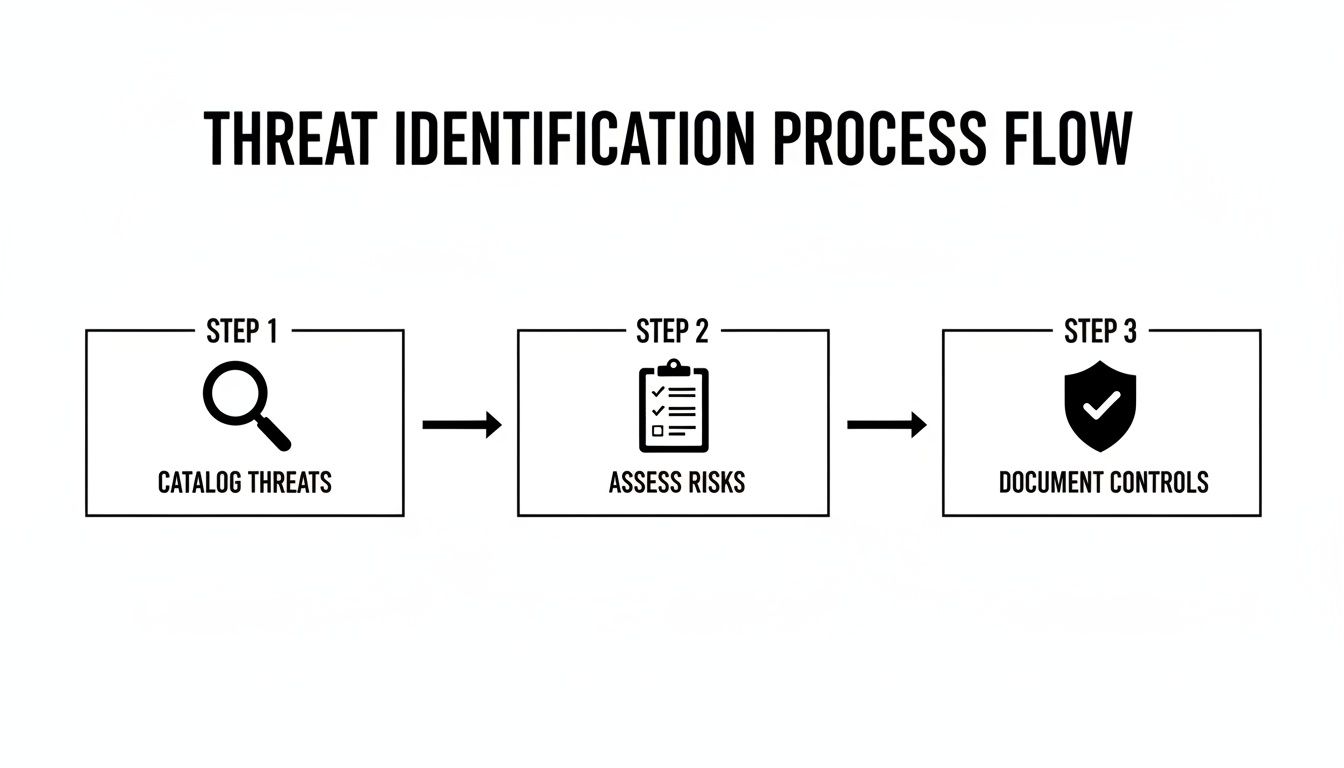
This process flow shows how you connect the dots—from just identifying threats to documenting your existing security controls, which sets the stage for a proper risk analysis.

A three-step threat identification process flow diagram: catalog threats, assess risks, document controls.

The key takeaway here? Documenting your controls is just as critical as finding threats. Your defenses provide the context you need to accurately assess just how vulnerable you really are.

A Simple Method for Scoring Your Risks

To properly analyze risk, you need to look at two key factors for every threat and vulnerability pair you've identified:

  1. Likelihood: How probable is it that this threat will actually happen and exploit this specific vulnerability?
  2. Impact: If it does happen, what’s the damage? Think about your operations, finances, reputation, and, most importantly, client safety and trust.

By assigning a simple score to each of these—say, on a scale of 1 (Low) to 5 (High)—you can calculate an overall risk score. A quick multiplication (Likelihood x Impact) gives you a number that instantly tells you where to focus your resources.

For example, an unpatched server vulnerable to a known ransomware strain might have a Likelihood of 4 (Likely) and an Impact of 5 (Critical). That gives it a high-priority risk score of 20. On the other hand, a power surge in an office with good surge protectors might have a Likelihood of 2 (Unlikely) and an Impact of 2 (Minor), for a low-priority risk score of 4.

This simple math transforms vague worries into objective data points, forming the backbone of your remediation strategy.

To make this even clearer, here is a simple matrix you can use to quantify and prioritize risks based on their calculated scores.

Sample Risk Scoring Matrix

Impact Level Likelihood Level Risk Score (Impact x Likelihood) Priority Level
Minor (1-2) Unlikely (1-2) 1-4 Low
Moderate (3) Possible (3) 5-12 Medium
Major (4) Likely (4) 15-16 High
Critical (5) Very Likely (5) 20-25 Critical

This scoring matrix gives you a visual guide to translate your scores into clear action priorities. A score of 20 is an urgent "fix now" problem, while a score of 4 can be addressed later.

Building Your Risk Register

All this critical analysis needs to be meticulously documented in a Risk Register. This isn't just internal paperwork; it's a foundational document you'll show HIPAA auditors to prove your due diligence. Think of it as the central nervous system of your entire security program.

A well-built risk register proves you have a formal, repeatable process for identifying, analyzing, and managing cyber threats.

At a minimum, your register should include these columns for each identified risk:

  • Risk ID: A unique number for easy tracking.
  • Threat & Vulnerability: A clear description (e.g., "Ransomware infection due to lack of staff phishing training").
  • Existing Controls: What protections do you already have in place?
  • Likelihood Score: Your assigned probability rating.
  • Impact Score: Your assigned damage rating.
  • Overall Risk Score: The calculated score (Likelihood x Impact).
  • Priority Level: High, Medium, or Low, based on the final score.

Your Risk Register is the definitive record of your HIPAA security risk assessment findings. It's the evidence that proves you didn't just go through the motions—it shows you understood the findings and are prepared to act on them.

This documentation is what separates a "check-the-box" exercise from a genuine, defensible security strategy. One of the first things an auditor will ask is, "Show me your risk analysis." Your Risk Register is the answer. By analyzing and documenting risks this way, you create the clear, prioritized roadmap you need for the final and most important phase: remediation.

Creating Your Remediation and Monitoring Plan

Three business professionals collaborating in a meeting, reviewing documents, a laptop, and a smartphone.

Finishing your risk register isn't the end of the road. Honestly, it’s just the beginning. The whole point of a HIPAA security risk assessment is to drive real, tangible action that actually makes you more secure. This is where you turn that prioritized list of findings into a Corrective Action Plan (CAP).

For a law firm in Winter Springs or an accounting firm in Orlando that serves healthcare clients, this CAP is your documented promise to fix cybersecurity holes. It's the exact proof an auditor will demand to see that you took the assessment seriously and are actively protecting client data.

From Risk Score to Actionable Task

Your remediation plan needs to directly tackle the high- and critical-priority items you identified. Each task has to be crystal clear, measurable, and assigned to a specific person with a firm deadline. Vague goals are the enemy of effective security.

Let's walk through a common, high-risk scenario we see all the time. Your assessment uncovers that staff are reusing weak passwords and there's no robust access control beyond a simple username and password.

  • Finding: No multi-factor authentication (MFA) in place for remote access or cloud apps holding ePHI.
  • Risk Score: Critical (25).
  • Remediation Task: Implement and enforce MFA for all staff.
  • Owner: IT Manager / Managed IT Partner.
  • Timeline: 30 days for implementation, 45 days for full staff adoption and training.

This level of detail turns a finding into a real project. It’s no longer just a problem; it's a solution with a deadline and a clear owner. You can learn more about how vital this one control is by exploring the role of MFA in strengthening identity and access management.

Building Your Corrective Action Plan

Your CAP needs to be a formal document. It doesn't have to be overly complex, but it must be clear. This becomes a cornerstone of your HIPAA compliance documentation.

Here's how to structure it effectively:

  • Prioritize by Score: Hit your critical-risk items first, then high, then medium. Low-risk items can be formally documented as "risk accepted" or scheduled for later if resources are tight.
  • Define Specific Actions: Ditch vague goals like "improve password security." Get specific with actions like "Implement a 12-character minimum password policy and deploy a password manager for all users."
  • Assign Ownership and Deadlines: Every single task needs a name and a date next to it. This creates accountability and stops things from falling through the cracks.
  • Allocate Resources: Does a task need a budget for new software? Does it require scheduling staff for training? Document these requirements upfront so there are no surprises.

Critically, your remediation plan must also include detailed secure data destruction policies for any device that holds data. Tossing an old server or an ex-employee's laptop without certified data wiping is a massive, often-overlooked vulnerability that can lead to a ruinously expensive breach.

Your HIPAA Security Risk Assessment is not a one-time project. It’s the beginning of a continuous cycle of assessment, remediation, and monitoring. The goal is to make cybersecurity a part of your business’s DNA, not just an annual event.

Shifting to Continuous Monitoring and Vigilance

The biggest mistake a Central Florida business can make is to file the assessment away and forget about it for a year. Cyber threats don't work on an annual schedule, and neither should your security posture.

Your risk assessment must be a living document, revisited annually at a minimum, and anytime a significant change occurs in your business.

Significant changes that should immediately trigger a reassessment include:

  • Switching to a new EHR or case management system.
  • Opening a new office in a nearby city like Kissimmee or Sanford.
  • Migrating your data to a new cloud provider.
  • A major shift to remote work for your staff.

This is exactly where having a dedicated managed security partner becomes a game-changer. Instead of just a periodic check-up, a partner like Cyber Command provides 24/7/365 continuous monitoring. We integrate the principles of your risk assessment into our daily operations, turning a yearly snapshot into a constant, vigilant security function that actively hunts for threats and manages vulnerabilities in real time.

Even with a clear roadmap, the HIPAA security risk assessment can feel like a maze. For businesses in Orlando, Winter Springs, and across Central Florida, we find owners often have the same handful of questions. Getting straight answers is the first step toward building a security program you can actually feel confident in.

Let's tackle the most common questions we hear every day. Our goal is to give you straightforward, practical answers that skip the jargon and give you clarity right now.

How Often Do I Need a HIPAA Security Risk Assessment?

HIPAA’s official rulebook uses the dangerously vague term "periodic" for assessments. In a world of constant cyber threats and intense regulatory scrutiny, that's not a word you want to build your security on. The clear industry standard and best practice is this: you need to conduct a comprehensive SRA at least once per year.

But thinking of it as just an annual chore is a huge mistake. A risk assessment has to be a living, breathing process. You're also required to perform one after any significant change in your business.

What counts as a "significant change"? Think of things like:

  • Switching to a new Electronic Health Record (EHR) or legal practice management system.
  • Migrating your client data to a different cloud provider.
  • Opening a new office, whether it's in Sanford or Kissimmee.
  • A major shift in how your team works, like moving to a remote or hybrid model.

Think of the annual SRA as your in-depth annual physical. The updates after major changes are the necessary follow-up appointments. For genuine security fitness, we recommend supplementing this with quarterly vulnerability scans. This ensures your defenses are always current, not just a snapshot from months ago.

Can We Do the Risk Assessment Ourselves?

Technically, yes, you can conduct a HIPAA security risk assessment in-house. But honestly, for most businesses, it's an incredibly risky path. This isn't just an IT checklist; it demands a deep, specialized understanding of both complex cybersecurity principles and the fine print of HIPAA regulations.

For a small dental practice, mid-sized law firm, or accounting business, the odds of missing a critical vulnerability or misinterpreting a specific rule are sky-high. An incomplete or flawed assessment creates a false sense of security and simply won't hold up under the scrutiny of an official OCR audit.

Partnering with a specialized cybersecurity provider like us brings a few immediate advantages:

  • Objectivity: An outside partner gives you an unbiased, unvarnished look at your security posture, free from internal politics or the "we've always done it this way" blind spots.
  • Expertise: You get access to certified professionals who live and breathe security and compliance. We come armed with advanced tools and a ton of experience from working with hundreds of other businesses.
  • Efficiency: A dedicated team can get the assessment done far more quickly and thoroughly than an internal employee who is already juggling ten other responsibilities. In the long run, this saves you both time and money.

Ultimately, outsourcing provides true peace of mind that your assessment is comprehensive, defensible, and will actually make your business safer.

What’s the Biggest Mistake Businesses Make with the SRA?

The single most common and costly mistake we see is treating the risk assessment as a "check-the-box" exercise. It's shocking how many businesses go through the motions, get a final report, and then promptly file it away in a drawer to gather dust.

This completely misses the point. The entire purpose of the assessment is to generate a prioritized, actionable remediation plan to fix the cybersecurity gaps you just paid to uncover.

Your final report isn't the finish line; it’s the starting block. An auditor's first question will be, "Show me your risk assessment." Their very next question will be, "Now show me your corrective action plan and the proof that you're working on it."

An assessment without a documented, active follow-up plan is effectively worthless in the eyes of regulators and provides zero real-world security benefits.

Do These Rules Apply the Same to a Small Practice?

Yes, absolutely. This is a critical point of confusion we clear up for small business owners all the time. HIPAA's Security Rule applies to all "Covered Entities" and their "Business Associates," regardless of size. This includes medical practices, law firms handling PHI, and accounting businesses that see patient data.

While the rule has some room for scalability—meaning a small clinic doesn't need the exact same massive security infrastructure as a large hospital system—the core requirements are non-negotiable for everyone. The mandate to conduct a thorough and accurate risk assessment is universal.

In reality, cybercriminals often view small businesses as softer targets precisely because they assume they have fewer security resources. OCR fines are not scaled down for small businesses, and a major data breach can be an extinction-level event for a small medical spa or law firm in Central Florida. A proper HIPAA security risk assessment isn't just about compliance; it's your single most effective cyber defense.


Navigating the complexities of a HIPAA Security Risk Assessment can be a significant challenge, but you don't have to go it alone. Cyber Command provides the expertise and continuous oversight to ensure your Central Florida business is not only compliant but also resilient against modern cyber threats. We turn the assessment from a one-time task into an ongoing, vigilant security function. Contact us today to learn how our managed IT and cybersecurity services can protect your practice.

Hipaa for Business Associates: A Central Florida Compliance and Cybersecurity Guide

If your company works with clients in the healthcare industry, you've probably heard the term HIPAA Business Associate. It’s a role that often comes as a surprise. Even if you never see a patient, the moment you handle their data, you’re legally on the hook to protect it just as rigorously as a hospital or doctor's office.

This isn’t a minor detail—it’s a serious responsibility with significant cybersecurity risks attached, especially for businesses in Orlando's thriving professional services sector.

Are You a HIPAA Business Associate?

A smiling businessman in a suit presents a tablet with a shield logo in a modern office.

Here's a reality check for many businesses in Orlando, Winter Park, and across Central Florida: HIPAA compliance isn't just for doctors. If your company provides services to a healthcare client and you create, receive, maintain, or transmit their data, you’ve just stepped into the world of Protected Health Information (PHI).

Think of it like this: a hospital or clinic is the "owner" of the sensitive patient data they collect. When they hire you—whether you're an IT provider, a law firm, an accounting practice, or a software developer—they’re entrusting you to be a "custodian" of that data. Under federal law, this makes you a Business Associate (BA), and you become directly liable for keeping that information safe from cyber threats.

Covered Entity vs. Business Associate

It's critical to understand the difference between a Covered Entity (CE) and a Business Associate. The CE is the primary healthcare organization. The BA is the vendor serving that organization. Getting this distinction wrong can lead to crippling fines and a shattered reputation.

A common and costly mistake we see is companies assuming that because they don't provide direct patient care, HIPAA rules don't apply. If you handle PHI for a healthcare client in any way—from IT support for a Winter Park dental office to billing services for an Orlando medical spa—you are on the hook.

To make it even clearer, let's break down who's who in the HIPAA world.

Quick Answer: Who Is a Business Associate?

This table provides a fast way to distinguish between the two primary roles under HIPAA and their core duties.

Role Who They Are (Examples) Primary Responsibility
Covered Entity (CE) Hospitals, doctors' offices, dentists, health plans, healthcare clearinghouses. To provide care and directly protect the PHI they create and manage.
Business Associate (BA) IT providers, law firms, accounting firms, cloud storage providers, medical billing companies. To protect PHI on behalf of a Covered Entity, as defined in a Business Associate Agreement (BAA).

This relationship isn't just a handshake deal. It’s a legal requirement cemented by a contract called a Business Associate Agreement (BAA). This document is non-negotiable and spells out your exact duties to safeguard PHI against cyber attacks.

Your Cybersecurity Obligations in Central Florida

For professional service and tech companies in the Orlando area, becoming a Business Associate has massive cybersecurity implications. The moment you sign that BAA, you inherit the responsibility to implement specific safeguards against data breaches.

This isn't optional. You are required to have:

  • Administrative Safeguards: This means creating policies and procedures for handling PHI, like documented employee training, risk assessments, and strict access controls.
  • Technical Safeguards: This is where modern cybersecurity comes in. You'll need to implement measures like end-to-end encryption, robust firewalls, multi-factor authentication, and secure access protocols to protect electronic PHI (ePHI).
  • Physical Safeguards: You must also secure the physical locations and devices where PHI is stored, from locked server rooms to secured workstations and mobile devices.

Ignoring these obligations is a high-stakes gamble. A ransomware attack or data breach that starts with a Business Associate is just as devastating as one from the healthcare provider itself, leading to the same hefty fines and a complete loss of client trust.

The Business Associate Agreement Explained

If handling protected health information (PHI) for a healthcare client makes you a Business Associate, then the Business Associate Agreement (BAA) is your legally binding rulebook. This isn't just another piece of administrative paperwork to sign and file away; it's the contract that underpins your entire HIPAA compliance and cybersecurity strategy. For any Orlando IT firm or Winter Park accounting practice working with healthcare clients, this document is where the rubber meets the road.

Think of it like this: a healthcare provider (the Covered Entity) hands you the keys to their most valuable asset—their patients' private data. The BAA is the detailed contract outlining exactly how you must protect that data, specifying your duties down to the last detail. Signing one without fully grasping these cybersecurity obligations is like agreeing to guard a bank vault without knowing how to work the lock.

Core Components of a BAA

While the exact language can vary, every BAA is required by law to have specific, non-negotiable components. It's a contract that explicitly states you will safeguard the PHI you access, create, or transmit on behalf of the Covered Entity.

A compliant BAA will always clearly define:

  • Permitted Uses of PHI: It establishes the only reasons you are allowed to access and use PHI. Any action outside this defined scope is a violation.
  • Safeguard Implementation: The agreement legally binds you to implement the required Administrative, Physical, and Technical Safeguards outlined in the HIPAA Security Rule.
  • Breach Notification Duties: It outlines your responsibility to report any data breach to the Covered Entity "without unreasonable delay"—a critical and time-sensitive requirement.
  • Subcontractor Compliance: It mandates that any of your own vendors or subcontractors who touch the PHI must also sign a BAA and agree to the exact same protections.

The Real-World Risks of a Weak BAA

A poorly written or misunderstood BAA can create staggering liability. Imagine an Orlando-based software company developing a patient portal for a local medical spa. They grab a generic BAA template online, sign it, and assume they're covered.

Six months later, a hacker exploits a vulnerability in their code, exposing thousands of patient records. Because their BAA was vague about incident response timelines and failed to properly address cybersecurity monitoring, they delayed notifying the spa. That delay led to compounded fines from regulators for both the software company and the spa, not to mention a devastating loss of public trust. You can learn more about how different compliance frameworks intersect by exploring our guide on GDPR and HIPAA mapping.

A BAA is not a shield you hide behind—it’s a promise you must actively keep. It contractually obligates you to perform specific cybersecurity actions, and failing to do so is a breach of contract on top of a HIPAA violation.

Vetting Your IT Partner's BAA

When you engage a cybersecurity or managed IT partner, scrutinizing their BAA is one of your most important due diligence steps. It reveals how seriously they take their role as a Business Associate and gives you a window into their operational maturity. A strong IT partner’s BAA should be clear, detailed, and align directly with the proactive services they offer.

Here is a practical checklist for reviewing a BAA from a potential IT provider:

  1. Does It Explicitly Mention Safeguards? The BAA should clearly state their commitment to implementing and maintaining all three types of HIPAA safeguards, not just mention them in passing.
  2. Are Breach Reporting Terms Specific? Look for clear language on how and when they will report a security incident to you. Vague phrases like "in a timely manner" are a major red flag.
  3. Does It Address Audits and Investigations? The BAA must require the partner to make their practices, books, and records available to the Department of Health and Human Services (HHS) for audits.
  4. Are Termination Clauses Clear? It should specify that you can terminate the agreement if the partner violates a material term of the BAA. This is a critical protection for your business.

A partner whose BAA confidently outlines these duties is one that understands its role. They see the BAA not as a liability to minimize but as a commitment to be upheld through robust, 24/7 security services.

Essential Cybersecurity Safeguards for Business Associates

When you become a HIPAA Business Associate, you take on serious responsibility for protecting electronic Protected Health Information (ePHI). The law requires you to implement specific "safeguards," but this isn't just a technical checklist. It's about building a fortress around sensitive patient data.

Think of it like securing a bank vault. The rules for who gets a key are your Administrative Safeguards. The locks, guards, and alarms are your Physical Safeguards. And the high-tech surveillance and timed locks inside the vault are your Technical Safeguards. For businesses across Central Florida, from legal practices in Orlando to accounting firms in Winter Park, mastering these three pillars is the key to compliance.

Administrative Safeguards The Human Element

Let's be honest—technology can't stop a determined insider or a careless mistake. That's where Administrative Safeguards come in. These are the documented policies and procedures that govern how your team handles PHI.

These aren't "set it and forget it" documents collecting dust on a shelf. They are living, breathing rules that you must actively enforce, review, and update. They are the foundation of your entire security program.

Your administrative checklist needs to include:

  • Security Officer Designation: You must officially name a Security Officer. This person is on the hook for creating, implementing, and enforcing your HIPAA security policies.
  • Risk Analysis: You're required to perform a thorough and ongoing risk analysis. This process helps you identify potential threats to ePHI and figure out where your vulnerabilities are.
  • Workforce Training: Every single employee with access to ePHI must get regular, documented training on your security policies. This is a common failure point during audits, so don't skip it.
  • Access Management: You need a formal process for granting, changing, and revoking access to systems with ePHI. The rule of thumb is "minimum necessary"—people should only have access to what they absolutely need to do their jobs.

Physical Safeguards Securing Your Environment

Physical Safeguards are all about protecting the actual hardware and locations where ePHI lives. This means everything from the server in a closet to the laptops your team takes home.

It's easy to get caught up in digital threats, but physical security gaps are a huge risk. A visitor left unescorted could plug a malicious USB drive into a computer. A stolen laptop, if not properly secured, could expose thousands of patient records in an instant.

A critical but often overlooked area is the disposal of old equipment. Highlighting the growing importance of data security in IT asset disposition, it's clear that proper handling of retired hardware is as critical as active cybersecurity. Simply wiping a drive may not be enough.

Key physical safeguards for your business include:

  • Facility Access Controls: Implement procedures to control who can physically enter your office, especially sensitive areas like server rooms or data centers.
  • Workstation Security: Make sure all workstations that access ePHI are physically secure. This also means ensuring screens aren't visible to people who shouldn't be seeing them.
  • Device and Media Controls: Create policies for the secure handling of hard drives, backup tapes, and laptops. This includes how they are moved, reused, and ultimately destroyed when they contain ePHI.

Technical Safeguards The Digital Fortress

Technical Safeguards are the cybersecurity tools and technologies you use to protect ePHI across your network and devices. This is where the tech does the heavy lifting to stop hackers in their tracks.

Cybercriminals are increasingly targeting Business Associates, viewing them as a softer entry point into the healthcare ecosystem. The statistics are clear: vendor-related breaches are soaring. Strong technical controls are no longer optional; they are essential for survival.

Your essential technical safeguards must include:

  1. Access Control: Every user needs a unique ID and multi-factor authentication (MFA). Your systems should also automatically log users off after a period of inactivity to prevent unauthorized access.
  2. Audit Controls: You must have systems that can record and examine activity on any system that contains or uses ePHI. If a breach happens, you need to know who did what, and when.
  3. Integrity Controls: Implement measures to ensure that ePHI is not improperly altered or destroyed, whether by accident or with malicious intent.
  4. Transmission Security: Use end-to-end encryption to protect ePHI whenever it’s sent over a network. This applies to everything from email to file transfers and cloud applications.

For Central Florida businesses facing these modern threats, a 24/7 Security Operations Center (SOC) has become a vital technical safeguard. A SOC provides the constant monitoring, active threat hunting, and immediate incident response needed to detect and neutralize attacks before they become catastrophic breaches, helping you meet HIPAA’s stringent demands.

Conducting a HIPAA Risk Analysis

Having strong safeguards in place is a fantastic first step, but it’s not the finish line. The HIPAA Security Rule mandates that every Business Associate conduct a regular, thorough Risk Analysis—a process that’s a surprisingly common point of failure and a huge focus for auditors.

This isn’t a friendly suggestion. It's a required process to prove you’ve actually identified and are actively managing the specific security risks your organization faces. Think of it as your strategic map, showing you exactly where your cybersecurity is weak before a hacker finds those same spots for you. It turns compliance from a guessing game into a targeted, evidence-based strategy.

The Four Steps of a Risk Analysis

A proper HIPAA Risk Analysis isn't a one-and-done checklist; it's a living, breathing cycle. It involves methodically combing through your environment to find any potential threat to the ePHI you handle. Here’s a straightforward breakdown of how to get started.

  1. Identify Where All PHI Lives
    You can't protect what you don't know you have. The first step is to create a complete inventory of every single system, application, and device that creates, receives, maintains, or transmits ePHI. This includes everything from cloud servers and accounting software to individual employee laptops and email accounts.

  2. Pinpoint Threats and Vulnerabilities
    Next, you have to identify potential threats to all those assets you just inventoried. A threat could be anything from a ransomware attack or a power outage to a disgruntled employee. Vulnerabilities are the weaknesses that let those threats cause harm, like unpatched software, a lack of multi-factor authentication, or flimsy employee training.

  3. Evaluate Likelihood and Impact
    With a list of threats and vulnerabilities in hand, it’s time to weigh the risk they pose. For each one, you need to figure out the likelihood of it actually happening and the potential impact if it does. For example, a data breach from a lost, unencrypted laptop might be highly likely and have a catastrophic impact on your business.

  4. Document Your Findings Comprehensively
    Finally, you must document every single step of your analysis in a formal report. This documentation is your proof of compliance for auditors and serves as the blueprint for your risk management plan.

This whole process has to be repeated regularly—at least once a year or anytime you make significant changes to your IT environment. For a closer look at how to structure your assessment, a good HIPAA Risk Assessment Template can provide some practical examples and guidance.

Why This Process Is Non-Negotiable

Let's be blunt: failing to conduct a proper risk analysis is one of the most frequently cited violations in HIPAA enforcement actions. Regulators see it as a fundamental neglect of your duties as a Business Associate.

The numbers are pretty alarming.

In 2025, a staggering 34% of all healthcare data breaches originated from business associates, the highest percentage ever recorded. These breaches were 2.4 times larger on average than those at covered entities. The OCR's record 22 major enforcement actions in 2025, totaling $148 million in penalties, often stemmed from gaps like inadequate risk analysis, highlighting the critical need for proactive vendor oversight.

These statistics show that regulators are zeroing in on Business Associates and their security practices. A documented Risk Analysis is your first and best line of defense if an auditor comes knocking.

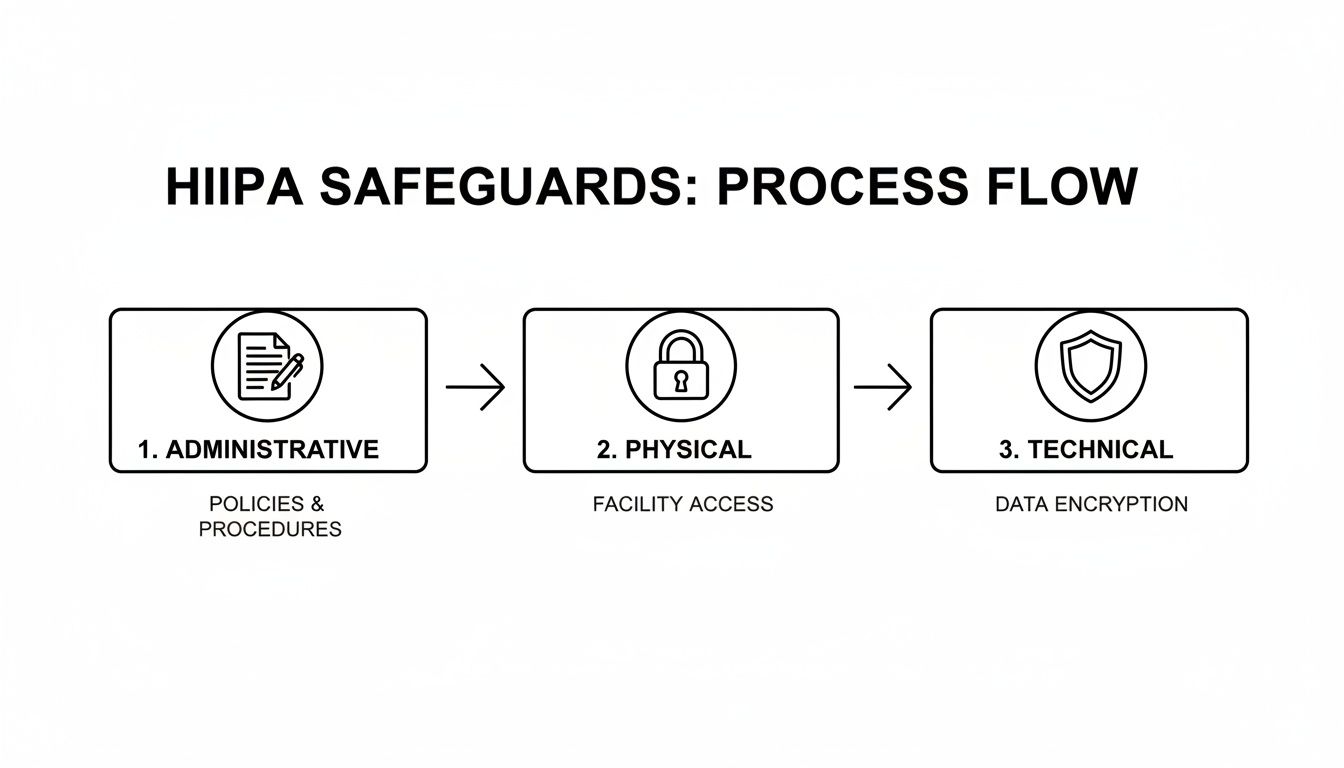
The flowchart below shows how a risk analysis fits into the bigger picture, guiding how you implement Administrative, Physical, and Technical controls.

A flowchart illustrating the HIPAA safeguards process: administrative policies, physical facility access, and technical data encryption.

As you can see, the risk analysis isn't an isolated task. It’s the foundation that informs the policies, physical security measures, and technology you need to effectively protect sensitive data.

From Chore to Continuous Strategy

For many small and mid-sized businesses, the idea of conducting such a detailed analysis feels completely overwhelming. It requires specialized knowledge of both the intricate HIPAA rules and the constantly changing world of cybersecurity threats.

This is where partnering with a managed cybersecurity firm changes the entire game.

Instead of being a painful annual project that everyone dreads, a dedicated IT partner transforms risk analysis into a continuous, manageable process. They use advanced tools to actively monitor your systems for new vulnerabilities, bring the expertise to evaluate risks accurately, and generate the detailed documentation you need to prove you’re compliant.

This kind of partnership turns a feared compliance chore into an ongoing security strategy that truly protects your business and your clients' trust.

Your Data Breach Response Plan

It’s the one call every Business Associate dreads, but you have to be ready for it: a data breach involving Protected Health Information (PHI). What you do in the first few hours is absolutely critical. Under HIPAA’s Breach Notification Rule, you have specific, time-sensitive duties that can make or break your company's future.

Three professionals collaborate in an office, reviewing code on a tablet and discussing data on a printed chart.

Think of this as your fire drill for data. When the alarm goes off, panic isn't an option. A calm, methodical response is your only path to minimizing the financial and reputational fallout.

What Legally Constitutes a Breach

First, let’s get clear on what the law actually considers a "breach." Under HIPAA, it's generally any unauthorized acquisition, access, use, or disclosure of unsecured PHI that compromises its security or privacy. The key word here is "unsecured," which almost always means unencrypted.

Not every security hiccup is a legally reportable breach. After you discover an incident, you have to conduct a swift risk assessment to figure out if notification is truly necessary. This is not a step you can skip.

The burden of proof is on you. If you decide an incident doesn't require notification, you must document your risk assessment process meticulously. HIPAA presumes all unauthorized uses of PHI are breaches unless you can prove otherwise.

The Clock Is Ticking: Your First Steps

The moment you even suspect a breach has occurred, your immediate priorities are to contain the threat and kick off your investigation. Your Business Associate Agreement (BAA) legally binds you to notify your Covered Entity client "without unreasonable delay" and in no case later than 60 calendar days from discovery.

Let’s be real, though. Your BAA will almost certainly demand much faster reporting than that.

A well-structured incident response plan ensures you don't miss a beat during this high-pressure chaos. For more details on building a solid framework, check out our guide on crafting your incident response plan for max efficiency. This framework is an essential piece of any HIPAA for business associates compliance program.

Your initial response should follow these key stages:

  1. Containment: The first move is to stop the bleeding. This might mean isolating affected systems from the network, revoking compromised user credentials, or shutting down specific services to prevent any more data from walking out the door.
  2. Assessment: At the same time, your team has to start figuring out the scope of the incident. Identify what systems were hit, what data was exposed, and who might have been affected.
  3. Eradication: Once you've contained the incident, you must get the threat out of your environment. This means eliminating malware, patching the vulnerabilities that let the attacker in, and triple-checking they have no way back.
  4. Recovery: Finally, it's time to restore affected systems to normal operation from clean, verified backups. This step also includes aggressive post-incident monitoring to watch for any signs of reinfection or lingering malicious activity.

The Central Florida Advantage: A Local Partner

For businesses in Orlando, Winter Park, and the surrounding areas, having a local cybersecurity partner with a 24/7 incident response team is a game-changer. Cyber threats don’t keep 9-to-5 hours. An attack that kicks off on a Friday night can cause catastrophic damage by Monday morning if no one is watching the shop.

A local partner brings a few key benefits to a crisis:

  • Rapid On-Site Response: When remote fixes aren't enough, a local team can be on-site in a flash to physically handle servers and network gear.
  • Regional Knowledge: A partner who knows the Central Florida business community—from professional services firms in Downtown Orlando to healthcare tech startups in Lake Nona—understands the specific threats and compliance pressures you're up against.
  • Direct Communication: In a crisis, you want to talk directly to the experts handling the incident, not a faceless call center on the other side of the world.

By having a dedicated incident response team on standby, you ensure that when a breach happens, you can contain the threat, properly assess the damage, and meet your legal obligations correctly—protecting both your business and your clients.

Choosing the Right IT Partner for Compliance

For many Orlando-area businesses—from law firms and accounting practices to software developers—trying to handle the maze of HIPAA compliance on your own is a recipe for disaster. The combination of relentless cyber threats and dense legal rules makes going it alone a massive risk. The obvious answer is to team up with a Managed IT and Cybersecurity provider, but picking the right one is a business decision you can't afford to get wrong.

Remember, your IT partner isn't just another vendor. The moment they touch PHI, they legally become your Business Associate, and they’re on the hook for the same responsibilities you are. This means your vetting process needs to be far more intense than just comparing prices. You need a partner who gets the unique pressures facing Central Florida businesses and can prove they have the chops to protect your clients’ data and your good name.

Vetting Their Business Associate Agreement

The first real test of any potential IT partner is their own Business Associate Agreement (BAA). A partner who truly understands their role will hand you a BAA that’s clear, detailed, and doesn't try to sidestep their obligations. If you get a vague, one-page template they clearly downloaded, that’s a huge red flag.

When you’re looking at their BAA, keep an eye out for these non-negotiables:

  • Explicit Acceptance of Responsibility: The agreement has to state, in no uncertain terms, that they accept their role as a Business Associate under HIPAA and are responsible for putting the required safeguards in place.
  • Specific Breach Notification Terms: The contract must spell out how and when they will tell you about a security incident. Don’t settle for "without unreasonable delay"—look for specific timelines.
  • Commitment to Audits: The BAA has to obligate them to cooperate with federal auditors from the Department of Health and Human Services (HHS) if they come knocking.

A solid BAA is a sign of a mature, compliance-first organization. It means they’ve done their homework and invested the legal resources to get it right.

Non-Negotiable Cybersecurity Services

Paperwork is one thing, but your partner has to deliver the actual cybersecurity services that back up those contractual promises. The threat landscape for businesses in Central Florida is no joke, and your partner’s toolset has to be ready for today’s challenges.

A predictable, flat-rate pricing model is often a strong indicator of a proactive partner. When a provider is paid a fixed fee, their incentive is to prevent problems, not profit from fixing them after they occur. This aligns their business model with your goal of maintaining security and uptime.

At a bare minimum, your partner must provide:

  • A 24/7/365 Security Operations Center (SOC): Hackers don’t stick to a 9-to-5 schedule. A dedicated SOC gives you around-the-clock monitoring, active threat hunting, and immediate incident response to shut down attacks before they become devastating breaches.
  • Proactive Vendor Risk Management: Your IT partner should be helping you manage the risk that comes from your other vendors. They need a process for checking the security of other software and service providers that plug into your network.
  • Documented Risk Analysis: As your partner, they should play a key role in performing and documenting your annual HIPAA Risk Analysis, giving you the proof you need to satisfy auditors.

Choosing the right firm is a major step. To help you with your decision, we've laid out more expert advice in our guide on how to choose the right managed service partner. This partner should become a true extension of your team, making sure their technology strategy lines up perfectly with your compliance duties and business goals.

Frequently Asked Questions About HIPAA

When it comes to HIPAA, a lot of questions pop up, especially for Business Associates. For business owners in Orlando and right across Central Florida, getting straight, no-nonsense answers is what really matters. Here are some of the most common questions we hear.

My Orlando Business Only Has a Few Healthcare Clients. Do We Really Need to Worry About HIPAA?

Yes, absolutely. The number of healthcare clients you have is irrelevant. If you handle, store, or simply have access to Protected Health Information (PHI) for even one client, you are a Business Associate in the eyes of the law.

That means you're on the hook for full compliance with the HIPAA Security and Privacy Rules. A single breach, no matter how small your company is, can trigger devastating fines and burn the reputation you've worked so hard to build.

What Is the Biggest Cybersecurity Mistake a New Business Associate Can Make?

The most dangerous mistake we see is treating a signed Business Associate Agreement (BAA) like a finish line. In reality, the BAA is just the starting gun. It’s the contract that legally binds you to do the work—the real work is implementing and maintaining the required administrative, physical, and technical safeguards.

Thinking the agreement itself is the protection is a classic, and costly, error. The BAA is your promise to act, not a substitute for action. Forgetting that is the fastest way to a compliance failure.

How Does a Managed IT Partner Help During a HIPAA Audit?

A compliance-savvy managed IT partner is your single most important ally during a HIPAA audit. They're the ones who produce the mountain of documentation you'll need, from risk analysis reports and security incident logs to proof of employee training.

A partner with a 24/7 Security Operations Center (SOC) is even better. They can show an auditor hard evidence of continuous network monitoring and active threat detection. They become your technical expert, confidently answering the auditor's questions about your cybersecurity posture and proving that your safeguards aren't just policies on paper—they're active and working. It turns a nightmare audit into a calm, evidence-based review.


Navigating your HIPAA obligations as a business associate demands a dedicated cybersecurity partner. Cyber Command, LLC arms Central Florida businesses with 24/7 SOC protection and compliance-focused IT management so you can meet your duties with confidence. See our proactive approach for yourself at https://cybercommand.com.