
Relocating Your Data Center: Don’t Rack Your Brain, Plan Ahead!

Understanding Data Center Relocation and Why It Matters
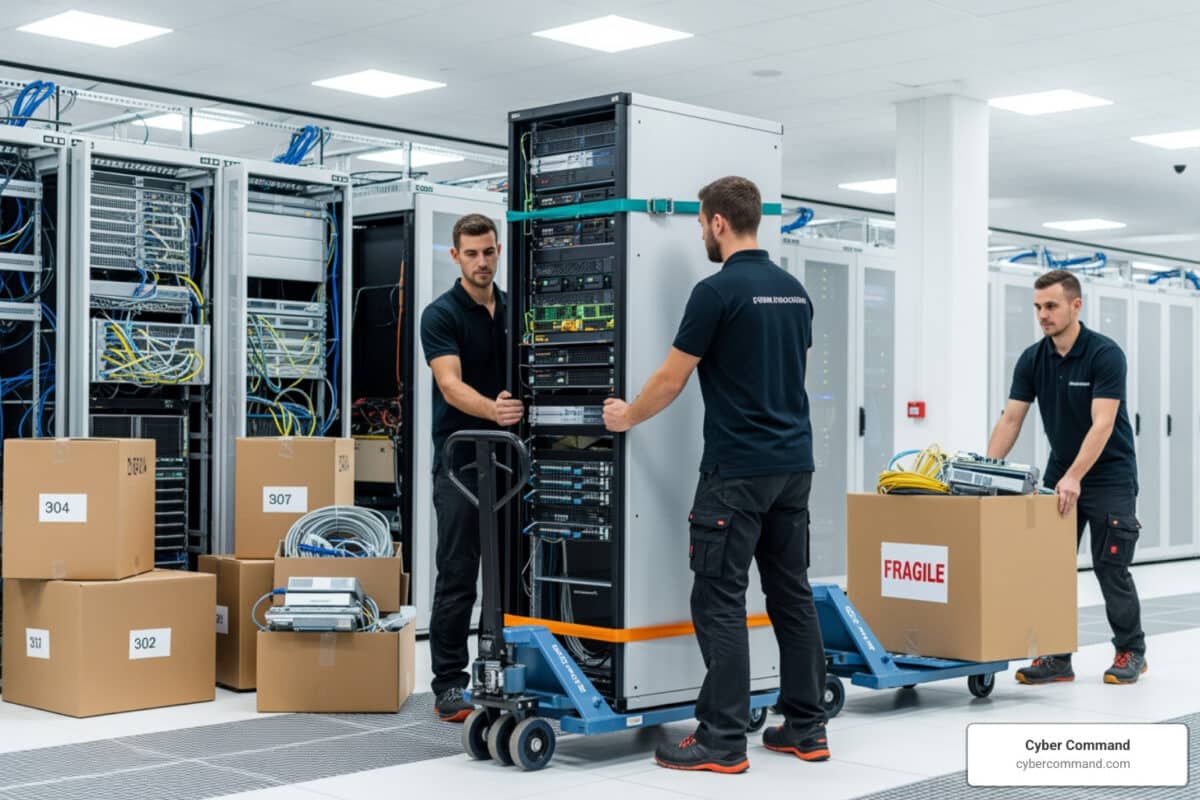
Data center relocation is the process of moving your IT infrastructure and workloads from one physical location to another. This can include moving to a new building, transitioning to a colocation facility, migrating to the cloud, or adopting a hybrid model that combines physical and virtual environments. If you’re new to the concept, here’s a primer on what a data center is.
Quick Answer: What You Need to Know About Data Center Relocation
- What it is: Moving servers, storage, networking equipment, and applications from one location to another
- Why businesses do it: Cost reduction, better performance, increased capacity, improved security, consolidation after mergers
- Key challenge: The average cost of downtime is $9,000 per minute ($540,000 per hour)
- Reality check: Approximately 60% of data center migrations experience unexpected challenges or delays
- Success factor: 90% of your effort should focus on planning before you move anything
Here’s the truth: data center relocation is one of the most critical decisions you’ll make for your business. Get it right, and you open up better performance, lower costs, and room to grow. Get it wrong, and you’re looking at extended downtime, data loss, damaged equipment, and frustrated customers.
The complexity is real. You’re not just moving boxes—you’re transferring the entire nervous system of your business from one location to another while keeping everything running.
This guide walks you through the entire process, from understanding why companies relocate to executing a smooth transition with minimal disruption. You’ll learn the four critical phases of a successful move, common pitfalls to avoid, and how to choose the right partners to help you.
I’m Reade Taylor, Founder and CEO of Cyber Command, and I’ve spent years helping businesses steer complex IT infrastructure challenges, including data center relocation projects. My background as an engineer with IBM Internet Security Systems taught me that successful data center relocation requires both technical expertise and clear, proactive communication.
Why Relocate? The Strategic Drivers Behind Your Move

A data center relocation is rarely a spur-of-the-moment decision. It’s a strategic move, often driven by critical business needs and a vision for future growth. Think of it as upgrading your business’s central nervous system to be faster, stronger, and more resilient.
So, why do businesses in Florida and Texas, from Orlando to Plano, decide to undertake such a significant endeavor?
- Cost Reduction and Operational Efficiency: Sometimes, your current facility simply costs too much. High operational expenses, inefficient cooling systems, or outdated power infrastructure can drain resources. Relocating to a more modern, energy-efficient facility, or even consolidating multiple smaller data centers into one, can significantly reduce costs. This often involves leveraging efficient hardware, virtualization, and cloud services.
- Scalability and Performance: As your business grows, so do your data and processing needs. Your existing data center might lack the space, power, or cooling capacity to expand. A data center relocation offers the opportunity to move to a facility that provides the necessary room for growth, better network latency, and improved performance for dynamic workloads. The global data center colocation market, for instance, is projected to reach USD 134.9 billion by 2032, highlighting the growing demand for scalable solutions.
- Technology Upgrades and Infrastructure Refresh: Outdated IT infrastructure can lead to reduced performance, increased downtime, and security vulnerabilities. A relocation is the perfect chance to retire old equipment, adopt newer technologies, and refresh your entire infrastructure. This could mean moving from physical servers to a virtualized environment or migrating applications to the cloud, a trend projected to see 70% of enterprises migrating at least one application by 2025.
- Improved Security and Compliance: The threat landscape is constantly evolving. A new data center can offer improved physical security measures, more robust cybersecurity protocols, and better compliance with industry regulations relevant to your business in Florida or Texas.
- Consolidation and Mergers & Acquisitions: When companies merge, they often end up with redundant IT infrastructure. Consolidating disparate systems into one more efficient and modern location is a common driver for data center relocation, streamlining operations and reducing complexity.
A data center relocation is about aligning your IT infrastructure with your strategic business goals. It’s about building a foundation that supports your innovation, growth, and resilience for years to come.
The Blueprint for Success: A Phased Approach to Data Center Relocation
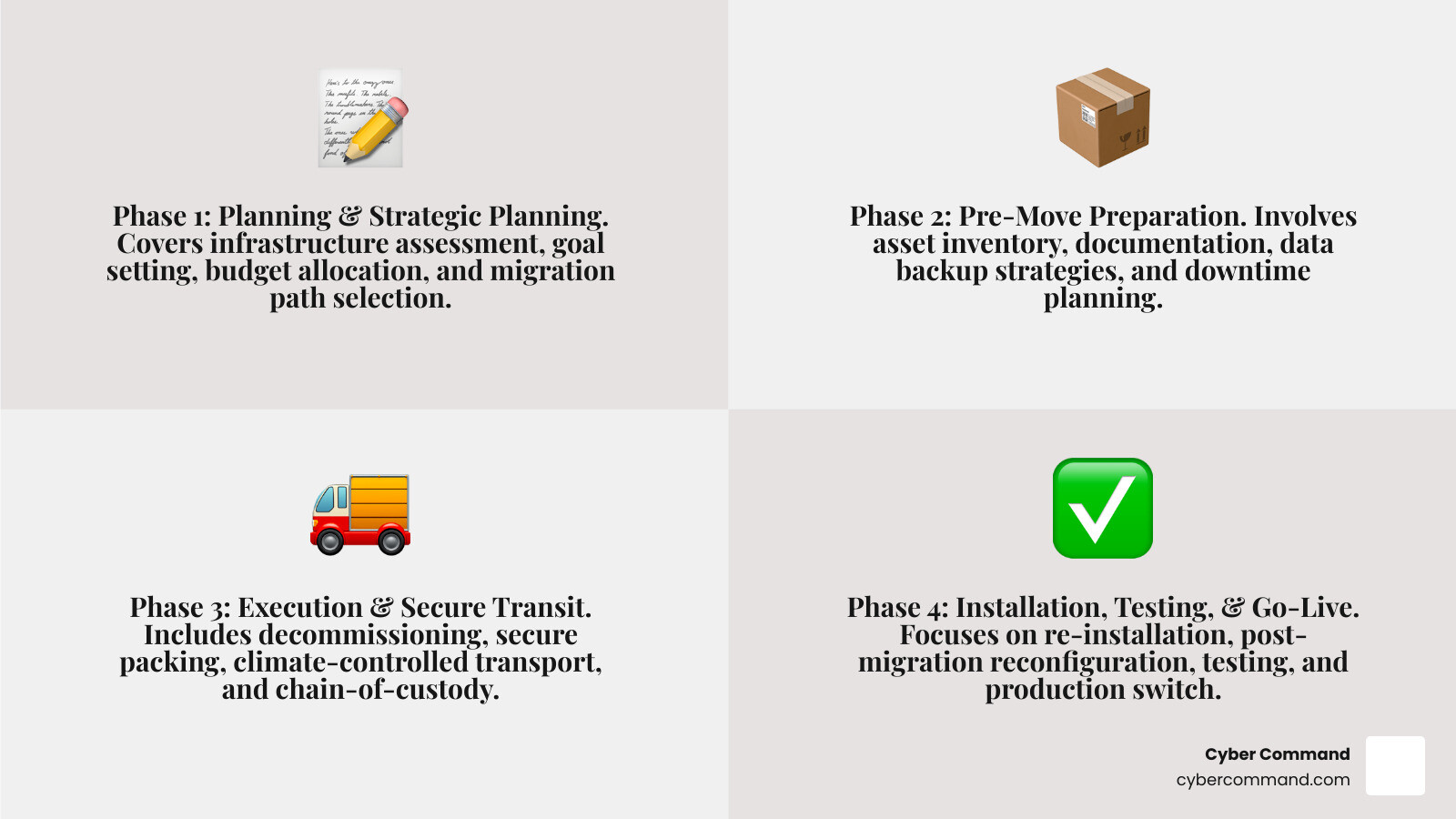
We’ve learned that a data center relocation is complex, but it doesn’t have to be chaotic. The secret to success? Planning, planning, planning! In fact, 90% of the time and effort for a successful data center relocation should be spent on meticulous planning. We approach this monumental task with a structured, phased methodology to ensure every detail is covered.
At the heart of this process is the technical project manager. This individual is the linchpin, requiring a high level of skill in logistics, budgeting, risk assessment, communication, and people management. Whether we’re moving a few racks across Orlando or an entire infrastructure across Texas, our project managers are equipped to handle the inherent complexities.
Phase 1: Planning and Strategic Planning
This is where we lay the groundwork, asking the big “why” and “what” questions.
- Infrastructure Assessment and Site Audits: We start by thoroughly assessing your existing hardware, software dependencies, and network architecture. This includes detailed site audits of your current facility, analyzing power, cooling, and space utilization. This comprehensive understanding helps us determine what needs to move, what can be retired, and what opportunities exist for optimization.
- Goal Setting and Scope Definition: What do you hope to achieve with this data center relocation? Lower operating costs? Better physical security? Access to renewable energy? Clear, measurable goals (like performance improvement, scalability, and downtime minimization) guide every decision. We define the scope, ensuring everyone is on the same page about what’s being moved and why.
- Budget Allocation and Team Assembly: A detailed budget is crucial, covering hardware upgrades, transportation, labor, and unforeseen expenses. We assemble a dedicated team, assigning roles and responsibilities, and establish clear communication channels for all stakeholders.
- Migration Path Selection: This is a critical strategic decision. Do we perform a “lift-and-shift” (moving equipment as-is)? Are we migrating applications to the cloud (physical-to-virtual)? Or adopting a hybrid model? We evaluate the pros and cons of each, considering your specific needs in places like Jacksonville or Tampa Bay.
Phase 2: Pre-Move Preparation for your data center relocation
With a solid plan in place, we dive into the nitty-gritty of preparation. This phase is all about meticulous documentation and safeguarding your data.
- Asset Inventory: We create a comprehensive inventory of all your assets—every server, switch, storage device, and application. This includes hardware specifications, software dependencies, and network configurations. This isn’t just a list; it’s the blueprint for your new environment.
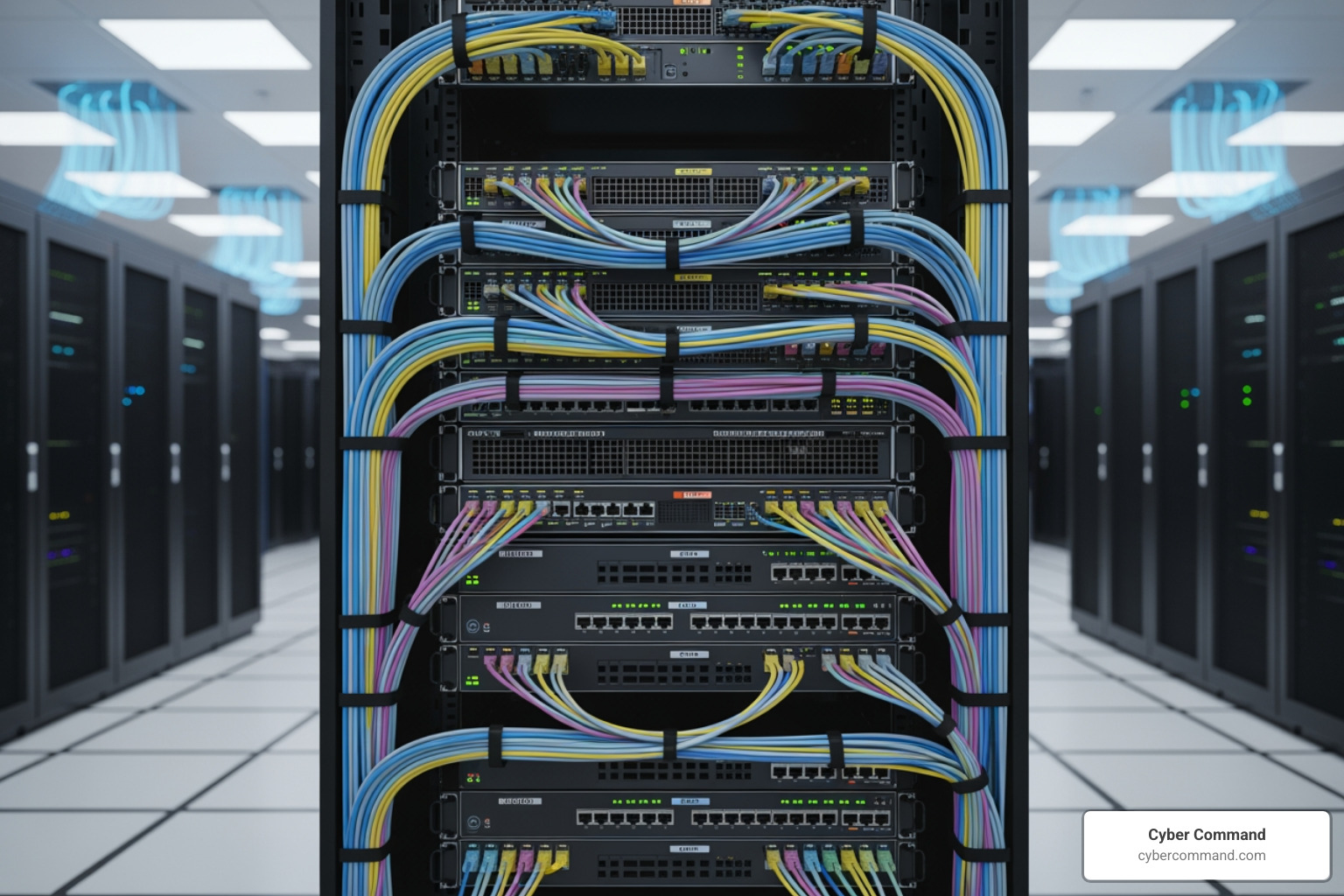
- Documentation and Cable Mapping: No two data centers are identical, so thorough documentation is non-negotiable. We carefully log all configurations, dependencies, and connections. This includes detailed rack elevations and precise cable mapping matrices, tracing every cable onsite. This ensures that when we reassemble, everything connects exactly as it should.
- Best Practices for Equipment Tagging: Every single item being moved receives unique equipment tagging. This includes serial numbers, warranty information, and its intended location in the new facility. We also review warranties for “move clauses” and notify vendors of the relocation to address any licensing or service contract issues.
- Data Backup & Recovery: This is paramount. We back up all mission-critical data, applications, and server images. Where feasible, we perform server imaging, creating a snapshot of your systems. Crucially, we test these backups to ensure data integrity and a smooth recovery process. Robust data backup and recovery processes, including offsite backups, are essential to mitigate the risk of data loss.
- Downtime Planning: While we strive for minimal disruption, some downtime is almost inevitable. We carefully plan for any necessary workload downtime, communicating it clearly to all stakeholders and users. This planning helps manage expectations and minimizes the impact on your business operations, especially given the hefty cost of downtime.
Critical Data Center Relocation Checklist Items:
- Asset Inventory: Comprehensive list of all hardware, software, and dependencies.
- Documentation: Detailed configurations, network diagrams, and cable maps.
- Data Backup: Full backups of all critical data and system images, with verified integrity.
- Downtime Planning: Clear schedule, communication plan, and contingency for downtime.
- Infrastructure Assessment: Identify opportunities for upgrades or replacements.
- Physical Migration Plan: Step-by-step for dismantling, transporting, and reassembling hardware.
- Workload Migration Strategy: How applications and services will move.
- Post-Migration Reconfiguration Plan: Networking, storage, and power adjustments for the new site.
- Testing Strategy: Comprehensive plan for system, application, and user acceptance testing.
- Go-Live Plan: Steps for switching to production and ongoing monitoring.
Phase 3: Execution and Secure Transit
This is where the rubber meets the road—or rather, where your equipment begins its journey. Our focus here is on meticulous handling, secure transportation, and unwavering physical and data security.
- Decommissioning and Systematic Shutdown: We follow systematic procedures for shutting down servers, storage devices, and networking equipment in a controlled and orderly fashion. This minimizes the risk of data corruption or hardware damage.
- Secure Packing and Anti-Static Materials: Your sensitive IT assets are not just “boxes.” We use appropriate packaging materials, including anti-static bags, custom crating, and shock-absorbent containers, to protect hardware during transit. Racks cannot be “shoulder-tossed” into a pickup truck; they require specialized care.
- Physical Security and Chain-of-Custody: From the moment equipment is disconnected to when it’s powered on in the new location, maintaining a strict chain of custody is paramount. This includes dedicated, GPS-tracked, air-ride, climate-controlled transport vehicles, often with multiple drivers, to ensure constant oversight. This level of security is crucial for protecting your valuable assets.
- Data Security and Exfiltration Risks: While your data should be backed up, protecting the data on the devices during transit is still critical. We emphasize encryption for sensitive data. We also understand the risks of data exfiltration—the unauthorized transfer of information. Threat actors often use various methods for data exfiltration, and it’s a phase that occurs in over 70% of ransomware attacks immediately prior to deployment. Protecting your data during transit means understanding these risks and implementing robust security measures to protect against networking, security, and authentication vulnerabilities during the move.
Phase 4: Installation, Testing, and Go-Live
The final phase brings your new data center to life. This is about precision, verification, and ensuring seamless operation.
- Re-installation and Rack and Stack: Upon arrival, our team carefully re-installs your equipment according to the detailed rack elevations and cable maps created in Phase 2. This includes careful “rack and stack” procedures and expert cable management.
- Post-Migration Reconfiguration: Since no two data centers are identical, the ideal settings in your new location may differ from the original. We reconfigure networking, storage, power systems, IP addresses, DNS settings, and any other resources that your infrastructure and workloads depend on.
- Testing and Validation: This is not a step to rush. We conduct rigorous testing:
- System Tests: Ensuring all individual components are functioning correctly.
- Application Testing: Verifying that all your critical applications and services are running as expected.
- User Acceptance Testing (UAT): Engaging end-users to validate that business-critical applications are operating correctly from their perspective. We use our audit inventory list to confirm proper location and installation, and application testing happens at this final stage of your data center migration project once all equipment is installed.
- Switching to Production and Performance Monitoring: Once testing is complete and validated, we execute the planned switch to production, transitioning the new data center to be your live environment by updating traffic policies and routing data. Post-go-live, continuous performance monitoring is essential to ensure optimal operation and quickly address any unforeseen issues.
Navigating the Maze: Common Pitfalls and How to Avoid Them
Even with the best intentions, data center relocation can feel like navigating a complex maze. Approximately 60% of these migrations experience unexpected challenges or delays. We understand these potential pitfalls and build robust strategies to avoid them.
Here are some common challenges and how we mitigate them:
- Inadequate Planning: This is the number one culprit for relocation failures. Without meticulous planning, you face delays, cost overruns, and unexpected downtime. Our Solution: Our phased approach, with 90% of effort dedicated to planning, ensures every detail is considered, from asset inventory to contingency plans.
- Poor Communication: Miscommunication between teams, vendors, and stakeholders can derail a project. Our Solution: We establish clear, consistent communication channels from day one, ensuring everyone is informed and aligned, from our project managers to your executive team.
- Budget Overruns: Hidden costs, unexpected hardware needs, or extended timelines can quickly inflate the budget. Our Solution: Our detailed budgeting process accounts for all foreseeable expenses, including potential upgrades and unforeseen issues, helping you avoid surprises.
- Data Loss: The nightmare scenario. Any interruption or error during data transfer or system shutdown can lead to irreversible data loss. Our Solution: Our rigorous data backup and recovery protocols, including verified offsite backups, ensure your data’s integrity throughout the process.
- Hardware Damage: Mishandling sensitive equipment during packing, transit, or re-installation can cause costly damage. Our Solution: We use professional electronics packers, specialized anti-static materials, custom crating, and climate-controlled, air-ride transport to protect your assets. Our teams are trained in careful deinstallation and reinstallation.
- Extended Downtime: Every minute your systems are down costs your business. Our Solution: Our meticulous downtime planning, combined with efficient execution and thorough testing, aims to minimize disruption and get your systems back online swiftly. We also explore options like “swing gear” (temporary replacement equipment) to bridge gaps.
Choosing the right partner for your data center relocation
Given the inherent risks and complexities, selecting the right partner for your data center relocation is one of the most critical decisions you’ll make. You need a team that understands the nuances of IT infrastructure and the critical importance of business continuity.
When evaluating potential partners, look for:
- Proven Experience: A track record of successful data center moves, both large and small, across varied industries. Our teams have extensive experience helping businesses in Central Florida, Tampa, and across the United States.
- Technical Expertise: Experts who understand not just logistics, but also networking, security, authentication, application dependencies, and infrastructure optimization. They should be able to advise on what to move, replace, or retire.
- Logistics Capabilities: Specialized equipment and processes for secure packing, climate-controlled transport, and meticulous chain of custody.
- Security Protocols: Robust physical and cybersecurity measures throughout the relocation process, including asset tracking and data protection.
- Insurance Coverage: Adequate transit insurance to cover your valuable assets. Some providers offer up to $3.0M per vehicle.
- Service Level Agreements (SLAs): Clear commitments on timelines, uptime, and support.
- Post-Move Support: The relocation isn’t over when the equipment is installed. Look for partners who offer post-move validation, documentation of the “as-built” state, and ongoing support.
Working with experienced data center consultants is extremely important. They bring field-tested processes, techniques, and tools developed over many years and thousands of migrations. We integrate specialized technical IT services with robust logistics to provide a comprehensive, end-to-end solution for your data center relocation.
Frequently Asked Questions about Data Center Relocation
Navigating a data center relocation can bring up many questions. Here are some of the most common ones we encounter:
How much does it cost to move a data center?
This is perhaps the most common question, and unfortunately, there’s no single answer. The cost of moving a data center varies widely, much like asking “how much does a house cost?”. It depends on several critical factors:
- Size and Scope: The number of servers, racks, storage arrays, and network devices. Moving a single server is vastly different from relocating an entire data hall.
- Distance of the Move: A local move across town (e.g., within Orlando or Plano) will have different logistics and costs than a cross-state or national relocation.
- Complexity of Infrastructure: Highly interdependent systems, custom configurations, and specialized hardware require more intricate planning and handling.
- Downtime Tolerance: The less downtime you can afford, the more complex and potentially costly the migration strategy (e.g., hot cutovers, redundant parallel systems).
- Upgrades and Replacements: If the relocation is used as an opportunity to refresh hardware or migrate to new platforms, these costs will be factored in.
- Services Required: Whether you need full-service project management, specialized packing, secure transportation, or just assistance with “rack and stack.”
Because of these variables, quotes are unique per move. The best approach is to gather information about your current environment, your target location, quantities of equipment, desired service times, and any specific security requirements. Then, a reputable partner can provide a detailed, customized quote.
How long does a data center relocation take?
While the actual physical move of equipment might be executed in a matter of days or even hours, the entire data center relocation process is a marathon, not a sprint.
- Lead Time: The overall lead time for a data center relocation can range from several months to more than a year, especially for large, complex environments.
- Planning Phase: This is the longest phase, as 90% of the effort should be spent here. It can take weeks or months for comprehensive assessments, goal setting, vendor selection, and detailed plan development.
- Preparation Phase: Inventory, documentation, backups, and pre-move testing can span several weeks to a few months, depending on the scale.
- Execution Phase: The physical move itself—decommissioning, transport, and re-installation—can often be condensed into a few days or over a weekend to minimize business disruption. For example, planning for two to four weeks for the entire relocation process, from initial strategy to post-move validation, is a realistic timeline.
- Testing and Go-Live: Post-installation testing and the final switch to production will typically take several days to a week, ensuring everything is stable before full operational status.
The key takeaway is that while the “moving day” is short, the strategic planning and preparation leading up to it are extensive.
What is the difference between data center relocation and migration?
The terms “data center relocation” and “data center migration” are often used interchangeably, and in many contexts, they mean the same thing. However, there’s a subtle distinction that can be helpful:
- Data Center Relocation: This term often emphasizes the physical movement of IT infrastructure from one facility to another. It typically implies moving existing hardware (servers, storage, networking) from point A to point B. For example, moving your equipment from your corporate office in Winter Springs to a colocation facility in Orlando.
- Data Center Migration: This is a broader term that encompasses any transfer of IT assets and workloads from one data center environment to another. While it includes physical relocation, it also extends to:
- Physical-to-Virtual (P2V) Migration: Moving workloads from physical servers to virtual machines, often in a cloud environment.
- Virtual-to-Virtual (V2V) Migration: Moving virtual machines between different hypervisors or cloud platforms.
- Cloud Migration: Shifting applications and data from an on-premises data center to a public cloud provider.
So, while all data center relocations are a form of migration, not all migrations involve a physical relocation of hardware. Both processes aim to transfer IT operations, assets, and services, but migration often implies a broader scope, including modernization or a change in the underlying platform.
Conclusion: Your Next Move Starts with a Plan
We’ve journeyed through the intricate world of data center relocation, from understanding its strategic drivers to navigating each critical phase. What’s the biggest takeaway? Meticulous planning is not just important; it’s non-negotiable. It’s the bedrock upon which a successful, low-stress, and efficient move is built.
A data center relocation isn’t just a logistical headache; it’s a strategic opportunity. It’s your chance to optimize costs, improve performance, improve security, and position your business for future growth. It allows you to shed outdated infrastructure and accept the technological advancements that will propel your business forward.
At Cyber Command, we understand the stakes. As your dedicated IT services provider, we offer enterprise-grade IT, cybersecurity, and platform engineering services, backed by proactive, 24/7/365 U.S.-based support. We act as an extension of your team, bringing expert guidance and a transparent, all-inclusive approach to every project.
Don’t let the complexity of data center relocation rack your brain. Let us help you plan ahead, mitigate risks, and achieve a seamless transition for your business in Florida or Texas.
