Top IT Consulting Orlando FL: Your 2026 Guide to Expert
Your office is open, your team is working, and then something small breaks. A shared drive stops syncing. Email access gets flagged. A line-of-business app slows down right before a client deadline. What turns a normal morning into a costly one isn't usually the first issue. It's the scramble that follows when nobody owns the bigger picture.
That's where most Orlando businesses get stuck. They don't just need someone to fix devices. They need an IT partner who can reduce downtime, tighten security, support compliance, and give leadership a clear plan for what comes next. When considering IT consulting in Orlando, FL, the key question isn't who can answer a ticket. It's who can help your business operate reliably under pressure.
Table of Contents
- Beyond Break-Fix The New Role of IT Consulting in Orlando
- Core Services Your Business Should Expect
- Why Cybersecurity Must Be Your Top Priority
- IT Consulting for Orlando's Key Industries
- How to Choose the Right Orlando IT Partner
- The Advantage of a Local Central Florida Partner
- Frequently Asked Questions About IT Consulting
Beyond Break-Fix The New Role of IT Consulting in Orlando
A lot of small and mid-sized businesses still treat IT like emergency plumbing. Something leaks, someone calls, the problem gets patched, and everybody moves on. That model fails fast once your business depends on cloud apps, remote access, vendor platforms, compliance requirements, and nonstop connectivity.
In Central Florida, that shift is more obvious now because many businesses aren't simple single-office operations anymore. Professional services firms handle sensitive client data across multiple locations. Medical practices depend on secure access to records and communications. Industrial and field-service teams rely on stable connectivity between office staff, mobile teams, and equipment.

A modern IT consultant doesn't sit on the sidelines waiting for a failure. The job is to reduce the chance of failure in the first place, create standards your team can follow, and make sure security and operations support growth instead of slowing it down. For businesses evaluating internal support plus outside guidance, this overview of co-managed IT services in Orlando, FL shows how that partnership can work without replacing your in-house staff.
Practical rule: If your provider only talks about fixing issues after they happen, you're buying labor, not leadership.
The strongest IT consulting relationships look a lot like executive support. You get planning, accountability, risk management, vendor coordination, and technical execution tied to business priorities. That means fewer surprises during audits, fewer avoidable outages, and better decisions when it's time to expand offices, support hybrid work, or standardize systems across locations.
For Orlando business owners, that matters because local growth now comes with higher operational expectations. Clients expect secure collaboration. Regulators expect documentation. Insurers expect controls. Break-fix support can't carry that load on its own.
Core Services Your Business Should Expect
The phrase "IT consulting" gets used too loosely. Some firms mean occasional advice. Others mean full operational ownership. A business owner needs to know what should be included in the scope, because vague service descriptions usually hide gaps that only show up during an outage, an audit, or a rushed expansion.

What proactive support actually includes
At a minimum, a serious Orlando IT consulting engagement should cover the operational basics that keep staff productive and reduce preventable issues:
- Helpdesk access that people can effectively use. Staff need fast support for login issues, device problems, application access, printing, connectivity, and onboarding questions.
- Monitoring and maintenance. This includes patching, endpoint oversight, alert review, backup checks, and routine issue prevention.
- Vendor management. Someone should coordinate with internet providers, software vendors, telecom providers, and specialty application support when systems break.
- Documentation. Network maps, asset records, user access standards, recovery procedures, and escalation paths shouldn't live in one employee's memory.
That last point gets ignored far too often. When documentation is weak, every change takes longer, every outage lasts longer, and every staff transition becomes riskier.
Where strategy shows up in day-to-day operations
Good consulting also includes planning. Not abstract planning. Usable planning tied to business operations.
A provider should be helping you answer questions like these:
- Which systems are business-critical and need stronger redundancy?
- Which users create the most compliance exposure?
- Which locations or departments need a different support model?
- Which legacy tools are raising security or support costs?
For mobile teams and businesses moving core workflows into cloud environments, this practical guide for mobile product teams is useful because it frames cloud decisions around operational realities rather than buzzwords.
Technology plans should remove friction for the business. If they create more ambiguity, they aren't plans. They're wish lists.
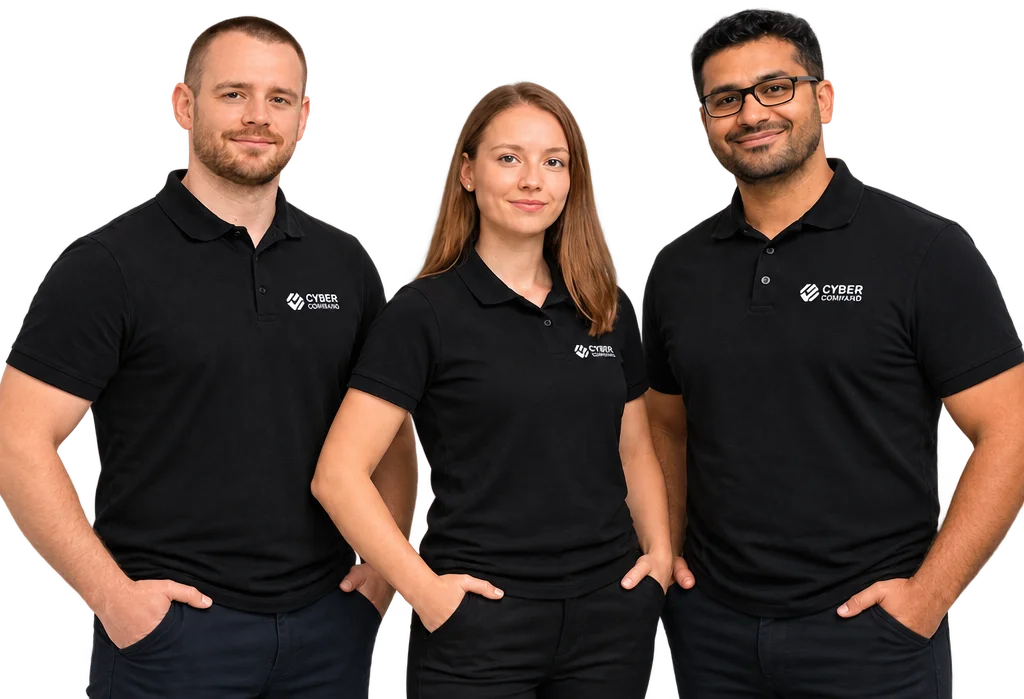
A strong service stack usually extends into cybersecurity, cloud architecture, access control, backup and recovery, and leadership reporting. In some organizations, it also includes DevOps support, workflow automation, and AI-related guidance for secure adoption. Cyber Command, LLC, for example, offers managed and co-managed IT, cloud services, platform engineering, AI consulting, and a live U.S.-based helpdesk as part of that broader consulting model.
What doesn't work is buying these pieces separately without one team owning outcomes. Businesses end up with tools but no coordination, reports but no decisions, and support contracts that overlap on paper while leaving real gaps in practice.
Why Cybersecurity Must Be Your Top Priority
Cybersecurity isn't a side service anymore. It's the operating condition for every business system your team relies on. Email, file access, remote logins, vendor portals, mobile devices, cloud apps, and shared data all create exposure. If nobody is actively managing that exposure, your business is betting that nothing important will happen at the wrong time.

Reactive security costs more than it looks
Many business owners think they have security because they have antivirus, passwords, and occasional vendor support. That's not a security program. That's a collection of tools.
The difference shows up when something suspicious happens. A reactive provider waits for users to report a problem. A proactive provider is already watching for abnormal behavior, isolating issues, reviewing alerts, and following a response plan. According to benchmarking data on IT consulting services, top-tier IT service providers achieve a 92% mean system uptime against industry averages of 85%, and proactive monitoring plus 24/7 SOC threat hunting reduces outage response time by 67% compared to break/fix models.
That result matters beyond security. Faster detection means less downtime, less operational confusion, and less damage to client trust.
For business leaders who want a broader non-technical explanation, this article helps learn about the cybersecurity field in practical terms.
What a modern security program should do
A modern IT consultant should treat cybersecurity as an active function, not a checkbox. That usually includes:
- Identity protection. Secure access, user lifecycle controls, and tighter handling of privileged accounts.
- Endpoint oversight. Device hardening, patching, protection, and policy enforcement across laptops, desktops, and mobile hardware.
- Threat monitoring. Continuous review of alerts and suspicious activity through a monitored security function.
- Response readiness. A documented process for containment, communication, recovery, and post-incident review.
- Compliance alignment. Controls mapped to the expectations your industry faces.
A dedicated cybersecurity services team in Orlando, FL should be able to explain these controls in business terms, not just technical ones.
Security spending should lower operational risk you can describe clearly. If nobody can explain what risk a control reduces, that control probably isn't being managed well.
What doesn't work is waiting until renewal season, a failed audit, or a suspicious login to start taking security seriously. By then, leadership is making decisions under pressure. That's when expensive mistakes happen.
IT Consulting for Orlando's Key Industries
The Orlando market isn't one market. A law office, a private medical practice, and an industrial operation can all say they need IT consulting while meaning completely different things. That's why industry-specific planning matters more than generic promises about cloud support or "enhanced security."
Central Florida has a broad technology footprint tied to healthcare, defense, simulation, modernization, cloud migration, and cybersecurity work. A regional overview notes that the area includes over 200 healthcare organizations and a defense and simulation sector with major investment activity in ERP modernization, AI adoption, cybersecurity compliance, and cloud migration, as outlined in this Central Florida consulting market summary.

Professional services need controls clients can trust
Law firms, accounting firms, architecture practices, and engineering firms often have stronger data obligations than their internal IT maturity suggests. They handle contracts, financial records, legal correspondence, plans, and confidential client materials. They also exchange those materials with outside parties constantly.
The common mistake is treating security as an internal IT issue instead of a client confidence issue. In this sector, consulting needs to cover document access controls, secure remote work, vendor risk, retention practices, and evidence that controls are being followed. For many firms, the conversation quickly moves toward compliance readiness for frameworks clients ask about, including SOC 2.
Healthcare practices need compliance built into operations
Healthcare is where generic managed IT often falls short. A private practice, dental group, med spa, plastic surgery office, veterinary clinic, or specialist group doesn't just need systems that stay online. It needs systems that support privacy, access control, auditability, and dependable workflows around protected information.
The risk is especially high for smaller organizations. A 2025 U.S. Department of Health and Human Services report found that 63% of HIPAA violations in Florida occurred in organizations with fewer than 50 employees, highlighting a critical compliance gap for SMBs that specialized IT consulting can address.
That matters because many smaller practices still rely on informal access habits, shared credentials, loosely managed devices, and vendor relationships that were never reviewed from a compliance standpoint.
In healthcare, convenience shortcuts usually become compliance problems later.
A compliance-focused consultant helps turn HIPAA from a vague fear into an operational roadmap. That includes access standards, device controls, backup and recovery expectations, user training, incident response procedures, and documentation leadership can produce when questions come up.
Industrial firms need uptime and segmentation
Industrial and field-service businesses usually care first about continuity. They need office networks, plant or warehouse systems, mobile staff connectivity, and specialty applications to work together without creating unnecessary exposure.
These environments often have hidden complexity:
- Older systems still in use that can't be patched or replaced quickly
- Shared operational networks where one weak point can affect multiple workflows
- Remote and field access needs that create convenience-versus-control trade-offs
- Third-party support relationships with uneven security standards
A good consultant won't force a one-size-fits-all stack onto that environment. Instead, they'll segment risk, document dependencies, standardize what can be standardized, and put stronger controls around the systems that can't be modernized yet.
That's the difference between industry-aware IT consulting in Orlando, FL and generic outsourced support. One understands your workflows. The other mostly waits for tickets.
How to Choose the Right Orlando IT Partner
Most providers sound similar until you ask specific questions. They all mention support, security, cloud, and responsiveness. What separates a dependable partner from a noisy sales pitch is whether they can explain scope, accountability, pricing, and risk in plain language.
Questions worth asking before you sign
Start with operational questions, not marketing questions.
- Ask how they handle after-hours issues. If a critical system fails outside business hours, who sees the alert, who responds, and how is that documented?
- Ask what they monitor proactively. "We monitor your environment" is too vague. You want to know whether they're watching endpoints, backups, access events, network health, and suspicious activity.
- Ask how they support compliance. If you're in healthcare or professional services, they should be able to discuss audit readiness, policy support, documentation, and control mapping.
- Ask what reports leadership receives. Good reporting should help owners make decisions. It shouldn't just prove that tickets were closed.
- Ask what onboarding looks like. A serious provider should have a defined transition process for documentation, credential control, vendor coordination, and baseline remediation.
This guide to choosing a managed service provider is a useful checkpoint if you're comparing several firms and want a practical screening framework.
One issue deserves special scrutiny: pricing. A 2024 Gartner survey of 1,200 SMBs showed that 71% prefer predictable flat-rate IT support due to budget volatility, yet 84% of local Orlando IT consulting pages still emphasize "flexible pricing" without defining it, as noted in this pricing discussion for Orlando IT services.
When providers avoid defining the model, business owners can't tell whether support is all-inclusive, partially bundled, or full of add-on charges.
Comparing IT Support Pricing Models
| Model | Best For | Cost Structure | Key Risk |
|---|---|---|---|
| Break-fix | Very small environments with limited needs and high tolerance for disruption | Pay when something breaks or a project appears | Costs are unpredictable, and prevention is often neglected |
| Flat-rate managed IT | Businesses that want budget stability and ongoing support | Recurring monthly fee with defined scope | You have to verify what's included and what triggers extra fees |
| Project-based consulting | One-time upgrades, migrations, or assessments | Scoped per project | Day-to-day operational risk remains if no one owns the environment afterward |
| Co-managed IT | Companies with internal IT staff that need added depth | Recurring support plus shared responsibilities | Confusion if ownership boundaries aren't clearly documented |
Don't buy "flexibility" until you know what it excludes.
A reliable Orlando IT partner should be comfortable walking through service boundaries, escalation rules, documentation ownership, and contract language without evasive phrasing. If answers stay vague during sales, they won't get clearer during an outage.
The Advantage of a Local Central Florida Partner
Remote support is valuable. It solves a large share of day-to-day issues quickly. But local presence still matters, especially when a problem involves physical infrastructure, office coordination, employee onboarding, or a location-specific recovery effort.
A business with offices in Orlando, Winter Springs, or surrounding Central Florida cities often needs more than a generic national helpdesk can provide. Someone may need to visit the site, coordinate with building access, replace hardware, work with an ISP handoff, or support leadership during a sensitive incident. Distance slows all of that down.
Local context changes the quality of advice
Regional understanding improves planning, too. The Orlando area hosts nearly 78,000 tech jobs and continues building innovation infrastructure including NeoCity, a 500-acre semiconductor hub, alongside active smart city efforts across Central Florida, according to this overview of the region's tech ecosystem.
That matters because local consultants work inside a market that's getting more technical, more connected, and more compliance-driven. They're more likely to understand the realities facing professional services firms, healthcare practices, industrial operators, and community organizations in this region.
Orlando's public sector direction reinforces that point. The city issued an RFP for a five-year consultant contract to create a Smart City Master Plan with a required security framework assessment, as reported in this GovTech coverage of Orlando's smart city RFP.
A local partner won't solve problems just because they're nearby. They still need process, depth, and discipline. But when they combine those traits with on-site availability and Central Florida context, businesses usually get faster coordination, clearer communication, and advice that fits the market they're operating in.
Frequently Asked Questions About IT Consulting
What's the difference between managed IT and co-managed IT
Managed IT means an outside provider takes primary responsibility for ongoing support, maintenance, monitoring, and usually a defined part of security and vendor coordination. Co-managed IT means your internal IT staff keeps ownership of some functions while the outside partner fills gaps.
Co-managed support works well when an internal team is overloaded, lacks after-hours coverage, or needs specialized help with security, cloud, compliance, or projects. It doesn't replace internal knowledge. It extends it.
How long does it take to switch IT providers
It depends on how well your current environment is documented and how cooperative the transition is. The actual switch is usually less disruptive than owners fear when the incoming team has a structured onboarding process.
The key tasks are straightforward: gather documentation, confirm administrative access, inventory devices and systems, review vendors, validate backups, and identify critical risks that need immediate remediation. Problems usually come from undocumented dependencies, not from the switch itself.
Is my business too small for managed IT services
Usually not. Smaller businesses often have more to lose from informal IT because they don't have spare staff or redundant processes to absorb disruption. A small practice can be hit harder by one access problem or compliance mistake than a larger company with deeper internal resources.
This is especially true in regulated and document-heavy environments. A ten-person firm with sensitive client data still needs structured access, secure devices, dependable backups, and someone accountable for the environment.
How should I think about IT budgeting
Budgeting gets easier when leadership stops treating IT as a pile of unrelated purchases. The goal is to align spending with business risk, staff productivity, and compliance obligations.
In professional and technical services organizations, IT spending averages 4.2% of total revenue, and security and compliance tools account for 38% of that budget, according to Avasant's benchmarking for professional and technical services. That doesn't mean every Orlando business should copy the same percentage. It does show that security and compliance already take a meaningful share of real-world IT budgets in sectors that resemble many local firms.
A useful budgeting approach includes:
- Core operations. Support, device management, user access, backup, and vendor coordination.
- Risk reduction. Security controls, monitoring, and compliance support tied to your actual obligations.
- Lifecycle planning. Replacements, upgrades, and infrastructure changes scheduled before they become emergencies.
- Growth support. New locations, new hires, cloud adoption, workflow changes, and project capacity.
When budgeting is predictable, owners make better decisions. When it's reactive, every technology choice feels more expensive than it should.
If you're evaluating options for IT consulting in Orlando, FL, Cyber Command, LLC is one firm to consider for businesses that need managed or co-managed IT, cybersecurity support, compliance-focused guidance, and predictable service structure across Central Florida. The right fit comes down to clarity: clear scope, clear accountability, clear reporting, and a clear plan for keeping your business secure and operational.