Incident Response Playbooks for Orlando, Tampa, and Central Florida Businesses

An incident response playbook is a detailed, step-by-step guide that dictates the specific actions to take during a security incident. Unlike a general plan, a playbook provides a precise, repeatable workflow for a particular threat, such as ransomware, ensuring your team can act quickly and decisively to minimize damage.

Beyond the Plan: Why Actionable Playbooks Are Your Real Defense

When a cyber incident strikes, having a generic response plan is like carrying a map of Florida to navigate a specific backstreet in downtown Orlando. It’s a good starting point, but it's utterly useless when you’re under pressure and need to make a fast, correct turn.

Central Florida businesses, from manufacturing companies in Tampa to legal and financial firms in Orlando, need more than a dusty, high-level document. You need dynamic, actionable incident response playbooks.

Imagine a ransomware attack hits your network on a busy Tuesday morning. Alarms are blaring, and chaos erupts. Without a clear playbook, your team scrambles. Decisions are delayed, critical mistakes are made, and every second costs you. For businesses in key Florida industries like hospitality, healthcare, or construction, this is where catastrophic financial and reputational damage happens.

From Vague Ideas to Concrete Actions

A well-crafted playbook transforms that chaos into a controlled, manageable process. It’s the bridge from theoretical ideas to a concrete sequence of operations. A generic plan might say, "Isolate affected systems." That’s not helpful in a crisis.

A ransomware playbook, on the other hand, tells you exactly who isolates them (by name and role), how they do it (with specific commands or tools), and what communication needs to happen immediately after.

This shift from a high-level plan to a detailed playbook is fundamental to business continuity. It’s not just an IT concern—it’s about protecting your revenue, client trust, and operational stability against pressing cybersecurity concerns.

To put it plainly, a generic plan and a playbook are two completely different tools. One is for the boardroom, the other is for the trenches.

A Generic Plan vs an Actionable Playbook

Attribute Generic Incident Plan Actionable Incident Response Playbook
Scope Broad, high-level strategy for all incidents Narrow, step-by-step checklist for one specific threat
Audience Leadership, auditors, and management IT/security team, SOC analysts, on-call engineers
Example Action "Contain the threat and notify stakeholders." "1. Disconnect network cable from workstation WS-07. 2. Disable user account j.doe in Active Directory. 3. Use the 'Data Breach – Tier 2' email template to notify the Legal team."
Goal To meet compliance and outline general goals To stop an active attack, minimize damage, and recover quickly

The difference is stark. One sets a direction, while the other gives you turn-by-turn instructions to get there safely and quickly.

The real value of an incident response playbook is its power to eliminate guesswork during a high-stress event. It provides absolute clarity and direction when time is your most critical asset, ensuring every action taken is deliberate, correct, and effective.

The New Reality of Cyber Threats in Florida

Modern cyberattacks are meticulously designed for maximum disruption. Attackers don't just steal data anymore; they aim to cripple your entire operation and hold your business hostage. For Florida's diverse industries—from tourism in Orlando to shipping and logistics in Tampa—this trend makes having a pre-defined response strategy non-negotiable for any small or mid-sized business in the region.

The latest data paints a grim picture. In incidents analyzed by Palo Alto Networks' Unit 42, a staggering 86% involved significant business disruption, such as operational downtime and lasting reputational harm.

The report also found that attackers often hit businesses on multiple fronts, with 84% of cases involving multi-faceted attacks. This is why having specific playbooks—one for ransomware, one for a business email compromise, another for a data breach—is essential for industries like professional services or healthcare in Central Florida.

You can explore the complete incident response report to understand the evolving threat landscape. By preparing for these complex scenarios, you can turn a potential business-ending event into a survivable, manageable incident.

Crafting Your Core Incident Response Playbooks

When an attack hits, a three-ring binder full of high-level theory is the last thing you need. For small and mid-sized businesses, especially those in co-managed environments, the line between surviving a cyberattack and becoming a statistic is drawn by having specific, actionable incident response playbooks.

This isn't about generic advice. It’s about building practical, step-by-step guides for the threats your business is most likely to face. The whole point is to have a script that answers the only question that matters in a crisis: who does what, and when?

Identifying Your Most Likely Threats

You can’t boil the ocean, and you can’t defend against every threat at once. The first step is to get real about the 3-4 most probable and impactful threats to your specific business. For the professional services firms, medical practices, and industrial companies we work with across Central Florida, the list usually narrows down to a few key cybersecurity concerns.

  • Phishing & Business Email Compromise (BEC): This is the gateway for many attacks. A single deceptive email can lead to stolen credentials, fraudulent wire transfers, or a full-blown network breach. For any business that relies on email for operations—from construction firms in Tampa to law firms in Orlando—this is a persistent, high-risk threat.
  • Ransomware Attack: This is the nightmare scenario for many businesses. Malicious software encrypts your critical files, grinding operations to a halt and putting sensitive data at risk. For industries like healthcare, finance, or legal services, a ransomware attack is not just an IT problem; it's a business-ending event that can trigger regulatory fines and destroy client trust.
  • Lost or Stolen Device: A single company laptop or phone goes missing from a job site in Lakeland or an office in Orlando. If it contains sensitive client data, intellectual property, or financial records, you're not just dealing with a lost asset—you're facing a potential data breach and a compliance nightmare.

Once you’ve identified your core threats, you build a dedicated playbook for each one. This focused approach means your team has clear, relevant instructions when they need them most, instead of fumbling through a 100-page "one-size-fits-all" document.

The Anatomy of an Effective Playbook

Each playbook needs to be a concise, no-fluff checklist. Think of it as a recipe that anyone on your team—or your co-managed IT partner—can follow under extreme pressure. It must contain four critical sections that guide the response from detection to recovery.

1. Triggers: What specific event kicks off this playbook?
* Example (Ransomware): An alert from endpoint protection software detects ransomware activity, or an employee reports seeing a ransom note on their screen.

2. Containment: How do we stop the bleeding and prevent this from spreading?
* Example (Ransomware): Immediately disconnect the infected device from the network. With a co-managed partner, a Security Operations Center (SOC) can execute this remotely within seconds of the trigger.

3. Eradication: How do we get the bad stuff out of our environment completely?
* Example (Ransomware): Wipe and re-image the affected machine from a known-good, clean backup. The next step is to find and patch the vulnerability that let the attacker in.

4. Recovery: How do we safely get back to business as usual?
* Example (Ransomware): Restore encrypted data from clean, verified backups. You have to monitor the network for any signs of lingering attacker activity before bringing all systems back online.

Getting the recovery stage right is critical. You can find more on that in our guide on ransomware recovery.

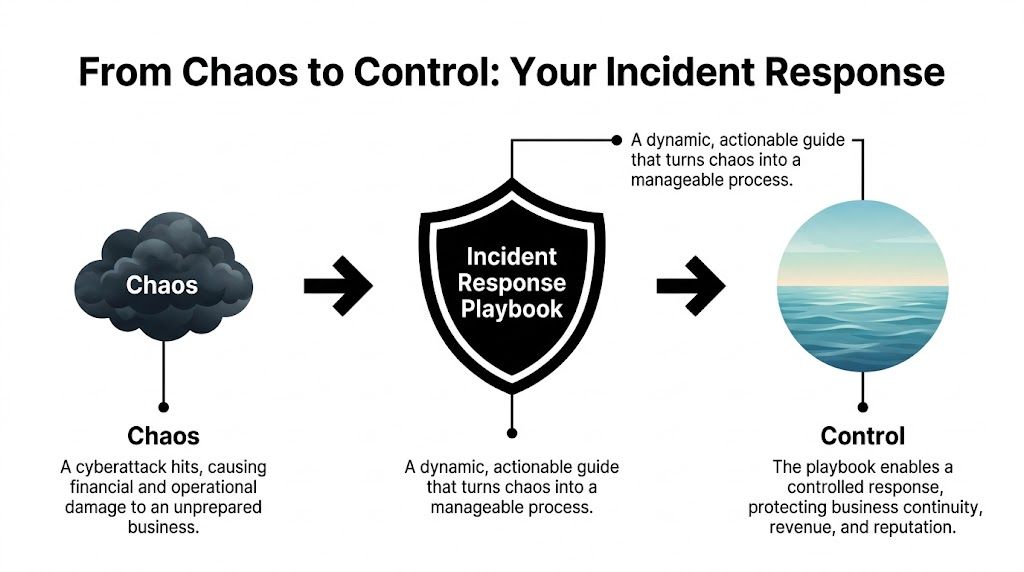
This process is what turns the utter chaos of an attack into a controlled, manageable process.

A diagram illustrating how an incident response playbook transforms cyberattack chaos into business control and stability.

As you can see, the playbook is the tool that lets you move from a state of damaging chaos to one of control, protecting your revenue and reputation along the way.

A great incident response playbook is all about execution. It provides the “who, what, and when” with absolute clarity, ensuring that even in a high-stress situation, your team—and your IT partner—are working from the same script to protect the business.

Bridging the Gap Between Plan and Reality

Here’s a sobering statistic: even though 99% of organizations report having formal incident response plans, a shocking 73% of cybersecurity leaders admit they aren't truly prepared for the next big attack. Why the massive gap? It often comes down to coordination failures, executive disengagement, and other delays that cripple the response.

For SMBs with lean internal teams, this is where things can fall apart. Having a plan on paper is one thing; having the people, processes, and communication lines ready to execute it is something else entirely.

This is exactly where detailed playbooks combined with a strong communications strategy make all the difference. When you build your playbooks, you must integrate your communication steps. It's worth reviewing a modern guide to crisis communications management to ensure your reputation defense is as robust as your technical one. By pre-defining every step, both technical and communicative, you close that dangerous gap between good intentions and effective action.

Defining Roles and Escalation Paths for Your Team

A professional man presenting an incident response flowchart to his team during a business meeting in office.

Having a great incident response playbook is one thing. Knowing exactly who does what during an attack is another. The best-written plan will fail if your team descends into chaos because roles aren't crystal clear.

This is where the human element becomes your greatest asset—or your biggest liability.

For small and mid-sized businesses in Orlando, Tampa, and across Central Florida, this gets even trickier. Your people already wear multiple hats. In a crisis, that flexibility can turn into paralysis if they don't have pre-assigned duties. The goal is to make sure nobody ever has to ask, "What now?"

Building Your Response Team Matrix

Your first move should be to build a roles and responsibilities matrix. This isn’t some complicated spreadsheet; it's a simple, at-a-glance chart that maps people to specific actions for every type of incident. For any Central Florida business we work with, this matrix always includes internal staff, key executives, and us—your co-managed security partner.

Here are the core roles we see in every successful response team:

  • Incident Commander: This is your field general, the single person directing the response. In a law firm or a construction company, this is often the managing partner or office administrator—someone who can make decisive operational calls, not necessarily your most technical person.
  • Technical Lead: This role is almost always handled by your managed IT partner and their 24/7 Security Operations Center (SOC). They are the boots on the ground, handling the hands-on work of isolating systems and kicking the bad guys out.
  • Communications Lead: This person manages all messaging, both internally to staff and externally if needed. In a medical practice, this might be the practice manager, who uses pre-approved templates to update the team or communicate with patients about an outage.
  • Executive Sponsor: This is the business owner or CEO. They aren't in the technical weeds but are kept in the loop on major developments and are the ones who approve critical business decisions, like authorizing emergency funds for recovery.

This structure lets your technical experts focus on the tech, while business leaders focus on the business. No one steps on anyone else’s toes.

Designing Smart Escalation Paths

Not every blip on the radar needs a 2 AM phone call to the CEO. A smart, logical escalation path protects your leadership’s time and focus, while ensuring genuine emergencies get the executive attention they demand. Your playbooks must define these triggers with absolute precision.

An effective flow matches the incident's severity to the right level of response. It stops people from overreacting to minor issues and, more importantly, guarantees that a major threat doesn't get lost in the noise.

A well-designed escalation path ensures that the right people are notified at the right time, with the right information. It turns a chaotic "fire alarm" situation into a structured, tiered response, preserving leadership focus for when it truly matters.

Let’s look at a CPA firm in Tampa that has a co-managed IT environment. Here’s how a simple escalation flow for a malware alert should work:

  • Severity 1 (Minor): A single workstation blocks a low-risk PUP (Potentially Unwanted Program). The SOC logs it, and a report goes to the office manager at the end of the day. No immediate action is needed.
  • Severity 2 (Moderate): An employee clicks a phishing link, but our endpoint protection blocks the malicious site before any damage is done. The SOC gets an alert, the user is notified, and we automatically assign them a quick security awareness training module. The office manager gets an email notification.
  • Severity 3 (Critical): Ransomware is detected on a file server. This is an all-hands-on-deck event. The SOC immediately isolates the server from the network, the Incident Commander (the office manager) gets an urgent phone call, and the Executive Sponsor (the managing partner) is notified via a priority alert. The full ransomware playbook is activated.

This tiered system ensures the response always matches the risk. It prevents alert fatigue and keeps your team laser-focused on what actually counts.

How a 24/7 SOC Amplifies Your Playbooks

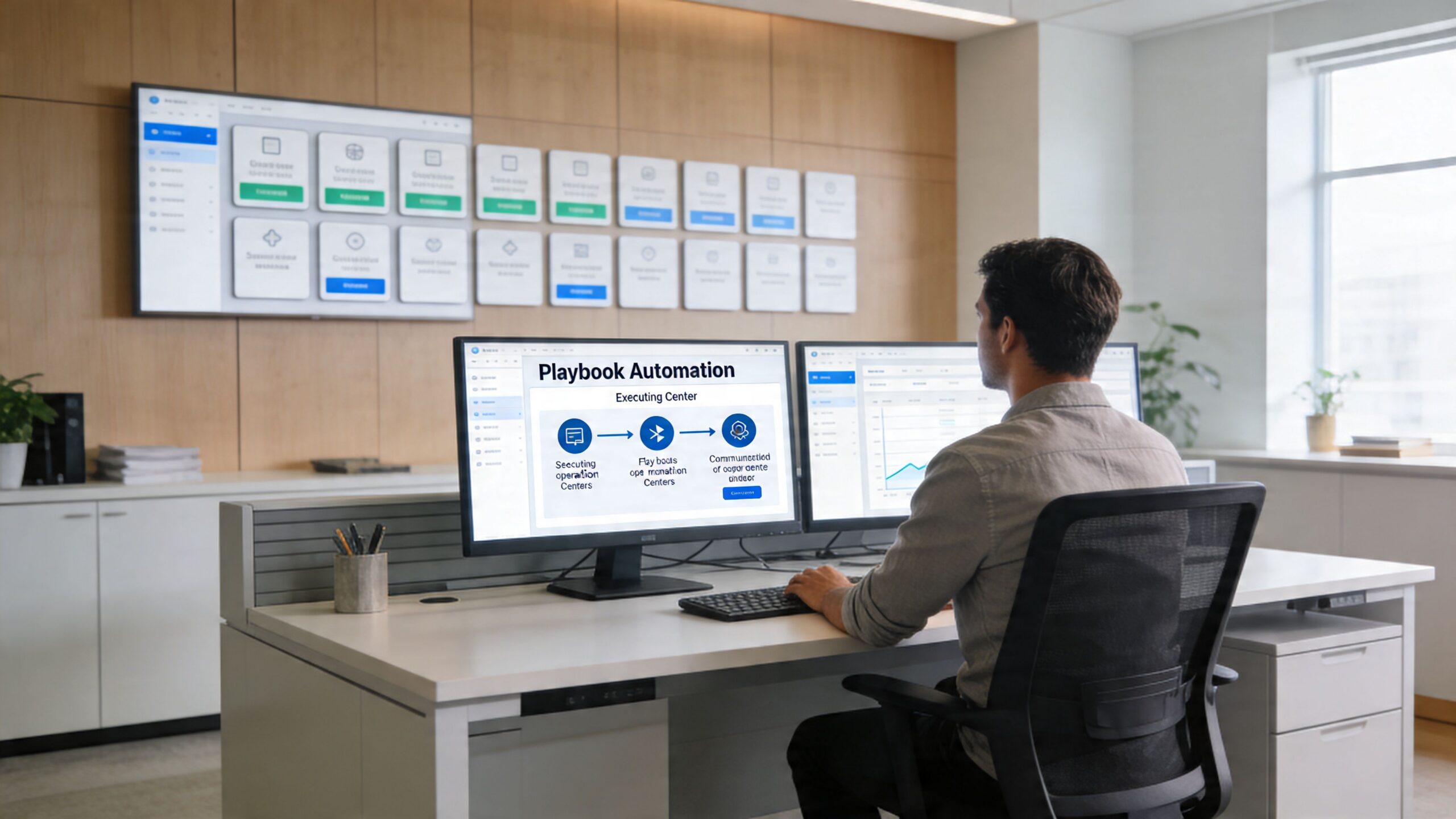
A professional working at a desk with two computer screens displaying incident response playbook automation workflows.

Your incident response playbooks are a fantastic starting point, but they’re only half the battle. A playbook sitting in a shared drive is just a document; it’s a great plan, but it can’t act on its own. The real magic happens when you connect that plan to a 24/7/365 Security Operations Center (SOC).

This is where your strategy gets a pulse. When a SOC integrates your playbooks, they aren’t just reading a set of instructions—they’re codifying them into their security platforms. This turns your carefully planned response steps into a living, automated defense system that works for you around the clock.

From Hours to Minutes with Machine-Speed Containment

When an attack hits, every second counts. A human-only response, even one guided by a well-written playbook, has built-in delays. An employee has to see the alert, find the right playbook, get the necessary approvals, and then manually execute the containment steps. That can easily take hours.

A SOC-driven response crushes that timeline from hours down to minutes, or even seconds.

Let’s walk through a real-world scenario. Imagine an employee at your Orlando office clicks on a malicious link at 10 PM on a Friday. Here’s how a SOC uses your playbook to shut down the threat before you even get a notification:

  • Automated Trigger: The endpoint detection and response (EDR) tool on the employee’s laptop spots the suspicious activity and flags a high-priority alert.
  • Playbook Execution: The SOC’s security platform instantly recognizes the alert type and triggers your pre-approved "Malware Infection" playbook.
  • Machine-Speed Action: Without any human intervention, the platform executes the first containment step in your playbook—isolating the infected laptop from the network to stop the malware from spreading.
  • Simultaneous Alerting: At the exact same time, the system sends an automated notification to your designated Incident Commander and logs every action for later review.

All of this happens before an analyst even has to touch a keyboard. Your playbook provided the "what," and the SOC provided the "how," executing it instantly to stop an attacker’s lateral movement in its tracks. Our guide on setting up a security operations center for your small business takes a deeper dive into how this integrated defense works.

A U.S.-Based SOC Guided by Your Business Priorities

For business owners in Central Florida, from Tampa to Orlando, the value of a 24/7/365 U.S.-based SOC is immense. Cyber threats don't stick to a 9-to-5 schedule. An attack is just as likely to unfold on a holiday weekend as it is in the middle of your busiest workday.

While a dedicated SOC provides that constant vigilance, it’s the guidance from your playbooks that makes it truly effective. Your playbooks are what tell the SOC what actually matters to your business.

By integrating your playbooks, the SOC isn’t just reacting to generic alerts; it’s executing a response strategy tailored to your specific operational needs and risk tolerance. It becomes an extension of your team, enforcing your rules even when you’re not there.

This partnership is what ensures security actions align with business goals. For example, if a non-critical server shows odd behavior, your playbook might instruct the SOC to simply monitor and report back. But if that same behavior appears on the server holding your client financial data, the playbook will demand immediate isolation and escalation.

That's a critical distinction the SOC can only make with your predefined instructions. This intelligent, customized response is the key to protecting what matters most without bringing your entire operation to a halt over a minor issue. It's the ultimate peace of mind.

Testing Your Playbooks for Real-World Resilience

Let’s be honest: an incident response playbook that hasn't been tested is just a theory. It’s a well-intentioned document sitting in a folder, but it’s guaranteed to have hidden flaws that will only show up under the pressure of a real attack. For a busy SMB, regular testing is what turns that paper plan into battle-tested muscle memory.

This isn't about running massive, time-consuming drills every week. It's about weaving practical, manageable tests into your routine to make sure your strategy actually works. These exercises are where you find the small but critical gaps—an outdated contact number, a technical process that fails, or a communication breakdown—before a real crisis does it for you.

Starting with Tabletop Exercises

The best place to start is with a tabletop exercise. Think of it as a structured "what if" conversation. You get your incident response team in a room—your Incident Commander, tech leads, and other key players—and talk through a specific scenario.

For example, your scenario for a construction company in Lakeland could be: "A phishing email was reported, and it looks like our project manager's credentials have been compromised."

From there, the exercise leader walks the team through the playbook, asking pointed questions:

  • "According to the playbook, what's our very first move?"
  • "Who owns the task of disabling the user account?"
  • "How do we verify the account is locked and check for any unauthorized activity?"
  • "What's the next communication that needs to go out, and who is responsible for sending it?"

This simple discussion quickly uncovers confusion, incorrect assumptions, and gaps in your process without touching a single live system. It's a low-stress, high-impact way to build team confidence and polish your playbooks.

Advancing to Breach and Attack Simulations

Once your team has a few tabletop exercises under their belt, it's time to level up. A breach and attack simulation (BAS) is where you use safe, controlled tools to mimic parts of a real attack and see what happens.

This could mean running a simulated ransomware agent on an isolated, non-critical machine. Did your endpoint protection software catch it and fire an alert? Did the SOC receive that alert and kick off the right playbook?

These simulations test both your technology stack and your team's response. They prove that your automated containment rules are working and that your people can interpret the alerts correctly and take the right next steps. To build truly robust playbooks, you have to include and regularly perform scheduled disaster recovery testing to ensure your recovery steps are just as solid as your initial response.

The goal of testing isn't to pass or fail. It's to find your weak points in a safe environment. Every gap you uncover during a drill is one less vulnerability an attacker can exploit during a real incident.

The financial incentive for this diligence is staggering. Organizations that lack documented and tested incident response plans face an average breach lifecycle of 258 days. For those who have them, it’s just 189 days. That 69-day difference can easily be a death sentence for a small business, like a veterinarian or an accounting firm in Central Florida. Despite proof that regular drills save an average of $1.49 million per breach, a shocking 30% of companies actually test their plans.

Turning Lessons Learned into Action

After every test—whether it’s a quick tabletop chat or a full-blown simulation—the most critical step is the post-mortem. This is where you sit down and document what worked, what didn't, and what needs to be fixed.

Was the playbook clear and easy to follow? Were there steps that were confusing or impossible to execute? Did a piece of technology fail?

The answers to these questions must be used to immediately update your incident response playbooks. This creates a powerful cycle of continuous improvement, making your plans stronger and more resilient with every test. Our article on disaster recovery testing offers more ideas on building this resilient mindset. This consistent refinement is what separates a static document from a living, breathing defense strategy that truly protects your business.

Your Questions About Incident Response Playbooks

Even with a clear plan, I find that many business owners in Central Florida have the same practical questions when it comes to incident response playbooks. It's smart to ask them. This is an investment in your company’s resilience, so let's get you some straightforward, no-nonsense answers.

How Many Playbooks Does My Small Business Really Need?

You don't need a library of playbooks to be protected. The trick is to start small and zero in on the 3-4 most probable and impactful scenarios that could hit your business. It's always quality over quantity.

For a professional services firm here in Orlando, for instance, we almost always start with playbooks for:

  • Ransomware attacks
  • Business Email Compromise (BEC)
  • A lost or stolen company laptop with client data

A medical practice over in Tampa, on the other hand, has a different set of priorities. Their biggest cybersecurity concern is a data breach involving protected health information (PHI), so that playbook comes first due to strict HIPAA compliance rules. The goal is to cover your most significant risks first. A good security partner can run a quick risk assessment to pinpoint these, making sure your effort goes where it counts.

We Are a Small Team—How Can We Possibly Manage This?

This is probably the most common concern I hear, and it’s a valid one. It’s also exactly where a co-managed IT partnership proves its worth. Nobody expects you to become a team of cybersecurity experts overnight. In fact, a good incident response playbook makes it easier for a small team by laying out clear, manageable roles.

During an incident, your playbook will map out simple, non-technical tasks for your internal staff. Your Office Manager might be responsible for sending out pre-approved internal updates using a template. Meanwhile, your partner's 24/7 Security Operations Center (SOC) is handling the heavy lifting—the technical containment, threat removal, and system restoration.

The playbook is the bridge that makes this teamwork seamless, not chaotic. It lets your people focus on keeping the business running while expert engineers neutralize the threat. Everyone knows their role, and confusion is kept to a minimum.

Is Creating and Testing Playbooks Expensive?

The investment in creating and testing incident response playbooks is pocket change compared to the catastrophic cost of a real data breach. The price of an attack isn't just a ransom payment; it’s the regulatory fines, the crushing reputational damage, and the extended downtime that can easily put a small business under.

When you work with a managed service provider, playbook development and testing are typically woven directly into your security program. These become regular activities, like a Quarterly Business Review (QBR), not some massive, one-time project with a scary price tag. This approach makes proactive defense accessible and affordable, reframing it from an expense into a smart investment in your company's future.

How Often Should We Update Our Playbooks?

Your playbooks have to be living documents. A playbook that’s six months out of date can be just as dangerous as having no playbook at all. If it’s just collecting digital dust on a server, it’s useless.

We recommend a full review and update on a clear schedule:

  • At least annually: This keeps the plans aligned with your current business goals and team structure.
  • Whenever a major business change occurs: Think adopting new critical software, moving offices, or changes in key personnel.

And this is the most critical part: after any security incident or testing drill, your playbooks must be updated immediately with the lessons you learned. This cycle of continuous improvement is what keeps your response strategy sharp and effective against threats that are changing all the time.


Ready to move from theory to action? Cyber Command, LLC specializes in building practical, actionable incident response playbooks for businesses across Central Florida. We integrate them with our 24/7 SOC to provide a defense that works around the clock. Let's build your resilience together.

Strengthen Enterprise Mobile Security: Defend Your Business

That smartphone in your employee's pocket is one of your biggest—and most overlooked—business risks. For business owners in Orlando, Kissimmee, and across Central Florida, enterprise mobile security isn't just about antivirus software anymore. It’s a complete strategy to protect your company's data, no matter where it goes.

The Unseen Risk in Every Employee's Pocket

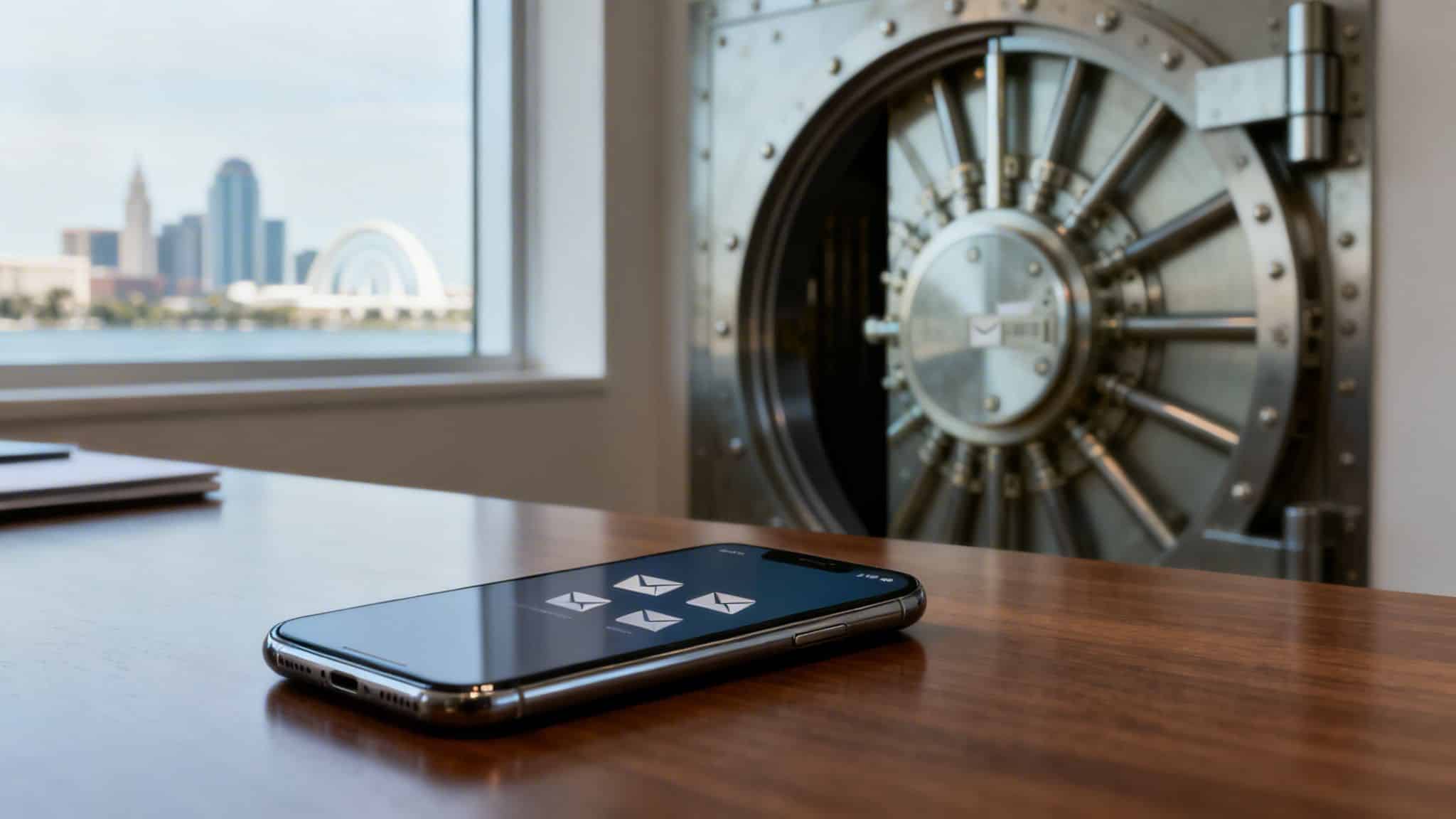
Think of your company network as a secure bank vault. Your servers and internal systems are locked down tight, but every employee’s phone is a key to that vault. If just one of those keys gets lost, stolen, or copied through a cyberattack, your most sensitive data—from client records and patient information to financial reports—is suddenly out in the open.

A smartphone displaying email icons on a desk, with a partially open vault and city skyline.

For the healthcare, legal, and construction firms we work with across Central Florida, a single compromised device can set off a chain reaction of devastating consequences. Our modern work world depends on mobile access, but that convenience comes with some serious cybersecurity concerns attached.

The New Primary Attack Surface

Mobile devices are no longer a secondary thought; they are the front line in today's cybersecurity battles. The explosion in remote and hybrid work has turned smartphones and tablets into the most common entry point for attackers trying to break into corporate networks.

This isn't some far-off threat; it's a critical cybersecurity concern for your business right now. In 2025, a stunning 85% of organizations reported a sharp increase in attacks targeting mobile devices, officially making mobile the primary attack surface for businesses everywhere. This surge shows just how deeply these devices are woven into our daily operations, and that trend is only accelerating. You can get more details on recent mobile security findings and see exactly how cybercriminals are taking advantage of this reliance.

The numbers paint a very clear picture of the risk:

  • Constant Connectivity: Employees are plugged into critical business systems like email, cloud storage, and CRM platforms from their phones 24/7.
  • Data Vulnerability: Sensitive information is routinely stored on or accessed by devices that might have little to no real protection.
  • Operational Disruption: An attack that starts on a mobile device can spread like wildfire, leading to operational chaos and costly downtime.

A slow erosion of security is where most mobile risk lives. One device slips outside of policy, one security update is missed, and an access path remains open. From an attacker's perspective, the weakest point in the environment becomes obvious.

Real-World Consequences for Florida Businesses

For businesses right here in our community, this isn't just a theoretical problem. We see it play out all the time. A law firm in Kissimmee could suffer a client data breach from a partner's unsecured phone. A construction company in Lake Mary might get hit with a ransomware attack that started on a manager's tablet at a job site.

These incidents lead to a lot more than just technical headaches. They result in expensive compliance violations, irreparable damage to your reputation, and a loss of customer trust that can take years to earn back. This guide will walk you through building a practical defense, turning your mobile devices from a liability into a secure, productive asset.

Decoding Today's Mobile Threat Landscape

To build a real defense for your business’s mobile devices, you first have to know what you’re up against. The cybersecurity concerns for mobile phones and tablets aren't just generic viruses anymore. They’re smart, they’re sneaky, and they’re built to take advantage of how fast modern business moves. For companies here in Orlando and across Central Florida, these digital risks have very real, and very expensive, consequences.

Let’s get out of the clouds and talk about what this looks like on the ground. Picture a paralegal at a Kissimmee law firm getting a text that looks like a FedEx delivery notice. It's a classic smishing (SMS phishing) attack. They click the link, punch in their company login on a convincing but fake website, and just like that, an attacker has the keys to your kingdom—or in this case, your confidential client files.

Or think about a project manager for a Winter Park construction company who downloads a handy-looking project management app. The app works, but it’s also riddled with hidden malware. It quietly siphons off customer lists, project bids, and financial data right from their phone and sends it all to a criminal’s server.

The Rise of Mobile-First Ransomware

One of the nastiest cybersecurity concerns we’re seeing today is ransomware that starts on a single mobile device but quickly spreads across your entire network. This is a complete game-changer for attackers. A compromised phone connected to the company Wi-Fi or cloud accounts acts as the perfect beachhead, letting ransomware crawl sideways to encrypt your most critical business systems.

For a dental practice in Lake Mary, that could mean every patient record and appointment schedule gets locked up, bringing the entire business to a screeching halt. For a financial advisory firm in downtown Orlando, it could be a full-blown nightmare of encrypted client portfolios, triggering a regulatory and reputational firestorm.

This shift highlights a critical vulnerability: mobile devices are no longer isolated endpoints. They are integrated gateways to your most valuable corporate assets, including cloud environments and identity systems.

The numbers don't lie. Ransomware attacks that get their start on a mobile device have absolutely exploded, now making up over 40% of all reported data breaches in 2026. This isn't just some tech headache; it's a potential business-killer for SMBs in professional services and healthcare, where one employee's phone can grind all operations to a halt. You can dig deeper into how phones became a primary vector for these attacks in this detailed analysis from Samsung Knox.

Unpatched Devices: The Open Door for Attackers

Another massive vulnerability is one we see all the time: unpatched operating systems. When an employee uses their personal phone for work and keeps ignoring those "update available" pop-ups, they're basically leaving the front door wide open for cybercriminals. Every update they skip could contain fixes for dozens of security flaws that attackers are actively looking for.

This is how these common mobile threats translate into real-world business risks. The table below breaks down the connection, showing the tangible consequences for businesses right here in Florida.

Common Mobile Threats and Their Business Impact

Threat Type How It Works Example Scenario for a Florida Business Potential Business Impact
Phishing/Smishing Deceptive emails or texts trick users into revealing login credentials or installing malware. An accountant at a Winter Springs firm receives a fake "Urgent Invoice" email and clicks a malicious link. Compromised email account, financial fraud, access to sensitive client data.
Malicious Apps Legitimate-looking apps contain hidden code to steal data, spy on users, or install ransomware. An engineering firm's employee downloads a "free" PDF scanner app that secretly copies all contacts and files. Data breach, intellectual property theft, loss of competitive advantage.
Ransomware Malware encrypts files on the device and spreads to connected networks, demanding a ransom for their release. A veterinarian's tablet is infected at home and then connects to the clinic's network, encrypting all patient records. Complete operational shutdown, significant financial loss, severe reputational damage.
Outdated OS Unpatched security vulnerabilities in the phone's operating system are exploited by attackers to gain full control. A partner at a Kissimmee law firm uses a personal phone with an old iOS version, allowing an attacker to bypass security entirely. Full data compromise, violation of client confidentiality, regulatory fines.

Connecting these digital threats to their business consequences is the first step in building a defense that actually works. The financial ruin, reputational damage, and regulatory penalties aren't just abstract possibilities; they are the predictable outcomes of leaving your mobile risk unmanaged.

Building Your Mobile Security Fortress

Trying to piece together an enterprise mobile security strategy can feel like you're staring at a box of puzzle pieces with no picture on the lid. The good news is, it really just comes down to a few core technologies working together. For any business with offices in Orlando and across Central Florida, getting this right isn't just an IT chore—it's a critical part of protecting your entire operation from mounting cybersecurity concerns.

Let's break down the essential tools that form your mobile security fortress. We'll use a simple analogy to make sense of these powerful concepts. Think of all your company's mobile devices as a portfolio of properties you need to secure. Each tool has a specific, vital job.

MDM: The Master Key for Corporate Devices

Mobile Device Management (MDM) is the absolute foundation of your security, especially for devices your company owns. Imagine your business owns an apartment building, and each smartphone you issue to an employee is one of those apartments. MDM is both the master key and the building's entire set of rules.

With MDM, you can push out and enforce security policies on every single device. This isn't optional; it's mandatory.

  • Mandatory Screen Locks: You can require every phone to use a PIN or biometric scan to open. No exceptions.
  • Enforced Encryption: This scrambles all the data on the device, making it completely unreadable if the phone is lost or stolen.
  • Remote Wipe Capabilities: If a device is compromised, you have a "kill switch." You can remotely erase all its data, turning it into a useless brick for a thief.
  • App Blacklisting: You get to decide which apps can and can't be installed, preventing employees from downloading risky or unauthorized software.

For an architecture firm in Winter Park, MDM ensures that valuable blueprints on a company-owned tablet stay protected, even if that device gets left behind at a chaotic job site.

MAM: Securing the "Work Room" on Personal Devices

Now, let's talk about the Bring-Your-Own-Device (BYOD) world, where employees use their personal phones for work. This is like an employee who owns their own condo but uses one room exclusively for company business. You have no right to control their entire home, but you absolutely have to secure that one "work" room.

This is exactly where Mobile Application Management (MAM) steps in. MAM doesn't care about the device itself; it focuses only on securing the corporate apps and data living on that personal device. It creates a secure, encrypted "sandbox" on the phone where all company work happens.

MAM allows you to apply security policies only to the corporate apps. You can prevent an employee from copying sensitive client data from their work email and pasting it into their personal WhatsApp—stopping a data leak before it even has a chance to happen.

This approach is a win-win. It respects employee privacy while protecting your company's valuable information, a crucial balance for any modern Central Florida business.

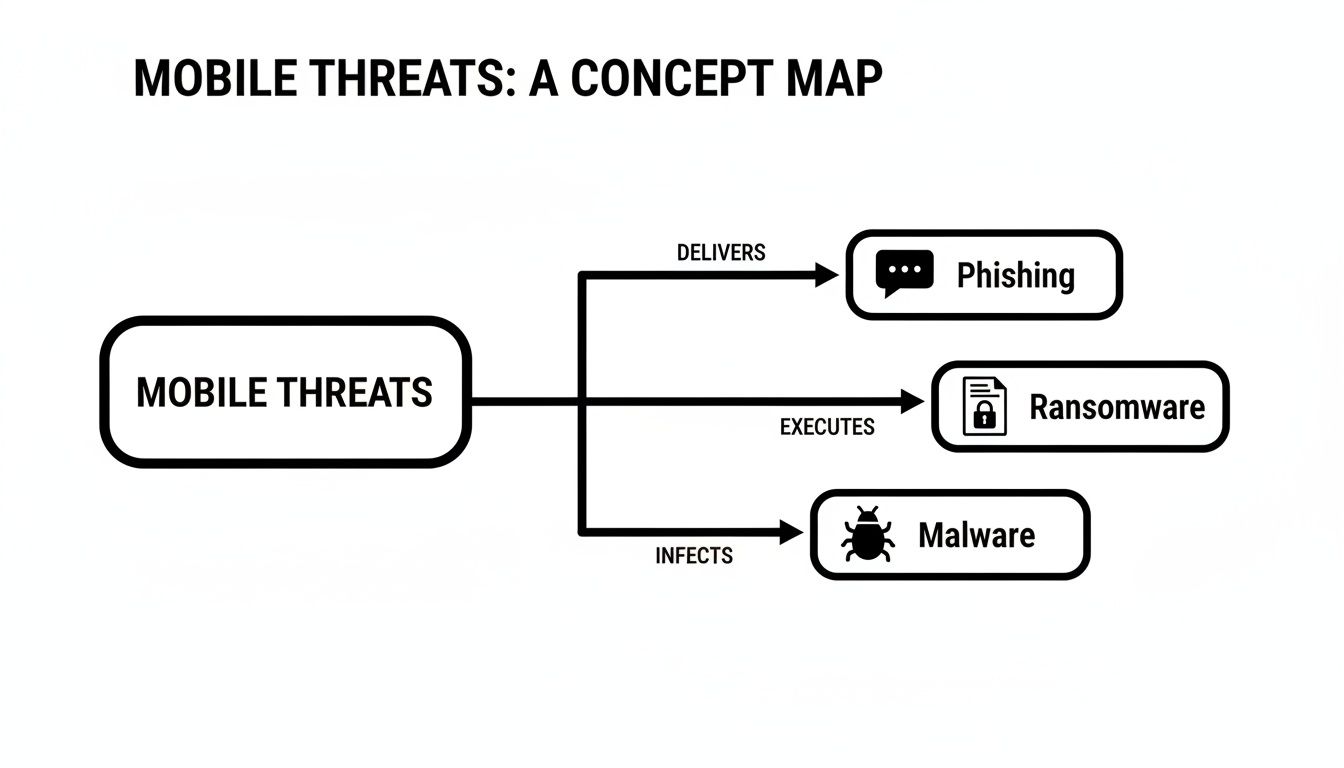
This concept map breaks down some of the common threats these tools are built to defend against.

A concept map visually outlines mobile threats, categorizing them into phishing, ransomware, and malware.

As you can see, threats like phishing, ransomware, and malware are coming directly for mobile devices, which is why a defense that has multiple layers is no longer optional.

EMM and Zero Trust: The Complete Security Framework

Enterprise Mobility Management (EMM) is the next step up. Think of it as the building supervisor who manages the entire property portfolio. EMM is a comprehensive suite that bundles the powers of both MDM and MAM, giving you one central dashboard to manage all mobile devices—corporate-owned and personal—across your whole organization.

But the most modern security strategies take it even further with the Zero Trust security model. The old way of thinking was "trust, but verify." Zero Trust flips that script to "never trust, always verify." It starts from the assumption that no user or device can be trusted by default, regardless of whether they are inside or outside your office network.

In a Zero Trust world, every single request to access company data is challenged and verified. For a healthcare practice in Lake Mary, this means a staff member trying to view patient records on their phone must prove their identity every time, even if they're connected to the office Wi-Fi. It’s the digital version of a security guard checking ID at every single door, every single time.

This model is absolutely essential for protecting highly sensitive data. While building this out, be sure to incorporate crucial mobile app security best practices to fully safeguard your business. Each of these components, from MDM to Zero Trust, works together to build a powerful, resilient shield for your modern mobile workforce.

Choosing Between BYOD and Corporate-Owned Devices

Deciding on the right mobile device strategy is one of the most critical choices any modern business can make. The debate between a Bring Your Own Device (BYOD) policy and providing corporate-owned devices isn’t just about technology; it’s a fundamental decision that hits your budget, cybersecurity posture, and even employee morale. For businesses here in Central Florida, from legal practices in Kissimmee to construction firms in Lake Mary, making the right call is essential.

At first glance, a BYOD policy often looks like the clear winner. It promises lower upfront hardware costs and appeals to employees who love using their own familiar phones and tablets. However, this flexibility brings significant security and management headaches that can quickly erase those initial savings.

The BYOD Balancing Act

There's no denying the popularity of BYOD. In fact, over 80% of enterprises now permit BYOD for smartphones and tablets, which has massively expanded the mobile attack surface for hybrid work. As personal devices tap into corporate data, SaaS apps, and cloud services, they often operate outside of full IT visibility, creating blind spots ripe for credential theft and policy violations.

The main challenge is securing company data on a device you don’t actually own. This is an especially pressing cybersecurity concern for regulated industries like law, finance, or healthcare, where separating personal and company data is a strict legal requirement. Navigating the complexities of various BYOD workplace strategies is a critical step for any organization considering this path.

Corporate-Owned Devices: The Path to Maximum Control

On the other side of the coin, you have corporate-owned devices. This model requires a bigger upfront investment in hardware and carrier plans, but it delivers something BYOD can't: complete control over the device and its security. With a corporate-owned fleet, you can enforce strict policies, lock down devices, and guarantee every phone or tablet meets your company's security standards without any grey areas.

For certain Central Florida industries, this level of control is non-negotiable. A medical practice in Lake Mary handling sensitive patient data under HIPAA, for instance, simply can’t afford the risk that comes with unsecured personal devices. Likewise, a financial advisory firm in downtown Orlando must ensure the integrity of client information, making corporate-owned devices the only defensible choice. Our guide to mobile device management in Orlando can help you explore the tools needed for this level of control.

Finding the Right Fit for Your Business

So, how do you decide? The best approach isn't a one-size-fits-all answer. It demands a clear-eyed assessment of your industry, risk tolerance, and business objectives. This table breaks down the key factors to help you weigh the decision.

BYOD vs Corporate-Owned Devices: A Head-to-Head Comparison

This table provides a clear, side-by-side comparison to help businesses in Central Florida choose the right mobile device policy for their specific needs.

Factor Bring Your Own Device (BYOD) Corporate-Owned Devices
Initial Cost Lower, as employees buy their own hardware. Higher, requiring upfront investment in devices.
Security Control Limited; relies on MAM to create a secure container for work data. Total; enables full MDM for device-level policies and remote wipes.
Employee Experience High; employees use the devices they know and prefer. Potentially lower; may require carrying two phones.
Management Burden Complex; IT must manage a diverse range of devices and OS versions. Simpler; IT manages a standardized and consistent device fleet.
Best For Creative agencies, tech startups, and roles with low data sensitivity. Healthcare, law, finance, construction, and any business handling regulated data.

Ultimately, the best choice is the one that fits your business reality, not a generic template.

A flexible hybrid model can also be incredibly effective. For instance, a construction firm might provide corporate-owned tablets for accessing sensitive blueprints on job sites, while allowing BYOD for office staff who primarily use email and collaboration tools.

The best enterprise mobile security strategy is one that aligns directly with your business goals and regulatory duties, ensuring that productivity and protection can go hand in hand.

Your Roadmap to Implementing Mobile Security

So, you know you need to get a handle on enterprise mobile security. That's the easy part. Actually building a program that works can feel like a massive, overwhelming project, especially for busy leaders in Orlando and across Central Florida.

This isn't just another task to dump on your already swamped IT guy. It’s a strategic initiative that demands a clear, deliberate plan.

We’ve broken the process down into a five-step roadmap designed for business owners, not tech gurus. It shows how a structured approach, with an experienced partner at your side, can turn mobile security from a source of anxiety into a genuine business advantage.

Step 1: Take Inventory and Assess Risk

You can't protect what you don't know exists. This sounds simple, but it’s the most critical first step. You need complete visibility into every single mobile device that touches your company's data. And no, a quick headcount of company phones won't cut it.

A real inventory has to cover everything:

  • Corporate-owned devices: Every single smartphone and tablet the company has issued.
  • Employee-owned devices (BYOD): Any personal phone or tablet used for work—even just to check email, access cloud files, or use business apps.
  • The data they access: What specific systems, applications, and datasets are people using on these devices?

For a legal practice in Kissimmee, this means tracking down every device that has access to sensitive client files. For a construction company, it’s about knowing which tablets on the job site connect to your operational systems. This initial audit reveals your true risk profile and lays the groundwork for everything that follows.

Step 2: Define a Clear Security Policy

Once you have a clear picture of all the devices in play, it’s time to define the rules of the road. A mobile security policy is a formal document that lays out, in plain English, what is and isn't allowed. It’s not about being restrictive for the sake of it; it's about creating clarity and setting firm expectations for everyone.

Think of it as the "social contract" between your company and your team when it comes to mobile devices. It cuts through ambiguity and ensures everyone is on the same page.

Your policy needs to be direct and easy for anyone to understand. It should cover key cybersecurity concerns like acceptable use, how company data must be handled, and what happens if someone doesn't follow the rules. This document is the backbone of your entire security program, making your defenses predictable and enforceable.

A strong policy isn't just a piece of paper filed away somewhere. It’s the tool that empowers your IT partner to put the right security controls in place and actually enforce them effectively.

Step 3: Choose and Implement the Right Tools

With your inventory and policy in hand, you can finally start picking the technology. This is where tools like Mobile Device Management (MDM) and Mobile Application Management (MAM) enter the picture. The right choice depends entirely on your policy—whether you’re running a fleet of corporate-owned devices, embracing BYOD, or using a mix of both.

An expert IT partner is a huge asset here. They can help you cut through the noise of a crowded vendor landscape, choosing solutions that fit your exact needs and budget without over-engineering your setup. From there, they'll handle the entire implementation—configuring the software, enrolling devices, and ensuring a smooth rollout with as little disruption as possible.

Step 4: Train Your Team

Let's be clear: technology alone will never be enough. Your employees are your first and most important line of defense, and they need to understand the role they play in protecting the company. Ongoing security awareness training is what turns your policy from a document into a living, breathing part of your company culture.

This training has to be practical and relevant. It should teach employees how to spot a phishing email on their phone, understand why installing that software update is so critical, and know exactly what to do the moment they realize a device is lost or stolen. For many businesses, successfully securing remote workforces with tools like VPN and MFA also comes down to this kind of employee education.

Step 5: Integrate with a Managed SOC

Finally, putting security tools in place is just the start. Real, lasting protection comes from having a 24/7 Security Operations Center (SOC) continuously monitoring everything. Your security tools will generate a flood of alerts, but a SOC provides the human experts needed to analyze those alerts, hunt for hidden threats, and respond instantly when a real problem occurs.

For a law firm in Orlando, this means a dedicated team is watching for signs of a breach around the clock, protecting sensitive client data long after you’ve gone home.

When you partner with a managed IT provider that includes a 24/7 SOC, the entire journey becomes much simpler. They guide the process, manage the vendors, and deliver the clear reporting you need to see that your security investment is protecting your business, so you can stay focused on growth.

Why 24/7 Monitoring Is Non-Negotiable

A cybersecurity professional monitors multiple screens displaying complex network security data in a dark office at night.

Putting the right security tools in place is a great start, but it’s only half the battle when you’re building a serious enterprise mobile security program. The software itself doesn't provide the real protection; that comes from having human experts watching over it, day and night. This is where 24/7 monitoring becomes an absolute must for businesses in Orlando and across Central Florida.

Think of your security tools as a high-tech alarm system. They’re fantastic at detecting a problem, but without a team actively monitoring the alerts, they can’t stop a threat in its tracks. A 24/7/365 Security Operations Center (SOC) is that team, watching the screens around the clock and ready to jump into action the second something looks wrong.

The Proactive Defense Model

A managed SOC does a lot more than just react to notifications. It’s an engine for proactive defense, staffed by security analysts who are constantly hunting for the faintest signs of trouble. While your automated tools are essential, these human experts bring an intuition and experience that software simply can't match.

This proactive approach really boils down to two key functions:

  • Proactive Threat Hunting: SOC analysts don’t just wait for an alarm. They actively dig through your system data, searching for subtle indicators of compromise that an automated tool might dismiss as noise. They connect the dots between unusual patterns and suspicious behaviors to find hidden threats before they can do any real damage.
  • Rapid Incident Response: The moment a credible threat is confirmed, the SOC team springs into action. Their first move is to contain the threat, isolating affected devices to stop it from spreading. From there, they work on remediation to get your business back on its feet as quickly as possible.

For businesses in Central Florida—from healthcare in Lake Mary to construction in Kissimmee—this constant vigilance is the key to resilience. It protects your uptime, safeguards sensitive data, and lets you focus on growing your business instead of constantly putting out IT fires.

How a SOC Protects Your Mobile Fleet

When you integrate a SOC with your mobile security tools, you get a single, unified view of your entire threat landscape. Analysts can correlate an alert from a sales rep's smartphone with suspicious activity on your network and cloud servers, painting a complete picture of what's happening. You can learn more about how this correlation works in our guide on Security Information and Event Management (SIEM).

This integration is what separates a basic security setup from a mature, robust one. It closes the visibility gaps that attackers love to exploit and ensures your mobile endpoints are protected just as rigorously as your servers and workstations. For any business that’s serious about protecting its data and reputation, 24/7 monitoring isn't a luxury—it's non-negotiable.

Mobile Security FAQ: What Central Florida Businesses Need to Know

Once we start digging into mobile security, I find that business owners across Central Florida—from Orlando to Lake Mary—have some very practical, down-to-earth questions. Let's tackle a few of the most common ones I hear.

We’re a Small Healthcare Clinic in Kissimmee. Do We Really Need This?

Yes, without a doubt. I can't stress this enough: small and mid-sized businesses, especially those in regulated industries like healthcare and law, are seen as goldmines by attackers. They know you're handling incredibly valuable patient data but might not have the same defenses as a massive corporation.

A single phone getting compromised can lead to a full-blown breach of sensitive, confidential information. The fallout from that can be devastating—think steep HIPAA fines, a shattered reputation, and a total loss of the trust you've worked so hard to build. Mobile security isn't just an "enterprise" thing anymore; it's a must-have for protecting your clinic and meeting your compliance duties.

Can’t My Employees Just Put Antivirus on Their Phones?

While having personal antivirus is better than nothing, it's like putting a standard lock on a bank vault door—it’s just not enough for business data. True enterprise mobile security is a completely different ballgame. It’s not about just scanning for viruses; it's about centrally managing and enforcing security policies across every single device that touches your company's information.

This means we can enforce things like:

  • Mandatory Controls: Forcing every device to have a screen lock and use full-disk encryption.
  • Data Separation: Building a secure, separate "container" on personal phones to wall off work data from personal apps.
  • Leakage Prevention: Actively blocking someone from copying sensitive client info and pasting it into a personal email or an unsecured app.
  • Active Monitoring: Having a 24/7 team of experts watching for threats that a simple antivirus app would never catch.

A real mobile security strategy is about protecting the business's data, not just the device itself. The goal shifts from cleaning up a virus after the fact to preventing the data breach from ever happening in the first place.

How Much Does a Mobile Security Solution Cost?

The cost really depends on the size of your business, how many devices you need to cover, and the specific tools you choose. That said, partnering with a managed IT provider is often the most affordable and predictable way for small and mid-sized businesses to get world-class security.

An all-inclusive, flat-rate pricing model can bundle mobile security with your other critical IT services, vendor management, and even 24/7 SOC monitoring. This approach gets rid of surprise bills and delivers a much stronger return on investment than trying to piece together and manage a bunch of different security tools on your own. At the end of the day, the cost of proactive protection is always, always less than the astronomical cost of cleaning up after a data breach.


Ready to secure your mobile workforce and protect your business? Cyber Command, LLC provides comprehensive, 24/7 managed IT and cybersecurity services designed for the real-world needs of Central Florida businesses. Let us build a mobile security strategy that lets you focus on growth, not fighting IT fires. Learn more about our services.