
Cybersecurity Best Practices for Small Businesses


According to the FBI Internet Crime Complaint Center, business email compromise, ransomware, and payment fraud continue to hit small and midsize companies across the country, and the cost is rarely limited to IT cleanup. For a business owner in Orlando, Winter Springs, or anywhere in Central Florida, one incident can interrupt payroll, delay client work, trigger reporting obligations, and consume weeks of management time.
Small businesses are attractive targets because they often carry the same financial data, client records, and payment authority as larger firms, but with fewer controls and less internal security coverage. That risk shows up in practical ways. A compromised Microsoft 365 account can expose invoices, contracts, patient messages, or banking details before anyone realizes there is a problem.
The right approach is prioritization.
A law firm, CPA practice, or insurance office needs tighter control over email, file access, and client data handling. A medical practice has to protect patient information while keeping front-desk and clinical systems available. An industrial company in Florida may be balancing office networks, plant systems, remote access, and older equipment that cannot be patched on a normal schedule. The security plan should reflect those realities instead of relying on a generic checklist.
That is the angle of this guide. It focuses on the controls that reduce risk fastest for SMBs and adds context for the sectors that drive much of the Orlando and Winter Springs market. The goal is to help owners spend where it matters, avoid preventable downtime, and make better decisions about compliance, insurance, and operational risk.
Most companies do not need a large in-house security team to get to a safer position. They need the basics set correctly, the highest-risk gaps closed first, and a plan for what happens when a control fails.
1. Multi-Factor Authentication Implementation
Microsoft reports that password-based attacks remain one of the most common ways attackers get into business systems, which is why MFA usually delivers one of the fastest risk reductions for a small company. If you make one security change this quarter, start here.
Stolen credentials still open the door to a large share of account compromises. Microsoft has repeatedly documented how basic password attacks, phishing, and password reuse continue to drive business email and cloud account takeovers. A small business usually sees the same pattern. Someone reuses a password, signs in through a fake Microsoft 365 page, or approves a fraudulent prompt. Without MFA, that single error can become a mailbox breach, wire fraud attempt, or exposure of client and patient data.

Where to start first
Start with the systems that create the most damage if an attacker gets in. For most SMBs, that means email, remote access, cloud file storage, accounting platforms, line-of-business apps, and every account with administrative rights.
For an Orlando CPA firm, that usually means Microsoft 365, QuickBooks Online, document portals, and any remote access tool used during tax season. For a medical office in Winter Springs, patient portals, EHR access, VPN connections, and administrator logins tied to imaging, records, or billing systems should be first. Industrial companies have a different trade-off. Office email and remote access should be locked down immediately, but older plant systems may require a staged rollout so security changes do not interrupt production.
Practical rule: Protect admin accounts and email first. Those two categories give attackers the fastest path to money, data, and broader access.
What works and what fails in real use
App-based MFA is usually the right default. Microsoft Authenticator, Duo, and Google Authenticator are generally a better choice than SMS because they reduce exposure to SIM-swap fraud and basic text interception. Hardware keys can make sense for owners, executives, and administrators with privileged access, especially in firms handling financial approvals, legal matters, or protected health information.
The trade-off is usability. App prompts are easier to deploy across a 10 to 50 person team. Hardware keys are stronger, but they cost more and require tighter handling for spares, loss, and break-fix support. For many Florida SMBs, the practical answer is mixed deployment. Use app-based MFA for the broader team and stronger methods for privileged accounts.
Partial rollout creates avoidable risk. I often see companies secure the owner, the office manager, and IT, while leaving the rest of the staff on passwords alone. Attackers do not care whose mailbox they enter first. A compromised receptionist, coordinator, or project manager account can still expose invoices, client conversations, password resets, and internal contact lists.
A sound MFA rollout for professional services, healthcare, and industrial firms in Central Florida should include:
- Email and admin access first: These accounts create the highest financial and operational risk.
- App-based MFA as the default: It is usually the best balance of cost, security, and user adoption.
- Controlled recovery procedures: Store backup codes securely and assign responsibility for lost-device recovery before lockouts happen.
- Protocol cleanup: Disable legacy authentication methods that can bypass MFA protections.
- Conditional access with testing: Restrict suspicious sign-ins and risky locations, but confirm that approved vendors, traveling staff, and field users can still work.
Done correctly, MFA is not just a technical setting. It is a low-cost control that helps prevent downtime, fraud, compliance headaches, and insurance problems after an avoidable account takeover.
2. Employee Cybersecurity Awareness Training
Employees are involved in a large share of security incidents, whether through phishing, weak password habits, misdirected files, or avoidable approval mistakes. Verizon’s Data Breach Investigations Report continues to show how often the human element appears in real breaches. For a small business, that matters because one rushed click can turn into wire fraud, client notification costs, downtime, or a compliance problem.

Annual training alone does not hold up well under daily pressure. The FBI’s Internet Crime Report shows that phishing and related social engineering schemes still drive major losses year after year. Staff do not need theory. They need repetition, realistic examples, and a clear procedure for what to do when something looks off.
For SMBs in Orlando, Winter Springs, and nearby Central Florida markets, the training should match how the business operates. A law firm, CPA office, medical practice, and industrial distributor do not face the same lures. Generic modules miss too much.
Training that changes behavior
Good awareness training is short, recurring, and tied to the employee’s role. Front desk staff should know how to question fake delivery notices, voicemail alerts, password reset prompts, and urgent document-share requests. Accounting teams need repeated practice on vendor impersonation, ACH change fraud, and invoice scams. In healthcare, staff need direct guidance on patient data handling, portal logins, texting, and device use. In industrial companies, purchasing, warehouse, and operations teams should be trained on fraudulent supplier requests, shipping changes, and remote-access scams targeting plant or field support.
This is also where local context matters. Professional services firms in Central Florida often move contracts, tax records, and wire instructions by email. Medical offices have privacy obligations and less tolerance for workflow disruption. Industrial businesses may rely on shared workstations, field tablets, older systems, and third-party vendors who need access fast. The training should reflect those realities or it will get ignored.
The National Cybersecurity Alliance recommends regular training and phishing exercises because habits improve through repetition, not a single yearly reminder. Their guidance for small businesses is practical and worth following in day-to-day operations.
A monthly phishing simulation, followed by a short team review, usually produces better results than a long annual presentation people forget by the next week.
What to build into your routine
Start in week one. New hires should get baseline training before they use company email, shared drives, cloud apps, or client systems.
Then keep it active. Run phishing tests, review misses quickly, and give staff one simple reporting method. If reporting a suspicious message takes more effort than deleting it, reports will drop.
For small businesses, a practical program usually includes:
- New-hire training before access: Cover phishing, password handling, approved file sharing, and who to contact with questions.
- Role-based scenarios: Finance, reception, clinicians, project managers, and operations staff should see scams tied to their actual work.
- Short recurring refreshers: Five to ten minutes monthly is easier to sustain than a single long session.
- Phishing reporting tools: Give employees one clear process, whether that is a mailbox, ticket option, or email button.
- Fast follow-up after failures: If someone clicks a simulation or falls for a real lure, retrain promptly and review the exact scenario.
- Mobile-friendly delivery: This matters for field teams, warehouse staff, sales teams, and supervisors who rarely sit at a desk.
There is a trade-off here. More frequent training takes time away from billable work and operations. Less training raises the odds of fraud, downtime, and expensive cleanup. For most small businesses, the best balance is brief monthly training, role-specific examples, and quarterly phishing tests that reflect current scams.
If budget is tight, start with the groups that can cause the most financial or regulatory damage first. That usually means finance, leadership, front desk, and anyone handling client data, patient information, or vendor payments.
3. Patch Management and System Updates
According to CISA, timely patching is one of the most effective ways to reduce exposure to known exploited vulnerabilities. For small businesses, that matters because attackers usually do not need a new technique if an old flaw still works.
Patch delays usually start as an operations decision, not a security decision. A reboot gets postponed during client work. A specialty application is left alone because nobody wants to risk breaking it. A firewall stays on old firmware because it is "working fine." In Orlando and Winter Springs, I see this most often in firms that depend on a few critical systems and cannot afford unplanned downtime. The problem is that delayed updates lower reliability and raise security risk at the same time.
The right approach is to sort systems by business impact first, then patch based on risk and tolerance for disruption. A professional services firm may be able to patch laptops, browsers, Microsoft 365 apps, and remote access tools on a regular weekly schedule. A medical practice has to be more careful with EHR platforms, imaging software, and any system tied to patient operations. An industrial business may need staged testing for production-connected devices, older HMIs, and vendor-managed systems before wider rollout.
The trade-off small businesses have to manage
Every patching plan has a cost. Fast deployment reduces exposure, but poorly timed updates can interrupt billing, intake, scheduling, or production. Delayed deployment protects short-term uptime, but it gives attackers a larger window and can create compliance problems later if an incident exposes neglected systems.
That is why patching needs a simple policy, not ad hoc decisions. Start with an asset inventory. Include workstations, servers, firewalls, wireless gear, mobile devices, virtual machines, and installed business applications. Then define what gets patched immediately, what gets tested first, who approves exceptions, and how long exceptions can stay open. If the business does not already have recovery steps documented, build patching into a broader disaster recovery plan template for small businesses so failed updates do not turn into extended downtime.
What good patching looks like
Automated tools usually produce better results than relying on employees to update devices on their own. Centralized patch management, endpoint management platforms, and monitored RMM tools help teams see what is missing, what failed, and what needs a second pass.
A practical patch routine includes:
- A complete asset inventory: Endpoints, servers, firewalls, network gear, and critical business software all belong in scope.
- Risk-based prioritization: Internet-facing systems, remote access tools, and actively exploited vulnerabilities move first.
- Testing for sensitive systems: Medical applications, CAD platforms, accounting packages, and industrial software often need a pilot group or staged rollout.
- Documented maintenance windows: Staff should know when reboots and service interruptions are expected.
- Verification after deployment: Review logs, failed installs, reboot status, and exception lists regularly.
Cloud services do not remove this responsibility. SaaS vendors patch their infrastructure. Your browsers, laptops, local applications, printers, network equipment, and any legacy systems in the office still need attention.
For Florida SMBs, patch management should match the way the business runs. A law firm worried about client deadlines needs predictable after-hours updates. A clinic needs vendor coordination and rollback options. A manufacturer needs to separate office IT from production risk. The goal is the same in every case: fewer preventable outages, lower breach exposure, and a defensible process if a client, insurer, or regulator asks how systems are maintained.
4. Data Backup and Disaster Recovery
Ransomware can shut down a small business in hours. Recovery can take days or weeks if backups are incomplete, inaccessible, or never tested.
That is the gap I see most often with SMBs in Orlando and Winter Springs. Owners believe they have backups covered, but no one has verified what is included, how current it is, whether Microsoft 365 or Google Workspace data is protected, or how long a full restore would take. In a law office, that can mean missed filings and client deadlines. In a medical practice, it can mean disrupted scheduling, billing, and access to patient information. In an industrial firm, it can stop quoting, purchasing, and production planning even if machines are still running.
The 3-2-1 model still works because it addresses real business failure points. Keep multiple copies of important data, store them on different media, and keep at least one copy offsite and isolated from the main environment. For a professional services firm in Winter Springs, that often means local image backups for fast restores and protected cloud backups for resilience. For a medical office, it usually needs to cover patient systems, imaging, shared drives, and Microsoft 365 data. For industrial companies, include configuration files, ERP data, and any documentation needed to keep operations moving.
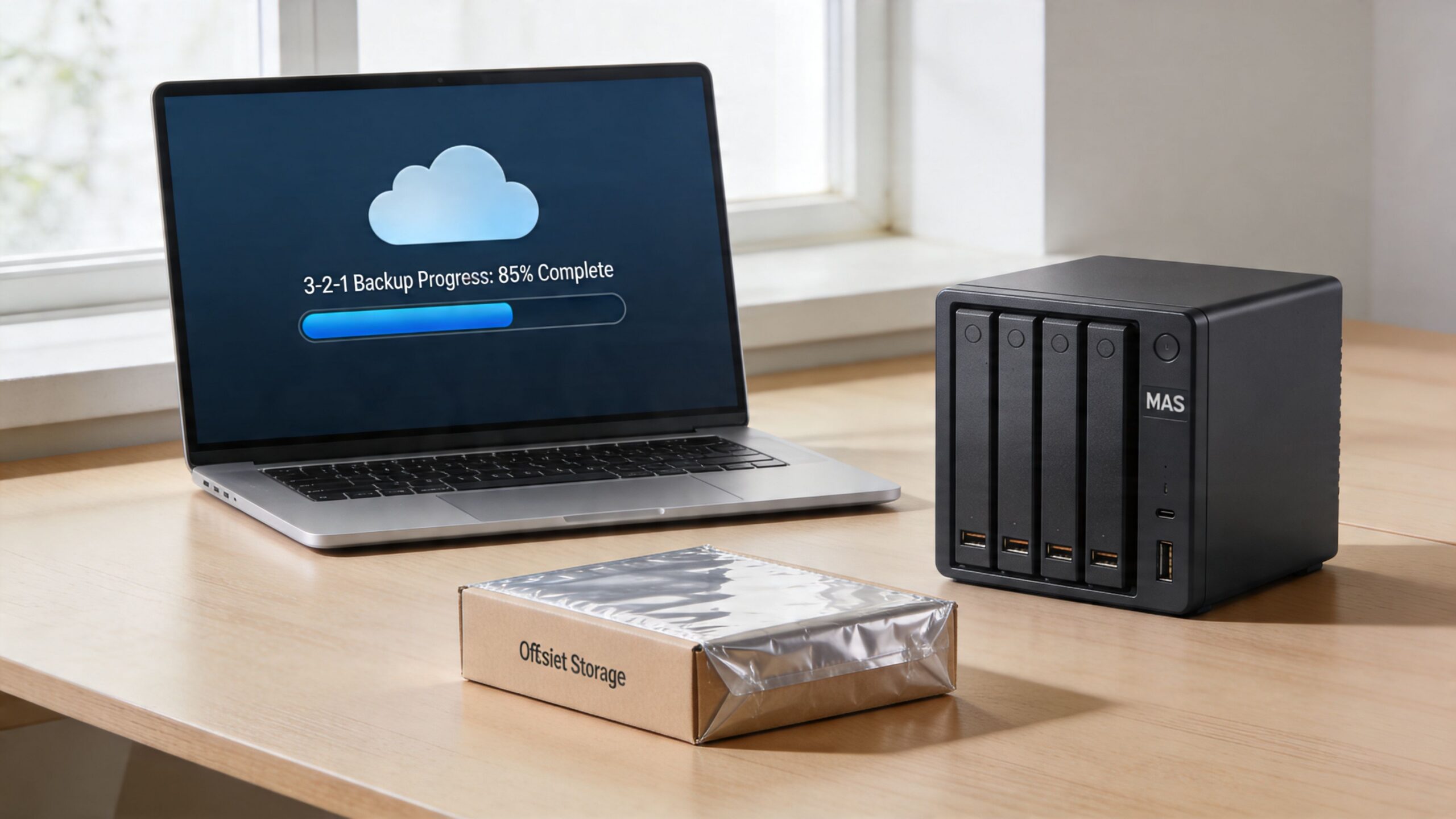
Recovery speed matters more than backup volume
Backups only matter if they restore the business on a real timeline.
A file-level restore is different from rebuilding a server, reauthenticating users, reconnecting line-of-business applications, and getting staff back to work by Monday morning. That is why disaster recovery planning belongs with backup planning. Define recovery time goals for the systems that drive revenue, service delivery, and compliance. If you are also reviewing access controls, this is a good point to align backup security with a zero trust architecture approach for modern security, especially for backup admin accounts and remote restore access.
If you need help documenting recovery priorities, use a structured disaster recovery plan template rather than keeping restore assumptions in one employee’s head.
Back up what the business needs to run tomorrow morning, not just what’s easy to copy tonight.
What businesses often miss
Small businesses regularly protect the server and miss the systems around it. Cloud email, shared mailboxes, endpoint data, SaaS exports, firewall configs, and backup credentials are common gaps. Attackers know that. If backup access uses the same admin accounts as production systems, one compromise can take out both.
A practical recovery design includes:
- Defined recovery priorities: Decide what comes back first based on revenue, client service, and compliance obligations. Email, accounting, file shares, EHR systems, and production documents rarely have equal urgency.
- Offsite and isolated copies: Fire, theft, flooding, and ransomware all punish local-only backup strategies. Florida businesses should plan for weather events as seriously as cyber incidents.
- Restore testing: Run quarterly tests on random files, core systems, and at least one full recovery scenario. A passed backup job is not proof of recoverability.
- Credential separation: Protect backup administration with separate accounts, MFA, and restricted access.
- Industry-specific retention rules: Medical practices need retention and recovery processes that support HIPAA obligations. Professional services firms should match backup retention to client record requirements. Industrial businesses should preserve the files and configurations needed to resume operations without guesswork.
The trade-off is straightforward. Better backup coverage and regular testing cost time and money. Downtime, emergency recovery, regulatory exposure, and lost client trust cost more.
5. Network Segmentation and Zero Trust Architecture
A flat network turns one mistake into a company-wide event.
That’s the core reason segmentation matters. If a receptionist’s PC, a public guest Wi-Fi user, a file server, a patient system, and a production workstation all share broad access, one compromised endpoint can move sideways far too easily. Segmenting the network limits blast radius.
For a medical practice, patient systems should not sit on the same trust level as front-desk browsing devices or public wireless access. For a law office, sensitive client data should be logically separated from general office traffic and any internet-facing tools. For industrial firms, office IT and operational environments should be clearly divided, even if they still need controlled communication.
Start smaller than you think
Many owners hear “zero trust” and assume it means a giant enterprise project. It doesn’t have to. In a small business, zero trust starts with a simple principle. No user, device, or connection gets trusted automatically just because it’s already inside the network.
The FTC’s small business cybersecurity guidance supports basics like firewalls on all devices, hiding SSIDs, and MFA. That practical guidance aligns well with segmented design for SMBs. Put guest Wi-Fi on its own network. Restrict traffic between VLANs. Require MFA for remote access. Limit admin access.
If you want a business-level explanation of why this matters, review the importance of zero trust architecture for modern security.
Where segmentation pays off fastest
These are the first separations that usually produce immediate value:
- Guest Wi-Fi from business systems: Visitors should never share the same trust boundary as your staff devices.
- Sensitive data systems from general office endpoints: Patient, legal, financial, or HR data needs tighter access controls.
- Admin tools from standard users: Helpdesk or domain admin access should live in a more controlled lane.
- Remote access traffic from internal access rights: VPN access should grant only the systems a user needs.
For Orlando and Winter Springs businesses with multiple offices or hybrid staff, segmentation also makes policy enforcement easier. It’s much simpler to contain a problem when the network reflects how the business operates.
6. Endpoint Detection and Response and Managed Antivirus
Ransomware and account-driven attacks often start on a single laptop, then spread into file shares, cloud apps, and line-of-business systems before anyone notices. For a small business, that usually means downtime first, then recovery costs, client disruption, and in some cases a compliance problem.
Managed antivirus still belongs on every endpoint. It just should not be the only control. Signature-based tools catch known malware, but many current attacks use scripts, remote access tools, stolen sessions, and normal admin utilities in ways that look legitimate at first glance. EDR closes that gap by watching behavior, not just file hashes.
That difference matters in Florida SMB environments where teams move between offices, job sites, homes, and clinics.
A 35-person engineering firm in Orlando has laptops carrying CAD files, project correspondence, and cached credentials. A medical practice in Winter Springs has exam-room workstations, billing systems, and staff who cannot afford prolonged downtime. An industrial company may have supervisors connecting field laptops to both office networks and production-related systems. In each case, one infected or misused device can become the path to a larger incident.
EDR platforms such as Microsoft Defender for Endpoint, CrowdStrike Falcon, SentinelOne, and Cisco Secure Endpoint give your provider or internal team better options during an incident. They can isolate a device, trace suspicious processes, flag privilege misuse, and show whether the issue stayed local or moved laterally. That shortens investigation time and improves containment.
Tools alone do not solve the problem. Someone has to review alerts, tune policies, validate suspicious PowerShell activity, and respond before the issue turns into business interruption. That is why managed EDR or managed antivirus is often the better fit for SMBs than buying licenses and leaving default settings in place.
For many owners, the practical question is cost. EDR costs more than basic antivirus, but the trade-off is straightforward. You spend more each month to reduce the chance of a multi-day outage, outside forensic costs, data restoration work, and breach reporting headaches. If ransomware is a top concern, this ransomware prevention best practices guide for 2025 is a useful companion.
A strong endpoint program includes:
- Full device coverage: Laptops, desktops, servers, and remote devices need the same visibility and policy enforcement.
- Behavior-based detection: Look for encryption activity, script abuse, persistence attempts, suspicious remote access use, and unusual privilege changes.
- Active monitoring: Alerts need triage, investigation, and documented response steps.
- Policy tuning by business type: Medical offices need tighter protection around systems handling patient data. Professional services firms need stronger controls for document-heavy workflows and cloud logins. Industrial firms often need exceptions handled carefully so operations do not get disrupted.
- Integration with the rest of your stack: Endpoint data is more useful when it lines up with identity, firewall, and email security signals.
For additional operational guidance, review 10 Essential Endpoint Security Best Practices.
7. Email Security and Phishing Protection
Business Email Compromise remains one of the costliest cybercrime categories reported to the FBI, and small businesses feel the impact fast because email sits in the middle of payroll, invoices, approvals, client communication, and document sharing. For many Orlando and Winter Springs businesses, one convincing message is enough to trigger a wire transfer, expose client data, or hand over a Microsoft 365 login.
Email security needs layers. A spam filter alone does not stop impersonation, account takeover, or payment fraud.
For Microsoft 365 and Google Workspace environments, start with the native controls you are already paying for and then decide whether a third-party platform adds enough value to justify the cost. Microsoft Defender for Office 365, Mimecast, and Proofpoint can improve detection for malicious links, weaponized attachments, executive impersonation, and suspicious sender behavior. The trade-off is straightforward. Better filtering usually means higher licensing costs and more quarantine review, but that cost is lower than recovering from a fraudulent payment or a mailbox compromise.
Industry context matters here. A law firm in Orlando should put more weight on impersonation protection and secure handling of document-heavy email workflows. A medical practice in Central Florida has to reduce phishing risk without disrupting patient communication, referral traffic, or HIPAA-sensitive messaging. An industrial or field-services company in Winter Springs may be more exposed to invoice fraud, fake vendor messages, and email-based attempts to redirect ACH or check payments.
Domain protections also need to be in place. SPF, DKIM, and DMARC help stop direct domain spoofing and improve visibility into who is sending mail on your behalf. They do not solve phishing by themselves, but they make it harder for attackers to impersonate your business and easier for your team to enforce trust decisions.
If ransomware is part of your concern, this guide to ransomware prevention best practices in 2025 shows how email controls fit into a broader containment plan. For user-facing tactics that reduce click risk, Email Phishing Prevention Strategies is a useful reference.
A practical email protection program should include:
- Clear external sender labeling: Staff need an immediate visual cue for messages from outside the company.
- One-click phishing reporting: Suspicious emails should go to IT or your security partner without screenshots, forwarding, or guesswork.
- Quarantine review: Someone needs to check what gets blocked, what gets released, and where patterns are being missed.
- Mailbox rules and forwarding checks: Attackers often create hidden rules after a compromise to watch invoices or suppress alerts.
- Finance-specific verification steps: Payment changes, wire requests, and vendor banking updates should require out-of-band confirmation.
- Coordination with endpoint and identity controls: If a user clicks, endpoint protection, MFA, and sign-in monitoring still need to contain the damage.
One process issue shows up repeatedly in small businesses. Users report suspicious emails only after clicking because the reporting path is slow, unclear, or buried in the mail client. Fix that first. Faster reporting cuts investigation time and limits the chance that the same message reaches accounting, front-desk staff, or managers before anyone reacts.
8. Password Management and Credential Security Policy
Credential theft remains one of the fastest ways into a small business. Researchers at Cybernews found billions of passwords exposed in public and criminally traded datasets, which is why weak reuse habits still create outsized risk for SMBs. In practice, I still see the same failures: shared spreadsheets, browser-saved passwords, one admin login used by multiple people, and former employee access left in place months after departure.
Attackers do not need complex tactics if the business hands them working credentials. They test exposed passwords against Microsoft 365, VPNs, payroll systems, banking portals, cloud apps, and vendor logins. For an Orlando law office, that can mean unauthorized access to client files and trust-related systems. For a Winter Springs medical practice, it can turn into a privacy incident with compliance consequences. For a manufacturer or industrial firm, one reused credential can expose purchasing systems, remote access tools, or plant-support accounts that were never meant to be shared broadly.
Password managers reduce both risk and friction
A password manager gives staff a controlled way to store, share, revoke, and review credentials without passing them around by email, chat, or sticky note. That matters for shared inboxes, accounting platforms, insurance portals, social media accounts, emergency admin credentials, and service accounts that tend to outlive the person who set them up.
Tools such as 1Password Business, Bitwarden, Keeper, or LastPass Business can all work if they are configured properly and backed by policy. The trade-off is straightforward. There is a subscription cost and a short adjustment period for staff. In return, the business gets visibility, cleaner offboarding, faster credential changes, and fewer points of failure tied to one longtime employee who "has all the passwords."
That trade is usually worth it.
A professional services firm may need secure sharing for tax, payroll, and client systems. A medical office needs tighter control over who can access software admin panels and third-party billing portals. An industrial company often has a mix of office systems, vendor support accounts, and legacy equipment logins, which makes ownership and rotation especially important.
The policy matters as much as the tool
Without a written credential policy, the vault becomes a storage bin instead of a control point.
The policy should define who owns each account, which credentials can be shared, how privileged access is approved, how quickly access is removed during offboarding, and when passwords must be rotated after staffing or vendor changes. Temporary contractors should get time-bound access tied to their role, not a permanent shared login that no one revisits.
Useful policy points include:
- No credential sharing by email or chat: Use vault access and shared folders instead.
- Unique credentials for every system: Reuse creates avoidable exposure across email, finance, and cloud apps.
- Role-based access: Staff should only see the accounts required for their work.
- Privileged account controls: Admin credentials need tighter review, documented ownership, and scheduled rotation.
- MFA on the password manager itself: The vault is a high-value target and should be protected accordingly.
- Offboarding steps tied to HR: Disable access, rotate shared passwords, and review service accounts the same day the employee leaves.
Password policy also needs to account for how credentials are stolen. Phishing still drives a large share of account compromise, especially against finance staff, office managers, and executives who approve payments or handle sensitive files. For that side of the problem, Email Phishing Prevention Strategies is a useful complement to credential controls.
The businesses that handle this well keep it simple. Pick a password manager, assign ownership, enforce MFA, stop informal sharing, and review access on a schedule. Those steps are practical, affordable, and high-impact for Florida SMBs that need better security without adding unnecessary operational drag.
9. Security Incident Response Plan and Testing
IBM reported that organizations with incident response testing and stronger preparation contain breaches faster and at lower cost than those that respond ad hoc. For a small business, that gap often decides whether an event stays a bad week or turns into a month of downtime, legal expense, and lost client trust.
A written incident response plan gives people direction under pressure. During a ransomware event, email compromise, or suspected data exposure, owners and managers are making decisions with limited facts and a lot of noise. The plan should reduce delay, assign authority, and protect the business functions that matter first.
A good small business plan answers a few operational questions clearly. Who can declare an incident. Who has authority to isolate devices or suspend access. Who contacts legal counsel, cyber insurance, outside IT, and leadership. Which systems must stay available if possible, and which can be shut down immediately to contain damage.
Sector matters here.
For a medical practice in Florida, the plan needs privacy, breach notification, and patient scheduling considerations built in from the start. For professional services firms such as law offices, CPA firms, and consultancies in Orlando and Winter Springs, client communications, file access, and trust-account or financial workflow disruptions need special attention. For industrial and field-service businesses, the response process should separate office IT issues from anything that could affect plant operations, dispatch, or job-site safety.
Keep the document usable. A five-page plan with names, roles, phone numbers, vendors, insurer contacts, and first-step checklists is usually more useful than a long policy nobody can execute during a real event.
Testing matters as much as the document itself. The National Institute of Standards and Technology outlines incident handling as preparation, detection, containment, eradication, and recovery in its Computer Security Incident Handling Guide. That framework is practical for SMBs because it forces teams to think through decisions in order, not react randomly.
A tabletop exercise is often enough to expose gaps. The owner may have the cyber insurance policy, but nobody knows the breach hotline. The MSP may be expected to isolate endpoints after hours, but no one has confirmed approval authority. Backups may exist, but the team has never agreed on restore order for accounting, scheduling, file shares, and line-of-business applications.
Useful elements to include:
- Defined roles: Incident lead, technical lead, communications owner, executive approver, and backup contacts.
- Scenario playbooks: Ransomware, business email compromise, lost or stolen device, unauthorized cloud access, data disclosure, and vendor-related incidents.
- External contacts: Legal counsel, insurance carrier, forensics firm, managed IT provider, key software vendors, and law enforcement if needed.
- Recovery priorities: The order for restoring finance, operations, phones, email, scheduling, and customer-facing systems.
- Post-incident review: A short after-action review after every drill or real event, with assigned follow-up tasks and deadlines.
I usually recommend SMBs test the plan at least annually, and after any major change such as a new EHR platform, ERP system, office move, or MSP transition. That is especially relevant for growing businesses in Central Florida that add locations, remote staff, or outsourced support faster than they update internal processes.
An incident response plan does not prevent every attack. It does prevent wasted hours, conflicting decisions, missed reporting obligations, and expensive confusion when the pressure is highest.
10. Vendor and Third-Party Risk Management
According to Verizon's Data Breach Investigations Report, third-party involvement shows up in a meaningful share of breaches, and small businesses usually feel the impact faster because they have less slack in cash flow, staffing, and recovery time. A weak vendor can interrupt payroll, expose client files, delay operations, and create reporting obligations you did not expect to own. See Verizon's reporting here: https://www.verizon.com/business/resources/reports/dbir/
That risk is easy to underestimate. Your payroll provider, MSP, cloud software vendor, outsourced bookkeeper, medical platform, and remote contractor may all hold credentials, store sensitive data, or connect directly to business systems. If one of those relationships is poorly controlled, your security program has a gap even if your own team is doing the basics well.
In Central Florida, I see this most often with niche line-of-business vendors. Professional services firms in Orlando may trust tax, document, and practice-management platforms without reviewing access controls. Medical practices in Winter Springs often depend on EHR vendors, billing firms, and IT support companies that touch protected health information. Industrial and field-service businesses rely on ERP providers, machine support contractors, and remote access tools that can affect both office systems and production schedules.
Start with a vendor inventory. List who has access, what data they handle, how they connect, and how hard it would be to operate if they were unavailable for 24 to 72 hours. That last point matters. A low-cost provider can become expensive very quickly if an outage stops scheduling, invoicing, patient workflows, or purchasing.
What to ask vendors before you trust them
Ask direct questions before signing a contract or renewing one. Do they require MFA for their staff? How do they handle backups? What is their breach notification process and timeline? Will they limit access to named accounts instead of shared logins? Can they provide a SOC 2 report, HIPAA documentation, cyber insurance details, or a short security questionnaire response?
Smaller vendors will not always have formal audit reports. That does not end the review. It means the business owner or IT lead needs to do a more hands-on assessment and decide whether the price advantage justifies the added risk and oversight.
For medical practices, this review has compliance consequences, not just security consequences. If a vendor creates, receives, maintains, or transmits patient information, the contract and security expectations need to reflect that. For law firms, accountants, and other professional services firms, the focus is usually client confidentiality, contractual obligations, and reputational damage. For industrial companies, the practical question is often uptime. If a vendor connection fails or is abused, can the business still ship, schedule, and bill?
Keep vendor access narrow
Vendor access should be controlled like employee access, and often more tightly. Vendors rarely need broad, permanent privileges.
A workable process includes:
- Inventory by criticality: Rank vendors by the systems and data they can affect.
- Least-privilege access: Give each vendor only the permissions required for the task.
- Time-limited credentials: Use temporary access for contractors, maintenance work, and one-time support.
- Named accounts: Avoid shared vendor logins so activity can be traced to a specific person.
- Contract terms: Include security requirements, breach notification expectations, data handling terms, and termination steps.
- Offboarding steps: Remove access promptly when a contract ends, a technician changes, or a project closes.
The goal is simple. Reduce the blast radius if a vendor is compromised, makes a mistake, or disappears at the wrong time.
For SMBs in Orlando and Winter Springs, this is one of the highest-return improvements because many local businesses depend on outside specialists to fill IT, billing, compliance, and software support gaps. That model can work well. It just needs oversight, clear access boundaries, and contracts that protect the business before a problem starts.
10-Point Small Business Cybersecurity Comparison
| Item | Implementation complexity | Resource requirements | Expected outcomes | Ideal use cases | Key advantages |
|---|---|---|---|---|---|
| Multi-Factor Authentication (MFA) Implementation | Low–moderate: policy creation and user enrollment | Authenticator apps/tokens, admin time, identity integration | Dramatic reduction in account takeover; compliance evidence | Email/admin accounts, cloud apps, VPNs, regulated practices | Blocks majority of account takeovers, scalable, low cost |
| Employee Cybersecurity Awareness Training | Low: select platform and schedule ongoing modules | Training platform, staff time, simulated phishing tools | Reduced phishing click rates; stronger reporting culture | Small teams with mixed roles, client-facing staff | Reduces human risk, supports compliance, affordable |
| Patch Management and System Updates | Moderate: inventory, testing and phased rollouts | Patch management tooling or MSP, staging, maintenance windows | Fewer exploitable vulnerabilities; faster remediation | Environments with diverse OS/apps, servers, legacy software | Automates fixes, reduces ransomware entry points, audit trails |
| Data Backup and Disaster Recovery (3-2-1 Rule) | Moderate–high: architecture, testing, RTO/RPO planning | On-site/cloud storage, backup software, testing time, offsite copies | Rapid recovery from ransomware/hardware failure; business continuity | Any org with critical data (accounting, medical, engineering) | Enables restore without paying ransom, immutable backups, compliance |
| Network Segmentation and Zero Trust Architecture | High: network redesign, policy definition, ongoing tuning | VLANs/firewalls, identity controls, network expertise/consulting | Limits breach impact; prevents lateral movement; better visibility | Organizations with public services + sensitive data, multi-site firms | Strong containment, compliance support, safer remote access |
| Endpoint Detection and Response (EDR) / Managed Antivirus | Low–moderate: agent deployment and tuning | EDR licenses, cloud connectivity, SOC/MSP or trained staff | Faster detection and containment; forensic timelines | Small firms needing enterprise-grade endpoint protection | Detects advanced/zero-day threats, rapid automated response |
| Email Security and Phishing Protection | Low–moderate: integration, policy tuning, quarantine workflows | Email security gateway/SAAS, admin time, reporting integration | Blocks majority of phishing/malware email before inbox | Any org relying on email; high phishing exposure | Prevents spoofing/BEC, URL/attachment detonation, DLP options |
| Password Management and Credential Security Policy | Low–moderate: migration, policy setup, role mapping | Password manager licenses, admin time, user training | Eliminates reuse, provides audit trails and easier offboarding | Teams sharing service accounts, IT/admin users, contractors | Centralized secure credentials, rotation, fine-grained access |
| Security Incident Response Plan and Testing | Moderate: documentation, playbooks, tabletop exercises | Executive and IT time, exercise facilitation, external contacts | Faster coordinated response; lower downtime and damage | Regulated businesses, those with cyber insurance, high-risk firms | Clear roles/communication, regulatory readiness, cost reduction |
| Vendor and Third-Party Risk Management | Moderate–high: assessments, contracting, ongoing monitoring | Questionnaires, legal/contract resources, monitoring tools | Reduced supply-chain risk; clearer vendor obligations | Firms with many third-party services (cloud, payroll, MSPs) | Visibility into vendor security, contractual recourse, prioritization |
Beyond the Checklist Partnering for Proactive Security
Cyberattacks against small businesses are common enough that a basic control list, by itself, is not a strategy. The businesses that hold up better under real pressure are the ones that keep those controls working month after month, assign ownership, and review them as operations change.
That is the hard part.
The challenge for a small business is rarely understanding what MFA, backups, patching, and phishing protection are supposed to do. The challenge is keeping them enforced when the office is busy, a key employee leaves, a new vendor is added, or an after-hours alert comes in. Security breaks down in the gaps between projects. A backup job fails and nobody notices. A remote access exception becomes permanent. A former employee account stays active longer than it should.
That pattern shows up across Central Florida. An Orlando law firm may need tighter control over client files and vendor access, but not have the budget for a full internal security team. A medical practice in Winter Springs may need help lining up day-to-day operations with HIPAA expectations while the practice manager is also handling scheduling, billing, and staffing. An industrial or field-service company may have capable internal IT support, yet still need outside coverage for after-hours response, plant-floor segmentation decisions, cyber insurance questionnaires, and recovery planning across multiple sites.
A proactive security partner solves an operations problem as much as a technical one. The right partner keeps the basics from drifting, helps set priorities, and gives ownership to work that otherwise gets deferred until after an incident. That includes reviewing alerts, validating backups, tracking patch exceptions, documenting systems, coordinating with vendors, and updating the response plan when the business changes.
Cost matters here. Building those capabilities in-house is expensive, especially for firms that need 24/7 monitoring, compliance support, and documented response procedures but do not need a full security department. Outsourcing everything is not always the answer either. Some businesses are better served by a shared model, where internal staff handle day-to-day IT and a managed security partner covers monitoring, hardening, reporting, and incident support.
Cyber Command, LLC is built around that model. The firm provides a U.S.-based, 24/7/365 SOC and managed IT services for organizations in Orlando, Winter Springs, and North Texas. For a business owner, that means predictable support when there is a suspicious login, a failed patch cycle, a ransomware concern, or a compliance deadline that cannot wait until morning.
Industry context matters. Professional services firms usually need stronger control over confidential client data, document systems, and third-party apps. Medical practices need practical safeguards that support compliance without slowing down patient care. Industrial businesses need better uptime protection, clearer asset visibility, and security standards that work across offices, warehouses, and field locations.
The checklist still matters. Long-term resilience comes from treating security like an operating function with recurring review, clear accountability, and outside help where it makes financial and operational sense.
If your business in Orlando, Winter Springs, or the surrounding Central Florida market needs help turning these priorities into a practical security program, talk with Cyber Command, LLC. They can help you tighten the basics, reduce avoidable risk, and build a managed cybersecurity approach that supports uptime, compliance, and growth without forcing your team to manage everything alone.