What Is a Security Operations Center? A Guide for FL SMBs

TL;DR: A Security Operations Center (SOC) is the centralized hub that watches your business for threats, responds to incidents, and helps prevent repeats. Two of the most important ways to judge whether it’s working are Mean Time to Detect (MTTD) and Mean Time to Respond (MTTR), and a 2019 SANS Institute SOC survey found that 58% of SOCs saw a lack of skilled staff as the top barrier to excellence while 50% cited insufficient automation (SANS Institute SOC survey).

A SOC is your business’s digital fire department, alarm center, and night watch rolled into one.

  • Detect: Watch systems continuously for suspicious activity before small issues become outages or breaches.
  • Respond: Investigate alerts, contain threats, and guide recovery fast enough to protect uptime.
  • Improve: Tune tools, close gaps, and use what happened this month to strengthen next month.

Your Business Is a Target What Happens Next

Monday starts badly. Staff at an Orlando professional services firm log in and can’t open shared files. A few systems are slow. One employee mentions a strange sign-in prompt from the weekend. Another says clients are already calling because documents didn’t go out on time.

At that moment, the business owner usually asks a simple question. Who’s watching this when we’re not? Not just during office hours. Not just when someone remembers to check alerts. All the time.

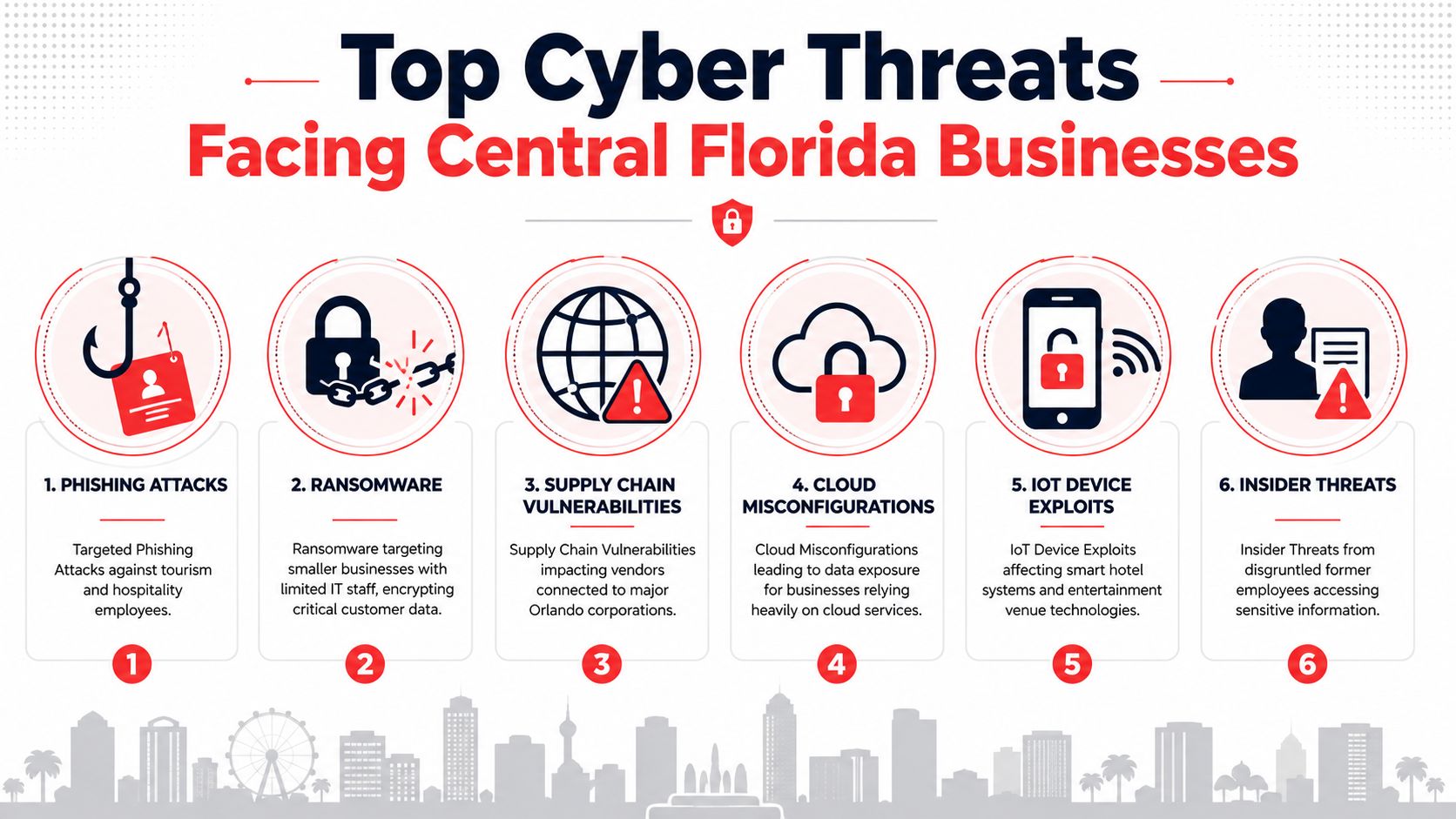
That’s the practical reason businesses start looking into what a Security Operations Center (SOC) is. A SOC exists because modern attacks rarely announce themselves clearly. They show up first as odd logins, unusual device behavior, failed backups, suspicious email activity, or access from places and times that don’t fit your normal business pattern.

What failure looks like for an SMB

For a Central Florida firm, the damage usually isn’t abstract. It looks like:

  • Lost billable time: Attorneys, accountants, architects, and consultants can’t access the files they need.
  • Interrupted patient or client service: Medical offices and specialty practices may lose scheduling, chart access, or communications.
  • Operational delays: Industrial and field teams may lose visibility into systems, tickets, or inventory workflows.
  • Reputational stress: Clients remember the day you went dark.

A cyber incident doesn’t have to become a headline to hurt the business. It only has to stop work.

Small and mid-sized businesses are attractive targets because they often have valuable data, lean internal IT, and little room for downtime. That’s why a SOC matters. It answers the question behind every security concern: if something starts going wrong at 2 a.m., who detects it, who decides what it means, and who acts before your Monday is ruined?

The Core Functions of a Security Operations Center

A Security Operations Center does three jobs that matter to a business owner. It spots trouble early, responds before the issue spreads, and helps prevent the same failure from happening again.

A security officer monitoring city surveillance data and building security systems on multiple computer screens in an office.

For a law firm in downtown Orlando, that might mean catching unusual Microsoft 365 login activity before client files are exposed. For a medical practice, it can mean containing a compromised workstation before scheduling, billing, or patient records are disrupted. For a manufacturer or field service company, it may mean stopping an account takeover before production systems, inventory tools, or dispatch workflows are affected.

A SOC works like a digital fire department. The goal is not to admire alarms. The goal is to confirm what is happening, send the right response, and keep the incident from turning into downtime, data loss, or a compliance problem.

Detect threats before they spread

The first function is continuous monitoring. Analysts review activity from endpoints, firewalls, identity platforms, cloud apps, servers, and email systems, then decide whether the behavior fits your normal business pattern.

That sounds simple. It is not.

A small business can generate a constant stream of events, and plenty of them look suspicious at first glance. A SOC filters out noise so your team is not chasing harmless login prompts, routine software behavior, or expected admin activity while a real attack slips past.

A typical workflow includes:

  • Tier 1 analysis: Review alerts, remove false positives, and identify what needs immediate attention.
  • Tier 2 investigation: Add business context, such as who the user is, what device is involved, what data may be at risk, and whether similar activity appears elsewhere.
  • Tier 3 hunting: Look for attacker behavior that may not have triggered a clean alert, such as persistence, lateral movement, or unusual command activity.

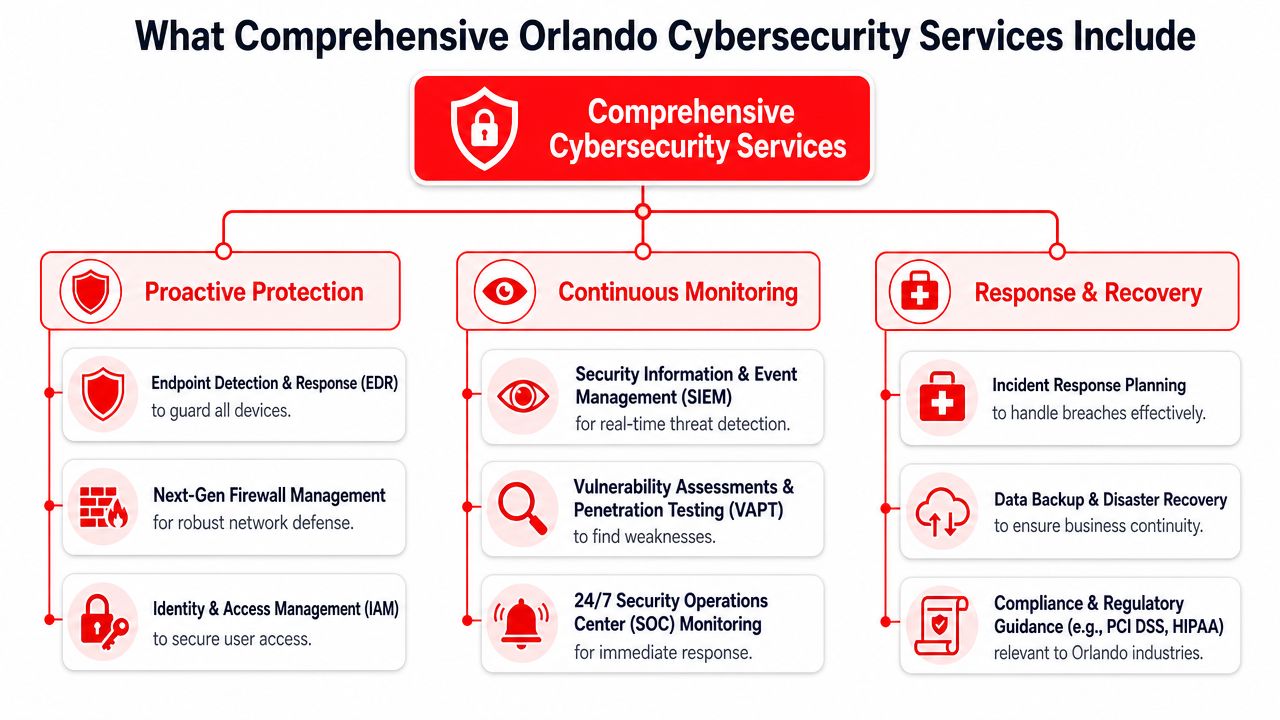
For SMBs in Central Florida, good detection is partly a tooling question and partly a context question. An after-hours login to a legal case system may be normal for one firm during trial prep and a major concern for another. A SOC that understands your operating hours, remote access habits, vendors, and compliance requirements makes better decisions faster. If you are comparing endpoint telemetry tools, this guide on understanding EDR and XDR for enhanced SMB cyber defense explains how that visibility supports SOC detection.

Respond fast enough to protect uptime

Detection has no business value unless it leads to action.

A SOC response can include isolating a laptop, disabling a user account, blocking malicious traffic, forcing a password reset, preserving evidence, or contacting leadership with a clear recommendation. The right move depends on the threat and the cost of disruption. Shutting down a device at 10 a.m. in a busy medical office has real operational impact, so response decisions need both security judgment and business awareness.

That trade-off matters. A weak response lets an attacker keep moving. An overly aggressive response can interrupt staff, delay appointments, or stop billing work that should have continued.

The best SOCs use playbooks so common incidents are handled consistently. Phishing, suspicious sign-ins, ransomware behavior, impossible travel, and unauthorized admin changes should not trigger a debate from scratch every time. They should trigger a practiced process.

Practical rule: A useful SOC reduces business interruption. Alert volume is secondary.

Improve the environment after the incident

A mature SOC does not close a ticket and move on. It uses what happened to tighten the environment.

That often includes tuning noisy detections, removing stale accounts, improving patching, expanding log coverage, updating response playbooks, and showing leadership where recurring risk keeps appearing. For regulated businesses in Orlando, this also supports audit readiness. Medical groups need clearer visibility into access and incident handling. Law firms need stronger protection around confidential client data. Industrial companies often need better oversight of remote access, third-party connections, and mixed IT and operational systems.

Fewer false alarms means less wasted labor, faster containment means less downtime, and better visibility means fewer expensive surprises. These factors demonstrate how the ROI of a SOC becomes evident. Over time, the SOC should lower the cost of chaos, not just produce security reports.

The Technology Powering a Modern SOC

The people in a SOC need the right tools or they’ll drown in data. Modern environments generate activity from laptops, servers, Microsoft 365, cloud platforms, firewalls, identity systems, and line-of-business apps. Without a way to collect and interpret that activity, important signals get buried.

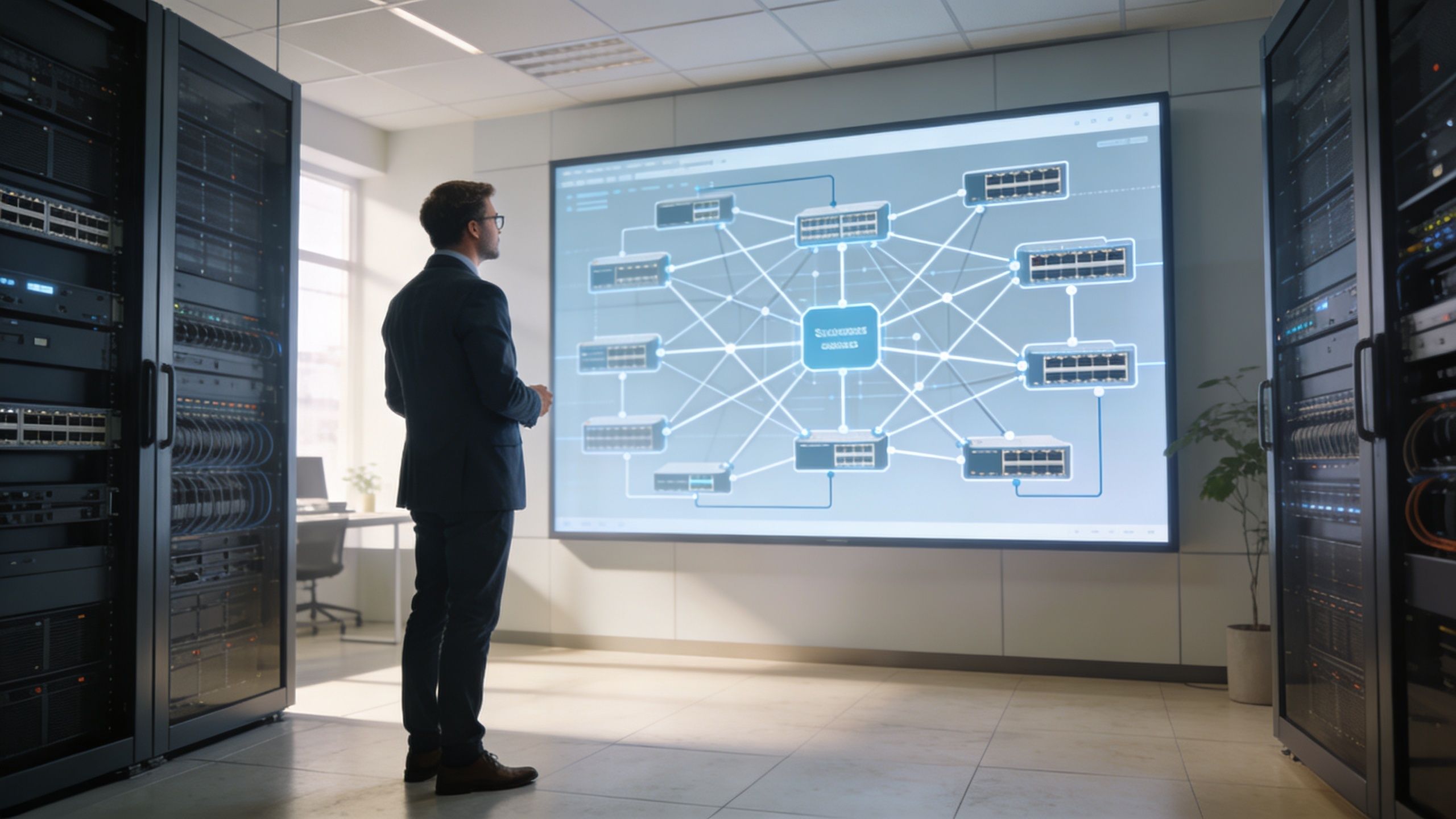
A futuristic data hub in a server room displaying a glowing holographic network and digital analytics charts.

SIEM is the central nervous system

A SIEM (Security Information and Event Management) platform pulls in security data from across the business and makes it searchable, correlated, and actionable. It’s the place where separate clues become a story.

A SIEM is foundational in a SOC because it can process millions of events to detect threats, and Tier 1 analysts typically triage 80 to 90% of thousands of daily alerts before escalating what needs deeper work (Rapid7 overview of SOC operations and automation).

For a business owner, the plain-English version is simple. Your firewall may know one thing. A laptop may know another. Microsoft 365 may show a strange sign-in. The SIEM helps analysts connect those dots.

If you want a deeper look at that layer, this guide on understanding security information and event management is a solid companion read.

EDR and XDR are the eyes and hands on endpoints

If SIEM is the nerve center, EDR and XDR are the sensors and response tools closest to the action. They watch what’s happening on devices and across security layers.

An endpoint tool can catch behavior that looks wrong even when a user hasn’t noticed anything yet. That matters because business interruptions often begin subtly. A machine starts running an unusual process. A script launches where it shouldn’t. Credentials get used in a pattern that doesn’t fit normal work.

Here’s what these tools usually contribute:

  • Endpoint visibility: They show what happened on laptops, servers, and workstations.
  • Behavior-based detection: They flag suspicious activity, not just known malware signatures.
  • Containment options: They can help isolate a device or stop harmful activity while investigation continues.
  • Cross-source context: In broader XDR workflows, they connect endpoint signals with identity, network, and cloud activity.

For an architecture firm, law office, or specialty practice, that means a suspicious event on one employee device doesn’t stay invisible until shared folders, email, or cloud apps are already affected.

SOAR turns repeatable response into machine-speed action

SOAR (Security Orchestration, Automation, and Response) handles the repeatable parts of incident response through playbooks. When a known type of event appears, SOAR can kick off the right sequence of actions without waiting for someone to do each step manually.

That matters because SOAR can reduce manual tasks by 60 to 80% and cut MTTR by up to 90% for common incidents, based on the Rapid7 reference already cited earlier in this section. In practice, that can mean an alert automatically triggers enrichment, ticketing, containment steps, and notification.

The best SOC technology stack doesn’t replace human judgment. It protects human judgment from getting wasted on repetitive work.

What works and what doesn’t

A lot of SMBs assume buying one security product means they “have a SOC now.” That’s not how it works. Tools are necessary, but tools without process create blind spots and confusion.

What tends to work:

  • Integrated telemetry: Logs and alerts from identity, endpoints, cloud, and network controls feeding a common workflow
  • Well-tuned detections: Rules refined over time so analysts see fewer meaningless alerts
  • Clear response playbooks: Specific actions for common incidents like phishing, account compromise, and suspicious access
  • Human review around the clock: Technology catches patterns. Analysts decide business impact.

What usually fails:

  • Tool sprawl: Separate products that don’t share context
  • Untuned alerting: Too much noise, too little confidence
  • No ownership after hours: Alerts fire, but no one is accountable for triage and escalation
  • Reporting that’s too technical: Owners hear about indicators and events, but not whether the business is safer

The point of modern SOC technology isn’t to impress you with dashboards. It’s to help security teams detect faster, respond with discipline, and keep your business operating.

Choosing Your SOC Model In-House Outsourced or Hybrid

Picking a SOC model is a business decision before it’s a technical one. The right answer depends on the size of your internal team, how much control you want to keep, how quickly you need mature coverage, and whether leadership wants to own staffing and tooling directly.

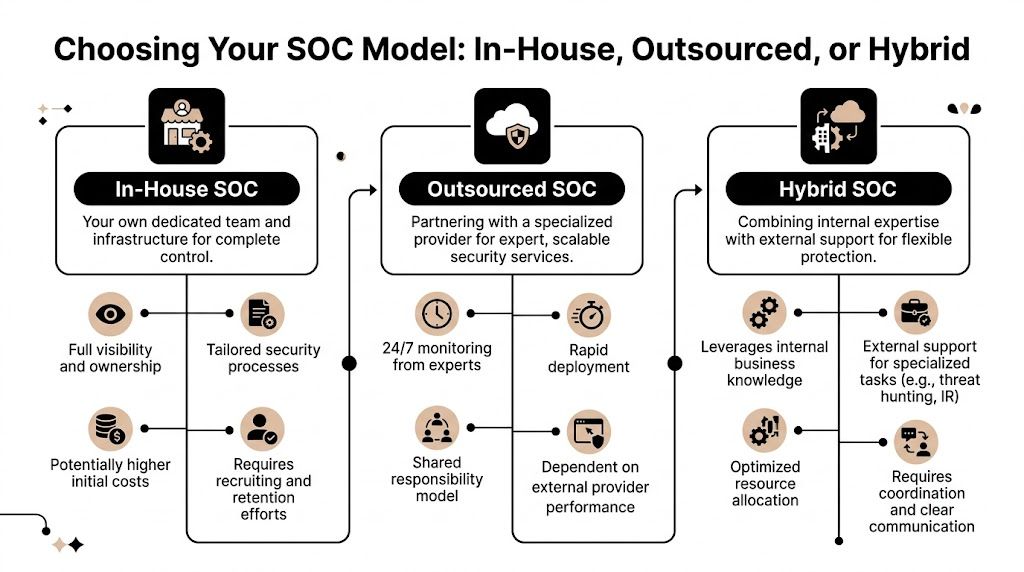
A comparison chart outlining the differences between In-House, Outsourced, and Hybrid Security Operations Center (SOC) deployment models.

What each model really means

An in-house SOC means your company hires the analysts, owns the processes, operates the tools, and carries the burden of coverage. That can work for organizations with strong internal security leadership and enough scale to support it.

An outsourced SOC means a specialized provider handles monitoring, detection, investigation, and often response as a managed service. For many SMBs, this is the fastest path to mature coverage because the provider already has the people, workflows, and technology stack in place.

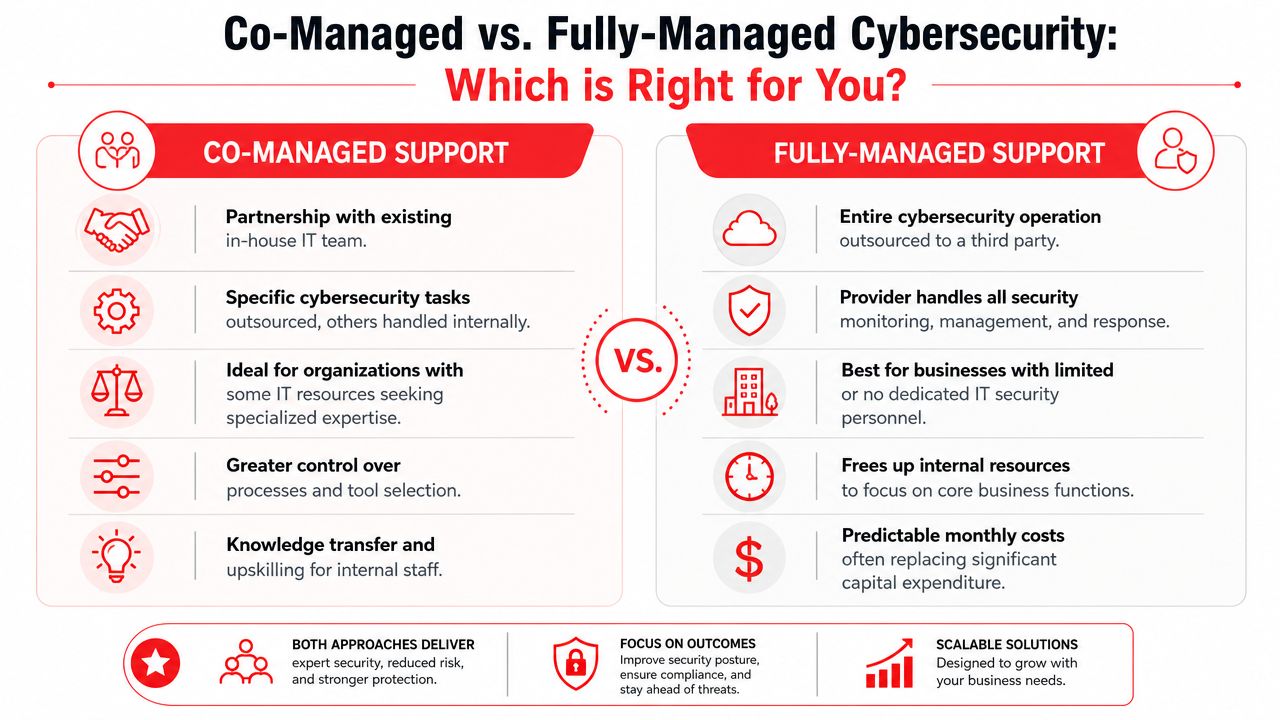
A hybrid or co-managed SOC splits responsibility. Your internal IT or security team keeps visibility and strategic control, while an outside partner provides continuous monitoring, specialized investigation, or after-hours coverage.

Most SMB owners don’t need to own every security function directly. They need confidence that someone competent is accountable when something happens.

SOC model comparison for SMBs

Factor In-House SOC Outsourced SOC (MSSP) Co-Managed/Hybrid SOC
Control Highest direct control over people, tools, and process Less day-to-day control, more dependence on provider workflows Shared control with internal oversight
Staffing burden High. Recruiting, retention, scheduling, and training stay on you Lower. Provider supplies the operational team Moderate. Internal team still needs ownership in key areas
Speed to maturity Slower for most SMBs Faster because the provider starts with an existing operation Faster than fully in-house, slower than fully outsourced in some cases
After-hours coverage Hard to maintain without a larger team Usually built into the service Often covered by the provider
Customization Deep customization possible Varies by provider Strong if roles are clearly defined
Best fit Larger organizations with internal security depth SMBs that need mature security operations without building from scratch Firms with capable IT leadership that want support, not full handoff

The real trade-offs

For most Central Florida SMBs, the biggest challenge with in-house isn’t desire. It’s practicality. Security operations depend on people who can triage alerts, investigate suspicious activity, and make response decisions under pressure. That’s hard to build and hard to sustain.

Outsourcing solves many of those problems, but it creates a different risk. A provider may be technically strong yet operationally weak for your business if they don’t understand your workflows, compliance demands, and escalation expectations.

Hybrid models often work well for law firms, medical groups, and industrial organizations with internal IT staff who know the business but don’t want to run a full SOC alone. Internal teams keep context. External specialists provide scale and round-the-clock discipline.

A simple way to decide

Use these questions:

  • Do you have internal security leadership? If not, fully in-house usually creates more exposure than confidence.
  • Do you need coverage outside business hours? If yes, outsourcing or hybrid tends to make more sense.
  • Do your systems support revenue every hour of the day? If uptime matters constantly, your monitoring model should too.
  • Do you want strategic partnership or just alert handling? The answer helps separate commodity monitoring from true co-management.

The wrong model creates one of two problems. You either pay for complexity you can’t maintain, or you buy a service that never really fits your business. The right model gives you clear accountability, reliable coverage, and a realistic path to resilience.

The Business Case for Central Florida SMBs

A SOC isn’t just a security purchase. For many SMBs, it’s a business continuity decision. Orlando-area firms in legal, medical, financial, and industrial sectors rely on systems that have to be available, trusted, and compliant enough to support client and patient relationships.

When owners ask whether a SOC is worth it, the better question is usually this: what does it cost the business when no one is actively monitoring, investigating, and containing threats?

Why the ROI conversation matters

One of the biggest gaps in the market is that plenty of SOC content explains the technology, but not the business case. IBM notes that evaluating a SOC provider is difficult and that online content often misses the question SMBs care about most: how to justify the investment and measure ROI for firms with limited IT budgets (IBM on the ROI gap in SOC evaluation).

That’s exactly where many Central Florida businesses get stuck. They understand risk in theory. They don’t always have a clean way to connect a security service to uptime, compliance, and financial stability.

What ROI looks like in practice

The clearest operational metric is Security Incident Volume, which helps a SOC understand what’s reaching the level of a confirmed threat and whether the environment is becoming more or less stable over time. Mature teams also focus on strong containment, with incident containment rates commonly targeted at over 90%, and the same source notes that unpatched systems can drive 20 to 30% of incidents (CyberDefenders on SOC performance metrics and incident drivers).

For a business owner, that translates into several concrete outcomes:

  • Less downtime: Faster containment means fewer hours of disrupted work.
  • Lower cleanup burden: Smaller incidents are cheaper and easier to remediate than broad compromises.
  • Better compliance posture: Security operations support the evidence, follow-through, and consistency many regulated firms need.
  • Clearer budget decisions: Trends in incident volume tell leadership where controls are working and where spending should shift.

Security ROI often shows up as the problems that never reached your staff, your clients, or your patients.

Why this hits different in Orlando

Central Florida SMBs often have a mix of cloud services, legacy systems, mobile staff, third-party vendors, and lean internal IT. That combination increases the chance that small warning signs get missed until they become operational problems.

For a few common local business profiles, the value is easy to map:

  • Law firms and accountants: Sensitive client records, email-heavy workflows, and high trust expectations make account compromise and data exposure especially painful.
  • Medical and dental practices: Scheduling, patient communications, and regulated information create both uptime pressure and compliance pressure.
  • Architects, engineers, and consultants: Shared documents, project deadlines, and outside collaboration mean any interruption quickly affects revenue and reputation.
  • Industrial and field-service firms: Distributed devices and remote operations create more places where a threat can start unnoticed.

What doesn’t justify itself

A SOC doesn’t make financial sense if it’s treated like a dashboard subscription with vague monthly noise. Owners should be wary of any service that reports lots of alerts but can’t explain business impact, recurring causes, or whether the environment is improving.

The business case becomes stronger when the service ties operational data back to decisions. Which systems create the most risk? Which recurring alerts point to weak controls? Which business units need tighter identity protections or faster patching? That’s where cybersecurity becomes management information, not just technical reporting.

For Central Florida SMBs, the smartest reason to invest in a SOC is simple. You’re buying the ability to keep working when something goes wrong, and to reduce how often it goes wrong in the first place.

How to Choose the Right SOC Provider

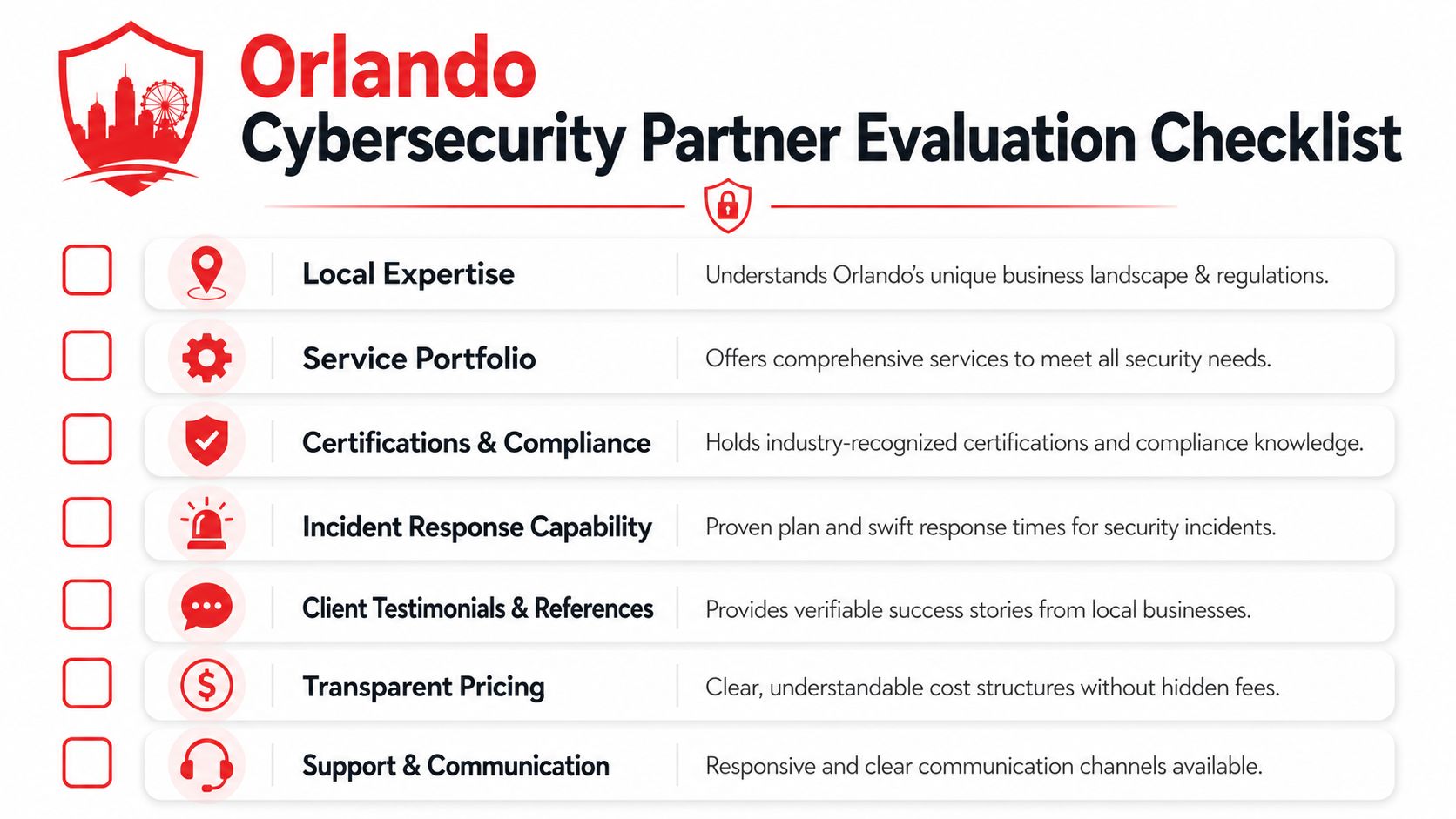
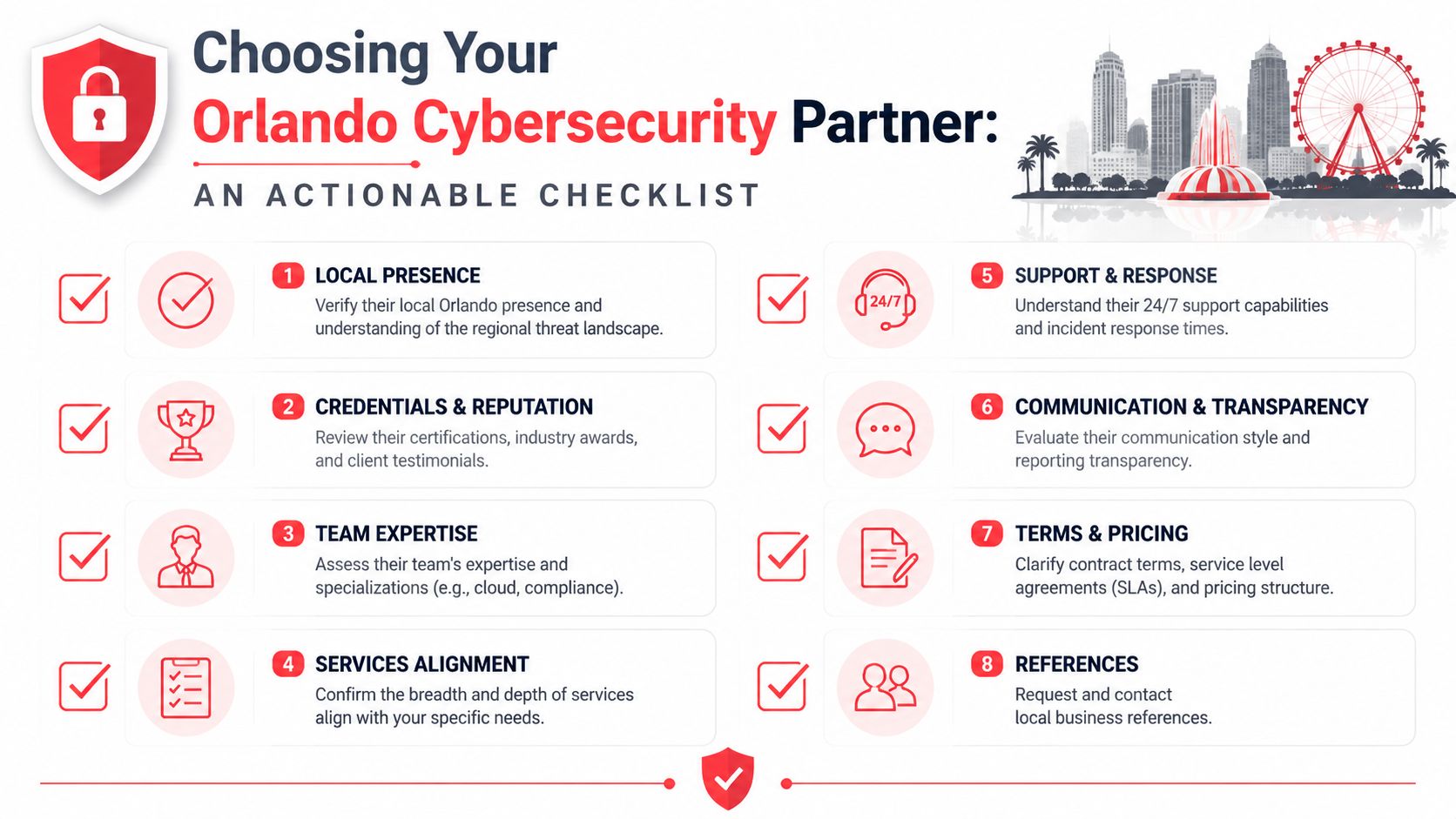
A lot of providers can say they monitor alerts. Far fewer can explain how they reduce business risk, communicate during incidents, and prove value over time. If you’re evaluating options, you’re not buying software. You’re hiring an operational partner that will have a role in some of your worst business days.

If your team is also sorting through audit requirements and vendor questionnaires, it helps to understand adjacent compliance language too. This primer on What Is SOC Compliance is useful because many owners confuse security operations with attestation and reporting frameworks.

Questions that separate real providers from noisy ones

Start with these:

  • How do you measure value beyond alert volume? A strong provider should talk about containment, recurring risk reduction, reporting quality, and business outcomes.
  • What happens during a real incident? Ask who contacts whom, how escalations work, and whether they give clear decision support to leadership.
  • How do you tailor playbooks to my environment? A legal office, specialty medical practice, and industrial firm don’t all need the same response priorities.
  • What visibility will my internal team keep? You should know what data, dashboards, tickets, and reports remain accessible to you.
  • How do you handle after-hours events? This reveals whether “24/7” is actual operations or just after-hours alert forwarding.

What good answers sound like

A provider doesn’t need to sound flashy. They need to sound operationally mature.

Look for signs like:

  • Clear ownership: They can explain who triages, who investigates, and who approves disruptive actions.
  • Business-aware communication: They can translate technical events into plain consequences for uptime, compliance, and decision-making.
  • Structured reporting: They show patterns over time instead of sending disconnected alert summaries.
  • Specific escalation logic: They know when to wake your team, when to isolate a device, and when to continue investigating discreetly.

If a provider can’t explain their reporting in business language, they probably can’t defend their value in budget season either.

Red flags worth noticing

Some warning signs appear early in the sales process:

  • Generic promises: They claim broad protection but avoid explaining response steps.
  • No discussion of ROI: They talk tools, not outcomes.
  • Weak alignment with your industry: They haven’t thought through HIPAA-sensitive workflows, legal confidentiality, or operational technology realities.
  • Alert-centric mindset: Everything is framed around notifications instead of resolution and prevention.

Use this shortlist before you sign

What to ask Why it matters
How do you report on value delivered? You need more than raw activity counts.
What’s your incident communication process? Good security fails if leadership gets confused during an event.
How much tuning and customization is included? Untuned monitoring creates noise and frustration.
How do you support compliance needs? Regulated firms need consistency, documentation, and follow-through.
How do you work with internal IT? The relationship matters if you’re co-managed.

The right provider should leave you with more clarity, not more jargon. If the conversation feels vague before the contract, it usually gets worse after signing.

Cyber Command's 24/7 SOC for Local Business Needs

For Central Florida SMBs, the ideal SOC partner isn’t just technically capable. The partner has to understand local business realities, limited internal headcount, and the fact that owners don’t want a pile of alerts. They want uptime, accountability, and a clear plan when something breaks.

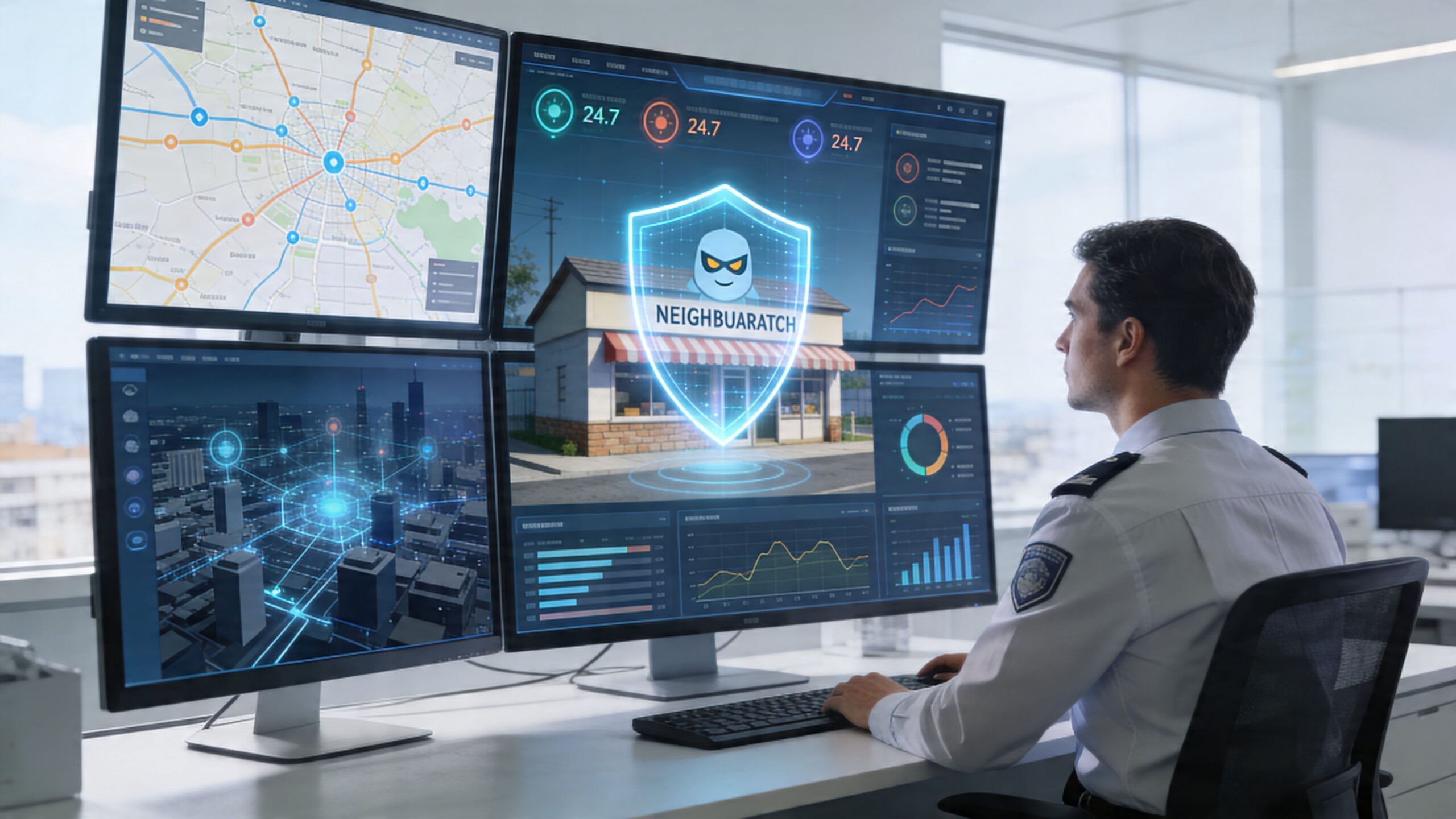
Dual computer monitors showing cybersecurity operations and digital protection of a small local business storefront.

Cyber Command, LLC has provided 24/7 SOC services since 2015, with a focus on proactive threat hunting and incident response for SMBs in Orlando and North Texas. The company also integrates threat intelligence and continuous compliance support through quarterly business reviews, with an operating model centered on uptime and measurable accountability instead of reactive, ticket-driven support (Cyber Command company background and SOC approach).

Why that model fits SMB reality

Many SMBs don’t need a giant enterprise security program. They need an operating rhythm that protects the business without forcing leadership to build and manage a full security department.

That means a practical SOC partner should bring:

  • Continuous coverage: Threats don’t care whether your office is open.
  • Threat hunting: Not just reacting to alerts, but looking for signs that something is wrong before it becomes disruptive.
  • Incident response discipline: Knowing what to contain, when to escalate, and how to communicate clearly.
  • Compliance support: Helping regulated organizations stay organized and prepared, not scrambling after the fact.

What local alignment changes

A provider serving Orlando and nearby markets sees the patterns SMBs deal with every day. Professional services firms often have high trust requirements and low tolerance for downtime. Medical organizations have patient flow and privacy concerns. Industrial firms care about reliability across locations and systems.

That business context matters because response priorities aren’t identical across industries. In one company, the critical issue is preserving client communications. In another, it’s restoring access to scheduling and records. In another, it’s making sure field or plant operations stay moving.

Security operations work better when the provider understands what your business cannot afford to lose for even one day.

What owners should take from this

The biggest difference between a generic monitoring service and a strong SOC partner is accountability. A mature partner should help leadership understand risk trends, not just incident tickets. It should also fit into broader IT planning, since security decisions affect vendor management, patching discipline, cloud use, and operational uptime.

For local businesses, that combination matters. It means security operations aren’t isolated from the rest of the business. They support it.

From Reactive Firefighting to Proactive Resilience

Once an Orlando business owner decides a SOC makes sense, the next question is usually operational, not technical. Who inside the company owns the relationship, what systems need to be visible on day one, and what gets escalated at 2 a.m. versus held for the morning?

That preparation work determines whether a SOC becomes a real operating function or just another vendor sending alerts.

For a Central Florida SMB, a good start is simple. Name one internal decision-maker. Confirm which assets matter most, such as Microsoft 365, line-of-business applications, cloud backups, remote access tools, and any system that keeps scheduling, billing, client files, patient records, or production moving. Then agree on response rules before the first incident, including who can approve containment, who must be notified, and what downtime the business can tolerate.

This matters a lot in local industries. A law firm may care most about preserving confidential client communications and document access. A medical practice may need fast action around account misuse without disrupting patient flow. A manufacturer or field service company may put plant systems, dispatch, or inventory platforms at the top of the list because even a short interruption can turn into missed jobs and lost revenue.

Co-managed security usually works best for SMBs here. The SOC handles monitoring, investigation, and after-hours response. Your internal team keeps control of business context, vendor relationships, and change management. That split is practical. It lowers staffing pressure, avoids building a night shift internally, and gives leadership a clear line between security work and business operations.

Teams also need a rhythm, not just tools. Monthly reviews should cover what was detected, which recurring issues point to weak processes, and where to spend next. Businesses that want to mature beyond alert review should also understand how ongoing hunting closes the gap between known detections and hidden attacker activity. This article on the business case for continuous threat hunting explained is a useful next read for that reason.

The companies that get the most value from a SOC treat it like part of daily operations, similar to alarm monitoring, insurance planning, or an on-call facilities process. Clear ownership, clear escalation paths, and clear priorities turn security from an occasional scramble into a managed business function.

If your organization needs a practical plan for 24/7 monitoring, threat hunting, incident response, and compliance support, talk with Cyber Command, LLC. Their team works with Central Florida SMBs to reduce downtime, improve accountability, and build a security operation that fits real business needs.

Backup and Disaster Recovery for Florida SMBs

Monday opens normally in Orlando. Staff log in, phones ring, patients or clients start arriving, and then one screen shows an encryption notice. Another can’t reach the server. Scheduling stops. Billing stops. Intake stops. If you run a law office, dental practice, CPA firm, architecture studio, or multi-location service business in Central Florida, that moment stops revenue faster than most owners expect.

Florida businesses usually think about storms first. They should. But in practice, I see just as many shutdowns caused by ransomware, failed updates, aging storage, accidental deletion, and power problems that expose weak recovery planning. A backup file sitting somewhere isn’t the same as being able to keep the business operating.

Why Your Florida Business Needs a Real Recovery Plan

An Orlando law firm can survive a bad weather day. It has a much harder time surviving two days without document access, case notes, or billing. A Winter Springs dental office can reschedule around one broken workstation. It can’t function well if imaging, charts, and e-prescribing stay offline through a full patient schedule.

That’s the point business owners miss. Backup protects copies of data. Disaster recovery restores operations, systems, access, and the order everything has to come back online.

A concerned woman stands in an office looking at a computer screen showing a ransomware data encryption message.

What owners usually assume

Most owners I talk to believe they’re covered because someone told them backups are running. That’s a dangerous half-truth. More than 60% of organizations believe they can recover from a downtime event within hours, but only 35% could. Only 40% of technology leaders express confidence that their current backup and recovery solution can sufficiently protect critical assets in a disaster (Spanning).

That gap matters in Central Florida because disruption rarely arrives one problem at a time. A hurricane can trigger power instability, internet issues, office closure, and rushed remote work. A cyberattack can hit on the same week your key employee is out and your vendor is slow to respond.

Practical rule: If your team has never restored the systems you rely on, you don’t have proven recovery. You have hope.

Backup is one piece, not the whole strategy

You still need backups, and business owners should understand the basic types of backup because full, incremental, immutable, local, and cloud copies all play different roles. But none of those choices by themselves answer the hard questions:

  • Who restores what first
  • How employees work during the outage
  • Where your clean copy lives if the office is unavailable
  • How long the business can wait
  • How you communicate with clients, patients, and vendors

A real recovery plan treats downtime like a business interruption issue, not a server issue. That means deciding in advance what must come back first, who owns each task, and what fallback process keeps money moving while systems are restored.

For Florida SMBs, backup and disaster recovery isn’t a technical add-on. It’s continuity planning for hurricanes, cybercrime, hardware failure, and plain bad luck.

Understanding RTO RPO and Business Impact

A lot of business owners tune out when they hear technical acronyms. Don’t. Two of them decide whether your company closes for an inconvenience or a crisis.

RTO means how long you can be down

Recovery Time Objective, or RTO, is the maximum downtime your business can tolerate before the damage becomes unacceptable. It is comparable to the amount of time your front door can stay locked before the day starts going sideways.

For a medical office, that might mean electronic records and scheduling need to return fast. For a law firm, document management and email may be first. For an accounting office during tax season, the tax platform and file storage move to the top immediately. If you want a plain-English breakdown, this guide to Recovery Time Objectives (RTOs) is useful for non-technical leadership.

RPO means how much data you can afford to lose

Recovery Point Objective, or RPO, is the acceptable amount of lost work between the last good copy and the outage. Think of it as the paperwork gap you’d have to recreate.

If your backup last ran the night before and your server fails at 3 p.m., your business may lose a full day of entries, notes, uploads, or financial activity. Some firms can absorb that. Many can’t.

A dentist may be able to re-enter a few administrative notes. A financial firm may not be able to rebuild the same day’s reconciliations cleanly. A law office may have ethical and operational issues if document versions disappear.

Business impact decides what matters most

Not all systems deserve the same recovery target. That’s where a Business Impact Analysis, or BIA, comes in. It sounds formal, but the exercise is practical. You identify what the business needs to operate, rank those systems, and assign realistic recovery goals.

Start with these questions:

  1. What system stops revenue first
    For many SMBs, it’s scheduling, payments, phones, or line-of-business software.

  2. What system creates legal or compliance exposure
    Client files, patient data, retention systems, and audit records usually land here.

  3. What can wait until tomorrow
    Archive storage, old project data, and less-used internal systems often belong in a lower tier.

A recovery plan fails when it restores everything slowly instead of restoring the right things first.

Why prioritization matters

Many plans break at this stage. Recent reports show that 40% of business disruptions stem from recovery plans that are not aligned with business priorities. That misalignment is why 68% of SMBs that suffer an outage experience downtime lasting more than a full day (Warren Averett).

Those numbers line up with what happens in the field. Teams restore servers in technical order instead of business order. They bring back file shares before scheduling. They recover archived folders before the application that produces invoices. They restore data but forget the dependency chain, such as identity access, internet failover, VPN access, printing, or vendor-hosted application access.

A simple tier model works better than one big plan

Business tier What belongs here Recovery expectation
Tier 1 Systems that stop patient care, client service, billing, or communication Fastest recovery target
Tier 2 Important operational systems that staff need soon after Restored after core operations
Tier 3 Archives, historical data, low-use tools Restored later

For a Central Florida business, this model keeps you honest. It forces a decision: if the office is dark, internet is unstable, or ransomware hits, what gets your team working again first?

That’s what backup and disaster recovery should answer.

Choosing Your Recovery Architecture On-Prem Cloud or Hybrid

Architecture choices aren’t abstract. They affect recovery speed, cost, maintenance burden, and how much risk you carry if your office loses power or access.

A simple way to think about it is this. On-premise recovery is like owning a generator at your building. Cloud-based recovery is like relying on outside infrastructure to keep operations available elsewhere. Hybrid gives you both a local path for speed and an offsite path for serious disruption.

A comparison chart outlining the pros and cons of on-premise, cloud-based, and hybrid backup and disaster recovery architectures.

On-premise recovery

On-premise means your backup storage and much of your recovery capability sit inside your office or under your direct control.

That setup can work well when you need very fast restores of local files, large imaging data, or line-of-business systems that staff access all day. It also appeals to firms that want tighter physical control over hardware.

The trade-off is obvious in Florida. If the building has a power event, flood issue, fire, theft, or network equipment failure, the recovery environment may be affected by the same incident as production.

On-premise works best when:

  • You need fast local restores for large files or busy production systems
  • You have in-house IT capability to monitor hardware, storage health, patching, and backup jobs
  • You also keep protected offsite copies so a building-level incident doesn’t take out everything

Cloud recovery and DRaaS

Cloud-based recovery, often delivered as Disaster Recovery as a Service, shifts recovery infrastructure offsite. That can be a strong fit for firms with multiple locations, hybrid work, or limited appetite for maintaining local recovery hardware.

The biggest strength is geographic separation. If your Winter Springs office is unavailable, you still have a path to restore systems elsewhere. The biggest limitation is dependency on provider design, internet performance, and the quality of the failover plan.

Cloud recovery is often a practical option for SMBs that want operational simplicity. It’s also worth reviewing broader cloud disaster recovery options if you’re comparing hosted failover, cloud backups, and full recovery environments.

Cloud recovery protects you from local events better than local-only recovery. It doesn’t remove the need to plan users, access, sequencing, and vendor dependencies.

Hybrid recovery

For many Central Florida SMBs, hybrid is the most sensible architecture. You keep a local recovery path for quick restores and an offsite copy or standby environment for real disaster scenarios.

That matters when you have two very different recovery jobs:

  • restoring a deleted folder quickly for a staff member
  • keeping the business alive when the office, server, or network is down

Hybrid designs also fit regulated environments well. A medical practice may need fast file-level recovery during normal operations, but also an offsite path for continuity if the local environment is compromised.

On-Premise vs. Cloud vs. Hybrid Recovery Architectures

Attribute On-Premise Cloud (DRaaS) Hybrid
Control Highest direct hardware control Lower direct control, provider-managed components Shared control
Local restore speed Often strong for local workloads Depends on bandwidth and design Strong for priority local restores
Resilience to office-level disaster Weak unless paired with offsite copy Stronger for geographic separation Strongest balance for most SMBs
Maintenance burden Highest Lower internal burden Moderate
Complexity Lower if environment is simple Moderate, depends on provider Highest if poorly designed
Best fit Firms with strong IT ownership and local performance needs Firms that want offsite resilience and simpler operations Firms that need both speed and broader continuity

What works and what doesn’t

What works is choosing architecture based on business operations.

A law office with heavy document use may need fast local recovery plus offsite failover. A dental group with imaging, scheduling, and compliance concerns often benefits from hybrid. A smaller accounting firm with cloud-first apps may lean more heavily on DRaaS if access control and restore testing are solid.

What doesn’t work is buying storage first and asking business questions later. It also doesn’t work to put every workload in one basket, whether that basket is a closet server or a single cloud platform.

Use architecture to support the recovery order you already defined. Not the other way around.

How to Create a Practical Disaster Recovery Policy

A disaster recovery policy should be short enough to use under stress and detailed enough that your team doesn’t guess. If it reads like a generic compliance template, it won’t help when your office is dealing with a ransomware screen, failed storage array, or building outage.

The policy has one job. Tell people exactly what to do, in what order, with what authority.

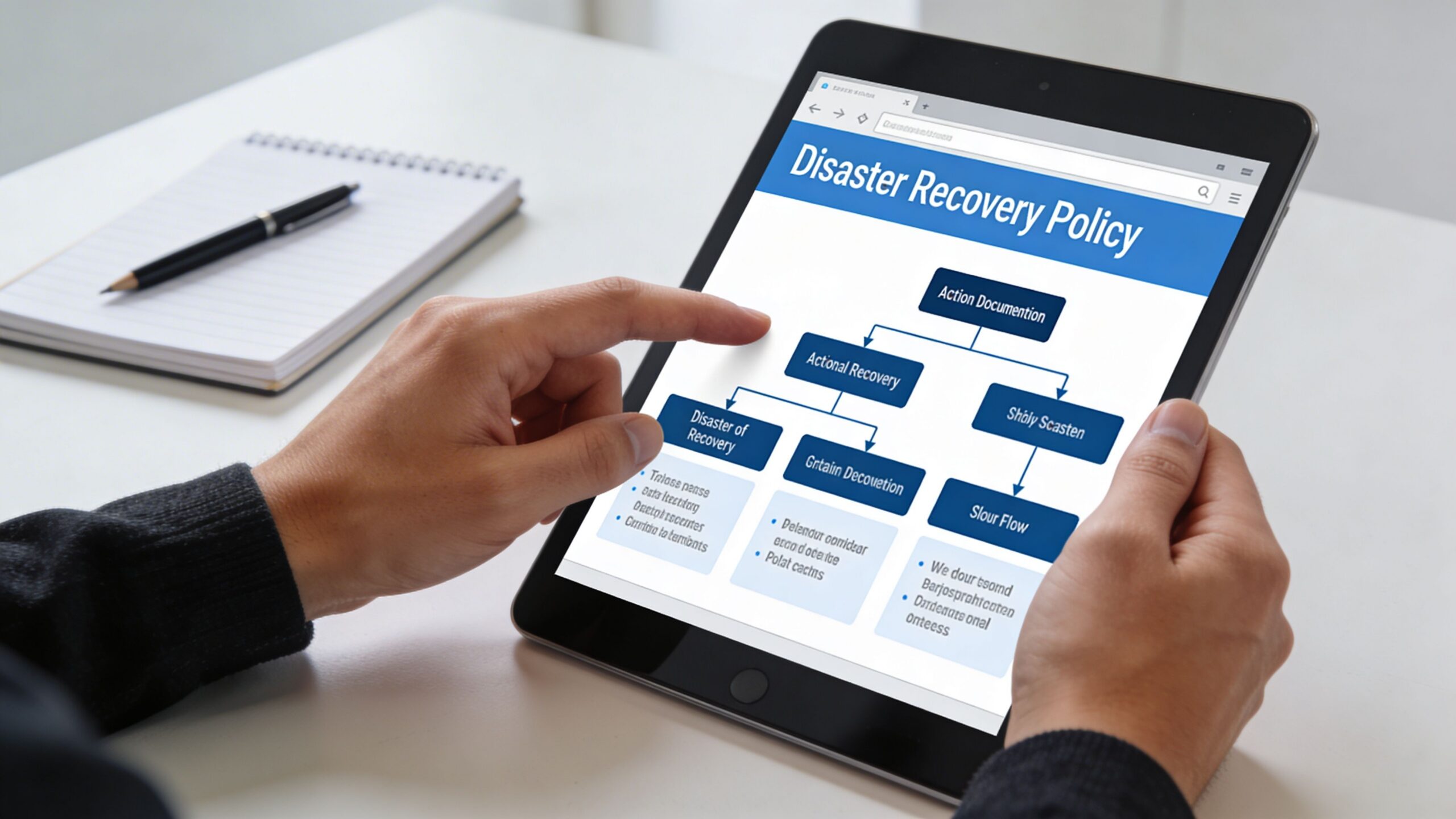
A person reviewing a disaster recovery policy flowchart on a tablet computer in an office setting.

Put the business inventory first

Start with a clean inventory of what matters:

  • Core applications such as practice management, document management, accounting, scheduling, and email
  • Infrastructure dependencies such as servers, cloud tenants, firewalls, switches, identity platforms, and internet circuits
  • Data locations including laptops, local servers, SaaS platforms, cloud drives, and line-of-business vendors
  • Critical vendors whose systems your team can’t operate without

Most weak plans fail here. They list “server outage” as an event but never identify the applications and dependencies attached to that server.

Assign roles before you need them

During an outage, confusion wastes more time than bad hardware. Your policy should name who makes decisions and who executes tasks.

A practical small-business structure usually includes:

Role Responsibility
Business owner or executive Declares business impact and approves major recovery decisions
IT lead or managed provider Runs technical recovery steps and escalation
Department manager Validates business function after restore
Communications owner Notifies staff, clients, patients, and vendors
Compliance or privacy contact Reviews obligations involving sensitive data

Write names, alternates, phone numbers, and non-email contact methods into the document. If email is down, an email-only contact list is useless.

Build the checklist in recovery order

Your runbook should follow the order of operations, not the order equipment appears in a rack.

A practical checklist often looks like this:

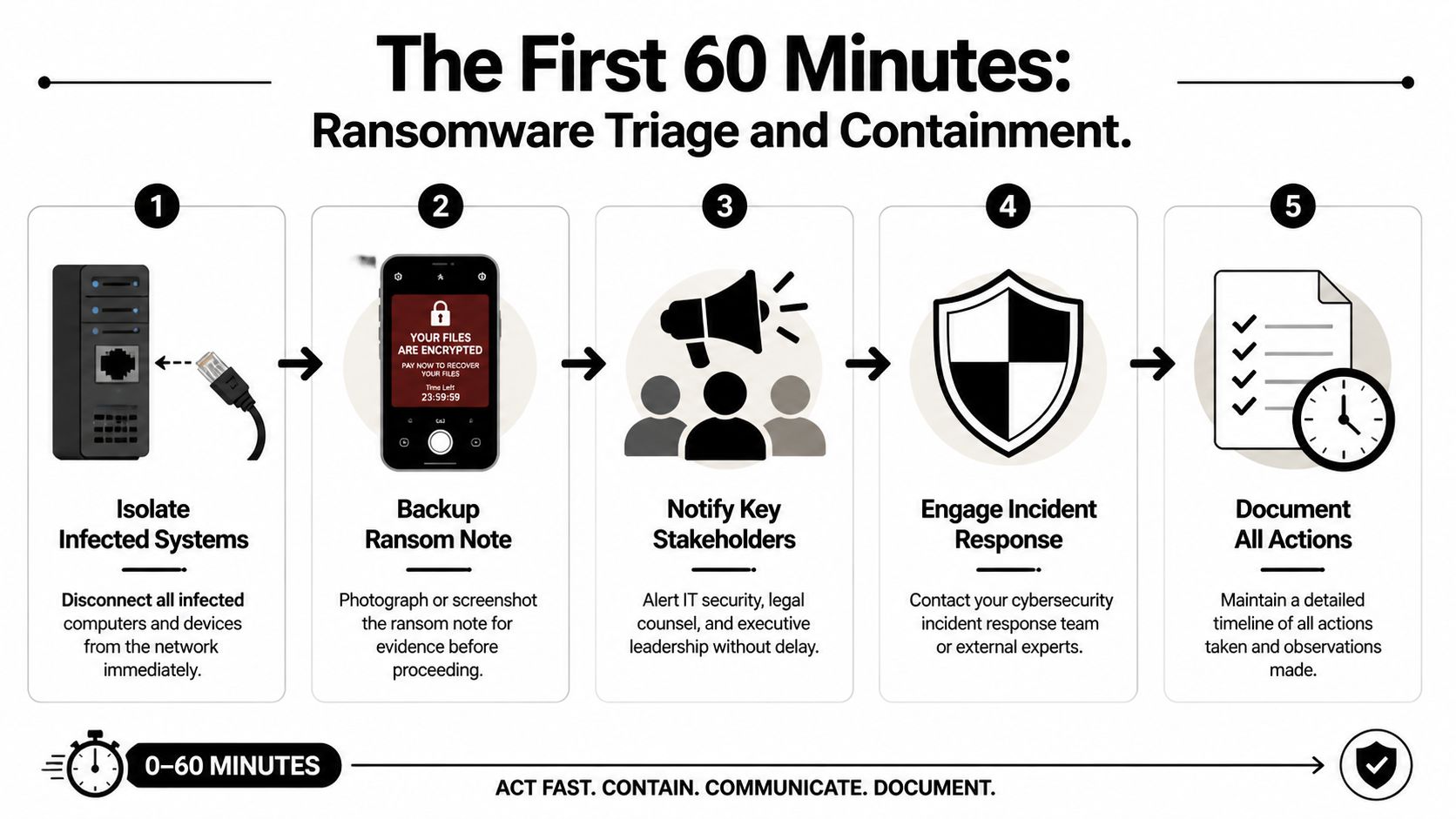
  1. Contain the problem
    Is this ransomware, hardware failure, accidental deletion, or site outage? Isolation may matter before restoration begins.

  2. Declare the recovery mode
    Are you restoring files, failing over a server, or shifting staff to remote work?

  3. Restore Tier 1 systems first
    Focus on systems that keep patient care, client communication, billing, or scheduling moving.

  4. Validate access with real users
    A server being “up” doesn’t mean the front desk can print, the attorney can open a file, or the accountant can post transactions.

  5. Document what changed
    Track restored versions, temporary workarounds, and any security concerns discovered during recovery.

A good policy doesn’t try to predict every failure. It gives your team a clear chain of command and a repeatable decision path.

Tailor the policy to your industry

A generic plan won’t satisfy the operational realities of regulated businesses.

For healthcare practices, the requirement is more specific. HIPAA mandates a documented Contingency Plan with specific RTO and RPO targets, and expert benchmarks show that deploying a hybrid solution with automated verification can reduce effective RTO by up to 80% (Accountable HQ). That matters in real clinical workflows where scheduling, chart access, and e-prescribing can’t stay down long without affecting care.

For law firms, the policy should address client confidentiality during emergency access, remote work controls, and how ethical walls remain enforced if normal systems are unavailable.

For accounting and financial firms, document retention, access controls, and audit trail preservation should be explicit. Recovery isn’t complete if the data returns without the records needed to prove integrity.

Include the communication script

Most businesses focus on systems and forget people. Your policy should include prewritten templates for:

  • Internal staff updates
  • Client or patient notifications
  • Vendor escalation requests
  • Public-facing service disruption messages

Short, calm, and factual beats long and vague. During a recovery event, people need to know what’s affected, what to do next, and when the next update arrives.

Validating Your Plan Before Disaster Strikes

A backup and disaster recovery plan that nobody has tested will fail at the worst possible time. Not because the idea was bad, but because reality always exposes missing permissions, broken dependencies, expired credentials, and undocumented shortcuts.

That’s why validation matters more than how polished the document looks.

The testing gap is real

The numbers here are ugly. 71% of organizations perform no failover testing to ensure their outage prevention protocols work, 62% fail to conduct regular system backup and restoration exercises, and 25% have no controls in place to prevent malicious access to their backup infrastructure (Secureframe).

That combination is exactly what attackers want. If backups aren’t tested and backup systems aren’t protected, recovery can fail twice. First during the attack, then again during the attempted restore.

Testing doesn’t have to shut down your office

Owners often resist testing because they assume it means a painful all-day outage. It doesn’t.

Use layers of validation:

  • Tabletop exercise
    Leadership and operations staff walk through a realistic outage scenario and identify decision gaps.

  • File-level restore test
    Restore selected files or folders to confirm backup integrity and permissions.

  • Application recovery test
    Recover a non-production instance of a key application and verify staff can use it.

  • Failover simulation
    Conduct an after-hours or planned test of the broader recovery path.

A useful resource on structuring those exercises is this guide to disaster recovery testing.

Untested recovery plans usually fail on the small details. Service accounts, application sequence, printer mapping, remote access, line-of-business licensing, and user validation.

What to verify each time

Don’t treat testing like a box-checking exercise. Validate outcomes that matter to the business:

Test area What to confirm
Data integrity Files open, databases mount, and restored records are usable
Access control Correct users can log in and unauthorized access remains blocked
Dependency chain Authentication, networking, storage, and application sequence work together
Communication Staff know who declares the event and where updates come from
Recovery timing Actual restore time is compared to your target

The best tests create evidence. Save screenshots, timestamps, notes on what failed, and the actions needed to fix it. That turns testing into operational improvement instead of annual theater.

For Central Florida firms, I recommend tying tests to seasonal risk and business cycles. Don’t run your only meaningful exercise when everyone is already overloaded.

Evaluating DR Vendors and Managed Services

Most SMBs shouldn’t try to run mature backup and disaster recovery alone. The issue isn’t intelligence. It’s bandwidth, specialization, and the fact that recovery depends on constant maintenance that owners and office managers rarely have time to supervise.

The right vendor isn’t just selling storage. They’re taking responsibility for design assumptions, monitoring, recovery sequence, testing discipline, and security controls around the backup environment itself.

A professional man sitting at a desk reviewing IT service provider comparison reports on his computer.

Ask operational questions, not marketing questions

Don’t start with “How much storage do we get?” Start with the questions that expose whether the provider understands business continuity.

Ask things like:

  • What is your process when recovery starts at 2 a.m. on a weekend
  • Who validates the restore with our staff
  • How do you protect backup systems from unauthorized access
  • How often do you require restore testing
  • How do you handle SaaS data, local servers, and cloud workloads differently
  • What dependencies do you map before declaring a plan complete
  • How do you support firms in regulated fields like healthcare, finance, or legal

A serious provider should answer in operational detail, not generic promises.

Look for evidence of process maturity

You want proof that the vendor runs repeatable systems. That includes documented runbooks, named escalation paths, monitoring, reporting, and regular review meetings.

A vendor should be able to explain:

Evaluation area What good looks like
Monitoring Backup jobs, storage health, failures, and unusual activity are actively reviewed
Security Backup infrastructure is segmented, access is restricted, and changes are auditable
Testing Restores and failover exercises happen on a schedule, not only after incidents
Communication Clear contacts, escalation rules, and client-facing status updates exist
Fit The vendor understands your industry workflow, not just generic infrastructure

Regional experience matters in Florida

Ask directly how the provider handles hurricanes, office closures, generator limitations, internet instability, and remote work surges. A vendor can be technically capable and still unprepared for how Central Florida businesses operate during a regional event.

If you’re comparing managed options, review providers that specialize in disaster recovery as a service companies and compare them on process depth, not brochure language.

One option in this category is Cyber Command, LLC, which provides managed backup and disaster recovery, monitoring, failover planning, and SOC-backed security support as part of broader managed IT and cybersecurity services. That kind of bundled model can make sense when your recovery plan depends on helpdesk, endpoint protection, vendor management, and incident response all working together.

The wrong vendor gives you backup status emails. The right vendor shows you how the business will run when systems fail.

Warning signs

Walk away if a provider can’t explain testing cadence, can’t define recovery order, or treats compliance as somebody else’s problem. Also be cautious if every answer points back to a single product. Good recovery design is about process and fit, not just platform branding.

Your Actionable Disaster Recovery Checklist

If you’re a busy owner in Orlando, Winter Springs, or anywhere in Central Florida, start here. Don’t wait for the perfect project plan.

Print this and work through it

  1. List your three most critical business applications
    Pick the systems that stop revenue, service delivery, or compliance first.

  2. Set a downtime limit for each one
    Decide how long each system can be unavailable before the business is in trouble.

  3. Decide how much recent work you can afford to lose
    Be honest. For some systems, even a small data gap creates operational pain.

  4. Inventory where your data lives
    Include local servers, cloud apps, Microsoft 365 or Google Workspace data, laptops, shared drives, and vendor platforms.

  5. Map dependencies
    Note what each critical system needs to function, such as internet, identity access, printers, phones, or third-party software.

  6. Confirm you have both backup and a recovery process
    A copy of data is not the same thing as a working restoration sequence.

  7. Review who does what during an outage
    Name decision-makers, technical responders, department validators, and communications contacts.

  8. Protect the backup environment
    Limit access, review permissions, and make sure the recovery platform isn’t exposed to the same risk as production.

  9. Schedule your first test
    Start with a tabletop exercise, then move to a controlled restore test.

  10. Review the plan on a calendar
    Update it when systems change, staff leave, offices move, or vendors change.

A workable backup and disaster recovery program starts with clarity, not complexity.

Frequently Asked Questions About Disaster Recovery

What’s a realistic monthly budget for managed DR for a 20-person company in Florida

There isn’t one honest flat number that fits every business. Cost depends on how many systems you need to protect, how fast you need them back, whether you need local and cloud recovery, compliance requirements, and how much testing and vendor coordination is included. A small office with mostly SaaS apps will look different from a medical or legal practice with local systems and larger files.

How does a good DR plan help with HIPAA or financial compliance

It creates documented recovery procedures, access control expectations, testing evidence, and defined responsibilities. Auditors and assessors usually care less about buzzwords and more about whether you can show that sensitive systems and data can be restored in a controlled, documented way.

Why can’t I just use Dropbox or Google Drive as my backup

File sync isn’t the same as backup and disaster recovery. Sync tools are useful for collaboration, but they don’t replace versioned backup strategy, application-aware recovery, recovery sequencing, security controls, or tested failover planning. If bad data syncs, deletion syncs, or ransomware-encrypted files sync, you may just spread the problem faster.


If your business in Orlando, Winter Springs, or the broader Central Florida area needs a practical backup and disaster recovery plan, Cyber Command, LLC can help you evaluate your current gaps, define realistic recovery priorities, and build a managed approach that supports uptime, security, and compliance without turning recovery into a guess during an actual outage.