
A Sample IT Risk Assessment Report for Your Florida Business

A sample IT risk assessment report is more than just a technical document; it's a clear, straightforward game plan for your company's digital security. It highlights your vulnerabilities, shows you the potential business impact, and gives you a prioritized list of what to fix first.
Think of it as the blueprint for turning your cybersecurity from a reactive, unpredictable cost into a proactive business advantage.
Why Your Business Needs an IT Risk Assessment

For a business in Orlando or anywhere in Central Florida, ignoring IT security is like building an office without a hurricane plan. It’s not a matter of if a digital storm will hit, but when—and a risk assessment tells you exactly how prepared you are. It cuts through the technical noise to give you a clear, actionable strategy.
At its core, this process is a methodical review of your technology infrastructure. It’s designed to identify, analyze, and evaluate potential cybersecurity threats. From ransomware and phishing scams to data breaches and system failures, the goal is to figure out what could go wrong and what the real-world consequences would be for your operations.
Identifying Your Digital Blind Spots
Many business owners, from healthcare clinics in Lake Mary to legal firms in Orlando, operate with critical vulnerabilities they don't even know exist. These aren't just technical oversights; they are direct, and often significant, business risks.
An assessment is designed to uncover these hidden dangers before an attacker does. This proactive approach lets you fix weaknesses on your own schedule, rather than in the middle of a costly, reputation-damaging emergency. A comprehensive IT risk assessment is the first and most critical step in effective IT security risk management.
From Mandatory Compliance to Strategic Advantage
Beyond just finding problems, a risk assessment is an essential tool for both compliance and strategic planning. Many industries require them to meet regulatory standards like HIPAA, but their real value goes much deeper.
The final report is a powerful document you can use for:
- Budget Justification: Clearly show stakeholders why you need to invest in specific cybersecurity tools or services.
- Regulatory Compliance: Provide documented proof of due diligence to auditors, clients, and insurance providers.
- Strategic Roadmapping: Align your technology plan directly with your business goals for secure, sustainable growth.
Ultimately, this report is much more than a simple checklist. It’s a strategic guide that empowers you to make smarter, more informed decisions about technology and risk. It helps you protect your assets, satisfy legal requirements, and build a more resilient company.
By partnering with a local expert like Cyber Command, Central Florida businesses can turn this essential process into a true competitive advantage. If you're looking for guidance on your broader technology strategy, you can find valuable information in our business IT support Florida guide.
Anatomy of Our Sample IT Risk Assessment Report

A good IT risk assessment report shouldn't read like an indecipherable technical manual. It should tell a clear, logical story about the digital health of your business. So, let’s break down a sample it risk assessment report piece by piece, translating each part into plain English.
Think of the report as a doctor's chart for your company’s technology. It starts with a high-level summary, details the specific tests we ran, presents the diagnosis (our findings), and wraps up with a clear treatment plan. For a busy law firm in Kissimmee or a dental practice in Winter Springs, understanding this structure is the first step toward making smart security decisions.
The Executive Summary: The One-Page Brief
Every solid report kicks off with an Executive Summary. This is arguably the most important page because it’s written for decision-makers who need the bottom line without getting lost in the technical weeds. It’s the "CliffsNotes" version of the entire assessment.
This section gives you a bird's-eye view of the findings, your company's overall risk level, and a snapshot of the most urgent recommendations. It should immediately answer three questions:
- What’s our current cybersecurity posture? (e.g., "Moderate Risk")
- What are the top three biggest risks we’re facing? (e.g., "Lack of employee phishing training")
- What’s the general investment needed to fix these issues?
The goal is to give a leader everything they need to grasp the situation in under five minutes. If a cyber threat is a storm on the horizon, the executive summary is the weather alert telling you whether to grab an umbrella or board up the windows.
Scope and Objectives: Defining the Boundaries
Right after the summary, the Scope and Objectives section sets the stage. It clearly defines what was—and just as importantly, what was not—included in the assessment. This is crucial for managing expectations and making sure everyone is on the same page.
It’s like hiring a home inspector. You’d want to know if they’re just checking the foundation or if they’re also looking at the roof and the electrical system. This part of the report does the same thing for your technology.
Key Insight: A well-defined scope prevents "scope creep" and makes sure the assessment targets your most critical business assets. For a healthcare provider in Lake Nona, that might mean focusing specifically on systems holding Protected Health Information (PHI) to stay on the right side of HIPAA.
This section will list the specific assets, networks, applications, and even physical locations we analyzed. It ensures the assessment is built around your unique operations, whether that's protecting client financial data for an accounting firm in Maitland or securing patient records for a local veterinarian clinic in Altamonte Springs.
Threat and Vulnerability Identification: What We Found
This is the core diagnostic part of the report—where we shift from "what we looked at" to "what we found." It's a detailed log of the specific weaknesses (vulnerabilities) and potential dangers (threats) we uncovered during the assessment. But it doesn't just list problems; it provides context.
- Vulnerability: A weakness in your system. For example, a server running outdated software that hasn’t been patched.
- Threat: A potential danger that could exploit that weakness. For example, a ransomware strain designed specifically to attack that unpatched software.
For any Central Florida business, a common threat is a hurricane knocking out power. A vulnerability would be not having a backup generator or a cloud-based data recovery plan. This section of the sample IT risk assessment report would spell these findings out clearly, avoiding overly technical language. We might find things like insecure Wi-Fi configurations, a lack of multi-factor authentication on key accounts, or insufficient data encryption.
The Risk Register: Your Prioritized Action List
The final key piece is the Risk Register. This is where all the threats and vulnerabilities we identified come together in one prioritized list. It’s the action plan that turns the assessment from a simple report into a strategic roadmap for improving your security.
The register is usually a table that scores each risk based on its likelihood of happening and its potential impact on the business. This scoring system, which we'll dive into next, transforms a long list of issues into a clear, ranked order of what to fix first. It separates the critical, "house-is-on-fire" problems from the less urgent, "leaky-faucet" ones.
This structured approach is more critical than ever. The global IT Security Risk Assessment market is seeing explosive growth, projected to expand with a CAGR of around 11.9% through 2033. This surge is being driven by massive cloud adoption and the spread of IoT devices. For small and mid-sized businesses in Central Florida, this means that without regular, structured risk assessments, they're falling behind in a high-stakes game where a breach can be devastating. You can learn more about the trends driving this market growth in a recent analysis.
By understanding these four core components, any business owner can read a professional IT risk assessment and get right to the point. This knowledge empowers you to have more productive, strategic conversations with an IT partner like Cyber Command, making sure your security investments are targeted, effective, and perfectly aligned with your business goals.
How We Calculate and Prioritize Your Digital Risks
Finding a long list of potential IT issues is one thing; knowing which ones to tackle first is a completely different challenge. A proper scoring system is what turns a confusing list of vulnerabilities into a clear, prioritized action plan. This is the part of the sample it risk assessment report that cuts through the noise, helping you direct your time and budget where it will make a real impact.
Think of it like a plumbing inspection at your office. You wouldn’t treat a minor drip under a sink with the same all-hands-on-deck urgency as a burst pipe flooding the server room. To make that call, you instinctively consider two things: the Likelihood of the pipe bursting and the Impact of the water damage. We apply this exact same, common-sense logic to evaluate your digital risks.
Understanding Likelihood and Impact
To create a consistent and repeatable process, we define these two core elements on a simple 1-to-5 scale. This approach removes the guesswork and lets us objectively compare different types of threats, from a sophisticated phishing attack to a simple server failure.
Likelihood is just what it sounds like: how probable is it that a specific threat will actually happen?
- 1 – Rare: The event is highly unlikely to happen.
- 2 – Unlikely: It could happen, but probably won't.
- 3 – Possible: The event has a reasonable chance of occurring.
- 4 – Likely: It's more likely to happen than not.
- 5 – Almost Certain: The event is pretty much expected to happen.
Impact measures the potential damage to your business if that threat becomes a reality.
- 1 – Insignificant: A minor inconvenience with no real business disruption.
- 2 – Minor: A slight hiccup, requiring minimal effort to resolve.
- 3 – Moderate: Causes noticeable disruption and some financial loss.
- 4 – Major: Leads to significant operational downtime and financial cost.
- 5 – Catastrophic: Threatens the survival of the business, causing severe financial and reputational damage.
By scoring both likelihood and impact, we can calculate an overall risk rating for every single issue we find. You can learn more about the specific steps in our guide on how to conduct a cyber security risk assessment.
Bringing It All Together with the Risk Matrix
Once we score each vulnerability, we plot it on a Risk Matrix. This simple but powerful tool multiplies the Likelihood score by the Impact score to produce a final Risk Rating. It instantly shows you what needs your immediate attention versus what can be monitored.
To help with the structured identification and analysis of these risks, you might find a SOC 2 risk assessment template to be a useful resource for organization.
Risk Rating = Likelihood x Impact
This simple formula sorts all your potential issues into clear, actionable categories.
Sample IT Risk Assessment Matrix
This matrix shows exactly how Likelihood and Impact scores combine to create a final Risk Rating. It’s the visual key that helps us prioritize everything from a "Low" risk to a "Critical" one that requires immediate action.
| Likelihood / Impact | 1 – Insignificant | 2 – Minor | 3 – Moderate | 4 – Major | 5 – Catastrophic |
|---|---|---|---|---|---|
| 5 – Almost Certain | 5 (Medium) | 10 (High) | 15 (Critical) | 20 (Critical) | 25 (Critical) |
| 4 – Likely | 4 (Low) | 8 (Medium) | 12 (High) | 16 (Critical) | 20 (Critical) |
| 3 – Possible | 3 (Low) | 6 (Medium) | 9 (Medium) | 12 (High) | 15 (Critical) |
| 2 – Unlikely | 2 (Low) | 4 (Low) | 6 (Medium) | 8 (Medium) | 10 (High) |
| 1 – Rare | 1 (Low) | 2 (Low) | 3 (Low) | 4 (Low) | 5 (Medium) |
This matrix immediately translates scores into priorities.
- Critical (15-25): Stop everything. This requires immediate action to mitigate the risk.
- High (10-14): Needs senior management's attention. A remediation plan must be made quickly.
- Medium (5-9): A mitigation plan should be developed within a reasonable timeframe.
- Low (1-4): This risk should be monitored and managed with routine care.
For example, an unpatched server facing an active ransomware threat (Likelihood 5) that could shut down your entire medical practice (Impact 5) gets a Risk Rating of 25 (Critical). It goes right to the top of your to-do list.
On the other hand, a rarely used office computer with outdated software (Likelihood 2) that contains no sensitive data (Impact 1) has a Risk Rating of just 2 (Low). It’s a problem that still needs to be addressed, but it doesn't demand the same immediate, urgent resources. This kind of clear-cut prioritization empowers you to have confident, strategic conversations about where to invest your security budget first.
Turning Your Risk Assessment Into an Action Plan
An IT risk assessment that just sits on a shelf is a total waste of effort. The real value comes when you take those findings and turn them into actual security improvements. A good report isn't just a snapshot of your problems; it's your roadmap for building a more secure business.
The whole point is to take the prioritized cybersecurity risks we've uncovered and create clear, step-by-step plans to fix them. For businesses here in Central Florida, from legal practices in Orlando to industrial firms in Kissimmee, we see the same handful of cybersecurity concerns pop up time and time again.
Let's walk through three of the most common ones and outline a practical action plan for each.
First, a quick refresher on how we score these things. The formula is simple: we look at how likely a threat is to happen and combine that with the damage it would do to your business. The result is your overall risk rating.
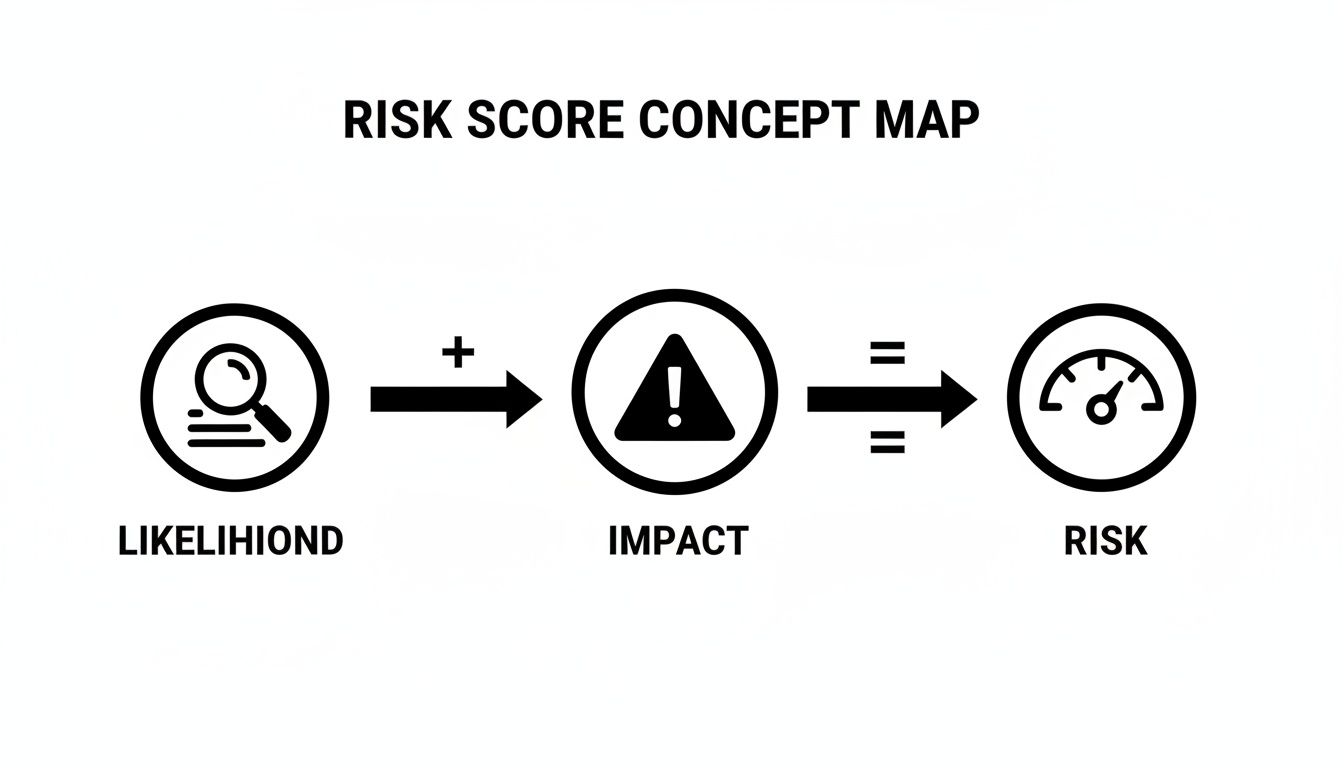
The key takeaway? Not all risks are created equal. This calculation gives you the clarity to focus your time and money where it matters most.
Common Risk 1: Outdated Software and Unpatched Systems
One of the most frequent—and critical—cybersecurity risks we find is software that hasn't been updated. Cybercriminals absolutely love unpatched systems. To them, it's like finding an unlocked door into your network. An old operating system or application is often riddled with known security holes that attackers have a playbook to exploit.
Your Action Plan:
- Patch Immediately: The first order of business is to apply all critical security patches to your most vulnerable systems. Start with the ones that have the highest risk scores to close the most dangerous gaps right away.
- Create a Patching Policy: You need a formal process that lays out how and when software updates get tested and rolled out. This turns patching into a routine, proactive habit instead of a reactive scramble.
- Automate Your Patching: Manually updating every single piece of software is a recipe for failure. It's slow, and things get missed. Automated tools can deploy patches across all your company devices consistently and on schedule, shrinking your window of vulnerability.
This is a cornerstone of what we do as a managed IT service. At Cyber Command, our proactive system patching makes sure your software is always up-to-date, neutralizing this common threat before anyone can exploit it.
Common Risk 2: Not Enough Phishing Training for Employees
Your employees are your first line of defense, but without the right training, they can also be your biggest vulnerability. All it takes is one wrong click on a link in a phishing email to compromise your entire network, potentially leading to a massive data breach or a crippling ransomware attack.
Key Insight: Technology alone can't stop every threat. A well-trained, security-conscious team is one of the most effective defenses a business can have against sophisticated cyberattacks.
Your Action Plan:
- Roll Out Security Awareness Training: Implement regular, engaging training sessions that teach your team how to spot phishing emails, recognize social engineering tricks, and understand why strong passwords matter.
- Run Phishing Simulations: Every so often, send simulated phishing emails to your own team. It’s a safe way to test their awareness and provides a fantastic teaching moment for anyone who clicks a suspicious link.
- Deploy Better Email Filtering: Use a powerful email security solution that automatically blocks malicious emails, sketchy attachments, and dangerous links before they even have a chance to land in an employee's inbox.
Common Risk 3: Insecure Network and Remote Access
With more Central Florida businesses embracing hybrid and remote work, the security of your network—especially how people connect to it remotely—is more critical than ever. A poorly configured firewall, weak remote access rules, or an unsecured Wi-Fi network can be an open invitation for attackers to walk right in and access your sensitive data.
Your Action Plan:
- Beef Up Access Controls: Make Multi-Factor Authentication (MFA) mandatory for all remote access and for logging into critical systems. It adds a crucial security layer that stops password-only attacks in their tracks.
- Harden Your Network: Review and tighten your firewall rules to ensure only necessary traffic is allowed in or out. It's also smart to segment your network, which prevents an intruder from moving freely between systems if one does get compromised.
- Implement Continuous Monitoring: You can't protect what you can't see. Active threat hunting and constant monitoring give you visibility into what's happening on your network, allowing you to spot and shut down suspicious behavior fast.
This proactive approach is exactly what our 24/7 Security Operations Center (SOC) is all about. Our team is always watching your environment, turning your risk assessment from a static report into a living, breathing defense strategy. You can learn more about our method in our guide to proactive vulnerability assessment for threat management.
A systematic approach to fixing these issues is what separates secure businesses from vulnerable ones. The numbers don't lie: one report found that a shocking 50% of organizations that manage risks on an ad-hoc basis suffered a breach, compared to just 27% of those with an integrated strategy. This is especially alarming for professional services like law firms and medical practices in Orlando that often lack dedicated in-house IT security experts.
Using Your Report for Strategic Business Growth
So, you have your IT risk assessment report. What now? A lot of people make the mistake of treating it like a one-and-done checklist—fix the urgent stuff and file it away. The real power of this report, though, is using it as a living, breathing guide for your business.
Think of it less as a report card and more as a strategic roadmap. For business owners in Orlando and right across Central Florida, this document is the foundation for making smart technology decisions that actually support your growth. It’s how you stop reacting to IT problems and start proactively building a stronger, more resilient company.
Driving Strategy in Quarterly Business Reviews
Your risk assessment report is the perfect tool to bring to your Quarterly Business Reviews (QBRs). It instantly elevates the IT conversation from vague feelings and frustrations to a focused, data-backed discussion about what really matters.
During a QBR, the report helps you:
- Demonstrate Progress: You can point to specific risks from the last report and show exactly how they’ve been fixed. It’s a tangible way to prove the value of your IT investments to partners or leadership.
- Justify Budgets: Need to make a case for a new security tool or a server upgrade? The report is your evidence. Pointing to a high-priority risk and its potential impact is far more compelling than just saying, "we need better security."
- Prove Compliance: If auditors, clients, or insurance providers ask what you're doing to protect data, this report is your answer. It documents your due diligence and the concrete steps you’re taking to stay secure.
This turns your IT meetings from backward-looking problem-solving sessions into forward-looking strategy meetings.
Building a Dynamic and Proactive Security Program
A single report is a snapshot in time. But cyber threats don't stand still, and neither should your defenses. This is where partnering with a managed IT provider like Cyber Command makes all the difference. We don’t just hand you a report and walk away; we help you turn it into a dynamic, ongoing security program.
This proactive approach has never been more critical. Cybersecurity is now the top risk priority for internal auditors worldwide for a reason. Ransomware attacks, which hit a staggering 78% of companies last year, are projected to jump from one every 11 seconds to one every 2 seconds by 2031. For businesses without a dedicated IT team, a formal risk assessment is the only way to make strategic decisions in the face of these threats. You can explore the full report on global risk priorities to see just how fast things are changing.
A great IT partner doesn't just hand you a report; they help you live by it. Through ongoing monitoring, we update your risk profile as new threats emerge and as your business evolves, ensuring your security strategy is always current.
Ultimately, your sample IT risk assessment report isn’t just a list of problems—it's a blueprint for building a more secure and successful future. It gives you the clarity to invest wisely, protect your reputation, and build a business that’s ready for whatever comes next.
Common Questions About IT Risk Assessments
Even with a solid plan, taking an IT risk assessment from theory to reality brings up some practical questions. This is where the rubber meets the road. We’ve pulled together some of the most common questions we hear from business owners across Central Florida to clear up any confusion.
Our goal is to pull back the curtain on the process and show you how we help businesses in Orlando, Winter Springs, and beyond handle their cybersecurity with confidence. Think of this as the final piece of your sample IT risk assessment report puzzle.
How Often Should We Conduct an IT Risk Assessment?
This is one of the first and most important questions we get. Think of a comprehensive IT risk assessment like an annual physical for your company’s technology. It’s a deep-dive check-up to make sure everything is running smoothly and to spot problems before they turn into full-blown emergencies.
At an absolute minimum, you should be doing a full assessment once per year. The threat landscape changes constantly, and an annual review is the only way to ensure your defenses are keeping up.
But a yearly schedule isn't set in stone. You should also kick off a new assessment after any major change in your business or technology. These moments can open up new vulnerabilities that need to be found and fixed right away.
Key triggers for an off-schedule assessment include:
- Migrating to a new cloud platform: Moving key systems to services like Microsoft Azure or AWS completely changes your security footprint.
- Opening a new office: A new location, whether it’s in Kissimmee or downtown Orlando, means new hardware, new network connections, and new ways for threats to get in.
- Shifting your remote work policies: Any time you change how employees access company data from outside the office, you need to take a fresh look at your security.
- Acquiring another company: Trying to merge two different IT environments is a complex job that can easily create security gaps if you’re not careful.
Treating your risk assessment as a living process, not a once-a-year chore, is the key to staying secure.
Can We Do Our Own IT Risk Assessment?
It’s always tempting for business owners to try a DIY approach, especially when keeping an eye on costs. Using online checklists or generic templates can definitely help you spot some of the obvious, surface-level problems. It’s certainly better than doing nothing.
The problem is, a DIY assessment almost always misses the deeper, more complex vulnerabilities that pose the biggest threat. It’s like a homeowner trying to do their own structural engineering inspection—they might notice a visible crack in the wall, but they’ll miss the subtle signs of a serious foundation issue that a professional would spot in a heartbeat.
Expert Insight: An internal assessment is always limited by what your team already knows. A professional third party brings a fresh, objective perspective and specialized tools to uncover the "unknown unknowns"—the hidden risks you didn't even know you should be looking for.
A professional assessment from a firm like Cyber Command gives you a few clear advantages:
- Objectivity: An outside partner doesn’t have any internal biases. We can give you a brutally honest look at your security posture.
- Expertise: We bring deep knowledge of compliance frameworks like HIPAA, which is non-negotiable for medical and dental practices.
- Advanced Tools: We use sophisticated scanning and analysis tools that are typically too expensive and complex for a small business’s IT team to manage effectively.
For a law firm handling sensitive client records or a medical practice protecting patient health information, the risk of a single missed vulnerability is just too high to rely on a DIY-only approach.
What Does an IT Risk Assessment Cost for a Small Business?
The cost of a professional IT risk assessment can vary quite a bit, mostly depending on the size and complexity of your IT setup. A small five-person office will have a much different scope than a business with multiple locations, dozens of employees, and a complex server infrastructure.
Instead of looking at the assessment as a one-off expense, it’s much smarter to see it as a strategic investment in your company’s health and survival. The cost of a single data breach—in financial losses, damage to your reputation, and operational downtime—will almost always dwarf the cost of a proactive assessment.
Many small and mid-sized businesses in Central Florida find it more predictable and budget-friendly to bundle regular risk assessments into a managed IT services plan. This approach turns a potentially large, unpredictable expense into a flat-rate operational cost. It gives you continuous protection, ongoing strategic advice, and the peace of mind that comes from knowing experts are always managing your digital risks.
Ready to put this all into action? At Cyber Command, LLC, we turn complex risk assessments into clear, actionable security roadmaps for businesses in Orlando, Winter Springs, and beyond. Let us handle the technical side of things so you can get back to what you do best—running your business.
Secure Your Business with a Professional IT Risk Assessment Today
