
Data Center Disaster Recovery Guide for Florida SMBs

June in Central Florida changes how business owners think. One day you are focused on payroll, patient flow, client deadlines, or a vendor issue. The next day, a storm track shifts, schools start sending alerts, and someone in the office asks whether the servers are protected if power goes out for longer than expected.
For many small and mid-sized companies, that question still gets answered with a backup drive, a few cloud apps, and a lot of hope. That is not data center disaster recovery. That is partial preparation.
A real recovery plan assumes two things at once. First, Florida brings physical risk. Hurricanes, flooding, utility instability, and building access problems can take systems offline even when your office itself survives. Second, cyber risk does not pause for weather. Medical practices, law firms, accounting firms, engineering teams, and multi-location service businesses are all targets because they depend on data, deadlines, and client trust.
If your operations rely on a server closet, a small on-prem stack, a colocation rack, or a mix of local infrastructure and cloud software, you need a plan that tells your team what happens next when something fails. Not a binder on a shelf. A usable, tested process.
Why Your Florida Business Needs a Real DR Plan Now
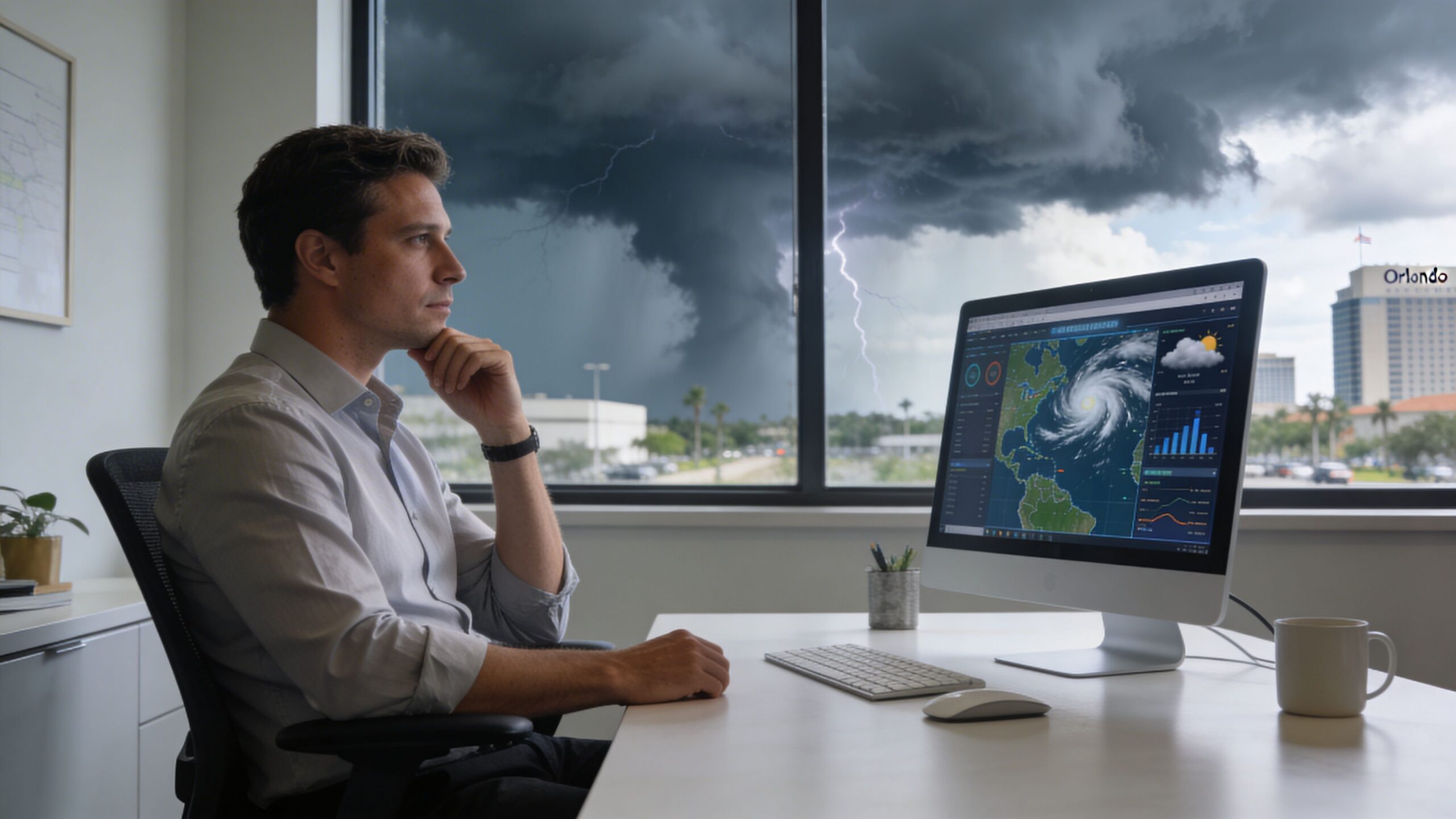
A typical Central Florida scenario is not dramatic at first. A business owner in Orlando watches the forecast, moves a few appointments, tells staff to take laptops home, and assumes that if the office is closed for a day or two, work can resume shortly after the storm passes.
Then problems show up.
Power does not return on schedule. Internet service is unstable across part of the region. A file server shuts down hard. A virtual machine comes back corrupted. Someone cannot access the practice management platform. Another employee realizes the backup job has been failing. If the business also gets hit with a phishing-driven ransomware event during the same period, the disruption stops being an inconvenience and becomes a survival issue.
Downtime gets expensive fast
For small and mid-sized firms, the damage usually starts before anyone uses the word disaster. Staff cannot work. Clients cannot get answers. Revenue pauses while costs keep running.
The financial side is not abstract. The average cost of IT downtime reaches $5,600 per minute, which can escalate to over $300,000 per hour for mid-sized firms. For data-intensive businesses, daily losses can run into the millions (Systnet disaster recovery statistics).
That is why data center disaster recovery cannot be treated as a “big company” problem. A dental practice with digital imaging, a law office with document management, or an architecture firm with project files can all be knocked flat by the same issue. They just feel it in different ways.
Practical view: If your team cannot access the systems that produce revenue, schedule work, or satisfy compliance, you already have a disaster scenario. The building does not need to be underwater.
Florida risk is physical and cyber at the same time
Hurricanes get the attention because they are visible. The less visible problem is that most businesses have stacked dependencies. Battery backups, local storage, ISP handoffs, firewall appliances, hypervisors, Microsoft 365, line-of-business apps, vendor portals, and remote access all have to work together.
If one weak point fails, the whole business can stall.
That is why companies reviewing their continuity posture often start with broader IT support maturity first, not just backup software. A useful place to frame that conversation is this guide to business IT support in Florida, because recovery only works when the rest of the environment is documented, maintained, and monitored.
A real DR plan answers basic but urgent questions clearly. Which systems come back first? Who approves failover? Where do clean backups live? How do employees keep working if the office is closed? How do you know the outage is a storm problem and not an active breach?
If those answers are vague, the plan is not ready.
Assessing Your Risks and Defining Recovery Goals
Most businesses start in the wrong place. They shop for backup tools before they decide what matters.
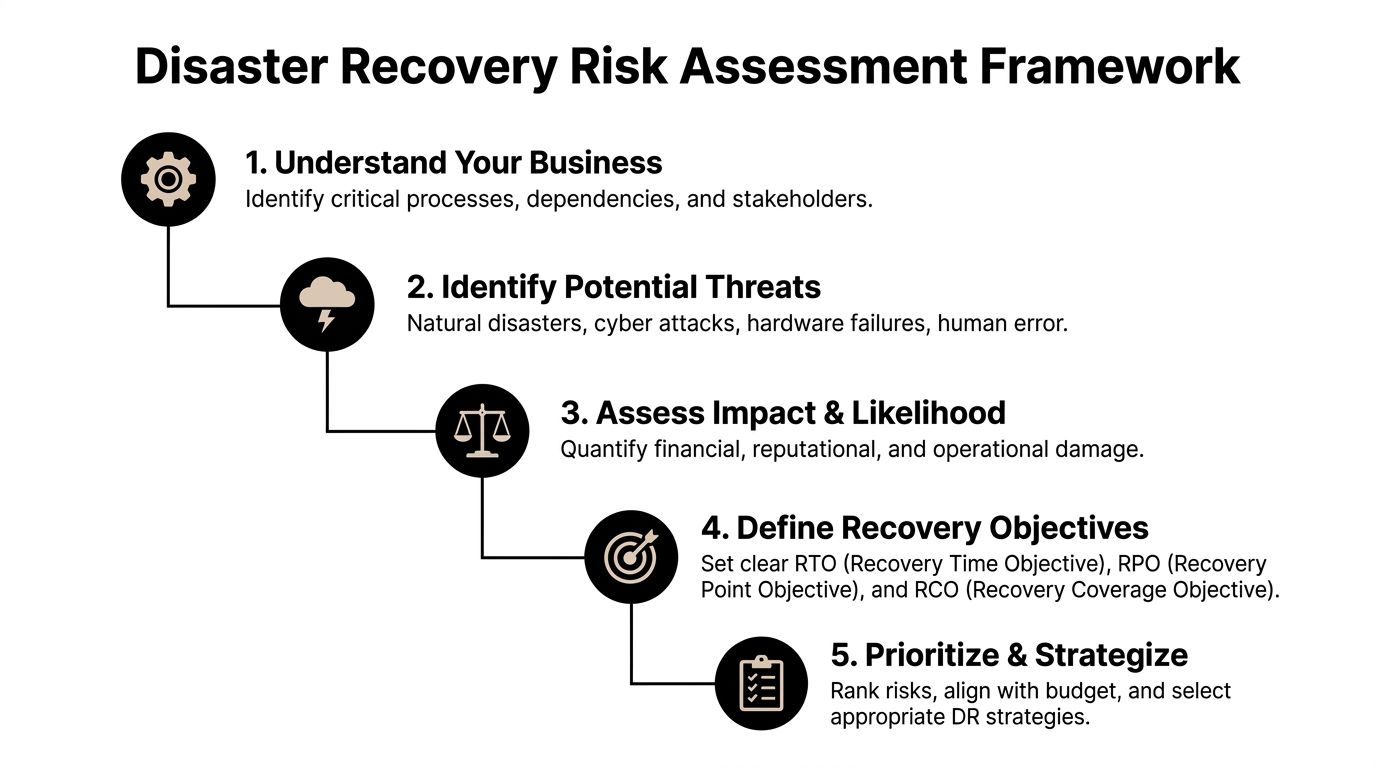
The better approach is simpler. Identify the processes that must keep running, then map the systems behind them. That is the beginning of a Business Impact Analysis, or BIA.
Start with business functions, not hardware
A Winter Springs law firm usually does not care about “the hypervisor” in the abstract. It cares about document access, time entry, billing, email, and client communications. An Orlando dental group cares about imaging, scheduling, claims, and patient records. An engineering office cares about CAD files, project folders, version control, and secure remote access.
Write those business functions down first.
Then ask these questions:
- What stops revenue immediately if it goes offline?
- What creates legal or compliance exposure if data is unavailable?
- What can wait until later in the day or the next business day?
- What depends on something else behind the scenes?
That last question is where many SMB plans break down. A cloud app may still depend on local identity services, internet routing, or a workstation image your staff can use.
Put RTO and RPO into plain English
Two recovery terms matter more than the rest.
RTO, or Recovery Time Objective, means how long you can tolerate a system being down.
RPO, or Recovery Point Objective, means how much data loss you can tolerate.
Here is the plain-English version:
| Business example | What matters most |
|---|---|
| Dental scheduling platform | Low RTO. You need it back quickly so the day does not collapse. |
| Client file repository for a law firm | Low RTO and low RPO. You need fast access and very little data loss. |
| Marketing website | Higher RTO. It matters, but it is not usually the first system to restore. |
| Archived historical files | Higher RTO and often a more flexible RPO. |
A lot of owners initially say everything is critical. It almost never is. If everything is Tier 1, nothing is prioritized.
Tip: If losing a system for four hours means canceled appointments, missed deadlines, or staff standing idle, it belongs near the top of the recovery list.
Use a tiered model to control cost
A practical tiering model keeps spending aligned with business impact. A tiered approach to recovery can reduce unnecessary infrastructure spending by 30-40%. By classifying applications into mission-critical (Tier 1, RTO 0-4 hours), business-essential (Tier 2, RTO 12-24 hours), and non-urgent (Tier 3), organizations can align recovery costs with business impact (LightEdge on successful disaster recovery planning).
That matters for SMBs because overspending on low-priority recovery is common. So is underspending on the systems that keep the business alive.
A sensible breakdown often looks like this:
- Tier 1 systems: Core line-of-business apps, identity services, key file systems, critical databases, secure remote access.
- Tier 2 systems: Reporting tools, internal collaboration platforms, departmental apps, secondary integrations.
- Tier 3 systems: Archive workloads, test environments, old reference repositories, non-urgent internal tools.
A simple risk review catches blind spots
The BIA should also identify threats, not just priorities. In Central Florida, that means looking at both local weather and routine operational failures.
Consider whether your business is exposed to:
- Hurricane-related disruption: Power loss, building closure, flooding, ISP outage, delayed vendor access.
- Cyber events: Ransomware, account compromise, malicious encryption, backup tampering.
- Technical failures: Failed storage, bad patches, expired certificates, hardware faults, replication issues.
- Human error: Accidental deletion, misconfiguration, improper shutdowns, missed alerts.
Many teams handle this work as part of a broader cyber security risk assessment, because the same systems that affect security also affect recovery.
Once you know what the business cannot live without, your data center disaster recovery plan becomes much easier to design. You stop buying vague protection and start defining what must be restored, in what order, and how fast.
Choosing the Right Recovery Architecture for Your Budget
At this stage, many Florida SMBs overspend, underspend, or buy the wrong kind of protection entirely.
The right data center disaster recovery architecture is not the one with the most features. It is the one that restores the right systems, in the right order, at a cost your business will sustain year after year.
Three common models SMBs consider
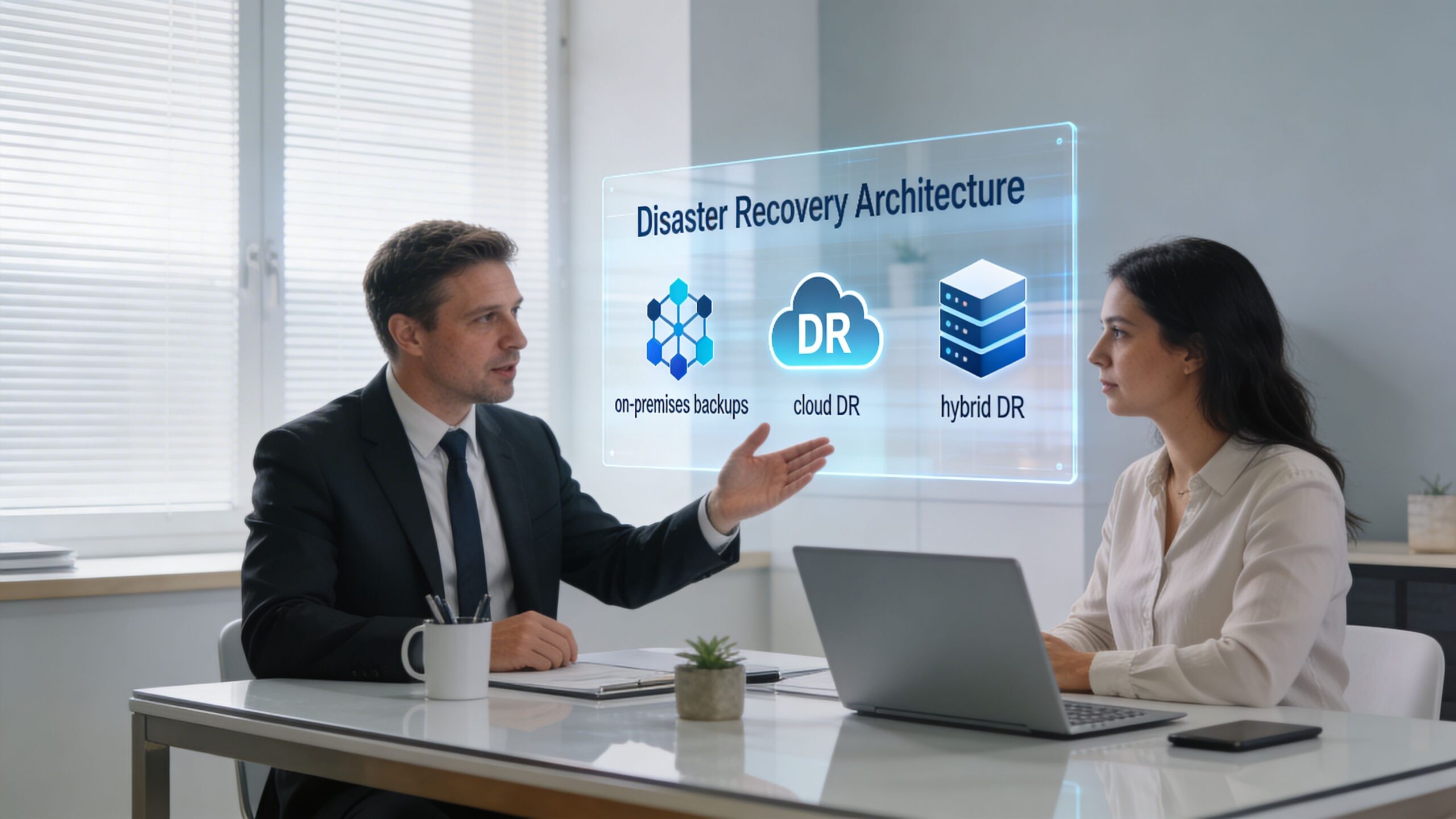
Most small and mid-sized businesses evaluate some version of these options.
| Model | What it looks like | Where it works | Where it fails |
|---|---|---|---|
| On-prem backups only | Local NAS, backup appliance, USB rotation, server images in the office | Fast restores for small mistakes and isolated file loss | Weak against building loss, flood, fire, major theft, or ransomware that reaches local storage |
| Hybrid-cloud recovery | Local backup plus replicated offsite or cloud-based recovery copies | Strong balance of speed, resilience, and cost | Requires good design, testing, and retention planning |
| Fully managed DRaaS | Replication and failover managed through a service provider | Helpful for firms that need outside expertise and clear runbooks | Can become expensive if every workload is treated like a top-priority workload |
On-prem only still has a place. It is useful for fast file restores, quick VM rollbacks, and local operational recovery. But by itself, it is often not enough in Florida. If your office or local facility is unreachable, your local backups may be unreachable too.
A fully managed DRaaS model can solve a lot of operational headaches. It can also create unnecessary spend if you apply it broadly to low-priority systems that do not need near-immediate recovery.
That is why the hybrid approach tends to make the most sense for many SMBs.
Why hybrid fits Central Florida better than enterprise playbooks
Enterprise guidance often assumes you can fund distant secondary sites, duplicate infrastructure, and complex multi-cloud orchestration. Most local SMBs do not need that. They need a plan that restores critical services quickly without forcing enterprise-grade complexity into a mid-market budget.
For SMBs in hurricane-prone regions like Florida, a hybrid-cloud DR strategy can be significantly more cost-effective than enterprise-level options. This approach helps reduce reactive recovery costs by up to 40% while achieving aggressive RTOs under 4 hours without the high price tag of traditional geographically distant sites (Encor Advisors on data center disaster recovery).
That statement matches what works in practice.
A good hybrid design usually includes:
- Fast local recovery for deleted files, failed patches, and day-to-day restore events.
- Offsite or cloud-based copies that stay isolated enough to survive a building issue or widespread compromise.
- Air-gapped or logically separated backups so ransomware cannot encrypt the same systems meant to save you.
- Priority-based replication so Tier 1 systems recover first.
Key takeaway: Fastest is not always best. The best architecture is the one that restores your most important systems first without forcing you to pay premium recovery costs for everything else.
What works for different Florida SMB profiles
A few examples make the trade-offs clearer.
Professional services firms
Law offices, accounting firms, and architecture studios usually need document systems, line-of-business apps, and secure remote work to recover quickly. They often do well with a hybrid setup that keeps recent local copies for speed and hardened cloud recovery for larger events.
These firms should be cautious about overcommitting to all-cloud recovery if their file workflows are heavy, latency-sensitive, or tightly tied to local identity and printing.
Medical and dental practices
Practices need scheduling, imaging, chart access, secure communication, and compliance-aware recovery procedures. In these environments, “we have backups” is not enough. The backup chain has to support a clean restore path for the applications staff use all day.
Hybrid often wins here too. It supports rapid local restoration for common incidents and offsite recovery if the office cannot operate.
Industrial and multi-location businesses
These organizations often have a different pain point. Power instability, site connectivity, and location-specific operational dependencies matter as much as cyber risk. They may need partial local survivability at one site even if failover happens elsewhere.
Architecture choices depend on physical environment too
Recovery planning is not only about software. Rack layout, power protection, cooling, and physical handling still matter. For businesses evaluating facility constraints or expansion planning, resources that explain how modern data centers are physically structured can help leadership understand why site conditions affect resilience, not just capacity.
A weak environment can undermine a strong backup strategy. Poor cabinet power planning, no documented dependencies, and no clean shutdown procedure can turn a recoverable outage into a messy rebuild.
Tools, staffing, and management overhead matter
The architecture decision is also a staffing decision.
If your internal team is small, every extra moving part increases operational risk. Replication jobs, storage retention, immutable backup settings, runbook maintenance, hypervisor configuration, Microsoft 365 backup, database consistency checks, and restore testing all need owners.
That is why some firms use managed options selectively. They keep direct control over certain systems and outsource the recovery stack for others. Cyber Command, LLC is one example of a provider that offers virtualized disaster recovery, cloud-based failover, and DRaaS as part of managed or co-managed IT operations. That model fits businesses that want predictable support around both infrastructure and security without building a full internal recovery function.
If you are sorting through those choices, this guide to cloud disaster recovery options is a useful next step because it frames recovery architecture as a business decision, not a product checklist.
The important point is simple. Do not buy recovery around the loudest threat. Buy it around your operations. In Central Florida, that usually means planning for a storm-driven outage, a localized power problem, and a security event all within the same design.
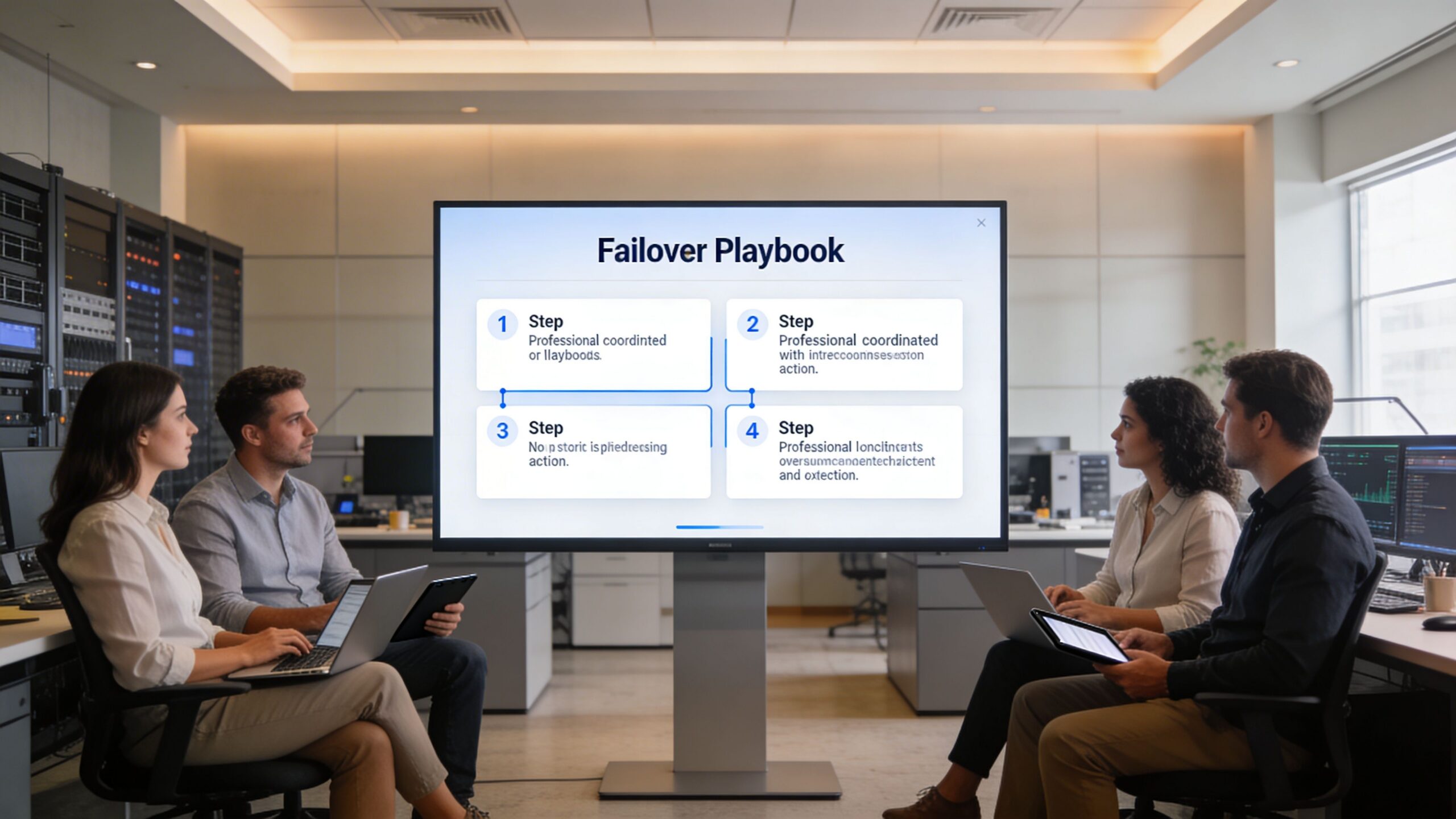
Building Your Incident Response and Failover Playbook
A recovery platform can be solid and still fail under pressure if nobody knows who does what in the first hour.
That is why your data center disaster recovery plan needs a playbook, not just technology. When ransomware hits, a host fails, or your office loses power, people need a sequence. They need contacts, decisions, escalation rules, and communication templates that already exist before the incident starts.
The first hour determines the rest of the outage
Most SMB incidents go sideways for one reason. People start improvising.
Someone restarts the wrong server. Someone else reconnects a suspected infected device. A manager sends a vague all-staff message. Meanwhile, nobody has confirmed whether the problem is hardware failure, internet loss, or active encryption.
That confusion is expensive. Recent data shows that 34% of organizations hit by ransomware take over a month to recover their data, up from 24% just two years prior. With security breaches being a leading cause of outages, a rapid, playbook-driven response is critical (Secureframe disaster recovery statistics).
What your playbook should contain
A workable playbook does not need to be long. It needs to be usable.
Include these elements:
- Decision authority: Name the person who can declare a DR event, approve failover, and authorize outside communications.
- Technical ownership: List who checks backups, who validates the scope, who handles network isolation, and who coordinates restore order.
- Contact paths: Keep current numbers for leadership, IT, security, critical vendors, internet providers, line-of-business app support, and facility contacts.
- System priority list: Put Tier 1, Tier 2, and Tier 3 systems in recovery order.
- Communication templates: Pre-write staff updates, client notices, and vendor escalation messages.
- Evidence handling: If the event may involve a breach, preserve logs and timeline notes before systems get changed.
A practical first-60-minute checklist
Here is the format I recommend for SMBs.
Minutes 0 to 15
Confirm what happened before anyone starts “fixing” it.
- Identify the symptom: Is it outage, encryption, corrupted data, inaccessible internet, or failed authentication?
- Check blast radius: One user, one site, one application, or the whole environment?
- Freeze unnecessary changes: Stop ad hoc restarts and random reconnects until someone leads the response.
Minutes 15 to 30
Contain the problem and preserve recovery options.
- Isolate affected systems if compromise is suspected.
- Verify backup status and the last known good restore point.
- Escalate to security responders if there are indicators of ransomware or account compromise.
Minutes 30 to 60
Choose the path and communicate it.
- Declare the incident level: Operational issue or true disaster event.
- Start failover or restore actions for the systems already marked as highest priority.
- Send a controlled internal update so staff know what they can and cannot do.
Tip: Your first communication to staff should reduce risk, not just share information. Tell them whether to stay off VPN, avoid opening email, switch to alternate systems, or report specific symptoms.
Database and application specifics matter
Generic backup language is not enough for application-heavy environments. If your business depends on SQL-based software, medical systems, billing platforms, or custom line-of-business apps, your playbook should spell out what “restored” means.
That includes service order, dependency checks, and data validation.
For teams that want a technical refresher on one part of that process, this guide on backing up your MySQL database is a useful example of why database-aware backup procedures matter more than copying files.
The SOC role during a cyber-driven outage
In a ransomware or suspicious outage scenario, the recovery team and the security team must work together. If you restore too early without containment, you can reintroduce the same threat into clean systems.
Many plans fail in the field at this point. They focus on restoring systems but not on proving those systems are safe to restore.
A 24/7 SOC helps by handling tasks that SMBs often cannot do alone:
- Threat hunting across endpoints and identity systems
- Containment guidance so infected assets are isolated correctly
- Alert correlation to separate a hardware outage from a breach
- Recovery coordination so restore actions do not destroy evidence or reopen the incident
A useful playbook balances both. It tells your staff how to keep the business moving while your technical team verifies that the recovery path is clean.
Testing Your Plan and Staying Compliant
An untested recovery plan is worse than an incomplete one. At least an incomplete plan makes people cautious. An untested plan makes them confident for no reason.
That false confidence shows up in meetings all the time. A company says it has backups, documented procedures, and recovery targets. Then the first live test reveals expired credentials, missing dependencies, bad replication assumptions, or a restore sequence nobody has ever performed.
Testing turns documentation into something usable
Recovery plans fail in small ways before they fail in big ways.
A tabletop exercise can reveal role confusion. A restore drill can expose application dependencies. A full failover simulation can uncover networking gaps, timing issues, and communication breakdowns that were invisible on paper.
Best practice dictates full-scale DR testing must occur at least annually. However, managed IT providers that implement quarterly recovery drills can reduce actual recovery time by 40-60% compared to firms relying on manual procedures and less frequent testing (Serverion on cloud disaster recovery planning).
That is the practical case for testing more often than the minimum. The goal is not to impress an auditor. The goal is to remove surprises before a real event does it for you.
A realistic SMB testing rhythm
Most SMBs do not need dramatic, all-day simulations every month. They do need a schedule.
A workable approach looks like this:
- Quarterly tabletop exercises: Leadership, IT, and key department heads walk through a ransomware event, a storm outage, or a server failure.
- Quarterly restore drills: Recover a file set, a VM, a database, or a critical SaaS dataset and validate the result.
- Annual full-scale test: Simulate a real failover for the highest-priority systems and measure recovery against target recovery times.
Use each test to answer a few direct questions:
| Test question | Why it matters |
|---|---|
| Did the team meet the intended restore order | Priorities often drift after system changes |
| Was the recovered data usable | A successful restore that breaks the app still fails the business |
| Did staff know who approved each action | Delays often come from decision bottlenecks, not technology |
| Were communications clear | Confused employees create secondary problems during outages |
Compliance reality: Auditors and insurers care less about promises than proof. Meeting notes, test records, screenshots, exception logs, and remediation follow-ups carry more weight than a policy document alone.
Compliance is tied to recoverability
If you operate in healthcare, legal, financial, or public-facing environments, recovery is not just an uptime issue. It affects privacy, record access, and operational integrity.
A documented testing program supports several things at once:
- Evidence for auditors that controls are real and maintained
- Stronger insurer conversations because your firm can show tested procedures
- Cleaner vendor oversight when third-party systems are part of the recovery chain
- Lower operational chaos because staff practice decisions before a live event
Good testing also forces one healthy discipline. It keeps the environment documented. Every time a team runs a drill, it finds outdated contacts, changed applications, forgotten dependencies, or undocumented exceptions. That is not failure. That is the value of the exercise.
If a plan has not been tested since the last server upgrade, office move, line-of-business app change, or security stack change, assume the plan is partially wrong. Then fix it before hurricane season, before the next phishing campaign, and before the next compliance review.
Making Resilience Your Competitive Advantage in Florida
The strongest Florida businesses do not treat data center disaster recovery as an insurance expense they hope never to use. They treat it as operational discipline.
Clients notice when your firm stays available during regional disruption. Patients notice when scheduling and records remain accessible. Staff notice when they get clear instructions instead of confusion. Referral partners notice when your systems keep working while other firms scramble.
Resilience is built from decisions, not products
The pattern is consistent.
First, identify the business functions that matter. Then define realistic recovery targets. After that, choose an architecture that fits both your risk and your budget. Finally, test it often enough that your team trusts the process because they have already used it.
That is what turns a backup strategy into resilience.
In Florida, the plan has to match local reality
A Central Florida business does not need a copy-and-paste enterprise template. It needs a plan built for storms, power loss, remote work interruptions, and cyber threats that can arrive on the same week.
The cost of getting this wrong can be existential. According to research, a significant majority of companies that suffered a data center outage for an extended period filed for bankruptcy within one year. This highlights the existential threat of inadequate DR planning. As noted earlier, that is why recovery planning belongs in core business strategy, not a back-burner IT project.
The companies that come through disruption well usually have the same habits. They know what must come back first. They know who makes the call. They know where the clean backups are. They know the plan has been tested. And they have support in place before the emergency starts.
If you can say those things with confidence, resilience becomes a business advantage. If you cannot, the time to fix it is now, while the skies are still clear.
If your business in Orlando, Winter Springs, or the surrounding Central Florida market needs a practical disaster recovery plan, Cyber Command, LLC can help you assess risks, define recovery priorities, and build a recovery process that fits your environment, compliance needs, and budget.
