Why Mean Time to Resolution Is Your Most Critical Business Metric

When a critical server crashes at your Orlando medical practice or a ransomware attack paralyzes your Tampa law firm, every second of downtime is a direct financial drain. This is where Mean Time to Resolution (MTTR) comes in.

It’s the total time from the moment a digital problem is first detected until your business is completely back to normal. A low MTTR means you recover faster, protecting your revenue and reputation.

To help you get a quick handle on this metric, here's a simple breakdown.

MTTR at a Glance

Component Description Business Impact
Detection The moment an alert is triggered or a problem is reported. Starts the clock on downtime costs.
Response The time it takes for your team to begin actively working on the issue. A slow response prolongs the problem and its financial impact.
Diagnosis The process of identifying the root cause of the incident. Inaccurate diagnosis leads to wasted effort and extended outages.
Repair & Recovery The actions taken to fix the issue and restore full functionality. This is the hands-on work that gets your business back online.
Verification Confirming that the fix works and the system is stable and secure again. Prevents recurring issues and ensures the problem is truly solved.

Essentially, MTTR measures the entire lifecycle of an incident, from the first warning sign to the final "all clear." It's one of the most honest indicators of your IT team's effectiveness and your business's overall resilience against cyber security threats.

Your Business Is Leaking Money Until an Incident Is Resolved

Imagine a pipe bursts in your office. You wouldn't just turn off the water main and call it a day. You'd have to repair the pipe, dry the carpets, and make sure the space is safe and operational again.

A cybersecurity incident or IT failure works the same way. The clock is ticking, and a slow response means more damage, higher costs, and greater disruption. The longer it takes to resolve, the more it hurts your bottom line.

For businesses across Central Florida, from legal offices in Orlando to industrial firms in Tampa, this "damage" takes many forms:

  • Lost Revenue: Every minute your systems are down is a minute you can't serve clients, process payments, or conduct business.
  • Wasted Productivity: Your team is left unable to work, grinding operations to a halt while the payroll clock keeps ticking.
  • Damaged Reputation: Unresolved cyber security issues quickly erode client trust, especially in industries like healthcare and finance where data security is everything.

The True Cost of Slow Resolutions

A slow incident response creates a domino effect. What starts as a minor network hiccup can quickly escalate into a full-blown operational crisis if you don't jump on it fast. A common concern for businesses is a phishing attack leading to a ransomware event, which can shut down operations for days or weeks if not handled swiftly.

That's why mean time to resolution isn’t just some IT statistic to track on a dashboard; it’s a direct measure of your business's ability to absorb a hit and get back on its feet.

To truly grasp the financial impact, think about the importance of digital analytics efficiency. Just like in analytics, every moment of inefficiency in your IT response translates directly into real, tangible costs.

A high MTTR is a symptom of a reactive, break-fix IT strategy. It’s a red flag that your business is vulnerable to long periods of disruption, creating unpredictable costs and operational chaos that can kill growth and hand your competitors an advantage.

This is why getting a handle on your MTTR is a competitive necessity. It forces you to shift from just fixing problems to building a resilient operational framework. For a deeper look at building this kind of resilience, our guide on business continuity and disaster recovery services offers some valuable insights.

Ultimately, a lower MTTR means less money leaked, more client trust retained, and a stronger, more resilient business.

Deconstructing the Incident Response Timeline

To really get a handle on Mean Time to Resolution, you have to look at the entire incident lifecycle, not just one piece of it. Think of it like a fire department responding to an emergency. Their clock doesn't start when they begin spraying water. It starts the second the alarm rings and only stops when the fire is completely out, the smoke has cleared, and the building is safe to re-enter.

That same all-encompassing view applies to your business's IT and cybersecurity incidents. MTTR isn't just about the time spent on the "fix." It’s the full story, tracking every single step from the moment an alert pops up until your business is 100% back to normal.

The Four Stages of Incident Resolution

The journey from initial alert to full recovery can be broken down into four distinct stages. Delays in any one of these will drag down your overall MTTR, costing you time and money.

  1. Detection: This is the starting gun. It’s the moment an issue is first spotted, whether it’s an automated alert from a security tool, an error message flashing on a screen, or an employee reporting they can’t get into a critical system.

  2. Diagnosis: Once the alert is acknowledged, the real investigation begins. Your IT team or managed services provider digs in to figure out what’s happening, how bad it is, and what caused it. Is this a minor network hiccup or the start of a full-blown ransomware attack? Getting this diagnosis right is crucial for an effective response.

  3. Remediation: This is the hands-on "fix" phase where the plan of action is executed. It could involve anything from restoring data from a backup and patching a vulnerability to isolating an infected device to prevent a cyber threat from spreading. This is what most people think of as the entire resolution process, but it's only one part of the timeline.

  4. Resolution and Verification: This is the final, and arguably most important, stage. After a fix is in place, the team has to confirm that everything is stable, secure, and working as expected. This isn't just about making sure the problem is gone; it’s about making sure it won't pop right back up and that business can truly resume without a hitch.

Every second that ticks by during these stages has a financial impact. This flow shows how costs mount from the initial problem until your operations are fully recovered.
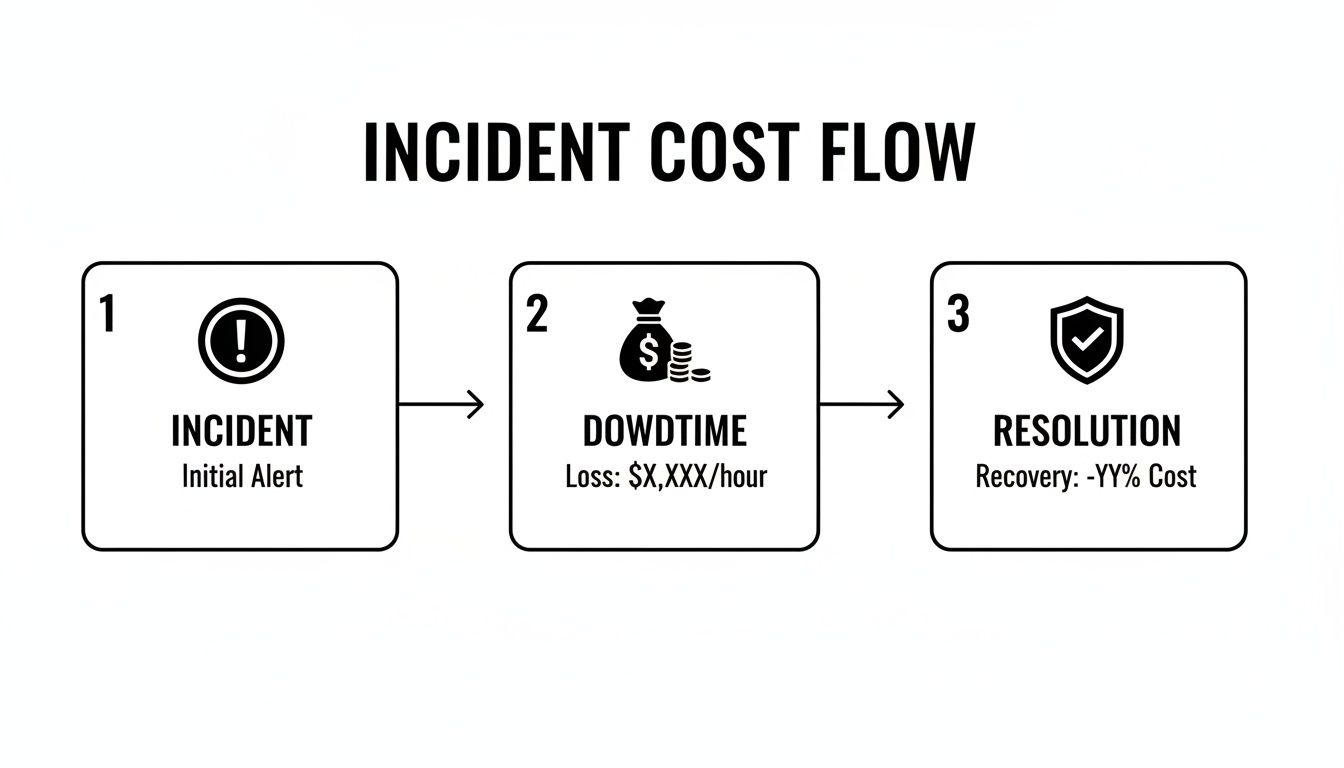
Flowchart illustrating the incident cost flow from initial alert to downtime loss and resolution recovery.

As you can see, downtime is the painful, expensive gap between the incident and its final resolution. Every minute you can shave off that time is money saved.

More Than Just a Technical Fix

It's easy to get MTTR confused with other metrics, but the difference is critical. For example, Mean Time to Detect (MTTD) only measures that first stage—how long it takes to know a problem exists. A low MTTD is great, but it’s just one piece of the puzzle. Similarly, Mean Time to Acknowledge (MTTA) only tracks how quickly your team starts working on a ticket.

True resolution isn't just about a technical repair; it's about complete business recovery. The MTTR clock only stops when your operations are 100% back to normal, ensuring genuine business continuity.

This is what makes Mean Time to Resolution the gold standard. It measures the complete timeline from alert to full incident closure. That’s why it’s a lifeline for any organization that depends on uptime and accountability. The math is straightforward: if you had 4 incidents that resulted in a total of 20 hours of downtime, your MTTR is 5 hours (20 hours / 4 incidents).

A well-defined timeline helps you spot bottlenecks in your process. If your diagnosis phase is always dragging on, it’s a red flag that you might need better monitoring tools or more experienced technicians on deck. By understanding each step, you can start building a much more effective response. For more information, check out our guide on crafting your incident response plan for max efficiency.

Alright, let’s move from theory to practice. Knowing what Mean Time to Resolution is conceptually is one thing, but actually calculating it for your business is where the rubber meets the road. This simple calculation gives you a brutally honest, data-driven look at how well your business weathers a storm.

It’s the first step in moving from a reactive, fire-fighting IT process to a proactive operational advantage.

The formula itself is refreshingly simple. You just take the total time spent resolving all incidents over a set period and divide it by the number of incidents you had in that same timeframe.

MTTR = Total Time of All Incidents ÷ Number of Incidents

This gives you a single, powerful number—the average time it takes your business to get back on its feet after something breaks. It’s the baseline you’ll use to measure improvement and hold your IT team or provider accountable.

Putting the MTTR Formula into Practice

Let's walk through a real-world scenario. Imagine an industrial firm here in Orlando has a rough month and gets hit with three separate IT incidents that grind their operations to a halt.

  • Incident 1: Ransomware Attack: A nasty cyberattack encrypts their main server, making files inaccessible. From the moment it was detected to the point where the system was fully restored from backups and verified secure, the total downtime was 48 hours.
  • Incident 2: Network Outage: A hardware failure took down the network across their entire office. The team managed to get it resolved in 6 hours.
  • Incident 3: Critical Software Bug: A bug in their core operational software stopped all order processing. It took 10 hours to get the fix deployed and working correctly.

To figure out their MTTR for the month, we just add up the resolution times and divide by the number of incidents.

Total Time = 48 hours + 6 hours + 10 hours = 64 hours
Number of Incidents = 3

MTTR = 64 hours ÷ 3 incidents = 21.33 hours

For this company, it took an average of over 21 hours to fix each problem. As a business owner, that number should be a massive red flag. It shows a serious vulnerability; when things go wrong, the pain is long and expensive. For another business, five incidents taking 4, 12, 6, 9, and 9 hours respectively would result in an 8-hour MTTR—a much healthier baseline that many SMBs can use to gauge their helpdesk's performance.

Why You Must Segment MTTR by Severity

While an overall MTTR is a great starting point, it doesn't paint the whole picture. Lumping a minor printer jam in with a catastrophic data breach will seriously skew your data and can mask major cyber security risks hiding in plain sight.

A truly effective analysis means you have to segment your incidents by their severity.

Think about a law firm in Tampa. They should have drastically different expectations for fixing different types of problems.

  • Critical (Severity 1): A system-wide outage, a data breach, or a ransomware attack. The business is at a complete standstill.
  • High (Severity 2): A key application is down, or a whole department can't work.
  • Medium (Severity 3): A single user is impacted, or a non-critical feature isn't working right.
  • Low (Severity 4): A minor inconvenience with an easy workaround, like a quirky printer.

You can't afford to wait 24 hours to address a data breach, but you also wouldn't expect a printer jam to be fixed in 15 minutes. By calculating a separate MTTR for each severity level, you get a much clearer, more realistic view of your team's response capabilities. This practice is a core function of effective IT service management software, which helps automate all this tracking and reporting for you.

This segmented approach lets you set realistic targets. Your goal for a critical incident might be an MTTR of under 4 hours, while an MTTR of 48 hours for low-priority issues could be perfectly fine. It empowers you to stop treating every problem with the same five-alarm-fire urgency and start focusing your resources where they truly matter—on the threats that pose the biggest risk to your business.

What Is a Good MTTR in Your Industry

Once you start calculating your Mean Time to Resolution, the next question is always the same: "So, what's a good number?"

The honest answer? There’s no magic number that works for every business. A "good" MTTR is all about context—specifically, the severity of the problem and the industry you’re in.

Think of it this way: a total system outage at a busy Orlando law firm is a five-alarm fire. Every minute of downtime costs real money and client trust. But a slow printer at an industrial facility in Winter Springs? That's an annoyance, not a full-blown crisis. A one-size-fits-all MTTR target is just not practical.

A much smarter approach is to set different MTTR goals based on an incident's severity. This lets you focus your energy where it matters most: on the critical cyber security threats that can stop your business cold.

Benchmarks for Cybersecurity Incidents

In the high-stakes world of cybersecurity, MTTR isn't just a metric; it’s a direct measure of your defense. Speed is everything. For Central Florida businesses, especially those in finance, legal, or healthcare that handle sensitive data, knowing the industry benchmarks is the first step in figuring out if you're prepared.

Here's what the security world expects:

  • Critical Vulnerabilities: Elite security teams aim to crush critical threats—like a zero-day exploit or active ransomware attack—within 24 to 72 hours. This is the gold standard for mature, proactive security.
  • High-Risk Compliance Issues: For regulatory findings, frameworks like NIST SP 800-53 might give you a window of 30 to 90 days for remediation.

It's critical to see these numbers as the absolute maximum time you have, not a goal to aim for. As you'll find in expert cybersecurity guides, while a framework might allow 30 days, the real industry leaders resolve these issues in a fraction of that time. That’s how they demonstrate a truly superior security posture.

The gap between an acceptable MTTR and an excellent one is often the difference between just surviving an attack and stopping it before it does real damage. Elite security teams don't just meet compliance deadlines; they race against the clock to neutralize threats in hours, not days.

Getting those urgent threats resolved in under an hour—that's what separates a reactive IT department from a strategic security partner.

Why Your Industry Matters

What counts as a "good" MTTR changes dramatically depending on what your business does. A delay that’s a minor headache for one company can be a catastrophe for another.

Let's look at a few local examples here in Central Florida:

  • A Medical Practice in Lakeland: If their patient record system goes down due to a cyberattack, it hits their revenue and patient trust instantly. For them, a critical MTTR of under 2-4 hours is a must.
  • An Orlando Law Firm: Their case management software is their lifeline. If a data breach occurs, projects grind to a halt and client confidentiality is at risk. They must set an MTTR of 4-8 hours for high-severity issues.
  • A Local Industrial Distributor in Tampa: A server outage that takes down their inventory system could throw their entire supply chain into chaos. Their target MTTR for a critical failure has to be as close to zero as possible to avoid a logistical nightmare.

At the end of the day, defining a "good" mean time to resolution means looking at your own operations, risks, and what you can't afford to lose. The goal is to set benchmarks that protect your revenue, your reputation, and your relationships. This is how you turn response time into a real business advantage—and it’s a key benefit of working with a 24/7 managed security provider.

Proven Strategies to Lower Your MTTR
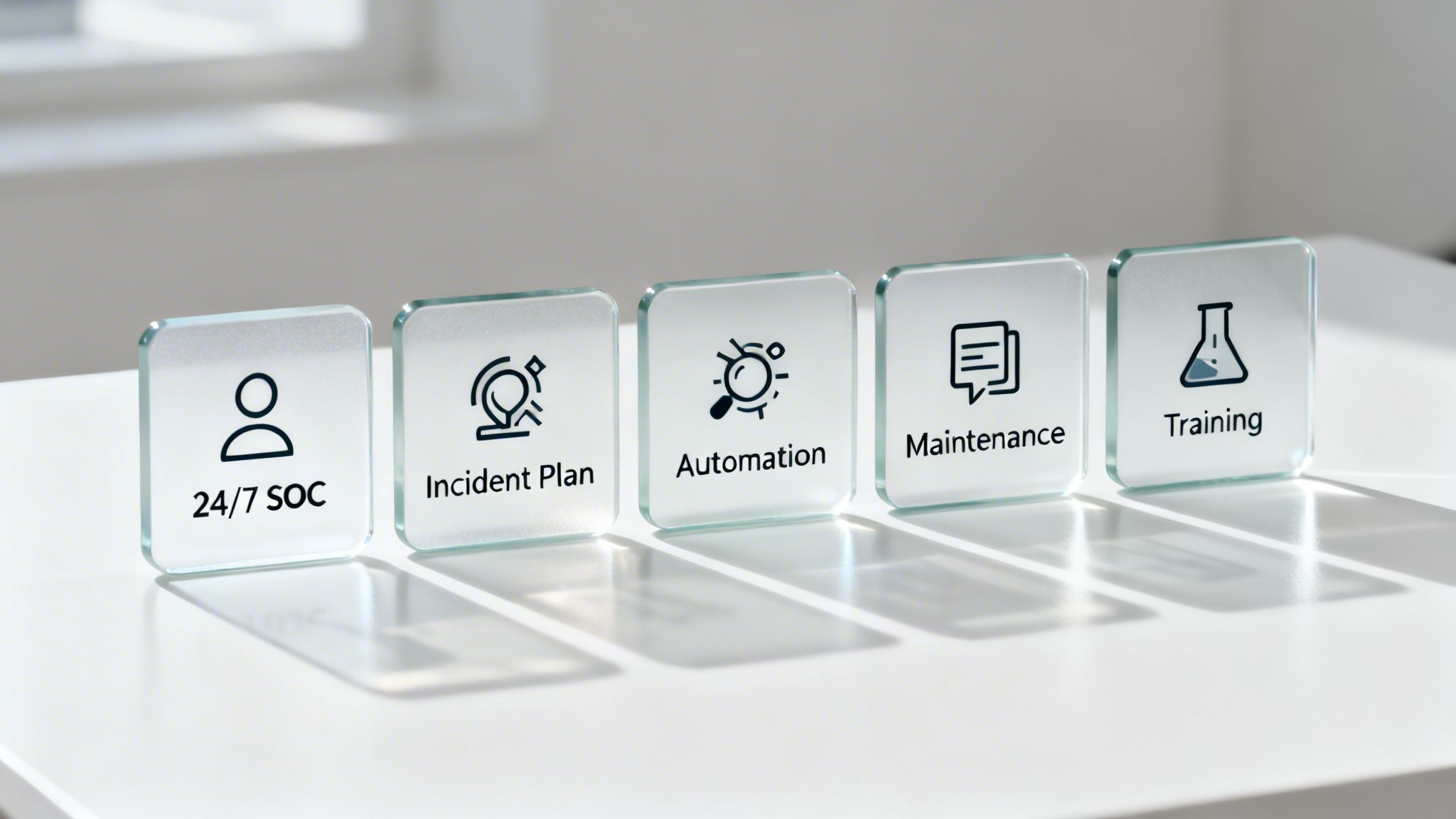
Five glass blocks display IT security and operations concepts: 24/7 SOC, Incident Plan, Automation, Maintenance, and Training.

Knowing your Mean Time to Resolution is the first step, but actually lowering it is how you build a more resilient—and profitable—business. A high MTTR is more than just a bad score; it’s a flashing red light signaling inefficiencies that are costing you money, client trust, and productive hours.

The good news? This isn't some abstract goal. Bringing that number down is entirely achievable with the right game plan. Each of the following strategies is designed to shrink the incident lifecycle, slash downtime, and protect your bottom line, whether you're a medical practice in Lakeland or a law firm in Orlando.

Implement a 24/7 Security Operations Center

Cyberattacks don’t punch a clock. A threat that pops up at 2 a.m. can cause catastrophic damage long before your team even sips their morning coffee. A 24/7 Security Operations Center (SOC) is your answer to this, eliminating that dangerous after-hours blind spot with around-the-clock monitoring and response.

Think of a SOC as your company’s dedicated security watchdog, staffed by experts who are actively hunting for threats. When an incident occurs, they respond in moments, not hours. This immediate action drastically shortens the detection and remediation stages of an incident.

For Central Florida businesses, this means:

  • No More After-Hours Delays: An alert at midnight gets handled right then and there, stopping a minor issue from snowballing into a full-blown crisis by morning.
  • Active Threat Hunting: A good SOC doesn’t just sit and wait for alarms. They proactively search for signs of compromise, stopping attackers in their tracks.
  • Expert Response on Tap: You get immediate access to cybersecurity pros who know exactly how to contain and neutralize threats, putting a serious dent in your mean time to resolution.

Develop a Clear and Practiced Incident Response Plan

When a crisis hits, chaos is your worst enemy. Without a clear plan, teams panic, people make mistakes, and precious time is vaporized. An Incident Response Plan (IRP) is your playbook, telling your team exactly what to do, who to call, and which steps to take during a security incident or IT failure.

It’s like a fire drill for your digital assets. A well-practiced IRP transforms a frantic, disorganized reaction into a swift, coordinated response because everyone knows their role.

An IRP is more than a document—it's muscle memory for your entire organization. By defining roles and standardizing procedures, you remove the guesswork and hesitation that inflates your MTTR.

This plan can't just collect dust on a shelf. It needs to be a living document that you test and update regularly. The goal is to make the response process so familiar that it becomes second nature.

Leverage Automation for Detection and Containment

Humans can only move so fast, but in cybersecurity, speed is everything. Automation gives you a critical edge. Modern security tools can automatically detect and contain many threats far faster than any human ever could.

This is an absolute game-changer for reducing mean time to resolution. For instance, Security Orchestration, Automation, and Response (SOAR) platforms can automate routine tasks like quarantining an infected laptop or blocking a malicious IP address the second it's detected.

This automation frees up your technical team to focus on the more complex parts of the puzzle, like root cause analysis and recovery. To effectively lower your MTTR, you have to find ways to speed up every part of your response. For example, reducing system latency is a critical piece of the puzzle, and there are plenty of proven tips for faster systems that can make a real difference.

Adopt Proactive IT Maintenance

Honestly, the fastest way to resolve an incident is to prevent it from ever happening. A reactive, break-fix approach to IT is a surefire recipe for a high MTTR. Proactive maintenance flips the script—it involves regularly updating systems, patching vulnerabilities, and monitoring performance to catch problems before they cause downtime.

For example, consistent patch management closes the very security gaps attackers love to exploit. At the same time, performance monitoring can spot the tell-tale signs of hardware failure long before a server actually crashes. This preventative mindset is a core principle of effective managed IT services.

It shifts your IT from a cost center that’s always fighting fires to a strategic asset that maintains stability and uptime. This is especially vital for industries like professional services and healthcare, where any disruption can have serious financial and reputational consequences.

Provide Continuous Security Awareness Training

Your employees can be either your weakest security link or your first line of defense. The choice often comes down to training. Phishing attacks, which are behind a massive number of security breaches, succeed by tricking a single, unsuspecting employee.

Ongoing security awareness training teaches your team how to spot and report suspicious activity. When an employee in your Tampa office flags a phishing email instead of clicking on it, they’ve stopped an incident before it even began. This drastically reduces the number of incidents your team needs to resolve in the first place, directly improving your security posture and keeping that MTTR nice and low.

Turn Your MTTR into a Competitive Advantage

A bright office desk with a laptop displaying an upward trend graph and an MTTR competitive advantage plaque.

For business owners in Orlando and across Central Florida, Mean Time to Resolution shouldn’t be just another IT metric gathering dust in a report. Think of it as your company’s pulse. It tells you exactly how resilient and efficient you are when things go wrong, directly impacting your bottom line.

A high MTTR is a hidden vulnerability, a constant drain on your team’s time and your company’s resources. But a low MTTR? That’s a serious competitive advantage.

The secret is ditching the reactive, break-fix mindset for good. Instead of just fixing problems as they pop up, a proactive partnership builds a technology strategy designed for prevention and lightning-fast resolution. This move turns IT from an unpredictable expense into an asset that drives stability and growth.

All the strategies we've covered—from having a 24/7 SOC to a clear incident response plan—aren’t just standalone tactics. They all work together, forming a mature operational strategy that keeps your business running smoothly.

From Hidden Risk to Powerful Asset

This is exactly where Cyber Command’s services make a real, measurable impact on your business. Our entire approach is built to systematically drive your mean time to resolution down by tackling the root causes of delays and inefficiency.

Here’s how our services directly deliver on the strategies that matter:

  • 24/7/365 SOC: Our Security Operations Center provides the constant watchfulness needed to slash detection and response times. We neutralize cyber threats before they can cause costly disruptions.
  • Proactive Managed IT: We don't wait around for things to break. Through proactive maintenance, patching, and monitoring, we prevent many incidents from ever happening in the first place—the best way to keep your MTTR as low as possible.
  • Transparent Reporting: We believe in results you can see. Our business-focused reports show you exactly how your MTTR is improving, giving you predictable costs and a clear return on your investment.

For professional service firms and medical practices across Central Florida, this isn't just about managing tickets; it's about managing risk. A low MTTR means protected client data, uninterrupted service delivery, and solid business continuity—the very foundation of trust and profitability.

The goal is to stop firefighting and start building. When you partner with Cyber Command, you get a technology roadmap that’s fully aligned with your business goals. We handle the uptime, security, and accountability so you can focus on growth.

Ready to turn your MTTR from a vulnerability into your next competitive advantage? Contact Cyber Command today to schedule a consultation. Let’s build a technology strategy that delivers predictable costs, clear communication, and measurable results for your Orlando or North Texas business.

Your MTTR Questions, Answered

Here are a few of the most common questions we get from business owners across Central Florida about Mean Time to Resolution.

Does a Low MTTR Really Impact My Small Business Bottom Line?

You better believe it. For any small business in cities like Orlando or Tampa, every single minute of downtime is a direct hit to your wallet. It's lost revenue, stalled productivity, and a potential black eye on your reputation. A low mean time to resolution isn't just a tech metric; it's about getting your business back on its feet faster to stop the bleeding.

Think about a professional services firm—like a law or accounting practice. Faster resolution isn't just about convenience; it’s about maintaining client service, protecting incredibly sensitive data from cyber security threats, and upholding the trust you've worked so hard to build. That’s how you protect your competitive edge.

Can I Improve MTTR Without a Dedicated IT Department?

Yes, and honestly, this is where partnering with a managed IT services provider becomes a game-changer. Many small and mid-sized businesses, especially privately owned medical practices or law firms in Florida, simply don't have the resources for a deep in-house IT bench. That's okay. Partnering with a provider gives you instant access to a 24/7 Security Operations Center (SOC) and an expert helpdesk.

This co-managed or fully managed model delivers the tools, processes, and people you need to dramatically reduce your MTTR—all without the massive overhead and expense of building a full internal team from scratch.

How Often Should My Business Report On MTTR?

While you should be tracking MTTR constantly behind the scenes, formal reporting on a monthly or quarterly basis is usually the sweet spot. This rhythm is frequent enough to let you spot trends, see the real-world impact of new strategies like cybersecurity awareness training, and catch recurring issues that might point to a bigger, underlying problem.

This approach keeps everyone in the loop and provides a consistent, data-driven look at how your IT and security posture is improving. It's about making sure your technology is actively supporting your business goals, not holding them back.


Ready to transform your mean time to resolution from a hidden risk into a powerful business asset? The team at Cyber Command, LLC provides the proactive partnership and 24/7 support needed to keep your Central Florida business secure and resilient. Schedule your consultation today.

Runbook Vs Playbook For IT And Cybersecurity

In the world of IT and cybersecurity, you’ll often hear the terms runbook and playbook thrown around, sometimes interchangeably. But make no mistake, they are not the same thing. Getting the difference is critical, especially when the pressure is on.

So, what’s the real story in the runbook vs playbook debate? A runbook is a tactical, step-by-step guide for a known, repeatable task. A playbook is a strategic plan for navigating a complex, often unpredictable event.

Think of it this way: a runbook shows you precisely how to change a flat tire, with every single step laid out. A playbook tells your team what to do and who does it when the whole car breaks down in the middle of a hurricane.

Runbook Vs Playbook What Florida Businesses Must Know

Two binders, Playbook and Runbook, sit on a desk by a window overlooking a city skyline.

For businesses across Central Florida—from professional services firms in Orlando to healthcare providers in Winter Springs and legal practices in Lake Mary—this isn't just semantics. It’s the key to operational stability and resilience against ever-present cyber threats. These documents work together, but they serve very different masters. A runbook ensures routine work is done right every time, while a playbook guides your team through a full-blown crisis like a ransomware attack or data breach.

Before we get into the nitty-gritty, it helps to understand the core meaning of a playbook and its role in guiding high-level strategy. In cybersecurity, this clarity can be the difference between quick containment and a breach that spirals out of control, crippling your operations.

Consider that 74% of breaches involve a human element. When teams follow a precise runbook for a specific task, they can cut response times by up to 40% by eliminating decision paralysis. That’s a massive advantage when you’re trying to stop a business-crippling attack. We build these principles into how we deliver IT for Florida businesses, which you can learn more about in our business IT support Florida guide.

Runbook Vs Playbook At A Glance

To put it all into perspective, this table breaks down the core differences between a runbook and a playbook.

Attribute Runbook Playbook
Purpose To execute a specific, repeatable IT task with detailed steps. To orchestrate a high-level response to a complex incident.
Focus Tactical ("How to do it") Strategic ("What to do and who does it")
Predictability High; follows a known, linear process. Low; adapts to a dynamic, unpredictable event.
Use Case New user onboarding, server patching, data backup. Ransomware attack, data breach, major service outage.
Content Checklists, command sequences, step-by-step instructions. Roles, communication plans, decision trees, escalation paths.

As you can see, a runbook's power is in its precision. It removes any guesswork from routine but critical processes like managing user access or applying security patches. By standardizing these actions, you crush the potential for human error and keep your operations consistent—a vital cybersecurity concern for any business.

A playbook, on the other hand, is your strategic blueprint for survival during a security event. It provides the high-level coordination needed to manage chaos, protect assets, and maintain business continuity when things go sideways.

Ultimately, you don't choose between a runbook or a playbook; a mature organization needs both. The runbook is the "doing" part, and the playbook is the "coordinating" part. Together, they create a complete system for managing both your day-to-day IT operations and the unexpected threats that keep business owners in cities like Orlando and Sanford up at night.

The Role Of Runbooks In Proactive IT Operations

If playbooks are for the five-alarm fires, then runbooks are the meticulous daily checklists that prevent those fires from ever starting. They’re the unsung heroes of day-to-day IT, the detailed, step-by-step instruction manuals that ensure routine tasks get done right—every single time. For businesses across Central Florida, from professional services firms in Orlando to busy medical practices in Winter Springs, this predictability is the bedrock of a stable and secure operation.

Think of a runbook as the pre-flight checklist for your IT team. Just like a pilot verifies every system before takeoff, a runbook guides your technicians through critical, repeatable procedures. It’s this methodical approach that keeps your systems online and your compliance obligations met, directly addressing cybersecurity concerns around consistency and reliability.

The real value of a runbook is simple: it kills inconsistency. By standardizing tasks, you dramatically cut down on the risk of human error—a factor in a whopping 74% of all data breaches.

Without a runbook, something as simple as onboarding a new hire can turn into a security liability. One tech might remember to set up multi-factor authentication; another forgets, leaving a gaping hole. A runbook makes sure every crucial step is followed without fail.

Turning Repetitive Tasks Into Reliable Processes

Every business has IT tasks that are absolutely non-negotiable. They have to be done, and they have to be done on a schedule. Runbooks take these obligations from being potential headaches and turn them into streamlined, documented processes with clear, prescriptive guidance that anyone on your team can follow.

Common tasks that are perfect for runbooks include:

  • New User Onboarding: Detailing every step from creating an account and assigning permissions to configuring their endpoint device and providing security awareness training.
  • System Health Checks: A daily or weekly procedure to verify server performance, check disk space, and ensure critical services are running properly.
  • Secure Data Backups: Outlining the exact process for initiating, verifying, and testing data backups to guarantee recoverability when you need it most.
  • Server Patching: A documented sequence for applying security patches, including pre-patch checks, the update itself, and post-patch verification to prevent unexpected downtime and close security vulnerabilities.

For businesses with strict compliance needs, like healthcare providers in Florida adhering to HIPAA or legal firms protecting client data, these documents are essential. A runbook for managing patient data access creates a clear, auditable trail that shows regulators you’re doing your due diligence. This documented consistency is a cornerstone of any serious security program.

Automation And The Future Of Runbooks

Here’s where runbooks go from being just useful to being a game-changer: automation. Many of the step-by-step instructions inside a runbook—like running a script, restarting a service, or applying a patch—are prime candidates for automation. This is where the concept of proactive IT management really comes alive.

When you start automating runbook execution, a few powerful things happen. First, you free up your skilled technicians from mind-numbing, repetitive work. Instead of spending hours patching servers or onboarding users, they can focus on strategic projects that actually grow the business. An expert in proactive IT management can help pinpoint which runbooks will give you the biggest bang for your automation buck. To dig deeper on this, you can learn more about what goes into a proactive IT management strategy.

Second, automation performs these tasks faster and with more accuracy than any human ever could. This means security patches get applied sooner, shrinking your window of vulnerability to near zero—a critical cybersecurity advantage.

This blend of detailed documentation and smart automation lets your Orlando or Winter Springs business scale its operations securely. As your company grows, your standardized, automated processes make sure your IT infrastructure stays stable, compliant, and ready for whatever comes next—without completely overwhelming your team.

The Strategic Power Of Playbooks In Incident Response

While runbooks are your go-to for handling routine, predictable tasks, playbooks are forged in the fires of a crisis. When a security incident like a phishing attack or ransomware infection blows up, a playbook is the high-level strategic guide that coordinates the entire response. It’s what turns sheer panic into a measured, effective defense.

For Central Florida businesses, especially those in regulated industries like healthcare in Winter Park or legal services in Lake Mary, having a playbook isn't just a good idea. It's a core component of business survival.

Imagine a phishing attack rips through an Orlando law firm, putting sensitive client data at risk. Without a playbook, the scene is pure chaos. Who's in charge? What's the very first thing we do? How do we talk to clients and regulators without making things worse? This confusion bleeds time—and time is an attacker's greatest ally.

A well-crafted playbook cuts through that paralysis. It provides a clear, strategic framework that answers the big-picture questions before the crisis hits. It’s less about specific technical commands and more about orchestrating the people, processes, and communications needed to navigate the storm.

Key Components Of A Cybersecurity Playbook

A truly robust playbook is much more than a simple checklist. It’s a comprehensive game plan that gets your organization ready for the messiness of a real-world security breach. The strategic value of playbooks really shines when you're building out a full security incident response planning document.

Your playbook absolutely must include:

  • Defined Roles and Responsibilities: This clearly states who owns what. You need a designated Incident Commander, technical leads for containment, legal counsel for compliance issues, and a communications lead to manage stakeholder updates. No more pointing fingers.
  • Clear Communication Plans: This outlines how, when, and what to communicate to internal teams, executives, clients, and regulatory bodies. For a healthcare provider in Winter Springs facing a data breach, this plan ensures HIPAA notification requirements are met to the letter.
  • Escalation Protocols: This defines the specific triggers for escalating an incident. For example, if a breach is confirmed to involve protected health information (PHI) or client financial data, the playbook automatically loops in legal and compliance teams.
  • Post-Incident Review Procedures: It mandates a formal "post-mortem" after every incident. The goal is to identify lessons learned and update the playbook, making the organization tougher and more resilient for the next time.

This structured approach is what separates a controlled response from a catastrophic failure. By getting these elements sorted out in advance, businesses can dramatically reduce the impact of an attack. Our guide on crafting your incident response plan for max efficiency dives deeper into building these critical documents.

Playbooks And Business Survival

The link between having a playbook and minimizing damage is direct and measurable. When a data breach hits, every second counts. A playbook delivers the pre-approved strategy that allows for rapid, confident decision-making, which directly slashes the financial and reputational cost of the incident.

A 2026 IBM Cost of a Data Breach report pegs average breach costs at $4.88 million globally, but firms with structured playbooks slash that by 28% through predefined scenarios.

Those savings come from pure efficiency. Real-world stats from CrowdStrike's 2026 Falcon OverWatch show playbooks enabled 65% of SOCs to triage alerts in under 10 minutes, compared to a sluggish 45 minutes without one. For a medical practice like a dentist or veterinarian, compliance playbooks ensure HIPAA is followed, with post-incident reviews cutting future risks by 52%, according to NIST frameworks.

These aren't just numbers on a page; they show how a strategic plan pays for itself many times over.

Ultimately, a playbook is your organization’s roadmap for navigating its worst day. It ensures that when a security incident occurs, your team isn't just reacting—they're executing a well-rehearsed strategy designed to protect your assets, preserve your brand, and keep the business running.

How Runbooks And Playbooks Work Together In A Crisis

The real magic in the runbook vs playbook debate isn’t about picking a winner. It’s about understanding how they snap together perfectly when things go wrong. A playbook sets the strategy, while runbooks provide the tactical, hands-on-keyboard execution. Together, they turn a high-stress, chaotic event into a calm, controlled process.

Let’s walk through a real-world scenario to see how this powerful duo works.

An Incident In Orlando

Picture a mid-sized engineering firm in Orlando on a typical Tuesday morning. Suddenly, their Security Operations Center (SOC) gets a high-priority alert: a critical server holding project data has triggered a malware warning. Without a plan, this is where panic starts. But this firm is prepared with both playbooks and runbooks.

The second that alert fires, the Cybersecurity Incident Response Playbook is activated. This isn't a technical manual; it's the strategic command document.

The first step in the playbook is all about preventing confusion by assigning clear roles:

  • Security Analyst (Responder): The person on the keyboard responsible for the technical investigation and containment.
  • IT Manager (Coordinator): The central point of contact who wrangles resources and keeps stakeholders in the loop.
  • Leadership (Informed Party): Kept updated on a need-to-know basis to make any high-level business decisions.

This simple, immediate step eliminates the "who's doing what?" paralysis that can cripple an incident response before it even starts.

The Playbook Calls A Runbook

With roles assigned, the playbook lays out the immediate strategic goal: Contain the threat and assess the scope. It doesn't waste time listing the fifty technical commands required to do this. Instead, it directs the Security Analyst to a specific, pre-approved procedure.

Playbook Instruction: "Security Analyst, execute Runbook-MAL-01: Isolate and Analyze Compromised Host."

The analyst now opens the runbook. This document is the polar opposite of the high-level playbook. It’s a hyper-detailed, step-by-step checklist that ensures no critical containment step gets missed in the heat of the moment.

This runbook contains explicit, repeatable instructions:

  1. Disconnect Network Interface: A guide to surgically remove the server from the network and stop the malware from spreading.
  2. Block Malicious IP: The exact commands to add the attacker's IP address to the firewall blocklist.
  3. Collect Volatile Data: Steps for capturing live memory and running processes for forensic analysis later.
  4. Initiate Endpoint Scan: The procedure to kick off an in-depth antivirus scan on the now-isolated machine.

By following this runbook, the analyst performs the technical work with speed and precision. There’s no guesswork and no room for error. This clean separation—playbook for strategy, runbook for tactics—is the engine of an effective incident response.

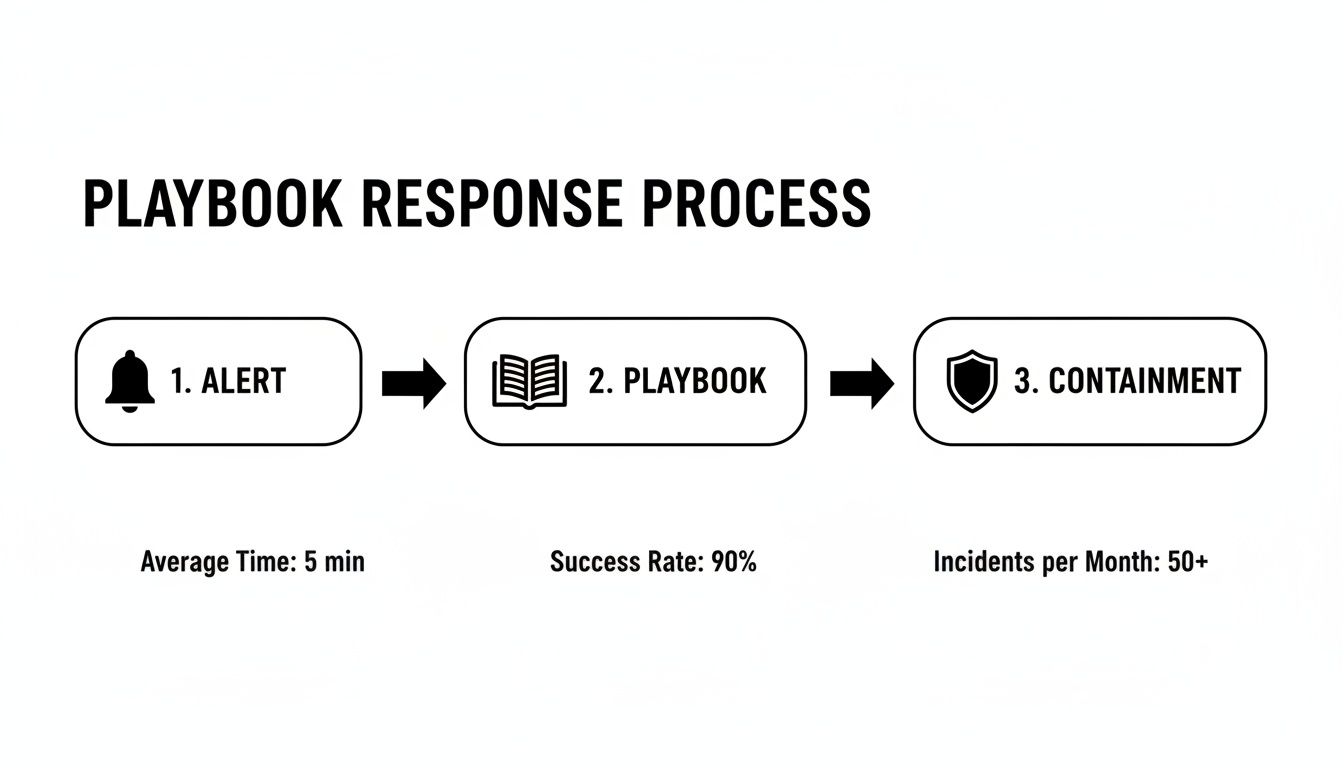
This visual shows the high-level flow initiated by the playbook, moving from the initial alert to the strategic response and on to the containment actions.

Infographic showing a playbook response process with alert, playbook, and containment steps, detailing average time, success rate, and incidents.

As you can see, a structured playbook response immediately channels a security alert toward decisive, well-organized containment actions.

Strategic Decision Points

Once the runbook tasks are done, control flows back to the playbook. The analyst reports their findings to the IT Manager: the malware was successfully contained to a single server and didn't spread.

Now, the playbook acts like a choose-your-own-adventure guide, presenting a strategic decision tree based on the runbook's outcome:

  • If Threat is Contained: The playbook directs the team to the recovery phase. It instructs them to execute Runbook-REC-03: Restore Server from Clean Backup. This kicks off another set of detailed steps for wiping the compromised machine and restoring data from a trusted source.
  • If Threat is NOT Contained: Had the malware spread, the playbook would have triggered a completely different path. It would dictate an immediate escalation to a senior security engineer, activate the Crisis Communication Plan to notify clients, and possibly engage a third-party incident response firm.

This is the critical difference in the runbook vs playbook relationship. The runbook executes a task. The playbook makes decisions based on the results of that task.

In our Orlando engineering firm’s case, the threat was contained. The team successfully follows the "Restore from Backup" runbook, bringing the server back online cleanly. Finally, the playbook mandates a post-incident review where the team discusses what went well and identifies any updates needed for the playbook or runbooks. This cycle of execution, decision-making, and improvement turns a potential disaster into a manageable, documented event, protecting the business from costly downtime and reputational damage.

Implementing The Right Solution For Your Florida Business

Two smiling businessmen shake hands across a table with a laptop and a 'Runbooks & Playbooks' binder.

For business leaders in Orlando, Winter Springs, and across Central Florida, the whole runbook vs playbook conversation eventually boils down to one critical question: do you build these yourself, or do you partner with an expert? The DIY route might look tempting on the surface, but let's be honest about the immense resources it demands.

Creating effective runbooks and playbooks from scratch isn't a weekend project you can just knock out. It requires a serious internal investment of time, specialized talent, and ongoing upkeep. You need people who have a deep, technical understanding of every system for your runbooks and the strategic mind of a veteran security analyst for your playbooks.

The Real Cost of Building In-House

Trying to create and maintain a full library of IT and security documentation is a massive undertaking. For most small to mid-sized businesses, the internal commitment is frankly overwhelming. It pulls your best people away from their actual jobs—the ones that generate revenue.

Here's what you're really signing up for:

  • Expertise: You need senior-level IT and cybersecurity pros who get your specific industry—whether that's a law firm in Sanford, a healthcare clinic in Kissimmee, or an engineering firm in Orlando—and also understand the wider threat landscape.
  • Time: Just the initial creation process can eat up hundreds of hours. This means mapping out every process, writing painfully detailed procedures, and then testing every single step to make sure it's accurate.
  • Ongoing Maintenance: Technology and threats never stand still. Runbooks need updating with every patch or configuration change, and playbooks need constant review and testing to have any real-world value.

For many Florida businesses, this adds up to a huge, unpredictable capital expense. The risk of creating documents that are outdated or just plain wrong is high, and that can leave you even more vulnerable than when you started.

A Smarter Path Forward for Florida Businesses

There’s a much more practical and financially sound alternative to the "build" approach. When you partner with a managed cybersecurity and IT provider, you get immediate access to a mature, battle-tested library of runbooks and playbooks. Even better, you get the 24/7 Security Operations Center (SOC) team needed to execute them flawlessly.

This partnership flips a massive capital expenditure into a predictable, flat-rate operational cost. Instead of guessing how much it will cost to build and maintain your own documentation, you get a clear, manageable monthly expense that delivers real results.

For industrial firms and public sector organizations where uptime is everything, the choice between a runbook and a playbook comes down to operations versus strategy. Just look at the disastrous 2022 Optus breach in Australia. It exposed 10 million records and dragged on for three weeks because their documentation was a mess. The post-mortem pointed to a lack of effective runbooks, which blew recovery costs up to AUD 1.5 billion.

In sharp contrast, businesses that partner with a managed provider often see uptimes exceeding 99.7%. SANS data also shows these hybrid approaches can slash compliance audit failures from a staggering 40% to just 12%. You can dig into more data on how structured documentation impacts recovery in this in-depth analysis from Cortex.

This model lets you and your team focus on your core mission instead of trying to become experts in cybersecurity documentation on the side.

By working with a dedicated partner, your Orlando-based engineering firm or Winter Springs medical practice can lock down its operations with confidence. You get the benefit of proven best practices and a team of experts whose only job is to protect your business, making sure you’re ready for both routine IT needs and unexpected security crises. This frees you up to do what you do best: running and growing your business.

Frequently Asked Questions About Runbooks And Playbooks

For business owners and IT managers across Central Florida, moving from the theoretical runbook vs. playbook concept to actually implementing them raises a lot of practical questions. We hear them all the time. Here are the answers to the most common concerns we field from companies in Orlando, Winter Springs, and beyond.

Can Our Small Business Create Its Own Runbooks And Playbooks?

The short answer is yes, you can. The real question is whether you should. Building these documents from scratch is a massive project that often pulls your most valuable people away from the work that actually generates revenue.

An effective runbook demands deep, system-level knowledge of every piece of tech you rely on, from servers to software. A strong playbook, on the other hand, requires high-level cybersecurity expertise to think like a threat actor and map out a coordinated defense. For most small and mid-sized businesses, the time, effort, and specialized skills needed make the DIY route a serious operational drag.

Partnering with a managed cybersecurity provider is a much more efficient path. You get immediate access to a library of battle-tested documents and the expert team needed to execute them, turning a large, unpredictable capital project into a predictable operational cost.

How Much Of A Runbook Or Playbook Can Be Automated?

A surprising amount, especially when it comes to runbooks. Their step-by-step, tactical nature makes them perfect candidates for automation using Security Orchestration, Automation, and Response (SOAR) platforms.

Many critical actions can be fully automated, including:

  • Isolating a compromised device from the network to stop a threat in its tracks.
  • Blocking a malicious IP address at the firewall level across your entire infrastructure.
  • Enriching a security alert with threat intelligence from multiple sources.

This kind of automation collapses response times from minutes down to seconds. Playbooks also rely on automation for the initial legwork, like gathering data and triaging alerts, but human strategy remains essential. A machine can't decide when to escalate an incident to the leadership team or when to trigger the crisis communication plan. The winning approach always combines machine-speed execution with human-led strategy.

How Do Runbooks And Playbooks Help With HIPAA Compliance?

For medical practices in Florida operating under the strict gaze of HIPAA, runbooks and playbooks aren't just a good idea—they're fundamental to demonstrating due diligence. They provide the auditable proof that regulators will demand during an investigation.

Runbooks act as your documented logbook, proving you perform required security tasks consistently. This covers procedures for access control, system patching, and data backups. When an auditor asks how you ensure only authorized staff can access protected health information (PHI), you can hand them the runbook.

A playbook, meanwhile, is your documented incident response plan—a specific requirement of the HIPAA Security Rule. If a data breach occurs, producing your playbook and the execution logs from your runbooks is critical for minimizing liability and dodging those steep financial penalties. It proves you were prepared, not just reacting to a disaster.

How Often Should These Documents Be Updated?

Think of these as living documents, not dusty binders on a shelf. The update schedule depends entirely on what they're used for.

  • Runbooks are tactical and tied directly to your technology. They need constant attention—at least quarterly, and more importantly, every single time a system configuration changes. An outdated runbook is worse than having none at all; it's a liability waiting to cause errors during a real crisis.
  • Playbooks are strategic, making them more stable. They should be reviewed at least once a year to make sure they still align with your business goals and the current threat landscape. The absolute most important time to update a playbook is right after a major security incident.

A post-incident review is the perfect opportunity to find the gaps in your strategy and refine the playbook based on its real-world performance. You should also be running regular tabletop exercises—simulated crisis scenarios—to pressure-test your playbooks and make sure your team is ready to execute when it counts.


At Cyber Command, LLC, we help Central Florida businesses move beyond theory and implement practical, battle-tested runbooks and playbooks that protect their operations. Our 24/7 SOC and expert IT team don't just write documents; we execute them, giving you the peace of mind that comes with a proactive, managed cybersecurity partnership. To learn how we can secure your business with a predictable, all-inclusive model, visit us at cybercommand.com.

Runbook vs Playbook: Key Differences for IT Success in Central Florida

If you've spent any time in IT operations or incident response, you've heard the terms “runbook” and “playbook” thrown around. They sound similar, and people often use them interchangeably, but they serve two very different—and equally critical—functions. Getting this distinction right is the first step toward building a truly resilient operation for any business in Orlando, Kissimmee, or anywhere in Central Florida.

Let’s cut through the confusion. A runbook is your tactical, step-by-step checklist. Think of it as a detailed recipe: precise instructions for a routine, repeatable task, like how to properly restart a specific application server. A playbook, on the other hand, is your high-level strategic guide. It’s the game plan for a complex, unpredictable event like a data breach, outlining what needs to happen, why, and who is responsible for each part of the response.

Defining The Core Difference In IT Operations

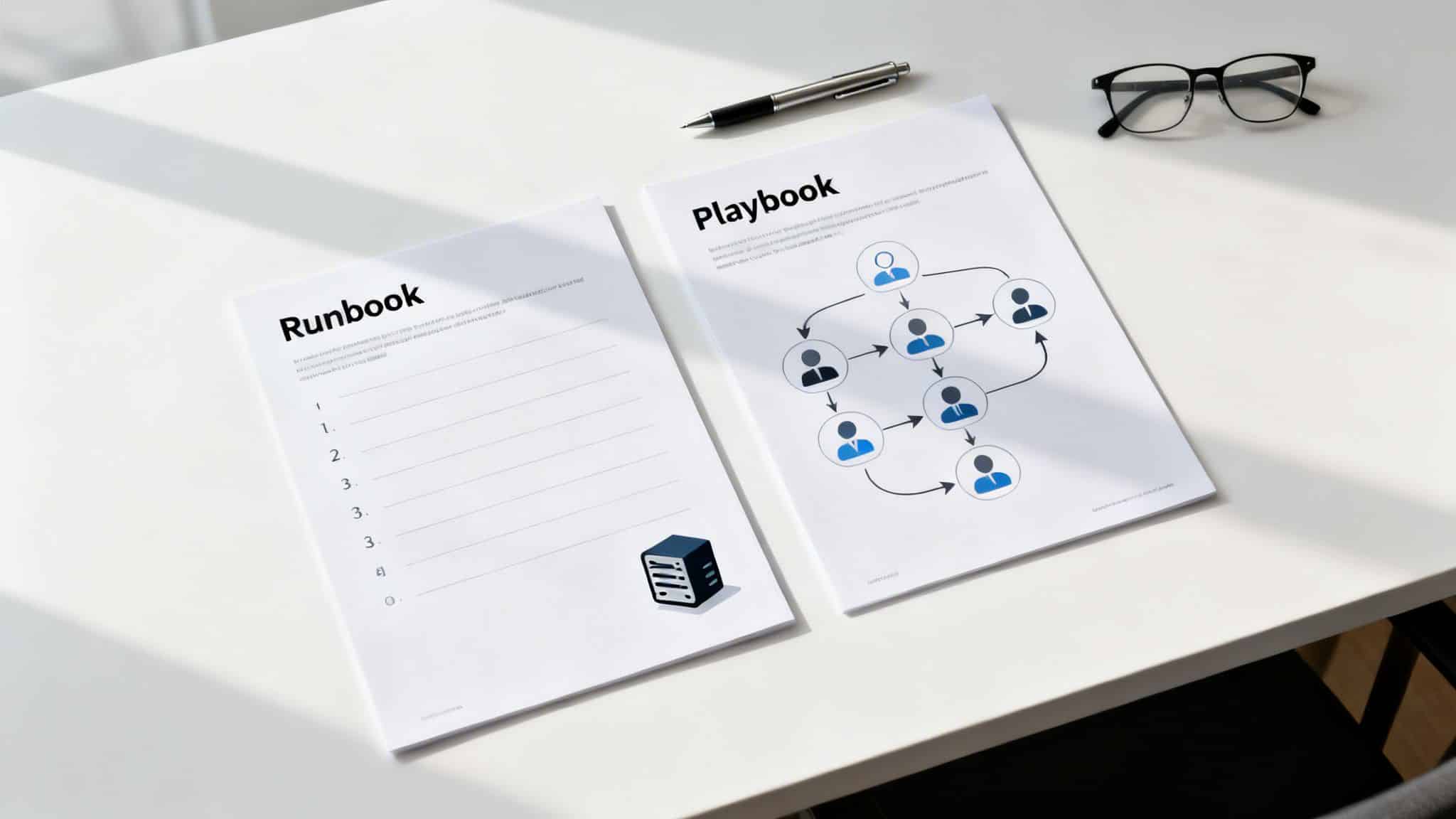
Two documents titled 'Runbook' and 'Playbook' on a white desk with a pen and glasses.

For professional service firms across Central Florida—from law offices in Winter Park to medical practices in Sanford—these documents aren't just paperwork; they're the backbone of operational maturity. They work together. A playbook orchestrates the overall response to a major incident, and it will often call on specific runbooks to execute the necessary technical steps.

Here’s a simple way to think about it: your playbook is the documented fire escape route for the building. Your runbook is the set of instructions printed on the side of the fire extinguisher. You need both to handle the emergency effectively.

Runbook vs Playbook at a Glance

To make the differences even clearer, here’s a quick breakdown of how these two documents stack up against each other.

Attribute Runbook (The 'How') Playbook (The 'What' and 'Why')
Purpose To execute a known, repeatable operational process. To guide a strategic response to a dynamic, complex incident.
Focus Tactical and procedural. Provides step-by-step instructions. Strategic and adaptive. Outlines roles, goals, and communication.
Structure Linear, prescriptive checklist or standard operating procedure (SOP). Flexible, scenario-based guide with decision trees.
Example Use Case Onboarding a new employee's IT account. Responding to a company-wide ransomware attack.

In the world of IT and cybersecurity, this distinction can mean the difference between containing a problem in minutes and suffering a breach that lasts for weeks. The precision of runbooks is proven to reduce human error by up to 70% during high-pressure situations. For businesses leaning on co-managed or fully managed IT, having both in place can slash Mean Time to Resolution (MTTR) by as much as 40%—a massive win for business continuity.

A runbook is all about consistency and execution for known tasks. A playbook is about strategy and coordination for unknown variables. One is a recipe, the other is a game plan.

Ultimately, you can't have a mature IT operation without both. The playbook provides the strategic framework that keeps your team aligned during a crisis, ensuring everyone knows their role. To get a better handle on this strategic tool, you can explore resources that define the meaning of a playbook and its impact on team productivity. Now that we've set the stage, let's dive into specific examples for Central Florida businesses.

When you’re weighing a runbook vs a playbook, think of the runbook as the bedrock of reliable, predictable IT operations. It’s a detailed, step-by-step guide designed to make sure recurring tasks get done the exact same way, every single time. By leaving nothing to chance, runbooks cut down on human error and remove all the guesswork.

This level of standardization is what powers consistent service delivery. For a medical practice in Lake Mary handling sensitive patient data, or an accounting firm in Altamonte Springs managing financial records, predictable IT isn't just a convenience—it's an absolute must for compliance and client trust.

The Role of Runbooks in Daily IT Support

Ever wonder how a helpdesk can resolve your issue so quickly and efficiently? Chances are, they’re following a well-defined runbook. The technician uses a pre-approved script to diagnose and fix the problem, creating a consistent and repeatable experience for you. This structured approach is what allows managed IT providers to deliver the same great results, over and over again.

Just think about these common scenarios where runbooks are absolutely essential:

  • New Employee IT Onboarding: A runbook lays out every single step, from creating user accounts and setting permissions to configuring a new laptop. This ensures every new hire is ready to go on day one, and no security protocols get missed.
  • Software Troubleshooting: When a critical application crashes, a runbook guides the technician through the first line of defense—clearing the cache, checking configurations, looking for known bugs—before escalating the ticket.
  • Device Security: If a laptop is lost or stolen, a runbook provides the precise procedure for securing it. It includes steps to remotely lock the device, wipe its data, and revoke access credentials to keep company information safe.

A runbook turns a complicated operational task into a simple, follow-the-steps process. This doesn't just make things more efficient; it also creates a clear, auditable trail for every action taken, which is critical for regulatory compliance in industries like healthcare and finance.

Runbooks and Critical System Maintenance

The real value of a runbook becomes crystal clear during high-stakes procedures on critical infrastructure. Tasks like server maintenance or patching come with significant risk; one wrong move could trigger extended downtime or even data loss. Runbooks keep this risk in check by enforcing a strict, proven methodology.

A runbook for a Critical Server Patching Procedure would break down like this:

  1. Pre-Patch Checklist: Verify that system backups were successful, notify stakeholders about the maintenance window, and confirm that rollback procedures are ready to go.
  2. Execution Steps: Follow the exact sequence of commands to apply patches, reboot servers, and monitor system health right after the update.
  3. Post-Patch Validation: Run a series of tests to confirm all services are operating correctly and the patch hasn't introduced any new problems.
  4. Contingency Actions: Provide clear instructions on what to do if a patch fails, including exactly how to initiate a rollback to the last stable state.

For any Central Florida business, this documented, repeatable process is how a managed security provider strengthens your security posture. It guarantees that every critical task is done right, safeguarding your operational stability and data. This focus on procedural discipline is a key differentiator in the runbook vs playbook debate, highlighting the runbook's essential role in execution.

While runbooks are your go-to for standardizing routine IT tasks, playbooks are built for the complete opposite: a full-blown crisis. When you’re staring down a sophisticated ransomware attack or a massive data breach, a simple checklist just won’t cut it. This is where playbooks become absolutely critical, shifting your team's focus from just executing tasks to managing a strategic response.

Unlike the linear, step-by-step format of a runbook, a playbook is a flexible, scenario-based guide. It’s designed to answer the big questions: what needs to be done, who is responsible, and why it’s important right now. It gets everyone on the same page, from the technical team in the trenches to executive leadership, legal counsel, and the communications department.

Orchestrating a Coordinated Defense

Think of a major security incident as a complex battle on multiple fronts. You’re fighting technical skirmishes to contain the threat, navigating legal obligations, and managing customer communications all at once. A playbook is the master plan from your command center, ensuring every move is part of a single, cohesive strategy, not just a bunch of isolated fixes.

For any business, this strategic coordination is make-or-break. A 'HIPAA Breach Notification' playbook for a medical practice in Orlando, for example, would ensure a structured response. It would guide the team to not only contain the technical threat but also meet strict regulatory deadlines, protecting both patient data and the practice's reputation.

A runbook ensures a task is done correctly every time. A playbook ensures the right tasks are done in the right order when everything goes wrong.

This master plan doesn’t exist in a vacuum; it directs the use of specific runbooks. The playbook might call for the IT team to execute a "Isolate a Compromised Server" runbook, while at the same time guiding the leadership team on how to communicate with stakeholders. This layered approach is the core difference in the runbook vs playbook debate.

From Chaos to Control: A Real-World Example

Imagine a law firm in Winter Park discovers its client data has been encrypted by ransomware. Without a playbook, the response is pure chaos. The IT team scrambles to restore backups, partners start worrying about liability, and no one has a clue what to tell anxious clients.

Now, picture the same scenario with a 'Ransomware Response' playbook in hand. The process is transformed from chaotic to controlled:

  • Phase 1: Activation: The playbook is triggered immediately, assigning the managed Security Operations Center (SOC) as the lead for technical containment.
  • Phase 2: Coordination: It clearly defines roles, assigning legal decisions to the firm's partners, internal communication to HR, and external communication to a designated spokesperson.
  • Phase 3: Execution: The playbook then calls on specific runbooks—one to isolate affected network segments, another to analyze the malware, and a third to begin data restoration from verified backups.

Organizations that ignore this strategic divide often pay a heavy price. A Ponemon Institute survey revealed that teams using playbooks can slash the financial impact of a data breach by a staggering 28% just by improving collaboration. This level of preparation ensures predictable IT support and strengthens operational uptime, freeing up leadership to focus on recovery and growth.

This structured, strategic approach is what turns a potential business-ending catastrophe into a manageable incident. By crafting your incident response plan for max efficiency, you build the resilience needed to withstand modern threats. A playbook is the document that makes it happen.

Comparing Runbooks And Playbooks In A Real-World Scenario

Let's move past the theory and see how runbooks and playbooks work together during a real-world crisis. Imagine a sophisticated phishing attack hits a prominent Orlando-based law firm. This isn't just a technical glitch; it's a full-blown business crisis that demands a perfectly coordinated response.

The second the breach is detected, the firm’s managed Security Operations Center (SOC) doesn't just start clicking buttons. They activate the "Phishing Incident Response" playbook. This document is the strategic guide for the entire incident, the master plan that keeps everyone on the same page.

Orchestrating The Response With A Playbook

The playbook's first job is to end the chaos before it starts. It immediately assigns specific duties and communication channels to key people—the SOC team, the firm's partners, the IT helpdesk, and even the HR department.

This is where solid security incident response planning pays off. Instead of running around in silos, everyone knows their role and works in concert.

Once the "who" is established, the playbook directs the "what" by calling on several specific runbooks. Each runbook is a precise, step-by-step checklist for a single technical task, designed for speed and accuracy when the pressure is on.

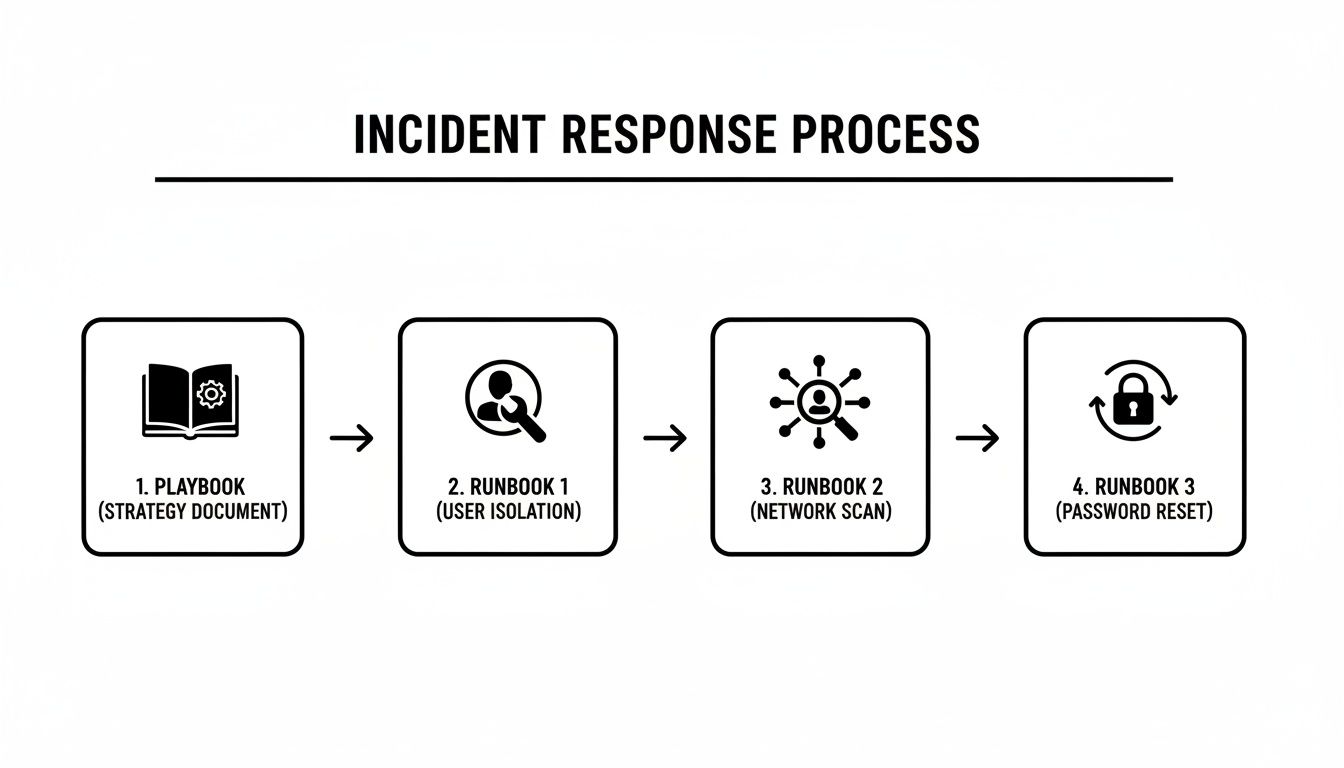
This flowchart shows how the master playbook directs the execution of individual runbooks.

Flowchart showing an incident response process with playbook, user isolation, network scan, and password reset runbooks.

As you can see, the playbook sits at the top, delegating tactical tasks to three distinct runbooks below it. It's the brain of the operation.

Executing The Tasks With Runbooks

With the strategy set, the playbook directs the SOC team to execute a series of pre-approved technical procedures, each governed by its own runbook:

  • Runbook 1: Isolate Compromised User Account: The first priority is containment. This runbook gives the analyst the exact steps to suspend the user's network access, kill all active sessions, and preserve the machine for forensic analysis. No guesswork involved.

  • Runbook 2: Scan Network for Lateral Movement: With the initial entry point contained, the next runbook guides the team through a comprehensive network scan. The goal is to hunt down any signs that the attacker moved beyond the first machine.

  • Runbook 3: Force Company-Wide Password Reset: To mitigate further risk, a third runbook is triggered. It outlines the procedure for a mandatory, firm-wide password reset, complete with communication templates for the helpdesk and HR to use when notifying employees.

The playbook acts as the general, directing the battle strategy. The runbooks are the field manuals for the soldiers on the ground, ensuring each specific mission is executed flawlessly.

To see this in action, let's map out the response phases for our law firm example.

| Incident Response Example Phishing Attack on a Law Firm |
| :— | :— | :— |
| Response Phase | Governing Document | Key Actions and Responsibilities |
| Detection & Analysis | Phishing Incident Response Playbook | SOC team identifies the breach via an EDR alert. Playbook is activated, assigning roles to IT, legal partners, and HR. |
| Containment | Runbook #1: Isolate Compromised User | Helpdesk analyst follows the runbook to immediately suspend the user's account and network access to stop the threat from spreading. |
| Eradication | Runbook #2: Scan for Lateral Movement | SOC analyst uses the runbook to scan all endpoints and servers, identifying and removing any other traces of the attacker. |
| Recovery | Runbook #3: Force Password Reset | IT team triggers the password reset runbook. The HR team uses the playbook's communication plan to inform all employees. |
| Post-Incident Activity | Phishing Incident Response Playbook | The playbook guides the post-mortem meeting, documentation updates, and client communication strategy, ensuring all legal and regulatory obligations are met. |

As the table shows, the playbook provides the overarching strategy while the runbooks handle the specific, hands-on tasks.

This layered approach, strongly recommended by frameworks like NIST SP 800-61, has a massive impact. Research shows that organizations with mature runbooks and playbooks can cut incident response costs by as much as 35%. For a law firm in Maitland facing e-discovery demands or a medical group in Kissimmee, that's a game-changer.

This example cuts to the heart of the runbook vs. playbook relationship. The playbook provides the "what" and "why" (the strategic response), while the runbooks provide the "how" (the tactical execution). One can't function effectively without the other.

Putting Runbooks and Playbooks to Work in Your Business

Knowing the difference between a runbook and a playbook is one thing. Actually putting them into practice can feel like a mountain to climb. The secret for business leaders in Central Florida is to start small. Focus on your biggest operational headaches and most significant risks first.

You don’t need a huge library of documents from day one. What you need are a few targeted procedures that solve real problems right now.

A small Orlando-based business, for instance, can get quick wins by creating simple runbooks for common helpdesk tickets. Think about routine tasks like setting up a new employee’s laptop or handling a standard password reset. Documenting these processes ensures everyone does it the same way every time, cutting down on errors and freeing up your team.

But for any business handling sensitive data—like a Winter Park law firm managing client records or a Sanford medical practice protecting patient information—the priority has to be strategic. You need to start with playbooks for your biggest threats, like a ransomware attack or a critical system failure.

Start with a Risk Assessment, Not with Writing

Your first step isn't writing; it's assessing. Before you can document a fix, you have to know what you’re up against. This is where a managed IT partner shines, conducting a risk assessment to find your company's specific weak spots and operational bottlenecks.

This assessment tells you exactly which documents to create first. The process usually involves:

  • Identifying High-Frequency Tasks: What are the most common tickets hitting your helpdesk? These are perfect candidates for your first runbooks.
  • Pinpointing Critical Systems: Which servers, applications, or databases would cause the most chaos if they went down? These need runbooks for maintenance and restoration, pronto.
  • Evaluating Major Threats: What are the most likely and most damaging security incidents for your industry? Think phishing, data breaches, or ransomware. These demand strategic playbooks.

A proper risk assessment gives you a clear roadmap. It changes the conversation from, "We should probably document some stuff," to, "We need a runbook for server patching by Q2 and a playbook for data breaches immediately."

Once these priorities are clear, your IT partner can help develop, test, and maintain these crucial documents. For many businesses, especially those in regulated fields like healthcare or finance, having well-documented procedures is a core part of their business continuity and disaster recovery services. These documents are the foundation of a truly resilient operation.

Empowering Your Business Through Smart Documentation

Building out runbooks and playbooks isn't about just handing off tasks to your IT provider. This process empowers you, the business owner, to have far more productive conversations about your operational health. When procedures are written down, they become measurable, transparent, and real.

Instead of vaguely asking, "Is our IT secure?" you can ask, "Can you walk me through the playbook for how we'd respond to a ransomware attack?"

Or, "What does the runbook for onboarding a new partner’s tech look like?"

This simple shift builds a culture of accountability. It makes sure your internal team and external partners are all on the same page, whether handling daily chores or a full-blown crisis. An experienced managed IT partner won’t just build these documents for you; they'll build them into their service. The helpdesk uses the runbooks, and the Security Operations Center (SOC) lives by the playbooks. This is how you build a business that can take a punch.

How a Partner Manages Your IT Resilience for You

Knowing the difference between a runbook and a playbook is great, but your job isn't to become a master document-writer. That's where a good IT partner comes in. An experienced managed services partner already has a library of proven, battle-tested runbooks and playbooks, ready to be fine-tuned for your business.

This is a fundamental part of building real operational resilience for companies across Central Florida.

A business professional shows a tablet with 'Runbooks & Playbooks' and digital document icons to a colleague.

For businesses in Orlando, Kissimmee, or Sanford, this means you get enterprise-grade preparation without the enterprise price tag or the in-house headache. A partner doesn’t just write documents and hand them over; they weave them into the fabric of their service, turning documented steps into the tangible results that protect your company.

How a Partner Uses Runbooks and Playbooks Daily

The true value of this partnership becomes crystal clear in both the daily grind and during a crisis. These two types of documents fuel different parts of the managed service, ensuring your IT runs with both clockwork consistency and strategic protection. This documented, proactive approach is what modern IT management is all about.

Here's how a partner like Cyber Command puts them to work for you:

  • 24/7 Helpdesk Support: When you call with a problem, our U.S.-based technicians pull up detailed runbooks to deliver fast, consistent support. Whether they're troubleshooting software or locking down a device, they follow a pre-approved, step-by-step process that guarantees a reliable fix every single time.

  • Security Operations Center (SOC): Our 24/7 SOC lives and breathes by strategic playbooks. When an alert signals a potential threat, the playbook instantly guides the entire response—from initial containment to final cleanup—ensuring a coordinated, swift, and effective defense.

This structured way of doing things is what lets you get back to running your business, confident that a solid framework is protecting you.

A great IT partner doesn’t just promise resilience; they prove it with documented procedures and transparent reporting. They use runbooks for daily efficiency and playbooks for crisis management, creating a complete shield around your business.

Choosing the right provider is about more than just finding tech support; it’s about finding a team that builds and manages this resilient framework on your behalf. This documented system, backed by clear reporting and constant improvement, is what ensures your technology is always working for your business.

For more guidance, check out our article on how to choose the right managed service partner for expert tips. This level of preparation is the key difference between a simple IT vendor and a true partner invested in your success.

Frequently Asked Questions

When we talk with business owners in Orlando and throughout Central Florida about runbooks and playbooks, a few key questions always come up. Here are the straight answers to the things leaders want to know most.

Can I Use A Runbook Instead Of A Playbook?

Not when things get complicated. Think of a runbook as your go-to for a predictable, technical job, like restoring a single file from a backup. It gives your team the exact, repeatable steps to get a known task done right, every time.

A playbook, on the other hand, is your strategic guide for a crisis. It’s what you need for a ransomware attack because it coordinates multiple teams, forces critical decisions, and handles communications. They aren't interchangeable—they're designed to work together. A playbook will often call on several runbooks to carry out its overall strategy.

How Often Should We Update These Documents?

Treat them like living documents, not something you write once and file away. The best practice is to review them at least once a year or anytime you have a major change to your technology, key staff, or business processes.

The most critical rule: runbooks and playbooks must be updated after any security incident or major outage. This is where you bake in the lessons you just learned, hardening your defenses and making your response that much sharper for next time. A dedicated IT partner should make this review a standard part of their service.

Does My Small Florida Business Really Need These?

Absolutely. IT problems and cyber threats don't just target big corporations; they hit businesses of all sizes. Documenting your routine tasks with runbooks saves a surprising amount of time and cuts down on simple mistakes, making your whole operation more efficient.

More importantly, having a strategic playbook for a potential data breach or system failure can mean the difference between a small headache and a business-ending catastrophe. For a small law firm in Lake Mary or a medical practice in Kissimmee, the damage from one poorly handled incident will always cost more than the investment in getting prepared. Working with a managed provider makes this level of readiness both affordable and achievable.


At Cyber Command, LLC, we build and manage the documented frameworks that protect your business, from tactical runbooks for the helpdesk to strategic playbooks for the SOC. Let us handle the procedures so you can focus on growth. Learn more at https://cybercommand.com.