
IT Support Near Altamonte Springs FL: A 2026 Buyer’s Guide

Your office opens at 8. By 8:17, someone can't print, a shared folder won't load, and a manager is forwarding a suspicious email asking for a wire transfer review. Your current IT person says they'll “take a look soon.” That's not support. That's drift.
If you're shopping for IT Support Near Altamonte Springs FL, the critical issue isn't whether a provider can reset passwords or reboot a firewall. It's whether they can keep your business operating, secure, and accountable when something goes wrong after hours, during a cyber event, or in the middle of a growth push. Most providers sell reassuring phrases. Few explain what those phrases mean in practice.
This matters more in Central Florida than many owners realize. Altamonte Springs isn't an isolated suburb. It operates inside a large regional business environment where speed, compliance, and uptime directly affect revenue, client trust, and staff productivity.
Table of Contents
- Why Altamonte Springs Businesses Need Strategic IT
- Beyond Break-Fix Understanding Your IT Support Options
- Decoding IT Support Costs and Finding True Value
- The Real Security Threats Facing Central Florida Businesses
- Your Checklist for Choosing the Right IT Partner
- Partnering for Growth The Cyber Command Advantage
Why Altamonte Springs Businesses Need Strategic IT
A lot of local businesses are running with a patchwork setup. One outside technician. One office manager who “handles tech stuff.” One cloud app no one fully owns. It works until it doesn't, and then the whole company feels it.
That approach is too fragile for the market you're operating in. Altamonte Springs sits inside the Orlando, Kissimmee, Sanford metro area, which had an estimated population of about 2.7 million in 2024 and is part of one of Florida's largest business markets, according to regional Altamonte Springs IT market context. In plain English, your firm is competing in a serious operating environment. Clients expect responsiveness. Employees expect systems to work. Regulators and insurers expect discipline.
IT now affects every department
Professional services firms depend on document access, email continuity, and secure client communication. Medical and dental offices depend on stable line-of-business systems and privacy controls. Architecture, engineering, and field-service companies depend on file availability, device management, and vendor coordination.
Practical rule: If your business stops earning when your systems stop working, IT is a leadership issue, not a side task.
That's why helpful frameworks like Cloudvara IT support insights resonate with small business owners. They push the conversation beyond “who can fix my computers” and toward service reliability, planning, and fit.
Local growth requires a support model that scales
If your company has outgrown ad hoc support, start by assessing whether you need a provider that can own helpdesk, security, vendor management, and planning in one motion. Businesses comparing options often benefit from looking at resources on local IT support for small business because the core decision isn't technical. It's operational.
You need an IT partner that treats uptime, security, and accountability as part of your business model. If a provider can't talk clearly about those three areas, keep looking.
Beyond Break-Fix Understanding Your IT Support Options
The wrong service model creates constant friction. Not because the provider is malicious, but because you hired a plumber when you needed a facilities team.
Break-fix is cheap until it isn't
Break-fix support means you call when something breaks. That can work for a very small office with low complexity, low compliance pressure, and high tolerance for downtime. The problem is simple. Break-fix providers get paid when things fail.
That model creates bad incentives for a growing business. There's little reason for long-term planning, patch discipline, asset standards, or user training if the agreement only starts after the outage.
A law office with shared files, remote access, and frequent email attachments usually outgrows break-fix quickly. A medical practice with multiple devices and specialized applications should skip it entirely. Downtime there isn't an inconvenience. It's operational damage.
Managed and co-managed models fit most growing firms
Managed IT services are the better fit when you want someone responsible for day-to-day technology health. That includes helpdesk, device oversight, updates, monitoring, vendor coordination, and routine maintenance. This model fits firms that don't want to build a full in-house team.
Co-managed IT works when you already have internal staff but need depth, after-hours coverage, project support, or cybersecurity muscle. A controller, operations lead, or in-house technician may know the business well, but still need outside support for escalations and continuous coverage.
Security-focused support matters when your exposure is bigger than your helpdesk. If your staff handles sensitive data, financial records, patient information, contracts, or privileged communications, basic desktop support isn't enough. You need a provider that can explain how incidents are detected, triaged, contained, and recovered.
A good provider doesn't just describe services. They define responsibility boundaries.
One useful way to think through service delivery is to review how remote monitoring and management platforms support operations. If you're evaluating how enterprise-grade support environments are structured, this overview to evaluate Superops RMM for enterprises helps frame what mature service tooling is supposed to enable. The tool itself isn't the point. The point is visibility, consistency, and accountability.
Pick the model that matches your business risk, not your smallest monthly quote.
Decoding IT Support Costs and Finding True Value
Most business owners ask the wrong first question. They ask, “What's your monthly rate?” They should ask, “What exactly stops being included the moment something difficult happens?”
Headline pricing hides scope decisions
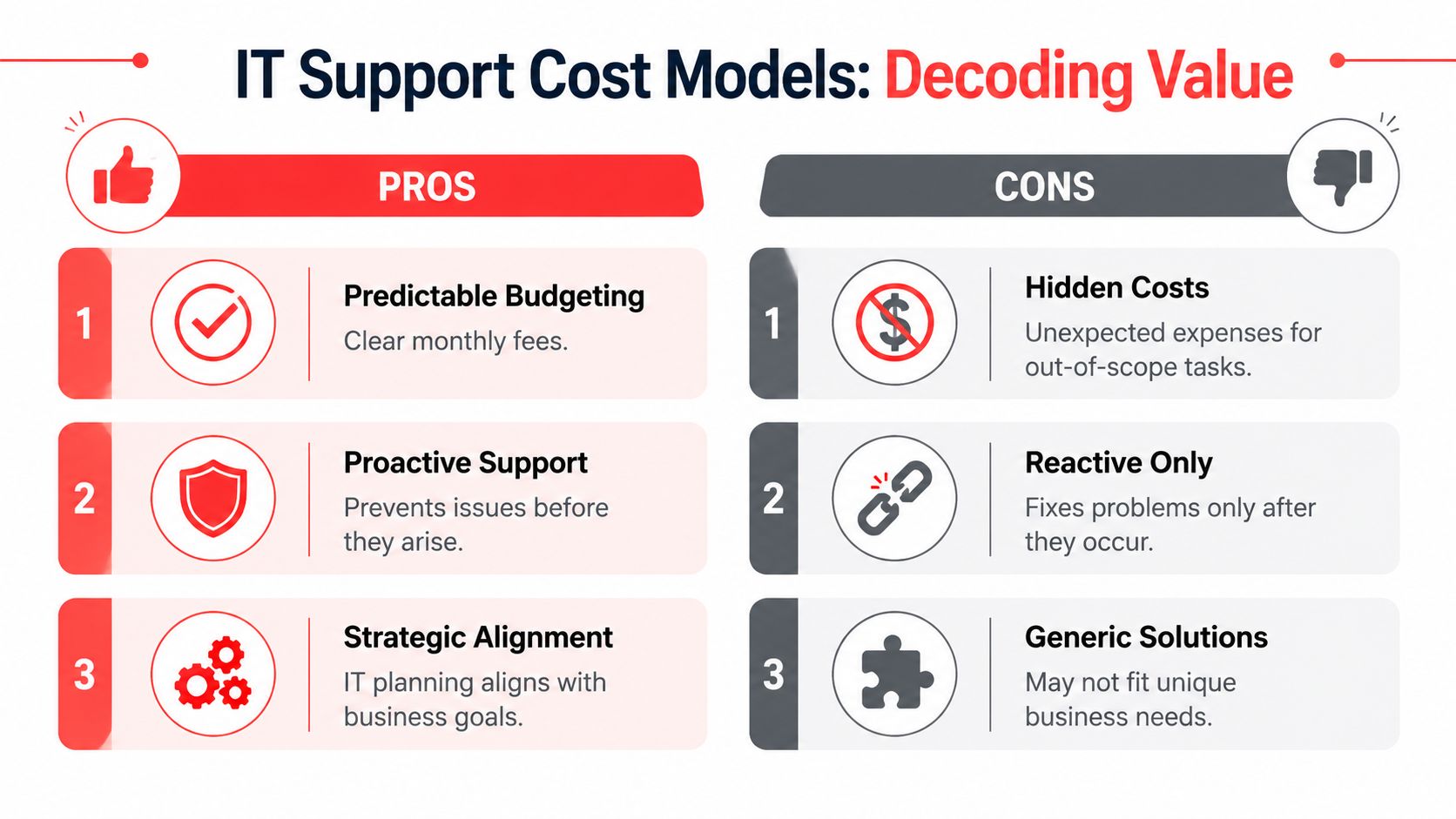
A major problem in the local market is that many providers advertise flat-rate, month-to-month, or predictable pricing without clearly spelling out scope. One local source that addresses this directly notes that costs can still vary by business size and may include one-time setup fees or extra monthly charges for specific services. It also makes the more important point that flat-rate IT isn't automatically cheaper if the contract excludes remediation, compliance work, or major projects. A total-cost-of-ownership comparison is more valuable than a headline monthly number, as explained in this Altamonte Springs managed IT pricing discussion.
That's the part many owners miss. “Flat-rate” can still mean:
- Onboarding isn't included. You pay to document, standardize, and clean up what should have been handled at the start.
- After-hours work is extra. The contract sounds broad until a weekend outage appears.
- Projects sit outside the agreement. Infrastructure changes, compliance remediation, or system upgrades become separate invoices.
- Security is partial. Basic antivirus may be included, while more serious protections and response support are not.
Ask for total cost of ownership not a teaser rate
Don't compare vendors on monthly price alone. Compare them on total cost of ownership over the life of the relationship.
Use these filters:
- What is covered every month. Helpdesk, patching, endpoint protection, vendor management, reporting, backups, and routine admin work should be clearly defined.
- What triggers extra billing. Ask for examples, not slogans.
- What happens during a bad month. If an outage, migration, or security issue appears, does the provider stay engaged under the agreement or flip into project billing?
- What gets standardized. Mature providers usually reduce chaos by enforcing supported devices, documented processes, and clear ownership.
Cheap IT support often becomes expensive the first time you need urgency, security work, or cross-vendor coordination.
A strong pricing conversation should feel almost uncomfortably specific. If it doesn't, you're probably being sold a package, not a support outcome.
The Real Security Threats Facing Central Florida Businesses
A lot of small and mid-sized businesses still treat cybersecurity as a technical add-on. That's outdated. If your company uses email, cloud apps, remote logins, stored client data, or online payments, you already have meaningful exposure.
The threat isn't abstract
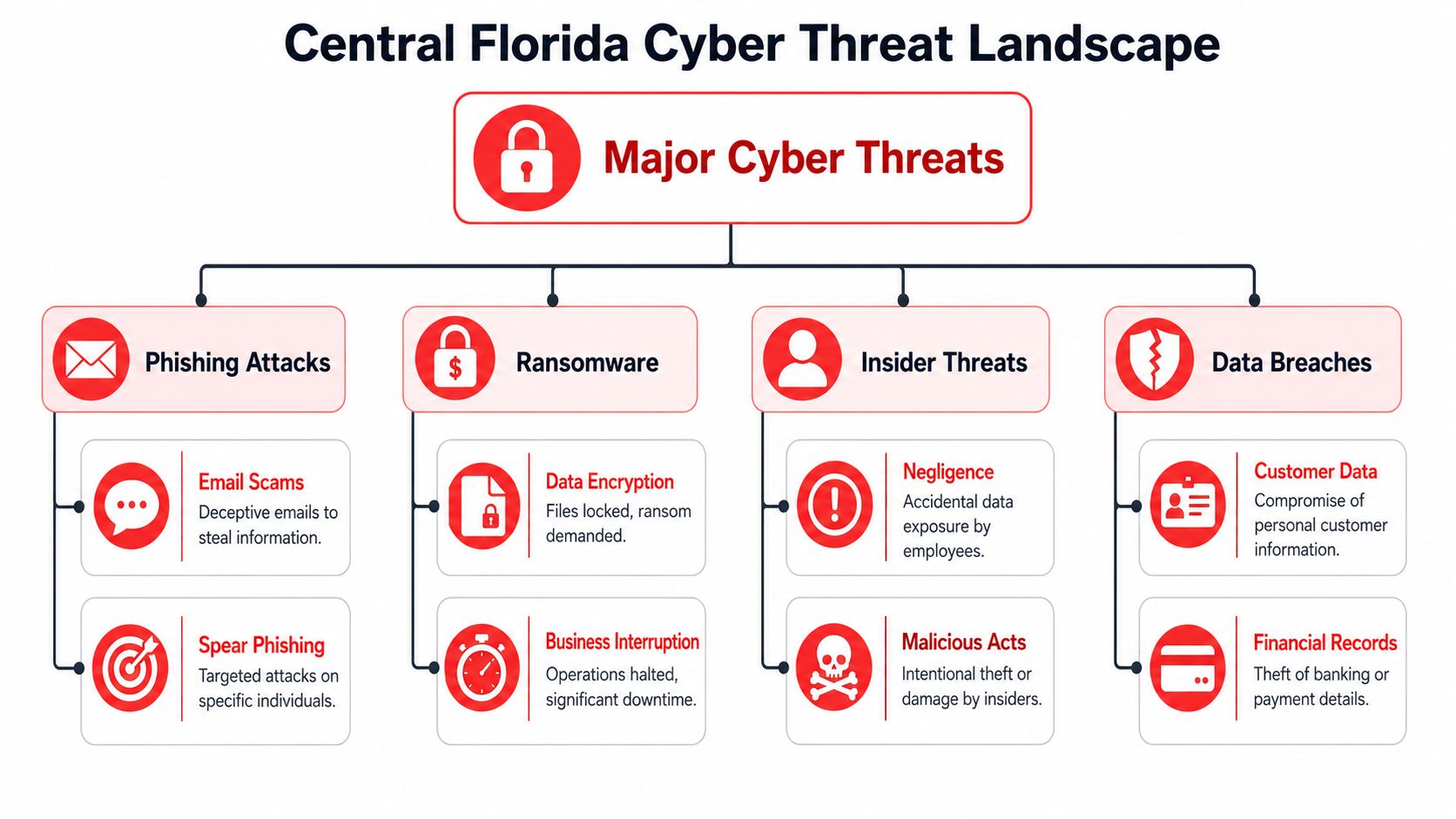
The FBI's Internet Crime Complaint Center reported about $12.5 billion in losses in 2023, a reminder that ransomware, business email compromise, and related incidents aren't edge cases for SMBs. That figure appears in this Altamonte Springs cyber risk discussion. The lesson for local businesses is straightforward. A provider saying “we offer 24/7 support” tells you almost nothing by itself.
A CPA firm can be hit through an email impersonation attempt. A dental office can lose access to scheduling and patient records. An engineering firm can have sensitive files exposed through poor access control. In each case, the first business question is the same. Who notices, who responds, who coordinates recovery, and who owns communication?
Security has to include response and recovery
Basic helpdesk support and real security operations are not the same thing. Good cybersecurity support should include a documented response path, not just protective software on endpoints.
Look for evidence of:
- Incident triage. Someone has to review alerts, determine whether the event is real, and prioritize action.
- Containment steps. A compromised device or account must be isolated fast.
- Backup validation. Backups aren't useful if no one has confirmed they can be restored.
- Patch and endpoint discipline. Many attacks exploit neglected systems and unmanaged devices.
- User controls. Access should match job roles, and departures should trigger prompt offboarding.
If a provider can't explain their incident workflow in plain language, they won't perform well when your staff is stressed and your phones are ringing.
Local owners should also expect guidance on practical controls for staff behavior, access, and recovery readiness. This resource on cybersecurity best practices for small businesses is useful because it frames security as a business operations discipline, not just an IT purchase.
What matters most is clarity. When an employee clicks the wrong link at 9:40 p.m., you need more than a voicemail box and a dashboard. You need a team with a documented plan.
Your Checklist for Choosing the Right IT Partner
Sales calls are easy. Accountability is harder. The fastest way to separate polished marketing from real capability is to ask operational questions and insist on direct answers.
Questions that expose weak providers fast
Start with response structure. Not promises. Structure.
Ask how they handle a Friday night outage, a Monday morning login failure across multiple users, or a suspected compromised email account. A serious provider should describe triage, escalation, communication, and next actions without hiding behind vague “best effort” language.
A practical benchmark in this market is 24/7 live coverage because after-hours incidents still need immediate triage. Local job postings in Altamonte Springs explicitly expect night, weekend, and on-call coverage for service operations, which reflects how support demand is structured around continuous availability, as shown in this Altamonte Springs IT support supervisor posting.
Then ask about onboarding. Weak firms treat onboarding like paperwork. Strong firms use it to map systems, identify risk, standardize devices, review vendors, and establish support boundaries.
What you want to hear: “Here's how we take ownership, document your environment, and reduce uncertainty in the first phase.”
Also ask how they report. If you never receive meaningful updates on recurring issues, security posture, asset health, and planning priorities, you're not in a managed relationship. You're in a ticket queue.
IT Provider Vetting Checklist
| Question Category | Question to Ask | What a Good Answer Looks Like |
|---|---|---|
| Response Model | Do you provide live after-hours triage or just an answering service? | Clear explanation of who answers, who escalates, and what happens during nights and weekends |
| Incident Handling | What happens if we suspect a compromised account? | A documented workflow for triage, containment, communication, and recovery |
| Onboarding | What do you review during transition? | Systems documentation, user access, device standards, vendor handoff, and risk review |
| Pricing Scope | What is not included in the monthly agreement? | Specific exclusions with examples, not vague contract language |
| Reporting | How do you show accountability over time? | Regular reporting, issue trends, planning reviews, and documented recommendations |
| Security | Who owns patching, endpoint protection, and backup checks? | Named responsibilities and a clear cadence for ongoing oversight |
| Strategic Fit | How do you align IT decisions with business goals? | Roadmap thinking, budgeting input, lifecycle planning, and operational context |
| Team Depth | If our main contact is unavailable, who steps in? | Shared documentation, escalation paths, and team-based coverage |
If you want another set of criteria before signing anything, this guide on how to choose a managed service provider is worth reviewing alongside your shortlist.
A trustworthy provider won't get annoyed by hard questions. They'll welcome them.
Partnering for Growth The Cyber Command Advantage
The right IT partner does four things well. They make costs understandable. They reduce avoidable downtime. They bring real security operations to the table. They show their work through reporting and planning.
What a real partner looks like
That standard is what you should apply to any provider you consider. For businesses that need one firm to combine managed IT, co-managed support, cybersecurity coverage, vendor management, and strategic planning, Cyber Command, LLC is one example of that model. Based on the publisher information provided, the company offers 24/7/365 U.S.-based helpdesk, managed and co-managed IT, cloud services, a dedicated SOC, reporting, and predictable pricing structured around proactive support.
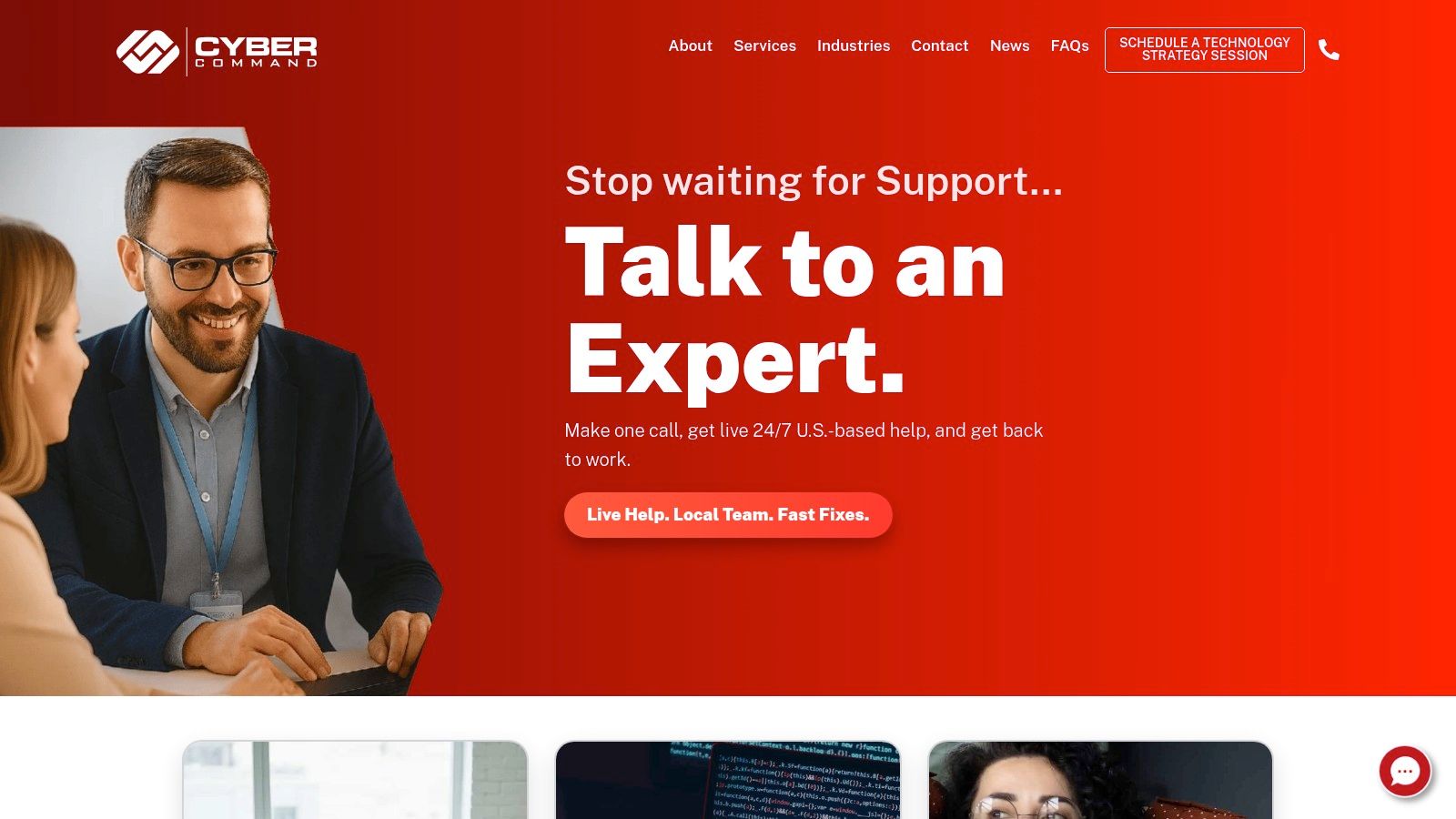
That doesn't mean every business needs the same stack or the same agreement. It does mean your next IT relationship should be judged by operational clarity, not sales language. If a provider can't define what happens during onboarding, after-hours incidents, security events, and major changes, they're not ready to support a growing Central Florida business.
The strongest outcome isn't “having IT covered.” It's having a partner that helps your business stay available, secure, and easier to run.
If you're evaluating Cyber Command, LLC, start with a direct conversation about your current risks, your support gaps, and what's included in ongoing service. A good fit should leave you with clearer accountability, fewer surprises, and a practical path to stronger uptime and security.