
Disaster Recovery Plan Template for Central Florida SMBs

A lot of Central Florida businesses are one bad day away from a long, expensive scramble.
It doesn’t have to be a headline event. Sometimes it’s a ransomware lockout on a Tuesday morning in Orlando. Sometimes it’s storm-related power loss that takes out connectivity, phones, and access to cloud systems right when payroll is due. Sometimes a small law firm in Winter Springs learns the hard way that “we back up everything” is not the same as “we can restore everything fast, in the right order, with clear owners.”
That’s where a disaster recovery plan template earns its keep. Not as a binder on a shelf. As a working document your team can follow under pressure, with enough structure to avoid chaos and enough flexibility to fit your environment, your compliance requirements, and your real-world risks.
For SMBs, the template matters even more. Many SMB teams lack a deep bench of internal IT specialists, and they cannot afford confusion during an outage. The plan has to tell people what to do, who approves what, what gets restored first, and how security response connects to recovery.
Why You Need a Disaster Recovery Plan Template
Hurricane season changes how Central Florida companies should think about recovery. A regional outage doesn’t just hit one server. It can disrupt office access, internet circuits, phones, vendor support, and staff availability at the same time.
Without a template, teams waste the first part of an incident making decisions they should’ve settled months earlier. Who leads the call? Which systems are Tier 1? Are backups clean? Who contacts clients if email is down? Which vendor owns the failover step? That delay is where damage grows.
A templated plan solves a simple but costly problem. It removes guesswork.
Organizations without a documented plan face average recovery costs exceeding $1 million for major incidents, while SMBs can reduce losses by 50 to 70 percent with standardized templates that define RTO and RPO. The same source also notes that 75 percent of untested businesses fail within two years of a major disruption (Secureframe on disaster recovery plans).
What a template changes during a real outage
A good template forces decisions before stress takes over. It standardizes:
- Recovery order: Which systems return first, and which can wait.
- Team ownership: Who leads infrastructure, security, communications, and vendor coordination.
- Escalation paths: When a technical outage becomes a legal, compliance, or client-notification event.
- Fallback operations: How staff keeps working when primary systems are unavailable.
Practical rule: If your team has to debate priorities during an outage, the plan isn’t finished.
For Orlando-area SMBs, this is rarely just an IT issue. Professional services firms depend on email, document access, and line-of-business apps to bill and serve clients. Medical practices have patient workflows and privacy obligations. Manufacturers and field-service companies need scheduling, inventory, and dispatch continuity.
A reusable template also helps multi-location companies stay consistent. The Plano office and the Winter Springs office may face different local conditions, but the structure for response, documentation, approvals, and testing should still be uniform.
If you’re still relying on tribal knowledge, spreadsheets, and “we’ll call our IT guy,” start with a documented framework and build from there. Cyber Command breaks down that business case in its guide on why it’s important to have a disaster recovery plan.
Preparing Your DRP Template
The strongest plans start before anyone fills in RTOs or backup schedules. They start with scope, ownership, and document control. If those pieces are weak, the rest of the plan turns into a paperwork exercise.

Effective DRP creation begins with a recovery team, a risk assessment, defined RTOs and RPOs, verified backups, and ongoing testing and refinement. Quarterly tests boost recovery times by 40 to 50 percent according to Seagate’s guidance on disaster recovery planning (Seagate DRP challenges and pitfalls).
Start with a scope that’s narrow enough to use
Most SMBs make one of two mistakes. They either write a plan so broad that nobody can execute it, or so technical that leadership can’t use it for decisions.
A practical scope statement should answer:
- Which locations are covered
- Which systems are in scope
- Which departments depend on them
- Which incidents activate this plan
- Which separate playbooks already exist
For example, a dentist with one office may keep one integrated document. A law firm with multiple offices may need a master plan plus separate appendices for each site, ISP, and key application.
Name real people, not job titles only
A template should list primary and backup owners for each recovery function. “IT Manager” isn’t enough if that person is unavailable.
Use a roster that includes:
| Function | Primary owner | Backup owner | What they decide |
|---|---|---|---|
| Incident lead | Named person | Named backup | Activates DRP and sets priorities |
| Infrastructure lead | Named person | Named backup | Servers, cloud, network, endpoints |
| Security lead | Named person | Named backup | Containment, evidence, access review |
| Communications lead | Named person | Named backup | Staff, clients, vendors, counsel |
| Business approver | Named executive | Named backup | Downtime trade-offs and spending approvals |
That last role matters. During recovery, somebody on the business side has to decide what’s acceptable. IT can restore systems. Leadership decides whether the business can operate on degraded service for a period, or whether a more aggressive failover is worth the cost and disruption.
Decide where the plan lives
A disaster recovery plan template is useless if it’s trapped behind the systems you’re trying to recover.
Keep copies in more than one place. Use a secure cloud document repository that key staff can access from outside the office. Keep an offline copy for critical contacts, vendor numbers, and basic recovery sequences. If your team collaborates in shared documents, follow solid document version control best practices so you don’t end up with three “final” plans and no confidence in which one is current.
Store the current plan where your team can reach it during an internet outage, an identity outage, and a facility outage. If one failure blocks access, it isn’t enough.
Build a simple project checklist
Before you customize the template, finish these setup tasks:
- Approve the owner who maintains the document.
- Collect current contacts for staff, vendors, internet providers, and cloud platforms.
- Pull system inventory for servers, SaaS apps, endpoints, and backup platforms.
- List business-critical processes such as intake, scheduling, billing, payroll, and client communications.
- Set a review calendar so the plan doesn’t go stale after the first draft.
That prep work isn’t glamorous. It’s what makes the template usable when the pressure is on.
Customizing Core Sections of Your Template
Generic templates usually cover infrastructure recovery well enough. Where they fall short is the handoff between restoration and security response. That gap matters for SMBs because ransomware doesn’t end when you restore a file server. You still need containment, validation, access review, and post-recovery monitoring.
That weakness shows up in current template content. Most DRP templates omit integration with 24/7 SOC threat hunting and incident response, even though ransomware attacks on SMBs rose 37 percent in 2025 and backups are targeted 96 percent of the time according to the verified source summary tied to Smartsheet’s template coverage (Smartsheet disaster recovery templates).
Write a scope statement people can actually follow
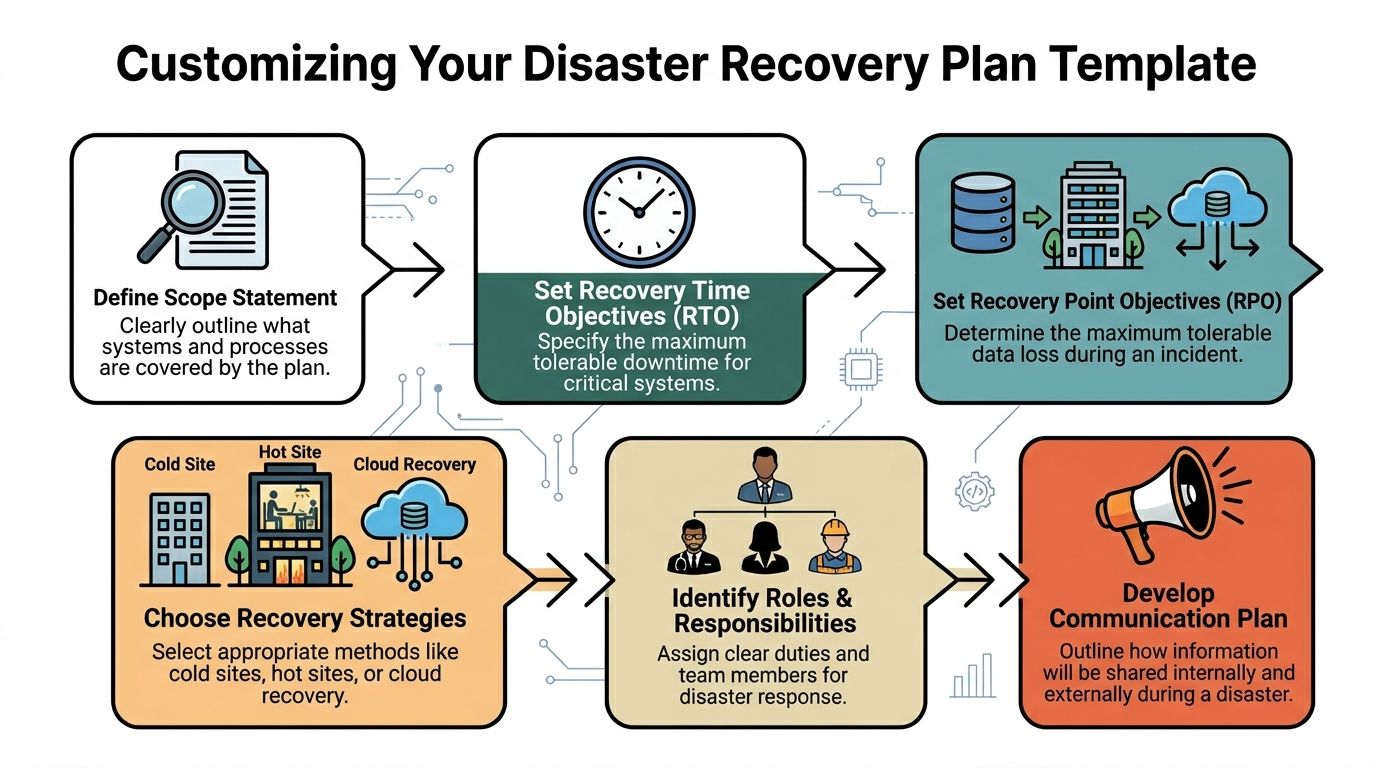
The first section should define what the plan covers in plain language.
A strong scope statement includes:
- Business units covered
- Locations covered
- Critical applications and data sets
- Dependencies outside your control
- Incidents that trigger the plan
- Incidents handled by a separate incident response playbook
A weak version says, “This plan covers company systems.”
A usable version says the plan covers production Microsoft 365 services, line-of-business applications, file storage, cloud backups, VPN access, endpoint management, and communications for the Orlando office and remote staff, with a separate cyber incident playbook referenced for active malware containment.
That distinction matters. During a storm outage, you may focus on connectivity and continuity. During ransomware, you need a recovery path that doesn’t restore infected systems back into production.
Set RTO and RPO by business process, not by server
Many SMBs still assign one recovery target to every system. That’s tidy on paper and wrong in practice.
RTO is the maximum acceptable downtime. RPO is the maximum acceptable data loss window. Those targets should come from the business impact of each process.
Use a table like this inside your disaster recovery plan template:
| Process or system | Business impact if unavailable | RTO | RPO | Notes |
|---|---|---|---|---|
| Email and calendaring | Client communication stops | Short | Short | Needed for internal coordination too |
| Practice management or case management | Scheduling and records access disrupted | Short | Short | Often tied to compliance workflows |
| File shares and document storage | Active work slows or stops | Moderate | Short to moderate | Depends on document volume |
| Accounting system | Billing delays, payroll risk | Moderate | Moderate | Timing matters around close and payroll |
| Archived data | Limited immediate impact | Longer | Longer | Recover after Tier 1 systems |
The point isn’t to force every SMB into aggressive targets. The point is to connect recovery objectives to actual business pain.
Choose recovery methods based on reality
Not every workload needs continuous replication. Not every budget supports hot standby. Some systems can come back from image-based backups. Others need near-current replication to keep the business moving.
Common recovery options
Image-based backups
Good for restoring servers and endpoints after hardware failure or corruption. Slower than replication, but often more affordable.Continuous or near-continuous replication
Better for systems where recent changes matter and downtime tolerance is low.SaaS-native recovery plus third-party backup
Useful when your core stack lives in Microsoft 365 or other cloud platforms. Native retention alone may not match your recovery needs.Cold, warm, or hot recovery environments
The right choice depends on application criticality, cost tolerance, and how often configuration changes.
A lot of businesses overspend on low-priority workloads and underspend on the systems that drive revenue. The template should force that conversation early.
Add runbooks that remove ambiguity
A disaster recovery plan template should contain short, system-specific runbooks. Don’t bury the execution details in a long narrative.
A runbook entry should include:
Trigger condition
What happened that starts this procedure.Owner and backup owner
Who runs the task and who takes over if needed.Prerequisites
Credentials, approvals, known dependencies, and tools.Recovery steps in order
Keep them short and sequential.Validation checks
How the owner confirms recovery succeeded.Security sign-off
What must be reviewed before the system is reopened to users.
The fastest restore isn’t always the right restore. If the security review is missing, you may bring the same threat back online with the system.
Include a SOC handoff section
Many templates fall short at this juncture.
You need a defined handoff between infrastructure recovery and security operations. That handoff should answer:
- Has the root cause been contained?
- Have privileged accounts been reviewed?
- Are restored systems being monitored for persistence or reinfection?
- Which logs must be retained?
- Who approves reconnecting restored systems to production?
For businesses that use an MSP or co-managed model, this is also the place to document responsibilities. Cyber Command, LLC is one example of a provider that combines managed recovery support with a 24/7 SOC, helpdesk, and compliance operations for SMB environments. In a co-managed setup, the template should spell out exactly where internal staff stops and provider-led response begins.
Build communication scripts before you need them
Most outages get harder because communications lag. Staff doesn’t know whether to work from home, clients hear rumors before receiving a status update, and vendors aren’t called until too late.
Create prewritten message categories:
- Internal staff notification
- Leadership update
- Client service advisory
- Vendor escalation request
- Compliance or counsel notification
Keep them short. Name the approver for each one. Add offline alternatives if email and collaboration tools are unavailable.
There’s a useful lesson in physical disaster response too. A practical checklist such as Restore Heroes’ 10 critical steps for house fire recovery works because it sequences urgent actions clearly, separates safety from salvage, and reduces decision fatigue. A good IT recovery communications plan should do the same.
Don’t forget the vendor directory
During a real event, nobody should have to search old emails for account numbers, support portals, or after-hours escalation contacts.
Your template should include:
- Internet and telecom providers
- Cloud and SaaS vendors
- Backup and recovery platforms
- Managed security and SOC contacts
- Building management and utility contacts
- Legal, insurance, and compliance contacts
For Orlando-area SMBs, also note whether a vendor has regional dependencies. Some providers look redundant on paper but route support, connectivity, or logistics through the same impacted area.
Conducting Risk Assessment and Business Impact Analysis
The best disaster recovery plan template isn’t the prettiest one. It’s the one built from an honest risk assessment and a business impact analysis that leadership agrees with.
Modern templates trace back to NIST SP 800-34 from 2001, and current frameworks commonly target restoring critical services within 4 hours and full recovery within 8 to 24 hours. The same verified source notes that 60 percent of SMBs suffer irrecoverable data loss without templates, and that quarterly simulations can raise success rates from 50 percent to 95 percent (Micro Focus disaster recovery planning template).
Rate hazards the way your business actually operates
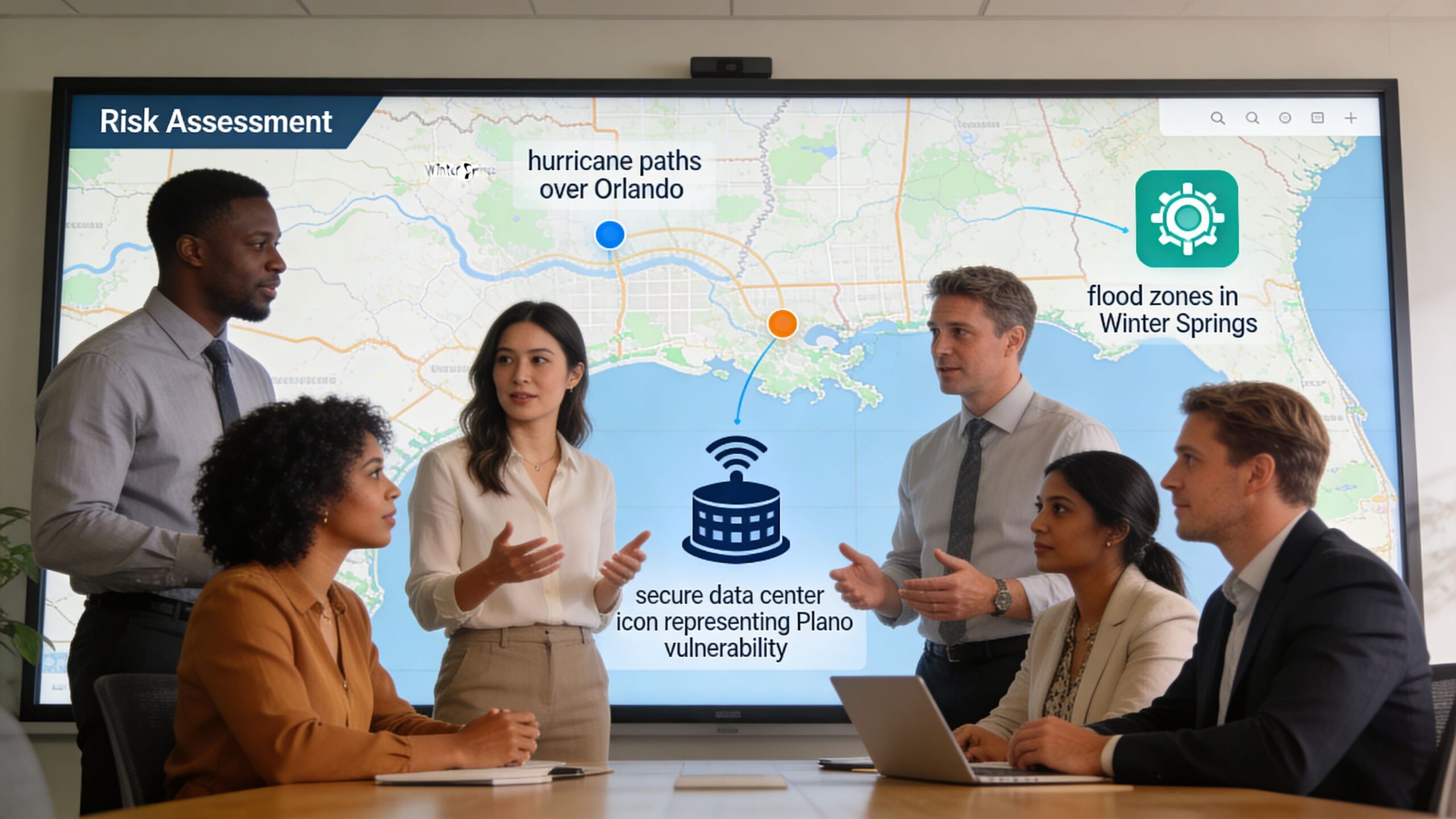
For Central Florida, the risk workshop should include both regional hazards and operational ones. Hurricanes and severe weather belong on the same worksheet as ransomware, internet failure, cloud platform issues, vendor outages, and human error.
Use a simple matrix with two dimensions:
| Hazard | Likelihood | Business impact | Notes |
|---|---|---|---|
| Hurricane-related office disruption | High in season | High if staff and connectivity are local | Check remote work readiness |
| Flooding or building access issue | Location dependent | Moderate to high | More severe for single-site firms |
| Ransomware | High concern for SMBs | High | Recovery must include security validation |
| ISP outage | Moderate | High for cloud-heavy firms | Identify secondary connection options |
| Core SaaS outage | Moderate | Moderate to high | Need workaround procedures |
| Accidental deletion | Common operational risk | Varies by data type | Recovery depends on retention and backups |
This process goes wrong when teams rank hazards by fear instead of business effect. Leadership may worry most about storms, while the business is more exposed to identity compromise, backup failure, or a key SaaS dependency.
Translate risk into business tiers
A business impact analysis asks a harder question than “what could fail?” It asks, “what hurts first, and how badly?”
Start with business functions, not infrastructure:
- Client intake or patient scheduling
- Billing and payment processing
- Document access and collaboration
- Line-of-business application workflows
- Voice communications and customer support
- Field coordination or dispatch
Then map each function to the systems, vendors, and people it depends on. Hidden dependencies emerge through this process. A practice may think its EHR is the most critical system, only to discover staff can’t access it without identity services, MFA, stable internet, and functioning endpoint devices.
A BIA should expose operational choke points. If it only lists servers, it isn’t finished.
Ask the finance question early
Even when you don’t assign a precise number to every hour of downtime, leadership still needs to classify impact in business terms:
- Lost billable work
- Delayed patient or client service
- Payroll interruption
- Contract or SLA exposure
- Reputational damage
- Compliance review or breach response
That conversation helps settle RTO and RPO debates faster than technical arguments do.
For firms that want a structured process, Cyber Command’s guide on how to conduct a cyber security risk assessment is a useful companion to the DRP worksheet because it forces teams to document assets, threats, controls, and gaps in one place.
Use the BIA to guide prevention, not just recovery
This is the part many teams skip. If the BIA shows that one internet circuit, one building, one privileged account group, or one untested backup chain can stop the business, fix that before the next event.
That may mean better endpoint management, stronger backup verification, more resilient communications, clearer vendor escalation, or continuous monitoring from a SOC team that stays engaged through both containment and recovery.
A strong template doesn’t just tell you how to recover. It reveals where you’re too fragile.
Testing and Exercising Your DRP
A plan that hasn’t been tested is mostly a theory.
That sounds blunt, but the numbers support it. Untested DRPs fail in 80 percent of incidents, while regular testing pushes success rates over 90 percent. The same verified benchmark summary says 60 percent of SMB backups are unverified, and inadequate communication can delay recovery by more than 24 hours in 40 percent of cases (ClearFuze on IT disaster recovery plans).

Use three levels of exercises
Not every test needs to be a disruptive failover. Good programs use a mix.
Tabletop exercises
These are discussion-driven. Leadership, IT, operations, and communications walk through a realistic incident and explain what they’d do.
Tabletops are useful for:
- Role clarity
- Escalation timing
- Vendor coordination
- Communications approvals
- Finding missing dependencies
They’re low-risk and easy to schedule. They also expose whether the plan is readable by nontechnical leaders.
Technical simulations
These simulations validate actual restoration steps. Recover a system into a test environment. Confirm access, dependencies, and data integrity. Review timing against your defined objectives.
These tests catch issues that paper reviews miss, such as:
- Wrong credentials in the runbook
- Incomplete backup jobs
- Expired certificates or licenses
- Application dependencies restored in the wrong order
- Security tools blocking recovery steps unexpectedly
Full or partial failover drills
These are the closest thing to reality. A planned cutover, limited failover, or segmented recovery exercise proves whether the business can operate on the recovery path you documented.
These drills require more planning, stronger change control, and executive support. They're worth it for critical systems.
Put a cadence on the calendar
A disaster recovery plan template should contain the testing schedule, not just generic language about “regular review.”
A practical SMB cadence often looks like this:
| Timeframe | Exercise type | Main goal |
|---|---|---|
| Quarterly | Tabletop | Review scenarios, roles, and communications |
| Quarterly or semiannual | Technical restore validation | Prove backups and runbooks work |
| Annual | Larger simulation or failover | Validate business operations on recovery path |
| After major change | Targeted retest | Confirm new systems or vendors fit the plan |
This schedule matters because environments change constantly. New SaaS tools get added. Office moves happen. Staff turnover breaks call trees. Security controls evolve. A plan that matched the environment last year may be misleading now.
Test scenarios that fit Orlando-area SMB reality
Don’t run generic drills only. Test the combinations that occur.
Good scenarios include:
- Regional weather event plus ISP outage
- Ransomware on endpoints with suspected backup targeting
- Identity outage that blocks cloud admin access
- Primary office unavailable while remote staff must continue operations
- Critical vendor support delayed during a broader regional event
Those mixed scenarios are where weak plans collapse. A business may survive a server failure. It may survive a building issue. It may not survive both at once if the runbook assumes normal staffing, normal connectivity, and normal vendor response.
Test the environment you have, not the one you wish you had.
Measure more than “did it come back”
A useful test report captures operational detail, not just pass or fail.
Track:
- Time to declare the event
- Time to assemble the team
- Time to start restoration
- Time to user access
- Actual data gap at recovery
- Communications timing and approval delays
- Security review completion before reopening systems
For leadership, summarize test results in business language. Did the firm preserve client service? Did billing continue? Were staff able to work from alternate locations? Did the communication plan hold up?
Run an After Action Review every time
The test isn’t done when systems recover. The most valuable part is the review afterward.
An After Action Review should capture:
- What worked as written
- What failed or slowed the response
- Which contacts were outdated
- Which systems had hidden dependencies
- Which decisions required executive input
- Which steps belong in a separate cyber incident playbook
- What needs to be updated in the template
Assign owners and due dates to the fixes. If the AAR becomes a discussion with no tracked action items, the same weaknesses will show up during the next event.
If you need a structured process to validate your plan, Cyber Command’s walkthrough on how to test a disaster recovery plan is a practical reference for building tabletop exercises and recovery validation into a repeatable routine.
Watch for the common failure points
In SMB environments, the same issues appear again and again:
Unverified backups
Teams assume backup success equals restore success.Single-person dependency
One admin knows the process, and nobody else can execute under pressure.Outdated contact lists
Old cell numbers and stale vendor contacts slow everything down.Recovery without containment
Systems get restored before the threat is fully understood.Overly complex documentation
The plan is technically complete but too dense to use during a live event.
The fix usually isn’t a bigger document. It’s a clearer one.
Meeting Compliance and Security Requirements
Compliance doesn’t sit beside recovery planning. It runs through it.
For medical practices, law firms, financial services businesses, and community organizations, the disaster recovery plan template should map recovery actions to the controls you already have to prove. Auditors and regulators usually want to see the same basics: documented responsibilities, controlled access, backup and restoration procedures, test evidence, change history, and incident documentation.
Match requirements to plan artifacts
Instead of keeping compliance in a separate binder, tie each requirement to a document or record inside the plan set.
A simple mapping looks like this:
| Requirement area | DRP evidence to keep |
|---|---|
| Access control | Role matrix, privileged account review, emergency access procedures |
| Data protection | Backup policy, restore logs, retention notes, validation records |
| Incident response | Escalation workflow, containment handoff, communications log |
| Business continuity | BIA, recovery priorities, alternate work procedures |
| Governance | Version history, approvals, review dates, test reports |
That structure helps a lot during audits. Instead of answering with general statements, you can point to the exact document, owner, and last review date.
Build compliance into the workflow
For HIPAA, PCI, FINRA, or contract-driven security obligations, the practical questions are usually operational:
- Who approves emergency access?
- How are backup restores logged?
- Where is evidence of testing retained?
- Who reviews security alerts during recovery?
- When does legal or compliance get pulled in?
- How are changes to the plan documented?
Those tasks belong in the template itself, not in somebody’s memory.
Include the security layer during recovery
A compliance-ready plan should also show that recovery doesn’t bypass security controls. That means documenting:
- Access review before reopening systems
- Endpoint and server validation after restoration
- Log retention for incident review
- SOC monitoring during the recovery window
- Executive sign-off where regulated data is involved
For regulated SMBs, that last point matters. The business may be desperate to restore operations, but reopening too quickly can create a second incident, especially if the original issue involved ransomware, unauthorized access, or sensitive records.
Auditors rarely care that recovery felt stressful. They care whether your team followed a documented process and kept evidence.
Keep a review rhythm
A compliant plan is a living one. Update it when you add offices, replace line-of-business systems, change backup platforms, shift vendors, or change who owns critical functions.
Quarterly business reviews are a good place to do that qualitatively. Leadership already has the right people in the room. Use that time to confirm contacts, system changes, test results, and open action items from prior exercises.
Conclusion and Next Steps
A solid disaster recovery plan template does two jobs at once. It gives your team a clean execution path during an outage, and it forces the business to make recovery decisions before stress, confusion, and downtime start stacking up.
For Central Florida SMBs, that plan has to reflect reality. Storm exposure is real. So is ransomware. So are phone failures, vendor delays, identity problems, and the everyday operational mistakes that can cripple a small business just as fast as a major event.
The practical version isn’t complicated. Define scope. Name owners. Set realistic RTO and RPO targets. Document recovery methods. Add communication scripts. Build SOC handoffs into the runbooks. Test the plan often enough that people trust it. Then update it whenever your environment changes.
If you’re starting from scratch, begin with a lean draft. Don’t wait for the perfect document. A usable plan with current contacts, business priorities, and recovery order is far better than a polished template nobody can execute.
A short starter checklist is enough to get moving today:
- List your critical systems and business processes
- Name primary and backup recovery owners
- Document where backups live and how restores are verified
- Write a first-pass communications list
- Schedule your first tabletop exercise
- Review hurricane-specific dependencies before the next storm event
- Add security validation steps before restored systems go live
The businesses that recover well usually aren’t the ones with the biggest IT teams. They’re the ones that decided in advance how recovery works.
If your organization needs help building or testing a disaster recovery plan template for Orlando, Winter Springs, or North Texas operations, Cyber Command, LLC can support the process with managed IT, co-managed IT, backup and recovery planning, and 24/7 SOC-driven incident response aligned to SMB environments.