Cloud Migration Orlando: A 2026 Roadmap for SMBs


If your Orlando business is still treating cloud migration like a future project, you're already behind. The companies I see moving fastest aren't chasing novelty, they're trying to get out of aging server rooms, reduce outage risk before storm season, and stop paying for infrastructure that can't keep up with remote work, client demands, or seasonal swings in activity.
For many Central Florida owners, the question isn't whether to move. It's whether you can move without breaking security, blowing up the budget, or discovering too late that your recovery plan was just a slide deck.
Table of Contents
- Why Orlando SMBs Are Moving to the Cloud in 2026
- Running a Central Florida Readiness Assessment
- Choosing the Right Migration Approach for Your Workloads
- Building Security and Compliance Into the Migration
- Testing, Cutover, and Rollback Discipline
- Resilience Built for Florida Weather and Orlando Demand Swings
- Post-Migration Support and Managed Pricing Models
Why Orlando SMBs Are Moving to the Cloud in 2026
A 40-person firm in Lake Mary with hybrid staff, client deadlines, and a server closet that overheats every summer isn't looking for a tech fad. It's trying to protect billing, email, document access, and client trust when the building loses power or the hardware starts failing at the worst possible moment. That's what cloud migration Orlando leaders are really buying, less fragility and more operational control.
The market backs up the direction of travel. MarketsandMarkets estimated the global cloud migration services market at USD 10.2 billion in 2023 and projected USD 29.2 billion by 2028, a 23.3% CAGR (MarketsandMarkets). Independent cloud statistics in the same verified data set also show that 94% of enterprises now use cloud services and 72% of workloads run in cloud environments (MarketsandMarkets). That's not experimentation anymore. That's the operating model.
What a good migration actually looks like
A successful move isn't just lifting servers into another environment. It starts with a readiness assessment, then workload classification, then a landing zone, then migration waves, then cutover, then validation, then ongoing cost and security oversight. Skip any one of those and you end up with a more expensive version of the same mess.
Practical rule: if a vendor starts with the tool and ends with the tool, you're buying motion, not a migration.
For Orlando SMBs, the right mindset is simple. Treat cloud as a business continuity and growth decision, not a hardware replacement. The rest of the work only makes sense if it protects uptime, preserves compliance, and gives you room to scale without buying another server room you'll hate in three years.
Running a Central Florida Readiness Assessment
The readiness assessment is where bad migrations get exposed early, and that saves money. You want the hard answers before anyone touches production. Map every dependency, identify what each app talks to, and decide which workloads can move first and which ones need a slower path.
Start with a full inventory. List every application, file share, database, authentication dependency, third-party service, and contract tied to the current environment. Then classify each workload by criticality, because a payroll app, a case-management database, and a shared file store do not belong in the same migration wave.
Score workloads before you pick a wave
Use a simple scorecard tied to business impact, user dependency, compliance exposure, and outage tolerance. The point is to remove opinion from the sequence. If a workload supports revenue, regulated data, or a deep chain of dependent systems, it gets more testing and a later wave. The easy migrations go first, the risky ones wait until the team has proof.
| Workload Readiness Scorecard | |||
|---|---|---|---|
| Criticality Tier | Examples | Migration Wave | Test Depth |
| Tier 1 | Core practice systems, regulated records, primary databases | Last wave | Full dress rehearsal, rollback validation, stakeholder sign-off |
| Tier 2 | Department apps, shared document systems, line-of-business tools | Middle wave | Pre-cutover validation, user testing, dependency checks |
| Tier 3 | Email, collaboration, low-risk file stores, noncritical utilities | First wave | Basic functional test, login test, backup verification |
Don't ignore Florida-specific conditions
Orlando planning is not the same as planning in a flat-demand market. Visit Orlando's data resources remind local businesses to watch tourism and local market shifts, and Orlando-area demand can swing with tourism, events, and academic calendars (Visit Orlando). That matters because the team that is buried in March may have room for a risky migration in late summer, or the reverse.
Hurricane season changes the math. The Orlando-focused buyer guidance calls out continuity planning from June through November and expects a tested recovery plan, not a promise. If your readiness review does not include outage scenarios, recovery time expectations, and who approves rollback, the review is incomplete. That is how Orlando firms burn budget, they treat weather risk like a footnote and then scramble when the forecast turns.
Use the assessment to decide whether the business can absorb the move without risking uptime. For healthcare, professional services, and any operation that lives on client trust, compliance and recovery planning belong in the first pass, not the cleanup phase. If the review cannot show that the business will stay available under stress, the migration is not ready.
Bottom line: readiness is about proving that the business can handle the change. If you cannot show that, do not migrate yet.
Choosing the Right Migration Approach for Your Workloads
Not every workload should move the same way. That's where SMBs waste money, they pick a single migration style and force every application through it. Bad fit, bad economics, bad outcomes. The right move depends on how old the app is, how tied it is to other systems, and whether the business needs it to behave differently after the move.
Lift and shift, replatforming, or refactoring
Lift and shift works for basic file and app servers where the goal is speed and risk reduction. It's the least disruptive path, but it's not automatically the cheapest. The verified data is clear that lift-and-shift projects can cost 10% to 30% more than on-premises in the first year if they aren't paired with optimization, while well-planned migrations may only start delivering 20% to 35% savings in year three and beyond (Cyber Command cost savings analysis). That's why cheap-looking plans often burn budget early.
Replatforming sits in the middle. It suits line-of-business applications with database dependencies, licensing complexity, or performance issues that need moderate modernization. I like this path for firms that want cleaner operations without rewriting everything. Refactoring is for platforms that need modern architecture to scale. If the app is strategic and the current design is holding it back, that's where the engineering effort belongs.
A simple decision matrix
- Lift and shift: move it as-is when the workload is stable, low-risk, and mostly about accessibility or data-center exit.
- Replatform: adjust the app or database layer when the current design is functional but inefficient.
- Refactor: rebuild when the workload is central to growth, scaling, or long-term resilience.
For multi-location Orlando firms, sequence matters. Move one site or one department wave at a time so you don't pay for duplicate infrastructure longer than necessary. That's how co-managed teams keep the business running while they retire old systems in controlled steps.
You can also use the AWS planning asset here as a visual prompt for architecture review, but the actual decision still belongs to your workload inventory and migration scorecard, not to a vendor diagram. AWS planning reference
Building Security and Compliance Into the Migration
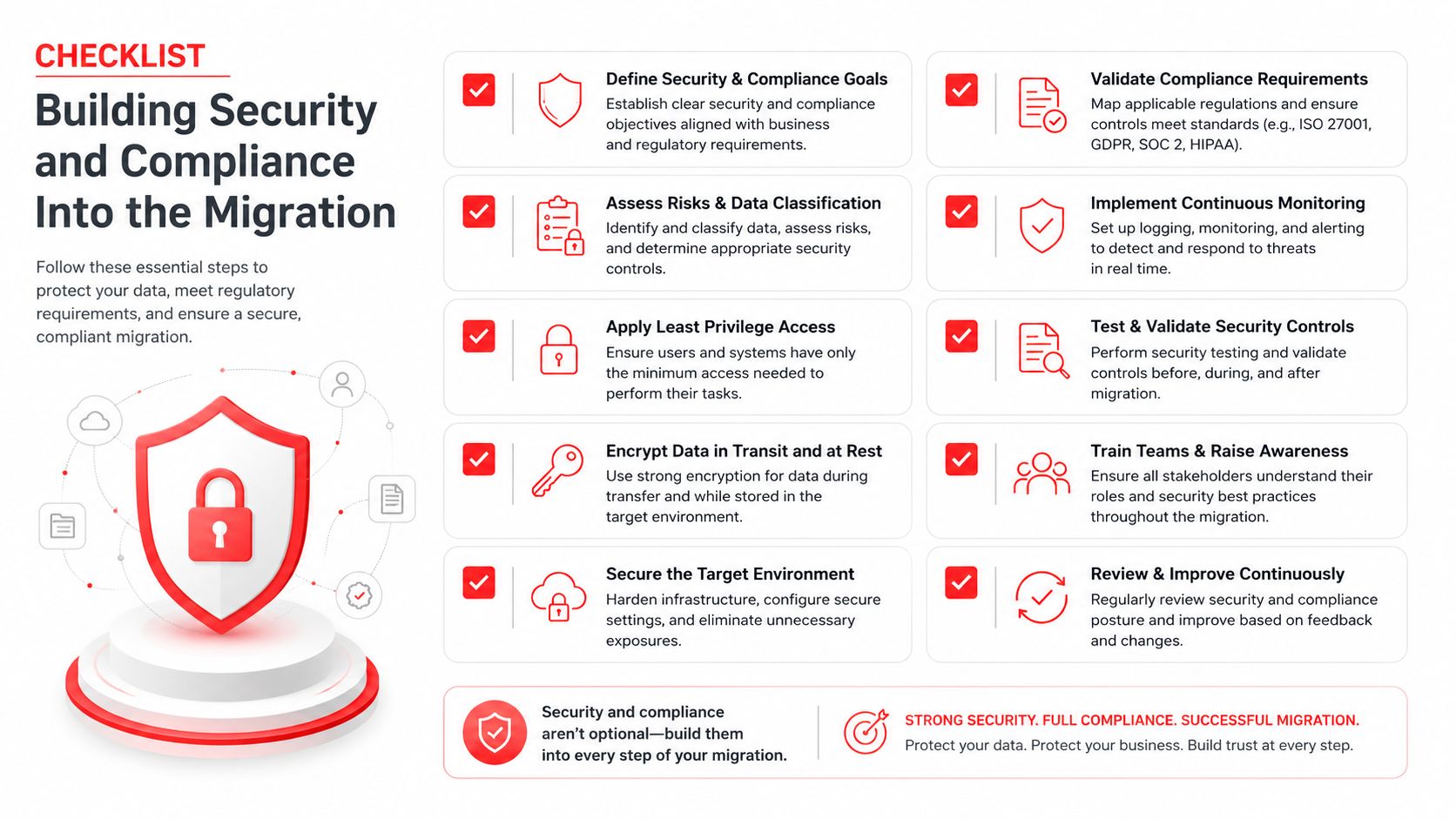
Security belongs in the first migration plan, not in a cleanup project after go-live. If identity, encryption, logging, and access rules are missing before cutover, you are just relocating risk to a new cloud account. That is how Orlando firms end up with audit trouble and incident response chaos.
Put controls in the design, not after go-live
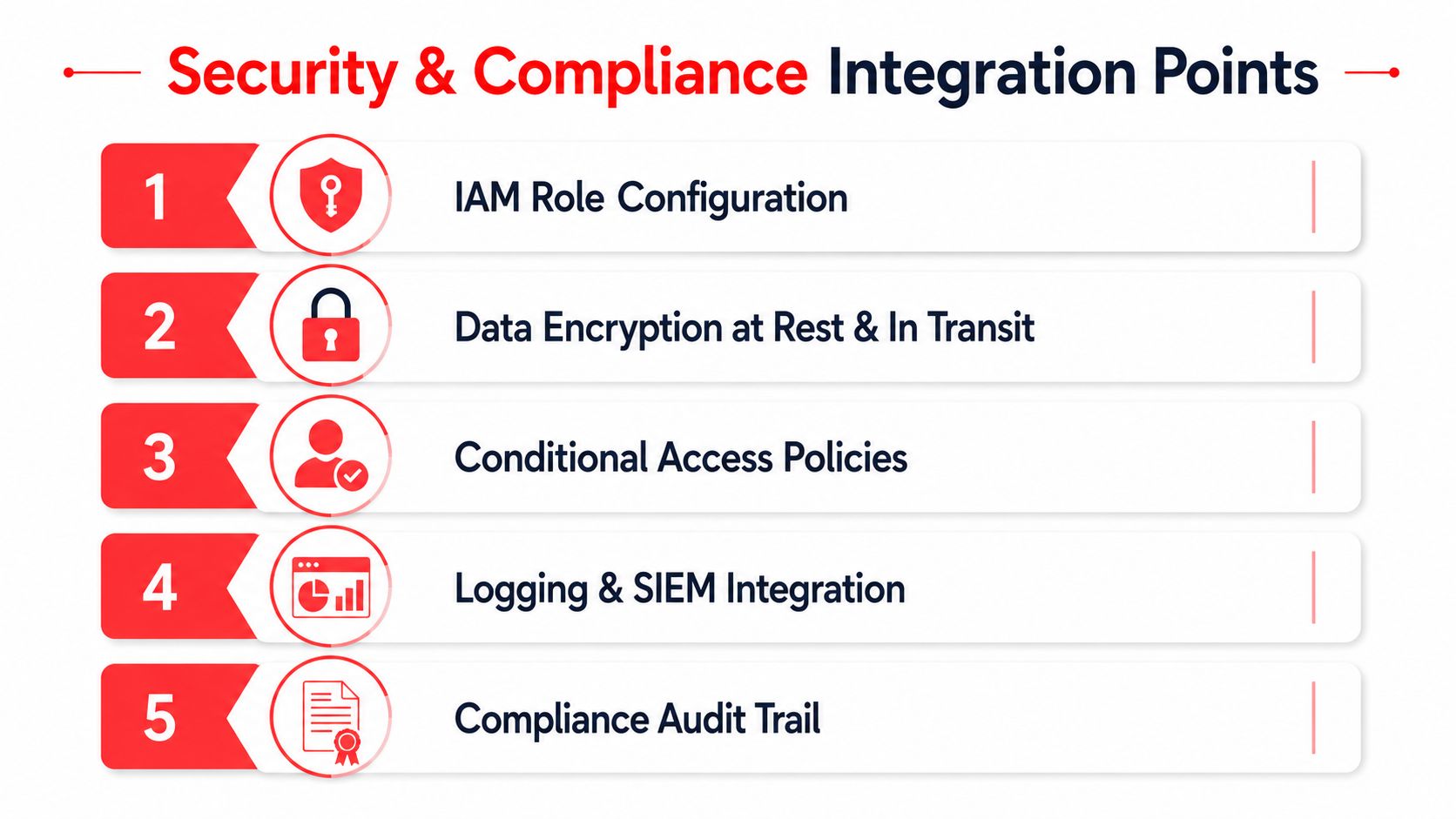
Start with IAM role configuration, because access mistakes are cheaper to prevent than to unwind. Then require encryption at rest and in transit, add conditional access policies for teams splitting time between offices, homes, and client sites, and wire up logging and SIEM integration so you have a record when something goes wrong.
The visual checklist below shows the order that works.
Orlando SMBs need to treat compliance as part of day-to-day operations. Medical and dental practices dealing with HIPAA-adjacent obligations need controlled access and proof of recovery. Law firms and accounting practices need tight confidentiality handling. Financial and tax firms need documented safeguards and audit-ready evidence. In Central Florida, that is not theory. It is basic operating discipline.
If a control can't be explained, documented, and verified, it isn't a control.
A 24/7 SOC and a documented incident response plan belong in the migration runbook, not in a binder nobody opens. The budget mistake here is easy to spot. MedhaCloud notes that the average cost to migrate a mid-market company's workloads to cloud is $280,000, including services, tooling, and first-year costs. Spend that money without a security plan, and you buy a longer recovery when something breaks.
For a practical local reference point, Cyber Command, LLC provides managed IT and cybersecurity support, including 24/7 SOC coverage, incident response, and cloud services. If you need a visual reminder of how those controls fit together, review the Cyber Command visual reference. Build the controls first, then move the workloads. The Seamless site migration for local businesses checklist is the right final pass before cutover.
Testing, Cutover, and Rollback Discipline
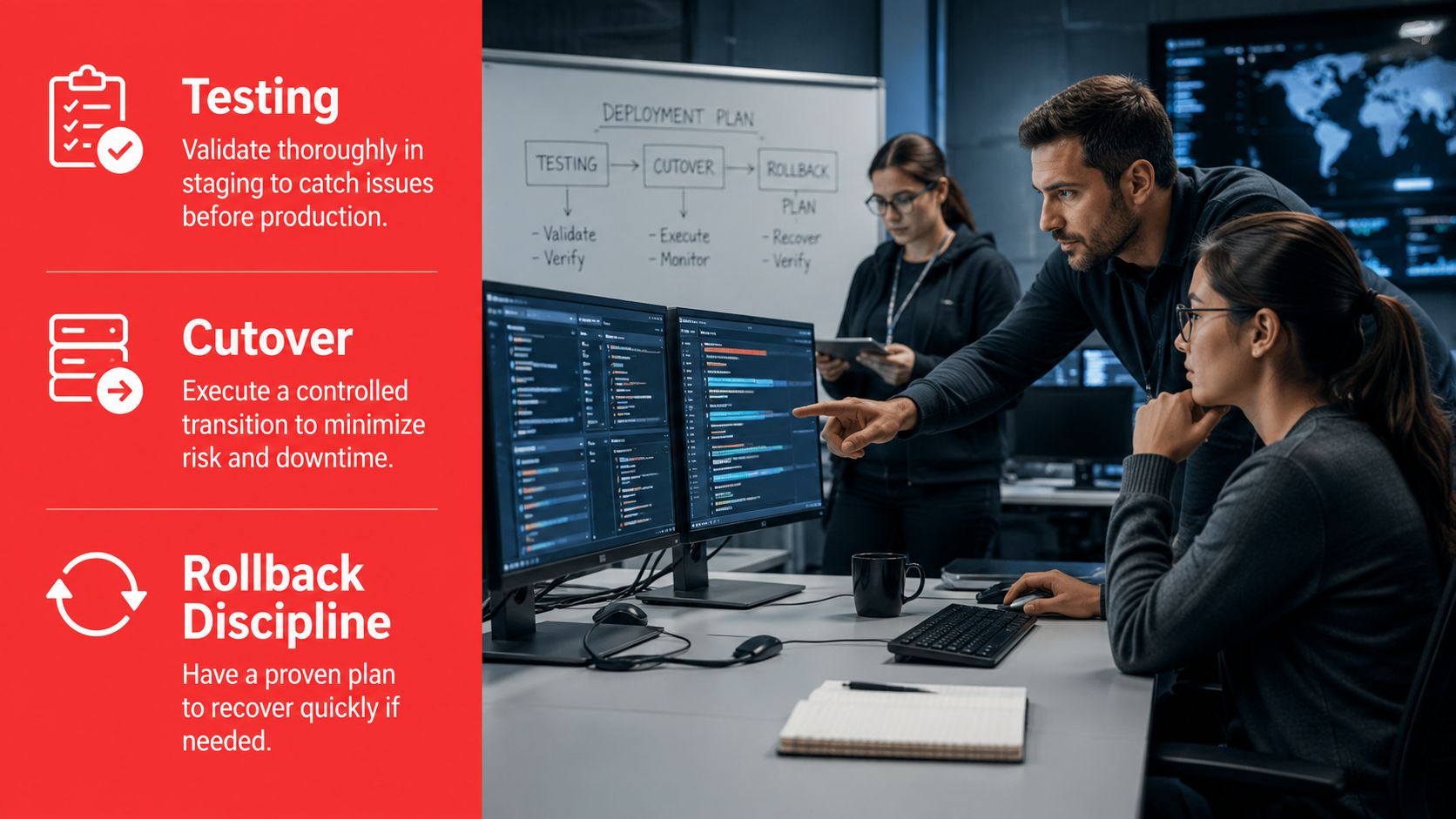
The smooth go-live is never an accident. It comes from wave planning, validation scripts, and a rollback decision that everyone signed before the weekend started. If those things aren't written down, somebody will improvise under pressure, and that's how clients get locked out on Monday morning.
Cut over in waves, not in hopes
The least critical workloads move first. Each wave needs a dry run against production-shaped data, which means enough realism to expose permission issues, broken integrations, and slow authentication. Don't test against toy data and call it readiness. That just gives you false confidence.
Your bridge call should include the IT lead, the application owner, the vendor partner, and the executive sponsor. Each person has a job. The IT lead watches technical execution, the app owner verifies business function, the partner handles platform issues, and the executive sponsor makes fast decisions when a rollback threshold is reached.
- Pre-cutover checks: confirm backups, confirm access, confirm dependencies, confirm monitoring.
- Communication checks: tell staff what will change, when it changes, and what to do if they hit an error.
- Rollback checks: define the exact symptoms that trigger reversal, and make sure the team knows who can call it.
For a broader operational checklist, the Seamless site migration for local businesses resource is useful for thinking through sequencing, validation, and communication. The point isn't that every migration looks the same, it's that good migrations respect the same discipline.
Measure the project against the baseline
Use a baseline that tracks ROI, downtime, productivity, and infrastructure burden. One published ROI framework recommends a three- to five-year horizon and continuous monitoring of actual cloud spend versus forecast so teams can right-size resources after launch (IJIRMPS). That's the right way to defend the project after the excitement wears off.
Write the rollback rules before cutover begins. If the team has to debate them while users are waiting, the migration was underplanned.
Resilience Built for Florida Weather and Orlando Demand Swings
Cloud migration in Orlando gets judged in the world, not in a slide deck. The question is simple. Will your systems stay up when a storm knocks power around, when traffic spikes without warning, or when key staff are scattered and working under pressure? A migration that cannot answer those questions burns budget and buys risk.
Ask harder questions about recovery
Recovery planning has to start with the ugly details. Ask whether the provider has a tested recovery time objective, a tested recovery point objective, and a recent failover drill that was run under conditions close to reality. A stated RTO or RPO means nothing if the team has never proven it with an actual cutover test.
The visual below captures the resilience mindset Central Florida leaders need.
Orlando businesses also have to plan for uneven demand without pretending it is only a tourism problem. Convention weeks can push help desks, payment systems, and line-of-business apps harder than a normal work week. Spring break travel surges can do the same to customer-facing systems, especially when online bookings, remote staff access, and reporting jobs all hit at once. Your capacity plan should account for those spikes before they expose weak storage, slow failover, or a backup window that collides with peak activity.
That is why resilience drills need timing discipline. Run failover tests outside the periods when your operations are already stressed, and do not schedule them just because the calendar is open. If a managed partner cannot show the results of the last drill, they are selling comfort, not continuity. The right partner documents the test, fixes the weak point, and shows you exactly what changed.
For teams that want a live, accountable support model, dedicated live support has to be part of the conversation, because resilience is not a once-a-year exercise. It is constant monitoring, clear escalation, and fast action when a fault appears.
Resilience is proven in a drill, not in a proposal.
Post-Migration Support and Managed Pricing Models
The first 90 days after cutover determine whether the migration becomes an operating advantage or a new source of noise. Leaders need steady support, tight reporting, and pricing they can budget against. If the bill keeps changing every month, the move didn't really solve the problem.
Choose the support model that matches your size
Break-fix is the old habit, call only when something breaks, then react under pressure. Co-managed support works when your internal team can handle some work but needs help with monitoring, cloud oversight, security, and after-hours coverage. Fully managed support fits businesses that want one accountable partner to own the environment end to end.
Cyber Command, LLC fits naturally into that conversation because it offers 24/7/365 live, U.S.-based helpdesk, fully managed and co-managed IT, cloud services, a dedicated SOC, and transparent reporting. That matters after migration, because the environment still needs someone watching spend, security, and uptime, not just answering tickets.
Track the right KPIs after go-live
- Uptime: are the core systems available when staff need them?
- Ticket trends: are issues falling after the first few weeks, or lingering?
- Security incidents: are access problems, alerts, or suspicious events being caught early?
- Cloud spend variance: is usage staying close to forecast?
- User satisfaction: are employees able to work without constant workarounds?
The internal support model should include a visible review cycle, especially when the migration touches compliance-heavy departments. A local partner that can handle licensing, vendor management, patching, and recovery support keeps the environment from drifting back into chaos. Live support reference
If you're still juggling outages, storm risk, and rising support tickets, stop treating cloud migration like a one-time project. Talk to Cyber Command, LLC about a migration plan that puts readiness, security, and resilience first, then keeps supporting the environment after cutover.