A lot of Orlando owners don't worry about backup until the day they can't open QuickBooks, the shared drive won't mount, or a storm knocks power around just long enough to corrupt something important. The pattern is common. Operations stop first, then the questions start. What was backed up, where is it, how long will restore take, and who's responsible for getting the business moving again?
That's why Data Backup and Recovery in Orlando FL shouldn't sit in the “IT maintenance” bucket. It belongs in the same category as payroll continuity, client communication, and revenue protection. In Central Florida, weather risk, ransomware exposure, and industry compliance all collide with one practical issue: how fast you can restore the systems your team uses.
The Threat Is Local An Introduction to Data Risk in Orlando
A summer afternoon storm rolls across Orlando. Power flickers. Your office internet comes back, but the server doesn't. Or it's Monday morning, your front desk logs in, and a ransom note replaces access to scheduling, documents, and billing. In both situations, the first mistake many companies make is assuming backup equals recovery.
It doesn't.
A critical question is how long restoration takes, how much data you lose, and whether the restored environment is clean, complete, and usable. A backup that exists but hasn't been tested is just a theory. A cloud copy that takes too long to pull back down may protect the file, but it may still fail the business.
According to Unitrends' 2025 backup and recovery survey, only about 40% of organizations could recover lost public-cloud data within hours, while around 30% expected it to take days. For an Orlando business, that gap can turn a manageable disruption into cancelled appointments, missed deadlines, delayed payments, and a lot of client frustration.
What failure looks like in practice
A few examples come up again and again in real environments:
Operations stop before leadership gets a clear answer. Staff can't work, but nobody knows whether restore will take minutes, hours, or most of the week.
Critical apps depend on more than files. Restoring a folder isn't the same as restoring a line-of-business database, permissions, and application dependencies.
Cyber incidents change the rules. If ransomware touched the environment, you can't just restore blindly. You need to know the backup is usable and not contaminated.
Backups protect data. Recovery protects the business.
Why Orlando changes the discussion
Local context matters. Orlando businesses often run lean teams, depend on shared systems, and serve customers who expect immediate response. Medical practices can't lose access to patient schedules. Law offices can't stall document access during active matters. Multi-site service companies can't send crews out blind.
That's why a practical backup strategy starts with a business question, not a storage question. If your systems disappear this afternoon, how long can you afford to operate without them?
Why Orlando Businesses Need a Resilient Recovery Strategy
A resilient recovery plan isn't a luxury item for large enterprises. It's basic operational protection for any Orlando company that relies on digital systems to take payments, deliver service, communicate with customers, or meet compliance duties.
Three risks drive the need for it locally: weather, cyberattacks, and ordinary mistakes.
Weather hits faster than most plans account for
Central Florida firms don't need a direct hurricane strike to have a bad day. Severe thunderstorms, power instability, and localized flooding are enough to knock systems sideways, especially if everything depends on a single site or a cloud restore that takes too long.
A cited Central Florida weather-related analysis states that industrial firms in the region average 4.2 hours of downtime per storm event due to recovery delays. That's discussed in this Orlando backup and disaster recovery overview. Even if your company isn't industrial, the lesson applies. If the business needs immediate access to files, scheduling, ERP, or dispatch data, cloud-only recovery can become a bottleneck when speed matters most.
Cyber risk makes backup part of security
Ransomware recovery isn't only about having copies of data. It's about having clean copies, isolated copies, and a process for restoring without rebuilding chaos. Good backup architecture limits damage. Bad backup architecture preserves the mess somewhere else.
That's also why a backup discussion should include incident response. If your team hasn't thought through isolation, restore order, and communication, this practical guide on how to recover from a ransomware attack is worth reviewing before you're in the middle of one.
Practical rule: If a provider talks more about storage size than restore process, ask harder questions.
Human error is still the daily threat
Not every outage starts with weather or a criminal. Files get deleted. Shared folders get overwritten. A sync job removes the wrong version. An employee saves data in the wrong place and assumes “the cloud” handles the rest. Small incidents happen more often than dramatic ones, and they still cost time and money.
That's where layered design matters most. Many businesses benefit from combining local recovery speed with off-site resilience. If you're comparing service structures, this overview of reliable corporate data backups is a useful outside reference because it frames backup as a continuity function, not just a storage expense.
What a resilient plan actually changes
A solid recovery strategy helps owners control four outcomes:
Business issue
Weak backup approach
Resilient recovery approach
Daily disruption
Restore process is unclear
Restore steps are documented
Storm outage
Recovery depends on one path
Recovery has local and off-site options
Ransomware event
Backups may be affected or unverified
Copies are protected and recovery is planned
Cost control
Downtime costs are discovered mid-incident
Downtime tolerance is defined in advance
For Orlando businesses, that last point matters. The actual ROI of backup isn't the backup itself. It's the downtime you avoid, the client trust you keep, and the decisions you don't have to make under pressure.
Defining Success Your Recovery Time and Point Objectives
Most owners hear technical terms like RTO and RPO and tune out. That's a mistake, because these two terms determine whether your backup plan matches your actual business.
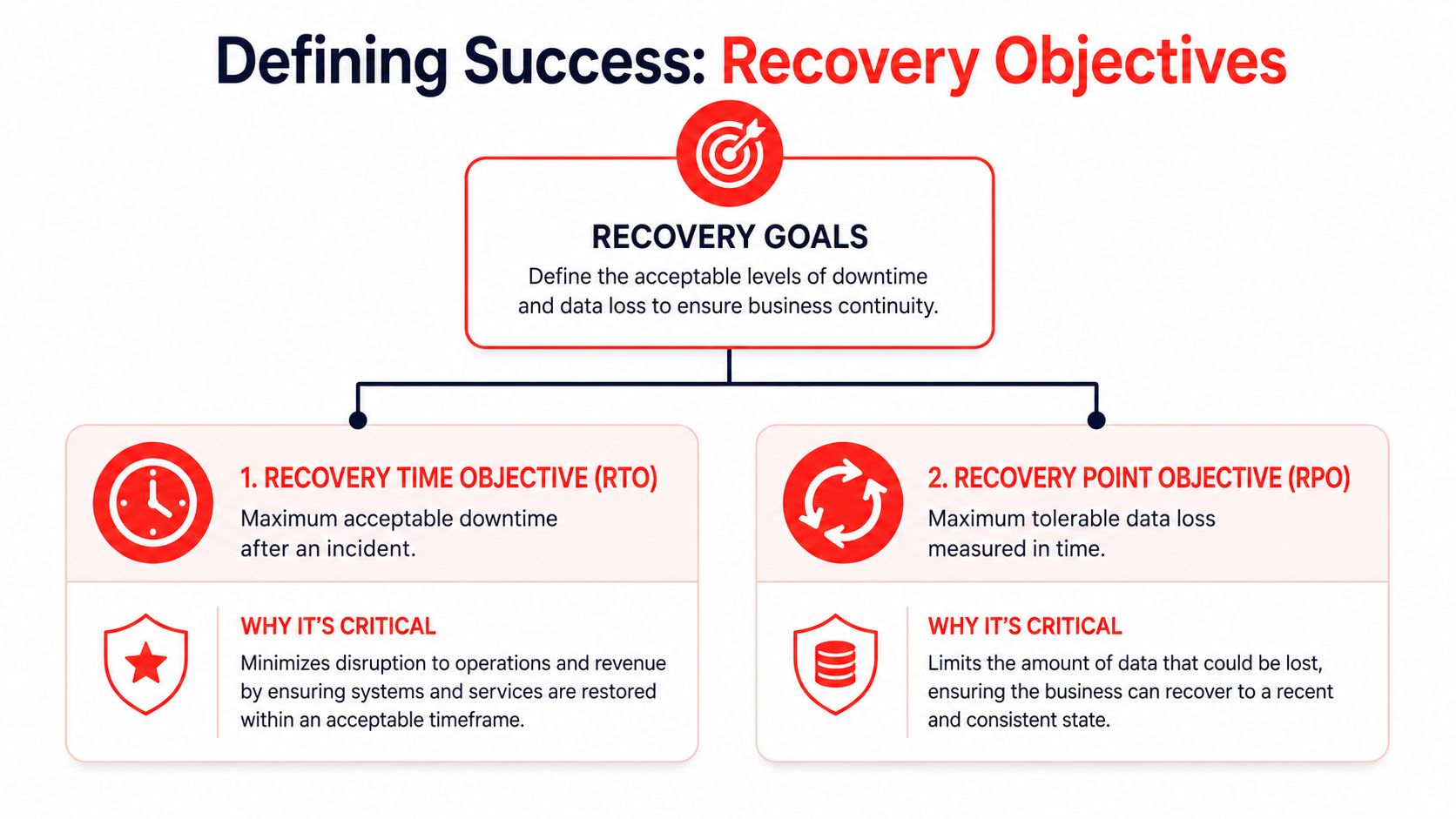
Recovery Time Objective (RTO) is the maximum downtime you can tolerate after an incident. Recovery Point Objective (RPO) is the maximum data loss you can tolerate, measured in time.
If those targets aren't defined first, the rest of the backup conversation turns into guesswork.
Two Orlando examples that make this simple
Take a law firm. If attorneys lose access to case files, document systems, email history, and calendars, the office may grind to a halt almost immediately. That business usually needs a short RTO. It may also need a tight RPO because recreated legal work is expensive and sometimes impossible.
Now take a small marketing agency. It still needs backup, but it may tolerate a longer downtime window for some systems, and it may accept a bit more data loss in non-critical creative folders if that keeps costs reasonable.
Neither answer is automatically right. The point is that the business decides what “acceptable” means.
Start with business pain, not technology
A useful way to define recovery goals is to ask these questions in order:
What system stops revenue? If it goes down, which app or dataset immediately disrupts billing, appointments, service delivery, or client commitments?
What data can't be recreated? Some files are inconvenient to lose. Others carry legal, medical, financial, or contractual consequences.
What must come back first? Restore priority matters. Email, shared files, line-of-business applications, and phones don't all have equal weight.
How long can each department work manually? Front desk, finance, operations, and leadership often have very different thresholds.
Don't ask, “What backup package should we buy?” Ask, “How much downtime and data loss can each core process survive?”
A simple planning table
Area
Questions to answer
Revenue
What interruption immediately delays money coming in?
Client service
What outage damages trust fastest?
Compliance
What records must stay available and restorable?
Internal workflow
What can staff work around temporarily?
These targets give your IT team or provider something concrete to engineer against. Without them, it's easy to overpay for the wrong protection or underprotect the systems that matter most.
Comparing Backup and Recovery Models for Your Business
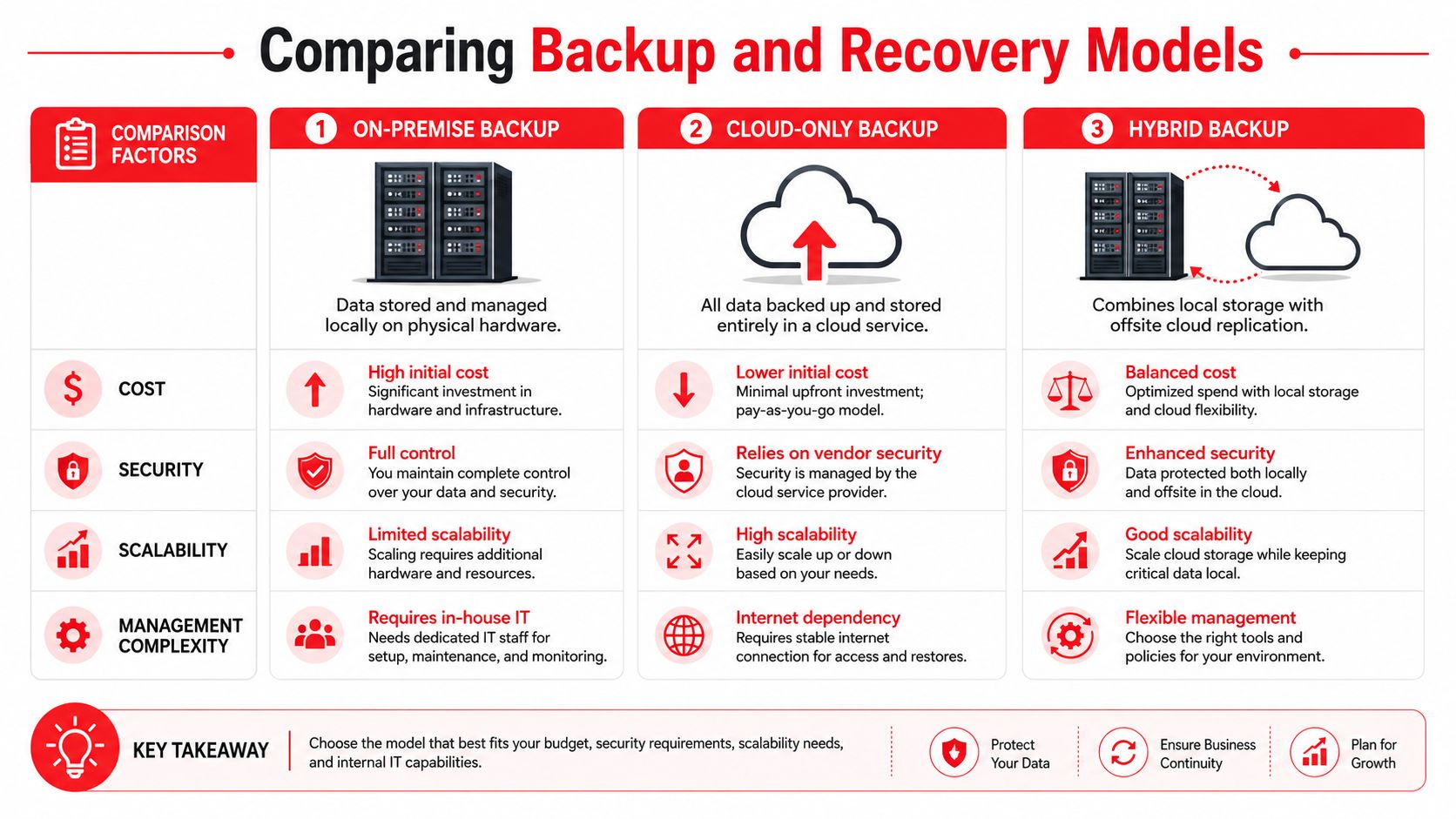
Most Orlando businesses end up choosing among three models: on-premise, cloud-only, and hybrid. Each has a place. The right choice depends on how fast you need to restore, how much local risk you carry, and how much operational complexity you're willing to manage.
On-premise backup
With on-premise backup, data is stored locally on hardware you control. That usually means faster restores for deleted files, virtual servers, and local application data.
The trade-off is obvious. If the office has a fire, flood issue, major hardware failure, or theft event, your backup may sit in the same blast radius as production systems.
Works well when:
You need fast local restores
You have stable internal IT oversight
Most workloads live on-site
Breaks down when:
The office itself becomes unavailable
Backup hardware isn't monitored closely
Testing gets skipped
Cloud-only backup
Cloud-only models reduce dependency on local hardware and provide off-site protection by default. That's attractive for small teams that don't want to maintain backup infrastructure.
The catch is recovery speed. Full restores can be slower than many owners expect, especially for larger environments or internet-dependent recovery during a broader disruption. For businesses evaluating cloud architecture choices, CloudConsultingFirms' Azure guide gives useful context on how cloud environments are structured, which helps when backup planning has to align with broader infrastructure decisions.
Hybrid backup
Hybrid backup combines local backup for fast recovery with off-site replication for disaster resilience. For many Orlando companies, this is the most practical model because it addresses both common incidents and site-wide disruption.
A hybrid approach usually makes sense when the business can't wait on a full cloud restore but also can't afford to keep every copy in one building.
A fast local restore solves today's outage. An off-site copy protects the business if the building itself is the problem.
Side-by-side view
Model
Main advantage
Main limitation
Best fit
On-premise
Fast local recovery
Weak against site-wide disaster
Single-site operations with strong internal control
Cloud-only
Strong off-site resilience
Slower full recovery in some cases
Small environments with higher downtime tolerance
Hybrid
Balances speed and resilience
More planning and management
Most SMBs with uptime requirements
For small and midsize companies that want managed help with both backup and ongoing protection, Cyber Command, LLC offers backup and recovery as part of its Orlando managed IT and cloud services. That kind of arrangement can make sense when the business wants one team responsible for backup monitoring, recovery planning, and security coordination instead of splitting those duties across multiple parties.
Meeting Compliance Needs in Orlando's Key Industries
Compliance changes the backup conversation because “we have copies somewhere” isn't enough. Regulated and confidentiality-heavy businesses need backup systems that preserve access, retention, integrity, and audit readiness.
In Orlando, that issue shows up most clearly in medical and professional service firms.
Non-dental medical practices need more than generic healthcare backup
Plastic surgeons, medspas, orthodontic groups, and similar private practices often get sold broad “healthcare backup” packages that don't match their operational reality. They need scheduling continuity, patient record availability, secure retention, controlled access, and a recovery method that supports clinical work without long delays.
A 2025 report found that 68% of non-dental medical practices in Central Florida face backup failures during audits, often due to generic cloud strategies that lack the on-site redundancy and specific retention approach these environments need. That finding is summarized in this Central Florida medical backup discussion.
That's a serious warning for private practices. If an audit tests recovery and the restore process fails, the problem isn't theoretical anymore.
Professional services face a different kind of exposure
Law firms, accounting firms, architecture offices, and engineering firms may not live under the same medical rules, but they still carry real obligations. Client confidentiality, document retention, version control, and matter-based access all shape what a backup system has to do.
For these firms, the practical risks usually look like this:
Confidential files spread across too many locations
Email and document systems with no tested restore order
Retention handled informally instead of by policy
No clean separation between archived data and active work
Compliance requires process, not just storage
The businesses that handle this well treat backup as part of governance. They document what is protected, who can access it, how it's encrypted, how restores are tested, and what evidence they can produce when a client, auditor, or insurer asks.
If your company is moving toward broader trust and control documentation, this guide to a faster SOC 2 audit is a helpful reference because it reinforces the need for documented controls rather than informal assumptions.
Regulators and clients don't care that a backup job said “successful” if nobody can prove the data restores correctly.
For Orlando firms in regulated or sensitive industries, the right backup design is tied to workflow. That means planning around the actual way your practice or office operates, not buying a generic compliance label and hoping it fits.
How to Choose a Data Recovery Partner in Orlando
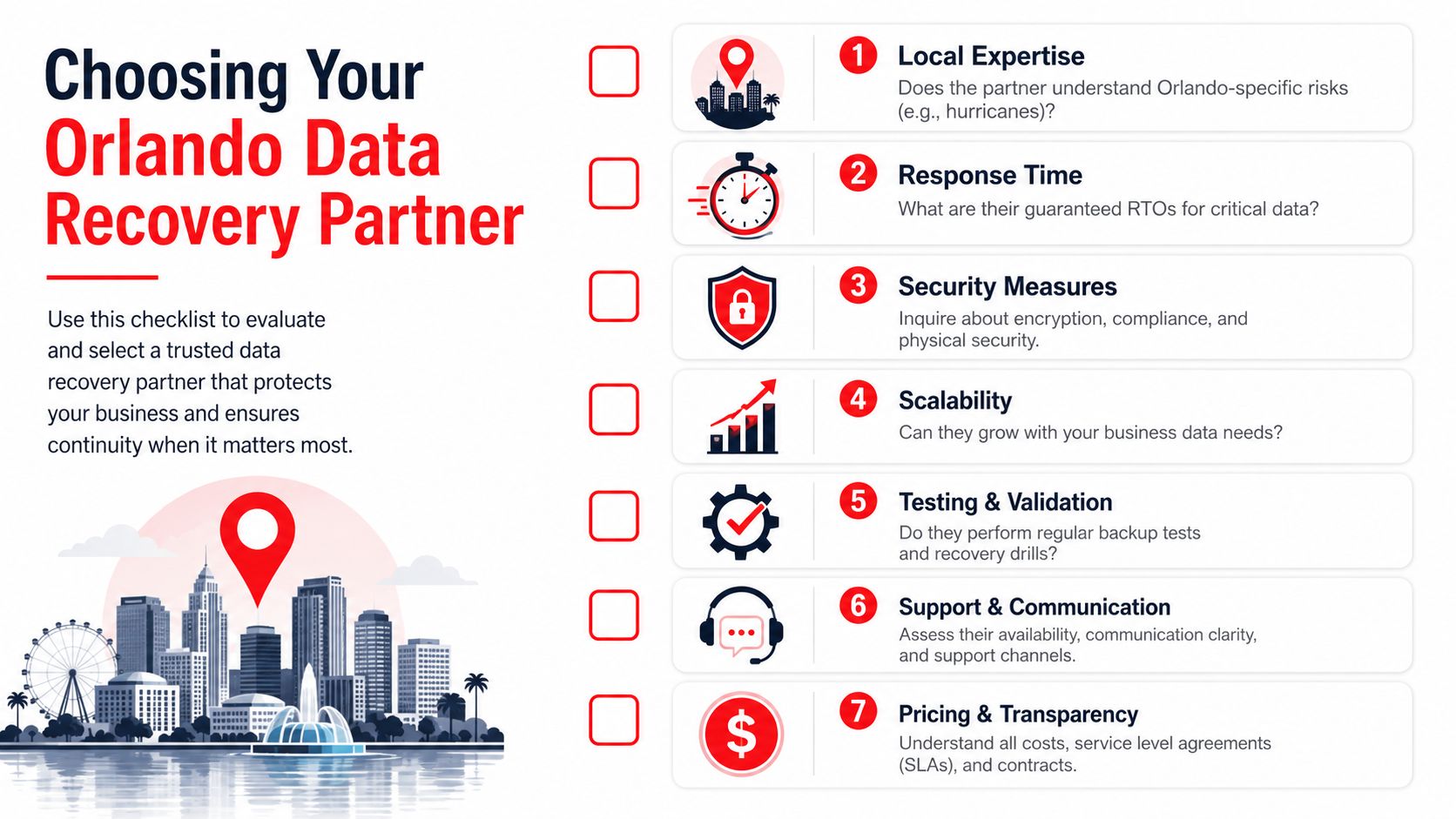
Choosing a backup provider shouldn't feel like buying storage. You're selecting the team that may be responsible for getting your business back online during a bad day. That requires more scrutiny than most proposals receive.
The fastest way to evaluate a partner is to ask for evidence, not promises.
The questions that matter most
Florida Tech's IT backup policy is a useful benchmark because it treats backup as a governed process. It requires documented, encrypted, and regularly tested controls, with testing intervals as frequent as every 2 years for essential systems, as detailed in Florida Tech's IT data backup policy.
That policy language points to the right questions:
Show me the testing record. Don't accept “we monitor backups daily” as proof that full recovery works.
How are backups protected? Ask about encryption at rest, encryption in transit, and separation from production access.
What restores are included? File restores, server restores, cloud application restores, and disaster events aren't the same service.
What's the escalation path? During an outage, who owns communication, triage, validation, and business updates?
Red flags owners often miss
Some warning signs don't appear until you ask detailed questions.
What you hear
What it may really mean
“Everything is backed up.”
Scope may be vague or incomplete
“Recovery is easy.”
No tested timeline has been documented
“It's all in the cloud.”
Full restore speed may be weak
“We can help with compliance.”
They may mean storage, not evidence and process
Use a local lens
An Orlando provider should understand local business conditions. That includes storm-related interruptions, multi-site connectivity issues, local industry mix, and the fact that many SMBs don't have internal IT staff available to coordinate recovery.
Ask practical questions like these:
Who answers after hours if a restore fails?
Can they prioritize critical systems instead of restoring everything blindly?
Do they document dependencies between servers, apps, users, and locations?
How do they handle a recovery event that starts as a security incident?
Assume nothing. Demand proof of testing.
A credible partner won't dodge those questions. They'll welcome them, because mature backup service is built on documentation, repeatable process, and clear accountability.
Conclusion Building Your Business Resilience Plan
Good backup strategy isn't about collecting copies of data. It's about deciding how your Orlando business keeps operating when systems fail, weather interferes, or an attack forces hard choices fast.
The companies that recover well usually do four things right. They identify their real operational risks. They define acceptable downtime and data loss before shopping for technology. They choose a recovery model that fits how the business works. And they work with a partner who can show evidence of testing, security controls, and recovery discipline.
That's the shift in thinking. Data Backup and Recovery in Orlando FL isn't a product category. It's an uptime and risk-management decision tied directly to client service, compliance, and cash flow.
If you haven't reviewed your plan recently, start with a simple audit:
List your critical systems in order of business impact.
Write down your downtime tolerance for each one.
Confirm where backups live and who can restore them.
Request proof of testing instead of status screenshots.
Review your recovery playbook for weather and cyber events.
If your team needs a template for that last step, this resource on disaster recovery test plans can help you turn backup assumptions into a documented process.
Waiting until after a failed restore is the most expensive time to discover gaps. A practical review now is cheaper, calmer, and far easier on your staff and customers.
If you want help evaluating your current backup posture, recovery objectives, or compliance fit, talk with Cyber Command, LLC. They work with Central Florida organizations on managed IT, cybersecurity, backup, recovery, and ongoing resilience planning so owners can make decisions based on tested capability instead of guesswork.
You're probably feeling this already. Your staff is adding people, opening another office, taking more client calls, storing more files in Microsoft 365, and relying on cloud apps for everything from billing to scheduling. At the same time, your technology still gets treated like a side task. Someone resets passwords when they can, a printer issue turns into a half-day disruption, and cybersecurity gets attention only after a scary email slips through.
That approach doesn't hold up in Orlando anymore. A growing business in Central Florida needs stable systems, fast support, documented security controls, and a real plan for downtime. If your firm handles client records, payment data, medical information, financial files, contracts, or proprietary designs, weak IT support isn't just annoying. It's a business risk.
Why Orlando Businesses Are Rethinking IT Support
Orlando companies aren't operating in a sleepy market. They're hiring, expanding, and layering more software into daily operations. The Orlando Economic Partnership says the region has a workforce of more than 1.5 million people and labor-force growth of 3.8%, placing it among the nation's fastest-growing employment markets according to its technology market overview.
That matters for business IT support in Orlando FL because growth creates technical drag if you don't standardize early. More staff means more laptops, more logins, more vendor accounts, more cloud storage, more security gaps, and more chances for someone to click the wrong link. If you're running a law office in Winter Park, a dental practice in Lake Nona, or a finance firm near downtown, your technology burden rises faster than most owners expect.
Growth creates complexity fast
A lot of Orlando business owners hit the same wall. Revenue grows, headcount rises, and the old “call a guy when something breaks” model starts failing in predictable ways:
Support becomes inconsistent because no one owns standards, documentation, or escalation.
Security gets fragmented when antivirus, backups, email protection, and user policies all come from different vendors.
Compliance starts creeping in as clients, insurers, and regulators ask harder questions about access controls, retention, encryption, and incident response.
Leadership loses time because managers become the unofficial IT traffic cop.
That's why many firms are rethinking leveraging outsourced IT for growth. The value isn't just cost control. It's getting predictable support and a cleaner operating model.
Practical rule: If your team can't tell you who owns patching, backups, user offboarding, MFA enforcement, and vendor escalation, you don't have an IT strategy. You have a collection of tasks.
A lot of owners also underestimate how much productivity gets trapped in avoidable friction. Slow machines, recurring Wi-Fi issues, poor onboarding, and unclear support channels don't look like major failures on paper. They still drain the business every week.
If you want the business case for getting serious, this breakdown of the benefits of outsourcing IT support is a useful reference. My view is simpler. In Orlando's current market, professional IT support has moved from optional overhead to operational infrastructure.
What Modern Business IT Support Actually Includes
If you still think IT support means fixing laptops and reconnecting printers, you're shopping for the wrong service.
The Orlando market is mature. Directories list over 25 established managed service providers in the city, and common offerings include managed IT, cybersecurity, cloud solutions, and helpdesk support, which reflects a shift from simple repair work to broader operational management in the local managed IT services landscape.
Break-fix is outdated
Break-fix support rewards delay. You wait for something to fail, then pay to react. That model is a poor fit for firms that depend on cloud apps, remote access, voice systems, file sharing, and compliance controls.
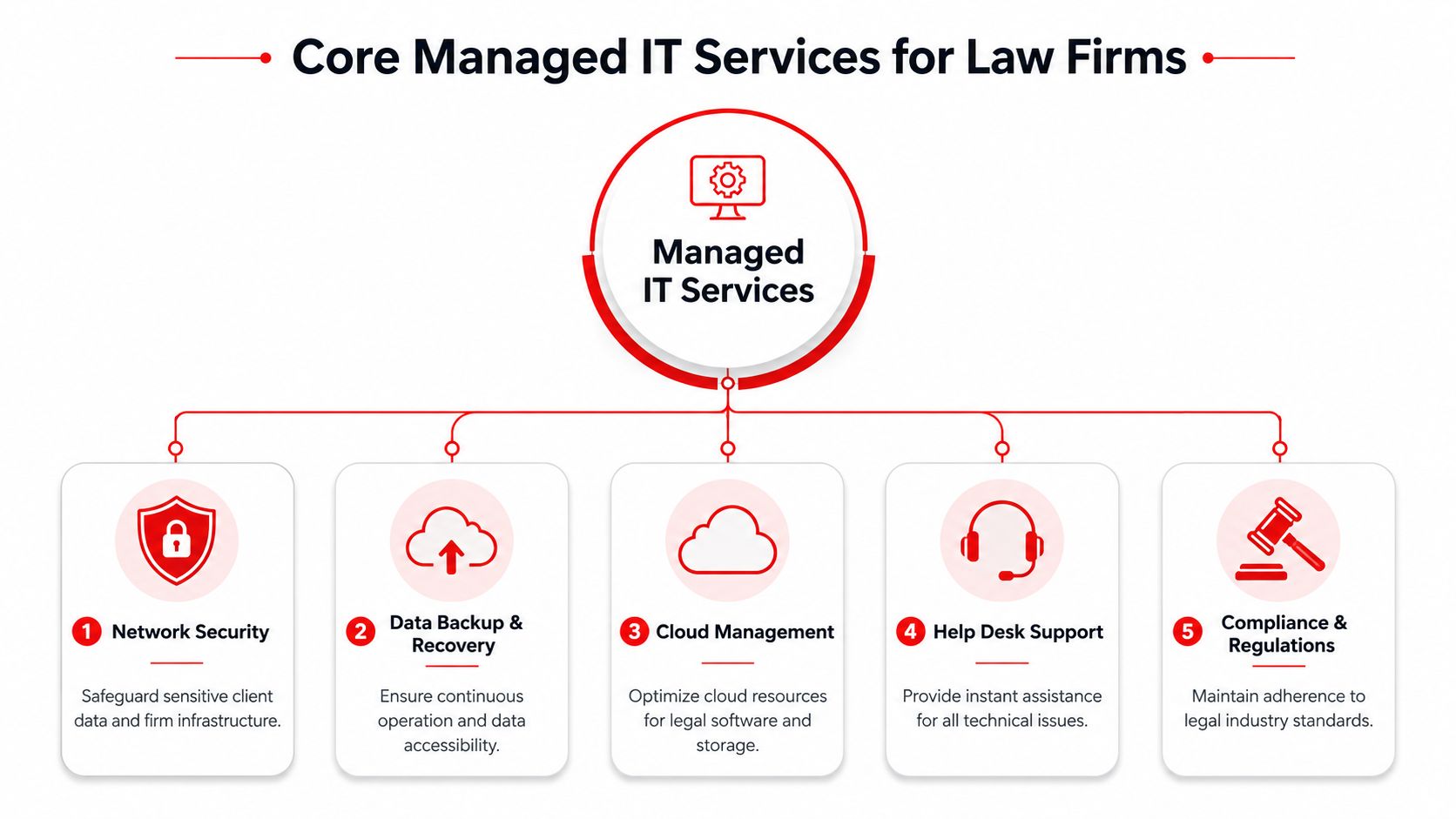
Modern business IT support in Orlando FL should include these core functions:
Helpdesk support: Staff need one place to go for password resets, Outlook issues, line-of-business software problems, and access requests.
Endpoint management: Every workstation and laptop should be tracked, patched, protected, and replaced on a schedule.
Network oversight: Firewalls, switches, wireless networks, and internet circuits need active management, not occasional attention.
Backup and recovery: Your provider should know what gets backed up, how often, where it goes, and how recovery works under pressure.
Cloud administration: Microsoft 365, SharePoint, Teams, and identity tools need policy management and security hardening.
Vendor coordination: Someone has to own the call with your software vendor, internet provider, copier company, and cloud platform when systems fail.
What good support looks like in practice
The right provider doesn't just “fix issues.” They reduce issue volume.
That means standardizing devices, automating software updates, removing stale accounts, documenting the network, managing licenses, testing backups, and giving leadership visibility into recurring risks. It also means someone is accountable for the environment, not just the ticket queue.
Good IT support should make your environment quieter over time. Fewer repeat issues. Fewer emergency calls. Fewer unknowns.
Many Orlando businesses often get shortchanged. They buy a support contract but never get strategic guidance, documentation, or prevention. They're paying for availability, not management.
If you're reviewing scope, compare your current agreement against a broader managed IT services checklist. If it doesn't clearly address support, security, cloud administration, backups, and vendor ownership, it's incomplete.
Managed vs Co-Managed IT Which Fits Your Orlando Business
This decision shouldn't be based on ego. It should be based on internal capacity.
If you have no in-house IT staff, fully managed support is usually the right move. If you have one or two internal IT generalists who are overloaded, co-managed support often makes more sense. The wrong model creates confusion, duplicated work, and security gaps.
Managed vs. Co-Managed IT Support Models
Consideration
Fully Managed IT
Co-Managed IT
Internal IT staff
None, or very limited
Existing IT person or small internal team
Ownership
Provider owns day-to-day IT operations
Responsibilities are shared
Helpdesk
External provider handles user support
Provider supplements internal team
Security operations
Usually bundled into service stack
Often added to strengthen internal coverage
Strategic planning
Provider usually leads roadmap and standards
Provider collaborates with internal IT leadership
Best fit
Small firms, professional practices, multi-site SMBs
Growing firms with internal staff that need depth
Main risk
Picking a provider with shallow scope
Unclear division of responsibility
Fully managed works best when nobody owns IT internally
This is common in legal, medical, accounting, and professional services firms across Central Florida. The office manager ends up coordinating vendors, the most technical employee becomes accidental support staff, and nobody consistently owns security.
In that situation, fully managed support gives you one accountable partner for user support, infrastructure, cybersecurity tooling, vendor management, and planning. That's cleaner than trying to stitch together freelancers, software vendors, and internal admins who already have another full-time job.
A fully managed model is usually the better fit when:
Your business runs on cloud apps all day and downtime directly disrupts client service.
You handle regulated or sensitive data and need documented controls, not informal habits.
You want leadership out of the IT weeds so owners and managers can focus on operations.
Co-managed works best when your internal team needs reinforcement
Some Orlando businesses already have capable internal staff. The problem isn't competence. It's bandwidth.
Your IT manager may be handling onboarding, hardware, Microsoft 365, vendor calls, user support, and security reviews. That's too much for one person. Co-managed IT gives that team backup in the areas that usually break first: after-hours support, endpoint management, security operations, compliance documentation, and escalation depth.
If your internal IT person is good but constantly interrupted, don't replace them. Reinforce them.
For companies considering that route, co-managed IT solutions are worth evaluating when you need shared ownership without creating internal turf battles.
My recommendation is direct. If your business depends on fast support and nobody internally can own standards, go fully managed. If you already have an internal IT lead who understands the business, use co-managed support to give them tools, coverage, and breathing room.
Critical Cybersecurity Defenses for Central Florida Firms
Cybersecurity is not a bolt-on. It's the core of modern business IT support.
That matters even more for Orlando firms in legal, finance, healthcare, engineering, and architecture. Those businesses don't just store office files. They handle contracts, tax records, medical documentation, payment data, design files, and confidential client communications. A breach doesn't just create cleanup work. It creates legal, contractual, reputational, and operational fallout.
The controls that actually matter
A lot of small firms buy a firewall and antivirus, then assume they're covered. They're not.
A serious security stack for business IT support in Orlando FL should include:
Multi-factor authentication: This is basic access control. If it isn't enforced broadly, you're exposed.
Endpoint detection and response: EDR gives your team visibility into suspicious behavior on laptops and desktops, not just known malware signatures.
Email security and phishing defense: Most business attacks still start with inbox activity, fake logins, credential theft, or malicious attachments.
Patch management: Unpatched systems create avoidable openings.
Backup integrity: Backups only matter if you can restore quickly and cleanly.
Security awareness training: Staff behavior affects risk every day.
A SOC or equivalent monitoring function: Someone has to review alerts, investigate activity, and respond fast.
Industry-specific pressure is real
For a law firm, the issue is client confidentiality and access control. For an accounting or finance firm, it's protecting financial records and aligning operations with client and insurer expectations. For a medical practice, HIPAA-related safeguards and staff access discipline aren't optional. For architecture and engineering firms, the crown jewels are often project files, plans, and intellectual property.
Those firms shouldn't ask whether cybersecurity is included. They should ask how it's delivered, who monitors it, and what happens when there's an alert at night or on a weekend.
One practical starting point is reviewing outside guidance on implementing network safeguards. Then push further. Ask your provider how they handle endpoint response, account compromise, backup validation, and user-risk training.
Security spending should be tied to continuity. You're not buying tools. You're buying the ability to keep operating when something goes wrong.
One local option in this category is Cyber Command, LLC, which offers managed IT, co-managed IT, a 24/7 SOC, helpdesk support, cloud services, and compliance-focused security for Orlando-area organizations. That's the kind of integrated model buyers should compare against other providers, especially if they need one partner to own both uptime and cyber risk.
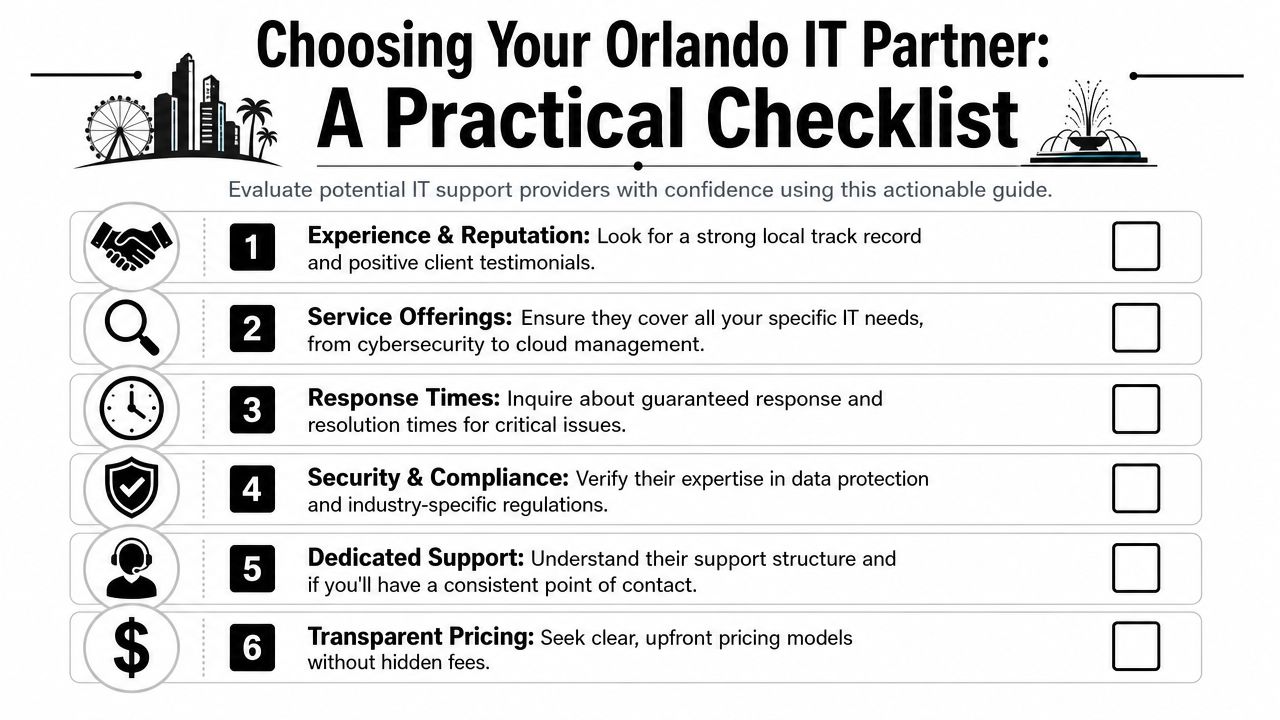
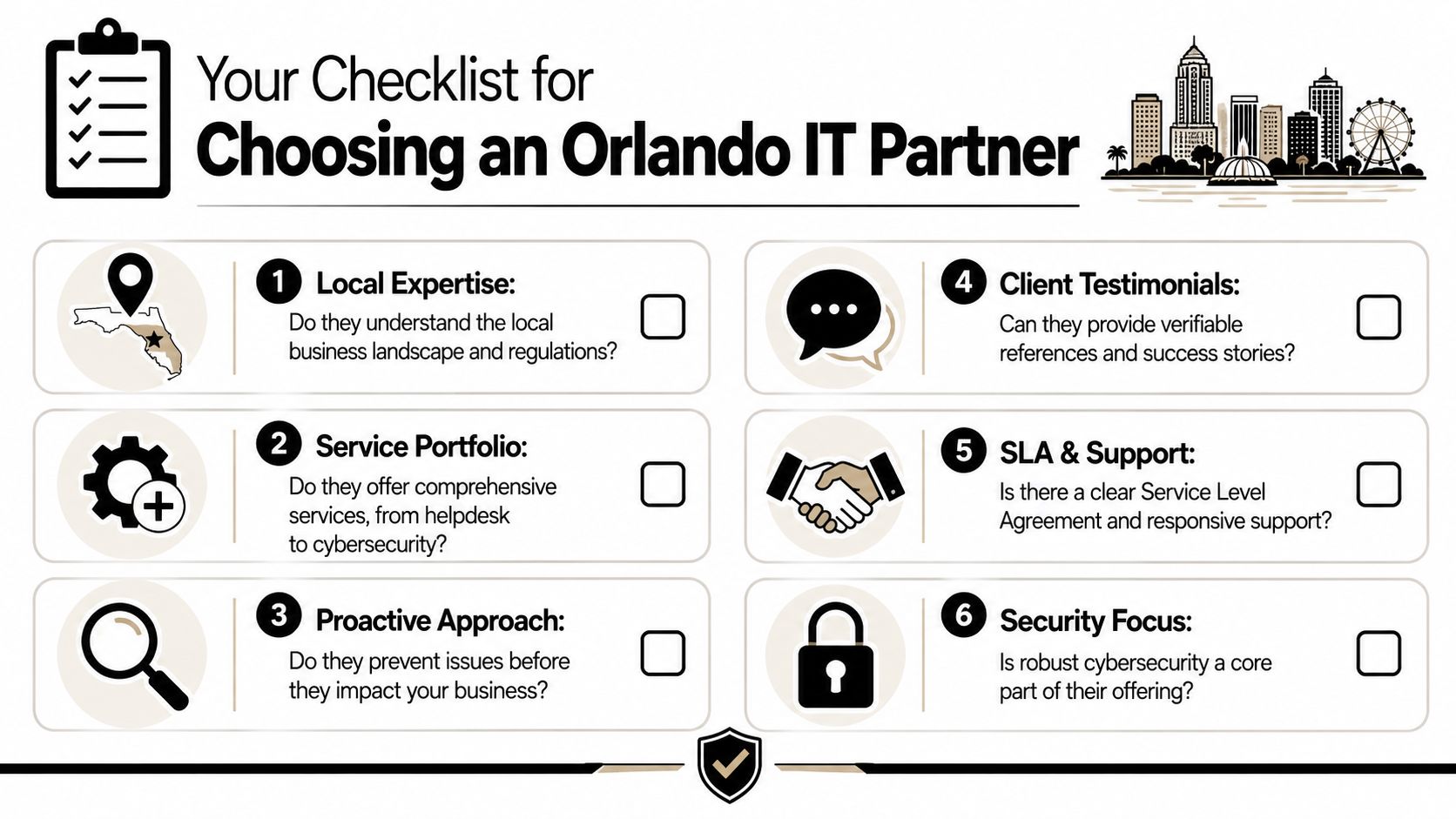
Choosing Your Orlando IT Partner A Practical Checklist
Most IT proposals look similar at first glance. They mention monitoring, support, cybersecurity, and strategic guidance. That's not enough. You need to know how the provider operates when your team is locked out of email, a workstation won't connect to the line-of-business app, or a user reports suspicious activity.
Local provider guidance says many common incidents can be resolved in about 30 minutes when the helpdesk is structured for rapid triage and remote remediation, according to this Orlando IT support benchmark. That's the standard I'd use when evaluating responsiveness. If a provider can't clearly explain how tickets are triaged, escalated, and resolved, keep looking.
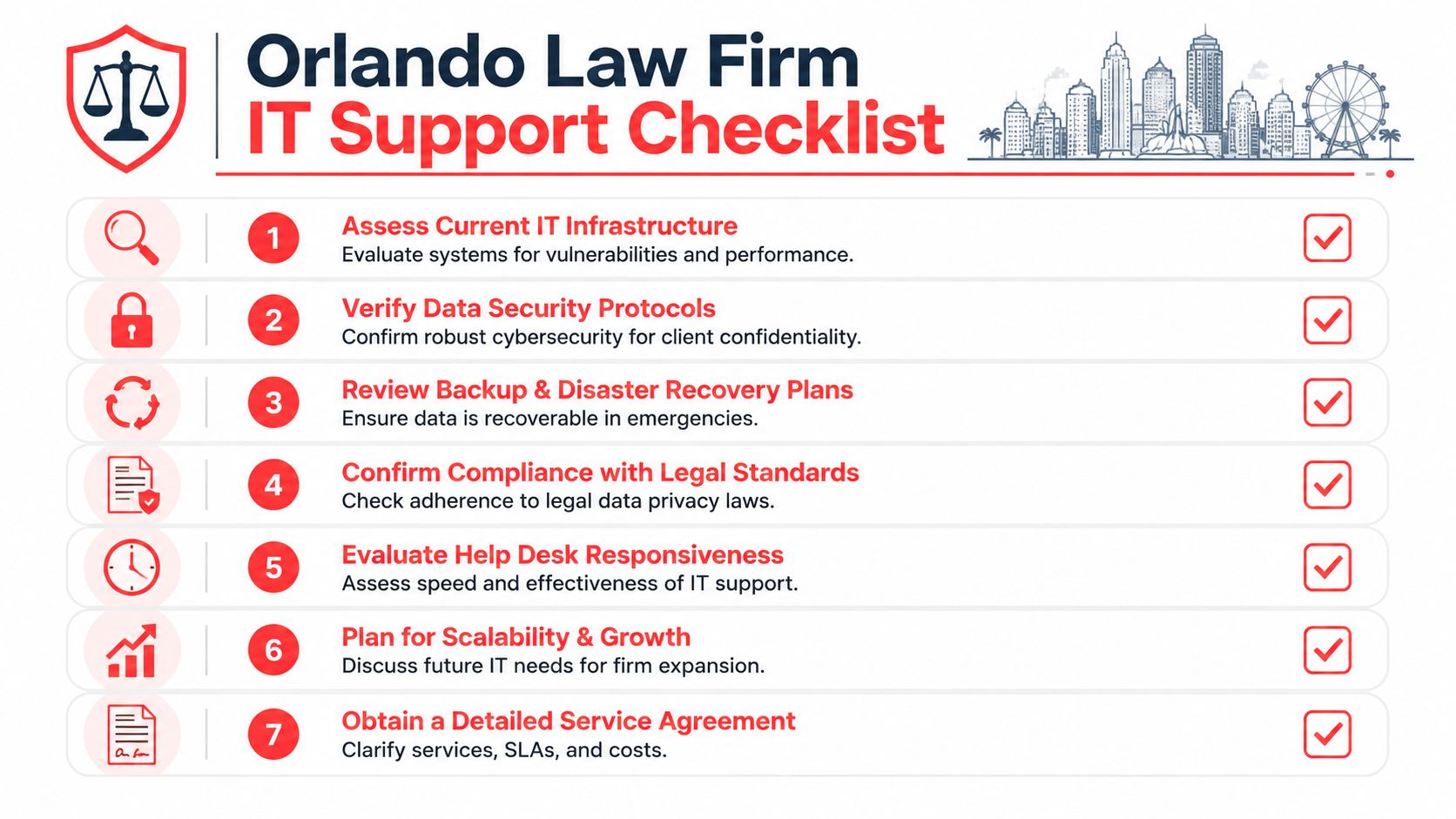
Ask these questions before you sign
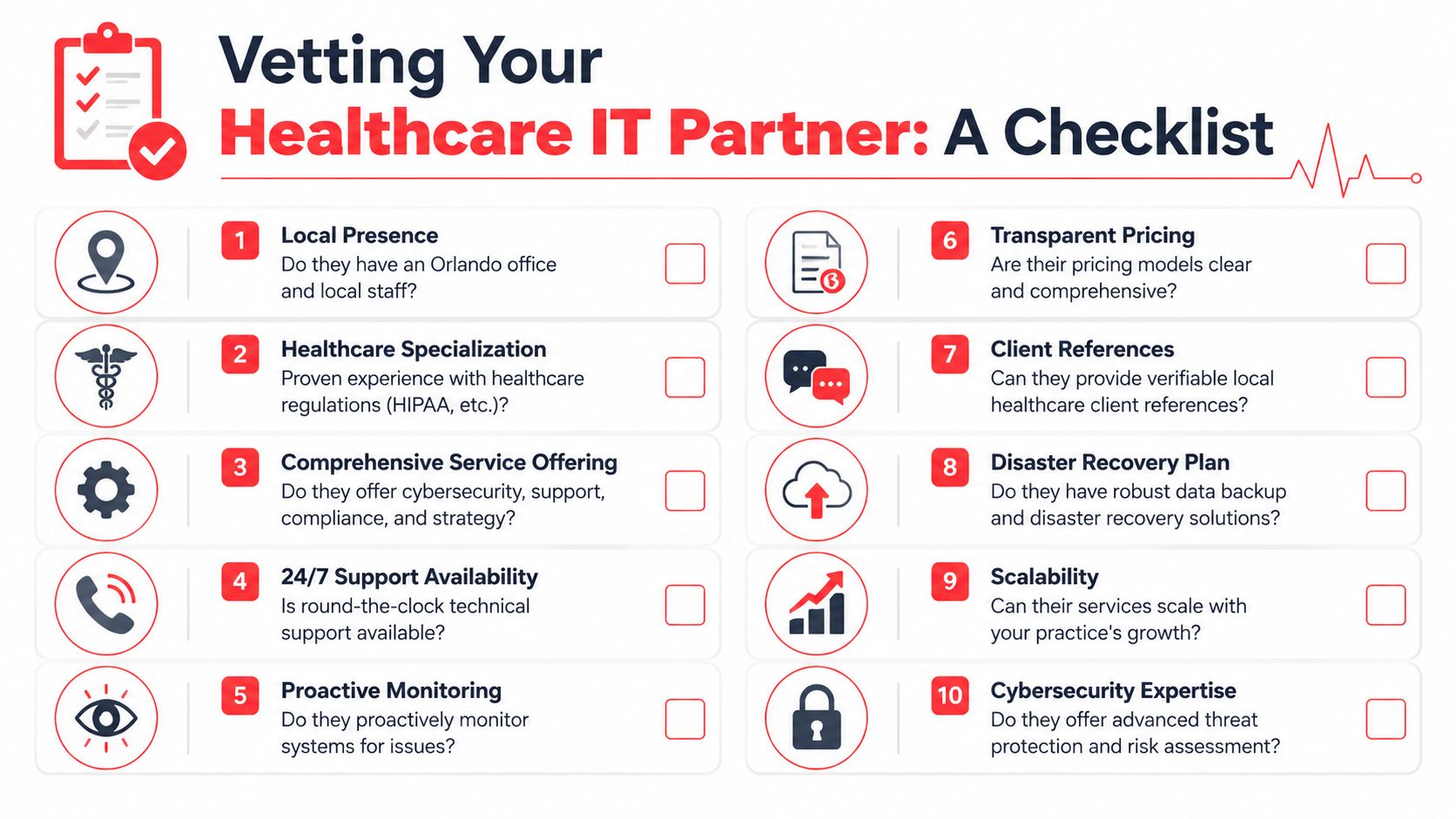
Who answers the phone when we need help? You want a clear support model, live helpdesk access, and an explanation of after-hours coverage.
What's included in your security stack? Don't accept vague answers. Ask about endpoint protection, MFA, email security, patching, backup oversight, and active monitoring.
How do you handle on-site issues in Orlando and nearby cities? Some problems still need hands-on work. A local or regional presence matters.
What industries do you already support? Law, medical, finance, and engineering firms have different software, workflows, and risk profiles.
How do you document our environment? If they don't maintain diagrams, asset inventories, access records, and vendor details, they're improvising.
What happens during onboarding and offboarding? Weak user lifecycle management creates security risk fast.
What to listen for
A good provider gives direct answers. A weak one hides behind jargon.
Here's what I'd consider a strong response:
Question
Strong sign
Weak sign
Response times
Clear SLA language and triage process
“We're usually pretty quick”
Security
Named controls and response process
Generic “we do cybersecurity” claims
Compliance
Familiarity with your industry obligations
No documentation or policy support
Pricing
Defined scope and exclusions
Vague fees and project surprises
Ownership
One accountable team
Finger-pointing across vendors
Red flags that should end the conversation
They separate support from security as if they're unrelated.
They can't explain escalation from helpdesk to engineering to incident response.
They rely heavily on break-fix billing for work that should be part of ongoing management.
They don't ask about your business workflows and only talk about tools.
They avoid defining what's excluded from the monthly agreement.
Don't hire an IT company because they seem friendly. Hire them because they can show you how they prevent avoidable problems and respond when prevention fails.
The best Orlando IT partner will sound less like a gadget seller and more like an operations partner. That's what you want.
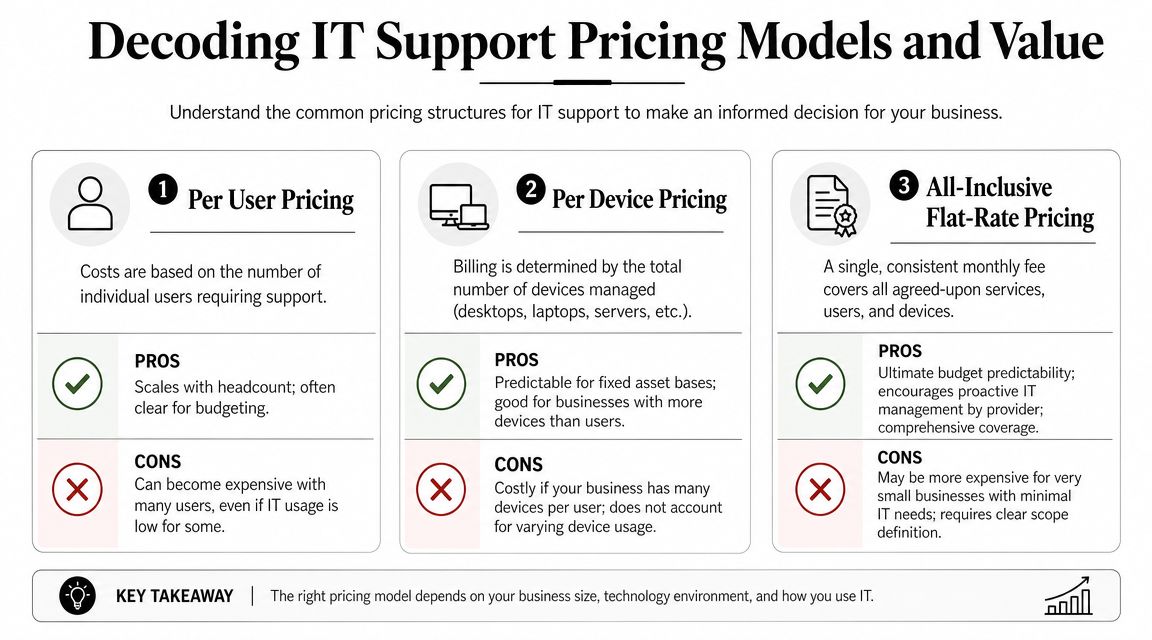
Decoding IT Support Pricing Models and Value
Buyers often get distracted at this point. They compare monthly fees without comparing scope.
For Orlando SMBs, managed IT services are commonly priced at about $100 to $300 per user per month, and one local guide also notes 300+ managed services providers in the market, which is why buyers should compare security, monitoring depth, and support cadence instead of chasing the cheapest headline rate in this Orlando IT pricing overview.
The three pricing models you'll see most
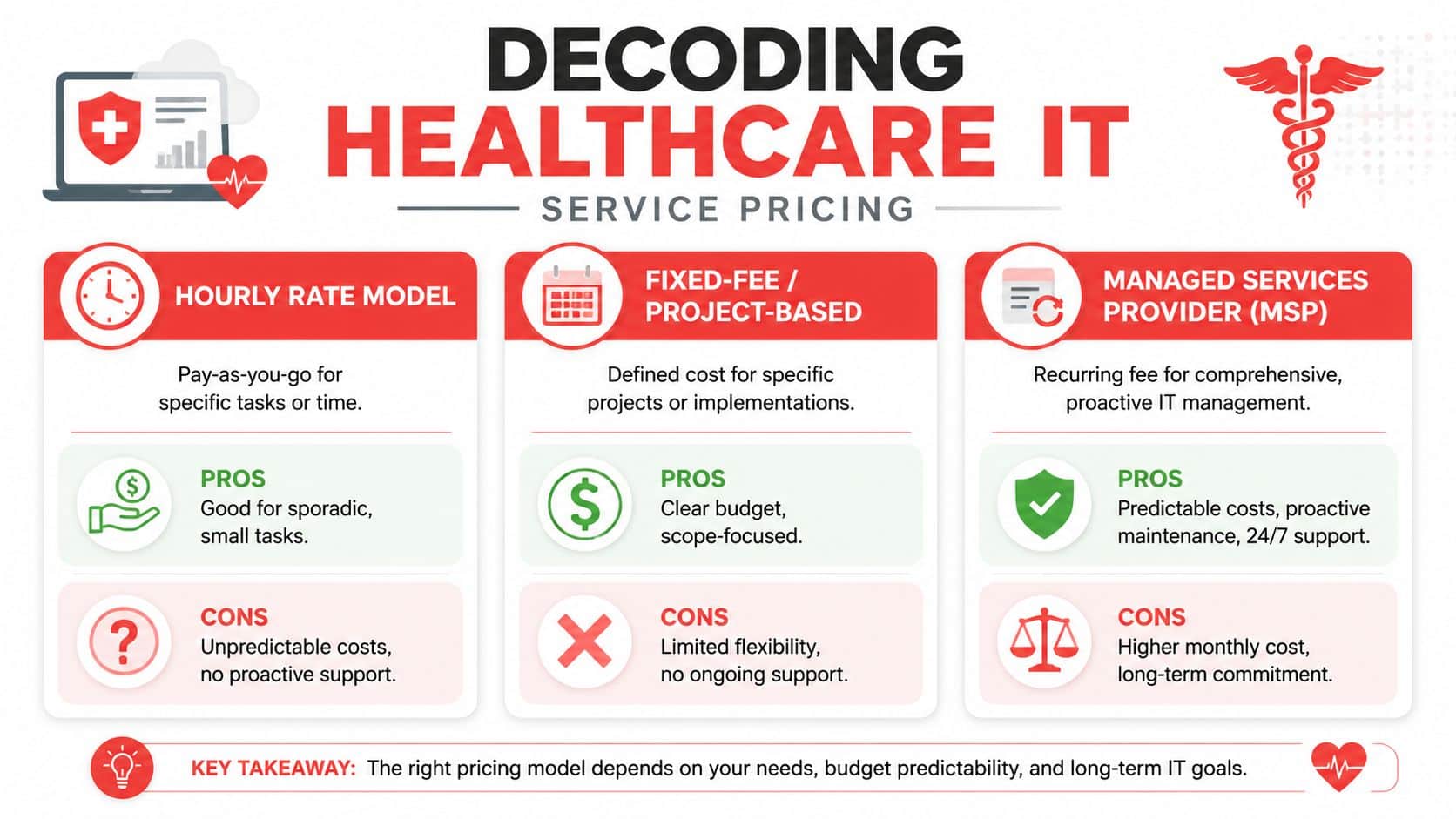
Per-user pricing is common for firms with cloud-heavy workflows and mobile staff. It usually aligns well with support demand, but only if the scope is broad and clearly defined.
Per-device pricing can work for businesses with a stable hardware footprint. It gets messy when users rely on multiple endpoints, shared devices, or remote work setups.
Flat-rate or all-inclusive pricing is often the cleanest model for buyers who want budget predictability. The catch is scope discipline. You need a written definition of what's covered, what counts as a project, and how after-hours support is handled.
How to judge value instead of price
A cheaper proposal can cost more if it leaves gaps in:
Security coverage: If email protection, EDR, or backup oversight are extra, your “savings” disappear fast.
Project work: Many low monthly agreements shift routine improvement work into separate invoices.
Vendor management: If your provider doesn't own carrier issues, software support coordination, and procurement guidance, your staff carries the burden.
Strategic oversight: No roadmap means your environment drifts until a major upgrade becomes urgent and expensive.
The monthly fee matters. The unanswered question matters more: what problems are still going to land on your desk after you sign?
When you review pricing, ask for a plain-English scope summary. I'd want to know who owns support, security tooling, patching, backups, Microsoft 365 administration, vendor escalation, compliance assistance, and routine changes. If the provider can't make that simple, the relationship won't feel simple either.
Your Next Step Toward Resilient and Strategic IT
Orlando businesses don't need more tech clutter. They need control.
That means support that's proactive, security that's built into daily operations, and a service model that matches how the business runs. For a law office, that may mean tighter access control and better document protection. For a medical practice, it may mean stronger user policies and cleaner device management. For a finance or engineering firm, it often means reducing risk around sensitive data, vendor sprawl, and recovery readiness.
The right IT partner helps you do three things well. Keep people productive, reduce preventable risk, and give leadership clear visibility into what's being managed. That's what turns IT from a recurring frustration into a business asset.
If you're planning broader changes beyond support, this article on a complete modernization strategy is a useful complement. Just don't start with transformation language if the basics are still loose. Standardize support, tighten security, document the environment, then modernize with purpose.
If your current setup feels reactive, fragmented, or too dependent on one internal person, it's time to get a second opinion.
If you're evaluating business IT support in Orlando FL, Cyber Command, LLC can help you assess your current environment, identify operational and cybersecurity gaps, and determine whether fully managed or co-managed support fits your business. A no-obligation conversation is the fastest way to see where your risks, inefficiencies, and support blind spots are.
Growth in Orlando often creates IT problems before it creates IT maturity. A firm hires five people, opens a second office, or adds a new software platform, and the weak spots show up fast. Laptops slow down, shared files get messy, remote access fails at the wrong time, and an office manager or operations lead ends up fielding issues that should never have landed on their desk.
That pattern hits Central Florida businesses in different ways. A law office needs dependable document access, secure email, and clear user permissions across partners, associates, and support staff. A medical practice has to add devices, support physicians across locations, protect patient data, and keep systems available after hours. An industrial company may depend on warehouse connectivity, mobile devices, vendor portals, and plant or field operations that cannot afford long outages.
This growth raises the bar for local businesses.
Clients expect faster response times. Employees expect stable systems whether they are in the office, at home, or on the road. Regulators and insurers expect documented controls, not informal workarounds. For Orlando companies in professional services, medical, and industrial environments, the question is not whether outside IT support sounds affordable. The question is whether your current setup can hold up under operational pressure, security threats, and compliance requirements without creating unpredictable costs.
Navigating Growth and IT Headaches in Orlando
Revenue can be up and the business can still feel harder to run.
A growing Orlando firm adds staff, opens another location, or rolls out a new cloud app. Then the weak points show up fast. Password resets pile up. Wi-Fi drops during meetings. A backup fails unnoticed until someone needs a file. The owner, office manager, or operations lead gets pulled into problems that should have been handled upstream.
That is usually the point where break-fix support starts costing more than it saves. A law office loses billable time because a partner cannot reach matter files before a client call. A medical practice cannot afford after-hours access problems tied to scheduling, imaging, or EHR workflows. An industrial company loses production time because warehouse connectivity or a vendor portal goes down. The invoice for the repair is only part of the cost. Delays, workarounds, and missed deadlines do more damage.
Why this gets harder in Central Florida
Central Florida businesses are operating in a more technical market than they were a few years ago. As noted earlier, the Orlando Economic Partnership reported continued growth in the region's tech workforce in 2023. For business owners, the practical takeaway is clear. The local market now expects better uptime, tighter security, and faster response when systems fail.
That shift is especially important in Orlando's core industries. Professional services firms need controlled access to documents, email, and client data across attorneys, accountants, consultants, and support staff. Medical groups face privacy obligations, device sprawl, and pressure to keep systems available across offices and after hours. Industrial and field-based companies depend on stable networks, mobile access, vendor systems, and recovery plans that hold up during outages and storm season.
Cheap support does not solve those problems.
Practical rule: If IT issues interrupt operations every week, the problem is not random support demand. The problem is the way IT is being managed.
What owners usually need instead
Orlando businesses usually do not need another provider promising a friendly helpdesk and 24/7 coverage. They need a partner that can reduce operational risk, support compliance, and keep spending predictable as the company grows.
That means asking harder questions:
Can the provider keep staff working when devices fail, accounts lock, or an office loses connectivity?
Can they prevent repeat issues with patching, monitoring, backup testing, and standards for new users and devices?
Can they support regulated environments with documented controls, access management, and audit-ready processes?
Can they handle multi-site operations without leaving remote staff, physicians, or field teams stranded?
Can they give you cost predictability instead of a string of emergency invoices and surprise project charges?
For a lot of Orlando companies, that is the key threshold. IT is no longer a background utility. It is part of service delivery, risk control, and day-to-day operations.
Decoding the Spectrum of Modern IT Services
A provider can answer tickets fast and still leave your business exposed. That gap shows up all over Orlando. A medical practice may get quick password resets but still fail a backup restore test. A law firm may have decent user support but weak access controls around client files. A manufacturer may keep production PCs running while remote site connectivity, vendor access, and patching drift out of control.
That is why "IT services" needs a tighter definition.
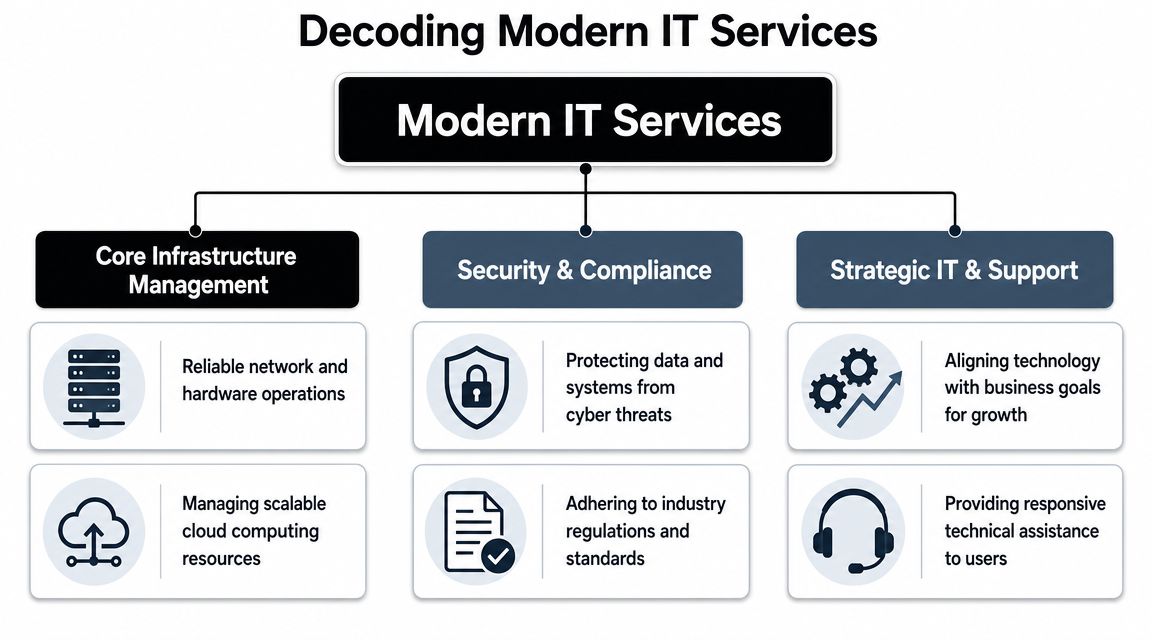
The service stack is easier to evaluate in three parts. First, the systems that keep staff productive. Second, the controls that reduce security and compliance risk. Third, the planning work that prevents recurring outages, rushed purchases, and undocumented changes.
Core infrastructure management
This is the operating layer behind daily work.
It includes endpoints, networks, wireless, printers, line-of-business applications, identity platforms, backup systems, and cloud tools such as Microsoft 365 or Azure. In a multi-office Orlando business, that also means handling site-to-site consistency, remote access, and vendor coordination without waiting for something to break.
A solid infrastructure scope usually includes:
Helpdesk support: A clear process for account lockouts, email issues, application errors, onboarding, offboarding, and access requests
Network administration: Ongoing management of firewalls, switches, Wi-Fi, VPNs, internet failover, and location connectivity
Cloud operations: Administration of file storage, collaboration tools, identity policies, license changes, and backup settings
The trade-off is straightforward. Providers that focus only on ticket volume often look cheaper at first, but they leave standardization work unfinished. That usually leads to more recurring issues, more user downtime, and more project spend later.
Security and compliance controls
Security should be built into the service model, not bolted on after an incident.
For Central Florida companies, the details matter. Medical groups need access controls, audit trails, device protections, and documented processes that support HIPAA expectations. Professional services firms need tighter identity management, email security, and data handling because a compromised mailbox can expose client communications, contracts, and financial records. Industrial companies need to control remote vendor access, segment networks where needed, and protect older systems that cannot be patched on a normal cycle.
A provider should be able to explain how each control is operated, who reviews alerts, how incidents are escalated, and what evidence is retained for audits or insurance questionnaires. "We include cybersecurity" is not enough.
Look for these controls in plain language:
Identity and access management: MFA, conditional access, account reviews, and clean offboarding
Endpoint protection: Detection, response, encryption, and policy enforcement on laptops and desktops
Email security: Filtering, impersonation protection, user reporting, and response procedures
Backup and recovery validation: Restore testing, retention policies, and documented recovery steps
Compliance support: Policies, logs, risk reviews, and evidence collection for regulated environments
If a provider offers co-managed IT support options, ask which of these controls stay with your internal team and which ones they will own. That split needs to be explicit.
Strategic support and planning
Planning is where service quality becomes business value.
A provider that only reacts to tickets will not help you control refresh cycles, clean up vendor sprawl, or prepare for office moves, audits, or system changes. Strong providers maintain documentation, review recurring incidents, map out infrastructure decisions, and tie recommendations to budget timing.
Here is what that work should accomplish:
Service area
What it should accomplish
IT roadmap
Prioritize upgrades, renewals, and projects based on operational risk and business goals
Budgeting
Forecast hardware, licensing, and project costs before they become emergencies
Vendor management
Coordinate software, internet, telecom, copier, cloud, and line-of-business providers
Show recurring issues, unresolved risks, service trends, and accountability
Price and a 24/7 helpdesk promise do not tell you whether a provider can run this full stack well. Orlando IT services should be judged by how they protect uptime, support compliance, and keep technology spending predictable.
Managed vs Co-Managed IT Which Model Fits Your Business
The first decision isn't which provider to hire. It's which operating model fits your company.
Some Orlando businesses need to outsource the entire function. Others already have an internal IT person or small team and need depth, coverage, or specialized security support. That's the difference between fully managed IT and co-managed IT.
When fully managed makes sense
Fully managed IT fits companies that don't want to build an internal department. That's common for smaller law firms, accounting practices, medical groups, manufacturers, and nonprofits where leadership wants one partner to own support, infrastructure, security coordination, vendor management, and planning.
The advantage is clarity. One provider owns the workflow, standards, escalation path, and documentation.
When co-managed is the better move
Co-managed IT works when you already have internal capability but need reinforcement. Maybe you have one systems administrator who handles daily support but can't also cover after-hours issues, compliance work, cloud architecture, major projects, and security monitoring. In that case, a partner can fill the gaps without replacing your internal lead.
If your team is weighing that route, this overview of co-managed IT solutions is a useful reference point for how responsibilities can be split.
Managed vs. Co-Managed IT A Comparison for Orlando Businesses
Factor
Fully Managed IT
Co-Managed IT
Primary role
Outsourced IT department
Extension of internal IT
Internal staffing need
Minimal or none
Existing IT lead or team remains in place
Control over daily decisions
Provider handles more operational decisions
Shared control between internal team and provider
Access to specialized skills
Included through provider bench
Added where your internal team lacks depth
After-hours coverage
Usually easier to centralize
Useful when internal staff can't cover nights or weekends
Scalability
Good for growing firms without hiring internally
Good for firms outgrowing one-person IT
Best fit
Owners who want accountability from one partner
Organizations that want support without giving up internal oversight
Decision shortcut: If nobody inside your company owns IT strategy, vendor coordination, and security operations, fully managed is usually the cleaner model. If someone does own those areas but lacks bandwidth, co-managed often fits better.
The wrong choice creates friction. Fully managed can frustrate a strong internal IT leader if the provider tries to replace them. Co-managed can fail if responsibilities are vague and both sides assume the other is handling critical work.
The Cybersecurity Imperative for Central Florida Businesses
A Maitland medical practice can lose access to scheduling and patient records from one compromised Microsoft 365 account. A manufacturer west of Orlando can halt shipping because a ransomware event hits a file server tied to production paperwork. A law firm downtown can create a reportable client-data issue because one former employee still has cloud access. In Central Florida, cybersecurity failures turn into operating problems fast.
The common mistake is treating security like a product purchase instead of an operating discipline. A business installs antivirus, adds a firewall, and assumes coverage is in place. Then patching slips, login alerts go unread, a cloud app is shared too broadly, or no one knows who is supposed to isolate an infected device. The failure happens between controls, ownership, and follow-through.
Why layered defense matters
Effective protection comes from coordinated controls that cover different points of failure. Firewalls limit unwanted access. Endpoint protection helps catch malware on user devices. Intrusion monitoring improves visibility when an attacker starts moving through the environment. Encryption reduces exposure if a laptop, phone, or backup set is lost.
Those tools matter, but operations decide whether they work. Someone has to own patch timing, identity policy, privileged access reviews, alert triage, containment, backup testing, and recovery. If your provider cannot show how those tasks are performed each month, you are buying software, not a security program.
Central Florida risk looks different by industry
Local businesses do not share the same threat profile, even when they have similar headcounts.
Professional services firms in Orlando and Winter Park often face email compromise, weak offboarding, and overexposed document repositories. The financial hit usually comes from lost billable time, client notification, and reputation damage. Medical practices carry a different burden. They need tighter access controls, audit trails, device management, and support for HIPAA-related processes because patient data moves through front-desk systems, clinical applications, mobile devices, and third-party vendors. Industrial and field-service companies have another set of trade-offs. They often run older systems, shared workstations, remote access for technicians, and office-to-plant connections that widen the attack surface and complicate patching windows.
Cloud use adds another layer of exposure. File sharing, SaaS applications, and remote collaboration improve speed, but they also create more places for identity abuse and misconfigured access. For cloud-heavy teams, understanding cloud security for startups is a useful primer on how storage, identity, and application risk change once work happens outside the office.
What to ask a provider
Skip broad promises and ask how security works in practice. Ask who reviews alerts after hours, how fast suspicious sign-ins are investigated, how endpoints are isolated, how backups are tested, and what documentation you receive after an incident. Ask how they handle MFA enforcement, user access reviews, vendor risk, and compliance support for your industry.
A useful baseline is this guide to cybersecurity best practices for small businesses. It outlines the controls business owners should expect to see turned into routine operational work, not left as one-time setup tasks.
One more point matters in Orlando. Summer storms, regional outages, and dispersed offices put pressure on business continuity. Security planning should cover recovery priorities, remote access fallback, and clear communication during an outage, not just threat prevention.
If a provider can list tools but cannot explain alert ownership, containment steps, recovery order, and compliance responsibilities, the risk has not been reduced. It has been reassigned, usually back to you.
Understanding Pricing Models and Service Level Agreements
IT proposals often look comparable until you read the exclusions. That's where many bad decisions start.
A business owner sees one provider with a lower monthly fee and assumes the value is obvious. Then they discover patching is limited, endpoint protection costs extra, documentation isn't included, after-hours response triggers extra billing, and project work starts a second invoice stream. The plan was cheaper on paper, not in operation.
What common pricing models actually mean
Most Orlando IT services are packaged in one of three ways:
Per user pricing works well when staff rely on multiple devices and standardized applications. It can simplify budgeting for office-heavy teams.
Per device pricing can fit environments with shared workstations, fixed assets, or nontraditional user counts, but it can also create blind spots if some tools and services aren't tied cleanly to device counts.
Flat-rate managed service sounds attractive because it offers predictability, but the details matter more than the label.
A useful industry caution is that “cheaper” flat-rate IT can end up costing more if it excludes patching, endpoint protection, or after-hours response, as discussed in this analysis of cost control and operational inclusion in IT services. That's the right lens. Don't compare fee alone. Compare what's operationally included.
The SLA terms that deserve attention
A Service Level Agreement, or SLA, is where the provider shows what “support” means in measurable terms. Many buyers focus on response time only. That's not enough.
Review these items carefully:
Response commitment How quickly does the provider acknowledge a critical issue, a standard issue, and a low-priority request?
Resolution ownership Does the provider only respond, or do they stay engaged until the issue is resolved across vendors and systems?
After-hours scope Are nights, weekends, and holidays covered for all users, only emergencies, or billed separately?
Included security operations Does the agreement include patching, endpoint protection, monitoring, and remediation workflow?
Use a scope-first comparison. Put each provider's offer into the same grid and map what's included, excluded, capped, or billed separately. This breakdown of IT managed services pricing models can help frame that review.
A low headline price often hides labor shifting back onto your staff. The better question is whether the agreement reduces interruption, risk, and surprise spending.
Real-World IT Scenarios for Orlando Industries
The best way to judge Orlando IT services is to test them against actual operating conditions. Different industries break in different places.
One of the biggest gaps in local provider marketing is that broad promises don't explain how support works for regulated, multi-site, or field-based organizations. Buyers should push providers to answer questions about compliance support, standardized remote monitoring, and incident response across offices and field teams, as emphasized in Vann Data's IT planning and budgeting perspective.
Professional services in downtown Orlando
A law firm or accounting office usually depends on document access, email continuity, identity security, and clean onboarding and offboarding. The helpdesk matters, but the deeper issue is process. Who controls permissions for former employees? Who verifies backup integrity? Who standardizes laptops so every new hire doesn't become a custom setup project?
A solid provider should bring documented user lifecycle processes, secure remote access, and reporting that leadership can readily review.
Industrial and field-service operations
An industrial firm near the 417 corridor has a very different environment. Some users sit in an office. Others are in warehouses, vehicles, plants, or customer locations. Devices go offline. Printers support inventory workflows. VPN and authentication failures can stop field work before the day starts.
In this setting, “support” must include standardized remote monitoring across sites, repeatable device deployment, and escalation paths that don't depend on one person knowing the environment from memory.
Multi-site businesses don't fail because they lack a ticketing system. They fail because nobody standardizes the environment behind the tickets.
Private medical practices and specialty clinics
A medical spa, dental group, veterinary practice, or specialty clinic has little room for sloppy access control. The challenge isn't only HIPAA awareness. It's handling everyday realities such as front-desk turnover, shared devices, line-of-business systems, imaging workflows, patient communication platforms, and secure mobile access.
Providers should be able to explain how they support compliance-sensitive workflows without slowing the office down. That includes documentation, endpoint standards, encryption, and incident response discipline.
Nonprofits and community organizations
Nonprofits usually need predictable support and less chaos, not an enterprise science project. They often work with lean administrative teams, donated technology, and mixed user skill levels. The right provider simplifies the environment, trims unnecessary vendor overlap, and sets a realistic standard the organization can maintain.
If you operate across several programs or facilities, classifying locations and operating needs consistently can even become a data problem. Teams working on broader systems planning sometimes use tools like a NAICS classification API when organizing business-unit or partner data across platforms.
Your Checklist for Choosing an Orlando IT Partner
A provider meeting often goes the same way. You ask about response time, cybersecurity, and support coverage. They answer yes to everything. Two months later, your medical office still has shared logins at the front desk, your law firm still has no clear escalation path after hours, or your shop floor PCs are falling behind on patches because nobody defined ownership.
That is why vendor selection needs to get past the sales script.
For Orlando businesses, a key test is operational clarity. A capable provider should explain how it handles after-hours incidents, patch approvals, vendor coordination, user onboarding, and security events in a way that fits your industry. A specialty clinic has different risk points than a CPA firm. A manufacturer with multiple shifts has different uptime demands than a nonprofit with a lean admin team. Price matters, but gaps in process usually cost more than a higher monthly fee.
Questions worth asking in every sales call
Use this list to pressure-test any Orlando IT services proposal:
Who answers after hours? Ask whether support is staffed continuously, what qualifies as an emergency, and who owns escalation.
What is included in the standard stack? Get specifics on patching, endpoint protection, encryption, monitoring, documentation, vendor coordination, and backup oversight.
How do you support compliance-sensitive environments? A good answer should address access control, device standards, audit support, and incident handling without slowing daily work.
How do you handle multi-site and remote staff? Ask how they standardize systems across offices, field users, and shared devices.
What reporting do we receive? You should see recurring incidents, open risks, asset visibility, and planning recommendations.
What happens during onboarding? A disciplined provider should document systems, credentials, vendors, endpoints, and policies before taking over.
What is excluded? This usually exposes project fees, third-party vendor work, hardware support limits, or security tasks that are assumed but not covered.
What a strong answer sounds like
Good providers speak in operating details. They explain who reviews failed backups, how suspicious login alerts are triaged, when management gets notified, how Microsoft 365 changes are approved, and what happens if an internet circuit fails at 4:30 p.m. on a Friday. If they stay at the level of "we are proactive" or "we customize everything," keep pushing.
In Central Florida, I would also test for industry fit. Professional services firms need tight identity control, email security, and documented procedures that hold up under client scrutiny. Medical groups need consistent workstation standards, account removal discipline, and support that understands patient-facing downtime. Industrial companies need providers that respect production schedules, older equipment constraints, and the cost of an outage during receiving, shipping, or a late shift.
Cyber Command, LLC is one provider in the local market that offers managed IT, co-managed IT, cloud services, and cybersecurity support. That is not a recommendation by default. It is a reminder to compare breadth, accountability, and operating maturity, not just whether a company promises a 24/7 helpdesk.
Buyer test: If you cannot identify who owns security, support, planning, and escalation after the first meeting, the proposal is still too vague.
The right partner should reduce business risk, stabilize day-to-day operations, and make IT costs easier to forecast. That is the standard.
Your office opens at 8. By 8:07, the phones are already lit up because the practice management system won't sync, one employee can't access shared files, and a phishing email made it into an inbox that handles customer payments. If you run a medical practice in Winter Park, a law firm downtown, a hospitality group near the attractions, or a field-service company dispatching crews across Central Florida, that kind of morning doesn't feel unusual. It feels expensive.
That's why managed IT support in Orlando, FL has shifted from a nice-to-have to an operating requirement for many small and mid-sized businesses. The issue usually isn't just “computers.” It's whether your systems stay available, your staff stays productive, your client data stays protected, and your business can keep moving when weather, growth, turnover, and cyber risk all hit at once.
Why Orlando Businesses Are Moving to Managed IT Support
A lot of Orlando business owners hit the same wall. They grow past the point where one smart office manager, a part-time consultant, or an occasional break-fix technician can keep things stable. The company adds remote staff, opens another location, moves more work into Microsoft 365 or cloud applications, and suddenly technology stops being a background utility. It becomes a daily operational dependency.
That pressure is especially visible in Central Florida. A hospitality business may need systems working late at night and through weekends. A healthcare office can't tolerate downtime when schedules, records, and communications all depend on connected systems. A professional services firm may only need one bad outage during a filing deadline to realize that “we'll call someone if something breaks” is no longer a plan.
Orlando is not a beginner market
The local market reflects that reality. Orlando has an established managed services ecosystem, with over 300 IT managed services companies in the area, and some providers have served Central Florida businesses since 1999 while supporting organizations with 20–2,000 employees, according to Orlando managed services market coverage. That tells you two things. First, the need is real and long-standing. Second, buyers have options, which means choosing the right provider matters more than choosing the idea of managed services.
For owners sorting through those options, it helps to start with a business-first lens instead of a tool-first one. A local Orlando IT consulting partner should be able to connect technology decisions to uptime, security, staffing pressure, compliance, and expansion plans. If they can't do that, they're probably selling tasks, not support.
Practical rule: If your revenue depends on systems being available every day, IT is part of operations, not overhead.
What pushes businesses to make the switch
Managed IT support usually becomes attractive when one or more of these problems starts repeating:
Recurring downtime: The same Wi-Fi issue, server issue, login issue, or application issue keeps coming back.
Security anxiety: Staff sees suspicious emails, passwords are inconsistent, and nobody is confident patching is happening on time.
Growth friction: New hires, new devices, and new software keep getting added without standards.
Vendor chaos: Internet, phones, software, cloud apps, printers, and line-of-business tools all have different support paths.
No real ownership: Problems get fixed, but nobody is accountable for prevention.
That's the shift. Orlando businesses aren't just buying technical support. They're buying steadier operations, clearer accountability, and fewer unpleasant surprises.
Decoding Managed IT Support A Plain-English Guide
Managed IT support is often explained with technical language that makes it sound more complicated than it is. In plain English, it means a provider takes ongoing responsibility for maintaining, securing, monitoring, and supporting your technology environment instead of waiting for things to fail.
The easiest analogy is property management.
If you own a commercial building, a good property manager doesn't wait for the roof to cave in, the AC to fail, and the parking lot lights to go dark before doing anything. They inspect, schedule maintenance, coordinate vendors, respond to issues, and keep the building usable. Break-fix IT is the opposite. It's calling a handyman after a pipe bursts.
Break-fix reacts. Managed support maintains.
That distinction matters because reactive support rewards delay. Problems stay invisible until users feel them. By then, the business is already paying through lost time, staff frustration, missed work, or exposure to a security incident.
For Florida businesses, the biggest operational advantage comes from proactive management, including continuous monitoring, automatic patching, and incident response, because those controls shorten the window between a vulnerability and its fix and lower exposure to outages and security incidents, as noted in this review of proactive managed IT for Florida businesses.
A simple comparison makes the model clearer:
Approach
What triggers action
Business impact
Break-fix IT
Something breaks
Work stops first, support starts second
Managed IT support
Monitoring, maintenance schedules, alerts, user needs
Problems are reduced earlier and handled more systematically
What this looks like in day-to-day operations
In practice, managed support usually includes a mix of behind-the-scenes maintenance and visible user help.
Monitoring systems: Tools watch endpoints, servers, network devices, and core services for signs of trouble.
Applying patches: Operating systems and business applications get updated before known issues sit open for too long.
Handling user tickets: Staff gets help with logins, devices, application errors, and routine support requests.
Managing vendors: Someone coordinates with internet providers, software vendors, and hardware support when issues cross boundaries.
Improving infrastructure: The environment gets standardized so one-off fixes don't pile up.
For businesses where guest experience or on-site connectivity matters, network management becomes a major part of the value. If you want a plain-language look at how providers approach solving Wi-Fi challenges with managed networks, that framework is useful because it ties performance and reliability back to operational needs, not just hardware.
Managed IT support works best when it prevents the ticket you never wanted to open in the first place.
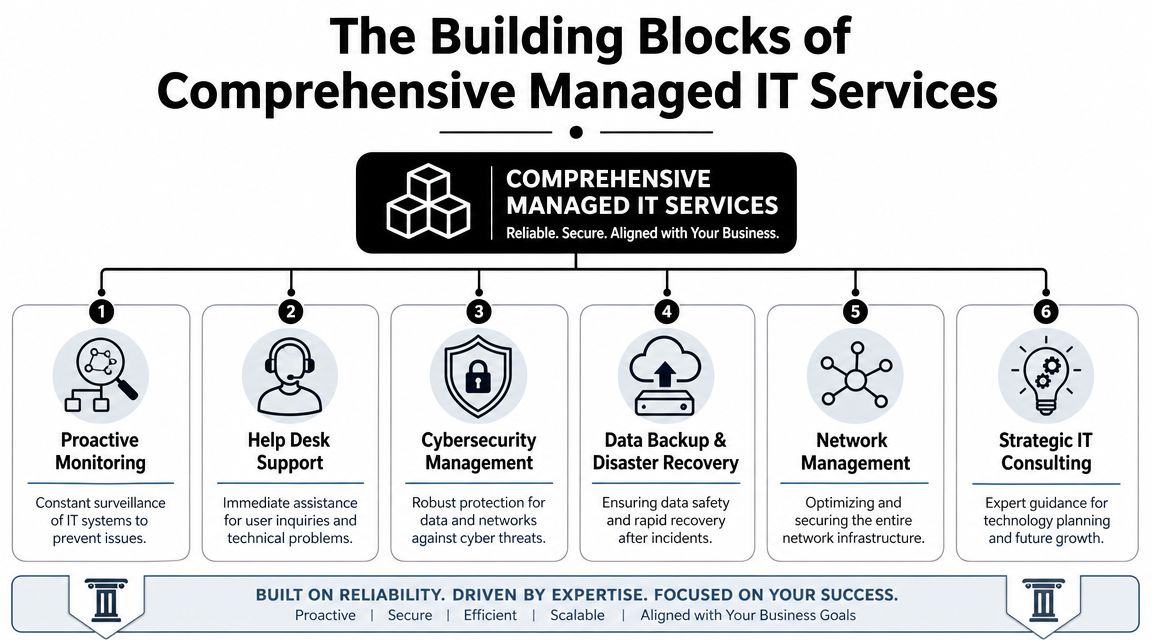
The Building Blocks of Comprehensive Managed IT Services
A mature managed IT program isn't one tool or one technician. It's a stack of operating disciplines that work together. If one layer is missing, the rest of the environment gets weaker. Good providers know that uptime and security come from coverage, not from a single product.
A technically mature managed IT support stack should include 24/7 monitoring, helpdesk response, cybersecurity, cloud services, backup and disaster recovery, and network management, because those are the core controls that reduce downtime by detecting failures and threats before users feel them, according to this overview of managed IT services in Orlando.
The six capabilities that matter most
Here's what each layer does for the business.
Proactive monitoring: This is the early warning system. It watches for failing hardware, unhealthy services, storage issues, unusual behavior, and performance degradation before someone in accounting or front-desk operations notices.
Help desk support: Employees need a place to go when they're blocked. Good help desk support restores momentum. Bad help desk support becomes another bottleneck.
Cybersecurity management: This covers endpoint protection, security controls, policy enforcement, alert review, and response processes. Security isn't a side add-on anymore. It's part of core operations.
Backup and disaster recovery: Backups are the seatbelt. Recovery planning is the airbag. One without the other isn't enough.
Network management: Switches, firewalls, wireless, remote connectivity, and segmentation all shape how stable and secure the business feels from the user side.
Strategic IT planning: Without planning, businesses drift into a patchwork environment of old devices, duplicate software, and unsupported workarounds.
What works and what usually fails
A common mistake is buying a low-cost package that watches alerts but doesn't create ownership. Monitoring without action is just noise. Another is focusing only on ticket response while ignoring standards, documentation, patching, and lifecycle planning.
The better model is integrated support. For example, a provider may manage cloud platforms, endpoint standards, security policy, backup health, and user support as one operating system for the business. If you want a broader view of how providers package those layers, this breakdown of managed IT service solutions is useful as a reference point.
Co-managed support is often the right middle ground
Some Orlando businesses already have internal IT. That doesn't mean fully outsourced support is the only option. Co-managed IT can split responsibilities cleanly.
One example in the market is Cyber Command, LLC, which offers fully managed and co-managed IT, cloud services, a 24/7 SOC, and live U.S.-based helpdesk support for organizations that need operational coverage as well as cybersecurity accountability. That kind of model fits businesses that want both strategic control and stronger day-to-day execution.
IT Support for Orlando's Key Industries
The right managed IT model depends heavily on the business you run. Orlando isn't one industry. It's a mix of healthcare practices, law and accounting firms, hospitality operations, industrial companies, and field-service organizations with very different risk profiles.
Healthcare practices and clinics
Privately owned medical practices, dental offices, orthodontists, med spas, and veterinary groups usually need more than generic support. They need stable systems, secure communications, controlled access, dependable backups, and clear procedures for handling sensitive information.
In this setting, unmanaged devices and inconsistent updates are a problem. So is informal access. If employees share credentials, use personal devices loosely, or bypass secure file handling because it's faster, the organization creates risk every day. A good MSP puts guardrails around that behavior with device management, patching discipline, secure remote access, and documented recovery procedures.
If a healthcare office can't explain how it protects access, updates devices, and restores data after an incident, it's relying on luck.
Law firms, accountants, and other professional services
Professional services firms live on trust. Client files, financial documents, legal records, tax data, contracts, and email history all need protection. But security alone isn't enough. These firms also need consistency. One unavailable file share during a deadline can create client-facing damage that has nothing to do with malware.
For these businesses, the strongest managed support model usually includes:
Access control: Staff should only reach the systems and files they need.
Device standards: Every laptop, workstation, and remote setup should follow the same baseline.
Vendor management: Line-of-business applications often involve outside software vendors, and someone needs to coordinate support.
Reliable support response: Partners and billable staff can't spend half a day troubleshooting their own tools.
Hospitality and extended-hour operations
Orlando's tourism economy creates a special wrinkle. A business may advertise around-the-clock guest service while its IT provider only staffs live help during ordinary office hours. That mismatch matters when a front desk, payment flow, wireless network, or connected device issue appears late at night.
Hospitality groups, entertainment venues, and some healthcare operations should evaluate support based on actual business hours, not marketing language. “24/7 monitoring” and “someone will call you back in the morning” aren't the same thing.
Industrial and field-service companies
Industrial firms and field-service organizations usually care about practical reliability. Can technicians connect from the road? Can office and warehouse systems stay synchronized? Can new locations and new users be brought online without custom improvisation every time?
Those businesses benefit most from standardization. The goal isn't glamorous technology. It's repeatable setups, dependable connectivity, secure remote access, and documentation that survives staff turnover. In these environments, mature managed IT support in Orlando, FL often becomes the glue between office operations, mobile work, and vendor-heavy infrastructure.
Managed IT Pricing in Orlando and Your Return on Investment
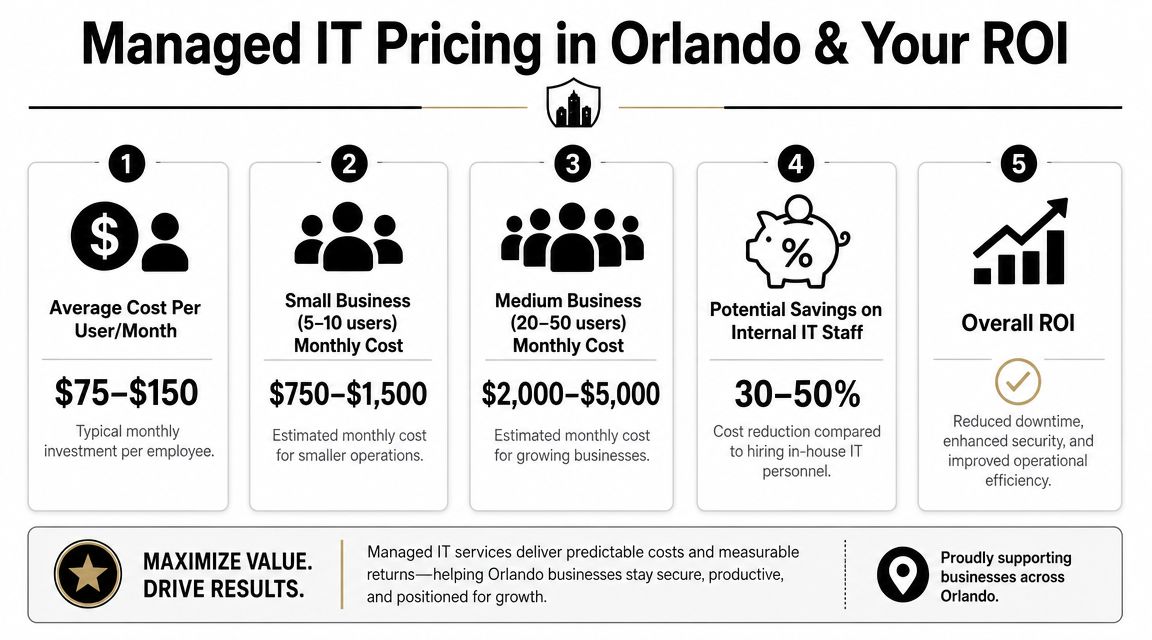
Most business owners ask the right question first. What does this cost?
In Orlando, the market has fairly visible pricing bands. Clutch's May 2026 rankings show that basic monitoring and remote help desk typically cost $1,500–$3,000 per month, while fully managed networks with security and backup usually range from $3,000–$7,000 per month. Ad hoc or after-hours work commonly falls between $120–$200 per hour, according to Orlando MSP pricing data on Clutch. That pricing structure also shows how managed IT is usually sold. It's an ongoing operational service, not a one-time cleanup.
What the monthly fee is really buying
The wrong way to evaluate managed services is to compare the monthly fee against the cost of doing nothing. Doing nothing has a cost. It just shows up in scattered places.
Think about the hidden line items:
Employee downtime: Staff waits on login issues, slow systems, broken wireless, and application errors.
Leadership distraction: Owners and managers get pulled into vendor calls and support escalations.
Unplanned labor: After-hours emergencies often cost more and arrive at the worst time.
Technology drift: Every exception becomes harder to support later.

A better way to judge ROI
For most SMBs, return on investment from managed IT doesn't come from one dramatic event. It comes from fewer disruptions, cleaner systems, faster support resolution, and a more predictable operating model. It also comes from shifting IT spend out of random emergency charges and into a recurring service structure that leadership can budget for.
A useful buying question is not “What is the cheapest support package?” It's “What failures am I still paying for if I choose a thinner package?”
If you're comparing service models and trying to understand what's typically included versus billed separately, this guide to managed IT services pricing is a practical place to start. The details matter. A low sticker price can become expensive if after-hours work, projects, remediation, or onsite needs constantly trigger extra charges.
Cheap IT is often just delayed spending.
A Practical Checklist for Evaluating Orlando IT Providers
Once you start interviewing providers, the conversation can get slippery fast. Every firm says it's responsive. Every firm says it takes security seriously. The way to cut through that is to ask operational questions that are hard to answer vaguely.
A critical issue in Orlando is the gap between 24/7 monitoring and 24/7 support. Many local providers highlight uptime and monitoring, yet their posted business hours may still be weekday office hours, which can leave hospitality, healthcare, and extended-hour businesses without live help when they require it, as discussed in this overview of Orlando IT service availability.
Questions that expose the real service model
Ask these directly:
Who answers after hours: Is live help desk support staffed nights, weekends, and holidays, or are alerts queued for escalation?
How are critical issues defined: What qualifies as urgent, and what response commitment applies on a Saturday evening?
What is included in security: Are patching, endpoint protection, firewall oversight, and incident response part of the agreement or separate services?
How do you support my industry: Can the provider speak clearly about legal confidentiality, healthcare data handling, or multi-site operational needs without resorting to generic language?
What happens during onboarding: Will they document systems, standardize devices, remove old risk, and coordinate vendors, or will they just take over the existing mess?
What to look for in the answers
Good answers are specific. Weak answers sound polished but avoid details.
Ask about
Strong answer sounds like
Weak answer sounds like
Support coverage
Clear staffing model, escalation path, defined response expectations
“We're always available if needed”
Security operations
Named controls, review process, ownership model
“We take security very seriously”
Pricing
Included scope, exclusions, project rules, after-hours policy
“It depends on the situation”
Local fit
Familiarity with Orlando business patterns and operating hours
Generic SMB talking points
Use the checklist before you sign
A provider relationship is easier to start than to unwind. That's why a buying framework helps. This 2026 MSP buyer's guide is useful for structuring your evaluation process and comparing providers on service model, accountability, and pricing clarity, not just sales presentation.
One more practical test. Ask who owns vendor coordination when the problem crosses systems. If the internet provider blames the firewall vendor, the software vendor blames the workstation, and your staff is stuck in the middle, somebody needs to lead the issue to resolution. If the MSP won't own that process, you still own the chaos.
Orlando Managed IT FAQs
How disruptive is onboarding
A competent onboarding process shouldn't feel like ripping out your entire environment on day one. It should feel like an orderly takeover. The provider should inventory systems, review admin access, map vendors, confirm backup status, standardize endpoint controls, and identify immediate risks first.
The biggest disruption usually comes from cleaning up years of inconsistency. Old devices, shared passwords, unknown software, and undocumented vendor relationships slow things down. That isn't a reason to avoid onboarding. It's the reason to do it carefully.
We already have an IT person. Can we still use managed support
Yes. For many organizations, co-managed support is the practical model. Internal IT keeps business context, internal relationships, and strategic ownership. The MSP adds coverage, tools, escalation support, and specialized security or infrastructure help.
That setup works well when internal staff is overloaded with support tickets and routine maintenance. It also works when leadership wants stronger operational discipline without forcing a small in-house team to cover every specialty.
How does support work for businesses with multiple Central Florida locations
Multi-location support works best when the provider standardizes the environment instead of treating each office like a separate island. That means common device baselines, shared documentation, coordinated vendor management, and a consistent support path for users whether they're in Orlando, Winter Springs, Kissimmee, or another nearby city.
The key is central visibility with local responsiveness. Businesses with more than one office don't need different IT philosophies by location. They need one operating model that can absorb growth.
What should we prepare before talking to a provider
Business realities: Operating hours, compliance pressure, remote staff, growth plans
Technology snapshot: Devices, servers, cloud apps, internet providers, line-of-business software
Decision criteria: Budget expectations, coverage requirements, support expectations
That conversation goes faster when the business owner explains where downtime hurts most. For one company it's scheduling. For another it's billing, intake, dispatch, or file access. Managed support works best when the technical plan follows the operational truth.
If you're evaluating Cyber Command, LLC, start with the practical questions in this guide. Ask about live after-hours support, co-managed options, cybersecurity operations, onboarding, and pricing scope. A good MSP conversation should leave you with clearer operational answers, not more jargon.
If you're running a law firm in Winter Park, a dental practice near Lake Nona, or a growing services company anywhere in Central Florida, you already know the pattern. Someone can't access Microsoft 365. The line-of-business app slows down. A printer goes offline before a client meeting. An employee clicks something they shouldn't. Suddenly you're acting as the IT manager instead of the business owner.
That's why businesses search for IT support in Orlando, FL. They don't need another vendor who shows up after something breaks. They need a partner who keeps operations stable, protects sensitive data, and gives leadership back its time.
Why Smart IT Support Is Mission-Critical in Orlando's Economy
A more diversified economy means more offices, more regulated data, more cloud applications, more remote staff, and more endpoints to secure. It also means more competition for technical talent. If you're trying to hire one internal IT generalist and expecting that person to cover support, security, cloud, compliance, and strategic planning, you're setting them up to fail.
Orlando businesses are operating in a more complex environment
A CPA firm in Maitland doesn't have the same risk profile as a retail storefront. A medical spa has patient data, imaging systems, and uptime concerns. An engineering firm has large files, specialized applications, and field collaboration needs. Even if your company isn't large, your technology stack probably is.
That matters because complexity compounds. One unmanaged laptop, one weak MFA setup, one aging firewall, one backup that hasn't been tested. That's how routine inconvenience turns into lost billable time, missed appointments, or a security event.
Practical rule: If your team depends on cloud apps, mobile devices, and client data every day, IT isn't overhead. It's part of revenue delivery.
Why outsourcing makes business sense here
In Orlando, speed and continuity matter more than ownership of the IT org chart. You don't get points for handling everything in-house if response times are slow, documentation is weak, and nobody is watching security after hours.
Smart outsourced support gives SMBs what they usually can't build efficiently on their own:
Continuous coverage: Your staff needs help when issues happen, not when one internal person is available.
Standardized operations: Patch management, endpoint protection, user onboarding, and vendor coordination should follow a system.
Predictable delivery: You should know who owns escalations, reporting, backups, and security reviews.
Business focus: Leadership should spend time on hiring, sales, patient experience, and operations. Not router reboots and license disputes.
The strongest Orlando businesses treat IT as a managed function, not a side task. That's the shift. Once you make it, technology stops dragging the business down and starts supporting growth.
The Modern IT Support Stack What Orlando Businesses Get
Monday at 8:12 a.m., your front desk cannot print intake forms, a partner cannot access email on a phone, and a storm warning is already building off the coast. That is what IT support looks like in practice for an Orlando business. You do not need a vendor who waits for tickets. You need a managed system that keeps staff working, protects client data, and holds up when weather and security problems hit at the same time.
Orlando companies should expect IT support to cover five connected functions. If a provider is weak in one, the rest of the stack gets shaky fast.
The five layers that matter
Help desk and user support come first. Staff need fast answers, clear ownership, and real escalation paths. For a law office, that means document access problems get fixed before billable work stalls. For a medical practice, it means front-office staff can keep scheduling and checking in patients without chaos.
Monitoring and infrastructure management is next. Firewalls, Wi-Fi, switches, servers, line-of-business devices, and internet circuits need active oversight. Good providers catch failing hardware, overloaded networks, and recurring errors before your team starts reporting them.
Security operations sits in the middle of the stack because every other layer depends on it. Endpoint protection, patching, MFA enforcement, identity controls, email security, log review, and incident response should be built into support. In Central Florida, that matters even more for firms handling patient records, financial data, or sensitive client files.
Cloud and identity administration is where many Orlando businesses either gain efficiency or create constant friction. Microsoft 365 setup, SharePoint permissions, Teams support, user provisioning, device policies, and SaaS access all need consistent management. If your provider treats cloud work like occasional project labor, expect permission sprawl and support churn.
Backup, disaster recovery, and continuity closes the gap between an outage and a business shutdown. In Florida, hurricane planning is part of IT support, not a separate conversation. Backups need verification, recovery steps need testing, and remote work options need to function when the office does not.
What strong support looks like day to day
A modern provider does more than answer tickets. They run the environment.
Here is what that looks like in practice:
A new employee starts next week: the laptop is configured, Microsoft 365 is ready, MFA is enforced, email signatures are set, and access matches the role on day one.
A workstation misses critical patches: monitoring catches it, remediation starts, and the issue does not sit unnoticed until malware finds it.
A medical office loses access to a cloud app: support handles triage, vendor coordination, and user communication without leaving staff to chase three different companies.
A storm threatens office access: remote access, call routing, file availability, and recovery priorities are already documented and tested.
A hospitality group adds locations or seasonal staff: the provider can standardize devices, permissions, and onboarding using a process built for distributed operations. Businesses with that model can review this IT support guide for hospitality operations.
One more point matters here. Good support reduces repeat problems. If the same login issue, Wi-Fi complaint, printer failure, or licensing mess keeps coming back, your provider is doing ticket management, not IT management.
What to avoid
Do not hire a firm that only talks about remote troubleshooting and response times. Ask how they handle patching, identity security, backup testing, Microsoft 365 administration, vendor escalation, and hurricane readiness.
Avoid providers that separate cybersecurity from everyday support unless you have a strong internal IT lead managing both sides. That split creates gaps, and gaps are where Orlando businesses lose time, money, and trust.
Business IT support should keep your company available, secure, and productive. That is the standard.
Matching IT Services to Your Industry Needs in Central Florida
A Winter Park law firm, a Lake Nona medical practice, and an Orlando field service company can all buy "managed IT." Only one problem. The same support model will fail at least two of them.
Central Florida businesses operate under different pressures. Professional services firms need tight control over client files and staff access. Medical practices need stable systems at the front desk, in exam rooms, and across billing workflows. Companies with mobile teams and multiple locations need dependable connectivity, secure remote access, and device standards that hold up outside a single office. Add hurricane risk, seasonal staffing swings, and a steady stream of phishing and account takeover attempts, and industry fit stops being a nice extra. It becomes a buying requirement.
Professional services firms
Law firms, accounting offices, consultants, architects, and engineering groups usually depend on a small internal admin team, not a mature IT department. That creates predictable risk. Files live in too many places, permissions drift over time, and former employees keep access longer than they should.
The right support plan for these firms starts with control.
Prioritize these areas:
Access management: Enforce MFA, conditional access, and fast offboarding for every user with client or financial data.
Document security: Lock down SharePoint, OneDrive, and email permissions so confidential files do not spread across personal devices and unmanaged folders.
Standardized devices: Give partners, project managers, and support staff the same baseline security settings, encryption, and update policies.
Audit readiness: Keep user access, device inventory, and policy changes documented so leadership is not guessing during a client review or insurance questionnaire.
If a provider talks mainly about ticket response and password resets, keep looking. Professional services firms need policy discipline as much as they need help desk coverage.
Privately owned healthcare practices
Medical, dental, ortho, med spa, veterinary, and specialty practices lose money fast when systems slow down. The front desk feels it first. Scheduling stalls, intake backs up, billing gets delayed, and staff start creating workarounds that create security problems later.
Support for healthcare practices should be built around workflow, not generic uptime promises. Your IT partner needs to understand how your EHR or practice management platform, phones, imaging, printers, and cloud apps affect the patient experience hour by hour. They also need to work directly with software vendors instead of leaving your office manager stuck in the middle.
Focus on these requirements:
Fast issue triage for patient-facing systems: Front-desk and clinical tools get priority over low-impact office annoyances.
Security built into daily operations: User access, email protection, endpoint security, and backup checks need to be routine, not occasional projects.
Vendor coordination: Your provider should own communication with practice software, VoIP, imaging, and internet vendors.
Storm-ready continuity: If your office closes for weather, staff still need a secure way to handle scheduling, communication, and core business functions.
If your front desk depends on the system being up, slow support is an operations problem, not an IT inconvenience.
Industrial and field service companies
This group gets underestimated. It should not.
Many Central Florida service businesses run across warehouses, job sites, vehicles, and branch locations. They depend on aging printers, scanners, tablets, mobile phones, dispatch software, and line-of-business equipment that cannot be replaced on a neat three-year cycle. Support has to fit that reality.
Their IT priorities are usually different from an office-based firm:
Reliable site-to-site connectivity: Dispatch, accounting, and field teams need stable access to shared systems.
Secure mobile access: Technicians need phones, tablets, and laptops that are protected without making logins so painful that people work around them.
Network segmentation: Guest Wi-Fi, office traffic, cameras, and operational devices should not all sit on the same network.
Hardware lifecycle planning: Older equipment needs a support plan, a replacement timeline, and clear ownership before it fails during busy season.
A provider that only knows office IT will struggle here. You want a partner that can talk to operations managers, understand site constraints, and keep business moving during storms, outages, and hardware failures.
Buy alignment, not a generic bundle
A smart IT partner maps support to your actual workflow, risk, compliance pressure, and continuity requirements in Central Florida. If they pitch the same stack the same way to a veterinary clinic, a CPA firm, and a multi-site service contractor, they are selling a package.
You need a plan that fits how your business makes money and how it stays running when Florida weather and everyday security threats test it.
Decoding Pricing Models Flat-Rate Partnership vs Break-Fix
Most SMBs don't choose the wrong IT support because they're careless. They choose it because reactive support looks cheaper at first glance. It isn't.
Break-fix pricing feels simple. Something breaks, you call someone, they bill time and materials. The problem is that this model rewards activity, not stability. If your environment is messy, the invoices keep coming.
The real difference is incentive alignment
Flat-rate managed services work differently. You pay for ongoing support, maintenance, monitoring, and standardized service delivery. That changes the provider's incentive. They benefit when your systems are healthy, documented, and secure.
Break-fix providers benefit when your systems stay reactive.
That's why I almost always recommend flat-rate support for established Orlando businesses. If you rely on technology every day, variable emergency billing is the wrong operating model.
IT Support Pricing Models Compared
Feature
Flat-Rate Managed Services
Break-Fix Support
Cost structure
Predictable recurring fee
Variable charges when issues occur
Provider mindset
Prevent problems through maintenance and monitoring
Respond after failure
Security posture
Usually integrated into ongoing management
Often separate or inconsistent
Planning
Supports budgeting and operational standards
Little long-term alignment
Documentation
More likely to be maintained as part of service delivery
Often incomplete or ticket-specific
Business outcome
Greater consistency and accountability
Repeated disruption and cost surprises
When break-fix still shows up
Break-fix can make sense for very small firms that barely depend on technology, have minimal data exposure, and can tolerate downtime. That's a narrow slice of the market. It doesn't describe most professional firms, healthcare practices, or multi-site operations in Central Florida.
For everyone else, break-fix usually creates four predictable problems:
Budget instability: You can't plan accurately when support costs spike during failures.
Delayed maintenance: Preventive work gets postponed because it isn't built into the relationship.
Weak accountability: Nobody owns standards, roadmaps, or recurring problem patterns.
Security drift: Patches, device hygiene, and access controls slip over time.
What to ask before you sign
Don't just ask, "What's your monthly rate?" Ask what the agreement includes.
Covered systems: Which devices, users, cloud services, and locations are in scope?
After-hours support: Is support available when your team needs it?
Security services: Are endpoint protection, patching, and response processes included?
Project work: What happens when you need onboarding changes, office moves, or vendor coordination?
A flat-rate agreement isn't valuable because it's flat-rate. It's valuable when it bundles the right responsibilities and removes surprises. That's the standard you should use.
Cybersecurity and Disaster Recovery A Non-Negotiable for Florida Businesses
If you're evaluating IT support in Orlando, FL and cybersecurity isn't central to the conversation, you're talking to the wrong provider.
Most small businesses don't fail because of one dramatic technical event. They get worn down by preventable incidents. A spoofed invoice email. A compromised mailbox. A workstation with poor patch hygiene. A user with too much access. These aren't edge cases. They're the daily reality of business IT.
What modern protection should include
A serious provider should be able to explain, in plain language, how they handle:
Endpoint security: Laptops and desktops need protection, visibility, and consistent policy enforcement.
Identity protection: MFA, account controls, and privileged-access discipline matter as much as antivirus.
Threat monitoring: Someone needs to watch for suspicious behavior and act on it.
Patch and vulnerability discipline: Known weaknesses shouldn't sit unattended.
Incident response: Your provider should know what happens next if something goes wrong.
A SOC, or Security Operations Center, becomes important. You don't need the acronym. You need the function. A SOC provides ongoing threat monitoring, investigation, and response coverage so suspicious activity isn't discovered long after the damage is done.
One Orlando option in this category is Cyber Command, LLC's disaster recovery planning and managed security approach, which reflects the broader model businesses should expect from a security-aware MSP: documented recovery planning, active monitoring, and operational ownership rather than simple ticket handling.
Your IT provider doesn't need to promise perfection. They do need to prove they can detect, contain, and recover.
Hurricane-ready continuity is not optional in Florida
Local context matters. A lot of providers sell backup as if that's the same thing as continuity. It isn't. Backups are one piece. Continuity is the full operating plan.
A real continuity plan should answer practical questions:
If the office is inaccessible, can staff work remotely without chaos?
If internet service is disrupted, what systems remain available in the cloud?
If a core file set or business app is corrupted, who restores it and in what order?
If a key vendor goes down, who coordinates the workaround?
For a useful outside perspective on the relationship between operational continuity and technical restoration, that AuditReady piece is worth reading. It makes an important distinction many SMBs miss. Business continuity keeps operations moving. Disaster recovery restores systems and data. You need both.
What Orlando owners should demand
Don't let a provider hide behind jargon. Ask for specifics.
Request their backup scope. Ask how recovery is tested. Ask whether remote operations are part of the continuity plan or just an assumption. Ask who owns communication during an incident. Ask how they prioritize systems for recovery.
Then listen carefully. If the answers are vague, the plan is vague.
A Florida business without a continuity plan isn't prepared. It's exposed.
How to Choose the Right IT Partner in the Orlando Area
Choosing IT support shouldn't feel like buying office supplies. You're choosing the team that will influence uptime, security, onboarding, vendor sprawl, and the speed of your day-to-day business. That decision deserves a tougher standard than "they seemed nice on the sales call."
The first filter is simple. Can this firm support your business the way it operates, not the way they wish it operated?
Ask about service design, not just support
A lot of providers blur the line between basic ticket handling and broader IT operations. If you want a quick primer on that difference, this explanation of helpdesk vs service desk is useful. The short version is that you want more than a reactive queue. You want a provider that can support users and manage service delivery.
Use these questions in every evaluation:
Response commitments: What are the actual response targets for urgent, normal, and low-priority issues?
Escalation ownership: When the issue involves Microsoft 365, internet, phones, or a line-of-business vendor, who coordinates the fix?
Reporting: Will you receive useful reporting on tickets, assets, security issues, and recurring risks?
Industry familiarity: Have they worked with firms like yours, with your workflow and compliance pressure?
Standardization: Do they have a clear approach to device setup, patching, documentation, and access management?
That matters more than many owners realize. A dead firewall, failed switch, bad cabling run, broken docking setup, or printer issue tied to local hardware needs hands-on work. If your provider can only remote in, you're still exposed.
A practical shortlist test
Before you sign anything, ask each provider for these specifics:
Show me your onboarding process. If they can't explain how they take over support cleanly, expect confusion later.
Explain your security stack in plain English. Jargon-heavy answers usually hide thin delivery.
Tell me how you handle after-hours incidents. You need clarity, not assumptions.
Describe your local support capability. Can they show up when hardware is the problem?
Walk me through your documentation and review cadence. Good partners maintain visibility.
Clarify contract boundaries. What's included, what's excluded, and what triggers extra charges?
Choose the provider who thinks like an operator. Avoid the one who only thinks like a ticket queue.
A good Orlando IT partner should reduce noise, tighten security, and make your business easier to run. If they can't do those three things, keep looking.
If your business needs a more disciplined approach to IT support in Orlando, FL, Cyber Command, LLC is one local option to evaluate. They provide managed IT, co-managed IT, cybersecurity, cloud services, and live helpdesk coverage for Central Florida organizations that want predictable service, stronger security, and a partner who can support day-to-day operations as well as continuity planning.
You’re trying to run programs, raise money, report to the board, protect donor trust, and keep staff productive. Then a laptop stops syncing before a campaign launch, the printer dies before an event, or someone clicks the wrong email and suddenly your week belongs to IT.
That’s the problem. In many nonprofits, technology still gets handled as an interruption instead of a strategy. A volunteer helps when they can. A staff member becomes the unofficial “computer person.” An outside technician gets called only when something breaks. It feels cheaper until it isn’t.
For nonprofits in Orlando, Winter Springs, and across Central Florida, the consequences of IT issues go beyond mere inconvenience. You’re often storing donor records, volunteer data, financial information, case notes, and grant documentation across multiple systems. If those systems are unstable or exposed, the damage hits your operations, your credibility, and your mission at the same time.
Your Mission is Too Important for IT Headaches
The most common nonprofit IT scene is painfully familiar. Your development director is preparing for a fundraising event. Finance needs reports. Program staff are in the field. Then your file access slows to a crawl, Microsoft 365 starts acting strange, or a staff member reports a suspicious login alert.
Now everyone stops doing the work they were hired to do.
This is what I see over and over with nonprofit leadership. IT problems rarely arrive one at a time. They pile up. A slow server turns into missed deadlines. Weak password practices turn into security risk. One aging device turns into a pattern of staff downtime. The executive director ends up making technology decisions between meetings, often without enough visibility to know what’s urgent and what’s noise.
That approach doesn’t scale. It burns out staff and creates avoidable risk.
The real cost isn't the broken device
The greatest cost is the mission work that doesn’t happen while your team chases technology problems. When your program manager is troubleshooting Wi-Fi, they’re not serving clients. When your finance lead is manually patching reporting gaps between systems, they’re not improving stewardship. When your donor database and accounting tools don’t align, your reporting gets slower and your confidence drops.
Nonprofit leaders shouldn’t spend their best hours deciding which firewall alert matters or whether backups actually worked last night.
Managed it services for nonprofits fix that by moving technology out of crisis mode. Instead of waiting for things to fail, you put a team in place to watch, support, secure, and plan your systems continuously. That shift matters more than any single tool.
What good looks like
A strong IT partnership gives you three things nonprofit leaders usually don’t get from ad hoc support:
Consistency: Staff know where to go for help, and problems get tracked instead of forgotten.
Protection: Security monitoring, patching, backups, and access controls happen routinely.
Direction: Technology decisions support fundraising, compliance, and service delivery instead of reacting to the latest emergency.
If your team is still treating IT as a side job, it’s time to change the model.
What Are Managed IT Services A Plain-English Guide
Think of managed IT the same way you think about outsourced payroll or building maintenance. You don’t hire a full internal team to service the HVAC, monitor the alarm system, clean the building, and inspect every safety issue yourself. You hire specialists to handle it on an ongoing basis so the building stays usable.
IT should work the same way.
A managed service provider, or MSP, doesn’t just show up after something breaks. They take responsibility for keeping your systems healthy day to day. That usually includes helpdesk support, device management, security tools, software updates, network oversight, vendor coordination, and planning.
Break-fix is reactive. Managed IT is operational.
A lot of nonprofits still buy IT support the old way. Something fails, then they call someone. That’s called break-fix support. It sounds simple, but it creates three predictable problems:
Costs are erratic: You can’t budget well when support only appears during emergencies.
Issues linger: Small warning signs get ignored until they become outages.
No one owns the full picture: One person fixes email, another handles backups, someone else set up the donor platform years ago, and nobody has a complete map.
Managed IT replaces that with a standing relationship. You pay for ongoing support and oversight, not random rescue work.
What nonprofits usually get in a managed IT relationship
The value isn’t the label. It’s the actual operating support behind it.
Here’s what a nonprofit should expect:
Helpdesk support: Staff can call or submit tickets when laptops, email, printers, Microsoft 365, or line-of-business apps stop cooperating.
Monitoring: Servers, firewalls, workstations, and cloud systems get watched for performance issues and security alerts.
Patching and maintenance: Software updates and security fixes happen routinely instead of getting postponed until there’s a problem.
User access control: New hires, departing staff, and role changes get handled in a controlled way.
Vendor management: Someone deals with Microsoft, internet providers, phone vendors, and application support so your team doesn’t have to.
Strategic planning: Leadership gets guidance on refresh cycles, cloud decisions, compliance priorities, and budgeting.
The point is operational focus
Managed IT isn’t about buying more technology. It’s about giving your nonprofit a dependable operating model.
If your current setup depends on one helpful employee, one volunteer, or one outside technician who “knows the system,” you don’t have an IT strategy. You have a single point of failure.
For nonprofit executives, that distinction matters. You’re not shopping for gadgets. You’re deciding whether technology will support your mission predictably or keep disrupting it unpredictably.
How Managed IT Protects Your Mission Data and Budget
A ransomware hit does not care that your team serves families in Orlando or seniors in Winter Springs. If donor records are locked, payroll is delayed, or staff lose access to Microsoft 365 before a grant deadline, the mission stalls fast. That is the critical budget conversation.
The budget case is stronger than many boards assume
Too many nonprofits treat IT as a cost to minimize instead of an operating function to control. That mindset gets expensive. The Andar report found that building and maintaining internal IT capacity can consume a meaningful share of overhead, while managed support often lowers cost and reduces disruption at the same time (Andar report on managed IT services for nonprofits).
The bigger advantage is predictability.
A fixed monthly service model is easier to budget, easier to explain to a finance committee, and easier to align with grant-funded capacity work than surprise invoices after an outage, phishing incident, or failed backup. For executive directors, that matters because technology spending should support planning, not force constant triage.
Good support protects staff time, not just systems
When support is consistent, employees stop building workarounds. They stop keeping files in personal drives, postponing updates, and wasting half a day trying to solve the same printer, email, or login problem again. Hours come back into the organization. Development teams can focus on fundraising. Program staff can focus on service delivery. Finance can close the month without fighting broken systems.
That is the operational return. It is measurable even when the board never sees it line by line.
Practical rule: If your nonprofit keeps paying for emergency fixes, you already have an IT budget. You are just spending it in the most wasteful way possible.
Cybersecurity protects trust first
Nonprofits hold donor data, employee records, payment information, and often sensitive client or beneficiary details. In Central Florida, that risk is amplified by storm disruptions, remote work, seasonal staffing changes, and a high volume of email-based fraud aimed at lean organizations. Attackers look for easy targets. Nonprofits often have too many of them.
Managed IT reduces that exposure by keeping basic controls in place every day. Devices get patched. User access gets reviewed. Suspicious activity gets investigated before it becomes a public incident. Staff get support when something looks wrong instead of guessing and clicking anyway.
If you want a nonprofit-specific benchmark, review this guide to cybersecurity for nonprofits and compare it against your current setup.
A 24/7 U.S.-based SOC is not a luxury
Threats show up at night, on weekends, and during holidays. Your provider needs people watching during those hours, not just software sending alerts into a queue. A 24/7 U.S.-based Security Operations Center gives your nonprofit active monitoring, faster investigation, and a real response path when something suspicious hits your systems at 2 a.m.
That local and always-on support matters even more for organizations in Orlando and Winter Springs that rely on hybrid staff, cloud apps, and small internal teams. If one person handles operations, finance, and vendor coordination, you do not have room for a slow response.
Compliance gets harder as systems pile up
Most nonprofits add tools one at a time. Microsoft 365, donor platforms, accounting software, volunteer management apps, payroll systems, file sharing, payment processing. Each purchase solves one problem. Over time, the organization ends up with fragmented access, inconsistent records, and weak oversight.
Managed IT should fix that.
A capable partner documents systems, standardizes user access, closes security gaps, and helps your team handle compliance requirements tied to donor data, payment processing, employee information, and grant reporting. For a broader small-organization view, this overview of effective cybersecurity solutions is worth reading alongside nonprofit-specific guidance.
What to fix first if money is tight
Do not try to modernize everything in one quarter. Start with the controls that reduce risk and protect daily operations fastest:
Lock down user accounts: Require strong authentication, remove old accounts, and limit access by role.
Protect every device: Laptops and desktops need monitoring, updates, and security tools that stay current.
Test backups: Recovery only counts if it works under pressure.
Document critical systems: Leadership should know what systems matter most, who owns them, and what happens if they fail.
Train staff regularly: Many incidents still start with a rushed click, a fake invoice, or a weak password.
The right managed IT partner protects more than hardware. It protects donor confidence, staff productivity, and your ability to keep serving the community without preventable interruptions.
Structuring Your Partnership Co-Managed vs Fully-Managed IT
Not every nonprofit needs the same IT model. Some have an internal IT manager who needs outside depth. Others have no dedicated IT staff at all and need a full operating partner. The mistake is assuming one model fits every organization.
The right choice depends on who owns day-to-day support, who makes technical decisions, and how much responsibility your internal team can realistically carry.
The two models in plain terms
Co-managed IT works when you already have an internal IT person or small team. The MSP fills gaps. That may include after-hours support, cybersecurity operations, vendor escalation, project help, documentation, and strategic planning.
Fully-managed IT means the outside provider handles the function as your primary IT team. Staff contact the MSP for support, and leadership relies on that partner for planning, maintenance, security, and oversight.
If your organization already has one capable internal IT lead, this guide to the advantages of co-managed IT services helps clarify where outside support can strengthen, not replace, that person.
Co-Managed vs. Fully-Managed IT for Nonprofits
Aspect
Co-Managed IT
Fully-Managed IT
Internal staff
You already have someone in-house
You have little or no internal IT capacity
Primary use case
Augment internal strengths and cover gaps
Outsource the full IT function
Helpdesk ownership
Shared between internal staff and MSP
MSP is the main helpdesk
Cybersecurity support
MSP often handles advanced monitoring and response
MSP typically owns both support and security operations
Best fit
Larger nonprofits or multi-site organizations with existing IT staff
Small and midsize nonprofits that need consistency and accountability
Main advantage
Keeps internal knowledge while adding depth
Reduces management burden on nonprofit leadership
Main challenge
Requires clear roles and communication
Requires strong trust in the provider’s process
Co-managed works well when your internal person is strong but overloaded. Fully-managed works well when leadership is tired of running IT by committee.
How pricing usually works
You don’t need to become an IT procurement expert, but you do need to understand the pricing logic before signing anything.
Common models include:
Per user pricing: A flat fee tied to each employee or supported user. This is often the cleanest model for nonprofits because it maps to staffing.
Per device pricing: Charges based on laptops, desktops, servers, and network gear. This can work, but it gets messy when users have multiple devices.
Tiered packages: Different service levels with different inclusions. Read these carefully. Cheap tiers often exclude the exact services nonprofits need most.
One verified case-study source notes extensive coverage can be priced in a flat-rate range of $100 to $150 per user per month in some engagements, while aligning support to needs assessment and service expectations (nonprofit IT support case study). Another verified source references flat-fee bundles in the $75 to $125 per user per month range for managed support with cybersecurity elements in certain scenarios (managed IT support for nonprofits growth article). Treat those as market examples, not automatic quotes.
What nonprofit leaders should insist on
Don’t just compare monthly numbers. Compare what’s included, who answers the phone, and whether security work is part of the service.
Ask these questions:
What is covered: Helpdesk only, or also patching, endpoint security, vendor management, reporting, and planning?
What is excluded: Projects, after-hours work, onboarding, cloud support, compliance help?
Who owns response: Is there a live helpdesk, or just a ticket queue?
How often will we review: Regular reporting and business reviews matter if you want accountability.
Technology shouldn’t crowd out growth work. If your nonprofit is also trying to expand donor engagement, this piece on effective digital marketing for nonprofits is a reminder that your systems need to support outreach, not slow it down.
My recommendation
Choose fully-managed IT if your executive team is still absorbing IT decisions by default. Choose co-managed IT if you have internal leadership that can own priorities and collaborate well with an outside team.
Either way, avoid vague contracts. If the provider can’t explain scope, escalation, reporting, and ownership in plain language, move on.
Choosing a Local Partner and Planning Your Transition
A nonprofit in Orlando should not wait for a server failure, a phishing incident, or a chaotic fundraising event to find out its IT provider cannot respond fast enough. By the time that happens, your staff is stalled, donor trust is at risk, and leadership is pulled into operational cleanup instead of mission work.
For Central Florida nonprofits, local fit matters because your operating reality is specific. You have hybrid staff, field work, events, shared offices, seasonal volunteers, and growing pressure to protect donor and client data. You also face real regional risks, from storm-related outages to targeted email attacks against organizations with lean internal controls. A provider that knows Orlando and Winter Springs will usually understand those pressures faster and plan for them better.
The checklist I’d use in Orlando and Winter Springs
Start with service delivery and risk ownership.
Is the helpdesk live, U.S.-based, and available 24/7/365? Nonprofits do not operate on a neat 9 to 5 schedule. Evening events, weekend campaigns, and early staff hours require real coverage, not a ticket form and a promise.
Is there a real security operations center watching your environment at all hours? Ask who reviews alerts, who investigates suspicious activity, and who contacts your team if something goes wrong overnight.
Do they understand nonprofit operations? Grant requirements, board oversight, volunteer turnover, donor confidentiality, and tight budgets change how support should be delivered.
Can they support the systems your organization depends on? Experience with platforms such as Blackbaud or Salesforce Nonprofit Cloud matters. If your donor system, finance tools, and Microsoft 365 environment do not line up, reporting gets messy and audit prep gets harder.
Can they explain compliance support in plain English? If your organization handles health information, student records, payment data, or restricted donor information, the provider should be able to explain how they help you control access, retain records, and document changes.
Poor system alignment is a common nonprofit problem. Donor platforms, accounting tools, and staff access rules often grow separately. That creates avoidable audit issues, duplicate work, and blind spots leadership does not see until a review starts.
Ask about operating discipline, not just ticket resolution
A weak provider talks about closed tickets. A strong provider explains how they keep your organization stable, secure, and ready for an audit or board question.
Ask direct questions like these:
How do you document our systems, vendors, and admin access during onboarding?
Who owns vendor coordination when Microsoft, your internet provider, and your donor platform point fingers at each other?
How do you handle user access when staff, contractors, or volunteers leave?
What reports will leadership receive each month?
How do you prepare clients for compliance reviews, cyber insurance questionnaires, and board-level security questions?
If the answers are vague, keep looking.
For Central Florida organizations, I would also ask how the provider handles business continuity during hurricanes and extended outages. A local partner should already have a clear answer for backup access, remote work continuity, and communication during disruptions.
What a strong provider should offer
Choose a partner that can run the basics well and communicate clearly with nontechnical leaders.
A credible MSP should provide:
A defined onboarding plan: system review, account access audit, device inventory, vendor list, and a written transition schedule
Leadership reporting: recurring issues, user trends, security concerns, and clear recommendations
Active cybersecurity coverage: endpoint protection, patching, monitoring, incident response support, and user security guidance
Vendor management: one accountable team coordinating with your software, internet, phone, and cloud providers
On-site support when needed: remote service handles a lot, but local presence still matters for office moves, failed hardware, and hands-on troubleshooting
Cyber Command, LLC is one local example of the model to look for. The relevant benchmark is straightforward. A provider serving Orlando and Winter Springs should be able to offer a 24/7 U.S.-based helpdesk, around-the-clock security monitoring, and support options for either fully managed or co-managed IT.
How the transition should work
A good transition is structured and quiet.
Your new provider should begin with discovery, not disruption. They need to review users, devices, software, security settings, backup status, vendors, and any compliance obligations that affect your organization. After that, they should document the environment, confirm who has access to what, and identify immediate risks such as former staff accounts, missing backups, or unsupported devices.
Then they stabilize the environment before proposing bigger changes. That order matters. A nonprofit does not need a flashy redesign in week one. It needs fewer interruptions, clearer accountability, and lower risk.
Your staff also need a simple rollout. One support number. One support email. Clear instructions. No guessing.
What to avoid
Avoid providers that:
Write vague proposals with unclear limits and surprise charges
Treat cybersecurity as a separate add-on instead of part of day-to-day service
Struggle to explain escalation, response times, or after-hours support
Lack experience with nonprofit software and compliance expectations
Push major platform changes before they document your current environment
Rely fully on remote support with no practical local presence in Central Florida
The best transition is controlled, documented, and uneventful. That is what you want.
Real-World Impact A Central Florida Nonprofit Story
At 8:15 on a Monday morning, an Orlando nonprofit was already behind. A program manager could not get into a shared file. The operations lead was chasing a password reset. The executive director had a board update that pulled numbers from two systems that did not match. No single failure caused the problem. The issue was accumulated fragility.
That pattern is common across Central Florida nonprofits. Organizations in Orlando and Winter Springs often run on a mix of aging devices, nonprofit software that was never set up cleanly, and informal support from whoever has been helpful in the past. It keeps the lights on until it starts pulling staff attention away from the mission.
In this case, the nonprofit did not wait for a ransomware event or a major outage. Leadership made the right call earlier. They were tired of losing time to small disruptions, worried about donor and client data, and uneasy about what could happen after hours if no one was watching.
Before the switch
The problems were practical, not dramatic.
Staff had no consistent path for support, so basic issues sat too long. Leaders could not get a clear view of device health, account access, or recurring trouble spots. Security tools existed, but no one was actively reviewing alerts around the clock. Administrative staff kept acting as traffic control for vendors, logins, and software confusion instead of doing the work they were hired to do.
That kind of setup drains a nonprofit twice. It wastes payroll on avoidable interruptions, and it increases the chance that a preventable security issue turns into a mission problem.
What changed
The organization shifted to a managed IT model with a defined helpdesk, active monitoring, and ongoing security oversight. The immediate improvement was operational clarity. Staff knew where to go for help. Issues stopped bouncing between vendors. Leadership started getting direct answers instead of partial updates.
For a nonprofit handling donor records, financial systems, and sensitive community data, that matters. In Central Florida, threat activity is not theoretical, and compliance expectations do not disappear because an organization has a limited budget. A local partner with a 24/7 U.S.-based SOC and helpdesk gives nonprofit leaders something they rarely get from ad hoc support. Real accountability at all hours.
The biggest result was simple. Staff could focus on programs, fundraising, and service delivery instead of acting like part-time IT coordinators.
After the transition
Within the first phase, daily operations became steadier. Support requests moved through a clear process. Access and system ownership were better documented. Leadership had a clearer picture of risks, priorities, and next steps.
The executive director gained confidence grounded in facts. They knew who was responsible, what was being monitored, and how the organization would respond if something went wrong.
That is the significant value of managed it services for nonprofits. Fewer preventable disruptions. Better protection for donor and client information. More staff time returned to the mission.
If your nonprofit in Orlando or Winter Springs is still relying on scattered vendors, informal support, or guesswork on cybersecurity, fix that now. Your cause is too important for unstable systems.
If your nonprofit needs a clearer IT plan, a live U.S.-based helpdesk, or stronger cybersecurity support in Central Florida, talk with Cyber Command, LLC. They work with organizations in Orlando and Winter Springs on fully managed and co-managed IT, with 24/7 support and a dedicated SOC designed to reduce disruption and improve accountability.
A surprising number of businesses are trying to run critical operations through a tangled web of outside providers. Deloitte found that 65% of organizations rely on more than three IT vendors, which helps explain why oversight breaks down so easily. When contracts live in one inbox, security reviews sit in another, and renewals depend on someone’s memory, vendor management stops being an admin task and starts becoming an operational risk.
For small and mid-sized businesses in Orlando, Winter Springs, and across Central Florida, that risk is practical, not theoretical. A law firm might depend on Microsoft 365, a line-of-business application, a VoIP provider, a backup vendor, a copier company, and a managed IT partner. A dental office might add imaging software, patient communications tools, and a cloud EHR vendor. Each relationship affects uptime, data protection, compliance, and budget control.
That’s why solid it vendor management best practices matter. They help you choose better partners, push weak vendors to improve, cut duplicate spend, and reduce the chance that a third party becomes your next cybersecurity incident. They also help leadership teams stop treating vendor issues as one-off fire drills.
If you want a broader framework, this roundup of 10 actionable vendor management best practices is a useful companion. What follows is the practical version for SMBs and multi-location businesses in Central Florida, especially firms in professional services, finance, healthcare, and other sectors that need tighter cybersecurity and clearer accountability from every outside IT provider.
1. Establish a Formalized Vendor Selection and Evaluation Process
Most vendor problems start before the contract is signed. Teams buy software because a peer recommended it, because the demo looked polished, or because one department wanted a quick fix. Then six months later, leadership discovers the platform doesn’t integrate well, support is weak, and the security terms are vague.
A formal selection process slows that down in the right way. It forces you to compare vendors against the same criteria every time. For Orlando-area SMBs, that usually means weighting security posture, support responsiveness, contract flexibility, integration fit, and pricing transparency ahead of flashy feature lists.
A basic scorecard works well. Rate every vendor on the same categories, then require written sign-off before procurement moves forward. If you’re evaluating a managed provider, this guide on how to choose the ideal managed service provider is a strong starting point.
What to check before you buy
For regulated or security-sensitive environments, the evaluation process should include more than a sales call and a quote.
Security documentation: Ask for SOC reports, security summaries, breach notification procedures, and details on admin access controls.
Industry fit: A medical practice should ask about HIPAA readiness and business associate agreement handling. A CPA firm should ask how the vendor protects client financial records.
Support model: Clarify whether support is live, outsourced, after-hours, or ticket-only.
Exit terms: Ask how your data is returned, how long retrieval remains available, and what offboarding assistance costs.
A short pilot can reveal a lot. If a document management vendor struggles to onboard one department cleanly, they probably won’t do better at full scale. The same goes for VoIP, endpoint tools, or line-of-business cloud platforms.
Practical rule: If a vendor resists security questions, avoids specifics on support, or won’t explain offboarding, stop the process early.
I’ve seen SMBs get better outcomes when they treat vendor selection like risk management, not shopping. That approach also aligns well with a more strategic model like this strategic playbook for IT department outsourcing, where long-term fit matters more than a low introductory quote.
2. Implement a Comprehensive Vendor Management Program with Centralized Governance
Vendor sprawl happens faster than many SMB leaders expect. A growing firm in Orlando can reach 15 to 30 IT-related vendors without realizing how fragmented ownership has become. Accounting tracks invoices, office managers approve local purchases, IT handles outages, and nobody has a full record of contract terms, renewal dates, security obligations, or exit requirements.
That creates avoidable risk.
For Central Florida businesses with more than one office, centralized governance usually matters less as a reporting exercise and more as an operating control. If your Winter Springs office buys one file-sharing tool, your downtown Orlando team uses another, and a third location signs its own copier support agreement, support gets harder, security reviews become inconsistent, and costs rise gradually over time.
A structured vendor management program should give leadership one clear system for four things: who owns each vendor, what the vendor provides, what risk it introduces, and when the business needs to act. That can live in a contract lifecycle platform, a SaaS management tool, or a tightly controlled internal tracker. The tool matters less than the discipline around it.
Build one source of truth
Start with a single vendor record for every IT provider, including software vendors, MSPs, telecom carriers, copier partners, cloud platforms, and security tools. Each record should include:
Business owner: One internal person accountable for the relationship
Service scope: What the vendor supports, by location or department
Security status: Insurance, compliance documents, breach notice terms, and data handling obligations
Operational dependencies: Critical integrations, admin access, and systems affected if the vendor fails
In healthcare, finance, and professional services, this level of tracking prevents common gaps. I’ve seen firms discover too late that a branch office signed up for a niche cloud app without security review, or that a former administrator was still the only contact on a critical internet circuit.
Set governance rules before problems show up
Centralized governance works best when approval paths are clear. Small, low-risk purchases can move quickly. Higher-risk vendors should require security review, leadership approval, and legal review where regulated data is involved.
A practical model looks like this:
Assign an internal owner for every vendor
Require security review for vendors handling client, patient, or financial data
Set spend thresholds that trigger executive approval
Review strategic vendors on a fixed schedule
Track renewals early enough to renegotiate or exit without penalty
That last point matters more than many teams expect. Auto-renewals are still one of the easiest ways for SMBs to lose money, especially when each location signs contracts separately.
A multi-office law firm, CPA practice, or medical group should not let each site buy its own backup, endpoint protection, or document workflow platform unless there is a strong operational reason. Local flexibility can help in limited cases, but standardization usually lowers support time, simplifies compliance, and makes incident response far less messy.
Strong governance makes vendor decisions visible, accountable, and easier to enforce across every office.
3. Define and Monitor Clear Service Level Agreements and Key Performance Indicators
Downtime is expensive. For SMBs with multiple offices, a vague vendor contract can turn one outage in Orlando into missed appointments in Winter Springs, delayed client work, and a help desk pileup across every location.
A vendor agreement needs measurable service terms. If support drags, systems fail, or incidents stay open too long, your team needs language that defines what happened, how fast the vendor must respond, and what happens if they miss the mark.
Many small and midsize businesses still accept soft terms like “priority support” or “best effort.” Those phrases create room for disputes and very little accountability. Clear SLAs and KPIs give leadership a way to judge performance without relying on the vendor’s interpretation.
Write SLAs around business impact
Strong SLA language starts with operational reality. A full outage in your EHR, phone system, or document platform should not sit in the same queue as a minor formatting issue or a user-level settings request.
Set expectations in the contract for:
Response time: When the vendor must acknowledge the ticket
Resolution target: When service must be restored or the issue fixed
Availability commitment: The uptime standard, including how uptime is measured
Escalation path: Who is contacted when the vendor misses targets
Reporting cadence: How often your team receives performance reports
Service credits or remedies: What the vendor owes if service levels are missed
Those last two points often get missed. I see firms track uptime but forget to require monthly reporting, root-cause summaries, or meaningful remedies for repeated failures. If the only consequence is a small credit on next month’s bill, the vendor has little reason to improve.
Match KPIs to the service you actually buy
A managed SOC, internet circuit, cloud application, and field support provider should not share the same scorecard. Each one affects the business differently.
For a healthcare group in Central Florida, useful KPIs may include EHR uptime, after-hours incident response, backup recovery time, and secure messaging availability. For a CPA firm or wealth management office, focus more on system availability during filing or trading periods, privileged access requests, phishing response, and restoration time for client documents. For a law firm with multiple offices, measure document management uptime, remote access reliability, and resolution speed for high-impact issues before court deadlines.
Good KPIs answer one question. What hurts the business most when this vendor fails?
Keep the metrics visible
A signed SLA only matters if someone reviews it. Assign an internal owner to check vendor reports, compare them to ticket data, and raise issues before renewal discussions start.
A simple operating model works well for SMBs:
Review critical vendor performance monthly
Flag repeated misses by site, service, or severity
Require a corrective action plan after material failures
Document exceptions for regulated systems and client-facing platforms
Use the performance record during renewal and pricing negotiations
This is especially important for multi-location companies. One office may tolerate recurring issues because the local team has found workarounds. Leadership needs a cross-site view so chronic problems do not stay hidden until they disrupt the whole business.
For Orlando-area professional services, finance, and healthcare firms, the best contracts are specific, measurable, and tied to business risk. If a vendor supports revenue operations, regulated data, or patient care, the SLA should read like an operating requirement, not a marketing promise.
4. Maintain a Regular Vendor Audit and Compliance Verification Schedule
A vendor questionnaire completed once at onboarding does not tell you much a year later. Controls change, subcontractors change, insurance lapses, and service quality can slip long before renewal talks begin.
For SMBs in Orlando, Winter Springs, and across Central Florida, that gap creates real exposure. A medical practice may rely on a cloud EHR vendor across several locations. A wealth management firm may depend on a portfolio platform, file-sharing tool, and outsourced help desk. A law office may use a document system that stores privileged client records. If any one of those providers cannot produce current evidence of security, compliance, or contract performance, leadership is left making decisions with stale information.
Set an audit schedule by business risk, not by habit.
Audit by risk tier
Review vendors based on what they can disrupt. A backup provider, EHR platform, managed SOC, payment processor, or line-of-business application deserves closer scrutiny than a copier lease or breakroom supplier. Multi-location organizations should also account for site-level dependence. If one vendor outage can affect every office, that vendor belongs in the top tier.
A practical model looks like this:
Critical vendors: Annual audit, compliance verification, and a documented review before renewal or material contract changes
Important vendors: Review at renewal, after major service changes, or after a security incident
Low-risk vendors: Basic record check to confirm ownership, contract status, and continued business need
The audit itself should stay focused. Ask for current SOC reports if applicable, HIPAA-related attestations, cyber insurance certificates, incident summaries, business continuity details, subcontractor disclosures, and any recent penetration test or security assessment summary that the vendor is willing to share.
Audit focus: Confirm who has access, how activity is logged, how incidents are reported, what systems or subcontractors are involved, and how your data is returned or destroyed at termination.
This work matters more in regulated environments because the contract rarely carries the whole burden. Healthcare groups need to verify that business associate obligations still match actual data flows. Finance firms need to confirm vendors still support retention, access control, and incident reporting requirements. Professional services firms need to know whether client files, email archives, and remote access tools are still being handled the way the agreement says they are.
I recommend keeping a simple audit record for each critical vendor. Note the review date, documents received, gaps found, follow-up owner, and deadline for remediation. That record becomes useful during renewals, cyber insurance applications, client due diligence requests, and compliance reviews. It also helps leadership compare vendors across offices instead of relying on whoever complained last.
Many SMBs do not struggle with deciding what to ask. They struggle with reviewing technical answers and following up consistently. An experienced IT partner can coordinate evidence collection, interpret vendor responses, and map findings back to your compliance obligations. If your team needs help translating audit findings into regulatory action items, this guide to mastering cybersecurity compliance for IT managed services is a useful reference.
5. Develop and Enforce a Vendor Security and Data Protection Requirements Standard
Security expectations should not be reinvented with every contract. Build one baseline standard, attach it to new agreements, and use it as the starting point for renewals.
Many businesses often handle this aspect too loosely. Contracts mention “reasonable security” or “industry best practices” without defining what those terms mean. If there’s a breach, vague wording provides you with very little advantage.
For regulated and security-conscious businesses, put the requirements in writing. Use a security addendum or data protection addendum that covers encryption, access control, logging, retention, incident notification, subcontractor obligations, and secure data return or destruction. If your organization needs help translating compliance expectations into enforceable terms, this guide on mastering cybersecurity compliance for IT managed services is a practical reference.
Put these clauses in writing
A strong vendor standard usually includes requirements like these:
Encryption requirements: Specify encryption for data in transit and at rest rather than using general language.
Access controls: Require role-based access, MFA for administrative users, and controlled privilege escalation.
Incident notification: Define a notification window and require updates during active incidents.
Subcontractor flow-down: Require the vendor to apply equivalent controls to its own providers.
Right to verify: Preserve your right to request supporting evidence of compliance.
This is especially important in healthcare and financial services. A dental practice using a third-party reminder platform or imaging tool needs written assurance about how patient data is handled. A bookkeeping or advisory firm needs equivalent protection around client financial records and identity data.
What doesn’t work is letting every vendor negotiate security from scratch. Critical vendors shouldn’t be allowed to downgrade core controls just because their standard paper says otherwise.
6. Establish a Vendor Transition and Offboarding Process
The worst time to figure out offboarding is after the relationship has failed. By then, tempers are high, access records are incomplete, and the outgoing vendor has little incentive to be helpful.
A good exit process starts at onboarding. The contract should spell out who owns the data, how it’s returned, what format it comes in, what support is included during transition, and when access must be removed. If those terms are missing, even a routine migration can become expensive and risky.
This comes up often when businesses switch managed IT providers, replace line-of-business applications, or consolidate cloud tools after an acquisition. A multi-location company with offices in Orlando and surrounding Central Florida cities might need to transition one site at a time to reduce disruption. A medical or legal firm may need extra validation steps to make sure records move intact and remain confidential.
Offboarding is a security event
Treat vendor exits like controlled change management, not just procurement cleanup. The checklist should include technical, legal, and operational tasks.
Remove access: Disable VPN, admin accounts, API keys, shared mailboxes, remote tools, and support portals.
Validate data return: Confirm file completeness, export readability, and retention obligations.
Document handoff: Record who is taking ownership and what remains open.
One problem I see often is partial offboarding. The vendor loses the main contract, but a remote monitoring agent, a dormant admin account, or an old integration keeps running. That’s how former vendors retain access long after leadership thinks the relationship ended.
End every vendor relationship with a written attestation of access removal and data disposition. If the vendor won’t provide it, escalate before final payment.
Parallel operation can also be worth the temporary overlap. Keeping the old and new providers active during cutover can reduce risk for critical systems like telephony, cloud identity, backup, or EHR-connected services.
7. Implement Vendor Cost Management and Optimization Initiatives
For many SMBs, vendor waste does not show up as one bad contract. It shows up as small monthly charges spread across offices, departments, and credit cards until the total becomes hard to defend.
Cost management starts with visibility. Build one current vendor spend list that includes software, telecom, managed IT, security tools, cloud services, support agreements, and line-of-business platforms. For Orlando and Winter Springs businesses with more than one location, this step usually exposes the same problem fast. Different offices bought similar tools at different times, under different terms, with different renewal dates.
I see this often in professional services, finance, and healthcare. One office has Microsoft 365 add-ons nobody uses. Another still pays for a legacy file-sharing tool after the firm standardized elsewhere. A clinic keeps a support contract for equipment already replaced. None of those line items look large alone. Together, they drain budget and increase complexity.
Focus on cost, risk, and operational fit
The goal is not to cut vendors at any price. The goal is to spend with intent.
A lower-cost vendor can create more work for your internal team, weaken reporting, or add security gaps that matter more than the savings. That trade-off shows up quickly in regulated environments. A healthcare group may keep a higher-cost provider because audit logs, retention controls, and business associate terms are stronger. A financial firm may accept a higher subscription cost to get better access controls and cleaner compliance reporting.
Start reviews with the vendors that have the highest annual spend, the broadest access to business data, or the most overlap with other tools.
Check for these patterns:
Unused licenses: Accounts tied to former employees, inactive contractors, or paused initiatives
Redundant products: Multiple tools for endpoint protection, e-signature, file sharing, backup, or conferencing
Renewal misalignment: Multi-year renewals that no longer match headcount, usage, or location count
Decentralized purchasing: Separate contracts by office or department for the same service
Feature overbuying: Enterprise tiers purchased for needs that fit standard plans
Legacy support costs: Maintenance or support on systems already replaced or scheduled for retirement
Bring finance, IT, and operations into the same review. Finance can confirm what is being paid. IT can verify usage, dependencies, and migration effort. Operations can identify what the business cannot afford to disrupt.
For multi-location companies in Central Florida, that cross-functional review matters. A duplicate platform may look easy to remove until one office reveals a workflow, scanner, phone system, or specialty app that still depends on it.
Put cost controls in the contract, not just the budget
Better vendor cost management also depends on better contract terms. Ask for pricing schedules, notice periods, renewal language, true-up rules, and license reduction rights in writing. If a vendor only documents the starting price and leaves expansion terms vague, budget control gets harder the moment your business adds users, acquires a new office, or opens a second location.
Useful clauses to request include:
annual price increase caps
clear renewal notice windows
the right to reduce seats at renewal
itemized billing by location or department
rate cards for added services
written approval requirements for out-of-scope work
This is especially useful for SMBs that grow by hiring in waves or adding offices over time. Without those terms, vendor costs can rise faster than the business expects.
One more point matters here. Vendor rationalization can improve security along with spend control. Fewer overlapping tools usually mean fewer admin consoles, fewer integrations, fewer accounts to manage, and fewer third parties touching sensitive data. For healthcare, legal, and financial organizations in Central Florida, that is a budget decision with compliance value attached.
8. Establish Vendor Relationship and Communication Management Processes
Communication failures cause more vendor pain than bad technology. In practice, SMBs across Orlando, Winter Springs, and the rest of Central Florida usually feel the impact as slow decisions, recurring service issues, and confusion over who owns the next step.
Good vendor relationship management starts with named owners on both sides. Your business should know who handles day-to-day issues, who approves changes, who joins escalation calls, and who can make a decision when service slips. If those roles stay vague, meetings turn into status updates with no resolution.
For multi-location firms, this gets harder fast. A healthcare group with offices in Orlando and Seminole County may have one vendor touching phones, connectivity, MFA, endpoint support, and after-hours response across several sites. A law firm may rely on a SaaS provider, a copier partner, an MSP, and a cloud host for one client-facing workflow. Without a communication structure, each vendor optimizes its own piece while nobody owns the full business outcome.
Run review meetings that produce decisions
Quarterly business reviews still work, but only if they focus on evidence, accountability, and upcoming business changes. If the vendor spends 45 minutes reading ticket counts from a slide deck, the meeting is being wasted.
Use review meetings to cover:
Service performance: uptime, response times, recurring incidents, unresolved tickets, and any SLA misses
Operational friction: handoff problems, repeated user complaints, onboarding delays, and support quality by office or department
Business changes: new hires, office openings, compliance deadlines, software rollouts, and planned network or security changes
Vendor changes: account team turnover, subcontractor use, product roadmap shifts, and support model changes
Action items: who owns each task, the deadline, and how progress will be tracked before the next meeting
Document decisions in writing within 24 hours. That one habit prevents a lot of revisionist history later.
I also recommend separating tactical reviews from executive reviews. Monthly operational calls should clear blockers and track open items. Executive reviews should happen less often and focus on risk, major projects, contract concerns, and whether the relationship still fits the business. That distinction matters for professional services, finance, and healthcare companies that cannot afford to bury business risk inside a help desk conversation.
A simple scorecard helps keep conversations objective. Track service quality, communication responsiveness, issue resolution, security cooperation, and billing accuracy. For multi-location businesses, break out patterns by office when possible. A vendor can look fine at the corporate level while one branch keeps absorbing acute support pain.
Relationship management should also include escalation rules. Define what triggers an operational escalation, what goes to leadership, how fast each path should move, and who has authority to approve temporary workarounds. If a critical vendor supports systems tied to patient scheduling, financial data, or legal deadlines, document those steps before an incident. Teams that need a starting point can pair vendor communication planning with a business continuity and disaster recovery template so response roles are written down before a disruption happens.
Local context matters here. Central Florida businesses often work with a mix of regional providers and national vendors, and the gap usually shows up in communication speed. A local partner may resolve onsite coordination faster. A national vendor may offer broader tooling and deeper bench strength. The right choice depends on the service, but either model needs clear contacts, meeting cadence, and escalation paths written down.
Vendors improve faster when feedback is specific. Tie complaints to examples, dates, user impact, and agreed service levels. “Support has been rough lately” rarely changes behavior. “Your after-hours queue missed two urgent calls from our Winter Springs office and left a physician without access for 47 minutes” gets attention and creates a record.
The goal is simple. Make vendor communication predictable enough that problems are handled early, before they reach the executive team or disrupt the business.
9. Develop a Vendor Risk Management and Business Continuity Plan
Every critical vendor creates a dependency. If that vendor fails operationally, suffers a cyber event, gets acquired, or stops supporting your environment well, your business needs a way to keep operating.
That’s the business continuity side of vendor management, and it’s often underdeveloped in SMBs. Teams assume a provider will stay stable, keep staffing support, and maintain the same security posture indefinitely. That’s not a plan. It’s hope.
This matters more in sectors that can’t tolerate much downtime. A law firm can’t lose access to case files before a filing deadline. A medical practice can’t afford major disruption to scheduling, patient communications, or clinical systems. A field service or industrial company can’t have dispatching and connectivity fail across locations without a fallback.
Build contingencies before you need them
Risk planning starts by identifying which vendors are business-critical and what happens if they fail. For each critical relationship, document dependencies, acceptable downtime, and possible alternatives.
Key planning steps include:
Map critical services: Identify where vendors support identity, communications, cloud systems, backups, security operations, and core applications.
Record fallback options: Note alternate providers, interim workarounds, or manual processes.
Review vendor resilience: Ask whether the vendor maintains continuity and disaster recovery procedures of its own.
Test assumptions: Walk through what your team would do if the vendor became unavailable.
For businesses building a broader recovery posture, a disaster recovery plan template can help connect vendor dependencies to practical response steps.
The strongest plans aren’t theoretical binders. They’re operational documents that name people, systems, contacts, and decisions. If your primary VoIP provider fails, who routes calls? If your cloud backup vendor becomes unreachable, how do you restore? If your MSP relationship ends abruptly, who has the credentials and diagrams?
9-Point IT Vendor Management Best Practices Comparison
For SMBs in Orlando, Winter Springs, and the wider Central Florida market, vendor management usually breaks down for a simple reason. The business has more vendors than it has time, process, or visibility to manage them well.
A side-by-side view helps leadership decide where to start. Use the table below to match each practice to your current maturity, staffing, and risk exposure, especially if you operate across multiple offices or handle regulated client and patient data.
Practice
Implementation complexity
Resource requirements
Expected outcomes
Ideal use cases
Key advantages
Establish a Formalized Vendor Selection and Evaluation Process
Medium to high. Build criteria, scoring methods, and pilot steps.
Time from IT, operations, finance, and compliance teams. Standard templates or evaluation tools.
More consistent vendor decisions, fewer surprises after signing, and lower selection risk.
New vendor onboarding, outsourcing decisions, regulated purchasing, and multi-site standardization efforts.
Reduces bias, checks security and compliance earlier, supports documented decisions.
Implement a Centralized Vendor Management Program with Centralized Governance
High. Requires program design, ownership, governance workflows, and adoption across departments.
Dedicated staff or a clear owner, a vendor tracking system, and change management support.
A clearer view of the vendor portfolio, standardized contracts, better renewal control, and tighter cost management.
Multi-location businesses, firms with dozens of vendors, and organizations where IT decisions are spread across departments.
Improves accountability, reduces duplicate spend, and creates a stronger negotiation position.
Define and Monitor Clear SLAs and KPIs
Medium. Set service targets, reporting methods, and escalation paths.
Dashboards, reporting cadence, and input from legal or procurement for contract language.
Objective performance tracking, earlier issue detection, and better use of contractual remedies.
MSPs, cloud providers, after-hours support vendors, and any service tied to uptime or response time.
Improves accountability, supports continuity, and gives leadership measurable performance data.
Maintain a Regular Vendor Audit and Compliance Verification Schedule
Medium to high. Requires an audit calendar, review criteria, and follow-up discipline.
Security and compliance expertise, staff time, and sometimes third-party assessment support.
Earlier detection of control gaps, cleaner documentation, and stronger due diligence records.
Healthcare practices, financial firms, legal offices, and any organization with HIPAA, PCI, or client confidentiality obligations.
Lowers regulatory exposure, validates vendor controls, and creates an audit trail.
Develop and Enforce a Vendor Security and Data Protection Requirements Standard
Medium. Draft standards, update contract language, and apply them consistently.
Legal review, security policies, and contract templates such as DPAs or BAAs.
Clear minimum security requirements, better data handling terms, and recourse if a vendor fails to meet agreed controls.
Any vendor handling PHI, PII, financial data, or cloud-hosted business systems.
Lowers breach risk, reinforces encryption and access control requirements, and strengthens legal protection.
Establish a Vendor Transition and Offboarding Process
Medium. Requires planning, testing, access reviews, and decommissioning steps.
Project management time, migration support, testing resources, and identity/access control coordination.
Cleaner handoffs, faster cutovers, secure access removal, and preserved business data.
Vendor replacements, cloud migrations, contract exits, and ownership changes.
Reduces downtime, protects data, and keeps institutional knowledge from walking out the door.
Implement Vendor Cost Management and Optimization Initiatives
Medium. Review usage, invoices, renewals, and contract terms on a set schedule.
Lower spend, fewer unused licenses, and more predictable budgeting.
SaaS-heavy firms, growing multi-office businesses, and organizations with overlapping tools.
Cuts waste, improves ROI, and supports better forecasting.
Establish Vendor Relationship and Communication Management Processes
Low to medium. Set meeting cadence, ownership, agendas, and escalation rules.
Time for quarterly reviews, stakeholder participation, and shared documentation.
Faster issue resolution, better responsiveness, and clearer alignment on priorities.
Strategic vendors, long-term service relationships, and providers tied to key business workflows.
Builds trust, surfaces issues earlier, and improves planning across both teams.
Develop a Vendor Risk Management and Business Continuity Plan
High. Requires risk scoring, dependency mapping, fallback planning, and testing.
Risk and IT input, backup options, testing time, and regular updates.
Less disruption when a vendor fails, better recovery options, and clearer decision-making during incidents.
Mission-critical systems, regulated industries, and businesses with multiple locations that cannot tolerate long outages.
Reduces concentration risk, supports rapid failover, and documents due diligence.
For many Central Florida SMBs, the right starting point is not all nine at once. A 20-person accounting firm in Winter Springs may get the fastest return from vendor selection standards, security requirements, and SLA tracking. A multi-location healthcare group in Orlando usually needs centralized governance, audit scheduling, and offboarding discipline much earlier because the operational and compliance stakes are higher.
From Vendor to Partner Making Best Practices Your Reality
Good vendor management changes how a business runs. It reduces surprises, tightens security, improves support outcomes, and gives leadership better control over cost and risk. It also turns outside providers from a scattered collection of invoices into a managed ecosystem that supports business goals.
That matters a lot for SMBs in Orlando, Winter Springs, and the broader Central Florida market. Many of these organizations have real IT complexity but limited in-house bandwidth. A professional services firm may have lean operations staff but still depend on cloud identity, document systems, cybersecurity tools, line-of-business software, telephony, backups, and compliance-sensitive workflows. A privately owned medical practice may have even less internal technical depth while carrying more regulatory exposure.
The common mistake is trying to manage all of that informally. One person tracks renewals. Another remembers support contacts. Security reviews happen only after a scare. Nobody has a complete view of vendor access, contract obligations, or service quality across the environment. That setup might survive for a while, but it doesn’t scale well and it rarely holds up under pressure.
The best businesses take a lifecycle approach instead. They vet vendors carefully. They standardize contracts and security requirements. They monitor SLA performance. They review cost and utilization. They plan for offboarding before the relationship goes sideways. They also build continuity plans around their most critical dependencies.
That discipline pays off in several ways. First, it reduces cybersecurity exposure by limiting blind spots. You know who has access, what controls they’re expected to maintain, and what happens if something fails. Second, it improves financial control by surfacing duplicate tools, underused subscriptions, and contracts that no longer reflect the business’s needs. Third, it raises service quality because vendors know they’re being measured and reviewed against explicit expectations.
There’s also a softer benefit that matters just as much. Better vendor management reduces leadership drag. Owners, administrators, office managers, and finance leaders spend less time chasing support, sorting invoices, or trying to decode technical disputes between providers. When someone owns the vendor ecosystem properly, business leaders can focus on operations, clients, patients, and growth.
For companies with multiple locations, the gains are even bigger. Standardized vendor governance helps ensure one office isn’t exposed because it signed a different agreement, skipped a security review, or renewed a tool nobody else uses. Shared standards make onboarding cleaner, support more predictable, and incident response easier across sites.
In practice, most SMBs won’t build a mature vendor management function entirely on their own. That’s fine. The goal isn’t to mimic a large enterprise procurement office. The goal is to create enough structure that your vendors are accountable, visible, and aligned with your business. In many cases, the right managed IT and cybersecurity partner can help coordinate that work, from vendor audits and performance reviews to contract oversight and business continuity planning.
That’s where a firm like Cyber Command stands out. A true partner doesn’t just deliver its own services well. It helps you manage the rest of the stack too. That includes vetting vendors, tracking renewals, reviewing security expectations, supporting compliance, and stepping in when a third party is underperforming or creating risk. For Central Florida businesses that need predictable support, local context, and stronger cybersecurity discipline, that kind of partnership is often the difference between reactive IT and resilient operations.
If your business in Orlando, Winter Springs, or the surrounding Central Florida area needs help bringing order to a messy vendor environment, Cyber Command, LLC can help. Their team supports SMBs with managed IT, co-managed IT, cybersecurity, vendor oversight, compliance support, and 24/7 SOC services that turn vendor management from a recurring headache into a controlled, accountable process.
The short answer? If your organization handles patient data, you must train every single workforce member who might come near it. And this isn't a one-and-done deal; HIPAA training is an ongoing process designed to keep up with ever-changing cybersecurity threats and your own internal policies.
Decoding the Core HIPAA Training Requirement
For many professional practices in Central Florida—from dental offices in Orlando to medical spas in Winter Springs—the term "HIPAA training" often brings to mind a once-a-year, check-the-box video. This is a common and dangerous misconception that leaves a massive compliance gap, especially as cyber attacks against businesses in cities like Kissimmee and Lake Mary are on the rise.
The law itself is intentionally flexible. It mandates training without setting a rigid schedule, which sounds helpful but actually leaves many businesses exposed and vulnerable during an audit.
Thinking of HIPAA training as an annual task is like only checking the locks on your business doors once a year. A truly secure facility requires constant vigilance. In the same way, a compliant business needs a continuous education strategy to defend against modern cyber threats like ransomware and protect sensitive patient data.
The Foundation: Privacy and Security Rules
Your HIPAA training requirement is built on two foundational pillars that every business owner must understand. To really nail your training program, you first have to grasp the broader HIPAA compliance standards. These rules dictate what you need to protect and how you must protect it.
Your training absolutely has to be designed around these core principles:
The Privacy Rule: This rule sets the national standard for protecting an individual's medical records and other identifiable health information. It governs how Protected Health Information (PHI) can be used and disclosed. Your training must teach staff what PHI is, why it's sensitive, and the strict protocols for handling it to ensure patient privacy is always the top priority.
The Security Rule: This rule zeroes in on electronic Protected Health Information (ePHI). It demands specific administrative, physical, and technical safeguards to ensure the confidentiality, integrity, and security of all digital data. Training here covers the practical cybersecurity skills your team needs to stop an attack—everything from creating strong passwords and using multi-factor authentication to spotting a sophisticated phishing email designed to deploy ransomware.
For law firms, medical practices, and accounting firms across Central Florida—from downtown Orlando to the suburbs of Oviedo—viewing employee training through the lens of these two rules is essential. It transforms the requirement from an administrative burden into a powerful risk management and cybersecurity strategy.
At the end of the day, the goal isn't just to meet a vague "ongoing" mandate. It's to build a resilient human firewall where every employee, from the front desk to the back office, is equipped to identify and shut down threats. This proactive approach is the only defensible strategy against costly data breaches and the ever-increasing scrutiny of federal auditors.
To make these mandates clearer, let's break down the core training requirements from both the Privacy and Security Rules.
HIPAA Training at a Glance: Key Mandates
The table below summarizes the fundamental training mandates you need to build your program around.
Training Aspect
Requirement Detail
Governing Rule
Who Must Be Trained
Every member of the workforce, including full-time, part-time, and temporary staff, plus volunteers and management.
Privacy & Security Rules
Initial Training
Must be provided to new workforce members within a reasonable period after they join.
Privacy & Security Rules
Ongoing Training
Required when there are material changes to policies or procedures. Security reminders should be periodic.
Privacy & Security Rules
Privacy Rule Topics
Must cover policies and procedures related to PHI, tailored to employees' specific roles and responsibilities.
Privacy Rule
Security Rule Topics
Must include awareness and training on security policies, procedures, and emerging cyber threats like malware, ransomware, and phishing.
Security Rule
Documentation
All training sessions, materials, and employee attestations must be documented and retained for at least six years.
Privacy & Security Rules
This table shows that the rules aren't just suggestions; they are clear directives. Documenting everything is just as important as conducting the training itself, as this documentation is your proof of compliance during an audit.
Who Needs HIPAA Training and How Often
When people think of HIPAA training, they usually picture doctors and nurses. But the reality is far broader. The training requirement covers every single person in your organization who could possibly come into contact with Protected Health Information (PHI). This wide net, what we call the "workforce umbrella," is where many practices first stumble on their compliance journey.
This umbrella doesn’t just cover clinical staff. It extends to administrative roles, executives, and even third-party partners. If someone has a key—physical or digital—to a file cabinet or a server containing PHI, they need training. Period.
Defining Your Workforce and Their Training Needs
Think of your security like the layers of an onion. The outer layers protect the core, but each layer needs to be solid. In the same way, different roles in your practice require different depths of training based on how close they are to sensitive patient data.
A dentist in Orlando who handles patient charts, treatment plans, and billing information needs intensive, role-specific training. On the other hand, their part-time social media coordinator, who only handles anonymized patient testimonials for their Winter Park practice, needs a more general awareness training focused on avoiding accidental PHI exposure online.
Every member of your workforce must be trained, including:
Clinical Staff: Physicians, nurses, dental hygienists, and medical assistants.
Administrative Staff: Receptionists, schedulers, billing specialists, and office managers.
IT Providers & Business Associates: Your managed IT partner, accounting firm, or legal counsel who handles or has access to your data.
Leadership & Executives: Owners and practice managers who hold the ultimate responsibility for compliance.
This flow chart breaks down how the core HIPAA rules drive the need for training.
The path from the initial federal mandate to the specific Privacy and Security Rules shows why training must cover both organizational policies and practical cybersecurity defenses.
Establishing a Defensible Training Cadence
HIPAA’s official text vaguely requires "periodic" or "ongoing" training. But let’s be clear: auditors and regulators have a much more specific expectation. Simply checking a box for "training done" isn't enough; you must train at specific intervals and document everything meticulously.
A documented, annual training program is the absolute minimum for a defensible compliance posture. In the event of a breach investigation, one of the first things the Office for Civil Rights (OCR) will demand is your training log.
The industry-standard schedule that auditors expect to see includes three critical touchpoints:
Initial Training: All new hires must complete HIPAA training before they are granted any access to PHI. No exceptions.
Annual Refresher Training: At least once a year, every single member of the workforce must go through refresher training. This keeps everyone up-to-date on your policies and the latest cyber threats.
As-Needed Training: Immediate training is necessary after a security incident, a major change to your company's policies, or when an employee’s role and access to PHI changes.
This rhythm is becoming even more formalized. New benchmarks now expect healthcare organizations to prove their training is not just happening but is actually effective. By June 30, 2026, organizations must aim for 90-100% completion of annual refresher training, which should be supplemented with practical exercises like phishing simulations. You can discover more insights about these evolving 2026 HIPAA training frequency requirements and see how they connect to your overall risk analysis.
Building Your Core HIPAA Training Curriculum
Let’s be honest—a generic, off-the-shelf training program is a recipe for a compliance disaster. Just checking a box isn’t enough. The real goal is to build a training plan that’s both compliant and genuinely practical, turning your staff into your first and best line of defense against costly mistakes and cyberattacks.
Your curriculum must be built around the three pillars of HIPAA: the Privacy Rule, the Security Rule, and the Breach Notification Rule. This isn't about having your team memorize legal definitions. It's about giving them a clear playbook for how these rules apply to their everyday jobs, from the front desk to the back office.
The government is crystal clear on this. The training requirement comes directly from federal regulations, specifically the Privacy Rule under 45 CFR § 164.530(b)(1), which mandates training for all staff on your specific policies and procedures. The Security Rule at 45 CFR § 164.308(a)(5) adds another layer, requiring an ongoing security awareness program for everyone, including management.
The Table Stakes: Foundational HIPAA Knowledge
Every training program has to start with the fundamentals. This ensures everyone on your team, from a new hire at a dental practice in Clermont to a veteran practitioner at a medical spa in Winter Park, is speaking the same language when it comes to patient data.
Think of these topics as the absolute minimum for your curriculum:
What is PHI and ePHI? You need to clearly define Protected Health Information (both physical and electronic) using real-world examples that make sense for their specific roles.
Patient Rights Under HIPAA: Your staff must understand your patients' rights, like their right to access, amend, and request restrictions on their own PHI.
The Minimum Necessary Standard: This is a big one. Train staff to only use, access, or disclose the absolute minimum amount of PHI needed to do their job. Nothing more.
Breach Notification Protocols: Everyone needs to know what a breach is and the exact steps to take—and who to tell—the moment they suspect one has occurred.
Cybersecurity and Real-World Threats in Central Florida
Here’s where the rubber meets the road. HIPAA compliance and cybersecurity are two sides of the same coin. Your curriculum has to tackle the specific digital threats that businesses right here in Central Florida face every single day. The training needs to feel real, using scenarios your team can actually imagine happening in your Orlando, Kissimmee, or Sanford office.
A strong curriculum treats your employees as your most valuable security asset. It empowers them with the knowledge to spot and neutralize threats before they can cause a breach, protecting both your patients and your practice's reputation.
Creating strong, unique passwords, using multi-factor authentication (MFA), understanding role-based access controls, policies for shared workstations
Ransomware & Malware
How ransomware attacks happen, the importance of not clicking suspicious links/attachments, procedures for reporting a suspected infection
Physical Security
Securing workstations and paper records, proper disposal of PHI (shredding), preventing "shoulder surfing," policies for visitors
Mobile Device Security
Policies for using personal devices (BYOD), securing company-owned phones/tablets, what to do if a device is lost or stolen
Incident & Breach Reporting
What constitutes a breach vs. an incident, step-by-step internal reporting process, who to contact and when
Social Media & Online Safety
Rules for posting online, avoiding accidental PHI disclosure in photos or posts (e.g., patient info in the background)
This table isn't just a list; it's a roadmap. Covering these points ensures you’re not just meeting a legal requirement but are actively building a security-conscious culture.
For practices that use social media, like a medical spa in Winter Park marketing its services, training must include clear guidelines. You have to teach staff how to post engaging content without accidentally exposing PHI, whether it's a patient photo without consent or identifying details visible in the background of a "team photo."
The True Cost of a Single Employee Mistake
Let’s be frank about risk. When we picture a data breach, we often imagine a shadowy hacker in a dark room. The uncomfortable truth? The biggest threat to your practice is far more mundane—and it’s likely sitting in your office right now. A simple, unintentional employee mistake is the most common trigger for a security disaster that can unravel your practice's reputation and financial stability.
This isn’t about abstract rules. For a busy dental office in Orlando or a boutique medical spa in Winter Springs, this threat is very real. It’s one careless click away from becoming a business-ending event.
The numbers paint a sobering picture. Even with training in place, a staggering 30% of healthcare data breaches are tied back to employee error. What’s worse, despite most offices conducting annual training, more than 50% of healthcare workers still fail basic HIPAA awareness tests. This reveals a dangerous gap between checking a box and genuine understanding. You can learn more about these critical training gaps and the security holes they create.
From One Click to Catastrophe
It’s crucial to connect the dots between a small slip-up and its massive fallout. Think of your employees as gatekeepers. Without the right training, they might unknowingly hold the gate wide open for attackers.
These aren't far-fetched stories; they are everyday cybersecurity risks for businesses right here in Central Florida:
The Phishing Lure: An overwhelmed front-desk employee at a law firm in Lake Mary gets an email that looks like a legitimate vendor invoice. They click the link, and ransomware silently begins encrypting every client file on the network. The firm is now facing a seven-figure ransom demand, regulatory fines, and total operational shutdown.
The Sticky Note Password: A nurse at a busy clinic in Kissimmee, trying to be helpful, writes a workstation password on a sticky note for a temp worker. A patient’s family member glances at it, logs in, and snoops on the medical records of a local celebrity. The resulting media firestorm destroys the clinic’s reputation overnight.
The Casual Toss: An administrative assistant at an accounting firm in downtown Orlando tosses a stack of old client intake forms—full of names, addresses, and Social Security numbers—into the regular recycling bin instead of the shredder. This single act is a data breach, triggering costly notification requirements and government investigations.
The Financial and Reputational Damage
When it comes to enforcement, the Office for Civil Rights (OCR) doesn't care about intent. A breach caused by simple negligence is treated just as seriously as one caused by a malicious insider. The consequences are severe.
Fines can easily spiral into the millions, and that’s before you even account for legal fees, credit monitoring services for every affected patient, and the irreversible loss of trust in your community.
HIPAA training isn't just an administrative chore or an expense to be minimized. It is one of the most critical cybersecurity investments you can make in your business’s survival.
Ultimately, your HIPAA training requirement is your shield. It protects your patients, your reputation, and your bottom line. By shifting your perspective and investing in effective, ongoing security education, you empower your team to become your strongest line of defense against the very real and costly consequences of a single mistake.
How to Document Training for a HIPAA Audit
In the eyes of a HIPAA auditor, if your training isn't documented, it simply never happened. This isn't just a folksy saying; it's a harsh reality that can make your entire training program legally indefensible. When a breach investigation kicks off, one of the very first things the Office for Civil Rights (OCR) will demand is proof of training. Without it, you have no shield.
This section is your practical playbook for creating bulletproof documentation. For businesses in Orlando, Winter Springs, and across Central Florida, this kind of meticulous record-keeping is what turns your training from an internal chore into a powerful legal defense. Proper documentation is a cornerstone of your compliance strategy, and you can see how it fits into the bigger picture in our guide on compliance mapping for businesses.
Creating an Audit-Ready Training File
Whether you use a simple spreadsheet or a dedicated Learning Management System (LMS), your goal is the same: maintain an "audit-ready" file you can produce on demand. This file needs to be organized, complete, and kept for a minimum of six years from the date of the training. When you're staring down a HIPAA audit, thorough documentation of training is what proves you did your due diligence.
Think of it as building a case file that proves your commitment to protecting patient data. Your records need to paint a clear and undeniable picture of your training efforts.
Your training log must include these core elements for every session and every single employee:
Employee Name and Title: Clearly identify exactly who was trained.
Training Date: Record the specific date the training was completed.
Training Materials: Keep copies of everything—presentations, handouts, video links. This shows what you taught them.
Attendance Logs: For in-person sessions, have employees sign an attendance sheet. For online courses, your LMS should log this automatically.
Signed Acknowledgements: Get a signature from each employee on a form stating they received and understood the training.
Quiz Scores or Assessments: If your training includes a test, documenting the scores provides concrete proof of comprehension.
Meticulous documentation is your first line of defense in an audit. It proves not only that training occurred, but that it was comprehensive, role-specific, and that your employees understood their obligations. Without this paper trail, auditors will assume the worst.
The Documentation Checklist for Business Owners
For a busy medical spa in Winter Park or a law firm in downtown Orlando, keeping track of all these records can feel like a full-time job. Use this simple checklist as your guide. For each person on your team, your records should be able to answer "yes" to every single question below.
Is the employee's full name and job title recorded?
Is the exact date of their initial and all subsequent training sessions documented?
Are the specific topics covered in each training session listed?
Do you have a signed acknowledgement form on file for each completed session?
Can you produce a copy of the training materials used for that session?
Are test scores or completion certificates stored with their record?
By systematically collecting and organizing this information, you build a powerful archive that validates your HIPAA training requirement efforts. This isn't just about checking a compliance box; it's about proving your practice is a trustworthy steward of its clients' most sensitive data.
Streamlining Your HIPAA Compliance and Security
Trying to manage the HIPAA training requirement can feel like you're stuck on an administrative hamster wheel. For professional services firms across Central Florida—from law offices in Orlando to medical spas in Winter Springs—just tracking who needs training, when they need it, and if they actually did it is a massive, time-consuming headache.
This is where a managed cybersecurity partner turns a compliance burden into a smooth, automated process.
We're not talking about just handing you a link to some training videos and wishing you luck. This is about managing the entire training lifecycle for you, making sure nothing ever slips through the cracks. It’s how you shift your team’s security education from a chore you have to react to into a proactive, documented defense.
From Manual Tracking to Automated Defense
Imagine a system where your HIPAA training program practically runs itself. When a new paralegal joins your law firm in Kissimmee, they're automatically enrolled in the required initial training before they ever touch sensitive client data. That's the first step to building a genuinely secure workforce.
A managed partner operationalizes your entire program by:
Automating New Hire Enrollment: We integrate training directly into your onboarding workflow, ensuring no new hire gets access to PHI without first completing their courses.
Tracking Annual Refreshers: Our system keeps an eye on completion dates, automatically sending reminders and re-enrollments for annual refresher training. This creates a consistent, defensible cadence.
Running Simulated Phishing Campaigns: We test your team’s real-world awareness with controlled phishing emails. This identifies knowledge gaps and lets us provide immediate, targeted remedial training to those who need it.
This automated system generates a clean, documented audit trail that proves your commitment to ongoing education. The ability to manage these processes effectively is critical; you can learn more about how to master cybersecurity compliance for IT managed services and the value it delivers.
Layered Security for Total Peace of Mind
Solid training is the foundation, but it’s only one piece of a modern defense strategy. The real power comes from connecting your newly empowered employees to expert, real-time oversight. This layered approach is what truly protects businesses across Central Florida from today’s sophisticated cyber threats.
An educated workforce backed by a 24/7 Security Operations Center (SOC) is the modern standard for HIPAA security. One layer teaches your team to spot threats, while the other actively hunts for any that might get through.
This combination gives you a powerful one-two punch for your security posture. Your trained staff becomes the first line of defense, recognizing and reporting suspicious activity. Behind them, our dedicated SOC team works around the clock, using advanced tools to hunt for threats on your network, respond to incidents, and ensure your defenses are always up.
This comprehensive strategy moves your business away from the anxiety of unpredictable emergency IT costs and into a model with predictable, flat-rate pricing. It frees you and your team from the constant worry of compliance and security, letting you focus on what actually matters: growing your practice and serving your clients.
Frequently Asked Questions About HIPAA Training
Even with the best training plan, real-world questions always pop up. For busy practice owners in Central Florida, from Orlando to Winter Springs, getting a straight answer without the jargon is what matters. Here are the most common questions we get from practices just like yours.
Is Online HIPAA Training Enough To Be Compliant?
Yes, absolutely. Online HIPAA training is a perfectly acceptable—and often more efficient—way to meet your compliance obligations. The government isn't concerned with how you deliver the training; they care about what was taught and how well you can prove it.
For online training to pass muster with an auditor, it has to:
Cover all the mandatory topics from the Privacy, Security, and Breach Notification Rules.
Be directly relevant to your employees’ day-to-day jobs and the specific PHI they handle.
Test for understanding with quizzes or some form of assessment.
Generate a clean, easy-to-access record that proves who completed the training and when.
Think of it this way: an auditor’s checklist is the same whether your team learned in a conference room or through their web browser. What matters is the quality of the content and the strength of your documentation.
What If a New Hire Needs Access To PHI Before Training Is Done?
This is one scenario you have to avoid at all costs. A foundational HIPAA training requirement—and something auditors look for immediately—is that new team members complete their training before you grant them any access to Protected Health Information (PHI).
The only defensible position during an audit is to have a strict policy where system access is contingent upon training completion. There is no grace period for PHI access.
This isn't just a suggestion; it’s a critical part of your compliance posture. Integrating training into your onboarding process isn't negotiable. A good managed IT partner can automate this by tying system permissions to the completion of training modules, taking human error completely out of the equation.
Do We Have To Train Temporary Staff or Volunteers?
Yes, you do. The HIPAA training rule doesn’t just apply to your full-time employees. It covers your entire "workforce," a broad term that includes part-time staff, interns, volunteers, temporary workers, and anyone else working under your practice’s direct control.
The rule of thumb is simple: if someone has the potential to see or handle PHI, they need to be trained. It doesn't matter if they are paid or not, or if they are with you for two days or two years. If they have access, they need role-specific training, and you need to document it.
How Long Do We Need To Keep HIPAA Training Records?
You must hold on to all HIPAA-related documentation, including every training record, for a minimum of six years from the date it was created. This is a detail that trips up a lot of practices. For policies, that six-year clock starts from the last date the policy was in effect.
Keeping these records organized and accessible for that entire six-year window is non-negotiable for passing an audit.
Managing HIPAA compliance, from training and documentation to ongoing security, is a heavy lift. Cyber Command, LLC can take that weight off your shoulders. We provide a managed security program that automates your training lifecycle, documents every step for audit-readiness, and backs it all with a 24/7 Security Operations Center. Let us handle the compliance headaches so you can focus on growing your Central Florida practice. Visit us at https://cybercommand.com to learn more.
Effective IT support for small business is a strategic move for growth, not just a reactive line item on your expense sheet. It’s about shifting away from simply fixing broken computers and instead, proactively building a secure, efficient technology foundation that stops problems before they start, protects your critical data, and paves the way for you to scale.
Why Proactive IT Support Is a Growth Engine, Not a Cost
In Florida's competitive market, from Orlando's professional services hubs to the growing communities around Kissimmee and Sanford, treating technology as an afterthought is a quick way to fall behind. Too many business owners still see IT as a necessary evil—an expense you pay only when something breaks. Frankly, that "break-fix" mindset is dangerously outdated and incredibly expensive, especially given the rising tide of cybercrime.
Think of your IT infrastructure as the foundation of your business. If that foundation is cracked or poorly maintained, everything you build on top of it—your daily operations, your client relationships, your growth plans—is at risk. A single server failure or one successful cyberattack can grind your entire business to a halt, costing you far more in lost revenue and reputational damage than proactive support ever would.
From Firefighting to Future-Proofing
Proactive IT support for a small business completely flips the script from constantly putting out fires to future-proofing your operations. Instead of waiting around for a crisis, a real IT partner works around the clock to prevent one from ever happening. This is especially true for businesses here in Central Florida with specific tech and security needs.
For a Law Firm in Lake Mary: It’s not enough to just store sensitive client data. Robust IT actively protects it from ransomware and data breaches, preserving the confidentiality and trust your practice is built on.
For a Dental Practice in Oviedo: Seamless network uptime is non-negotiable. It’s what allows you to access patient records, manage appointments, and run diagnostic tools without costly interruptions that throw your entire schedule off.
For an Architecture Firm in Winter Park: Your team needs reliable systems to run demanding design software and securely share huge files with clients and contractors. Without it, projects fall behind schedule and your firm's reputation suffers.
In every one of these cases, technology isn’t just a tool; it's at the very core of how you deliver your service. Any downtime or security slip-up directly hits your ability to serve clients and make money.
A modern IT partner is obsessed with two things: maximizing your uptime and bulletproofing your data. Those are the two pillars that support real, sustainable business growth. The goal is to turn your technology into a competitive edge, not a recurring headache.
This strategic approach changes your IT budget from an unpredictable, chaotic expense into a predictable investment. By preventing disasters like data loss, network outages, and devastating cybersecurity breaches, you’re actively protecting your bottom line. More importantly, it frees you and your team up to focus on what you actually do best—running and growing your business. For any company serious about efficiency, security, and scaling today, smart IT simply isn't optional anymore.
What Does Modern IT Support Actually Look Like?
If your idea of IT support is still calling a tech after a computer has already crashed, you're running your business on a model that’s destined for failure. It’s like waiting for smoke to billow from your car’s engine before you even think about an oil change. The whole game has changed. A real IT partnership isn't about having someone to call in a panic; it's about having a technology team woven into the fabric of your business.
For any small business in places like Orlando, Sanford, or Winter Springs, making this move from reactive to proactive isn't just a good idea—it's essential for survival. This is exactly where a Managed Services Provider (MSP) steps in. The best way to think of an MSP is as the general contractor for your company's entire technology stack. Just like a G.C. coordinates all the trades to build a solid house, an MSP manages every piece of your IT to build a business that’s efficient, secure, and ready to grow.
Let's dive into the three main types of IT support models you'll encounter. Understanding the pros and cons of each will make it much clearer which path is the right one for your company's specific needs and budget.
Comparing IT Support Models for Your Business
This table breaks down the three primary IT support models to help you choose the best fit for your business needs and budget.
Feature
Break/Fix (Reactive)
In-House IT Team
Managed IT Services (Proactive)
Cost Structure
Unpredictable hourly rates, billed per incident.
Predictable but high fixed costs (salaries, benefits, training).
Predictable monthly fee, often based on users or devices.
Approach
Waits for problems to occur, then fixes them.
A mix of reactive support and proactive projects.
Focuses on preventing problems before they start.
Incentive
Provider profits from your problems and downtime.
Focused on keeping internal systems running smoothly.
Provider profits when your systems are stable and efficient.
Expertise
Limited to the knowledge of the on-call technician.
Limited to the skillset of your in-house staff.
Access to a deep bench of specialists in security, cloud, etc.
Availability
Typically business hours only; after-hours is an emergency.
Usually 9-to-5, with potential for on-call burnout.
24/7/365 monitoring and support are standard.
Best For
Very small businesses with minimal tech needs and high risk tolerance.
Larger businesses that can justify the high cost of a dedicated team.
Small to mid-sized businesses seeking enterprise-level support affordably.
As you can see, the shift toward a proactive, managed model aligns the provider's goals directly with yours: they succeed when you don't have problems. This fundamental difference is what makes modern IT support so much more effective for growing businesses.
Your On-Demand Tech Team
The heart of any great IT support service is the helpdesk, but this is a far cry from the frustrating call centers you might be used to. A top-tier provider gives you a 24/7, U.S.-based live helpdesk staffed with pros who actually get to know your business. So when an employee can’t get into a critical file or the office printer decides to go on strike, they get help right now from someone who can fix it fast, keeping expensive downtime to a minimum.
This isn’t just a nice-to-have feature; it’s a direct boost to your team's productivity. Instead of your people wasting valuable time trying to be their own IT support, they can stay focused on the jobs you hired them for. This immediate, expert help is like having your own dedicated IT department, but without the staggering costs of hiring, training, and retaining one.
The Digital Security Guard for Your Network
While the helpdesk is there for your team's immediate needs, proactive network monitoring is the silent hero working in the background. It’s like having a digital security guard constantly patrolling your systems, day and night. This service is always scanning for signs of trouble—a hard drive that’s about to fail, strange network traffic that could signal an attack, or a critical security patch that got missed. It flags these issues long before they can erupt into a full-blown crisis.
For a law firm in Sanford, this could mean catching a server problem before it wipes out a full day of billable hours. For a medical practice in Kissimmee, it means keeping patient data systems stable and secure, protecting you from both operational meltdowns and painful compliance violations.
This preventative strategy is the very foundation of modern IT. It's all about stopping problems before they can even start, which keeps your business running smoothly and predictably.
Below, the diagram illustrates how a solid IT foundation is what makes efficiency, security, and scaling possible.
This really drives home the point: if your technology base isn't stable, all your efforts to operate better, protect your data, and grow your business will be built on shaky ground.
Finding the Right Fit with Co-Managed IT
But what if you already have an IT person—or even a small team—on your payroll? This is a really common situation for growing businesses in Central Florida, and it doesn't mean you can't work with an MSP. This is exactly where a co-managed IT model becomes a game-changer.
Think of it this way: your in-house IT specialist is your on-the-ground generalist. They know your people, your office, and your day-to-day needs like the back of their hand. A co-managed partner acts as their backup, bringing a deep bench of specialized experts and powerful tools they could never access on their own.
Co-managed IT is a perfect fit for:
Filling Skill Gaps: Your IT person might be a superstar at daily support but doesn't have deep expertise in advanced cybersecurity or complex cloud architecture.
Providing 24/7 Coverage: An MSP can watch over your network after hours, on weekends, and during holidays, so your internal staff doesn't have to live on-call.
Handling Major Projects: When it's time for a big server migration, office move, or cloud project, the MSP can supply the extra hands and project management needed to get it done right, without derailing your daily operations.
This hybrid approach lets you get the exact level of IT support for your small business that you need, creating a powerful partnership that makes your internal team even better. It ensures you have total protection and support without having to completely scrap the team you've already built.
Confronting the Cybersecurity Threat to Florida Businesses
For a small business in Central Florida, from Orlando to Kissimmee, the biggest threats are often the ones you can't see. Cybercriminals aren't just targeting giant corporations anymore. In fact, small businesses have become their favorite targets for one simple reason: they're often less prepared and have valuable data worth stealing.
This shift has created a dangerous environment for any company handling sensitive information, from law firms in Lake Mary to medical practices in Oviedo. The fallout from a breach goes way beyond a simple tech headache. We're talking about catastrophic financial loss, steep regulatory fines, and irreparable damage to the reputation you've worked so hard to build.
The Alarming Reality for SMBs
The statistics paint a pretty grim picture. A shocking 81% of small businesses suffered a security or data breach in the past year, according to the Identity Theft Resource Center. This vulnerability comes down to limited resources and a lack of in-house security expertise, which makes SMBs prime targets for ransomware, phishing attacks, and business email compromise.
When you consider that standard managed IT plans for SMBs run $125 to $200 per user per month—covering helpdesk, patching, and endpoint protection—it's a fraction of the cost of recovering from a single breach.
This isn't about fear-mongering; it's about understanding the very real risks that Florida businesses face every single day. The impact of these threats isn't just theoretical—it's tangible and incredibly disruptive. To really grasp the menace, check out our article on the impact of cybersecurity threats on small business operations.
Your 24/7 Digital Emergency Room: The SOC
So, how do you defend against an enemy that never sleeps? The answer is a Security Operations Center (SOC). Think of a SOC as a hospital's emergency room fused with a high-tech surveillance team, operating 24/7/365. It’s a dedicated command center staffed by cybersecurity experts whose only job is to protect your business.
Instead of just waiting for an alarm to go off, a SOC team is constantly:
Monitoring your network for any unusual activity.
Hunting for hidden threats that might have slipped past initial defenses.
Analyzing potential security events to determine if they are genuine attacks.
Responding instantly to shut down threats the moment they’re confirmed.
For a small business, a SOC provides an enterprise-level security posture that would be impossible to build in-house. It’s the difference between having a single night watchman and having an entire special forces team guarding your digital assets around the clock.
This proactive shield is what modern IT support for small business must include. Anything less leaves you dangerously exposed to criminals who are organized, motivated, and highly skilled at finding your weakest link.
Industry-Specific Dangers in Central Florida
The nature of cyber threats often changes depending on your industry. For professional and medical practices in the Orlando, Sanford, and Kissimmee areas, the stakes are particularly high because of the value of the data you hold.
For Veterinary Clinics: Ransomware doesn't just disrupt your business; it can endanger animals' lives. If attackers lock up your practice management software and patient records, you can't access medical histories, track medications, or manage critical appointments, putting animal welfare at immediate risk.
For Legal and Financial Services: Your client files, case details, and financial data are absolute goldmines for cybercriminals. A breach can expose confidential information, destroying client trust, triggering ethical violations, and potentially leading to legal action against your firm. The fallout from a single incident can be career-ending.
In both scenarios, the attacker’s goal is to paralyze your operations and extort a heavy ransom, knowing that every minute of downtime costs you money and credibility.
The Protective Shield of Endpoint Protection and Threat Hunting
To combat these sophisticated attacks, a multi-layered defense is essential. This starts with two critical components that a quality IT partner will manage for you.
1. Endpoint Protection: Every device connected to your network—laptops, desktops, servers, even mobile phones—is an "endpoint." Each one is a potential doorway for an attacker. Advanced endpoint protection goes beyond basic antivirus, using smart technology to detect and block malicious behaviors before they can execute and cause damage.
2. Active Threat Hunting: This is where the SOC team truly shines. Instead of just relying on automated alerts, threat hunters proactively search your systems for signs of an intruder. They look for the subtle clues that automated tools might miss, effectively hunting down attackers who may be lurking silently in your network, waiting for the right moment to strike.
By combining robust endpoint protection with vigilant, human-led threat hunting, you create a powerful protective shield around your business. This comprehensive security allows you to stop worrying about what might be hiding in the digital shadows and get back to what matters most: serving your clients and growing your Central Florida business.
How AI Is Changing the Game for Small Business IT Support
Artificial Intelligence isn't some far-off concept reserved for tech giants or sci-fi movies anymore. For small businesses right here in Central Florida, it’s become a practical, powerful tool that’s completely reshaping what’s possible with IT support.
Think of it like upgrading from a basic calculator to a full-blown financial analysis platform. Both can do math, but one gives you deep insights that help you make smarter, faster decisions.
AI is quietly working behind the scenes, turning standard it support for small business into a predictive and automated powerhouse. For a specialized practice like an Orlando architecture firm or a Winter Springs veterinary clinic with limited in-house tech know-how, this shift is delivering big-business capabilities without the big-business price tag.
From Reactive Fixes to Predictive Power
The old model of IT support was all about reacting to problems. Your server goes down, you frantically call for help. AI flips that script entirely. Modern IT platforms now use AI to analyze thousands of data points across your network, spotting patterns that signal a future failure.
This means your IT partner can see that a hard drive in your main server is showing early signs of stress and replace it before it crashes during a busy workday. It's the difference between your car breaking down on I-4 during rush hour versus your mechanic calling after a routine check to say your brake pads are getting thin.
This proactive approach, all powered by AI, delivers some very real benefits:
Predictive Maintenance: AI algorithms can spot hardware issues and software conflicts before they ever cause downtime, keeping your business running smoothly.
Automated Security: AI tools identify and neutralize new cyber threats in real-time, often much faster than a human analyst could react.
Smarter Helpdesk Support: AI helps categorize support tickets, gives technicians instant diagnostic info, and can even resolve common issues automatically.
AI-Powered Efficiency for Florida Industries
For businesses here in our region, AI provides some distinct advantages. One of the most direct applications we're seeing is the use of chatbots for IT support to handle routine tasks and improve efficiency.
These aren't just simple auto-reply bots. They can reset passwords, guide users through software installations, and answer common questions around the clock. This frees up human technicians to focus on the more complex problems that really need their expertise.
This isn't just a niche trend, either. A staggering 82% of small business employers now use at least one AI tool in their operations.
For a medical practice in Kissimmee, an AI-powered system can constantly monitor the network running your patient records, ensuring it stays stable and compliant with HIPAA. For a law firm in Lake Mary, it can help secure sensitive client data against increasingly sophisticated phishing attacks by analyzing email patterns for threats.
By automating routine maintenance and providing smarter, faster problem-solving, AI gives small businesses a level of resilience and efficiency that was once out of reach. This allows you to focus on serving your clients and growing your business, confident that your technology backbone is not just stable, but truly intelligent. To learn more about this trend, you might be interested in our guide on how artificial intelligence is used in business.
A Checklist for Choosing Your Florida IT Partner
Finding the right IT partner in a bustling market like Central Florida can feel like searching for a needle in a haystack. With so many options, how do you separate a true strategic partner from just another vendor who closes tickets?
This practical checklist will help you cut through the noise. It’s designed to guide your vetting process, helping you ask the right questions and find a provider that truly understands the needs of businesses in Orlando, Sanford, Kissimmee, and our surrounding communities. When you're looking at potential partners, it helps to understand the full landscape of IT Service Providers and MSPs, because not all are created equal.
Essential Operational Capabilities
Before you even think about strategy, you need to confirm a potential partner can handle the basics. Downtime is a business killer, and the quality of their day-to-day support is your first line of defense.
Get direct answers to these questions about their core operations:
Is your helpdesk available 24/7/365? A problem at 8 PM on a Friday needs the same urgent attention as one at 10 AM on a Tuesday. Cyber threats and system failures don’t stick to business hours.
Are your helpdesk technicians based in the U.S.? This is huge. It’s critical for clear communication and means the support staff understands the context of your business without language or massive time-zone barriers.
What are your guaranteed response times? Ask to see their Service Level Agreement (SLA). Make sure you understand the difference between response time (when they acknowledge your issue) and resolution time (when it's actually fixed).
A partner who stumbles on these questions is showing you a major red flag right from the start. True IT support for small business means being there when you need them, period.
Security and Industry-Specific Expertise
Cybersecurity isn't an add-on anymore; it must be woven into the very fabric of your IT support. And a provider who gets your industry’s unique challenges can offer far more effective protection and guidance.
A provider's approach to security separates the amateurs from the professionals. They shouldn't just be installing antivirus software; they should be actively hunting for threats and ensuring you meet all compliance requirements.
Verify their security posture and industry know-how:
Do you operate a 24/7 Security Operations Center (SOC)? For active threat hunting and immediate incident response, this is non-negotiable.
What is your experience with industry-specific compliance? For veterinary clinics and medical practices, this means deep expertise in HIPAA. For law or finance firms, it involves protecting sensitive client data according to strict regulatory standards. Ask them to prove it.
Can you provide detailed, transparent security reports? You should get regular updates on threats blocked, vulnerabilities patched, and the overall health of your security posture. No excuses.
An IT partner without a strong security focus isn't a partner; they're a liability. Their ability to speak fluently about your industry's compliance needs is a key indicator of their expertise.
Strategic Partnership and Growth Focus
The best IT providers do more than just fix what’s broken—they help you grow. A real partner takes the time to understand your business objectives and aligns your technology strategy to help you get there.
Look for these signs of a genuine strategic relationship:
Do you provide a technology roadmap? They should work with you to plan future tech investments, upgrades, and projects that support your long-term goals.
Do you conduct Quarterly Business Reviews (QBRs)? These meetings are essential for reviewing performance, discussing upcoming needs, and making sure your IT strategy stays aligned with your business's direction. For a deeper look into what a complete IT partnership entails, explore our comprehensive guide to business IT support in Florida.
Is your pricing all-inclusive and predictable? A flat-rate fee structure proves they are invested in your stability. They profit when you have fewer issues, not more.
By using this checklist, you can move beyond the sales pitches and evaluate potential IT providers on what truly matters: their ability to deliver reliable support, robust security, and strategic guidance to help your Florida business thrive.
The Real ROI of Investing in Proactive IT
It’s easy to look at a managed IT services fee as just another line item on your monthly expenses. But that’s the wrong way to think about it. The reality is, that monthly fee is a direct investment in your company’s ability to operate, stay secure, and grow.
Every dollar you put toward proactive IT is a dollar spent preventing a crisis. It’s what keeps your team working without interruption, protects your most valuable data from threats, and ultimately, lets you focus on your business instead of broken tech.
For a small business here in Central Florida, this isn’t just some abstract concept. It’s the peace of mind a law firm in Sanford gets knowing its client data is being watched over by a 24/7 Security Operations Center. It's the confidence a veterinary practice in Oviedo has that its patient management systems will be up and running when the first appointment of the day arrives. This is about building a business that doesn't get derailed by technology.
Shifting Focus from Firefighting to Strategy
A proactive IT partner completely changes your role as a business owner. Instead of constantly getting dragged into putting out tech fires—a server going down, an employee locked out, a critical software patch failing—you get that time back.
When your technology hums along smoothly in the background, you can finally concentrate on the things that actually grow your business. You can focus on your clients, develop new services, and plan your next big move. That's the real game-changer.
This is exactly why so many small businesses are finally hitting their stride after making the switch. It’s not just a local thing, either. The global market for Small Business IT Support Services is projected to hit $25,000 million by 2034. In 2026 alone, North America is expected to see a surge as more companies get tired of reactive fixes and seek out strategic partnerships. You can get more details on these market projections from Data Insights Market.
Building Your Technology Roadmap for Growth
A true IT partner does more than just keep the lights on. They sit down with you to build a technology roadmap—a plan that ties your tech investments directly to your business goals for 2026 and beyond. This plan makes sure every dollar you spend on technology is strategic, timely, and supports your vision.
A technology roadmap transforms your IT from a reactive cost center into a strategic asset. It provides a clear path for upgrades, new implementations, and security enhancements that will power your business forward, not hold it back.
For business owners across Florida, this is your chance to build on a solid foundation. When you partner with an expert in it support for small business, you’re making sure your technology can scale with your ambitions, defend against new threats, and give you a real competitive advantage. It's time to stop reacting and start planning.
Frequently Asked Questions About Small Business IT Support
Choosing an IT partner is a big decision, and it’s normal to have a few questions. We get it. Here are some straightforward answers to the questions we hear most often from small business owners right here in Central Florida.
Is My Business Too Small for a Full IT Service?
Not at all. In fact, we find that smaller businesses are often the most vulnerable. With fewer internal resources, a single server crash or a ransomware attack can be devastating.
The great thing about modern it support for small business is that it scales to fit you. You get the same level of security and support that large corporations have, but for a predictable monthly cost that actually makes sense for your budget. It’s far more cost-effective than hiring a single in-house IT person or trying to clean up the mess after a security breach.
What Is Co-Managed vs Fully Managed IT?
This is a great question. Think of fully managed IT as outsourcing your entire technology department. We take care of everything—from the 24/7 helpdesk and cybersecurity to long-term tech planning. We become your IT team, period.
Co-managed IT, on the other hand, is more of a partnership. It’s perfect for companies that already have an IT person or a small team but need to fill in some gaps. We can step in to provide 24/7 security monitoring, help with specialized projects, or handle after-hours support so your internal team can avoid burnout.
How Much Should I Budget for IT Support?
Most modern IT support is priced on a simple per-user, per-month basis. This model is a huge win for budgeting because it turns your IT costs into a stable, predictable operating expense instead of a rollercoaster of unexpected bills.
For a comprehensive service that includes a 24/7 U.S.-based helpdesk, proactive network monitoring, and a robust cybersecurity defense with a SOC, businesses should plan to invest between $125 to $200 per user each month.
A transparent partner will give you a flat-rate, all-inclusive price. This means no surprise charges. It turns IT from a frustrating cost center into a strategic investment that actually helps you grow, whether your office is in Kissimmee or Winter Park.
Ready to stop worrying about technology and start focusing on growth? The team at Cyber Command, LLC provides proactive, all-inclusive IT support and cybersecurity services tailored for businesses in Central Florida and North Texas. Let's build a technology roadmap that aligns with your goals. Visit us at https://cybercommand.com to schedule a consultation.