Microsoft 365 Support in Orlando FL: A Business Guide

A lot of Orlando business owners are in the same spot right now. Microsoft 365 runs email, meetings, file sharing, document workflows, and often the first layer of identity and access across the company. When it works, nobody thinks about it. When it doesn't, attorneys miss client communication, accounting teams lose access to shared files, field supervisors can't coordinate crews, and front-office staff start improvising with personal email or text threads.

That's why Microsoft 365 support isn't just a helpdesk issue anymore. For Central Florida organizations, it's an uptime issue, a cybersecurity issue, and a cost-control issue. If your tenant is loosely managed, your business feels it in slower onboarding, messy permissions, confusing licensing, and higher exposure to phishing, account takeover, and avoidable downtime.

Table of Contents

Why Orlando Businesses Rethink Microsoft 365 Management

An Orlando professional firm usually doesn't decide to “improve Microsoft 365 management” on a calm Tuesday. The push comes after friction builds. New employees wait too long for access. Shared mailboxes stop making sense. Teams permissions sprawl. Someone clicks a phishing email. A partner can't find the latest file version before a client meeting. The problem isn't that the business bought the wrong subscription. The problem is that a business platform got treated like a basic software login.

That's become harder to ignore in Central Florida because Microsoft 365 now sits in the middle of daily operations. For law offices, accounting firms, engineering groups, healthcare practices, and public-facing organizations, it functions more like infrastructure than an app bundle. If email, identity, collaboration, and document access all live in one environment, support has to be strategic.

Orlando is part of the Microsoft 365 ecosystem

Microsoft has also signaled that Orlando matters to its ecosystem. Its own support materials note that the Microsoft 365 Community Conference 2026 was scheduled in Orlando on April 21 to 23, 2026, reinforcing the city's role as a hub for Microsoft 365 education, partner engagement, and operational know-how, according to Microsoft's customer service and support documentation.

That matters because local demand changes the service model. When a region has more organizations standardizing on the same platform, businesses need more than one-off setup help. They need repeatable onboarding, better governance, and support teams that can align Microsoft 365 with security and compliance expectations.

Practical rule: If your company would stop functioning cleanly without Outlook, Teams, SharePoint, or Entra-based sign-in, you're not buying “software support.” You're managing business continuity.

A lot of Orlando companies reach this point after outgrowing ad hoc administration. One person in the office knows “just enough” to create users and reset passwords, but not enough to establish policy, audit risk, or plan for outages. That's usually when leaders start looking at a broader managed IT support model in Orlando instead of treating Microsoft 365 as a standalone issue.

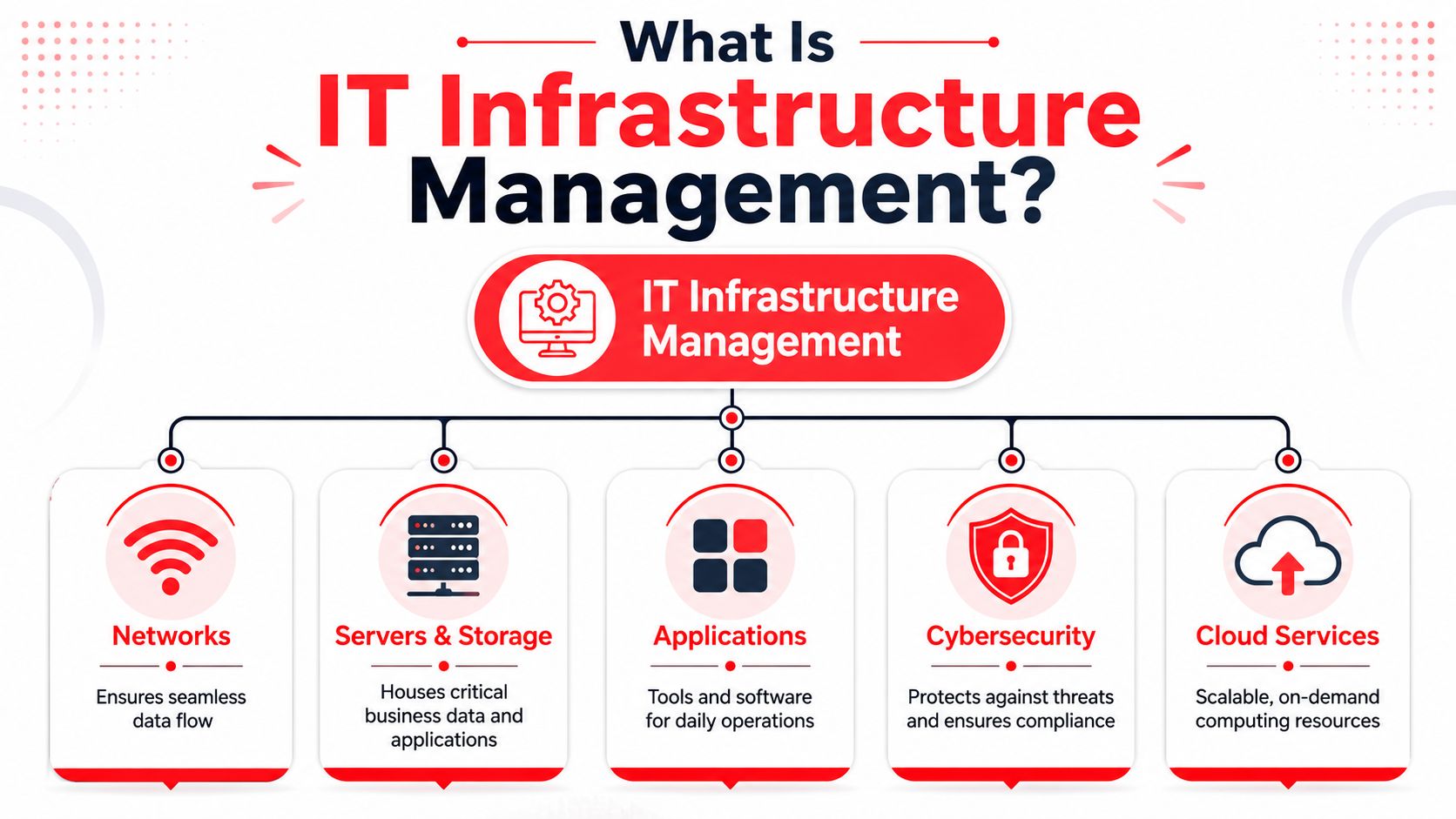
The Core Components of Microsoft 365 Support

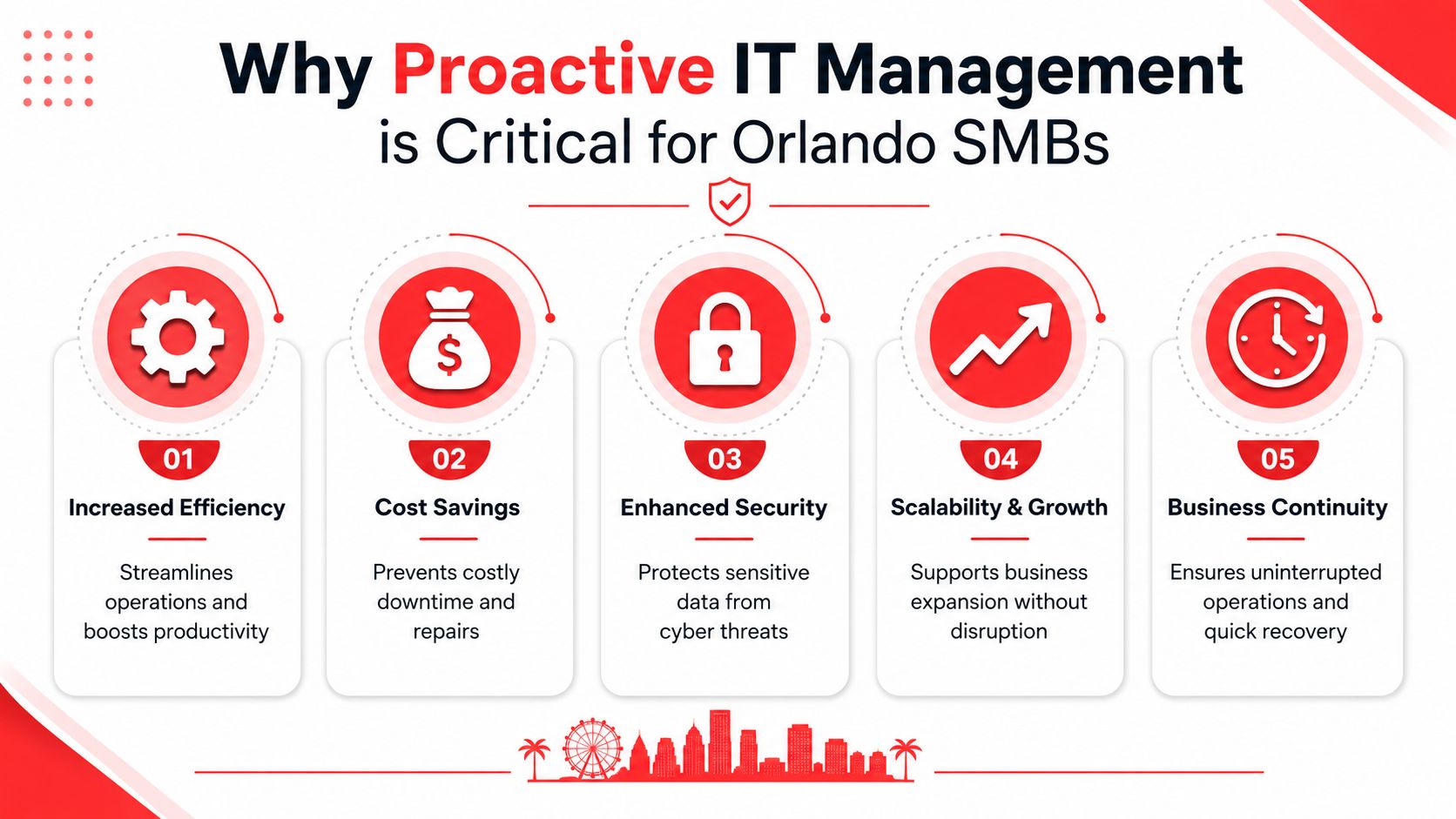
Microsoft 365 support should solve business problems, not just close tickets. If a provider only talks about password resets and app installs, that's too narrow. Good support reduces interruptions, keeps permissions under control, protects data, and makes sure your subscription spend matches how people work.

What support should include

A complete Microsoft 365 support function usually covers these areas:

  • User lifecycle management means onboarding, offboarding, access changes, mailbox setup, group membership, and role-based permissions. This is where businesses either stay organized or create long-term risk.
  • Tenant administration includes policy review, identity controls, collaboration settings, and governance. This is what keeps convenience from turning into sprawl.
  • Security operations inside the tenant cover alerts, suspicious sign-ins, phishing response, mailbox compromise containment, and conditional access tuning.
  • License management keeps the environment aligned with real job roles. Many businesses over-license some employees and under-support others because nobody revisits the plan after the initial rollout.
  • Migration and change support matter during acquisitions, office moves, leadership changes, or line-of-business app transitions. Microsoft 365 often becomes the center of those projects whether anyone planned for it or not.
  • Training and adoption support helps staff use the tools correctly. A secure platform still fails if people keep sharing sensitive files the wrong way or storing records in the wrong locations.

Why skilled support matters financially

This work has real market value in Orlando. As of June 2026, ZipRecruiter reported an average hourly pay of $21.61 for “Microsoft help desk remote” roles in Orlando, with a posted range of $17 to $28 per hour, according to ZipRecruiter's Orlando job market listing.

That number doesn't tell you what a support contract should cost. It does show something important. Microsoft 365 support is a defined professional capability, not an informal side task for whoever seems “good with computers.” If your business depends on the platform, it needs people who know how user issues connect to licensing, identity, security, and administration.

A simple way to assess your own environment is to ask whether support covers only incidents or also outcomes.

Support area What it looks like in practice Business result
Reactive help Password resets, app troubleshooting, mailbox fixes Employees get unstuck
Administrative control User provisioning, license alignment, policy management Fewer errors and cleaner operations
Security management Access reviews, alert handling, phishing response Lower exposure to account misuse
Data protection Retention decisions, backup planning, recovery workflows Better continuity under stress
Optimization Storage cleanup, archive planning, workflow simplification More predictable spend and better usability

Support that starts and ends with “submit a ticket” usually leaves the hardest problems untouched.

The best Microsoft 365 Support in Orlando FL is broad enough to stabilize the environment and disciplined enough to keep it from drifting every quarter.

The Local Advantage of Orlando-Based 24/7 Support

A local support partner changes the experience in ways most businesses don't appreciate until something urgent happens. During normal operations, local support means faster context, fewer explanations, and less time spent proving that the issue matters. During an incident, it means you're not trapped between a platform queue, an internal staff member with partial visibility, and a finance person who can't get a billing issue resolved until later.

A professional IT technician smiling in an office with a network server rack and Orlando skyline view.

Where platform support stops short

Microsoft states that technical support for Microsoft 365 business and enterprise services is available 24 hours a day, seven days a week in English, while billing support is limited to U.S. business hours, Monday through Friday, 9:00 AM to 5:00 PM, according to Microsoft 365 business support options.

That distinction matters more than it sounds. Real business problems rarely arrive cleanly labeled as “technical” or “billing.” A tenant issue might involve licensing, suspended services, user assignment confusion, renewal timing, or an admin access problem that touches both operations and account management. If your provider only handles one side of that picture, your team still ends up coordinating the mess.

Why local context changes outcomes

An Orlando-based support team usually understands the operating realities behind the ticket. A medical practice cares about patient communication continuity and access discipline. A law office cares about document handling, chain of responsibility, and after-hours responsiveness. A field-service company cares about mobile access and dispatch continuity. Those aren't abstract categories. They change how support should be delivered.

A local model also tends to work better when your business has:

  • Multiple offices or remote staff who need standardized access and escalation paths
  • An internal IT generalist who needs backup on security, policy, and higher-level Microsoft 365 administration
  • Industry obligations that make sloppy permissions or unmanaged shared data unacceptable
  • Executives who want accountability instead of a rotating queue with no institutional memory

One option in this category is Cyber Command, LLC, which provides U.S.-based managed IT, co-managed support, and Microsoft 365-related operational coverage for organizations that want one team handling both day-to-day issues and broader platform oversight.

For many businesses, the local advantage isn't geography by itself. It's proximity plus ownership. Someone knows your tenant, knows your users, knows how your approvals work, and knows who to call when a “small” issue starts affecting revenue.

Cybersecurity and Resilience in Your Microsoft 365 Tenant

Most Microsoft 365 security problems don't start with dramatic technical exploits. They start with ordinary work. An employee opens a convincing email. A manager shares too broadly because it's faster. A former contractor keeps access longer than they should. A mailbox rule forwards messages unnoticed. A rushed approval leads to the wrong person getting the wrong data.

That's why Microsoft 365 support and cybersecurity should never be separated in practice. The same environment that enables productivity also concentrates identity, email, files, collaboration, and sensitive records in one place.

The threats that show up inside everyday work

For Orlando firms in professional services, healthcare-adjacent operations, industrial environments, and public-serving organizations, the most common risks are usually operational before they become technical:

  • Business email compromise exposure grows when executives, finance staff, and client-facing users don't have tightly managed sign-in protections and review processes.
  • Permission creep creates risk when teams inherit access from old projects, staff changes, or temporary exceptions that nobody removes.
  • Data leakage through collaboration tools happens when file sharing rules, guest access, and link behavior aren't governed intentionally.
  • Insider misuse or accidental mishandling becomes harder to spot when there's little visibility into unusual behavior. For leaders thinking about internal risk, this overview of Logical Commander for insider threat prevention is useful because it frames how normal user activity can become a real security event.

A support partner should harden the tenant in practical ways. That includes stronger identity controls, access reviews, escalation playbooks, administrative separation, and structured response to suspicious email or account activity. It should also include backup and recovery planning beyond the assumption that the platform will always be available. For businesses reviewing that gap, SaaS protection for Microsoft 365 data is part of the conversation because recovery expectations need to be defined before an incident, not during one.

Security in Microsoft 365 isn't just about blocking attackers. It's about controlling normal user activity so mistakes don't become incidents.

Resilience matters when the platform has a bad day

Service disruptions do happen. Downdetector tracks Microsoft 365 incidents in real time, and that matters because many businesses still plan as if email, Teams, and SharePoint will always be there when needed, as reflected on Downdetector's Microsoft 365 incident tracking page.

The primary question during an outage isn't whether the problem is “Microsoft's fault.” It's whether your business can keep operating. A resilience plan should address:

  • Alternate communication paths so teams can coordinate if Teams or Outlook are unavailable
  • Offline work methods for critical documents, schedules, and client deliverables
  • Admin escalation paths so someone owns status checks, internal updates, and decision-making
  • Recovery workflows for what gets verified first once services return
  • Local business continuity priorities by department, not just a generic company-wide response

A firm with no continuity plan treats an outage as chaos. A prepared firm treats it as a managed interruption.

How to Evaluate M365 Support Providers in Central Florida

Most provider evaluations go wrong because business owners ask broad questions and get polished broad answers. “Do you support Microsoft 365?” isn't a useful question. Almost every provider will say yes. What you need to know is how they support it, who owns what, and what happens when a user issue turns into a security event, a licensing dispute, or a business interruption.

Questions that expose the real service model

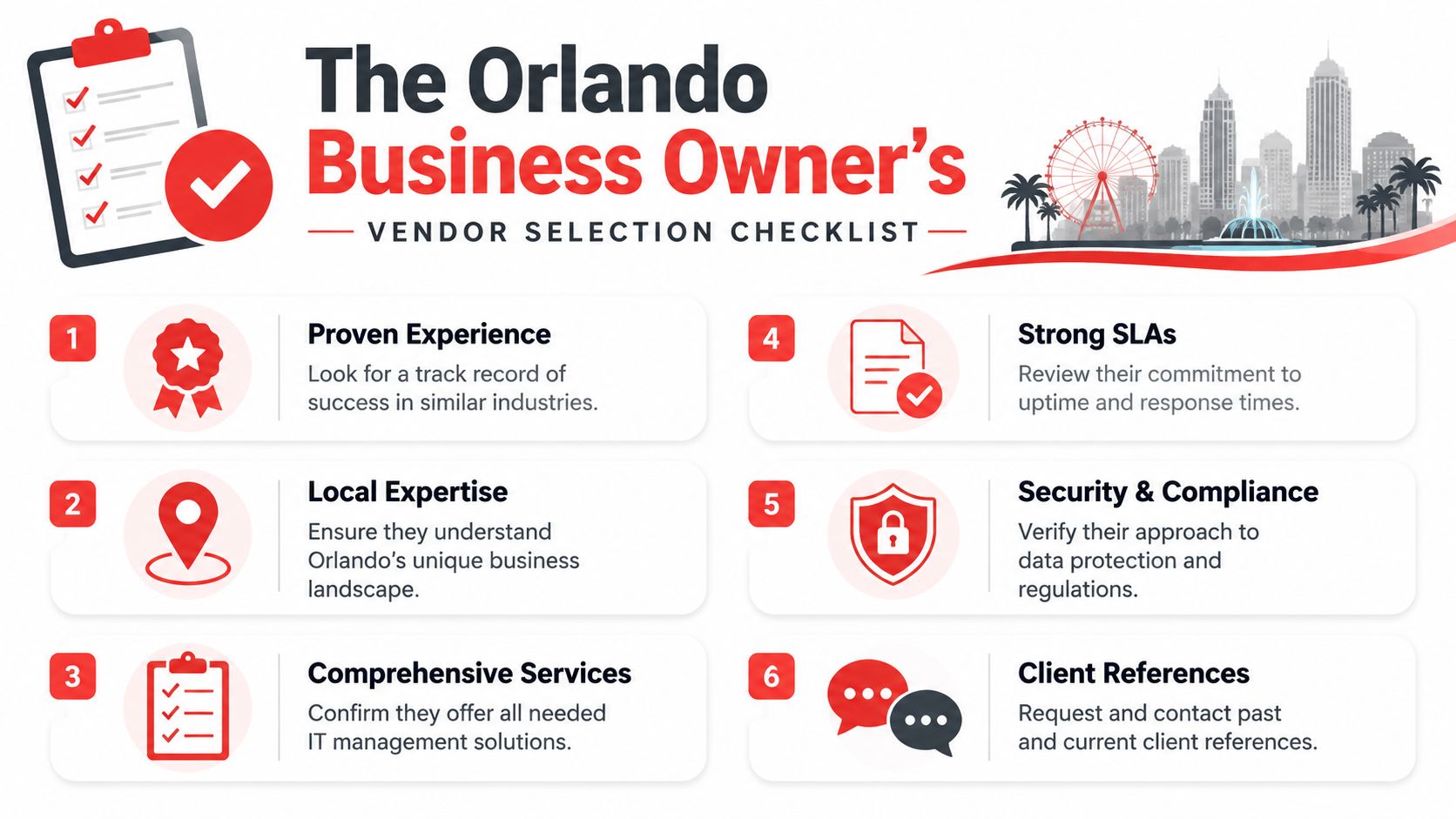
Ask direct questions that reveal the operating model behind the proposal:

  • Who owns the tenant day to day. Ask whether they handle user administration, policy changes, escalations, and vendor coordination, or whether your staff still has to quarterback those tasks.
  • What happens after hours. “24/7” can mean many things. Ask whether critical issues are worked live, queued for later review, or escalated only under narrow conditions.
  • How do you handle security events inside Microsoft 365. You want a process, not a slogan. Ask about suspicious sign-ins, compromised mailboxes, executive impersonation, and data access review.
  • How do you approach compliance-sensitive environments. For a practical outside perspective, these HIPAA and PCI compliance tips are worth reviewing because they show the kind of policy and handling questions regulated businesses should already be asking.
  • What does co-managed mean in your model. Some providers effectively complement internal IT. Others just offload commodity tickets.

If you're comparing firms, this guide on how to choose a managed service provider can help organize the decision around response model, accountability, and operational fit.

Co-managed vs fully managed Microsoft 365 support

The right model depends on your internal capacity and how much ownership you want to keep.

Feature Co-Managed IT Support Fully Managed IT Support
Internal IT involvement Internal staff keeps primary ownership and uses the partner for depth, coverage, or after-hours support Provider handles primary ownership for support, administration, and routine platform oversight
Best fit Companies with capable in-house IT that need backup, security depth, or project support SMBs that need consistent coverage without building an internal Microsoft 365 support function
Escalation flow Internal IT often remains the first decision-maker Provider usually becomes the main operational point of contact
Policy and governance Shared responsibility, which works only if roles are clearly documented More centralized, often easier for standardization and accountability
Coverage strength Strong when internal IT is available and aligned Strong when the business wants one team responsible across the full lifecycle
Common risk Gray areas if responsibilities aren't defined Overreliance on the provider if reporting and documentation are weak

The best proposal isn't the one with the longest service list. It's the one that makes ownership unmistakably clear.

A good provider should be able to explain where their responsibility starts, where it ends, and how your business avoids gaps.

Your Microsoft 365 Security and Optimization Checklist

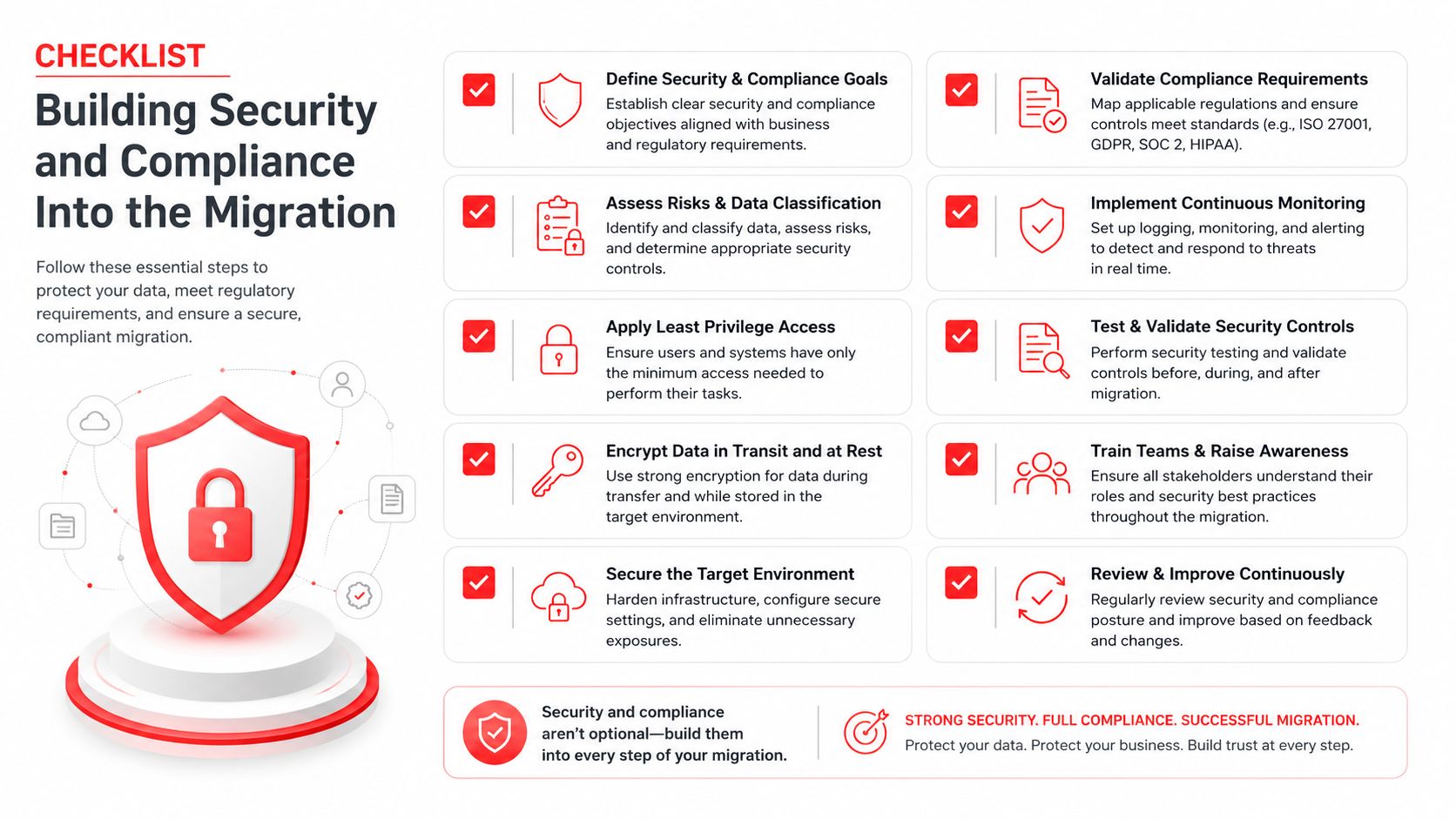
A Microsoft 365 tenant doesn't need to be perfect to be safer and easier to manage. It does need regular attention. For most Orlando businesses, the biggest improvements come from tightening access, reducing clutter, and documenting recovery expectations.

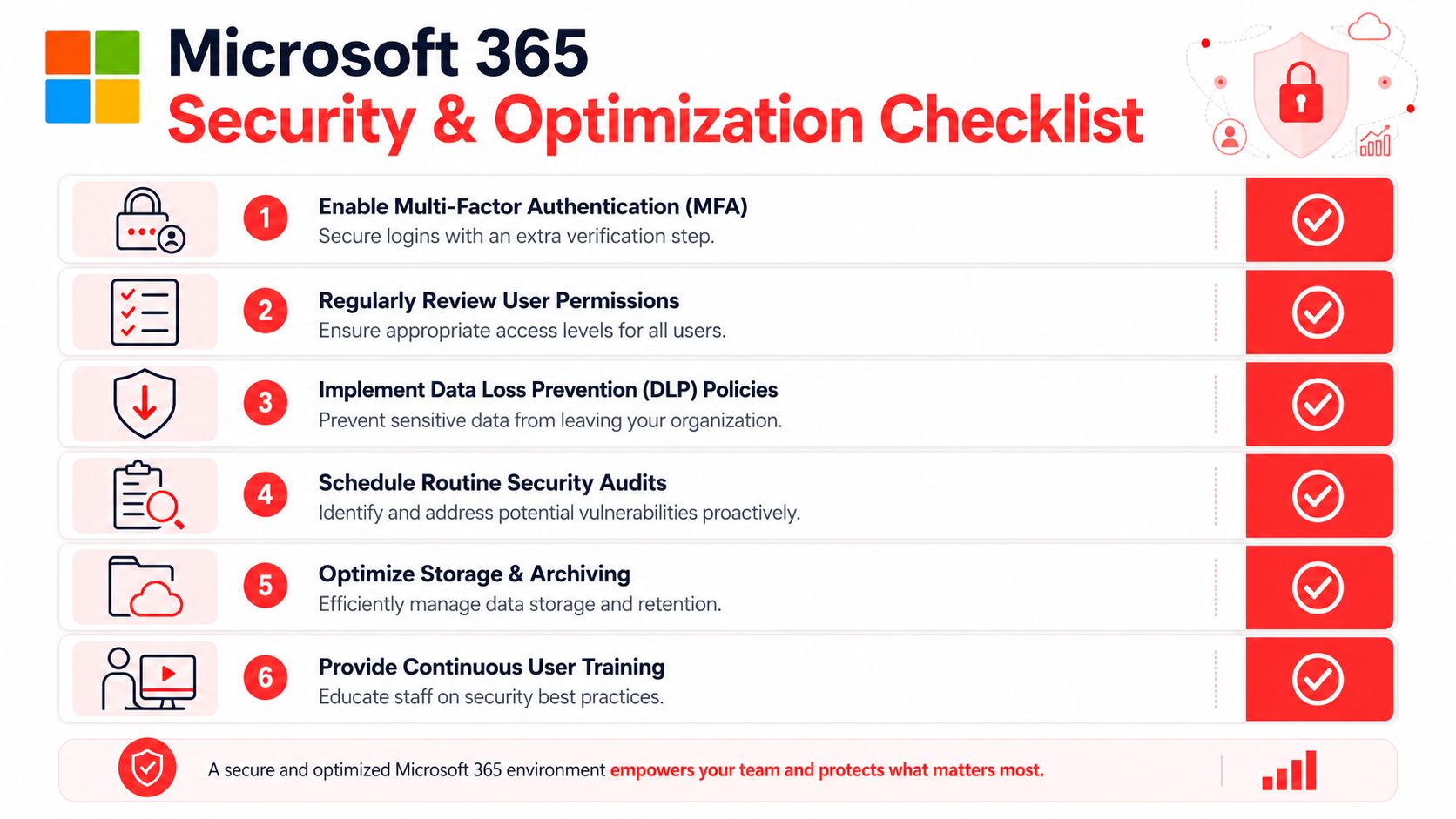
A checklist infographic outlining six essential security and optimization steps for managing a Microsoft 365 business environment.

Use this checklist to tighten your environment

  • Review sign-in protection and confirm stronger authentication is enforced consistently, especially for leadership, finance, and administrators.
  • Audit privileged access so admin rights are limited, documented, and reviewed when staff roles change.
  • Check sharing and guest access settings to make sure convenience hasn't opened the door to uncontrolled file exposure.
  • Map your backup and recovery expectations so leadership knows what can be restored, by whom, and under what process.
  • Reconcile licenses with real job roles instead of renewing the same way every cycle.
  • Inspect shared mailboxes, groups, and Teams sprawl to remove old structures that confuse users and expand risk.
  • Set a cadence for security review that includes suspicious activity, policy changes, and offboarding quality.
  • Train users on the workflows they use. Generic awareness sessions help less than role-specific guidance tied to email, file sharing, approvals, and mobile access.

This checklist works whether you're planning a migration or cleaning up years of drift. The key is consistency. A tenant usually becomes risky through accumulated exceptions, not one big mistake.

Microsoft 365 Support FAQ for Orlando Businesses

Is Microsoft's built-in support enough for a business?

Usually not by itself. Platform support can help with product issues, but most companies need someone to manage the full operating picture, including user administration, licensing alignment, security response, and business continuity decisions.

Can a support partner help with industry-specific compliance needs?

Yes, if they understand the environment beyond basic ticket handling. For healthcare-adjacent, financial, legal, and public-serving organizations, support has to account for access control, data handling, audit readiness, and documented response processes.

We already have an internal IT person. Do we still need outside Microsoft 365 support?

Often, yes. Co-managed support works well when the internal team knows the business but needs deeper Microsoft 365 administration, after-hours coverage, cybersecurity support, or help with governance and recovery planning.

What should we look for first in Microsoft 365 Support in Orlando FL?

Start with ownership, response model, and security depth. If a provider can't clearly explain who handles incidents, policy changes, user lifecycle management, and continuity planning, the relationship will likely stay reactive.

Where can business owners learn more about hardening Microsoft 365?

If you want an additional outside resource, this roundup of actionable M365 security advice is a useful supplement to internal planning because it helps frame practical controls and user-focused safeguards.

Is support mainly about fixing user problems?

No. User support is the visible part. The larger value is preventing recurring issues, reducing risk, managing change cleanly, and giving leadership predictable operations instead of recurring surprises.


If your business relies on Microsoft 365 for email, collaboration, file access, and identity, support should protect more than user productivity. It should protect uptime, security, and decision-making. Cyber Command, LLC works with organizations in Orlando and beyond on managed IT, co-managed support, cybersecurity, and Microsoft 365 operations for businesses that want clearer ownership, stronger resilience, and predictable day-to-day support.

Cloud Based Backup Solutions Small Business Guide 2026

If you're running a medical practice in Winter Springs, a law firm in downtown Orlando, or an accounting office with staff spread across Central Florida, your backup problem probably isn't theoretical. It's immediate. You already know your files matter. What most business owners don't know is whether their current setup would let them recover after a ransomware event, a server failure, or a week where the office is inaccessible.

That's where a lot of "cloud backup" advice falls apart. Many providers sell storage and call it backup. Many small businesses buy a tool and assume they're covered. Then a restore is needed, versions are missing, retention wasn't configured correctly, or nobody knows how long recovery will take. At that point, the monthly subscription you paid for doesn't matter. Recovery does.

For Central Florida businesses, especially in regulated industries, cloud based backup solutions small business plans have to do more than hold copies of files. They need to support continuity, security, compliance, and fast decision-making during a bad day. The right system protects data. The right strategy protects the business.

What Cloud Backup Really Means for Your Business

A real cloud backup system is a digital vault outside your office. If your building has a power issue, hardware failure, water intrusion, or a security incident, the backup copy still exists somewhere separate and recoverable.

That sounds obvious, but many businesses still confuse backup with sync or storage. Dropbox, OneDrive, and Google Drive are useful collaboration tools. They are not, by themselves, a complete business continuity plan. If a file is deleted, overwritten, corrupted, or encrypted by ransomware, those changes can sync too.

A digital cloud symbol inside a secure vault representing protected cloud-based data storage during a storm.

Backup protects recovery, not just storage

The question isn't "Where are my files stored?"

The question is "How fast can I get the right version back, and how much work will I lose?"

A Winter Springs dental office is a good example. If the practice management workstation crashes at 4:30 p.m. and the latest usable backup is from the night before, the office may lose a full day's scheduling changes, intake updates, and billing activity. If the same office has a modern backup platform capturing changes continuously, the data loss window is much smaller.

That leads to the two terms owners need to understand:

  • RPO
    means how much data you can afford to lose. If your RPO is one day, you could lose everything created since the previous backup.
  • RTO
    means how long you can afford to stay down. If your RTO is many hours, your team may sit idle while systems are restored.

Why RPO and RTO matter more than marketing features

Most backup sales pages talk about storage limits, dashboards, and "military-grade security." That's not what matters during an outage. What matters is whether your backup design matches how your business operates.

Practical rule: If your staff updates records all day, nightly backup alone is usually too blunt an instrument.

Modern platforms that use Continuous Data Protection capture file changes in near real time instead of waiting for a nightly job. According to this review of cloud backup for small businesses, providers such as Acronis and IDrive Business demonstrate RPOs under 15 minutes, while scheduled backups can create 24-hour data loss windows. The same analysis notes that block-level differencing and deduplication can reduce storage costs by up to 90% for database-heavy workloads.

What works and what doesn't

In practice, these are the setups that usually work best:

  • Good fit for smaller offices
    Endpoint and server backup with continuous protection, versioning, and offsite retention.
  • Good fit for heavier operations
    A mix of local recovery plus cloud copy, so large restores don't depend entirely on internet speed.
  • Weak fit for serious operations
    USB drives, a single NAS in the same office, or a sync folder that everyone assumes counts as backup.

A proper backup system should answer four plain questions without hesitation:

  1. What exactly is being backed up?
  2. How often are changes captured?
  3. How long does recovery take for one file, one server, and the whole office?
  4. Who verifies restores work?

If you can't get clean answers to those four questions, you don't have a backup strategy. You have backup hope.

Why Florida Businesses Need More Than Just Data Storage

Small businesses in Orlando don't operate in a neutral environment. They deal with weather risk, infrastructure interruptions, and a steady stream of cyber threats. That changes what a good backup strategy looks like.

A storage account is passive. A business continuity backup plan is active. It assumes something will eventually go wrong and builds for recovery before that happens.

Your office can be unavailable even when your company isn't

A lot of owners still picture disaster recovery as a worst-case building loss. That's one scenario, but it's not the only one that matters. You can have a functioning business with a non-functioning office.

If your team can't get into the building, if local systems are offline, or if one location goes down while another stays open, staff still need access to current data and a clear restoration path. That's where offsite copies, role-based access, and tested recovery workflows matter more than raw storage space.

For firms with more than one office, or even one office plus remote staff, consistency is often the hidden problem. One branch may have current data, another may not. A restore may be possible for one location but incomplete for another.

Multi-location sync failure is a real operational risk

Generic backup advice usually misses the mark. Distributed businesses don't just need copies; they need reliable replication and version consistency across sites.

A 2025 Gartner finding summarized by Lenovo reported that 47% of SMBs with multiple branches experienced data synchronization failures in their cloud backups. It also found that those failures amplified ransomware impact by 3x because replication was incomplete. The same summary notes that hybrid solutions from Acronis and Veeam use edge caching and WAN optimization, cutting sync times by 40% for remote teams and reducing overall TCO by 30% compared to cloud-only models for distributed organizations.

For a Central Florida business with an Orlando office, a second location, and remote users working from home, that's not abstract. It means a backup plan can look healthy on paper while still leaving gaps in the data your team needs.

A backup that works for one office can fail a multi-location business if the replication design is sloppy.

Florida risk changes the backup conversation

Three local realities push businesses toward stronger backup architecture:

  • Weather exposure
    Storms, flooding, and building access problems make same-site-only backups risky.
  • Power and connectivity instability
    Even short outages can interrupt backup jobs, corrupt local systems, or delay restores if there's no local recovery option.
  • Professional services targeting
    Law firms, dental offices, accounting firms, and medical practices hold sensitive, operationally critical data that attackers know can't stay down long.

What doesn't work in this environment is the minimalist approach. One copy in the office is fragile. One cloud repository with no restore testing is fragile too. Businesses that need uptime usually end up with layered protection, not a single tool.

Operating from anywhere requires design, not luck

The practical goal is simple. If your office is unavailable, your business should still be able to function in a controlled way. That means staff can access the systems they need, leadership knows what's recoverable first, and the backup environment isn't tangled up with the same failure that hit production.

For Orlando-area firms, the right backup system isn't just a place to park files. It's part of how the business keeps moving when the office, the network, or a user endpoint fails.

Key Architectures and Components of a Modern Backup Solution

When owners hear "cloud backup," they often picture one thing. In reality, there are several architectures, and each one solves a different problem. Picking the wrong model creates pain later, usually during restore.

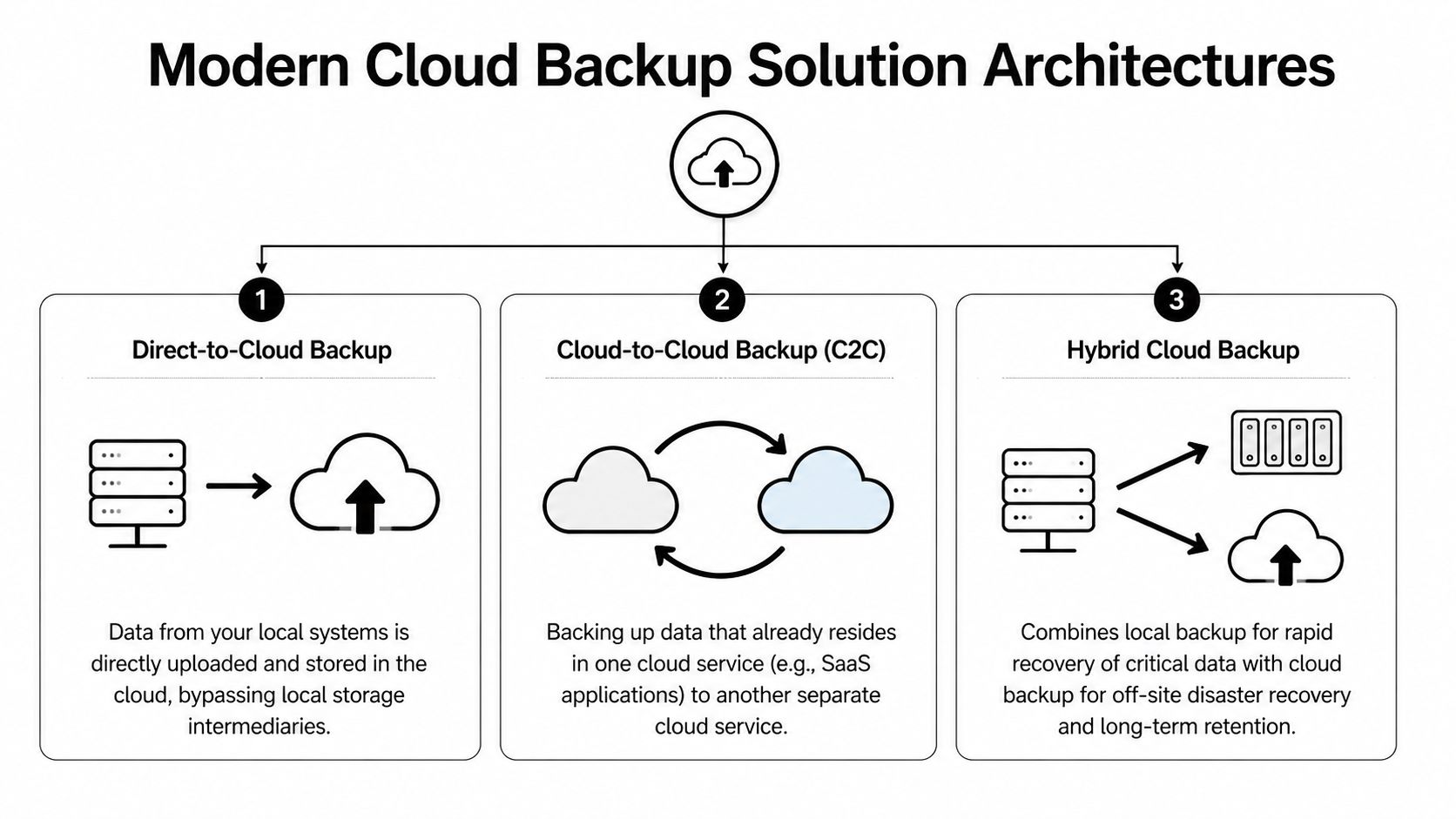
Here's the visual map most buyers never get from providers.

A diagram illustrating three modern cloud-based backup architectures: direct-to-cloud, cloud-to-cloud, and hybrid cloud backup systems.

Direct-to-cloud works best when simplicity matters

In a direct-to-cloud model, backup agents on laptops, desktops, and servers send data straight to the provider's cloud repository. This is often a sensible fit for smaller offices without much infrastructure.

Benefits are straightforward:

  • Less local hardware
    You don't need to maintain a separate backup appliance for basic protection.
  • Strong fit for remote users
    Laptops can keep backing up even when employees aren't in the office.
  • Cleaner deployment
    Endpoint coverage is usually easier to standardize.

The trade-off is recovery speed for large restores. If you need to pull back a full server or a large file set, your internet connection becomes part of the recovery path.

Hybrid is usually the practical answer for serious uptime needs

A hybrid backup design keeps a local backup copy for fast recovery and a cloud copy for offsite disaster recovery. For many small and midsize businesses, this is the architecture that balances speed, resilience, and operational sanity.

If an employee deletes a shared folder, a local recovery target can return it quickly. If the office is compromised, the offsite copy still exists. If ransomware reaches the production environment, a properly isolated backup design gives you a cleaner recovery option.

That local component is often a NAS, backup appliance, or dedicated storage target. The cloud component handles the geographic separation that local-only systems can't provide.

The best architecture usually isn't the one with the most features. It's the one that matches how your business restores.

Cloud-to-cloud fills a gap many firms miss

Many businesses assume Microsoft 365 or another SaaS platform handles backup for them. That's a dangerous assumption. A cloud-to-cloud architecture backs up data that's already in a cloud platform into a separate backup system.

This matters for:

  • Exchange and mailbox data
  • OneDrive and SharePoint files
  • Teams and collaboration content
  • Sales and client records in SaaS apps

If your business lives inside Microsoft 365, that data needs a backup strategy of its own. SaaS availability isn't the same as business-controlled retention and point-in-time restore.

The components you should expect to see

A modern backup environment usually includes several moving parts:

Component What it does Why it matters
Endpoint agent Captures changes on laptops and desktops Protects remote users and key workstations
Server backup service Backs up physical or virtual servers Covers line-of-business systems
Local recovery target Stores a nearby copy for fast restore Reduces downtime for common incidents
Cloud repository Holds offsite backup data Protects against site-level disasters
Management console Shows status, failures, retention, and restore options Lets IT verify protection instead of guessing
Recovery testing process Validates that backups can actually be restored Turns backup from theory into proof

For businesses running cloud workloads, it's also worth understanding how infrastructure-level backup fits into the picture. A useful reference is this guide to AWS backup and disaster recovery planning, especially if your applications or data stores already live in the cloud.

What buyers should ask before choosing an architecture

Ask providers to design around your recovery priorities, not their standard package.

  1. Which systems need rapid local recovery?
  2. Which users need backup even when offsite?
  3. Which cloud apps need separate protection?
  4. What is isolated from production so an attacker can't erase everything at once?

A lot of backup failures start before any attack happens. They start when the architecture was never matched to the business.

Navigating Compliance and Security in Regulated Industries

For regulated businesses, backup isn't just an IT tool. It's part of your compliance posture. A dental office handling patient records, a law firm retaining client documents, or an accounting practice protecting financial data can't treat backup as an afterthought.

The mistake I see most often is buying a general-purpose backup service and assuming compliance will sort itself out. It won't. Providers can offer encryption and storage, but that doesn't automatically produce the safeguards, retention controls, and audit evidence your business may need.

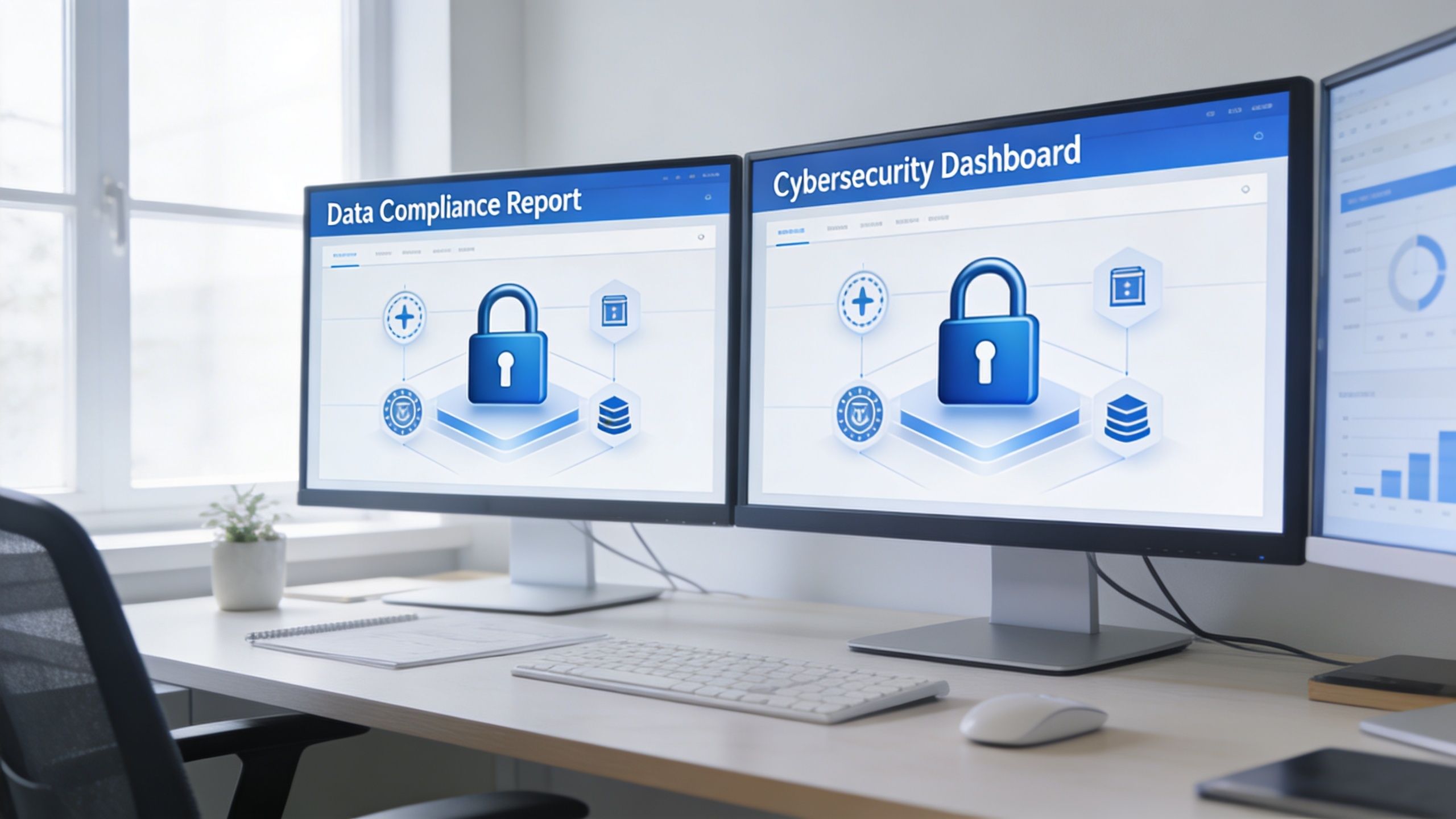
Dual computer monitors on a desk displaying cybersecurity dashboards with a lock icon and data charts.

What regulated firms should care about first

If you operate in healthcare, legal, accounting, or financial services, these backup features move from "nice to have" to "required for responsible operations":

  • Encryption at rest and in transit
    Sensitive records should remain unreadable whether stored or moving across networks.
  • Immutability
    Backup data shouldn't be easy to alter or delete after it's written.
  • Access control and authentication
    Not every employee should be able to browse or remove backup sets.
  • Audit trails
    You need records showing what was backed up, when, and who accessed it.
  • Retention policy control
    Compliance isn't only about making copies. It's also about keeping the right copies for the right amount of time.
  • Restore verification
    If you can't prove recoverability, the backup isn't doing its compliance job.

AES-256 matters because it changes the exposure profile

For regulated businesses, one of the most important baseline controls is AES-256 encryption. According to Box's overview of cloud backup for small business, cloud backup solutions for regulated businesses rely on AES-256 encryption for data at rest and in transit, and it describes that NIST standard as practically unbreakable. The same source notes that leading solutions such as Acronis and CrashPlan encrypt data client-side before upload, which prevents provider access and reduces insider-threat exposure.

That client-side piece matters. If the provider never receives your files in plaintext, you've reduced one category of risk before the data even leaves your environment.

How this maps to real compliance pressures

For Orlando-area regulated firms, the details differ by industry, but the practical requirements look similar.

Medical practices and HIPAA

A medical spa, dentist, orthodontist, or veterinary clinic needs backup controls that protect electronic patient information and support reliable restoration after an incident. Encryption helps protect confidentiality. Access controls limit exposure. Immutable or protected backup copies help when ransomware hits systems that staff use every day.

HIPAA conversations also force a question many small practices avoid. If a patient record must be restored, how quickly can that happen, and who owns that process?

Law firms and accountants under GLBA-style pressure

Law offices and accounting firms hold sensitive financial records, tax data, case files, and communications. Even when the exact regulatory framework varies, the operational expectation is the same. Sensitive client data needs controlled access, secure retention, and documented recovery capability.

A provider saying "we're secure" isn't enough. Ask how deletion is prevented, how restores are logged, and who can access backup data.

Financial and professional services with audit expectations

Firms serving financial clients often need proof, not promises. That means logs, reports, policy enforcement, and recoverability evidence. During a client security review or internal audit, "our backups run every night" is weak. A defensible answer includes encryption method, retention policy, access restrictions, and restore test records.

Security features that actually improve recovery

Security in backup isn't just about confidentiality. It also affects whether recovery works under pressure.

Box's overview also states that in simulated ransomware tests, Acronis's encrypted backups demonstrated a 99.9% data recovery success rate and a 40% faster RTO compared to non-encrypted alternatives. That's useful because it cuts through a common misconception that stronger security always slows recovery. In backup design, the opposite can be true when integrity checking and protected restore paths are built in.

What to reject during vendor review

Be cautious if a provider can't clearly answer these points:

  • Where is data stored
    If they can't explain data residency and control, keep pushing.
  • How are backups protected from deletion
    If the answer is vague, assume the design is weak.
  • Can they support regulated documentation
    Agreements, logs, and compliance-oriented reporting shouldn't be optional extras.
  • How often are restores tested
    Marketing language is easy. Restore evidence is harder, and that's what matters.

The safest approach for regulated small businesses is usually not the cheapest subscription on a website. It's a backup design built for security controls, operational recovery, and auditability from the start.

Choosing Your Cloud Backup Strategy DIY versus Managed

Some business owners want direct control. Others want clear accountability. Both instincts are reasonable. The real question is whether your team has the time and skill to build, monitor, test, and document backup properly.

DIY can work. It often works poorly when backup is one of fifteen responsibilities assigned to an office manager, internal admin, or busy IT generalist. The software may be installed, but alerting, retention, restore testing, and access control drift over time.

Where DIY usually breaks down

The problem isn't buying the tool. The problem is everything after purchase.

A small business has to make dozens of decisions that marketing pages tend to skip:

  • What gets backed up, and what gets excluded
  • How retention should differ for servers, endpoints, and SaaS data
  • Which backup copies are protected against deletion
  • How often restore tests should happen
  • Who reviews failed jobs and who fixes them
  • How compliance evidence gets documented

If you're still comparing local hardware and offsite options, this plain-language piece on understanding your data storage choices is a useful companion before you commit to a model.

DIY vs Managed Cloud Backup Comparison

Factor DIY (Do-It-Yourself) Managed Service (e.g., Cyber Command)
Ownership Your team owns setup, monitoring, policy decisions, and restores A service partner owns day-to-day management and escalation
Internal time Staff must review alerts, fix failed jobs, and document results Internal staff spends less time on backup administration
Skill requirement Requires backup, security, and recovery expertise Lets non-specialist teams rely on experienced operators
Compliance support You must map retention, logging, and controls yourself Managed oversight usually makes audit preparation more structured
Disaster accountability Recovery depends on whoever is available and qualified Responsibility is clearer during an incident
Hidden costs Missed alerts, weak testing, and rushed recovery create expensive risk Monthly cost is higher on paper but often lowers operational risk
Fit Works best for firms with capable in-house IT and time to spare Works best for firms that need predictable outcomes

Managed service is about risk transfer, not convenience alone

The strongest argument for managed backup isn't that it's easier. It's that someone is watching the system when you aren't.

That matters when:

  • backups fail unnoticed,
  • a retention policy is misconfigured,
  • ransomware starts touching unusual data patterns,
  • or a restore has to happen outside business hours.

For many small businesses, especially regulated ones, the better question isn't "Can we run this ourselves?" It's "Do we want recovery to depend on improvisation?"

A managed approach also fits well when backup is tied to broader continuity planning. If you're comparing service models, this overview of managed disaster recovery as a service helps frame the discussion beyond just storage and backup licensing.

If nobody is responsible for testing restores, nobody is responsible for recovery.

A direct recommendation

Choose DIY only if you already have disciplined internal IT ownership, documented procedures, and a real testing cadence. Don't choose it just because the monthly line item looks smaller.

Choose managed when uptime, compliance, and accountability matter more than the feeling of direct control. For most Orlando-area medical, legal, financial, and professional services firms, that's the safer business decision.

A Practical Checklist for Selecting Your Solution

Vendor demos are polished. Backup failures are messy. The easiest way to cut through sales language is to ask direct questions and keep asking until you get specific answers.

Questions that reveal whether the provider is serious

Bring this checklist into every evaluation call.

  • What are our recovery targets
    Ask for your expected RTO and RPO by workload, not a generic platform statement.
  • What exactly gets backed up
    Endpoints, servers, virtual machines, Microsoft 365, shared folders, databases, line-of-business apps.
  • How is backup data protected from deletion or tampering
    You're looking for clear language around immutability, isolation, and protected administrative access.
  • How are restores tested
    Ask whether they perform regular test restores and whether they document results.
  • How do you handle failed backup jobs
    A mature provider has an escalation process, not just automated emails no one reads.
  • Where is the data stored
    You need a clear answer on hosting location and control.
  • What compliance documentation can you support
    For regulated businesses, ask about agreements, audit logs, retention records, and reporting.
  • Who has access to backup data
    Administrative scope should be controlled and auditable.
  • How are remote users protected
    Staff working from home or traveling shouldn't fall outside the backup plan.
  • What is the restore process during ransomware
    Ask them to walk through the steps in plain English.

Questions many buyers forget to ask

These often uncover the biggest gaps:

  1. If our office is unavailable, how do we access restored data?
  2. If one server fails, what comes back first?
  3. If one employee deletes a folder, can we restore only that folder?
  4. If a backup fails overnight, who notices before our staff logs in?
  5. If we leave your service, how do we retrieve our backup data?

Ask every provider to describe the last restore problem they had to solve and how they handled it. The quality of that answer tells you more than the product demo.

Red flags during selection

Watch for these responses:

  • "Unlimited" with no retention clarity
    Unlimited storage doesn't mean unlimited recoverability.
  • Vague compliance language
    If they speak in generalities, assume you will do the hard compliance work yourself.
  • No restore evidence
    If they can't show testing discipline, don't assume they have it.
  • One-size-fits-all packaging
    Dental practice, law office, and architecture firm backups should not all be designed the same way.

The right provider should make backup feel less mysterious, not more.

Putting Your Backup Plan into Action

Good backup projects don't start with software. They start with recovery priorities. Identify what must come back first, what can wait, and which systems create the biggest operational risk if they're unavailable.

Then deploy in a practical order. Install agents on endpoints and servers. Configure retention and access policies. Run the initial full backup. Add cloud app coverage if your business depends on Microsoft 365 or similar services. Document the restore path for the systems your team uses every day.

After that, testing becomes the definitive dividing line.

A backup that has never been restored is an assumption. A backup that is restored and verified on a schedule becomes part of business operations. That includes single-file restores, server-level recovery, and scenario testing for ransomware or office outage conditions. If your team doesn't already have a documented process, start with a structured disaster recovery plan template and build backup decisions around that plan, not the other way around.

Most small businesses don't fail because they ignored backup entirely. They fail because they assumed setup was the finish line. It isn't. The finish line is verified recovery.


If your business in Orlando, Winter Springs, or the surrounding Central Florida area needs a backup strategy that covers cybersecurity risk, compliance, and real-world recovery, Cyber Command, LLC can help you design, manage, and test a solution that fits how your business operates. Their team supports regulated firms, multi-location organizations, and small businesses that need more than basic storage. They focus on recoverability, accountability, and ongoing protection so you can spend less time worrying about backups and more time running the business.