
Law Firm IT Support in Orlando, FL: Your 2026 Expert Guide

You're not looking for generic IT support. You're trying to keep attorneys billing, staff moving documents, clients informed, and deadlines intact while your systems stay secure. That usually becomes painfully clear at the worst moment: a filing deadline is close, email stalls, the document system won't open, someone can't access a matter remotely, and every minute starts to feel billable.
For an Orlando law firm, technology failure isn't a background inconvenience. It can interrupt client communication, delay filings, expose confidential data, and force lawyers to spend expensive time on workarounds instead of legal work. The firms that handle this well don't wait until something breaks. They treat IT as part of operations, risk management, and client service.
Table of Contents
- Why Orlando Law Firms Can No Longer Ignore Specialized IT
- Core Managed IT Services Your Firm Needs
- How Proactive IT Drives Billable Hours and Client Trust
- Beyond Firewalls Protecting Client Data and Firm Reputation
- Key Questions to Ask Prospective IT Support Vendors
- Making the Switch Smoothly Full vs Co-Managed IT
- Your Orlando Law Firm IT Support Checklist
Why Orlando Law Firms Can No Longer Ignore Specialized IT
A law office can tolerate very little downtime. If a workstation crashes in the middle of trial prep, if Outlook stops syncing before a client update, or if staff can't reach the document repository during a filing window, the problem isn't “technical.” It's operational. Attorneys lose time, assistants start improvising, and risk spreads fast.
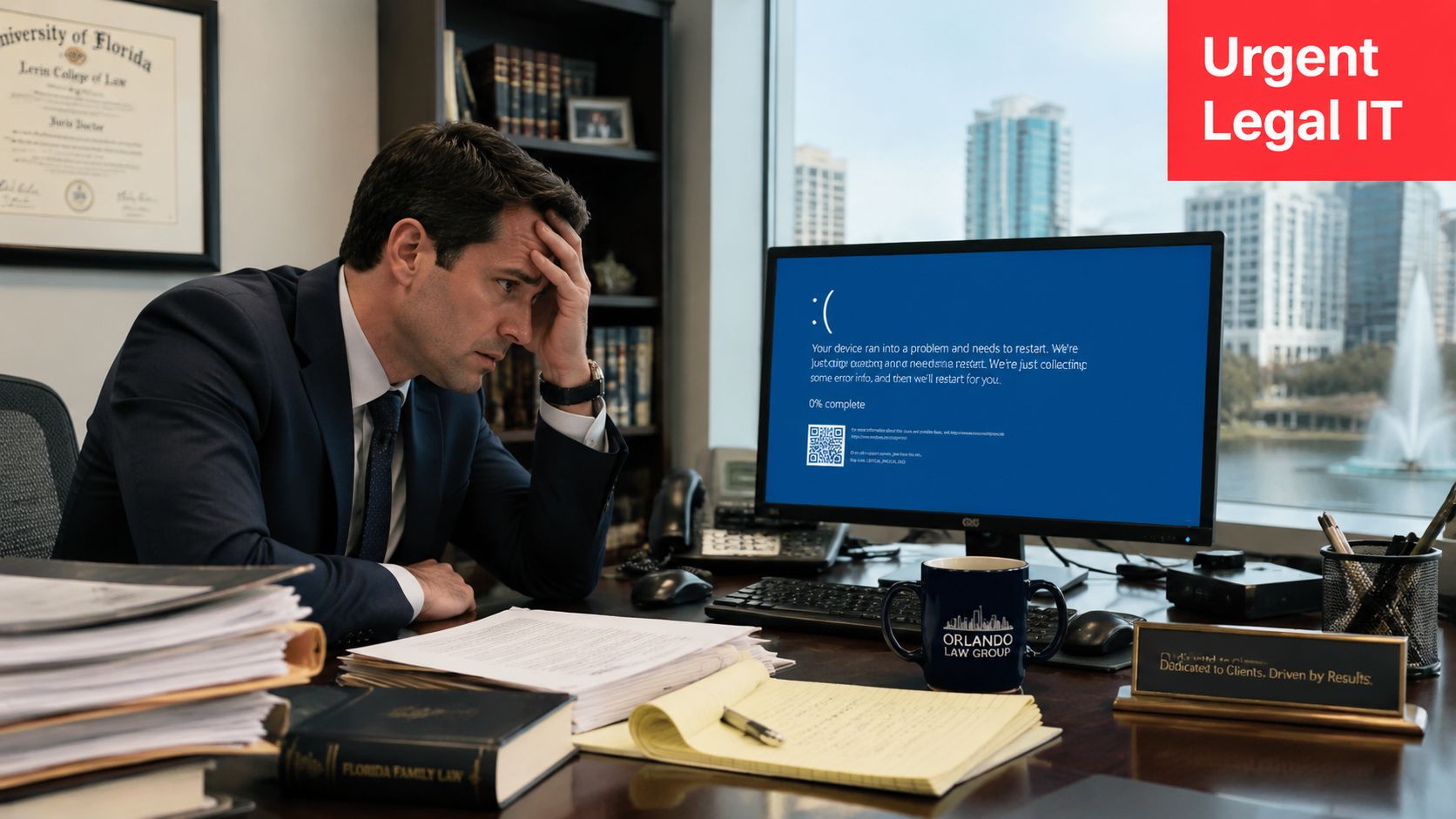
That's why Law Firm IT Support in Orlando FL has to be built differently from ordinary office support. Legal practices run on confidential records, email, case files, calendars, scanned evidence, phone systems, and deadline-driven workflows. A retail-style break-fix model doesn't protect any of that. It reacts after the damage has already interrupted work.
The business context matters too. IBISWorld projects the Florida law-firm industry at $30.5 billion in 2026 and says it ranks #4 in highest revenue among Florida industries. For Orlando firms, that means IT decisions sit close to revenue. If systems are unstable, legal operations are unstable.
The old model breaks under legal pressure
Break-fix support sounds cheaper until you look at what it buys. You get help after someone notices a failure. You usually don't get continuous monitoring, backup oversight, security hardening, or a plan for preserving operations during an incident.
Law firms need the opposite:
- Early detection: Problems should be caught before lawyers lose access.
- Recovery discipline: Backups should be usable, not just present.
- Security controls: Confidentiality can't depend on a basic antivirus install.
- Workflow awareness: Support has to understand what happens when case work stops.
Practical rule: If your IT provider only becomes visible when something breaks, they're too late for legal operations.
Specialized support protects more than machines
Partners often ask whether specialized legal IT is really necessary. In practice, yes. Not because lawyers are unique users, but because the combination of confidentiality, deadlines, and document volume creates a harsher environment than most offices.
A strong legal IT partner helps you stay working under pressure. That means systems remain available, staff know what to do during disruptions, and leadership can answer client or insurer questions with something stronger than “we think we're covered.”
Core Managed IT Services Your Firm Needs
The right foundation for a law firm looks less like a repair shop and more like a control system. You want support that keeps the environment stable every day, not just someone to call when a printer jams or a laptop dies.
The baseline is always-on support
Modern legal IT expectations have moved well beyond desktop troubleshooting. One Orlando law-firm IT service description states that firms receive 24/7 support, layered cybersecurity with over 12 layers of protection, and managed compliance aligned to frameworks such as SOC 2, ISO, and NIST. That captures the direction the market has gone. Legal support now assumes continuous availability and documented controls.
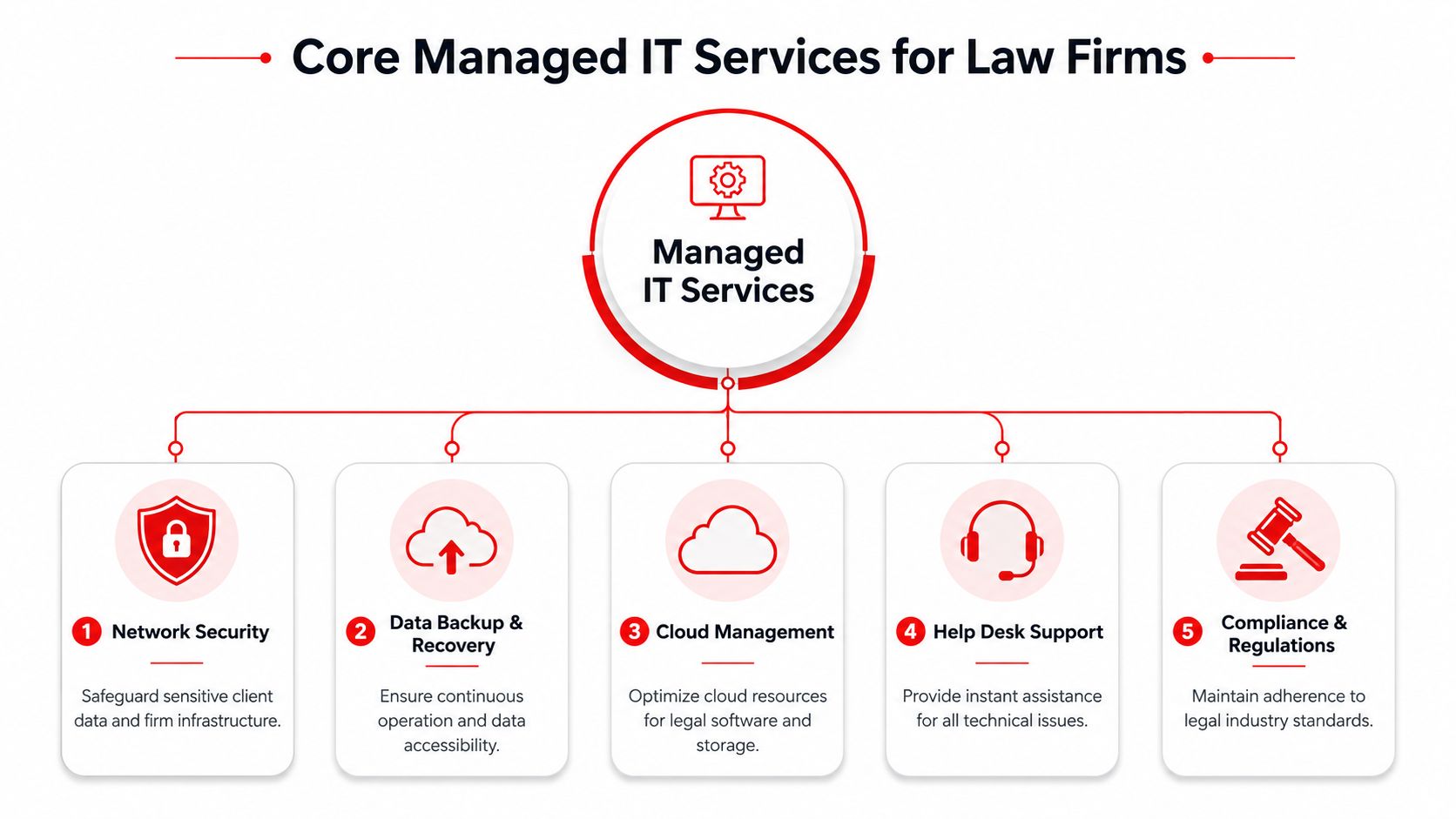
For a law office, the core managed services usually include:
- 24/7 help desk: Attorneys don't stop having problems at 4:59 p.m. Support has to be reachable when remote staff, traveling partners, or after-hours teams hit a wall.
- Monitoring and patching: Workstations, servers, cloud services, and network equipment need routine oversight so small faults don't become office-wide outages.
- Backup and disaster recovery: The issue isn't whether a backup exists. It's whether the firm can restore quickly and accurately when files, email, or systems are compromised.
- Security management: Email filtering, endpoint protection, access controls, and log visibility should be part of the service, not extras.
- Compliance support: Even if your firm isn't chasing a formal certification, clients and insurers increasingly expect evidence of disciplined controls.
The stack has to work as a system
The mistake many firms make is buying point solutions that don't connect operationally. One vendor handles phones. Another manages Microsoft 365. A third sold backup. Nobody owns the whole environment, and no one can tell you what happens during an incident.
That's where managed service structure matters. A complete program should define who monitors alerts, who coordinates vendors, who handles account changes, who restores data, and who documents the environment. If those responsibilities are fuzzy, the firm carries the risk.
For firms evaluating deeper monitoring around exposed credentials and threat visibility, this overview of InsecureWeb for managed service providers is a useful example of how external exposure monitoring fits into a managed security approach.
A legal IT environment should feel boring on normal days. Stable systems are a sign that the work behind the scenes is being done.
One practical note. If you're comparing providers, ask whether they include vendor management, cloud administration, backup oversight, and security policy support in the base engagement or treat each as a separate project. Hidden exclusions are where “affordable” support often becomes expensive.
How Proactive IT Drives Billable Hours and Client Trust
The value of proactive IT shows up in ordinary legal work. A partner opens a matter from home before an early hearing. A paralegal uploads exhibits. Intake sends a document request. Accounting needs email and file access to finish billing. None of this feels dramatic until one system stalls and the whole chain backs up.
An Orlando-focused legal IT provider notes that legal work is gated by document systems, email, and case-management platforms, and that even short outages can halt billing and filing. The same page emphasizes 24/7 monitoring and rapid response because that's the control model that reduces this business risk in law firms. You can review that framing in this discussion of Orlando law-firm IT support.
Where uptime shows up in legal work
For firm leadership, “uptime” can sound abstract. In practice, it lands in a few concrete places.
- Time capture: If attorneys can't reliably access the systems they use during the day, reconstructed time entries become less accurate and harder to recover. This is one reason many firms review workflow alongside software habits. A practical guide to legal time software can help frame that conversation from the billing side.
- Matter progression: Delayed access to pleadings, correspondence, and evidence slows work even if the office is technically “online.”
- Remote continuity: Lawyers need secure access when they're in court, at home, or meeting clients outside the office.
- Staff efficiency: Intake, records, and billing teams depend on dependable systems just as much as attorneys do.
Clients notice the difference
Clients usually never ask how your monitoring stack works. They do notice when updates arrive on time, meetings start without technical friction, files are handled securely, and staff can answer questions without putting them on hold while “the system loads.”
That reliability builds trust. The opposite also builds a reputation. Repeated delays, inaccessible portals, email issues, or document confusion make a firm look disorganized even when the legal work is strong.
If your lawyers are creating personal workarounds to stay productive, the IT environment is already costing the firm money.
The best proactive support is invisible to clients and freeing for staff. It keeps the basics dependable so the firm's attention stays on advocacy, counsel, and service. This is the business case for Law Firm IT Support in Orlando FL. It protects work that should be billable and interactions that should reinforce confidence.
Beyond Firewalls Protecting Client Data and Firm Reputation
A firewall still matters. It just isn't enough.
Law firms face attacks through email, user identities, remote access, compromised devices, weak permissions, and stale data sitting in forgotten systems. A firm can buy perimeter hardware and still be exposed if a user clicks a phishing message, an old account stays active, or a laptop with case files disappears without proper controls.
Why perimeter thinking fails law firms
Legal-sector guidance recommends formal incident-response plans, employee phishing training, and continuous monitoring because those controls reduce the probability and blast radius of ransomware or email compromise. That legal-focused guidance is summarized here in this article on IT challenges faced by law firms.
Those recommendations matter because firms hold exactly the kind of data attackers want: contracts, financial records, medical information in some matters, settlement discussions, privileged communications, and identity documents. In a law office, one compromised mailbox can become a client crisis.
A stronger security posture usually includes:
- Identity controls: Lock down sign-ins, privileged accounts, and access changes.
- Endpoint hardening: Every laptop and workstation should be managed as if it can become the first point of compromise.
- Email protection: Most firms still see email as the easiest route to fraud, malware, or credential theft.
- Response planning: People need a playbook for who decides what, who contacts whom, and how work continues during containment.
What a serious legal security program includes
A mature provider won't stop at blocking traffic. They'll help your firm think through detection, response, and recovery. That includes log review, suspicious behavior escalation, backup validation, and a documented incident path that leadership can readily follow under stress.
For many firms, that also touches ethical and regulatory obligations. ABA confidentiality duties, contractual client requirements, and healthcare-related matters can all raise the bar on how data is stored, accessed, retained, and reported. If your environment includes regulated data, your support partner should be able to map controls to those obligations and explain the trade-offs in plain English.
Cybersecurity also extends to retired equipment. Old laptops, decommissioned drives, and replaced office hardware can create unnecessary exposure if disposal is casual. Firms that need a secure chain of custody should evaluate secure IT asset disposal services as part of their risk program, not as an afterthought.
If you're reviewing internal network protections, this overview of firewalls for businesses is a useful companion to the broader point: the firewall is one layer, not the strategy.
Security work in a law firm should answer one question first. If a user account or device is compromised today, how far can the damage spread before someone stops it?
That question reveals whether your current controls are practical or just decorative.
Key Questions to Ask Prospective IT Support Vendors
Most firms start the search the wrong way. They ask for a price before they ask how the provider will support legal work. That tends to produce polished proposals and weak fit.
One of the biggest gaps in legal IT marketing is that providers talk broadly about cloud, support, and cybersecurity but skip the harder question of legal workflow support. Guidance focused on legal IT points out that firms should ask about experience with case management and document automation because that's a critical and often overlooked vetting step. That issue is discussed in this overview of legal IT services.
Ask about legal workflow support
Don't settle for “we support law firms.” Ask what that means in day-to-day operations.
Good questions include:
- How do you support case-management workflows? You want to hear about permissions, integrations, migrations, matter access, and failure points, not just “we install software.”
- What happens if our document system slows down or fails before a deadline? The answer should include triage, vendor coordination, communications, and recovery priorities.
- How do you handle remote lawyers securely? Look for a balance between usability and control.
- Can you support document automation and secure collaboration without disrupting staff? Migration quality often matters more than the platform itself.
A vendor that can't discuss your legal workflow in operational terms probably isn't ready to own the risk that comes with it.
Ask how the service model really works
Proposals often hide the most important details.
- Who answers after hours? If support is marketed as around-the-clock, find out whether that means a real help desk, an answering service, or a callback queue.
- What's included in the agreement? Press for specifics on account administration, vendor coordination, backups, cloud changes, onboarding, offboarding, and security review.
- How do you report to leadership? You need regular visibility into risks, recurring issues, open remediation items, and system changes.
- What happens during an incident? Ask who leads, how escalation works, and how the firm is kept informed.
Use this comparison to keep pricing conversations grounded in service design.
| Feature | Flat-Rate Managed Services | Break/Fix (Hourly Rate) |
|---|---|---|
| Cost structure | Predictable monthly fee | Variable, issue-driven billing |
| Incentive model | Provider benefits when systems stay stable | Provider is paid when problems occur |
| Monitoring | Usually proactive and continuous | Often limited or add-on |
| Security management | Commonly bundled into the service model | Frequently partial or reactive |
| Budget planning | Easier for firm leadership | Harder to forecast |
| Fit for law firms | Better when uptime and risk reduction matter daily | Weaker when deadlines and confidentiality raise the stakes |
A practical next step is to review a buyer's framework like this guide on how to choose a managed service provider. It gives you a structure for evaluating fit beyond personality and price.
One additional note. If you're speaking with providers that serve Central Florida, ask whether they can support office moves, courthouse-adjacent connectivity needs, multi-office coordination, and local vendor relationships. For an Orlando firm, those details often matter more than a glossy capabilities list.
Making the Switch Smoothly Full vs Co-Managed IT
Switching IT providers makes many firms nervous for good reason. Poor transitions create confusion about passwords, admin access, licenses, backup ownership, vendor contacts, and open support issues. A disciplined transition should reduce disruption, not create a new one.
What a clean transition looks like
A proper onboarding usually starts with discovery. The incoming provider inventories systems, access, vendors, backups, devices, key staff roles, and business-critical workflows. They identify what's undocumented, what's fragile, and what needs immediate stabilization.
Then the handoff work begins:
- Access is secured: Administrative accounts, shared credentials, and former user access are reviewed.
- Documentation is built: Network maps, vendor records, backup ownership, and support procedures are clarified.
- Monitoring is deployed: The provider needs visibility before they can be accountable.
- Priorities are sequenced: High-risk gaps come first. Nice-to-have improvements can wait.
A smooth transition should feel controlled, not rushed. Staff should know who to contact, what changes to expect, and what won't change on day one.
When full managed vs co-managed makes sense
The right model depends on whether your firm already has internal IT capacity.
Full managed IT fits firms that want one partner to own the help desk, infrastructure, security operations, vendor coordination, and ongoing administration. This is often the simpler model for small and mid-sized firms where attorneys and office leadership don't want to mediate technical issues.
Co-managed IT fits firms that already employ internal technical staff but need added depth, after-hours coverage, security operations, or specialized project support. In that arrangement, responsibilities need to be explicit. Internal staff may own daily hands-on tasks, while the external partner handles monitoring, escalation, compliance support, or strategic oversight.
If you're considering the shared-responsibility route, this overview of co-managed IT solutions gives a clear picture of how those partnerships are typically structured. Cyber Command, LLC is one example of a provider that offers both fully managed and co-managed IT with a 24/7 help desk and cybersecurity support for organizations in Orlando.
The wrong model usually shows up quickly. Internal staff get overloaded, tickets bounce between teams, or nobody owns after-hours incidents. The right model gives your firm cleaner accountability and fewer gray areas.
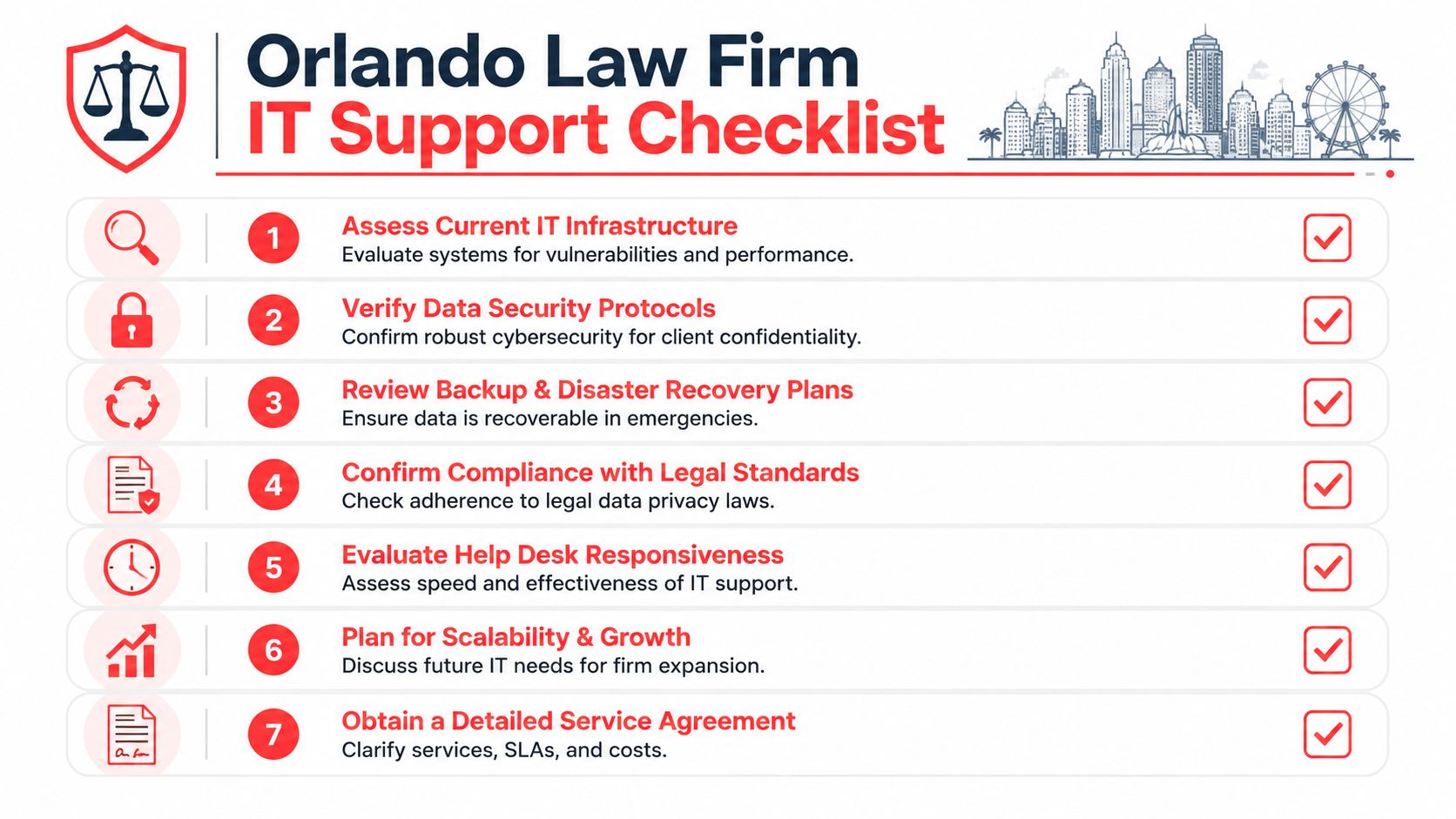
Your Orlando Law Firm IT Support Checklist
A law firm doesn't need more technology for its own sake. It needs dependable systems, better control over risk, and support that understands how legal work gets done.
Use this checklist when evaluating your current setup or a new provider:
- Review your weak points: Identify where outages, access issues, or manual workarounds are already affecting attorneys and staff.
- Check workflow coverage: Confirm that support includes case management, document handling, secure collaboration, and remote access.
- Examine security depth: Look beyond perimeter tools to identity controls, endpoint protection, monitoring, and incident readiness.
- Validate backups: Make sure recovery is realistic for the systems your firm depends on most.
- Clarify accountability: Know who owns vendors, cloud administration, user changes, and after-hours incidents.
- Choose the right model: Decide whether full managed or co-managed support fits your internal resources.
- Demand clear reporting: Leadership should receive plain-English visibility into risks, actions, and priorities.
If your firm is serious about uptime, compliance, and protecting client trust, this isn't a project to leave half-defined. The right support model gives your attorneys more working time, your staff fewer interruptions, and your leadership a better handle on operational risk.
If your Orlando law firm needs a clearer plan for managed IT, co-managed support, or cybersecurity, Cyber Command, LLC can help you assess gaps, tighten controls, and build a support model around legal operations rather than generic office IT.
