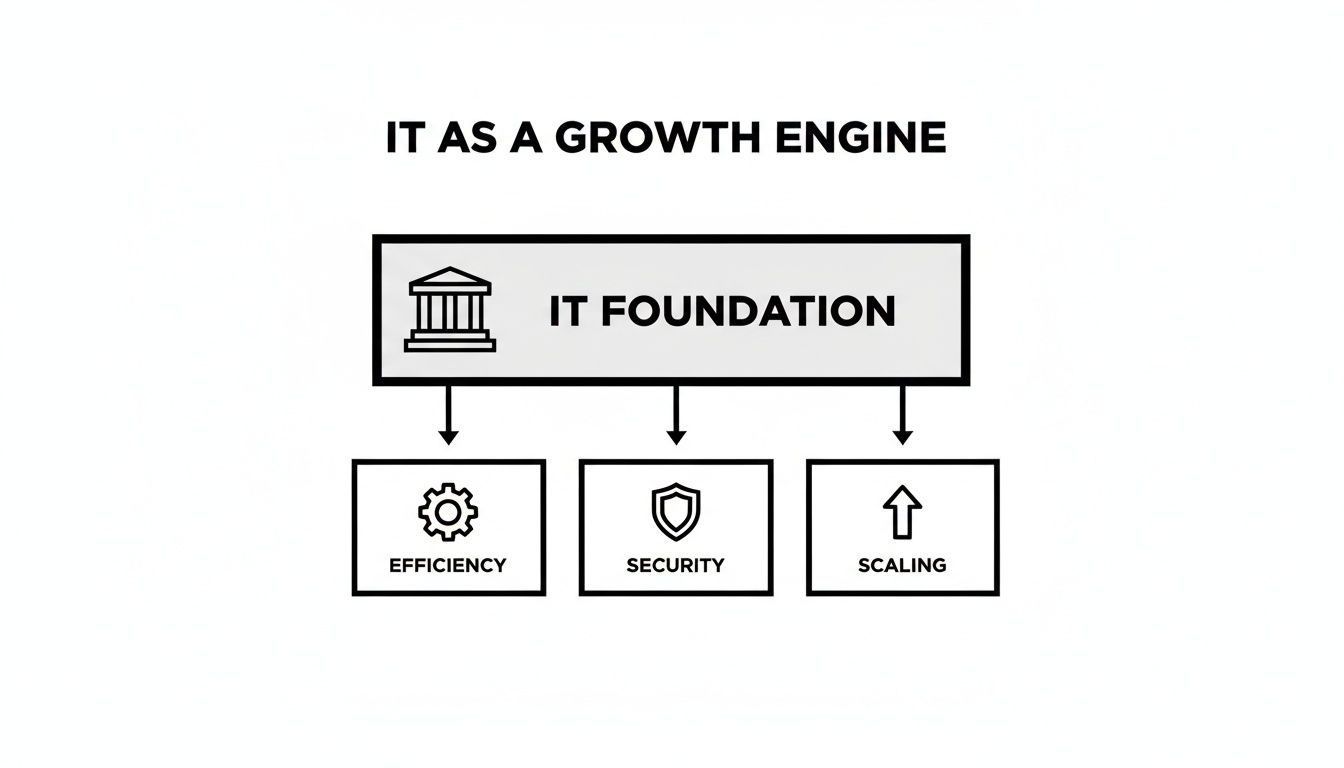
Managed IT Services for Nonprofits: A 2026 Guide

You’re trying to run programs, raise money, report to the board, protect donor trust, and keep staff productive. Then a laptop stops syncing before a campaign launch, the printer dies before an event, or someone clicks the wrong email and suddenly your week belongs to IT.

That’s the problem. In many nonprofits, technology still gets handled as an interruption instead of a strategy. A volunteer helps when they can. A staff member becomes the unofficial “computer person.” An outside technician gets called only when something breaks. It feels cheaper until it isn’t.

For nonprofits in Orlando, Winter Springs, and across Central Florida, the consequences of IT issues go beyond mere inconvenience. You’re often storing donor records, volunteer data, financial information, case notes, and grant documentation across multiple systems. If those systems are unstable or exposed, the damage hits your operations, your credibility, and your mission at the same time.

Your Mission is Too Important for IT Headaches

The most common nonprofit IT scene is painfully familiar. Your development director is preparing for a fundraising event. Finance needs reports. Program staff are in the field. Then your file access slows to a crawl, Microsoft 365 starts acting strange, or a staff member reports a suspicious login alert.

Now everyone stops doing the work they were hired to do.

A concerned woman sitting at her desk looking frustrated at her laptop displaying a system error message.

This is what I see over and over with nonprofit leadership. IT problems rarely arrive one at a time. They pile up. A slow server turns into missed deadlines. Weak password practices turn into security risk. One aging device turns into a pattern of staff downtime. The executive director ends up making technology decisions between meetings, often without enough visibility to know what’s urgent and what’s noise.

That approach doesn’t scale. It burns out staff and creates avoidable risk.

The real cost isn't the broken device

The greatest cost is the mission work that doesn’t happen while your team chases technology problems. When your program manager is troubleshooting Wi-Fi, they’re not serving clients. When your finance lead is manually patching reporting gaps between systems, they’re not improving stewardship. When your donor database and accounting tools don’t align, your reporting gets slower and your confidence drops.

Nonprofit leaders shouldn’t spend their best hours deciding which firewall alert matters or whether backups actually worked last night.

Managed it services for nonprofits fix that by moving technology out of crisis mode. Instead of waiting for things to fail, you put a team in place to watch, support, secure, and plan your systems continuously. That shift matters more than any single tool.

What good looks like

A strong IT partnership gives you three things nonprofit leaders usually don’t get from ad hoc support:

  • Consistency: Staff know where to go for help, and problems get tracked instead of forgotten.
  • Protection: Security monitoring, patching, backups, and access controls happen routinely.
  • Direction: Technology decisions support fundraising, compliance, and service delivery instead of reacting to the latest emergency.

If your team is still treating IT as a side job, it’s time to change the model.

What Are Managed IT Services A Plain-English Guide

Think of managed IT the same way you think about outsourced payroll or building maintenance. You don’t hire a full internal team to service the HVAC, monitor the alarm system, clean the building, and inspect every safety issue yourself. You hire specialists to handle it on an ongoing basis so the building stays usable.

IT should work the same way.

A managed service provider, or MSP, doesn’t just show up after something breaks. They take responsibility for keeping your systems healthy day to day. That usually includes helpdesk support, device management, security tools, software updates, network oversight, vendor coordination, and planning.

Break-fix is reactive. Managed IT is operational.

A lot of nonprofits still buy IT support the old way. Something fails, then they call someone. That’s called break-fix support. It sounds simple, but it creates three predictable problems:

  • Costs are erratic: You can’t budget well when support only appears during emergencies.
  • Issues linger: Small warning signs get ignored until they become outages.
  • No one owns the full picture: One person fixes email, another handles backups, someone else set up the donor platform years ago, and nobody has a complete map.

Managed IT replaces that with a standing relationship. You pay for ongoing support and oversight, not random rescue work.

If you want a practical overview of the service categories involved, this breakdown of what’s included in managed IT services is a useful reference.

What nonprofits usually get in a managed IT relationship

The value isn’t the label. It’s the actual operating support behind it.

Here’s what a nonprofit should expect:

  • Helpdesk support: Staff can call or submit tickets when laptops, email, printers, Microsoft 365, or line-of-business apps stop cooperating.
  • Monitoring: Servers, firewalls, workstations, and cloud systems get watched for performance issues and security alerts.
  • Patching and maintenance: Software updates and security fixes happen routinely instead of getting postponed until there’s a problem.
  • User access control: New hires, departing staff, and role changes get handled in a controlled way.
  • Vendor management: Someone deals with Microsoft, internet providers, phone vendors, and application support so your team doesn’t have to.
  • Strategic planning: Leadership gets guidance on refresh cycles, cloud decisions, compliance priorities, and budgeting.

The point is operational focus

Managed IT isn’t about buying more technology. It’s about giving your nonprofit a dependable operating model.

If your current setup depends on one helpful employee, one volunteer, or one outside technician who “knows the system,” you don’t have an IT strategy. You have a single point of failure.

For nonprofit executives, that distinction matters. You’re not shopping for gadgets. You’re deciding whether technology will support your mission predictably or keep disrupting it unpredictably.

How Managed IT Protects Your Mission Data and Budget

A ransomware hit does not care that your team serves families in Orlando or seniors in Winter Springs. If donor records are locked, payroll is delayed, or staff lose access to Microsoft 365 before a grant deadline, the mission stalls fast. That is the critical budget conversation.
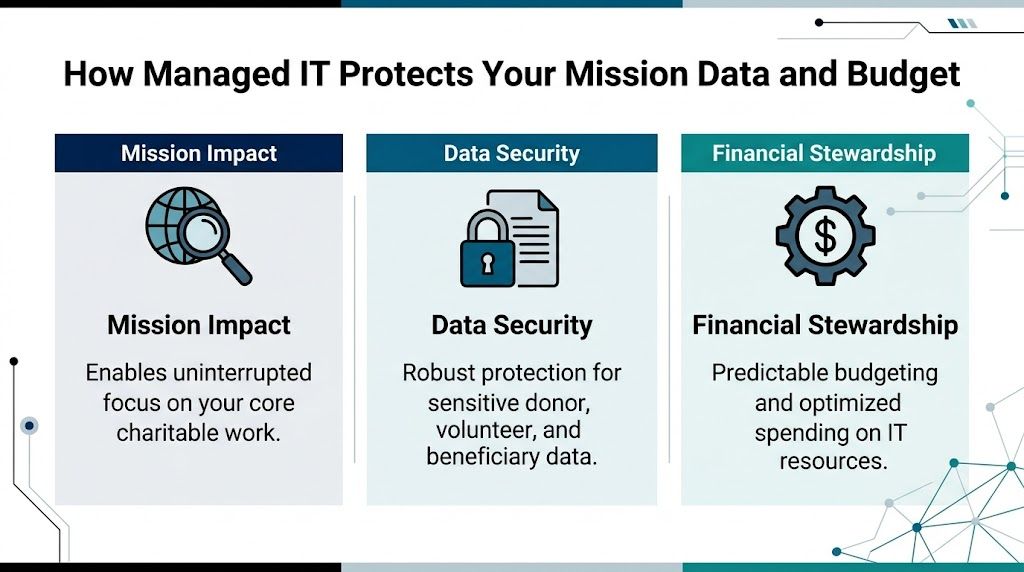
A graphic showing how managed IT services support nonprofits by improving mission impact, data security, and financial stewardship.

The budget case is stronger than many boards assume

Too many nonprofits treat IT as a cost to minimize instead of an operating function to control. That mindset gets expensive. The Andar report found that building and maintaining internal IT capacity can consume a meaningful share of overhead, while managed support often lowers cost and reduces disruption at the same time (Andar report on managed IT services for nonprofits).

The bigger advantage is predictability.

A fixed monthly service model is easier to budget, easier to explain to a finance committee, and easier to align with grant-funded capacity work than surprise invoices after an outage, phishing incident, or failed backup. For executive directors, that matters because technology spending should support planning, not force constant triage.

Good support protects staff time, not just systems

When support is consistent, employees stop building workarounds. They stop keeping files in personal drives, postponing updates, and wasting half a day trying to solve the same printer, email, or login problem again. Hours come back into the organization. Development teams can focus on fundraising. Program staff can focus on service delivery. Finance can close the month without fighting broken systems.

That is the operational return. It is measurable even when the board never sees it line by line.

Practical rule: If your nonprofit keeps paying for emergency fixes, you already have an IT budget. You are just spending it in the most wasteful way possible.

Cybersecurity protects trust first

Nonprofits hold donor data, employee records, payment information, and often sensitive client or beneficiary details. In Central Florida, that risk is amplified by storm disruptions, remote work, seasonal staffing changes, and a high volume of email-based fraud aimed at lean organizations. Attackers look for easy targets. Nonprofits often have too many of them.

Managed IT reduces that exposure by keeping basic controls in place every day. Devices get patched. User access gets reviewed. Suspicious activity gets investigated before it becomes a public incident. Staff get support when something looks wrong instead of guessing and clicking anyway.

If you want a nonprofit-specific benchmark, review this guide to cybersecurity for nonprofits and compare it against your current setup.

A 24/7 U.S.-based SOC is not a luxury

Threats show up at night, on weekends, and during holidays. Your provider needs people watching during those hours, not just software sending alerts into a queue. A 24/7 U.S.-based Security Operations Center gives your nonprofit active monitoring, faster investigation, and a real response path when something suspicious hits your systems at 2 a.m.

That local and always-on support matters even more for organizations in Orlando and Winter Springs that rely on hybrid staff, cloud apps, and small internal teams. If one person handles operations, finance, and vendor coordination, you do not have room for a slow response.

Compliance gets harder as systems pile up

Most nonprofits add tools one at a time. Microsoft 365, donor platforms, accounting software, volunteer management apps, payroll systems, file sharing, payment processing. Each purchase solves one problem. Over time, the organization ends up with fragmented access, inconsistent records, and weak oversight.

Managed IT should fix that.

A capable partner documents systems, standardizes user access, closes security gaps, and helps your team handle compliance requirements tied to donor data, payment processing, employee information, and grant reporting. For a broader small-organization view, this overview of effective cybersecurity solutions is worth reading alongside nonprofit-specific guidance.

What to fix first if money is tight

Do not try to modernize everything in one quarter. Start with the controls that reduce risk and protect daily operations fastest:

  • Lock down user accounts: Require strong authentication, remove old accounts, and limit access by role.
  • Protect every device: Laptops and desktops need monitoring, updates, and security tools that stay current.
  • Test backups: Recovery only counts if it works under pressure.
  • Document critical systems: Leadership should know what systems matter most, who owns them, and what happens if they fail.
  • Train staff regularly: Many incidents still start with a rushed click, a fake invoice, or a weak password.

The right managed IT partner protects more than hardware. It protects donor confidence, staff productivity, and your ability to keep serving the community without preventable interruptions.

Structuring Your Partnership Co-Managed vs Fully-Managed IT

Not every nonprofit needs the same IT model. Some have an internal IT manager who needs outside depth. Others have no dedicated IT staff at all and need a full operating partner. The mistake is assuming one model fits every organization.

The right choice depends on who owns day-to-day support, who makes technical decisions, and how much responsibility your internal team can realistically carry.

The two models in plain terms

Co-managed IT works when you already have an internal IT person or small team. The MSP fills gaps. That may include after-hours support, cybersecurity operations, vendor escalation, project help, documentation, and strategic planning.

Fully-managed IT means the outside provider handles the function as your primary IT team. Staff contact the MSP for support, and leadership relies on that partner for planning, maintenance, security, and oversight.

If your organization already has one capable internal IT lead, this guide to the advantages of co-managed IT services helps clarify where outside support can strengthen, not replace, that person.

Co-Managed vs. Fully-Managed IT for Nonprofits

Aspect Co-Managed IT Fully-Managed IT
Internal staff You already have someone in-house You have little or no internal IT capacity
Primary use case Augment internal strengths and cover gaps Outsource the full IT function
Helpdesk ownership Shared between internal staff and MSP MSP is the main helpdesk
Cybersecurity support MSP often handles advanced monitoring and response MSP typically owns both support and security operations
Best fit Larger nonprofits or multi-site organizations with existing IT staff Small and midsize nonprofits that need consistency and accountability
Main advantage Keeps internal knowledge while adding depth Reduces management burden on nonprofit leadership
Main challenge Requires clear roles and communication Requires strong trust in the provider’s process

Co-managed works well when your internal person is strong but overloaded. Fully-managed works well when leadership is tired of running IT by committee.

How pricing usually works

You don’t need to become an IT procurement expert, but you do need to understand the pricing logic before signing anything.

Common models include:

  • Per user pricing: A flat fee tied to each employee or supported user. This is often the cleanest model for nonprofits because it maps to staffing.
  • Per device pricing: Charges based on laptops, desktops, servers, and network gear. This can work, but it gets messy when users have multiple devices.
  • Tiered packages: Different service levels with different inclusions. Read these carefully. Cheap tiers often exclude the exact services nonprofits need most.

One verified case-study source notes extensive coverage can be priced in a flat-rate range of $100 to $150 per user per month in some engagements, while aligning support to needs assessment and service expectations (nonprofit IT support case study). Another verified source references flat-fee bundles in the $75 to $125 per user per month range for managed support with cybersecurity elements in certain scenarios (managed IT support for nonprofits growth article). Treat those as market examples, not automatic quotes.

What nonprofit leaders should insist on

Don’t just compare monthly numbers. Compare what’s included, who answers the phone, and whether security work is part of the service.

Ask these questions:

  • What is covered: Helpdesk only, or also patching, endpoint security, vendor management, reporting, and planning?
  • What is excluded: Projects, after-hours work, onboarding, cloud support, compliance help?
  • Who owns response: Is there a live helpdesk, or just a ticket queue?
  • How often will we review: Regular reporting and business reviews matter if you want accountability.

Technology shouldn’t crowd out growth work. If your nonprofit is also trying to expand donor engagement, this piece on effective digital marketing for nonprofits is a reminder that your systems need to support outreach, not slow it down.

My recommendation

Choose fully-managed IT if your executive team is still absorbing IT decisions by default. Choose co-managed IT if you have internal leadership that can own priorities and collaborate well with an outside team.

Either way, avoid vague contracts. If the provider can’t explain scope, escalation, reporting, and ownership in plain language, move on.

Choosing a Local Partner and Planning Your Transition

A nonprofit in Orlando should not wait for a server failure, a phishing incident, or a chaotic fundraising event to find out its IT provider cannot respond fast enough. By the time that happens, your staff is stalled, donor trust is at risk, and leadership is pulled into operational cleanup instead of mission work.

For Central Florida nonprofits, local fit matters because your operating reality is specific. You have hybrid staff, field work, events, shared offices, seasonal volunteers, and growing pressure to protect donor and client data. You also face real regional risks, from storm-related outages to targeted email attacks against organizations with lean internal controls. A provider that knows Orlando and Winter Springs will usually understand those pressures faster and plan for them better.

A professional business consultant discussing an MSP selection checklist on a tablet with a male client.

The checklist I’d use in Orlando and Winter Springs

Start with service delivery and risk ownership.

  1. Is the helpdesk live, U.S.-based, and available 24/7/365?
    Nonprofits do not operate on a neat 9 to 5 schedule. Evening events, weekend campaigns, and early staff hours require real coverage, not a ticket form and a promise.

  2. Is there a real security operations center watching your environment at all hours?
    Ask who reviews alerts, who investigates suspicious activity, and who contacts your team if something goes wrong overnight.

  3. Do they understand nonprofit operations?
    Grant requirements, board oversight, volunteer turnover, donor confidentiality, and tight budgets change how support should be delivered.

  4. Can they support the systems your organization depends on?
    Experience with platforms such as Blackbaud or Salesforce Nonprofit Cloud matters. If your donor system, finance tools, and Microsoft 365 environment do not line up, reporting gets messy and audit prep gets harder.

  5. Can they explain compliance support in plain English?
    If your organization handles health information, student records, payment data, or restricted donor information, the provider should be able to explain how they help you control access, retain records, and document changes.

Poor system alignment is a common nonprofit problem. Donor platforms, accounting tools, and staff access rules often grow separately. That creates avoidable audit issues, duplicate work, and blind spots leadership does not see until a review starts.

Ask about operating discipline, not just ticket resolution

A weak provider talks about closed tickets. A strong provider explains how they keep your organization stable, secure, and ready for an audit or board question.

Ask direct questions like these:

  • How do you document our systems, vendors, and admin access during onboarding?
  • Who owns vendor coordination when Microsoft, your internet provider, and your donor platform point fingers at each other?
  • How do you handle user access when staff, contractors, or volunteers leave?
  • What reports will leadership receive each month?
  • How do you prepare clients for compliance reviews, cyber insurance questionnaires, and board-level security questions?

If the answers are vague, keep looking.

For Central Florida organizations, I would also ask how the provider handles business continuity during hurricanes and extended outages. A local partner should already have a clear answer for backup access, remote work continuity, and communication during disruptions.

What a strong provider should offer

Choose a partner that can run the basics well and communicate clearly with nontechnical leaders.

A credible MSP should provide:

  • A defined onboarding plan: system review, account access audit, device inventory, vendor list, and a written transition schedule
  • Leadership reporting: recurring issues, user trends, security concerns, and clear recommendations
  • Active cybersecurity coverage: endpoint protection, patching, monitoring, incident response support, and user security guidance
  • Vendor management: one accountable team coordinating with your software, internet, phone, and cloud providers
  • On-site support when needed: remote service handles a lot, but local presence still matters for office moves, failed hardware, and hands-on troubleshooting

Cyber Command, LLC is one local example of the model to look for. The relevant benchmark is straightforward. A provider serving Orlando and Winter Springs should be able to offer a 24/7 U.S.-based helpdesk, around-the-clock security monitoring, and support options for either fully managed or co-managed IT.

How the transition should work

A good transition is structured and quiet.

Your new provider should begin with discovery, not disruption. They need to review users, devices, software, security settings, backup status, vendors, and any compliance obligations that affect your organization. After that, they should document the environment, confirm who has access to what, and identify immediate risks such as former staff accounts, missing backups, or unsupported devices.

Then they stabilize the environment before proposing bigger changes. That order matters. A nonprofit does not need a flashy redesign in week one. It needs fewer interruptions, clearer accountability, and lower risk.

Your staff also need a simple rollout. One support number. One support email. Clear instructions. No guessing.

What to avoid

Avoid providers that:

  • Write vague proposals with unclear limits and surprise charges
  • Treat cybersecurity as a separate add-on instead of part of day-to-day service
  • Struggle to explain escalation, response times, or after-hours support
  • Lack experience with nonprofit software and compliance expectations
  • Push major platform changes before they document your current environment
  • Rely fully on remote support with no practical local presence in Central Florida

The best transition is controlled, documented, and uneventful. That is what you want.

Real-World Impact A Central Florida Nonprofit Story

At 8:15 on a Monday morning, an Orlando nonprofit was already behind. A program manager could not get into a shared file. The operations lead was chasing a password reset. The executive director had a board update that pulled numbers from two systems that did not match. No single failure caused the problem. The issue was accumulated fragility.

That pattern is common across Central Florida nonprofits. Organizations in Orlando and Winter Springs often run on a mix of aging devices, nonprofit software that was never set up cleanly, and informal support from whoever has been helpful in the past. It keeps the lights on until it starts pulling staff attention away from the mission.

In this case, the nonprofit did not wait for a ransomware event or a major outage. Leadership made the right call earlier. They were tired of losing time to small disruptions, worried about donor and client data, and uneasy about what could happen after hours if no one was watching.

Before the switch

The problems were practical, not dramatic.

Staff had no consistent path for support, so basic issues sat too long. Leaders could not get a clear view of device health, account access, or recurring trouble spots. Security tools existed, but no one was actively reviewing alerts around the clock. Administrative staff kept acting as traffic control for vendors, logins, and software confusion instead of doing the work they were hired to do.

That kind of setup drains a nonprofit twice. It wastes payroll on avoidable interruptions, and it increases the chance that a preventable security issue turns into a mission problem.

What changed

The organization shifted to a managed IT model with a defined helpdesk, active monitoring, and ongoing security oversight. The immediate improvement was operational clarity. Staff knew where to go for help. Issues stopped bouncing between vendors. Leadership started getting direct answers instead of partial updates.

For a nonprofit handling donor records, financial systems, and sensitive community data, that matters. In Central Florida, threat activity is not theoretical, and compliance expectations do not disappear because an organization has a limited budget. A local partner with a 24/7 U.S.-based SOC and helpdesk gives nonprofit leaders something they rarely get from ad hoc support. Real accountability at all hours.

The biggest result was simple. Staff could focus on programs, fundraising, and service delivery instead of acting like part-time IT coordinators.

After the transition

Within the first phase, daily operations became steadier. Support requests moved through a clear process. Access and system ownership were better documented. Leadership had a clearer picture of risks, priorities, and next steps.

The executive director gained confidence grounded in facts. They knew who was responsible, what was being monitored, and how the organization would respond if something went wrong.

That is the significant value of managed it services for nonprofits. Fewer preventable disruptions. Better protection for donor and client information. More staff time returned to the mission.

If your nonprofit in Orlando or Winter Springs is still relying on scattered vendors, informal support, or guesswork on cybersecurity, fix that now. Your cause is too important for unstable systems.

If your nonprofit needs a clearer IT plan, a live U.S.-based helpdesk, or stronger cybersecurity support in Central Florida, talk with Cyber Command, LLC. They work with organizations in Orlando and Winter Springs on fully managed and co-managed IT, with 24/7 support and a dedicated SOC designed to reduce disruption and improve accountability.
IT Vendor Management Best Practices for SMB Success

A surprising number of businesses are trying to run critical operations through a tangled web of outside providers. Deloitte found that 65% of organizations rely on more than three IT vendors, which helps explain why oversight breaks down so easily. When contracts live in one inbox, security reviews sit in another, and renewals depend on someone’s memory, vendor management stops being an admin task and starts becoming an operational risk.

For small and mid-sized businesses in Orlando, Winter Springs, and across Central Florida, that risk is practical, not theoretical. A law firm might depend on Microsoft 365, a line-of-business application, a VoIP provider, a backup vendor, a copier company, and a managed IT partner. A dental office might add imaging software, patient communications tools, and a cloud EHR vendor. Each relationship affects uptime, data protection, compliance, and budget control.

That’s why solid it vendor management best practices matter. They help you choose better partners, push weak vendors to improve, cut duplicate spend, and reduce the chance that a third party becomes your next cybersecurity incident. They also help leadership teams stop treating vendor issues as one-off fire drills.

If you want a broader framework, this roundup of 10 actionable vendor management best practices is a useful companion. What follows is the practical version for SMBs and multi-location businesses in Central Florida, especially firms in professional services, finance, healthcare, and other sectors that need tighter cybersecurity and clearer accountability from every outside IT provider.

1. Establish a Formalized Vendor Selection and Evaluation Process

Most vendor problems start before the contract is signed. Teams buy software because a peer recommended it, because the demo looked polished, or because one department wanted a quick fix. Then six months later, leadership discovers the platform doesn’t integrate well, support is weak, and the security terms are vague.

A formal selection process slows that down in the right way. It forces you to compare vendors against the same criteria every time. For Orlando-area SMBs, that usually means weighting security posture, support responsiveness, contract flexibility, integration fit, and pricing transparency ahead of flashy feature lists.

A basic scorecard works well. Rate every vendor on the same categories, then require written sign-off before procurement moves forward. If you’re evaluating a managed provider, this guide on how to choose the ideal managed service provider is a strong starting point.

What to check before you buy

For regulated or security-sensitive environments, the evaluation process should include more than a sales call and a quote.

  • Security documentation: Ask for SOC reports, security summaries, breach notification procedures, and details on admin access controls.
  • Industry fit: A medical practice should ask about HIPAA readiness and business associate agreement handling. A CPA firm should ask how the vendor protects client financial records.
  • Support model: Clarify whether support is live, outsourced, after-hours, or ticket-only.
  • Exit terms: Ask how your data is returned, how long retrieval remains available, and what offboarding assistance costs.

A short pilot can reveal a lot. If a document management vendor struggles to onboard one department cleanly, they probably won’t do better at full scale. The same goes for VoIP, endpoint tools, or line-of-business cloud platforms.

Practical rule: If a vendor resists security questions, avoids specifics on support, or won’t explain offboarding, stop the process early.

I’ve seen SMBs get better outcomes when they treat vendor selection like risk management, not shopping. That approach also aligns well with a more strategic model like this strategic playbook for IT department outsourcing, where long-term fit matters more than a low introductory quote.

2. Implement a Comprehensive Vendor Management Program with Centralized Governance

Vendor sprawl happens faster than many SMB leaders expect. A growing firm in Orlando can reach 15 to 30 IT-related vendors without realizing how fragmented ownership has become. Accounting tracks invoices, office managers approve local purchases, IT handles outages, and nobody has a full record of contract terms, renewal dates, security obligations, or exit requirements.

That creates avoidable risk.

For Central Florida businesses with more than one office, centralized governance usually matters less as a reporting exercise and more as an operating control. If your Winter Springs office buys one file-sharing tool, your downtown Orlando team uses another, and a third location signs its own copier support agreement, support gets harder, security reviews become inconsistent, and costs rise gradually over time.

A structured vendor management program should give leadership one clear system for four things: who owns each vendor, what the vendor provides, what risk it introduces, and when the business needs to act. That can live in a contract lifecycle platform, a SaaS management tool, or a tightly controlled internal tracker. The tool matters less than the discipline around it.

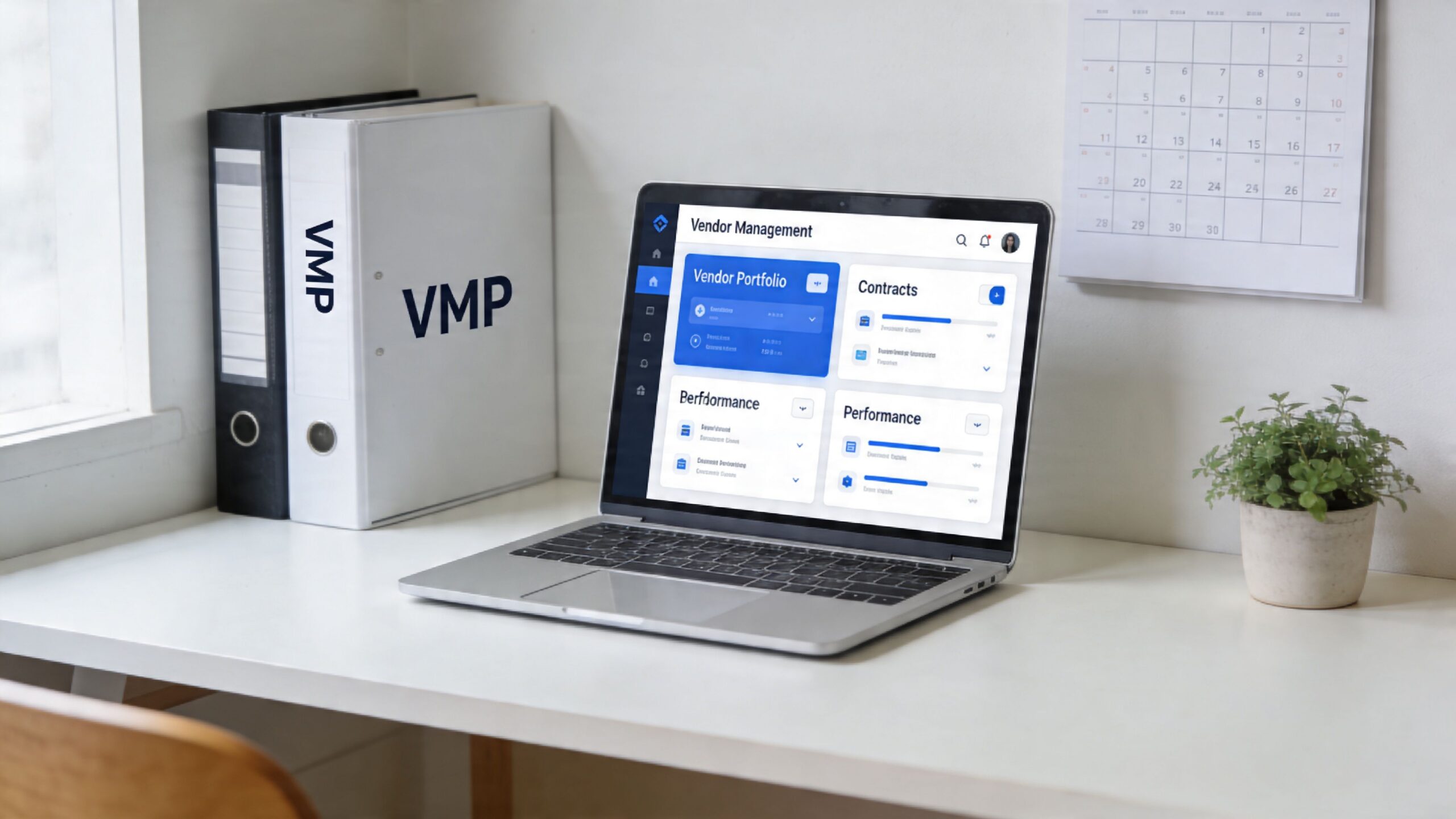
A modern workspace featuring a laptop displaying a vendor management dashboard, binders, and a small potted plant.

Build one source of truth

Start with a single vendor record for every IT provider, including software vendors, MSPs, telecom carriers, copier partners, cloud platforms, and security tools. Each record should include:

  • Business owner: One internal person accountable for the relationship
  • Service scope: What the vendor supports, by location or department
  • Contract dates: Start date, renewal date, notice period, and termination terms
  • Cost details: Monthly spend, variable fees, implementation charges, and auto-renewal exposure
  • Security status: Insurance, compliance documents, breach notice terms, and data handling obligations
  • Operational dependencies: Critical integrations, admin access, and systems affected if the vendor fails

In healthcare, finance, and professional services, this level of tracking prevents common gaps. I’ve seen firms discover too late that a branch office signed up for a niche cloud app without security review, or that a former administrator was still the only contact on a critical internet circuit.

Set governance rules before problems show up

Centralized governance works best when approval paths are clear. Small, low-risk purchases can move quickly. Higher-risk vendors should require security review, leadership approval, and legal review where regulated data is involved.

A practical model looks like this:

  • Assign an internal owner for every vendor
  • Require security review for vendors handling client, patient, or financial data
  • Set spend thresholds that trigger executive approval
  • Review strategic vendors on a fixed schedule
  • Track renewals early enough to renegotiate or exit without penalty

That last point matters more than many teams expect. Auto-renewals are still one of the easiest ways for SMBs to lose money, especially when each location signs contracts separately.

A multi-office law firm, CPA practice, or medical group should not let each site buy its own backup, endpoint protection, or document workflow platform unless there is a strong operational reason. Local flexibility can help in limited cases, but standardization usually lowers support time, simplifies compliance, and makes incident response far less messy.

Strong governance makes vendor decisions visible, accountable, and easier to enforce across every office.

3. Define and Monitor Clear Service Level Agreements and Key Performance Indicators

Downtime is expensive. For SMBs with multiple offices, a vague vendor contract can turn one outage in Orlando into missed appointments in Winter Springs, delayed client work, and a help desk pileup across every location.

A vendor agreement needs measurable service terms. If support drags, systems fail, or incidents stay open too long, your team needs language that defines what happened, how fast the vendor must respond, and what happens if they miss the mark.

Many small and midsize businesses still accept soft terms like “priority support” or “best effort.” Those phrases create room for disputes and very little accountability. Clear SLAs and KPIs give leadership a way to judge performance without relying on the vendor’s interpretation.

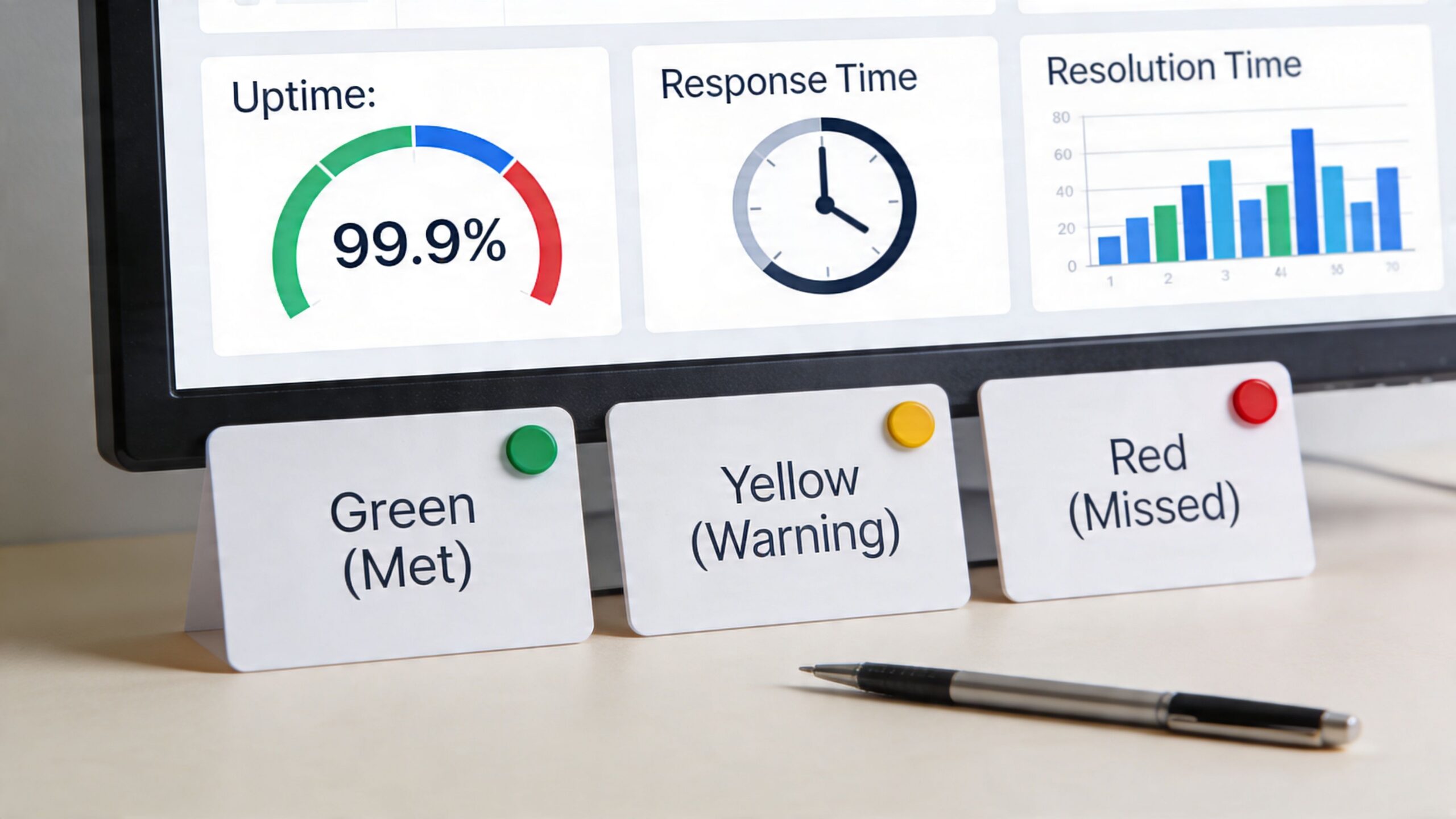
A digital dashboard showing uptime and resolution metrics next to physical color-coded business performance status cards.

Write SLAs around business impact

Strong SLA language starts with operational reality. A full outage in your EHR, phone system, or document platform should not sit in the same queue as a minor formatting issue or a user-level settings request.

Set expectations in the contract for:

  • Response time: When the vendor must acknowledge the ticket
  • Resolution target: When service must be restored or the issue fixed
  • Availability commitment: The uptime standard, including how uptime is measured
  • Escalation path: Who is contacted when the vendor misses targets
  • Reporting cadence: How often your team receives performance reports
  • Service credits or remedies: What the vendor owes if service levels are missed

Those last two points often get missed. I see firms track uptime but forget to require monthly reporting, root-cause summaries, or meaningful remedies for repeated failures. If the only consequence is a small credit on next month’s bill, the vendor has little reason to improve.

Match KPIs to the service you actually buy

A managed SOC, internet circuit, cloud application, and field support provider should not share the same scorecard. Each one affects the business differently.

For a healthcare group in Central Florida, useful KPIs may include EHR uptime, after-hours incident response, backup recovery time, and secure messaging availability. For a CPA firm or wealth management office, focus more on system availability during filing or trading periods, privileged access requests, phishing response, and restoration time for client documents. For a law firm with multiple offices, measure document management uptime, remote access reliability, and resolution speed for high-impact issues before court deadlines.

Good KPIs answer one question. What hurts the business most when this vendor fails?

Keep the metrics visible

A signed SLA only matters if someone reviews it. Assign an internal owner to check vendor reports, compare them to ticket data, and raise issues before renewal discussions start.

A simple operating model works well for SMBs:

  • Review critical vendor performance monthly
  • Flag repeated misses by site, service, or severity
  • Require a corrective action plan after material failures
  • Document exceptions for regulated systems and client-facing platforms
  • Use the performance record during renewal and pricing negotiations

This is especially important for multi-location companies. One office may tolerate recurring issues because the local team has found workarounds. Leadership needs a cross-site view so chronic problems do not stay hidden until they disrupt the whole business.

For Orlando-area professional services, finance, and healthcare firms, the best contracts are specific, measurable, and tied to business risk. If a vendor supports revenue operations, regulated data, or patient care, the SLA should read like an operating requirement, not a marketing promise.

4. Maintain a Regular Vendor Audit and Compliance Verification Schedule

A vendor questionnaire completed once at onboarding does not tell you much a year later. Controls change, subcontractors change, insurance lapses, and service quality can slip long before renewal talks begin.

For SMBs in Orlando, Winter Springs, and across Central Florida, that gap creates real exposure. A medical practice may rely on a cloud EHR vendor across several locations. A wealth management firm may depend on a portfolio platform, file-sharing tool, and outsourced help desk. A law office may use a document system that stores privileged client records. If any one of those providers cannot produce current evidence of security, compliance, or contract performance, leadership is left making decisions with stale information.

Set an audit schedule by business risk, not by habit.

Audit by risk tier

Review vendors based on what they can disrupt. A backup provider, EHR platform, managed SOC, payment processor, or line-of-business application deserves closer scrutiny than a copier lease or breakroom supplier. Multi-location organizations should also account for site-level dependence. If one vendor outage can affect every office, that vendor belongs in the top tier.

A practical model looks like this:

  • Critical vendors: Annual audit, compliance verification, and a documented review before renewal or material contract changes
  • Important vendors: Review at renewal, after major service changes, or after a security incident
  • Low-risk vendors: Basic record check to confirm ownership, contract status, and continued business need

The audit itself should stay focused. Ask for current SOC reports if applicable, HIPAA-related attestations, cyber insurance certificates, incident summaries, business continuity details, subcontractor disclosures, and any recent penetration test or security assessment summary that the vendor is willing to share.

Audit focus: Confirm who has access, how activity is logged, how incidents are reported, what systems or subcontractors are involved, and how your data is returned or destroyed at termination.

This work matters more in regulated environments because the contract rarely carries the whole burden. Healthcare groups need to verify that business associate obligations still match actual data flows. Finance firms need to confirm vendors still support retention, access control, and incident reporting requirements. Professional services firms need to know whether client files, email archives, and remote access tools are still being handled the way the agreement says they are.

I recommend keeping a simple audit record for each critical vendor. Note the review date, documents received, gaps found, follow-up owner, and deadline for remediation. That record becomes useful during renewals, cyber insurance applications, client due diligence requests, and compliance reviews. It also helps leadership compare vendors across offices instead of relying on whoever complained last.

Many SMBs do not struggle with deciding what to ask. They struggle with reviewing technical answers and following up consistently. An experienced IT partner can coordinate evidence collection, interpret vendor responses, and map findings back to your compliance obligations. If your team needs help translating audit findings into regulatory action items, this guide to mastering cybersecurity compliance for IT managed services is a useful reference.

5. Develop and Enforce a Vendor Security and Data Protection Requirements Standard

Security expectations should not be reinvented with every contract. Build one baseline standard, attach it to new agreements, and use it as the starting point for renewals.

Many businesses often handle this aspect too loosely. Contracts mention “reasonable security” or “industry best practices” without defining what those terms mean. If there’s a breach, vague wording provides you with very little advantage.

For regulated and security-conscious businesses, put the requirements in writing. Use a security addendum or data protection addendum that covers encryption, access control, logging, retention, incident notification, subcontractor obligations, and secure data return or destruction. If your organization needs help translating compliance expectations into enforceable terms, this guide on mastering cybersecurity compliance for IT managed services is a practical reference.

A laptop and a DPA document secured by a digital padlock representing data privacy protection.

Put these clauses in writing

A strong vendor standard usually includes requirements like these:

  • Encryption requirements: Specify encryption for data in transit and at rest rather than using general language.
  • Access controls: Require role-based access, MFA for administrative users, and controlled privilege escalation.
  • Incident notification: Define a notification window and require updates during active incidents.
  • Subcontractor flow-down: Require the vendor to apply equivalent controls to its own providers.
  • Right to verify: Preserve your right to request supporting evidence of compliance.

This is especially important in healthcare and financial services. A dental practice using a third-party reminder platform or imaging tool needs written assurance about how patient data is handled. A bookkeeping or advisory firm needs equivalent protection around client financial records and identity data.

What doesn’t work is letting every vendor negotiate security from scratch. Critical vendors shouldn’t be allowed to downgrade core controls just because their standard paper says otherwise.

6. Establish a Vendor Transition and Offboarding Process

The worst time to figure out offboarding is after the relationship has failed. By then, tempers are high, access records are incomplete, and the outgoing vendor has little incentive to be helpful.

A good exit process starts at onboarding. The contract should spell out who owns the data, how it’s returned, what format it comes in, what support is included during transition, and when access must be removed. If those terms are missing, even a routine migration can become expensive and risky.

This comes up often when businesses switch managed IT providers, replace line-of-business applications, or consolidate cloud tools after an acquisition. A multi-location company with offices in Orlando and surrounding Central Florida cities might need to transition one site at a time to reduce disruption. A medical or legal firm may need extra validation steps to make sure records move intact and remain confidential.

Offboarding is a security event

Treat vendor exits like controlled change management, not just procurement cleanup. The checklist should include technical, legal, and operational tasks.

  • Remove access: Disable VPN, admin accounts, API keys, shared mailboxes, remote tools, and support portals.
  • Recover documentation: Collect runbooks, architecture notes, configs, backup details, and escalation contacts.
  • Validate data return: Confirm file completeness, export readability, and retention obligations.
  • Document handoff: Record who is taking ownership and what remains open.

One problem I see often is partial offboarding. The vendor loses the main contract, but a remote monitoring agent, a dormant admin account, or an old integration keeps running. That’s how former vendors retain access long after leadership thinks the relationship ended.

End every vendor relationship with a written attestation of access removal and data disposition. If the vendor won’t provide it, escalate before final payment.

Parallel operation can also be worth the temporary overlap. Keeping the old and new providers active during cutover can reduce risk for critical systems like telephony, cloud identity, backup, or EHR-connected services.

7. Implement Vendor Cost Management and Optimization Initiatives

For many SMBs, vendor waste does not show up as one bad contract. It shows up as small monthly charges spread across offices, departments, and credit cards until the total becomes hard to defend.

Cost management starts with visibility. Build one current vendor spend list that includes software, telecom, managed IT, security tools, cloud services, support agreements, and line-of-business platforms. For Orlando and Winter Springs businesses with more than one location, this step usually exposes the same problem fast. Different offices bought similar tools at different times, under different terms, with different renewal dates.

I see this often in professional services, finance, and healthcare. One office has Microsoft 365 add-ons nobody uses. Another still pays for a legacy file-sharing tool after the firm standardized elsewhere. A clinic keeps a support contract for equipment already replaced. None of those line items look large alone. Together, they drain budget and increase complexity.

Focus on cost, risk, and operational fit

The goal is not to cut vendors at any price. The goal is to spend with intent.

A lower-cost vendor can create more work for your internal team, weaken reporting, or add security gaps that matter more than the savings. That trade-off shows up quickly in regulated environments. A healthcare group may keep a higher-cost provider because audit logs, retention controls, and business associate terms are stronger. A financial firm may accept a higher subscription cost to get better access controls and cleaner compliance reporting.

Start reviews with the vendors that have the highest annual spend, the broadest access to business data, or the most overlap with other tools.

Check for these patterns:

  • Unused licenses: Accounts tied to former employees, inactive contractors, or paused initiatives
  • Redundant products: Multiple tools for endpoint protection, e-signature, file sharing, backup, or conferencing
  • Renewal misalignment: Multi-year renewals that no longer match headcount, usage, or location count
  • Decentralized purchasing: Separate contracts by office or department for the same service
  • Feature overbuying: Enterprise tiers purchased for needs that fit standard plans
  • Legacy support costs: Maintenance or support on systems already replaced or scheduled for retirement

Bring finance, IT, and operations into the same review. Finance can confirm what is being paid. IT can verify usage, dependencies, and migration effort. Operations can identify what the business cannot afford to disrupt.

For multi-location companies in Central Florida, that cross-functional review matters. A duplicate platform may look easy to remove until one office reveals a workflow, scanner, phone system, or specialty app that still depends on it.

Put cost controls in the contract, not just the budget

Better vendor cost management also depends on better contract terms. Ask for pricing schedules, notice periods, renewal language, true-up rules, and license reduction rights in writing. If a vendor only documents the starting price and leaves expansion terms vague, budget control gets harder the moment your business adds users, acquires a new office, or opens a second location.

Useful clauses to request include:

  • annual price increase caps
  • clear renewal notice windows
  • the right to reduce seats at renewal
  • itemized billing by location or department
  • rate cards for added services
  • written approval requirements for out-of-scope work

This is especially useful for SMBs that grow by hiring in waves or adding offices over time. Without those terms, vendor costs can rise faster than the business expects.

One more point matters here. Vendor rationalization can improve security along with spend control. Fewer overlapping tools usually mean fewer admin consoles, fewer integrations, fewer accounts to manage, and fewer third parties touching sensitive data. For healthcare, legal, and financial organizations in Central Florida, that is a budget decision with compliance value attached.

8. Establish Vendor Relationship and Communication Management Processes

Communication failures cause more vendor pain than bad technology. In practice, SMBs across Orlando, Winter Springs, and the rest of Central Florida usually feel the impact as slow decisions, recurring service issues, and confusion over who owns the next step.

Good vendor relationship management starts with named owners on both sides. Your business should know who handles day-to-day issues, who approves changes, who joins escalation calls, and who can make a decision when service slips. If those roles stay vague, meetings turn into status updates with no resolution.

For multi-location firms, this gets harder fast. A healthcare group with offices in Orlando and Seminole County may have one vendor touching phones, connectivity, MFA, endpoint support, and after-hours response across several sites. A law firm may rely on a SaaS provider, a copier partner, an MSP, and a cloud host for one client-facing workflow. Without a communication structure, each vendor optimizes its own piece while nobody owns the full business outcome.

Run review meetings that produce decisions

Quarterly business reviews still work, but only if they focus on evidence, accountability, and upcoming business changes. If the vendor spends 45 minutes reading ticket counts from a slide deck, the meeting is being wasted.

Use review meetings to cover:

  • Service performance: uptime, response times, recurring incidents, unresolved tickets, and any SLA misses
  • Operational friction: handoff problems, repeated user complaints, onboarding delays, and support quality by office or department
  • Business changes: new hires, office openings, compliance deadlines, software rollouts, and planned network or security changes
  • Vendor changes: account team turnover, subcontractor use, product roadmap shifts, and support model changes
  • Action items: who owns each task, the deadline, and how progress will be tracked before the next meeting

Document decisions in writing within 24 hours. That one habit prevents a lot of revisionist history later.

I also recommend separating tactical reviews from executive reviews. Monthly operational calls should clear blockers and track open items. Executive reviews should happen less often and focus on risk, major projects, contract concerns, and whether the relationship still fits the business. That distinction matters for professional services, finance, and healthcare companies that cannot afford to bury business risk inside a help desk conversation.

A simple scorecard helps keep conversations objective. Track service quality, communication responsiveness, issue resolution, security cooperation, and billing accuracy. For multi-location businesses, break out patterns by office when possible. A vendor can look fine at the corporate level while one branch keeps absorbing acute support pain.

Relationship management should also include escalation rules. Define what triggers an operational escalation, what goes to leadership, how fast each path should move, and who has authority to approve temporary workarounds. If a critical vendor supports systems tied to patient scheduling, financial data, or legal deadlines, document those steps before an incident. Teams that need a starting point can pair vendor communication planning with a business continuity and disaster recovery template so response roles are written down before a disruption happens.

Local context matters here. Central Florida businesses often work with a mix of regional providers and national vendors, and the gap usually shows up in communication speed. A local partner may resolve onsite coordination faster. A national vendor may offer broader tooling and deeper bench strength. The right choice depends on the service, but either model needs clear contacts, meeting cadence, and escalation paths written down.

Vendors improve faster when feedback is specific. Tie complaints to examples, dates, user impact, and agreed service levels. “Support has been rough lately” rarely changes behavior. “Your after-hours queue missed two urgent calls from our Winter Springs office and left a physician without access for 47 minutes” gets attention and creates a record.

The goal is simple. Make vendor communication predictable enough that problems are handled early, before they reach the executive team or disrupt the business.

9. Develop a Vendor Risk Management and Business Continuity Plan

Every critical vendor creates a dependency. If that vendor fails operationally, suffers a cyber event, gets acquired, or stops supporting your environment well, your business needs a way to keep operating.

That’s the business continuity side of vendor management, and it’s often underdeveloped in SMBs. Teams assume a provider will stay stable, keep staffing support, and maintain the same security posture indefinitely. That’s not a plan. It’s hope.

This matters more in sectors that can’t tolerate much downtime. A law firm can’t lose access to case files before a filing deadline. A medical practice can’t afford major disruption to scheduling, patient communications, or clinical systems. A field service or industrial company can’t have dispatching and connectivity fail across locations without a fallback.

Build contingencies before you need them

Risk planning starts by identifying which vendors are business-critical and what happens if they fail. For each critical relationship, document dependencies, acceptable downtime, and possible alternatives.

Key planning steps include:

  • Map critical services: Identify where vendors support identity, communications, cloud systems, backups, security operations, and core applications.
  • Record fallback options: Note alternate providers, interim workarounds, or manual processes.
  • Review vendor resilience: Ask whether the vendor maintains continuity and disaster recovery procedures of its own.
  • Test assumptions: Walk through what your team would do if the vendor became unavailable.

For businesses building a broader recovery posture, a disaster recovery plan template can help connect vendor dependencies to practical response steps.

The strongest plans aren’t theoretical binders. They’re operational documents that name people, systems, contacts, and decisions. If your primary VoIP provider fails, who routes calls? If your cloud backup vendor becomes unreachable, how do you restore? If your MSP relationship ends abruptly, who has the credentials and diagrams?

9-Point IT Vendor Management Best Practices Comparison

For SMBs in Orlando, Winter Springs, and the wider Central Florida market, vendor management usually breaks down for a simple reason. The business has more vendors than it has time, process, or visibility to manage them well.

A side-by-side view helps leadership decide where to start. Use the table below to match each practice to your current maturity, staffing, and risk exposure, especially if you operate across multiple offices or handle regulated client and patient data.

Practice Implementation complexity Resource requirements Expected outcomes Ideal use cases Key advantages
Establish a Formalized Vendor Selection and Evaluation Process Medium to high. Build criteria, scoring methods, and pilot steps. Time from IT, operations, finance, and compliance teams. Standard templates or evaluation tools. More consistent vendor decisions, fewer surprises after signing, and lower selection risk. New vendor onboarding, outsourcing decisions, regulated purchasing, and multi-site standardization efforts. Reduces bias, checks security and compliance earlier, supports documented decisions.
Implement a Centralized Vendor Management Program with Centralized Governance High. Requires program design, ownership, governance workflows, and adoption across departments. Dedicated staff or a clear owner, a vendor tracking system, and change management support. A clearer view of the vendor portfolio, standardized contracts, better renewal control, and tighter cost management. Multi-location businesses, firms with dozens of vendors, and organizations where IT decisions are spread across departments. Improves accountability, reduces duplicate spend, and creates a stronger negotiation position.
Define and Monitor Clear SLAs and KPIs Medium. Set service targets, reporting methods, and escalation paths. Dashboards, reporting cadence, and input from legal or procurement for contract language. Objective performance tracking, earlier issue detection, and better use of contractual remedies. MSPs, cloud providers, after-hours support vendors, and any service tied to uptime or response time. Improves accountability, supports continuity, and gives leadership measurable performance data.
Maintain a Regular Vendor Audit and Compliance Verification Schedule Medium to high. Requires an audit calendar, review criteria, and follow-up discipline. Security and compliance expertise, staff time, and sometimes third-party assessment support. Earlier detection of control gaps, cleaner documentation, and stronger due diligence records. Healthcare practices, financial firms, legal offices, and any organization with HIPAA, PCI, or client confidentiality obligations. Lowers regulatory exposure, validates vendor controls, and creates an audit trail.
Develop and Enforce a Vendor Security and Data Protection Requirements Standard Medium. Draft standards, update contract language, and apply them consistently. Legal review, security policies, and contract templates such as DPAs or BAAs. Clear minimum security requirements, better data handling terms, and recourse if a vendor fails to meet agreed controls. Any vendor handling PHI, PII, financial data, or cloud-hosted business systems. Lowers breach risk, reinforces encryption and access control requirements, and strengthens legal protection.
Establish a Vendor Transition and Offboarding Process Medium. Requires planning, testing, access reviews, and decommissioning steps. Project management time, migration support, testing resources, and identity/access control coordination. Cleaner handoffs, faster cutovers, secure access removal, and preserved business data. Vendor replacements, cloud migrations, contract exits, and ownership changes. Reduces downtime, protects data, and keeps institutional knowledge from walking out the door.
Implement Vendor Cost Management and Optimization Initiatives Medium. Review usage, invoices, renewals, and contract terms on a set schedule. Finance involvement, billing visibility, license usage reports, and market pricing context. Lower spend, fewer unused licenses, and more predictable budgeting. SaaS-heavy firms, growing multi-office businesses, and organizations with overlapping tools. Cuts waste, improves ROI, and supports better forecasting.
Establish Vendor Relationship and Communication Management Processes Low to medium. Set meeting cadence, ownership, agendas, and escalation rules. Time for quarterly reviews, stakeholder participation, and shared documentation. Faster issue resolution, better responsiveness, and clearer alignment on priorities. Strategic vendors, long-term service relationships, and providers tied to key business workflows. Builds trust, surfaces issues earlier, and improves planning across both teams.
Develop a Vendor Risk Management and Business Continuity Plan High. Requires risk scoring, dependency mapping, fallback planning, and testing. Risk and IT input, backup options, testing time, and regular updates. Less disruption when a vendor fails, better recovery options, and clearer decision-making during incidents. Mission-critical systems, regulated industries, and businesses with multiple locations that cannot tolerate long outages. Reduces concentration risk, supports rapid failover, and documents due diligence.

For many Central Florida SMBs, the right starting point is not all nine at once. A 20-person accounting firm in Winter Springs may get the fastest return from vendor selection standards, security requirements, and SLA tracking. A multi-location healthcare group in Orlando usually needs centralized governance, audit scheduling, and offboarding discipline much earlier because the operational and compliance stakes are higher.

From Vendor to Partner Making Best Practices Your Reality

Good vendor management changes how a business runs. It reduces surprises, tightens security, improves support outcomes, and gives leadership better control over cost and risk. It also turns outside providers from a scattered collection of invoices into a managed ecosystem that supports business goals.

That matters a lot for SMBs in Orlando, Winter Springs, and the broader Central Florida market. Many of these organizations have real IT complexity but limited in-house bandwidth. A professional services firm may have lean operations staff but still depend on cloud identity, document systems, cybersecurity tools, line-of-business software, telephony, backups, and compliance-sensitive workflows. A privately owned medical practice may have even less internal technical depth while carrying more regulatory exposure.

The common mistake is trying to manage all of that informally. One person tracks renewals. Another remembers support contacts. Security reviews happen only after a scare. Nobody has a complete view of vendor access, contract obligations, or service quality across the environment. That setup might survive for a while, but it doesn’t scale well and it rarely holds up under pressure.

The best businesses take a lifecycle approach instead. They vet vendors carefully. They standardize contracts and security requirements. They monitor SLA performance. They review cost and utilization. They plan for offboarding before the relationship goes sideways. They also build continuity plans around their most critical dependencies.

That discipline pays off in several ways. First, it reduces cybersecurity exposure by limiting blind spots. You know who has access, what controls they’re expected to maintain, and what happens if something fails. Second, it improves financial control by surfacing duplicate tools, underused subscriptions, and contracts that no longer reflect the business’s needs. Third, it raises service quality because vendors know they’re being measured and reviewed against explicit expectations.

There’s also a softer benefit that matters just as much. Better vendor management reduces leadership drag. Owners, administrators, office managers, and finance leaders spend less time chasing support, sorting invoices, or trying to decode technical disputes between providers. When someone owns the vendor ecosystem properly, business leaders can focus on operations, clients, patients, and growth.

For companies with multiple locations, the gains are even bigger. Standardized vendor governance helps ensure one office isn’t exposed because it signed a different agreement, skipped a security review, or renewed a tool nobody else uses. Shared standards make onboarding cleaner, support more predictable, and incident response easier across sites.

In practice, most SMBs won’t build a mature vendor management function entirely on their own. That’s fine. The goal isn’t to mimic a large enterprise procurement office. The goal is to create enough structure that your vendors are accountable, visible, and aligned with your business. In many cases, the right managed IT and cybersecurity partner can help coordinate that work, from vendor audits and performance reviews to contract oversight and business continuity planning.

That’s where a firm like Cyber Command stands out. A true partner doesn’t just deliver its own services well. It helps you manage the rest of the stack too. That includes vetting vendors, tracking renewals, reviewing security expectations, supporting compliance, and stepping in when a third party is underperforming or creating risk. For Central Florida businesses that need predictable support, local context, and stronger cybersecurity discipline, that kind of partnership is often the difference between reactive IT and resilient operations.


If your business in Orlando, Winter Springs, or the surrounding Central Florida area needs help bringing order to a messy vendor environment, Cyber Command, LLC can help. Their team supports SMBs with managed IT, co-managed IT, cybersecurity, vendor oversight, compliance support, and 24/7 SOC services that turn vendor management from a recurring headache into a controlled, accountable process.

HIPAA Training Requirement: A Guide to Full Compliance & Cybersecurity for Florida Businesses

The short answer? If your organization handles patient data, you must train every single workforce member who might come near it. And this isn't a one-and-done deal; HIPAA training is an ongoing process designed to keep up with ever-changing cybersecurity threats and your own internal policies.

Decoding the Core HIPAA Training Requirement

For many professional practices in Central Florida—from dental offices in Orlando to medical spas in Winter Springs—the term "HIPAA training" often brings to mind a once-a-year, check-the-box video. This is a common and dangerous misconception that leaves a massive compliance gap, especially as cyber attacks against businesses in cities like Kissimmee and Lake Mary are on the rise.

The law itself is intentionally flexible. It mandates training without setting a rigid schedule, which sounds helpful but actually leaves many businesses exposed and vulnerable during an audit.

Thinking of HIPAA training as an annual task is like only checking the locks on your business doors once a year. A truly secure facility requires constant vigilance. In the same way, a compliant business needs a continuous education strategy to defend against modern cyber threats like ransomware and protect sensitive patient data.

The Foundation: Privacy and Security Rules

Your HIPAA training requirement is built on two foundational pillars that every business owner must understand. To really nail your training program, you first have to grasp the broader HIPAA compliance standards. These rules dictate what you need to protect and how you must protect it.

Your training absolutely has to be designed around these core principles:

  • The Privacy Rule: This rule sets the national standard for protecting an individual's medical records and other identifiable health information. It governs how Protected Health Information (PHI) can be used and disclosed. Your training must teach staff what PHI is, why it's sensitive, and the strict protocols for handling it to ensure patient privacy is always the top priority.

  • The Security Rule: This rule zeroes in on electronic Protected Health Information (ePHI). It demands specific administrative, physical, and technical safeguards to ensure the confidentiality, integrity, and security of all digital data. Training here covers the practical cybersecurity skills your team needs to stop an attack—everything from creating strong passwords and using multi-factor authentication to spotting a sophisticated phishing email designed to deploy ransomware.

For law firms, medical practices, and accounting firms across Central Florida—from downtown Orlando to the suburbs of Oviedo—viewing employee training through the lens of these two rules is essential. It transforms the requirement from an administrative burden into a powerful risk management and cybersecurity strategy.

At the end of the day, the goal isn't just to meet a vague "ongoing" mandate. It's to build a resilient human firewall where every employee, from the front desk to the back office, is equipped to identify and shut down threats. This proactive approach is the only defensible strategy against costly data breaches and the ever-increasing scrutiny of federal auditors.

To make these mandates clearer, let's break down the core training requirements from both the Privacy and Security Rules.

HIPAA Training at a Glance: Key Mandates

The table below summarizes the fundamental training mandates you need to build your program around.

Training Aspect Requirement Detail Governing Rule
Who Must Be Trained Every member of the workforce, including full-time, part-time, and temporary staff, plus volunteers and management. Privacy & Security Rules
Initial Training Must be provided to new workforce members within a reasonable period after they join. Privacy & Security Rules
Ongoing Training Required when there are material changes to policies or procedures. Security reminders should be periodic. Privacy & Security Rules
Privacy Rule Topics Must cover policies and procedures related to PHI, tailored to employees' specific roles and responsibilities. Privacy Rule
Security Rule Topics Must include awareness and training on security policies, procedures, and emerging cyber threats like malware, ransomware, and phishing. Security Rule
Documentation All training sessions, materials, and employee attestations must be documented and retained for at least six years. Privacy & Security Rules

This table shows that the rules aren't just suggestions; they are clear directives. Documenting everything is just as important as conducting the training itself, as this documentation is your proof of compliance during an audit.

Who Needs HIPAA Training and How Often

When people think of HIPAA training, they usually picture doctors and nurses. But the reality is far broader. The training requirement covers every single person in your organization who could possibly come into contact with Protected Health Information (PHI). This wide net, what we call the "workforce umbrella," is where many practices first stumble on their compliance journey.

This umbrella doesn’t just cover clinical staff. It extends to administrative roles, executives, and even third-party partners. If someone has a key—physical or digital—to a file cabinet or a server containing PHI, they need training. Period.

Defining Your Workforce and Their Training Needs

Think of your security like the layers of an onion. The outer layers protect the core, but each layer needs to be solid. In the same way, different roles in your practice require different depths of training based on how close they are to sensitive patient data.

A dentist in Orlando who handles patient charts, treatment plans, and billing information needs intensive, role-specific training. On the other hand, their part-time social media coordinator, who only handles anonymized patient testimonials for their Winter Park practice, needs a more general awareness training focused on avoiding accidental PHI exposure online.

Every member of your workforce must be trained, including:

  • Clinical Staff: Physicians, nurses, dental hygienists, and medical assistants.
  • Administrative Staff: Receptionists, schedulers, billing specialists, and office managers.
  • IT Providers & Business Associates: Your managed IT partner, accounting firm, or legal counsel who handles or has access to your data.
  • Leadership & Executives: Owners and practice managers who hold the ultimate responsibility for compliance.

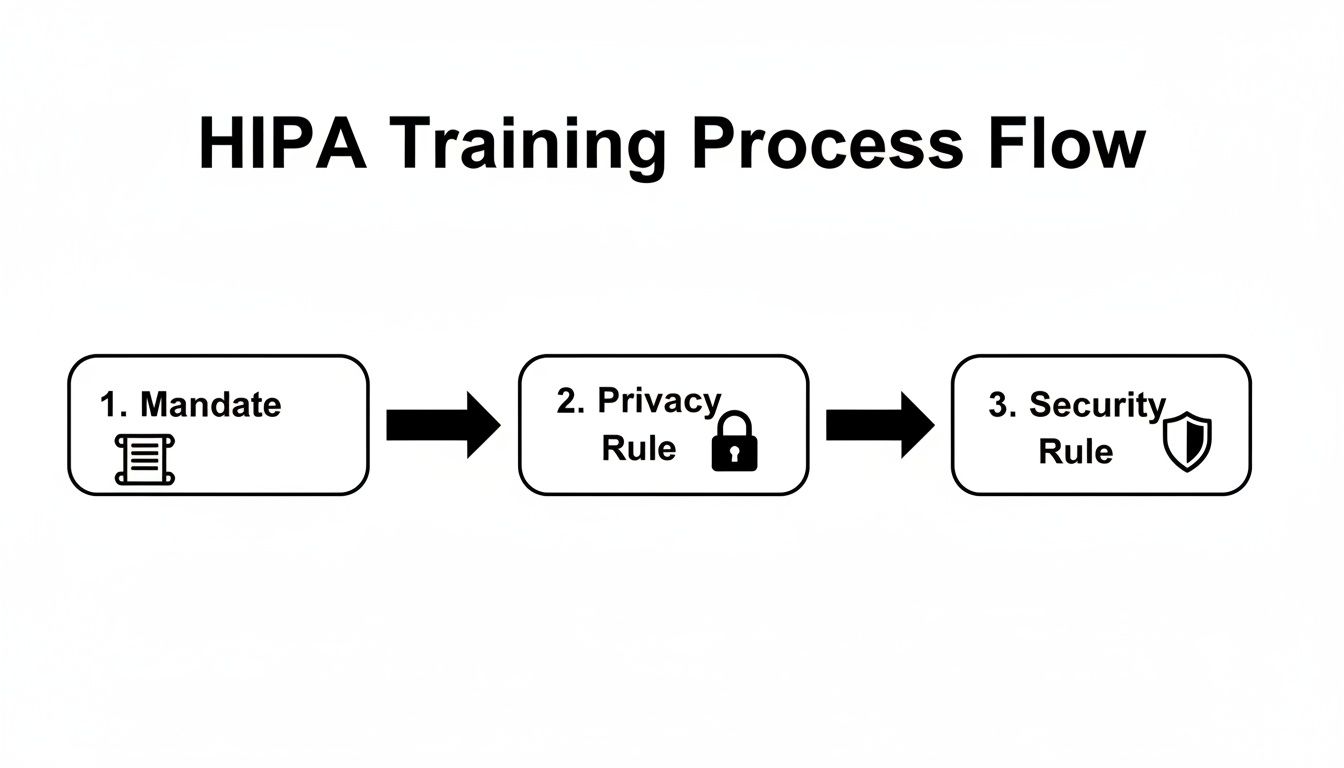
This flow chart breaks down how the core HIPAA rules drive the need for training.

A flow chart illustrating the HIPA training process, detailing mandate, privacy rule, and security rule.

The path from the initial federal mandate to the specific Privacy and Security Rules shows why training must cover both organizational policies and practical cybersecurity defenses.

Establishing a Defensible Training Cadence

HIPAA’s official text vaguely requires "periodic" or "ongoing" training. But let’s be clear: auditors and regulators have a much more specific expectation. Simply checking a box for "training done" isn't enough; you must train at specific intervals and document everything meticulously.

A documented, annual training program is the absolute minimum for a defensible compliance posture. In the event of a breach investigation, one of the first things the Office for Civil Rights (OCR) will demand is your training log.

The industry-standard schedule that auditors expect to see includes three critical touchpoints:

  1. Initial Training: All new hires must complete HIPAA training before they are granted any access to PHI. No exceptions.
  2. Annual Refresher Training: At least once a year, every single member of the workforce must go through refresher training. This keeps everyone up-to-date on your policies and the latest cyber threats.
  3. As-Needed Training: Immediate training is necessary after a security incident, a major change to your company's policies, or when an employee’s role and access to PHI changes.

This rhythm is becoming even more formalized. New benchmarks now expect healthcare organizations to prove their training is not just happening but is actually effective. By June 30, 2026, organizations must aim for 90-100% completion of annual refresher training, which should be supplemented with practical exercises like phishing simulations. You can discover more insights about these evolving 2026 HIPAA training frequency requirements and see how they connect to your overall risk analysis.

Building Your Core HIPAA Training Curriculum

Let’s be honest—a generic, off-the-shelf training program is a recipe for a compliance disaster. Just checking a box isn’t enough. The real goal is to build a training plan that’s both compliant and genuinely practical, turning your staff into your first and best line of defense against costly mistakes and cyberattacks.

Your curriculum must be built around the three pillars of HIPAA: the Privacy Rule, the Security Rule, and the Breach Notification Rule. This isn't about having your team memorize legal definitions. It's about giving them a clear playbook for how these rules apply to their everyday jobs, from the front desk to the back office.

The government is crystal clear on this. The training requirement comes directly from federal regulations, specifically the Privacy Rule under 45 CFR § 164.530(b)(1), which mandates training for all staff on your specific policies and procedures. The Security Rule at 45 CFR § 164.308(a)(5) adds another layer, requiring an ongoing security awareness program for everyone, including management.

The Table Stakes: Foundational HIPAA Knowledge

Every training program has to start with the fundamentals. This ensures everyone on your team, from a new hire at a dental practice in Clermont to a veteran practitioner at a medical spa in Winter Park, is speaking the same language when it comes to patient data.

Think of these topics as the absolute minimum for your curriculum:

  • What is PHI and ePHI? You need to clearly define Protected Health Information (both physical and electronic) using real-world examples that make sense for their specific roles.
  • Patient Rights Under HIPAA: Your staff must understand your patients' rights, like their right to access, amend, and request restrictions on their own PHI.
  • The Minimum Necessary Standard: This is a big one. Train staff to only use, access, or disclose the absolute minimum amount of PHI needed to do their job. Nothing more.
  • Breach Notification Protocols: Everyone needs to know what a breach is and the exact steps to take—and who to tell—the moment they suspect one has occurred.

Cybersecurity and Real-World Threats in Central Florida

Here’s where the rubber meets the road. HIPAA compliance and cybersecurity are two sides of the same coin. Your curriculum has to tackle the specific digital threats that businesses right here in Central Florida face every single day. The training needs to feel real, using scenarios your team can actually imagine happening in your Orlando, Kissimmee, or Sanford office.

A strong curriculum treats your employees as your most valuable security asset. It empowers them with the knowledge to spot and neutralize threats before they can cause a breach, protecting both your patients and your practice's reputation.

This part of the training is all about building actionable skills. It's crucial to boost human security with cybersecurity awareness training that gives your team the tools to defend against modern attacks.

To help you structure this, here is a checklist of the core topics that should be in any comprehensive HIPAA and security training program.

Core HIPAA and Cybersecurity Training Topics

Topic Category Key Training Points
HIPAA Fundamentals Defining PHI/ePHI, Patient Rights, Notice of Privacy Practices, Minimum Necessary Rule, Business Associate Agreements (BAAs)
Phishing & Social Engineering Identifying malicious emails, recognizing urgent/unusual requests, spotting fake login pages, understanding phone and in-person scams
Password Security & Access Creating strong, unique passwords, using multi-factor authentication (MFA), understanding role-based access controls, policies for shared workstations
Ransomware & Malware How ransomware attacks happen, the importance of not clicking suspicious links/attachments, procedures for reporting a suspected infection
Physical Security Securing workstations and paper records, proper disposal of PHI (shredding), preventing "shoulder surfing," policies for visitors
Mobile Device Security Policies for using personal devices (BYOD), securing company-owned phones/tablets, what to do if a device is lost or stolen
Incident & Breach Reporting What constitutes a breach vs. an incident, step-by-step internal reporting process, who to contact and when
Social Media & Online Safety Rules for posting online, avoiding accidental PHI disclosure in photos or posts (e.g., patient info in the background)

This table isn't just a list; it's a roadmap. Covering these points ensures you’re not just meeting a legal requirement but are actively building a security-conscious culture.

For practices that use social media, like a medical spa in Winter Park marketing its services, training must include clear guidelines. You have to teach staff how to post engaging content without accidentally exposing PHI, whether it's a patient photo without consent or identifying details visible in the background of a "team photo."

The True Cost of a Single Employee Mistake

Let’s be frank about risk. When we picture a data breach, we often imagine a shadowy hacker in a dark room. The uncomfortable truth? The biggest threat to your practice is far more mundane—and it’s likely sitting in your office right now. A simple, unintentional employee mistake is the most common trigger for a security disaster that can unravel your practice's reputation and financial stability.

A man looks at a laptop displaying a red warning sign, surrounded by crumpled papers.

This isn’t about abstract rules. For a busy dental office in Orlando or a boutique medical spa in Winter Springs, this threat is very real. It’s one careless click away from becoming a business-ending event.

The numbers paint a sobering picture. Even with training in place, a staggering 30% of healthcare data breaches are tied back to employee error. What’s worse, despite most offices conducting annual training, more than 50% of healthcare workers still fail basic HIPAA awareness tests. This reveals a dangerous gap between checking a box and genuine understanding. You can learn more about these critical training gaps and the security holes they create.

From One Click to Catastrophe

It’s crucial to connect the dots between a small slip-up and its massive fallout. Think of your employees as gatekeepers. Without the right training, they might unknowingly hold the gate wide open for attackers.

These aren't far-fetched stories; they are everyday cybersecurity risks for businesses right here in Central Florida:

  • The Phishing Lure: An overwhelmed front-desk employee at a law firm in Lake Mary gets an email that looks like a legitimate vendor invoice. They click the link, and ransomware silently begins encrypting every client file on the network. The firm is now facing a seven-figure ransom demand, regulatory fines, and total operational shutdown.
  • The Sticky Note Password: A nurse at a busy clinic in Kissimmee, trying to be helpful, writes a workstation password on a sticky note for a temp worker. A patient’s family member glances at it, logs in, and snoops on the medical records of a local celebrity. The resulting media firestorm destroys the clinic’s reputation overnight.
  • The Casual Toss: An administrative assistant at an accounting firm in downtown Orlando tosses a stack of old client intake forms—full of names, addresses, and Social Security numbers—into the regular recycling bin instead of the shredder. This single act is a data breach, triggering costly notification requirements and government investigations.

The Financial and Reputational Damage

When it comes to enforcement, the Office for Civil Rights (OCR) doesn't care about intent. A breach caused by simple negligence is treated just as seriously as one caused by a malicious insider. The consequences are severe.

Fines can easily spiral into the millions, and that’s before you even account for legal fees, credit monitoring services for every affected patient, and the irreversible loss of trust in your community.

HIPAA training isn't just an administrative chore or an expense to be minimized. It is one of the most critical cybersecurity investments you can make in your business’s survival.

Ultimately, your HIPAA training requirement is your shield. It protects your patients, your reputation, and your bottom line. By shifting your perspective and investing in effective, ongoing security education, you empower your team to become your strongest line of defense against the very real and costly consequences of a single mistake.

How to Document Training for a HIPAA Audit

In the eyes of a HIPAA auditor, if your training isn't documented, it simply never happened. This isn't just a folksy saying; it's a harsh reality that can make your entire training program legally indefensible. When a breach investigation kicks off, one of the very first things the Office for Civil Rights (OCR) will demand is proof of training. Without it, you have no shield.

This section is your practical playbook for creating bulletproof documentation. For businesses in Orlando, Winter Springs, and across Central Florida, this kind of meticulous record-keeping is what turns your training from an internal chore into a powerful legal defense. Proper documentation is a cornerstone of your compliance strategy, and you can see how it fits into the bigger picture in our guide on compliance mapping for businesses.

Creating an Audit-Ready Training File

Whether you use a simple spreadsheet or a dedicated Learning Management System (LMS), your goal is the same: maintain an "audit-ready" file you can produce on demand. This file needs to be organized, complete, and kept for a minimum of six years from the date of the training. When you're staring down a HIPAA audit, thorough documentation of training is what proves you did your due diligence.

Think of it as building a case file that proves your commitment to protecting patient data. Your records need to paint a clear and undeniable picture of your training efforts.

Your training log must include these core elements for every session and every single employee:

  • Employee Name and Title: Clearly identify exactly who was trained.
  • Training Date: Record the specific date the training was completed.
  • Training Materials: Keep copies of everything—presentations, handouts, video links. This shows what you taught them.
  • Attendance Logs: For in-person sessions, have employees sign an attendance sheet. For online courses, your LMS should log this automatically.
  • Signed Acknowledgements: Get a signature from each employee on a form stating they received and understood the training.
  • Quiz Scores or Assessments: If your training includes a test, documenting the scores provides concrete proof of comprehension.

Meticulous documentation is your first line of defense in an audit. It proves not only that training occurred, but that it was comprehensive, role-specific, and that your employees understood their obligations. Without this paper trail, auditors will assume the worst.

The Documentation Checklist for Business Owners

For a busy medical spa in Winter Park or a law firm in downtown Orlando, keeping track of all these records can feel like a full-time job. Use this simple checklist as your guide. For each person on your team, your records should be able to answer "yes" to every single question below.

  1. Is the employee's full name and job title recorded?
  2. Is the exact date of their initial and all subsequent training sessions documented?
  3. Are the specific topics covered in each training session listed?
  4. Do you have a signed acknowledgement form on file for each completed session?
  5. Can you produce a copy of the training materials used for that session?
  6. Are test scores or completion certificates stored with their record?

By systematically collecting and organizing this information, you build a powerful archive that validates your HIPAA training requirement efforts. This isn't just about checking a compliance box; it's about proving your practice is a trustworthy steward of its clients' most sensitive data.

Streamlining Your HIPAA Compliance and Security

Trying to manage the HIPAA training requirement can feel like you're stuck on an administrative hamster wheel. For professional services firms across Central Florida—from law offices in Orlando to medical spas in Winter Springs—just tracking who needs training, when they need it, and if they actually did it is a massive, time-consuming headache.

This is where a managed cybersecurity partner turns a compliance burden into a smooth, automated process.

A computer monitor in an office displays a 'Training Dashboard' with graphs, charts, and an enrollment list, while a person works in the background.

We're not talking about just handing you a link to some training videos and wishing you luck. This is about managing the entire training lifecycle for you, making sure nothing ever slips through the cracks. It’s how you shift your team’s security education from a chore you have to react to into a proactive, documented defense.

From Manual Tracking to Automated Defense

Imagine a system where your HIPAA training program practically runs itself. When a new paralegal joins your law firm in Kissimmee, they're automatically enrolled in the required initial training before they ever touch sensitive client data. That's the first step to building a genuinely secure workforce.

A managed partner operationalizes your entire program by:

  • Automating New Hire Enrollment: We integrate training directly into your onboarding workflow, ensuring no new hire gets access to PHI without first completing their courses.
  • Tracking Annual Refreshers: Our system keeps an eye on completion dates, automatically sending reminders and re-enrollments for annual refresher training. This creates a consistent, defensible cadence.
  • Running Simulated Phishing Campaigns: We test your team’s real-world awareness with controlled phishing emails. This identifies knowledge gaps and lets us provide immediate, targeted remedial training to those who need it.

This automated system generates a clean, documented audit trail that proves your commitment to ongoing education. The ability to manage these processes effectively is critical; you can learn more about how to master cybersecurity compliance for IT managed services and the value it delivers.

Layered Security for Total Peace of Mind

Solid training is the foundation, but it’s only one piece of a modern defense strategy. The real power comes from connecting your newly empowered employees to expert, real-time oversight. This layered approach is what truly protects businesses across Central Florida from today’s sophisticated cyber threats.

An educated workforce backed by a 24/7 Security Operations Center (SOC) is the modern standard for HIPAA security. One layer teaches your team to spot threats, while the other actively hunts for any that might get through.

This combination gives you a powerful one-two punch for your security posture. Your trained staff becomes the first line of defense, recognizing and reporting suspicious activity. Behind them, our dedicated SOC team works around the clock, using advanced tools to hunt for threats on your network, respond to incidents, and ensure your defenses are always up.

This comprehensive strategy moves your business away from the anxiety of unpredictable emergency IT costs and into a model with predictable, flat-rate pricing. It frees you and your team from the constant worry of compliance and security, letting you focus on what actually matters: growing your practice and serving your clients.

Frequently Asked Questions About HIPAA Training

Even with the best training plan, real-world questions always pop up. For busy practice owners in Central Florida, from Orlando to Winter Springs, getting a straight answer without the jargon is what matters. Here are the most common questions we get from practices just like yours.

Is Online HIPAA Training Enough To Be Compliant?

Yes, absolutely. Online HIPAA training is a perfectly acceptable—and often more efficient—way to meet your compliance obligations. The government isn't concerned with how you deliver the training; they care about what was taught and how well you can prove it.

For online training to pass muster with an auditor, it has to:

  • Cover all the mandatory topics from the Privacy, Security, and Breach Notification Rules.
  • Be directly relevant to your employees’ day-to-day jobs and the specific PHI they handle.
  • Test for understanding with quizzes or some form of assessment.
  • Generate a clean, easy-to-access record that proves who completed the training and when.

Think of it this way: an auditor’s checklist is the same whether your team learned in a conference room or through their web browser. What matters is the quality of the content and the strength of your documentation.

What If a New Hire Needs Access To PHI Before Training Is Done?

This is one scenario you have to avoid at all costs. A foundational HIPAA training requirement—and something auditors look for immediately—is that new team members complete their training before you grant them any access to Protected Health Information (PHI).

The only defensible position during an audit is to have a strict policy where system access is contingent upon training completion. There is no grace period for PHI access.

This isn't just a suggestion; it’s a critical part of your compliance posture. Integrating training into your onboarding process isn't negotiable. A good managed IT partner can automate this by tying system permissions to the completion of training modules, taking human error completely out of the equation.

Do We Have To Train Temporary Staff or Volunteers?

Yes, you do. The HIPAA training rule doesn’t just apply to your full-time employees. It covers your entire "workforce," a broad term that includes part-time staff, interns, volunteers, temporary workers, and anyone else working under your practice’s direct control.

The rule of thumb is simple: if someone has the potential to see or handle PHI, they need to be trained. It doesn't matter if they are paid or not, or if they are with you for two days or two years. If they have access, they need role-specific training, and you need to document it.

How Long Do We Need To Keep HIPAA Training Records?

You must hold on to all HIPAA-related documentation, including every training record, for a minimum of six years from the date it was created. This is a detail that trips up a lot of practices. For policies, that six-year clock starts from the last date the policy was in effect.

Keeping these records organized and accessible for that entire six-year window is non-negotiable for passing an audit.


Managing HIPAA compliance, from training and documentation to ongoing security, is a heavy lift. Cyber Command, LLC can take that weight off your shoulders. We provide a managed security program that automates your training lifecycle, documents every step for audit-readiness, and backs it all with a 24/7 Security Operations Center. Let us handle the compliance headaches so you can focus on growing your Central Florida practice. Visit us at https://cybercommand.com to learn more.

Boost it support for small business with Florida IT Solutions

Effective IT support for small business is a strategic move for growth, not just a reactive line item on your expense sheet. It’s about shifting away from simply fixing broken computers and instead, proactively building a secure, efficient technology foundation that stops problems before they start, protects your critical data, and paves the way for you to scale.

Why Proactive IT Support Is a Growth Engine, Not a Cost

In Florida's competitive market, from Orlando's professional services hubs to the growing communities around Kissimmee and Sanford, treating technology as an afterthought is a quick way to fall behind. Too many business owners still see IT as a necessary evil—an expense you pay only when something breaks. Frankly, that "break-fix" mindset is dangerously outdated and incredibly expensive, especially given the rising tide of cybercrime.

Think of your IT infrastructure as the foundation of your business. If that foundation is cracked or poorly maintained, everything you build on top of it—your daily operations, your client relationships, your growth plans—is at risk. A single server failure or one successful cyberattack can grind your entire business to a halt, costing you far more in lost revenue and reputational damage than proactive support ever would.

From Firefighting to Future-Proofing

Proactive IT support for a small business completely flips the script from constantly putting out fires to future-proofing your operations. Instead of waiting around for a crisis, a real IT partner works around the clock to prevent one from ever happening. This is especially true for businesses here in Central Florida with specific tech and security needs.

  • For a Law Firm in Lake Mary: It’s not enough to just store sensitive client data. Robust IT actively protects it from ransomware and data breaches, preserving the confidentiality and trust your practice is built on.
  • For a Dental Practice in Oviedo: Seamless network uptime is non-negotiable. It’s what allows you to access patient records, manage appointments, and run diagnostic tools without costly interruptions that throw your entire schedule off.
  • For an Architecture Firm in Winter Park: Your team needs reliable systems to run demanding design software and securely share huge files with clients and contractors. Without it, projects fall behind schedule and your firm's reputation suffers.

In every one of these cases, technology isn’t just a tool; it's at the very core of how you deliver your service. Any downtime or security slip-up directly hits your ability to serve clients and make money.

A modern IT partner is obsessed with two things: maximizing your uptime and bulletproofing your data. Those are the two pillars that support real, sustainable business growth. The goal is to turn your technology into a competitive edge, not a recurring headache.

This strategic approach changes your IT budget from an unpredictable, chaotic expense into a predictable investment. By preventing disasters like data loss, network outages, and devastating cybersecurity breaches, you’re actively protecting your bottom line. More importantly, it frees you and your team up to focus on what you actually do best—running and growing your business. For any company serious about efficiency, security, and scaling today, smart IT simply isn't optional anymore.

What Does Modern IT Support Actually Look Like?

If your idea of IT support is still calling a tech after a computer has already crashed, you're running your business on a model that’s destined for failure. It’s like waiting for smoke to billow from your car’s engine before you even think about an oil change. The whole game has changed. A real IT partnership isn't about having someone to call in a panic; it's about having a technology team woven into the fabric of your business.

For any small business in places like Orlando, Sanford, or Winter Springs, making this move from reactive to proactive isn't just a good idea—it's essential for survival. This is exactly where a Managed Services Provider (MSP) steps in. The best way to think of an MSP is as the general contractor for your company's entire technology stack. Just like a G.C. coordinates all the trades to build a solid house, an MSP manages every piece of your IT to build a business that’s efficient, secure, and ready to grow.

Let's dive into the three main types of IT support models you'll encounter. Understanding the pros and cons of each will make it much clearer which path is the right one for your company's specific needs and budget.

Comparing IT Support Models for Your Business

This table breaks down the three primary IT support models to help you choose the best fit for your business needs and budget.

Feature Break/Fix (Reactive) In-House IT Team Managed IT Services (Proactive)
Cost Structure Unpredictable hourly rates, billed per incident. Predictable but high fixed costs (salaries, benefits, training). Predictable monthly fee, often based on users or devices.
Approach Waits for problems to occur, then fixes them. A mix of reactive support and proactive projects. Focuses on preventing problems before they start.
Incentive Provider profits from your problems and downtime. Focused on keeping internal systems running smoothly. Provider profits when your systems are stable and efficient.
Expertise Limited to the knowledge of the on-call technician. Limited to the skillset of your in-house staff. Access to a deep bench of specialists in security, cloud, etc.
Availability Typically business hours only; after-hours is an emergency. Usually 9-to-5, with potential for on-call burnout. 24/7/365 monitoring and support are standard.
Best For Very small businesses with minimal tech needs and high risk tolerance. Larger businesses that can justify the high cost of a dedicated team. Small to mid-sized businesses seeking enterprise-level support affordably.

As you can see, the shift toward a proactive, managed model aligns the provider's goals directly with yours: they succeed when you don't have problems. This fundamental difference is what makes modern IT support so much more effective for growing businesses.

Your On-Demand Tech Team

The heart of any great IT support service is the helpdesk, but this is a far cry from the frustrating call centers you might be used to. A top-tier provider gives you a 24/7, U.S.-based live helpdesk staffed with pros who actually get to know your business. So when an employee can’t get into a critical file or the office printer decides to go on strike, they get help right now from someone who can fix it fast, keeping expensive downtime to a minimum.

This isn’t just a nice-to-have feature; it’s a direct boost to your team's productivity. Instead of your people wasting valuable time trying to be their own IT support, they can stay focused on the jobs you hired them for. This immediate, expert help is like having your own dedicated IT department, but without the staggering costs of hiring, training, and retaining one.

The Digital Security Guard for Your Network

While the helpdesk is there for your team's immediate needs, proactive network monitoring is the silent hero working in the background. It’s like having a digital security guard constantly patrolling your systems, day and night. This service is always scanning for signs of trouble—a hard drive that’s about to fail, strange network traffic that could signal an attack, or a critical security patch that got missed. It flags these issues long before they can erupt into a full-blown crisis.

For a law firm in Sanford, this could mean catching a server problem before it wipes out a full day of billable hours. For a medical practice in Kissimmee, it means keeping patient data systems stable and secure, protecting you from both operational meltdowns and painful compliance violations.

This preventative strategy is the very foundation of modern IT. It's all about stopping problems before they can even start, which keeps your business running smoothly and predictably.

Below, the diagram illustrates how a solid IT foundation is what makes efficiency, security, and scaling possible.

An IT infrastructure diagram showing foundation supporting efficiency, security, and scaling for business growth.

This really drives home the point: if your technology base isn't stable, all your efforts to operate better, protect your data, and grow your business will be built on shaky ground.

Finding the Right Fit with Co-Managed IT

But what if you already have an IT person—or even a small team—on your payroll? This is a really common situation for growing businesses in Central Florida, and it doesn't mean you can't work with an MSP. This is exactly where a co-managed IT model becomes a game-changer.

Think of it this way: your in-house IT specialist is your on-the-ground generalist. They know your people, your office, and your day-to-day needs like the back of their hand. A co-managed partner acts as their backup, bringing a deep bench of specialized experts and powerful tools they could never access on their own.

Co-managed IT is a perfect fit for:

  • Filling Skill Gaps: Your IT person might be a superstar at daily support but doesn't have deep expertise in advanced cybersecurity or complex cloud architecture.
  • Providing 24/7 Coverage: An MSP can watch over your network after hours, on weekends, and during holidays, so your internal staff doesn't have to live on-call.
  • Handling Major Projects: When it's time for a big server migration, office move, or cloud project, the MSP can supply the extra hands and project management needed to get it done right, without derailing your daily operations.

This hybrid approach lets you get the exact level of IT support for your small business that you need, creating a powerful partnership that makes your internal team even better. It ensures you have total protection and support without having to completely scrap the team you've already built.

Confronting the Cybersecurity Threat to Florida Businesses

For a small business in Central Florida, from Orlando to Kissimmee, the biggest threats are often the ones you can't see. Cybercriminals aren't just targeting giant corporations anymore. In fact, small businesses have become their favorite targets for one simple reason: they're often less prepared and have valuable data worth stealing.

Cybersecurity operations center with a glowing shield and padlock protecting digital folders on a monitor.

This shift has created a dangerous environment for any company handling sensitive information, from law firms in Lake Mary to medical practices in Oviedo. The fallout from a breach goes way beyond a simple tech headache. We're talking about catastrophic financial loss, steep regulatory fines, and irreparable damage to the reputation you've worked so hard to build.

The Alarming Reality for SMBs

The statistics paint a pretty grim picture. A shocking 81% of small businesses suffered a security or data breach in the past year, according to the Identity Theft Resource Center. This vulnerability comes down to limited resources and a lack of in-house security expertise, which makes SMBs prime targets for ransomware, phishing attacks, and business email compromise.

When you consider that standard managed IT plans for SMBs run $125 to $200 per user per month—covering helpdesk, patching, and endpoint protection—it's a fraction of the cost of recovering from a single breach.

This isn't about fear-mongering; it's about understanding the very real risks that Florida businesses face every single day. The impact of these threats isn't just theoretical—it's tangible and incredibly disruptive. To really grasp the menace, check out our article on the impact of cybersecurity threats on small business operations.

Your 24/7 Digital Emergency Room: The SOC

So, how do you defend against an enemy that never sleeps? The answer is a Security Operations Center (SOC). Think of a SOC as a hospital's emergency room fused with a high-tech surveillance team, operating 24/7/365. It’s a dedicated command center staffed by cybersecurity experts whose only job is to protect your business.

Instead of just waiting for an alarm to go off, a SOC team is constantly:

  • Monitoring your network for any unusual activity.
  • Hunting for hidden threats that might have slipped past initial defenses.
  • Analyzing potential security events to determine if they are genuine attacks.
  • Responding instantly to shut down threats the moment they’re confirmed.

For a small business, a SOC provides an enterprise-level security posture that would be impossible to build in-house. It’s the difference between having a single night watchman and having an entire special forces team guarding your digital assets around the clock.

This proactive shield is what modern IT support for small business must include. Anything less leaves you dangerously exposed to criminals who are organized, motivated, and highly skilled at finding your weakest link.

Industry-Specific Dangers in Central Florida

The nature of cyber threats often changes depending on your industry. For professional and medical practices in the Orlando, Sanford, and Kissimmee areas, the stakes are particularly high because of the value of the data you hold.

  • For Veterinary Clinics: Ransomware doesn't just disrupt your business; it can endanger animals' lives. If attackers lock up your practice management software and patient records, you can't access medical histories, track medications, or manage critical appointments, putting animal welfare at immediate risk.
  • For Legal and Financial Services: Your client files, case details, and financial data are absolute goldmines for cybercriminals. A breach can expose confidential information, destroying client trust, triggering ethical violations, and potentially leading to legal action against your firm. The fallout from a single incident can be career-ending.

In both scenarios, the attacker’s goal is to paralyze your operations and extort a heavy ransom, knowing that every minute of downtime costs you money and credibility.

The Protective Shield of Endpoint Protection and Threat Hunting

To combat these sophisticated attacks, a multi-layered defense is essential. This starts with two critical components that a quality IT partner will manage for you.

1. Endpoint Protection: Every device connected to your network—laptops, desktops, servers, even mobile phones—is an "endpoint." Each one is a potential doorway for an attacker. Advanced endpoint protection goes beyond basic antivirus, using smart technology to detect and block malicious behaviors before they can execute and cause damage.

2. Active Threat Hunting: This is where the SOC team truly shines. Instead of just relying on automated alerts, threat hunters proactively search your systems for signs of an intruder. They look for the subtle clues that automated tools might miss, effectively hunting down attackers who may be lurking silently in your network, waiting for the right moment to strike.

By combining robust endpoint protection with vigilant, human-led threat hunting, you create a powerful protective shield around your business. This comprehensive security allows you to stop worrying about what might be hiding in the digital shadows and get back to what matters most: serving your clients and growing your Central Florida business.

How AI Is Changing the Game for Small Business IT Support

Artificial Intelligence isn't some far-off concept reserved for tech giants or sci-fi movies anymore. For small businesses right here in Central Florida, it’s become a practical, powerful tool that’s completely reshaping what’s possible with IT support.

Think of it like upgrading from a basic calculator to a full-blown financial analysis platform. Both can do math, but one gives you deep insights that help you make smarter, faster decisions.

A smiling veterinarian holds a tablet showing a glowing network, with pet carriers and a dog.

AI is quietly working behind the scenes, turning standard it support for small business into a predictive and automated powerhouse. For a specialized practice like an Orlando architecture firm or a Winter Springs veterinary clinic with limited in-house tech know-how, this shift is delivering big-business capabilities without the big-business price tag.

From Reactive Fixes to Predictive Power

The old model of IT support was all about reacting to problems. Your server goes down, you frantically call for help. AI flips that script entirely. Modern IT platforms now use AI to analyze thousands of data points across your network, spotting patterns that signal a future failure.

This means your IT partner can see that a hard drive in your main server is showing early signs of stress and replace it before it crashes during a busy workday. It's the difference between your car breaking down on I-4 during rush hour versus your mechanic calling after a routine check to say your brake pads are getting thin.

This proactive approach, all powered by AI, delivers some very real benefits:

  • Predictive Maintenance: AI algorithms can spot hardware issues and software conflicts before they ever cause downtime, keeping your business running smoothly.
  • Automated Security: AI tools identify and neutralize new cyber threats in real-time, often much faster than a human analyst could react.
  • Smarter Helpdesk Support: AI helps categorize support tickets, gives technicians instant diagnostic info, and can even resolve common issues automatically.

AI-Powered Efficiency for Florida Industries

For businesses here in our region, AI provides some distinct advantages. One of the most direct applications we're seeing is the use of chatbots for IT support to handle routine tasks and improve efficiency.

These aren't just simple auto-reply bots. They can reset passwords, guide users through software installations, and answer common questions around the clock. This frees up human technicians to focus on the more complex problems that really need their expertise.

This isn't just a niche trend, either. A staggering 82% of small business employers now use at least one AI tool in their operations.

For a medical practice in Kissimmee, an AI-powered system can constantly monitor the network running your patient records, ensuring it stays stable and compliant with HIPAA. For a law firm in Lake Mary, it can help secure sensitive client data against increasingly sophisticated phishing attacks by analyzing email patterns for threats.

By automating routine maintenance and providing smarter, faster problem-solving, AI gives small businesses a level of resilience and efficiency that was once out of reach. This allows you to focus on serving your clients and growing your business, confident that your technology backbone is not just stable, but truly intelligent. To learn more about this trend, you might be interested in our guide on how artificial intelligence is used in business.

A Checklist for Choosing Your Florida IT Partner

Finding the right IT partner in a bustling market like Central Florida can feel like searching for a needle in a haystack. With so many options, how do you separate a true strategic partner from just another vendor who closes tickets?

This practical checklist will help you cut through the noise. It’s designed to guide your vetting process, helping you ask the right questions and find a provider that truly understands the needs of businesses in Orlando, Sanford, Kissimmee, and our surrounding communities. When you're looking at potential partners, it helps to understand the full landscape of IT Service Providers and MSPs, because not all are created equal.

Essential Operational Capabilities

Before you even think about strategy, you need to confirm a potential partner can handle the basics. Downtime is a business killer, and the quality of their day-to-day support is your first line of defense.

Get direct answers to these questions about their core operations:

  • Is your helpdesk available 24/7/365? A problem at 8 PM on a Friday needs the same urgent attention as one at 10 AM on a Tuesday. Cyber threats and system failures don’t stick to business hours.
  • Are your helpdesk technicians based in the U.S.? This is huge. It’s critical for clear communication and means the support staff understands the context of your business without language or massive time-zone barriers.
  • What are your guaranteed response times? Ask to see their Service Level Agreement (SLA). Make sure you understand the difference between response time (when they acknowledge your issue) and resolution time (when it's actually fixed).

A partner who stumbles on these questions is showing you a major red flag right from the start. True IT support for small business means being there when you need them, period.

Security and Industry-Specific Expertise

Cybersecurity isn't an add-on anymore; it must be woven into the very fabric of your IT support. And a provider who gets your industry’s unique challenges can offer far more effective protection and guidance.

A provider's approach to security separates the amateurs from the professionals. They shouldn't just be installing antivirus software; they should be actively hunting for threats and ensuring you meet all compliance requirements.

Verify their security posture and industry know-how:

  • Do you operate a 24/7 Security Operations Center (SOC)? For active threat hunting and immediate incident response, this is non-negotiable.
  • What is your experience with industry-specific compliance? For veterinary clinics and medical practices, this means deep expertise in HIPAA. For law or finance firms, it involves protecting sensitive client data according to strict regulatory standards. Ask them to prove it.
  • Can you provide detailed, transparent security reports? You should get regular updates on threats blocked, vulnerabilities patched, and the overall health of your security posture. No excuses.

An IT partner without a strong security focus isn't a partner; they're a liability. Their ability to speak fluently about your industry's compliance needs is a key indicator of their expertise.

Strategic Partnership and Growth Focus

The best IT providers do more than just fix what’s broken—they help you grow. A real partner takes the time to understand your business objectives and aligns your technology strategy to help you get there.

Look for these signs of a genuine strategic relationship:

  • Do you provide a technology roadmap? They should work with you to plan future tech investments, upgrades, and projects that support your long-term goals.
  • Do you conduct Quarterly Business Reviews (QBRs)? These meetings are essential for reviewing performance, discussing upcoming needs, and making sure your IT strategy stays aligned with your business's direction. For a deeper look into what a complete IT partnership entails, explore our comprehensive guide to business IT support in Florida.
  • Is your pricing all-inclusive and predictable? A flat-rate fee structure proves they are invested in your stability. They profit when you have fewer issues, not more.

By using this checklist, you can move beyond the sales pitches and evaluate potential IT providers on what truly matters: their ability to deliver reliable support, robust security, and strategic guidance to help your Florida business thrive.

The Real ROI of Investing in Proactive IT

It’s easy to look at a managed IT services fee as just another line item on your monthly expenses. But that’s the wrong way to think about it. The reality is, that monthly fee is a direct investment in your company’s ability to operate, stay secure, and grow.

Every dollar you put toward proactive IT is a dollar spent preventing a crisis. It’s what keeps your team working without interruption, protects your most valuable data from threats, and ultimately, lets you focus on your business instead of broken tech.

For a small business here in Central Florida, this isn’t just some abstract concept. It’s the peace of mind a law firm in Sanford gets knowing its client data is being watched over by a 24/7 Security Operations Center. It's the confidence a veterinary practice in Oviedo has that its patient management systems will be up and running when the first appointment of the day arrives. This is about building a business that doesn't get derailed by technology.

Shifting Focus from Firefighting to Strategy

A proactive IT partner completely changes your role as a business owner. Instead of constantly getting dragged into putting out tech fires—a server going down, an employee locked out, a critical software patch failing—you get that time back.

When your technology hums along smoothly in the background, you can finally concentrate on the things that actually grow your business. You can focus on your clients, develop new services, and plan your next big move. That's the real game-changer.

This is exactly why so many small businesses are finally hitting their stride after making the switch. It’s not just a local thing, either. The global market for Small Business IT Support Services is projected to hit $25,000 million by 2034. In 2026 alone, North America is expected to see a surge as more companies get tired of reactive fixes and seek out strategic partnerships. You can get more details on these market projections from Data Insights Market.

Building Your Technology Roadmap for Growth

A true IT partner does more than just keep the lights on. They sit down with you to build a technology roadmap—a plan that ties your tech investments directly to your business goals for 2026 and beyond. This plan makes sure every dollar you spend on technology is strategic, timely, and supports your vision.

A technology roadmap transforms your IT from a reactive cost center into a strategic asset. It provides a clear path for upgrades, new implementations, and security enhancements that will power your business forward, not hold it back.

For business owners across Florida, this is your chance to build on a solid foundation. When you partner with an expert in it support for small business, you’re making sure your technology can scale with your ambitions, defend against new threats, and give you a real competitive advantage. It's time to stop reacting and start planning.

Frequently Asked Questions About Small Business IT Support

Choosing an IT partner is a big decision, and it’s normal to have a few questions. We get it. Here are some straightforward answers to the questions we hear most often from small business owners right here in Central Florida.

Is My Business Too Small for a Full IT Service?

Not at all. In fact, we find that smaller businesses are often the most vulnerable. With fewer internal resources, a single server crash or a ransomware attack can be devastating.

The great thing about modern it support for small business is that it scales to fit you. You get the same level of security and support that large corporations have, but for a predictable monthly cost that actually makes sense for your budget. It’s far more cost-effective than hiring a single in-house IT person or trying to clean up the mess after a security breach.

What Is Co-Managed vs Fully Managed IT?

This is a great question. Think of fully managed IT as outsourcing your entire technology department. We take care of everything—from the 24/7 helpdesk and cybersecurity to long-term tech planning. We become your IT team, period.

Co-managed IT, on the other hand, is more of a partnership. It’s perfect for companies that already have an IT person or a small team but need to fill in some gaps. We can step in to provide 24/7 security monitoring, help with specialized projects, or handle after-hours support so your internal team can avoid burnout.

How Much Should I Budget for IT Support?

Most modern IT support is priced on a simple per-user, per-month basis. This model is a huge win for budgeting because it turns your IT costs into a stable, predictable operating expense instead of a rollercoaster of unexpected bills.

For a comprehensive service that includes a 24/7 U.S.-based helpdesk, proactive network monitoring, and a robust cybersecurity defense with a SOC, businesses should plan to invest between $125 to $200 per user each month.

A transparent partner will give you a flat-rate, all-inclusive price. This means no surprise charges. It turns IT from a frustrating cost center into a strategic investment that actually helps you grow, whether your office is in Kissimmee or Winter Park.


Ready to stop worrying about technology and start focusing on growth? The team at Cyber Command, LLC provides proactive, all-inclusive IT support and cybersecurity services tailored for businesses in Central Florida and North Texas. Let's build a technology roadmap that aligns with your goals. Visit us at https://cybercommand.com to schedule a consultation.