
June 24, 2026
10 Best Cloud Services for Small Business You Should Know
Discover the top 10 best cloud services for small business strategies and tips.
You’re probably in one of two situations right now. Either your business already uses cloud apps, but they’ve piled up over time and now feel disconnected, hard to secure, and harder to manage. Or you’re still deciding what to standardize on, while your team keeps asking for better file sharing, easier remote access, stronger backup, and fewer login headaches.
That tension is normal for small businesses. A law office in Orlando, a medical spa in Winter Springs, or an engineering firm serving Central Florida often needs enterprise-grade protection long before it has enterprise-size IT staff. The problem isn’t just picking software. It’s choosing cloud services that help people work faster without creating security gaps, compliance issues, or messy vendor sprawl.
That’s why the best cloud services for small business usually aren’t just “cheap” or “popular.” They fit the way your team already works, they reduce risk, and they make it easier to support growth. In Central Florida, that matters even more because smaller organizations are common targets. One verified report notes that 60% of reported cyber incidents in the Orlando metro area affect organizations with fewer than 500 employees, and Florida-based small business victims face average ransomware recovery costs of $150,000 according to the cited report at Business News Daily’s cloud computing overview.
The list below gets straight to practical options. Some are full productivity suites. Others focus on identity, backup, threat detection, or compliance. Together, they show what a modern small business cloud stack can look like when security is treated as part of the service, not an add-on after an incident.
Table of Contents
- 1. Microsoft 365 Business Standard with Advanced Threat Protection
- 2. Vanta Automated Compliance & Security Monitoring
- 3. Amazon Web Services AWS with AWS GuardDuty & Security Hub
- 4. Zoho One for Small Business Productivity & Built-in Security
- 5. Google Workspace with Advanced Security & Compliance
- 6. Okta Identity & Access Management IAM with MFA & Threat Detection
- 7. Datto Cloud Backup & Disaster Recovery with Ransomware Protection
- 8. Cloudflare Zero Trust & DDoS Protection for Distributed Teams
- 9. Proofpoint Email Security & Advanced Threat Protection
- 10. CrowdStrike Falcon Endpoint Detection & Response EDR with Threat Hunting
- Top 10 Small Business Cloud Services: Features & Security
- Final Thoughts
Stuck on something like this right now?
Talk it through with a real US-based engineer, 24/7, no phone trees: (407) 587-0089.
Book a Free Strategy Session1. Microsoft 365 Business Standard with Advanced Threat Protection

Microsoft 365 is often the first serious cloud platform a small business standardizes on, and for good reason. Teams, Exchange, SharePoint, and OneDrive cover daily work, while Advanced Threat Protection adds the security layer that many firms assume they’ll “set up later.” That delay is where problems start.
For firms in Orlando, Winter Springs, and nearby cities, this setup works especially well when most employees already use Windows laptops and Outlook. It gives accounting teams, legal staff, and practice administrators one place to collaborate while keeping email, files, and user access under tighter control.
Why it fits small business reality
A verified market analysis found that small businesses with 3 to 25 employees that spend $50 to $500 monthly on cloud storage have a 22% higher adoption rate of integrated collaboration tools such as Dropbox Business or Sync.com Teams than businesses relying on fragmented entry-level tools, according to Business.com’s review of business cloud storage services. Microsoft 365 benefits from that same integrated approach. People don’t have to jump between disconnected systems just to share files, message coworkers, and manage email security.
Practical rule: Turn on threat protection, retention, and data loss prevention during rollout, not after the first phishing scare.
How Central Florida firms use it
An Orlando accounting office can use Microsoft 365 to filter payroll-targeted phishing emails before they reach the inbox. A Winter Springs legal practice can store matter files in SharePoint and OneDrive, then lock down remote access with multifactor authentication and conditional access. A dental office can keep internal collaboration inside Teams rather than passing patient-related documents around through unsecured personal email.
A few setup priorities matter most:
- Configure DLP by industry: Map policies to healthcare records, legal documents, or financial data.
- Require MFA for remote work: Remote staff should verify identity before opening email or shared files.
- Enable mailbox auditing: Audit logs help with compliance reviews and internal investigations.
- Review licenses quarterly: Small businesses often overbuy seats or keep inactive accounts too long.
If your team already runs on Microsoft, pair the platform with practical cybersecurity best practices for small businesses so the licensing and the security controls work together.
2. Vanta Automated Compliance & Security Monitoring
Some cloud tools help people work. Vanta helps prove that work happens inside a controlled, auditable environment. That distinction matters for regulated organizations and for smaller firms trying to win larger clients that ask tough security questions before signing a contract.
For a medical practice, CPA firm, or architecture company in Central Florida, compliance work often gets pushed onto an office manager, operations lead, or owner. Vanta reduces that manual burden by pulling evidence from connected systems and showing where controls are missing.
Where Vanta helps most
The hidden cost here isn’t only software. It’s the time people lose chasing screenshots, policy files, device inventories, and access logs. Verified data on this issue notes that for regulated small businesses, advanced security features such as e-Discovery, immutable backups, and audit logging can move costs from entry-level pricing to enterprise-grade tiers, and 2025 industry reports cited in FileCloud’s discussion of cloud servers for small business indicate that 40% of small business cloud spend is now allocated to compliance add-ons and third-party verification tools.
That’s why Vanta makes sense when a business needs continuous visibility instead of one frantic audit season each year.
What to set up first
A Winter Springs medical spa can connect key systems and automate evidence collection for HIPAA-related reviews. An Orlando engineering firm can use ongoing monitoring to support enterprise client requirements. A regional accounting practice can track user access and device posture without maintaining giant spreadsheets.
Use Vanta well by focusing on the basics first:
- Start with one framework: Choose the framework closest to your actual obligations instead of enabling everything at once.
- Connect core systems early: Identity, endpoints, cloud storage, and ticketing systems usually produce the most useful evidence.
- Track incidents in the same workflow: A clear incident trail shows maturity, not just documentation.
- Review findings monthly: Continuous compliance only works when someone closes the gaps it uncovers.
Compliance gets expensive when it’s bolted on tool by tool. It gets manageable when evidence collection is part of normal operations.
3. Amazon Web Services AWS with AWS GuardDuty & Security Hub
A small business usually feels the limits of basic cloud tools at the same moment. The website slows down during a promotion, files live in too many places, backups are inconsistent, and one customer portal suddenly matters as much as the front desk. At that point, cloud infrastructure stops being an abstract IT topic and becomes an operations decision.
AWS fits businesses that need to run more than email and documents. It can support websites, custom apps, storage, backup, analytics, and systems that need to handle busy periods without new on-site hardware. For a retailer with online ordering, a field-service company with mobile staff, or a firm serving clients across several states, that flexibility can be useful long before the company feels “enterprise.”
The part small teams often misunderstand is security. Building in AWS is a lot like leasing space in a well-protected building. The building can have strong locks, cameras, and fire suppression, but you still decide who gets a key, which doors stay open, and whether valuables are left in plain sight. GuardDuty and Security Hub help with that shared responsibility.
GuardDuty watches for suspicious activity, such as unusual sign-in patterns, unexpected behavior between systems, or signs that a cloud resource is talking to known malicious infrastructure. Security Hub gathers findings from across your AWS environment so you can review problems in one place instead of checking service by service. Together, they give a small business a clearer picture of what is happening and what needs attention first.
Where AWS adds practical value
A growing e-commerce business can keep its storefront responsive during holiday spikes instead of guessing how much physical server capacity to buy months in advance. A medical practice can separate public-facing systems from sensitive internal workloads and review security findings from one dashboard. A regional service company can back up data, run internal tools, and support a customer portal inside the same environment.
AWS can also support the systems around growth, not just the systems that store data. For example, a company improving sales operations may pair cloud-hosted applications with digital growth via CRM implementation so customer data, reporting, and workflow changes happen in a more controlled environment.
What to set up first
Small teams get the most value from AWS when they keep the first setup narrow and disciplined.
- Enable GuardDuty across every AWS account: Threat detection should not stop at the main production account. Test, backup, and sandbox accounts often get less attention and become weak spots.
- Turn on CloudTrail early: Activity logs show who changed what, when it happened, and which API calls were involved. That matters during investigations and routine troubleshooting.
- Use tightly scoped IAM roles: Give each user, app, and service only the permissions it needs. Broad administrator access creates avoidable risk.
- Review Security Hub findings by severity: Start with the issues tied to public exposure, weak access controls, and missing logging. Small teams can get buried if they treat every alert as equally urgent.
- Watch spending with the same discipline as security: Unused storage, forgotten test instances, and duplicate backups can raise monthly costs.
Owners who want a clearer operating model should review this practical guide to AWS management for small business teams. It explains how to keep cloud infrastructure organized before growth makes the environment harder to control.
4. Zoho One for Small Business Productivity & Built-in Security
Zoho One appeals to a different kind of small business. Instead of assembling separate apps for CRM, finance, HR, projects, and collaboration, you can run a large part of the business from one ecosystem. That’s attractive when the problem isn’t lack of tools. It’s too many tools with too many logins.
This model can work well for accountants, architects, consultants, and medical offices that want a more unified administrative stack without chasing enterprise complexity.
Why smaller teams like the all-in-one model
One of the biggest operational gains from an all-in-one platform is consistency. People learn one environment, user access can be managed from a central place, and leaders can see where information lives. That’s often more important than having the “best standalone app” in every category.
For a Central Florida architecture firm, that could mean using one system for client communication, project tracking, and time entry. For a medical spa, it could mean reducing the number of vendors staff touch each day. For a bookkeeping firm, it could mean moving client, finance, and workflow records into a cleaner structure.
Smart ways to roll it out
The most common mistake with Zoho One is turning on too much at once. Start with the applications that create the most daily friction, then expand.
- Turn on single sign-on first: Centralized identity makes every future app easier to govern.
- Require two-factor authentication: Especially for finance, HR, and customer data.
- Use role-based access controls: Reception, billing, management, and clinicians shouldn’t all see the same information.
- Review audit trails monthly: Access logs and financial changes should be checked routinely.
A practical side benefit is reduced vendor sprawl. Fewer disconnected apps often means fewer password resets, fewer shadow subscriptions, and fewer spots where sensitive data can leak. If your growth plan also depends on sales process maturity, it helps to connect cloud adoption with digital growth via CRM implementation.
5. Google Workspace with Advanced Security & Compliance
Google Workspace works best for businesses that want speed, browser-based access, and easy collaboration. Teams that live in Gmail, Docs, Drive, Meet, and Sheets can move quickly without relying as much on traditional desktop software. For mobile teams and bring-your-own-device environments, that flexibility is a real advantage.
That said, ease of use can create a false sense of safety. Sharing is simple in Google Workspace, which means oversharing can become simple too unless admins put guardrails in place.
Best fit scenarios
A Central Florida engineering team can use shared Drives and version history to coordinate proposal documents and drawings. An Orlando medical spa can manage internal communication and scheduling workflows while keeping business records in a structured cloud environment. A Winter Springs field-service operation can use Meet and Drive to support technicians, office staff, and managers across multiple sites.
Shared cloud files save time only if the right people can open them, and the wrong people can’t.
How to keep Workspace secure
Google Workspace becomes much stronger when administrators actively use the security and compliance features already available.
- Enable advanced phishing protection: Gmail is a constant target for credential theft.
- Set sharing controls by group: Internal staff, contractors, and external clients should have different defaults.
- Apply DLP policies carefully: Sensitive health, financial, or design data should trigger stricter handling.
- Manage devices through Cloud Identity: Web-first access still needs device oversight.
This category also connects to a broader pattern in small business cloud buying. Verified market data shows that small businesses using cloud-based storage with AI-powered automation, including products such as Box Business Plus or Carbonite, achieve 45% faster document processing and a 37% reduction in unstructured data management errors in the referenced report at Box’s blog on cloud-based storage for small businesses. Google Workspace isn’t identical to those products, but it benefits from the same operational principle. Organized, searchable cloud content beats scattered files every time.
6. Okta Identity & Access Management IAM with MFA & Threat Detection
If you only add one security-focused cloud service to a growing business, identity should be high on the list. Okta helps answer a basic question that many small companies still struggle with: who has access to what, from where, and under what conditions?
That matters when employees use a mix of legacy software, cloud apps, and remote devices. It matters even more when a business has turnover, outside contractors, or multiple locations. In those environments, the risk isn’t just hackers. It’s stale accounts, weak password habits, and access rights nobody remembered to remove.
Why identity comes first
Okta gives small and midsize businesses a common identity layer across many applications. A law office can connect case tools and cloud email under one sign-in process. A healthcare practice can require stronger verification before anyone opens systems containing patient information. An industrial firm can use contextual policies to challenge suspicious logins coming from unexpected devices or locations.
For businesses with high IT needs but limited internal expertise, that kind of structure is often more useful than adding yet another point security product.
Practical deployment ideas
A clean Okta rollout starts with high-risk users and sensitive systems, not every app on day one.
- Protect executives and finance staff first: Those accounts draw the most targeted attacks.
- Use risk-based MFA: Ask for more verification when a login looks unusual.
- Tie access to device trust: Sensitive apps should open only on approved devices.
- Automate offboarding: Former employees shouldn’t keep access because someone forgot one app.
Okta also helps businesses build cleaner audit trails, which matters in legal, healthcare, and financial settings. For firms training employees on the basics of stronger login security, a simple explainer on 2FA can help nontechnical staff understand why extra verification matters.
7. Datto Cloud Backup & Disaster Recovery with Ransomware Protection
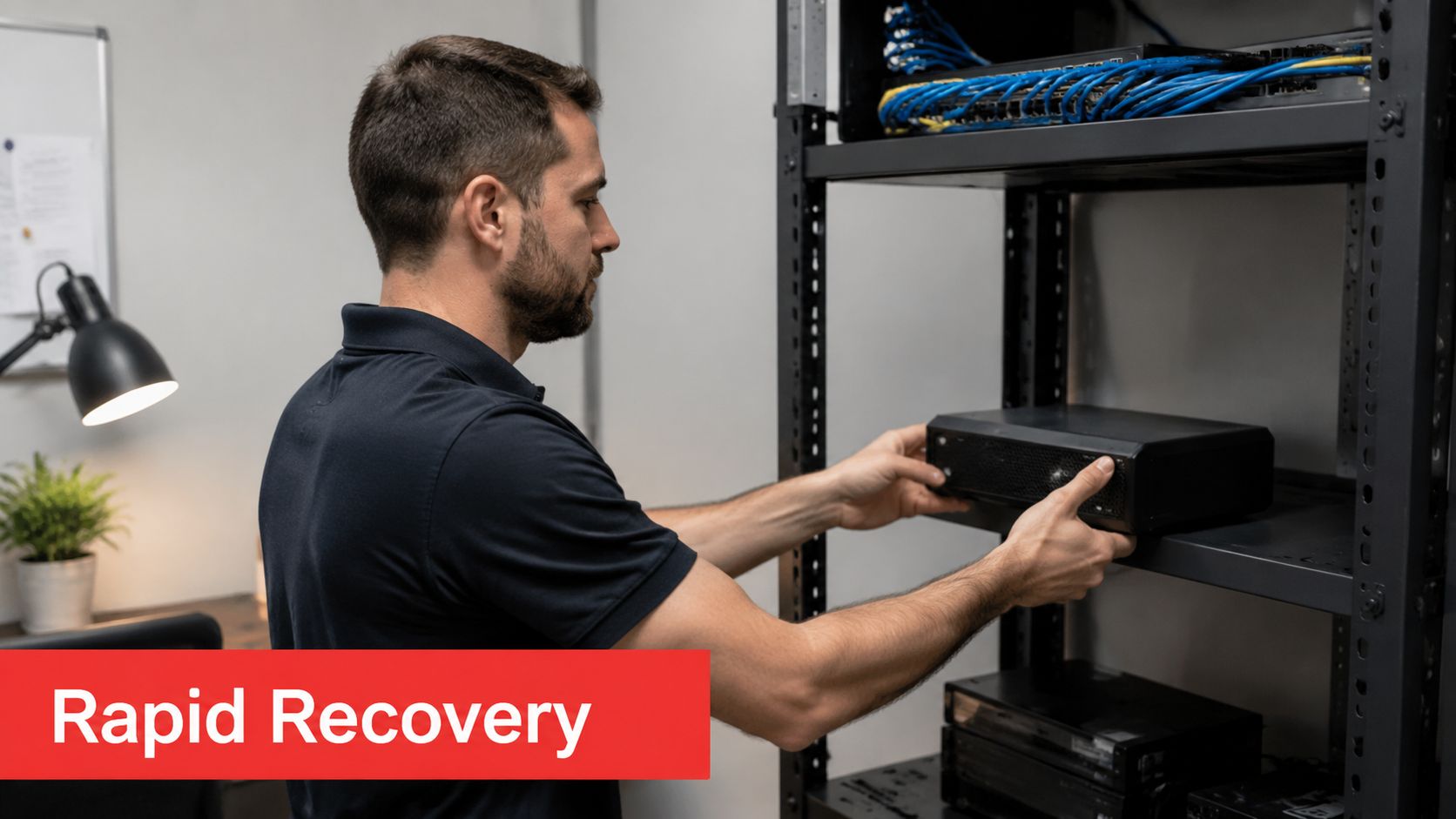
Plenty of small businesses say they have backups. Fewer can explain how quickly they could restore a file server, line-of-business system, or virtual machine after ransomware or hardware failure. That’s where Datto stands out. It treats backup as an operational recovery system, not just a storage bucket full of copies.
For professional firms and medical practices, that difference is important. Restoring one spreadsheet is helpful. Restoring a working business environment is better.
Why backup needs its own strategy
Datto is useful when uptime matters and when file loss would create client, regulatory, or billing problems. An Orlando accounting firm can protect tax and client records. A Central Florida clinic can preserve key systems that staff need all day. A Winter Springs engineering office can recover project data and local infrastructure after malware hits.
Recovery focus: If your backup plan doesn’t include tested restore steps, it’s only half a plan.
What to protect first
Start with the systems that would stop operations immediately if they failed.
- Protect servers before workstations: Shared systems usually create the biggest business interruption.
- Use immutable backups: Attackers shouldn’t be able to alter recovery points.
- Replicate offsite: Local disasters and local ransomware can spread farther than expected.
- Run recovery tests regularly: A backup is trustworthy only after a successful restore test.
This is one of the easiest categories to underestimate because backup feels passive until the day you need it. If you’re sorting through options, these cloud-based backup solutions for small business give a practical foundation for deciding what belongs in your recovery plan.
8. Cloudflare Zero Trust & DDoS Protection for Distributed Teams
Traditional VPNs still show up in many small businesses, but they often create more complexity than protection. Cloudflare Zero Trust takes a different approach. Instead of opening broad network access, it applies access controls closer to the application and inspects traffic in ways that are easier to scale for distributed teams.
That’s valuable for businesses with hybrid staff, remote vendors, or employees moving between office, home, and field locations across Central Florida.
What Cloudflare changes
A law firm in Orlando can use Cloudflare to block known malicious domains before staff browse to them. A Winter Springs industrial company can put public-facing services behind DDoS protection to reduce disruption risk. A medical spa with remote administrative staff can add browser isolation for riskier web activity.
The practical benefit is simpler control over how users reach business systems. Instead of assuming everyone on the VPN is trusted, Cloudflare lets businesses evaluate destination, user identity, and session behavior more carefully.
Good first policies
Zero Trust projects go wrong when they start too wide. Begin with a few high-impact controls.
- Turn on DNS filtering: Block harmful destinations before a user clicks through.
- Restrict access by geography where appropriate: That won’t solve everything, but it can reduce noise.
- Protect internet-facing apps with DDoS services: Availability matters just as much as confidentiality.
- Use browser isolation for risky browsing: This helps contain malicious content away from endpoints.
Cloudflare is especially useful when teams no longer sit behind one office firewall. If your staff uses cloud apps all day, the network edge has moved. Your controls should move with it.
9. Proofpoint Email Security & Advanced Threat Protection
Email remains one of the most dangerous entry points in a small business, especially in industries where trust, urgency, and money intersect. Lawyers receive fake client requests. Accounting firms see payroll scams. Medical offices get spoofed messages that look routine enough to open without much thought.
Proofpoint is built for that reality. It adds a dedicated layer for analyzing links, attachments, impersonation attempts, and suspicious behavior that can slip past basic mail filtering.
Why email still needs dedicated protection
A strong email security platform matters most when a single mistaken click could lead to wire fraud, ransomware, or data leakage. For firms that handle sensitive records and frequent outside communication, that’s a daily risk.
An Orlando law office can use targeted attack protection to spot messages aimed at partners. A Central Florida accounting team can use tighter email controls around payment instructions and executive impersonation. A Winter Springs medical practice can analyze attachments in a safer environment before users open them.
Where it pays off quickly
Proofpoint is most effective when paired with policy and training, not installed as a silent background tool.
- Protect high-value users first: Executives, billing teams, and administrators need the strongest filtering.
- Enforce DMARC: Domain spoofing gets harder when sender policies are properly configured.
- Rewrite and inspect URLs: Links should be checked at click time, not only when the email arrives.
- Use email archiving intentionally: Legal and regulated firms often need searchable records later.
This category is less about convenience and more about stopping expensive mistakes before they become incidents. In many small businesses, email is still the front door. It deserves front-door security.
10. CrowdStrike Falcon Endpoint Detection & Response EDR with Threat Hunting

A staff member signs in on a normal Tuesday morning. By lunch, that laptop is running a script no one approved, calling out to an unfamiliar server, and probing shared folders. Nothing looks dramatic on the screen. That is the problem. Endpoint detection tools are built for the quiet part of an attack, the stage where unusual behavior starts before a business sees locked files or missing data.
CrowdStrike Falcon focuses on those endpoints: laptops, desktops, and servers. It watches for patterns such as suspicious PowerShell use, credential abuse, privilege escalation, and lateral movement between systems. For a small business, that matters because the first sign of trouble often appears on a user device, not in a firewall report or a help desk ticket.
Its cloud delivery also changes the workload. Your team does not have to run a large on-premises security stack just to get visibility into what is happening across employee devices.
What Falcon is good at
Falcon is strongest in environments where a business needs to answer practical questions fast. Which device started the problem? Did the attacker get admin rights? Did the activity stay on one machine, or move to file shares and other endpoints?
An Orlando professional services firm could use it to catch a consultant laptop trying to run tools that harvest saved passwords after a phishing login. A Central Florida medical office could watch for the early steps of ransomware, such as mass file access, shadow copy deletion, or unusual encryption behavior. A Winter Springs industrial company could investigate whether a compromised vendor account led to movement from one workstation to another on the shop floor network.
That level of visibility fills a gap many smaller companies miss. Basic antivirus looks for known bad files. Endpoint detection is closer to having a security camera plus a trained reviewer. It helps your team see behavior, not just signatures.
How to use it well
Falcon produces the most value when it is tied to a clear response plan, not treated as a background app you install and forget.
- Start with the systems that create the most business risk: Finance devices, executive laptops, servers, and any endpoint that handles regulated data should go first.
- Decide what triggers isolation: If a device shows ransomware behavior or active credential theft, your team should know in advance whether to contain it automatically or require approval.
- Tune detections around normal admin activity: Managed IT work, software deployment scripts, and remote support tools can create noise if no one defines what expected behavior looks like.
- Practice one investigation workflow: Pick a simple drill such as a suspicious script alert, then document who reviews it, who approves containment, and how users get back to work.
Small businesses often buy endpoint protection before they define those steps. That is like installing smoke detectors without deciding who calls the fire department. The tool can spot danger, but the response process determines whether the incident stays small.
Falcon works best alongside identity controls, backups, and email protection. Its job is narrower and very practical: show what happened on the device, help contain it quickly, and give the business a clearer picture of whether the threat stopped at one user or spread further.
Top 10 Small Business Cloud Services: Features & Security
Solution
Core security & compliance features
User experience & management
Value proposition / Best for
Unique selling points
Pricing consideration
Microsoft 365 Business Standard + ATP
ATP phishing/malware, DLP, MFA, eDiscovery, OneDrive ransomware recovery, Compliance Manager
Deep Windows integration; Teams/SharePoint governance required; predictable per-user billing
Professional services, healthcare, law, integrated productivity + compliance
Native Microsoft ecosystem, built-in compliance tooling, widespread local partner support
Per-user licensing; cost grows with multi-location seat counts
Vanta Automated Compliance & Monitoring
Continuous SOC2/HIPAA/PCI/ISO monitoring, automated evidence, vendor questionnaires, real-time dashboards
SaaS dashboards reduce audit work; needs API access and initial mapping
Small firms needing audit automation and fast vendor credentialing
Automated evidence collection and gap identification; speeds audits
Per-employee pricing; can add up for larger teams
AWS + GuardDuty & Security Hub
GuardDuty ML threat detection, Security Hub compliance, IAM, CloudTrail, VPC/WAF, Backup/Config
Highly scalable; steep learning curve and ongoing cost optimization required
Scalable infrastructure, multi-region DR, retailers, industrials
Native cloud security + marketplace integrations; pay-as-you-go scaling
Consumption-based billing; requires active cost management
Zoho One
SSO, end-to-end encryption, RBAC, HIPAA hosting, 2FA, audit trails, backup
Unified app ecosystem; simpler governance; lower administrative overhead
Cost-conscious SMBs (professional services, small healthcare) seeking all-in-one suite
Consolidated platform reducing vendor sprawl and TCO
Affordable all-in-one licensing; fewer third-party integrations
Google Workspace
Gmail ML phishing protection, Drive encryption, DLP, Security Sandbox, BeyondCorp zero-trust, endpoint management
Web-first, mobile-optimized, excellent real-time collaboration
Distributed/BYOD teams, creative agencies, field service operations
Superior real-time collaboration and zero-trust device controls
Lower per-user cost vs. MS; advanced security features on higher tiers
Okta IAM
Universal directory, adaptive MFA, Threat Insight, device trust, SSO, audit trails
Improves UX and lowers helpdesk; requires expert integration for legacy systems
Hybrid/multi-location identity consolidation, healthcare, finance
Bridges on-prem AD and cloud apps; strong adaptive MFA and risk detection
Licensing scales with users/apps; advanced detection costs extra
Datto Cloud Backup & BDR
Hybrid local+cloud backup, immutable snapshots, ransomware detection, bare-metal recovery, CDP
Appliance + cloud model enables rapid local recovery; requires hardware & setup
SMBs needing fast RTO/RPO and ransomware-resilient recovery
Immutable backups and local appliances for offline, rapid restores
Capital appliance costs + ongoing storage and licensing
Cloudflare Zero Trust & DDoS
Zero-trust app access, DNS filtering, gateway threat inspection, DDoS mitigation, browser isolation
Removes VPN complexity; network-edge protection; needs DNS/DoH changes on devices
Remote-first teams, public-facing apps, organizations concerned about availability
Global network DDoS protection and edge-based threat filtering
Per-user scaling; advanced features require higher-tier plans
Proofpoint Email Security
Advanced phishing/malware protection, URL rewriting, sandboxing, BEC/TAP, DLP, DMARC enforcement
Strong executive-targeted phishing defense; integration planning required
Law firms, accounting, finance, protection against BEC and targeted email attacks
ML-driven spear-phishing/BEC detection, dynamic link analysis and sandboxing
Can be costly; advanced SKUs add significant premium
CrowdStrike Falcon EDR
Behavioral EDR, lightweight agent, threat intel, real-time hunting, IR automation, forensics
Cloud-native, low endpoint overhead; requires SIEM/SOAR integration and tuning
Organizations needing proactive endpoint threat hunting and rapid containment
Behavioral detection for zero-days, automated containment, forensic depth
Endpoint-based licensing; modules and managed services increase cost
Final Thoughts
The best cloud services for small business aren’t all trying to solve the same problem. Microsoft 365 and Google Workspace help teams work. AWS helps businesses build and scale infrastructure. Zoho One reduces app sprawl. Okta manages identity. Datto protects recovery. Cloudflare protects access paths. Proofpoint protects email. CrowdStrike protects endpoints. Vanta helps prove that controls are in place.
That mix matters because small businesses rarely fail from using “the wrong cloud” in the abstract. They struggle when cloud adoption happens in fragments. One department buys storage. Another adds a CRM. Someone signs up for a backup tool. Email security gets added after a phishing scare. MFA arrives only after remote work expands. Before long, the company is paying for cloud services without getting a clear operating model or security baseline.
That’s also where compliance gets overlooked. Leaders often budget for licenses, but not for the administrative work around them. In regulated industries and client-sensitive fields, the software subscription is only part of the cost. Policy setup, access reviews, backup validation, audit evidence, log retention, and incident response planning all shape whether the platform protects the business.
For Central Florida organizations, that issue is practical, not theoretical. A law office in Orlando may need secure document handling and eDiscovery support. A veterinary clinic in Winter Springs may need backup, access controls, and cleaner device oversight. An engineering or architecture firm serving multiple job sites may need better identity management, cloud file access, and stronger endpoint monitoring. A medical spa may need a simpler way to balance daily speed with HIPAA-conscious operations. The right cloud stack looks different in each case, but the pattern is the same. Productivity and security have to be designed together.
Another useful way to think about selection is this. Choose one system for core collaboration. Choose one identity layer. Choose one backup and recovery strategy. Then add focused security services around the highest-risk channels, usually email, endpoints, and remote access. That gives you a cloud environment people can use and an operating model your IT partner can monitor, document, and improve over time.
It also helps to think locally. Businesses in Orlando, Winter Springs, and surrounding Central Florida cities often benefit from industry-specific planning rather than generic national advice. A blog written for accountants should talk about payroll fraud and client document retention. A blog for dentists or orthodontists should talk about patient records, backup, and remote access. A blog for architecture and engineering firms should talk about large files, collaboration, version control, and field access. Cloud choices become clearer when they’re tied to the way each business operates.
If you’re evaluating options now, don’t chase the longest feature list. Start with the everyday problems your team feels most. Login confusion. File sprawl. Weak backup confidence. Too many vendors. No visibility into suspicious activity. Compliance stress. Then build a stack that solves those problems in a manageable order.
That same practical mindset applies to growth too. Cloud systems should support marketing, sales, service, and operations together, which is why broader digital planning, including small business video marketing tips, often works better when the underlying tech stack is already organized and secure.
If your business in Orlando, Winter Springs, or the surrounding Central Florida market needs help choosing, securing, or managing cloud platforms, Cyber Command, LLC offers a practical path forward. Their team supports professional services firms, medical practices, industrial organizations, and community-focused businesses with managed IT, 24/7 SOC coverage, cloud services, compliance support, and predictable pricing that helps leaders plan instead of react.
Get updates like this in your inbox
Plain-English alerts when something like this breaks, and the occasional guide. No sales sequences; unsubscribe with one click.
This article is for general informational purposes only and is not legal, compliance, insurance, or other professional advice. Threats, technologies, and regulations change quickly; confirm current requirements with your own advisors before acting. See our full disclaimer.