HIPAA Training Requirement: A Guide to Full Compliance & Cybersecurity for Florida Businesses


The short answer? If your organization handles patient data, you must train every single workforce member who might come near it. And this isn't a one-and-done deal; HIPAA training is an ongoing process designed to keep up with ever-changing cybersecurity threats and your own internal policies.
Decoding the Core HIPAA Training Requirement
For many professional practices in Central Florida—from dental offices in Orlando to medical spas in Winter Springs—the term "HIPAA training" often brings to mind a once-a-year, check-the-box video. This is a common and dangerous misconception that leaves a massive compliance gap, especially as cyber attacks against businesses in cities like Kissimmee and Lake Mary are on the rise.
The law itself is intentionally flexible. It mandates training without setting a rigid schedule, which sounds helpful but actually leaves many businesses exposed and vulnerable during an audit.
Thinking of HIPAA training as an annual task is like only checking the locks on your business doors once a year. A truly secure facility requires constant vigilance. In the same way, a compliant business needs a continuous education strategy to defend against modern cyber threats like ransomware and protect sensitive patient data.
The Foundation: Privacy and Security Rules
Your HIPAA training requirement is built on two foundational pillars that every business owner must understand. To really nail your training program, you first have to grasp the broader HIPAA compliance standards. These rules dictate what you need to protect and how you must protect it.
Your training absolutely has to be designed around these core principles:
The Privacy Rule: This rule sets the national standard for protecting an individual's medical records and other identifiable health information. It governs how Protected Health Information (PHI) can be used and disclosed. Your training must teach staff what PHI is, why it's sensitive, and the strict protocols for handling it to ensure patient privacy is always the top priority.
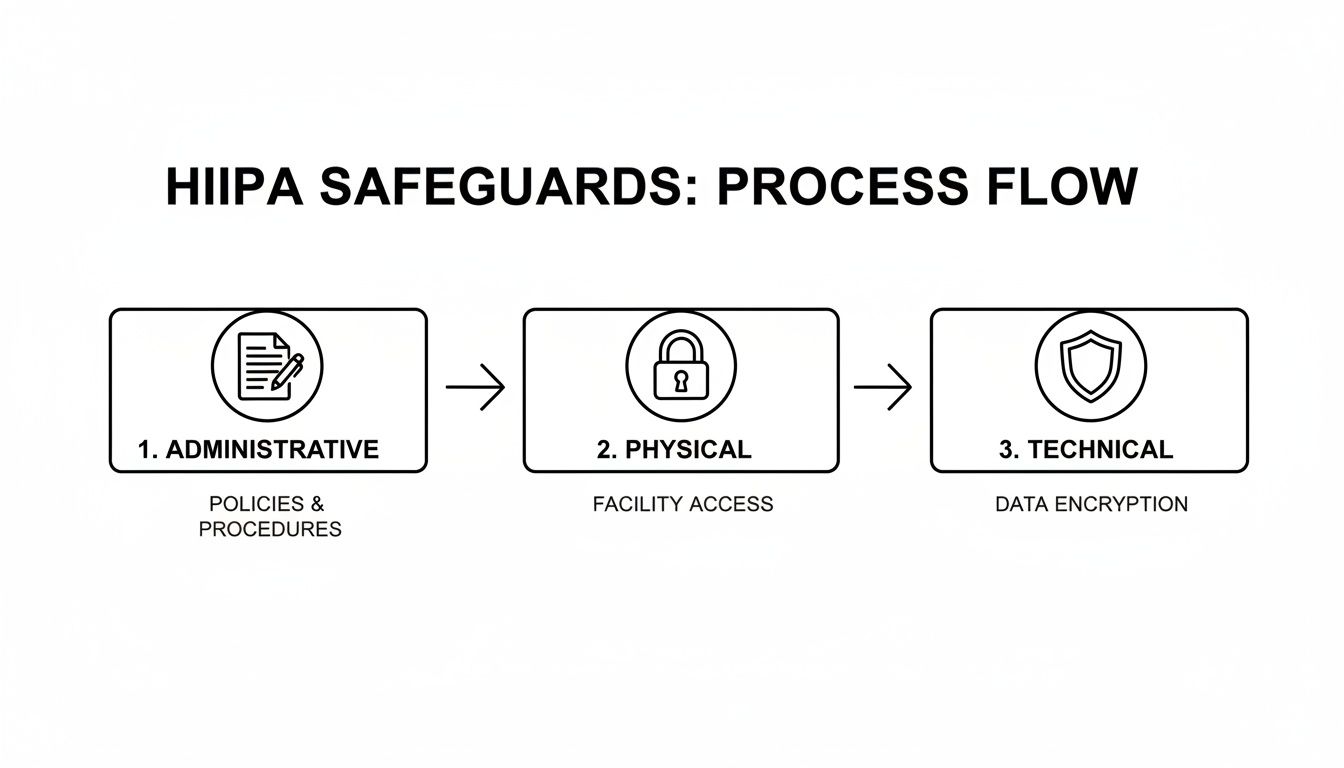
The Security Rule: This rule zeroes in on electronic Protected Health Information (ePHI). It demands specific administrative, physical, and technical safeguards to ensure the confidentiality, integrity, and security of all digital data. Training here covers the practical cybersecurity skills your team needs to stop an attack—everything from creating strong passwords and using multi-factor authentication to spotting a sophisticated phishing email designed to deploy ransomware.
For law firms, medical practices, and accounting firms across Central Florida—from downtown Orlando to the suburbs of Oviedo—viewing employee training through the lens of these two rules is essential. It transforms the requirement from an administrative burden into a powerful risk management and cybersecurity strategy.
At the end of the day, the goal isn't just to meet a vague "ongoing" mandate. It's to build a resilient human firewall where every employee, from the front desk to the back office, is equipped to identify and shut down threats. This proactive approach is the only defensible strategy against costly data breaches and the ever-increasing scrutiny of federal auditors.
To make these mandates clearer, let's break down the core training requirements from both the Privacy and Security Rules.
HIPAA Training at a Glance: Key Mandates
The table below summarizes the fundamental training mandates you need to build your program around.
| Training Aspect | Requirement Detail | Governing Rule |
|---|---|---|
| Who Must Be Trained | Every member of the workforce, including full-time, part-time, and temporary staff, plus volunteers and management. | Privacy & Security Rules |
| Initial Training | Must be provided to new workforce members within a reasonable period after they join. | Privacy & Security Rules |
| Ongoing Training | Required when there are material changes to policies or procedures. Security reminders should be periodic. | Privacy & Security Rules |
| Privacy Rule Topics | Must cover policies and procedures related to PHI, tailored to employees' specific roles and responsibilities. | Privacy Rule |
| Security Rule Topics | Must include awareness and training on security policies, procedures, and emerging cyber threats like malware, ransomware, and phishing. | Security Rule |
| Documentation | All training sessions, materials, and employee attestations must be documented and retained for at least six years. | Privacy & Security Rules |
This table shows that the rules aren't just suggestions; they are clear directives. Documenting everything is just as important as conducting the training itself, as this documentation is your proof of compliance during an audit.
Who Needs HIPAA Training and How Often
When people think of HIPAA training, they usually picture doctors and nurses. But the reality is far broader. The training requirement covers every single person in your organization who could possibly come into contact with Protected Health Information (PHI). This wide net, what we call the "workforce umbrella," is where many practices first stumble on their compliance journey.
This umbrella doesn’t just cover clinical staff. It extends to administrative roles, executives, and even third-party partners. If someone has a key—physical or digital—to a file cabinet or a server containing PHI, they need training. Period.
Defining Your Workforce and Their Training Needs
Think of your security like the layers of an onion. The outer layers protect the core, but each layer needs to be solid. In the same way, different roles in your practice require different depths of training based on how close they are to sensitive patient data.
A dentist in Orlando who handles patient charts, treatment plans, and billing information needs intensive, role-specific training. On the other hand, their part-time social media coordinator, who only handles anonymized patient testimonials for their Winter Park practice, needs a more general awareness training focused on avoiding accidental PHI exposure online.
Every member of your workforce must be trained, including:
- Clinical Staff: Physicians, nurses, dental hygienists, and medical assistants.
- Administrative Staff: Receptionists, schedulers, billing specialists, and office managers.
- IT Providers & Business Associates: Your managed IT partner, accounting firm, or legal counsel who handles or has access to your data.
- Leadership & Executives: Owners and practice managers who hold the ultimate responsibility for compliance.
This flow chart breaks down how the core HIPAA rules drive the need for training.
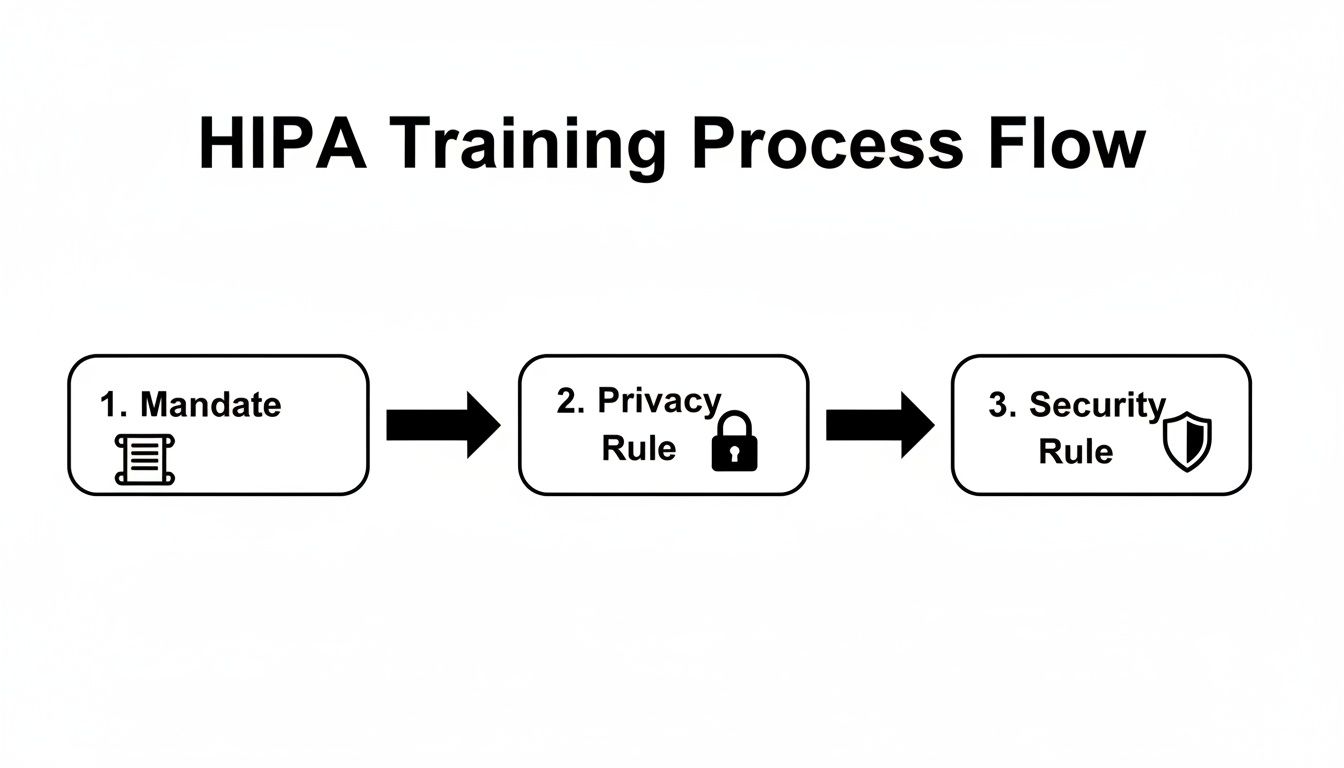
The path from the initial federal mandate to the specific Privacy and Security Rules shows why training must cover both organizational policies and practical cybersecurity defenses.
Establishing a Defensible Training Cadence
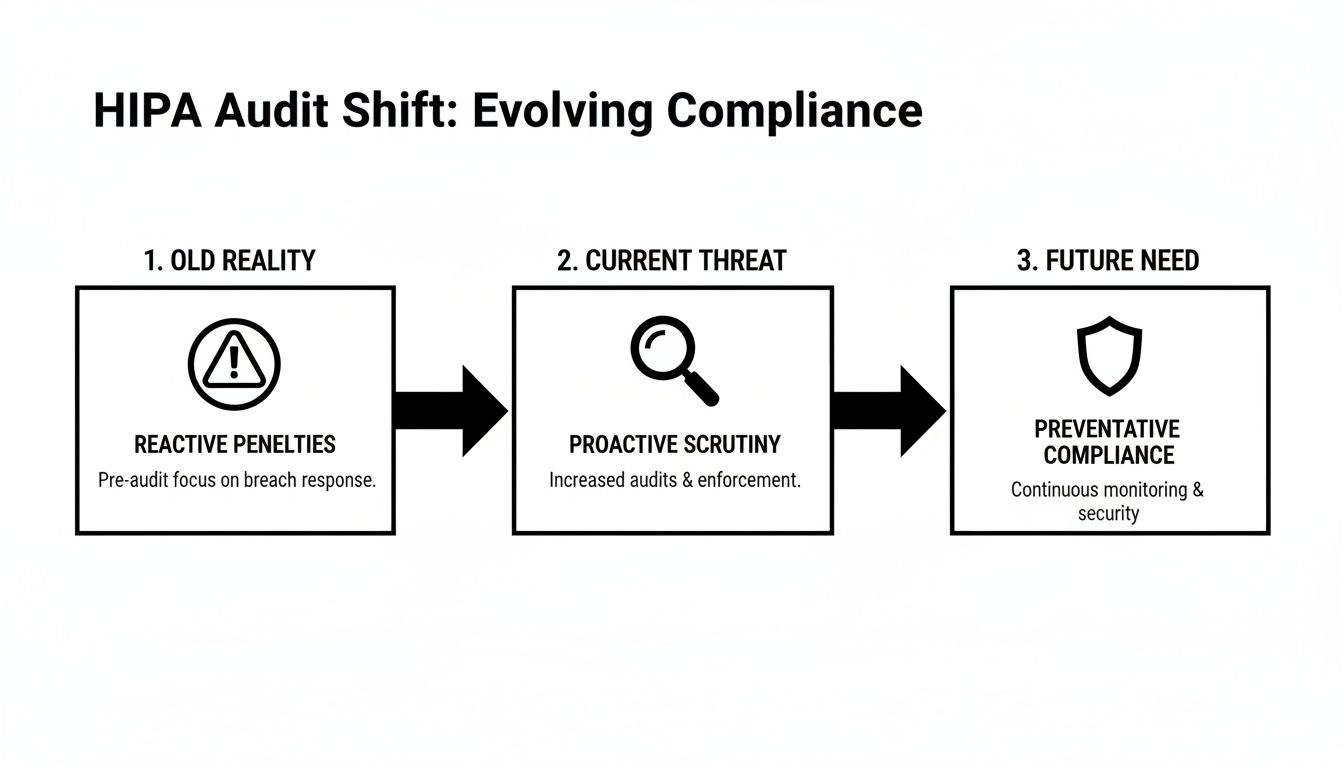
HIPAA’s official text vaguely requires "periodic" or "ongoing" training. But let’s be clear: auditors and regulators have a much more specific expectation. Simply checking a box for "training done" isn't enough; you must train at specific intervals and document everything meticulously.
A documented, annual training program is the absolute minimum for a defensible compliance posture. In the event of a breach investigation, one of the first things the Office for Civil Rights (OCR) will demand is your training log.
The industry-standard schedule that auditors expect to see includes three critical touchpoints:
- Initial Training: All new hires must complete HIPAA training before they are granted any access to PHI. No exceptions.
- Annual Refresher Training: At least once a year, every single member of the workforce must go through refresher training. This keeps everyone up-to-date on your policies and the latest cyber threats.
- As-Needed Training: Immediate training is necessary after a security incident, a major change to your company's policies, or when an employee’s role and access to PHI changes.
This rhythm is becoming even more formalized. New benchmarks now expect healthcare organizations to prove their training is not just happening but is actually effective. By June 30, 2026, organizations must aim for 90-100% completion of annual refresher training, which should be supplemented with practical exercises like phishing simulations. You can discover more insights about these evolving 2026 HIPAA training frequency requirements and see how they connect to your overall risk analysis.
Building Your Core HIPAA Training Curriculum
Let’s be honest—a generic, off-the-shelf training program is a recipe for a compliance disaster. Just checking a box isn’t enough. The real goal is to build a training plan that’s both compliant and genuinely practical, turning your staff into your first and best line of defense against costly mistakes and cyberattacks.
Your curriculum must be built around the three pillars of HIPAA: the Privacy Rule, the Security Rule, and the Breach Notification Rule. This isn't about having your team memorize legal definitions. It's about giving them a clear playbook for how these rules apply to their everyday jobs, from the front desk to the back office.
The government is crystal clear on this. The training requirement comes directly from federal regulations, specifically the Privacy Rule under 45 CFR § 164.530(b)(1), which mandates training for all staff on your specific policies and procedures. The Security Rule at 45 CFR § 164.308(a)(5) adds another layer, requiring an ongoing security awareness program for everyone, including management.
The Table Stakes: Foundational HIPAA Knowledge
Every training program has to start with the fundamentals. This ensures everyone on your team, from a new hire at a dental practice in Clermont to a veteran practitioner at a medical spa in Winter Park, is speaking the same language when it comes to patient data.
Think of these topics as the absolute minimum for your curriculum:
- What is PHI and ePHI? You need to clearly define Protected Health Information (both physical and electronic) using real-world examples that make sense for their specific roles.
- Patient Rights Under HIPAA: Your staff must understand your patients' rights, like their right to access, amend, and request restrictions on their own PHI.
- The Minimum Necessary Standard: This is a big one. Train staff to only use, access, or disclose the absolute minimum amount of PHI needed to do their job. Nothing more.
- Breach Notification Protocols: Everyone needs to know what a breach is and the exact steps to take—and who to tell—the moment they suspect one has occurred.
Cybersecurity and Real-World Threats in Central Florida
Here’s where the rubber meets the road. HIPAA compliance and cybersecurity are two sides of the same coin. Your curriculum has to tackle the specific digital threats that businesses right here in Central Florida face every single day. The training needs to feel real, using scenarios your team can actually imagine happening in your Orlando, Kissimmee, or Sanford office.
A strong curriculum treats your employees as your most valuable security asset. It empowers them with the knowledge to spot and neutralize threats before they can cause a breach, protecting both your patients and your practice's reputation.
This part of the training is all about building actionable skills. It's crucial to boost human security with cybersecurity awareness training that gives your team the tools to defend against modern attacks.
To help you structure this, here is a checklist of the core topics that should be in any comprehensive HIPAA and security training program.
Core HIPAA and Cybersecurity Training Topics
| Topic Category | Key Training Points |
|---|---|
| HIPAA Fundamentals | Defining PHI/ePHI, Patient Rights, Notice of Privacy Practices, Minimum Necessary Rule, Business Associate Agreements (BAAs) |
| Phishing & Social Engineering | Identifying malicious emails, recognizing urgent/unusual requests, spotting fake login pages, understanding phone and in-person scams |
| Password Security & Access | Creating strong, unique passwords, using multi-factor authentication (MFA), understanding role-based access controls, policies for shared workstations |
| Ransomware & Malware | How ransomware attacks happen, the importance of not clicking suspicious links/attachments, procedures for reporting a suspected infection |
| Physical Security | Securing workstations and paper records, proper disposal of PHI (shredding), preventing "shoulder surfing," policies for visitors |
| Mobile Device Security | Policies for using personal devices (BYOD), securing company-owned phones/tablets, what to do if a device is lost or stolen |
| Incident & Breach Reporting | What constitutes a breach vs. an incident, step-by-step internal reporting process, who to contact and when |
| Social Media & Online Safety | Rules for posting online, avoiding accidental PHI disclosure in photos or posts (e.g., patient info in the background) |
This table isn't just a list; it's a roadmap. Covering these points ensures you’re not just meeting a legal requirement but are actively building a security-conscious culture.
For practices that use social media, like a medical spa in Winter Park marketing its services, training must include clear guidelines. You have to teach staff how to post engaging content without accidentally exposing PHI, whether it's a patient photo without consent or identifying details visible in the background of a "team photo."
The True Cost of a Single Employee Mistake
Let’s be frank about risk. When we picture a data breach, we often imagine a shadowy hacker in a dark room. The uncomfortable truth? The biggest threat to your practice is far more mundane—and it’s likely sitting in your office right now. A simple, unintentional employee mistake is the most common trigger for a security disaster that can unravel your practice's reputation and financial stability.

This isn’t about abstract rules. For a busy dental office in Orlando or a boutique medical spa in Winter Springs, this threat is very real. It’s one careless click away from becoming a business-ending event.
The numbers paint a sobering picture. Even with training in place, a staggering 30% of healthcare data breaches are tied back to employee error. What’s worse, despite most offices conducting annual training, more than 50% of healthcare workers still fail basic HIPAA awareness tests. This reveals a dangerous gap between checking a box and genuine understanding. You can learn more about these critical training gaps and the security holes they create.
From One Click to Catastrophe
It’s crucial to connect the dots between a small slip-up and its massive fallout. Think of your employees as gatekeepers. Without the right training, they might unknowingly hold the gate wide open for attackers.
These aren't far-fetched stories; they are everyday cybersecurity risks for businesses right here in Central Florida:
- The Phishing Lure: An overwhelmed front-desk employee at a law firm in Lake Mary gets an email that looks like a legitimate vendor invoice. They click the link, and ransomware silently begins encrypting every client file on the network. The firm is now facing a seven-figure ransom demand, regulatory fines, and total operational shutdown.
- The Sticky Note Password: A nurse at a busy clinic in Kissimmee, trying to be helpful, writes a workstation password on a sticky note for a temp worker. A patient’s family member glances at it, logs in, and snoops on the medical records of a local celebrity. The resulting media firestorm destroys the clinic’s reputation overnight.
- The Casual Toss: An administrative assistant at an accounting firm in downtown Orlando tosses a stack of old client intake forms—full of names, addresses, and Social Security numbers—into the regular recycling bin instead of the shredder. This single act is a data breach, triggering costly notification requirements and government investigations.
The Financial and Reputational Damage
When it comes to enforcement, the Office for Civil Rights (OCR) doesn't care about intent. A breach caused by simple negligence is treated just as seriously as one caused by a malicious insider. The consequences are severe.
Fines can easily spiral into the millions, and that’s before you even account for legal fees, credit monitoring services for every affected patient, and the irreversible loss of trust in your community.
HIPAA training isn't just an administrative chore or an expense to be minimized. It is one of the most critical cybersecurity investments you can make in your business’s survival.
Ultimately, your HIPAA training requirement is your shield. It protects your patients, your reputation, and your bottom line. By shifting your perspective and investing in effective, ongoing security education, you empower your team to become your strongest line of defense against the very real and costly consequences of a single mistake.
How to Document Training for a HIPAA Audit
In the eyes of a HIPAA auditor, if your training isn't documented, it simply never happened. This isn't just a folksy saying; it's a harsh reality that can make your entire training program legally indefensible. When a breach investigation kicks off, one of the very first things the Office for Civil Rights (OCR) will demand is proof of training. Without it, you have no shield.
This section is your practical playbook for creating bulletproof documentation. For businesses in Orlando, Winter Springs, and across Central Florida, this kind of meticulous record-keeping is what turns your training from an internal chore into a powerful legal defense. Proper documentation is a cornerstone of your compliance strategy, and you can see how it fits into the bigger picture in our guide on compliance mapping for businesses.
Creating an Audit-Ready Training File
Whether you use a simple spreadsheet or a dedicated Learning Management System (LMS), your goal is the same: maintain an "audit-ready" file you can produce on demand. This file needs to be organized, complete, and kept for a minimum of six years from the date of the training. When you're staring down a HIPAA audit, thorough documentation of training is what proves you did your due diligence.
Think of it as building a case file that proves your commitment to protecting patient data. Your records need to paint a clear and undeniable picture of your training efforts.
Your training log must include these core elements for every session and every single employee:
- Employee Name and Title: Clearly identify exactly who was trained.
- Training Date: Record the specific date the training was completed.
- Training Materials: Keep copies of everything—presentations, handouts, video links. This shows what you taught them.
- Attendance Logs: For in-person sessions, have employees sign an attendance sheet. For online courses, your LMS should log this automatically.
- Signed Acknowledgements: Get a signature from each employee on a form stating they received and understood the training.
- Quiz Scores or Assessments: If your training includes a test, documenting the scores provides concrete proof of comprehension.
Meticulous documentation is your first line of defense in an audit. It proves not only that training occurred, but that it was comprehensive, role-specific, and that your employees understood their obligations. Without this paper trail, auditors will assume the worst.
The Documentation Checklist for Business Owners
For a busy medical spa in Winter Park or a law firm in downtown Orlando, keeping track of all these records can feel like a full-time job. Use this simple checklist as your guide. For each person on your team, your records should be able to answer "yes" to every single question below.
- Is the employee's full name and job title recorded?
- Is the exact date of their initial and all subsequent training sessions documented?
- Are the specific topics covered in each training session listed?
- Do you have a signed acknowledgement form on file for each completed session?
- Can you produce a copy of the training materials used for that session?
- Are test scores or completion certificates stored with their record?
By systematically collecting and organizing this information, you build a powerful archive that validates your HIPAA training requirement efforts. This isn't just about checking a compliance box; it's about proving your practice is a trustworthy steward of its clients' most sensitive data.
Streamlining Your HIPAA Compliance and Security
Trying to manage the HIPAA training requirement can feel like you're stuck on an administrative hamster wheel. For professional services firms across Central Florida—from law offices in Orlando to medical spas in Winter Springs—just tracking who needs training, when they need it, and if they actually did it is a massive, time-consuming headache.
This is where a managed cybersecurity partner turns a compliance burden into a smooth, automated process.

We're not talking about just handing you a link to some training videos and wishing you luck. This is about managing the entire training lifecycle for you, making sure nothing ever slips through the cracks. It’s how you shift your team’s security education from a chore you have to react to into a proactive, documented defense.
From Manual Tracking to Automated Defense
Imagine a system where your HIPAA training program practically runs itself. When a new paralegal joins your law firm in Kissimmee, they're automatically enrolled in the required initial training before they ever touch sensitive client data. That's the first step to building a genuinely secure workforce.
A managed partner operationalizes your entire program by:
- Automating New Hire Enrollment: We integrate training directly into your onboarding workflow, ensuring no new hire gets access to PHI without first completing their courses.
- Tracking Annual Refreshers: Our system keeps an eye on completion dates, automatically sending reminders and re-enrollments for annual refresher training. This creates a consistent, defensible cadence.
- Running Simulated Phishing Campaigns: We test your team’s real-world awareness with controlled phishing emails. This identifies knowledge gaps and lets us provide immediate, targeted remedial training to those who need it.
This automated system generates a clean, documented audit trail that proves your commitment to ongoing education. The ability to manage these processes effectively is critical; you can learn more about how to master cybersecurity compliance for IT managed services and the value it delivers.
Layered Security for Total Peace of Mind
Solid training is the foundation, but it’s only one piece of a modern defense strategy. The real power comes from connecting your newly empowered employees to expert, real-time oversight. This layered approach is what truly protects businesses across Central Florida from today’s sophisticated cyber threats.
An educated workforce backed by a 24/7 Security Operations Center (SOC) is the modern standard for HIPAA security. One layer teaches your team to spot threats, while the other actively hunts for any that might get through.
This combination gives you a powerful one-two punch for your security posture. Your trained staff becomes the first line of defense, recognizing and reporting suspicious activity. Behind them, our dedicated SOC team works around the clock, using advanced tools to hunt for threats on your network, respond to incidents, and ensure your defenses are always up.
This comprehensive strategy moves your business away from the anxiety of unpredictable emergency IT costs and into a model with predictable, flat-rate pricing. It frees you and your team from the constant worry of compliance and security, letting you focus on what actually matters: growing your practice and serving your clients.
Frequently Asked Questions About HIPAA Training
Even with the best training plan, real-world questions always pop up. For busy practice owners in Central Florida, from Orlando to Winter Springs, getting a straight answer without the jargon is what matters. Here are the most common questions we get from practices just like yours.
Is Online HIPAA Training Enough To Be Compliant?
Yes, absolutely. Online HIPAA training is a perfectly acceptable—and often more efficient—way to meet your compliance obligations. The government isn't concerned with how you deliver the training; they care about what was taught and how well you can prove it.
For online training to pass muster with an auditor, it has to:
- Cover all the mandatory topics from the Privacy, Security, and Breach Notification Rules.
- Be directly relevant to your employees’ day-to-day jobs and the specific PHI they handle.
- Test for understanding with quizzes or some form of assessment.
- Generate a clean, easy-to-access record that proves who completed the training and when.
Think of it this way: an auditor’s checklist is the same whether your team learned in a conference room or through their web browser. What matters is the quality of the content and the strength of your documentation.
What If a New Hire Needs Access To PHI Before Training Is Done?
This is one scenario you have to avoid at all costs. A foundational HIPAA training requirement—and something auditors look for immediately—is that new team members complete their training before you grant them any access to Protected Health Information (PHI).
The only defensible position during an audit is to have a strict policy where system access is contingent upon training completion. There is no grace period for PHI access.
This isn't just a suggestion; it’s a critical part of your compliance posture. Integrating training into your onboarding process isn't negotiable. A good managed IT partner can automate this by tying system permissions to the completion of training modules, taking human error completely out of the equation.
Do We Have To Train Temporary Staff or Volunteers?
Yes, you do. The HIPAA training rule doesn’t just apply to your full-time employees. It covers your entire "workforce," a broad term that includes part-time staff, interns, volunteers, temporary workers, and anyone else working under your practice’s direct control.
The rule of thumb is simple: if someone has the potential to see or handle PHI, they need to be trained. It doesn't matter if they are paid or not, or if they are with you for two days or two years. If they have access, they need role-specific training, and you need to document it.
How Long Do We Need To Keep HIPAA Training Records?
You must hold on to all HIPAA-related documentation, including every training record, for a minimum of six years from the date it was created. This is a detail that trips up a lot of practices. For policies, that six-year clock starts from the last date the policy was in effect.
Keeping these records organized and accessible for that entire six-year window is non-negotiable for passing an audit.
Managing HIPAA compliance, from training and documentation to ongoing security, is a heavy lift. Cyber Command, LLC can take that weight off your shoulders. We provide a managed security program that automates your training lifecycle, documents every step for audit-readiness, and backs it all with a 24/7 Security Operations Center. Let us handle the compliance headaches so you can focus on growing your Central Florida practice. Visit us at https://cybercommand.com to learn more.