Your Guide to Firewalls for Businesses in Florida

Think of a firewall as the most important security guard you'll ever hire for your business. It stands at the digital entrance to your network, acting as a critical security checkpoint for all your traffic. Its one job is to block malicious threats while waving legitimate data through.

This isn't just an IT add-on; it's your first and most vital line of defense, protecting everything from sensitive client files and financial records to your company's intellectual property.

Why Your Business Needs a Firewall Explained

Imagine your business network is a secure vault in a downtown Orlando bank. The firewall is the head of security posted at the main entrance, meticulously checking the credentials of everyone and everything trying to get in or out.

This is especially true for professional services firms—law offices, medical practices, and financial advisors—across Central Florida, from Tampa to Orlando to Kissimmee. You're prime targets for cybercriminals because of the high-value client data you handle. A breach isn't just a technical glitch; it's a direct path to devastating financial loss, crippling regulatory fines, and a damaged reputation that can take years to rebuild. For legal practices, a single breach could expose confidential case files, leading to disbarment and malpractice suits. For healthcare providers, it means violating HIPAA and facing million-dollar penalties.

The Core Function of a Business Firewall

A firewall works on a simple but incredibly powerful principle: it enforces a set of security rules to filter every bit of data that crosses its path. Think of it as a bouncer with an iron-clad guest list for your network.

To give you a clearer picture, here's a quick summary of what a firewall does for you.

At-a-Glance Firewall Protection for Your Business

This table summarizes the core protective functions a properly configured firewall provides for a typical Central Florida business.

Core Security Function How It Protects Your Business
Blocking Malicious Traffic Identifies and stops known threats like malware, ransomware, and brute-force attacks before they can breach your network.
Controlling Access Ensures only authorized users and approved applications can access specific network areas, stopping internal threats and data leaks.
Monitoring and Logging Keeps a detailed record of all network traffic, which is crucial for security audits, compliance, and analyzing potential threats.

These functions work together to create a formidable barrier against a wide array of digital threats.

From Digital Sentry to Business Necessity

Without a firewall, your business network is an open door. Every single device connected to the internet—from the front desk computer in your Tampa office to the server holding patient records in Orlando—is exposed to a constant barrage of automated attacks from around the globe.

Threat intelligence shows that ransomware groups are actively hunting for and exploiting firewall vulnerabilities, sometimes launching attacks before a patch is even publicly available. The recent takedown of the LockBit ransomware gang, which extorted over $120 million from victims, revealed how they systematically targeted businesses with weak or misconfigured network defenses.

This is precisely why defense-in-depth is essential—layered security controls provide protection when any single control fails. Rapid patching remains foundational, but a strong defense ensures organizations are not left defenseless during the critical window between an exploit and a patch.

For any business owner, the takeaway is clear: a professionally configured firewall is the absolute bedrock of your cybersecurity posture. It's the starting point for building broader, layered defenses and comprehensive network security strategies for small businesses. This proactive stance is no longer optional; it's a core requirement for protecting your assets and ensuring your business can operate safely.

Choosing the Right Firewall for Your Florida Business

Picking a firewall isn't a one-size-fits-all decision. The right choice for a law firm in Tampa will be different from what a financial services company in Orlando needs. It’s a critical decision, because getting it wrong can mean leaving your business wide open to attacks or, just as bad, overspending on protection you don't actually need.

Let’s break down the main types of firewalls you'll encounter. This will give you the language and understanding to have a real, productive conversation about your business's security. A properly set up firewall is your first line of defense.

A diagram illustrating firewall protection, showing it blocks threats, ensures access, and protects data.

As you can see, a firewall acts as a central shield, blocking incoming threats while ensuring your team can get the access they need and your company data stays protected.

Hardware Firewalls: The Physical Gatekeepers

A hardware firewall is a dedicated, physical box that sits between your office network and the internet. Think of it as a security guard posted at the single entrance to your entire office building—every bit of data coming in or going out has to pass through it for inspection.

This type of firewall is a foundational piece of security for any business with a physical office in a city like Lakeland or Kissimmee. It creates a strong perimeter defense for every device connected to your local network, from your servers down to each employee's workstation.

  • Pros: You get a robust, dedicated defense for the entire network. Since the device is built for one purpose, performance is generally very high.
  • Cons: These can be costly to buy and maintain. More importantly, they offer zero protection for devices once they leave the office, like an employee’s laptop at home.

Software Firewalls: The Personal Bodyguards

A software firewall, on the other hand, is a program installed directly on an individual computer or server. Instead of guarding the whole building, this is like a personal bodyguard assigned to protect one specific asset.

Most operating systems have a basic software firewall built-in, but the business-grade versions give you far more control and visibility. They are absolutely essential for protecting remote workers or staff who travel, as they keep the device secure no matter what sketchy public Wi-Fi it connects to.

A key takeaway for Florida business owners is that hardware and software firewalls are not an either/or choice. They work best together—the hardware firewall guards the office, and software firewalls protect each individual endpoint. This creates a powerful, layered defense.

Next-Generation Firewalls: Advanced Threat Intelligence

Next-Generation Firewalls (NGFWs) are the evolution of the traditional hardware firewall. They don't just check the addresses on the data packets; they use deep packet inspection (DPI) to look inside and analyze the actual content flowing through your network. This allows an NGFW to spot and shut down sophisticated threats that older firewalls would completely miss.

These advanced systems typically come loaded with features like:

  • Intrusion Prevention Systems (IPS): Actively scans traffic for known attack patterns and blocks them before they can do damage.
  • Application Awareness: Lets you create rules based on specific apps (e.g., block Facebook but allow Salesforce), not just the technical ports and protocols.
  • Threat Intelligence Feeds: These firewalls are constantly updated with fresh data on new and emerging cyber threats from around the globe.

For businesses in regulated industries like healthcare or finance, NGFWs are quickly becoming the non-negotiable standard. Their ability to stop advanced attacks and provide detailed logs is crucial for compliance. As you grow, understanding the full scope of managed services is crucial. To help with this, you can check out our comprehensive business IT support guide for Florida companies.

Cloud Firewalls: Guarding Your Digital Assets

As more businesses shift operations to cloud platforms like Microsoft Azure or Amazon Web Services (AWS), a new front has opened up in the security battle. A cloud firewall, often called Firewall-as-a-Service (FWaaS), is a cloud-based solution that extends protection to your cloud infrastructure and applications.

If your Orlando-based team relies heavily on cloud applications, a cloud firewall is what ensures your data stays secure even though it’s not sitting on a server in your office. It delivers the same kind of rock-solid security as a physical firewall but is built specifically for the decentralized nature of the cloud.

Here is the rewritten section, crafted to match the specified human-written style:

The Evolving Threat Landscape in Cybersecurity

The cybersecurity world is always changing, and that makes having a modern firewall for your business more important than it's ever been. The old days, when cyber threats were only a problem for giant corporations, are long gone. Today, the focus has shifted, and small to mid-sized businesses right here in Central Florida are finding themselves directly in the crosshairs.

This isn't a random shift. Cybercriminals are opportunistic. They go after businesses they see as having weaker defenses, and they know that for a small business, a single breach can be catastrophic. The threat landscape has become a high-stakes game where enterprise-grade security isn't a luxury anymore—it's a fundamental cost of doing business safely.

Why Outdated Security Is No Longer Enough

We're seeing ransomware attacks, data breaches, and incredibly sophisticated phishing campaigns become more frequent and more damaging. Attackers are now finding and exploiting vulnerabilities in common business tools, including older firewalls, sometimes before a security patch is even available. This creates a terrifying window of time where your business is left completely exposed.

These new attack methods are specifically designed to sidestep traditional security measures that only look at surface-level information about your network traffic.

A modern firewall is the cornerstone of a layered defense. It uses real-time threat intelligence to protect you from advanced threats. This is absolutely vital because when attackers exploit vulnerabilities before a patch exists, a strong, multi-layered defense is the only thing that will prevent a compromise.

This proactive approach is what separates a secure business from becoming another statistic. It’s about having a system smart enough to recognize and shut down threats that didn’t even exist yesterday.

Regulated Industries Are Paving the Way

If you look at industries like healthcare and finance, adopting powerful firewall solutions isn't just a good idea—it’s the law. Stiff regulations like the Health Insurance Portability and Accountability Act (HIPAA) mandate robust security controls to protect sensitive patient and client data.

Businesses in these sectors, from medical practices in Lake Nona to financial advisors in Winter Park, understand the immense value of the data they manage. Because of this, they are leading the way in adopting Next-Generation Firewalls (NGFWs) and other advanced security measures. This trend sends a clear message to every other business in the region: if the most regulated industries are making this shift, it’s time for everyone else to pay attention.

The demand for these advanced solutions is driving massive market growth. A recent analysis projects the global enterprise firewall market will expand from USD 2.75 billion in 2026 to USD 5.70 billion by 2033. What’s really telling is that the Banking, Financial Services, and Insurance (BFSI) sector is expected to make up 34% of this market share, which highlights how critical top-tier security has become due to compliance and high-stakes data protection. You can see the full analysis in the report on firewall market growth drivers from Coherent Market Insights.

This data confirms that investing in stronger firewalls for businesses isn't just a technical concern; it's a major economic and operational priority.

The Rise of Sophisticated Cyberattacks

Today’s cyber threats are far more advanced than the simple viruses of the past. Modern attacks are often multi-stage events that use custom tools designed to fly under the radar. For instance, attackers are now using methods like:

  • Fileless Malware: This is malicious code that runs entirely in a computer’s memory, never touching the hard drive. It's a ghost that traditional antivirus software can't see.
  • Zero-Day Exploits: These are attacks that target a previously unknown software vulnerability, giving security teams zero days to prepare a patch.
  • Legitimate Tool Abuse: Cybercriminals will often use legitimate remote access tools—the same kind your IT department uses—to blend in with normal network traffic and maintain persistent access to your systems.

A basic, off-the-shelf firewall simply can't keep up with these methods. A modern, professionally managed firewall, on the other hand, is equipped with the intelligence and capabilities needed—like deep packet inspection and intrusion prevention—to spot and neutralize these complex threats in real time. It's what stands between your business and complete operational and financial chaos.

Protecting Your Website with a Web Application Firewall

If your business relies on a website for more than just listing a phone number, you have a digital front door that needs specialized protection. For any business in Orlando or Tampa with an e-commerce store, a client portal, or an online booking system, a traditional network firewall simply isn't enough. You need another, more specific layer of security: a Web Application Firewall (WAF).

Think of it this way: your main business firewall protects your office network—the building itself. A WAF, on the other hand, protects the specific web applications your customers interact with, like the payment form on your website or the login page to their account. It's a specialist guard trained to spot and stop attacks aimed directly at the software your clients use every day.

A holographic cybersecurity shield with a login form floats over an office counter with a laptop.

Shielding Your Digital Front Door

A WAF sits between your web server and the public internet, inspecting all incoming HTTP traffic before it ever reaches your application. Its entire job is to filter out malicious requests designed to exploit common vulnerabilities in web software.

This is a fundamentally different job from other firewalls for businesses, which typically focus on network-level threats. A WAF provides critical protection against application-layer attacks that other security tools are completely blind to.

Common threats a WAF is built to block include:

  • SQL Injection (SQLi): This is where an attacker slips malicious code into a web form (like a search bar) to trick your database into coughing up sensitive information.
  • Cross-Site Scripting (XSS): This attack involves injecting malicious scripts into your website, which then run in the browsers of your unsuspecting visitors, potentially stealing their credentials or other data.
  • Zero-Day Attacks: These are attacks that exploit newly discovered software flaws before a security patch is even available, making proactive WAF protection absolutely essential.

For a medical practice in Kissimmee with an online patient portal or a law firm in Tampa that exchanges sensitive documents with clients online, these threats are not abstract. A single successful attack could lead to a massive data breach, crippling regulatory fines, and irreparable damage to your reputation.

The Growing Need for Application Security

As more business functions move online, the attack surface for every company grows. This reality has led to a surge in demand for WAFs, with the market projected to jump from USD 10.13 billion in 2026 to USD 30.86 billion by 2034. North America currently leads the market, which reflects the region's advanced adoption of crucial cybersecurity technology. You can learn more from these findings on the web application firewall market from Fortune Business Insights.

A Web Application Firewall acts as a vital shield between the public internet and your mission-critical web applications. In a competitive market like Central Florida, protecting these online assets is non-negotiable for maintaining client trust, ensuring compliance, and guaranteeing business continuity.

Ultimately, a WAF is a specialized tool for a specific and growing problem. It ensures that your most public-facing assets—the tools your customers and partners rely on—are defended with the same rigor as your internal network. Without it, your digital front door is left wide open.

Why Modern Network Security Is an Urgent Priority

The way we all do business has been turned on its head. With remote work becoming the norm, a heavy reliance on cloud apps, and cyberattacks getting smarter by the day, we're facing a perfect storm. For any business here in Central Florida, from Orlando to Tampa, putting off network security is a gamble you just can't afford to take anymore.

The days of setting up a simple security solution and forgetting about it are long gone. We're in an era of constant digital threats where a single breach can grind your operations to a halt, trigger expensive compliance fines, and ruin the reputation you've spent years building. This new reality requires a change in both mindset and technology.

The Key Drivers Behind Modern Security

Three big forces are pushing businesses to rethink their defenses: the devastating impact of ransomware, the shift to Zero Trust security models, and the growing complexity of data protection rules. An outdated firewall is simply not equipped to handle this environment. If your company has a hybrid workforce or uses cloud services, a modern firewall with built-in threat intelligence isn't just a good idea—it's an absolute must.

The market's explosive growth tells the story. The network security firewall market is on track to jump from USD 9.77 billion in 2026 to an incredible USD 21.67 billion by 2030. This rapid growth is a direct response to the challenges your business is facing right now—cloud adoption, sophisticated attacks, and the need for stricter security. You can discover more about these market growth drivers in the full report.

Ransomware: The Business Killer

Ransomware isn't just about encrypting your files anymore. It has morphed into a multi-layered extortion racket. Attackers now steal your sensitive data before they lock you out, threatening to leak client lists or financial records online if you refuse to pay. This "double extortion" tactic puts an immense amount of pressure on businesses, as the fallout extends far beyond just system downtime.

A single ransomware incident can halt your entire operation, lock you out of critical business systems, and expose you to severe regulatory penalties for failing to protect customer data. For many small and mid-sized businesses, the financial and reputational damage is insurmountable.

This threat is very real and happening every day. Modern firewalls for businesses are now built with the intelligence to spot and block the initial break-in attempts that lead to a full-blown ransomware attack, making them one of your most essential lines of defense.

Embracing a Zero Trust Security Model

The old security mantra of "trust but verify" is officially dead. In a world where your employees connect from anywhere on any device, the traditional network perimeter has all but vanished. The modern approach is Zero Trust, a security framework built on one simple, powerful principle: trust nothing and verify everything.

A Zero Trust model operates on the assumption that a threat could come from anywhere—inside or outside your network. It demands strict identity verification for every single user and device trying to access a resource, no matter where they are. This drastically shrinks your attack surface. You can learn more about strengthening security with next-gen firewalls that make this model possible.

Putting a modern firewall in place is a foundational step in building a true Zero Trust architecture, ensuring every connection is challenged and verified before it gets anywhere near your critical data.

How to Choose a Managed Firewall Service Partner

For most business owners in Orlando and Tampa, trying to manage a business-grade firewall is like trying to perform your own dental surgery. You might have a vague idea of what to do, but the technology is complex, the threats are relentless, and one wrong move can be catastrophic.

This is where a Managed Security Service Provider (MSSP) becomes an essential partner, not just another IT vendor. Outsourcing this critical function turns your cybersecurity from a reactive, capital-intensive headache into a proactive, predictable operational expense. A true security partner takes the entire burden of firewall management off your plate, letting you focus on your business while their experts stand guard.

Two men examining a computer screen displaying a security dashboard with shield and alert.

The Core Benefits of Outsourcing Firewall Management

Partnering with an MSSP for your firewalls for businesses gives you immediate advantages that are nearly impossible for a small or mid-sized company to replicate in-house. It’s about gaining access to enterprise-level resources without the enterprise-level price tag.

Here’s what you get:

  • 24/7/365 Expert Monitoring: Your firewall is watched around the clock by a dedicated Security Operations Center (SOC). These are cybersecurity specialists whose only job is to hunt for threats, analyze alerts, and respond to incidents the moment they happen—day or night.
  • Proactive Threat Hunting: A good MSSP doesn't just wait for an alarm. They actively search for signs of compromise, using advanced tools and threat intelligence to find and neutralize attackers before they can do damage.
  • Expert Configuration and Maintenance: Your firewall will be set up and fine-tuned by certified professionals who understand the specific security needs of your industry and the Central Florida business environment. They handle all updates, patches, and rule changes to keep your defenses sharp.
  • Simplified Compliance and Reporting: For law firms, medical practices, or financial advisors, proving compliance is non-negotiable. An MSSP provides the detailed logs and regular reports you need for audits, showing you're taking every necessary step to protect sensitive data.

Vetting Potential MSSP Partners in Central Florida

Choosing the right partner is the most important decision you'll make. Not all providers are created equal, and you need a team that aligns with your business goals—not one that just sells you a box and a basic service plan. As you evaluate potential MSSPs in the Orlando area, you have to ask tough, specific questions.

Your goal is to find a true partner, and the details of their operations will reveal their commitment. Learning how to choose the right managed service partner is a critical skill for any business leader looking to secure their operations.

To help you vet potential providers, here is a checklist of critical questions to ask:

  • Do you operate your own 24/7/365 Security Operations Center (SOC)? Ask if their SOC is staffed by their own U.S.-based employees or if they outsource it. An in-house team provides far better accountability and communication.
  • What are your guaranteed response times (SLAs)? Get specific Service Level Agreements in writing. What happens when a critical alert is triggered at 2 AM on a Sunday? How quickly will an expert actually be working on the problem?
  • What is your pricing model? Avoid unpredictable hourly billing. Look for a predictable, all-inclusive flat-rate model that covers technology, management, monitoring, and support. This aligns their incentive with yours—they profit when you stay secure, not when you have problems.
  • Can you provide references from local businesses in my industry? A provider with deep experience protecting other Central Florida law firms or medical practices will understand your unique challenges and compliance needs on a much deeper level.

Selecting a managed firewall partner is about entrusting a firm with the security of your entire business. You're looking for a team with proven local expertise, transparent pricing, and a proactive security posture that prioritizes prevention over reaction.

Ultimately, your choice should come down to trust and demonstrable expertise. The right MSSP for your Orlando-based business will act as an extension of your team, providing the peace of mind that comes from knowing your most critical assets are protected by dedicated experts, day and night.

Frequently Asked Questions About Business Firewalls

When it comes to protecting their business, I hear a lot of the same questions from owners across Central Florida. Getting straight answers about firewalls for businesses is the first step to making a smart decision for your company's security.

Let's clear up some of the most common points of confusion.

My Business Is Small Do I Really Need an Advanced Firewall

Yes, absolutely. In fact, thinking your business is "too small to be a target" is one of the most dangerous assumptions you can make. Cybercriminals love small and mid-sized businesses for that exact reason—they're often banking on "good enough" security.

An attack on a small Orlando law firm or a Tampa medical practice can be just as devastating as one on a huge corporation. Often, it's worse, since smaller companies have fewer resources to absorb the blow.

A single data breach can trigger massive financial losses, painful legal battles, and a complete loss of client trust that's nearly impossible to win back. A modern, professionally managed firewall isn’t just an IT expense; it's a core investment in your company's survival.

Today, a sophisticated firewall is non-negotiable, regardless of your company’s size. It’s the essential gatekeeper that protects your client data, financial records, and operational stability from a constant barrage of automated and targeted threats.

What Is the Difference Between a Firewall and Antivirus Software

This is a great question, and it's a common point of confusion. They play two completely different—and equally critical—roles in your security. The easiest way to think about it is to picture how you'd secure a physical office building.

  • A firewall is the security guard at the property's main gate. It stands on the perimeter, inspecting every bit of traffic trying to enter your network from the outside world. It blocks anything suspicious or dangerous before it can even set foot on the premises.
  • Antivirus software acts like the alarm system and security patrol inside each room. It runs on individual devices, like your laptop or server, to find, isolate, and remove any malicious code that might have somehow slipped past the front gate.

You absolutely need both. The firewall handles the heavy lifting of perimeter defense for your whole network, while antivirus provides the essential endpoint protection for each device inside it.

How Much Does a Managed Firewall Service Cost in Central Florida

The cost for a managed firewall service really depends on a few key factors: the size of your network, how many employees you have, and the complexity of your security and compliance needs.

However, any reputable Managed Security Service Provider (MSSP) should offer you predictable, flat-rate pricing. It's also helpful to understand where this fits into the bigger picture of Security Managed Services when you're deciding on outsourcing.

This all-in model is almost always more cost-effective than trying to manage an enterprise-grade firewall yourself. It bundles the high-end technology, 24/7 expert monitoring, proactive management, and compliance reporting into one stable operational expense. This gets rid of surprise IT bills and lets you budget for your security with complete confidence.


Ready to secure your Central Florida business with a professionally managed firewall service? The team at Cyber Command, LLC provides 24/7/365 protection with predictable pricing, ensuring your business is defended by experts day and night. Protect your assets and gain peace of mind by visiting https://cybercommand.com to learn more.

A Sample IT Risk Assessment Report for Your Florida Business

A sample IT risk assessment report is more than just a technical document; it's a clear, straightforward game plan for your company's digital security. It highlights your vulnerabilities, shows you the potential business impact, and gives you a prioritized list of what to fix first.

Think of it as the blueprint for turning your cybersecurity from a reactive, unpredictable cost into a proactive business advantage.

Why Your Business Needs an IT Risk Assessment

A man in a light blue shirt reads an IT risk assessment document at a sunny office desk.

For a business in Orlando or anywhere in Central Florida, ignoring IT security is like building an office without a hurricane plan. It’s not a matter of if a digital storm will hit, but when—and a risk assessment tells you exactly how prepared you are. It cuts through the technical noise to give you a clear, actionable strategy.

At its core, this process is a methodical review of your technology infrastructure. It’s designed to identify, analyze, and evaluate potential cybersecurity threats. From ransomware and phishing scams to data breaches and system failures, the goal is to figure out what could go wrong and what the real-world consequences would be for your operations.

Identifying Your Digital Blind Spots

Many business owners, from healthcare clinics in Lake Mary to legal firms in Orlando, operate with critical vulnerabilities they don't even know exist. These aren't just technical oversights; they are direct, and often significant, business risks.

An assessment is designed to uncover these hidden dangers before an attacker does. This proactive approach lets you fix weaknesses on your own schedule, rather than in the middle of a costly, reputation-damaging emergency. A comprehensive IT risk assessment is the first and most critical step in effective IT security risk management.

From Mandatory Compliance to Strategic Advantage

Beyond just finding problems, a risk assessment is an essential tool for both compliance and strategic planning. Many industries require them to meet regulatory standards like HIPAA, but their real value goes much deeper.

The final report is a powerful document you can use for:

  • Budget Justification: Clearly show stakeholders why you need to invest in specific cybersecurity tools or services.
  • Regulatory Compliance: Provide documented proof of due diligence to auditors, clients, and insurance providers.
  • Strategic Roadmapping: Align your technology plan directly with your business goals for secure, sustainable growth.

Ultimately, this report is much more than a simple checklist. It’s a strategic guide that empowers you to make smarter, more informed decisions about technology and risk. It helps you protect your assets, satisfy legal requirements, and build a more resilient company.

By partnering with a local expert like Cyber Command, Central Florida businesses can turn this essential process into a true competitive advantage. If you're looking for guidance on your broader technology strategy, you can find valuable information in our business IT support Florida guide.

Anatomy of Our Sample IT Risk Assessment Report

Four IT risk assessment report documents, glasses, and a pen on a wooden desk.

A good IT risk assessment report shouldn't read like an indecipherable technical manual. It should tell a clear, logical story about the digital health of your business. So, let’s break down a sample it risk assessment report piece by piece, translating each part into plain English.

Think of the report as a doctor's chart for your company’s technology. It starts with a high-level summary, details the specific tests we ran, presents the diagnosis (our findings), and wraps up with a clear treatment plan. For a busy law firm in Kissimmee or a dental practice in Winter Springs, understanding this structure is the first step toward making smart security decisions.

The Executive Summary: The One-Page Brief

Every solid report kicks off with an Executive Summary. This is arguably the most important page because it’s written for decision-makers who need the bottom line without getting lost in the technical weeds. It’s the "CliffsNotes" version of the entire assessment.

This section gives you a bird's-eye view of the findings, your company's overall risk level, and a snapshot of the most urgent recommendations. It should immediately answer three questions:

  • What’s our current cybersecurity posture? (e.g., "Moderate Risk")
  • What are the top three biggest risks we’re facing? (e.g., "Lack of employee phishing training")
  • What’s the general investment needed to fix these issues?

The goal is to give a leader everything they need to grasp the situation in under five minutes. If a cyber threat is a storm on the horizon, the executive summary is the weather alert telling you whether to grab an umbrella or board up the windows.

Scope and Objectives: Defining the Boundaries

Right after the summary, the Scope and Objectives section sets the stage. It clearly defines what was—and just as importantly, what was not—included in the assessment. This is crucial for managing expectations and making sure everyone is on the same page.

It’s like hiring a home inspector. You’d want to know if they’re just checking the foundation or if they’re also looking at the roof and the electrical system. This part of the report does the same thing for your technology.

Key Insight: A well-defined scope prevents "scope creep" and makes sure the assessment targets your most critical business assets. For a healthcare provider in Lake Nona, that might mean focusing specifically on systems holding Protected Health Information (PHI) to stay on the right side of HIPAA.

This section will list the specific assets, networks, applications, and even physical locations we analyzed. It ensures the assessment is built around your unique operations, whether that's protecting client financial data for an accounting firm in Maitland or securing patient records for a local veterinarian clinic in Altamonte Springs.

Threat and Vulnerability Identification: What We Found

This is the core diagnostic part of the report—where we shift from "what we looked at" to "what we found." It's a detailed log of the specific weaknesses (vulnerabilities) and potential dangers (threats) we uncovered during the assessment. But it doesn't just list problems; it provides context.

  • Vulnerability: A weakness in your system. For example, a server running outdated software that hasn’t been patched.
  • Threat: A potential danger that could exploit that weakness. For example, a ransomware strain designed specifically to attack that unpatched software.

For any Central Florida business, a common threat is a hurricane knocking out power. A vulnerability would be not having a backup generator or a cloud-based data recovery plan. This section of the sample IT risk assessment report would spell these findings out clearly, avoiding overly technical language. We might find things like insecure Wi-Fi configurations, a lack of multi-factor authentication on key accounts, or insufficient data encryption.

The Risk Register: Your Prioritized Action List

The final key piece is the Risk Register. This is where all the threats and vulnerabilities we identified come together in one prioritized list. It’s the action plan that turns the assessment from a simple report into a strategic roadmap for improving your security.

The register is usually a table that scores each risk based on its likelihood of happening and its potential impact on the business. This scoring system, which we'll dive into next, transforms a long list of issues into a clear, ranked order of what to fix first. It separates the critical, "house-is-on-fire" problems from the less urgent, "leaky-faucet" ones.

This structured approach is more critical than ever. The global IT Security Risk Assessment market is seeing explosive growth, projected to expand with a CAGR of around 11.9% through 2033. This surge is being driven by massive cloud adoption and the spread of IoT devices. For small and mid-sized businesses in Central Florida, this means that without regular, structured risk assessments, they're falling behind in a high-stakes game where a breach can be devastating. You can learn more about the trends driving this market growth in a recent analysis.

By understanding these four core components, any business owner can read a professional IT risk assessment and get right to the point. This knowledge empowers you to have more productive, strategic conversations with an IT partner like Cyber Command, making sure your security investments are targeted, effective, and perfectly aligned with your business goals.

How We Calculate and Prioritize Your Digital Risks

Finding a long list of potential IT issues is one thing; knowing which ones to tackle first is a completely different challenge. A proper scoring system is what turns a confusing list of vulnerabilities into a clear, prioritized action plan. This is the part of the sample it risk assessment report that cuts through the noise, helping you direct your time and budget where it will make a real impact.

Think of it like a plumbing inspection at your office. You wouldn’t treat a minor drip under a sink with the same all-hands-on-deck urgency as a burst pipe flooding the server room. To make that call, you instinctively consider two things: the Likelihood of the pipe bursting and the Impact of the water damage. We apply this exact same, common-sense logic to evaluate your digital risks.

Understanding Likelihood and Impact

To create a consistent and repeatable process, we define these two core elements on a simple 1-to-5 scale. This approach removes the guesswork and lets us objectively compare different types of threats, from a sophisticated phishing attack to a simple server failure.

Likelihood is just what it sounds like: how probable is it that a specific threat will actually happen?

  • 1 – Rare: The event is highly unlikely to happen.
  • 2 – Unlikely: It could happen, but probably won't.
  • 3 – Possible: The event has a reasonable chance of occurring.
  • 4 – Likely: It's more likely to happen than not.
  • 5 – Almost Certain: The event is pretty much expected to happen.

Impact measures the potential damage to your business if that threat becomes a reality.

  • 1 – Insignificant: A minor inconvenience with no real business disruption.
  • 2 – Minor: A slight hiccup, requiring minimal effort to resolve.
  • 3 – Moderate: Causes noticeable disruption and some financial loss.
  • 4 – Major: Leads to significant operational downtime and financial cost.
  • 5 – Catastrophic: Threatens the survival of the business, causing severe financial and reputational damage.

By scoring both likelihood and impact, we can calculate an overall risk rating for every single issue we find. You can learn more about the specific steps in our guide on how to conduct a cyber security risk assessment.

Bringing It All Together with the Risk Matrix

Once we score each vulnerability, we plot it on a Risk Matrix. This simple but powerful tool multiplies the Likelihood score by the Impact score to produce a final Risk Rating. It instantly shows you what needs your immediate attention versus what can be monitored.

To help with the structured identification and analysis of these risks, you might find a SOC 2 risk assessment template to be a useful resource for organization.

Risk Rating = Likelihood x Impact

This simple formula sorts all your potential issues into clear, actionable categories.

Sample IT Risk Assessment Matrix

This matrix shows exactly how Likelihood and Impact scores combine to create a final Risk Rating. It’s the visual key that helps us prioritize everything from a "Low" risk to a "Critical" one that requires immediate action.

Likelihood / Impact 1 – Insignificant 2 – Minor 3 – Moderate 4 – Major 5 – Catastrophic
5 – Almost Certain 5 (Medium) 10 (High) 15 (Critical) 20 (Critical) 25 (Critical)
4 – Likely 4 (Low) 8 (Medium) 12 (High) 16 (Critical) 20 (Critical)
3 – Possible 3 (Low) 6 (Medium) 9 (Medium) 12 (High) 15 (Critical)
2 – Unlikely 2 (Low) 4 (Low) 6 (Medium) 8 (Medium) 10 (High)
1 – Rare 1 (Low) 2 (Low) 3 (Low) 4 (Low) 5 (Medium)

This matrix immediately translates scores into priorities.

  • Critical (15-25): Stop everything. This requires immediate action to mitigate the risk.
  • High (10-14): Needs senior management's attention. A remediation plan must be made quickly.
  • Medium (5-9): A mitigation plan should be developed within a reasonable timeframe.
  • Low (1-4): This risk should be monitored and managed with routine care.

For example, an unpatched server facing an active ransomware threat (Likelihood 5) that could shut down your entire medical practice (Impact 5) gets a Risk Rating of 25 (Critical). It goes right to the top of your to-do list.

On the other hand, a rarely used office computer with outdated software (Likelihood 2) that contains no sensitive data (Impact 1) has a Risk Rating of just 2 (Low). It’s a problem that still needs to be addressed, but it doesn't demand the same immediate, urgent resources. This kind of clear-cut prioritization empowers you to have confident, strategic conversations about where to invest your security budget first.

Turning Your Risk Assessment Into an Action Plan

An IT risk assessment that just sits on a shelf is a total waste of effort. The real value comes when you take those findings and turn them into actual security improvements. A good report isn't just a snapshot of your problems; it's your roadmap for building a more secure business.

The whole point is to take the prioritized cybersecurity risks we've uncovered and create clear, step-by-step plans to fix them. For businesses here in Central Florida, from legal practices in Orlando to industrial firms in Kissimmee, we see the same handful of cybersecurity concerns pop up time and time again.

Let's walk through three of the most common ones and outline a practical action plan for each.

First, a quick refresher on how we score these things. The formula is simple: we look at how likely a threat is to happen and combine that with the damage it would do to your business. The result is your overall risk rating.

A concept map illustrating that likelihood combined with impact calculates the overall risk score.

The key takeaway? Not all risks are created equal. This calculation gives you the clarity to focus your time and money where it matters most.

Common Risk 1: Outdated Software and Unpatched Systems

One of the most frequent—and critical—cybersecurity risks we find is software that hasn't been updated. Cybercriminals absolutely love unpatched systems. To them, it's like finding an unlocked door into your network. An old operating system or application is often riddled with known security holes that attackers have a playbook to exploit.

Your Action Plan:

  1. Patch Immediately: The first order of business is to apply all critical security patches to your most vulnerable systems. Start with the ones that have the highest risk scores to close the most dangerous gaps right away.
  2. Create a Patching Policy: You need a formal process that lays out how and when software updates get tested and rolled out. This turns patching into a routine, proactive habit instead of a reactive scramble.
  3. Automate Your Patching: Manually updating every single piece of software is a recipe for failure. It's slow, and things get missed. Automated tools can deploy patches across all your company devices consistently and on schedule, shrinking your window of vulnerability.

This is a cornerstone of what we do as a managed IT service. At Cyber Command, our proactive system patching makes sure your software is always up-to-date, neutralizing this common threat before anyone can exploit it.

Common Risk 2: Not Enough Phishing Training for Employees

Your employees are your first line of defense, but without the right training, they can also be your biggest vulnerability. All it takes is one wrong click on a link in a phishing email to compromise your entire network, potentially leading to a massive data breach or a crippling ransomware attack.

Key Insight: Technology alone can't stop every threat. A well-trained, security-conscious team is one of the most effective defenses a business can have against sophisticated cyberattacks.

Your Action Plan:

  • Roll Out Security Awareness Training: Implement regular, engaging training sessions that teach your team how to spot phishing emails, recognize social engineering tricks, and understand why strong passwords matter.
  • Run Phishing Simulations: Every so often, send simulated phishing emails to your own team. It’s a safe way to test their awareness and provides a fantastic teaching moment for anyone who clicks a suspicious link.
  • Deploy Better Email Filtering: Use a powerful email security solution that automatically blocks malicious emails, sketchy attachments, and dangerous links before they even have a chance to land in an employee's inbox.

Common Risk 3: Insecure Network and Remote Access

With more Central Florida businesses embracing hybrid and remote work, the security of your network—especially how people connect to it remotely—is more critical than ever. A poorly configured firewall, weak remote access rules, or an unsecured Wi-Fi network can be an open invitation for attackers to walk right in and access your sensitive data.

Your Action Plan:

  1. Beef Up Access Controls: Make Multi-Factor Authentication (MFA) mandatory for all remote access and for logging into critical systems. It adds a crucial security layer that stops password-only attacks in their tracks.
  2. Harden Your Network: Review and tighten your firewall rules to ensure only necessary traffic is allowed in or out. It's also smart to segment your network, which prevents an intruder from moving freely between systems if one does get compromised.
  3. Implement Continuous Monitoring: You can't protect what you can't see. Active threat hunting and constant monitoring give you visibility into what's happening on your network, allowing you to spot and shut down suspicious behavior fast.

This proactive approach is exactly what our 24/7 Security Operations Center (SOC) is all about. Our team is always watching your environment, turning your risk assessment from a static report into a living, breathing defense strategy. You can learn more about our method in our guide to proactive vulnerability assessment for threat management.

A systematic approach to fixing these issues is what separates secure businesses from vulnerable ones. The numbers don't lie: one report found that a shocking 50% of organizations that manage risks on an ad-hoc basis suffered a breach, compared to just 27% of those with an integrated strategy. This is especially alarming for professional services like law firms and medical practices in Orlando that often lack dedicated in-house IT security experts.

Using Your Report for Strategic Business Growth

So, you have your IT risk assessment report. What now? A lot of people make the mistake of treating it like a one-and-done checklist—fix the urgent stuff and file it away. The real power of this report, though, is using it as a living, breathing guide for your business.

Think of it less as a report card and more as a strategic roadmap. For business owners in Orlando and right across Central Florida, this document is the foundation for making smart technology decisions that actually support your growth. It’s how you stop reacting to IT problems and start proactively building a stronger, more resilient company.

Driving Strategy in Quarterly Business Reviews

Your risk assessment report is the perfect tool to bring to your Quarterly Business Reviews (QBRs). It instantly elevates the IT conversation from vague feelings and frustrations to a focused, data-backed discussion about what really matters.

During a QBR, the report helps you:

  • Demonstrate Progress: You can point to specific risks from the last report and show exactly how they’ve been fixed. It’s a tangible way to prove the value of your IT investments to partners or leadership.
  • Justify Budgets: Need to make a case for a new security tool or a server upgrade? The report is your evidence. Pointing to a high-priority risk and its potential impact is far more compelling than just saying, "we need better security."
  • Prove Compliance: If auditors, clients, or insurance providers ask what you're doing to protect data, this report is your answer. It documents your due diligence and the concrete steps you’re taking to stay secure.

This turns your IT meetings from backward-looking problem-solving sessions into forward-looking strategy meetings.

Building a Dynamic and Proactive Security Program

A single report is a snapshot in time. But cyber threats don't stand still, and neither should your defenses. This is where partnering with a managed IT provider like Cyber Command makes all the difference. We don’t just hand you a report and walk away; we help you turn it into a dynamic, ongoing security program.

This proactive approach has never been more critical. Cybersecurity is now the top risk priority for internal auditors worldwide for a reason. Ransomware attacks, which hit a staggering 78% of companies last year, are projected to jump from one every 11 seconds to one every 2 seconds by 2031. For businesses without a dedicated IT team, a formal risk assessment is the only way to make strategic decisions in the face of these threats. You can explore the full report on global risk priorities to see just how fast things are changing.

A great IT partner doesn't just hand you a report; they help you live by it. Through ongoing monitoring, we update your risk profile as new threats emerge and as your business evolves, ensuring your security strategy is always current.

Ultimately, your sample IT risk assessment report isn’t just a list of problems—it's a blueprint for building a more secure and successful future. It gives you the clarity to invest wisely, protect your reputation, and build a business that’s ready for whatever comes next.

Common Questions About IT Risk Assessments

Even with a solid plan, taking an IT risk assessment from theory to reality brings up some practical questions. This is where the rubber meets the road. We’ve pulled together some of the most common questions we hear from business owners across Central Florida to clear up any confusion.

Our goal is to pull back the curtain on the process and show you how we help businesses in Orlando, Winter Springs, and beyond handle their cybersecurity with confidence. Think of this as the final piece of your sample IT risk assessment report puzzle.

How Often Should We Conduct an IT Risk Assessment?

This is one of the first and most important questions we get. Think of a comprehensive IT risk assessment like an annual physical for your company’s technology. It’s a deep-dive check-up to make sure everything is running smoothly and to spot problems before they turn into full-blown emergencies.

At an absolute minimum, you should be doing a full assessment once per year. The threat landscape changes constantly, and an annual review is the only way to ensure your defenses are keeping up.

But a yearly schedule isn't set in stone. You should also kick off a new assessment after any major change in your business or technology. These moments can open up new vulnerabilities that need to be found and fixed right away.

Key triggers for an off-schedule assessment include:

  • Migrating to a new cloud platform: Moving key systems to services like Microsoft Azure or AWS completely changes your security footprint.
  • Opening a new office: A new location, whether it’s in Kissimmee or downtown Orlando, means new hardware, new network connections, and new ways for threats to get in.
  • Shifting your remote work policies: Any time you change how employees access company data from outside the office, you need to take a fresh look at your security.
  • Acquiring another company: Trying to merge two different IT environments is a complex job that can easily create security gaps if you’re not careful.

Treating your risk assessment as a living process, not a once-a-year chore, is the key to staying secure.

Can We Do Our Own IT Risk Assessment?

It’s always tempting for business owners to try a DIY approach, especially when keeping an eye on costs. Using online checklists or generic templates can definitely help you spot some of the obvious, surface-level problems. It’s certainly better than doing nothing.

The problem is, a DIY assessment almost always misses the deeper, more complex vulnerabilities that pose the biggest threat. It’s like a homeowner trying to do their own structural engineering inspection—they might notice a visible crack in the wall, but they’ll miss the subtle signs of a serious foundation issue that a professional would spot in a heartbeat.

Expert Insight: An internal assessment is always limited by what your team already knows. A professional third party brings a fresh, objective perspective and specialized tools to uncover the "unknown unknowns"—the hidden risks you didn't even know you should be looking for.

A professional assessment from a firm like Cyber Command gives you a few clear advantages:

  • Objectivity: An outside partner doesn’t have any internal biases. We can give you a brutally honest look at your security posture.
  • Expertise: We bring deep knowledge of compliance frameworks like HIPAA, which is non-negotiable for medical and dental practices.
  • Advanced Tools: We use sophisticated scanning and analysis tools that are typically too expensive and complex for a small business’s IT team to manage effectively.

For a law firm handling sensitive client records or a medical practice protecting patient health information, the risk of a single missed vulnerability is just too high to rely on a DIY-only approach.

What Does an IT Risk Assessment Cost for a Small Business?

The cost of a professional IT risk assessment can vary quite a bit, mostly depending on the size and complexity of your IT setup. A small five-person office will have a much different scope than a business with multiple locations, dozens of employees, and a complex server infrastructure.

Instead of looking at the assessment as a one-off expense, it’s much smarter to see it as a strategic investment in your company’s health and survival. The cost of a single data breach—in financial losses, damage to your reputation, and operational downtime—will almost always dwarf the cost of a proactive assessment.

Many small and mid-sized businesses in Central Florida find it more predictable and budget-friendly to bundle regular risk assessments into a managed IT services plan. This approach turns a potentially large, unpredictable expense into a flat-rate operational cost. It gives you continuous protection, ongoing strategic advice, and the peace of mind that comes from knowing experts are always managing your digital risks.


Ready to put this all into action? At Cyber Command, LLC, we turn complex risk assessments into clear, actionable security roadmaps for businesses in Orlando, Winter Springs, and beyond. Let us handle the technical side of things so you can get back to what you do best—running your business.

Secure Your Business with a Professional IT Risk Assessment Today

Your Guide to Surviving a HIPAA Compliance Audit in Central Florida

Think of a HIPAA compliance audit as a deep-dive investigation into your records to see if you're really protecting patient data according to the Security, Privacy, and Breach Notification Rules. It's not just something that happens after a data breach. The Office for Civil Rights (OCR) is now actively and proactively auditing organizations to make sure the right safeguards are in place for protected health information (PHI).

For any small or mid-sized business in Central Florida—from a healthcare clinic in Kissimmee to a law firm handling personal injury cases in Lakeland—understanding this process has gone from a "nice-to-have" to a critical business requirement.

Why Every Orlando Business Needs a HIPAA Audit Game Plan

If you handle PHI, the days of thinking HIPAA compliance is just for big hospital systems are long gone. The game has changed. Regulators have shifted from simply penalizing breaches to conducting proactive, targeted audits that can hit any business, no matter its size. For businesses in and around Orlando, Tampa, and the I-4 corridor, this means you are squarely on the radar.

The OCR is now using technology to scrutinize everyone, from private medical spas in Winter Park to the accounting firms and IT companies that support them. A single missing document, like an up-to-date Security Risk Analysis, isn't just an oversight anymore—it's a fast track to hefty fines. This new reality demands you get proactive about your cybersecurity and compliance.

The Escalating Reality of HIPAA Enforcement

What's really changed is the sheer volume of enforcement actions and the growing cybersecurity threats that trigger them. The OCR has settled or issued civil money penalties in over 50 cases tied directly to failures in risk analysis and Right of Access violations. As regulators integrate risk management into every phase of their process, organizations that lag behind face the highest Tier 4 penalties, which can hit $1.5 million annually per violation category.

Simply reacting to problems as they pop up is a losing strategy. Your business has to build what's known as a 'defensible position.'

A defensible position is your ability to prove to auditors that you have implemented reasonable and appropriate safeguards to protect PHI. It’s built on documented policies, continuous monitoring, and a thorough, up-to-date Security Risk Analysis.

This is where we see so many businesses in the Orlando and Tampa areas fall short. They might have good intentions, but they lack the documented proof to back them up when an auditor comes knocking.

Cybersecurity Is Your Compliance Foundation

In this environment, strong cybersecurity isn't just an IT problem; it's the bedrock of your entire HIPAA compliance strategy. Auditors will want to see hard evidence of specific technical safeguards, including:

  • Access Controls: Proof that only authorized people can get their hands on PHI, often using Multi-Factor Authentication (MFA).
  • Audit Logs: Records showing who accessed PHI and what they did, which are critical for detecting insider threats or compromised accounts.
  • Data Encryption: Evidence that data is unreadable, both when it's sitting on your servers ("at rest") and when it's moving across the network ("in transit").
  • Incident Response: A documented, step-by-step plan for how you would handle a data breach, including ransomware.

A full grasp of Mastering HIPAA Compliance IT Requirements is non-negotiable for any business in this space. Without these technical controls properly implemented and documented, your policies are just words on paper.

This is exactly why having a proactive cybersecurity partner is no longer a luxury but a fundamental necessity. A dedicated partner brings the expertise and tools needed to build and maintain your defensible position against modern cyber threats. To see what options are available, check out our guide on top-tier cyber security companies in Orlando. It ensures you can focus on your patients and clients, confident that your security and compliance are being actively managed.

That dreaded letter from the Department of Health and Human Services (HHS) isn't the time to start scrambling for documents. For any private medical practice or professional services firm in Central Florida—whether you're in Orlando, Tampa, or Lake Mary—a successful HIPAA compliance audit comes down to one thing: having your proof ready. It’s all about showing, not just telling.

Think of this readiness checklist as your game plan. It’s designed to help you spot the critical gaps in your compliance before an auditor does. We’ll organize it around the three core pillars of the HIPAA Security Rule: Administrative, Physical, and Technical Safeguards.

The game has changed when it comes to HIPAA audits. It's no longer just about getting slapped with a fine after a breach. Auditors are now on the hunt for risks before they become incidents, demanding a constant state of preventative compliance.

Diagram illustrating the evolution of HIPAA audit from reactive penalties to proactive scrutiny and preventative compliance.

As you can see, the focus has shifted from reacting to penalties to proactively building a defensive shield. This is where your documentation becomes your best defense.

Administrative Safeguards: The Paper Trail of Proof

Administrative Safeguards are the policies, procedures, and documented decisions that form the backbone of your HIPAA program. This is where so many small businesses get into hot water. They might be doing the right things, but without a paper trail, it’s like it never happened.

Here’s what you absolutely must have ready to go:

  • A Designated Security Officer: You need to have officially appointed a specific person as your Security Officer. Their role and responsibilities must be clearly written down, showing they have the authority to enforce your security policies.
  • A Current Security Risk Analysis (SRA): This is the #1 document auditors will ask for. It has to be recent, and it needs to be a thorough review of potential risks to every piece of PHI you touch.
  • Documented Policies and Procedures: You need written policies for everything, from what happens when an employee violates HIPAA to your data backup and recovery plan. These aren't "set it and forget it" documents; they must be reviewed and updated at least annually.
  • Workforce Training Records: It's not enough to say you trained your team. You need signed and dated records proving every single employee—from the front desk staff to the lead physician—completed their HIPAA and security awareness training, including phishing simulations.

Physical Safeguards: Securing Your Physical Space

Physical safeguards are all about controlling access to your facility and equipment to protect PHI from being seen or stolen. This covers everything from the lock on your server closet to the angle of the computer screen at your reception desk.

Auditors will want to see hard evidence of:

  • Facility Access Controls: Who can get into your office or specific secure areas? You need logs or other records showing you monitor who comes and goes, especially in places where PHI is stored or accessed.
  • Workstation Security: Are computers that can access PHI kept in secure areas? Are screens positioned so the public can't see them? Your policies have to define these rules, and you need to prove you're enforcing them.
  • Device and Media Controls: What happens to old hard drives, retired laptops, or USB sticks? You need a documented process for tracking the movement of all electronic media and ensuring it's securely wiped or destroyed.

An auditor will never just take your word for it. A locked server room door is only a compliant control if you can hand them a policy that says who has the key and a log showing you monitor access. Without the documentation, the lock might as well not be there.

The difference between what auditors require and where businesses typically fall short is stark, especially for smaller organizations without dedicated IT teams.

HIPAA Audit Evidence Required vs Common Gaps

This table shows the specific evidence auditors demand versus the common, costly mistakes we see businesses make all the time.

Safeguard Category Required Evidence Example Common Failure Point for SMBs
Administrative A signed, dated Security Risk Analysis (SRA) performed within the last 12 months, with a corresponding risk management plan. The SRA is over a year old, was a simple "checkbox" exercise, or there's no plan to fix the identified risks.
Administrative Dated training logs for all new hires and annual refresher training, signed by each employee. Training is informal ("we told them about HIPAA") with no attendance records, or records are missing for some staff.
Physical Visitor and vendor access logs for sensitive areas like server rooms or file storage rooms. The server is in an unlocked closet that anyone can access, and there's no log of who enters.
Physical A formal, documented procedure for the final disposal of old computers and hard drives, including certificates of destruction. Old equipment containing PHI is just thrown out, sold, or donated without being professionally wiped.
Technical Audit logs from the EMR/EHR system, along with a documented procedure for reviewing those logs regularly. Audit logging is turned on, but no one ever actually reviews the logs for inappropriate access.
Technical Reports from endpoint security software confirming that all laptops and mobile devices are encrypted. A "bring your own device" (BYOD) policy exists, but there's no way to prove employee-owned devices are actually encrypted.

As you can see, simply having a policy isn't enough. The real challenge—and where most audits fail—is the lack of proof that those policies are being followed every day. As auditors dig deeper into the entire lifecycle of PHI, these "small" documentation gaps are now seen as major failures. You can find more insights into how HIPAA compliance audits in 2026 are evolving and what it means for your paperwork.

Technical Safeguards: Your Digital Defenses

Finally, Technical Safeguards involve the technology and associated policies you use to protect electronic PHI (ePHI). This is where having a managed security partner like Cyber Command is a game-changer, as we can typically generate this evidence for you on demand.

An auditor will demand to see:

  • Unique User Identification: Proof that every single person has their own unique username and password to access systems containing ePHI. Shared or generic logins are a massive red flag.
  • Access Control Evidence: System logs and reports that demonstrate you're using role-based access controls. This means you can prove employees can only see the minimum necessary information to do their jobs.
  • Encryption Confirmation: You must be able to prove that ePHI is encrypted "at rest" (on hard drives) and "in transit" (over the network). An auditor will ask for reports from your endpoint management tools to verify that all company laptops and servers are encrypted.
  • Audit Logs: You need systems that automatically log who accesses ePHI and when they do it. Critically, you also need a documented procedure showing that someone is reviewing these logs for suspicious activity on a regular basis.

Getting this documentation in order isn't just about surviving a HIPAA compliance audit. It's about building a fundamentally more resilient and secure business that your patients and clients can trust.

Conducting a Meaningful Security Risk Analysis

Let’s be blunt: more than any other single document, your Security Risk Analysis (SRA) is the linchpin of a successful HIPAA compliance audit. Failing to have a thorough, properly documented SRA isn't just a misstep—it's a guaranteed way to get the attention of the Office for Civil Rights (OCR), and not in a good way.

Too many businesses treat the SRA as a check-the-box chore. That's a huge mistake. A well-done SRA is a powerful strategic tool, not just a compliance hoop to jump through. It's your roadmap for identifying where your most sensitive data—protected health information (PHI)—lives and how it could be compromised. It’s the difference between having a vague sense of security and a documented, defensible plan.

Hand drawing a PHI data flow diagram with servers and cloud, illustrating data security risk.

Beyond the Template: Identifying Your Unique Risks

A generic template won't cut it. An auditor can spot a canned SRA from a mile away. Your analysis has to be specific to your organization’s unique operations, technology, and even your physical environment. For businesses here in Central Florida, that means thinking about local factors, from hurricane risks to the specific software vendors popular in our region.

The first move is to methodically map out every single place PHI is created, received, stored, or sent. This goes way beyond just your main Electronic Health Record (EHR) system.

Let's imagine a multi-location accounting firm with offices in Tampa and Orlando that serves healthcare clients. Their PHI data map would need to include:

  • The primary accounting software holding client financial data that may contain PHI.
  • The document management server where client records are stored.
  • Third-party cloud apps used for file sharing or client portals (e.g., QuickBooks Online, shared drives).
  • Employee laptops and tablets that connect to the network from home or while visiting clients.
  • The email server, which likely transmits PHI to clients, their business associates, or for billing purposes.

Only when you have this complete inventory can you start to really assess the specific threats and vulnerabilities that could impact the confidentiality, integrity, and availability of that data.

Assessing Threats and Vulnerabilities

Okay, so you know where all your PHI lives. Now you have to analyze what could go wrong. This means documenting potential threats—both natural and human, intentional and accidental—and pinpointing the weak spots in your current setup that could let those threats cause harm.

For that Tampa accounting firm, this assessment is about more than just "hackers."

  • Threat: A ransomware attack encrypts their entire client file server.
    • Vulnerability: The firewall firmware is a year out of date, and they don't have true offline, air-gapped backups.
  • Threat: An accountant accidentally emails a client's sensitive data to the wrong recipient.
    • Vulnerability: No email data loss prevention (DLP) policy in place to flag and block emails containing PHI.
  • Threat: A disgruntled former employee logs in and downloads client financial records a week after being terminated.
    • Vulnerability: A slow, manual process for deactivating user accounts.

The real point of the SRA isn't to get a perfect score. It's to honestly identify your weaknesses so you can create a prioritized plan to fix them. An SRA that finds zero risks is a massive red flag to an auditor—it signals you didn't look hard enough.

This process can feel overwhelming, which is why many practices bring in experts. If you want to go deeper on this, our detailed guide on how to conduct a cyber security risk assessment is a great resource.

From Analysis to Action: Your Risk Management Plan

Identifying risks is only half the battle. The second, equally critical part of the process is your Risk Management Plan. This is your documented, actionable strategy for dealing with every vulnerability you just uncovered.

For each risk you found, you have to document your decision:

  1. Remediate: You're going to fix it. Implement a new control to eliminate the vulnerability (e.g., buy and install a new firewall).
  2. Mitigate: You're going to reduce it. Make the risk less likely or less impactful (e.g., enable multi-factor authentication to make stolen passwords less of a threat).
  3. Transfer: You're going to shift it. Move the risk to another party (e.g., migrate data to a HIPAA-compliant cloud provider who contractually assumes certain security duties).
  4. Accept: You're going to live with it. Formally acknowledge the risk and accept it, along with a written reason why it’s not being fixed (this is usually reserved for low-impact, low-probability risks).

This plan becomes your roadmap for security improvements and budget requests for the next 12 months. When an auditor asks to see your SRA, what they really want is both the analysis and this management plan.

As you prepare, it's also a good time to review your IT asset disposition processes. What happens to old hardware? You need a solid answer for how you achieve HIPAA/NIST compliant data destruction to ensure PHI doesn't walk out the door on an old hard drive.

Ultimately, a meaningful SRA proves to auditors that you’re engaged in an ongoing process of security discipline. It shows you're not just waiting for a breach, but you’re actively working to prevent one—making it the single most important step in preparing for a HIPAA compliance audit.

How to Navigate the Audit and Respond to Findings

The notification letter from the Office for Civil Rights (OCR) is in your hands. This is the moment all that preparation—the risk analyses, the policy reviews, the training logs—was for. Actually navigating the audit and responding to the results is a very structured process. It's a direct test of your documentation, your technical controls, and your ability to prove you've built a culture of compliance.

For a business in Orlando or Tampa, the key is to stay organized and responsive from the very first communication. An auditor’s initial request is usually for documentation, and it can feel overwhelming. Having a designated point person, typically your Security Officer, to manage all communications and document submissions is absolutely critical.

Professional woman examining an 'Audit Findings' report at her desk with a laptop and pen.

Desk Audits vs. Onsite Audits

The OCR generally conducts two types of audits, and knowing the difference helps set the right expectations. Figuring out which one you’re facing is the first step in building your response strategy.

  • Desk Audits: This is the more common approach. Auditors will remotely request specific documents related to your Administrative, Physical, and Technical Safeguards. You'll typically have a very short window, often just 10-15 business days, to upload all the required evidence to a secure portal.

  • Onsite Audits: These are far more intensive and comprehensive. Auditors will physically visit your location to conduct staff interviews, observe your daily operations, and test security controls firsthand. They’ll want to see everything from the lock on your server room door to how your reception desk handles patient sign-in sheets.

In either scenario, your interactions with auditors should be professional, transparent, and direct. Only answer the questions asked and provide only the evidence requested. Volunteering extra information can, and often does, open up new lines of inquiry you weren't prepared for.

Understanding the Audit Report and Findings

Once the audit wraps up, you will receive a draft report detailing the findings. This report is your first real look at how the OCR views your compliance posture. It will pinpoint specific areas where your organization isn't meeting the HIPAA Rules.

It's tempting to see these findings as a simple pass/fail grade, but that's the wrong way to look at it. Instead, view the report for what it really is: a strategic roadmap for fortifying your cybersecurity and operational resilience. The findings are a gift—an expert-validated punch list showing you exactly where to focus your resources.

Common findings we see again and again include:

  • An inadequate or outdated Security Risk Analysis.
  • Insufficient workforce training and security awareness programs, especially against phishing.
  • The lack of a documented, tested incident response plan for events like ransomware.
  • Poor access controls, like shared user accounts or failure to terminate access for former employees.

Your response to the draft report is your chance to provide important context or correct any misunderstandings. If an auditor missed a key piece of evidence you submitted, this is your opportunity to respectfully point it out before the report gets finalized.

Crafting a Corrective Action Plan

If the final audit report confirms areas of non-compliance, the OCR will most likely require you to develop and submit a Corrective Action Plan (CAP). This isn't a punishment; it’s a formal, binding agreement between your organization and the government. It spells out the specific steps you will take to fix the identified issues, who is responsible for each step, and the deadlines for completion.

For example, a finding of "insufficient activity logging" could lead to a CAP that looks something like this:

  1. Action: Implement a Security Information and Event Management (SIEM) tool to centralize and analyze logs from all critical systems.
  2. Responsibility: IT Department / Managed Security Partner.
  3. Timeline: 90 days for implementation and configuration.
  4. Evidence of Completion: Provide a report from the SIEM tool showing active log collection and a documented procedure for weekly log review.

Let's be clear: the financial stakes for non-compliance are huge. Data breaches continue to underscore the need for a robust HIPAA compliance audit, with incidents exposing records growing 25% year-over-year on average. Penalties can range from $100 for an unknowing violation all the way up to $50,000 per violation for willful neglect that goes uncorrected, with annual caps hitting $1.5 million. You can learn more about these HIPAA statistics and their impact to get a better sense of the risks.

Ultimately, a HIPAA compliance audit forces a level of security maturity that protects your patients, your reputation, and your bottom line. It’s an opportunity to transform your compliance program from a source of anxiety into a genuine business advantage.

Here’s the rewritten section, crafted to match the specified human-expert style and tone.

Going It Alone Is No Longer an Option: Partnering for Continuous Compliance

Let's be blunt: HIPAA compliance isn't a project you finish. It’s an ongoing, active commitment. For most small and mid-sized businesses we see across Central Florida, from healthcare providers to law and accounting firms, the DIY approach to cybersecurity and compliance has shifted from impractical to outright dangerous.

What worked yesterday is already inadequate today. The sheer complexity and constant evolution of cyber threats like ransomware and phishing mean that relying on an in-house team, or worse, no team at all, is a gamble you can't afford to take.

This is where a true cybersecurity partner comes in. A real partner doesn’t just show up to fix what’s broken. They build a proactive security program from the ground up that tackles the very challenges we’ve discussed, providing the resources, expertise, and round-the-clock vigilance that auditors demand—and that you need to actually stay secure.

The Power of a 24/7 Security Operations Center

When a HIPAA compliance audit begins, one of the first things they’ll scrutinize is your ability to monitor your systems and respond to incidents. This is flat-out impossible without continuous oversight. A dedicated 24/7 Security Operations Center (SOC) is the engine that drives this capability, giving you eyes on your network even when you’re busy running your practice.

Think about a potential breach at 2 AM on a Saturday. Without a SOC, that threat sits undetected for hours, or even days. With a SOC, you get:

  • Active Threat Hunting: Trained analysts are constantly on the lookout, searching for the subtle signs of a compromise that automated tools almost always miss.
  • Real-Time Incident Response: The moment a threat is confirmed, the team jumps into action, beginning containment and mitigation to minimize the damage from an attack.
  • Comprehensive Logging and Reporting: The SOC generates the detailed audit logs and incident reports that auditors will demand as proof of your security posture.

For a dental practice in Orlando or a law firm in Tampa, having a SOC means you can demonstrate a mature, always-on security program that not only satisfies auditors but genuinely protects your data.

A partner with a 24/7 SOC fundamentally changes the compliance conversation. Instead of scrambling to find logs after an incident, you have a documented history of proactive monitoring and rapid response ready to hand over to an auditor.

Turning Policies into Reality with Managed IT

A written policy isn't worth the paper it's printed on if it isn't actually being enforced. This is one of the most common—and avoidable—failure points in a HIPAA compliance audit. A managed IT services partner is the bridge between your policies and your technology, ensuring those rules are consistently enforced across your entire network.

Just look at these common audit findings and how a partner flips the script:

  • Audit Finding: Inadequate Endpoint Protection. We deploy, manage, and monitor advanced endpoint security on every single device—laptops, desktops, and servers—to ensure they are protected and encrypted.
  • Audit Finding: Missing or Inconsistent Patching. Our team runs a rigorous patch management schedule, making sure all your systems and software are updated to shield against known vulnerabilities before attackers can exploit them.
  • Audit Finding: Poor Access Controls. We help you implement and enforce role-based access controls and Multi-Factor Authentication, ensuring employees only have access to the minimum necessary PHI and providing the clear documentation auditors need to see.

This approach transforms compliance from a theoretical exercise into a living, breathing operational reality.

Shifting from Reactive Firefighting to Proactive Prevention

For many Orlando and Tampa businesses, IT and compliance costs are completely unpredictable. You pay when something breaks, or you pay when you’re staring down an audit. A partnership model throws that entire mindset out the window.

By moving to a predictable, flat-rate model, you can finally budget for security and compliance as a core, strategic business function. This allows you to get out of a state of constant firefighting and into one of proactive prevention.

It lets you focus your time, energy, and resources on growing your practice, secure in the knowledge that a dedicated team is managing the cybersecurity and compliance headaches for you. Understanding how different compliance frameworks overlap is also key; you can explore our guide on compliance mapping for GDPR and HIPAA to see how a unified strategy can save time and resources. This proactive approach builds resilience, ensures uptime, and gives you the defensible position you need to pass a HIPAA compliance audit with confidence.

Common Questions We Hear About HIPAA Audits

When it comes to HIPAA, a few questions pop up time and time again, especially from our clients running small and mid-sized practices. Whether you're a medical spa in Orlando, a law firm in Tampa, or an accounting firm in Kissimmee, navigating the world of compliance can feel overwhelming. Let’s cut through the noise and get straight to the answers you really need.

Our Practice Is Small. Are We Really at Risk for an Audit?

Yes, absolutely. Thinking you’re too small to get audited is one of the most dangerous myths in healthcare today. The Office for Civil Rights (OCR) has made it crystal clear they are targeting businesses of all sizes, not just major hospital systems.

In fact, being small can actually make you a more attractive target. Many recent enforcement actions—and the steep fines that come with them—have been aimed at smaller practices. Why? They often have fewer resources, limited IT expertise, and are more likely to have glaring gaps in their security. The most common one we see is the lack of a current Security Risk Analysis. Cybercriminals know this too, making small practices a prime target for the very attacks that can trigger an OCR audit in the first place.

What’s the Biggest Mistake That Leads to a Failed Audit?

By a huge margin, the single most costly mistake we see is the failure to conduct and document a thorough, organization-specific Security Risk Analysis (SRA). This isn't a minor slip-up. The OCR views the absence of a proper SRA as “willful neglect,” a classification that carries the highest possible financial penalties.

We see practices make one of three critical errors:

  • They simply don't do an SRA at all.
  • They download a generic, "check-the-box" template that doesn't actually reflect how their business operates.
  • They perform an SRA, identify risks, and then do nothing to fix them.

Your SRA is the foundation of your entire security program. It's the very first thing auditors will ask for, and not having a legitimate, up-to-date one is an immediate and indefensible failure.

We Use a Certified EHR. Doesn't That Make Us Compliant?

No, and this is a widespread and hazardous misconception. Using a certified Electronic Health Record (EHR) system is an important piece of the puzzle, but it’s just one piece. Your EHR vendor cannot make your organization HIPAA compliant.

HIPAA compliance is your responsibility, not your software vendor's. It covers your administrative processes, physical security, and all other technical aspects of your network—far beyond a single application.

Think of it this way: owning a car with the latest safety features doesn't automatically make you a safe driver. You are still responsible for your own policies (like not texting and driving), physical security (locking the doors), and overall maintenance. The exact same logic applies to your practice's security and your duty to protect PHI across your entire operation.

How Can a Managed Security Partner Help During an Audit?

During an actual hipaa compliance audit, a partner like Cyber Command acts as your technical expert and first line of defense. Instead of you scrambling to find evidence and answer complex questions, your partner steps in to handle the technical lift. This immediately shows auditors a mature, proactive approach to security.

A good partner can instantly pull critical evidence, such as:

  • Access Control Logs from a 24/7 Security Operations Center (SOC) to prove you're monitoring who accesses PHI.
  • Patch Management Reports showing that all your systems are up-to-date against known vulnerabilities.
  • Proof of Endpoint Encryption across all company laptops and devices.
  • Detailed Network Diagrams and a complete inventory of your assets.

Your partner becomes your technical liaison, confidently answering auditors' questions about your network security. This saves you an immense amount of time and stress, letting you focus on running your business while we handle the technical burden of the audit.


A successful HIPAA compliance audit hinges on having proactive, documented proof of your security measures. Cyber Command provides the 24/7 monitoring, managed IT, and compliance expertise that Central Florida businesses need to build a defensible security posture with confidence. Learn how our partnership approach can protect your practice and prepare you for any audit at https://cybercommand.com.

Incident Management ITIL Definition: A Guide for Florida SMBs

Imagine your business is a busy Orlando highway during peak season. Suddenly, a server crashes or a phishing attack succeeds. It’s a multi-car pileup blocking every lane, bringing business to a dead stop. ITIL incident management is the official process that acts as your emergency response team, focused on one thing: clearing the wreckage and getting traffic flowing again as fast as humanly possible.

What Is ITIL Incident Management for Your Business?

Think of ITIL Incident Management as the dedicated paramedics and fire crew for your company's technology. Its single, laser-focused goal is to restore normal service operations immediately after an unexpected interruption. This isn't about conducting a lengthy investigation into what caused the crash—that comes later. It's about minimizing the immediate damage caused by downtime.

For any business in Central Florida, from Tampa to Orlando, this process is absolutely critical. Whether you're a medical practice in Lake Mary unable to access patient records or a financial firm in Lakeland facing a system failure, every minute of disruption costs you money and erodes the trust you’ve built with your clients.

The Core Goal: Restoration Over Perfection

The primary objective is pure speed. The process prioritizes getting your systems back online, even if it means using a temporary workaround. For instance, if a primary server fails, the incident management team’s first move isn’t to start diagnosing the faulty hardware. It’s to switch operations over to a backup server. This action restores service right away, even though the original server still needs repair.

The core principle of incident management is to minimize business impact and restore services swiftly. The focus is on immediate resolution, not long-term problem-solving, which is handled by a separate process.

This get-it-done approach prevents a minor hiccup from spiraling into a full-blown business catastrophe. Without a structured response, teams can waste precious time in chaotic, uncoordinated efforts, leading to longer outages and significant financial losses, especially when cyber security concerns are involved.

Defining What Constitutes an Incident

In the world of ITIL, an incident is any unplanned event that disrupts an IT service or reduces its quality. This could be anything from a single user being unable to print a document to a company-wide email outage. The severity of the incident is what dictates the urgency of the response.

A solid incident management process has a few key components:

  • Rapid Identification: Spotting the issue the moment it happens, often through automated monitoring tools that act like smoke detectors for your IT and cyber security.
  • Structured Logging: Creating a formal record or "ticket" for the incident to track its entire lifecycle from detection to resolution.
  • Efficient Resolution: Applying the fastest possible fix or workaround to get the service running again.
  • Clear Communication: Keeping everyone in the loop—from the affected users to the executive team—about the status of the incident.

A fundamental part of defining incident management for your business involves understanding the targets set by Service Level Agreements (SLAs). These agreements formally document the expected response and resolution times, providing a clear benchmark for performance. For businesses especially concerned with cybersecurity, this structured approach is vital. It ensures every security alert is handled with consistent urgency, turning a potential disaster into a managed event before it can spread and cause widespread damage.

The Incident Management Lifecycle Explained

Thinking about incident management ITIL definition is one thing, but seeing it in action is another. It’s best to view the entire process as a predictable lifecycle—a step-by-step playbook that your response team uses to turn chaos into a controlled, efficient recovery.

This isn’t just theory. Each stage has a specific job, all designed to get your business back to normal operations as quickly as possible.

The high-level goal is simple: get out of the "Response" phase and back to "Normal" as fast as you can.

Flowchart illustrating the IT incident process flow with steps: Incident, Response, and Normal.

The entire process is built on that core principle. The longer you’re stuck in the response phase, the more damage is done. Now, let’s break down the play-by-play.

Stage 1: Identification and Logging

It all starts with Identification. This is the moment something goes wrong. An automated monitoring tool might fire off an alert, or a user might report a problem. This is where strong cybersecurity defenses are invaluable; a good system can spot a potential breach long before a user ever notices a thing.

Right after identification comes Logging. A formal record, or "ticket," is created in your IT service management system. Think of this ticket as the incident's official file—a central hub for every update, note, and action taken. It creates a clear timeline and ensures nothing gets lost in the shuffle.

Stage 2: Categorization and Prioritization

With a ticket created, the incident moves into Categorization and Prioritization. First, the IT team categorizes the incident based on what’s affected, like a "network issue," "software bug," or "cybersecurity alert." This step makes sure the ticket lands on the desk of the right specialist from the get-go.

Next comes prioritization. Here, the team sizes up the incident's business impact and urgency. Is this a minor inconvenience for one user (a fender-bender) or a critical system failure bringing the whole company to a halt (a multi-car pileup)? Cybersecurity threats like ransomware or data breaches always jump to the front of the line.

A common mistake for businesses is treating every issue with the same level of urgency. Effective prioritization ensures that the most critical problems—those that directly threaten revenue or security—are addressed first, allocating resources where they are most needed.

For example, a construction firm in Kissimmee discovers its team can't access critical project files on a shared server. This is immediately logged as a high-priority incident. Why? Because it stops billable work for multiple employees, putting project deadlines and revenue at risk.

Stage 3: Diagnosis and Escalation

Once prioritized, the initial Diagnosis begins. Your helpdesk or first-line support team jumps in, performing a preliminary investigation to understand the symptoms. Their goal is to find a quick fix using known solutions and get the user back to work fast.

If they can't solve it, Escalation happens. The incident gets passed up the chain to a more specialized team with deeper technical skills, like network engineers or cybersecurity analysts. For that Kissimmee construction firm, if the helpdesk can't resolve the server access issue, they escalate it to the infrastructure team that manages the servers. You can learn more about formalizing these procedures by crafting your incident response plan for max efficiency.

Stage 4: Resolution and Closure

The specialized team now focuses on Resolution. Their primary mission is to restore service as fast as possible, even if it means using a temporary workaround.

In our construction firm example, the infrastructure team might restore access from a recent backup while they investigate the root cause of the main server failure. This gets the engineers working again immediately. The full fix can come later; getting operational is the priority.

Finally, once service is restored and the user confirms everything is working, the incident moves to Closure. The support team documents the final resolution steps in the ticket and officially closes it out. This last step is vital, as it builds a knowledge base that helps everyone resolve similar incidents much faster in the future.

Incident, Problem, and Change Management Explained

If you’ve ever wondered why your IT team seems to be fighting the same fires over and over, you’re not alone. Many business leaders in Central Florida ask us why simply "fixing things" doesn't lead to a more stable IT environment. The answer is that not all IT fixes are created equal.

The official ITIL definition for incident management is all about getting things working again, fast. But for long-term stability, you need two other key processes working in the background: Problem Management and Change Management.

Let's use a local analogy to make this crystal clear. Imagine a multi-car pile-up on I-4 during Orlando's rush hour.

  • Incident Management is the paramedic crew arriving on the scene. Their only job is to treat the injured (the broken system), stabilize them, and clear the road as quickly as possible to get traffic flowing again. They aren't investigating why the crash happened; they're just dealing with the immediate crisis.

  • Problem Management is the traffic homicide investigator who shows up after the mess is cleared. They’re the ones looking at the skid marks, interviewing witnesses, and checking traffic light logs to find the root cause. Was it a blind spot? A faulty traffic signal? A poorly designed on-ramp?

  • Change Management is the city planning committee that gets the investigator's report. They’re the ones who approve, schedule, and oversee the project to fix that faulty traffic light. They ensure the fix is done in a controlled way that minimizes disruption and actually prevents future accidents.

In a professional services firm, an incident might be a server crashing. The goal is to get it back online immediately. The problem investigation might reveal the server is ten years old and constantly overheating. The change would be the carefully planned project to replace it. Each process is distinct, but they all depend on each other.
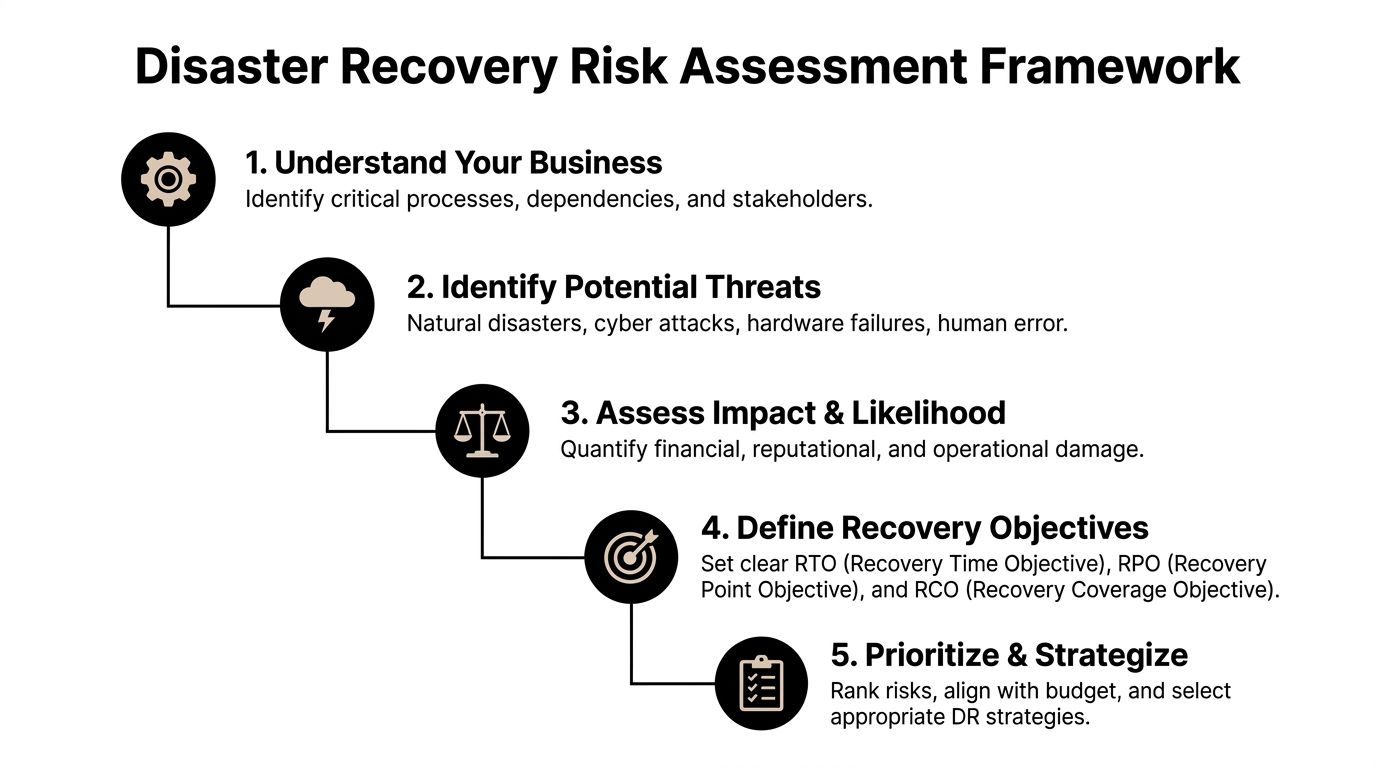
Distinguishing the Three Disciplines

While these three processes work hand-in-hand, they operate on completely different timelines with fundamentally different goals. Incident management is always reactive—it's about speed. In contrast, Problem and Change Management are more deliberate; one is investigative, and the other is preventative.

Cybersecurity is a perfect example of this in action. An incident is detecting a malware infection on a laptop. The immediate goal is to isolate that machine and stop the threat from spreading. Problem management then digs in to figure out how the malware got past your defenses in the first place. Finally, change management would oversee the implementation of new security controls to make sure it can't happen again.

Relying only on incident management is like having an emergency room with no doctors trying to figure out what's making people sick. You'll get really good at patching people up, but you'll never stop them from getting sick in the first place.

Understanding how these three disciplines fit together is the first step toward building a truly resilient IT operation. The table below breaks down their primary functions.

Discipline Primary Goal Focus Nature
Incident Management Restore normal service as quickly as possible. Immediate resolution and workarounds. Reactive
Problem Management Find and eliminate the root cause of incidents. Investigation, diagnosis, and prevention of recurrence. Proactive & Reactive
Change Management Control the lifecycle of all changes to minimize disruption. Planning, risk assessment, and controlled implementation. Proactive

For financial and professional services firms where uptime and data integrity are everything, this separation isn't just a "nice-to-have"—it's non-negotiable.

This approach ensures that while part of your team is fighting today's fire (Incident Management), another part of your strategy is fireproofing the building for tomorrow (Problem and Change Management). It’s this layered, mature strategy that separates a chaotic IT environment from a stable, predictable one.

Why Proactive Incident Management Is a Competitive Edge

If your IT strategy is built around waiting for things to break, you're playing a losing game. For high-stakes industries here in Central Florida—like law, finance, and healthcare—that reactive approach isn’t just inefficient; it’s a direct threat to your bottom line and your cybersecurity posture.

Moving beyond the basic incident management ITIL definition to a proactive strategy isn't just an IT upgrade. It’s a powerful competitive advantage.

Being proactive means you stop firefighting. Instead, you use smart tools to find and fix problems before they can disrupt your operations. This is the fundamental shift that separates businesses that thrive from those constantly bogged down by tech headaches and security scares.

Man in a modern control room looking at a cityscape through a window, surrounded by data screens.

Ultimately, this approach delivers real business results. We’re talking about higher system uptime, stronger security, and deeper trust from clients who depend on you to be reliable.

The Real Cost of a Reactive Approach

For a busy law firm in Tampa, reactive IT means lost billable hours every single time a critical application crashes. For a Sanford medical practice, it means patient data is at risk and appointments get delayed. The true cost isn’t just the repair bill; it's the lost productivity, damage to your reputation, and potential regulatory fines from a data breach.

Here's the scary part: most companies aren't nearly as proactive as they think they are. There's often a huge gap between their perceived readiness and their actual ability to prevent incidents, leaving them dangerously exposed.

According to Atlassian's 2023 State of Incident Management Report, only 56.4% of organizations were truly 'proactive.' This isn't just a buzzword; proactivity was defined by using monitoring tools, having automated alerts, running incident response drills, and leveraging AI for trend analysis. For firms in professional services or healthcare with limited in-house IT, this statistic highlights a massive risk. Without these proactive tools, downtime can spiral, costing an average of $5,600 per minute. You can explore more data from the Atlassian State of Incident Management FY23 report.

This data reveals a massive opportunity. By adopting a proactive stance, your business can sidestep the common pitfalls that hold your competitors back, turning IT resilience into a true market differentiator.

The Pillars of a Proactive Strategy

Shifting to a proactive model means building a system designed to see and solve problems before they happen. This strategy is built on several key pillars that work together to create a stable, secure, and predictable technology environment.

A truly proactive strategy includes:

  • Advanced Monitoring and Alerting: This is your digital smoke detector. Instead of waiting for a user to report a problem, sophisticated tools watch over your network, servers, and applications 24/7. They spot unusual activity—like a server’s temperature rising or suspicious network traffic indicating a cyber threat—and automatically create an alert before it becomes a full-blown incident.

  • Automated Response and Remediation: Once an alert is triggered, automation can take immediate action. Think of it as a digital first responder. This could involve automatically restarting a failed service, blocking a malicious IP address, or escalating the issue to a specific engineer. This machine-speed response slashes resolution times from hours to minutes.

  • AI-Driven Trend Analysis: This is where things get really smart. Modern systems analyze patterns in your IT data to predict future failures. By identifying recurring minor issues that might seem unrelated, AI can flag an underlying problem that needs a permanent fix before it ever causes a major outage. This is a core component of how you can benefit from proactive IT management.

For any Central Florida business, this proactive posture is your best defense against the constant threat of cyber attacks. Active threat hunting and continuous monitoring mean security incidents are stopped in their tracks, protecting your sensitive client and patient data. This commitment to security and uptime gives your clients peace of mind and reinforces your reputation as a reliable, trustworthy partner.

How a Managed IT Partner Operationalizes ITIL for You

Knowing the incident management ITIL definition is a great starting point, but turning that textbook framework into a living, breathing, 24/7/365 operational model is a whole different ball game. For most small and mid-sized businesses in Central Florida, this is where a managed IT partner steps in to turn abstract theory into real-world protection.

Instead of facing the enormous cost and complexity of building an in-house incident response team from the ground up, you get an entire U.S.-based Security Operations Center (SOC) and helpdesk on day one. This team becomes your always-on crew, running the entire ITIL process for you.

A man wearing a headset is on a video call on his computer in a modern office.

This partnership lets you and your team finally stop putting out IT fires. You can shift your energy from technology failures back to your core business goals, knowing a professional team is standing guard around the clock.

Your 24/7/365 Incident Response Engine

For business owners in cities like Orlando and Kissimmee, a local partner like Cyber Command acts as a true extension of your own team. It all starts with proactive monitoring, where advanced tools keep a constant watch over your network, servers, and endpoints. The second an issue pops up, the ITIL lifecycle springs into action.

An alert is triggered, an incident is logged in the system, and our helpdesk team immediately starts digging in. This structured, rapid response means we’re identifying and working on problems in minutes, not hours. For your business, that translates to real, measurable results:

  • Instant Detection & Logging: Our SOC uses sophisticated tools to spot anomalies, whether it’s a failing server or suspicious network traffic that could signal a cyber attack. An incident ticket gets created automatically, ensuring every event is tracked from start to finish.
  • Rapid Local Response: Being right here in Central Florida means we can provide swift on-site support for critical hardware failures when a remote fix just won’t cut it.
  • Swift Resolution: Our U.S.-based helpdesk is your first line of defense, resolving the vast majority of issues on the very first call. If an issue needs a specialist, it’s seamlessly escalated to a senior engineer.

This isn’t just reactive support; it’s a fully operationalized system built for resilience.

The greatest value of a managed IT partner is the offloading of mental and operational overhead. Business leaders no longer have to worry about who will answer the phone at 3 AM or whether their team has the skills to handle a sophisticated cyber threat. It’s handled.

Enhancing Cybersecurity Through Active Threat Hunting

A critical part of putting incident management into practice is a relentless focus on cybersecurity. In today’s world, waiting around for a security incident to announce itself is a recipe for disaster. Our SOC goes beyond basic monitoring by performing active threat hunting.

This means our security analysts are constantly digging through your network, searching for signs of advanced threats that might slip past automated defenses. This proactive stance is non-negotiable for organizations in professional services, finance, and healthcare that are trusted with sensitive client or patient data.

By folding threat hunting into the ITIL framework, we make sure potential security incidents are found and shut down before they become a full-blown breach. This active defense is a core part of the peace of mind that comes with a predictable, all-inclusive IT management plan. Curious about the platforms that power this? You can learn more about how we implement ServiceNow for IT service management.

The Power of A Mature Platform and Process

Top-tier managed IT partners use powerful platforms like ServiceNow to execute ITIL processes with precision; for those wanting a deeper dive, resources like the ServiceNow Certified System Administrator Study Guide are a great place to start. These powerful systems provide the backbone for logging, prioritizing, and managing incidents at scale.

When you partner with an expert, you get the full benefit of these enterprise-grade tools and mature processes without the massive upfront investment. It turns a complex framework into a simple outcome: your technology just works.

Ultimately, operationalizing ITIL is about creating a system of accountability and results. Through transparent reporting and regular business reviews, you can see exactly how your IT environment is performing. You get clear metrics on response times, resolution rates, and incidents prevented—giving you measurable proof of a resilient, secure, and well-managed technology infrastructure.

Of all the ITIL concepts we talk about, incident management is where the rubber really meets the road for most businesses. But I get it—the principles can feel a little abstract when you’re just trying to keep your Orlando business running.

You know the goal is a more stable IT environment, but you have practical questions. How do we even start? How do we know if it's working? And is all this "proactive" stuff really going to save money?

This is where we move from theory to reality. Let's tackle the real-world questions we hear most often from local business owners.

What Is the First Step My Orlando Business Should Take to Implement ITIL?

The single most important first step is visibility. You can't manage what you can't see. For most small and mid-sized businesses, this journey starts with a thorough audit of your entire technology environment, usually with an IT partner.

Think of this initial assessment as a detailed physical for your company's tech. It helps identify your most critical systems, map out single points of failure, and shine a light on hidden security gaps. It’s the foundational map you need before you can even think about plotting a new course.

From there, the next move is to set up a formal process for logging and tracking every single IT issue. This can be as simple as a basic ticketing system or the platform your managed service provider uses. The goal is to get away from the chaotic, ad-hoc "call the IT guy" method and into a structured, documented process. This simple shift lays the groundwork for faster responses and much smarter decision-making down the road.

How Do I Measure the Success of My Incident Management Process?

Success isn’t just a feeling; it’s something you measure with a few Key Performance Indicators (KPIs) that track speed, efficiency, and improvement over time. While there are dozens of metrics out there, a business owner should really only focus on the handful that directly tie back to business impact.

The most important KPIs for a business leader to watch are:

  • Mean Time to Acknowledge (MTTA): How quickly does your team jump on an alert once it’s raised? A low MTTA means your team is alert and engaged, which is critical for stopping small issues from becoming big disasters.
  • Mean Time to Resolution (MTTR): This is the big one. It tracks the average time from when an incident is reported to when it's completely fixed and service is restored. This metric directly correlates to minimizing the business pain of downtime.
  • Number of Incidents: Simply tracking the total volume of incidents over time tells a story. A successful process, especially when paired with good problem management, should lead to a gradual decrease in the overall number of incidents.
  • Percentage of Repeat Incidents: Seeing the same problem pop up over and over is a huge red flag. It’s a classic sign that you’re only treating symptoms, not the root cause. A good strategy will show a steady decline here.

A strong IT partner won’t hide these numbers. They’ll provide you with transparent reports and hold Quarterly Business Reviews (QBRs) to walk you through what these metrics mean. This gives you measurable proof that your IT is becoming more resilient and that your partnership is delivering real value.

Is a Proactive Incident Plan Really Less Expensive for a Small Medical Practice or Law Firm?

Absolutely. The old reactive, "break-fix" model seems cheaper on the surface, but it’s loaded with hidden costs and massive risks. For a law firm, an unexpected server failure can easily cost thousands in lost billable hours, and that’s before you even get the emergency repair bill.
For a Florida medical practice or law firm, the stakes are even higher. A data breach from an unmanaged security incident can trigger devastating regulatory fines, client lawsuits, and reputational damage that’s nearly impossible to repair. The cost of just one serious incident can easily dwarf years of proactive IT investment.

A proactive plan with a managed partner works on a predictable, flat-rate model. This investment is designed to prevent the vast majority of incidents from ever happening in the first place, thanks to 24/7 monitoring and active threat hunting. It transforms your IT spending from a volatile, unpredictable risk into a stable, strategic investment in uptime, security, and peace of mind.

By partnering with an expert, you shift your entire focus from reacting to disasters to preventing them. For businesses in Orlando and throughout Central Florida that depend on uptime and data security, this isn't just another expense—it's a fundamental requirement for operating in the modern world and a powerful competitive edge.


Are you ready to move beyond reactive IT firefighting and build a more resilient, secure business? Cyber Command, LLC provides the proactive partnership and 24/7 support Central Florida businesses need to thrive. Let us show you how a true ITIL-based approach can transform your technology from a liability into your greatest asset by visiting https://cybercommand.com.

Runbook vs Playbook: Key Differences for IT Success in Central Florida

If you've spent any time in IT operations or incident response, you've heard the terms “runbook” and “playbook” thrown around. They sound similar, and people often use them interchangeably, but they serve two very different—and equally critical—functions. Getting this distinction right is the first step toward building a truly resilient operation for any business in Orlando, Kissimmee, or anywhere in Central Florida.

Let’s cut through the confusion. A runbook is your tactical, step-by-step checklist. Think of it as a detailed recipe: precise instructions for a routine, repeatable task, like how to properly restart a specific application server. A playbook, on the other hand, is your high-level strategic guide. It’s the game plan for a complex, unpredictable event like a data breach, outlining what needs to happen, why, and who is responsible for each part of the response.

Defining The Core Difference In IT Operations

Two documents titled 'Runbook' and 'Playbook' on a white desk with a pen and glasses.

For professional service firms across Central Florida—from law offices in Winter Park to medical practices in Sanford—these documents aren't just paperwork; they're the backbone of operational maturity. They work together. A playbook orchestrates the overall response to a major incident, and it will often call on specific runbooks to execute the necessary technical steps.

Here’s a simple way to think about it: your playbook is the documented fire escape route for the building. Your runbook is the set of instructions printed on the side of the fire extinguisher. You need both to handle the emergency effectively.
Runbook vs Playbook at a Glance

To make the differences even clearer, here’s a quick breakdown of how these two documents stack up against each other.

Attribute Runbook (The 'How') Playbook (The 'What' and 'Why')
Purpose To execute a known, repeatable operational process. To guide a strategic response to a dynamic, complex incident.
Focus Tactical and procedural. Provides step-by-step instructions. Strategic and adaptive. Outlines roles, goals, and communication.
Structure Linear, prescriptive checklist or standard operating procedure (SOP). Flexible, scenario-based guide with decision trees.
Example Use Case Onboarding a new employee's IT account. Responding to a company-wide ransomware attack.

In the world of IT and cybersecurity, this distinction can mean the difference between containing a problem in minutes and suffering a breach that lasts for weeks. The precision of runbooks is proven to reduce human error by up to 70% during high-pressure situations. For businesses leaning on co-managed or fully managed IT, having both in place can slash Mean Time to Resolution (MTTR) by as much as 40%—a massive win for business continuity.

A runbook is all about consistency and execution for known tasks. A playbook is about strategy and coordination for unknown variables. One is a recipe, the other is a game plan.
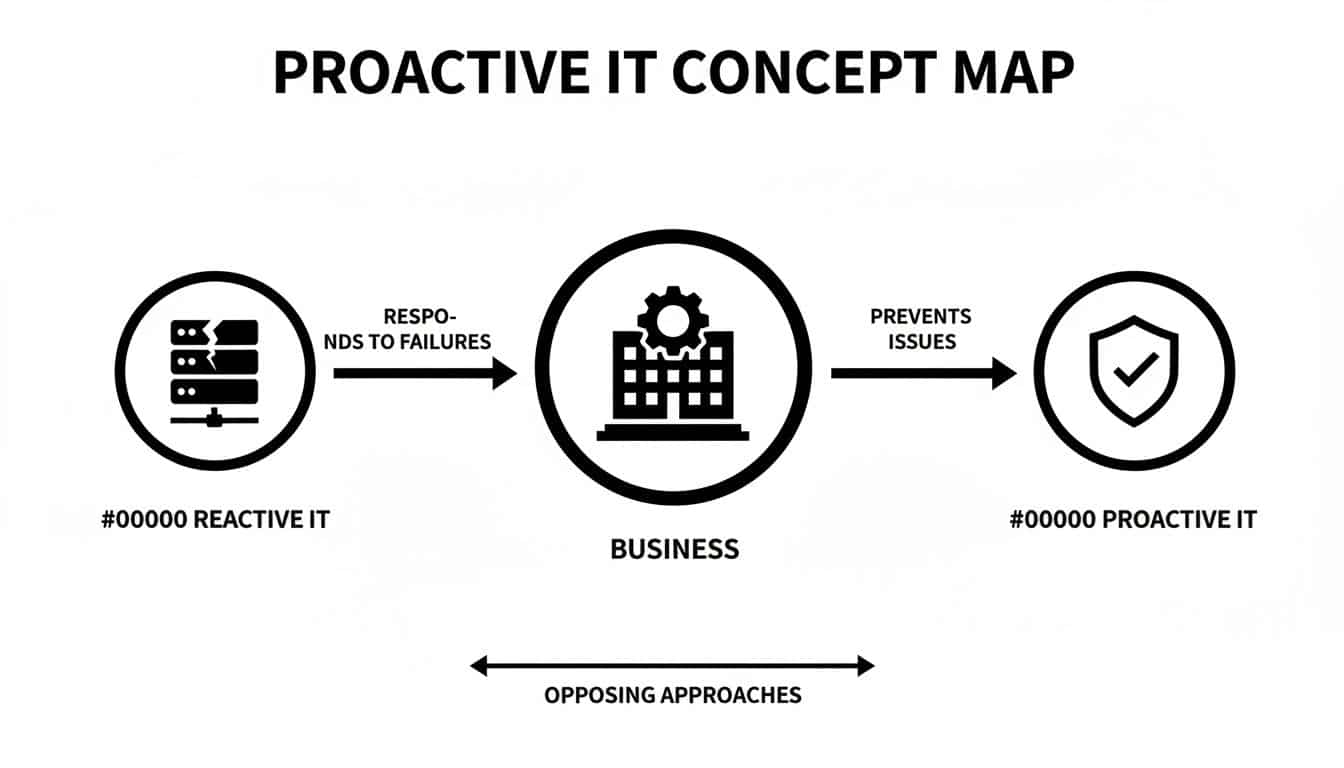
Ultimately, you can't have a mature IT operation without both. The playbook provides the strategic framework that keeps your team aligned during a crisis, ensuring everyone knows their role. To get a better handle on this strategic tool, you can explore resources that define the meaning of a playbook and its impact on team productivity. Now that we've set the stage, let's dive into specific examples for Central Florida businesses.

When you’re weighing a runbook vs a playbook, think of the runbook as the bedrock of reliable, predictable IT operations. It’s a detailed, step-by-step guide designed to make sure recurring tasks get done the exact same way, every single time. By leaving nothing to chance, runbooks cut down on human error and remove all the guesswork.

This level of standardization is what powers consistent service delivery. For a medical practice in Lake Mary handling sensitive patient data, or an accounting firm in Altamonte Springs managing financial records, predictable IT isn't just a convenience—it's an absolute must for compliance and client trust.

The Role of Runbooks in Daily IT Support

Ever wonder how a helpdesk can resolve your issue so quickly and efficiently? Chances are, they’re following a well-defined runbook. The technician uses a pre-approved script to diagnose and fix the problem, creating a consistent and repeatable experience for you. This structured approach is what allows managed IT providers to deliver the same great results, over and over again.

Just think about these common scenarios where runbooks are absolutely essential:

  • New Employee IT Onboarding: A runbook lays out every single step, from creating user accounts and setting permissions to configuring a new laptop. This ensures every new hire is ready to go on day one, and no security protocols get missed.
  • Software Troubleshooting: When a critical application crashes, a runbook guides the technician through the first line of defense—clearing the cache, checking configurations, looking for known bugs—before escalating the ticket.
  • Device Security: If a laptop is lost or stolen, a runbook provides the precise procedure for securing it. It includes steps to remotely lock the device, wipe its data, and revoke access credentials to keep company information safe.

A runbook turns a complicated operational task into a simple, follow-the-steps process. This doesn't just make things more efficient; it also creates a clear, auditable trail for every action taken, which is critical for regulatory compliance in industries like healthcare and finance.

Runbooks and Critical System Maintenance

The real value of a runbook becomes crystal clear during high-stakes procedures on critical infrastructure. Tasks like server maintenance or patching come with significant risk; one wrong move could trigger extended downtime or even data loss. Runbooks keep this risk in check by enforcing a strict, proven methodology.

A runbook for a Critical Server Patching Procedure would break down like this:

  1. Pre-Patch Checklist: Verify that system backups were successful, notify stakeholders about the maintenance window, and confirm that rollback procedures are ready to go.
  2. Execution Steps: Follow the exact sequence of commands to apply patches, reboot servers, and monitor system health right after the update.
  3. Post-Patch Validation: Run a series of tests to confirm all services are operating correctly and the patch hasn't introduced any new problems.
  4. Contingency Actions: Provide clear instructions on what to do if a patch fails, including exactly how to initiate a rollback to the last stable state.

For any Central Florida business, this documented, repeatable process is how a managed security provider strengthens your security posture. It guarantees that every critical task is done right, safeguarding your operational stability and data. This focus on procedural discipline is a key differentiator in the runbook vs playbook debate, highlighting the runbook's essential role in execution.

While runbooks are your go-to for standardizing routine IT tasks, playbooks are built for the complete opposite: a full-blown crisis. When you’re staring down a sophisticated ransomware attack or a massive data breach, a simple checklist just won’t cut it. This is where playbooks become absolutely critical, shifting your team's focus from just executing tasks to managing a strategic response.

Unlike the linear, step-by-step format of a runbook, a playbook is a flexible, scenario-based guide. It’s designed to answer the big questions: what needs to be done, who is responsible, and why it’s important right now. It gets everyone on the same page, from the technical team in the trenches to executive leadership, legal counsel, and the communications department.

Orchestrating a Coordinated Defense

Think of a major security incident as a complex battle on multiple fronts. You’re fighting technical skirmishes to contain the threat, navigating legal obligations, and managing customer communications all at once. A playbook is the master plan from your command center, ensuring every move is part of a single, cohesive strategy, not just a bunch of isolated fixes.

For any business, this strategic coordination is make-or-break. A 'HIPAA Breach Notification' playbook for a medical practice in Orlando, for example, would ensure a structured response. It would guide the team to not only contain the technical threat but also meet strict regulatory deadlines, protecting both patient data and the practice's reputation.

A runbook ensures a task is done correctly every time. A playbook ensures the right tasks are done in the right order when everything goes wrong.

This master plan doesn’t exist in a vacuum; it directs the use of specific runbooks. The playbook might call for the IT team to execute a "Isolate a Compromised Server" runbook, while at the same time guiding the leadership team on how to communicate with stakeholders. This layered approach is the core difference in the runbook vs playbook debate.

From Chaos to Control: A Real-World Example

Imagine a law firm in Winter Park discovers its client data has been encrypted by ransomware. Without a playbook, the response is pure chaos. The IT team scrambles to restore backups, partners start worrying about liability, and no one has a clue what to tell anxious clients.

Now, picture the same scenario with a 'Ransomware Response' playbook in hand. The process is transformed from chaotic to controlled:

  • Phase 1: Activation: The playbook is triggered immediately, assigning the managed Security Operations Center (SOC) as the lead for technical containment.
  • Phase 2: Coordination: It clearly defines roles, assigning legal decisions to the firm's partners, internal communication to HR, and external communication to a designated spokesperson.
  • Phase 3: Execution: The playbook then calls on specific runbooks—one to isolate affected network segments, another to analyze the malware, and a third to begin data restoration from verified backups.

Organizations that ignore this strategic divide often pay a heavy price. A Ponemon Institute survey revealed that teams using playbooks can slash the financial impact of a data breach by a staggering 28% just by improving collaboration. This level of preparation ensures predictable IT support and strengthens operational uptime, freeing up leadership to focus on recovery and growth.

This structured, strategic approach is what turns a potential business-ending catastrophe into a manageable incident. By crafting your incident response plan for max efficiency, you build the resilience needed to withstand modern threats. A playbook is the document that makes it happen.

Comparing Runbooks And Playbooks In A Real-World Scenario

Let's move past the theory and see how runbooks and playbooks work together during a real-world crisis. Imagine a sophisticated phishing attack hits a prominent Orlando-based law firm. This isn't just a technical glitch; it's a full-blown business crisis that demands a perfectly coordinated response.

The second the breach is detected, the firm’s managed Security Operations Center (SOC) doesn't just start clicking buttons. They activate the "Phishing Incident Response" playbook. This document is the strategic guide for the entire incident, the master plan that keeps everyone on the same page.

Orchestrating The Response With A Playbook

The playbook's first job is to end the chaos before it starts. It immediately assigns specific duties and communication channels to key people—the SOC team, the firm's partners, the IT helpdesk, and even the HR department.

This is where solid security incident response planning pays off. Instead of running around in silos, everyone knows their role and works in concert.

Once the "who" is established, the playbook directs the "what" by calling on several specific runbooks. Each runbook is a precise, step-by-step checklist for a single technical task, designed for speed and accuracy when the pressure is on.

This flowchart shows how the master playbook directs the execution of individual runbooks.

Flowchart showing an incident response process with playbook, user isolation, network scan, and password reset runbooks.

As you can see, the playbook sits at the top, delegating tactical tasks to three distinct runbooks below it. It's the brain of the operation.

Executing The Tasks With Runbooks

With the strategy set, the playbook directs the SOC team to execute a series of pre-approved technical procedures, each governed by its own runbook:

  • Runbook 1: Isolate Compromised User Account: The first priority is containment. This runbook gives the analyst the exact steps to suspend the user's network access, kill all active sessions, and preserve the machine for forensic analysis. No guesswork involved.

  • Runbook 2: Scan Network for Lateral Movement: With the initial entry point contained, the next runbook guides the team through a comprehensive network scan. The goal is to hunt down any signs that the attacker moved beyond the first machine.

  • Runbook 3: Force Company-Wide Password Reset: To mitigate further risk, a third runbook is triggered. It outlines the procedure for a mandatory, firm-wide password reset, complete with communication templates for the helpdesk and HR to use when notifying employees.

The playbook acts as the general, directing the battle strategy. The runbooks are the field manuals for the soldiers on the ground, ensuring each specific mission is executed flawlessly.

To see this in action, let's map out the response phases for our law firm example.

| Incident Response Example Phishing Attack on a Law Firm |
| :— | :— | :— |
| Response Phase | Governing Document | Key Actions and Responsibilities |
| Detection & Analysis | Phishing Incident Response Playbook | SOC team identifies the breach via an EDR alert. Playbook is activated, assigning roles to IT, legal partners, and HR. |
| Containment | Runbook #1: Isolate Compromised User | Helpdesk analyst follows the runbook to immediately suspend the user's account and network access to stop the threat from spreading. |
| Eradication | Runbook #2: Scan for Lateral Movement | SOC analyst uses the runbook to scan all endpoints and servers, identifying and removing any other traces of the attacker. |
| Recovery | Runbook #3: Force Password Reset | IT team triggers the password reset runbook. The HR team uses the playbook's communication plan to inform all employees. |
| Post-Incident Activity | Phishing Incident Response Playbook | The playbook guides the post-mortem meeting, documentation updates, and client communication strategy, ensuring all legal and regulatory obligations are met. |

As the table shows, the playbook provides the overarching strategy while the runbooks handle the specific, hands-on tasks.

This layered approach, strongly recommended by frameworks like NIST SP 800-61, has a massive impact. Research shows that organizations with mature runbooks and playbooks can cut incident response costs by as much as 35%. For a law firm in Maitland facing e-discovery demands or a medical group in Kissimmee, that's a game-changer.

This example cuts to the heart of the runbook vs. playbook relationship. The playbook provides the "what" and "why" (the strategic response), while the runbooks provide the "how" (the tactical execution). One can't function effectively without the other.

Putting Runbooks and Playbooks to Work in Your Business

Knowing the difference between a runbook and a playbook is one thing. Actually putting them into practice can feel like a mountain to climb. The secret for business leaders in Central Florida is to start small. Focus on your biggest operational headaches and most significant risks first.

You don’t need a huge library of documents from day one. What you need are a few targeted procedures that solve real problems right now.

A small Orlando-based business, for instance, can get quick wins by creating simple runbooks for common helpdesk tickets. Think about routine tasks like setting up a new employee’s laptop or handling a standard password reset. Documenting these processes ensures everyone does it the same way every time, cutting down on errors and freeing up your team.

But for any business handling sensitive data—like a Winter Park law firm managing client records or a Sanford medical practice protecting patient information—the priority has to be strategic. You need to start with playbooks for your biggest threats, like a ransomware attack or a critical system failure.

Start with a Risk Assessment, Not with Writing

Your first step isn't writing; it's assessing. Before you can document a fix, you have to know what you’re up against. This is where a managed IT partner shines, conducting a risk assessment to find your company's specific weak spots and operational bottlenecks.

This assessment tells you exactly which documents to create first. The process usually involves:

  • Identifying High-Frequency Tasks: What are the most common tickets hitting your helpdesk? These are perfect candidates for your first runbooks.
  • Pinpointing Critical Systems: Which servers, applications, or databases would cause the most chaos if they went down? These need runbooks for maintenance and restoration, pronto.
  • Evaluating Major Threats: What are the most likely and most damaging security incidents for your industry? Think phishing, data breaches, or ransomware. These demand strategic playbooks.

A proper risk assessment gives you a clear roadmap. It changes the conversation from, "We should probably document some stuff," to, "We need a runbook for server patching by Q2 and a playbook for data breaches immediately."

Once these priorities are clear, your IT partner can help develop, test, and maintain these crucial documents. For many businesses, especially those in regulated fields like healthcare or finance, having well-documented procedures is a core part of their business continuity and disaster recovery services. These documents are the foundation of a truly resilient operation.

Empowering Your Business Through Smart Documentation

Building out runbooks and playbooks isn't about just handing off tasks to your IT provider. This process empowers you, the business owner, to have far more productive conversations about your operational health. When procedures are written down, they become measurable, transparent, and real.

Instead of vaguely asking, "Is our IT secure?" you can ask, "Can you walk me through the playbook for how we'd respond to a ransomware attack?"

Or, "What does the runbook for onboarding a new partner’s tech look like?"

This simple shift builds a culture of accountability. It makes sure your internal team and external partners are all on the same page, whether handling daily chores or a full-blown crisis. An experienced managed IT partner won’t just build these documents for you; they'll build them into their service. The helpdesk uses the runbooks, and the Security Operations Center (SOC) lives by the playbooks. This is how you build a business that can take a punch.

How a Partner Manages Your IT Resilience for You

Knowing the difference between a runbook and a playbook is great, but your job isn't to become a master document-writer. That's where a good IT partner comes in. An experienced managed services partner already has a library of proven, battle-tested runbooks and playbooks, ready to be fine-tuned for your business.

This is a fundamental part of building real operational resilience for companies across Central Florida.

A business professional shows a tablet with 'Runbooks & Playbooks' and digital document icons to a colleague.

For businesses in Orlando, Kissimmee, or Sanford, this means you get enterprise-grade preparation without the enterprise price tag or the in-house headache. A partner doesn’t just write documents and hand them over; they weave them into the fabric of their service, turning documented steps into the tangible results that protect your company.

How a Partner Uses Runbooks and Playbooks Daily

The true value of this partnership becomes crystal clear in both the daily grind and during a crisis. These two types of documents fuel different parts of the managed service, ensuring your IT runs with both clockwork consistency and strategic protection. This documented, proactive approach is what modern IT management is all about.

Here's how a partner like Cyber Command puts them to work for you:

  • 24/7 Helpdesk Support: When you call with a problem, our U.S.-based technicians pull up detailed runbooks to deliver fast, consistent support. Whether they're troubleshooting software or locking down a device, they follow a pre-approved, step-by-step process that guarantees a reliable fix every single time.

  • Security Operations Center (SOC): Our 24/7 SOC lives and breathes by strategic playbooks. When an alert signals a potential threat, the playbook instantly guides the entire response—from initial containment to final cleanup—ensuring a coordinated, swift, and effective defense.

This structured way of doing things is what lets you get back to running your business, confident that a solid framework is protecting you.

A great IT partner doesn’t just promise resilience; they prove it with documented procedures and transparent reporting. They use runbooks for daily efficiency and playbooks for crisis management, creating a complete shield around your business.

Choosing the right provider is about more than just finding tech support; it’s about finding a team that builds and manages this resilient framework on your behalf. This documented system, backed by clear reporting and constant improvement, is what ensures your technology is always working for your business.

For more guidance, check out our article on how to choose the right managed service partner for expert tips. This level of preparation is the key difference between a simple IT vendor and a true partner invested in your success.

Frequently Asked Questions

When we talk with business owners in Orlando and throughout Central Florida about runbooks and playbooks, a few key questions always come up. Here are the straight answers to the things leaders want to know most.

Can I Use A Runbook Instead Of A Playbook?

Not when things get complicated. Think of a runbook as your go-to for a predictable, technical job, like restoring a single file from a backup. It gives your team the exact, repeatable steps to get a known task done right, every time.

A playbook, on the other hand, is your strategic guide for a crisis. It’s what you need for a ransomware attack because it coordinates multiple teams, forces critical decisions, and handles communications. They aren't interchangeable—they're designed to work together. A playbook will often call on several runbooks to carry out its overall strategy.

How Often Should We Update These Documents?

Treat them like living documents, not something you write once and file away. The best practice is to review them at least once a year or anytime you have a major change to your technology, key staff, or business processes.

The most critical rule: runbooks and playbooks must be updated after any security incident or major outage. This is where you bake in the lessons you just learned, hardening your defenses and making your response that much sharper for next time. A dedicated IT partner should make this review a standard part of their service.

Does My Small Florida Business Really Need These?

Absolutely. IT problems and cyber threats don't just target big corporations; they hit businesses of all sizes. Documenting your routine tasks with runbooks saves a surprising amount of time and cuts down on simple mistakes, making your whole operation more efficient.

More importantly, having a strategic playbook for a potential data breach or system failure can mean the difference between a small headache and a business-ending catastrophe. For a small law firm in Lake Mary or a medical practice in Kissimmee, the damage from one poorly handled incident will always cost more than the investment in getting prepared. Working with a managed provider makes this level of readiness both affordable and achievable.


At Cyber Command, LLC, we build and manage the documented frameworks that protect your business, from tactical runbooks for the helpdesk to strategic playbooks for the SOC. Let us handle the procedures so you can focus on growth. Learn more at https://cybercommand.com.