What Is Active Directory and How It Works: 2026 Guide

On Monday morning, your front desk manager can't log in. A remote employee in Winter Springs can open email but not the shared drive. A former staff member still appears to have access to an old folder with client records. Nobody is sure which passwords control what, or who approved the current setup.

That kind of confusion is common in small and mid-sized businesses. It shows up in Orlando accounting firms during tax season, in medical practices trying to protect patient data, and in industrial offices where field staff, office staff, and vendors all need different access. At first it feels like an IT inconvenience. In reality, it's an operations problem and a security problem at the same time.

When leaders ask what is active directory and how it works, they usually aren't asking for a server manual. They're asking a business question: how do we control who gets in, what they can reach, and how to keep that organized as the company grows?

The Hidden Chaos in Your Business Network

An Orlando firm can get away with informal access management for a while. One employee knows the file server password. Another person sets up laptops by hand. A manager calls IT whenever a new hire needs access to QuickBooks, the printer, a shared folder, and remote VPN. It works, until it doesn't.

The trouble starts when the business adds people, locations, devices, and compliance requirements. A law office needs tighter matter-based access. A dental group needs screen lock rules on every workstation. An engineering company needs the right software on the right machines without someone walking desk to desk.

That is where Active Directory, usually shortened to AD, changes the game. It gives a business one central system for identity, access, and policy control across a Windows network. Instead of managing users and computers one by one, IT can manage them from one place.

This isn't a niche technology. Over 90% of Fortune 1,000 companies rely on Microsoft Active Directory as their primary corporate network access management tool according to ONLC's overview of Active Directory.

Active Directory matters because it turns access management from a collection of one-off fixes into a controlled business system.

For a non-technical manager, the practical value is simple:

  • Faster onboarding: New hires get the right access without a chain of manual requests.
  • Cleaner offboarding: Former employees lose access in a controlled way.
  • Less guesswork: Permissions can follow job role, department, or location.
  • Stronger security: The business can enforce rules centrally instead of hoping each device is configured correctly.

Without that structure, access drifts over time. People collect permissions they no longer need. Shared passwords linger. Old laptops keep outdated settings. That's the hidden chaos most businesses don't notice until an audit, an outage, or a ransomware event forces the issue.

What Is Active Directory The Blueprint of Your Digital Office

The easiest way to understand Active Directory is to stop thinking of it as a technical product and start thinking of it as the blueprint of your digital office.

A physical office has employees, departments, rooms, locked cabinets, badges, printers, and policies. Your digital office has the same needs. People need access to some things and not others. Devices need standard settings. Shared resources need structure. AD keeps that organized.

A diagram illustrating Active Directory, showing its role in managing users, computers, domains, OUs, and group policies.

The database behind the system

Active Directory is a directory service database. The database file is called NTDS.dit. It stores directory information about the business's digital environment, such as user accounts, groups, computers, and other network objects.

According to MiniOrange's explanation of Active Directory, NTDS.dit stores all directory data and can scale to manage millions of objects. The same source notes that AD uses a hierarchy of forest, domains, and Organizational Units (OUs), and that this structure is replicated across Domain Controllers to support consistency and uptime.

If those terms sound abstract, use this model:

AD term Plain-English analogy What it means for your business
Forest The entire corporate campus The top-level boundary for the directory
Domain A major building or division A main administrative and security boundary
OU Departments or suites within the building A way to organize users and devices for management
Domain Controller The secure records office A server that stores and processes directory data

A city planner model that actually makes sense

Think of AD like a city planner for your network.

The forest is the whole city. It contains the overall identity structure. The domains are neighborhoods. A company might have one domain for the whole business, or more in a larger environment. OUs are the individual buildings, floors, or departments inside those neighborhoods.

That structure matters because it lets IT apply rules in the right place. The accounting OU can get one set of policies. The front desk can get another. A branch office can be managed differently from headquarters.

Here are the objects AD commonly organizes:

  • Users: Employee accounts, admin accounts, shared service accounts
  • Groups: Collections of users who need the same access
  • Computers: Desktops, laptops, and some servers joined to the domain
  • Printers and shared folders: Network resources people need to find and use

Practical lens: If you can describe a business role, a department, or a location, Active Directory can usually mirror that structure so access follows the organization instead of personal memory.

Why business leaders should care

This structure isn't about elegance. It's about control.

If a medical practice has ten exam room PCs, a front office, billing staff, and a practice manager, AD gives IT a way to place those users and computers into logical containers and manage them centrally. If a professional services firm opens a second office, AD can keep access consistent without rebuilding everything from scratch.

For a manager, the big takeaway is this: Active Directory is the system that answers, in one place, who your people are in the network, what devices they use, and how rules are applied across the business.

How Active Directory Works The Digital Gatekeeper

If the previous section answered what Active Directory is, this part answers what is active directory and how it works in day-to-day business life.

The simplest explanation is that AD acts like the security desk and badge system for your digital office. Every time someone tries to sign in or open a protected resource, AD helps decide two things: who they are, and what they're allowed to do.

A digital graphic depicting a secure server room entrance with an access granted security lock mechanism.

Authentication means proving identity

Authentication is the first checkpoint. A user enters a username and password, and Active Directory checks whether those credentials are valid.

In Windows environments, this often involves protocols such as Kerberos or NTLM. You don't need to memorize the protocol names. The useful mental model is that Kerberos works like a digital passport process. The employee proves identity once, receives trusted proof, and then uses that proof to request access to approved services.

That first check happens through Active Directory Domain Services, often called AD DS, running on Domain Controllers. Those are the servers that process identity requests against the directory database.

Authorization means deciding what happens next

Passing the identity check doesn't mean someone should see everything. That would be a disaster.

Authorization is the second checkpoint. AD looks at the user's group memberships and assigned permissions to determine what they can access. One employee may open the accounting share but not HR files. A physician may reach clinical systems that the front desk can't. A plant manager may use a production server that office staff should never touch.

Here is the simplest way to separate the two:

  1. Authentication: Are you really who you claim to be?
  2. Authorization: Now that we know who you are, what are you allowed to open, use, or change?

Why single sign-on feels so useful

One reason people like Active Directory is single sign-on, or SSO. That means users sign in once and can then access multiple approved resources without entering passwords over and over.

For a busy office, that reduces friction. For IT, it centralizes control. For security teams, it creates a clearer identity trail than a patchwork of separate local accounts.

This matters well beyond private business. If you're comparing identity models across industries, SamSearch has a useful primer on understanding IAM in government contracting, which helps frame why centralized identity and access controls matter when compliance and accountability are high.

A healthy AD environment should make secure access feel boring. Employees log in, get what they need, and don't need workarounds.

What happens when someone logs in

A non-technical manager can think of the sequence like this:

  • Step one: The employee enters credentials on a company device.
  • Step two: The Domain Controller checks those credentials.
  • Step three: AD confirms the user's role through groups and policies.
  • Step four: The user gets access to approved resources like shared drives, printers, apps, or remote services.

If that sequence is well designed, employees barely notice it. If it's messy, the business feels it immediately through lockouts, failed app access, risky workarounds, and support calls.

Organizing Your Digital Workplace with Group Policy

Many business leaders understand user accounts. The part that often feels mysterious is Group Policy.

Group Policy is best thought of as a set of company rules that Windows devices follow automatically. Instead of asking staff to configure settings themselves, or asking IT to touch every machine by hand, administrators can push standards from the center.

What Group Policy looks like in real life

A Winter Springs medical practice might need every exam room computer to lock automatically after a short period of inactivity. That protects patient information when someone steps away between appointments. Rather than setting that manually on each device, IT can apply the rule through Group Policy to the right OU.

A law office can use Group Policy to control who can use USB storage on certain machines. That's helpful when client documents shouldn't leave the office on removable media. An accounting firm can map shared drives automatically so staff don't have to guess where returns, templates, or archived files live.

Group Policy can also standardize practical settings such as:

  • Screen lock behavior: Useful for front desks, nurse stations, and shared work areas
  • Printer deployment: Helpful when each office or department has assigned printers
  • Software rollout: Important when engineers, accountants, or designers need the same tools
  • Security settings: Password policies, firewall settings, and device restrictions

Why managers should care about GPOs

Group Policy Objects, usually called GPOs, are where Active Directory shifts from organization to enforcement.

Without GPOs, two employees with the same role may have two very different device setups. One machine might have the right settings. Another might be missing updates, allow risky behavior, or connect to the wrong resources. In regulated industries, that inconsistency creates exposure.

Manager takeaway: Group Policy turns "our policy says" into "our systems enforce."

For a multi-location architecture or engineering firm, this can save huge amounts of effort. New CAD software can be deployed to the engineering group instead of being installed manually one workstation at a time. Shared settings can follow the department, not the memory of whichever technician handled the last setup.

Where businesses get confused

A common misunderstanding is that Group Policy is only for highly technical enterprises. It isn't. Even smaller firms benefit when they stop treating every computer like a one-off exception.

Another confusion point is scope. Group Policy doesn't replace every security product or every cloud setting. But in an on-premises Windows environment, it remains one of the most powerful ways to create consistency.

A good rule of thumb is this: if your business has repeated device settings, repeated access rules, or repeated compliance requirements, Group Policy should probably be part of the answer.

Top Active Directory Security Risks for Florida Businesses

Active Directory is valuable for the same reason it's dangerous when poorly managed. It centralizes identity and access. In security terms, that makes it a high-value target.

If an attacker compromises AD, they often don't stop with one user account. They use that foothold to move through the environment, escalate privileges, and reach systems that were supposed to be protected. For a professional services firm in Orlando, that could mean client records. For a medical office, it could mean systems tied to patient care and sensitive data. For an industrial company, it could mean production disruption and business downtime.

A digital graphic of a computer processor chip featuring a glowing padlock icon and red skull alerts.

The big risk is centralization without discipline

According to Delinea's overview of Active Directory risks, Microsoft reports that over 80% of corporate breaches involve a compromised Active Directory, and CISA alerts in 2025 highlighted AD misconfigurations in 40% of reported security incidents.

Those numbers matter because they point to a pattern. Attackers don't always need a dramatic zero-day exploit. Often they win by finding weak passwords, stale admin privileges, poor segmentation, or systems that no one has hardened properly.

Common ways attackers abuse AD

Here are the risks non-technical leaders should understand in plain language:

  • Weak passwords: If a user or service account has an easy-to-guess password, an attacker can gain an initial foothold and start probing the environment.
  • Over-privileged accounts: Staff sometimes have more rights than their role requires. That makes a single compromised account more dangerous.
  • Misconfigurations: A setting that seems minor can expose unnecessary access paths.
  • Unpatched Domain Controllers: If core identity servers fall behind on updates, attackers have a larger opening.
  • Poor offboarding: Old accounts and forgotten permissions create hidden entry points.

What a Golden Ticket attack means in business terms

You may hear security teams mention a Golden Ticket attack. The technical details matter to defenders, but the business meaning is what leaders need to grasp.

A Golden Ticket attack is the kind of AD abuse that can let an attacker create trusted access inside the environment. In plain English, it can amount to forging a high-trust badge in your building's security system. Once that happens, ordinary security boundaries become far less reliable.

If your business relies on AD, identity security isn't a side project. It's part of business continuity.

Why Florida SMBs should treat this as an executive issue

Central Florida firms often run lean IT teams. That's especially true in law, accounting, private healthcare, and owner-led industrial operations. The result is that AD may exist, but nobody is reviewing permissions, watching Domain Controllers closely, or testing whether controls still match the business.

That gap becomes dangerous during ransomware events. Attackers use AD because it helps them spread. They identify who has power, what machines trust each other, and how to reach backups, file shares, or line-of-business systems.

One practical safeguard is stronger identity verification. This matters alongside AD, not instead of it. Cyber Command has a useful article on the role of MFA in strengthening identity and access management, especially for businesses trying to reduce the impact of stolen credentials.

The executive checklist

A manager doesn't need to run PowerShell to ask good questions. Start with these:

Question Why it matters
Who has administrative rights today? Excess privilege increases blast radius
Are former employees fully removed? Stale accounts create exposure
Are Domain Controllers monitored closely? They are central to identity trust
Are Group Policies reviewed regularly? Old policies can weaken security or break operations
Is MFA used where appropriate? It helps reduce credential-driven compromise

If you can't get clear answers, that's not a paperwork issue. It's a risk signal.

On-Premises AD vs Cloud-Native Azure AD

Many business leaders ask about Active Directory only after another question appears: should we keep our traditional setup, move to the cloud, or run both?

The old name Azure Active Directory is now Microsoft Entra ID. Even so, many people still say Azure AD, so you'll hear both names. The important distinction is that traditional on-premises Active Directory and cloud-native Entra ID are related, but they are not the same thing.

The difference in plain English

On-premises AD runs in your environment on Windows servers called Domain Controllers. It is well suited to office networks, Windows device management, legacy applications, shared drives, and environments where local control matters.

Entra ID is Microsoft's cloud identity platform. It is designed for cloud applications, remote access, Microsoft 365, and modern identity workflows. It shines when users work from anywhere and when the business depends more on SaaS than local servers.

Most SMBs don't live entirely in one world or the other. They often end up in a hybrid model, with local AD still handling some legacy needs while Entra ID supports cloud apps and remote identity.

Migration is where strategy meets reality

Projects often get messy. Moving from on-prem AD to the cloud isn't just flipping a switch.

According to Quest's guidance on Active Directory, 35% of projects encounter significant issues due to schema mismatches or Group Policy translation failures, which can lead to downtime and cost overruns. That helps explain why so many migration projects stall in the middle, especially when older apps or custom policies are involved.

A business may assume that if email is already in Microsoft 365, the rest of identity migration will be easy. Often it isn't. Old organizational structures, inherited permissions, login dependencies, and line-of-business software can complicate the move.

For organizations already deep in the Microsoft stack, Cyber Command's page on Microsoft 365 support and management is useful context because identity decisions often follow the broader cloud productivity strategy.

When each model makes sense

The right answer depends on how your business operates.

Feature On-Premises Active Directory Azure Active Directory (Entra ID)
Primary use case Office-based Windows networks and legacy resources Cloud apps, remote work, Microsoft 365 identity
Infrastructure Requires local servers and Domain Controllers Delivered as a cloud service
Device management style Strong for domain-joined Windows environments Strong for cloud-first and remote scenarios
Best fit Businesses with file servers, legacy apps, and site-based operations Businesses using SaaS heavily with distributed users
Management burden More hands-on server and policy administration Less local server overhead, but still needs governance
Common challenge Hardware, patching, and local infrastructure upkeep App compatibility, role design, and migration planning

A practical decision guide

A professional services firm with a central office, a local file server, and several legacy applications may still need on-prem AD for now. A newer business running mostly cloud apps may lean hard toward Entra ID. A medical or industrial organization often lands in the middle because some systems remain tied to local infrastructure.

Don't treat identity migration like a branding update. It is an access-control redesign that affects operations, security, and user experience.

If you're evaluating what is active directory and how it works in your own company, the better question may be: which identity model matches our applications, our locations, our compliance needs, and our risk tolerance right now?

How Cyber Command Manages and Secures Your AD

Active Directory rewards discipline and punishes neglect. That's why many Central Florida businesses need more than occasional break-fix help. They need a partner that treats identity infrastructure as an operational and security priority.

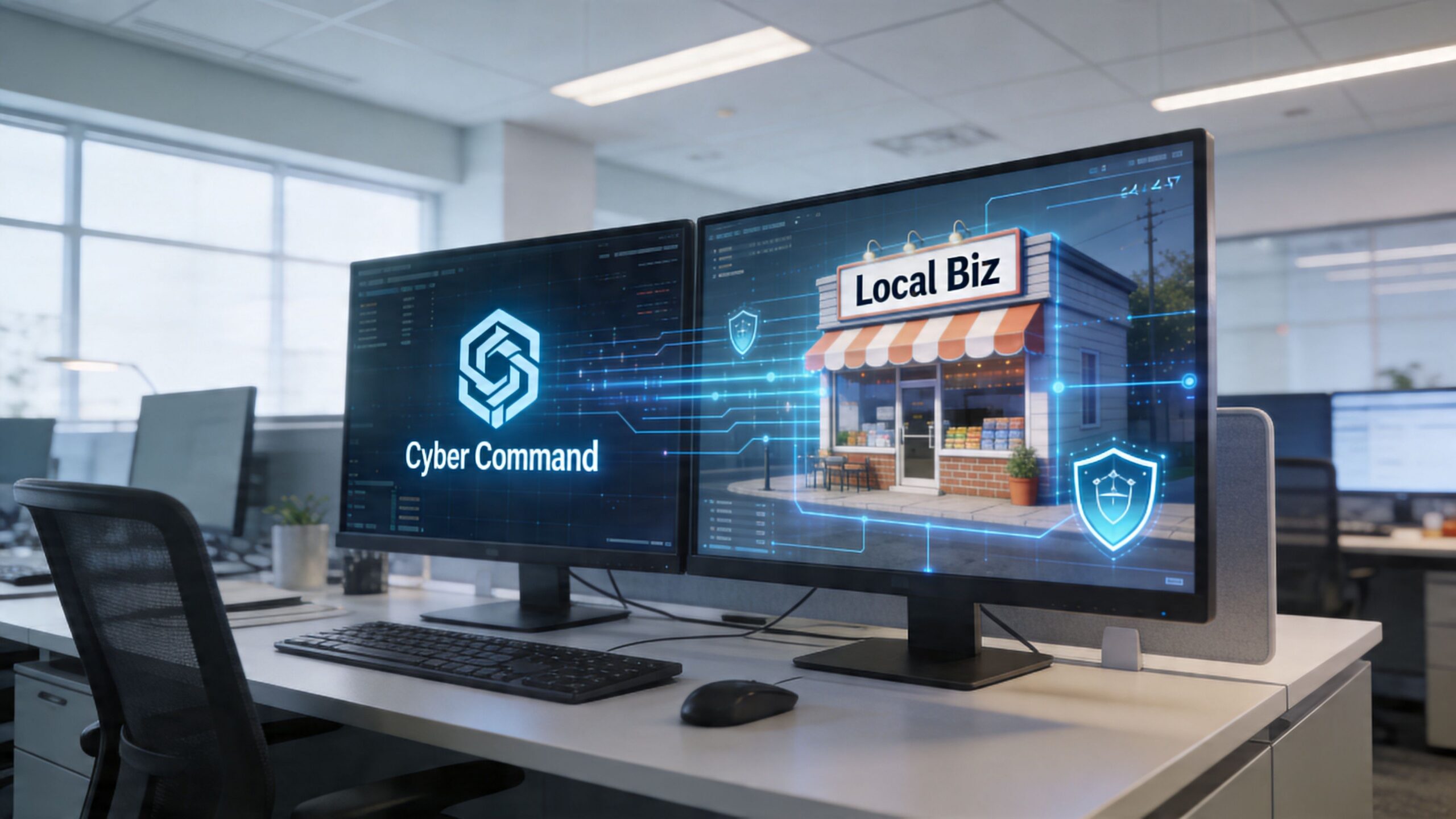
Cyber Command supports organizations in Orlando, Winter Springs, and beyond with managed and co-managed IT built around uptime, accountability, and prevention. In an AD environment, that means getting the fundamentals right first. Clean user lifecycle management, well-structured OUs, tightly controlled administrative access, and Group Policy that reflects real business needs instead of years of accumulated exceptions.

What strong AD management looks like

Good management isn't just about keeping users logged in. It includes active oversight of the systems that hold trust across the network. That means monitoring Domain Controllers, reviewing privilege levels, tightening access paths, and aligning identity controls with the way the business works.

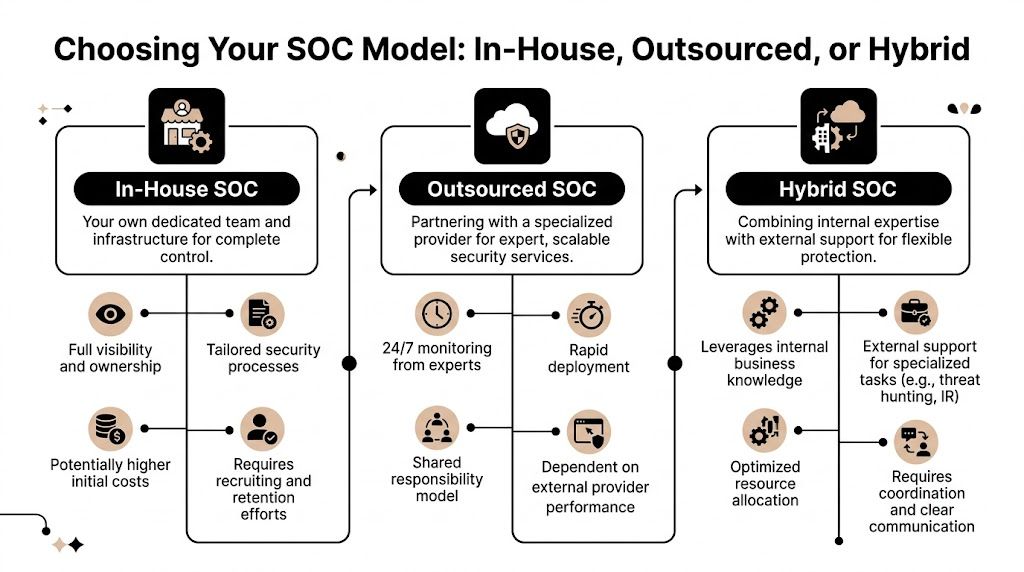
Cyber Command also brings a security layer through its 24/7 SOC, which is important because AD attacks don't always begin with obvious alarms. Threat hunting, incident response, and continuous review help catch suspicious identity activity earlier, before a compromised account turns into a wider event.

For organizations balancing on-prem systems with cloud platforms, governance matters as much as technology. CloudConsultingFirms.com offers a helpful overview of multi-cloud governance best practices, and that broader governance mindset applies directly when identity spans local infrastructure, Microsoft 365, and other cloud services.

Why this matters during change

AD often becomes most fragile during transitions. Office moves, mergers, cloud projects, staffing changes, and application rollouts can all expose weak assumptions in identity design.

That is why migration planning matters. Businesses weighing modernization can review Cyber Command's guidance on how to successfully migrate applications from on-premises to cloud, especially where access dependencies and user disruption are concerns.

The primary value is that leaders don't have to choose between security and usability. With the right management approach, AD becomes a stable foundation instead of a hidden liability.

Frequently Asked Questions About Active Directory

Does a small business need Active Directory

Not every small business needs full on-premises AD. But if you have multiple employees, shared files, company-managed PCs, compliance requirements, or role-based access needs, some form of centralized identity management becomes important quickly. For many firms, the question isn't whether to centralize identity. It's which platform fits best.

Is Active Directory only for Windows

Traditional Active Directory is primarily built for Windows domain networks. That's where it is strongest. Businesses with mixed environments can still use it, but planning gets more important when Macs, Linux systems, cloud apps, and mobile devices are all part of daily operations.

What is the first step to securing Active Directory

Start with visibility. Identify who has admin rights, which accounts are stale, how Group Policy is structured, and whether Domain Controllers are monitored and patched. If leadership can't get a clean answer on those basics, the environment needs review.

Is Microsoft Entra ID the same as Active Directory

No. They are related but different systems. Traditional AD is on-premises directory infrastructure. Entra ID is a cloud identity platform. Many businesses use both during a hybrid phase.

What confuses managers most about AD

Usually this: they think it's just for login. It isn't. AD affects onboarding, offboarding, file access, remote work, device control, security policy, and incident impact. It's one of the few IT systems that touches nearly every employee and every critical business process.


If your business in Orlando, Winter Springs, or North Texas needs help untangling identity sprawl, securing Active Directory, or planning a move to a modern cloud or hybrid model, Cyber Command, LLC can help you assess the current environment, reduce risk, and build a more reliable foundation for growth.

Cloud Based Backup Solutions Small Business Guide 2026

If you're running a medical practice in Winter Springs, a law firm in downtown Orlando, or an accounting office with staff spread across Central Florida, your backup problem probably isn't theoretical. It's immediate. You already know your files matter. What most business owners don't know is whether their current setup would let them recover after a ransomware event, a server failure, or a week where the office is inaccessible.

That's where a lot of "cloud backup" advice falls apart. Many providers sell storage and call it backup. Many small businesses buy a tool and assume they're covered. Then a restore is needed, versions are missing, retention wasn't configured correctly, or nobody knows how long recovery will take. At that point, the monthly subscription you paid for doesn't matter. Recovery does.

For Central Florida businesses, especially in regulated industries, cloud based backup solutions small business plans have to do more than hold copies of files. They need to support continuity, security, compliance, and fast decision-making during a bad day. The right system protects data. The right strategy protects the business.

What Cloud Backup Really Means for Your Business

A real cloud backup system is a digital vault outside your office. If your building has a power issue, hardware failure, water intrusion, or a security incident, the backup copy still exists somewhere separate and recoverable.

That sounds obvious, but many businesses still confuse backup with sync or storage. Dropbox, OneDrive, and Google Drive are useful collaboration tools. They are not, by themselves, a complete business continuity plan. If a file is deleted, overwritten, corrupted, or encrypted by ransomware, those changes can sync too.

A digital cloud symbol inside a secure vault representing protected cloud-based data storage during a storm.

Backup protects recovery, not just storage

The question isn't "Where are my files stored?"

The question is "How fast can I get the right version back, and how much work will I lose?"

A Winter Springs dental office is a good example. If the practice management workstation crashes at 4:30 p.m. and the latest usable backup is from the night before, the office may lose a full day's scheduling changes, intake updates, and billing activity. If the same office has a modern backup platform capturing changes continuously, the data loss window is much smaller.

That leads to the two terms owners need to understand:

  • RPO
    means how much data you can afford to lose. If your RPO is one day, you could lose everything created since the previous backup.
  • RTO
    means how long you can afford to stay down. If your RTO is many hours, your team may sit idle while systems are restored.

Why RPO and RTO matter more than marketing features

Most backup sales pages talk about storage limits, dashboards, and "military-grade security." That's not what matters during an outage. What matters is whether your backup design matches how your business operates.

Practical rule: If your staff updates records all day, nightly backup alone is usually too blunt an instrument.

Modern platforms that use Continuous Data Protection capture file changes in near real time instead of waiting for a nightly job. According to this review of cloud backup for small businesses, providers such as Acronis and IDrive Business demonstrate RPOs under 15 minutes, while scheduled backups can create 24-hour data loss windows. The same analysis notes that block-level differencing and deduplication can reduce storage costs by up to 90% for database-heavy workloads.

What works and what doesn't

In practice, these are the setups that usually work best:

  • Good fit for smaller offices
    Endpoint and server backup with continuous protection, versioning, and offsite retention.
  • Good fit for heavier operations
    A mix of local recovery plus cloud copy, so large restores don't depend entirely on internet speed.
  • Weak fit for serious operations
    USB drives, a single NAS in the same office, or a sync folder that everyone assumes counts as backup.

A proper backup system should answer four plain questions without hesitation:

  1. What exactly is being backed up?
  2. How often are changes captured?
  3. How long does recovery take for one file, one server, and the whole office?
  4. Who verifies restores work?

If you can't get clean answers to those four questions, you don't have a backup strategy. You have backup hope.

Why Florida Businesses Need More Than Just Data Storage

Small businesses in Orlando don't operate in a neutral environment. They deal with weather risk, infrastructure interruptions, and a steady stream of cyber threats. That changes what a good backup strategy looks like.

A storage account is passive. A business continuity backup plan is active. It assumes something will eventually go wrong and builds for recovery before that happens.

Your office can be unavailable even when your company isn't

A lot of owners still picture disaster recovery as a worst-case building loss. That's one scenario, but it's not the only one that matters. You can have a functioning business with a non-functioning office.

If your team can't get into the building, if local systems are offline, or if one location goes down while another stays open, staff still need access to current data and a clear restoration path. That's where offsite copies, role-based access, and tested recovery workflows matter more than raw storage space.

For firms with more than one office, or even one office plus remote staff, consistency is often the hidden problem. One branch may have current data, another may not. A restore may be possible for one location but incomplete for another.

Multi-location sync failure is a real operational risk

Generic backup advice usually misses the mark. Distributed businesses don't just need copies; they need reliable replication and version consistency across sites.

A 2025 Gartner finding summarized by Lenovo reported that 47% of SMBs with multiple branches experienced data synchronization failures in their cloud backups. It also found that those failures amplified ransomware impact by 3x because replication was incomplete. The same summary notes that hybrid solutions from Acronis and Veeam use edge caching and WAN optimization, cutting sync times by 40% for remote teams and reducing overall TCO by 30% compared to cloud-only models for distributed organizations.

For a Central Florida business with an Orlando office, a second location, and remote users working from home, that's not abstract. It means a backup plan can look healthy on paper while still leaving gaps in the data your team needs.

A backup that works for one office can fail a multi-location business if the replication design is sloppy.

Florida risk changes the backup conversation

Three local realities push businesses toward stronger backup architecture:

  • Weather exposure
    Storms, flooding, and building access problems make same-site-only backups risky.
  • Power and connectivity instability
    Even short outages can interrupt backup jobs, corrupt local systems, or delay restores if there's no local recovery option.
  • Professional services targeting
    Law firms, dental offices, accounting firms, and medical practices hold sensitive, operationally critical data that attackers know can't stay down long.

What doesn't work in this environment is the minimalist approach. One copy in the office is fragile. One cloud repository with no restore testing is fragile too. Businesses that need uptime usually end up with layered protection, not a single tool.

Operating from anywhere requires design, not luck

The practical goal is simple. If your office is unavailable, your business should still be able to function in a controlled way. That means staff can access the systems they need, leadership knows what's recoverable first, and the backup environment isn't tangled up with the same failure that hit production.

For Orlando-area firms, the right backup system isn't just a place to park files. It's part of how the business keeps moving when the office, the network, or a user endpoint fails.

Key Architectures and Components of a Modern Backup Solution

When owners hear "cloud backup," they often picture one thing. In reality, there are several architectures, and each one solves a different problem. Picking the wrong model creates pain later, usually during restore.

Here's the visual map most buyers never get from providers.

A diagram illustrating three modern cloud-based backup architectures: direct-to-cloud, cloud-to-cloud, and hybrid cloud backup systems.

Direct-to-cloud works best when simplicity matters

In a direct-to-cloud model, backup agents on laptops, desktops, and servers send data straight to the provider's cloud repository. This is often a sensible fit for smaller offices without much infrastructure.

Benefits are straightforward:

  • Less local hardware
    You don't need to maintain a separate backup appliance for basic protection.
  • Strong fit for remote users
    Laptops can keep backing up even when employees aren't in the office.
  • Cleaner deployment
    Endpoint coverage is usually easier to standardize.

The trade-off is recovery speed for large restores. If you need to pull back a full server or a large file set, your internet connection becomes part of the recovery path.

Hybrid is usually the practical answer for serious uptime needs

A hybrid backup design keeps a local backup copy for fast recovery and a cloud copy for offsite disaster recovery. For many small and midsize businesses, this is the architecture that balances speed, resilience, and operational sanity.

If an employee deletes a shared folder, a local recovery target can return it quickly. If the office is compromised, the offsite copy still exists. If ransomware reaches the production environment, a properly isolated backup design gives you a cleaner recovery option.

That local component is often a NAS, backup appliance, or dedicated storage target. The cloud component handles the geographic separation that local-only systems can't provide.

The best architecture usually isn't the one with the most features. It's the one that matches how your business restores.

Cloud-to-cloud fills a gap many firms miss

Many businesses assume Microsoft 365 or another SaaS platform handles backup for them. That's a dangerous assumption. A cloud-to-cloud architecture backs up data that's already in a cloud platform into a separate backup system.

This matters for:

  • Exchange and mailbox data
  • OneDrive and SharePoint files
  • Teams and collaboration content
  • Sales and client records in SaaS apps

If your business lives inside Microsoft 365, that data needs a backup strategy of its own. SaaS availability isn't the same as business-controlled retention and point-in-time restore.

The components you should expect to see

A modern backup environment usually includes several moving parts:

Component What it does Why it matters
Endpoint agent Captures changes on laptops and desktops Protects remote users and key workstations
Server backup service Backs up physical or virtual servers Covers line-of-business systems
Local recovery target Stores a nearby copy for fast restore Reduces downtime for common incidents
Cloud repository Holds offsite backup data Protects against site-level disasters
Management console Shows status, failures, retention, and restore options Lets IT verify protection instead of guessing
Recovery testing process Validates that backups can actually be restored Turns backup from theory into proof

For businesses running cloud workloads, it's also worth understanding how infrastructure-level backup fits into the picture. A useful reference is this guide to AWS backup and disaster recovery planning, especially if your applications or data stores already live in the cloud.

What buyers should ask before choosing an architecture

Ask providers to design around your recovery priorities, not their standard package.

  1. Which systems need rapid local recovery?
  2. Which users need backup even when offsite?
  3. Which cloud apps need separate protection?
  4. What is isolated from production so an attacker can't erase everything at once?

A lot of backup failures start before any attack happens. They start when the architecture was never matched to the business.

Navigating Compliance and Security in Regulated Industries

For regulated businesses, backup isn't just an IT tool. It's part of your compliance posture. A dental office handling patient records, a law firm retaining client documents, or an accounting practice protecting financial data can't treat backup as an afterthought.

The mistake I see most often is buying a general-purpose backup service and assuming compliance will sort itself out. It won't. Providers can offer encryption and storage, but that doesn't automatically produce the safeguards, retention controls, and audit evidence your business may need.

Dual computer monitors on a desk displaying cybersecurity dashboards with a lock icon and data charts.

What regulated firms should care about first

If you operate in healthcare, legal, accounting, or financial services, these backup features move from "nice to have" to "required for responsible operations":

  • Encryption at rest and in transit
    Sensitive records should remain unreadable whether stored or moving across networks.
  • Immutability
    Backup data shouldn't be easy to alter or delete after it's written.
  • Access control and authentication
    Not every employee should be able to browse or remove backup sets.
  • Audit trails
    You need records showing what was backed up, when, and who accessed it.
  • Retention policy control
    Compliance isn't only about making copies. It's also about keeping the right copies for the right amount of time.
  • Restore verification
    If you can't prove recoverability, the backup isn't doing its compliance job.

AES-256 matters because it changes the exposure profile

For regulated businesses, one of the most important baseline controls is AES-256 encryption. According to Box's overview of cloud backup for small business, cloud backup solutions for regulated businesses rely on AES-256 encryption for data at rest and in transit, and it describes that NIST standard as practically unbreakable. The same source notes that leading solutions such as Acronis and CrashPlan encrypt data client-side before upload, which prevents provider access and reduces insider-threat exposure.

That client-side piece matters. If the provider never receives your files in plaintext, you've reduced one category of risk before the data even leaves your environment.

How this maps to real compliance pressures

For Orlando-area regulated firms, the details differ by industry, but the practical requirements look similar.

Medical practices and HIPAA

A medical spa, dentist, orthodontist, or veterinary clinic needs backup controls that protect electronic patient information and support reliable restoration after an incident. Encryption helps protect confidentiality. Access controls limit exposure. Immutable or protected backup copies help when ransomware hits systems that staff use every day.

HIPAA conversations also force a question many small practices avoid. If a patient record must be restored, how quickly can that happen, and who owns that process?

Law firms and accountants under GLBA-style pressure

Law offices and accounting firms hold sensitive financial records, tax data, case files, and communications. Even when the exact regulatory framework varies, the operational expectation is the same. Sensitive client data needs controlled access, secure retention, and documented recovery capability.

A provider saying "we're secure" isn't enough. Ask how deletion is prevented, how restores are logged, and who can access backup data.

Financial and professional services with audit expectations

Firms serving financial clients often need proof, not promises. That means logs, reports, policy enforcement, and recoverability evidence. During a client security review or internal audit, "our backups run every night" is weak. A defensible answer includes encryption method, retention policy, access restrictions, and restore test records.

Security features that actually improve recovery

Security in backup isn't just about confidentiality. It also affects whether recovery works under pressure.

Box's overview also states that in simulated ransomware tests, Acronis's encrypted backups demonstrated a 99.9% data recovery success rate and a 40% faster RTO compared to non-encrypted alternatives. That's useful because it cuts through a common misconception that stronger security always slows recovery. In backup design, the opposite can be true when integrity checking and protected restore paths are built in.

What to reject during vendor review

Be cautious if a provider can't clearly answer these points:

  • Where is data stored
    If they can't explain data residency and control, keep pushing.
  • How are backups protected from deletion
    If the answer is vague, assume the design is weak.
  • Can they support regulated documentation
    Agreements, logs, and compliance-oriented reporting shouldn't be optional extras.
  • How often are restores tested
    Marketing language is easy. Restore evidence is harder, and that's what matters.

The safest approach for regulated small businesses is usually not the cheapest subscription on a website. It's a backup design built for security controls, operational recovery, and auditability from the start.

Choosing Your Cloud Backup Strategy DIY versus Managed

Some business owners want direct control. Others want clear accountability. Both instincts are reasonable. The real question is whether your team has the time and skill to build, monitor, test, and document backup properly.

DIY can work. It often works poorly when backup is one of fifteen responsibilities assigned to an office manager, internal admin, or busy IT generalist. The software may be installed, but alerting, retention, restore testing, and access control drift over time.

Where DIY usually breaks down

The problem isn't buying the tool. The problem is everything after purchase.

A small business has to make dozens of decisions that marketing pages tend to skip:

  • What gets backed up, and what gets excluded
  • How retention should differ for servers, endpoints, and SaaS data
  • Which backup copies are protected against deletion
  • How often restore tests should happen
  • Who reviews failed jobs and who fixes them
  • How compliance evidence gets documented

If you're still comparing local hardware and offsite options, this plain-language piece on understanding your data storage choices is a useful companion before you commit to a model.

DIY vs Managed Cloud Backup Comparison

Factor DIY (Do-It-Yourself) Managed Service (e.g., Cyber Command)
Ownership Your team owns setup, monitoring, policy decisions, and restores A service partner owns day-to-day management and escalation
Internal time Staff must review alerts, fix failed jobs, and document results Internal staff spends less time on backup administration
Skill requirement Requires backup, security, and recovery expertise Lets non-specialist teams rely on experienced operators
Compliance support You must map retention, logging, and controls yourself Managed oversight usually makes audit preparation more structured
Disaster accountability Recovery depends on whoever is available and qualified Responsibility is clearer during an incident
Hidden costs Missed alerts, weak testing, and rushed recovery create expensive risk Monthly cost is higher on paper but often lowers operational risk
Fit Works best for firms with capable in-house IT and time to spare Works best for firms that need predictable outcomes

Managed service is about risk transfer, not convenience alone

The strongest argument for managed backup isn't that it's easier. It's that someone is watching the system when you aren't.

That matters when:

  • backups fail unnoticed,
  • a retention policy is misconfigured,
  • ransomware starts touching unusual data patterns,
  • or a restore has to happen outside business hours.

For many small businesses, especially regulated ones, the better question isn't "Can we run this ourselves?" It's "Do we want recovery to depend on improvisation?"

A managed approach also fits well when backup is tied to broader continuity planning. If you're comparing service models, this overview of managed disaster recovery as a service helps frame the discussion beyond just storage and backup licensing.

If nobody is responsible for testing restores, nobody is responsible for recovery.

A direct recommendation

Choose DIY only if you already have disciplined internal IT ownership, documented procedures, and a real testing cadence. Don't choose it just because the monthly line item looks smaller.

Choose managed when uptime, compliance, and accountability matter more than the feeling of direct control. For most Orlando-area medical, legal, financial, and professional services firms, that's the safer business decision.

A Practical Checklist for Selecting Your Solution

Vendor demos are polished. Backup failures are messy. The easiest way to cut through sales language is to ask direct questions and keep asking until you get specific answers.

Questions that reveal whether the provider is serious

Bring this checklist into every evaluation call.

  • What are our recovery targets
    Ask for your expected RTO and RPO by workload, not a generic platform statement.
  • What exactly gets backed up
    Endpoints, servers, virtual machines, Microsoft 365, shared folders, databases, line-of-business apps.
  • How is backup data protected from deletion or tampering
    You're looking for clear language around immutability, isolation, and protected administrative access.
  • How are restores tested
    Ask whether they perform regular test restores and whether they document results.
  • How do you handle failed backup jobs
    A mature provider has an escalation process, not just automated emails no one reads.
  • Where is the data stored
    You need a clear answer on hosting location and control.
  • What compliance documentation can you support
    For regulated businesses, ask about agreements, audit logs, retention records, and reporting.
  • Who has access to backup data
    Administrative scope should be controlled and auditable.
  • How are remote users protected
    Staff working from home or traveling shouldn't fall outside the backup plan.
  • What is the restore process during ransomware
    Ask them to walk through the steps in plain English.

Questions many buyers forget to ask

These often uncover the biggest gaps:

  1. If our office is unavailable, how do we access restored data?
  2. If one server fails, what comes back first?
  3. If one employee deletes a folder, can we restore only that folder?
  4. If a backup fails overnight, who notices before our staff logs in?
  5. If we leave your service, how do we retrieve our backup data?

Ask every provider to describe the last restore problem they had to solve and how they handled it. The quality of that answer tells you more than the product demo.

Red flags during selection

Watch for these responses:

  • "Unlimited" with no retention clarity
    Unlimited storage doesn't mean unlimited recoverability.
  • Vague compliance language
    If they speak in generalities, assume you will do the hard compliance work yourself.
  • No restore evidence
    If they can't show testing discipline, don't assume they have it.
  • One-size-fits-all packaging
    Dental practice, law office, and architecture firm backups should not all be designed the same way.

The right provider should make backup feel less mysterious, not more.

Putting Your Backup Plan into Action

Good backup projects don't start with software. They start with recovery priorities. Identify what must come back first, what can wait, and which systems create the biggest operational risk if they're unavailable.

Then deploy in a practical order. Install agents on endpoints and servers. Configure retention and access policies. Run the initial full backup. Add cloud app coverage if your business depends on Microsoft 365 or similar services. Document the restore path for the systems your team uses every day.

After that, testing becomes the definitive dividing line.

A backup that has never been restored is an assumption. A backup that is restored and verified on a schedule becomes part of business operations. That includes single-file restores, server-level recovery, and scenario testing for ransomware or office outage conditions. If your team doesn't already have a documented process, start with a structured disaster recovery plan template and build backup decisions around that plan, not the other way around.

Most small businesses don't fail because they ignored backup entirely. They fail because they assumed setup was the finish line. It isn't. The finish line is verified recovery.


If your business in Orlando, Winter Springs, or the surrounding Central Florida area needs a backup strategy that covers cybersecurity risk, compliance, and real-world recovery, Cyber Command, LLC can help you design, manage, and test a solution that fits how your business operates. Their team supports regulated firms, multi-location organizations, and small businesses that need more than basic storage. They focus on recoverability, accountability, and ongoing protection so you can spend less time worrying about backups and more time running the business.

Viruses in Linux: A 2026 Guide for Florida Businesses

Yes, Linux gets viruses, and it is now the most targeted platform for malware. In 2023, 54% of malware infections hit Linux endpoints, compared with 39% on Windows and 6% on Mac.

That should change how any business owner in Orlando thinks about servers, cloud apps, file storage, and even Linux workstations. If your website runs on Linux, your client portal sits on a Linux web server, or your office depends on a hosted database behind the scenes, the old belief that Linux is “safe by default” can leave you exposed at exactly the wrong layer.

For small and mid-sized firms in Central Florida, viruses in linux aren't just a technical issue. They can slow down scheduling systems at a dental office, expose case files at a law firm, or interrupt production reporting for an industrial company that relies on connected devices and remote access. The threat isn't theoretical anymore. It's operational, financial, and in many cases compliance-related.

The Linux Security Myth Has Been Busted

For years, business owners heard some version of the same advice: Linux doesn’t get viruses, or at least not in a way that matters to smaller companies. That advice aged badly.

Data analyzed by Comparitech from the Elastic Security 2023 Global Threat Report shows that Linux endpoints became the most targeted by malware for the first time in 2023, with 54% of all malware infections occurring on Linux endpoints. Windows accounted for 39%, and Mac for 6% in the same reporting, according to Comparitech’s analysis of Linux malware statistics.

A cracked metallic shield featuring the Linux penguin logo, symbolizing potential security breaches in a server room.

Why the myth lasted so long

The myth wasn’t completely irrational. Linux historically benefited from strong permission controls, faster patching cultures, and lower desktop market share. That made it a less attractive target for old-school consumer malware.

But business use changed. Linux now runs the systems attackers care about most: cloud workloads, web servers, containers, databases, and internet-facing applications. When a local accounting firm hosts a client document portal or a medical office uses a Linux-backed vendor platform, attackers don't care what operating system sits underneath. They care that the system holds sensitive data and supports a revenue-generating workflow.

What this means for Orlando businesses

A lot of smaller firms in Orlando and Winter Springs have Linux somewhere in the stack without thinking of themselves as “Linux businesses.” It may be the server your website uses, the appliance behind your firewall, the cloud VM hosting an internal application, or a specialized workstation in engineering or industrial operations.

That matters because security blind spots often start with assumptions. If leadership assumes Linux is naturally protected, patching slips, endpoint controls are inconsistent, logs go unread, and remote access settings stay looser than they should.

Practical rule: The most dangerous Linux system is the one your business depends on but nobody actively monitors.

A common mistake is treating Linux security as a one-time setup job. It isn’t. Attackers look for weak points that stay weak, such as stale software, exposed admin panels, and forgotten credentials. If you want a simple business explanation of how malicious code creates damage after it lands, this guide on how malicious code can cause damage is worth reviewing with both leadership and IT.

The business risk behind the myth

For legal, medical, and industrial firms, the direct issue isn’t whether an infection technically qualifies as a “virus,” “trojan,” or “worm.” The critical issue is what the attacker can do next.

That can include:

  • Interrupt operations: Applications slow down, crash, or become unreliable during business hours.
  • Expose regulated data: Client records, patient information, contracts, and financial files can be accessed or staged for theft.
  • Create hidden persistence: Attackers often leave behind remote access paths so they can return later.
  • Raise recovery costs: Cleanup usually requires more than deleting a file. Systems need review, isolation, restoration, and proof that the entry point is gone.

Linux isn’t insecure by design. But the idea that it’s immune has been decisively disproven. Businesses that still operate under that assumption are giving attackers extra time and easier access.

Common Linux Malware Your Business Cannot Ignore

Business owners don’t need a malware taxonomy lesson. They need to know what these threats do once they hit a server, workstation, or hosted application.

Trend Micro reported that webshell malware made up 49.6% of all detected Linux threat samples in 2022, making it the most common category in that reporting, as detailed in Trend Micro’s Linux Threat Landscape Report. That tells you something important. Attackers often aren’t trying to smash the door. They want a quiet way to come and go.

An infographic titled Common Linux Malware listing Ransomware, Rootkits, Cryptominers, Trojans, and Backdoors as common threats.

Webshells and backdoors

A webshell is like a hidden key under the doormat of your digital office. Attackers place a malicious script on a web server, then use it to keep remote access without needing to break in again each time.

For a law office, that can mean an attacker reaches the server hosting intake forms or document uploads. For a specialty clinic, it can mean access to a patient-facing portal or a web-connected scheduling tool. The initial compromise may look small, but the value is in persistence. Once attackers are in, they can browse files, move data, install more tools, or prepare a ransomware attack.

Backdoors serve a similar purpose. They create a covert way back into a system after the original weakness gets overlooked or partially fixed.

Trojans and disguised payloads

A trojan pretends to be legitimate software, script output, or an acceptable file while carrying malicious functionality. On Linux systems, that might show up as a fake admin utility, a modified package, or a script copied into a maintenance workflow that nobody questions because “it came from a vendor forum” or “it fixed the issue last time.”

The business danger is trust abuse. Trojans rely on users or admins running something they believe is safe.

That can lead to:

  • Credential theft: Stored keys, passwords, and tokens become accessible.
  • Unauthorized access: The trojan opens a control channel for later use.
  • Lateral movement: The attacker pivots from one system to another, especially in flat networks.

Ransomware on Linux

Ransomware on Linux often targets what matters most in business environments: servers, shared application hosts, databases, and storage tied to daily operations. If a Windows laptop gets hit, that’s serious. If the Linux server behind scheduling, billing, engineering data, or file access gets encrypted, the disruption is broader and harder to contain.

Attackers don’t pick the operating system first. They pick the business process they can afford to break.

For a medical office, downtime can affect scheduling, documentation access, and patient communications. For an architecture or engineering firm, project files and collaboration platforms can become unavailable at once. Industrial businesses may lose visibility into reporting or device management systems that support field operations.

Cryptominers and silent theft

Cryptominers don’t always announce themselves the way ransomware does. They hijack system resources to mine cryptocurrency, using your hardware and your cloud budget for someone else’s gain.

That makes them particularly dangerous for smaller firms because the symptoms are easy to misread. A server runs hot. CPU stays high. Cloud costs creep up. Web apps feel sluggish. Staff complain that systems are “just acting old.”

Rootkits and stealth tooling

Rootkits are designed to hide. They can mask malicious processes, conceal files, and make a compromised machine appear cleaner than it is. That’s why a quick visual check often isn’t enough after a suspected Linux infection.

Here’s the short version of what works and what doesn’t:

Threat type What attackers want What often fools businesses
Webshells Persistent remote access “The site still loads, so we must be fine”
Trojans Initial access and credential theft “It came from a trusted script or tool”
Ransomware Operational leverage and payment pressure “Backups exist, so impact will be small”
Cryptominers Long-term resource abuse “It’s probably just a performance issue”
Rootkits Stealth and persistence “Our basic checks didn’t find anything”

What to remember

If you’re evaluating viruses in linux from a business perspective, don’t focus on names first. Focus on effects.

  • Loss of control: Can someone else operate your server?
  • Loss of visibility: Can you still trust what the system is showing you?
  • Loss of availability: Can your team still work?
  • Loss of trust: Can clients, patients, or partners still rely on you?

Those are the questions that turn a technical infection into a business event.

How Cyberattacks Target Linux Systems in Florida Businesses

Most Linux compromises don’t start with movie-style hacking. They start with neglected basics.

The broad pattern is well established. The Linux malware overview on Wikipedia notes that the vast majority of Linux malware exploits unpatched vulnerabilities in common services like SSH and web servers, and that worms can spread across networks by finding outdated software or misconfigured access without any user interaction.

A modern server room with rows of racks and digital data visualizations over a blurred office background.

The Orlando law firm scenario

A small law firm may outsource website development, host a client intake portal in the cloud, and assume the vendor “handles security.” Months pass. A plugin or server-side component doesn’t get updated. An attacker finds the weakness, uploads a malicious script, and gains a foothold.

Nothing dramatic happens on day one. The website may still load. Staff may not see obvious signs. But the attacker now has a place to work from. They can browse directories, test permissions, and look for stored credentials that lead to file shares, databases, or email integrations.

This is why unpatched web servers are so dangerous. They often connect to systems with much more value than the public-facing website itself.

The medical office scenario

A medical practice in Winter Springs might use a Linux-based appliance, hosted portal, or secure transfer system to support patient operations. Remote access gets set up for convenience. SSH keys or admin credentials remain in place too long, or permissions become too broad after a vendor visit.

That creates a chain attackers like:

  1. Find the exposed service
  2. Use weak or stale access to get in
  3. Install persistence
  4. Expand from one machine to connected services
  5. Monetize the access through theft, extortion, or resource abuse

In healthcare-adjacent environments, the compliance problem lands quickly. Even if the first symptom is only a performance issue, leadership still has to ask whether regulated information was reachable during the compromise.

A Linux breach often starts as an IT issue and ends as a management issue.

The industrial and field-service scenario

Industrial firms around Central Florida often run a mix of office systems, remote devices, vendor-managed equipment, and aging network segments that were built for uptime rather than security visibility. Linux shows up in control systems, gateways, appliances, and monitoring platforms.

Attackers look for the easy opening. That may be a neglected web interface, old remote management method, or device that no one included in the patching schedule because it “never changes.” Once compromised, that system can become a stepping stone into more valuable parts of the environment.

This is one reason small businesses underestimate Linux risk. The vulnerable system may not be the one users log into every day. It may be an appliance, cloud instance, or edge device that provides background support for the rest of the operation.

Why cryptomining gets missed

Cryptomining malware deserves special attention because it behaves differently from ransomware. It doesn’t need to announce itself. It wants to stay unnoticed.

A business owner may see the symptoms as ordinary wear and tear:

  • Servers feel slow: Websites, portals, or internal apps respond poorly.
  • Cloud invoices climb: Consumption rises without a matching business reason.
  • Fans and heat increase: Hardware works harder than expected.
  • Support tickets pile up: Users report lag, but nobody sees a clear outage.

That’s why cryptominers are effective in small business environments. They hide inside normal frustration. Teams blame old equipment, software bloat, or internet problems while the attacker keeps consuming compute power in the background.

What actually works

The practical fixes aren’t glamorous, but they matter more than advanced theory:

  • Reliable patching: Keep SSH, web servers, frameworks, and packages current.
  • Tighter remote access: Review keys, accounts, and privileges regularly.
  • Segmentation: Don’t let one exposed Linux system talk freely to everything else.
  • Log review and monitoring: If nobody watches for abnormal behavior, persistence lasts longer.
  • Asset awareness: You can’t protect servers and appliances your business forgot it owned.

What doesn’t work is assuming Linux is “fine unless users click something bad.” Many Linux attacks don’t need user clicks at all. They exploit neglected services that sit online every hour of the day.

Signs of Infection and The Road to Recovery

By the time many businesses notice a Linux infection, the problem has already spread beyond the original entry point. The first sign usually isn’t a flashing warning. It’s a business complaint.

A website gets slower. A database takes too long to answer. File transfers drag. An application server suddenly uses far more resources than normal. In the case of cryptomining malware, that pattern is common. The threat can hijack CPU capacity and drive up electricity or cloud costs while looking like a generic performance issue, as described in this discussion of cryptomining malware on Linux servers and its hidden business impact.

Warning signs owners should take seriously

You don’t need to run Linux commands yourself to spot that something is wrong. You do need to know what symptoms deserve immediate escalation.

  • Unexpected slowdowns: A server that used to perform normally starts lagging without a clear business reason.
  • Unusual billing changes: Cloud or infrastructure costs rise while workload stays roughly the same.
  • Strange files or tasks: IT finds unfamiliar scripts, modified startup items, or unexplained scheduled jobs.
  • Outbound traffic spikes: Systems communicate in ways that don’t match normal business use.
  • Repeated account anomalies: Unexpected authentication prompts, failed logins, or privilege changes appear in admin reviews.

If your Linux server is “just slower lately,” treat that as a security question before you treat it as a hardware question.

Why cleanup is harder than most owners expect

A proper recovery effort usually includes containment, forensic review, malware removal, patching, credential resets, and verification that the attacker didn’t leave another access path behind. That’s why reactive cleanup gets expensive fast.

Tools such as rkhunter, chkrootkit, log analysis, and network review can help identify hidden processes, rootkits, persistence methods, and unusual connections. But these tools don’t make incident response simple. They produce clues. Someone still has to interpret the findings, separate signal from noise, and decide whether the system can be trusted again.

In many cases, rebuilding from a known-good state is safer than trying to clean an actively compromised machine in place.

Recovery is both technical and operational

Business owners often focus on restoring files. That matters, but it isn’t enough. You also have to answer harder questions:

Recovery question Why it matters
Was data accessed? This affects legal, client, and compliance obligations
Is the attacker still inside? A partial cleanup can leave the real problem untouched
Can we trust the backup? Backups may contain compromised files or configurations
What was the entry point? If you don’t fix it, the attacker may return

If the infection involved damaged or inaccessible files, it can help to consult trusted data recovery specialists alongside your security team, especially when the business is trying to determine whether critical records are recoverable before full restoration.

The hard truth about reactive security

Recovery always happens under pressure. Staff can’t work normally. Clients may be waiting. Leadership wants quick answers before the facts are fully known.

That’s the main problem with a reactive approach to viruses in linux. Even when you restore operations, you still spend time proving the environment is clean, closing the gap that allowed the infection, and documenting what happened for stakeholders. Prevention is cheaper mostly because it avoids the management chaos that follows a breach.

Building Your Proactive Defense Plan

The strongest Linux security programs aren’t built around one tool. They’re built around disciplined layers that close common gaps before malware has a chance to persist.

For a small or mid-sized business, the practical goal is simple: reduce easy paths in, reduce the damage if something gets through, and increase the chance of catching abnormal behavior early.

A professional IT specialist in a white lab coat monitors server security systems on a computer screen.

Start with patching discipline

Most Linux compromises seen in business environments trace back to systems that weren’t updated consistently enough. Patching sounds boring because it is repetitive. That’s also why it works.

A good patching program means:

  • Critical services stay current: SSH, web servers, application frameworks, and packages are reviewed on a defined schedule.
  • Internet-facing systems go first: Public websites, portals, VPN-adjacent systems, and cloud workloads get priority.
  • Exceptions are documented: If a device can’t be patched quickly, someone owns the risk and compensating controls.

What fails is “we update when we have time” or “the vendor said not to touch it.” Those aren’t strategies. They’re delay mechanisms.

Control access like it matters

Many Linux incidents become worse because the attacker inherits too much access from the first compromised account or service.

Use the principle of least privilege in a business way. People should only have access to the systems and functions they need. Admin rights should be narrow, reviewed, and separated from daily work when possible. SSH keys, service accounts, and remote support credentials need routine attention.

A simple access review often finds stale permissions that nobody meant to keep.

Security hardening is less about adding complexity and more about removing unnecessary trust.

Add visibility before you need it

Businesses often buy security tools they never operationalize. The result is dashboard security. Alerts exist, but nobody watches them well enough to act.

Useful visibility on Linux includes endpoint monitoring, centralized logs, alerting for unusual account behavior, and network review for suspicious outbound connections. In some environments, file integrity monitoring and scheduled malware scanning also make sense, especially on servers that handle uploads or sensitive records.

For teams that need user-side protection as well, this resource on how to avoid downloading malicious code is a practical companion to server hardening. It helps close the human side of the risk, which matters even in Linux-heavy environments.

Build defenses in layers

A workable defense plan usually includes a mix of these controls:

  1. Automated patching where appropriate
    Routine updates reduce the lifespan of known weaknesses.

  2. Endpoint protection and malware detection
    Linux hosts need monitoring too, especially servers with internet exposure and desktops used in hybrid work.

  3. Network boundaries
    Firewalls and segmentation help keep one compromised box from becoming everyone’s problem.

  4. Backup and restore discipline
    Backups should be tested, isolated appropriately, and reviewed as part of recovery planning.

  5. Configuration management
    Standardized builds reduce drift and make anomalies easier to spot.

Match the plan to the business

A medical practice doesn’t need the same Linux controls as a manufacturing firm, and an architecture office doesn’t need the same monitoring depth as a public-facing SaaS company. But every one of them needs ownership, repeatability, and accountability.

That’s the trade-off many small firms run into. The right controls are understandable. Maintaining them every week is the hard part.

Why a 24/7 Managed SOC is Your Best Defense in Orlando

Most small and mid-sized businesses know what they should do about Linux security. They struggle with who is going to do it consistently at the right depth.

That gap is where a managed security model becomes practical. Not because every business needs an enterprise-sized internal security department, but because Linux threats now affect the same systems that support revenue, service delivery, and compliance. If your firm relies on cloud servers, web apps, client portals, remote users, or specialized Linux-based devices, someone has to watch, patch, investigate, and respond without waiting for a crisis.

Why internal teams often miss Linux risk

In smaller organizations, Linux security tends to fall into one of three buckets:

  • Nobody owns it directly: The environment exists, but responsibility is diffuse.
  • A generalist handles it when time allows: Day-to-day support crowds out preventive work.
  • A vendor manages only their piece: Website host, software vendor, and local IT each assume someone else is covering the rest.

That model breaks under pressure. Malware doesn’t care about org charts. If a Linux web server leads to broader access, the business still owns the fallout.

This is also becoming more relevant on the workstation side. As Linux desktop adoption grows in professional services for cost and security reasons, the risk from threats such as EvilGNOME is expected to rise, which challenges the assumption of Linux desktops' fundamental safety and reinforces the need for endpoint protection on Linux workstations in hybrid environments, as discussed in Linux.com’s myth-busting look at Linux malware assumptions.

What a managed SOC changes

A 24/7 Security Operations Center changes the operating model from occasional maintenance to continuous oversight. For a business owner, that means fewer blind spots and faster decisions when something looks wrong.

The value isn’t just “more tools.” It’s coordinated execution:

  • systems get patched on schedule
  • endpoint alerts are reviewed
  • suspicious activity is investigated
  • credentials and access issues are escalated
  • incidents move from detection to containment without waiting for business hours

For Orlando-area firms, that matters because business risk doesn’t pause overnight. A compromised Linux host at 2 a.m. can still affect Monday morning operations.

What to look for in a provider

A managed provider should be judged on operating discipline, not marketing language. Use a checklist that ties services directly to Linux business risk.

Service Why It Matters for Linux Security Cyber Command's Approach
24/7 SOC monitoring Linux malware often persists quietly. Continuous review helps catch suspicious behavior sooner. 24/7/365 SOC with active threat hunting, incident response, and continuous monitoring
Patch management Unpatched SSH, web servers, and packages are common entry points. Proactive patching and vendor management for covered systems
Endpoint protection Linux servers and workstations need detection, not assumptions. Managed endpoint protection across business environments
Access control support Stale credentials and broad privileges increase blast radius. Help with account governance, standardized processes, and documented oversight
Compliance alignment Legal, medical, and financial firms need more than “it seems fixed.” Ongoing compliance support, reporting, and operational documentation
Recovery coordination Cleanup requires containment, restoration, and proof of control. Incident response and recovery support through an integrated service model
Strategic review Linux security fails when it becomes ad hoc. Network diagrams, QBRs, and roadmap alignment to business goals

Local fit matters more than many owners think

A provider that understands the realities of Orlando and Winter Springs businesses will frame Linux security in terms of uptime, vendor coordination, and compliance pressure, not just command-line fluency. Law firms need file confidentiality. Medical practices need operational continuity and attention to regulated data. Industrial companies need standardization across mixed environments.

Those are management problems with technical roots. The provider has to bridge both.

For companies comparing options, this overview of cyber security companies in Orlando is a useful starting point for evaluating local and regional support models.

What practical support should look like

If you’re outsourcing this function, ask whether the provider can handle the day-to-day realities that usually create exposure:

  • Can they monitor Linux systems after hours?
  • Will they patch and verify, not just recommend?
  • Do they help with vendor coordination when a hosted app is involved?
  • Can they support hybrid environments with Windows, Linux, cloud, and appliances together?
  • Will they give leadership clear reporting instead of raw technical noise?

Those questions matter more than whether the provider lists every security acronym on a website.

One workable model for SMBs

For organizations that don’t want to build a full internal security function, Cyber Command, LLC is one example of a U.S.-based managed IT and cybersecurity partner that offers 24/7/365 SOC operations, patching, endpoint protection, incident response, compliance support, and co-managed IT for businesses in Orlando, Winter Springs, and North Texas. That kind of model fits companies that need ongoing Linux security coverage but don’t have in-house capacity to manage prevention and response continuously.

The trade-off business owners need to decide on

You can run Linux security reactively, where problems get attention after users feel them. Or you can run it as an operational discipline, where patching, monitoring, access review, and response happen continuously in the background.

The first path feels cheaper until an infection touches billing, scheduling, file access, or regulated data.

The second path is usually the better business decision because it protects continuity. It also gives leadership something just as important: a clear line of responsibility.

If your business in Orlando or Winter Springs depends on Linux anywhere in the stack, viruses in linux should be treated as a current business risk, not an edge-case technical concern. The companies that handle this well usually do one thing consistently. They stop relying on assumptions and start relying on process.


If your business relies on Linux servers, cloud platforms, web applications, or hybrid workstations, a practical next step is to review your current exposure with Cyber Command, LLC. A focused conversation can help you identify where patching, endpoint coverage, access control, and 24/7 monitoring need to improve before a small weakness turns into an outage or compliance event.

Datto SaaS Protection: A Guide for Florida SMBs

A lot of business owners in Orlando assume Microsoft 365 means their data is backed up. It usually doesn’t mean what they think it means. Your email may be hosted in the cloud, your files may sync across devices, and Microsoft’s platform may stay online, but none of that guarantees fast recovery when someone deletes the wrong folder, an employee account gets compromised, or ransomware hits SharePoint and Teams.

That misunderstanding causes expensive downtime. It also creates compliance trouble for firms that handle client records, financial files, patient communications, contracts, and internal HR documents. If your company relies on Microsoft 365 or Google Workspace every day, cloud convenience alone isn’t a backup strategy.

The Hidden Risk in Your Cloud Data

A downtown Orlando law office finishes a long day. A paralegal cleans up a Teams workspace, removes what looks like an old case folder, and realizes too late that it held current discovery documents. The firm assumes IT can just pull it back because everything is “in Microsoft 365.”

Then recovery turns messy. People start checking recycle bins, version history, user accounts, and retention settings. Partners are waiting. A filing deadline is close. Nobody cares that the data was in the cloud. They care whether it can be restored quickly and cleanly.

A distressed man sits at a computer desk looking at a screen displaying a folder deleted notification.

The same thing happens in healthcare practices across Winter Springs and greater Central Florida. A staff member deletes the wrong mailbox. A former employee wipes files before departing. A phishing attack leads to account misuse and content removal. In each case, the business owner assumed cloud storage and cloud backup were the same thing.

They’re not.

According to Datto’s Microsoft 365 SaaS protection overview, 87% of businesses suffered SaaS data loss in 2024. That number matters because it cuts through the common belief that cloud apps are self-protecting. They aren’t. They’re operational platforms, not full business continuity plans.

Where the misunderstanding starts

Most owners hear “redundant cloud infrastructure” and think “my data is safe.” What that usually means is the service provider protects platform availability. It doesn’t mean your business automatically has an independent, restorable copy of user data ready after deletion, corruption, or attack.

Practical rule: If your recovery plan depends on the same platform where the loss happened, you don’t have enough separation.

That gap matters even more for firms handling bookkeeping, tax records, and financial documents. If you want a grounded look at why accounting teams need dedicated backup discipline, this piece on protecting accounting data is worth reading.

What this looks like in a real business

  • A law firm loses matter files: Teams and SharePoint content disappears, and staff burns billable time trying to reconstruct records.
  • A medical office loses communications: Email, calendar, or file loss can disrupt patient coordination and create audit headaches.
  • An accounting practice gets hit during busy season: One mistaken deletion can ripple into missed deadlines, client frustration, and manual rework.

The hidden risk isn’t that Microsoft 365 is unreliable. The hidden risk is assuming its standard protections match what your business needs when something goes wrong.

What Is Datto SaaS Protection

datto saas protection is a third-party backup platform built to create an independent copy of cloud application data. For a small business owner, the simplest way to think about it is this. Microsoft 365 or Google Workspace runs your day-to-day work. Datto SaaS Protection keeps a separate backup copy so you can recover that work when users, attackers, or policy mistakes cause loss.

That separation is the whole point.

Think of it as an off-site digital safe

If your office kept all client records in one room, you wouldn’t call that a disaster recovery plan. You’d want copies stored somewhere else. The same principle applies to cloud apps. Just because your data sits in a major cloud platform doesn’t mean you have an off-platform backup that’s easy to restore.

Datto SaaS Protection fills that gap by keeping backup data outside Microsoft’s and Google’s native environments. That matters when the problem starts inside the tenant itself, such as accidental deletion, account compromise, or a malicious insider.

What it protects in Microsoft 365

For Microsoft 365, Datto SaaS Protection covers the systems most small businesses depend on every day:

  • Exchange Online: Mailboxes, email content, and related user data.
  • OneDrive: Individual user files that often hold drafts, contracts, spreadsheets, and working documents.
  • SharePoint: Shared document libraries, team sites, and the collaboration layer many firms now use as their file server.
  • Teams: Team-related content that often includes files, conversations, and shared project information.
  • Calendar, Contacts, and Tasks: Business coordination data that can be operationally critical.

This is why the product fits firms like attorneys, accountants, engineers, architects, dental groups, and private medical practices. Their important data isn’t sitting in one obvious folder anymore. It’s spread across mail, collaboration tools, shared libraries, and user storage.

What it means for Google Workspace users

Datto SaaS Protection also supports Google Workspace environments. If your firm runs Gmail, Google Drive, and shared calendars, the same business issue applies. Productivity in the cloud doesn’t remove the need for backup. It just changes where the backup risk lives.

What it protects you from

A backup product matters most when the loss event is mundane. That’s where many businesses get caught off guard.

  • User mistakes: Someone deletes the wrong mailbox item, shared folder, or document set.
  • Bad offboarding: A departing employee removes content from OneDrive or shared collaboration spaces.
  • Ransomware impact: Encrypted or corrupted files spread through synced cloud storage and team repositories.
  • Policy or admin error: Retention settings, account changes, or sync behavior create unexpected loss.

The businesses that recover fastest are usually the ones that prepared for boring mistakes, not just dramatic cyberattacks.

Why self-managed cloud tools often fall short

Many native platform tools are designed for operational retention, not straightforward backup and recovery. They can help in some scenarios, but they often require more interpretation, more manual work, and more familiarity with the platform’s moving parts than a business owner expects.

Datto SaaS Protection is different in a practical sense. It’s built around restore readiness. The value isn’t just that a copy exists. The value is that the copy is organized around recovering the item, user, or service you need without turning a bad morning into a week-long incident.

How Datto Architecture Safeguards Your Data

Datto SaaS Protection works because its architecture is built around three things businesses care about during an incident. Frequent backups. Flexible restore options. Storage separated from the production SaaS platform.

A diagram outlining the three core pillars of Datto SaaS Protection architecture for securing cloud data.

Automated backup cadence that limits the blast radius

According to the Datto SaaS Protection datasheet, Datto SaaS Protection implements 3x daily automated point-in-time backups at 8-hour intervals for a full suite of Microsoft 365 services, enabling recovery point objectives under 8 hours and reducing data loss exposure by 67% compared to once-daily solutions.

For a business owner, the takeaway is simple. If something bad happens at midday, you’re not looking back to yesterday’s backup and accepting a full day of lost work. The potential loss window is much tighter.

That matters in firms where data changes constantly. Law offices update matter files. Medical practices move files, messages, and schedules all day. Accounting and financial firms process documents under deadlines. In those environments, one backup at night leaves too much room for damage.

Point-in-time restores instead of broad, messy recovery

Point-in-time recovery means you’re not stuck with an all-or-nothing approach. You can restore data from a specific moment before the problem occurred. That sounds technical, but the business value is straightforward. You can target the damage.

If one user’s mailbox was compromised, you focus there. If one SharePoint library was encrypted, you restore that library. If a single Teams-related file set disappeared, you don’t have to touch the rest of the tenant.

Recovery should be precise. Broad restores create new problems, especially when teams are still working in the same environment.

This precision is where many native recovery workflows become frustrating. The data may still exist somewhere in the platform, but finding the right version, preserving the right structure, and restoring it without collateral confusion is another matter.

Security architecture that keeps backups independent

Datto’s architecture also matters because the backup copy is separate from the primary SaaS environment. If the production tenant is compromised, the backup doesn’t depend on that same environment staying trustworthy.

The datasheet also describes encryption protections including AES-256 at rest and TLS 1.2 in transit, along with SOC 2 Type II audited security. For regulated firms, that matters because backup isn’t only about recovery speed. It’s also about how backup data is protected while it’s stored and moved.

What this changes in daily operations

A sound SaaS backup architecture does more than help after a disaster. It changes how confidently a business can operate.

  • During admin changes: You’re less exposed when accounts are modified, removed, or reassigned.
  • During staff turnover: Offboarding becomes safer because accidental or intentional deletions are recoverable.
  • During ransomware response: You have a cleaner path to restoration instead of relying only on whatever remains inside the affected tenant.
  • During audits: You can show that business data has independent protection, not just platform availability.

For businesses reviewing broader resilience planning, this fits into a larger backup and disaster recovery strategy rather than acting as a standalone tool.

What does not work well

What tends to fail is assuming backup is handled because licenses are paid, files sync, or deleted items can sometimes be found. Sync is not backup. Retention is not the same as a clean restore path. Platform uptime is not the same as business recoverability.

Datto’s architecture is useful because it’s designed around the moment when those assumptions break.

Real-World Recovery Scenarios for Local Businesses

The value of backup becomes obvious only when something goes wrong. Until then, it can sound like another line item. These examples show where datto saas protection earns its keep.

Scenario one: Tax season ransomware at an accounting firm

A regional accounting firm is deep into deadline work. Staff members open SharePoint libraries all day, trade documents through Teams, and use Exchange for client requests. Then users start reporting that files won’t open and folder names look wrong.

The problem isn’t theoretical anymore. Work has stopped, clients are waiting, and the firm has to decide whether it can trust the live environment.

A clean restore path changes the response:

  1. IT identifies the affected SharePoint content and narrows the impact.
  2. The team selects a restore point from before the corruption event.
  3. Specific items or collections are restored instead of rebuilding everything from scratch.
  4. Staff returns to current work while security remediation continues.

Without a separate backup, firms often waste precious time trying to determine whether native retention, sync history, or recycle bin remnants are enough. During busy season, that uncertainty hurts.

Scenario two: Teams folder deletion at an Orlando law office

A paralegal in Orlando removes what appears to be an outdated channel folder tied to a closed matter. It isn’t closed. The folder contains current exhibits, correspondence exports, and draft filings linked to an active case team.

The problem with legal data loss isn’t just the missing content. It’s the context around that content. Folder structure, naming, and timing matter.

With Datto SaaS Protection, IT can locate the affected data set and restore the needed items to the correct state without forcing the entire matter workspace backward. That keeps the litigation team moving and reduces the chance of someone working from the wrong version.

In legal and professional services firms, a sloppy restore can be almost as disruptive as the original deletion.

Scenario three: OneDrive purge after a bad employee exit

A growing engineering firm in Central Florida offboards a project manager. Shortly afterward, leadership realizes critical working files are missing from that user’s OneDrive. The files include field notes, drafts, and project support records that never made it into the shared repository.

This is common in small and midsized businesses. Process discipline is uneven. Users save things locally, in OneDrive, in Teams, and in email attachments. When an employee leaves on bad terms, those habits become a risk.

A granular recovery process lets IT pull back the specific user data without improvising account workarounds or rushing to preserve licenses solely to keep access to old content.

Data protection compared

Feature Microsoft 365 Native Retention Datto SaaS Protection
Primary purpose Built-in retention and recovery features inside the platform Independent SaaS backup built for restoration
Backup separation Recovery depends on Microsoft-native controls Backup copy stored outside the production environment
Restore experience Can require more manual interpretation and admin effort Designed for targeted, point-in-time recovery
Best fit Limited incidents and simpler environments Businesses that need dependable recovery for operational and compliance reasons
Risk during major incidents Higher reliance on the affected tenant’s native tools Stronger separation when the tenant itself is part of the problem

Where business owners usually underestimate the problem

Most owners don’t think about restore granularity until they need it. They assume “we can recover it” means “we can recover exactly what we need, quickly, without disrupting everyone else.” Those are different things.

That’s why a written response process matters as much as the tool itself. If you don’t already have one, a solid disaster recovery plan template helps define who approves restores, what gets prioritized first, and how to document decisions during an incident.

What works and what doesn’t

What works is tight restore targeting, clear ownership, and a backup copy that isn’t tied to the same failure domain. What doesn’t work is improvising under pressure, especially when lawyers, doctors, accountants, and office managers are all waiting for different data sets at once.

In every scenario above, the technical issue starts small. The business issue grows fast.

Meeting Security and Compliance Demands

For many Central Florida businesses, backup is not only an operations issue. It’s a compliance issue. Medical practices, financial firms, law offices, and accounting teams all hold information that carries confidentiality, retention, and audit expectations.

When those businesses lose data, the fallout can go beyond downtime. You may need to prove what was protected, what remained recoverable, and what controls existed around the backup environment.

A professional man reviewing data security reports on a holographic screen in a modern office environment.

Why independent backup supports compliance

Native productivity platforms are built to help people work. Compliance requires something more disciplined. You need retention confidence, security controls around stored backup data, and a recovery process that can be explained to auditors, clients, or legal counsel.

Datto SaaS Protection supports that posture in a few practical ways:

  • Independent backup copies: If the production tenant is altered, deleted, or compromised, your recoverable copy is still separate.
  • Point-in-time recovery: You can restore data based on when the incident occurred instead of relying on a rough guess.
  • Retention options: Backup retention helps with legal hold, historical lookup, and regulated recordkeeping needs.
  • Audited security posture: SOC 2 Type II matters because regulated firms need vendors with documented control environments.

What regulated firms should pay attention to

A plastic surgery practice in Orlando, a dental office in Winter Springs, and a financial services firm all face different regulations. But they share one operational reality. They need to know sensitive data can be recovered without introducing new security issues.

That’s why the underlying security controls matter. The product’s documented use of encryption at rest and in transit, along with SOC 2 Type II audited controls, gives firms a more defensible answer than “our files were in the cloud.”

Backup that can’t be explained during an audit is weaker than it looks during a sales demo.

Compliance pressure shows up in ordinary workflows

You don’t need a breach headline to trigger compliance stress. Ordinary events can do it.

  • Employee turnover: You may need access to prior communications and files after a staff departure.
  • Disputes or record requests: Legal, HR, or client service teams may need older versions of documents or email.
  • Incident review: Security teams need to know what was lost, when it changed, and what can be restored.
  • Vendor review: Firms increasingly ask whether service providers use auditable controls around business data.

For healthcare, client confidentiality and continuity are inseparable. If a scheduling mailbox, patient document, or internal SharePoint library disappears, the issue isn’t only productivity. It’s whether your practice can still serve patients while preserving a defensible security posture.

Where businesses get exposed

The weak point is often not the attack itself. It’s the lack of an auditable recovery process. Many SMBs can say they use Microsoft 365. Fewer can say they maintain an independent backup with clear retention and controlled recovery. That difference matters when regulators, clients, or attorneys ask detailed questions after an incident.

MSP-Managed Protection vs A DIY Approach

Some businesses can buy a backup product and manage it internally. A few do it well. Most underestimate the operational work until the first restore request lands on a hectic morning.

The decision isn’t just “Can we turn this on?” A core question is whether your team can configure it, monitor it, document it, test it, and perform restores correctly under pressure.

What DIY looks like in practice

A self-managed setup sounds straightforward at first. Connect the tenant, assign licenses, and trust automation. But then real-world complications show up.

Someone has to handle:

  • Role assignment and permissions: Especially when different people control Microsoft 365, security, and line-of-business systems.
  • Restore testing: Not just whether a backup exists, but whether the right person can restore the right data cleanly.
  • Offboarding and new users: User churn changes what needs protection and how licenses are tracked.
  • Incident ownership: During a ransomware event, someone must decide what gets restored and when.

For smaller firms, this usually falls on the office manager, an internal IT generalist, or a business owner already wearing too many hats.

Co-managed environments are where friction shows up

According to Datto’s partner guidance, for businesses with co-managed IT environments, a common setup for multi-location SMBs, challenges can arise from permission conflicts during restores or lack of clear delegation, risks amplified by the fact that 68% of businesses have suffered SaaS data loss.

That’s a real issue for firms with a local admin, an outside consultant, and a business owner who assumes everybody is aligned. They often aren’t. One team controls Entra ID roles. Another handles cybersecurity. A third approves user changes. Then a restore is needed fast, and nobody is sure who has the right authority to act.

What an MSP-managed model does better

A managed approach works best when the business wants backup to be reliable without becoming a side job. The provider handles the operational burden that businesses tend to overlook.

That usually includes:

  • Initial deployment and tenant connection
  • Ongoing license and user coverage management
  • Restore process ownership
  • Coordination during cyber incidents
  • Reporting and accountability

The worst time to define backup responsibilities is during a live restore request from a doctor, attorney, or managing partner.

A fair trade-off discussion

DIY can make sense if you already have mature internal IT leadership, clear restore procedures, and enough staff depth to test regularly. If you don’t, a self-managed model often creates silent risk. The product is present, but the process around it is weak.

For businesses weighing service models more broadly, this kind of evaluation fits the same decision framework used when choosing an IT partner. A practical reference is this managed service provider buyer’s guide.

What doesn’t work is half-owning the solution. If no one is clearly accountable for permissions, restores, and ongoing coverage, backup confidence tends to be more assumed than earned.

Deploying Datto with Cyber Command

Getting started with datto saas protection shouldn’t disrupt your staff or force a major migration project. The cleanest deployments usually begin with a simple review of your Microsoft 365 or Google Workspace environment, your retention expectations, and the types of data your business can’t afford to lose.

From there, the work is mostly operational discipline. Connect the tenant, confirm the right users and services are protected, validate retention settings, and document who approves restores. For regulated firms, that conversation should also include how backup fits into your broader security process, including incident response and recordkeeping.

Why the pricing model matters

One reason Datto SaaS Protection is easier to budget than some alternatives is its user-based pricing model. According to Cortavo’s comparison of Microsoft 365 native backup and Datto SaaS Protection, Datto SaaS Protection utilizes a predictable per-user pricing model, typically between $2-$3 per user/month. For a 50-user firm, this contrasts favorably with native backup options that charge for storage, where costs can be volatile and grow unexpectedly.

That matters for growing businesses in Orlando and Winter Springs because storage-based pricing can become difficult to forecast. Professional services firms often retain documents for long periods. Medical and dental practices accumulate records steadily. Predictable licensing is easier to plan around than variable backup storage bills.

What a smooth rollout looks like

A strong deployment usually follows this sequence:

  1. Environment review: Identify which SaaS data sets need protection and where risk is highest.
  2. Policy alignment: Match backup retention and recovery expectations to business and compliance needs.
  3. Tenant onboarding: Connect services, assign coverage, and verify backup scope.
  4. Restore planning: Define who can request, approve, and validate restores.
  5. Ongoing management: Keep user changes, reporting, and recovery readiness current.

What business owners should expect

You shouldn’t need to become a backup specialist to protect cloud data. You should expect clear scope, predictable billing, and a documented restore process that doesn’t depend on guesswork.

That’s the practical value of a managed deployment. You’re not just buying software. You’re putting a recovery system in place that can hold up when the pressure is real.

Frequently Asked Questions

How long does it take to deploy datto saas protection

Deployment time depends on your tenant size, user count, and how organized your Microsoft 365 or Google Workspace environment is. Smaller firms usually move faster because there are fewer admin layers and fewer exceptions to sort out. The main work is less about installation and more about confirming scope, permissions, and recovery expectations.

We already have an in-house IT person. Can this still work

Yes. This is common in co-managed environments. The key is defining who owns backup monitoring, who can authorize restores, and who handles communication during an incident. Problems usually come from unclear delegation, not from having too many capable people involved.

What happens if an employee leaves and we still need their data

That’s one of the most common reasons businesses adopt a dedicated SaaS backup platform. Former employee mailboxes, files, and collaboration data often need to remain recoverable for legal, operational, or compliance reasons. A separate backup strategy makes that easier than trying to preserve access through ad hoc account workarounds.

Is Microsoft 365 retention enough for a small business

For some low-risk situations, native retention may help. It is not the same as having an independent backup designed for targeted recovery. If your business depends on client records, shared matter files, patient communications, or regulated documents, relying only on built-in retention creates more risk than most owners realize.

Do we need this if we already have endpoint backup

Yes, because endpoint backup and SaaS backup solve different problems. Endpoint tools protect devices and local data. Datto SaaS Protection is built for cloud application data such as Exchange Online, OneDrive, SharePoint, Teams, and Google Workspace content. If your team works in the cloud every day, you need protection there too.


If your business in Orlando, Winter Springs, or North Texas relies on Microsoft 365 or Google Workspace, don’t wait for a deletion, ransomware event, or compliance review to find out where your backup gaps are. Cyber Command, LLC helps small and midsized organizations put managed SaaS backup, recovery planning, and security oversight in place with clear accountability and predictable support.

A Guide to Disaster Recovery Test Plans

Let’s be honest: an untested disaster recovery plan isn’t a plan at all. It’s a collection of expensive assumptions. For any business, but especially those in areas prone to disruption, just hoping your recovery process will work when you need it most is a gamble you simply can’t afford.

A real, validated plan is the only thing standing between a minor hiccup and a business-ending catastrophe.

Why Untested Recovery Plans Can End Your Business

I’ve seen this happen more times than I can count: A mid-sized professional services firm in Orlando gets hit with a nasty ransomware attack on a Friday afternoon. The IT team feels secure; they have a DR plan and what they believe are reliable backups.

But when they try to kick off the recovery, the nightmare begins. The backups are corrupted. Key people are unreachable. The steps in the plan are vague or outdated. By Monday morning, they’re still dead in the water, bleeding revenue and losing client trust by the minute.

This isn’t just a scary story. It's the reality for businesses that treat their DR plan like a checkbox item instead of a living, breathing process. For companies across Central Florida—from law firms in Kissimmee to medical spas in Lake Nona handling sensitive patient data—the threats are constant. Hurricanes, power outages, and sophisticated cyberattacks are not a matter of "if" but "when."

An untested plan is just a stack of unproven theories. It’s like owning a fire extinguisher you’ve never checked; you only find out it’s empty when the flames are already climbing the walls.

The Domino Effect of a Failed Recovery

When a disaster hits and your untested plan crumbles, the consequences cascade with terrifying speed. We're not just talking about a few hours of downtime. The impact is far-reaching and can threaten the very survival of your business.

  • Catastrophic Data Loss: You assume your backups are good, but have you ever tried a full restore from them? We often find that untested backup systems fail due to configuration drift, silent data corruption, or simple software incompatibilities. In an age of rampant ransomware, this is no longer a technical issue—it's a fundamental cybersecurity vulnerability.
  • Crippling Downtime: Every single minute your systems are down translates directly to lost revenue, tanking productivity, and frustrated customers. A plan that looks great on paper might promise a four-hour recovery, but a single untested snag can stretch that into days or even weeks.
  • Major Compliance Fines: For regulated industries like healthcare or finance, data availability isn't just a good idea—it's a legal mandate. A failed recovery can trigger severe penalties under regulations like HIPAA, putting your organization in deep financial and legal trouble.
  • Damaged Reputation: Trust is your most valuable asset. Having to tell clients you’ve lost their data or can’t provide services is a conversation from which many businesses never recover.

A concerned IT professional working on a laptop displaying a backup failed error during a thunderstorm.

The Sobering Statistics Behind Untested Plans

The risks aren't just anecdotal. The data shows a frightening gap between having a plan and knowing for certain that it works.

A massive survey of over 3,400 organizations revealed that nearly 1 in 5 took more than a month to recover from a major IT disruption. That kind of prolonged downtime is a death sentence for most small or mid-sized businesses.

Even worse, among companies that actually have a DR plan, a shocking 7% never test them. Half of the rest test only once a year or less, which is nowhere near enough.

An untested plan fails over 60% of the time during a real crisis. In contrast, regularly tested plans provide the confidence and predictability needed to navigate disruptions effectively. This single practice is often the deciding factor between a swift recovery and a complete business failure.

The core problem is a lack of validation. You wouldn't send a team into a critical project without practice, and your business continuity is no different. Regular disaster recovery test plans are what transform your theoretical document into a proven, reliable roadmap.

To dig deeper into this, you can learn more about the good reasons to do yearly disaster recovery testing and how it builds true resilience. Without it, you’re just crossing your fingers and hoping for the best. And hope is not a strategy.

Choosing the Right DR Test for Your Orlando Business

Picking the right disaster recovery test isn't just a technical decision—it's a strategic one. Go too simple, and you're just checking a box, leaving dangerous blind spots in your plan. Go too complex too soon, and you risk burning out your team and your budget for a test that was doomed to fail.

For businesses here in Orlando and across Central Florida, the key is to match the test to your reality. Your operational needs, your specific cybersecurity risks, and your available resources are all part of the equation.

Not all DR tests are created equal, and they shouldn't be. A small law firm in Winter Park has vastly different needs than a multi-location healthcare provider managing sensitive patient data across the region. Let's dig into the main types so you can make a smart choice for your business.

Tabletop Exercises: The Strategic Starting Point

A tabletop exercise is where your disaster recovery plan leaves the three-ring binder and enters the real world—or at least, a simulated one. Think of it as a guided strategy session where your team talks through a disaster scenario.

There’s no live system testing here. The entire focus is on communication, roles, and decision-making under pressure.

We might gather your key people and drop a scenario on them: "A severe thunderstorm has knocked out power to our Clermont office, and the backup generator just failed. The first call you get is from a frantic employee. What are the first three things you do, and who does them?"

The goal is to see if everyone knows their role and if the plan you wrote down actually holds up when people start asking questions. It’s a low-cost, low-risk way to find the big holes in your response before a real crisis does it for you. This is the perfect place for any business to start.

Functional and Failover Tests: The Technical Deep Dive

Once you've confirmed your people and processes are aligned with a tabletop, it's time to put the technology to the test. A functional test, also called a failover test, is a hands-on drill of a specific piece of your recovery plan.

Crucially, this is done in a way that doesn't touch your live production environment. You're testing individual components to make sure they work as advertised. Can you actually restore your client database from last night's backup? Does the failover to your secondary server happen as seamlessly as the sales pitch promised?

For an Orlando-based accounting firm, a functional test might mean restoring their primary bookkeeping software to a test server and confirming that all data from the last 24 hours is there. This is a direct test of their Recovery Point Objective (RPO) and Recovery Time Objective (RTO) without interrupting a single billable hour. It takes more technical resources, but it provides priceless proof that your critical systems can be recovered.

A common mistake we see is businesses investing in backup solutions but never testing the actual restore process. A functional test closes this dangerous gap, moving your plan from theory to proven capability.

Full-Scale Simulations: The Ultimate Reality Check

A full-scale simulation is the closest you can get to a real disaster without the actual disaster. This is the most comprehensive test you can run, activating your entire DR plan—people, systems, and communications—in a live-fire exercise.

This often involves taking production systems offline (briefly and in a controlled manner) to failover to your recovery site.

This test isn't for the faint of heart. It’s for mature organizations that have aced their tabletop and functional tests. For example, a logistics company with warehouses in Orlando and Tampa might run a full-scale simulation to test its ability to reroute all statewide operations and data processing to its DR site in Texas after a simulated hurricane warning.

While it's the most resource-intensive test, a full-scale simulation is the only way to truly validate your entire business continuity strategy under pressure. It's the ultimate test of resilience.

Which Disaster Recovery Test Is Right for You?

Choosing the right test depends on your maturity, resources, and goals. This table breaks down the three main types to help you decide.

Test Type Primary Goal Complexity and Resource Cost Best For
Tabletop Exercise Validate communication, roles, and decision-making processes. Low cost, minimal time commitment. All businesses, especially as a first step or annual refresher.
Functional/Failover Test Verify specific technical recovery capabilities, like backups or system failovers. Medium cost, requires technical staff and a test environment. Businesses with critical applications that need RTO/RPO validation.
Full-Scale Simulation Test the entire disaster recovery plan and business response in a live scenario. High cost, significant time and staff commitment. Organizations with mature DR plans and low tolerance for downtime.

Ultimately, these tests aren't mutually exclusive. They form a progression. Start with a tabletop to get your process right, move to functional tests to validate your tech, and work your way up to a full simulation to prove it all works together.

A great disaster recovery test starts long before the actual "disaster" is declared. It's built on a solid foundation of clear goals, defined roles, and a plan so detailed it reads like a movie script.

For busy professionals across Central Florida—whether you're managing a Winter Springs orthodontist’s office or you're a partner at an Orlando engineering firm—I've seen firsthand how skipping this prep work leads to a chaotic and useless test. It's not about checking a box; it's about building a roadmap that everyone can trust when the pressure is on.

Let's ditch the generic templates and build a real, actionable DR test plan that actually works for your business.

Define Your Goals and Success Metrics

Before you write a single line of your plan, you need to know what a "win" looks like. What does a successful test actually achieve? Vague goals like "test the backups" just won't cut it.

Your goals have to be tied to the two metrics that truly matter: your Recovery Time Objective (RTO) and your Recovery Point Objective (RPO).

  • RTO: This is your deadline. What's the absolute maximum time your most critical system can be down before it starts causing real pain to your business? Is it one hour for your patient scheduling software? Four hours for your core project management tool?
  • RPO: This is about data loss. How much data can you afford to lose forever? Can you live with losing 15 minutes of work, or does it need to be almost zero?

With these numbers, your primary test goal becomes crystal clear. For example: "Confirm we can restore our primary accounting server and its data to the DR site within our 2-hour RTO, with no more than 15 minutes of data loss (RPO)." Now that's a goal you can actually measure.

Assign Roles and Responsibilities

One of the most common reasons DR tests fail is confusion. When disaster strikes, real or simulated, people need to know their exact role. A plan without names attached to tasks is just a wish list.

Every critical action needs an owner. Key roles to assign include:

  • Test Conductor: This person runs the show. They lead the test, kick off each step, and have the ultimate authority to stop the test if things go sideways. This is often a role we fill for our clients, providing an objective and experienced leader.
  • Technical Team: These are the folks with their hands on the keyboards, responsible for the technical recovery steps like restoring servers and checking network connections.
  • Business Liaisons: These are your validators. They represent different departments (like finance or operations) and are tasked with confirming that the recovered applications actually work from a user's perspective.
  • Scribe/Observer: This person has one job: document everything. Every action, the exact time it happened, and any curveballs. Their notes are pure gold during the post-test review.

As you assign these roles, think about the type of test you're running. The infographic below shows how testing usually matures, starting with simpler exercises to get everyone on the same page.

A diagram illustrating three levels of disaster recovery testing, ranging from tabletop exercises to full-scale simulations.

Starting with a tabletop exercise is a great way to align roles and responsibilities before you dive into the more complex, technical tests.

Script the Sequence of Events

Think of your test plan as a script for a play. It should detail the sequence of events from start to finish, ensuring the test is structured, repeatable, and stays focused on your goals.

As you build this script, remember the physical world. Central Florida's weather makes power outages a constant threat, and your digital recovery plans are useless without electricity. Part of your planning should involve understanding the best backup generator for your business to ensure your facility stays online.

A solid script needs to cover a few key areas:

  • Initiation: How does the test officially begin? Who gives the final "go"?
  • Scenario Declaration: A clear, concise statement of the simulated disaster. For example, "Simulating a ransomware attack that has encrypted the primary file server." This is a crucial cybersecurity focus, as these attacks can bypass traditional disaster defenses.
  • Action Steps: Specific, ordered actions with assigned owners and expected outcomes. For instance, "IT team initiates restore of server FS-01 from the 2:00 AM backup. Expected completion: 30 minutes."
  • Validation Checkpoints: Built-in pauses where business liaisons must confirm a system works. For example, "Accounting liaison logs into the restored QuickBooks server and verifies the last recorded invoice is present."
  • Communication Triggers: Pre-planned points to send mock communications to stakeholders, testing your communication plan.
  • Conclusion: The clear criteria for ending the test, whether it’s meeting all objectives or hitting a predetermined stop point.

By scripting every major action, you eliminate ambiguity and keep the test on track. This prevents the exercise from turning into a frantic, disorganized scramble and ensures you gather the exact data needed to measure performance against your RTO and RPO.

Putting this level of detail into a plan might seem like a lot of work upfront, but it's the only way to guarantee your DR test delivers real, actionable value. To get a head start, you can check out our disaster recovery plan template to see how these components come together in a real-world document.

Executing the Test and Managing Communications

Alright, the planning is done. Your script is written and everyone knows their role. Now it’s time for the main event—putting your disaster recovery test plan into motion. This is where the rubber meets the road, moving your plan from a document on a server to a live-fire drill.

Success here isn't just about the tech. It’s about keeping your cool, staying in control, and communicating clearly. This is especially true for businesses in busy metro areas like Orlando, where even a simulated disruption needs to be handled with precision.

Professionals observing a test conductor monitor during a professional corporate simulation or testing exercise in an office.

The Role of the Test Conductor

One person needs to be in charge. This is the Test Conductor. Think of them as the director of a movie—they keep the exercise on track, watch the clock, and make the tough calls when things go sideways. It’s a role we often fill for our clients because an objective, experienced leader can make all the difference.

The Test Conductor is responsible for:

  • Kicking off the test: They officially start the simulation by declaring the disaster scenario.
  • Orchestrating the drill: Following the script and making sure tasks happen in the right order.
  • Calling audibles: Making on-the-fly decisions when the test doesn't go according to plan.
  • Pulling the plug: Having the authority to pause or stop the test if it's about to impact live systems or if the main goals have been met.

Without a strong conductor, these tests can dissolve into chaos. Teams end up working in silos, and no one has the big picture. This role ensures the drill remains a structured—and valuable—learning experience.

Real-Time Documentation Is Key

During the test, your designated Scribe or Observer has one of the most critical jobs: writing everything down. Their notes are the raw data you'll use for your after-action report. Every action, every problem, and every decision needs to be recorded with a timestamp.

This real-time log should capture:

  • Start and End Times: When did each major task begin and end?
  • Unexpected Hurdles: What problems popped up that weren't in the script? For example, a multi-factor authentication (MFA) token was unavailable, or a critical password was unknown.
  • Decisions Made: Who made the call and what was their reasoning?
  • Communication Wins and Fails: Were messages clear? Did they get to the right people on time?

This detailed record isn’t about pointing fingers; it’s for an honest, objective analysis. It lets you accurately measure performance against your RTO and RPO goals and pinpoint the exact weaknesses you need to fix. To get a feel for the whole process, it helps to see how IT disaster recovery testing works from start to finish.

Accurate, real-time documentation is the bridge between a test exercise and genuine improvement. It provides the hard evidence needed to turn observations into actionable changes that strengthen your resilience against real-world cybersecurity threats.

Managing Internal and External Communications

A huge part of any DR test is checking if your communication plan actually works. How do you tell employees, key clients, or stakeholders about a simulated outage without starting a real-world panic?

Your test needs to include sending mock communications through the channels you’ve already defined. For example, if an Orlando medical practice is simulating a records system failure, they need to test how they’d notify staff and reschedule patients without causing alarm.

For internal messages, use pre-scripted templates that scream, "This is a TEST." Use your designated channels, whether that's a company-wide chat app, a specific email group, or a text alert system.

External communication is much more delicate. During a real disaster, how you communicate can make or break public perception. Knowing how to write a crisis press release is a skill that builds stakeholder confidence. While you probably won’t issue a real press release during a test, scripting and reviewing these messages is a vital part of the exercise. When you prepare for these scenarios, you turn a simple technical drill into a powerful test of your entire business response.

Here’s the rewritten section, crafted to match the specified human-written style and tone.


Turning Test Results into a Stronger Business

The most important part of your disaster recovery test happens after the drill is over. I've seen it a hundred times: the team breathes a collective sigh of relief, files away the notes, and moves on. This is a massive missed opportunity.

A successful test generates a ton of data—timings, successes, failures, and observations. The real value comes when you turn that raw information into concrete actions that make your business genuinely more resilient. This is what separates a check-the-box exercise from a powerful tool for continuous improvement.

The Critical Post-Test Debrief

Get everyone in a room immediately after the test wraps up. Don't wait. Before memories fade and the daily grind takes over, gather the entire crew: the tech team, business liaisons, observers, and the test conductor. The goal is to capture immediate, unfiltered feedback.

This meeting isn't about blame. It’s about discovery. Create a safe environment for honest feedback and get the conversation flowing with open-ended questions:

  • What went exactly as planned? Let's celebrate the wins.
  • What was the first thing that surprised you? Was there a cybersecurity gap we didn't anticipate?
  • Where did our communication break down—or where did it shine?
  • Did anyone feel they didn’t have the info or authority to do their job?
  • What was the single biggest roadblock you ran into?

This is where you'll uncover the on-the-ground reality that a simple log file can't show you. A business liaison from an Orlando architecture firm might point out that while the server was technically restored, the specialized design software wouldn’t launch—a critical detail that could bring their work to a standstill.

Analyzing Performance Against Your RTO and RPO

Now it’s time to get objective. Pull out the detailed notes from your scribe and stack them up against the goals you set in your test plan. Did you actually meet your Recovery Time Objective (RTO) and Recovery Point Objective (RPO)?

Be brutally honest here. If your goal was to recover your accounting software in one hour (RTO = 1 hour) but the test took two and a half hours, you missed your mark. The key isn't to feel bad about it; it's to understand why. Was it a slow backup system? A missing password? A complex manual process that could be automated?

The gap between your expected RTO/RPO and your actual test performance is where your improvement roadmap is born. This analysis turns vague feelings about the test into a prioritized to-do list based on measurable risk.

Translating Findings into Actionable Reports

The final step is to package everything into a clear, concise report for leadership. This can't be a data dump. It needs to tell a story: here’s what we tested, here’s what we found, and most importantly, here’s what we’re going to do about it.

Your report should hit these key sections:

  1. Executive Summary: A one-page overview of the test, key findings, and major recommendations. Keep it brief and to the point.
  2. Test Objectives vs. Actual Results: A clear, side-by-side comparison of your RTO/RPO goals against the test’s actual performance.
  3. Wins and Successes: Highlight what worked well. This builds confidence and reinforces good practices.
  4. Identified Gaps and Issues: A prioritized list of what went wrong or took too long, explaining the business impact of each. This must include any new cybersecurity vulnerabilities uncovered during the test.
  5. Actionable Recommendations: For every single gap, propose a specific solution with an owner and a deadline.

This report creates accountability. It’s the tool you use to drive the budget and resources needed for real improvement. It’s what ensures your disaster recovery test plans don't just happen—they make your business stronger.

The unfortunate reality is that many businesses neglect this crucial cycle. A sobering stat from ConnectWise's research shows that 58% of organizations test their DR plans just once a year or less, while 33% test infrequently or never at all. This puts SMBs at massive risk when an outage hits. For professional services like architecture firms or industrial outfits in Central Florida, where every hour offline erodes client trust and profitability, this is a gamble you can't afford. With untested plans failing 60% of the time, a commitment to post-test improvement is non-negotiable. You can learn more about the startling frequency of DR testing in the full report.

Common Questions About DR Testing

Many Central Florida business owners I talk to understand the why behind disaster recovery, but the how can feel overwhelming. It’s easy to get bogged down in technical jargon and a thousand what-if scenarios.

Here, we’ll cut through the noise and tackle the most common questions we hear about disaster recovery test plans from businesses in Orlando, Winter Springs, and across the state. Our goal is to give you clear, straightforward answers to help you move forward with confidence.

How Often Should We Be Testing Our DR Plan?

This is the big one. The honest answer? More often than you probably think.

For most professional services firms, medical practices, or industrial companies, a single annual test is the absolute minimum. But relying on just one test a year leaves a huge window for things to break silently in the background.

A much better approach is to layer your testing schedule:

  • Quarterly Tabletop Exercises: These are low-impact, discussion-based drills. They keep your team's response sharp and make sure everyone knows their role. They’re perfect for validating your communication plan without any technical heavy lifting.
  • Semi-Annual Functional Tests: Twice a year, pick a critical system—like your patient records database or core accounting software—and test its specific recovery process. This is how you verify that backups are actually working and that you can meet your RTO.
  • Annual Full-Scale Tests: Once a year, it's time for the dress rehearsal. Conduct a more comprehensive test that simulates a major event. This is your ultimate validation that all the pieces of your DR plan actually work together.

The more your IT environment changes—new software, office moves, cloud migrations—the more frequently you need to test. A plan that was perfect six months ago might be completely obsolete today.

What Does a Disaster Recovery Test Cost?

The cost of a DR test varies widely, but it's crucial to frame this as an investment, not an expense. The real question is: what is the cost of not testing? Downtime costs businesses an average of $9,000 per minute.

A well-run disaster recovery test is one of the most cost-effective forms of business insurance you can buy. The cost of a tabletop exercise is minimal—just a few hours of your team's time. A functional test is more involved but pales in comparison to the financial and reputational damage of a failed recovery.

The cost is directly tied to the test's complexity. A tabletop discussion might only cost a few hundred dollars in billable time, while a full-scale simulation requiring your IT partner to spin up cloud resources could be a few thousand. When you look at the price, remember what you're really paying for: avoiding catastrophic losses.

We Have Never Done This Before Where Do We Start?

Starting is always the hardest part. If you've never run a disaster recovery test plan, don't try to boil the ocean.

Begin with a tabletop exercise. It's the simplest, lowest-risk way to get the ball rolling.

Gather your key people—the office manager, a senior partner, your IT lead—and talk through a realistic scenario. Something like, "A ransomware attack just encrypted our main file server in the Orlando office. What do we do right now?"

This simple discussion will immediately expose the biggest gaps in your plan, especially around communication and who's supposed to do what. It builds a foundation of preparedness you can then build upon with more technical tests.

Your first test doesn't need to be perfect; it just needs to happen.


At Cyber Command, LLC, we help businesses across Central Florida move from theory to action. We specialize in building and executing practical disaster recovery test plans that protect your operations and give you peace of mind. If you're ready to stop worrying and start preparing, let's talk. Learn more about how we can secure your business at https://cybercommand.com.

HIPAA Compliance Experts: Your 2026 Hiring Guide

You own a small practice. You already wear too many hats. In a single week, you might review payroll, approve a software invoice, answer a patient complaint, and decide whether an old laptop should stay in service one more year.

Then someone asks a simple question: “Are we HIPAA compliant?”

For many owners in Orlando, Winter Springs, Plano, and the rest of North Texas, that question lands hard because the actual issue isn’t paperwork. It’s whether your practice can keep operating after a security incident, an audit request, or a vendor mistake. That’s why hiring hipaa compliance experts matters. Not as a box to check, but as a way to reduce chaos, assign responsibility, and turn compliance into a managed process instead of a recurring fire drill.

Why Hiring HIPAA Compliance Experts is a Survival Skill

A dentist in Orlando doesn’t usually wake up thinking about OCR investigations. They think about schedule gaps, insurance reimbursements, and whether the practice management system will stay up all day. Then an employee clicks the wrong email, a shared login gets abused, or a patient asks for records and the office realizes nobody is sure what the response process is.

That’s when HIPAA stops feeling theoretical.

A concerned dentist wearing a lab coat sits at his desk looking at a computer screen.

The risk is real, and it isn’t limited to large hospital systems. HIPAA violation trends show escalating enforcement. In 2020, the OCR imposed a record $13.5 million in fines amid thousands of investigations. By August 2025, nearly 400 breaches had already impacted 30 million individuals, and cumulative penalties since 2003 exceeded $161 million. For small practices, fines can range from $141 to $2.1 million annually depending on severity, according to HIPAA enforcement and breach statistics compiled by Compliancy Group.

Small practices feel this differently than enterprise organizations do. A large system may absorb disruption with internal counsel, an IT department, and a compliance office. A private dental office, med spa, veterinary clinic, or specialty physician group usually can’t. If the owner is also the final decision-maker for software, vendors, staffing, and finance, a breach becomes a business continuity problem immediately.

Compliance and cybersecurity are now the same operational conversation

Most owners still separate “HIPAA” from “cybersecurity.” In practice, that split causes trouble. If your team uses weak access controls, shares accounts, stores files in the wrong place, or can’t tell whether a vendor touches protected data, you don’t have a compliance issue on one side and a security issue on the other. You have one operational risk with two consequences: exposure and enforcement.

Practical rule: If a control protects patient data, it belongs in both your security plan and your compliance program.

That’s why a good expert doesn’t hand you a binder and disappear. They help you identify where patient data lives, who can access it, which vendors touch it, how your team is trained, and what happens after hours if something looks wrong.

If you want a simple way to sanity-check your starting point, a comprehensive HIPAA compliance checklist can help you spot obvious gaps before you start interviewing vendors.

What survival actually looks like

For a small practice or professional office, survival means four things:

  • You know your risks: Not in broad terms, but system by system and workflow by workflow.
  • Your staff knows what to do: Especially front desk, billing, and support roles that handle sensitive data every day.
  • Your vendors are controlled: Cloud software, billing firms, answering services, and IT tools all create exposure if nobody owns the relationship.
  • You can respond fast: Nights, weekends, and holidays count too.

That’s the value of hipaa compliance experts. They reduce uncertainty. And for small organizations, uncertainty is usually the most expensive part.

What a HIPAA Compliance Expert Actually Does

The phrase “HIPAA expert” gets thrown around so often that it stops meaning much. For a small practice, the better question is this: what work should this person or firm perform that lowers your risk and makes your operation easier to manage?

The job is broader than policy writing and narrower than magic. Good experts build a repeatable compliance system around your real workflow, your software stack, and your staff behavior.

A diagram illustrating the six key responsibilities of a HIPAA compliance expert in healthcare settings.

They start with risk analysis

If a vendor can’t explain how they conduct and update a formal risk analysis, you’re not talking to a serious compliance partner. The Office for Civil Rights has consistently identified failure to conduct a proper risk analysis as a top HIPAA violation, most entities in the 2016-2017 audits failed this requirement, and in 2024 OCR launched a dedicated enforcement initiative targeting this provision, as noted in HIPAA violation case analysis from HIPAA Journal.

That matters because many firms still sell “assessments” that are really short questionnaires. A real risk analysis looks at where protected health information is created, stored, transmitted, and accessed. It examines workstations, cloud systems, remote access, email workflows, user permissions, vendor dependencies, and physical handling of records or devices.

A real expert should also show you how the output turns into action. If the report says laptops need stronger safeguards or user access is too broad, there should be an owner, a priority, and a timeline.

They help assign real internal accountability

A lot of practices assume an outside expert can “be HIPAA” for them. That isn’t how this works. An external partner can guide, document, monitor, and support. But someone inside the organization still needs authority to make decisions, approve changes, and hold people accountable.

If you’re unclear on what that internal ownership should look like, the HIPAA Privacy Officer role is a useful reference point because it clarifies responsibilities that many small practices leave vague.

The best outside partner strengthens internal ownership. They don’t replace it.

That also applies beyond healthcare. Law firms, accounting firms, and architecture practices may not all be covered entities in the same way, but they still handle sensitive data, rely on vendors, and need a named decision-maker for privacy and security issues.

They connect policy to operations

Most failed compliance programs have documents. What they don’t have is follow-through.

An expert should help with:

  • Policy and procedure development: Documents should match how your office operates, not how a template assumes it operates.
  • Business associate oversight: If a vendor handles protected data, someone needs to review that relationship, confirm obligations, and track agreements.
  • Technical safeguard alignment: Access controls, endpoint protection, patching, encryption choices, and monitoring must support the policy set.
  • Audit readiness: Your evidence has to be organized before anyone asks for it.

For organizations that need to tie HIPAA work into a broader governance effort, compliance mapping across business frameworks helps clarify how overlapping obligations affect operations.

They stay involved after the assessment

Many one-time consultants often fall short. They identify problems, deliver a report, and leave the practice owner holding a list of unresolved issues. That model can create awareness, but awareness alone doesn’t harden systems or train employees.

A stronger partner usually provides ongoing monitoring, recurring reviews, incident support, and evidence management. They revisit the environment after changes such as a new EHR module, a new location, a vendor switch, or a major staffing shift.

In short, hipaa compliance experts should do more than explain the rules. They should turn those rules into routines your office can sustain.

How to Identify and Vet True HIPAA Experts

Not every IT company that says “we do HIPAA” knows how to support a small practice. Some are good at infrastructure but weak on policy. Some are strong on paperwork but can’t guide a real incident. Some know hospital environments but don’t understand a five-provider dental group, a veterinary clinic, or a law office without internal IT staff.

You need a vetting process that exposes those gaps before you sign.

Start with fit, not branding

Begin with firms that understand your size and operating model. A practice with one office manager, rotating support staff, outsourced billing, and a handful of cloud apps needs a different partner than a regional health system.

Local relevance matters too. In Central Florida and North Texas, owners often need someone who can talk plainly, coordinate with existing vendors, and support a mix of older systems and newer cloud platforms without turning every project into a consulting engagement.

A practical shortlist usually comes from three places:

  1. Peer referrals: Ask owners of similar practices who they trust and why.
  2. Industry adjacency: Your EHR reseller, legal counsel, or insurance advisor may know who’s credible and who creates cleanup work.
  3. Technical depth checks: Review whether the firm discusses risk analysis, incident response, vendor oversight, and training with any specificity.

Training is a non-negotiable test

One of the easiest ways to spot weak vendors is to ask how they train staff. If the answer is “we do annual HIPAA training” and nothing else, keep looking.

Human error accounts for over 80% of HIPAA breaches, and 54% of healthcare organizations identify staff education as the most effective mitigation strategy, according to research on HIPAA breaches and training effectiveness available through PubMed Central. Support staff are often the highest-risk group, which means front-desk workflows, scheduling, billing, intake, and records handling deserve more attention than generic slide decks usually provide.

A serious expert should describe role-specific training, documented completion, follow-up for missed sessions, and some way to check whether people understood the material.

If a vendor treats training like a yearly formality, they’re telling you exactly how they’ll handle the rest of your compliance program.

Use a simple scorecard

Don’t rely on chemistry alone. Use a written scorecard and force each vendor into clear pass or fail decisions.

Vetting Criteria What to Look For Pass/Fail
Industry fit Experience with practices similar to yours, such as dental, veterinary, specialty medical, or professional services
Risk analysis method A documented process that goes beyond a checklist and leads to remediation actions
Training approach Role-specific staff education, documentation, and follow-up for support staff and new hires
Incident response readiness Clear after-hours process, named roles, and evidence preservation steps
Vendor management Ability to identify vendors touching sensitive data and organize agreement tracking
Policy practicality Policies tailored to your workflow instead of generic templates
Technical competence Ability to explain access controls, endpoint safeguards, patching, and monitoring in plain language
Ongoing support model Recurring reviews, support after onboarding, and a defined cadence for updates
Reporting quality Clear action plans, ownership, due dates, and executive-level summaries
Communication style Direct answers, no jargon fog, and willingness to explain trade-offs

Watch for the common failure patterns

Weak vendors often reveal themselves in the sales process. Look for these signals:

  • Template dependence: They talk about documents more than workflows.
  • No operating detail: They can define HIPAA terms but can’t explain what happens during a Saturday night incident.
  • Overpromising: They imply they can “make you compliant” without discussing your staff responsibilities.
  • No remediation discipline: They find issues but have no process for closing them.
  • Hospital bias: Their examples and service model assume a much larger organization than yours.

Ask for proof without demanding fairy tales

You may not get named case studies, and that’s fine. You can still ask for evidence. Request redacted samples of risk registers, policy review workflows, incident runbooks, or training records. Ask how they coordinate with office managers, practice administrators, and outside software vendors.

The right partner won’t hide behind buzzwords. They’ll show you how work gets done, who does it, and what happens when something goes wrong.

Questions That Reveal a Vendor's True Capabilities

By the time you’re interviewing finalists, most of them will sound competent. They’ll all say they understand HIPAA. They’ll all mention cybersecurity. They’ll all tell you they’re responsive.

That’s why the interview has to move from claims to operating detail.

A professional man and woman having a business meeting in a modern, bright office setting.

A 2025 HIPAA Journal survey on compliance maturity found that many organizations still lack a dedicated HIPAA Privacy Officer with real authority, and many provide training less than annually. That tells you where to press. Ask vendors how they address those maturity gaps in small organizations where the owner, office manager, and outside IT provider all share pieces of responsibility.

Ask questions that force process answers

These questions work because weak vendors answer them vaguely.

  • Walk me through your exact process if we suspect a breach at 10 PM on a Saturday.
    A strong answer includes alerting, triage, containment, evidence preservation, decision authority, and communication steps. A weak answer leans on “we’ll assess the situation” and never gets specific.

  • How do you help us assign internal authority for privacy and security decisions?
    Strong vendors explain roles, escalation paths, and who owns approvals. Weak ones act as if outsourcing removes the need for internal accountability.

  • How do you tailor training for front desk, billing, providers, and managers?
    Good answers mention job function, practical examples, retraining, and documentation. Bad answers reduce everything to annual compliance content.

  • How do you review our vendors that touch sensitive information?
    Strong answers include inventorying vendors, reviewing contracts or agreements, documenting risk, and escalating issues. Weak answers say vendor compliance is “mostly on the vendor.”

A capable partner can describe actions in order. A sales-led vendor stays abstract.

Ask how they mature a small practice over time

One of the best questions is simple: What will our program look like in six to twelve months if this engagement goes well?

A real expert should talk about maturity, not just deliverables. They should describe what gets standardized, what gets documented, what gets reviewed regularly, and what your staff will be doing differently. They should also acknowledge the trade-offs. Small practices can’t do everything at once. Good partners know how to prioritize.

If you want a broader framework for evaluating service providers before you sign, these questions to ask before hiring managed IT services are useful because they expose response discipline, ownership, and accountability.

Listen for honesty about limitations

Trust is built through such transparency. Strong vendors will tell you where they need cooperation from your office, where another specialist may be needed, and what they won’t promise. That’s a good sign.

Weak vendors usually do one of two things. They either overstate what they can solve alone, or they dodge specifics by saying every situation is unique. Of course every environment is unique. That’s not an answer.

The right interview questions don’t just test knowledge. They test whether the vendor has a real operating model.

Budgeting for Compliance in Orlando and North Texas

Most owners don’t need a lecture on why security matters. They need to know what this will cost, what model makes sense, and whether the spend will stay predictable.

That’s where the market gets messy. Small practices often talk to two very different kinds of vendors. One offers one-time consulting, usually centered on an assessment and a packet of documents. The other offers an ongoing service model that combines compliance work with operational security support.

For small private practices, that distinction matters a lot. According to analysis of HIPAA consulting options for smaller organizations, 60% cite limited expertise as their top barrier, many consultants are geared toward large hospitals, and outsourced compliance-as-a-service on a flat-rate model can cut breach risk by 40% more than one-off consulting projects.

What you’re really paying for

You’re not just paying for forms, meetings, or a risk assessment. You’re paying for continuity and follow-through.

A one-time consultant may be the right fit if you already have internal IT, someone accountable for compliance, and the discipline to manage remediation yourself. Many small offices don’t. In those environments, a flat-rate or recurring support model usually makes more sense because the work doesn’t stop after the report is delivered.

The practical cost drivers are usually:

  • Environment complexity: Number of users, devices, offices, and software platforms
  • Vendor sprawl: Billing firms, cloud systems, phone vendors, scanning tools, and remote support providers
  • Support expectations: Whether you need periodic guidance or active ongoing security involvement
  • Documentation maturity: Clean environments cost less to govern than messy ones

Why predictable pricing matters more in smaller markets

In Orlando and North Texas, many practices operate with tight administrative teams. They don’t want surprise project bills every time a vendor changes, an employee leaves, or a risk review uncovers work that should have been done months ago.

That’s why many owners prefer providers that bundle recurring support into a steady monthly structure. It’s easier to budget, easier to manage, and less likely to leave known issues unresolved because nobody approved another statement of work.

If you’re comparing managed support options in Central Florida, this overview of why businesses need managed IT support in Orlando is a useful way to think about predictable service models beyond break-fix support.

Cheap compliance usually becomes expensive remediation.

The right budget decision isn’t the lowest line item. It’s the model that your office can sustain.

Your First 90 Days with a HIPAA Compliance Partner

A good engagement should feel calmer by the end of the first few weeks, not more confusing. You should see structure show up quickly. Not perfection, but structure.

Days 1 through 30

The first month should focus on discovery and clarity. Your new partner should inventory systems, map where sensitive information lives, review user access, identify key vendors, and collect the policies and agreements you already have.

Expect a lot of questions. That’s a good sign. The fastest way to fail an engagement is for the vendor to assume they already understand your workflow.

You should also expect a clear list of immediate risks. Not ten pages of theory. A practical set of issues with priorities, owners, and next actions.

Days 31 through 60

This period should move from findings to remediation. Access issues get tightened. outdated processes get rewritten. Staff training gets scheduled. Vendor relationships that touch sensitive information get reviewed and organized.

This is also when a strong partner starts separating “important” from “urgent.” Small practices can’t fix everything at once, so sequencing matters. The point is to reduce meaningful risk fast while building habits your team can maintain.

Progress in the first 90 days should be visible in calendars, task lists, approvals, and staff behavior. Not just in documents.

Days 61 through 90

By the end of the third month, you should be operating from a new baseline. Staff should know who to contact with questions. Leadership should know what remains open. Evidence should be easier to find. Your partner should have a recurring review rhythm in place so compliance doesn’t drift.

For a law firm or small medical practice, this is usually the moment where the mental load drops. You’re no longer wondering whether anything is being managed. You can see the process, the owners, the cadence, and the gaps that still need work.

That’s what a useful compliance partnership changes. It replaces uncertainty with accountability.


If your practice in Central Florida or North Texas needs a partner that can combine managed IT, cybersecurity operations, and ongoing compliance support without forcing you into reactive project work, Cyber Command, LLC is built for that role. The team supports organizations that need predictable pricing, live U.S.-based helpdesk coverage, 24/7 SOC support, and practical guidance that fits real business operations, not enterprise theory.

Local IT Support for Small Business: Your 2026 Guide

Your office opens at 8. By 8:07, your staff can't access email, the printer queue is jammed, and one employee says a suspicious login prompt just appeared on their screen. If you're running a law firm in downtown Orlando, a medical practice in Winter Springs, or a light industrial company supporting jobs across Central Florida, that isn't just an IT problem. It interrupts billing, scheduling, patient communication, and trust.

A lot of small businesses are still trying to manage technology with a mix of internal guesswork, old vendors, and last-minute repair calls. That model usually holds until it doesn't. Then the owner gets pulled into decisions they shouldn't have to make, under pressure, without clear visibility into risk, downtime, or cost.

The better approach is local it support for small business built around prevention, accountability, and fast response when something physical breaks. For Orlando-area companies especially, local matters. You need someone who understands your business, your vendors, your compliance pressure, and the fact that waiting until tomorrow is often not an option.

Why Local IT Support Is a Strategic Asset Not an Expense

An Orlando business owner rarely says, "I want to buy more IT." They usually say, "I need my team working, my files accessible, my systems secure, and my costs under control." That is the core function of IT support. It isn't about gadgets. It's about keeping the business operational.

A stressed businessman sits at his office desk while a technician arrives to provide repair assistance.

The market has already moved in that direction. A striking 27% of small businesses operate without any dedicated IT support, while 39% rely on external IT contractors, making outside support the most common solution according to small business IT support statistics compiled by Fuse Technology Group. That should tell you two things. First, many firms are still exposed. Second, outsourcing support is no longer unusual. It's standard.

What owners get wrong about IT cost

The common mistake is treating IT as a line item to minimize instead of a business function to stabilize. That leads to delayed upgrades, skipped patching, weak backups, and unmanaged devices. On paper, that can look cheaper for a while.

In practice, the business pays elsewhere:

  • Staff time gets wasted when employees troubleshoot basic issues instead of serving clients.
  • Revenue gets delayed when email, line-of-business apps, or shared files go down.
  • Security risk grows when no one owns patching, endpoint protection, or backup verification.
  • Leadership gets distracted because the owner becomes the default escalation point.

Practical rule: If your team only talks to IT when something is already broken, you don't have an IT strategy. You have an interruption pattern.

Why local changes the equation

A local partner brings more than geography. They bring context. An Orlando accounting firm, a private dental practice, and a field-service company may all use Microsoft 365, cloud storage, firewalls, and endpoint tools. They do not have the same workflows, vendor stack, or risk tolerance.

Good local support should help you:

  • Reduce downtime through monitoring, maintenance, and faster on-site response
  • Improve security posture with patching, endpoint controls, and incident response planning
  • Coordinate vendors so your internet provider, software reps, phone system, copier company, and cloud platforms don't all point fingers at each other
  • Plan technology around growth so new hires, new offices, and new software don't create chaos

For small businesses in Central Florida, that shift is the difference between reactive support and operational resilience. The business outcome matters more than the technical label. If your systems stay available, your risk is lower, and your team can work without friction, IT has become an asset.

In-House vs Break-Fix vs Managed Local IT Support

Most small businesses end up choosing between three models. They often compare them by monthly price alone, which is the wrong filter. The better question is this: which model gives you reliable support, predictable cost, and enough structure to grow without increasing risk?

A simple analogy helps. In-house IT is like hiring a full-time chef. You get dedicated attention, but one person can't be an expert in every cuisine. Break-fix support is like ordering takeout only when everyone's already hungry. It solves the immediate pain, but nothing is planned. Managed local IT support is closer to a meal-prep service designed around your needs. It's ongoing, repeatable, and built to prevent problems before they hit the table.

IT support models at a glance

Attribute Break-Fix (Reactive) In-House IT Staff Managed IT Services (Proactive)
Primary model Call when something breaks Dedicated internal employee or team Ongoing outside partner with monitoring and support
Budget predictability Low. Costs spike during outages or projects Moderate to low. Payroll, tools, benefits, coverage gaps Higher when pricing is flat-rate and scoped clearly
Response pattern Reactive only Depends on staffing depth and availability Preventive maintenance plus user support
Coverage breadth Usually narrow and issue-specific Can be limited by one person's skillset Broader across helpdesk, security, cloud, vendors, and planning
On-site availability Depends on schedule Available if physically present Available based on local provider coverage
Strategic planning Rare Sometimes, if the staff member has time Usually part of the relationship through reviews and roadmaps
Best fit Very small firms with minimal dependence on tech Larger companies that can justify full-time headcount SMBs that need mature support without building a full department

What works and what doesn't

Break-fix can still make sense for very small operations with simple needs. If you have a handful of users, no compliance pressure, and low reliance on line-of-business systems, it may feel sufficient. The weakness is obvious once you rely on cloud apps, shared files, VoIP, remote access, or any regulated data. Problems are handled after impact, not before.

In-house support can work well when the company is large enough to support proper staffing. The problem for many SMBs is coverage. One internal admin may know your environment well, but that doesn't guarantee depth in Microsoft 365 security, firewall policy, backup validation, identity management, vendor coordination, and strategic planning. It also doesn't solve vacation days, after-hours issues, or turnover.

Managed local IT support tends to fit the gap most Orlando-area SMBs are trying to solve. They need enterprise-grade capability without building an enterprise department.

Why proactive support supports growth

Technology adoption has become a growth issue, not just an efficiency issue. Small businesses that are high adopters of technology platforms, meaning 6 or more, saw 84% profit increases and 82% sales growth according to the U.S. Chamber of Commerce analysis on technology platforms and small business growth. The practical takeaway is straightforward. Businesses grow when they can use more systems confidently and securely.

That requires more than someone answering tickets. It requires a support model that can standardize devices, manage user access, secure cloud tools, and keep the environment stable as the business adds software.

One useful distinction here is operational design. If you're comparing providers, it helps to choose IT support wisely by understanding the distinctions between a helpdesk and a service desk. That difference affects how requests get handled, how incidents are prioritized, and whether your provider only fixes issues or also manages services in a structured way.

A reactive vendor restores yesterday. A proactive partner prepares next quarter.

A better decision filter

When evaluating your options, don't ask only, "What's the monthly fee?" Ask:

  • Who owns prevention
  • Who coordinates vendors
  • Who handles security operations
  • Who can be on-site when hardware or cabling fails
  • Who gives leadership a roadmap instead of a pile of tickets

Those answers usually tell you more than any quote sheet.

The Anatomy of Comprehensive Local IT Services

A 20-person law firm in Orlando rarely loses a full day to one dramatic IT failure. It loses time in smaller cuts. A partner cannot open a client file from SharePoint. MFA locks out a new hire before a hearing. A copier scan workflow breaks and intake staff start using personal email to keep work moving. In a medical office or light industrial shop, the pattern is similar. The interruption starts small, then spreads into delayed appointments, missed billable work, and avoidable risk.

That is what local it support for small business has to address. A real service model covers user support, device and cloud administration, security operations, vendor coordination, and planning. Owners who want a practical benchmark can review what strong local IT support providers near you should cover.

A diagram illustrating the anatomy of comprehensive local IT services, including proactive management, reactive support, and strategic consulting.

The helpdesk protects productive hours

Staff judge IT by the first interaction. If password resets take half a day, Outlook profiles break repeatedly, printers fail without ownership, or laptop setups drag into week two, confidence drops fast.

Good helpdesk work resolves common issues quickly and documents the pattern behind them. For professional services firms, every delay can hit billable utilization. For medical practices, front-desk friction affects scheduling, intake, and patient communication. For industrial firms in Central Florida and North Texas, one workstation or wireless issue can slow dispatch, inventory updates, or shop-floor reporting.

Response matters. Resolution matters more.

A ticket queue by itself is not a service model. Small businesses need a team that can fix the issue, identify whether it points to a larger problem, and stop the repeat.

Preventive operations reduce avoidable outages

Owners often notice this layer only after they have lived without it. Routine monitoring, patching, backup checks, device standards, and maintenance windows do quiet work that keeps users out of trouble.

The goal is simple. Fewer preventable failures and faster recovery when something does break.

That usually includes:

  • Endpoint patching for laptops, desktops, and servers
  • Monitoring and alerting for degraded services, storage issues, failed backups, and hardware health
  • Backup verification so recovery is tested instead of assumed
  • Asset and lifecycle tracking for warranty status, aging equipment, and replacement timing
  • Documentation such as network maps, ISP details, admin access records, and vendor contacts

For a plain-language security baseline, Top Cybersecurity Tips for Small Businesses covers several controls many firms still handle inconsistently, especially around updates, user access, and staff awareness.

Cloud and identity management shape day-to-day control

Cloud support is not just mailbox administration. It affects onboarding speed, remote access, file governance, and how safely staff can work from a client site, branch office, or exam room.

For small businesses, that usually means Microsoft 365 administration, SharePoint and OneDrive structure, group and permission design, cloud backup oversight, mobile device management, and support for line-of-business apps run by outside vendors. In a law office, poor permission design can expose client matters to the wrong team. In a medical practice, weak account controls can create privacy problems and staff lockouts at the same time. In an industrial environment, broad access rights can expose systems that field users never needed in the first place.

Cloud platforms drift quickly without standards. Files spread across personal drives, former staff keep access longer than they should, and no one is sure which application owns the record. Clean identity and cloud administration fix that.

Security operations have to sit inside the support model

Security cannot live in a separate folder while the support team handles everything else. User devices, email, cloud identities, backups, and vendor access all connect. If no one owns that connection, gaps stay open.

A mature local provider should define who handles:

  • Endpoint protection on workstations and servers
  • Identity controls including MFA, privileged access, and account review
  • Threat monitoring for suspicious sign-ins, malware activity, and risky changes
  • Incident response so containment, investigation, and recovery have a clear process
  • Compliance support for firms handling regulated or sensitive information

This matters more in the sectors that get overlooked by generic SMB advice. Medical practices have privacy and availability pressure. Professional services firms hold confidential client data that attackers can monetize quickly. Industrial firms often run older systems, vendor-connected equipment, and flat networks that create practical security trade-offs.

Vendor and license management close expensive gaps

This is one of the most undervalued parts of a strong IT partnership. Small businesses usually rely on multiple outside vendors: internet providers, phone systems, EHR platforms, legal software, accounting tools, copier vendors, security cameras, building access systems, and cloud apps. When something fails, the owner should not have to decide who is responsible.

A good IT partner keeps vendor records current, knows contract terms, tracks renewals, and pushes the right provider when support stalls. The same goes for software licensing. Many firms overpay for unused seats, under-license critical tools, or let admin accounts pile up because nobody is reviewing the stack. That is wasted money and unnecessary risk.

Strategy turns support into an operating advantage

The highest-value IT conversations are usually about decisions, not tickets. Replace the server or retire it. Standardize on one firewall platform or keep a mixed environment. Keep co-managed IT in-house or hand off security monitoring. Spend this quarter on wireless upgrades, backup improvements, or identity controls first.

That is where recurring reviews, budgeting, project sequencing, and risk discussions matter. Cyber Command, LLC is one example of a local provider built around that broader model. The company offers 24/7/365 U.S.-based helpdesk, managed and co-managed IT, cloud services, a dedicated SOC, and vendor management for organizations in Orlando, Winter Springs, and Plano.

The firms that get the most value from local IT support do not buy isolated fixes. They build an operating model that keeps users productive, reduces avoidable downtime, and gives leadership a clearer view of risk, cost, and next-step priorities.

Why Proximity Matters for Uptime and Security

Some IT problems can be solved remotely in minutes. Others can't. If a switch fails, a firewall locks up, a circuit goes down, a cable is damaged, or a workstation in a clinical or production setting needs physical attention, location matters immediately.

A friendly technician carrying a laptop walks into a modern cafe to provide local IT support services.

According to Join Homebase's review of small business IT support, local providers can typically deliver hands-on assistance within 2 to 4 hours, compared with 24 to 48 hours for national providers, and the same source notes benchmarked downtime costs for small businesses at $5,600 per minute. Even if your own loss rate is lower than that benchmark, the business logic still stands. Waiting a day or two for physical support is expensive.

Physical issues don't care about remote promises

National providers often present a polished remote support model. That can work for software issues and routine user support. It breaks down when the problem lives in the office.

Examples include:

  • Network hardware failure in a server closet
  • Bad cabling or patch panel issues after an office move or renovation
  • Internet handoff problems requiring coordination with the ISP on-site
  • Printer and scanner issues tied to workflows in legal, medical, or administrative environments
  • Local device deployment for new hires or acquisitions

For a medical office, delayed on-site response can disrupt patient flow. For a law firm, it can stall access to document systems during deadlines. For industrial businesses, even a localized outage can interrupt operations, scheduling, or shipping.

Local providers understand local operating conditions

A Central Florida business has different continuity concerns than a company in another region. Summer storms, hurricane planning, power instability, and multi-site coordination across Orlando, Winter Springs, and surrounding areas all affect infrastructure choices.

A nearby team can help you make practical decisions such as:

  • Where backup internet makes sense
  • How to stage power protection for critical systems
  • Which systems need local failover procedures
  • What should be documented before storm season
  • How to prioritize recovery after a site event

North Texas firms face a different set of pressures, especially when distributed operations, warehouse environments, or industrial systems are involved. Proximity helps because the provider isn't building a generic playbook from a distance. They can evaluate the actual site and business process.

If you're assessing options, it's worth reviewing what to look for in local IT support providers near you for expert help. The best local firms don't just say they're nearby. They define what on-site support includes, when it applies, and how it ties into the broader service model.

When the issue is physical, "remote first" can quickly become "remote only." That's a problem if your business depends on a real office, real devices, and real uptime.

Security improves when the provider knows the environment

Security isn't only a cloud problem. Physical presence improves security too. Local teams can verify how network equipment is stored, who has access to shared spaces, whether retired devices are handled correctly, and whether office changes introduced risk without anyone noticing.

That matters for regulated firms and for businesses with low internal IT maturity. You don't want a provider learning your environment from ticket notes alone. You want them to know how the business runs.

Finding Your IT Partner Without Hidden Costs

The monthly fee matters, but it isn't the whole cost. Small businesses get into bad IT relationships when they compare quotes line by line and ignore what's excluded, what stays reactive, and what gets billed later as "extra."

The right way to evaluate local it support for small business is through total cost of ownership, not just sticker price. A cheaper plan that excludes security work, vendor coordination, documentation, project labor, or on-site support can cost more over the life of the relationship.

Flat-rate is useful only if the scope is real

A flat monthly price is attractive because it reduces surprise billing. That's one reason managed services have become the default choice for many SMBs. But "flat-rate" only works if the service agreement is explicit.

You should know:

  • Which users, devices, and locations are covered
  • Whether cybersecurity tooling is included
  • What counts as project work
  • How after-hours issues are handled
  • Whether vendor management is part of the service
  • What reporting you receive each month or quarter

The financial case for proactive support is strong when the service is preventive. Infradapt's discussion of small business IT support states that proactive managed IT services can yield 40-60% cost savings over reactive break-fix models, and the same source notes that unpatched systems are exploited in 60% of cyberattacks on small businesses. That tells you where hidden costs usually come from: preventable incidents.

The overlooked budget leak is vendor and license sprawl

One of the most expensive patterns in small business IT isn't dramatic. It's quiet. Over time, companies add Microsoft licenses, industry software seats, backup tools, e-signature platforms, phone systems, cloud storage subscriptions, security add-ons, and one-off SaaS products. A few users leave, one department changes software, another office keeps an old tool alive, and nobody audits the stack.

That creates several problems at once:

  • Duplicate software that different teams use for the same job
  • Unused licenses that keep renewing
  • Poor negotiating power with vendors because nobody negotiates from a full view of spend
  • Security blind spots when unknown apps still hold company data
  • Support confusion because responsibility is spread across too many vendors

A good local provider should help review those agreements and rationalize what stays, what goes, and what should be renegotiated. If you're trying to understand what drives pricing, this guide on key factors influencing IT managed service pricing is a practical starting point because it moves the conversation beyond hourly rates.

Questions worth asking in the first meeting

Don't ask only, "What do you charge?" Ask questions that expose operating maturity.

  1. How do you onboard a new client

    Listen for asset discovery, documentation, baseline security review, admin access cleanup, and backup validation.

  2. What do you do proactively every month

    You want specifics. Monitoring, patch review, security review, vendor follow-up, lifecycle planning, and reporting.

  3. How do you handle vendor management

    Ask whether they coordinate with your internet provider, copier company, cloud vendors, VoIP provider, and software support teams.

  4. What visibility will I get as an owner

    You should receive understandable reporting, not just raw ticket exports.

  5. What's included in cybersecurity

    Get clear on endpoint protection, response processes, user access controls, and whether security monitoring is built in or sold separately.

  6. When do you come on-site

    This answer should be direct. Vague language usually means inconsistent field support.

Buyer guidance: If a provider makes pricing sound simple by leaving out responsibility, you're the one who'll pay later.

What a healthy proposal looks like

A strong proposal usually reads clearly. It defines coverage, assumptions, exclusions, response approach, strategic cadence, and responsibilities on both sides. It doesn't force the owner to decode hidden labor categories.

Clarity is part of the service. If the contract is murky, the relationship usually will be too.

Common Mistakes to Avoid When Choosing IT Support

A lot of bad IT decisions don't look bad at the start. The provider seems responsive, the price looks lower, and the owner feels relieved to hand off the problem. The trouble shows up later, when the business realizes it bought a ticket queue instead of an operating partner.

A businesswoman wearing a blazer looking concerned while reviewing an IT service contract at her desk.

Red flags that deserve immediate scrutiny

  • They talk only about response time

    Fast replies matter, but they don't replace prevention, documentation, planning, or security operations. A provider can answer quickly and still leave your environment messy.

  • Their billing model stays vague

    If you can't tell what's covered, you'll end up approving add-ons during stressful moments. That's when budgets get distorted.

  • They ignore strategic reviews

Small businesses still need roadmap conversations. Without them, old hardware lingers, cloud sprawl grows, and risk accumulates.

  • They don't address vendor management

    This is a bigger issue than many owners realize. A local IT partner can often audit and consolidate software and vendor agreements to recover 10-30% of IT spending, based on the analysis highlighted by SRS Networks on local IT support benefits. If a provider doesn't touch this area, they may be overlooking one of the easiest ways to reduce waste.

  • They have no meaningful local presence

    If everything depends on remote support or third-party dispatch, your "local" relationship may be local in name only.

The biggest mistake is choosing for comfort, not capability

Owners often choose the familiar shop that has "always helped us out." That history has value, but loyalty shouldn't replace standards. Your business today probably depends on cloud identity, endpoint security, compliance controls, vendor coordination, and documented recovery planning in ways it didn't a few years ago.

What worked when you had six employees and one office may not work when you have multiple software platforms, remote users, and customer data spread across several systems.

A provider who only fixes what's visible will miss the risks that matter most.

Watch for misalignment with your industry

For professional services, the issue is usually workflow interruption and document access. For medical practices, it's privacy, continuity, and vendor-heavy systems. For industrial firms, it's uptime across locations, field devices, and infrastructure consistency.

A provider doesn't need to specialize only in your vertical, but they do need to understand the operating reality of it. If their questions stay generic, their service probably will too.

Your Checklist for Securing the Right Local IT Partner

A good decision here should make the next few years calmer, not just the next few weeks easier. You're not only hiring someone to resolve tickets. You're choosing who will influence uptime, security, vendor relationships, budgeting, and the pace at which your business can adopt new tools safely.

Use this checklist to pressure-test the fit.

Core requirements for any Central Florida SMB

  • Local response capability

    Confirm they can provide real on-site support in your area, not just remote assistance plus outsourced dispatch.

  • Clear service scope

    Make sure the agreement defines covered users, devices, locations, security tools, and project boundaries.

  • Proactive operating model

    Ask what they monitor, patch, review, document, and report on regularly.

  • Cybersecurity ownership

    Verify who handles endpoint protection, access controls, incident response coordination, and recovery steps.

  • Vendor and license management

    Ask whether they will review software licenses, SaaS subscriptions, ISP relationships, and support renewals.

  • Executive visibility

    Require reporting that a business owner can understand without translating technical jargon.

Industry-specific checks

Professional services firms

  • Document workflow support

    Confirm experience supporting file-heavy environments, Microsoft 365, secure sharing, and access controls for attorneys, accountants, architects, and engineers.

  • Deadline-aware support

    Ask how they handle issues that affect billable time, client communication, and court or filing deadlines.

Medical and dental practices

  • Compliance readiness

    Verify familiarity with healthcare-related security and privacy requirements, including whether they can support compliance documentation and vendor coordination.

  • Clinical workflow awareness

    Make sure they understand scheduling systems, imaging or specialty applications, and the impact of downtime on patient operations.

Industrial and field-service organizations

  • Multi-site consistency

    Ask how they standardize devices, networks, and support across offices, shops, or remote facilities.

  • Operational resilience

    Confirm they can support shared infrastructure, remote users, and line-of-business systems tied to production, dispatch, or service delivery.

Questions to ask before signing

This article pairs well with these first questions to ask before you hire managed IT services, especially if you're comparing multiple local providers.

Bring these questions into the meeting:

  • What will you fix in the first 30 days
  • What risks do you expect to find during onboarding
  • How do you communicate during an active incident
  • Who owns vendor escalations
  • What does a quarterly review include
  • How do you recommend technology changes without overselling

What the right fit feels like

The right partner doesn't just sound technical. They sound organized. They ask about your workflows, your risk tolerance, your vendors, and your growth plans. They explain trade-offs plainly. They don't hide behind jargon, and they don't make every recommendation feel like a sales event.

That combination matters more than polish. Small businesses need support that is local, proactive, and accountable. When that relationship is in place, technology stops pulling leadership into daily disruption and starts supporting the business the way it should.


Cyber Command, LLC supports organizations in Orlando, Winter Springs, and North Texas with managed IT, co-managed IT, cloud services, 24/7/365 U.S.-based helpdesk, and cybersecurity operations designed around uptime and accountability. If you're evaluating local IT support for small business and want a practical conversation about your current risks, vendor sprawl, and support gaps, you can learn more at Cyber Command, LLC.

What Is a Vulnerability Assessment?

If you run a law office in downtown Orlando, a dental practice in Winter Springs, or an architecture firm supporting projects across Central Florida, you’ve probably had this thought: “We already have IT support, antivirus, and backups. We’re probably fine.”

That’s a common assumption. It’s also where a lot of small and mid-sized businesses get blindsided.

Most cyber risk doesn’t announce itself. It sits in an unpatched laptop, an exposed remote access setting, an outdated plugin on a client portal, a weak password policy, or a cloud configuration nobody reviewed after a software rollout. A vulnerability assessment is how you find those problems before someone else does. If you’ve been asking what is a vulnerability assessment, the short answer is simple: it’s a structured way to check your systems for security weaknesses and decide what needs attention first.

Why Orlando Businesses Can't Ignore Hidden Cyber Risks

A lot of Orlando business owners don’t feel “targeted” enough to worry about cybersecurity until something breaks. That mindset makes sense on the surface. A regional law firm or private dental office doesn’t look like a global enterprise.

Attackers don’t care.

They look for reachable systems, weak configurations, known software flaws, and businesses that are busy enough to miss them. Small firms often have exactly the combination that creates risk: lean internal staff, many software vendors, remote access, cloud apps, and no time to sort through security alerts all day.

A professional woman in a bright office sitting at a desk with a glowing digital security padlock graphic.

The problem isn't only hackers

For most SMBs, the bigger issue is visibility. Owners assume their environment is secure because nothing obvious is wrong. Email works. The practice management system is online. Staff can log in from home. Client files open.

That doesn’t mean the environment is healthy. It only means the business is still operating.

A vulnerability assessment works like a digital health checkup. It reviews systems, applications, devices, and configurations to surface weaknesses that ordinary day-to-day IT support may not catch. That matters more now because the volume of newly disclosed weaknesses has become overwhelming. The volume of vulnerability disclosures reached 48,174 new CVEs in 2025, with the daily rate rising from about 113 per day in 2024 to between 127 and 131 per day in 2025, according to Indusface's vulnerability statistics.

Why this hits SMBs harder

An enterprise might have dedicated security analysts watching those disclosures and mapping them to internal systems. A local medical spa, accounting office, or engineering firm usually doesn’t.

That gap creates a practical problem:

  • Too many new issues: Your team can't manually review a constant stream of software vulnerabilities.
  • Too many moving parts: Cloud apps, laptops, Wi-Fi, firewalls, phones, and vendors all change over time.
  • Too little context: Even when an alert appears, many firms don't know whether it affects a critical system or something low risk.

Practical rule: If your business depends on technology to serve clients, bill patients, store records, or collaborate remotely, hidden weaknesses are already a business issue, not just an IT issue.

For Central Florida companies, this is one reason many leaders start evaluating cyber security companies in Orlando before they have a major incident. They want a repeatable way to identify risk, not another pile of alerts with no ownership.

What a Vulnerability Assessment Really Is (And Isn't)

A vulnerability assessment is a systematic process to identify and classify security weaknesses across systems, applications, devices, and networks. Its job is straightforward: find problems, sort them by seriousness, and help the business fix the right issues first.

That sounds technical, but the easiest analogy is a building inspection.

A building inspector checks for faulty wiring, blocked exits, weak locks, and fire hazards. The inspector is not trying to break in. The goal is to document what’s unsafe and explain what needs repair. A vulnerability assessment works the same way for your technology environment.

A professional building inspector wearing a safety vest and hard hat examines a crack in a wall.

What it is designed to do

A professional assessment usually aims to do three things well:

  1. Identify weaknesses
    This includes missing patches, exposed services, outdated software, weak passwords, misconfigurations, and web application flaws such as SQL injection, cross-site scripting, and server-side request forgery.

  2. Classify what was found
    Findings have to be grouped in a way that separates minor housekeeping from serious exposure. Otherwise, a report becomes noise.

  3. Prioritize remediation
    Teams need to know what should be fixed immediately, what can be scheduled, and what should be monitored.

That prioritization often relies on the Common Vulnerability Scoring System, or CVSS. In simple terms, CVSS gives a vulnerability a severity score from 0 to 10. According to Cyberproof's explanation of vulnerability assessments, a score of 7.0 or higher signals a need for immediate remediation. The same source notes that unpatched CVSS 9.8 vulnerabilities such as Log4Shell contributed to widespread ransomware in 2022 and affected 20% of Fortune 500 firms.

What it isn't

A vulnerability assessment is not the same as a penetration test.

That distinction matters because business owners often hear both terms and assume they’re interchangeable. They aren’t.

  • A vulnerability assessment asks, “What weaknesses exist?”
  • A penetration test asks, “Can those weaknesses be exploited in practice?”

The first is broader and more systematic. The second is narrower and more adversarial. One finds and ranks weaknesses. The other actively tests attack paths.

A clean scan report doesn't prove your environment is secure. It only proves the scanner didn't flag anything obvious at that moment.

Why businesses get confused

Part of the confusion comes from tools. Many security products let someone click “scan” and produce a report in minutes. That report may look authoritative, but scanning alone isn’t the full assessment.

Automated tools are good at spotting known issues at scale. They’re not good at business context. They don’t know which server runs your case management platform, which laptop belongs to a partner, or which cloud workload supports patient scheduling. They also miss logic flaws and can generate false positives that waste time.

If you want a deeper background explanation from another practitioner-oriented source, What Is a Vulnerability Assessment from MSP Pentesting gives a useful outside perspective. For the business side of deciding what those findings mean, a broader cyber security risk assessment process helps connect technical findings to operational impact.

Common examples a business owner will recognize

In real environments, the issues often look less dramatic than people expect:

  • An old firewall rule that still allows unnecessary access
  • A staff laptop missing a security update
  • A web portal using an outdated component
  • A cloud storage setting that exposes more data than intended
  • Default or weak credentials on a device or admin account
  • Overly broad permissions that let users access more than they need

None of those sounds cinematic. Any of them can become expensive.

Choosing the Right Assessment for Your Company's Needs

Not every business needs the same kind of assessment. A litigation firm with a document portal has different exposure than a dental group with imaging systems, guest Wi-Fi, and multiple offices. A design firm using cloud collaboration tools has different concerns than a manufacturer with on-site networks and remote equipment access.

That’s why the right question isn’t just what is a vulnerability assessment. It’s also, “Which assessment fits how our business works?”

The five main types most SMBs should know

Some assessments focus on the network itself. Others focus on endpoints, applications, wireless access, or data stores. A mature program often combines several.

Network-based assessments

These examine network infrastructure and externally reachable systems. They help uncover exposed services, insecure protocols, poor segmentation, and weak perimeter controls.

For a multi-location business, this matters because one badly configured office can create risk for the rest of the organization.

Host-based assessments

These look at individual systems such as servers, desktops, laptops, and other endpoints. They often reveal missing patches, insecure local settings, unnecessary software, and privilege issues.

If your team uses a mix of office workstations, remote laptops, and line-of-business servers, host-based visibility matters more than most owners realize.

Application assessments

These focus on web and mobile applications, especially anything customer-facing or staff-facing through a browser. Client portals, intake forms, payment pages, scheduling apps, and custom internal tools fit here.

For law firms, architects, accountants, and healthcare practices, this category is often under-prioritized. If clients or staff interact with an application that stores sensitive information, the application deserves direct testing.

Wireless assessments

These review Wi-Fi security, access point configuration, rogue devices, and wireless exposure. They’re valuable for offices with staff mobility, guest access, conference rooms, and multiple physical suites.

In a busy office, wireless drift happens. Someone adds a convenience device, changes a setting, or extends coverage without fully considering security.

Database assessments

These focus on the systems that store business-critical information. That can include client records, patient data, project files, billing details, or internal reporting data.

For regulated businesses, security and compliance often overlap most clearly.

Comparison of Vulnerability Assessment Types

Assessment Type What It Scans Common Vulnerabilities Found Crucial For
Network-based Firewalls, routers, switches, exposed services, internal and external network paths Open ports, insecure services, segmentation gaps, exposed remote access Multi-office firms, industrial environments, businesses with remote connectivity
Host-based Servers, desktops, laptops, operating systems, installed software Missing patches, weak local settings, unnecessary services, privilege issues Professional services firms, medical offices, companies with many endpoints
Application Web apps, mobile apps, portals, APIs, login flows SQL injection, XSS, SSRF, auth weaknesses, insecure components Law firms, healthcare practices, firms with client or patient portals
Wireless Wi-Fi networks, access points, wireless encryption, guest access Weak encryption, rogue access points, insecure guest network settings Dental practices, clinics, offices with visitors and staff mobility
Database Databases, data stores, access controls, encryption settings Weak permissions, insecure configuration, exposed interfaces, poor logging Businesses storing sensitive records, regulated organizations

How to decide what comes first

For SMBs, selection should follow business risk, not vendor buzzwords.

  • If you handle protected or confidential records, start with host, application, and database coverage.
  • If you operate across multiple locations, prioritize network and wireless visibility.
  • If staff work remotely or in hybrid roles, host-based assessment becomes harder to skip.
  • If clients log into anything you provide online, application testing deserves direct attention.

The best assessment scope usually follows the flow of sensitive data. Start where your business stores it, processes it, and exposes it.

A useful way to think about scope is to ask three plain-English questions:

  1. Where does sensitive data live?
  2. How do employees access it?
  3. What systems touch it from outside the office?

Those answers usually point to the right assessment mix faster than a long technical questionnaire.

Business owners who want to understand the underlying security domains sometimes use broader learning resources like this CISSP study guide. You don’t need certification-level depth to make good decisions, but it helps to see how network, application, identity, and data security connect.

What doesn't work

Two approaches routinely fail.

The first is buying a scanner and running the same generic scan against everything. That creates lists, not clarity. The second is only assessing what’s internet-facing and ignoring the internal environment. Many serious problems sit behind the firewall, especially on older servers, line-of-business systems, and admin accounts.

Good assessment planning is selective. It aligns testing with the way the company operates.

The Anatomy of a Professional Vulnerability Assessment

A real assessment is a workflow, not a one-click report. The best ones are disciplined enough to cover the environment broadly and flexible enough to account for business context.

The process usually unfolds in several connected stages.

A six-step infographic illustrating the professional vulnerability assessment process from scope definition to final remediation.

Scope comes first

Before anyone scans anything, the scope has to be clear. That means deciding what systems, locations, applications, and data stores are in play. It also means identifying business constraints, such as maintenance windows, critical applications that can't tolerate disruption, and third-party systems that require coordination.

This stage is where many low-quality engagements go wrong. If the provider doesn’t understand the environment, the report will either miss important systems or flood you with findings that don’t matter.

Discovery and scanning

Once the scope is locked, the technical work begins. Automated tools scan assets for known weaknesses. Depending on the environment, this may include network scanners, web application scanners, and authenticated or credentialed scans on internal systems.

The goal here is broad coverage. Professional teams use automation because it can review large environments quickly and consistently. But automation is just the collection layer.

Analysis and validation

Here, the human work matters.

Raw scan data has to be reviewed, validated, grouped, and interpreted. Some findings will be duplicates. Some will be false positives. Some will be technically valid but low risk in your environment. Others will be more serious than they first appear because they affect a critical business system.

Field note: If a provider hands over hundreds of unfiltered alerts with no validation, they haven't finished the assessment. They've only finished the scan.

This stage often includes manual verification. Analysts review configurations, confirm exposure, and map findings to actual business assets. That’s how a report becomes useful to decision-makers instead of just overwhelming IT staff.

Reporting that a business can use

The final deliverable should do more than list vulnerabilities. It should explain:

  • What was found
  • Which systems are affected
  • How serious each issue is
  • Why it matters to the business
  • What to fix first
  • What can wait and under what conditions

The strongest reports are readable by both technical and non-technical stakeholders. Owners need to understand operational impact. Internal IT or outside support teams need enough technical detail to act.

Re-testing closes the loop

An assessment isn’t complete when the PDF lands in your inbox. It’s complete when fixes are made and key issues are re-checked. Otherwise, teams can end up assuming remediation happened when it only got discussed.

That re-test matters for practical reasons and for compliance. If a healthcare or financial services business says an issue was resolved, it should be able to verify that claim.

What good process looks like in practice

A sound engagement usually includes these traits:

  • Clear boundaries: Everyone knows what’s in scope and what isn’t.
  • Appropriate scanning methods: External, internal, and credentialed techniques are chosen on purpose.
  • Human validation: Findings are reviewed before they become recommendations.
  • Actionable reporting: Business leaders can see priorities, not just technical jargon.
  • Follow-through: Remediation and verification are part of the plan.

That’s the difference between security theater and a professional assessment.

Turning Your Assessment Report into Actionable Security

The report is where many businesses stall. They commission an assessment, receive a long document, skim the executive summary, and then set it aside because the list feels too technical or too large.

That wastes the value of the work.

A good vulnerability assessment report is a decision tool. It helps you decide what to fix now, what to schedule, what to monitor, and what to accept temporarily with safeguards.

A professional team discussing a vulnerability assessment report on a computer screen in an office setting.

Start with priority, not volume

A report may contain a handful of findings or many pages of them. The right response is not to attack everything at once. It’s to work in priority order.

One benchmark from Sprocket Security's vulnerability assessment process overview is worth noting here: organizations conducting bi-annual assessments using CVSS achieve 55% faster patching than reactive models. The same source says credentialed scanning can reduce unauthorized access by 75%, and hybrid automated-manual approaches reach 95% detection accuracy versus 70% for automated-only scans.

Those numbers point to a practical truth. Better visibility and better validation lead to better remediation.

How professionals decide what gets fixed first

Severity matters, but it isn't the only factor.

A high CVSS score on a non-critical lab system may deserve less urgency than a lower-scoring issue on a server that stores client records or supports patient scheduling. Mature teams weigh the technical score against asset criticality and business impact.

A simple triage model often looks like this:

  • Fix immediately
    Internet-facing issues, critical CVSS findings, exposed admin access, and vulnerabilities affecting systems tied to sensitive data or core operations.

  • Schedule next
    Important weaknesses that are not currently easy to exploit but still create unnecessary exposure.

  • Track and mitigate
    Findings that can’t be patched right away because of vendor limitations, operational constraints, or application dependencies.

A vulnerability report should answer one business question clearly: “If we only fix a few things this week, which ones reduce the most risk?”

Examples of remediation that actually move the needle

The remediation itself is often less glamorous than the discovery. Typical high-value actions include:

  • Applying critical patches to operating systems, software, appliances, and applications
  • Removing or restricting exposed services that don’t need to be reachable
  • Fixing weak configurations such as default settings or broad permissions
  • Tightening identity controls around admin access, MFA, and account use
  • Segmenting networks so one compromised device can’t easily reach everything else

This is also where architecture matters. A business that applies sound segmentation and access controls is in a stronger position when a flaw does appear. If you want a practical overview of that principle, the importance of zero trust architecture for modern security is directly related to how assessment findings turn into lasting risk reduction.

What doesn't work after the report arrives

Several habits undermine good assessments:

  • Treating all findings as equal
  • Delegating everything to one overloaded IT generalist
  • Fixing only what is easiest
  • Skipping validation after remediation
  • Running a one-time assessment and calling the job done

The strongest security posture comes from cadence. Assessment, remediation, verification, then repeat.

A business owner's role in the process

Owners and practice leaders don’t need to know how to run scanners or read exploit details. They do need to do three things:

  1. Assign ownership.
  2. Approve timelines based on business risk.
  3. Require follow-up until critical items are verified as resolved.

That discipline is what turns a technical exercise into actual protection.

How Cyber Command Makes Proactive Security Accessible

For many SMBs, the obstacle isn’t understanding the value of vulnerability assessments. The obstacle is making them practical.

A local law office may not have a security analyst on staff. A dental group may rely on a small internal IT team that already handles support tickets, vendors, onboarding, and equipment issues. An architecture firm may have strong design talent and almost no internal cybersecurity depth.

That’s normal.

According to Imperva's overview of vulnerability assessment challenges, 43% of SMBs cite lack of skilled staff and high costs as primary barriers to cybersecurity adoption. That helps explain why many Orlando-area firms understand the need for better security but still struggle to implement continuous assessment in a realistic way.

Why one-off projects often fall short

A single assessment can be useful, especially after a major infrastructure change, acquisition, office move, or compliance push. But one-off projects have a built-in limitation. The environment keeps changing after the report is delivered.

New laptops get deployed. Software updates introduce new dependencies. Vendors change settings. A cloud service gets connected to another platform. A staff member opens remote access for convenience. Risk shifts with normal business activity.

That’s why managed assessment support is often a better fit for SMBs than sporadic engagements.

What a managed model fixes

A managed approach makes vulnerability assessment achievable by wrapping it into ongoing operations rather than treating it like a special event. For a business owner, that usually means a few concrete advantages:

  • Predictable budgeting: Flat-rate or bundled service models are easier to plan around than surprise project costs.
  • Continuous visibility: Findings don’t sit untouched until the next annual review.
  • Better follow-through: The same partner can help identify issues, prioritize them, and track remediation.
  • Stronger alignment with compliance: Regulated firms need repeatable evidence and documented processes, not informal spot checks.
  • Less burden on internal staff: Your team can focus on business systems and users instead of trying to become full-time vulnerability specialists.

For SMBs, accessibility matters as much as technical quality. A strong security process that nobody can sustain won't stay strong for long.

Why local context matters in Central Florida

Businesses in Orlando, Winter Springs, and nearby markets often need a partner who understands the pace and structure of mid-sized operations. These aren’t giant security programs with full internal departments. They’re firms balancing patient care, client deadlines, billable work, multi-site coordination, and vendor sprawl.

In that environment, the most useful vulnerability assessment service is the one that translates security into operational decisions. What needs immediate action. What can wait until a maintenance window. What should be documented for HIPAA or financial oversight. What should trigger a bigger architecture change.

That’s how proactive security becomes manageable instead of theoretical.

Your Vulnerability Assessment Questions Answered

How often should a business get a vulnerability assessment

More than once a year is usually the practical answer, especially if your environment changes often, supports remote work, or handles sensitive records. Many businesses benefit from a recurring cadence rather than a one-time snapshot. If you add offices, launch new applications, migrate systems, or face compliance pressure, assess again.

Can free vulnerability scanners replace a professional assessment

Free tools can help spot obvious issues. They usually don’t provide enough validation, prioritization, or business context on their own. They also won’t explain which findings affect your most important systems first. Useful tool output is not the same as a finished assessment.

Is a vulnerability assessment the same as an IT audit

No. An IT audit looks more broadly at controls, processes, policies, and governance. A vulnerability assessment focuses on identifying technical weaknesses in systems, applications, devices, and configurations. The two can support each other, but they solve different problems.

Will a vulnerability assessment disrupt daily work

A properly scoped assessment is designed to minimize disruption. Professional teams plan around production systems, critical hours, and business constraints. The point is to improve security without creating unnecessary operational pain.

What's the simplest way to think about it

Think of it as a prioritized repair list for your technology risk. Not every issue is urgent. Some are. The assessment tells you which is which.


If your business in Orlando, Winter Springs, or the surrounding Central Florida area needs a practical way to identify cyber risk before it becomes downtime, compliance trouble, or client impact, Cyber Command, LLC can help. Their team supports SMBs with managed IT and cybersecurity built around proactive prevention, continuous monitoring, and predictable service, so you can spend less time reacting to problems and more time running the business.

Co-managed IT Solutions: Your Guide for Florida & Texas

A lot of business owners in Orlando and Plano are in the same spot right now. The company has grown, the staff depends on cloud apps, every location needs stable Wi-Fi and secure access, and the internal IT person or small team is buried in tickets. They’re resetting passwords, dealing with printer issues, chasing software vendors, and answering after-hours calls when they should be planning security improvements or infrastructure upgrades.

That strain gets worse in regulated industries. A medical practice can’t afford patching delays. A law firm can’t shrug off email compromise. An architecture or engineering firm can’t have project files locked up by ransomware because endpoint protection was inconsistent. When the team is always reacting, important work slips. The business feels that in downtime, stress, and missed opportunities.

The Modern IT Challenge for Growing Businesses

A familiar pattern shows up in growing firms across Central Florida. The office opens at 8, users are already waiting on support, and the one person who knows the environment is trying to juggle urgent requests with larger priorities like MFA rollout, firewall review, backup testing, and vendor renewals. By noon, the plan for the day is gone.

That’s not a staffing failure. It’s a capacity problem.

For many small and midsized organizations, internal IT carries a wide job description that mixes helpdesk, systems administration, purchasing, user training, compliance support, and cybersecurity oversight. Those roles don’t scale cleanly when the business adds locations, hires quickly, or takes on stricter client and regulatory requirements.

Reactive work crowds out strategic work

The issue isn’t that your internal team lacks skill. It’s that routine support work keeps winning because the pain is immediate. A partner can wait on a roadmap update. A locked account can’t.

Common signs the model is breaking down:

  • Security tasks keep getting postponed because user issues always come first.
  • After-hours alerts land on the same person who already handled the workday queue.
  • Vendor sprawl grows unnoticed with separate contacts, renewals, and licensing rules.
  • Documentation lives in someone’s head instead of a shared operational system.
  • Compliance preparation feels rushed every time an audit, insurance review, or client questionnaire appears.

About 60% of businesses now use managed or co-managed IT services to reduce costs and improve efficiency, according to industry reporting on co-managed IT adoption. That number makes sense on the ground. Businesses aren’t moving this direction because it sounds modern. They’re doing it because the old model of “let our one or two IT people handle everything” stops working at a certain level of growth and risk.

Practical rule: If your internal IT lead spends more time clearing backlog than improving security posture, you don’t have an effort problem. You have a support model problem.

For regulated businesses, governance starts to matter. Security controls, documentation, access reviews, retention policies, and audit readiness need a playbook, not just good intentions. If you’re tightening processes around regulated data or internal controls, the modern playbook for corporate compliance is a useful reference for framing what “organized” should look like.

Co-managed IT enters here as reinforcement. It doesn’t replace the people who know your staff, workflows, software quirks, and business priorities. It gives them depth, coverage, and specialized support where the pressure is highest.

Defining Co-Managed IT A Partnership Model

Co-managed IT works best when you think of your internal IT lead as the general contractor for your technology environment. That person knows the building. They know where the wiring is messy, which systems are fragile, which users need extra support, and what the business can or can’t tolerate during a change window.

A co-managed partner plays the role of specialized subcontractors. One team brings cybersecurity depth. Another handles infrastructure monitoring. Another supports cloud operations, patching, backup verification, and escalation when an issue is more complex than a routine ticket.

A professional man and woman discussing IT solutions in front of a digital screen display.

What the internal team should keep

The internal side should usually retain the work that depends on business context and local ownership.

That often includes:

  • User relationship management such as onboarding coordination, executive support, and department-specific workflows
  • Application knowledge for line-of-business software, internal approvals, and process exceptions
  • Technology decision-making tied to budgets, leadership priorities, and business timing
  • On-site tasks that require physical presence, local judgment, or direct access to equipment

This is why co-managed IT usually feels better to internal teams than full outsourcing. They don’t lose control. They gain support.

What the external partner should own

The partner should take work that benefits from scale, specialization, or round-the-clock operations.

That commonly includes:

  1. 24/7 monitoring and alert response so critical issues don’t sit overnight.
  2. Security operations support such as endpoint oversight, incident response assistance, and threat detection.
  3. Patch management and maintenance that can run consistently without depending on one person’s calendar.
  4. Backup and recovery oversight so restore readiness is checked, not assumed.
  5. Project depth for cloud changes, infrastructure refreshes, and major migrations.

RSM notes that co-managed IT gives organizations access to enterprise-grade risk management, including continuous system health monitoring, automated network assessments, and compliance expertise for frameworks like HIPAA, without the cost of hiring all of that talent internally, as described in RSM’s overview of co-managed IT services.

Co-managed IT fails when both sides think they own the same task, or worse, when both sides think the other one owns it.

That’s why the service model matters more than the label. “Co-managed” isn’t a feature. It’s an operating structure. The best arrangements document who handles Tier 1 tickets, who touches security tools, who approves changes, who manages vendors, and who gets called first when a critical system goes down.

For a busy owner, the outcome is simple. Your internal IT person remains the trusted operator who understands your business. The outside partner gives that person a bench of specialists, better tooling, and after-hours coverage without forcing you into a fully outsourced model.

Choosing Your Support Model Co-Managed vs Fully Managed vs In-House

Every support model has a place. The wrong one usually shows up when the business grows faster than the technology structure around it.

Nearly 90% of SMBs either work with MSPs for co-managed IT or plan to, driven by the need for scalable support without adding more full-time hires, according to JumpCloud’s MSP trends summary. That doesn’t mean every company should choose the same model. It means leaders are actively looking for an advantage.
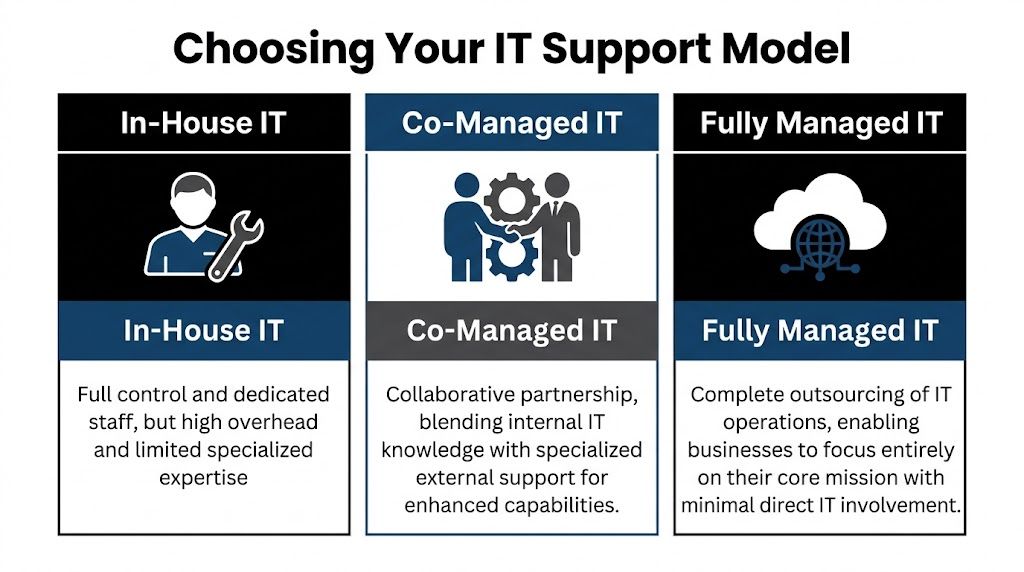
A comparison chart outlining the differences between In-House, Co-Managed, and Fully Managed IT support models.

Where each model fits

An in-house team fits companies that want maximum control and already have enough depth to cover support, infrastructure, security, documentation, vacations, and growth. That can work well, but it gets expensive and fragile if too much knowledge sits with too few people.

A fully managed IT model fits organizations that don’t want to build an internal IT function or don’t need one. That’s often a good option when the company wants a single outside partner to own support and operations end to end. If you’re weighing that route, this overview of fully managed IT support is a useful baseline for comparison.

Co-managed IT fits the middle. It’s often the sweet spot for firms that already have some IT capability but need more capacity, stronger security, or specialized depth without rebuilding the entire department.

IT Support Model Comparison

Factor In-House IT Team Fully Managed IT (MSP) Co-Managed IT (Hybrid)
Control Highest direct control Lower day-to-day internal control Shared control with defined ownership
Staffing burden Business handles hiring, retention, coverage Provider handles staffing Shared staffing model
Specialized expertise Depends on current team Broad provider bench Broad provider bench plus internal context
After-hours support Hard to sustain with small teams Usually included in provider model Added without replacing internal staff
Best fit Large enough team with broad skill coverage Businesses wanting complete outsourcing Businesses with internal IT that need leverage

The sweet spot for regulated firms

Co-managed IT makes the most sense when the business already has someone who understands the environment but doesn’t have enough time or specialist coverage to handle everything well.

That’s common in:

  • Law firms where staff need quick support, document access must stay reliable, and security incidents can become client trust issues fast
  • Medical practices that need HIPAA-aware processes, dependable patching, and minimal disruption to scheduling and clinical workflows
  • Accounting and financial firms where compliance pressure, phishing risk, and seasonal workload spikes can overwhelm a small internal team
  • Multi-location organizations that need standards across sites without hiring a full internal bench

Trade-offs leaders should be honest about

A fully internal model gives you tight control, but it can leave the company exposed when a key person is out, leaves, or gets buried.

A fully managed model simplifies accountability, but some organizations don’t want to hand over all local context, application nuance, or user relationships.

Co-managed IT solves a lot of that, but only when the division of labor is explicit. If ownership is vague, the partnership can create friction instead of relief.

For many firms in Orlando and Plano, the real question isn’t “Should we outsource IT?” It’s “Which responsibilities should stay close to the business, and which should be handled by specialists?”

That’s the decision framework that produces a support model you can live with.

Core Services in a Co-Managed IT Solution

A good co-managed agreement doesn’t stop at “extra hands.” It defines operating support that lowers risk, improves consistency, and gives your internal team room to focus on work the business notices.

A diverse professional team collaborates on co-managed IT solutions in a modern office meeting room setting.

Helpdesk overflow and escalation

This is often the first pain point a business feels. Your internal person becomes the catch-all for everything, from account access to device setup to application troubleshooting.

Co-managed helpdesk support changes that by splitting the queue. Routine requests can go to the partner, while escalations and business-specific issues stay with the internal team. That keeps the on-site lead from spending the whole week in reactive mode.

For a professional services firm, this matters because user interruption is expensive even when the issue is small. Fast response protects billable time.

Security operations and endpoint protection

Co-managed IT solutions create real risk reduction. Small internal teams usually can’t run continuous threat monitoring, investigate suspicious alerts after hours, or maintain the same security discipline every day while also handling regular support.

A partner can support:

  • Endpoint protection oversight across laptops, desktops, and servers
  • Threat detection and response when alerts require immediate review
  • Patching cadence management so vulnerabilities don’t wait for a free afternoon
  • Backup verification and recovery coordination when something goes wrong
  • Policy alignment for access control, device standards, and user risk reduction

For regulated industries, this isn’t just about stopping malware. It’s about proving that security operations are deliberate, documented, and repeatable.

Compliance support and risk management

Owners frequently underestimate co-management's value. Compliance work isn’t one document or one annual check. It’s a series of operational habits.

The strongest providers help internal teams maintain those habits by supporting system reviews, security controls, change logging, patch documentation, backup oversight, and audit readiness. That’s especially useful for medical, financial, and industrial organizations that can’t afford to improvise around HIPAA, CMMC, or similar requirements.

Vendor management and licensing control

Many businesses have a hidden IT tax. It lives in vendor overlap, unclear renewals, duplicate software, unmanaged licenses, and finger-pointing between telecom, internet, software, and hardware providers.

A co-managed partner can centralize that process. Instead of your office manager, controller, or internal IT lead chasing every renewal and support line, the partner helps maintain ownership records, standardizes contacts, and pushes vendors toward resolution.

This is less glamorous than cybersecurity, but it’s operationally important. Clean vendor management reduces delay during outages and improves budgeting.

Field observation: The businesses that run IT smoothly usually aren’t the ones with the most tools. They’re the ones with clear documentation, consistent ownership, and fewer unmanaged exceptions.

Documentation, network diagrams, and operational visibility

If only one person knows how the environment works, you don’t have resilience. You have dependency.

Strong co-managed relationships improve documentation around assets, dependencies, network layout, access standards, and change history. That matters during troubleshooting, onboarding, cyber response, insurance reviews, and growth planning.

Examples of useful operational artifacts include:

  1. Network diagrams that show how locations, firewalls, wireless, and critical systems connect
  2. Asset inventories that identify what’s deployed, where it lives, and who supports it
  3. Escalation maps so users and leaders know who owns what
  4. Change records that reduce confusion after updates or outages

Strategic planning and business alignment

The best co-managed IT solutions don’t just absorb tickets. They create space for roadmap work.

That can include cloud planning, lifecycle planning, infrastructure standardization, budgeting, and quarterly reviews of open risks and upcoming projects. This is also the right place to mention one factual example from the market. Cyber Command, LLC offers co-managed IT that includes monitoring, ticket handling, patch management, vendor management, network diagrams, QBRs, and continuous security support for internal teams that need added depth.

When this layer is missing, IT becomes a utility that only gets attention when something breaks. When it’s present, IT starts supporting growth decisions before they turn into operational problems.

Calculating the ROI of Co-Managed IT

Business owners usually ask the right question. Not “What features are included?” but “What does this change financially and operationally?”

That’s the right lens.

According to Adams Brown’s review of co-managed IT benefits, co-managed models can produce a 20-35% TCO reduction by shifting from reactive fixes to proactive prevention, while also enabling internal teams to complete strategic initiatives 40% faster. Those two outcomes belong together. The savings don’t come only from paying a provider instead of hiring. They come from reducing interruption, limiting avoidable incidents, and freeing skilled staff to work on projects that move the business forward.

Where the return actually shows up

Most ROI in co-managed IT comes from four areas.

  • Less downtime: Problems are caught earlier, handled faster, or prevented through monitoring and maintenance.
  • Lower disruption from security events: Better visibility and response reduce the chance that a small issue becomes a business crisis.
  • Stronger use of internal talent: Your internal team spends less time on repetitive support and more time on improvements.
  • More predictable budgeting: The company trades surprise effort and scattered vendor costs for a clearer operating model.

If you want a budgeting framework before comparing proposals, this guide to managed IT services cost is a practical place to start.

A simple ROI lens for owners

You don’t need a complicated spreadsheet to evaluate co-managed IT. Start with questions like these:

ROI Area What to examine
Support efficiency Are high-value employees waiting on basic support?
Security exposure Are patching, monitoring, and backup checks being handled consistently?
Internal capacity Is your IT lead improving systems or just clearing backlog?
Vendor overhead How much leadership or admin time goes into managing providers and renewals?

If the current model creates repeated delays, owner escalations, and preventable risk, then the cost of staying put is already high, even if it doesn’t show up neatly in one invoice.

The risk that can erase the return

There’s one trap that ruins otherwise good co-managed partnerships. Poor role design.

If the provider thinks your internal staff owns user communication, but your internal staff thinks the provider owns it, people wait. If change approval, after-hours escalation, or patching authority isn’t explicit, important work stalls or gets duplicated.

That’s why service design matters as much as technical capability.

A workable shared SLA structure should define:

  • Who receives the initial ticket
  • Which tickets stay internal
  • Which issues escalate to the partner
  • Who approves security and infrastructure changes
  • How after-hours incidents are handled
  • What reporting is reviewed monthly or quarterly

The fastest way to lose ROI in a co-managed model is to pay for support that no one fully operationalized.

Done right, co-managed IT turns IT from a pressure point into an efficiency layer. Done loosely, it becomes one more vendor relationship to manage. The difference is in scope clarity, process ownership, and disciplined review.

Your Vendor Evaluation Checklist for Central Florida and Plano

Most businesses don’t pick the wrong provider because the sales pitch sounded good. They pick the wrong provider because they didn’t pressure-test the operating model.

That mistake matters. An estimated 25-40% of co-managed engagements fail because roles, escalation paths, and shared SLAs weren’t clearly defined, according to Meriplex’s discussion of co-managed versus fully outsourced MSP models.

A professional man in a suit reviews a vendor evaluation checklist on a tablet at a sunny desk.

Questions that reveal how the partnership will really work

Ask these before you sign anything:

  • Who owns the ticket queue by category? Don’t accept “we’ll work that out later.” Get examples.
  • How do after-hours incidents get escalated? Especially for security alerts, internet outages, and line-of-business application failures.
  • What compliance experience do you have in my industry? A medical practice, law firm, and industrial company don’t face the same requirements.
  • How do you document the environment? Ask whether network diagrams, asset records, and change tracking are part of the service.
  • Who manages third-party vendors? You want a provider that reduces finger-pointing, not one that adds another layer to it.
  • How is success reviewed? Monthly reporting and quarterly review meetings should be standard.

For businesses that want to pressure-test the broader supplier exposure side, this primer on expert vendor risk assessment is a useful companion to technical due diligence.

Sample SLA language to ask for

You don’t need legal-grade wording in the first conversation, but you do need operational clarity. Ask a provider to show examples of how they define:

  1. Shared responsibility matrix
    Which tasks belong to internal IT, the MSP, or both?

  2. Escalation path by severity
    Who gets notified first, and when does an issue move from service desk to engineering or security?

  3. Change approval process
    What can the provider act on directly, and what requires internal approval?

  4. Reporting cadence
    What metrics, risk items, and project updates are reviewed on a regular schedule?

Local and industry fit matters

For Orlando, Winter Springs, and Plano businesses, local relevance is more than a nice extra. It affects response, communication, and judgment.

Look for a provider that understands:

  • Multi-location support realities for practices, firms, and distributed offices
  • Regulated workflows in healthcare, finance, and public-facing organizations
  • Local presence and on-site response expectations when remote support isn’t enough
  • U.S.-based helpdesk and security operations expectations if your leadership wants tighter communication and accountability

If you’re comparing options side by side, this checklist for comparing IT managed services options can help structure the evaluation.

Red flags you shouldn’t ignore

A few warning signs tend to predict future friction:

  • They talk tools before process.
  • They can’t explain where your internal team stays in control.
  • They avoid detailed SLA examples.
  • They treat compliance as an add-on conversation instead of an operating requirement.
  • They don’t ask how your business operates.

A good co-managed partner should sound like an operator. They should care about ownership, handoffs, business constraints, and accountability, not just technology categories.

Empowering Your Team for Strategic Growth

The strongest case for co-managed IT isn’t that it gives you more tickets closed. It’s that it lets your internal team operate at the precise level your business needs.

When routine support, monitoring, patching, documentation, and security operations are handled in a disciplined shared model, your internal IT lead can spend more time on planning, standardization, and business alignment. That changes the conversation from “Why does IT always feel behind?” to “What should we improve next?”

For firms in Central Florida and North Texas, that matters because growth creates technical complexity fast. New staff, new software, new compliance demands, and new attack surface all arrive before most businesses are ready for them.

Co-managed IT solutions work when they protect what’s valuable about your in-house knowledge while adding the specialized depth that small teams rarely have on their own. The result isn’t less ownership. It’s increased effectiveness.

Frequently Asked Questions About Co-Managed IT Solutions

Is co-managed IT only for larger companies

No. It often fits small and midsized businesses that already have an internal IT person or a lean team but need more coverage, security depth, or project support.

Does co-managed IT replace internal staff

It shouldn’t. The healthiest model keeps internal ownership for business-specific decisions and user context, while the external partner handles agreed support, monitoring, security, and specialized work.

Is co-managed IT a good fit for healthcare and legal firms

Yes, often very much so. Those environments usually need stronger cybersecurity, consistent documentation, and support for compliance-related processes without building a large internal department.

What should happen during onboarding

The provider should document systems, define responsibilities, build escalation paths, align ticket ownership, and confirm what gets reviewed regularly. If those items feel vague, stop and clarify them before service begins.

What makes co-managed IT solutions fail

Most failures trace back to unclear roles, weak communication, and SLAs that never became day-to-day operating rules.


If your team is stretched thin and you need a co-managed IT structure that supports security, compliance, and day-to-day accountability, Cyber Command, LLC is one option to evaluate for organizations in Orlando, Winter Springs, and Plano. The company provides co-managed IT, cybersecurity, U.S.-based helpdesk, and 24/7 operational support designed to work alongside internal teams rather than replace them.


Cybersecurity Best Practices for Small Businesses

According to the FBI Internet Crime Complaint Center, business email compromise, ransomware, and payment fraud continue to hit small and midsize companies across the country, and the cost is rarely limited to IT cleanup. For a business owner in Orlando, Winter Springs, or anywhere in Central Florida, one incident can interrupt payroll, delay client work, trigger reporting obligations, and consume weeks of management time.

Small businesses are attractive targets because they often carry the same financial data, client records, and payment authority as larger firms, but with fewer controls and less internal security coverage. That risk shows up in practical ways. A compromised Microsoft 365 account can expose invoices, contracts, patient messages, or banking details before anyone realizes there is a problem.

The right approach is prioritization.

A law firm, CPA practice, or insurance office needs tighter control over email, file access, and client data handling. A medical practice has to protect patient information while keeping front-desk and clinical systems available. An industrial company in Florida may be balancing office networks, plant systems, remote access, and older equipment that cannot be patched on a normal schedule. The security plan should reflect those realities instead of relying on a generic checklist.

That is the angle of this guide. It focuses on the controls that reduce risk fastest for SMBs and adds context for the sectors that drive much of the Orlando and Winter Springs market. The goal is to help owners spend where it matters, avoid preventable downtime, and make better decisions about compliance, insurance, and operational risk.

Most companies do not need a large in-house security team to get to a safer position. They need the basics set correctly, the highest-risk gaps closed first, and a plan for what happens when a control fails.

1. Multi-Factor Authentication Implementation

Microsoft reports that password-based attacks remain one of the most common ways attackers get into business systems, which is why MFA usually delivers one of the fastest risk reductions for a small company. If you make one security change this quarter, start here.

Stolen credentials still open the door to a large share of account compromises. Microsoft has repeatedly documented how basic password attacks, phishing, and password reuse continue to drive business email and cloud account takeovers. A small business usually sees the same pattern. Someone reuses a password, signs in through a fake Microsoft 365 page, or approves a fraudulent prompt. Without MFA, that single error can become a mailbox breach, wire fraud attempt, or exposure of client and patient data.

A person authenticates their login process by entering a numeric code from a smartphone on their laptop.

Where to start first

Start with the systems that create the most damage if an attacker gets in. For most SMBs, that means email, remote access, cloud file storage, accounting platforms, line-of-business apps, and every account with administrative rights.

For an Orlando CPA firm, that usually means Microsoft 365, QuickBooks Online, document portals, and any remote access tool used during tax season. For a medical office in Winter Springs, patient portals, EHR access, VPN connections, and administrator logins tied to imaging, records, or billing systems should be first. Industrial companies have a different trade-off. Office email and remote access should be locked down immediately, but older plant systems may require a staged rollout so security changes do not interrupt production.

Practical rule: Protect admin accounts and email first. Those two categories give attackers the fastest path to money, data, and broader access.

What works and what fails in real use

App-based MFA is usually the right default. Microsoft Authenticator, Duo, and Google Authenticator are generally a better choice than SMS because they reduce exposure to SIM-swap fraud and basic text interception. Hardware keys can make sense for owners, executives, and administrators with privileged access, especially in firms handling financial approvals, legal matters, or protected health information.

The trade-off is usability. App prompts are easier to deploy across a 10 to 50 person team. Hardware keys are stronger, but they cost more and require tighter handling for spares, loss, and break-fix support. For many Florida SMBs, the practical answer is mixed deployment. Use app-based MFA for the broader team and stronger methods for privileged accounts.
Partial rollout creates avoidable risk. I often see companies secure the owner, the office manager, and IT, while leaving the rest of the staff on passwords alone. Attackers do not care whose mailbox they enter first. A compromised receptionist, coordinator, or project manager account can still expose invoices, client conversations, password resets, and internal contact lists.

A sound MFA rollout for professional services, healthcare, and industrial firms in Central Florida should include:

  • Email and admin access first: These accounts create the highest financial and operational risk.
  • App-based MFA as the default: It is usually the best balance of cost, security, and user adoption.
  • Controlled recovery procedures: Store backup codes securely and assign responsibility for lost-device recovery before lockouts happen.
  • Protocol cleanup: Disable legacy authentication methods that can bypass MFA protections.
  • Conditional access with testing: Restrict suspicious sign-ins and risky locations, but confirm that approved vendors, traveling staff, and field users can still work.

Done correctly, MFA is not just a technical setting. It is a low-cost control that helps prevent downtime, fraud, compliance headaches, and insurance problems after an avoidable account takeover.

2. Employee Cybersecurity Awareness Training

Employees are involved in a large share of security incidents, whether through phishing, weak password habits, misdirected files, or avoidable approval mistakes. Verizon’s Data Breach Investigations Report continues to show how often the human element appears in real breaches. For a small business, that matters because one rushed click can turn into wire fraud, client notification costs, downtime, or a compliance problem.

A diverse business team discusses cybersecurity best practices during a meeting regarding phishing awareness training.

Annual training alone does not hold up well under daily pressure. The FBI’s Internet Crime Report shows that phishing and related social engineering schemes still drive major losses year after year. Staff do not need theory. They need repetition, realistic examples, and a clear procedure for what to do when something looks off.

For SMBs in Orlando, Winter Springs, and nearby Central Florida markets, the training should match how the business operates. A law firm, CPA office, medical practice, and industrial distributor do not face the same lures. Generic modules miss too much.

Training that changes behavior

Good awareness training is short, recurring, and tied to the employee’s role. Front desk staff should know how to question fake delivery notices, voicemail alerts, password reset prompts, and urgent document-share requests. Accounting teams need repeated practice on vendor impersonation, ACH change fraud, and invoice scams. In healthcare, staff need direct guidance on patient data handling, portal logins, texting, and device use. In industrial companies, purchasing, warehouse, and operations teams should be trained on fraudulent supplier requests, shipping changes, and remote-access scams targeting plant or field support.

This is also where local context matters. Professional services firms in Central Florida often move contracts, tax records, and wire instructions by email. Medical offices have privacy obligations and less tolerance for workflow disruption. Industrial businesses may rely on shared workstations, field tablets, older systems, and third-party vendors who need access fast. The training should reflect those realities or it will get ignored.

The National Cybersecurity Alliance recommends regular training and phishing exercises because habits improve through repetition, not a single yearly reminder. Their guidance for small businesses is practical and worth following in day-to-day operations.

A monthly phishing simulation, followed by a short team review, usually produces better results than a long annual presentation people forget by the next week.

What to build into your routine

Start in week one. New hires should get baseline training before they use company email, shared drives, cloud apps, or client systems.

Then keep it active. Run phishing tests, review misses quickly, and give staff one simple reporting method. If reporting a suspicious message takes more effort than deleting it, reports will drop.

For small businesses, a practical program usually includes:

  • New-hire training before access: Cover phishing, password handling, approved file sharing, and who to contact with questions.
  • Role-based scenarios: Finance, reception, clinicians, project managers, and operations staff should see scams tied to their actual work.
  • Short recurring refreshers: Five to ten minutes monthly is easier to sustain than a single long session.
  • Phishing reporting tools: Give employees one clear process, whether that is a mailbox, ticket option, or email button.
  • Fast follow-up after failures: If someone clicks a simulation or falls for a real lure, retrain promptly and review the exact scenario.
  • Mobile-friendly delivery: This matters for field teams, warehouse staff, sales teams, and supervisors who rarely sit at a desk.

There is a trade-off here. More frequent training takes time away from billable work and operations. Less training raises the odds of fraud, downtime, and expensive cleanup. For most small businesses, the best balance is brief monthly training, role-specific examples, and quarterly phishing tests that reflect current scams.

If budget is tight, start with the groups that can cause the most financial or regulatory damage first. That usually means finance, leadership, front desk, and anyone handling client data, patient information, or vendor payments.

3. Patch Management and System Updates

According to CISA, timely patching is one of the most effective ways to reduce exposure to known exploited vulnerabilities. For small businesses, that matters because attackers usually do not need a new technique if an old flaw still works.

Patch delays usually start as an operations decision, not a security decision. A reboot gets postponed during client work. A specialty application is left alone because nobody wants to risk breaking it. A firewall stays on old firmware because it is "working fine." In Orlando and Winter Springs, I see this most often in firms that depend on a few critical systems and cannot afford unplanned downtime. The problem is that delayed updates lower reliability and raise security risk at the same time.

The right approach is to sort systems by business impact first, then patch based on risk and tolerance for disruption. A professional services firm may be able to patch laptops, browsers, Microsoft 365 apps, and remote access tools on a regular weekly schedule. A medical practice has to be more careful with EHR platforms, imaging software, and any system tied to patient operations. An industrial business may need staged testing for production-connected devices, older HMIs, and vendor-managed systems before wider rollout.

The trade-off small businesses have to manage

Every patching plan has a cost. Fast deployment reduces exposure, but poorly timed updates can interrupt billing, intake, scheduling, or production. Delayed deployment protects short-term uptime, but it gives attackers a larger window and can create compliance problems later if an incident exposes neglected systems.

That is why patching needs a simple policy, not ad hoc decisions. Start with an asset inventory. Include workstations, servers, firewalls, wireless gear, mobile devices, virtual machines, and installed business applications. Then define what gets patched immediately, what gets tested first, who approves exceptions, and how long exceptions can stay open. If the business does not already have recovery steps documented, build patching into a broader disaster recovery plan template for small businesses so failed updates do not turn into extended downtime.

What good patching looks like

Automated tools usually produce better results than relying on employees to update devices on their own. Centralized patch management, endpoint management platforms, and monitored RMM tools help teams see what is missing, what failed, and what needs a second pass.

A practical patch routine includes:

  • A complete asset inventory: Endpoints, servers, firewalls, network gear, and critical business software all belong in scope.
  • Risk-based prioritization: Internet-facing systems, remote access tools, and actively exploited vulnerabilities move first.
  • Testing for sensitive systems: Medical applications, CAD platforms, accounting packages, and industrial software often need a pilot group or staged rollout.
  • Documented maintenance windows: Staff should know when reboots and service interruptions are expected.
  • Verification after deployment: Review logs, failed installs, reboot status, and exception lists regularly.

Cloud services do not remove this responsibility. SaaS vendors patch their infrastructure. Your browsers, laptops, local applications, printers, network equipment, and any legacy systems in the office still need attention.

For Florida SMBs, patch management should match the way the business runs. A law firm worried about client deadlines needs predictable after-hours updates. A clinic needs vendor coordination and rollback options. A manufacturer needs to separate office IT from production risk. The goal is the same in every case: fewer preventable outages, lower breach exposure, and a defensible process if a client, insurer, or regulator asks how systems are maintained.

4. Data Backup and Disaster Recovery

Ransomware can shut down a small business in hours. Recovery can take days or weeks if backups are incomplete, inaccessible, or never tested.

That is the gap I see most often with SMBs in Orlando and Winter Springs. Owners believe they have backups covered, but no one has verified what is included, how current it is, whether Microsoft 365 or Google Workspace data is protected, or how long a full restore would take. In a law office, that can mean missed filings and client deadlines. In a medical practice, it can mean disrupted scheduling, billing, and access to patient information. In an industrial firm, it can stop quoting, purchasing, and production planning even if machines are still running.

The 3-2-1 model still works because it addresses real business failure points. Keep multiple copies of important data, store them on different media, and keep at least one copy offsite and isolated from the main environment. For a professional services firm in Winter Springs, that often means local image backups for fast restores and protected cloud backups for resilience. For a medical office, it usually needs to cover patient systems, imaging, shared drives, and Microsoft 365 data. For industrial companies, include configuration files, ERP data, and any documentation needed to keep operations moving.

A laptop showing a 3-2-1 backup progress bar next to a NAS storage device on a desk.

Recovery speed matters more than backup volume

Backups only matter if they restore the business on a real timeline.

A file-level restore is different from rebuilding a server, reauthenticating users, reconnecting line-of-business applications, and getting staff back to work by Monday morning. That is why disaster recovery planning belongs with backup planning. Define recovery time goals for the systems that drive revenue, service delivery, and compliance. If you are also reviewing access controls, this is a good point to align backup security with a zero trust architecture approach for modern security, especially for backup admin accounts and remote restore access.

If you need help documenting recovery priorities, use a structured disaster recovery plan template rather than keeping restore assumptions in one employee’s head.

Back up what the business needs to run tomorrow morning, not just what’s easy to copy tonight.

What businesses often miss

Small businesses regularly protect the server and miss the systems around it. Cloud email, shared mailboxes, endpoint data, SaaS exports, firewall configs, and backup credentials are common gaps. Attackers know that. If backup access uses the same admin accounts as production systems, one compromise can take out both.

A practical recovery design includes:

  • Defined recovery priorities: Decide what comes back first based on revenue, client service, and compliance obligations. Email, accounting, file shares, EHR systems, and production documents rarely have equal urgency.
  • Offsite and isolated copies: Fire, theft, flooding, and ransomware all punish local-only backup strategies. Florida businesses should plan for weather events as seriously as cyber incidents.
  • Restore testing: Run quarterly tests on random files, core systems, and at least one full recovery scenario. A passed backup job is not proof of recoverability.
  • Credential separation: Protect backup administration with separate accounts, MFA, and restricted access.
  • Industry-specific retention rules: Medical practices need retention and recovery processes that support HIPAA obligations. Professional services firms should match backup retention to client record requirements. Industrial businesses should preserve the files and configurations needed to resume operations without guesswork.

The trade-off is straightforward. Better backup coverage and regular testing cost time and money. Downtime, emergency recovery, regulatory exposure, and lost client trust cost more.

5. Network Segmentation and Zero Trust Architecture

A flat network turns one mistake into a company-wide event.

That’s the core reason segmentation matters. If a receptionist’s PC, a public guest Wi-Fi user, a file server, a patient system, and a production workstation all share broad access, one compromised endpoint can move sideways far too easily. Segmenting the network limits blast radius.

For a medical practice, patient systems should not sit on the same trust level as front-desk browsing devices or public wireless access. For a law office, sensitive client data should be logically separated from general office traffic and any internet-facing tools. For industrial firms, office IT and operational environments should be clearly divided, even if they still need controlled communication.

Start smaller than you think

Many owners hear “zero trust” and assume it means a giant enterprise project. It doesn’t have to. In a small business, zero trust starts with a simple principle. No user, device, or connection gets trusted automatically just because it’s already inside the network.

The FTC’s small business cybersecurity guidance supports basics like firewalls on all devices, hiding SSIDs, and MFA. That practical guidance aligns well with segmented design for SMBs. Put guest Wi-Fi on its own network. Restrict traffic between VLANs. Require MFA for remote access. Limit admin access.

If you want a business-level explanation of why this matters, review the importance of zero trust architecture for modern security.

Where segmentation pays off fastest

These are the first separations that usually produce immediate value:

  • Guest Wi-Fi from business systems: Visitors should never share the same trust boundary as your staff devices.
  • Sensitive data systems from general office endpoints: Patient, legal, financial, or HR data needs tighter access controls.
  • Admin tools from standard users: Helpdesk or domain admin access should live in a more controlled lane.
  • Remote access traffic from internal access rights: VPN access should grant only the systems a user needs.

For Orlando and Winter Springs businesses with multiple offices or hybrid staff, segmentation also makes policy enforcement easier. It’s much simpler to contain a problem when the network reflects how the business operates.

6. Endpoint Detection and Response and Managed Antivirus

Ransomware and account-driven attacks often start on a single laptop, then spread into file shares, cloud apps, and line-of-business systems before anyone notices. For a small business, that usually means downtime first, then recovery costs, client disruption, and in some cases a compliance problem.

Managed antivirus still belongs on every endpoint. It just should not be the only control. Signature-based tools catch known malware, but many current attacks use scripts, remote access tools, stolen sessions, and normal admin utilities in ways that look legitimate at first glance. EDR closes that gap by watching behavior, not just file hashes.

That difference matters in Florida SMB environments where teams move between offices, job sites, homes, and clinics.

A 35-person engineering firm in Orlando has laptops carrying CAD files, project correspondence, and cached credentials. A medical practice in Winter Springs has exam-room workstations, billing systems, and staff who cannot afford prolonged downtime. An industrial company may have supervisors connecting field laptops to both office networks and production-related systems. In each case, one infected or misused device can become the path to a larger incident.

EDR platforms such as Microsoft Defender for Endpoint, CrowdStrike Falcon, SentinelOne, and Cisco Secure Endpoint give your provider or internal team better options during an incident. They can isolate a device, trace suspicious processes, flag privilege misuse, and show whether the issue stayed local or moved laterally. That shortens investigation time and improves containment.

Tools alone do not solve the problem. Someone has to review alerts, tune policies, validate suspicious PowerShell activity, and respond before the issue turns into business interruption. That is why managed EDR or managed antivirus is often the better fit for SMBs than buying licenses and leaving default settings in place.

For many owners, the practical question is cost. EDR costs more than basic antivirus, but the trade-off is straightforward. You spend more each month to reduce the chance of a multi-day outage, outside forensic costs, data restoration work, and breach reporting headaches. If ransomware is a top concern, this ransomware prevention best practices guide for 2025 is a useful companion.

A strong endpoint program includes:

  • Full device coverage: Laptops, desktops, servers, and remote devices need the same visibility and policy enforcement.
  • Behavior-based detection: Look for encryption activity, script abuse, persistence attempts, suspicious remote access use, and unusual privilege changes.
  • Active monitoring: Alerts need triage, investigation, and documented response steps.
  • Policy tuning by business type: Medical offices need tighter protection around systems handling patient data. Professional services firms need stronger controls for document-heavy workflows and cloud logins. Industrial firms often need exceptions handled carefully so operations do not get disrupted.
  • Integration with the rest of your stack: Endpoint data is more useful when it lines up with identity, firewall, and email security signals.

For additional operational guidance, review 10 Essential Endpoint Security Best Practices.

7. Email Security and Phishing Protection

Business Email Compromise remains one of the costliest cybercrime categories reported to the FBI, and small businesses feel the impact fast because email sits in the middle of payroll, invoices, approvals, client communication, and document sharing. For many Orlando and Winter Springs businesses, one convincing message is enough to trigger a wire transfer, expose client data, or hand over a Microsoft 365 login.

Email security needs layers. A spam filter alone does not stop impersonation, account takeover, or payment fraud.

For Microsoft 365 and Google Workspace environments, start with the native controls you are already paying for and then decide whether a third-party platform adds enough value to justify the cost. Microsoft Defender for Office 365, Mimecast, and Proofpoint can improve detection for malicious links, weaponized attachments, executive impersonation, and suspicious sender behavior. The trade-off is straightforward. Better filtering usually means higher licensing costs and more quarantine review, but that cost is lower than recovering from a fraudulent payment or a mailbox compromise.

Industry context matters here. A law firm in Orlando should put more weight on impersonation protection and secure handling of document-heavy email workflows. A medical practice in Central Florida has to reduce phishing risk without disrupting patient communication, referral traffic, or HIPAA-sensitive messaging. An industrial or field-services company in Winter Springs may be more exposed to invoice fraud, fake vendor messages, and email-based attempts to redirect ACH or check payments.

Domain protections also need to be in place. SPF, DKIM, and DMARC help stop direct domain spoofing and improve visibility into who is sending mail on your behalf. They do not solve phishing by themselves, but they make it harder for attackers to impersonate your business and easier for your team to enforce trust decisions.

If ransomware is part of your concern, this guide to ransomware prevention best practices in 2025 shows how email controls fit into a broader containment plan. For user-facing tactics that reduce click risk, Email Phishing Prevention Strategies is a useful reference.

A practical email protection program should include:

  • Clear external sender labeling: Staff need an immediate visual cue for messages from outside the company.
  • One-click phishing reporting: Suspicious emails should go to IT or your security partner without screenshots, forwarding, or guesswork.
  • Quarantine review: Someone needs to check what gets blocked, what gets released, and where patterns are being missed.
  • Mailbox rules and forwarding checks: Attackers often create hidden rules after a compromise to watch invoices or suppress alerts.
  • Finance-specific verification steps: Payment changes, wire requests, and vendor banking updates should require out-of-band confirmation.
  • Coordination with endpoint and identity controls: If a user clicks, endpoint protection, MFA, and sign-in monitoring still need to contain the damage.

One process issue shows up repeatedly in small businesses. Users report suspicious emails only after clicking because the reporting path is slow, unclear, or buried in the mail client. Fix that first. Faster reporting cuts investigation time and limits the chance that the same message reaches accounting, front-desk staff, or managers before anyone reacts.

8. Password Management and Credential Security Policy

Credential theft remains one of the fastest ways into a small business. Researchers at Cybernews found billions of passwords exposed in public and criminally traded datasets, which is why weak reuse habits still create outsized risk for SMBs. In practice, I still see the same failures: shared spreadsheets, browser-saved passwords, one admin login used by multiple people, and former employee access left in place months after departure.

Attackers do not need complex tactics if the business hands them working credentials. They test exposed passwords against Microsoft 365, VPNs, payroll systems, banking portals, cloud apps, and vendor logins. For an Orlando law office, that can mean unauthorized access to client files and trust-related systems. For a Winter Springs medical practice, it can turn into a privacy incident with compliance consequences. For a manufacturer or industrial firm, one reused credential can expose purchasing systems, remote access tools, or plant-support accounts that were never meant to be shared broadly.

Password managers reduce both risk and friction

A password manager gives staff a controlled way to store, share, revoke, and review credentials without passing them around by email, chat, or sticky note. That matters for shared inboxes, accounting platforms, insurance portals, social media accounts, emergency admin credentials, and service accounts that tend to outlive the person who set them up.

Tools such as 1Password Business, Bitwarden, Keeper, or LastPass Business can all work if they are configured properly and backed by policy. The trade-off is straightforward. There is a subscription cost and a short adjustment period for staff. In return, the business gets visibility, cleaner offboarding, faster credential changes, and fewer points of failure tied to one longtime employee who "has all the passwords."

That trade is usually worth it.

A professional services firm may need secure sharing for tax, payroll, and client systems. A medical office needs tighter control over who can access software admin panels and third-party billing portals. An industrial company often has a mix of office systems, vendor support accounts, and legacy equipment logins, which makes ownership and rotation especially important.

The policy matters as much as the tool

Without a written credential policy, the vault becomes a storage bin instead of a control point.

The policy should define who owns each account, which credentials can be shared, how privileged access is approved, how quickly access is removed during offboarding, and when passwords must be rotated after staffing or vendor changes. Temporary contractors should get time-bound access tied to their role, not a permanent shared login that no one revisits.

Useful policy points include:

  • No credential sharing by email or chat: Use vault access and shared folders instead.
  • Unique credentials for every system: Reuse creates avoidable exposure across email, finance, and cloud apps.
  • Role-based access: Staff should only see the accounts required for their work.
  • Privileged account controls: Admin credentials need tighter review, documented ownership, and scheduled rotation.
  • MFA on the password manager itself: The vault is a high-value target and should be protected accordingly.
  • Offboarding steps tied to HR: Disable access, rotate shared passwords, and review service accounts the same day the employee leaves.

Password policy also needs to account for how credentials are stolen. Phishing still drives a large share of account compromise, especially against finance staff, office managers, and executives who approve payments or handle sensitive files. For that side of the problem, Email Phishing Prevention Strategies is a useful complement to credential controls.

The businesses that handle this well keep it simple. Pick a password manager, assign ownership, enforce MFA, stop informal sharing, and review access on a schedule. Those steps are practical, affordable, and high-impact for Florida SMBs that need better security without adding unnecessary operational drag.

9. Security Incident Response Plan and Testing

IBM reported that organizations with incident response testing and stronger preparation contain breaches faster and at lower cost than those that respond ad hoc. For a small business, that gap often decides whether an event stays a bad week or turns into a month of downtime, legal expense, and lost client trust.

A written incident response plan gives people direction under pressure. During a ransomware event, email compromise, or suspected data exposure, owners and managers are making decisions with limited facts and a lot of noise. The plan should reduce delay, assign authority, and protect the business functions that matter first.

A good small business plan answers a few operational questions clearly. Who can declare an incident. Who has authority to isolate devices or suspend access. Who contacts legal counsel, cyber insurance, outside IT, and leadership. Which systems must stay available if possible, and which can be shut down immediately to contain damage.

Sector matters here.

For a medical practice in Florida, the plan needs privacy, breach notification, and patient scheduling considerations built in from the start. For professional services firms such as law offices, CPA firms, and consultancies in Orlando and Winter Springs, client communications, file access, and trust-account or financial workflow disruptions need special attention. For industrial and field-service businesses, the response process should separate office IT issues from anything that could affect plant operations, dispatch, or job-site safety.

Keep the document usable. A five-page plan with names, roles, phone numbers, vendors, insurer contacts, and first-step checklists is usually more useful than a long policy nobody can execute during a real event.

Testing matters as much as the document itself. The National Institute of Standards and Technology outlines incident handling as preparation, detection, containment, eradication, and recovery in its Computer Security Incident Handling Guide. That framework is practical for SMBs because it forces teams to think through decisions in order, not react randomly.

A tabletop exercise is often enough to expose gaps. The owner may have the cyber insurance policy, but nobody knows the breach hotline. The MSP may be expected to isolate endpoints after hours, but no one has confirmed approval authority. Backups may exist, but the team has never agreed on restore order for accounting, scheduling, file shares, and line-of-business applications.

Useful elements to include:

  • Defined roles: Incident lead, technical lead, communications owner, executive approver, and backup contacts.
  • Scenario playbooks: Ransomware, business email compromise, lost or stolen device, unauthorized cloud access, data disclosure, and vendor-related incidents.
  • External contacts: Legal counsel, insurance carrier, forensics firm, managed IT provider, key software vendors, and law enforcement if needed.
  • Recovery priorities: The order for restoring finance, operations, phones, email, scheduling, and customer-facing systems.
  • Post-incident review: A short after-action review after every drill or real event, with assigned follow-up tasks and deadlines.

I usually recommend SMBs test the plan at least annually, and after any major change such as a new EHR platform, ERP system, office move, or MSP transition. That is especially relevant for growing businesses in Central Florida that add locations, remote staff, or outsourced support faster than they update internal processes.

An incident response plan does not prevent every attack. It does prevent wasted hours, conflicting decisions, missed reporting obligations, and expensive confusion when the pressure is highest.

10. Vendor and Third-Party Risk Management

According to Verizon's Data Breach Investigations Report, third-party involvement shows up in a meaningful share of breaches, and small businesses usually feel the impact faster because they have less slack in cash flow, staffing, and recovery time. A weak vendor can interrupt payroll, expose client files, delay operations, and create reporting obligations you did not expect to own. See Verizon's reporting here: https://www.verizon.com/business/resources/reports/dbir/

That risk is easy to underestimate. Your payroll provider, MSP, cloud software vendor, outsourced bookkeeper, medical platform, and remote contractor may all hold credentials, store sensitive data, or connect directly to business systems. If one of those relationships is poorly controlled, your security program has a gap even if your own team is doing the basics well.

In Central Florida, I see this most often with niche line-of-business vendors. Professional services firms in Orlando may trust tax, document, and practice-management platforms without reviewing access controls. Medical practices in Winter Springs often depend on EHR vendors, billing firms, and IT support companies that touch protected health information. Industrial and field-service businesses rely on ERP providers, machine support contractors, and remote access tools that can affect both office systems and production schedules.

Start with a vendor inventory. List who has access, what data they handle, how they connect, and how hard it would be to operate if they were unavailable for 24 to 72 hours. That last point matters. A low-cost provider can become expensive very quickly if an outage stops scheduling, invoicing, patient workflows, or purchasing.

What to ask vendors before you trust them

Ask direct questions before signing a contract or renewing one. Do they require MFA for their staff? How do they handle backups? What is their breach notification process and timeline? Will they limit access to named accounts instead of shared logins? Can they provide a SOC 2 report, HIPAA documentation, cyber insurance details, or a short security questionnaire response?

Smaller vendors will not always have formal audit reports. That does not end the review. It means the business owner or IT lead needs to do a more hands-on assessment and decide whether the price advantage justifies the added risk and oversight.

For medical practices, this review has compliance consequences, not just security consequences. If a vendor creates, receives, maintains, or transmits patient information, the contract and security expectations need to reflect that. For law firms, accountants, and other professional services firms, the focus is usually client confidentiality, contractual obligations, and reputational damage. For industrial companies, the practical question is often uptime. If a vendor connection fails or is abused, can the business still ship, schedule, and bill?

Keep vendor access narrow

Vendor access should be controlled like employee access, and often more tightly. Vendors rarely need broad, permanent privileges.

A workable process includes:

  • Inventory by criticality: Rank vendors by the systems and data they can affect.
  • Least-privilege access: Give each vendor only the permissions required for the task.
  • Time-limited credentials: Use temporary access for contractors, maintenance work, and one-time support.
  • Named accounts: Avoid shared vendor logins so activity can be traced to a specific person.
  • Contract terms: Include security requirements, breach notification expectations, data handling terms, and termination steps.
  • Offboarding steps: Remove access promptly when a contract ends, a technician changes, or a project closes.

The goal is simple. Reduce the blast radius if a vendor is compromised, makes a mistake, or disappears at the wrong time.

For SMBs in Orlando and Winter Springs, this is one of the highest-return improvements because many local businesses depend on outside specialists to fill IT, billing, compliance, and software support gaps. That model can work well. It just needs oversight, clear access boundaries, and contracts that protect the business before a problem starts.

10-Point Small Business Cybersecurity Comparison

Item Implementation complexity Resource requirements Expected outcomes Ideal use cases Key advantages
Multi-Factor Authentication (MFA) Implementation Low–moderate: policy creation and user enrollment Authenticator apps/tokens, admin time, identity integration Dramatic reduction in account takeover; compliance evidence Email/admin accounts, cloud apps, VPNs, regulated practices Blocks majority of account takeovers, scalable, low cost
Employee Cybersecurity Awareness Training Low: select platform and schedule ongoing modules Training platform, staff time, simulated phishing tools Reduced phishing click rates; stronger reporting culture Small teams with mixed roles, client-facing staff Reduces human risk, supports compliance, affordable
Patch Management and System Updates Moderate: inventory, testing and phased rollouts Patch management tooling or MSP, staging, maintenance windows Fewer exploitable vulnerabilities; faster remediation Environments with diverse OS/apps, servers, legacy software Automates fixes, reduces ransomware entry points, audit trails
Data Backup and Disaster Recovery (3-2-1 Rule) Moderate–high: architecture, testing, RTO/RPO planning On-site/cloud storage, backup software, testing time, offsite copies Rapid recovery from ransomware/hardware failure; business continuity Any org with critical data (accounting, medical, engineering) Enables restore without paying ransom, immutable backups, compliance
Network Segmentation and Zero Trust Architecture High: network redesign, policy definition, ongoing tuning VLANs/firewalls, identity controls, network expertise/consulting Limits breach impact; prevents lateral movement; better visibility Organizations with public services + sensitive data, multi-site firms Strong containment, compliance support, safer remote access
Endpoint Detection and Response (EDR) / Managed Antivirus Low–moderate: agent deployment and tuning EDR licenses, cloud connectivity, SOC/MSP or trained staff Faster detection and containment; forensic timelines Small firms needing enterprise-grade endpoint protection Detects advanced/zero-day threats, rapid automated response
Email Security and Phishing Protection Low–moderate: integration, policy tuning, quarantine workflows Email security gateway/SAAS, admin time, reporting integration Blocks majority of phishing/malware email before inbox Any org relying on email; high phishing exposure Prevents spoofing/BEC, URL/attachment detonation, DLP options
Password Management and Credential Security Policy Low–moderate: migration, policy setup, role mapping Password manager licenses, admin time, user training Eliminates reuse, provides audit trails and easier offboarding Teams sharing service accounts, IT/admin users, contractors Centralized secure credentials, rotation, fine-grained access
Security Incident Response Plan and Testing Moderate: documentation, playbooks, tabletop exercises Executive and IT time, exercise facilitation, external contacts Faster coordinated response; lower downtime and damage Regulated businesses, those with cyber insurance, high-risk firms Clear roles/communication, regulatory readiness, cost reduction
Vendor and Third-Party Risk Management Moderate–high: assessments, contracting, ongoing monitoring Questionnaires, legal/contract resources, monitoring tools Reduced supply-chain risk; clearer vendor obligations Firms with many third-party services (cloud, payroll, MSPs) Visibility into vendor security, contractual recourse, prioritization

Beyond the Checklist Partnering for Proactive Security

Cyberattacks against small businesses are common enough that a basic control list, by itself, is not a strategy. The businesses that hold up better under real pressure are the ones that keep those controls working month after month, assign ownership, and review them as operations change.

That is the hard part.

The challenge for a small business is rarely understanding what MFA, backups, patching, and phishing protection are supposed to do. The challenge is keeping them enforced when the office is busy, a key employee leaves, a new vendor is added, or an after-hours alert comes in. Security breaks down in the gaps between projects. A backup job fails and nobody notices. A remote access exception becomes permanent. A former employee account stays active longer than it should.

That pattern shows up across Central Florida. An Orlando law firm may need tighter control over client files and vendor access, but not have the budget for a full internal security team. A medical practice in Winter Springs may need help lining up day-to-day operations with HIPAA expectations while the practice manager is also handling scheduling, billing, and staffing. An industrial or field-service company may have capable internal IT support, yet still need outside coverage for after-hours response, plant-floor segmentation decisions, cyber insurance questionnaires, and recovery planning across multiple sites.

A proactive security partner solves an operations problem as much as a technical one. The right partner keeps the basics from drifting, helps set priorities, and gives ownership to work that otherwise gets deferred until after an incident. That includes reviewing alerts, validating backups, tracking patch exceptions, documenting systems, coordinating with vendors, and updating the response plan when the business changes.

Cost matters here. Building those capabilities in-house is expensive, especially for firms that need 24/7 monitoring, compliance support, and documented response procedures but do not need a full security department. Outsourcing everything is not always the answer either. Some businesses are better served by a shared model, where internal staff handle day-to-day IT and a managed security partner covers monitoring, hardening, reporting, and incident support.

Cyber Command, LLC is built around that model. The firm provides a U.S.-based, 24/7/365 SOC and managed IT services for organizations in Orlando, Winter Springs, and North Texas. For a business owner, that means predictable support when there is a suspicious login, a failed patch cycle, a ransomware concern, or a compliance deadline that cannot wait until morning.

Industry context matters. Professional services firms usually need stronger control over confidential client data, document systems, and third-party apps. Medical practices need practical safeguards that support compliance without slowing down patient care. Industrial businesses need better uptime protection, clearer asset visibility, and security standards that work across offices, warehouses, and field locations.

The checklist still matters. Long-term resilience comes from treating security like an operating function with recurring review, clear accountability, and outside help where it makes financial and operational sense.

If your business in Orlando, Winter Springs, or the surrounding Central Florida market needs help turning these priorities into a practical security program, talk with Cyber Command, LLC. They can help you tighten the basics, reduce avoidable risk, and build a managed cybersecurity approach that supports uptime, compliance, and growth without forcing your team to manage everything alone.