IT Consulting in Orlando FL: Your 2026 Business Guide

Tuesday at 9:07 a.m., your office is already behind. A proposal has to go out. Someone can't get into Microsoft 365. The copier won't scan to email. Your line-of-business app is crawling. Then a staff member forwards a suspicious message that looks like it came from a vendor. Now you're not dealing with “an IT issue.” You're dealing with lost revenue, operational drag, and possible security exposure.
That's why business owners start looking into IT consulting in Orlando FL. Not because they want more tech. They want fewer interruptions, cleaner accountability, and a way to stop guessing whether their systems are safe.

If you run a law firm, medical practice, engineering office, field-service company, or multi-location professional services business in Central Florida, your technology stack is already tied to client trust. The wrong partner keeps you in a loop of tickets, patches, and excuses. The right partner gives you stability, visibility, and a plan.

Is Your IT a Business Asset or a Liability

A lot of Orlando businesses still treat IT like plumbing. If something breaks, call somebody. If email comes back up, problem solved. That approach worked when systems were simpler and cyber risk was lower. It doesn't work now.

Orlando's economy is built around office-heavy and knowledge-based work, and the city market report places Orlando at about 320,742 residents in 2023 while describing a regional labor market with high concentrations of office-based and knowledge-economy activity. For those businesses, IT isn't overhead. It's the operating engine. The same report also notes the broader U.S. IT consulting sector is projected by IBISWorld to reach $821.2 billion in 2026, with 502,000 businesses nationwide and 2.9% CAGR from 2021 to 2026. That tells you the market is mature, standardized, and far past the “guy who fixes computers” era according to the City of Orlando market report.

What liability looks like in practice

You feel it before you can describe it:

  • Staff lose momentum when logins fail, printers drop, or shared files become unreliable.
  • Leadership loses confidence because every month brings a new surprise invoice or another “urgent” system issue.
  • Security becomes reactive when nobody is consistently reviewing alerts, access controls, backups, and endpoint health.
  • Growth slows down because opening a second office, onboarding new hires, or adding software feels risky.

That's not a technology problem. It's a management problem.

Practical rule: If your provider mostly appears after things break, you don't have a strategy. You have a repair service.

What an asset looks like

A business asset supports uptime, protects revenue, and reduces uncertainty. That means your IT partner should be preventing common failures, standardizing tools, documenting vendors, and tightening security controls before they become expensive incidents.

For many businesses, one of the biggest shifts is moving from manual security work to process-driven operations. If you want a useful primer on that, this guide to automating cyber security operations is worth reading because it frames the issue correctly. Security can't depend on whether someone remembered to check something that day.

If your current setup creates stress every week, your IT is acting like a liability. Call it what it is and fix it.

What IT Consulting Actually Means for Your Orlando Business

Most business owners hear “IT consulting” and think of projects, migrations, or a specialist who shows up for a meeting and hands over a report. That's too narrow.

In the Orlando market, the concentration of established IT firms points to demand for integrated advisory and operational delivery, not just one-off project work. Businesses need strategic partners who can manage the full stack, especially when they don't have deep internal engineering teams as reflected by local provider concentration in Orlando.

Break-fix is a mechanic. Consulting is a decision system.

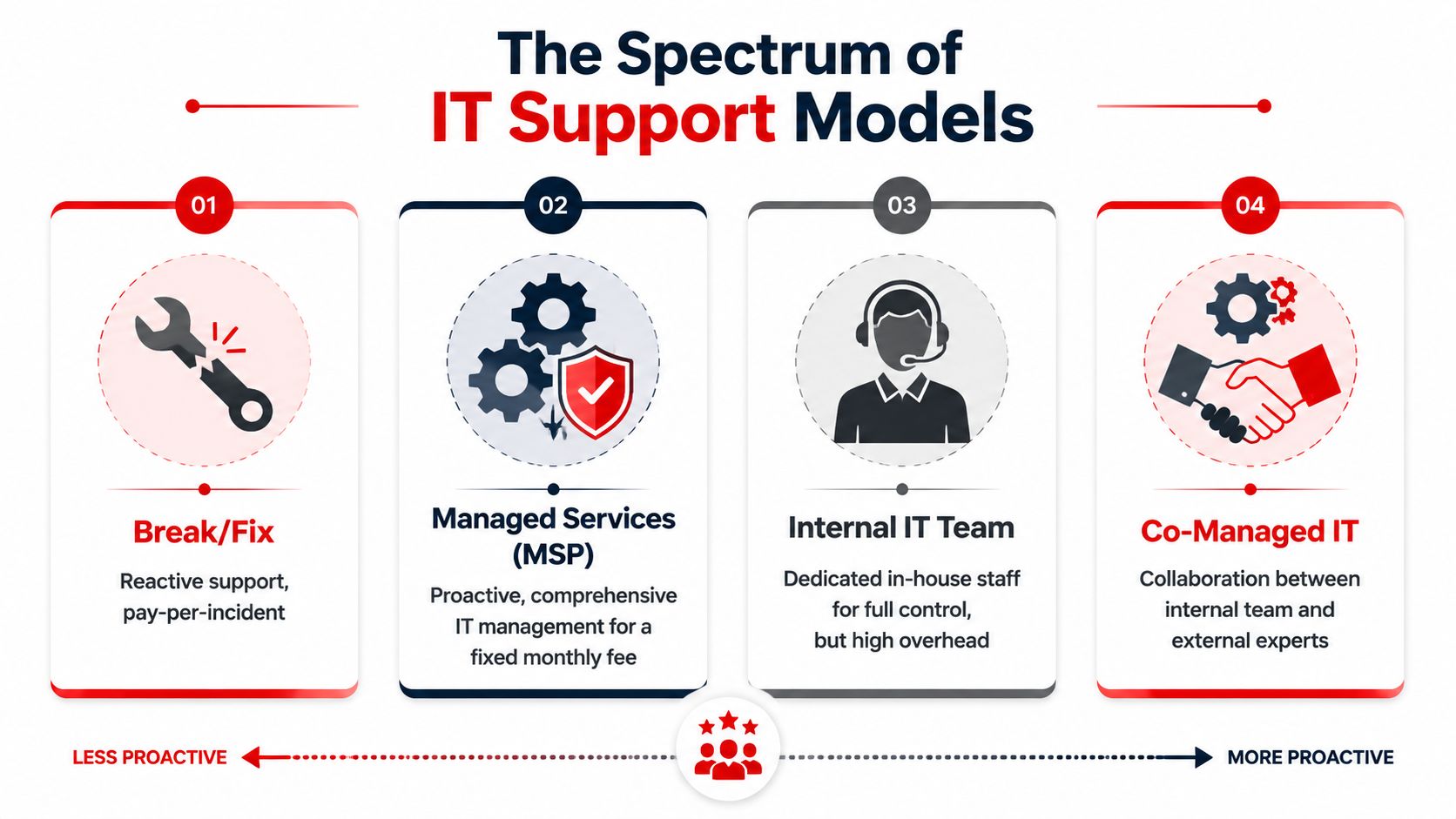
Break-fix support is simple. Something fails. You call. You pay. The provider restores service and leaves. That model is built around incidents.

Real IT consulting works more like an outsourced technology leadership function. Some people call it a Virtual CIO model. I care less about the label than the behavior. A good consulting partner asks questions like:

  • What systems are critical to revenue?
  • Where is your real operational risk?
  • Which vendors own parts of your workflow?
  • What happens if one employee account gets compromised?
  • Can you open another location without chaos?
  • Are you buying tools that fit your team?

That's a business conversation, not a helpdesk script.

What a strong consulting relationship should include

A useful Orlando IT consulting partner should do three things at once.

First, they should stabilize day-to-day operations. Users need support. Devices need patching. Backups need oversight. Software needs license management.

Second, they should reduce risk deliberately. That means access control, endpoint security, response planning, vendor review, and clear accountability around compliance-sensitive systems.

Third, they should plan ahead. New hires, office moves, cloud changes, workflow automation, and software renewals shouldn't be handled as emergencies.

The fastest way to overspend on IT is to make every decision under pressure.

What to stop buying

Stop buying “support” with no roadmap.

Stop buying “consulting” that never touches execution.

Stop buying “monitoring” if nobody can explain what happens when a real alert hits.

If your provider can't connect technology choices to uptime, security, staffing efficiency, and budget control, they aren't consulting. They're just adjacent to your problems.

Core IT Consulting Services Your Business Needs

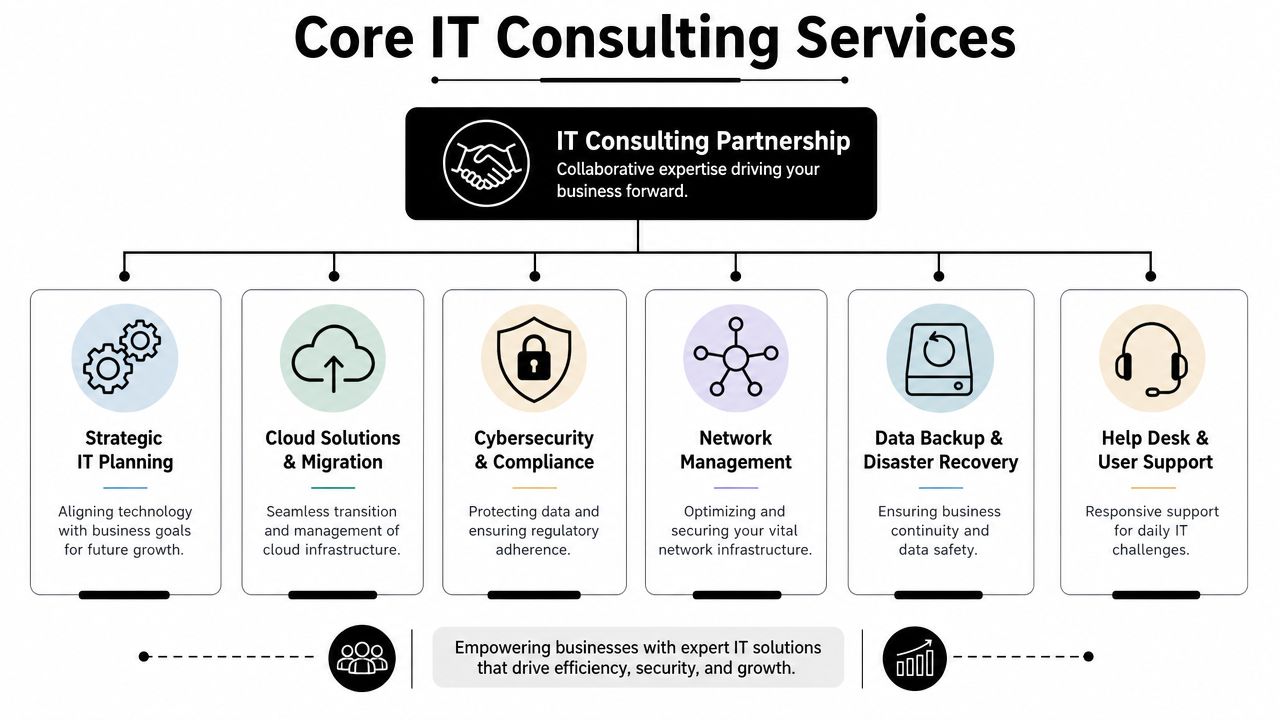
A serious IT consulting relationship isn't one service. It's a stack. Each piece supports a business outcome. When one piece is missing, the whole thing gets weaker.

A diagram outlining core IT consulting services including strategic planning, cloud solutions, cybersecurity, and network management.

The foundation services

These are the essential elements. If a provider is weak here, the rest is just marketing.

  • Managed endpoint support. Laptops, desktops, mobile devices, updates, antivirus, and user issues need consistent control.
  • Network management. Firewalls, switches, Wi-Fi, remote access, and office connectivity should be documented and maintained.
  • Backup and disaster recovery. Backups aren't useful if nobody verifies recoverability and ownership.
  • Help desk coverage. Your staff need a clear path to resolution when tools stop working.

A lot of firms discover they need a fuller managed environment after comparing piecemeal support with a dedicated managed IT support team in Orlando. The difference is structure. Covered systems, documented workflows, and named responsibilities beat ad hoc troubleshooting every time.

The strategic layer

Consulting effectively earns its keep.

A provider should help you decide what to standardize, what to retire, what to move to the cloud, and what to lock down. They should also map technology spending to business priorities instead of letting every department buy disconnected tools.

Use this quick test:

Question Weak provider answer Strong provider answer
Why are we using this platform? “That's what most clients use.” “It fits your workflow, support model, and security needs.”
What's our biggest IT risk? “Cybersecurity in general.” “Account compromise, vendor sprawl, and undocumented dependencies.”
What should we change this quarter? “Let us audit and get back to you.” “Standardize access, tighten backup oversight, and clean up devices first.”

The security layer

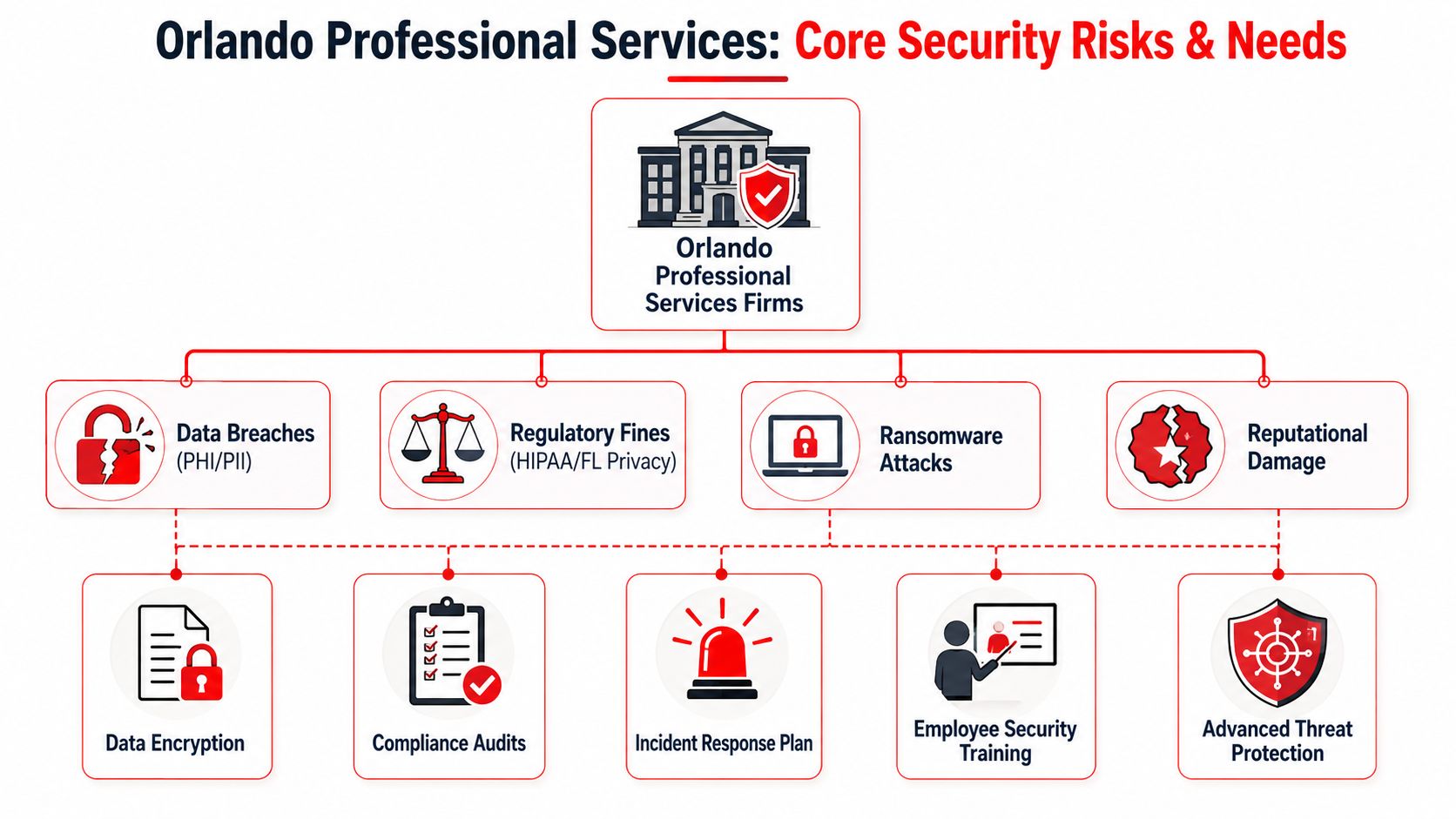
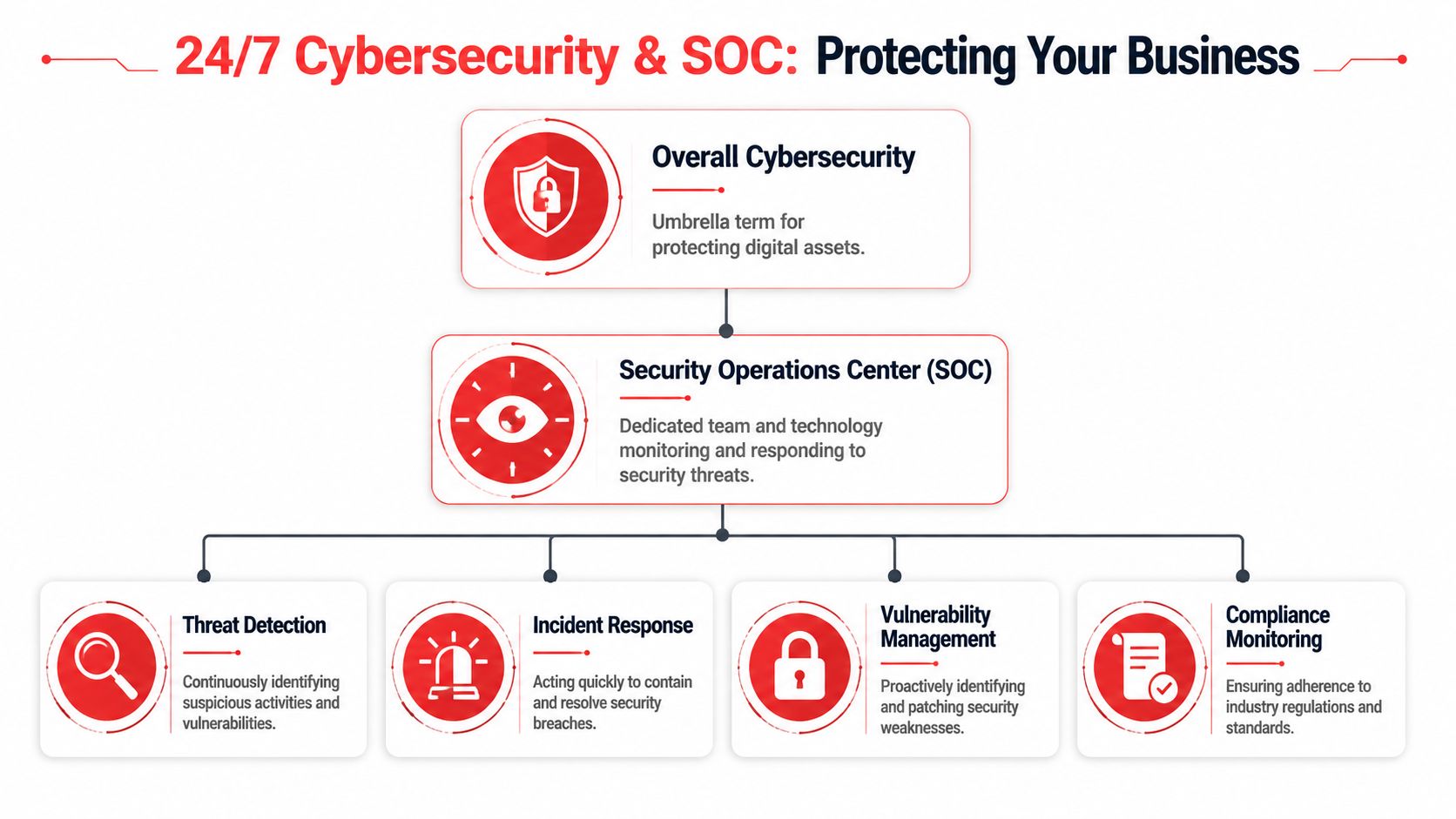
Cybersecurity isn't a bolt-on. It has to sit inside daily operations. That includes endpoint protection, identity controls, alert review, patching, privileged access management, and response readiness.

If your environment includes development workflows, integrations, or custom platforms, a structured DevOps IT security assessment can help expose risk that basic support vendors usually miss. Many firms talk about security but only understand office IT. That gap matters.

Strong security work is boring by design. Policies are clear, devices are current, access is controlled, and surprises become rare.

The growth layer

Cloud planning, vendor management, automation, co-managed support, and AI-related advisory belong here. These services matter once the basics are under control. Don't buy “innovation” from a provider who still struggles to keep your users supported and your systems documented.

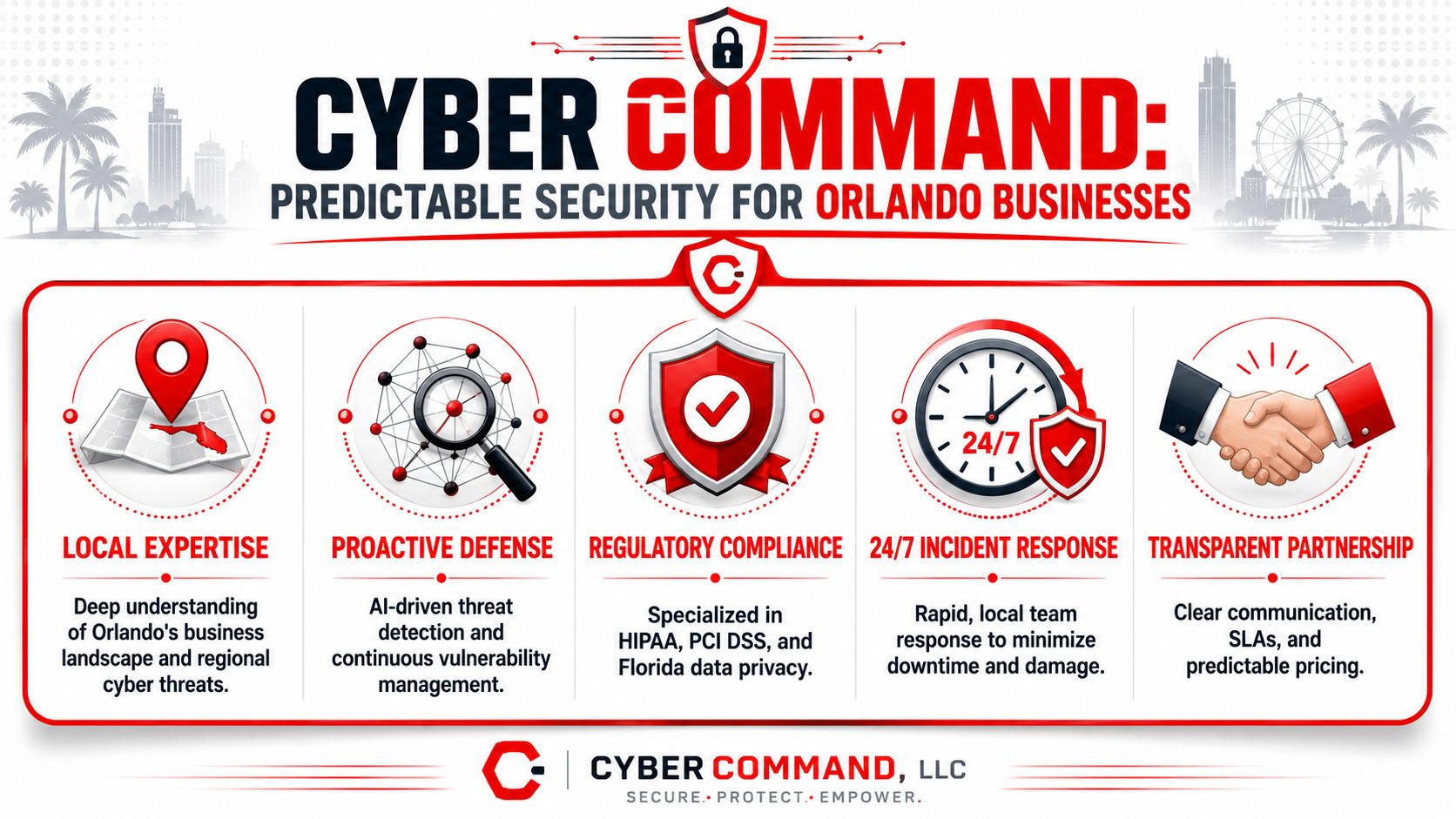
One practical example is Cyber Command, LLC, which offers managed and co-managed IT, cloud services, DevOps support, AI consulting, and a 24/7/365 U.S.-based helpdesk plus SOC. That kind of model makes sense for businesses that need both operational coverage and strategic input without building a large internal team.

Tailoring IT Support for Central Florida Industries

Generic IT support sounds fine until your business hits a sector-specific problem. Then the cracks show fast.

Orlando has plenty of IT providers, but buyers still struggle to find useful guidance on what support should look like for different business types, especially when comparing a medical practice to a multi-site professional services firm as seen in Orlando provider listings and market positioning.

A split image showing corporate IT professionals working in a modern office and construction managers at a site.

Professional services firms need control, not gadgetry

Law firms, accounting firms, architecture firms, and engineering practices usually don't need exotic infrastructure. They need consistency.

Their risk profile is built around confidential files, email, document retention, client deadlines, and staff who are billable by the hour. Every minute spent fighting VPN access, file shares, Outlook, or PDF workflow issues costs money twice. Once in payroll, once in lost billing opportunity.

For these firms, I'd prioritize:

  • Identity and email security because account compromise is often the fastest path to real damage.
  • Document access controls so staff only reach what they should.
  • Reliable remote work tools for partners, field staff, and client-facing professionals.
  • Vendor discipline so you don't end up with scattered subscriptions and zero ownership.

If you operate in this category, specialized IT support for professional services is a more useful benchmark than a generic MSP checklist.

Healthcare practices need operational reliability with compliance discipline

Medical, dental, ortho, med spa, and veterinary offices live in a different world. Scheduling systems, imaging tools, EMR access, front-desk workflows, e-prescribing dependencies, and patient communications all create risk.

The wrong IT partner tends to focus on devices and ignore workflow sensitivity. That's a mistake. A clinic doesn't just need protected endpoints. It needs systems that stay available during patient hours and staff who understand what can't go down at the wrong moment.

If your IT provider treats your practice like a normal office, expect avoidable disruption.

A healthcare-focused approach should emphasize user access discipline, secure vendor coordination, backup review, workstation standardization, and fast response when line-of-business applications fail.

Industrial and field-service firms need connectivity across moving parts

Construction, logistics, service dispatch, light industrial, and multi-site operations have a different challenge. Their risk isn't only in the office. It sits in trucks, job sites, tablets, mobile phones, remote supervisors, and weak handoffs between field and admin teams.

A provider who only understands desks and conference rooms will miss the actual work.

For these firms, the right consulting model usually centers on:

  1. Mobile device management for phones and tablets in the field.
  2. Secure access to cloud apps without creating password chaos.
  3. Site-to-office coordination so estimates, photos, work orders, and approvals move cleanly.
  4. Procurement and lifecycle planning for rugged devices and replacement timing.

Industry fit matters more than provider size. I'd rather see a smaller firm that understands your workflow than a larger one that gives every client the same stack and same script.

Decoding IT Support Pricing Flat-Rate vs Break-Fix

Many Orlando businesses get burned when they ask for “cost-effective IT,” get a vague quote, and assume they're comparing the same thing. They usually aren't.

Local market commentary shows a real gap between what buyers want and what many firms explain. Businesses want predictable spend, but pricing is often vague. Understanding the tradeoffs between flat-rate support and other models matters more as cyber pressure and technology change keep accelerating as reflected in Orlando market positioning for SMB IT services.

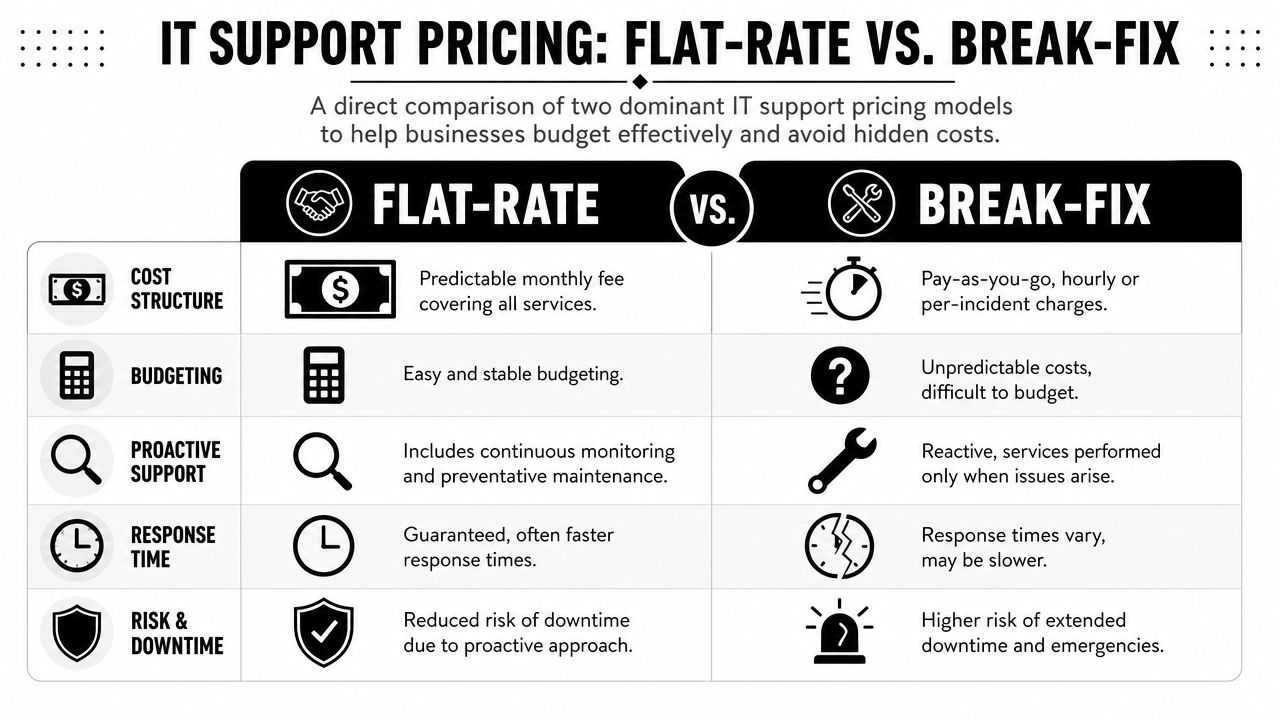
A comparison chart showing the differences between flat-rate and break-fix IT support pricing models for businesses.

Break-fix looks cheap until you use it

Break-fix means you pay when something goes wrong. That sounds flexible. It's unstable.

The provider gets paid when your systems fail, when users can't work, and when neglected issues finally explode into urgent projects. Their financial incentive is tied to incidents. Your business goal is fewer incidents. That's a bad alignment from day one.

Here's the hidden cost table most owners never see:

Issue Break-fix impact Flat-rate impact
Surprise outages Extra invoice plus downtime Covered under an ongoing service model
Deferred maintenance Easy to postpone Usually part of routine service
Security reviews Often separate or inconsistent More likely built into the operating model
Budget planning Reactive Predictable

Flat-rate support aligns incentives better

Flat-rate support isn't automatically good. Plenty of providers underdeliver. But the model itself makes more business sense.

If the monthly service is fixed, the provider wins by keeping your systems healthy, reducing noise, and standardizing your environment. That's what you want too. Stable systems, fewer interruptions, and fewer ugly billing surprises.

Cheap hourly support often becomes expensive leadership time.

What to ask when you review pricing

Don't just ask for the monthly number. Ask what's inside it.

  • Covered systems. Which devices, users, locations, and platforms are included?
  • Security scope. Are endpoint tools, alert handling, and access controls part of the service?
  • Projects versus support. What counts as routine work and what triggers extra billing?
  • Vendor management. Will they coordinate with your internet, software, printer, and telecom providers?
  • Reporting. Do you get plain-language accountability or just invoices and ticket counts?

The right pricing model isn't the one with the lowest entry point. It's the one that gives you dependable service, defined scope, and a budget you can effectively use.

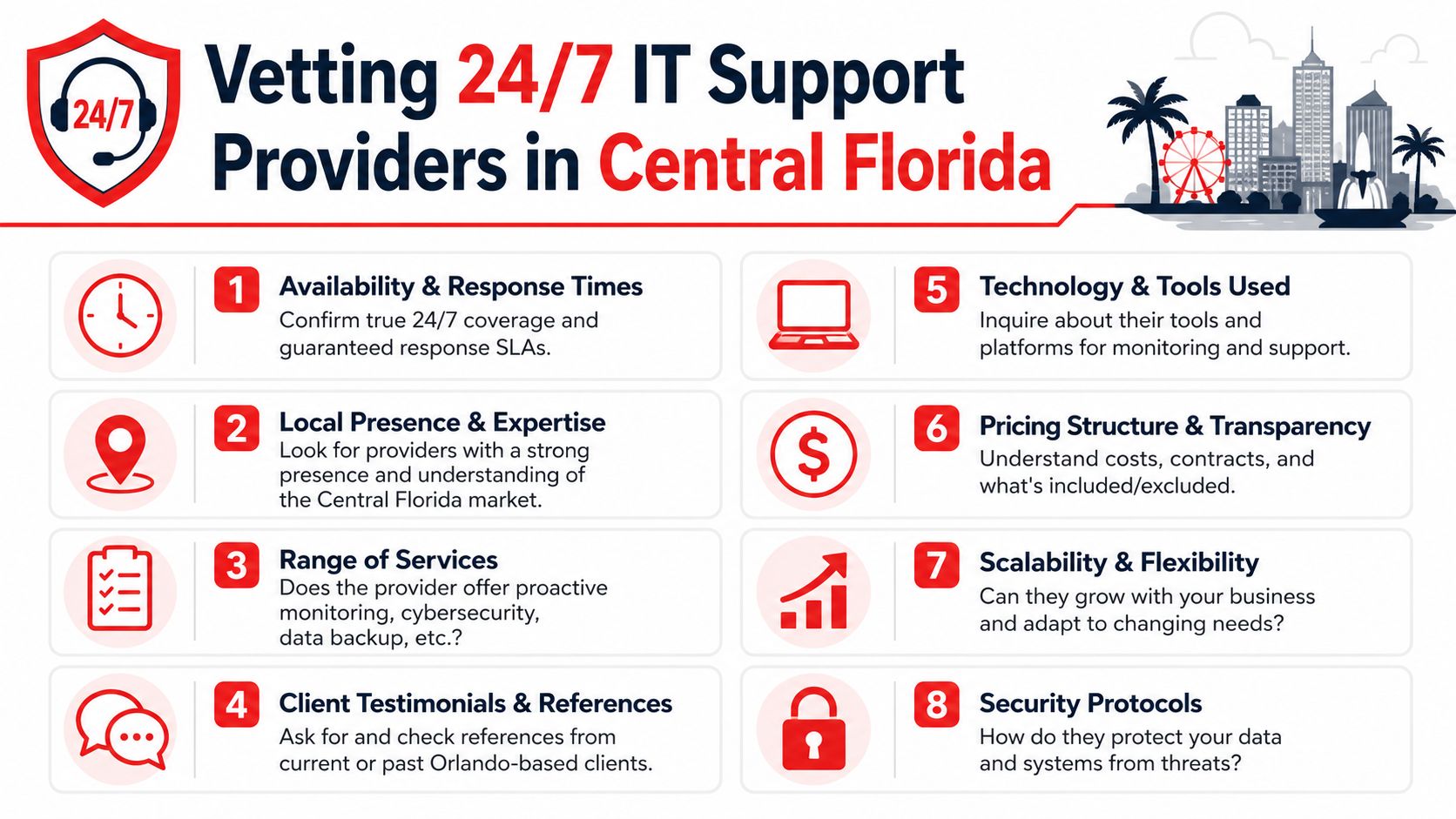
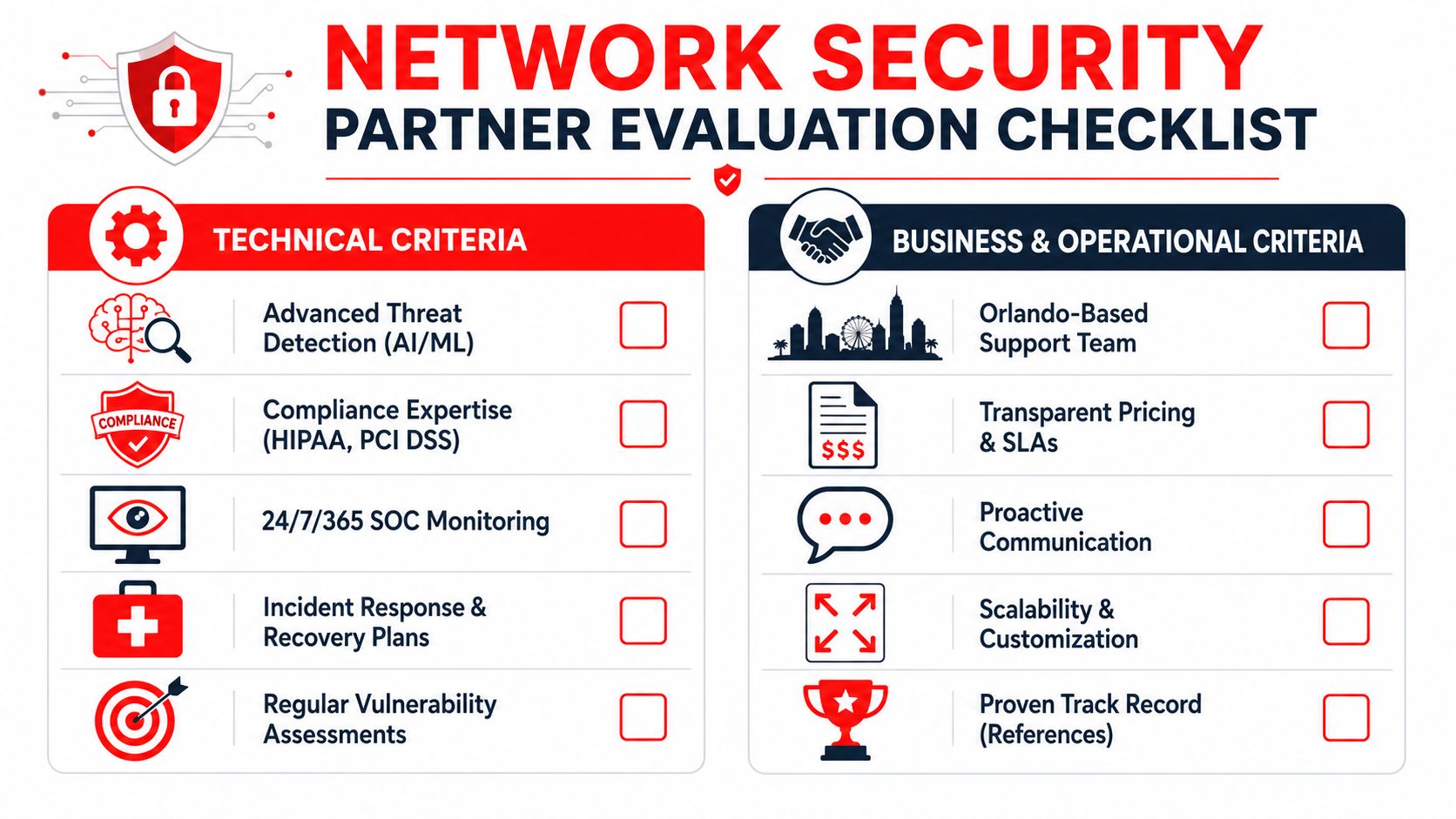
Your Vetting Checklist for Orlando IT Providers

Most IT sales meetings are designed to keep you passive. Nice slide deck. Broad promises. Lots of words like smooth, strategic, and secure. That's useless unless you know how to press for specifics.

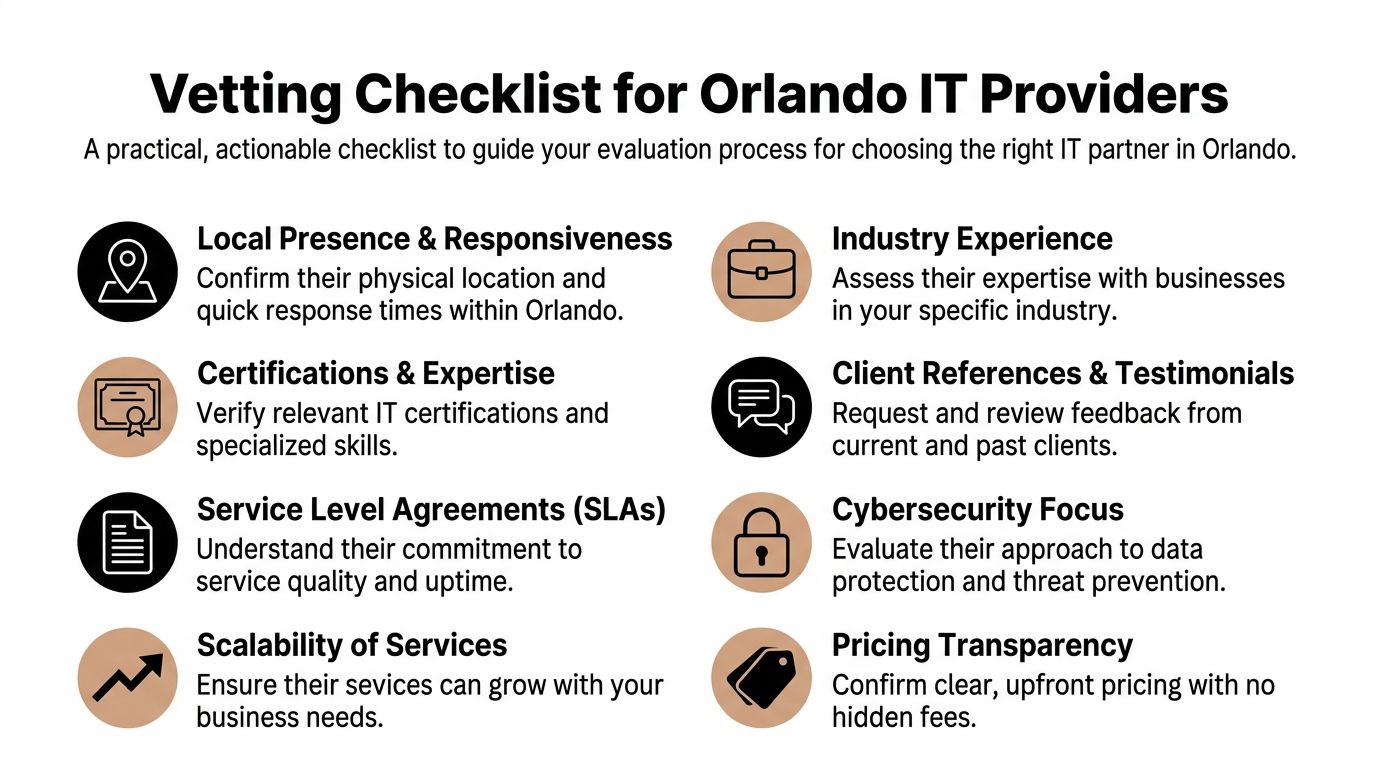
Use a checklist and lead the conversation.

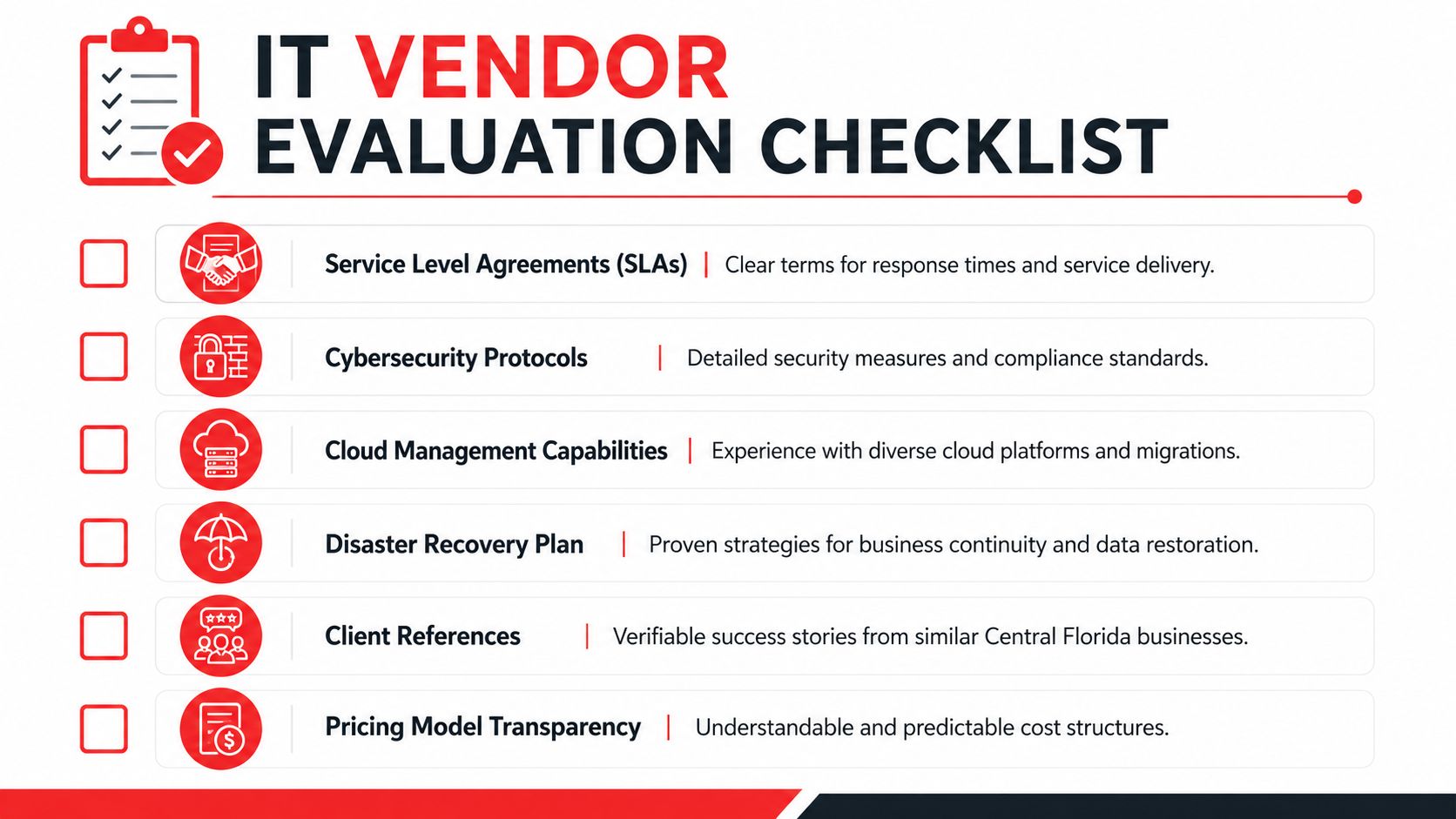
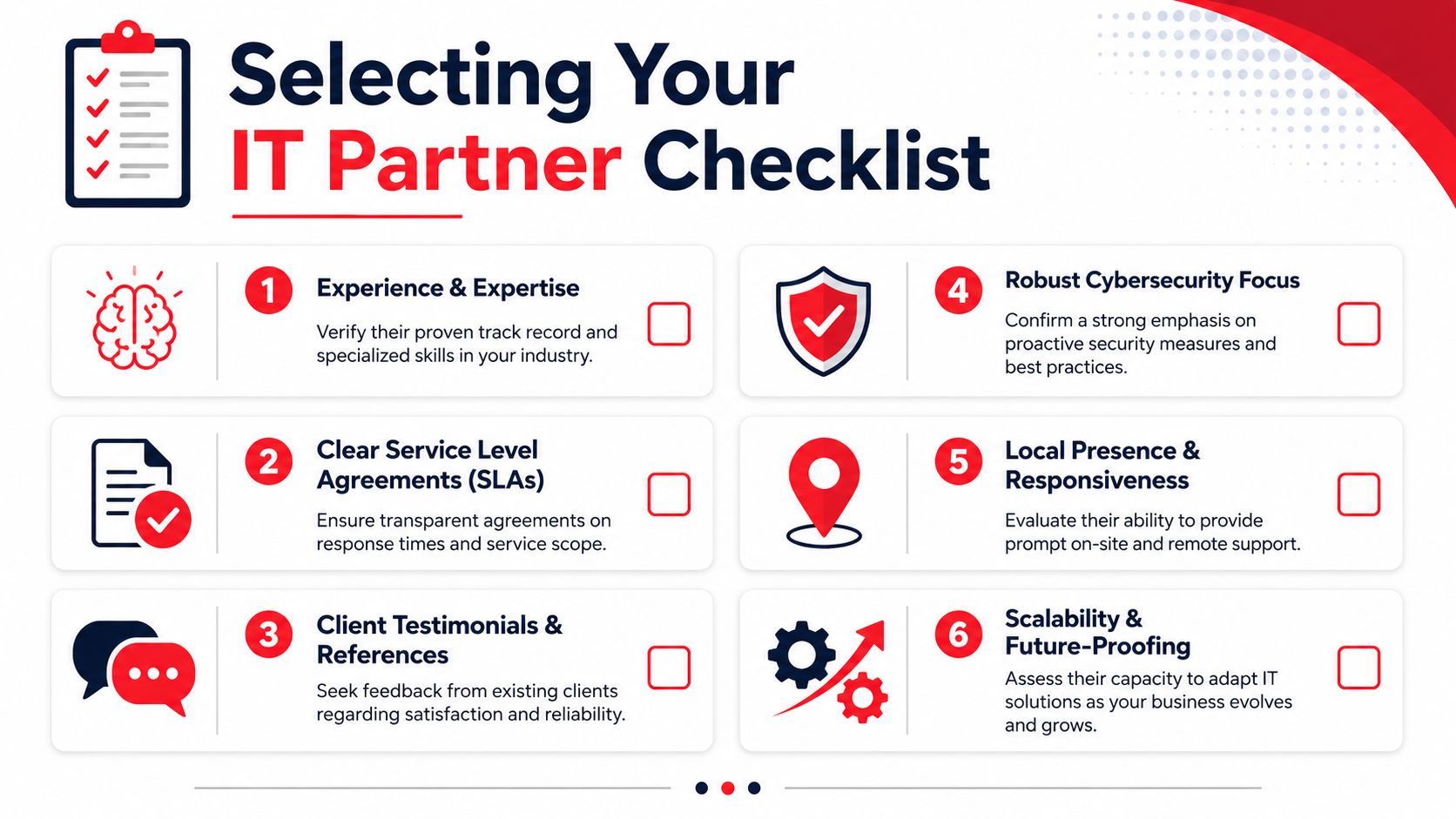
A checklist for businesses evaluating and selecting professional IT service providers located in Orlando, Florida.

The questions that expose weak providers

Ask these plainly and wait for direct answers.

  1. How does onboarding work?
    If they can't explain discovery, documentation, access review, device standardization, and transition ownership, expect a messy start.

  2. What happens when a security alert fires after hours?
    You want a real response path, not “someone gets notified.”

  3. What's included in the monthly agreement and what gets billed separately?
    This reveals whether the pricing is disciplined or deliberately vague.

  4. Who owns vendor coordination?
    Somebody has to deal with internet providers, software vendors, copier companies, phone systems, and cloud platforms.

  5. How do you support businesses in my industry?
    If the answer sounds generic, they probably don't.

  6. What do your reports show? Ticket counts aren't strategy. You need visibility into risk, recurring issues, asset status, and action items.

For a more detailed framework, this guide on how to choose a managed service provider is useful because it forces comparison beyond surface-level sales language.

What to verify, not just ask

Claims are easy. Proof is harder.

  • Local relevance. Ask for current Central Florida references in businesses similar to yours.
  • Technical depth. Ask who handles cloud, compliance-sensitive systems, and escalations.
  • Staffing stability. If you rely on outside augmentation, learn how they find the right tech staffing partner or internal talent mix to support continuity.
  • Documentation discipline. If they don't document environments well, every issue takes longer.

Good providers answer hard questions without getting defensive. Weak ones pivot back to marketing language.

Red flags I wouldn't ignore

Here are the ones that matter most:

  • Everything is “custom” but nobody can define scope.
  • They talk mostly about tools and not about business workflows.
  • They promise fast response but avoid talking about actual resolution ownership.
  • They can't explain your industry risks in plain English.
  • They sell security as an add-on instead of an operating standard.

You're not hiring a vendor to sound smart. You're hiring a partner to reduce operational risk.

Taking the Next Step With Your IT Partner

The main decision isn't whether you need support. You already do. The decision is whether you want a vendor who reacts to tickets or a partner who helps run technology as a business function.

That distinction matters in Orlando because the local market supports both subscription-style managed services and premium advisory work. Local pricing examples show service packages starting at $750 per month, onboarding that can be operational in 1 to 2 weeks after signing, and enterprise-tier consulting rates that can range from $175 to $350 per hour based on Orlando IT consulting market examples. For most small and midsized firms, that points to a simple conclusion. Predictable monthly support usually makes more sense than paying premium hourly rates for fragmented expertise.

The standard I'd use

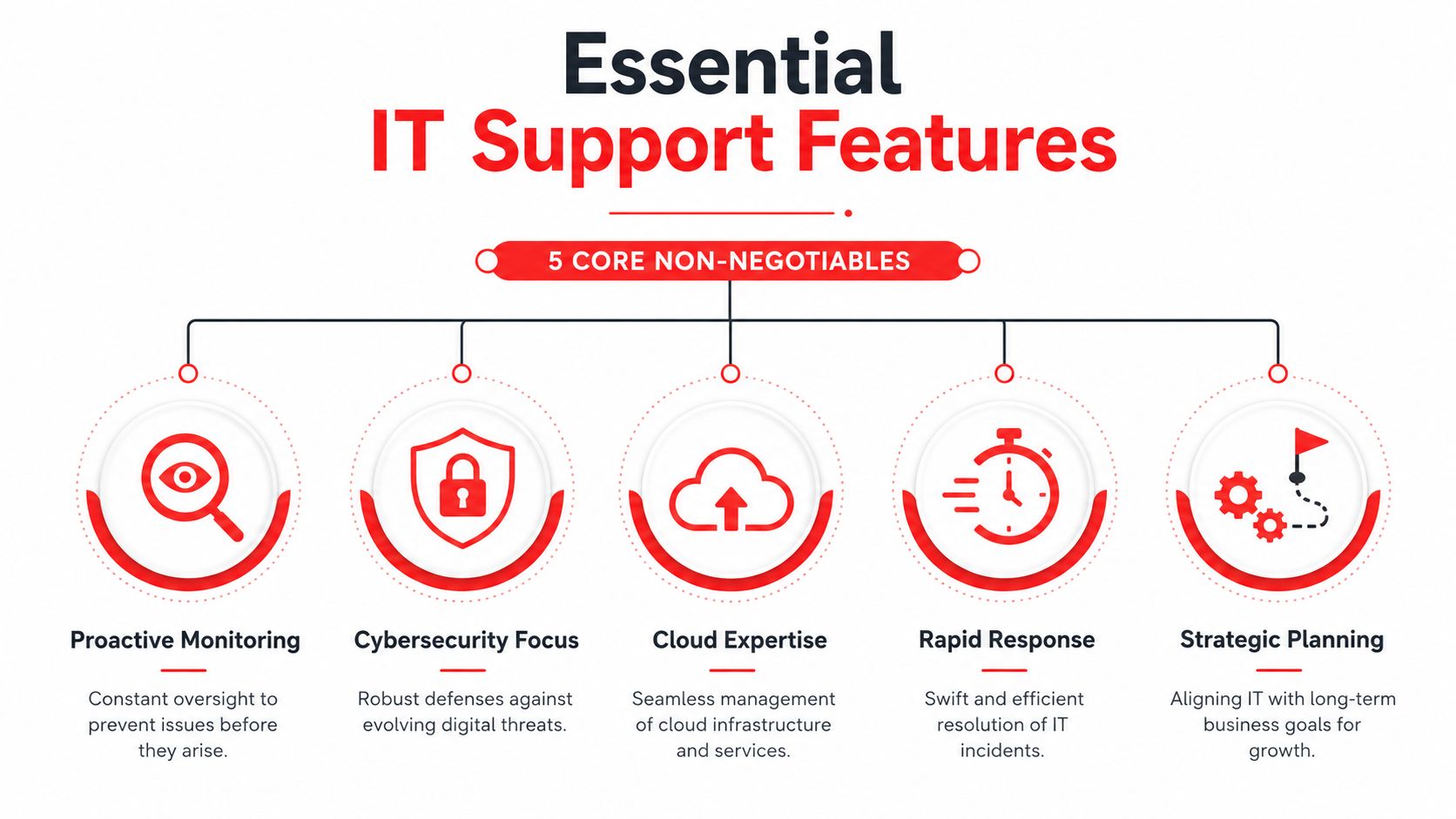
Choose a partner that can do five things well:

  • Keep users productive
  • Reduce cyber risk consistently
  • Give you predictable costs
  • Handle vendors without drama
  • Translate technology decisions into business outcomes

If a provider can't do all five, keep looking.

What a practical next move looks like

Don't start with a giant transformation project. Start with an honest review of what's fragile.

List your core applications. Identify where downtime hurts revenue. Review how staff access systems. Check whether anyone officially owns backups, vendor documentation, and after-hours response. Then compare that against the provider conversations you're having.

The right Orlando IT consulting partner should make your environment calmer, cleaner, and easier to manage. That's the job. Not more noise. Not more acronyms. Not another year of patchwork support.


If you want a partner that approaches IT as an operational and security discipline, not a ticket queue, talk with Cyber Command, LLC. They work with Central Florida organizations that need managed or co-managed IT, 24/7/365 U.S.-based helpdesk coverage, cybersecurity support, and predictable flat-rate service built around uptime, accountability, and business continuity.

Managed IT Support in Orlando FL: Your 2026 Guide

Your office opens at 8. By 8:07, the phones are already lit up because the practice management system won't sync, one employee can't access shared files, and a phishing email made it into an inbox that handles customer payments. If you run a medical practice in Winter Park, a law firm downtown, a hospitality group near the attractions, or a field-service company dispatching crews across Central Florida, that kind of morning doesn't feel unusual. It feels expensive.

That's why managed IT support in Orlando, FL has shifted from a nice-to-have to an operating requirement for many small and mid-sized businesses. The issue usually isn't just “computers.” It's whether your systems stay available, your staff stays productive, your client data stays protected, and your business can keep moving when weather, growth, turnover, and cyber risk all hit at once.

Why Orlando Businesses Are Moving to Managed IT Support

A lot of Orlando business owners hit the same wall. They grow past the point where one smart office manager, a part-time consultant, or an occasional break-fix technician can keep things stable. The company adds remote staff, opens another location, moves more work into Microsoft 365 or cloud applications, and suddenly technology stops being a background utility. It becomes a daily operational dependency.

That pressure is especially visible in Central Florida. A hospitality business may need systems working late at night and through weekends. A healthcare office can't tolerate downtime when schedules, records, and communications all depend on connected systems. A professional services firm may only need one bad outage during a filing deadline to realize that “we'll call someone if something breaks” is no longer a plan.

Orlando is not a beginner market

The local market reflects that reality. Orlando has an established managed services ecosystem, with over 300 IT managed services companies in the area, and some providers have served Central Florida businesses since 1999 while supporting organizations with 20–2,000 employees, according to Orlando managed services market coverage. That tells you two things. First, the need is real and long-standing. Second, buyers have options, which means choosing the right provider matters more than choosing the idea of managed services.

For owners sorting through those options, it helps to start with a business-first lens instead of a tool-first one. A local Orlando IT consulting partner should be able to connect technology decisions to uptime, security, staffing pressure, compliance, and expansion plans. If they can't do that, they're probably selling tasks, not support.

Practical rule: If your revenue depends on systems being available every day, IT is part of operations, not overhead.

What pushes businesses to make the switch

Managed IT support usually becomes attractive when one or more of these problems starts repeating:

  • Recurring downtime: The same Wi-Fi issue, server issue, login issue, or application issue keeps coming back.
  • Security anxiety: Staff sees suspicious emails, passwords are inconsistent, and nobody is confident patching is happening on time.
  • Growth friction: New hires, new devices, and new software keep getting added without standards.
  • Vendor chaos: Internet, phones, software, cloud apps, printers, and line-of-business tools all have different support paths.
  • No real ownership: Problems get fixed, but nobody is accountable for prevention.

That's the shift. Orlando businesses aren't just buying technical support. They're buying steadier operations, clearer accountability, and fewer unpleasant surprises.

Decoding Managed IT Support A Plain-English Guide

Managed IT support is often explained with technical language that makes it sound more complicated than it is. In plain English, it means a provider takes ongoing responsibility for maintaining, securing, monitoring, and supporting your technology environment instead of waiting for things to fail.

The easiest analogy is property management.

If you own a commercial building, a good property manager doesn't wait for the roof to cave in, the AC to fail, and the parking lot lights to go dark before doing anything. They inspect, schedule maintenance, coordinate vendors, respond to issues, and keep the building usable. Break-fix IT is the opposite. It's calling a handyman after a pipe bursts.

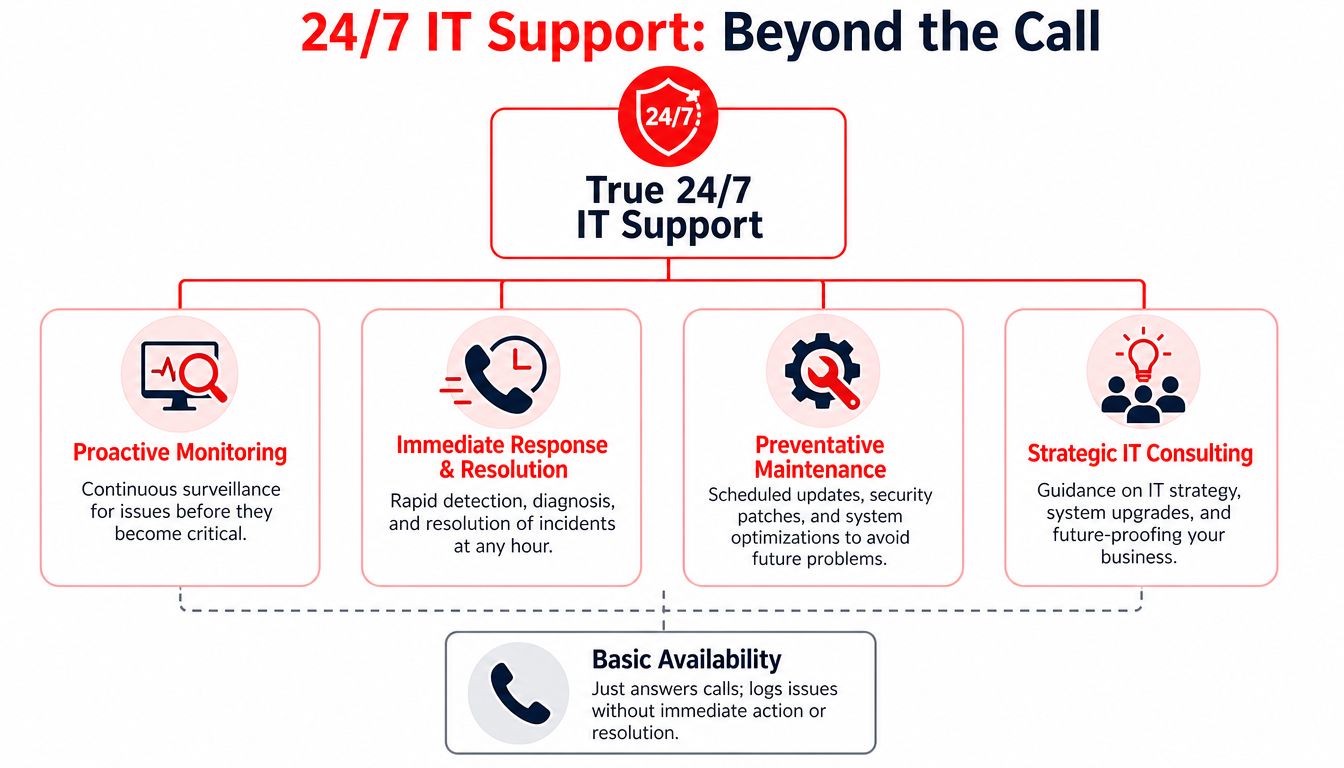
Break-fix reacts. Managed support maintains.

That distinction matters because reactive support rewards delay. Problems stay invisible until users feel them. By then, the business is already paying through lost time, staff frustration, missed work, or exposure to a security incident.

For Florida businesses, the biggest operational advantage comes from proactive management, including continuous monitoring, automatic patching, and incident response, because those controls shorten the window between a vulnerability and its fix and lower exposure to outages and security incidents, as noted in this review of proactive managed IT for Florida businesses.

A simple comparison makes the model clearer:

Approach What triggers action Business impact
Break-fix IT Something breaks Work stops first, support starts second
Managed IT support Monitoring, maintenance schedules, alerts, user needs Problems are reduced earlier and handled more systematically

What this looks like in day-to-day operations

In practice, managed support usually includes a mix of behind-the-scenes maintenance and visible user help.

  • Monitoring systems: Tools watch endpoints, servers, network devices, and core services for signs of trouble.
  • Applying patches: Operating systems and business applications get updated before known issues sit open for too long.
  • Handling user tickets: Staff gets help with logins, devices, application errors, and routine support requests.
  • Managing vendors: Someone coordinates with internet providers, software vendors, and hardware support when issues cross boundaries.
  • Improving infrastructure: The environment gets standardized so one-off fixes don't pile up.

For businesses where guest experience or on-site connectivity matters, network management becomes a major part of the value. If you want a plain-language look at how providers approach solving Wi-Fi challenges with managed networks, that framework is useful because it ties performance and reliability back to operational needs, not just hardware.

Managed IT support works best when it prevents the ticket you never wanted to open in the first place.

The Building Blocks of Comprehensive Managed IT Services

A mature managed IT program isn't one tool or one technician. It's a stack of operating disciplines that work together. If one layer is missing, the rest of the environment gets weaker. Good providers know that uptime and security come from coverage, not from a single product.

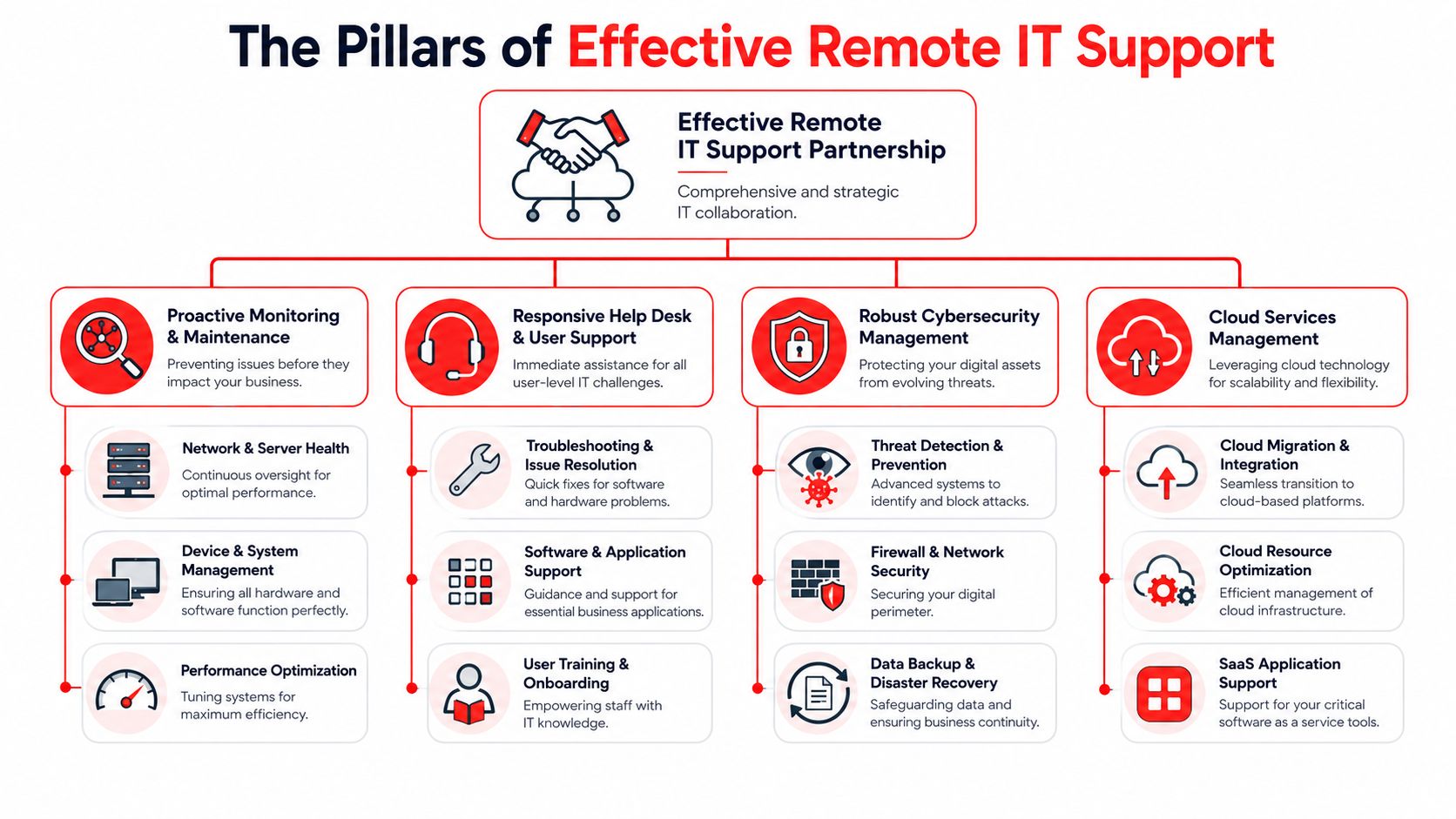
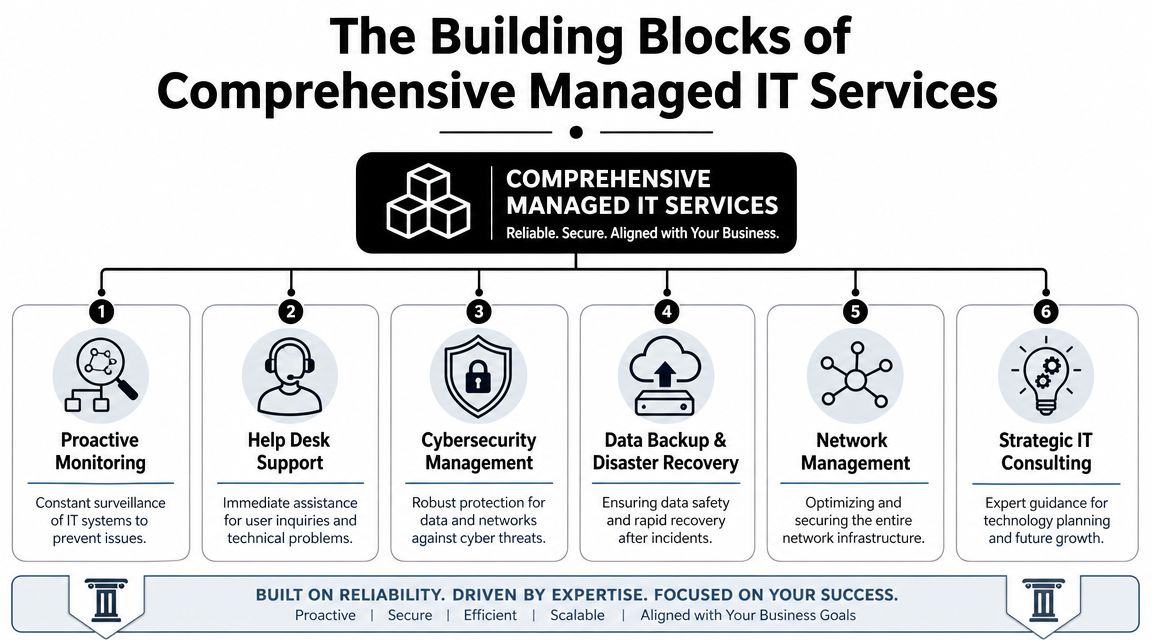
A diagram illustrating the six key building blocks of comprehensive managed IT services for businesses.

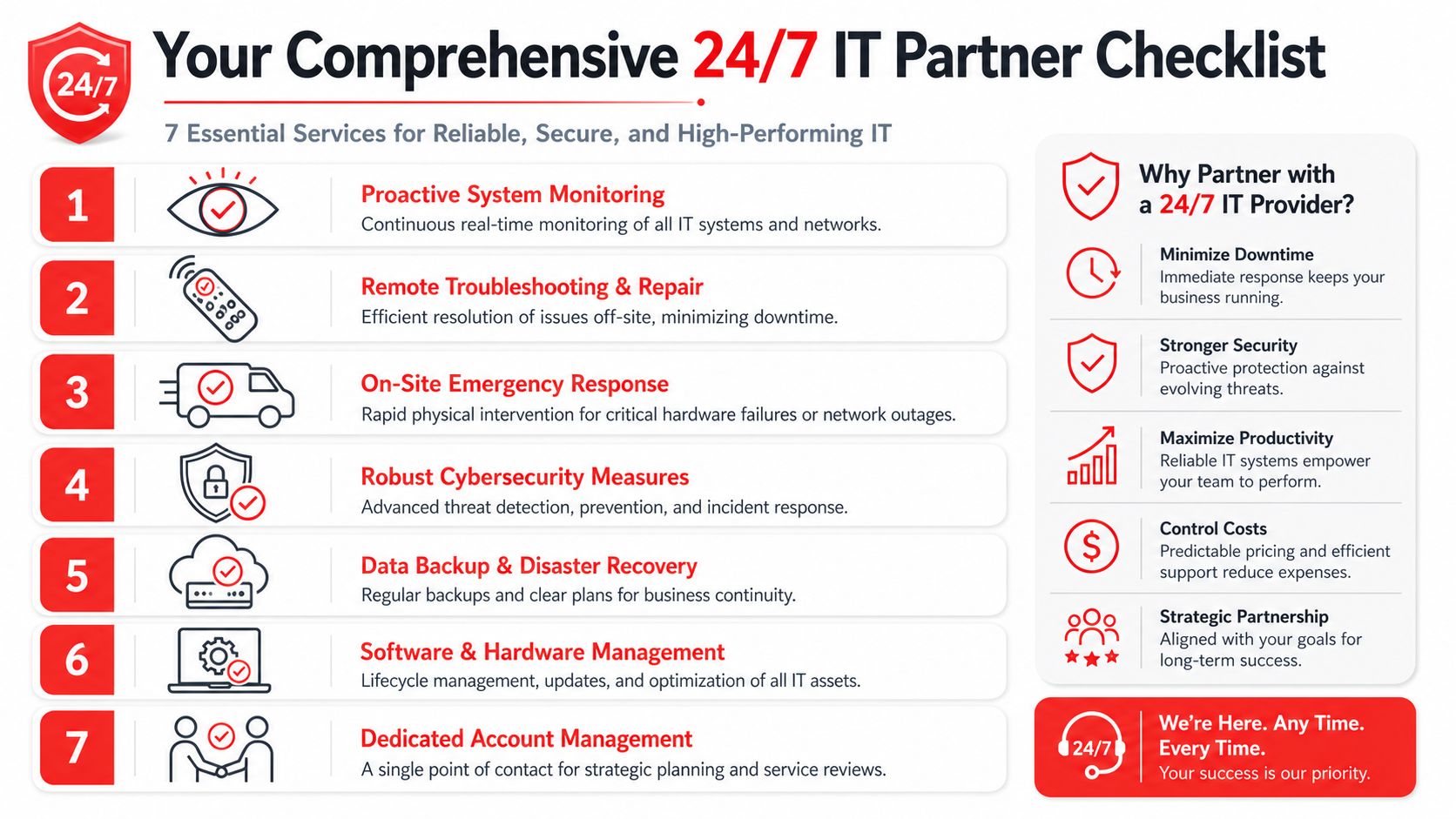
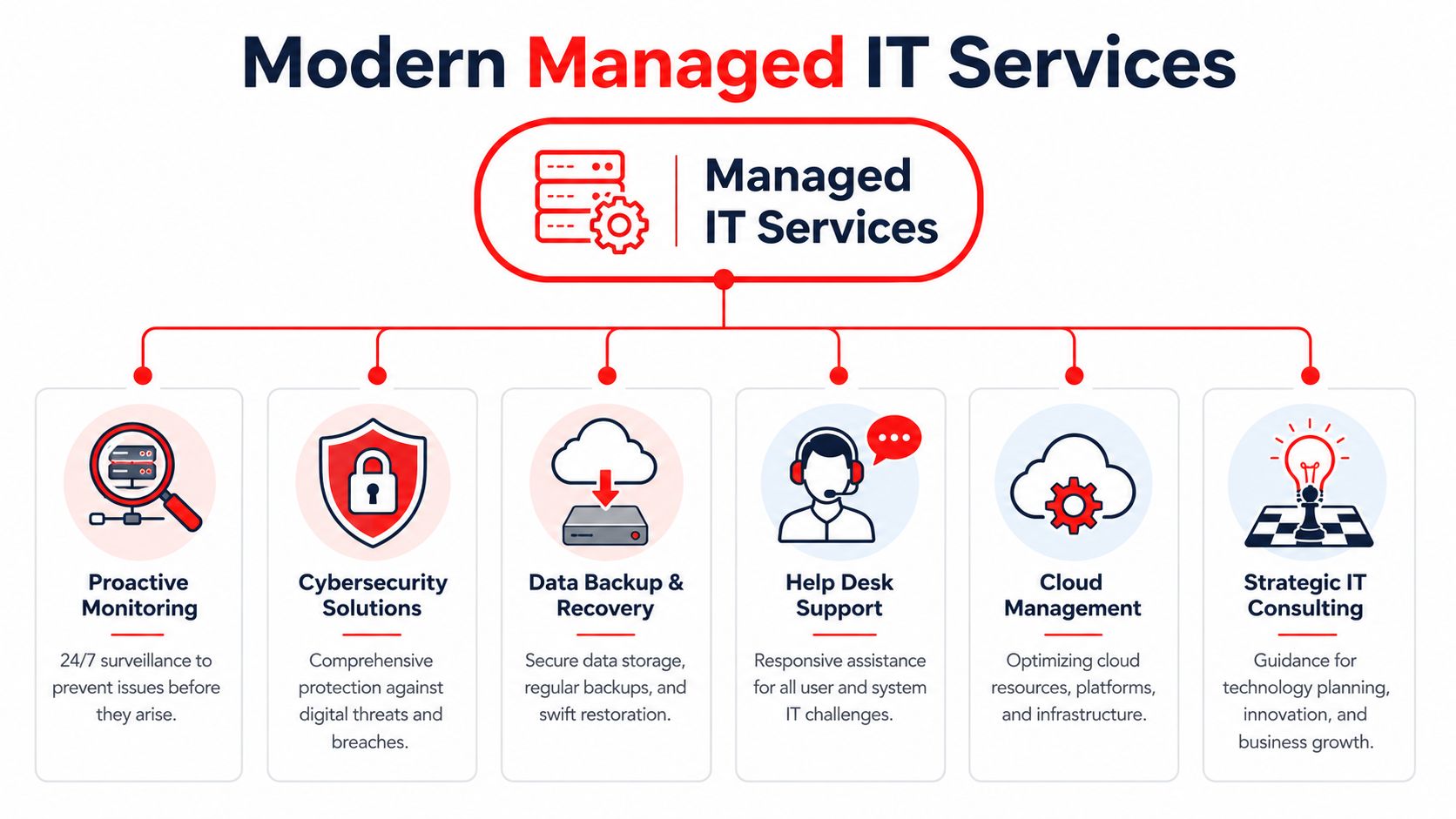
A technically mature managed IT support stack should include 24/7 monitoring, helpdesk response, cybersecurity, cloud services, backup and disaster recovery, and network management, because those are the core controls that reduce downtime by detecting failures and threats before users feel them, according to this overview of managed IT services in Orlando.

The six capabilities that matter most

Here's what each layer does for the business.

  • Proactive monitoring: This is the early warning system. It watches for failing hardware, unhealthy services, storage issues, unusual behavior, and performance degradation before someone in accounting or front-desk operations notices.
  • Help desk support: Employees need a place to go when they're blocked. Good help desk support restores momentum. Bad help desk support becomes another bottleneck.
  • Cybersecurity management: This covers endpoint protection, security controls, policy enforcement, alert review, and response processes. Security isn't a side add-on anymore. It's part of core operations.
  • Backup and disaster recovery: Backups are the seatbelt. Recovery planning is the airbag. One without the other isn't enough.
  • Network management: Switches, firewalls, wireless, remote connectivity, and segmentation all shape how stable and secure the business feels from the user side.
  • Strategic IT planning: Without planning, businesses drift into a patchwork environment of old devices, duplicate software, and unsupported workarounds.

What works and what usually fails

A common mistake is buying a low-cost package that watches alerts but doesn't create ownership. Monitoring without action is just noise. Another is focusing only on ticket response while ignoring standards, documentation, patching, and lifecycle planning.

The better model is integrated support. For example, a provider may manage cloud platforms, endpoint standards, security policy, backup health, and user support as one operating system for the business. If you want a broader view of how providers package those layers, this breakdown of managed IT service solutions is useful as a reference point.

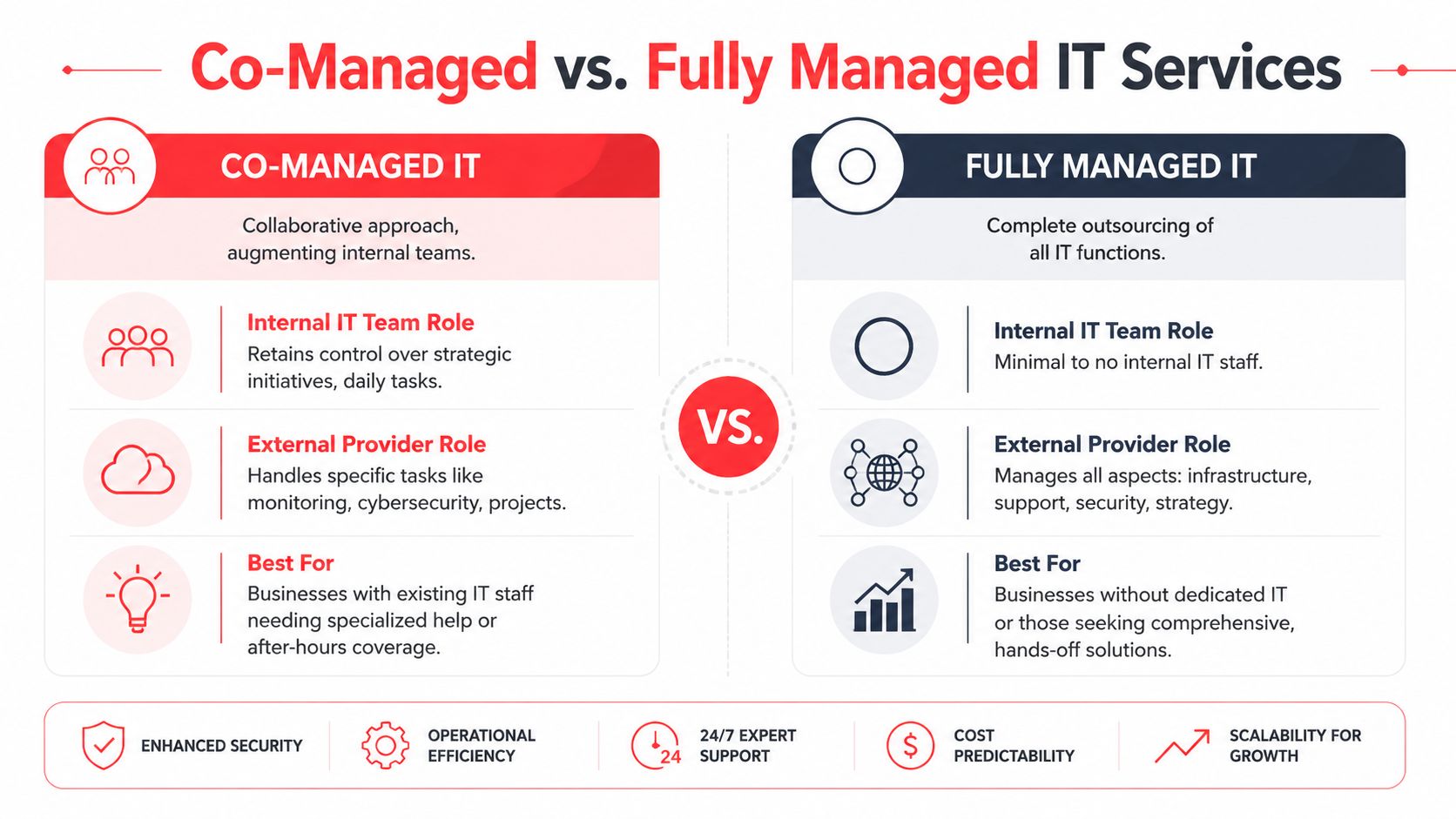
Co-managed support is often the right middle ground

Some Orlando businesses already have internal IT. That doesn't mean fully outsourced support is the only option. Co-managed IT can split responsibilities cleanly.

Business need Internal IT keeps MSP handles
Strategic ownership Business-specific systems, leadership alignment, internal priorities Supplemental expertise, coverage, tooling
Daily operations Select applications or site-specific processes Monitoring, patching, support overflow, security operations
Growth support Project direction Implementation help, standardization, vendor coordination

One example in the market is Cyber Command, LLC, which offers fully managed and co-managed IT, cloud services, a 24/7 SOC, and live U.S.-based helpdesk support for organizations that need operational coverage as well as cybersecurity accountability. That kind of model fits businesses that want both strategic control and stronger day-to-day execution.

IT Support for Orlando's Key Industries

The right managed IT model depends heavily on the business you run. Orlando isn't one industry. It's a mix of healthcare practices, law and accounting firms, hospitality operations, industrial companies, and field-service organizations with very different risk profiles.

A professional IT specialist discussing digital solutions on a tablet with a client in a modern lobby.

Healthcare practices and clinics

Privately owned medical practices, dental offices, orthodontists, med spas, and veterinary groups usually need more than generic support. They need stable systems, secure communications, controlled access, dependable backups, and clear procedures for handling sensitive information.

In this setting, unmanaged devices and inconsistent updates are a problem. So is informal access. If employees share credentials, use personal devices loosely, or bypass secure file handling because it's faster, the organization creates risk every day. A good MSP puts guardrails around that behavior with device management, patching discipline, secure remote access, and documented recovery procedures.

If a healthcare office can't explain how it protects access, updates devices, and restores data after an incident, it's relying on luck.

Law firms, accountants, and other professional services

Professional services firms live on trust. Client files, financial documents, legal records, tax data, contracts, and email history all need protection. But security alone isn't enough. These firms also need consistency. One unavailable file share during a deadline can create client-facing damage that has nothing to do with malware.

For these businesses, the strongest managed support model usually includes:

  • Access control: Staff should only reach the systems and files they need.
  • Device standards: Every laptop, workstation, and remote setup should follow the same baseline.
  • Vendor management: Line-of-business applications often involve outside software vendors, and someone needs to coordinate support.
  • Reliable support response: Partners and billable staff can't spend half a day troubleshooting their own tools.

Hospitality and extended-hour operations

Orlando's tourism economy creates a special wrinkle. A business may advertise around-the-clock guest service while its IT provider only staffs live help during ordinary office hours. That mismatch matters when a front desk, payment flow, wireless network, or connected device issue appears late at night.

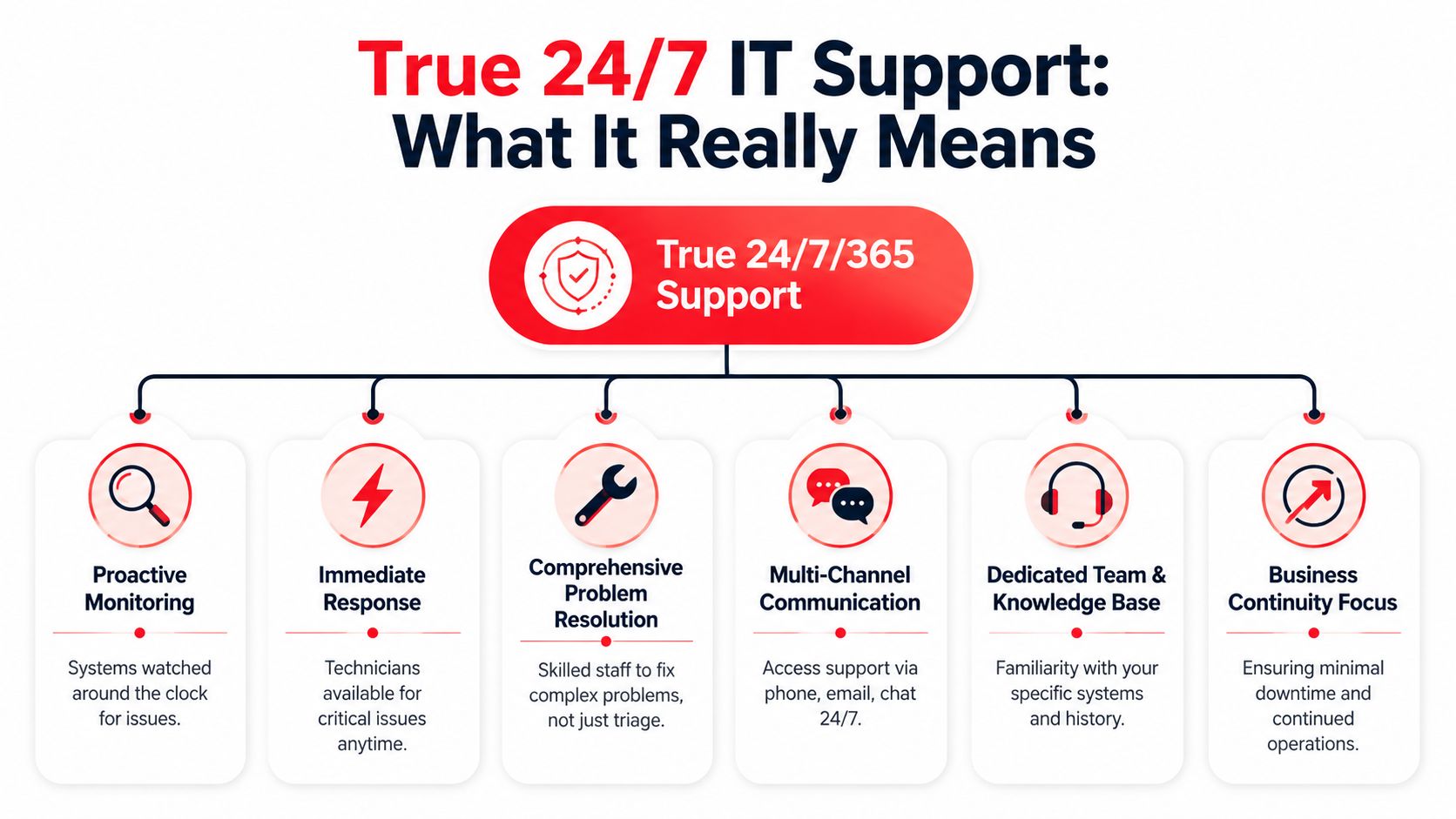
Hospitality groups, entertainment venues, and some healthcare operations should evaluate support based on actual business hours, not marketing language. “24/7 monitoring” and “someone will call you back in the morning” aren't the same thing.

Industrial and field-service companies

Industrial firms and field-service organizations usually care about practical reliability. Can technicians connect from the road? Can office and warehouse systems stay synchronized? Can new locations and new users be brought online without custom improvisation every time?

Those businesses benefit most from standardization. The goal isn't glamorous technology. It's repeatable setups, dependable connectivity, secure remote access, and documentation that survives staff turnover. In these environments, mature managed IT support in Orlando, FL often becomes the glue between office operations, mobile work, and vendor-heavy infrastructure.

Managed IT Pricing in Orlando and Your Return on Investment

Most business owners ask the right question first. What does this cost?

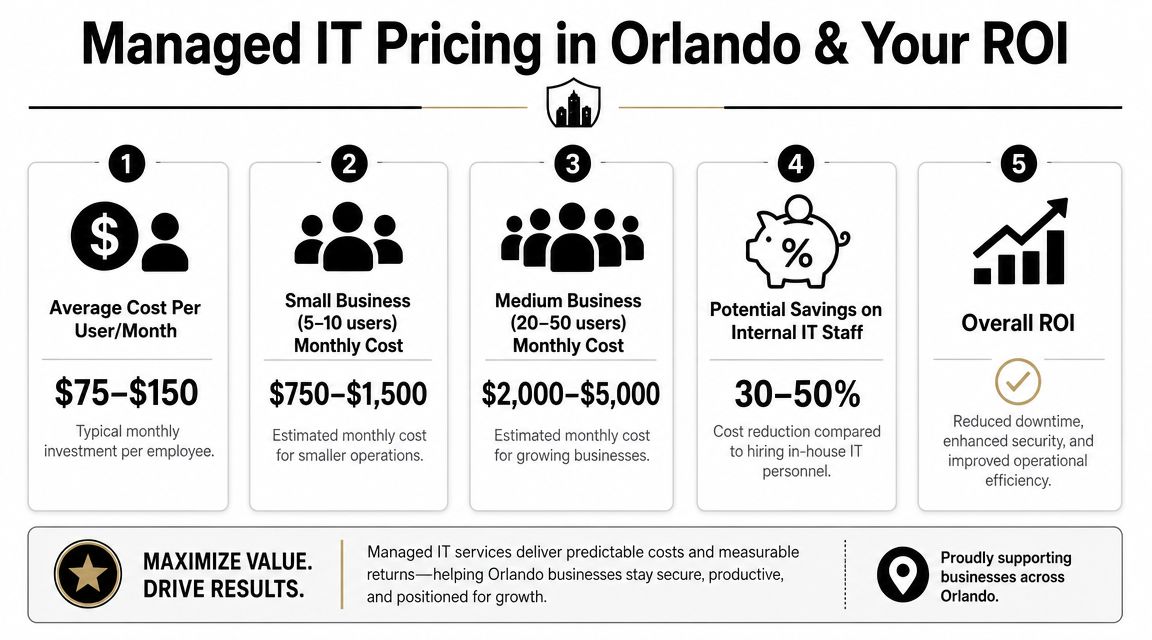
In Orlando, the market has fairly visible pricing bands. Clutch's May 2026 rankings show that basic monitoring and remote help desk typically cost $1,500–$3,000 per month, while fully managed networks with security and backup usually range from $3,000–$7,000 per month. Ad hoc or after-hours work commonly falls between $120–$200 per hour, according to Orlando MSP pricing data on Clutch. That pricing structure also shows how managed IT is usually sold. It's an ongoing operational service, not a one-time cleanup.

An infographic detailing typical managed IT service pricing, costs for small to medium businesses, and potential ROI.

What the monthly fee is really buying

The wrong way to evaluate managed services is to compare the monthly fee against the cost of doing nothing. Doing nothing has a cost. It just shows up in scattered places.

Think about the hidden line items:

  • Employee downtime: Staff waits on login issues, slow systems, broken wireless, and application errors.
  • Leadership distraction: Owners and managers get pulled into vendor calls and support escalations.
  • Security exposure: Delayed patching, weak endpoint control, and poor response processes raise operational risk.
  • Unplanned labor: After-hours emergencies often cost more and arrive at the worst time.
  • Technology drift: Every exception becomes harder to support later.

A better way to judge ROI

For most SMBs, return on investment from managed IT doesn't come from one dramatic event. It comes from fewer disruptions, cleaner systems, faster support resolution, and a more predictable operating model. It also comes from shifting IT spend out of random emergency charges and into a recurring service structure that leadership can budget for.

A useful buying question is not “What is the cheapest support package?” It's “What failures am I still paying for if I choose a thinner package?”

If you're comparing service models and trying to understand what's typically included versus billed separately, this guide to managed IT services pricing is a practical place to start. The details matter. A low sticker price can become expensive if after-hours work, projects, remediation, or onsite needs constantly trigger extra charges.

Cheap IT is often just delayed spending.

A Practical Checklist for Evaluating Orlando IT Providers

Once you start interviewing providers, the conversation can get slippery fast. Every firm says it's responsive. Every firm says it takes security seriously. The way to cut through that is to ask operational questions that are hard to answer vaguely.

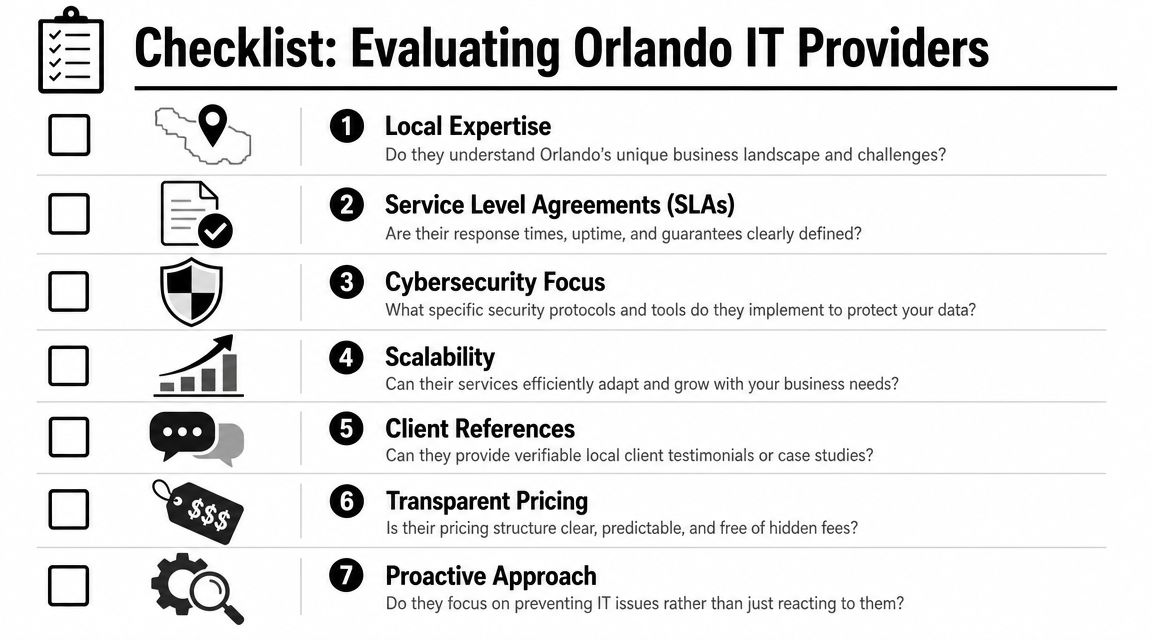
A checklist infographic outlining seven key criteria for businesses to evaluate IT service providers in Orlando.

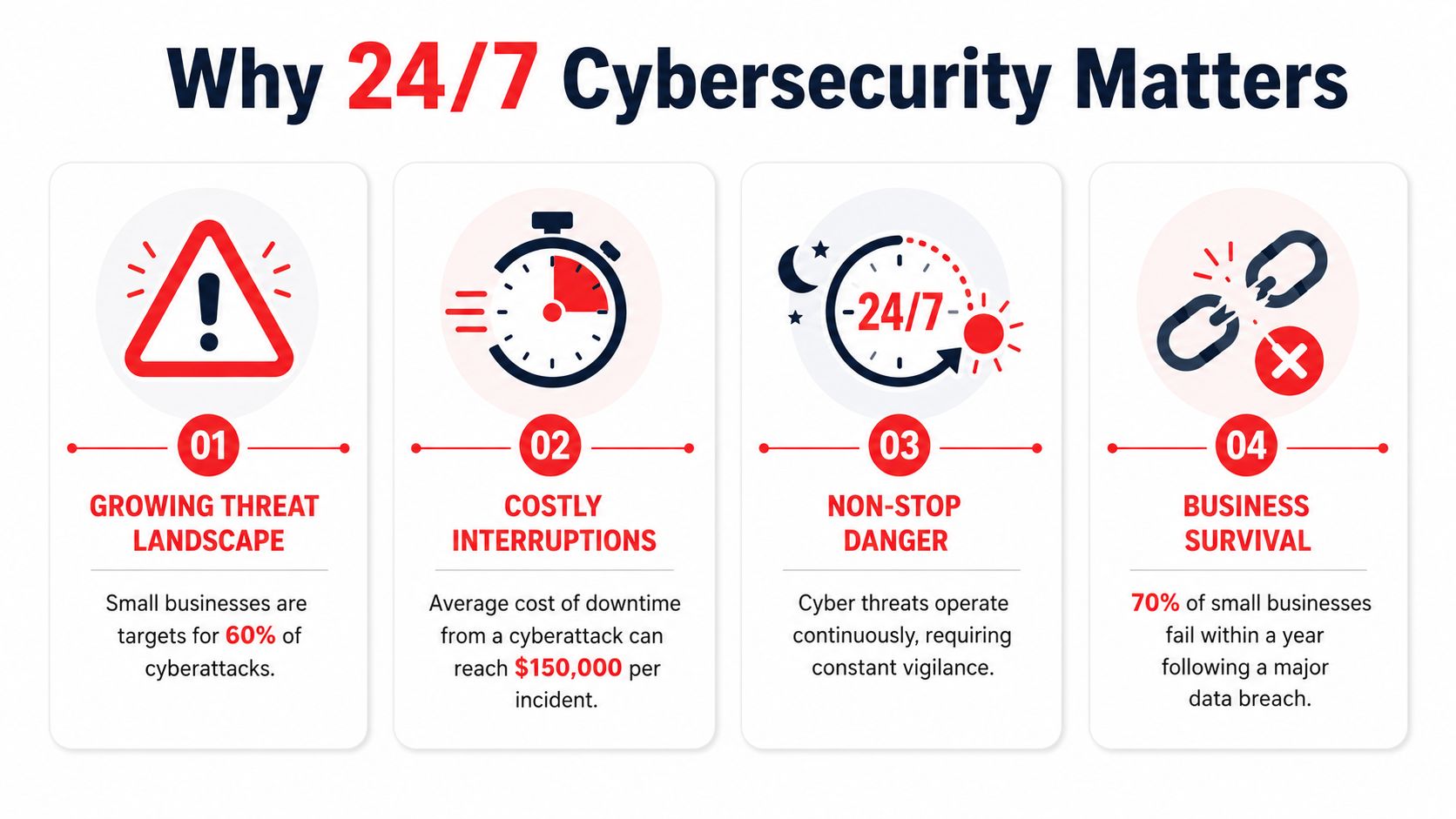
A critical issue in Orlando is the gap between 24/7 monitoring and 24/7 support. Many local providers highlight uptime and monitoring, yet their posted business hours may still be weekday office hours, which can leave hospitality, healthcare, and extended-hour businesses without live help when they require it, as discussed in this overview of Orlando IT service availability.

Questions that expose the real service model

Ask these directly:

  • Who answers after hours: Is live help desk support staffed nights, weekends, and holidays, or are alerts queued for escalation?
  • How are critical issues defined: What qualifies as urgent, and what response commitment applies on a Saturday evening?
  • What is included in security: Are patching, endpoint protection, firewall oversight, and incident response part of the agreement or separate services?
  • How do you support my industry: Can the provider speak clearly about legal confidentiality, healthcare data handling, or multi-site operational needs without resorting to generic language?
  • What happens during onboarding: Will they document systems, standardize devices, remove old risk, and coordinate vendors, or will they just take over the existing mess?

What to look for in the answers

Good answers are specific. Weak answers sound polished but avoid details.

Ask about Strong answer sounds like Weak answer sounds like
Support coverage Clear staffing model, escalation path, defined response expectations “We're always available if needed”
Security operations Named controls, review process, ownership model “We take security very seriously”
Pricing Included scope, exclusions, project rules, after-hours policy “It depends on the situation”
Local fit Familiarity with Orlando business patterns and operating hours Generic SMB talking points

Use the checklist before you sign

A provider relationship is easier to start than to unwind. That's why a buying framework helps. This 2026 MSP buyer's guide is useful for structuring your evaluation process and comparing providers on service model, accountability, and pricing clarity, not just sales presentation.

One more practical test. Ask who owns vendor coordination when the problem crosses systems. If the internet provider blames the firewall vendor, the software vendor blames the workstation, and your staff is stuck in the middle, somebody needs to lead the issue to resolution. If the MSP won't own that process, you still own the chaos.

Orlando Managed IT FAQs

How disruptive is onboarding

A competent onboarding process shouldn't feel like ripping out your entire environment on day one. It should feel like an orderly takeover. The provider should inventory systems, review admin access, map vendors, confirm backup status, standardize endpoint controls, and identify immediate risks first.

The biggest disruption usually comes from cleaning up years of inconsistency. Old devices, shared passwords, unknown software, and undocumented vendor relationships slow things down. That isn't a reason to avoid onboarding. It's the reason to do it carefully.

We already have an IT person. Can we still use managed support

Yes. For many organizations, co-managed support is the practical model. Internal IT keeps business context, internal relationships, and strategic ownership. The MSP adds coverage, tools, escalation support, and specialized security or infrastructure help.

That setup works well when internal staff is overloaded with support tickets and routine maintenance. It also works when leadership wants stronger operational discipline without forcing a small in-house team to cover every specialty.

How does support work for businesses with multiple Central Florida locations

Multi-location support works best when the provider standardizes the environment instead of treating each office like a separate island. That means common device baselines, shared documentation, coordinated vendor management, and a consistent support path for users whether they're in Orlando, Winter Springs, Kissimmee, or another nearby city.

The key is central visibility with local responsiveness. Businesses with more than one office don't need different IT philosophies by location. They need one operating model that can absorb growth.

What should we prepare before talking to a provider

Bring the basics:

  • Current pain points: Repeated outages, ticket delays, security concerns, vendor issues
  • Business realities: Operating hours, compliance pressure, remote staff, growth plans
  • Technology snapshot: Devices, servers, cloud apps, internet providers, line-of-business software
  • Decision criteria: Budget expectations, coverage requirements, support expectations

That conversation goes faster when the business owner explains where downtime hurts most. For one company it's scheduling. For another it's billing, intake, dispatch, or file access. Managed support works best when the technical plan follows the operational truth.


If you're evaluating Cyber Command, LLC, start with the practical questions in this guide. Ask about live after-hours support, co-managed options, cybersecurity operations, onboarding, and pricing scope. A good MSP conversation should leave you with clearer operational answers, not more jargon.